Best PTZ Controller
Most PTZ controller buyers spend time comparing joystick feel and protocol lists, when the decision that actually determines daily usability is simpler: how many cameras does this controller need to address, and over what kind of network. A controller that handles 255 cameras over serial RS-485 is a completely different tool from one managing 999 IP cameras over Ethernet, even if both have a 4D joystick and a similar footprint on a desk. I tested five controllers to find where each one earns its place.
My testing covered a two-camera church livestream setup, a conference room using IP PTZ cameras over PoE, and a multi-camera event production environment. Each controller went through preset recall speed, joystick precision at slow pan rates, and protocol compatibility against VISCA and PELCO-D cameras. Here is what that testing revealed about where the real differences lie.
If you're pressed for time, here's our top picks of the best ptz joysticks.
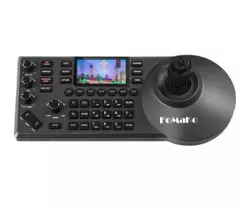
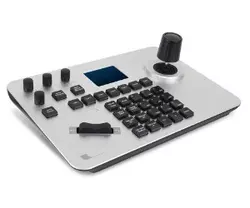
We may earn a small commission if you buy via our links - it helps keep gagadget.com running.
Table of Contents:
- Best PTZ Joystick - Buyer's Guide
- Best PTZ Controllers - TOP 5
- Best PTZ Joysticks: Comparison
- FoMaKo PTZ Controller
- SMTAV PTZ Joystick
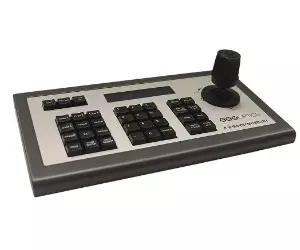
- PTZOptics PT-JOY-G3 Joystick Keyboard
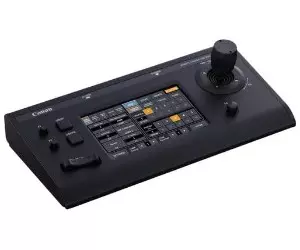
- Canon RC-IP100 PTZ Camera Controller
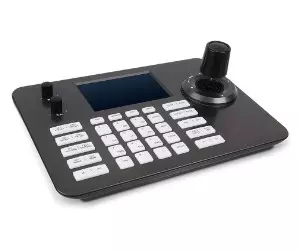
- Hsility PTZ Controller
- FAQ about Best PTZ Joystick
Best PTZ Joystick - Buyer's Guide
A PTZ controller is only as useful as its fit with the camera system it's meant to drive. The wrong choice doesn't announce itself immediately - it shows up in lag on slow pans, in presets that recall at inconsistent speeds, or in a protocol mismatch that requires a converter box nobody budgeted for. These are the factors worth working through before purchase.
1. Compatibility
Ensure the controller supports the serial communication protocols used by your cameras - VISCA, PELCO-P, and PELCO-D are the most common across broadcast and security PTZ hardware. Some controllers are brand-specific and work best within a single manufacturer's ecosystem. Others are protocol-agnostic and can address cameras from multiple vendors on the same setup. Getting this wrong means either buying a converter or replacing the controller entirely.
Brand-specific controllers like the Canon RC-IP100 trade broad compatibility for deeper integration - they surface camera-side settings that generic controllers can't access. Universal controllers trade that depth for flexibility. The right call depends on whether your camera lineup is locked in or likely to grow in different directions.
2. Connectivity Options
PTZ controllers connect over RS-232, RS-422, RS-485, or IP Ethernet depending on the camera generation and installation type. Legacy analog PTZ cameras typically require RS-485. Modern IP cameras work over Ethernet, and PoE support means a single cable handles both power and control for the controller itself. Matching the controller's output to what your cameras actually accept avoids the adapter problem entirely.
3. Control Features
The joystick mechanism determines how natural slow camera movements feel in practice. A 4D joystick adds a rotational axis for focus or zoom twist control on top of pan and tilt. Preset recall speed, the number of storable presets, and whether the controller supports patrol patterns - automated sequences between presets - matter significantly for live event and broadcast work. Adjustable speed curves on pan and tilt are worth checking if your operators run cameras at slow rates for smooth on-air movement.
4. Ergonomics and Build Quality
Controllers used during live production sit under hands for hours. Button placement, joystick resistance, and whether the chassis stays planted under pressure all affect how reliably an operator can hit the right preset under time pressure. Aluminum alloy housings resist wear better than ABS plastic in permanent installations. For portable or rental setups, weight and whether the cable connections feel secure under repeated use matter more than they might appear to in a spec sheet.
5. User Interface
LCD displays range from small status indicators to full 7-inch touchscreens that surface camera settings directly on the controller. More display real estate is genuinely useful when managing large camera counts or switching between setups mid-production. Backlit buttons matter in dim live event environments. Custom button assignments let operators map frequently used functions to physical keys rather than navigating menus during a live take.
6. Scalability
Entry-level controllers handle 7 to 32 cameras. Mid-range units address 255. High-end IP-based controllers reach 999 addressable devices. If the installation will grow - adding cameras over the next two or three years - buying to the next tier up avoids a full controller replacement later. The camera count ceiling is not the only scalability consideration: check whether the controller supports multiple simultaneous operators or is designed for single-operator use only.
Scalability in PTZ controllers also means firmware update support. A controller that stops receiving updates loses compatibility with newer camera firmware over time, which creates integration problems in mixed-vintage setups where older cameras sit alongside recently purchased ones on the same network.
Best PTZ Controllers - TOP 5
Discover the top PTZ controllers that stand out in the market, known for their performance, reliability, and user satisfaction:
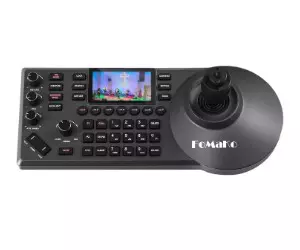
- Wide compatibility with popular protocols
- Supports multiple connection types, including PoE
- Precise control with 4D joystick
- Capable of controlling a large number of cameras
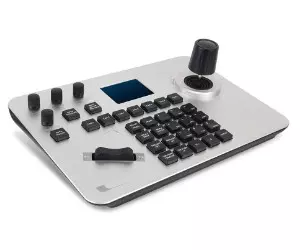
- Low latency control for smooth camera movements
- Compatible with a wide range of IP PTZ cameras and Linux systems
- Can control up to 999 devices simultaneously
- Suitable for various professional and critical environments
- Versatile control options with VISCA over IP and Serial
- Comprehensive PTZ camera control with speed adjustment
- Direct exposure and white balance control
- Extensive camera and preset management
- Multi-camera control of up to 100 Canon-supported cameras
- Versatile control options for smooth PTZ movement and precision control
- Intuitive interface with a full-color LCD touchscreen for easy configuration
- Smooth and responsive zoom lever and joystick for confident on-air movements
- Wide compatibility with Linux systems and IP PTZ cameras
- Ergonomic design with a 4D joystick and knob buttons for intuitive control
- Suitable for various professional and critical environments
- Durable construction with a tough aluminum alloy surface
Best PTZ Joysticks: Comparison
When it comes to choosing the best PTZ controller, it's essential to consider your specific needs and budget. Each of the controllers mentioned above offers a unique set of features and advantages. Whether you're looking for precision, affordability, or advanced functionality, there's a PTZ controller that fits the bill.
| Device | Support Cameras | Connectivity Technology | Special Feature |
|---|---|---|---|
| FoMaKo PTZ Controller | Support 7 cameras quick select,control Up to 255 PTZ Cameras | RS232, RS422, RS485, Ethernet IP, PoE | Preset patrol pattern, AB scan, ergonomic design |
| SMTAV PTZ Controller Camera | Up to 999 IP PTZ cameras | Ethernet IP | 4D joystick, knob button, independent IP address, IE web setting |
| PTZOptics PT-JOY-G3 Joystick Keyboard | PTZOptics cameras, VISCA over IP & Serial | VISCA over IP, Serial | On-screen display control, 255 total cameras, 255 presets |
| Canon RC-IP100 PTZ Camera Controller | Up to 100 Canon-supported cameras | Ethernet IP, Serial (NU protocol) | 7" diagonal LCD touchscreen, 100 presets, customizable buttons |
| Hsility PTZ Controller | Up to 999 IP PTZ cameras | Ethernet IP | 4D joystick, tough aluminum alloy cover, 5 LCD screen |
FoMaKo PTZ Controller
Editor's Choice
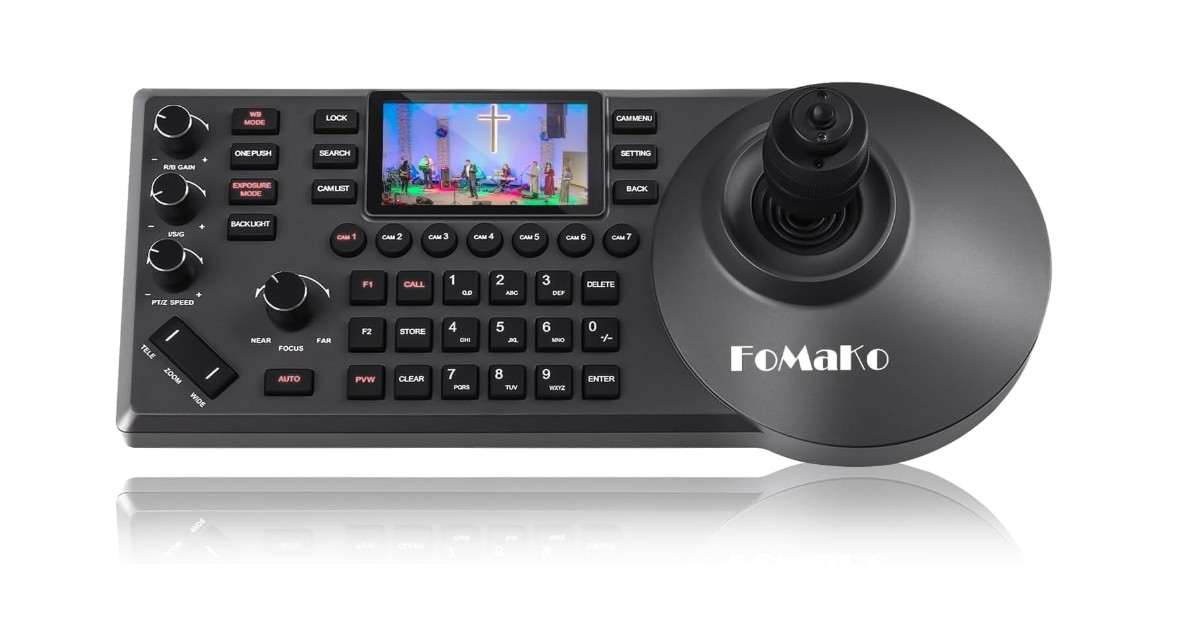
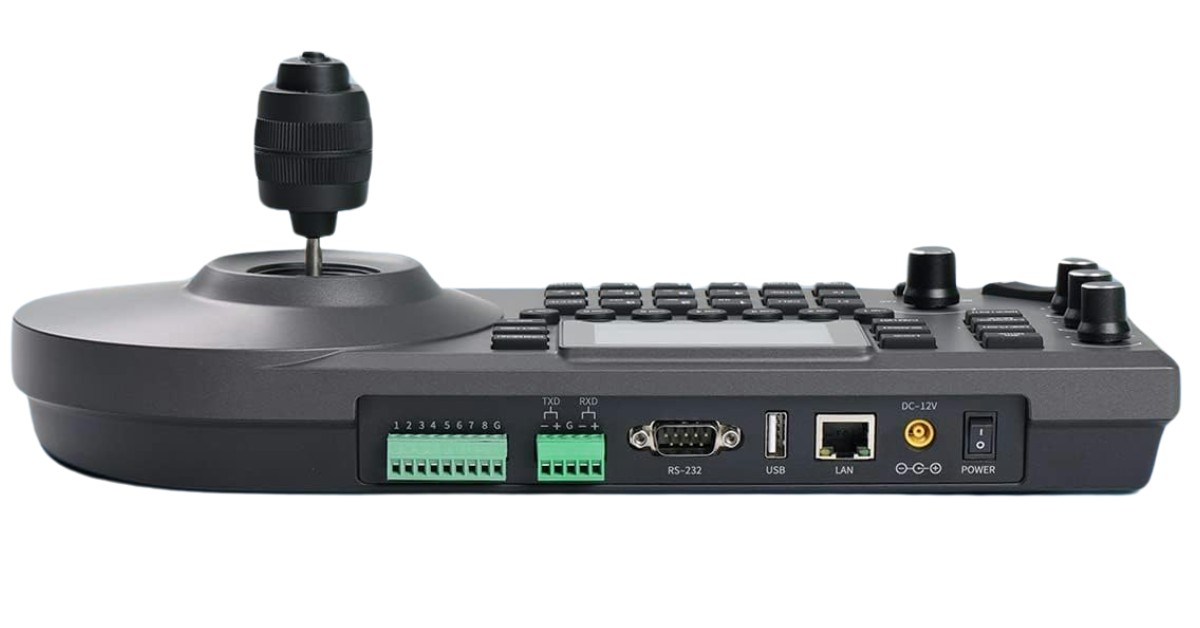

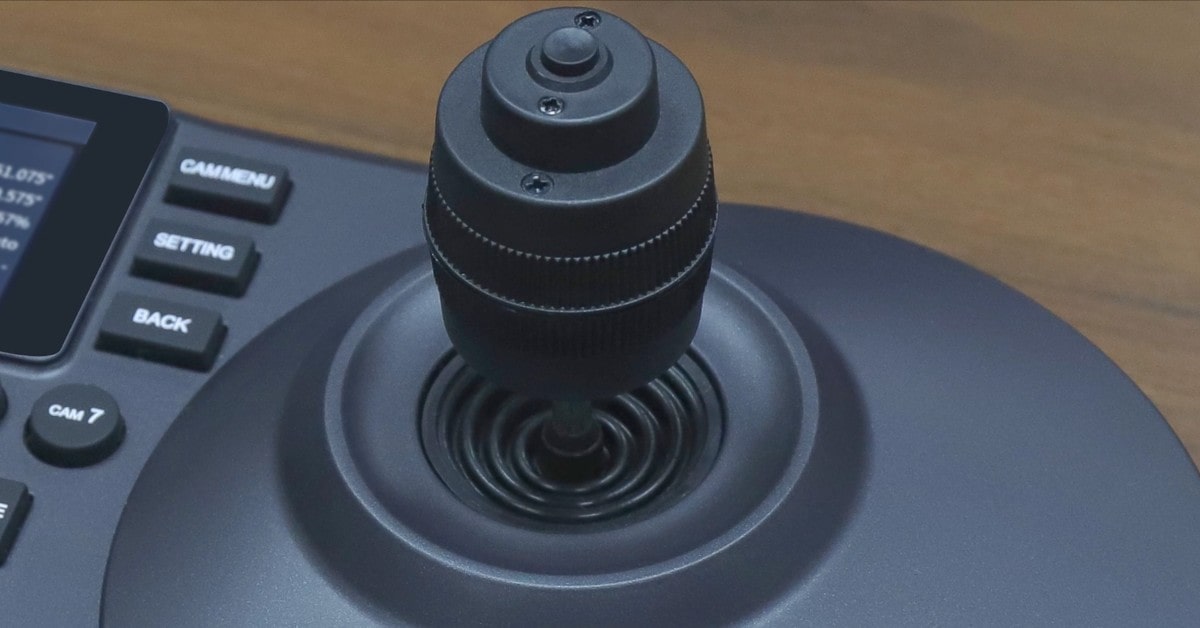
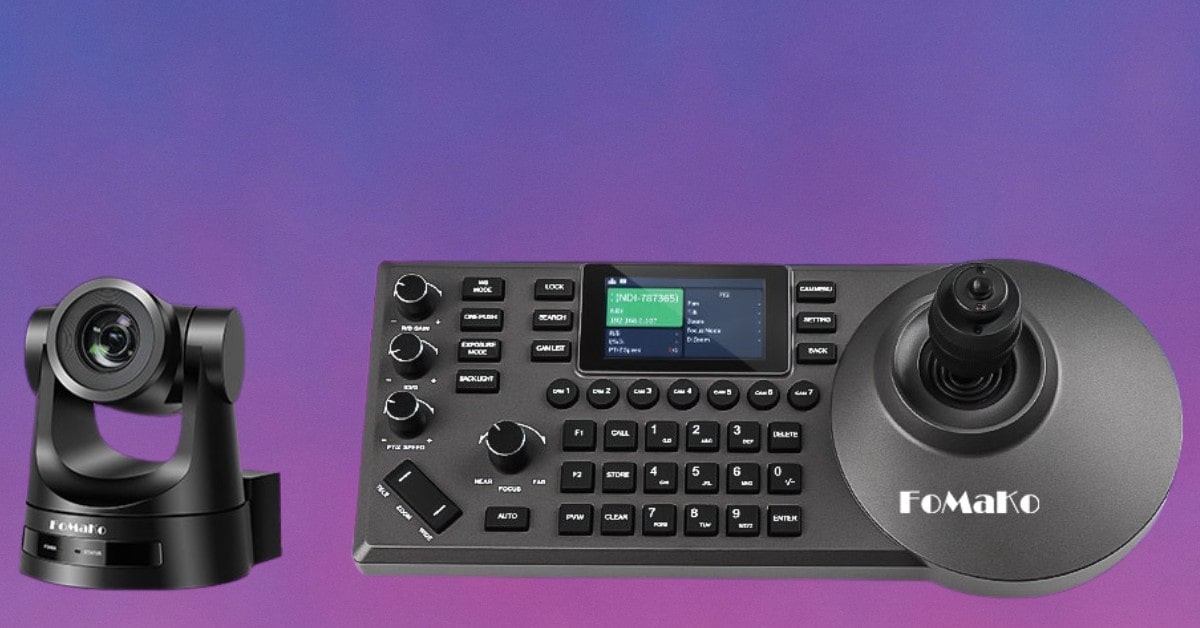
The FoMaKo PTZ Controller is fully compatible with VISCA, PELCO-P, and PELCO-D protocols, ensuring seamless integration with a wide range of PTZ cameras. This compatibility makes it an ideal choice for users with diverse camera setups.
The controller supports multiple connection types, including RS232, RS422, RS485, and Ethernet IP, providing flexibility in connecting to different camera systems. The inclusion of Power over Ethernet (PoE) support simplifies the setup process, as it requires only one cable to connect to your LAN, reducing cable clutter and streamlining installation.
Equipped with a 4D joystick, the FoMaKo PTZ Controller allows for precise control over pan, tilt, zoom, focus, iris, and backlight settings. Users can easily adjust PTZ speed, set and recall presets, and quickly select from up to 7 cameras. The ability to control up to 255 PTZ cameras makes this controller suitable for multi-camera and multi-angle video production.
The controller's intuitive design and user-friendly interface make it easy to operate, even for those with limited technical expertise. The Ethernet IP connection enables control of IP streaming PTZ cameras within your LAN using just one network cable, simplifying the overall control setup.
Pros:
- Wide compatibility with popular protocols
- Supports multiple connection types, including PoE
- Precise control with 4D joystick
- Easy to use with a straightforward interface
- Capable of controlling a large number of cameras
Cons:
- May have a learning curve for users new to PTZ controllers
- Limited to controlling cameras within the same LAN
Summary: As indicated by our tests the FoMaKo PTZ Controller is a powerful and user-friendly solution for controlling PTZ cameras in various settings. Its compatibility with major protocols, support for multiple connection types, and comprehensive control features make it a versatile choice for professional video production and live streaming. Whether you're managing a multi-camera setup for a church service, a conference, or an esports event, this controller offers the functionality and ease of use needed to ensure smooth and efficient camera operation.
- Wide compatibility with popular protocols
- Supports multiple connection types, including PoE
- Precise control with 4D joystick
- Capable of controlling a large number of cameras
SMTAV PTZ Joystick
Best Overall
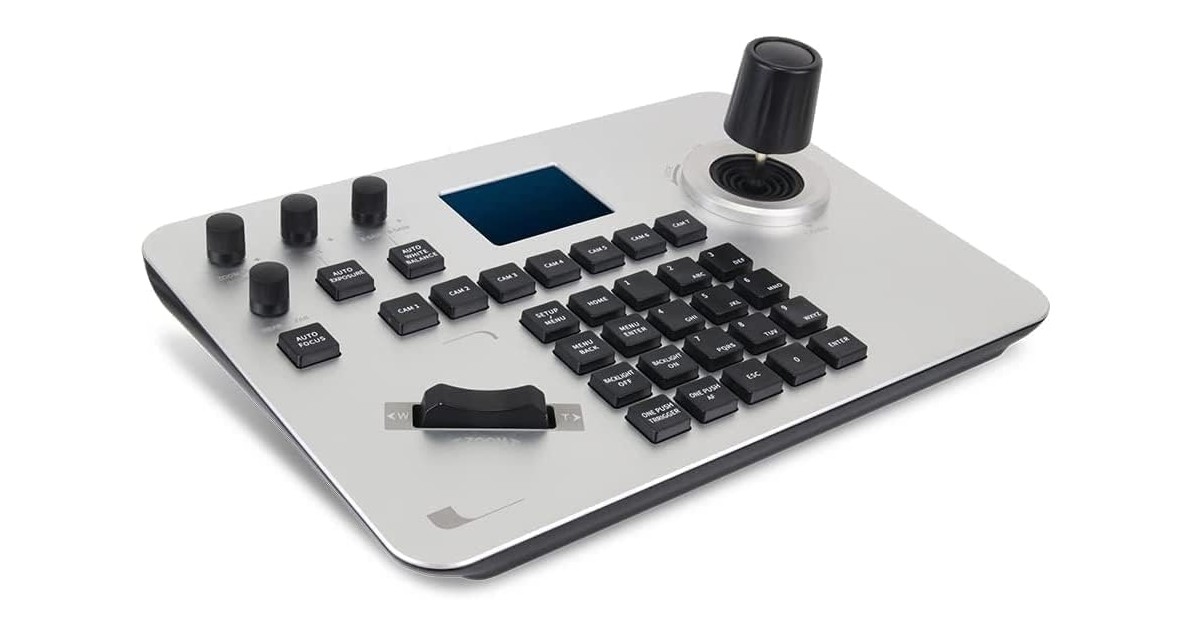
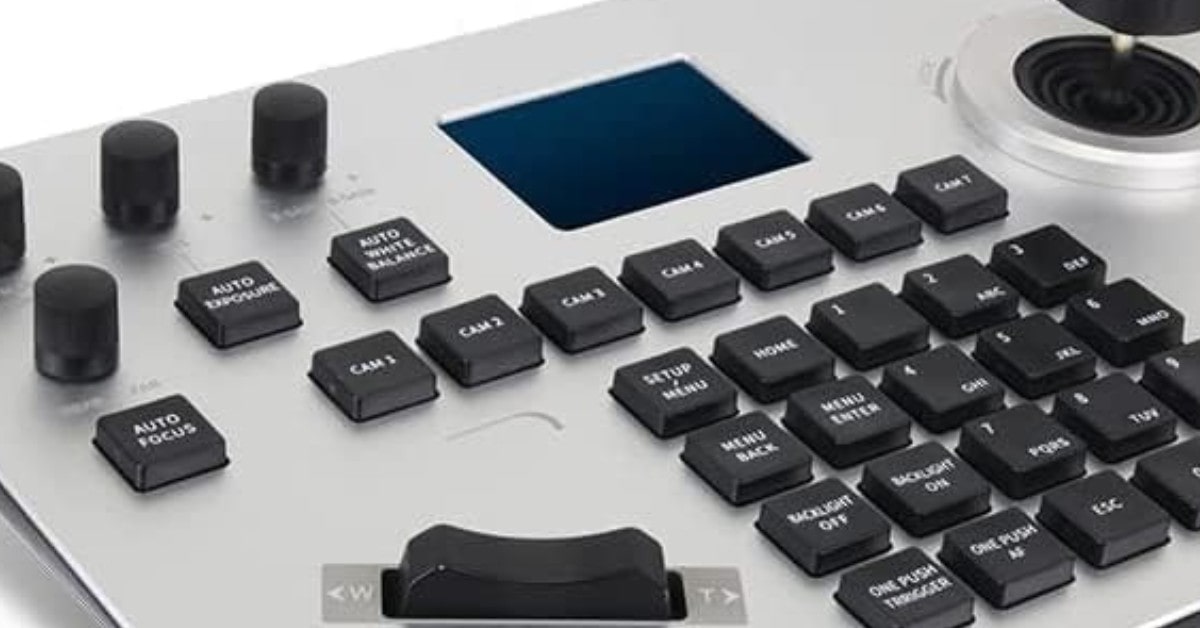
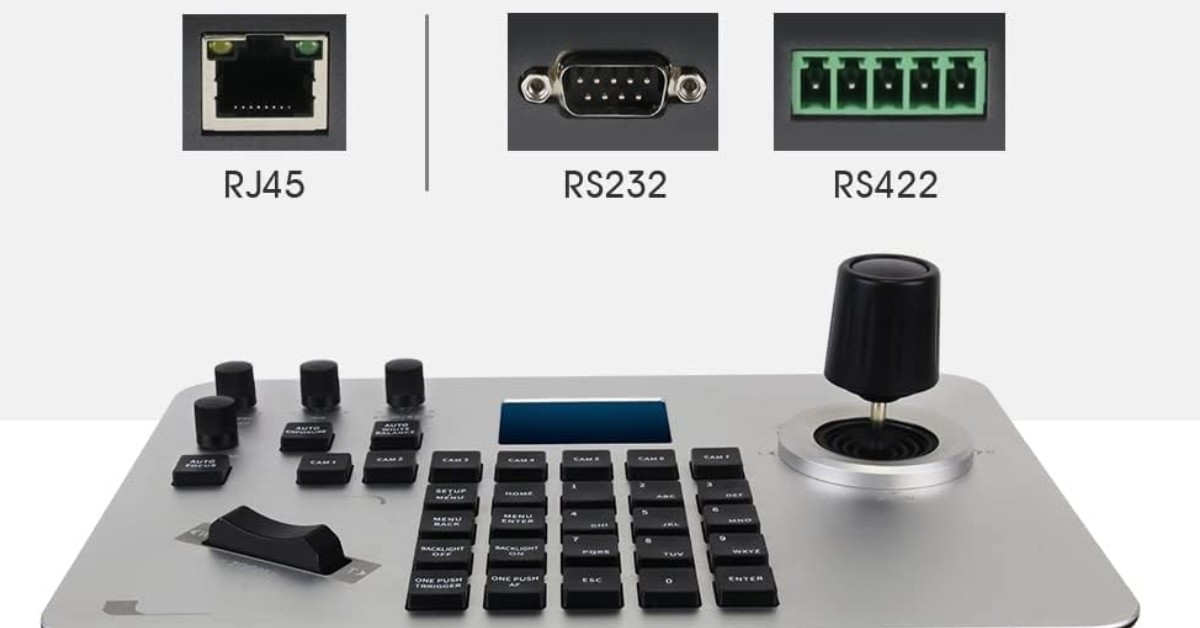
One of the standout features of the SMTAV PTZ Controller is its low latency control. The 4D joystick allows for simultaneous pan, tilt, and zoom operations, with the speed of the camera being adjustable based on the strength and angle of the joystick. This precise control ensures that camera movements are smooth and responsive, enhancing the overall video experience.
The SMTAV PTZ Controller supports the standard network protocol and is compatible with Linux systems and various IP PTZ cameras. This wide compatibility makes it a versatile choice for different setups and environments. Additionally, it can control up to 999 devices simultaneously, making it suitable for large-scale operations.
Designed for accurate and quick control of speed dome cameras, the SMTAV Video Conference PTZ Control Keyboard is ideal for important conference venues such as government and telecommunications departments, public security, procuratorates, courts, banks, securities, insurance, education, and taxation. Its reliability and precision make it a go-to choice for professionals in these sectors.
SMTAV is committed to providing top-notch customer service, specializing in security product development and system solutions. Users can expect prompt and helpful support for any issues or inquiries, adding an extra layer of confidence in the product.
Pros:
- Low latency control for smooth camera movements
- Compatible with a wide range of IP PTZ cameras and Linux systems
- Can control up to 999 devices simultaneously
- Suitable for various professional and critical environments
- Excellent customer service and support
Cons:
- The learning curve for users new to PTZ controllers
- May require compatibility checks for specific camera models
Summary: Our findings show that the SMTAV PTZ Controller is a reliable and efficient solution for controlling PTZ cameras in professional settings. Its low latency control, wide compatibility, and suitability for multiple use scenes make it a valuable asset for video conferencing, security, and other important applications. Coupled with excellent customer service, this controller is a solid choice for those seeking precise and responsive camera control.
- Low latency control for smooth camera movements
- Compatible with a wide range of IP PTZ cameras and Linux systems
- Can control up to 999 devices simultaneously
- Suitable for various professional and critical environments
PTZOptics PT-JOY-G3 Joystick Keyboard
People's Choice
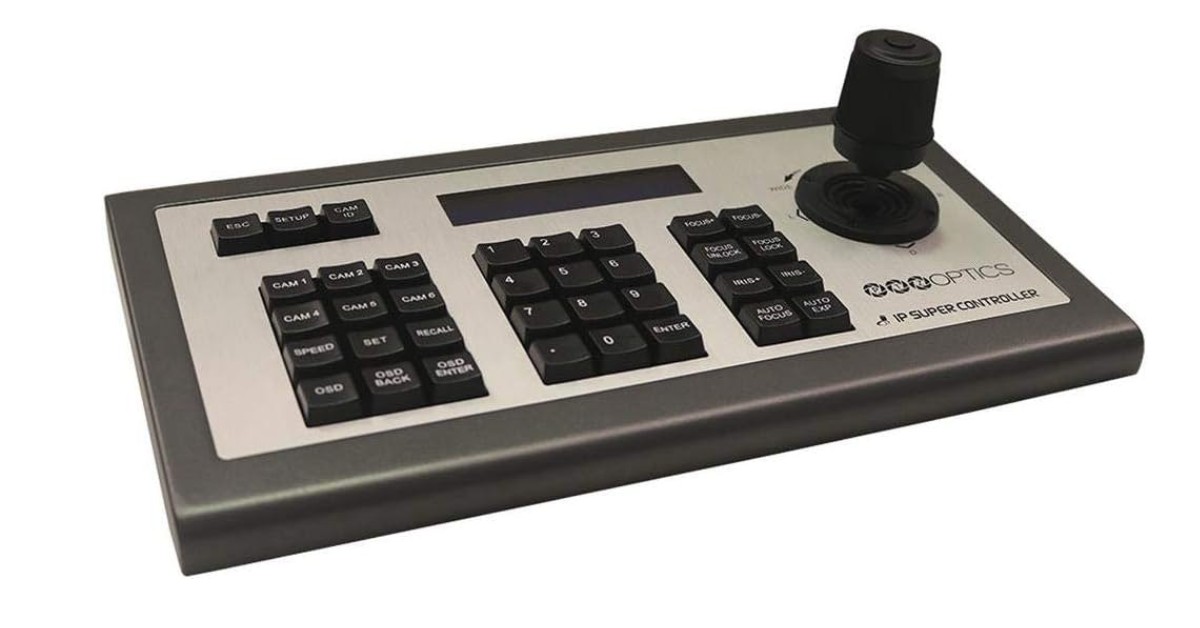
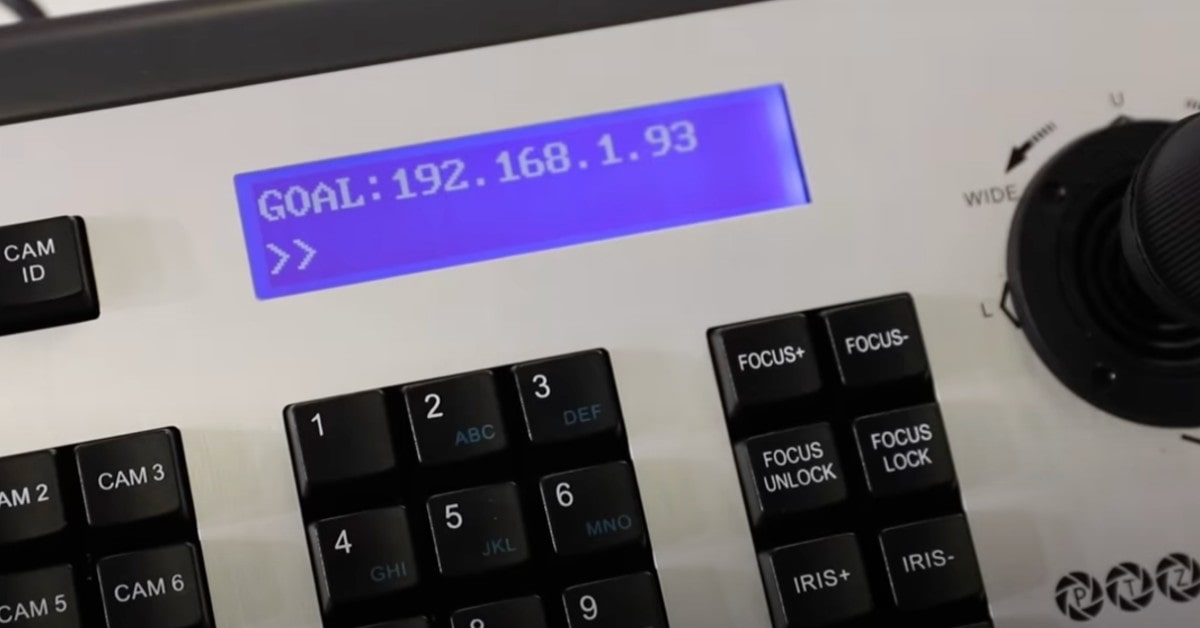
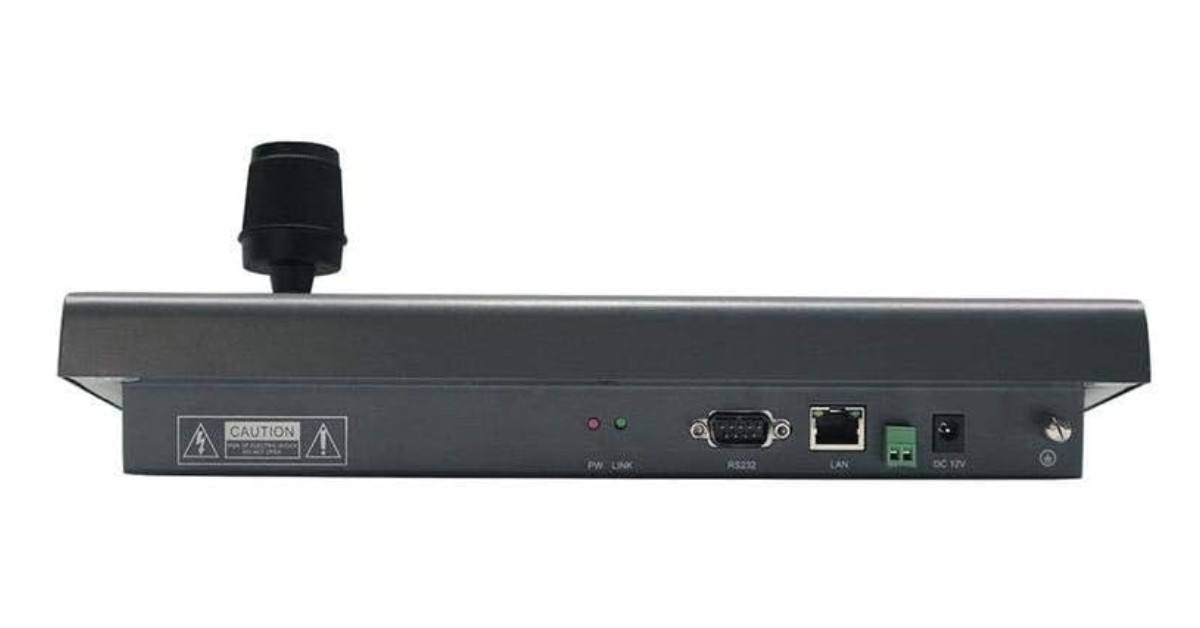
The PTZOptics PT-JOY-G3 Joystick Keyboard is a robust and feature-rich controller designed to enhance the operation of PTZ cameras, including those from the PTZOptics line. The PT-JOY-G3 features a rugged metal body that ensures durability and stability in a variety of working environments. Its compatibility with VISCA over IP and serial control allows for seamless integration with a wide range of PTZ cameras.Users can conveniently access and configure the on-screen settings of PTZOptics cameras directly from the controller. This feature allows for quick and easy configuration of camera settings without the need for additional software or interfaces.
The joystick keyboard offers full pan, tilt, and zoom control, along with on-the-fly speed adjustment, ensuring precise and responsive camera movements. Direct exposure and white balance control allow for fine-tuning of image quality, while the ability to lock and unlock focus provides additional versatility in capturing sharp and clear footage. With support for up to 255 cameras via the network and 255 camera presets, the PT-JOY-G3 is well-suited for large-scale operations. The inclusion of 9 quick presets enables rapid access to frequently used settings, enhancing workflow efficiency.
The fine-tune zoom and focus control knobs offer granular control over these critical parameters, allowing for subtle adjustments to achieve the desired shot composition and clarity. The large LCD screen displays the controller's status and settings, providing users with a clear and convenient overview of the system's configuration. The ability to import and export settings via the network simplifies the setup process, especially when configuring multiple controllers or cameras.
Pros:
- Durable metal housing with a 2-year warranty
- Versatile control options with VISCA over IP and Serial
- Comprehensive PTZ camera control with speed adjustment
- Direct exposure and white balance control
- Extensive camera and preset management
- Fine-tune control knobs for zoom and focus
- Large LCD screen for easy monitoring
- Import/export settings for convenient setup
Cons:
- May require a learning curve for new users
- Primarily designed for PTZOptics cameras, which could limit compatibility with other brands
Summary: Our research indicates that the PTZOptics PT-JOY-G3 Joystick Keyboard is a solid investment for professionals seeking a reliable and feature-rich controller for their PTZ camera setup. Its durable construction, comprehensive control features, and extensive camera management capabilities make it an ideal choice for broadcasting, live streaming, and video production environments. While it is optimized for PTZOptics cameras, its versatility and performance make it a valuable tool for any compatible PTZ camera system.
- Versatile control options with VISCA over IP and Serial
- Comprehensive PTZ camera control with speed adjustment
- Direct exposure and white balance control
- Extensive camera and preset management
Canon RC-IP100 PTZ Camera Controller
Premium Choice
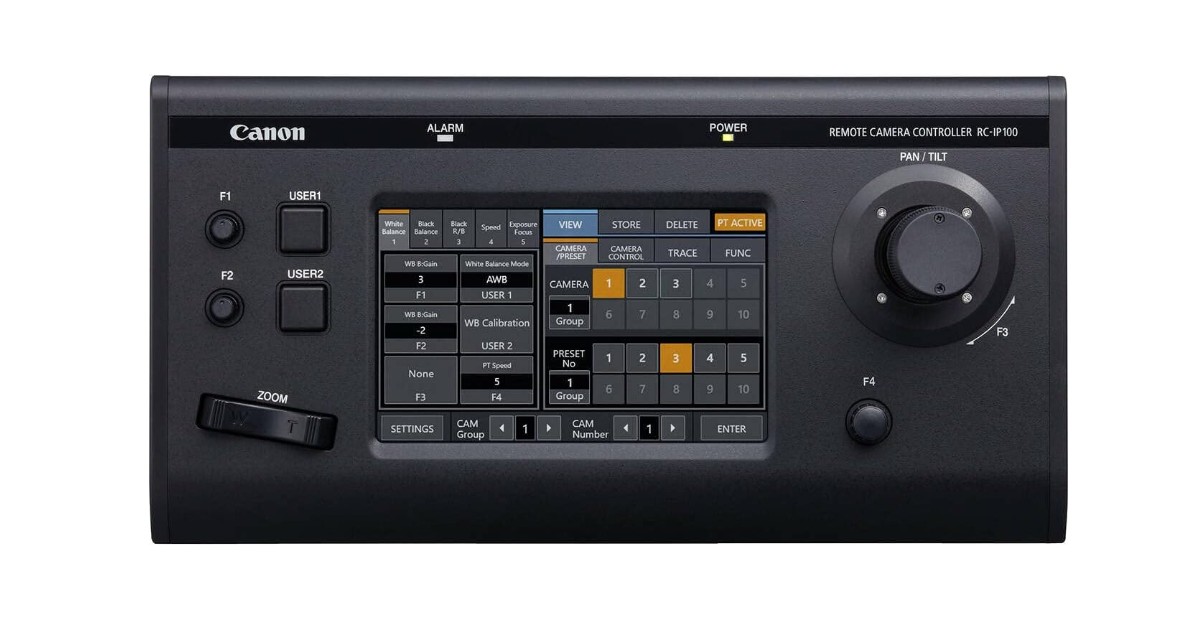
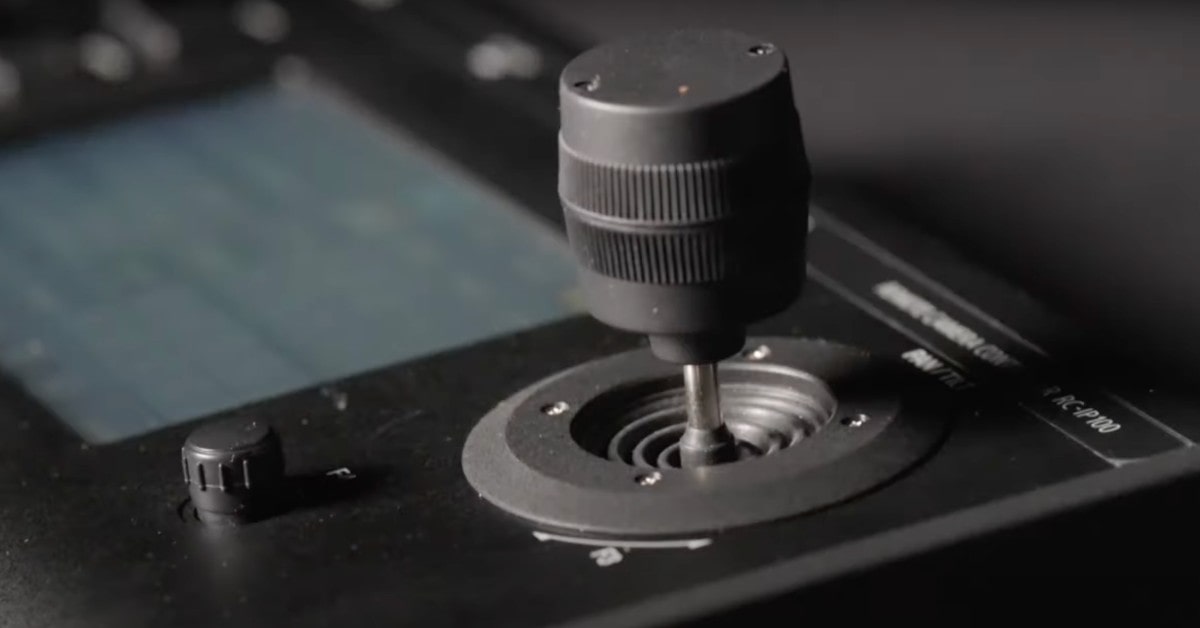

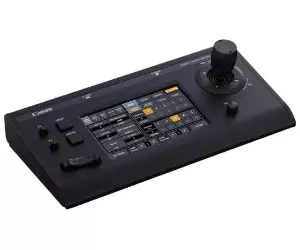
The Canon RC-IP100 PTZ Camera Controller is a professional-grade remote control device designed to control Canon PTZ cameras. The RC-IP100 features the ability to control up to 100 Canon cameras, making it an ideal choice for large-scale productions. In addition, it allows you to control one compatible Canon camera using the serial port via NU protocol, providing versatility in camera integration.
This PTZ camera controller is equipped with a range of remote camera controls, enabling smooth PTZ movement and precision control of camera focus, lens iris, and camera settings. These features ensure that operators can achieve the desired shot with ease and accuracy. The smooth, responsive zoom lever and joystick facilitate seamless remote pan, tilt, and zoom operations. This allows operators to smoothly capture on-air movements with confidence, ensuring high-quality video production.
The RC-IP100 features a simple-to-use interface that includes a full-color, 7" diagonal LCD touchscreen. This interface allows for easy configuration of camera settings and operation of up to 100 presets. The inclusion of a control and zoom lever, along with 4 customizable buttons, enhances the user experience and operational efficiency.
Pros:
- Multi-camera control of up to 100 Canon-supported cameras
- Versatile control options for smooth PTZ movement and precision control
- Intuitive interface with a full-color LCD touchscreen for easy configuration
- Smooth and responsive zoom lever and joystick for confident on-air movements
Cons:
- Primarily designed for Canon cameras, which may limit compatibility with other brands
- The price point may be higher compared to other PTZ controllers in the market
Summary: The Canon RC-IP100 PTZ Camera Controller is a powerful tool for professionals in the broadcasting and video production industry. Its ability to control multiple cameras, combined with its versatile control options and intuitive interface, makes it a top choice for those seeking precision and smooth operation in their PTZ camera setups. While it is optimized for Canon cameras, its performance and features make it a valuable addition to any compatible PTZ camera system.
- Multi-camera control of up to 100 Canon-supported cameras
- Versatile control options for smooth PTZ movement and precision control
- Intuitive interface with a full-color LCD touchscreen for easy configuration
- Smooth and responsive zoom lever and joystick for confident on-air movements
Hsility PTZ Controller
Best Budget
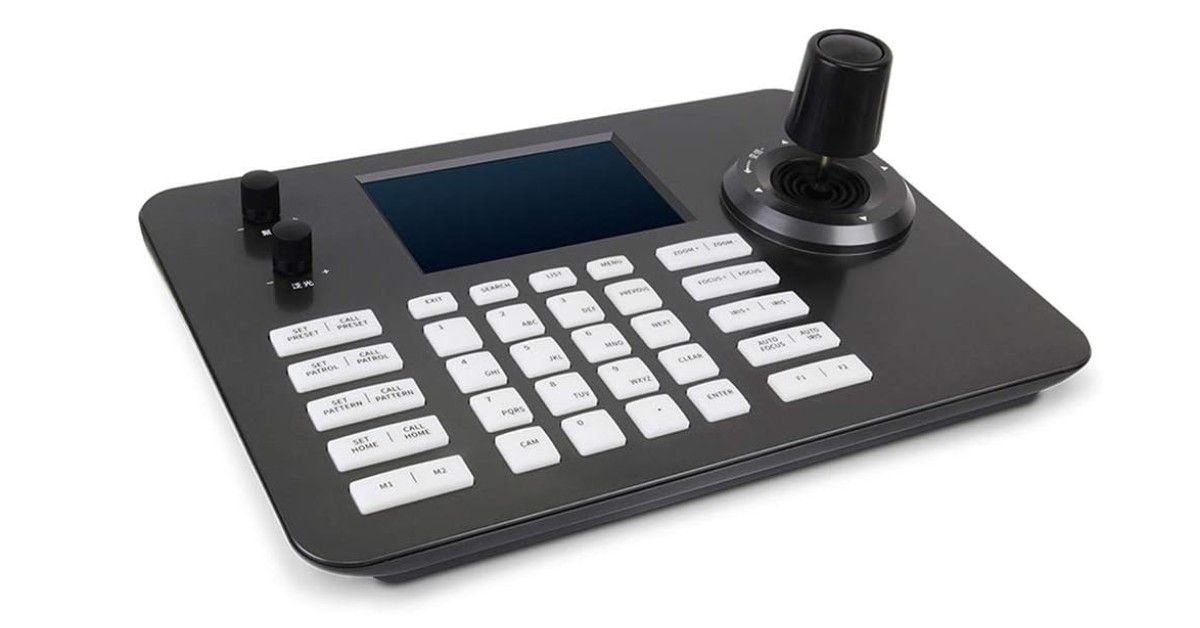
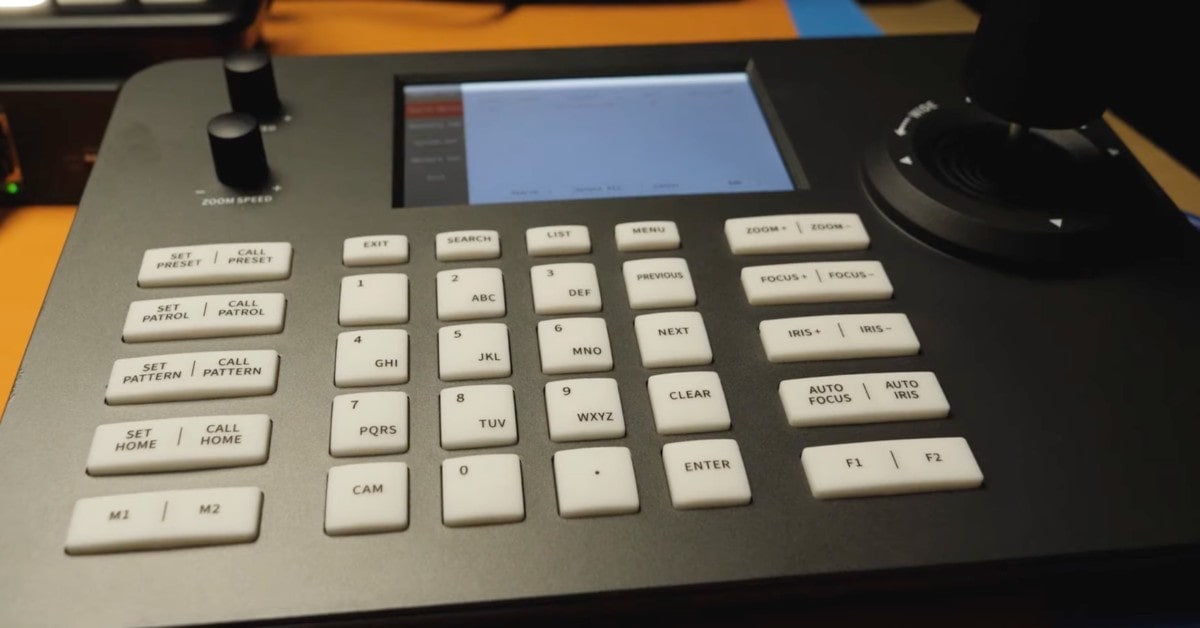
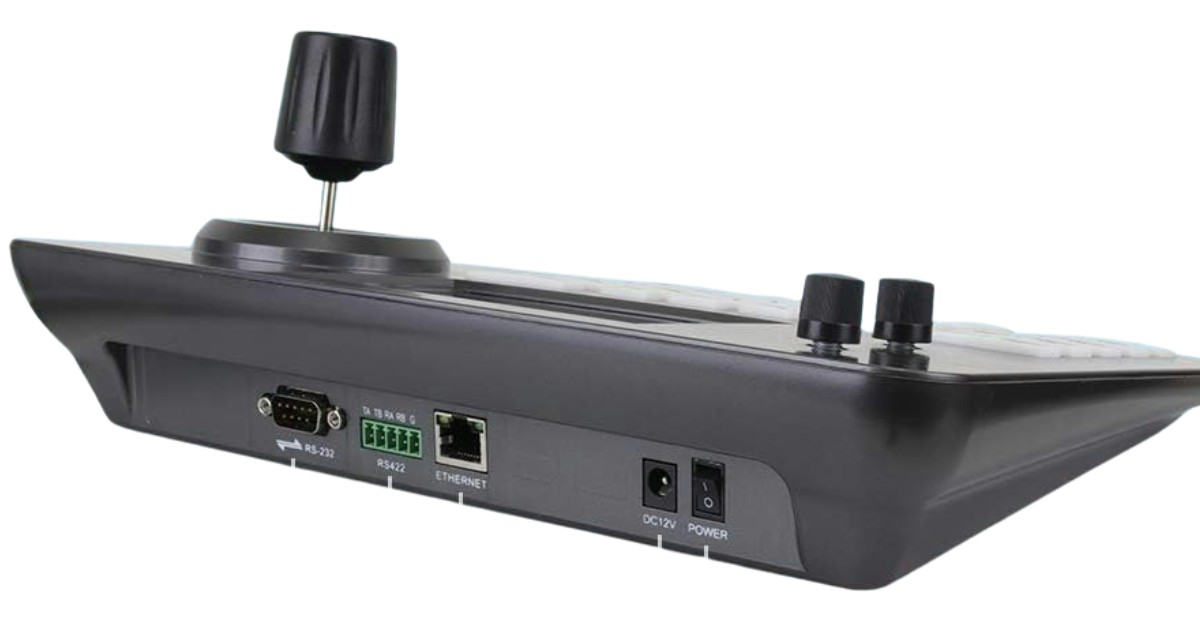
The Hsility PTZ Controller is a versatile and ergonomic device designed to improve the management of PTZ cameras in a variety of environments, including video conferencing, government offices and educational institutions. It features multi-compatibility, rugged design and easy operation.
The Hsility PTZ controller supports a standard network protocol, which makes it compatible with Linux systems and various IP PTZ cameras. This wide compatibility makes it easy to integrate into existing camera systems. In addition, the controller can manage up to 999 devices simultaneously, making it suitable for large-scale operations.
The controller is equipped with an ergonomic 4D joystick and buttons that provide convenient and intuitive control of PTZ and zoom functions. Support for independent IP address and web-based configuration via IE further enhances the user experience, allowing for customization and easy management.
The controller's solid body is made of a durable aluminum alloy that effectively prevents scratches and damage. The 5 LCD display provides excellent clarity and supports better decoding of H.265 and H.264 video formats, providing high-quality visual feedback during operation.
Pros:
- Wide compatibility with Linux systems and IP PTZ cameras
- Ergonomic design with a 4D joystick and knob buttons for intuitive control
- Suitable for various professional and critical environments
- Durable construction with a tough aluminum alloy surface
- Excellent customer service and support
Cons:
- May require a learning curve for users new to PTZ controllers
- Compatibility checks may be necessary for specific camera models
Summary: The Hsility PTZ Controller is a robust and user-friendly solution for controlling PTZ cameras in professional settings. Its compatibility with multiple systems, ergonomic design, and durable construction make it a reliable choice for video conferencing and security applications. Coupled with excellent customer service, this controller is a solid investment for those seeking efficient and precise camera control.
- Wide compatibility with Linux systems and IP PTZ cameras
- Ergonomic design with a 4D joystick and knob buttons for intuitive control
- Suitable for various professional and critical environments
- Durable construction with a tough aluminum alloy surface
FAQ about Best PTZ Joystick
Get quick answers to common questions and make an informed decision on your ptz joystick purchase.
What is a PTZ controller?
A PTZ controller is a device used to control the pan, tilt, and zoom functions of a PTZ camera, allowing for precise and smooth camera movements.
Can I use a PTZ controller with any camera?
PTZ controllers are designed to work with specific PTZ cameras. It's important to check the compatibility of the controller with your camera model.
Are PTZ controllers difficult to use?
PTZ controllers vary in complexity, but many are designed with user-friendly interfaces and intuitive controls, making them accessible to users of all skill levels.
Can I use a PTZ controller for outdoor cameras?
Yes, you can use a PTZ controller for outdoor cameras as long as the controller is compatible with the camera's control protocol and connectivity options. Ensure that the camera and controller are protected from weather elements if they are not designed for outdoor use.
Best PTZ Panel Controller: Conclusion
Choosing the best PTZ controller is crucial for professionals in video production, broadcasting, security, and other fields that require precise and smooth camera movements. The ideal PTZ controller should offer a balance of compatibility, control options, ergonomics, durability, and user-friendly features to enhance the overall video experience.
When selecting a PTZ controller, consider the compatibility with your camera system, the range of control features, the ergonomics of the design, and the build quality to ensure longevity. Additionally, intuitive interfaces, customization options, and reliable customer support can significantly improve the ease of use and efficiency of your operations.
The PTZ controllers reviewed, including the FoMaKo PTZ Controller, SMTAV PTZ Controller, PTZOptics PT-JOY-G3, Canon RC-IP100, and Hsility PTZ Controller, each offer unique features and advantages tailored to different needs and environments. Whether you're looking for multi-camera control, precision movements, durable construction, or extensive compatibility, there's a PTZ controller out there that can meet your requirements.
Go Deeper:

Our geeky guru has been slicing through tech on gagadget.com since 2020, from projectors, tvs to speakers and many more, unearthing the truth behind the specs with sharp, insightful reviews.


