Chrome on Android can now open PDFs without third-party apps

Google has finally added a built-in PDF reader to the Chrome app for Android. Now you don't need to use third-party apps like Google Drive to open PDFs.
Here's What We Know
Chrome is one of the most popular browsers on Android devices, but for a long time, it didn't have a built-in PDF reader. Now Google has solved this problem and added the ability to open PDFs directly in the browser.
Previously, when you tried to open a downloaded or linked PDF file through Chrome on Android, you would get an "Open with" message that offered you the choice of a third-party app, such as Google Drive. Now, Chrome opens these files without the need to exit the app.
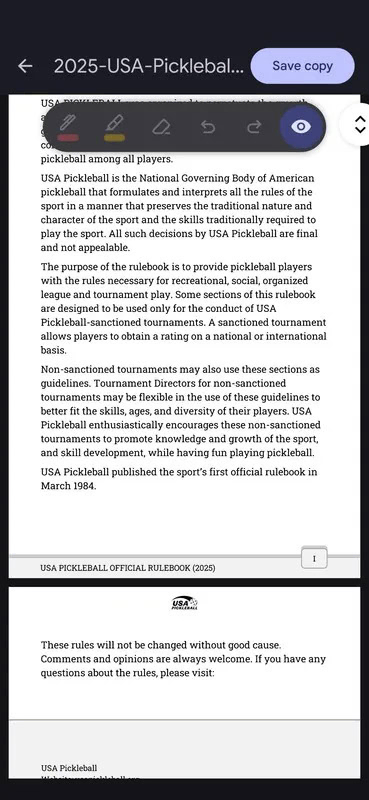
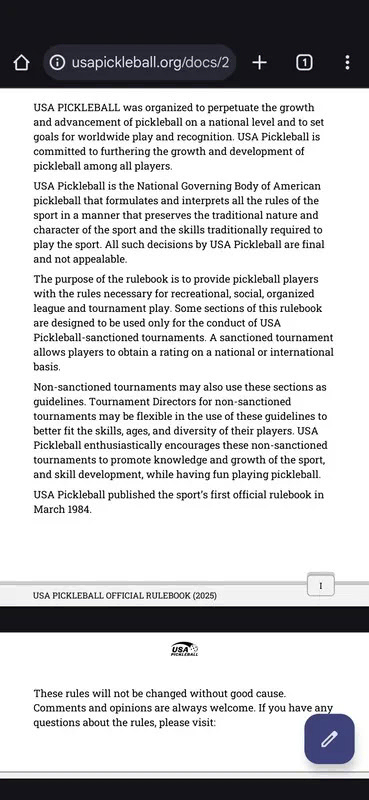
This feature was spotted back in February last year, but it didn't work at first. In December, Google began to gradually activate the feature, but only now has it become available to a wide range of users.
The built-in PDF reader supports annotation, search, and other features. You can now add annotations to documents using a pencil, marker, or eraser to delete them. You can also adjust the line thickness and colour of the tools. The search function allows you to find text in PDF documents.
According to Android Authority, the feature is available on Android 15, but does not yet work on older versions of Android. Support is expected to expand to devices running Android 12 and later in the coming days.
Source: Android Headlines


