NotebookLM now lets you share notes as easily as Google Docs

Google has updated NotebookLM to allow users to share their notes publicly using a regular link, just like in Google Docs.
Here's What We Know
Previously, it was possible to grant access only via email, specifying the rights of "Viewer" or "Editor". Users with corporate and educational accounts had advanced access options, and Pro (formerly Plus) subscribers could only share chat versions.
Now, owners and editors can click the Share button in the upper right corner and select the "Everyone with a link" option. Owners will be able to restrict or cancel public access at any time. Pro subscribers will also receive usage analytics.
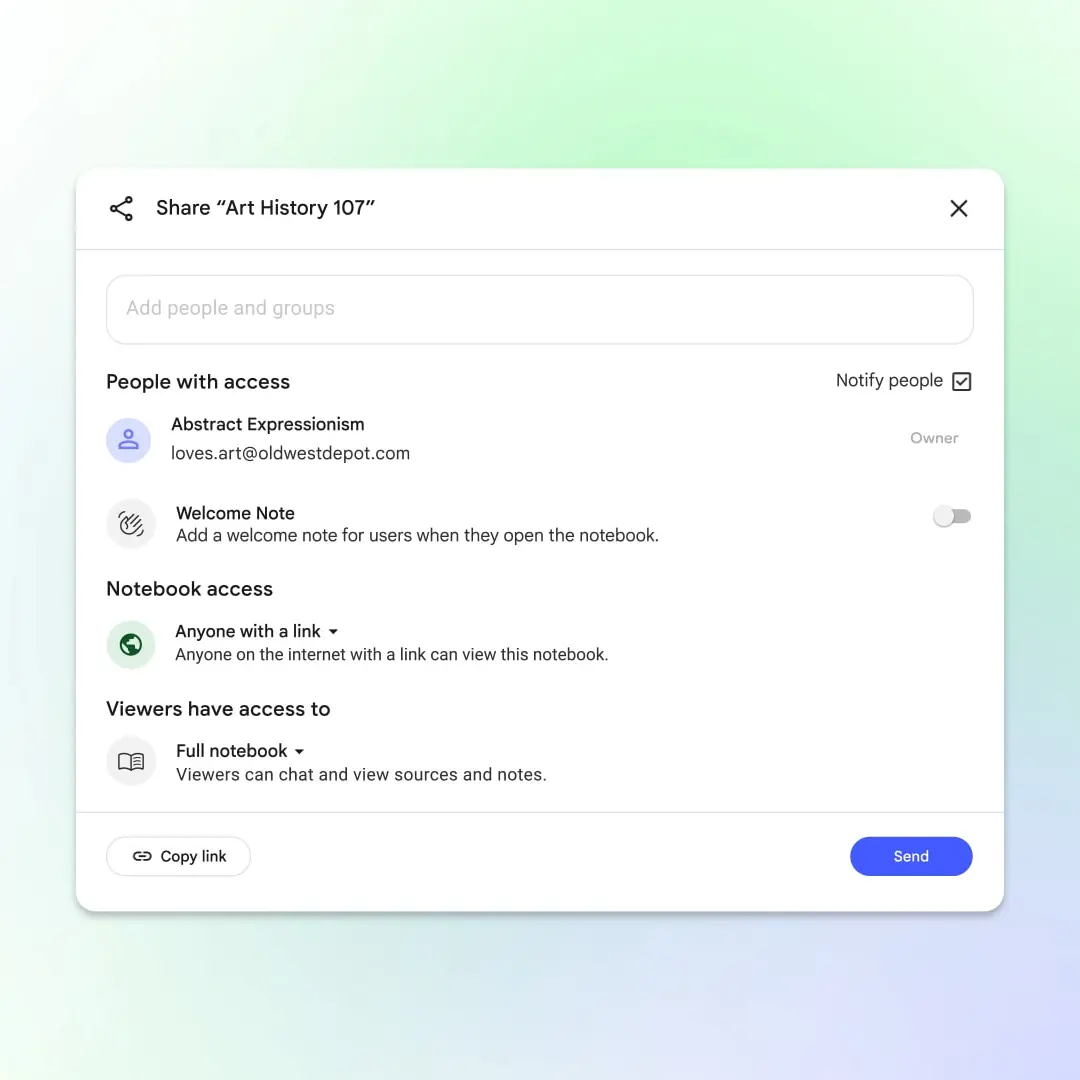
A new feature of NotebookLM. Illustration: Google
After publishing a note, a globe icon will appear next to the Share button. If you delete the note or make it private, the old public link will automatically expire.
To view a public note, you need a Google account. It will appear on the NotebookLM homepage and can be removed from the menu. Users will be able to ask questions and generate content (for example, audio reviews or FAQs). It is not allowed to change the source of the content.
The native NotebookLM app is already available on the App Store and Google Play.
Earlier, only the browser version of NotebookLM was available and there was a request to create a full-fledged mobile application, which Google listened to.
Source: Google


