iCloud Passwords now officially works in Firefox on Windows

Firefox browser on Windows now knows how to autofill passwords from iCloud - Apple has officially launched the iCloud Passwords extension, which works through the iCloud for Windows app. This means you can auto-fill logins and passwords, as well as add new data to your iCloud Keychain, right in Firefox - just like it used to be in Chrome and Edge.
What you need to do for this
To work, you'll need to install the iCloud for Windows app from the Microsoft Store and enable Passwords and Keychain, after which an extension button will appear in Firefox. It allows you to securely copy forgotten passwords, generate new ones or authenticate to a website with a single click. Possible nuances: for now, the feature is only available on Windows 11, and Windows 10 users may not see the update yet.
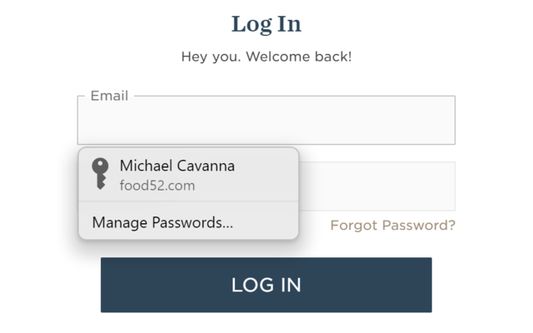
Screenshot of the extension in Firefox. Illustration: Mozilla
For a long time, iCloud Passwords only worked in Safari or Chrome/Edge, and now Firefox is getting the same support - without having to switch browsers. While third-party managers (e.g. 1Password, Bitwarden) remain more advanced, integration with iCloud Keychain is a convenient solution for Apple's ecosystem users.
Source: Mozilla


