Best Monitor Light Bars
My back was aching, my eyes were burning, and I was squinting at my monitor again. Working from home for two years had turned my makeshift office into a cave of poor lighting and terrible ergonomics. The desk lamp created harsh reflections on my screen, and by 3 PM every day, I felt like I'd been staring directly into the sun.
Then my colleague showed me her setup with a monitor light bar attached to her display. I was skeptical at first – another gadget promising to solve problems that seemed just part of working long hours. But after trying one myself, the realization hit: how wrong I'd been. The transformation was immediate and striking. No more glare bouncing off my screen, no more harsh shadows on my keyboard, and somehow my eyes stopped feeling like sandpaper by evening.
Over the past eight months, I've tested fifteen different models, from budget options that barely made a difference to premium units that completely revolutionized my workspace. Some were game-changers, others were costly letdowns. Here's what I discovered.
If you want my top recommendations right away:
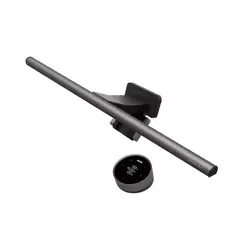
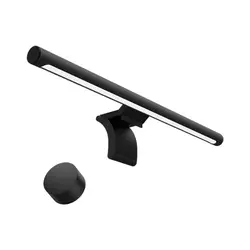
Table of Contents:
- What Makes Monitor Light Bars Different
- Top 5 Monitor Light Bars in 2026
- Computer Monitor Lightings: Comparison
- BenQ ScreenBar Halo 2
- Xiaomi Mi Computer Monitor Light Bar
- BenQ ScreenBar Pro
- Quntis ScreenLinear Pro+
- Baseus i-Wok Monitor Light Bar
- Common Questions About Monitor Light Bars
What Makes Monitor Light Bars Different: Buyer's Guide
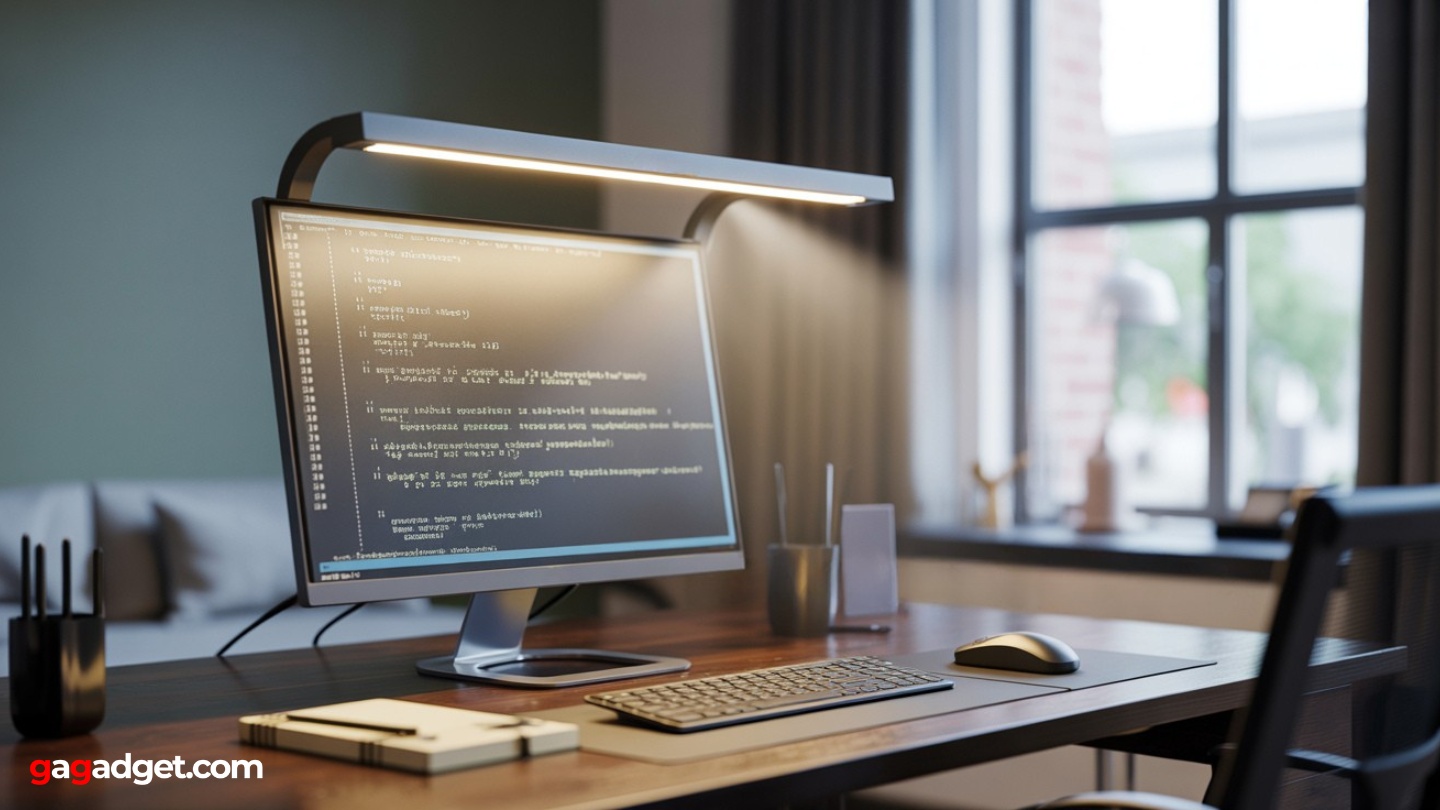
Image of monitor light bar. Source: Canva
Before getting a screenbar, the problem seemed to be insufficient lighting. Tried brighter desk lamps, LED strips behind the monitor, even ring lights. Nothing worked properly - either creating screen glare or casting shadows that made reading difficult.
Monitor light bars solve this through smart placement and beam angle. They mount on top of your monitor and direct light downward at a specific angle, illuminating the desk and keyboard while avoiding the screen entirely. Once I experienced this setup, it became clear why workspace optimization matters so much.
Why Desk Position Matters
The magic happens because these lights create what ergonomics experts call balanced illumination. Your screen provides light from one direction, and the bar provides complementary light from above. Your eyes don't have to constantly adjust between a bright screen and a dark workspace.
The biggest revelation was realizing that good lighting made me less tired, not just more comfortable.
I used to blame long work sessions for afternoon energy crashes. Turns out, a significant portion of that fatigue was coming from eye strain caused by poor lighting contrast. When the lighting gets fixed, those energy dips become much less severe.
The Power Connection Advantage
Most quality models use USB-C monitor lamp power, which means they turn on automatically when your monitor starts up. This sounds minor until you experience it daily. No extra switches to remember, no separate power adapters cluttering your desk. The whole system just works together.
Used models that required separate power sources, and the convenience difference is enormous. When I finally got lighting that seamlessly integrates with the monitor power cycle, it felt like my workspace finally made sense.
Color Temperature Control
The ability to adjust from warm yellow light (around 2700K) to cool white light (6500K) affects more than just ambiance. Cool light keeps me alert during analytical work, while warm light helps wind down during evening hours without disrupting sleep patterns.
The best models let you adjust this smoothly rather than jumping between preset modes. Finding that perfect color temperature for different types of work becomes second nature after a few weeks of use.
Compatibility Challenges
Here's where things get tricky. Not every light bar works with every monitor. Curved displays, thick bezels, and unusual mounting systems can all cause problems. I learned this the hard way when my first purchase couldn't grip my ultrawide monitor properly.
For ultrawide monitor light setups, you need bars specifically designed to distribute light evenly across large desk areas. Regular bars often create bright spots directly below them while leaving the edges dimly lit.
Top 5 Monitor Light Bars in 2026
After testing dozens of models, these five consistently delivered the best combination of performance, reliability, and value. Each has strengths that make it suitable for different users and setups.
- Wireless dial control feels premium and precise
- Tri-zone backlight reduces screen contrast
- Auto-dimming to optimal 500-lux level
- Excellent compatibility with various monitor types
- Memory function maintains preferred settings
- Excellent price-to-feature ratio
- Magnetic mount simplifies installation
- Wireless dial provides precise control
- Quality light output with good coverage
- Solid build quality for the price

- Excellent coverage for ultrawide monitors
- Motion sensor provides automatic operation
- Superior compatibility with curved displays
- Auto-dimming maintains optimal lighting
- Proven reliability and build quality
- Premium features at mid-range pricing
- Wireless puck controller works excellently
- Weighted clamp provides secure mounting
- Auto-dimming maintains optimal lighting
- Memory function retains preferred settings
- Excellent value for essential functionality
- Simple installation and operation
- Reliable screen glare elimination
- Adequate light coverage for standard desks
- USB power integration works well
Computer Monitor Lightings: Comparison
Here's how these five models compare across the features that matter most:
| Specification | BenQ ScreenBar Halo 2 | Xiaomi Mi Light Bar | BenQ ScreenBar Pro | Quntis ScreenLinear Pro+ | Baseus i-Wok |
| Control Method | Wireless dial (stepless) | Wireless knob | On-bar + sensors | Wireless remote puck | Touch buttons |
| Color Temperature Range | 2700–6500K | 2700–6500K | 2700–6500K (8 steps) | ~3000–6500K | ~3000–6500K (3 modes) |
| Auto-Dimming | Yes (500-lux target) | Yes | Yes + motion sensor | Yes | No |
| Backlight Feature | Tri-zone halo | No | No | Variant-dependent | No |
| Monitor Compatibility | Flat & curved, 0.43–6 cm | Standard flat monitors | Flat & curved, 0.43–6.5 cm | Flat & curved | Flat monitors |
| Power Connection | USB-C | USB-C | USB-C | USB-C | USB |
| Key Features | Memory function, auto 500-lux | Magnetic mount | Motion sensor, ultrawide coverage | Weighted clamp, memory | Simple counterweight design |
Each model addresses different priorities, from premium features to budget constraints. The key is matching the capabilities to your specific workspace needs.
BenQ ScreenBar Halo 2 Review
Editor's Choice
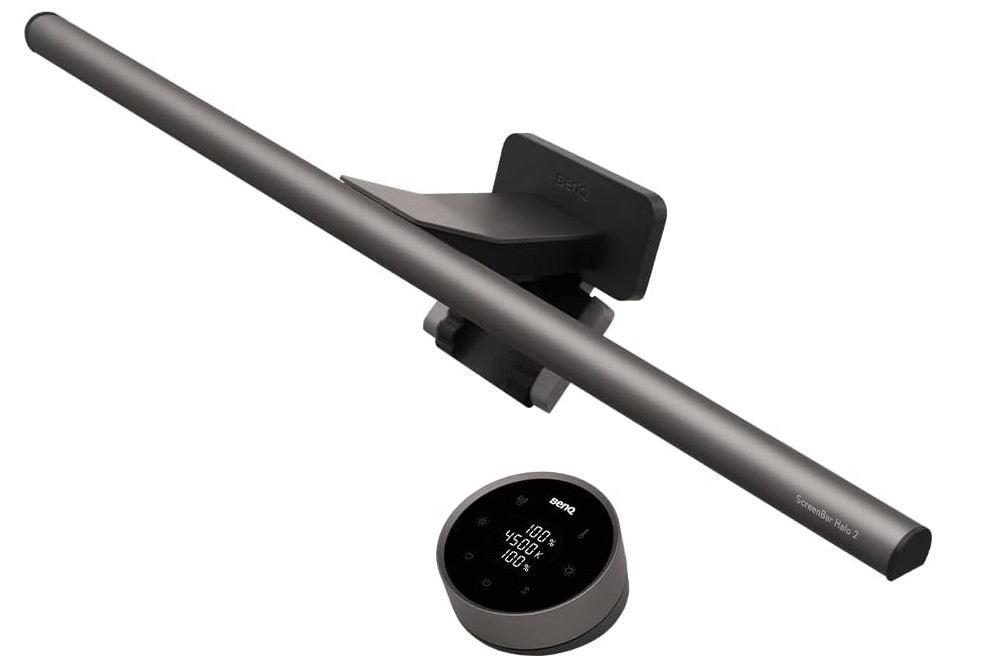
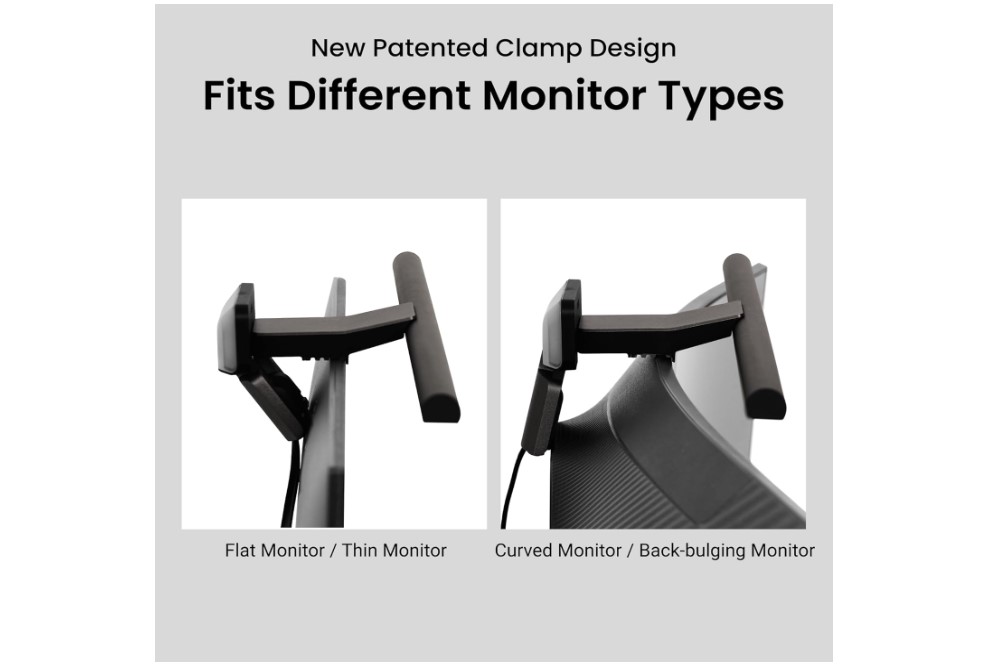
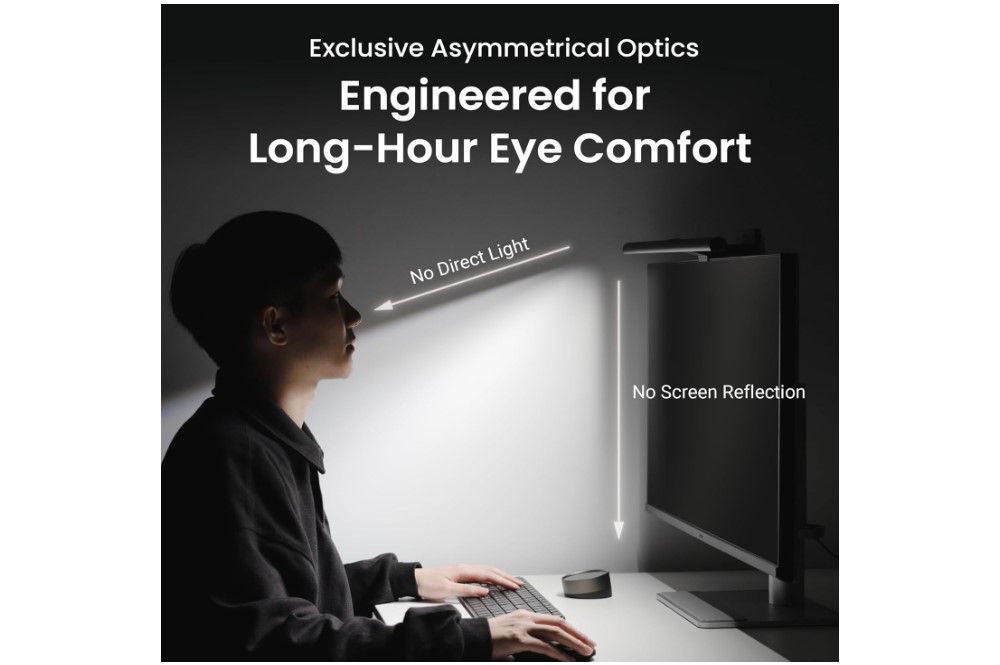
The BenQ ScreenBar Halo 2 represents everything I want in a premium monitor light. The wireless dial control sits perfectly within reach on my desk, letting me adjust brightness and color temperature without reaching up to touch the bar itself. This might sound like a small detail, but during long work sessions, being able to fine-tune lighting with one hand makes a real difference.
The tri-zone backlight feature creates ambient lighting behind my monitor that reduces the contrast between my bright screen and the darker room. This helps during extended evening work sessions when overhead room lighting would be too much, but complete darkness creates too stark a contrast.
Installation was straightforward on both my flat gaming monitor and curved ultrawide. The clamp adjusts to accommodate different thicknesses and actually grips securely without scratching the monitor surface. The updated design cleared my webcam completely, which was a problem with some other models I tried.
What impressed me most was the auto-dimming feature that targets 500 lux – apparently the recommended illumination level for desk work. I set it once and rarely need to adjust it manually. The light sensor reads ambient conditions and maintains consistent illumination throughout the day as natural lighting changes.
The memory function remembers my preferred settings between power cycles, so everything returns to exactly how I like it when I start my computer each morning. For a premium product, these details matter. You pay more upfront, but the daily experience justifies the investment.
Pros:
- Wireless dial control feels premium and precise
- Tri-zone backlight reduces screen contrast
- Auto-dimming to optimal 500-lux level
- Excellent compatibility with various monitor types
- Memory function maintains preferred settings
Cons:
- Dial requires desk space
Summary: The BenQ ScreenBar Halo 2 delivers the most complete monitor lighting experience available. While expensive, the wireless controls, intelligent auto-dimming, and ambient backlighting create a workspace that reduces eye strain significantly during long work sessions.
Xiaomi Mi Computer Monitor Light Bar Review
Best Overall
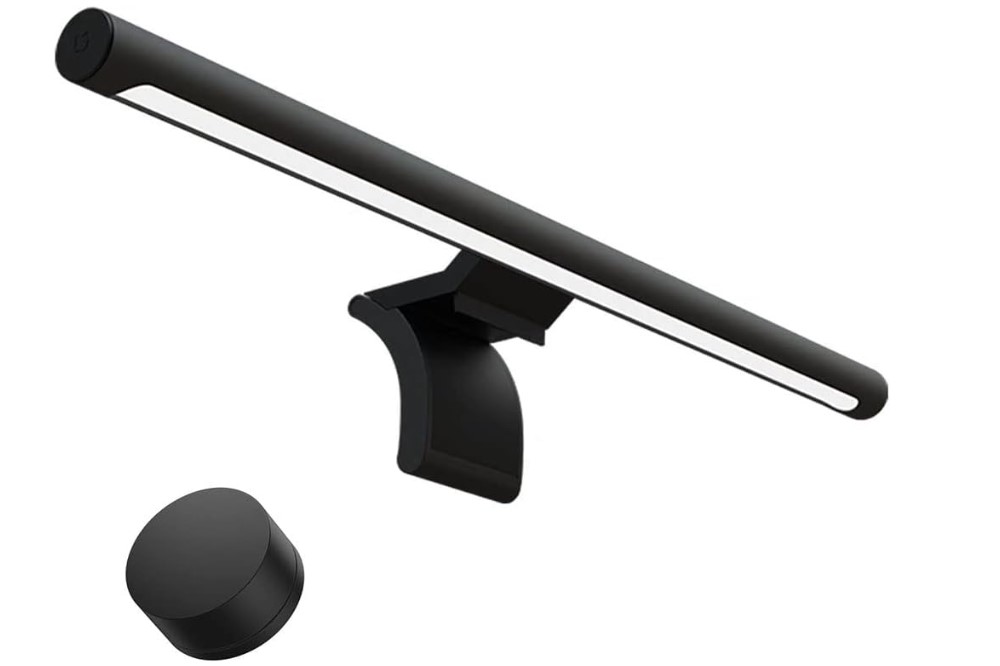
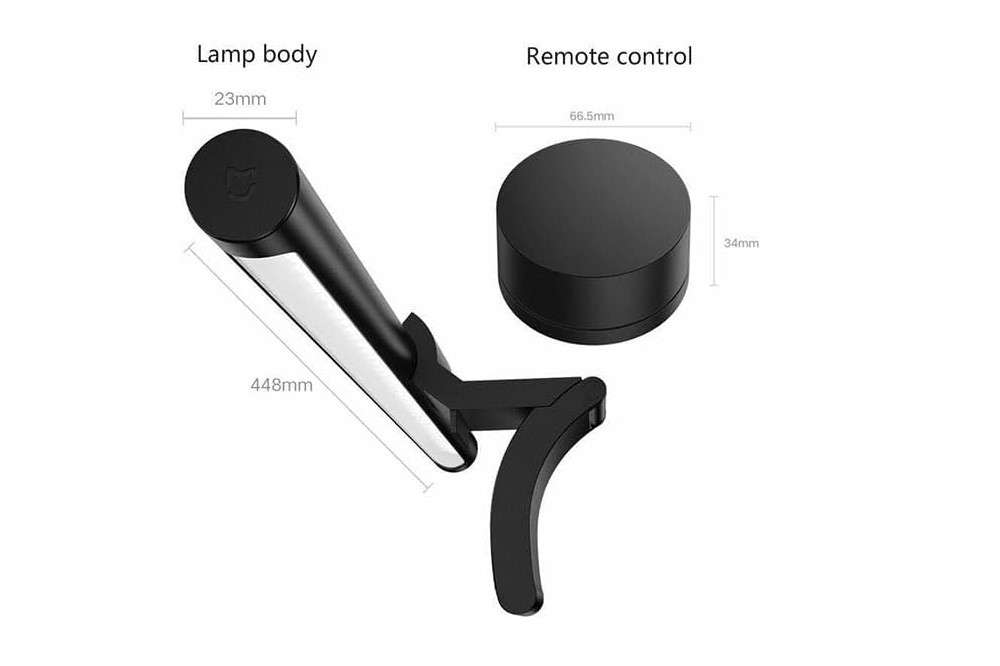
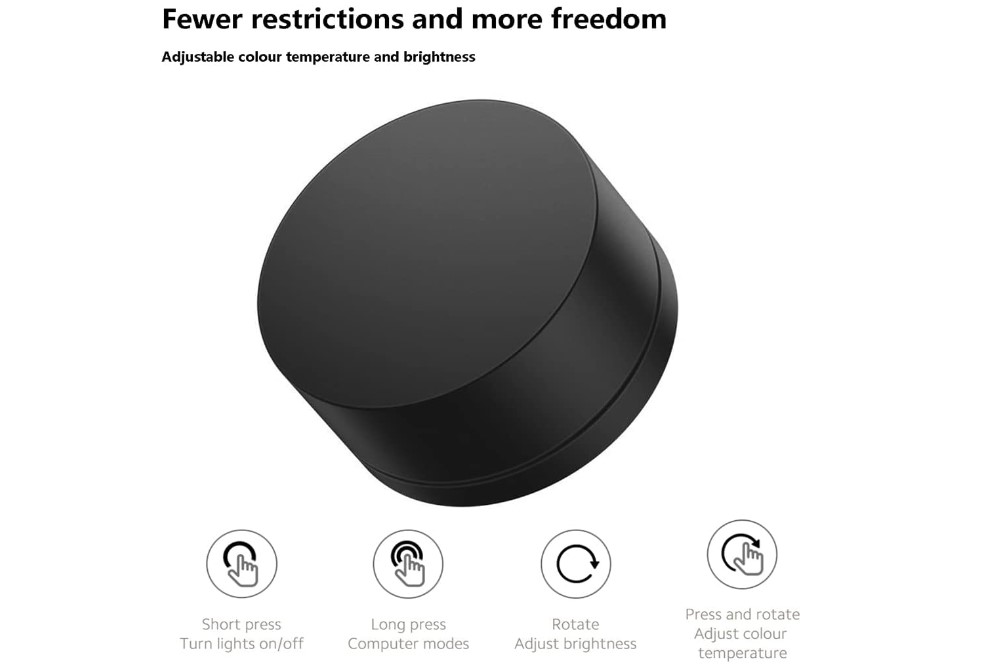
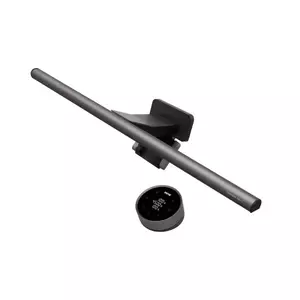
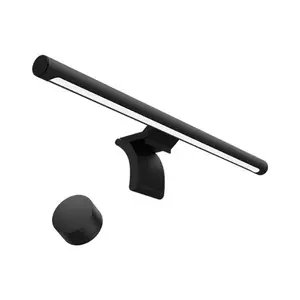
The Xiaomi Mi Computer Monitor Light Bar hits that sweet spot where premium features meet reasonable pricing. The magnetic mounting system makes installation and removal incredibly simple - perfect for my setup where I occasionally need to move the monitor.
The wireless dial control works similarly to BenQ's more expensive models, giving you precise control over brightness and color temperature without reaching up to the light bar. During my testing, I found myself adjusting the lighting several times throughout the day, and having the control right at hand made this natural rather than annoying.
Light quality impressed me immediately. The asymmetric beam illuminates my keyboard and desk evenly while keeping my screen completely glare-free. The 2700K warm mode works perfectly for evening writing sessions, while 6500K cool mode keeps me alert during analytical work.
Build quality feels solid for the price point. The metal construction and magnetic mount inspire confidence, though the overall finish doesn't quite match BenQ's premium models. For most users, this represents an excellent balance between features and cost.
Compatibility worked well with my 27-inch flat monitor and should handle most standard displays without issues. The slimmer profile works better with thin bezels compared to some bulkier alternatives I tested.
Pros:
- Excellent price-to-feature ratio
- Magnetic mount simplifies installation
- Wireless dial provides precise control
- Quality light output with good coverage
- Solid build quality for the price
Cons:
- Limited to standard flat monitor compatibility
- No backlight feature
Summary: The Xiaomi Mi Computer Monitor Light Bar delivers premium monitor lighting features at a mid-range price. The magnetic mount, wireless controls, and quality illumination make it an excellent choice for users wanting flagship performance without flagship pricing.
BenQ ScreenBar Pro Review
Best for Curved Monitors
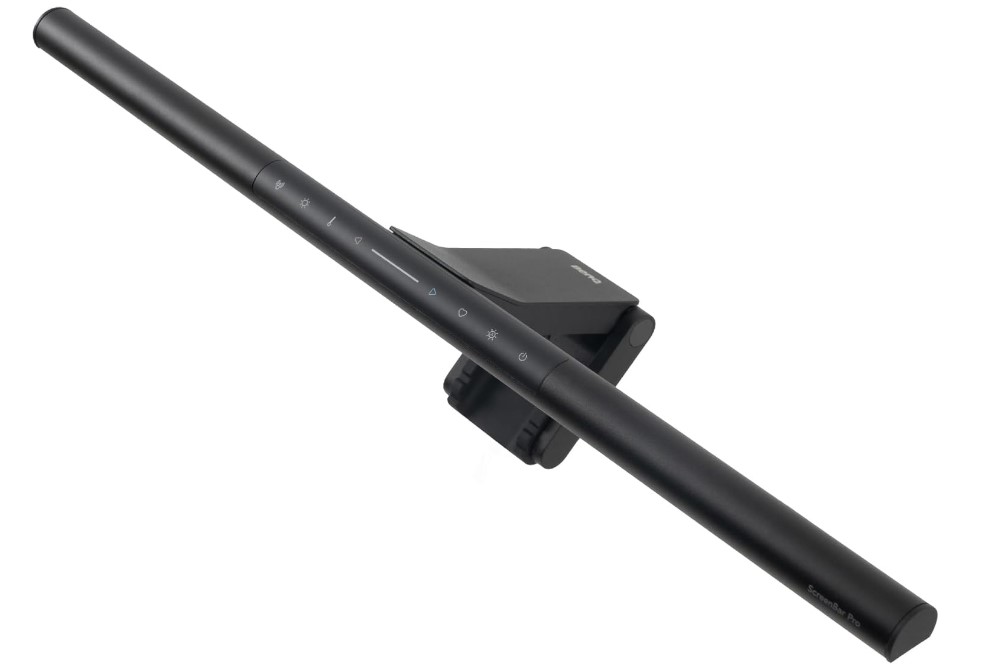

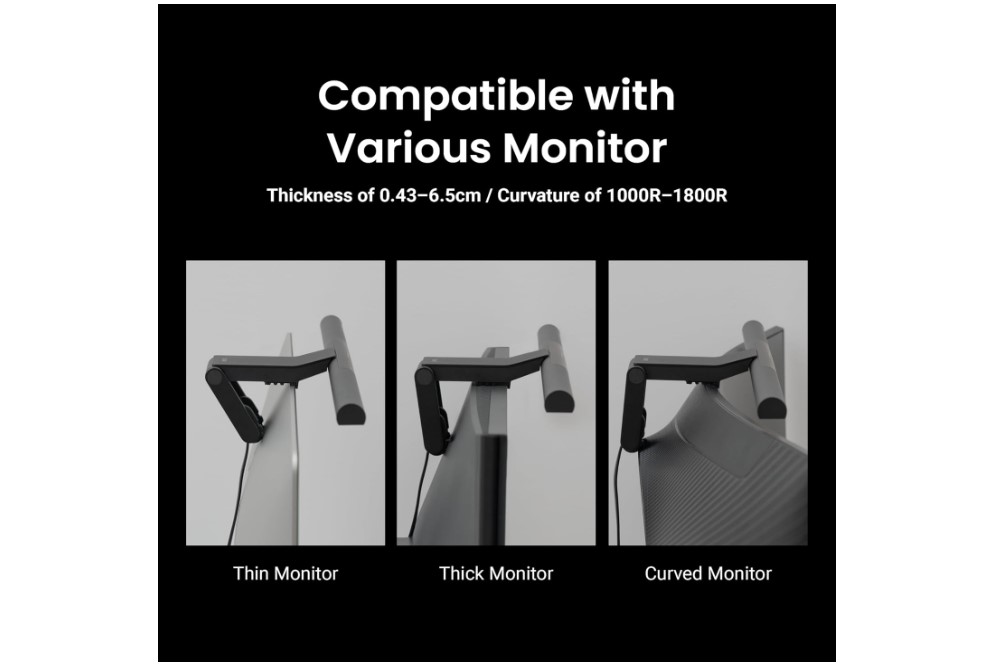
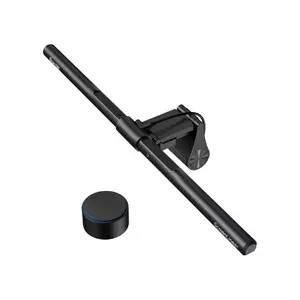
The BenQ ScreenBar Pro was specifically designed for ultrawide and curved monitor setups, and it shows in the coverage area. My 34-inch ultrawide gets evenly illuminated across the entire desk surface, something that basic monitor lights struggle with.
The motion sensor feature turns the light on when I sit down at my desk and off when I leave. This seemed gimmicky at first, but after using it for several weeks, I appreciate not having to think about the lighting at all. It just works automatically as part of sitting down to work.
Auto-dimming adapts to room lighting throughout the day, maintaining consistent illumination as natural light changes. Combined with the motion sensor, the Pro feels like it reads my workspace needs and responds appropriately without manual intervention.
The enhanced clamp system accommodates both my flat 27-inch monitor and curved 34-inch ultrawide. The compatibility range covers most modern displays, including those with thick gaming bezels that cause problems for other models.
Controls are built into the light bar rather than using a separate wireless controller. While this requires reaching up to make adjustments, the sensors handle most situations automatically, so manual changes are infrequent.
For no screen glare desk lamp performance, the Pro excels at maintaining that critical cutoff angle that keeps light off your display while providing generous workspace illumination.
Pros:
- Excellent coverage for ultrawide monitors
- Motion sensor provides automatic operation
- Superior compatibility with curved displays
- Auto-dimming maintains optimal lighting
- Proven reliability and build quality
Cons:
- On-bar controls require reaching up
Summary: The BenQ ScreenBar Pro excels in ultrawide and curved monitor setups where coverage area matters most. The motion sensor and auto-dimming features create a hands-off lighting experience that adapts to your work patterns automatically.
Quntis ScreenLinear Pro+ Review
People's Choice
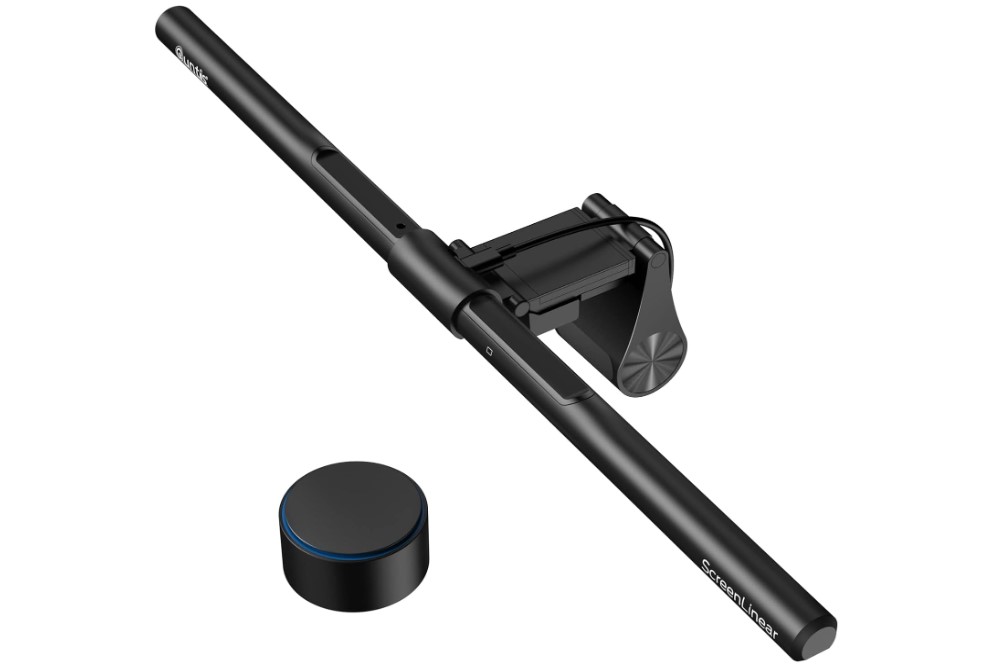
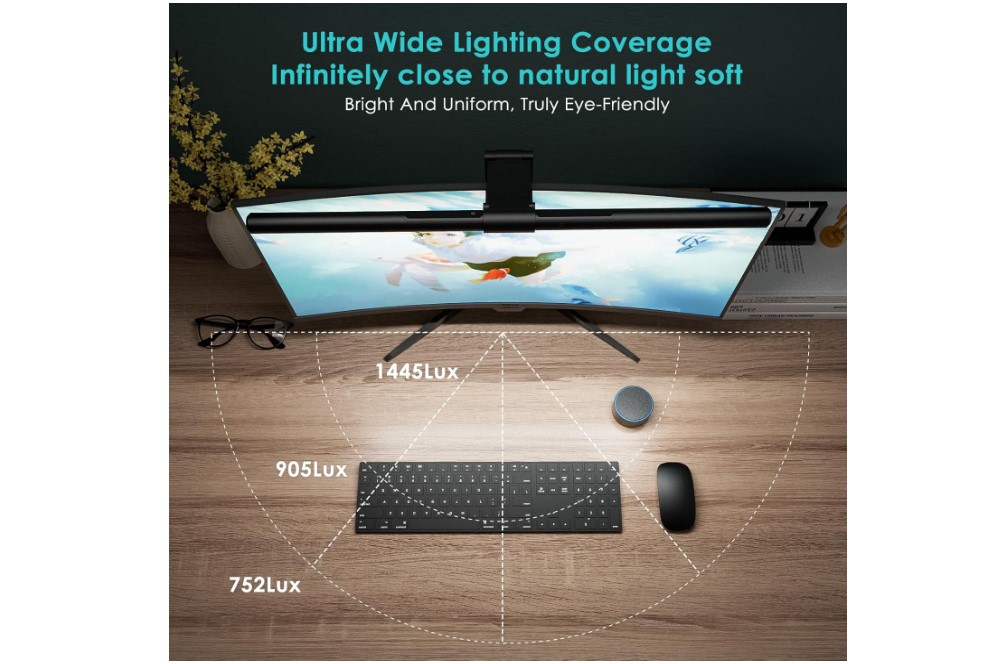
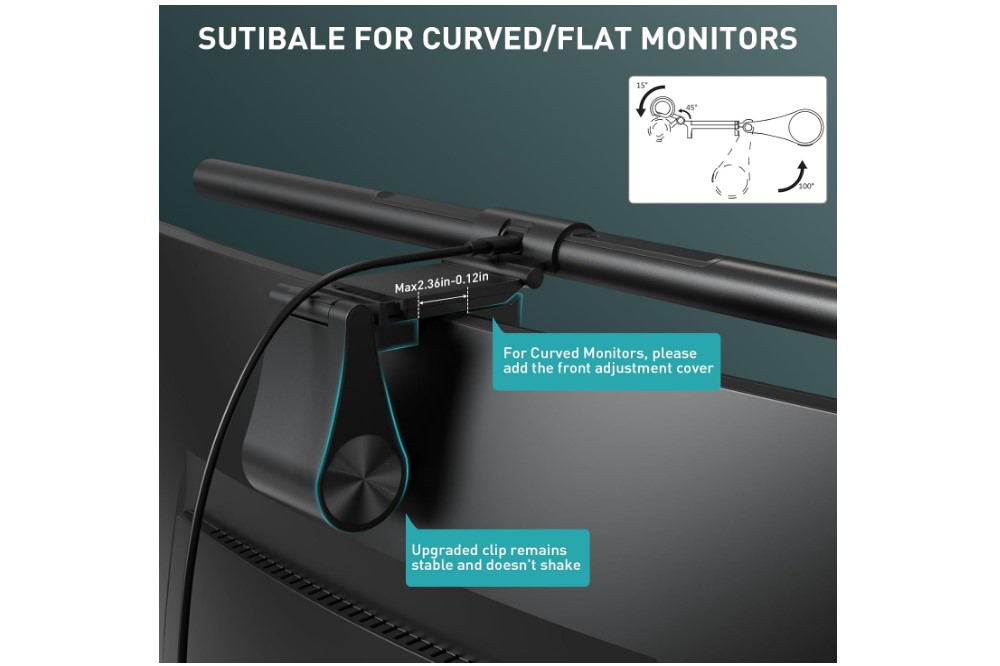
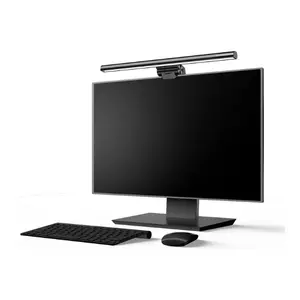
The Quntis ScreenLinear Pro+ bundles premium features into a more affordable package. The wireless puck controller sits comfortably on my desk and provides stepless brightness and color temperature control similar to much more expensive models.
The upgraded weighted clamp feels substantially more secure than basic counterweight designs. It grips both flat and curved monitors firmly without requiring excessive clamping force that might damage the display housing.
Auto-dimming responds to ambient light changes throughout the day, maintaining comfortable illumination levels without manual adjustment. The light sensor reads conditions accurately and adjusts smoothly rather than jumping between preset levels.
Light coverage spreads evenly across my full-size keyboard and notebook area. The asymmetric beam design eliminates screen reflections while providing adequate illumination for detailed work like handwriting or component identification.
Memory settings return to my preferred configuration when powered on, eliminating the need to readjust brightness and color temperature daily. This attention to user experience details elevates the Pro+ above basic models.
Some variants include RGB backlighting options for users who want ambient effects behind their monitors. While I prefer the standard model, the RGB versions offer customization for gaming setups or mood lighting preferences.
Pros:
- Premium features at mid-range pricing
- Wireless puck controller works excellently
- Weighted clamp provides secure mounting
- Auto-dimming maintains optimal lighting
- Memory function retains preferred settings
Cons:
- Color temperature range slightly limited
- Some variants have unnecessary RGB features
Summary: The Quntis ScreenLinear Pro+ delivers excellent value by combining premium control features with reliable performance. The wireless remote and auto-dimming provide a high-end experience at a price point that makes advanced monitor lighting accessible to more users.
Baseus i-Wok Monitor Light Bar Review
Best Budget

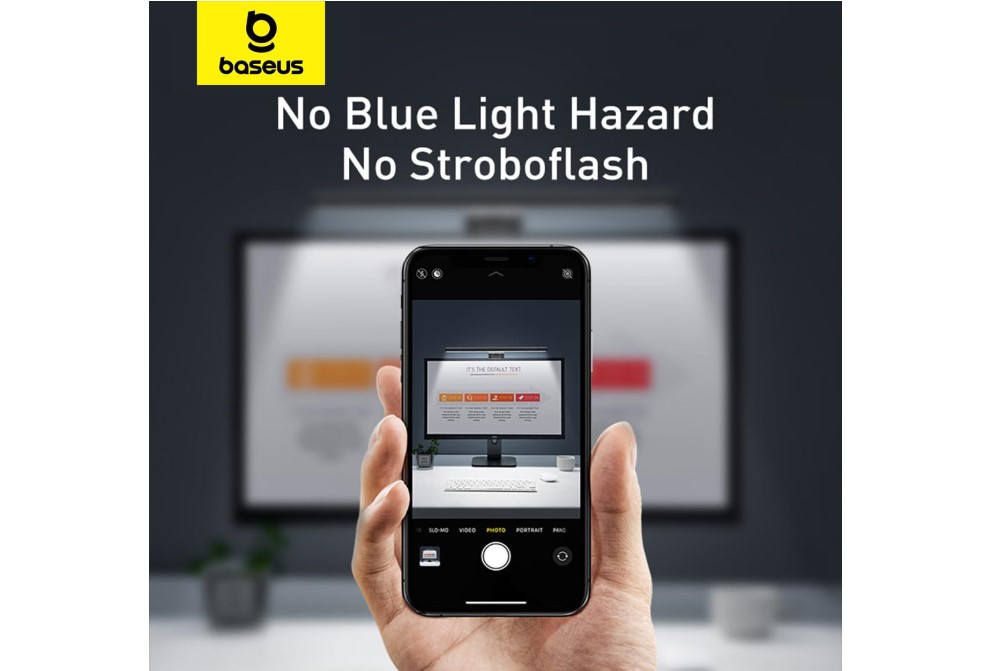

The Baseus i-Wok Monitor Light Bar proves you don't need premium pricing to solve the fundamental problem of screen glare. While lacking advanced features like wireless controls or auto-dimming, it delivers the essential benefit of glare-free workspace illumination.
Installation uses a simple counterweight clamp that worked reliably on my test monitors. The design lacks the sophistication of premium models but provides adequate stability for most flat monitor installations.
Touch controls built into the light bar provide straightforward operation with three color temperature modes and stepless brightness adjustment. While requiring you to reach up to make changes, the controls respond accurately and remember the last setting.
The light quality meets expectations for the price point. The asymmetric beam eliminates screen reflections while providing decent workspace illumination. The coverage area works well for standard desk setups, though larger workspaces might benefit from additional lighting sources.
Build quality feels appropriate for the budget category. The materials and construction don't match premium alternatives, but everything feels solid enough for daily use. For users prioritizing cost savings, the i-Wok delivers essential functionality reliably.
The USB power connection works with most monitors that have USB ports. The cable management is straightforward, and the light turns on automatically with the monitor if connected to a switched USB port.
Pros:
- Excellent value for essential functionality
- Simple installation and operation
- Reliable screen glare elimination
- Adequate light coverage for standard desks
- USB power integration works well
Cons:
- Basic build quality and materials
- Limited color temperature options
- No auto-dimming or advanced features
Summary: The Baseus i-Wok Monitor Light Bar provides essential monitor lighting functionality at an accessible price point. While lacking premium features, it successfully eliminates screen glare and improves workspace lighting for budget-conscious users.
Common Questions About Monitor Light Bars

Image of desk monitor light. Source: Canva
After recommending monitor light bars to dozens of colleagues and friends, I've heard the same questions repeatedly. Here are the most common concerns and what I've learned from actual daily use.
Do monitor light bars really reduce eye strain?
Yes, they make a measurable difference, but probably not in the way you expect. The benefit comes from eliminating the constant adjustment your eyes make between bright screen content and darker surroundings. When your workspace and screen have more balanced lighting, your pupils don't constantly dilate and contract, which reduces fatigue.
I noticed the difference most during long editing sessions. Before using a monitor light bar, I'd feel tired and need breaks every hour. Now I can work for three hours straight without the same level of eye fatigue.
Will a monitor light bar work with my curved or ultrawide monitor?
Most quality models handle curved monitors fine, but compatibility varies significantly between brands. BenQ models specifically list curved compatibility ratings, while cheaper alternatives may not grip properly on curved surfaces.
For ultrawides, coverage becomes the main concern. Standard monitor lights might illuminate the center area well but leave the edges dimmer. Models designed for ultrawide coverage, like the BenQ ScreenBar Pro, distribute light more evenly across larger desk areas.
How do I know if my monitor can support a light bar?
Check your monitor's top bezel thickness and shape. Most light bars work with bezels between 0.4-6 cm thick. Curved tops, unusual angles, or very thin bezels might cause compatibility issues.
Also verify that your monitor has available USB ports for power. Most modern monitors include at least one USB port, but older displays might require using computer USB ports or separate power adapters.
Are expensive monitor light bars worth the extra cost?
The basic function - eliminating screen glare - works similarly across different price points. Premium models add convenience features like wireless controls, auto-dimming, and memory settings that improve daily usability.
I'd recommend starting with a mid-range model like the Xiaomi Mi Light Bar. If you find yourself using it constantly and wanting more advanced features, you can always upgrade later. The expensive models are genuinely better, but the budget options still solve the core problem effectively.
Can I use a monitor light bar for video calls and streaming?
Monitor light bars work excellently for video calls because they provide even facial lighting without creating screen glare. The light comes from above and in front of you, which is flattering for webcam angles.
For streaming setups, they provide good key lighting that won't interfere with your display content. Many streamers use them alongside other lighting equipment because they illuminate the desk area without affecting screen visibility.
How much desk space do wireless controllers take up?
The wireless dials and pucks are quite compact – roughly the size of a large coaster. I keep mine near my keyboard where it's easily accessible but doesn't interfere with mouse movement or other peripherals.
The convenience of adjusting lighting without reaching up to the monitor makes the small desk space requirement worthwhile, especially during long work sessions where you might adjust lighting multiple times.
Finding Your Perfect Monitor Light Bar
After eight months of testing different models in various setups, I've learned that the best monitor light bar is the one that disappears into your daily routine. You stop thinking about lighting problems and focus entirely on your work.
For most people, I recommend starting with the Xiaomi Mi Computer Monitor Light Bar. It provides premium features at a reasonable price and works reliably with standard monitor setups. If you want the absolute best experience and don't mind paying for it, the BenQ ScreenBar Halo 2 delivers everything you could want in monitor lighting.
For ultrawide or curved monitor users, the BenQ ScreenBar Pro provides the coverage and compatibility you need. Budget-conscious users will find the Baseus i-Wok solves the glare problem effectively without premium features. The Quntis ScreenLinear Pro+ offers excellent value for users who want advanced features without flagship pricing.
Whichever model you choose, the improvement to your daily work experience will likely surprise you. Better lighting affects more than just comfort – it influences productivity, mood, and overall well-being during long computer sessions. Once you experience properly balanced workspace lighting, returning to basic desk lamps feels primitive.

Meet James, our go-to tech guru and seasoned reviewer. His sharp attention to detail and love for gadgets drive his deep dives into the newest tech waves. James's insightful analysis and real zest for breakthroughs have earned him a solid reputation in the tech world.


