Best Handheld Gaming PCs
I never expected to find myself recommending a handheld device for serious PC gaming, yet here we are. The current generation of portable gaming computers has shattered my preconceptions about what's possible in a handheld form factor. These aren't underpowered mobile chips struggling with watered-down game ports – they're legitimate Windows and Linux machines running full PC games with performance that rivals entry-level gaming laptops.
The transformation has been remarkable to witness. AMD's Ryzen Z series processors deliver desktop-class gaming performance while maintaining reasonable battery life, OLED displays provide stunning visuals that make every game look premium, and refined software experiences have eliminated most of the friction that plagued early handheld PCs. Whether you're drawn to the flexibility of Windows gaming, the console-like simplicity of SteamOS, or the convenience of cloud streaming, the modern handheld gaming PC market offers compelling options for every type of portable gaming enthusiast.
If you're in a hurry, here are my top two recommendations:
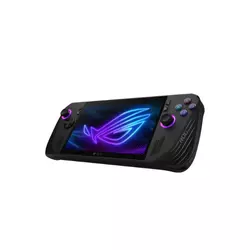
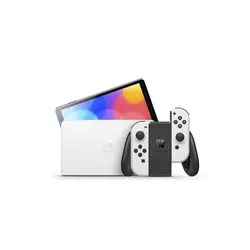
Table of Contents:
- Best Handheld Gaming PCs: Buyer's Guide
- Top 5 Portable Gaming Computers in 2026
- Handheld PC Gaming Devices: Comparison
- ASUS ROG Ally X
- Nintendo Switch OLED Model
- Lenovo Legion Go S (SteamOS)
- Logitech G Cloud
- PlayStation Portal Remote Player
- Mobile Gaming PCs: FAQ
Best Handheld Gaming PCs: Complete Buyer's Guide
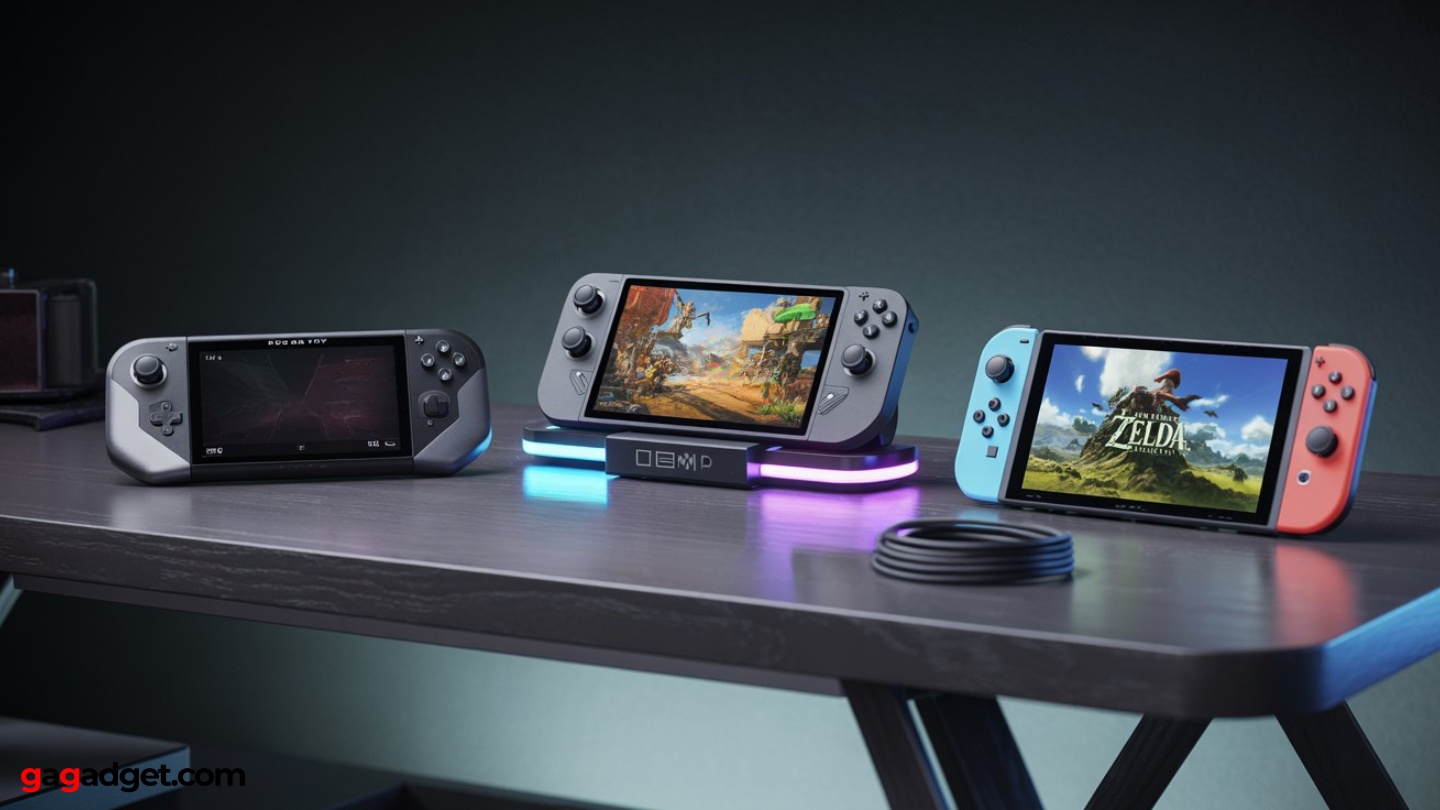
Image of handheld gaming consoles. Source: Canva
Selecting the right portable gaming computer requires understanding how different approaches to handheld PC gaming serve distinct user needs. The market spans from Windows devices that offer complete desktop compatibility to specialized streaming clients optimized for cloud services. Each category brings unique advantages and limitations that directly impact your gaming experience.
Operating System Philosophy: Windows vs. SteamOS vs. Specialized Platforms
Windows handhelds provide unlimited software compatibility but demand more user management. You can install any PC game, mod, emulator, or productivity application, creating a truly open gaming platform. However, Windows wasn't designed for gamepad-only navigation, so expect occasional keyboard needs for system updates, driver installations, and troubleshooting sessions.
The flexibility of Windows comes with responsibility – you're managing a full PC in handheld form.
SteamOS devices prioritize gaming-focused simplicity. Valve's Linux-based system boots directly into Big Picture mode, handles controller navigation elegantly, and uses Proton compatibility layers to run Windows games without dual-booting. Game installation, updates, and library management happen automatically, creating a console-like experience with PC game access.
Specialized platforms like Nintendo's proprietary OS or PlayStation's remote play clients sacrifice flexibility for streamlined operation. These systems eliminate complexity by focusing on specific use cases – Nintendo's first-party exclusives or PS5 library streaming – but lock you out of broader PC gaming ecosystems.
Performance Architecture: Understanding APU Capabilities
Modern handheld gaming PCs rely on AMD's integrated graphics solutions that combine CPU and GPU functions on single chips. The Ryzen Z1 Extreme represents the current flagship, delivering performance comparable to entry-level discrete graphics cards while maintaining laptop-style power consumption. Lower-tier Z1 variants trade raw performance for improved battery life.
Memory configuration significantly impacts gaming performance in these systems. LPDDR5X RAM serves dual purposes: system memory and graphics memory. Higher capacity configurations (24GB+) provide more headroom for demanding titles, while faster memory speeds directly translate to improved frame rates in GPU-limited scenarios.
Display Technology and Gaming Experience
Screen quality dramatically affects portable gaming enjoyment. OLED panels deliver superior contrast and color vibrancy that makes every game look more engaging, particularly in darker environments where IPS displays appear washed out. However, OLED technology consumes more power and may show burn-in after extended use with static UI elements.
Refresh rates above 60Hz primarily benefit older games and indie titles that can actually achieve those frame rates.
Resolution and refresh rate create interesting trade-offs in handheld gaming PC applications. Higher resolutions stress integrated graphics harder, reducing frame rates and battery life. Many devices target 1920×1080 or 1920×1200 as optimal balance points between visual clarity and performance headroom.
Battery Life Realities and Power Management
Advertised battery specifications rarely match real-world gaming performance. Intensive 3D games typically reduce battery life to 1-2 hours on high-performance handhelds, while less demanding titles and emulation can extend sessions to 4-6 hours. Cloud gaming devices achieve longer runtime by offloading processing to remote servers.
Effective power management involves understanding performance scaling. Most handheld gaming PCs offer multiple power profiles that balance performance against battery consumption. Learning to match power settings with game requirements significantly extends usable gaming time without meaningful visual compromises.
Top 5 Portable Gaming Computers in 2026
After extensive evaluation across different gaming scenarios, these five devices represent the strongest options currently available for portable PC gaming. Each targets specific user priorities while maintaining solid baseline gaming capabilities.
- Substantial 80Wh battery enables real gaming sessions
- 24GB RAM handles modern games plus Windows overhead
- Dual USB-C ports solve charging and connectivity issues
- Armoury Crate SE streamlines Windows gaming experience
- 120Hz display delivers smooth visuals for compatible games
- Exclusive Nintendo game library
- OLED display delivers superior color and contrast
- Seamless dock/handheld/tabletop mode transitions
- Instant suspend/resume functionality
- Optimized games run consistently without performance issues
- SteamOS provides console-simple gaming experience
- 8-inch display offers more immersive gaming
- Up to 32GB RAM handles demanding games comfortably
- Lenovo build quality ensures long-term reliability
- Proton compatibility covers vast majority of Steam library
- 12+ hour battery life supports true all-day gaming
- Lightweight design reduces fatigue during extended use
- Multiple cloud gaming services provide vast game libraries
- Hall-effect sticks eliminate drift issues
- Android flexibility allows additional app installation
- Preserves full DualSense haptics and adaptive trigger functionality
- Seamless PS5 integration without complex setup procedures
- 8-inch display provides comfortable viewing for all game types
- Dedicated device eliminates phone battery and notification concerns
- Familiar PlayStation interface requires no learning curve
Handheld PC Gaming Devices: Comparison
I've compiled this specification comparison to highlight the key differences between leading portable gaming computers:
| Model | ASUS ROG Ally X | Nintendo Switch OLED | Lenovo Legion Go S | Logitech G Cloud | PlayStation Portal |
| Display | 7.0" IPS, 1920×1080, 120Hz | 7.0" OLED, 1280×720 | 8.0" IPS, 1920×1200 | 7.0" IPS, 1920×1080, 60Hz | 8.0" LCD, 1920×1080, 60fps |
| Processor | AMD Ryzen Z1 Extreme | Custom NVIDIA Tegra | AMD Ryzen Z2 Go | Qualcomm Snapdragon | Remote Play Client |
| Memory | 24GB LPDDR5X | System Memory | Up to 32GB LPDDR5X | 4GB LPDDR4X | Streaming Device |
| Storage | 1TB NVMe SSD | 64GB + microSD | Up to 1TB NVMe | 64GB + microSD | Cloud Streaming |
| Operating System | Windows 11 | Nintendo Switch OS | SteamOS | Android | PlayStation Remote |
| Battery Life | Up to 8 hours (80Wh) | 4.5-9 hours | Varies by usage | 12+ hours streaming | 7-9 hours streaming |
| Special Features | Dual USB-C, Armoury Crate | Dock/handheld modes | Steam-first interface | Cloud gaming focus | DualSense haptics |
ASUS ROG Ally X Review
Editor's Choice
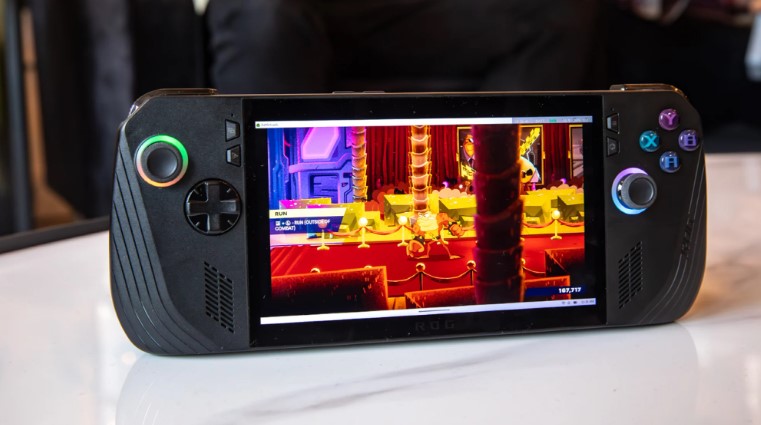
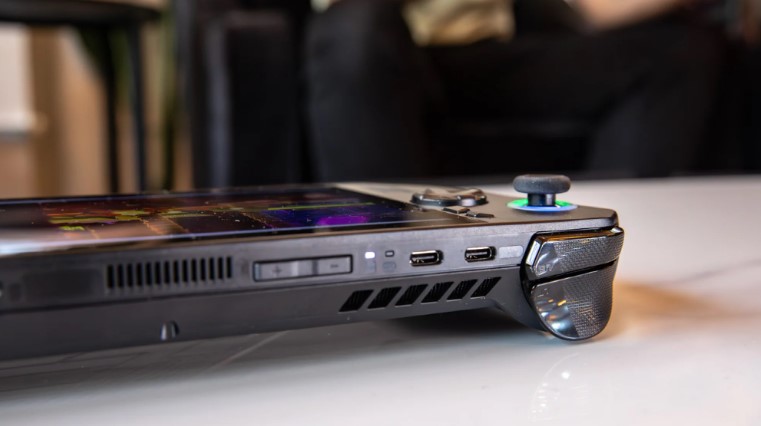
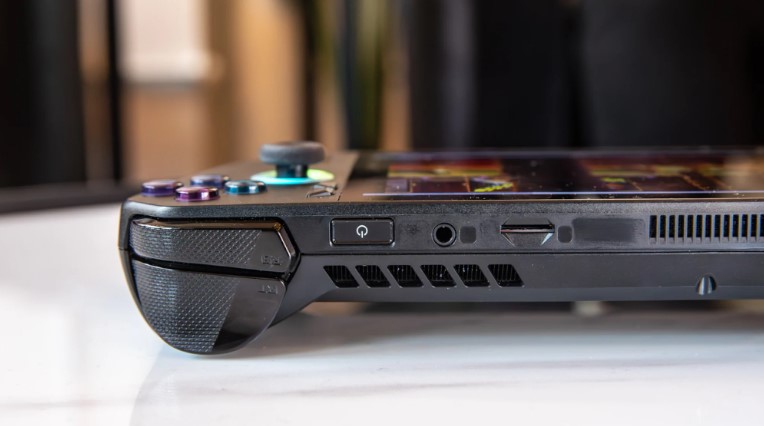
The ASUS ROG Ally X represents the current pinnacle of Windows handheld gaming PCs through thoughtful refinements that address every major complaint from first-generation devices. ASUS rebuilt the chassis for superior ergonomics while doubling battery capacity to a substantial 80Wh – transforming what was once a 90-minute gaming session into genuine all-day portable gaming.
The Ryzen Z1 Extreme APU paired with 24GB of fast LPDDR5X memory creates a gaming powerhouse that handles modern PC titles at respectable settings. I've successfully run Cyberpunk 2077, Elden Ring, and Control at medium settings with frame rates that feel responsive and engaging. The additional memory proves particularly valuable when running Windows background processes alongside demanding games.
Armoury Crate SE deserves recognition for making Windows feel less cumbersome in handheld form. The software centralizes your game library across multiple stores (Steam, Epic, Game Pass) while providing per-game profiles for power management and control mapping. Windows still requires occasional keyboard interaction, but ASUS has minimized these moments through intelligent software design.
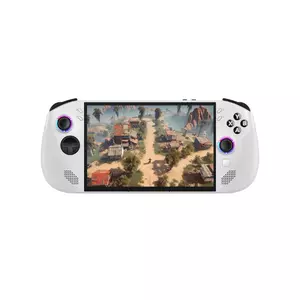
The 7-inch 1920×1080 IPS display running at up to 120Hz creates smooth gaming experiences that highlight the Ally X's performance capabilities. Older titles and indie games frequently hit the full refresh rate, while modern AAA games benefit from the panel's color accuracy and brightness levels that remain visible in various lighting conditions.
Practical improvements show throughout daily usage. The dual USB-C ports allow simultaneous charging and accessory connection – a simple change that eliminates common docking frustrations. microSD expansion provides storage flexibility for your growing game library, while improved thermal management keeps the device comfortable during extended gaming sessions.
Pros:
- Substantial 80Wh battery enables real gaming sessions
- 24GB RAM handles modern games plus Windows overhead
- Dual USB-C ports solve charging and connectivity issues
- Armoury Crate SE streamlines Windows gaming experience
- 120Hz display delivers smooth visuals for compatible games
Cons:
- Windows complexity occasionally requires keyboard input
Summary: The ASUS ROG Ally X solves the fundamental problems that limited earlier Windows handhelds. Its combination of generous battery life, powerful internals, and refined software creates a portable gaming computer that genuinely competes with traditional gaming laptops while offering superior portability.
Nintendo Switch OLED Model Review
Best Overall
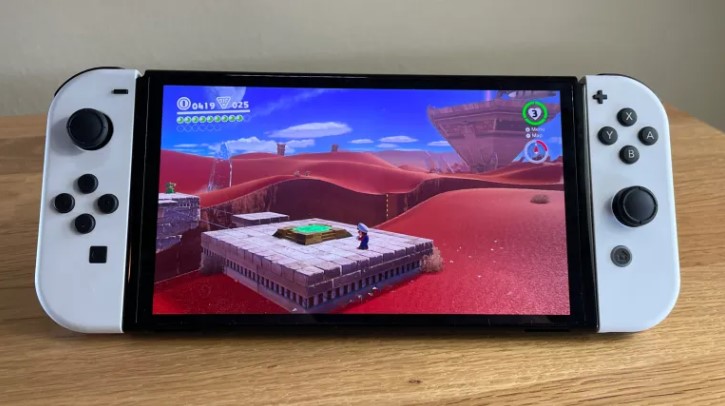
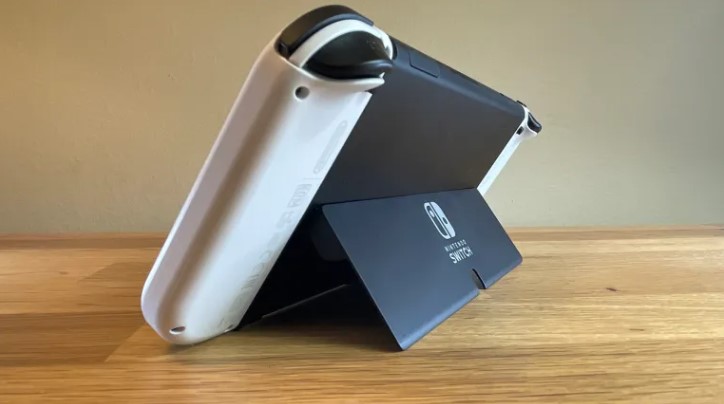
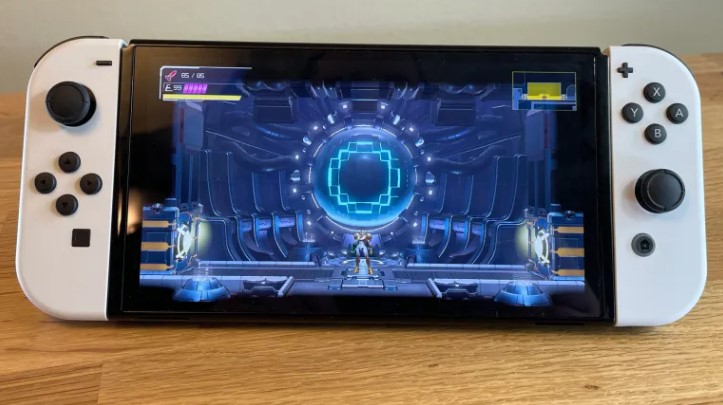
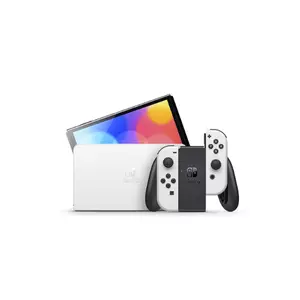
The Nintendo Switch OLED Model continues dominating the handheld gaming space through polished execution of its hybrid console concept. The vibrant 7-inch OLED screen transforms familiar games with deeper blacks and more vivid colors, while the seamless transition between handheld, tabletop, and docked gaming modes remains unmatched by any competitor.
I find Nintendo's exclusive software catalog justifies the platform's existence independent of technical specifications. Breath of the Wild, Super Mario Odyssey, Animal Crossing, and Splatoon represent gaming experiences unavailable elsewhere, while third-party indie games often run better on Switch than on more powerful hardware due to optimization efforts.
The custom NVIDIA Tegra SoC prioritizes consistent performance over peak specifications. Games load quickly, frame rates remain stable, and thermal management keeps the device comfortable during extended play. The suspend/resume functionality works flawlessly – press the power button and your game pauses instantly, ready to continue exactly where you stopped.
OLED display technology makes every game look more engaging than the original Switch's LCD panel. Colors appear richer, contrast improves dramatically in darker scenes, and the elimination of backlight bleeding creates a more premium visual experience. The larger screen size provides more comfortable viewing without significantly increasing device dimensions.
The refined kickstand and improved speakers enhance tabletop gaming scenarios. Multiplayer games work seamlessly when sharing Joy-Con controllers, while the upgraded audio system provides clearer sound reproduction that reduces reliance on headphones for single-player experiences.
Pros:
- Exclusive Nintendo game library unavailable on other platforms
- OLED display delivers superior color and contrast
- Seamless dock/handheld/tabletop mode transitions
- Instant suspend/resume functionality
- Optimized games run consistently without performance issues
Cons:
- Limited to Nintendo's ecosystem and approved third-party games
- Lower resolution and performance compared to PC handhelds
Summary: The Nintendo Switch OLED Model succeeds by prioritizing user experience over technical specifications. Its curated game library, refined hardware design, and friction-free operation create a handheld gaming platform that appeals to both casual and dedicated gamers seeking polished entertainment.
Lenovo Legion Go S (SteamOS) Review
Best SteamOS
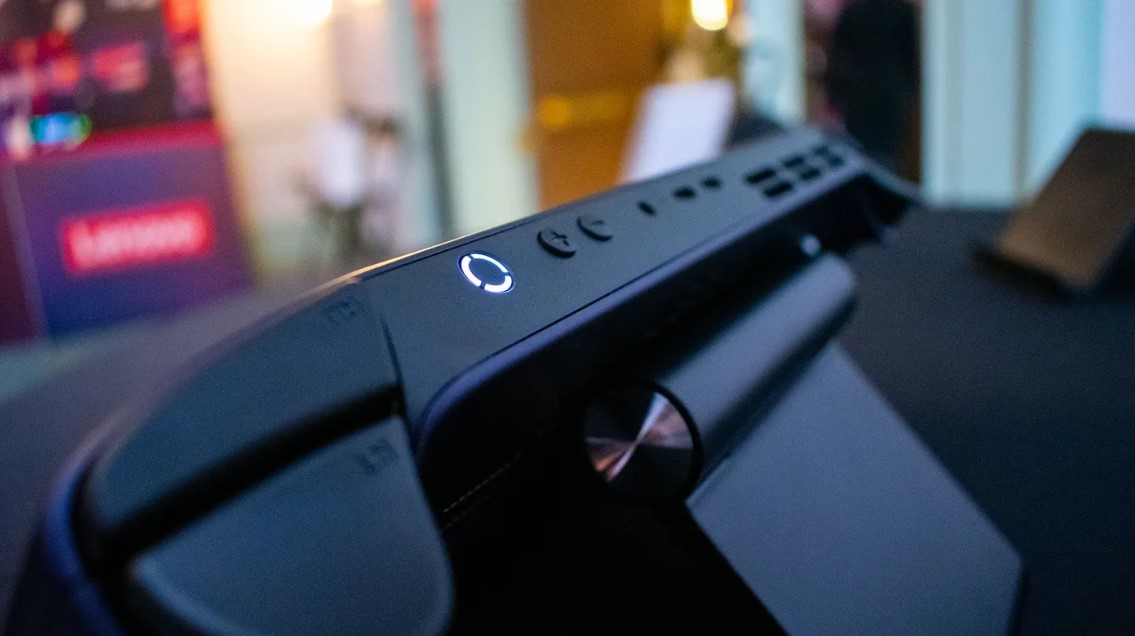
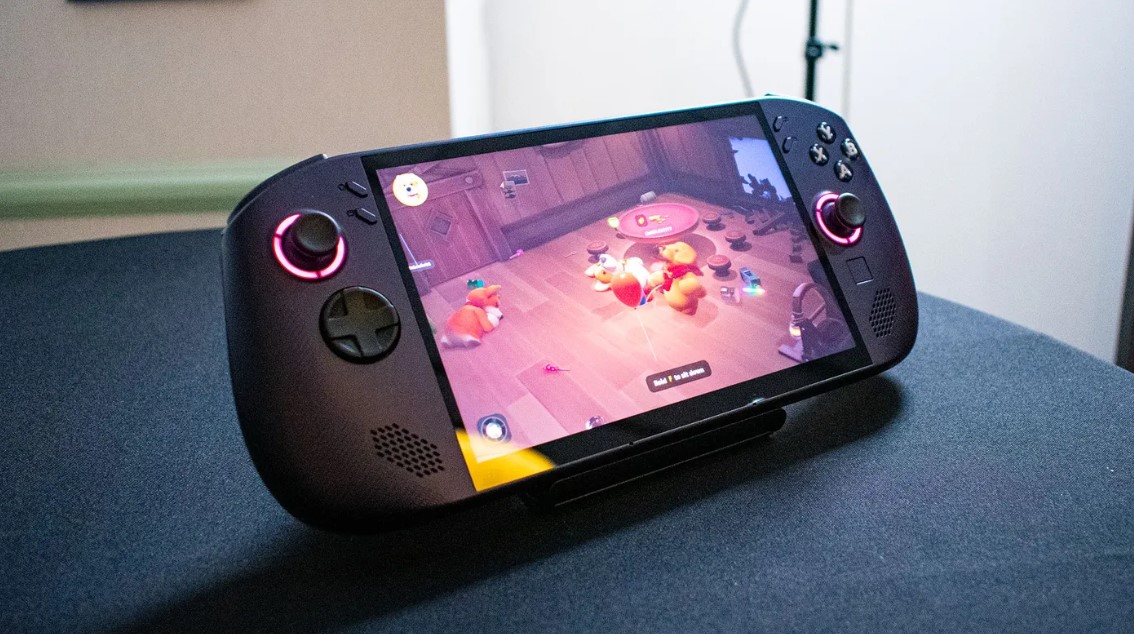
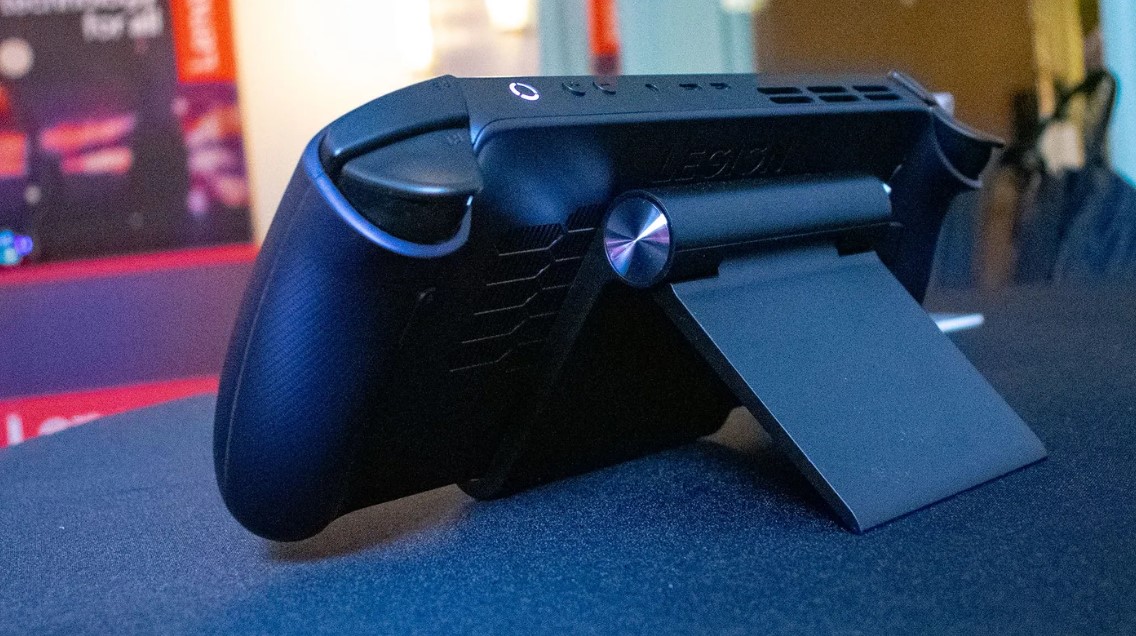
The Lenovo Legion Go S with SteamOS represents the maturation of Linux-based handheld gaming through mainstream manufacturing quality and Valve's refined gaming-focused operating system. The 8-inch WUXGA display provides additional vertical screen space that improves UI readability while maintaining battery-friendly resolution.
I appreciate how SteamOS eliminates the complexity associated with Windows handhelds by booting directly into a console-like interface optimized for gamepad navigation. Game installation, updates, and library management happen automatically, while Proton compatibility layers enable most Windows games to run without user intervention or technical knowledge.
The AMD Ryzen Z2 Go processor paired with up to 32GB of LPDDR5X memory creates a gaming platform capable of handling demanding PC titles while maintaining the responsive interface performance that makes SteamOS feel snappy and immediate. Quick resume functionality preserves game states across power cycles.
Lenovo's Legion build quality brings mainstream PC manufacturer reliability to the handheld gaming PC market. The device feels substantial and well-constructed, with thermal management that maintains comfortable surface temperatures during intensive gaming sessions. Control layout prioritizes ergonomics for extended gaming periods.
The larger 8-inch display creates more immersive gaming experiences while providing additional space for SteamOS interface elements. Text remains readable without strain, and game visuals benefit from the increased screen real estate. The WUXGA resolution provides sharp imagery without overwhelming the integrated graphics.
Pros:
- SteamOS provides console-simple gaming experience
- 8-inch display offers more immersive gaming
- Up to 32GB RAM handles demanding games comfortably
- Lenovo build quality ensures long-term reliability
- Proton compatibility covers vast majority of Steam library
Cons:
- Limited to Steam ecosystem and Proton-compatible games
- Linux foundation may frustrate users expecting Windows software
Summary: The Lenovo Legion Go S with SteamOS delivers the Steam Deck concept through established PC manufacturer execution. It appeals to gamers who want console-like simplicity with access to PC game libraries, backed by Lenovo's mainstream support infrastructure.
Logitech G Cloud Review
Best Cloud
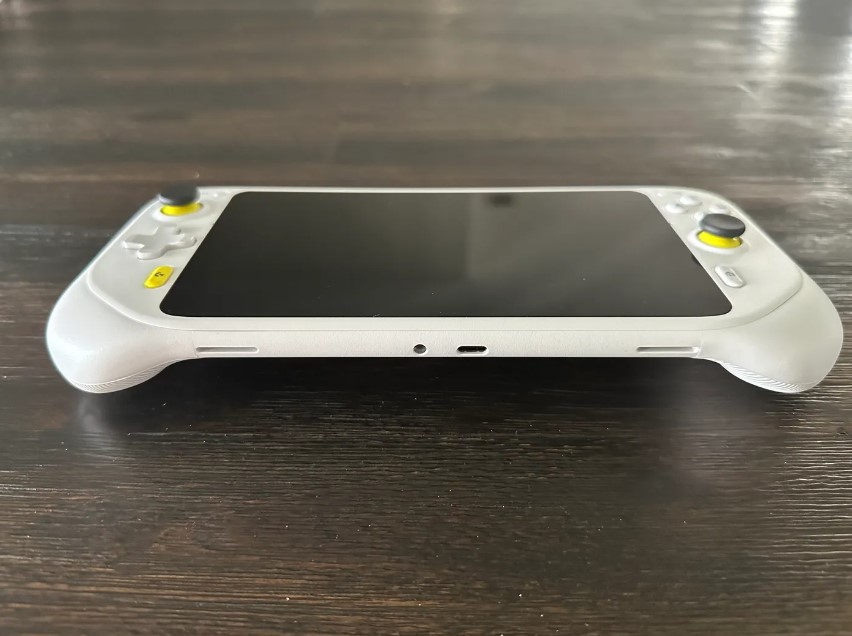
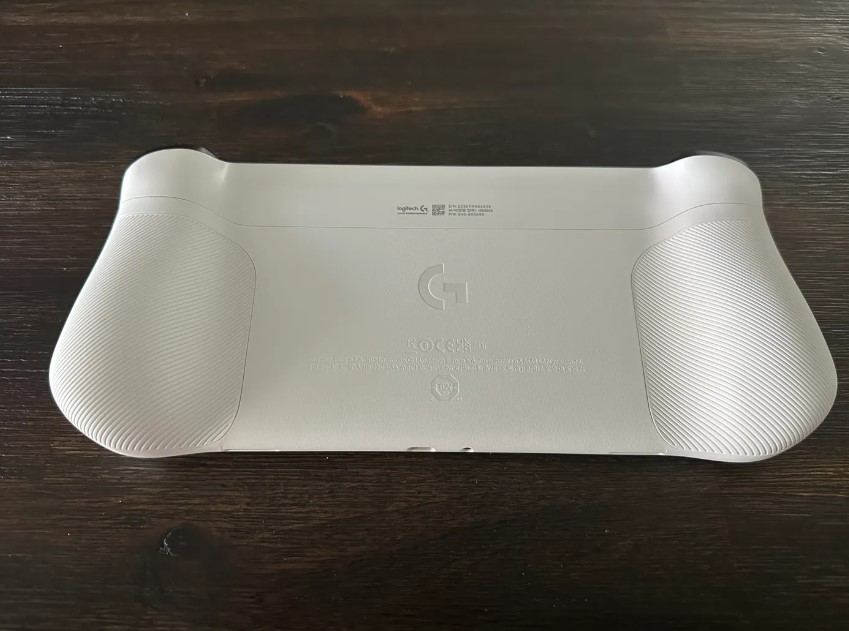
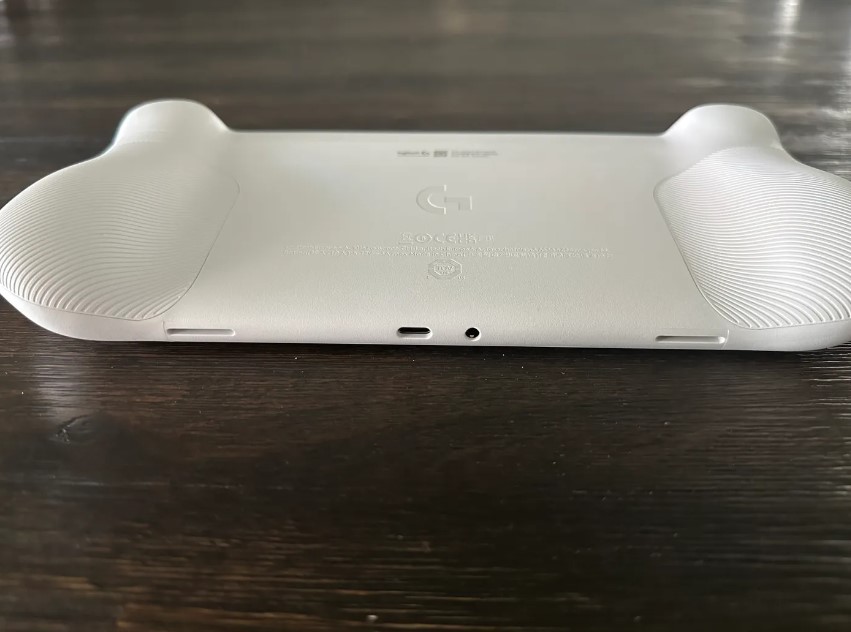
The Logitech G Cloud takes a fundamentally different approach to portable gaming computer design by optimizing entirely for streaming services rather than local game processing. This specialized focus enables remarkable battery life and lightweight construction while providing access to extensive game libraries through cloud platforms.
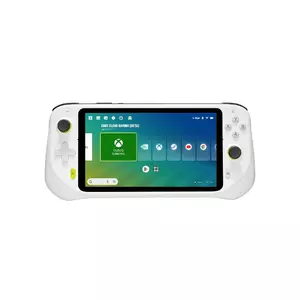
I found the 7-inch 1080p IPS display delivers crisp image quality optimized for streaming video rather than local rendering. At 60Hz refresh rate, the panel handles fast-paced games smoothly while maintaining power efficiency that contributes to the device's exceptional battery longevity. Brightness levels remain adequate for various lighting conditions.
Xbox Cloud Gaming, GeForce NOW, Steam Link, and other streaming services work seamlessly through the Android-based interface. Setup requires only signing into your preferred services, and games launch quickly with minimal configuration needed. The experience closely approximates local gaming when network conditions support low-latency streaming.
Logitech's input design emphasizes comfort during extended gaming sessions. Hall-effect analog sticks eliminate drift concerns, while the responsive D-pad and analog triggers provide precise control for various game genres. The lightweight construction reduces hand fatigue during marathon gaming sessions that the 12+ hour battery life enables.
Android foundation provides flexibility for additional applications beyond dedicated gaming services. Emulation apps, media streaming, and productivity software expand the device's utility, though the gaming-focused hardware design prioritizes control comfort over general tablet functionality.
Pros:
- 12+ hour battery life supports true all-day gaming
- Lightweight design reduces fatigue during extended use
- Multiple cloud gaming services provide vast game libraries
- Hall-effect sticks eliminate drift issues
- Android flexibility allows additional app installation
Cons:
- Requires reliable high-speed internet for optimal experience
- Game performance depends on server availability and network latency
Summary: The Logitech G Cloud succeeds by embracing streaming limitations while maximizing the benefits of cloud gaming. For users with reliable internet connections who prioritize battery life and game library access over local processing power, it provides compelling portable gaming value.
PlayStation Portal Remote Player Review
Best Budget
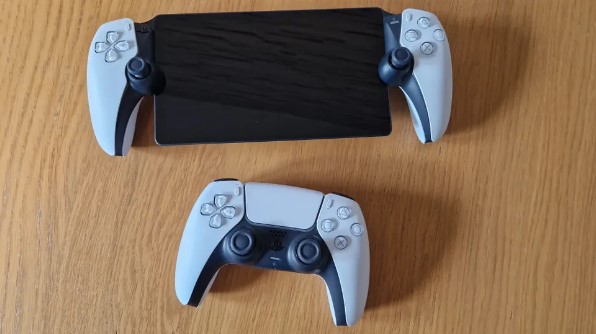
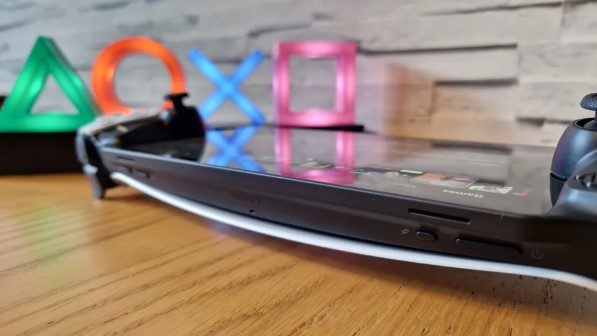
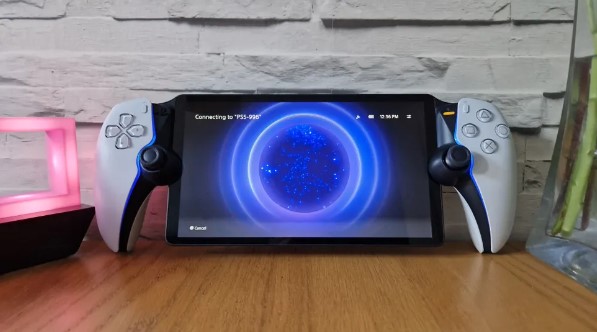
The PlayStation Portal Remote Player serves a specific niche with laser focus: extending your PS5 gaming experience beyond the living room through dedicated remote play hardware. Sony's specialized approach eliminates complexity while preserving the tactile feedback that makes PlayStation gaming distinctive.
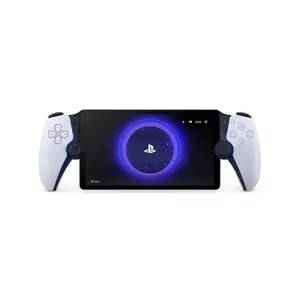
The 8-inch 1080p LCD display targets up to 60fps streaming with image quality that remains sharp at handheld viewing distances. Visual fidelity depends on local network quality, but optimal conditions produce streaming that closely matches direct console output. The larger screen size provides comfortable viewing for text-heavy games and detailed environments.
DualSense controller integration represents the Portal's most significant advantage over smartphone-based remote play solutions. Adaptive triggers and haptic feedback survive the streaming process, maintaining the tactile sensations that enhance games like Gran Turismo 7, Returnal, and Astro's Playroom. The familiar button layout requires no adjustment period for existing PlayStation users.
I was impressed by how setup simplicity makes the Portal immediately accessible to PS5 owners. Link the device to your console, ensure adequate Wi-Fi coverage, and your entire PS5 library becomes available for streaming throughout your home. No additional software installation, account management, or configuration complexity interferes with the gaming experience.
Battery life supports extended gaming sessions without constant charging anxiety. Sony's optimization for streaming workloads rather than local processing enables longer runtime than devices running intensive local games. The dedicated form factor eliminates phone battery drain and notification interruptions.
Pros:
- Preserves full DualSense haptics and adaptive trigger functionality
- Seamless PS5 integration without complex setup procedures
- 8-inch display provides comfortable viewing for all game types
- Dedicated device eliminates phone battery and notification concerns
- Familiar PlayStation interface requires no learning curve
Cons:
- Limited exclusively to PS5 remote play functionality
- Requires PS5 ownership and reliable home network infrastructure
Summary: The PlayStation Portal Remote Player excels within its narrow focus by providing the most authentic PS5 remote play experience available. For PlayStation owners seeking to extend their console gaming beyond the main TV, it offers superior tactile feedback and setup simplicity compared to smartphone alternatives.
Mobile Gaming PCs: FAQ
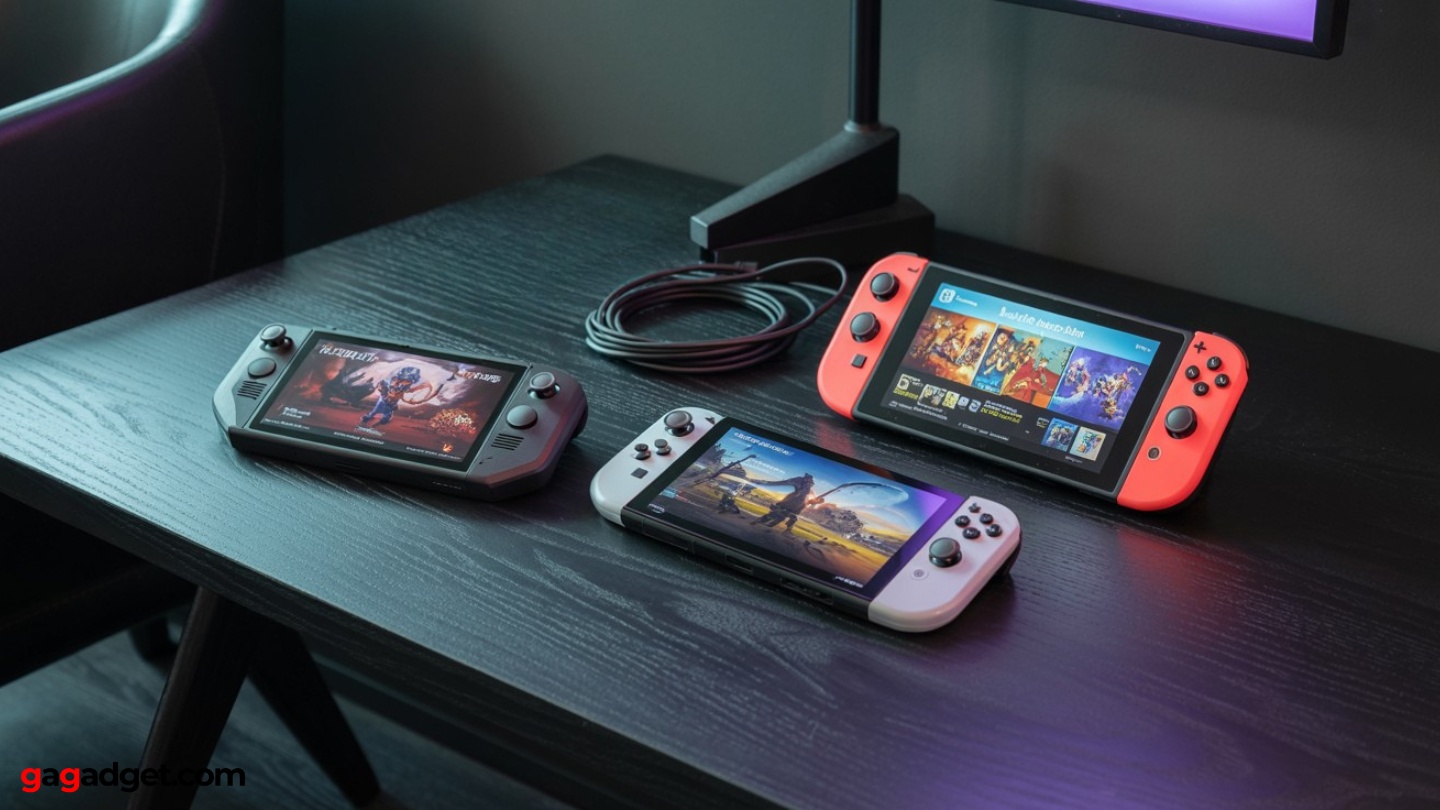
Image of handheld gaming PCs. Source: Canva
Through extensive testing and conversations with fellow portable gaming enthusiasts, certain questions consistently arise when people consider their first handheld gaming PC purchase or evaluate upgrades from existing devices.
How does handheld gaming PC performance compare to gaming laptops?
Modern handheld gaming PCs deliver performance comparable to entry-level gaming laptops while offering superior portability. The Ryzen Z1 Extreme in devices like the ROG Ally X performs similarly to laptop GTX 1660 or RTX 3050 graphics, handling most games at 1080p medium settings with playable frame rates. Battery life remains significantly shorter during intensive gaming compared to laptops, but the handheld form factor enables gaming scenarios impossible with traditional laptops.
What's the real-world battery life during actual gaming sessions?
Battery performance varies dramatically based on game complexity and system settings. Intensive 3D titles typically provide 1-2 hours of gameplay on high-performance handhelds, while older games and 2D indies can extend sessions to 4-6 hours. Cloud gaming devices achieve 8-12 hours since they're streaming video rather than rendering locally. Power management profiles significantly impact runtime – learning to match settings with game requirements extends usable gaming time without meaningful visual sacrifices.
Can these devices replace a desktop gaming PC for most users?
Handheld gaming PCs serve as capable primary gaming devices for users who prioritize portability over maximum performance. They handle most PC games competently, support external monitors and controllers for desktop-style gaming, and run productivity software when needed. However, they can't match dedicated gaming PCs for 4K gaming, ray tracing, or competitive esports where maximum frame rates matter. Consider them powerful secondary gaming devices or primary systems for users with moderate performance expectations.
How important is storage capacity, and can it be upgraded?
Storage requirements depend heavily on your gaming habits and preference for local vs. streaming games. Modern AAA titles often exceed 50-100GB, making 512GB feel restrictive for users who prefer keeping multiple large games installed simultaneously. Many devices support microSD expansion for additional storage, though loading times may increase slightly. Some handhelds allow NVMe SSD upgrades, but this typically voids warranties and requires technical skills.
What about game compatibility across different handheld gaming PC platforms?
Windows handhelds offer broadest compatibility, running virtually any PC game, emulator, or application without restrictions. SteamOS devices rely on Proton compatibility layers that support most Steam games but may struggle with newer anti-cheat systems or Windows-specific software. Console-focused devices like Switch or Portal limit compatibility to their respective ecosystems but guarantee optimized performance for supported titles. Research specific game compatibility before purchasing if you have particular titles you must play.
Choosing Your Ideal Handheld Gaming PC: Final Recommendations
I've watched the handheld gaming PC market evolve beyond early experiments into mature products that genuinely enhance portable gaming experiences. Each approach – from full Windows compatibility to streaming-focused designs – serves distinct user needs while delivering solid gaming performance in portable form factors.
For users seeking maximum versatility and don't mind occasional Windows complexity, the ASUS ROG Ally X provides the most complete portable gaming computer experience. Its substantial battery, powerful internals, and refined software create a device that competes with gaming laptops while offering superior portability.
Gamers who prioritize exclusive content and polished experiences will find the Nintendo Switch OLED continues setting standards for handheld gaming through consistent performance and unique game library. The Lenovo Legion Go S appeals to users wanting Steam library access with console-simple operation.
Specialized devices like the Logitech G Cloud and PlayStation Portal succeed by focusing on specific streaming scenarios rather than trying to be everything to everyone.
The handheld gaming PC category has matured enough that choosing based on your specific priorities – game compatibility, battery life, performance expectations, or ecosystem preferences – will lead to satisfaction with any of these options. The technology has reached a point where portable PC gaming delivers genuine utility rather than interesting compromises, opening new possibilities for gaming anywhere.

Jim's our tech geek with a mission since February 2023. From movies to video projectors, he knows his stuff and aims to make tech work for you. When he's not geeking out, he's there to guide you through making savvy decisions.


