Best E-Ink Tablets for Note-Taking
Two months ago, I sat in a conference room watching a product manager struggle with his iPad during a crucial presentation. Every few minutes, a notification banner dropped down. Email. Slack. A reminder about his kid's dentist appointment. By the end of the hour, he'd captured maybe four bullet points. The designer next to him, however, filled half a notebook with sketches and notes without breaking focus once. That contrast sent me hunting for a better solution.
E-ink note-taking tablets have evolved from niche gadgets into genuinely practical tools for anyone tired of fighting digital distractions. These devices eliminate the notification chaos plaguing conventional tablets while adding search, cloud backup, and organization features paper notebooks can't touch. This guide examines the best e-ink tablets for note-taking available today, focusing on real-world writing feel, practical features, and which specifications actually matter when you're capturing ideas daily.
If you're in a hurry, here are my top two recommendations for e-ink note-taking tablets:
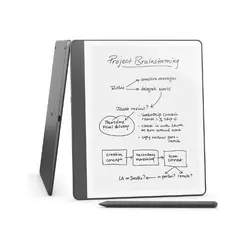
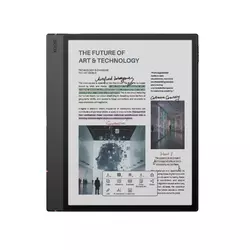
Table of Contents:
- Best E-Ink Note-Taking Tablet: Buying Guide
- Top 5 E-Ink Tablets for Notes in 2026
- Best E-Ink Note Tablets: Comparison
- Amazon Kindle Scribe
- BOOX Note Air 5 C
- reMarkable 2
- Kobo Elipsa 2E
- iFLYTEK AINOTE Air 2
- E-Ink Note-Taking Tablets: FAQ
Best E-Ink Note-Taking Tablet: Buying Guide
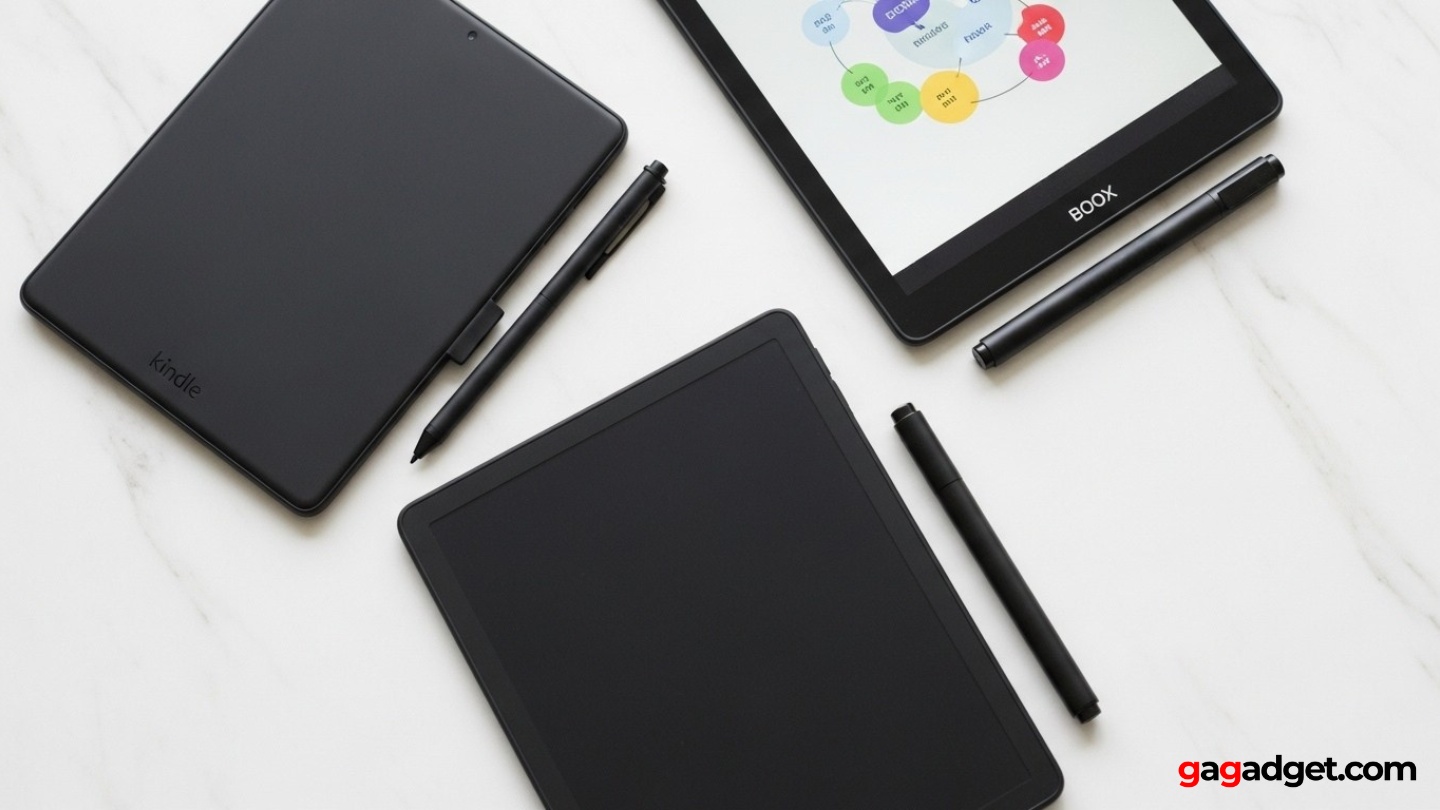
Shopping for an e-ink note-taking tablet requires different priorities than buying typical tech gadgets. After testing multiple devices across product reviews, meeting notes, and daily writing tasks, I've identified what actually matters versus marketing hype.
Writing Feel and Latency
Writing feel makes or breaks any note-taking device. The best e-ink tablets achieve latency under 20 milliseconds where pen strokes appear instantly without lag. Anything above 30 milliseconds feels sluggish and disrupts natural writing flow. Surface friction matters equally - you want enough resistance to prevent slipping but not so much that your hand tires quickly.
The best e-ink writing feels so natural you forget about the technology. If you're thinking about lag or palm rejection, something's wrong.
Palm rejection completes the writing experience. Your hand should rest naturally on the screen without triggering false marks. Poor palm rejection forces awkward hovering that becomes painful during extended sessions.
Screen Size and Resolution
Most e-ink tablets come in 10-inch sizes that approximate standard paper dimensions. These handle writing, reading, and PDF annotation comfortably without excessive bulk. Smaller 8-inch devices prioritize portability but require more scrolling and zooming on documents.
Resolution matters for clarity. Standard 300 DPI delivers crisp text matching printed pages, while 227 DPI looks softer but remains usable for casual note-taking. For serious document work, prioritize higher resolution displays.
Operating System Philosophy
E-ink tablets split into two camps. Focused systems like Kindle, reMarkable, and Kobo deliberately limit functionality to reading and writing, eliminating app stores and notifications entirely. This creates distraction-free environments perfect for deep work.
Choose focused systems for simplicity and concentration. Pick Android for maximum versatility and app freedom.
Android-based devices like BOOX run Google's OS with full app access, providing flexibility at the cost of potential distractions and complexity. You can install OneNote, Evernote, multiple e-reader apps, and cloud services simultaneously.
Note Organization and Export
Handwritten notes become worthless if you cannot find them later. Organization systems vary from basic folder structures to advanced tagging with handwriting search. The best systems recognize even casual handwriting accurately, while weaker implementations struggle with anything beyond printed letters.
Export options matter for workflow integration. PDF export is universal, but additional formats like PNG images, text files, and direct cloud service integration eliminate manual file management friction. Always verify export capabilities before committing significant notes to any device.
Battery Life and Connectivity
E-ink displays only use power when changing content, delivering battery life measured in weeks for focused devices and 3-5 days for Android tablets. This beats conventional tablets requiring daily charging.
The practical consequence means you can treat these like paper notebooks - toss them in your bag and forget charging concerns for days.
Cloud sync capabilities vary considerably. Some offer seamless automatic backup while others require manual file management. Focused devices like Kindle Scribe exceed two weeks between charges, while Android tablets still manage several days of heavy use.
Pen Technology and Features
Most quality tablets use Wacom EMR technology with pressure-sensitive styluses that never need charging. Pressure levels range from 1024 to 4096, though differences above 2048 are subtle for typical use.
What matters more is whether the pressure curve feels natural - whether light touches create thin lines and heavier pressure produces bold strokes proportionally. Some devices include eraser functionality on the pen cap, eliminating tool-switching through menus. Replacement nib availability deserves consideration since tips wear gradually.
Front Lighting Options
Unlike backlit tablets, e-ink displays require external illumination for dark environments. Front-light systems project light onto the screen surface from LEDs around the bezel. Quality implementations provide even illumination without visible hotspots.
Warm light temperature adjustment reduces blue light exposure for evening sessions, shifting from cool white LEDs toward yellow-orange tones that prevent eye strain.
Adjustable brightness lets you tune light levels to ambient conditions. The best implementations offer continuous sliders between cool and warm extremes. Some devices schedule automatic temperature shifts based on time of day, gradually warming displays as evening approaches.
Top 5 E-Ink Tablets for Note-Taking in 2026
After extensive testing across different scenarios, workflows, and use cases, I've identified five devices delivering the best combination of writing experience, features, and value.
- Exceptional 300 DPI display quality
- Seamless Kindle ecosystem integration
- Send-to-Kindle file simplicity
- AI notebook tools without cloud uploads
- Two-week battery life
- Color e-ink for visual organization
- Full Android with Play Store
- Multiple e-book ecosystems supported
- Professional PDF tools
- Split-screen workflows
- Best writing feel available
- Exceptional low latency
- Marker Plus with eraser cap
- Completely distraction-free
- Week-long battery life
- Excellent Carta 1200 display
- ComfortLight PRO with warm adjustment
- Native EPUB support
- Beautiful typography engine
- OverDrive library integration
- Genuine portability at 230 grams
- AI voice transcription multiple languages
- Integrated audio recording
- Strong battery life
- Android-based flexibility
Best E-Ink Note-Taking Tablets: Detailed Comparison
Here's a quick specifications comparison to help evaluate these top e-ink note-taking tablets:
| Specification | Kindle Scribe | BOOX Air 5 C | reMarkable 2 | Kobo Elipsa 2E | iFLYTEK Air 2 |
| Screen Size | 10.2-11" | 10.3" | 10.3" | 10.3" | 8.2" |
| Resolution | 300 ppi | ~300 ppi mono | Standard | Carta 1200 | Standard |
| Color | No | Yes | No | No | No |
| Front Light | Warm adjustable | Warm/cool | No | ComfortLight PRO | Yes |
| OS | Kindle OS | Android | reMarkable OS | Kobo OS | Android-based |
| Storage | 16/32/64 GB | 64 GB | 8 GB | 32 GB | 32 GB |
| Weight | ~430g | ~440g | ~403g | ~395g | ~230g |
| Best For | Kindle users | Power users | Writing feel | Readers | Portability |
Amazon Kindle Scribe Review
Editor's Choice
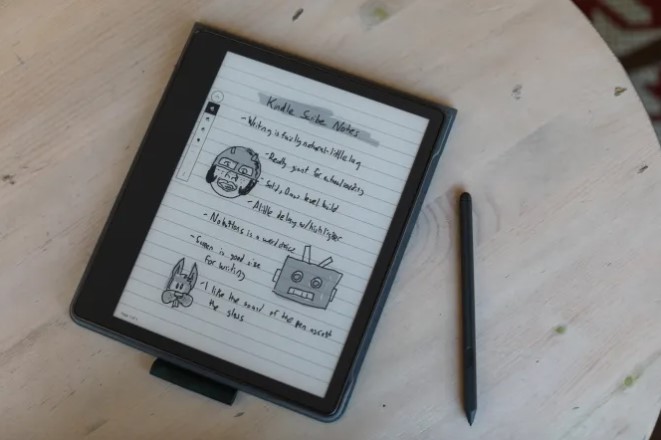
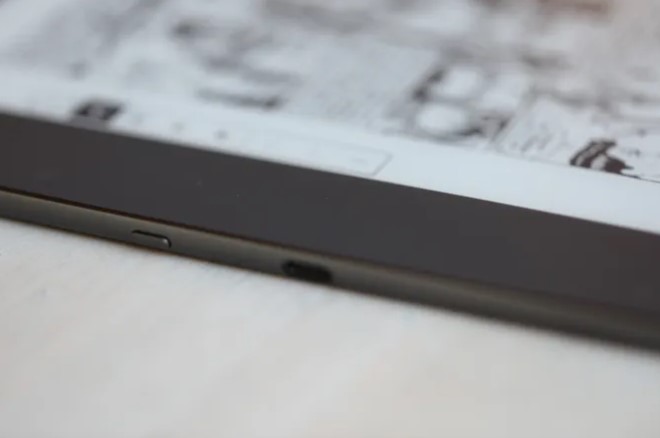
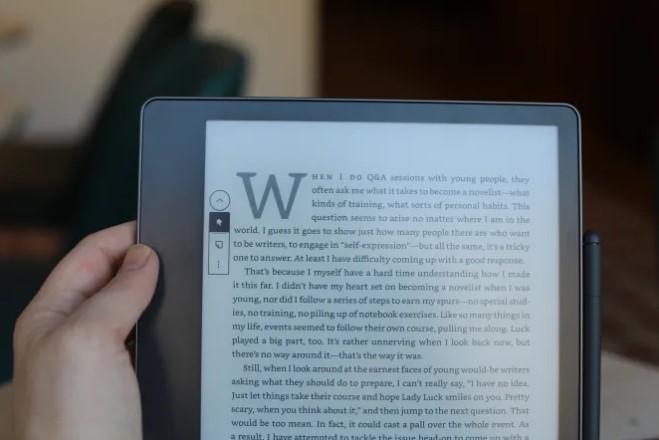
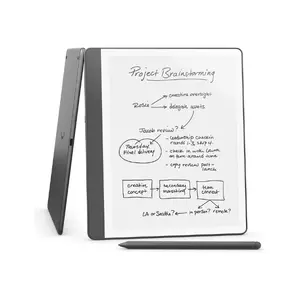
Amazon's Kindle Scribe delivers the most polished e-ink note-taking experience for Kindle ecosystem users. This device combines professional writing capabilities with Amazon's refined reading platform developed over fifteen years. The result feels like natural evolution rather than learning new technology.
The 10.2 to 11-inch display uses 300 DPI E-Ink Carta technology producing exceptionally sharp text and clean handwriting. This resolution exceeds most competitors. The adjustable warm front-light enables comfortable evening sessions without eye strain. Writing performance ranks among the best available with the included Premium Pen using Wacom EMR and 4096 pressure levels. Palm rejection works flawlessly and latency hovers around 20 milliseconds where strokes appear instantly.
Integration with Amazon's ecosystem represents the Scribe's biggest advantage. You write directly in books with margin notes and highlights that sync across all Kindle devices. The Send-to-Kindle service emails documents and PDFs directly to your Scribe where they appear automatically. Recent firmware added AI-powered notebook tools analyzing handwritten notes on-device, generating titles and summaries without cloud uploads.
Storage spans 16 GB, 32 GB, and 64 GB configurations. Even base storage holds thousands of books and notebooks. Battery life routinely exceeds two weeks with mixed use. The aluminum chassis feels substantial at 430 grams. Limitations emerge from Kindle OS's focused philosophy - you cannot install third-party apps or load EPUB files without conversion through calibre.
Pros:
- Exceptional 300 DPI display quality
- Seamless Kindle ecosystem integration
- Send-to-Kindle file simplicity
- AI notebook tools without cloud uploads
- Two-week battery life
Cons:
- No third-party app installation
- EPUB requires conversion
Summary: The Kindle Scribe delivers the most polished e-ink note experience for Kindle users. If you read predominantly Kindle books and value simplicity over flexibility, this represents the strongest choice with superior display quality, excellent writing feel, and seamless workflow integration.
BOOX Note Air 5 C Review
Best Overall
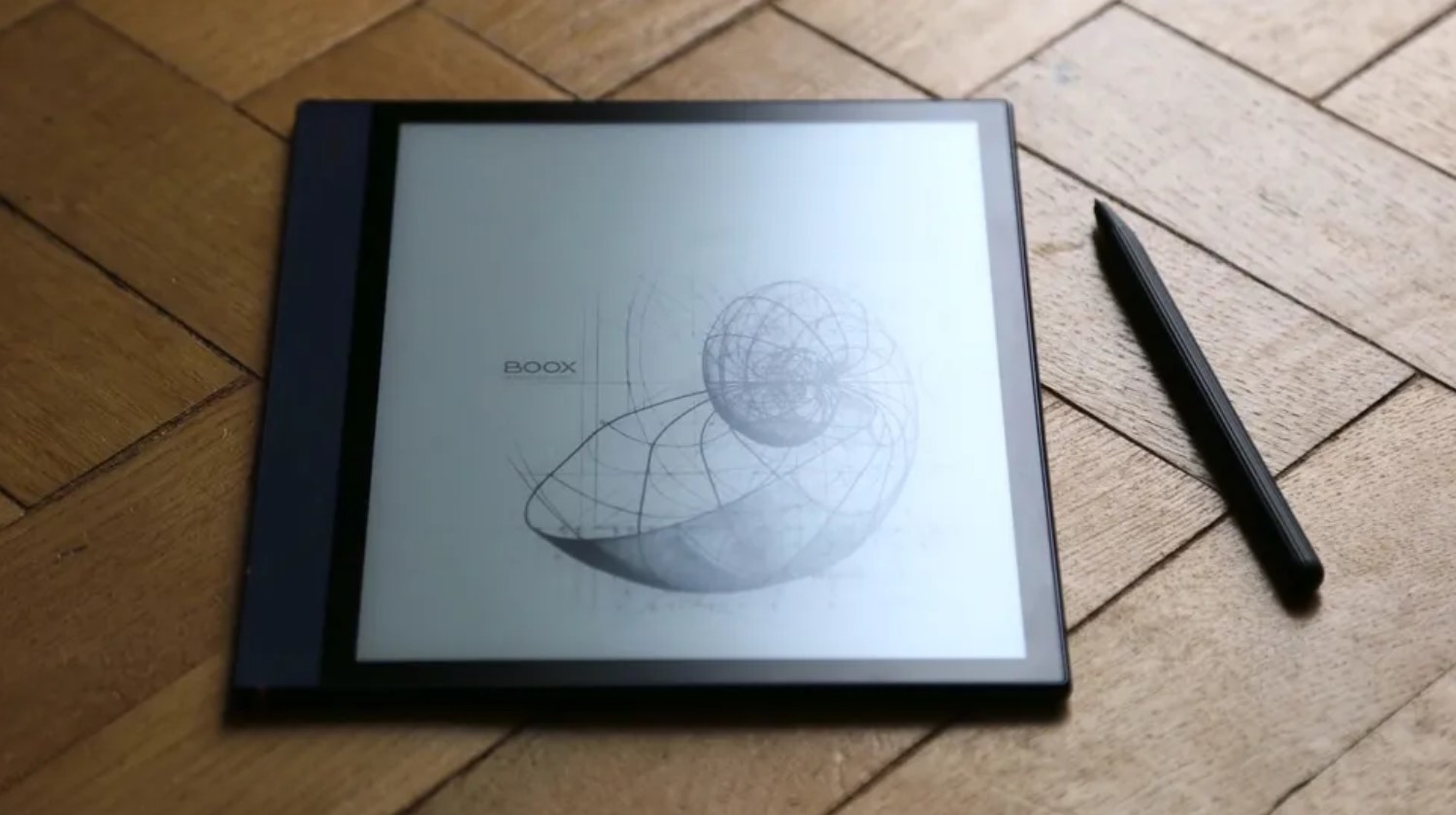
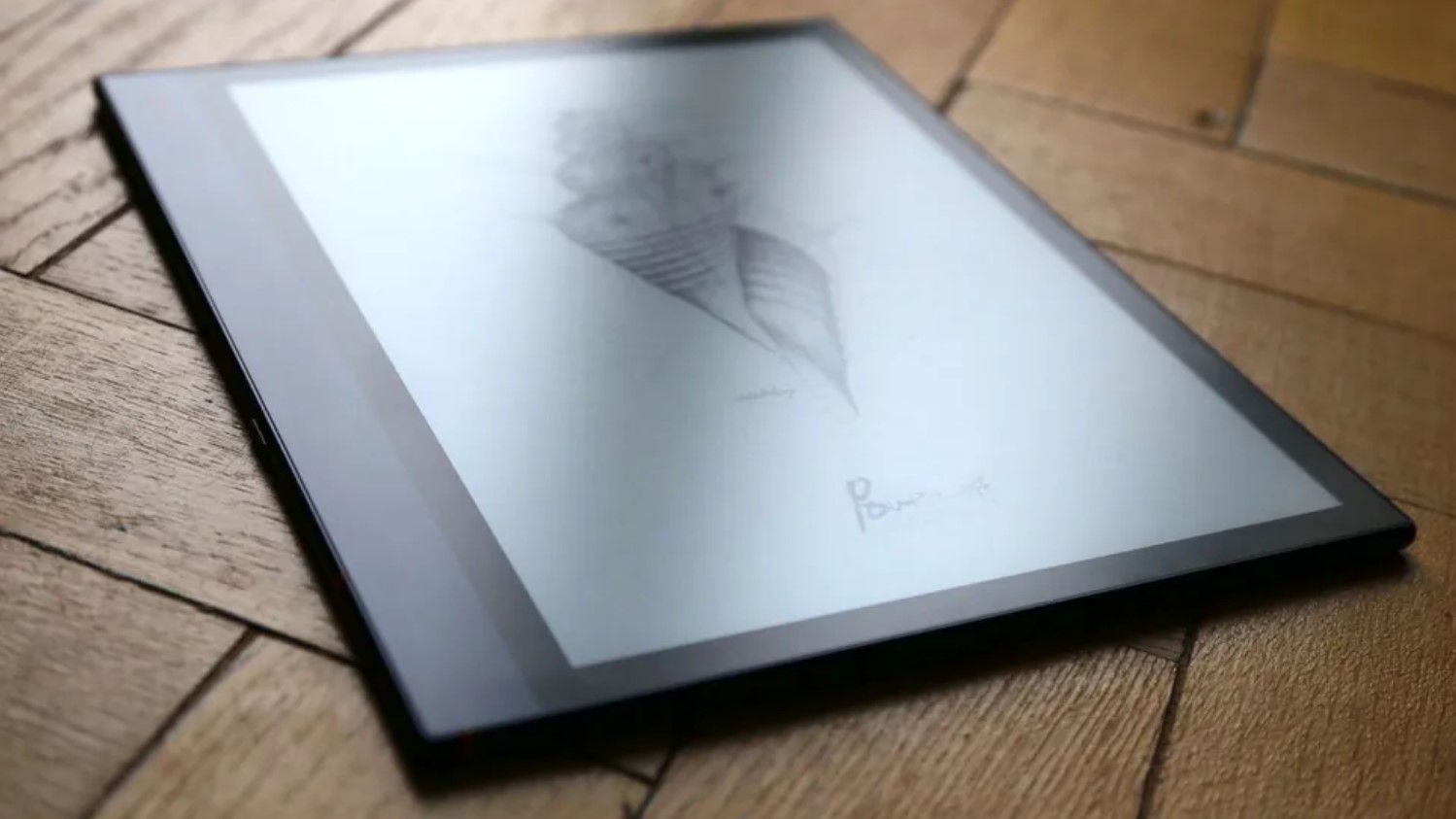
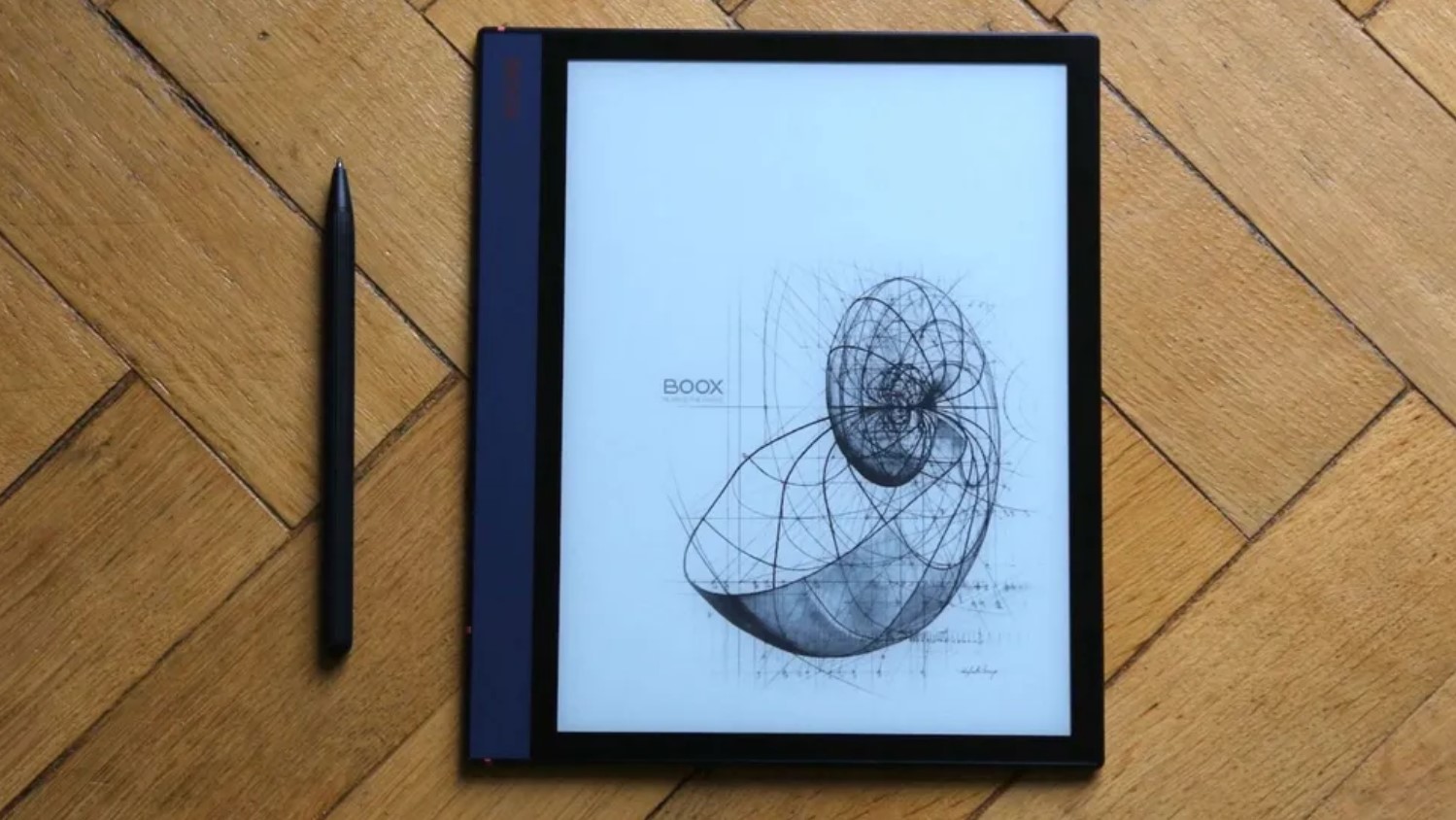
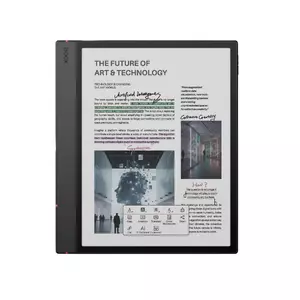
The BOOX Note Air 5 C represents maximum flexibility in e-ink note-taking. While competitors force manufacturer decisions about apps and workflows, BOOX embraces Android's open platform with color e-ink technology. The result genuinely replaces multiple specialized tools in one device.
The 10.3-inch display uses E-Ink Kaleido 3 layered over Carta 1200, delivering approximately 300 PPI for monochrome and 150 PPI for color. Black-and-white text appears razor-sharp while color diagrams display with sufficient clarity for productive work. Color resembles newspaper printing rather than glossy magazines, but for mind maps, highlighted PDFs, and visual organization it transforms usability. Writing experience matches professional standards with imperceptible latency and excellent palm rejection. The included EMR stylus supports 4096 pressure levels.
Android integration represents BOOX's fundamental advantage. The device runs customized Android with Google Play Store access, enabling installation of virtually any Android app. You can use OneNote, Evernote, Notion, or Obsidian with automatic syncing. Dropbox, Google Drive, and OneDrive provide native file access. Kindle, Kobo, and Google Play Books apps coexist, eliminating format restrictions.
PDF handling excels for professional users. NeoReader provides exceptional document control with margin cropping, contrast adjustment, text reflow, color highlights, handwritten annotations, and cloud export. Split-screen mode enables reading reference PDFs while taking notes. Hardware includes 6 GB RAM and 64 GB storage ensuring smooth multitasking. Battery endurance varies with usage - expect 3-5 days with moderate mixed use. The learning curve steepens compared to simpler alternatives as Android's flexibility creates complexity demanding active management.
Pros:
- Color e-ink for visual organization
- Full Android with Play Store
- Multiple e-book ecosystems supported
- Professional PDF tools
- Split-screen workflows
Cons:
- Shorter battery than focused devices
- Steeper learning curve
Summary: The BOOX Note Air 5 C represents the most capable flexible e-ink tablet available. If you work across platforms, refuse ecosystem lock-in, need color for diagrams, or want one device handling everything without compromise, this justifies premium positioning despite shorter battery life and increased complexity.
reMarkable 2 Review
Best Writing Feel
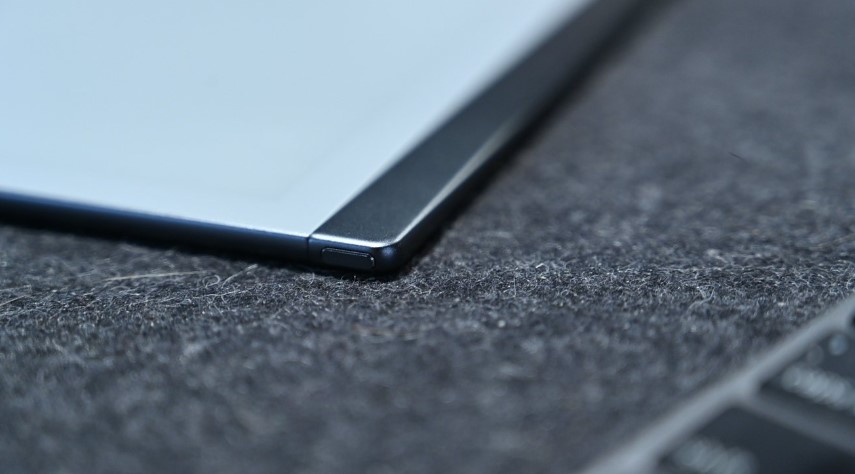
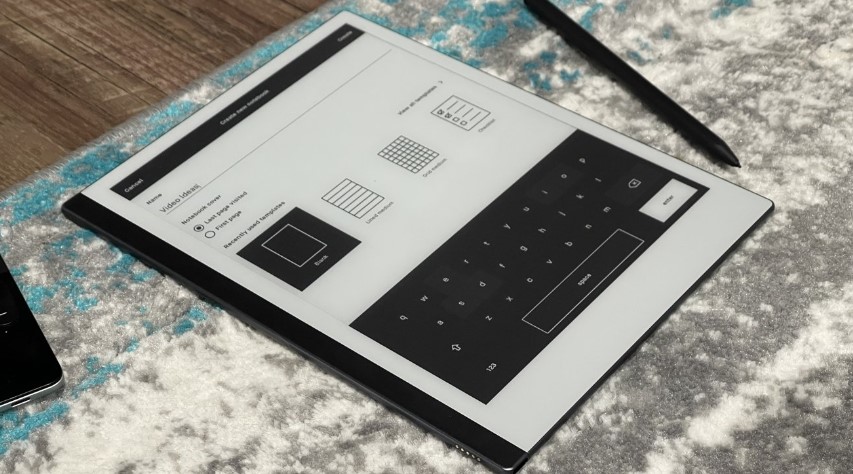
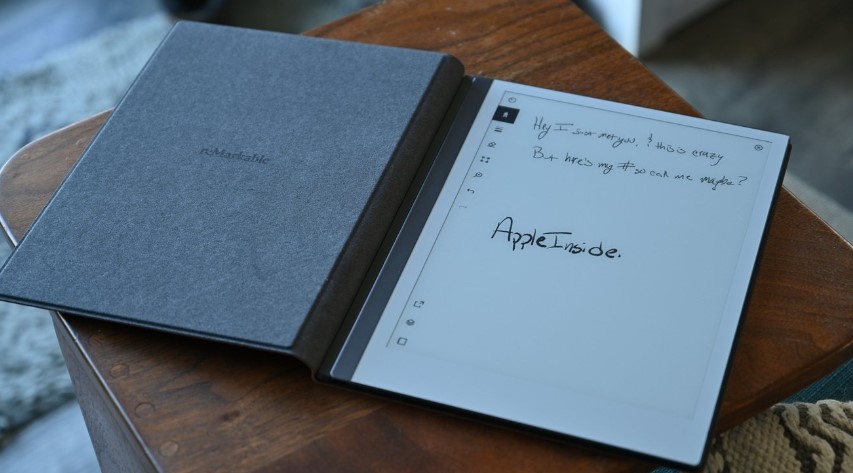
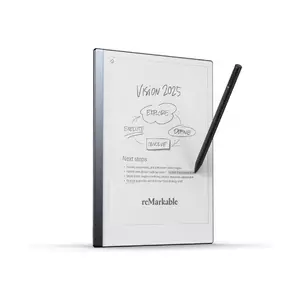
The reMarkable 2 pursues singular vision - recreating paper writing so convincingly you forget about electronics. While competitors chase features, reMarkable obsesses over writing feel and distraction elimination. The result attracts devoted users valuing craftsmanship over versatility.
Writing experience represents reMarkable's entire purpose. The 10.3-inch monochrome display achieves magic through deliberate surface texture creating friction resembling pencil on paper. Your pen encounters subtle resistance providing tactile feedback during every stroke. Combined with extraordinarily low latency under 21 milliseconds, the sensation approaches genuine paper more closely than any competitor. The Marker Plus stylus included in bundles features built-in eraser on the pen cap, eliminating menu-diving to switch tools.
Software embraces intentional simplicity. You create notebooks, organize in folders, apply tags, and write. The pen tool offers multiple styles with adjustable thickness. Layers enable complex sketching. Handwriting-to-text produces clean typed text from neat handwriting. What reMarkable deliberately omits defines the experience - there's no web browser, app store, email, social media, or notifications. The device does exactly three things: handwritten notes, reading documents, and basic sketching.
Cloud synchronization through reMarkable Cloud keeps notebooks accessible across devices. Companion apps for iOS, Android, Windows, and macOS enable viewing from conventional devices. Direct integrations with Google Drive, Dropbox, and OneDrive keep documents flowing. The industrial design measures impossibly thin at 4.7 millimeters and weighs 403 grams. No front-light exists - you need external illumination for evening use. Battery life extends easily through a week. The subscription model remains controversial - basic sync works free but advanced features require reMarkable Connect subscription.
Pros:
- Best writing feel available
- Exceptional low latency
- Marker Plus with eraser cap
- Completely distraction-free
- Week-long battery life
Cons:
- No front-light
- Monochrome only
Summary: The reMarkable 2 delivers the most authentic paper writing in digital form. If writing feel represents your absolute priority, no device matches reMarkable's attention to surface texture, latency, and pen response. Choose this for writing authenticity and distraction-free focus over versatility and features.
Kobo Elipsa 2E Review
Best for Reading
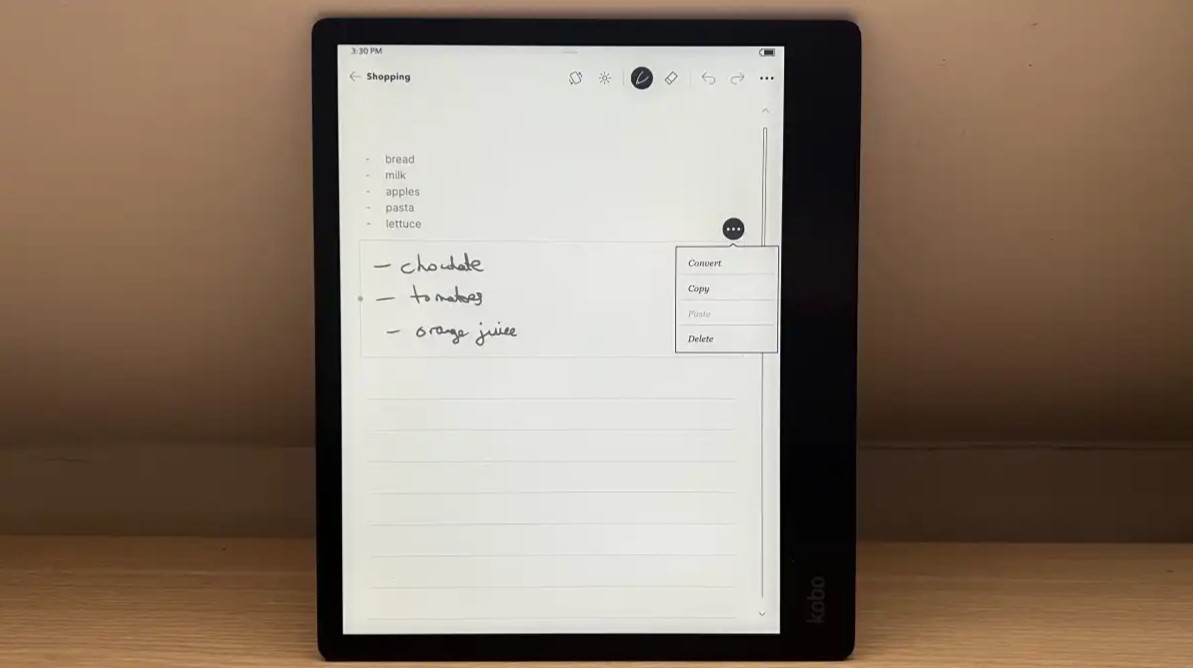
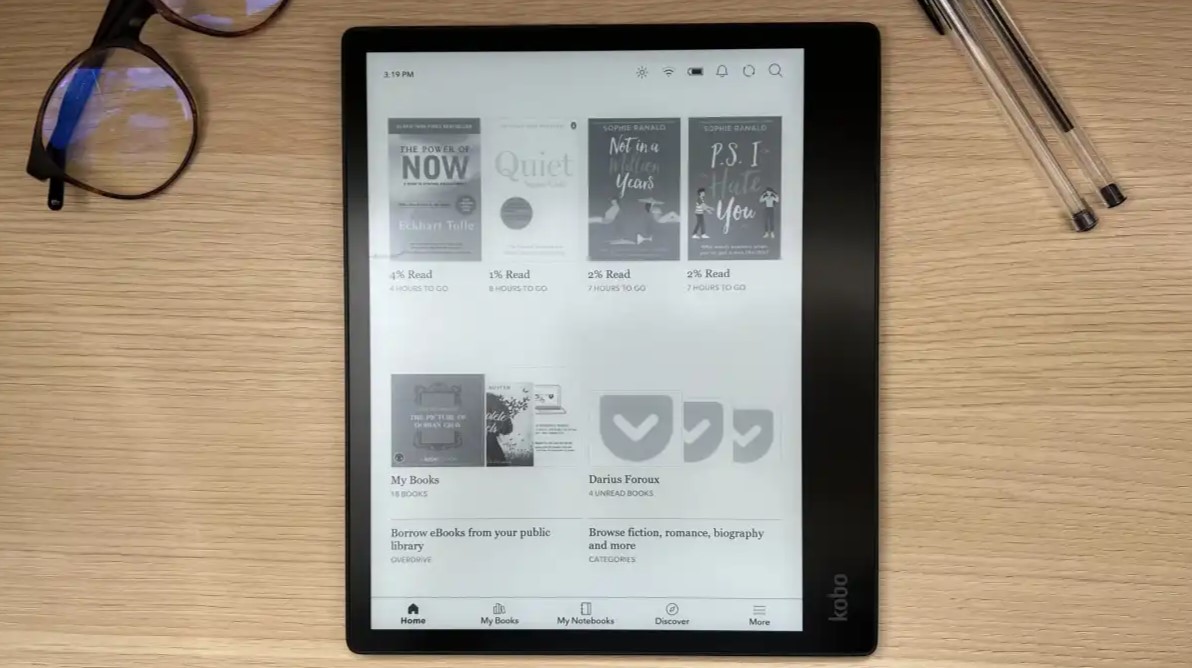
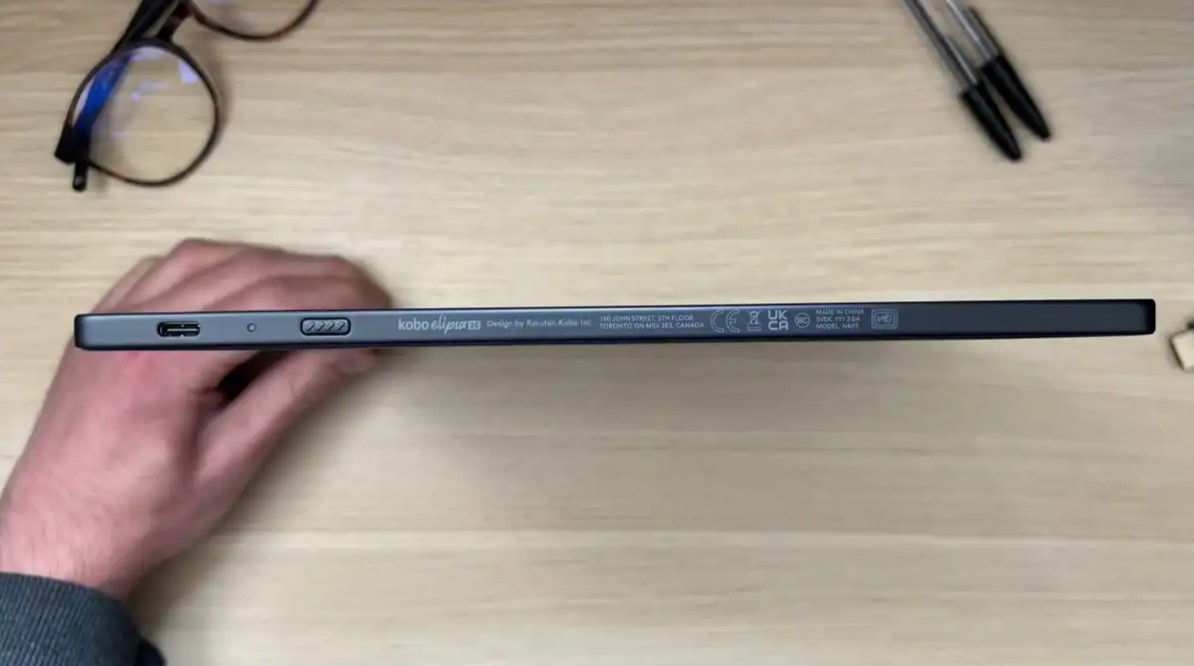
The Kobo Elipsa 2E targets users who primarily consume text rather than create it. While note-taking capabilities exist, the fundamental strength lies in delivering one of the finest reading experiences available. For readers who occasionally annotate documents rather than professional note-takers, this represents optimal balance.
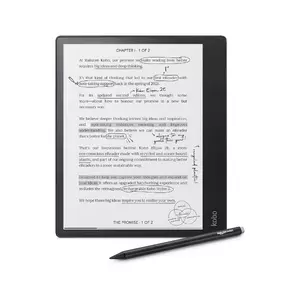
The 10.3-inch display employs E-Ink Carta 1200 technology improving contrast and reducing ghosting. Text rendering approaches printed book quality. The ComfortLight PRO system includes white and warm amber LEDs enabling color temperature adjustment from cool blue-white to warm yellow-orange. Kobo's typography engine offers extensive font customization, line spacing, margins, and text weight adjustments meaningfully impacting reading comfort.
Native EPUB support without conversion represents Kobo's most significant advantage over Kindle devices. If your library consists of EPUB files from Kobo Store, independent publishers, or DRM-free sources, the Elipsa 2E handles them natively without calibre gymnastics. PDF support includes zoom, crop, contrast adjustment, and annotation. Public library integration through OverDrive (region-dependent) enables borrowing e-books directly from the device.
Note-taking provides solid core functionality. The included Stylus 2 supports 4096 pressure levels with respectable latency. You create notebooks with templates, handwrite notes, and convert handwriting to text. PDF annotation truly shines - highlight passages, add margin notes, insert sticky comments, and export back to cloud storage. The eco-conscious construction uses recycled plastics and magnesium. At 395 grams it's among lighter 10-inch tablets. Battery extends through weeks of reading-focused use. Software embraces stability over flexibility - you cannot install third-party apps.
Pros:
- Excellent Carta 1200 display
- ComfortLight PRO with warm adjustment
- Native EPUB support
- Beautiful typography engine
- OverDrive library integration
Cons:
- Note-taking trails dedicated devices
- Limited for Kindle users
Summary: The Kobo Elipsa 2E delivers the finest reading experience on large-format e-ink with note-taking as valuable secondary feature. If you consume more text than you create, live in EPUB format, and occasionally need document annotation, this represents optimal value with included stylus and strong library integration.
iFLYTEK AINOTE Air 2 Review
Best Compact
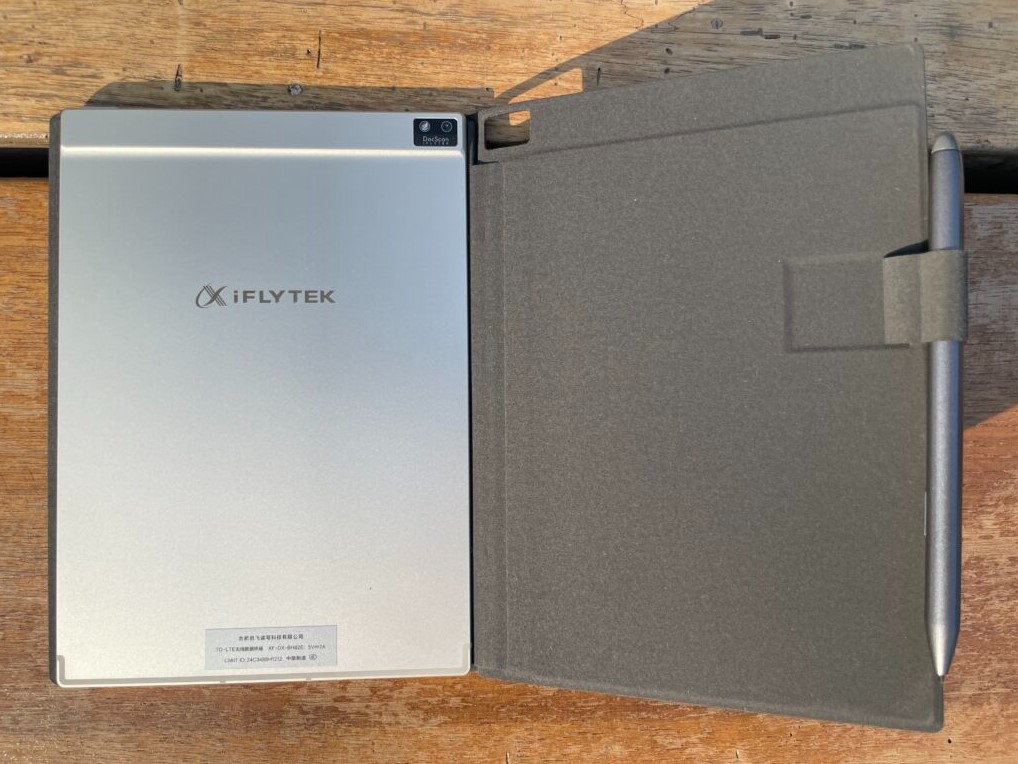
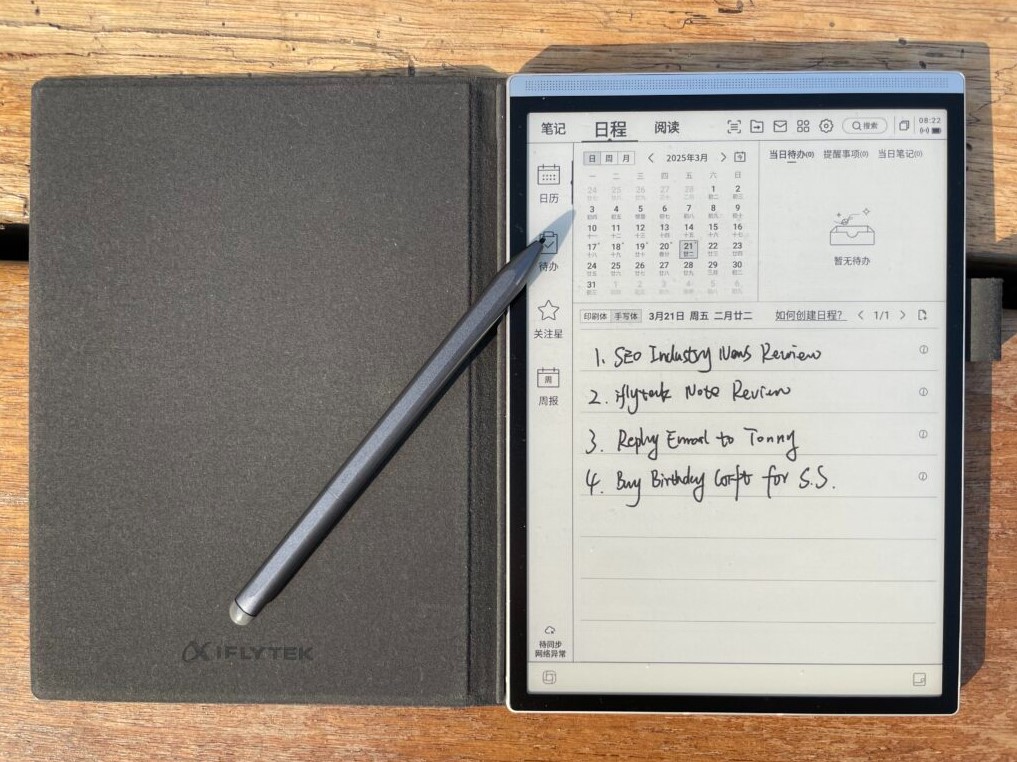
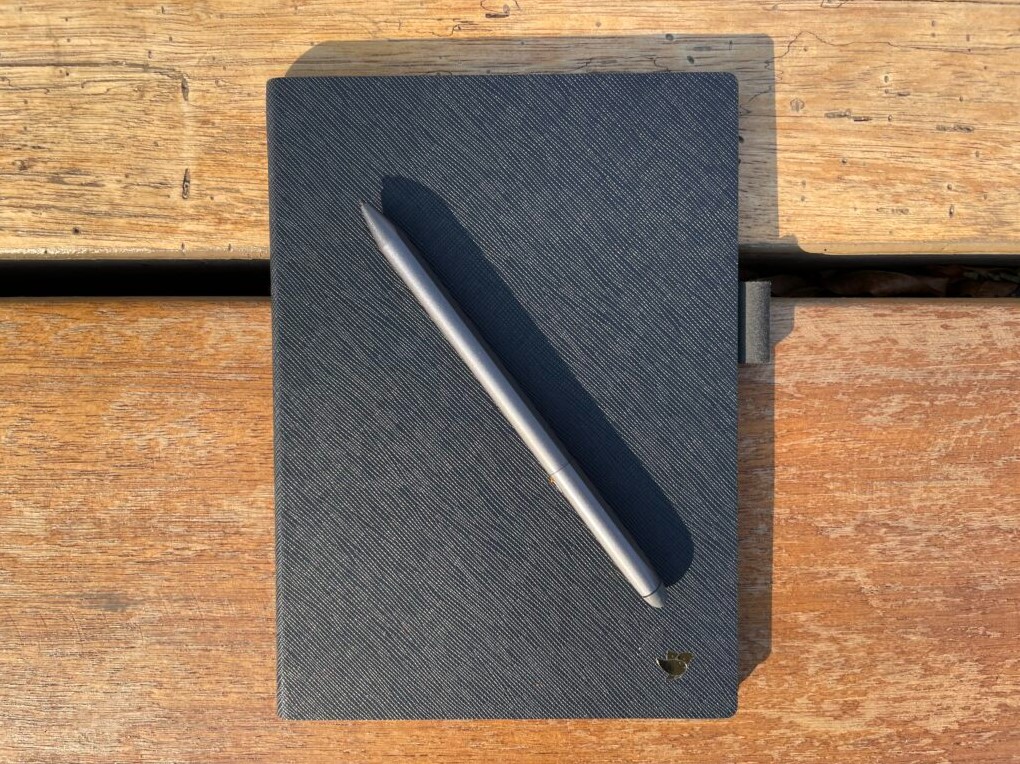
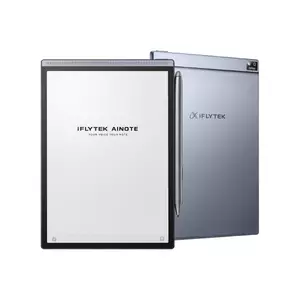
The iFLYTEK AINOTE Air 2 combines compact portability with AI-powered voice transcription most e-ink tablets ignore. While 10-inch tablets dominate, this 8.2-inch device proves smaller form factors deliver useful capabilities when thoughtfully designed. For users prioritizing portability, multilingual workflows, or meeting transcription, the Air 2 provides features unavailable elsewhere.
The 8.2-inch display represents both compromise and advantage. You sacrifice canvas space impacting detailed diagrams and dense PDFs. However, reduced dimensions create genuine portability larger tablets cannot match. The Air 2 slips into jacket pockets and small bags easily. At approximately 230 grams (nearly half the weight of larger competitors), single-handed operation stays comfortable extended periods. Writing uses standard Wacom EMR with 4096 pressure levels and low latency. The compact screen suits quick notes, journaling, and casual sketching better than elaborate diagrams.
AI voice transcription represents the Air 2's distinguishing feature. The device includes genuine real-time speech-to-text across numerous languages, enabling recording meetings or lectures while capturing handwritten notes. Transcription quality handles natural speech patterns, multiple speakers, and technical vocabulary reasonably. For bilingual teams, multilingual support proves invaluable with mid-conversation language switching.
The Android-based OS provides more flexibility than closed ecosystems while maintaining simpler than full BOOX implementations. Battery extends through several days combining handwriting, reading, and voice transcription. Use cases skew toward specific scenarios - students transcribing lectures, international teams conducting multilingual meetings, traveling professionals working during commutes, journalists conducting interviews. PDF handling works adequately for portrait-oriented documents but landscape formats and dense technical diagrams require constant zooming. Storage reaches 32 GB providing ample space for notebooks, books, PDFs, and audio recordings.
Pros:
- Genuine portability at 230 grams
- AI voice transcription multiple languages
- Integrated audio recording
- Strong battery life
- Android-based flexibility
Cons:
- 8.2-inch limits complex work
- Less ideal for extensive PDFs
Summary: The iFLYTEK AINOTE Air 2 succeeds targeting specific use cases. If genuine pocket portability matters more than screen size, if you need multilingual transcription alongside handwritten notes, or workflows involve significant mobile work, this delivers capabilities unavailable from larger competitors. It's the device for students, journalists, international professionals, and anyone whose note-taking happens on the move.
E-Ink Note-Taking Tablets: Your Questions Answered
After testing these devices extensively and helping people transition from paper to digital, certain questions emerge consistently. Here are answers that matter most.
Do e-ink tablets really feel like writing on paper?
The best e-ink tablets approach paper authenticity remarkably closely though subtle differences persist. Devices like reMarkable 2 engineer friction mimicking pencil on paper while others like Kindle Scribe prioritize smoothness. You'll notice differences during first sessions but muscle memory adapts quickly. After a week, writing feels natural enough you stop comparing to paper. The key advantage isn't perfect replication but eliminating the glass-skating sensation making iPad writing unpleasant for extended periods.
Can I annotate PDFs effectively on e-ink tablets?
Ten-inch tablets handle standard letter-size and A4 PDFs effectively. Single-column documents display comfortably without constant zooming. You can highlight, add margin notes, insert comments, and export annotated versions. However, dense two-column academic papers and landscape presentations require more zooming than comfortable. Devices like BOOX Note Air 5 C provide cropping and reflow improving dense document usability. The 8-inch iFLYTEK struggles more requiring frequent adjustments. For serious PDF work, prioritize 10-inch devices with mature applications.
How does battery life compare to iPad?
E-ink tablets deliver dramatically superior battery life. While iPads demand daily charging, e-ink devices last multiple days to weeks. Focused ecosystems like Kindle Scribe often exceed two weeks with moderate use. Android devices like BOOX typically deliver 3-5 days. E-ink only consumes power when changing displayed content while backlit displays constantly consume energy. This translates to genuine charging freedom - pack e-ink tablets for trips without chargers.
What happens to notes if device breaks?
Note portability depends on ecosystem and export capabilities. Cloud-synced devices like Kindle Scribe, BOOX, reMarkable 2, and Kobo Elipsa 2E automatically backup notes protecting against loss. Most export notebooks as standard PDFs readable on any device. Android devices offer most flexibility with multiple note apps syncing independently. Always verify export capabilities before committing significant notes.
Can I read Kindle books on these tablets?
Yes though capabilities vary. Kindle Scribe obviously excels with Kindle books. BOOX devices run both Kindle and Kobo apps simultaneously enabling multiple bookstores. Kobo Elipsa 2E focuses on EPUB and Kobo Store. reMarkable 2 supports EPUB and PDF but lacks bookstore integration. Android-based BOOX tablets provide ultimate flexibility supporting every major platform.
Do I need special pens?
Most tablets include functional stylus in box. Kindle Scribe bundles Premium Pen. BOOX includes basic EMR stylus. Kobo ships Stylus 2. reMarkable bundles include Marker Plus. Bundled pens work well though some users upgrade for better ergonomics. Most use standard Wacom EMR making third-party options widely available. Replacement nibs represent the only mandatory ongoing cost as tips wear through friction.
Are they good for students?
E-ink tablets excel for lecture notes when workflows align. The distraction-free environment prevents social media temptations. Battery eliminates charging anxiety during long class days. Handwriting recognition enables later searching. However, refresh rates make them unsuitable for rapid screen updates. For pure note-taking and textbook reading they perform excellently. iFLYTEK with voice transcription proves valuable capturing lecture audio alongside notes.
Can I type or only handwrite?
Most support on-screen keyboards for text entry though experience varies. Refresh rates create noticeable lag during rapid typing. For occasional input like naming notebooks the keyboards function adequately. For sustained typing, pair Bluetooth keyboards bypassing refresh limitations. Android devices like BOOX support standard keyboard pairing reasonably well. Focused devices treat typing as secondary with basic to absent keyboard support.
Choosing Your Ideal E-Ink Note-Taking Tablet
The transformation from scattered paper to organized digital notes fundamentally changes how you capture and search information. That moment when you instantly locate a three-month-old thought by searching keywords instead of flipping desperately through notebooks makes the investment worthwhile. These devices succeed when they disappear into workflows, becoming tools you reach for unconsciously.
For the most polished experience within Amazon's ecosystem, the Amazon Kindle Scribe delivers exceptional display quality and seamless integration. Power users demanding flexibility and color find optimal value in the BOOX Note Air 5 C sacrificing simplicity for capability.
Writers prioritizing authentic paper-like writing discover their tool in the reMarkable 2 accepting limitations for distraction-free focus. Readers needing occasional notes benefit from the Kobo Elipsa 2E's reading-first design. Mobile professionals and students requiring AI transcription find unique value in compact iFLYTEK AINOTE Air 2.
After testing these devices across diverse scenarios, e-ink note-taking tablets represent one of the most impactful productivity tools for knowledge workers valuing focus over connectivity. Choose the device aligning with your workflow and you'll wonder why you tolerated paper chaos or backlit distractions for so long.

Meet James, our go-to tech guru and seasoned reviewer. His sharp attention to detail and love for gadgets drive his deep dives into the newest tech waves. James's insightful analysis and real zest for breakthroughs have earned him a solid reputation in the tech world.


