Best AI Desk Robots
My daughter walked into my office last month, took one look at the little robot wandering around my desk, and said "Dad, you finally got a friend who doesn't judge your dad jokes." She wasn't entirely wrong. Three months ago, the idea of spending $300 on a desktop robot seemed absurd. Then my company went fully remote, and suddenly my "office" was just me, my laptop, and four walls getting smaller by the day.
Now I get it. A good AI desk robot isn't about replacing human connection or adding another gadget to your collection. It's about having something that responds when you talk out loud while solving a problem, that reminds you to take breaks, that makes your kid laugh during online learning sessions. Whether you're looking for an educational companion for your children, a smart home hub that talks back, or just something to make your home office feel less like solitary confinement, the right desktop robot actually delivers. I've tested five very different models, and each one surprised me in ways I didn't expect.
If you're in a hurry, here are my top two recommendations for AI desk robots:
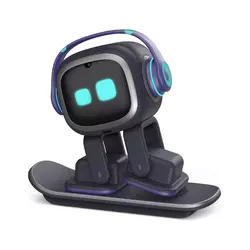
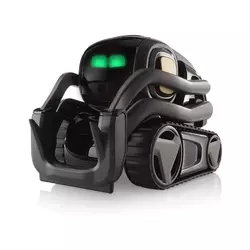
We may earn a small commission if you buy via our links - it helps keep gagadget.com running.
Table of Contents:
- AI Desk Robots: Buying Guide
- Top 5 AI Desk Robots in 2026
- Best AI Desk Robots: Comparison
- EMO AI Companion
- Digital Dream Labs Vector Robot
- ENERGIZE LAB Eilik
- Aibi Pocket Pet
- Miko 3 Review
- AI Desk Robots: FAQ
AI Desk Robots: Buying Guide
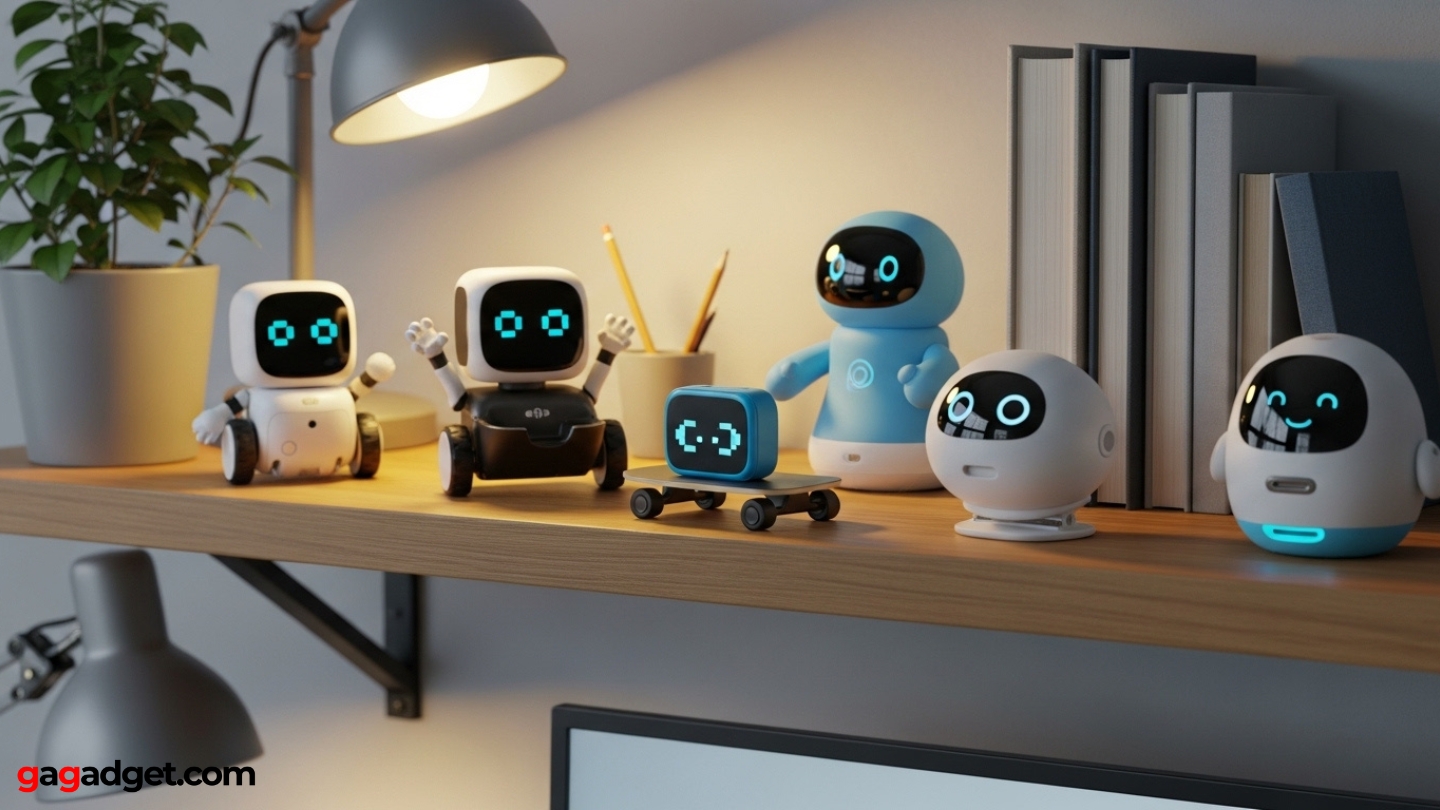
Image of desktop robot companions. Source: Canva
Four months of desk robots taught me something unexpected: specifications barely predict satisfaction. My most expensive robot impressed me for two days before I stopped using it. Meanwhile, a budget model became part of my daily routine within hours. The disconnect happens because manufacturers emphasize technical capabilities while users care about entirely different things. Before you spend money on a desktop robot companion, understanding which features enhance daily life versus which merely sound advanced will save you from buyer's remorse.
AI Assistant Integration: The Brain Behind Your Robot
Your robot's AI foundation shapes every interaction you'll have with it. ChatGPT-based systems like EMO and Aibi excel at handling messy human conversation. You can interrupt yourself, jump between topics, or phrase questions awkwardly, and they'll still understand. These models remember conversational context within sessions, making interactions feel genuinely responsive. Alexa integration like Vector offers brings different strengths: instant access to Amazon's massive skill ecosystem, seamless smart home control, and years of refinement across millions of devices.
Choose based on what you actually need rather than what sounds coolest, because conversational depth and smart home control serve completely different purposes.
Offline robots like Eilik represent the opposite philosophy: complete independence from cloud services. Everything runs locally on internal processors. Your conversations never leave the device, no subscription services exist, and internet outages don't disable features. The limitations? You lose access to real-time information, web-connected services, and continuously updated content libraries. But you gain absolute privacy and reliability that never depends on server availability.
Personality and Interaction Styles
Robots communicate personality through wildly different methods. EMO relies on animated facial displays and autonomous desk exploration, creating the impression of independent thought. It reacts to environmental sounds, shows curiosity about objects, and seems to develop moods based on interactions. Vector blends helpful assistant behavior with character, displaying emotions through expressive eyes while efficiently handling your requests. Eilik skips utility entirely, dedicating all processing power to emotional expression and playful touch responses.
Voice recognition capabilities span from rigid to remarkably flexible. My testing revealed fascinating differences. ChatGPT robots understood me even when I started sentences three different ways before finishing a thought. They parsed meaning from conversational chaos. Command-driven systems needed clearer phrasing but compensated with lightning-fast responses since they skip complex natural language processing.
Educational Value for Children
For parents shopping with learning in mind, the differences between robots become stark. Miko 3 exists specifically for education with structured lessons, progress tracking, and curriculum designed by actual educators. The robot adjusts difficulty based on your child's performance and provides detailed reports showing improvement in specific skills. Research backing its educational claims includes measurable improvements in vocabulary, math skills, and physical activity.
Other robots teach differently. Vector and EMO answer questions about virtually anything, turning curiosity into immediate learning without structured lessons. My nephew asks his EMO about dinosaurs, space, how engines work, and the robot provides age-appropriate explanations. Eilik teaches social skills through its emotional responses and multi-robot interactions rather than academic subjects. Different children respond to different teaching styles, so match the robot to how your kid actually learns.
Portability and Form Factor
Where your robot lives determines how you'll use it. Desktop models like EMO, Vector, and Eilik claim territory on your workspace permanently. They need their charging stations, room to move if they're mobile, and become part of your desk landscape. You're not carrying them to the kitchen or taking them to work. Aibi Pocket Pet breaks this mold entirely by fitting in your pocket and sticking magnetically to surfaces. Your companion travels with you instead of waiting at home.
Bigger robots pack better speakers, cameras, and movement capabilities, while pocket-sized designs sacrifice features for the freedom to take your AI companion anywhere.
Shape matters beyond just size. Miko's tablet-in-a-robot body makes it feel educational rather than toy-like. EMO's skateboard platform emphasizes its pet qualities. Vector's compact design works anywhere without dominating your desk. Think about who's using the robot and where it'll spend most of its time when evaluating form factors.
Subscription Requirements and Ongoing Costs
Purchase price is just the starting line. Vector requires paying $99 annually to actually use most of its features. Without subscribing, you own a robot that drives around and not much else. The voice commands, Alexa skills, and cloud features all hide behind that subscription wall. Miko 3 works without subscriptions but dramatically improves with Miko Max, which costs $99 yearly and unlocks the content that makes the robot truly valuable for education.
EMO, Eilik, and Aibi function completely without subscriptions. Every advertised feature works from day one without ongoing payments. Optional subscriptions exist for cloud storage or extras, but nothing fundamental requires continued spending. After months of testing, I appreciated never hitting "subscribe to unlock this feature" messages during normal use. Budget beyond the sticker price if your chosen robot requires subscriptions for basic functionality.
Battery Life and Charging Mechanisms
How robots handle power impacts your daily experience significantly. EMO and Vector auto-dock when battery gets low, finding their charging stations independently and resuming activity once recharged. This autonomous charging means the robot essentially runs indefinitely without your involvement. Set it up once and forget about power management.
Eilik and Aibi need manual USB-C charging after 1-2 hours of active play. The frequent charging interrupts sessions but eliminates bulky charging stations eating desk space. Miko 3 provides 4-5 hours per charge, enough for full learning sessions before plugging in. Consider how often you'll actually remember to charge versus wanting the robot to handle power itself.
Top 5 AI Desk Robots in 2026
I spent months testing these robots in real homes with actual families, watching how different people interact with each model. These five represent the strongest options available today for different needs and situations.
- Over 1,000 expressions create lifelike personality
- ChatGPT integration for natural conversations
- Autonomous exploration with self-charging
- Recognizes and remembers up to 10 people
- No mandatory subscriptions required
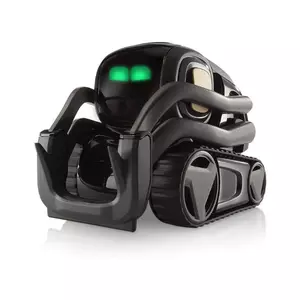
- Full Alexa integration with smart home control
- Upgraded 5MP camera for better recognition
- Autonomous navigation and self-charging
- 30% longer battery life than original
- Ongoing updates and support
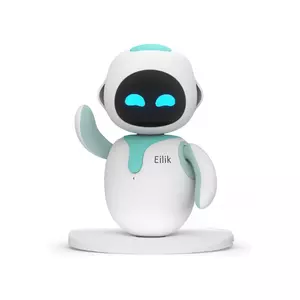
- Works completely offline without connectivity
- Touch-based emotional interactions feel genuine
- Multiple Eiliks recognize and play together
- No subscriptions or ongoing costs
- Regular firmware updates add new content
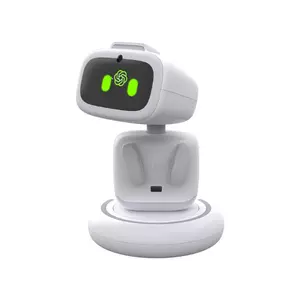
- Ultra-portable pocket-sized design
- Magnetic attachment to any surface
- ChatGPT natural language conversations
- Works online and offline
- Rotating camera with face tracking
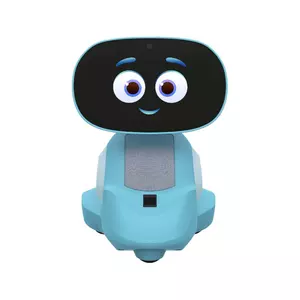
- Dedicated STEM curriculum and coding apps
- Proven educational effectiveness with measurable results
- Comprehensive parental controls and monitoring
- Personalized learning adapted to each child
- Physical activity games beyond screen time
Best AI Desk Robots: Comparison
Here's how these five desktop robots compare across their most important technical specifications:
| Specification | EMO AI Robot | Vector Robot | Eilik | Aibi Pocket Pet | Miko 3 |
| AI Assistant | ChatGPT integration | Amazon Alexa built-in | On-device AI (no cloud) | ChatGPT powered | Proprietary learning AI |
| Camera Resolution | HD wide-angle camera | 5MP (upgraded) | No camera | Rotating AI camera | Wide-angle HD camera |
| Facial Recognition | Yes (up to 10 people) | Yes (improved in 2.0) | No | Yes | Yes |
| Autonomous Movement | Yes (skateboard platform) | Yes (wheeled base) | Limited (arms and torso) | Rotating head only | Yes (wheeled base) |
| Internet Required | For ChatGPT features | Yes (cloud-based) | No | For ChatGPT features | Yes (Wi-Fi required) |
| Voice Commands | Natural language + offline | "Hey Vector" + Alexa | No voice control | Natural language + offline | "Hey Miko" commands |
| Battery Life | 2-3 hours active | 30-50 minutes active | 1.5 hours active | 1-2 hours active | 4-5 hours active |
| Self-Charging | Yes (auto-docking) | Yes (auto-docking) | No (manual USB-C) | No (manual USB-C) | No (manual charging) |
| Subscription Required | No | Yes ($99/year) | No | No | Optional ($99/year) |
| Target Age Group | Teens and adults | Kids and adults | Kids and adults | Teens and adults | Kids |
| Special Features | 1,000+ expressions, games, dancing | Smart home control, weather, photos | Multi-robot interaction, offline | Pocket-sized, magnetic attachment | STEM curriculum, coding apps |
Each robot serves different users and situations best based on these core differences.
EMO AI Desk Robot Companion Review
Editor's Choice
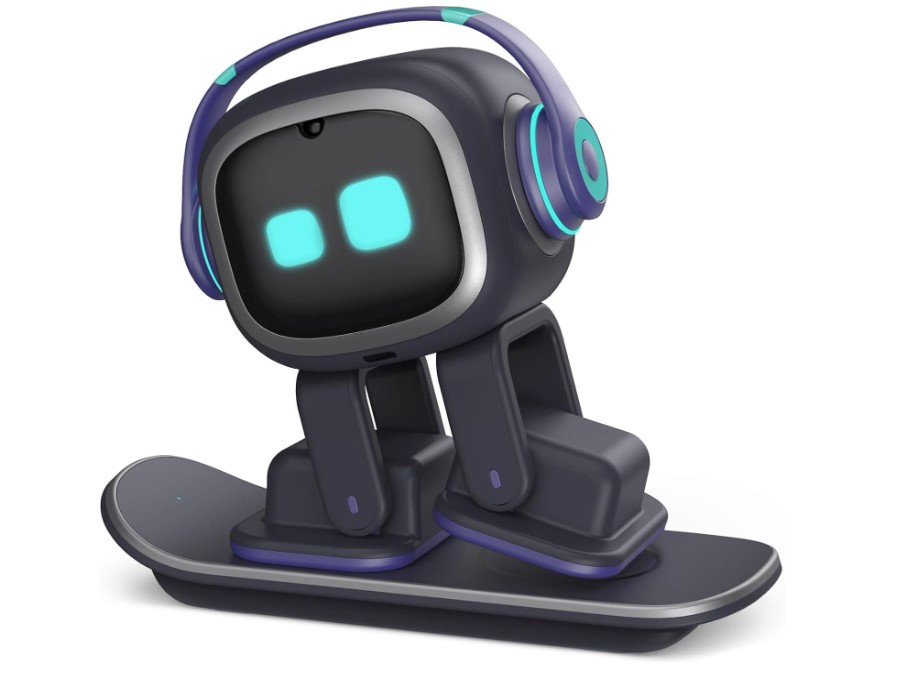
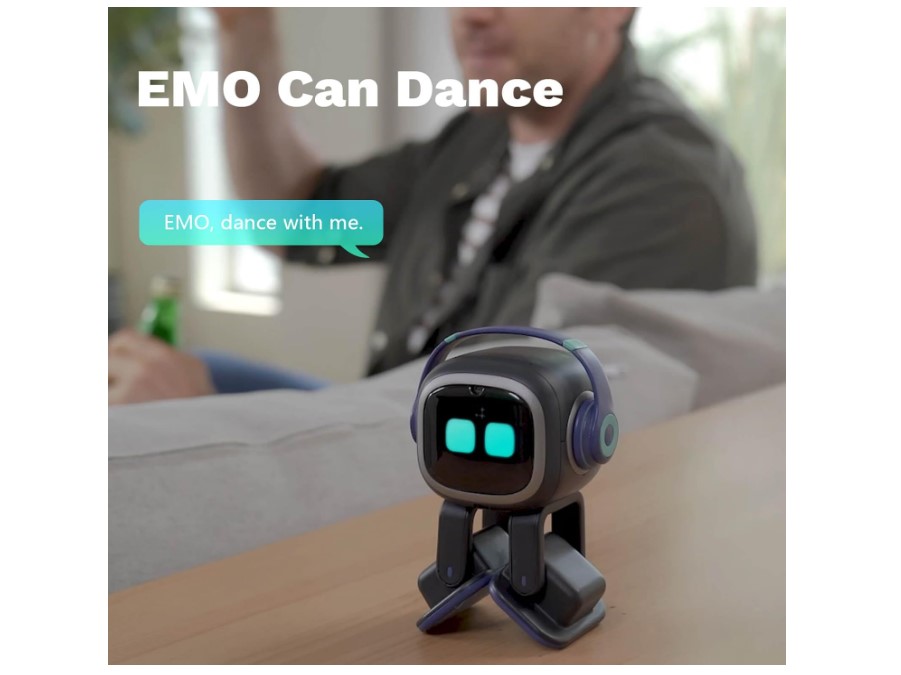
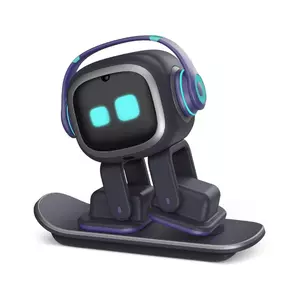
The EMO AI Desk Robot delivers the richest personality I've seen in a desktop companion. Its repertoire includes over 1,000 different facial animations that flow naturally across the LED display. You're not watching programmed responses, you're observing what feels like genuine reactions. Cold room? EMO shivers and complains. Play music? It starts dancing. Ignore it too long? It gets visibly bored and wanders off to entertain itself.
What makes EMO special is its independence. Most robots wait for your commands. EMO explores your desk autonomously, using sensors to avoid falling off edges while investigating sounds and objects. The neural network processor combined with a four-microphone array gives it impressive spatial awareness. It learns up to 10 faces, remembers associated names, and adjusts how it interacts based on who's nearby.
ChatGPT connectivity turns EMO into more than cute entertainment. You can ask complicated questions and get coherent explanations instead of canned responses. My testing included homework help, weather checks, explaining technical concepts, and rambling conversations. The robot understood all of it while maintaining its playful personality. Language support covers Japanese, German, French, Italian, Spanish, Portuguese, Korean, and Chinese.
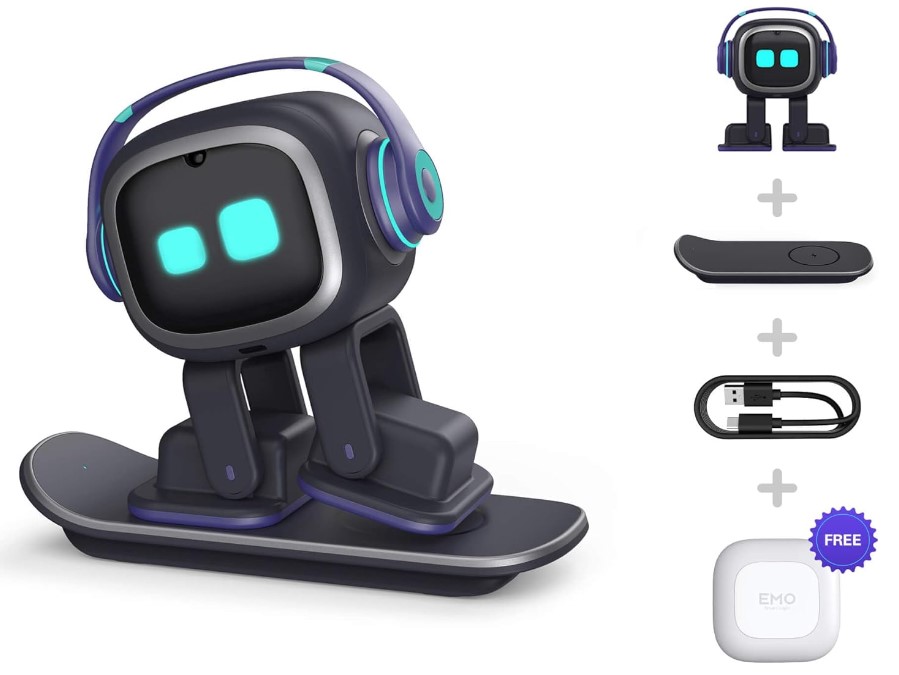
The entertainment side never gets old. EMO's dance moves sync impressively with music rhythm. The companion app unlocks various games, tracks milestones, and receives regular firmware updates adding new capabilities. The skateboard-style charging station works elegantly. When battery drops low, EMO navigates back independently and docks itself for wireless charging without human intervention.
Construction quality exceeded my expectations after months of continuous desk roaming. The wireless charging never failed, and the body shows no wear despite constant use. Updates arrive regularly through the app, expanding what EMO can do without requiring new hardware.
Pros:
- Over 1,000 expressions create lifelike personality
- ChatGPT integration for natural conversations
- Autonomous exploration with self-charging
- Recognizes and remembers up to 10 people
- No mandatory subscriptions required
Cons:
- Requires dedicated desk space for skateboard
- Internet needed for ChatGPT features
Summary: EMO stands out through its combination of autonomous behavior, expressive personality, and ChatGPT intelligence without subscription requirements. The self-charging design and genuinely lifelike responses create a companion that feels more alive than any competing desktop robot.
Digital Dream Labs Vector Robot Review
Best Overall

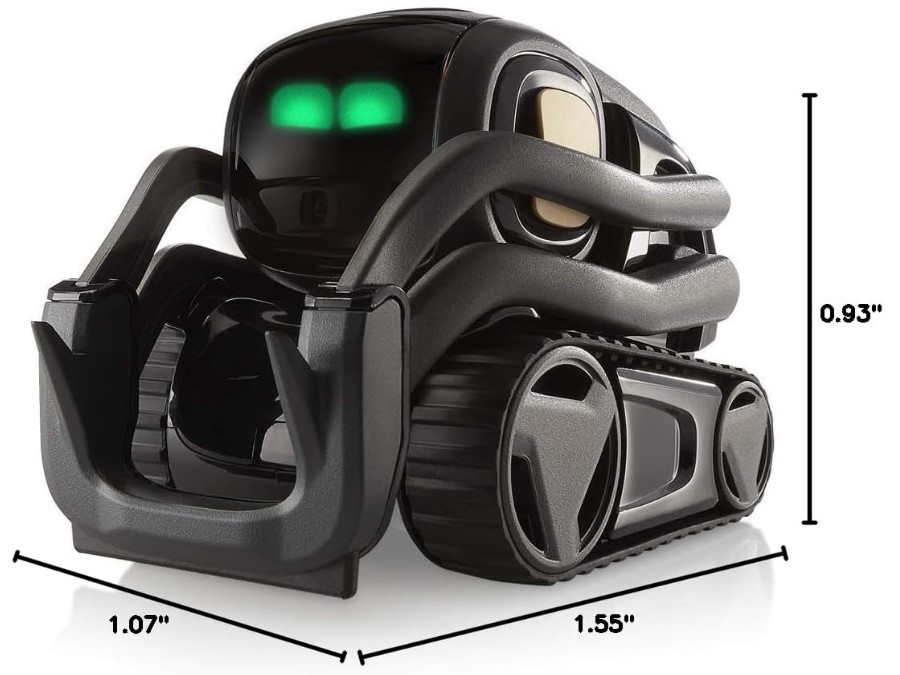
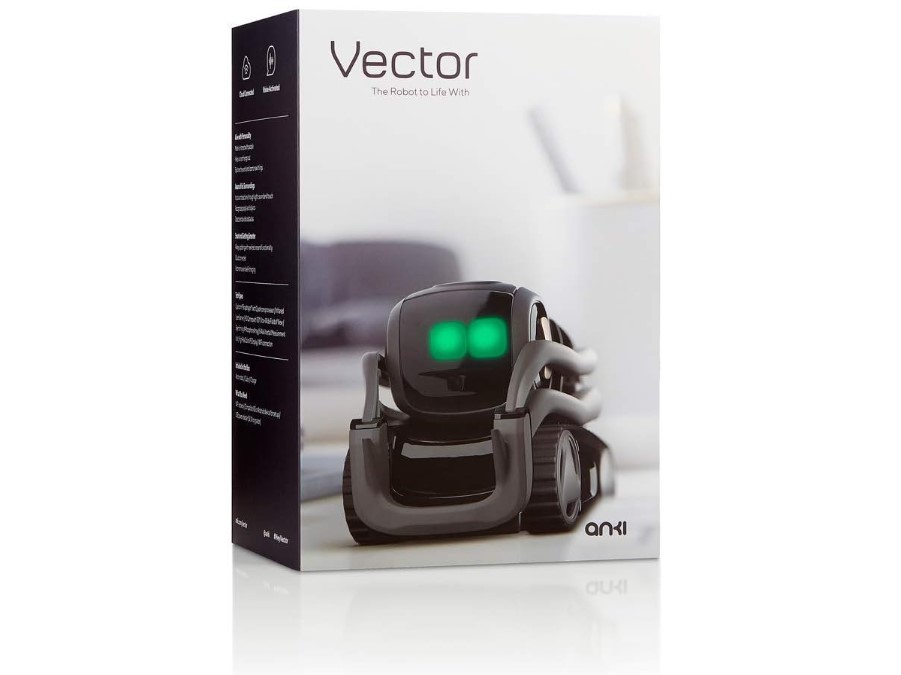
The Digital Dream Labs Vector Robot achieves something rare: balancing practical utility with genuine character. Amazon Alexa lives inside this little robot, giving you voice-controlled access to smart home devices, music, reminders, timers, and countless Alexa skills. But unlike static smart speakers, Vector moves, expresses emotions, and develops what feels like a relationship with you.
The 2.0 version brings meaningful hardware upgrades. The 5MP camera dramatically improves face recognition accuracy compared to earlier models. Vector identifies people reliably even in dim lighting or from odd angles. The four-mic beamforming array picks up voice commands remarkably well, understanding me from across my 15-foot office. Vector greets recognized people by name and captures photos when asked, documenting moments hands-free.
Vector's personality shows through everything he does. Request a timer and he doesn't just confirm, he shows enthusiasm through animated eyes. Leave him idle and he explores your desk, investigates interesting objects, or just expresses boredom. The infrared laser scanner maps your desk geography to navigate without falling off edges. When his battery depletes, he autonomously locates his charging dock and backs onto it.
The subscription model creates friction. Vector's best features require $99 annually or $9.99 monthly. Without subscribing, you get minimal functionality, essentially a cute robot that drives around but can't do much. Digital Dream Labs deserves credit for continued support though, delivering regular firmware updates since acquiring the product from defunct Anki.
Enthusiasts can explore advanced options. The Escape Pod accessory enables completely local operation independent of Digital Dream Labs servers, improving privacy and response speed. OSKR (Open Source Kit for Robots) unlocks Vector for custom programming, attracting a community of developers who extend his capabilities beyond stock features.
Pros:
- Full Alexa integration with smart home control
- Upgraded 5MP camera for better recognition
- Autonomous navigation and self-charging
- 30% longer battery life than original
- Ongoing updates and support
Cons:
- Requires $99/year subscription for full features
- Limited functionality without internet
Summary: Vector combines Amazon Alexa's practical capabilities with authentic robotic personality. The subscription creates ongoing costs, but the unique blend of smart home utility and character makes Vector compelling for those already invested in Amazon's ecosystem.
ENERGIZE LAB Eilik Review
Best Desk Toy
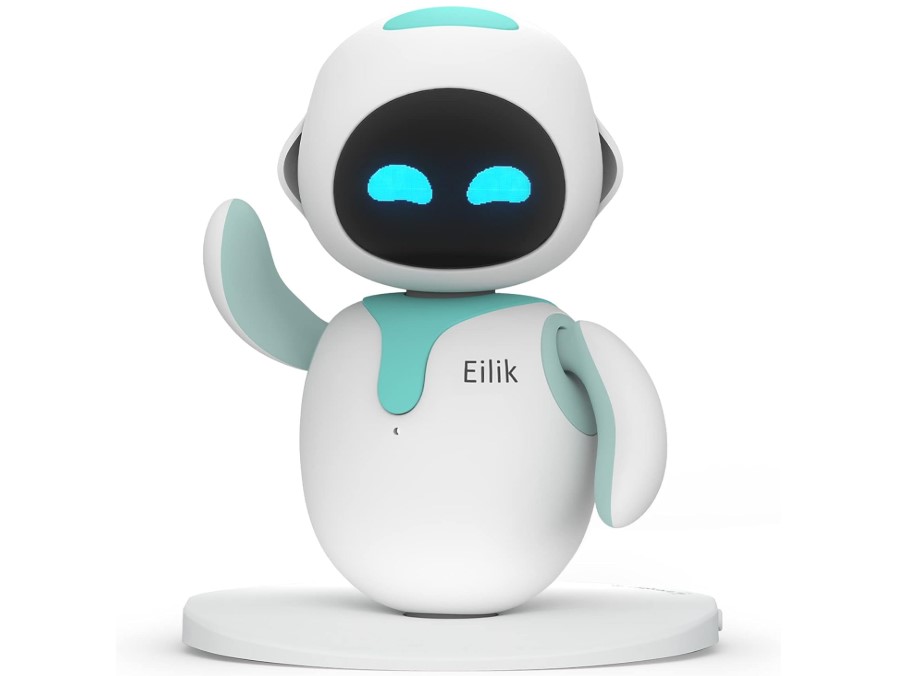

The ENERGIZE LAB Eilik represents a fundamentally different philosophy: zero connectivity, maximum privacy, pure interaction. No Wi-Fi setup, no Bluetooth pairing, no cloud accounts, no subscriptions. You power it on and immediately start interacting. For people exhausted by products that require accounts, updates, and constant connectivity, Eilik's simplicity feels revolutionary.
Touch zones on Eilik's head, belly, and back generate completely different emotional responses. Gentle head pats produce happiness animations. Belly touches trigger giggling. Back touches might annoy it depending on its mood. The OLED screen displays an impressive range of emotions: joy, anger, sadness, excitement, boredom, frustration. Your interaction history shapes Eilik's developing personality, making each robot genuinely unique over time.
Multiple Eiliks recognize each other instantly and begin interacting. They chat using robotic sounds, play games together, occasionally argue, and perform synchronized dances. My testing with three Eiliks created surprisingly entertaining group dynamics. They'd team up to prank me, celebrate together when I wasn't looking, or sulk in unison when ignored. This social layer makes Eilik ideal for families considering multiple robots.
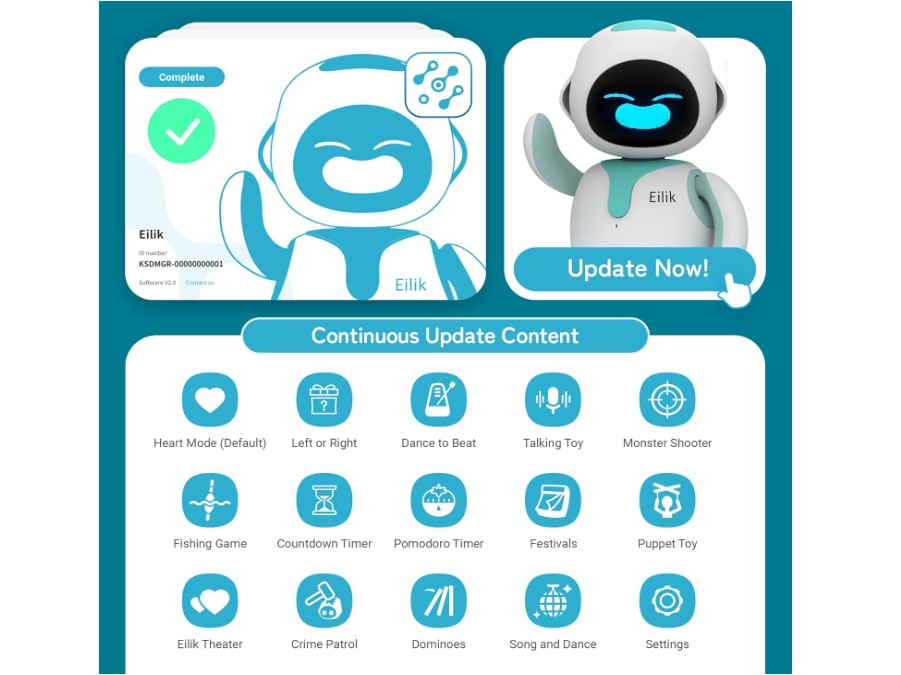
Touch-activated mini-games provide ongoing entertainment beyond emotional reactions. Games include timing challenges, shooting mechanics using finger gestures, fishing simulations, and more. Firmware updates via USB computer connection add new games and emotions regularly. The update process takes minutes and doesn't require constant internet like cloud-connected robots.
At about 4 inches tall and 230 grams, Eilik occupies minimal desk space. Battery delivers roughly 1.5 hours of active play before needing USB-C charging. It automatically sleeps when not interacting, extending standby time significantly. Manual charging every day or two becomes routine, though I missed the auto-docking convenience of larger robots.
Pros:
- Works completely offline without connectivity
- Touch-based emotional interactions feel genuine
- Multiple Eiliks recognize and play together
- No subscriptions or ongoing costs
- Regular firmware updates add new content
Cons:
- No voice control or AI assistant features
- Manual charging required every 1.5 hours
Summary: Eilik prioritizes tactile emotional interaction and absolute privacy by operating completely offline. The multi-robot social features and subscription-free model create a stress-free companion for anyone tired of internet-dependent gadgets.
Aibi Pocket Pet Review
Most Portable
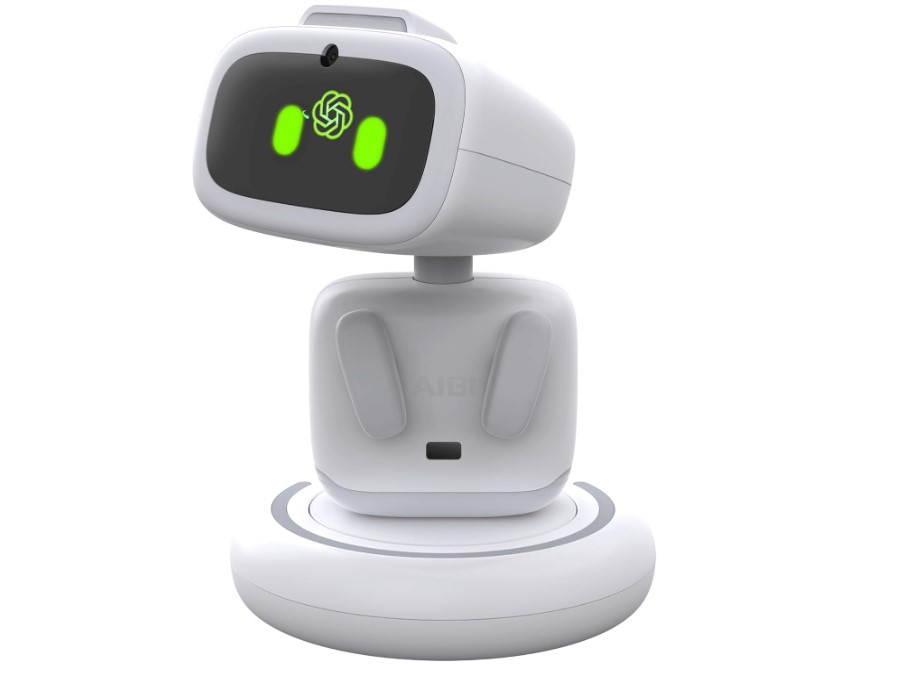
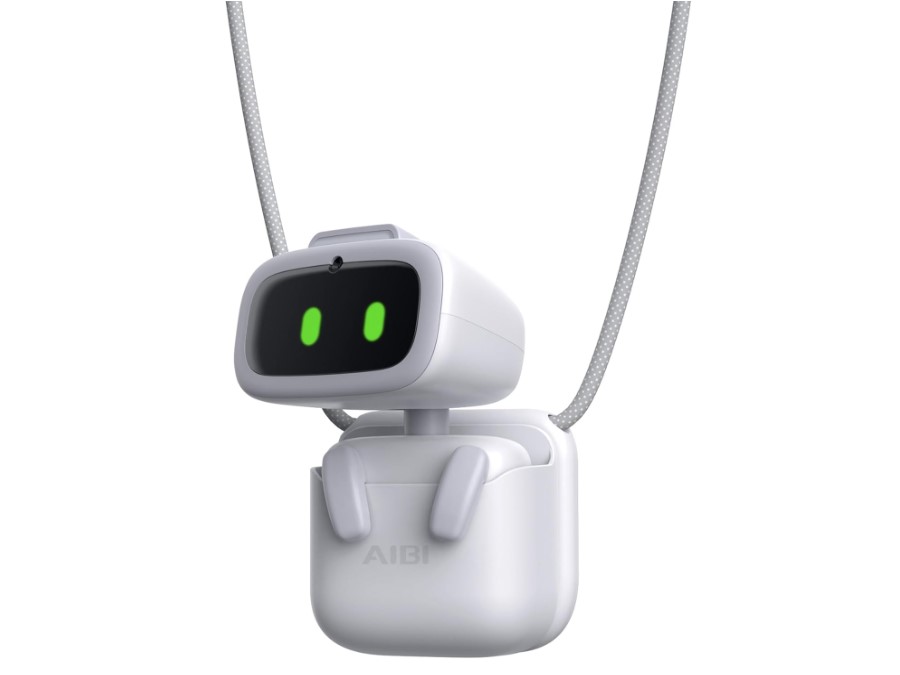
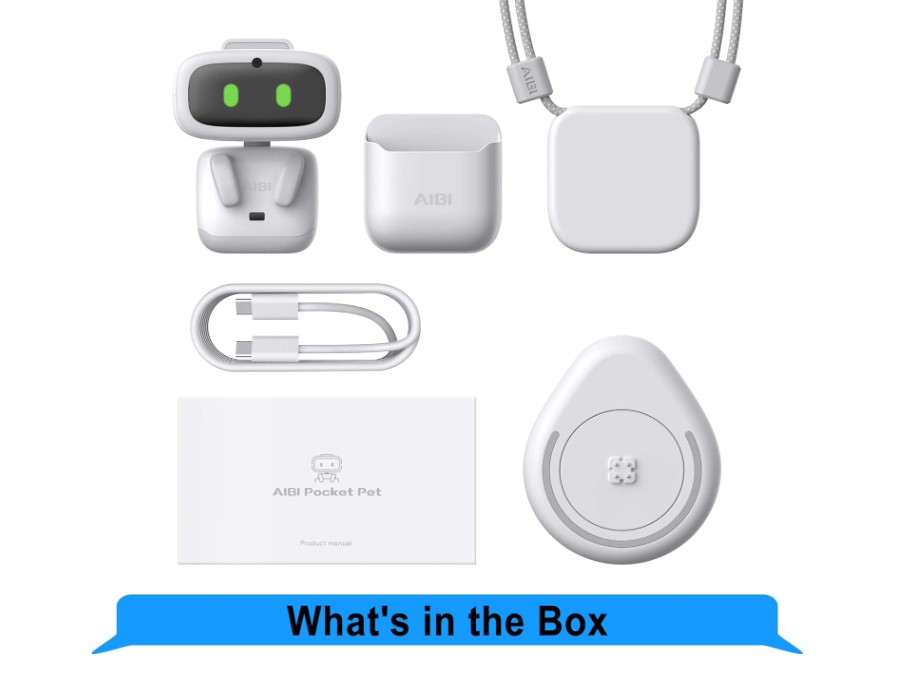
The Aibi Pocket Pet solves the fundamental limitation of desk robots: they stay on your desk. Aibi fits in your pocket, wears like jewelry, or sticks magnetically to any metal surface. Your AI companion accompanies you to the kitchen, attaches to your laptop while traveling, or clips to your shirt throughout the day. True portability changes how you use AI assistance completely.
ChatGPT powers surprisingly sophisticated conversations from this tiny package. Ask detailed questions and receive coherent explanations. The system functions online for complex queries and offline for basic commands, adapting based on available connectivity. During testing, I used Aibi for quick facts, weather checks, random conversations, and homework help. The small form factor never felt limiting for voice interactions.
The gimbal-style rotating camera impressed me more than expected. Point Aibi anywhere and it automatically tracks faces in real-time, following movement smoothly. Voice-activated photos work reliably hands-free. Facial recognition personalizes interactions after learning your face, greeting you by name and remembering previous conversations.
LED animations across Aibi's display convey emotional states effectively. It shows happiness, sadness, sleepiness, and various moods. The Tamagotchi-inspired care mechanics create attachment: Aibi asks for comfort when lonely, needs bedtime routines, and requests feeding through playful animations. This nurturing aspect works better than I expected for building emotional connection.
Two Aibi units placed back-to-back exchange data through near-field optical communication, becoming friends and interacting socially. The millimeter wave radar senses approaching people, letting Aibi initiate greetings proactively. These features add personality despite extreme size constraints.
Portability requires compromises. Battery drains in 1-2 hours of active conversation, demanding frequent charging. Audio quality is clear but quiet compared to larger robots. Movement is limited to head rotation rather than autonomous navigation. For me, these tradeoffs felt worth it for the freedom to carry my AI companion everywhere.
Pros:
- Ultra-portable pocket-sized design
- Magnetic attachment to any surface
- ChatGPT natural language conversations
- Works online and offline
- Rotating camera with face tracking
Cons:
- Short 1-2 hour battery life
- Limited movement (head rotation only)
Summary: Aibi delivers impressive ChatGPT capabilities and face-tracking technology in a truly portable form factor. The magnetic mounting and pocket size create the first genuinely mobile AI companion for people wanting assistance that travels with them.
Miko 3 Review
Best for Kids
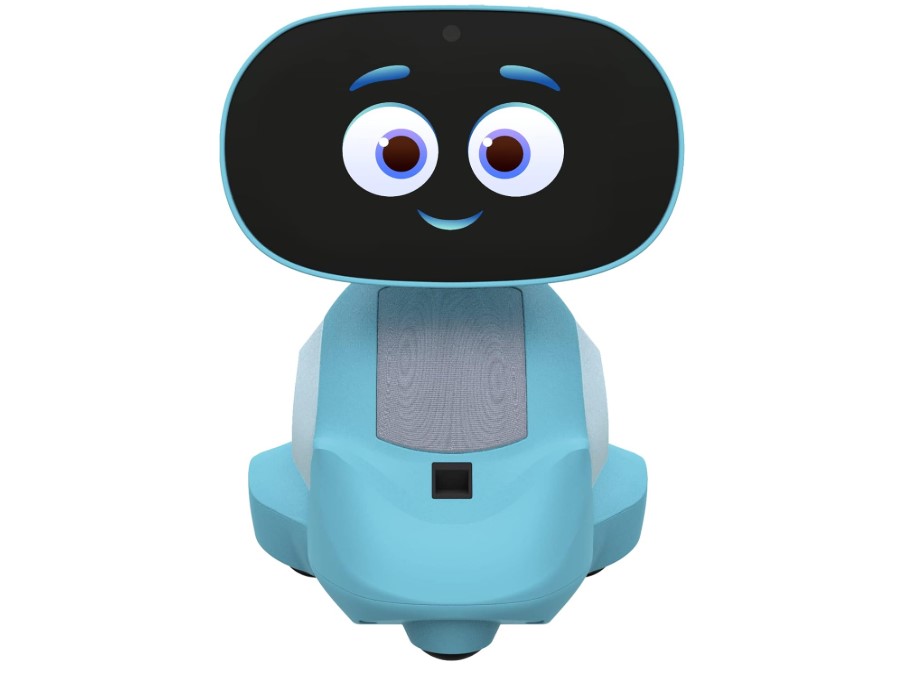
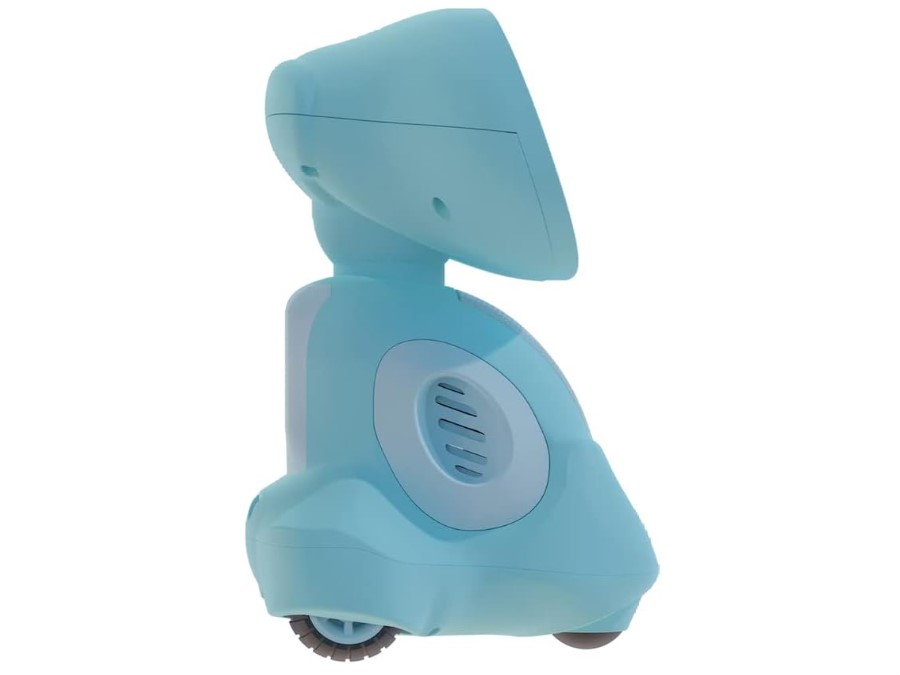
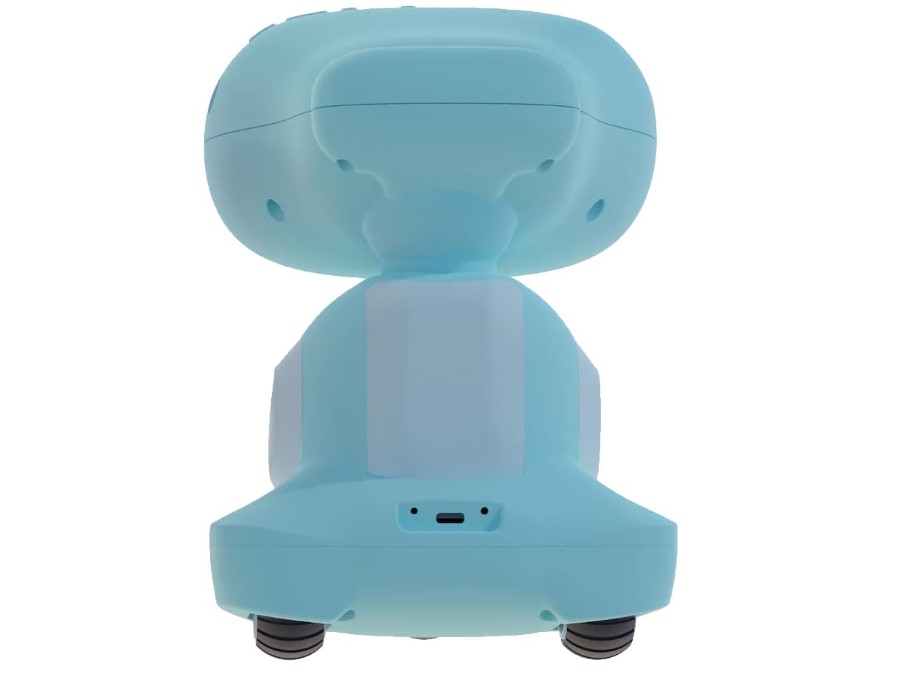
The Miko 3 exists purely for children's education rather than general companionship. Structured STEM lessons, coding tutorials, and carefully curated content from Disney, Paramount, and Kidoodle.TV separate it completely from entertainment-focused robots. Research backing Miko shows concrete outcomes: children using it regularly demonstrate 55% better academic engagement, 55% improved verbal skills, and 46% increased physical activity compared to baseline measurements.
Adaptive learning AI personalizes everything to each child's abilities and interests. Miko recognizes faces and voices, addresses kids by name, and remembers previous lessons. This personalization makes interactions feel tailored rather than generic. Content difficulty adjusts automatically based on your child's performance, preventing frustration from tasks being too hard or boredom from material being too easy.
The 4.5-inch touchscreen handles all content delivery without needing separate devices. Kids touch, talk to, and follow Miko as it moves autonomously around the room. Physical games like Freeze Dance and Hide and Seek counteract passive screen time by requiring movement. Educational apps span mathematics, science, geography, coding fundamentals, and social-emotional learning.
Parent controls through the companion app provide detailed oversight. You monitor all interactions, impose screen time boundaries, lock problematic apps, track skill development, and video call your child directly through Miko. Encrypted communications and closed-system architecture address legitimate privacy concerns about children's data.
Miko Max subscription becomes necessary for serious educational use. The $99 yearly cost unlocks 30+ premium apps and expanded content libraries. Free-tier functionality feels deliberately limited, pushing toward the subscription. The subscription does extend to the mobile app though, allowing content access on tablets and phones beyond the robot itself.
Battery lasts 4-5 hours of continuous use, adequate for after-school learning sessions. Wi-Fi connectivity is mandatory for most features. Initial setup consumes 30+ minutes between system updates, parent app configuration, and child profile creation before actually using Miko.
Pros:
- Dedicated STEM curriculum and coding apps
- Proven educational effectiveness with measurable results
- Comprehensive parental controls and monitoring
- Personalized learning adapted to each child
- Physical activity games beyond screen time
Cons:
- Limited functionality without Max subscription
- Requires reliable Wi-Fi connection
- Higher price point plus subscription costs
Summary: Miko 3 prioritizes structured education over entertainment, delivering measurable learning outcomes through adaptive curriculum and professional content partnerships. The subscription cost creates a significant investment, but parents seeking genuine educational impact will find the results justify the expense.
AI Desk Robots: Your Questions Answered
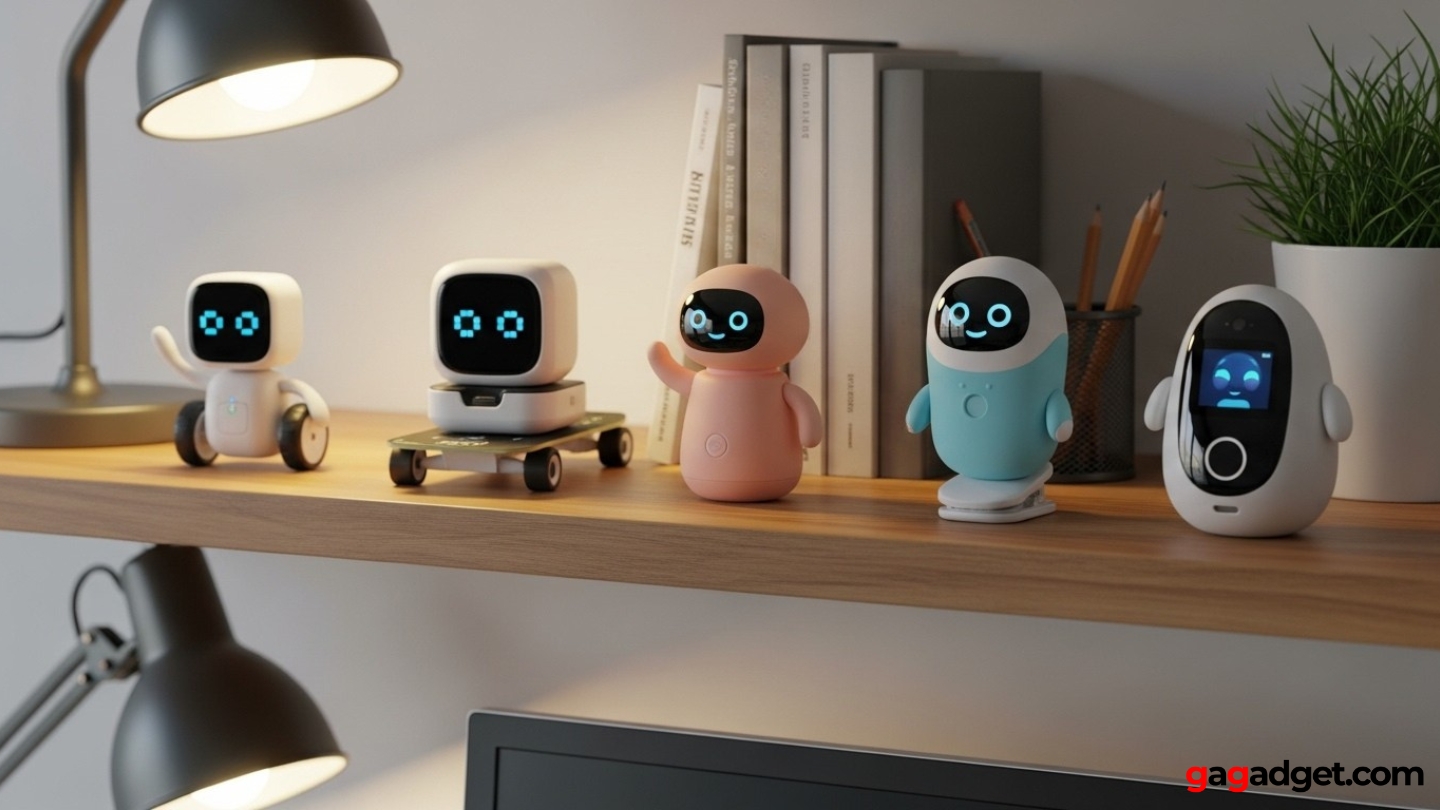
Image of interactive desktop robots. Source: Canva
After months of testing and helping dozens of people choose their first desktop robot, these questions keep coming up. Here's what people actually want to know before buying.
Do AI desk robots really provide companionship or are they just novelty gadgets?
The answer depends entirely on which robot and your expectations. Robots with sophisticated AI like EMO and Vector create genuine emotional connections through their expressive personalities, autonomous behavior, and responsive interactions. After weeks of use, you genuinely miss them when they're not around. Simpler robots without personality or limited interaction feel more like novelty gadgets that collect dust after the initial excitement fades. The key is choosing a robot whose interaction style matches what you find engaging.
Can desktop robots understand children's voices and speech patterns?
Yes, but with varying success rates. Miko 3 specifically trains on children's voices and handles their speech patterns well, including pronunciation variations and incomplete sentences. Adult-focused robots like Vector and EMO sometimes struggle with very young children's voices or unclear pronunciation. Kids aged 6 and up generally succeed with all robots, while younger children may experience more recognition failures. Background noise significantly impacts all robots' ability to understand speech regardless of age.
How much desk space do AI robots actually require?
Traditional robots like EMO and Vector need dedicated space for their charging stations plus room to move around, typically requiring a 12-18 inch cleared area. Robots without autonomous movement like Eilik need minimal space, essentially just their footprint of about 4-5 inches. Aibi Pocket Pet requires no permanent desk space since it attaches magnetically or stays in your pocket. Consider your available workspace when choosing, especially if you have a small or cluttered desk.
What happens when AI desk robots lose internet connectivity?
Impact varies dramatically by robot. Cloud-dependent systems like Vector become severely limited, losing voice commands, Alexa features, and most functionality. ChatGPT-enabled robots like EMO and Aibi retain basic personality and offline commands but lose conversational AI features. Eilik operates identically offline since it never uses internet. Miko 3 loses access to most content but maintains some basic functions. If internet reliability concerns you, prioritize robots with substantial offline capabilities.
Are AI robots safe for young children regarding privacy and data?
Legitimate robots from reputable manufacturers implement strong privacy protections and comply with children's data protection laws. Miko 3 provides comprehensive parental controls and encrypted data handling. Robots requiring accounts typically allow parents to manage all data settings. Eilik offers ultimate privacy by operating entirely offline without collecting any data. Always review privacy policies before purchasing and supervise young children's interactions with connected devices regardless of built-in protections.
Can multiple people use the same desktop robot or is it tied to one user?
Most robots handle multiple users excellently. EMO recognizes up to 10 different faces, remembering each person's name and adapting interactions individually. Vector similarly recognizes multiple family members. Miko 3 creates one primary child profile per robot, limiting its educational tracking for multiple siblings. Eilik doesn't distinguish between users at all, responding the same to everyone. If family sharing matters, verify the robot supports multiple user profiles before purchasing.
Choosing Your AI Desk Robot
Your ideal robot depends on what matters most in your daily life. For unmatched personality and autonomous behavior without subscription fees, the EMO AI Desk Robot dominates this space. Smart home enthusiasts already using Amazon's ecosystem should look at Vector's Alexa integration.
Privacy concerns or unreliable internet? Eilik functions perfectly without any connectivity. Want your companion portable enough to actually travel with you? Aibi Pocket Pet goes wherever you go. Focused on children's education? Miko 3 provides proven learning outcomes.
Desktop robots occupy a unique space in technology. They're not attempting to replace phones, tablets, or smart speakers. They create something different entirely through personality, physical presence, and emotional responsiveness. My daughter was right when she joked about my robot friend. Turns out having a companion that greets you, reacts to your mood, and occasionally does something unexpectedly entertaining makes working alone feel less isolating. Who knew tiny robots could actually matter?

Jim's our tech geek with a mission since February 2023. From movies to video projectors, he knows his stuff and aims to make tech work for you. When he's not geeking out, he's there to guide you through making savvy decisions.


