At gagadget.com, your trust is our priority. We follow strict quality standards in our research, tests, and analysis of tvs, to give you the best experience. Learn more
Best Smart TVs
Three years ago, I spent an entire weekend helping my brother choose a new television. We stood in that electronics store for hours, overwhelmed by acronyms like QLED, OLED, Mini-LED, and numbers like 120Hz, 144Hz, HDR10+. The salesperson kept pushing the most expensive model, but we had no idea what actually mattered for his bright living room and weekend gaming sessions. We eventually picked something based mostly on guesswork and price.
That experience taught me something valuable: buying a smart TV shouldn't feel like decoding technical documentation. Today's 55-inch televisions deliver genuinely impressive picture quality and features, but understanding which technology fits your actual viewing habits makes the difference between loving your purchase and wondering if you overpaid for specs you never use. This guide cuts through the marketing language to focus on what truly matters when selecting a 55-inch smart TV for your home.
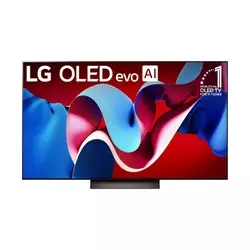
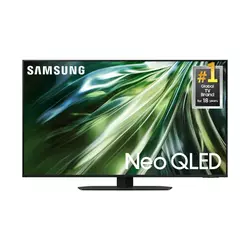
If you're in a hurry, here are my top two recommendations for 55-inch smart TVs:
We may earn a small commission if you buy via our links - it helps keep gagadget.com running.
Table of Contents:
- Best Smart TV: Buyer's Guide
- Top 5 Smart TVs for 2026
- 55-Inch Smart TV Comparison
- LG OLED C4
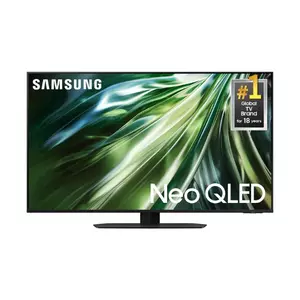
- Samsung QN90D
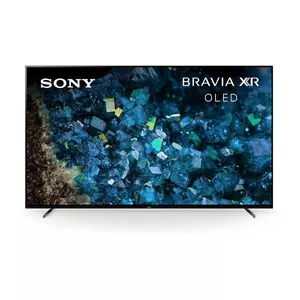
- Sony BRAVIA XR A80L
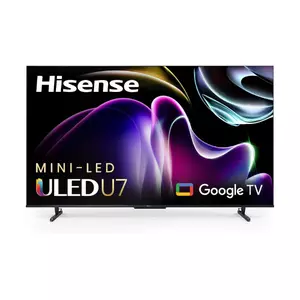
- Hisense U7K 55"
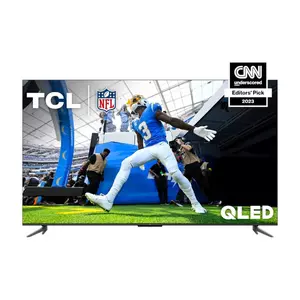
- TCL Q6 55Q650G
- Smart TV Buying FAQ
Best Smart TV: Buyer's Guide
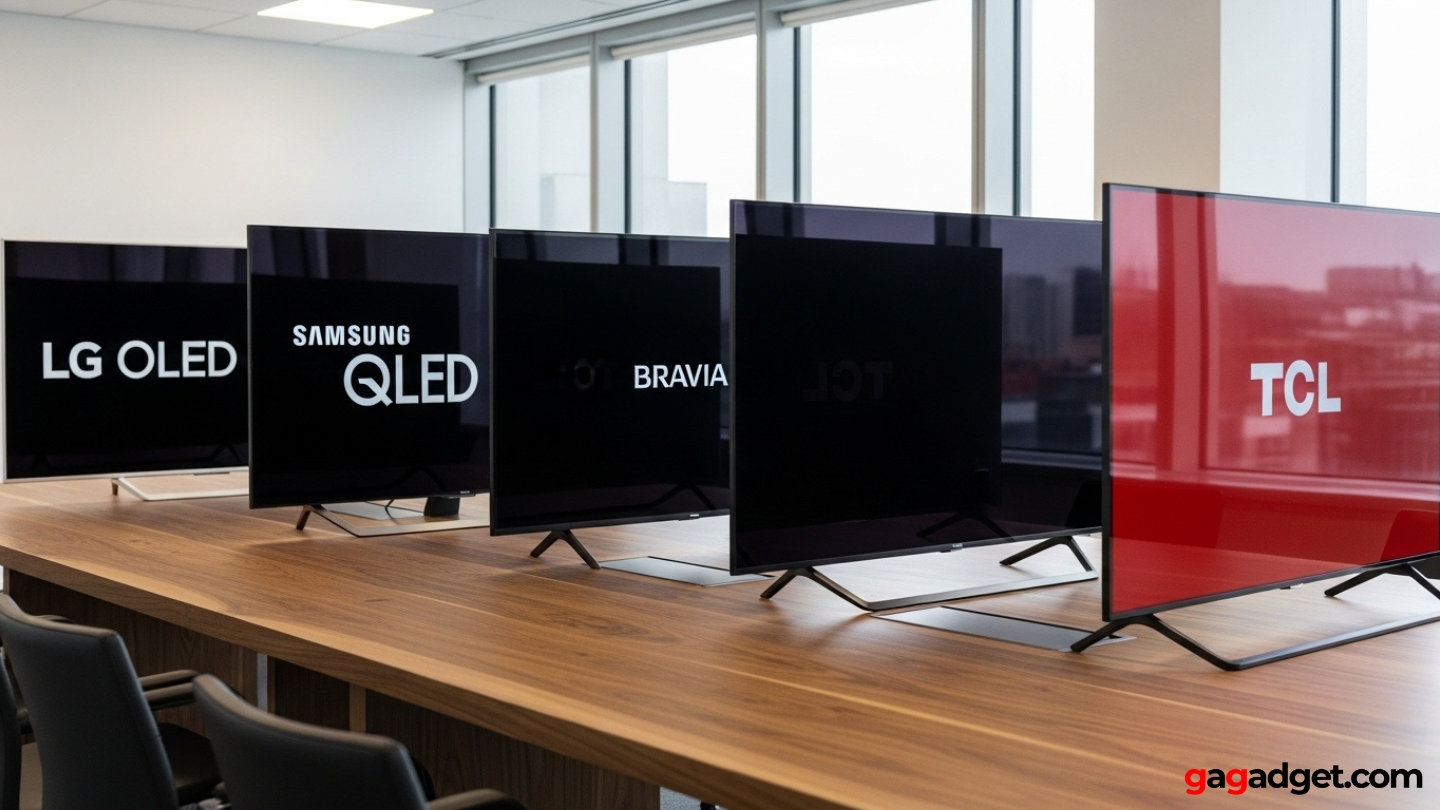
After testing dozens of televisions in different lighting conditions and for various use cases, I've learned that the "best" smart TV depends entirely on your specific viewing environment and habits. A television that looks stunning in a dim home theater might disappoint in a bright living room with large windows. Understanding these fundamental differences helps you spend money on features that improve your daily experience rather than impressive specifications you'll never notice.
Display Technology: OLED vs QLED vs Mini-LED
The panel technology determines how your TV creates the image you see, and this choice impacts everything from black levels to peak brightness to long-term reliability. OLED panels use self-emissive pixels that produce their own light, creating perfect blacks by simply turning pixels completely off. This technology delivers exceptional contrast and wide viewing angles, making it superb for movie watching in controlled lighting. The tradeoff comes in brightness capability and potential burn-in risk if static content displays for extended periods.
QLED represents Samsung's quantum dot technology applied to LED-backlit LCD panels. These sets use a layer of nanocrystals to enhance color volume and accuracy while pushing much higher peak brightness than OLEDs typically achieve. Combined with effective anti-reflective coatings, QLED televisions maintain image quality in bright rooms where OLEDs might look washed out. Black levels don't match OLED's perfection, but modern QLEDs with local dimming deliver impressive contrast ratios.
Your room's lighting conditions matter more than panel specifications. Bright living rooms favor LED-based technologies, while dim theaters showcase OLED's strengths.
Mini-LED sits between traditional LED and OLED, using thousands of tiny LEDs as backlighting behind an LCD panel. This approach enables precise local dimming with hundreds or even thousands of zones, creating deep blacks in most scenes while maintaining the high brightness LED technology provides. Mini-LED represents excellent middle ground for mixed-use environments, delivering strong HDR performance without OLED's price premium or brightness limitations.
HDR Formats and Real-World Performance
High Dynamic Range transforms how modern content displays on your screen, expanding the range between the darkest shadows and brightest highlights to create more realistic, impactful images. However, HDR format support matters less than how effectively your television actually uses those formats. Dolby Vision provides dynamic scene-by-scene metadata that tells the TV exactly how to display each moment, while HDR10+ offers similar functionality using different underlying technology. Basic HDR10 applies static metadata across entire films or episodes.
Peak brightness capability determines how effectively your smart TV can render HDR highlights. Content mastered at 1000 or 4000 nits looks increasingly impressive on displays that can reproduce those brightness levels, creating realistic sun glints, explosions, or lit windows that genuinely pop against darker surroundings. Budget sets claiming HDR support but only reaching 300-400 nits of peak brightness can't really deliver the intended HDR experience, regardless of format compatibility.
Gaming Features for Console and PC Players
Modern gaming demands specific television capabilities beyond basic image quality. HDMI 2.1 connectivity enables 4K resolution at 120Hz refresh rates, doubling the smoothness of motion compared to standard 60Hz displays. This matters tremendously for fast-paced games where every frame counts. Variable Refresh Rate syncs the display's refresh timing to the console or PC's actual frame output, eliminating screen tearing and stuttering that breaks immersion.
The best gaming TV balances low input lag with strong HDR performance, avoiding the old compromise between speed and image quality.
Auto Low Latency Mode automatically switches the TV to its fastest processing preset when gaming input is detected, minimizing the delay between controller input and on-screen response. Input lag under 20 milliseconds in game mode feels responsive and immediate, while anything over 40ms starts feeling noticeably sluggish in action games. The best gaming TVs combine all these features with minimal compromises to picture quality in game mode.
Smart Platform Ecosystems
The operating system running your smart TV determines interface responsiveness, app availability, and integration with other devices. Google TV provides the most comprehensive app ecosystem with excellent voice search and Chromecast built-in, making it straightforward to cast content from phones and tablets. The interface organizes content across services rather than forcing you to hunt through individual apps.
Samsung's Tizen platform offers solid performance with good app coverage and tight integration with Samsung's broader device ecosystem. The interface emphasizes Samsung's services more than Google TV does, but major streaming platforms remain easily accessible. WebOS from LG takes a different approach with its card-based interface that layers over content, creating quick access to inputs and apps without fully interrupting what's playing.
Audio Considerations and Soundbar Compatibility
Television speakers have improved dramatically, with many current models featuring multi-driver arrays and Dolby Atmos processing. However, the physics of thin television chassis still limit what's possible from built-in audio. Expect decent dialogue clarity and acceptable volume for casual viewing, but genuine cinematic impact requires external speakers or a soundbar.
When planning to add a soundbar, verify your chosen TV supports eARC through its HDMI ports. Enhanced Audio Return Channel enables lossless Dolby Atmos and DTS:X audio to pass from TV apps to your soundbar without compression. This feature also allows volume control through your TV remote rather than juggling multiple controllers.
Top 5 Smart TVs in 55-Inch Class for 2026
After extensive testing across different viewing environments and use cases, watching everything from streaming shows to 4K Blu-rays to console gaming sessions, these five televisions represent the strongest options currently available in the 55-inch category. Each excels in specific scenarios, making your choice dependent on which strengths matter most for your situation.
- Perfect blacks with infinite contrast ratio
- OLED evo panel brighter than previous generations
- All four HDMI ports support 2.1 bandwidth
- 4K 120Hz and 144Hz gaming capability
- Excellent viewing angles from any position
- Exceptional peak brightness for bright rooms
- Mini-LED local dimming creates strong contrast
- Excellent anti-reflective coating handles glare
- Strong gaming features with low input lag
- Quantum dot color volume and accuracy
- Natural, film-accurate picture processing
- Excellent for movies and premium content
- Perfect for PlayStation 5 integration
- Acoustic Surface Audio creates unique soundstage
- Google TV with comprehensive app support
- Mini-LED backlighting at midrange pricing
- Quantum dot color enhancement
- Comprehensive HDR format support
- 144Hz gaming capability with low input lag
- Strong contrast and peak brightness
- Accessible budget pricing
- Quantum dot color enhancement
- Comprehensive HDR format support
- Google TV smart platform
- Gaming features adequate for casual play
55-Inch Smart TV Comparison
Understanding the technical specifications across these top televisions helps identify which features align with your priorities:
| Feature | LG OLED C4 | Samsung QN90D | Sony A80L | Hisense U7K | TCL Q6 |
| Panel Type | OLED evo | Neo QLED Mini-LED | OLED | Mini-LED ULED | QLED Direct-LED |
| Resolution | 4K (3840×2160) | 4K (3840×2160) | 4K (3840×2160) | 4K (3840×2160) | 4K (3840×2160) |
| Refresh Rate | 120Hz (144Hz gaming) | 120Hz | 120Hz | 120Hz (144Hz gaming) | 60Hz (120Hz gaming) |
| HDR Support | Dolby Vision, HDR10, HLG | HDR10, HDR10+, HLG | Dolby Vision, HDR10, HLG | Dolby Vision IQ, HDR10+, HDR10, HLG | Dolby Vision, HDR10+, HDR10, HLG |
| Smart Platform | webOS 24 | Tizen OS | Google TV | Google TV / VIDAA | Google TV |
| HDMI 2.1 Ports | 4 ports | Multiple ports | 2 ports | 2 ports | Gaming-optimized ports |
| Gaming Features | VRR, ALLM, G-Sync, FreeSync | VRR, ALLM, Motion Xcelerator | VRR, ALLM, PS5 optimization | VRR, ALLM, 144Hz mode | VRR, ALLM, FreeSync |
| Audio System | Dolby Atmos, AI Sound | Dolby Atmos, OTS+ | Acoustic Surface Audio+ | Dolby Atmos | Dolby Atmos, DTS Virtual:X |
| Best For | All-around excellence | Bright rooms | PS5 gaming + movies | Value performance | Budget buyers |
Each television optimizes differently, from pure image quality to gaming performance to budget value.
LG OLED C4 55" Review
Editor's Choice
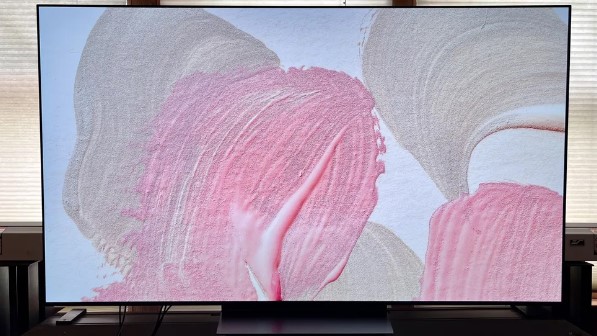
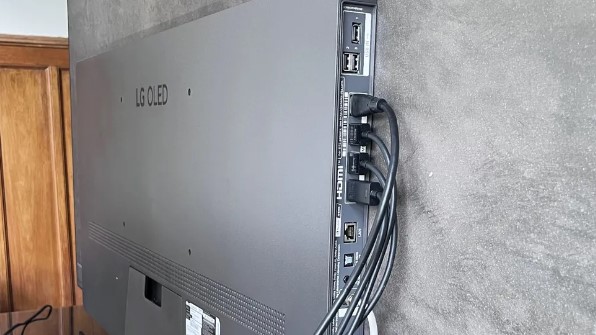
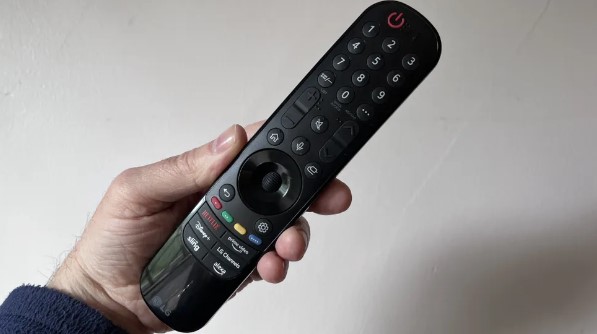
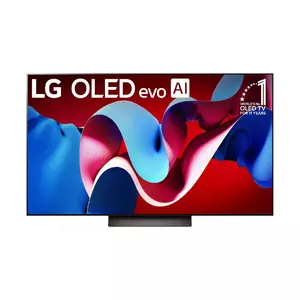
The LG OLED C4 55" represents what happens when OLED technology matures to the point where it handles nearly every use case competently. This television doesn't just excel in dark rooms with carefully mastered films. It delivers strong performance across mixed lighting, gaming sessions, sports broadcasts, and streaming content. The OLED evo panel generates noticeably more brightness than previous LG OLED generations, addressing one of the technology's historical weaknesses without sacrificing the perfect blacks that make OLED special.
Picture quality starts with fundamentals that LCD technology simply cannot match. Every pixel generates its own light and can turn completely off for absolute black. This creates infinite contrast ratio where bright highlights sit directly against pitch-dark backgrounds without any blooming, haloing, or compromise. Watching films shot with strong contrast like Dune or Blade Runner 2049 showcases this capability beautifully, with shadows containing subtle detail while bright elements maintain full impact.
LG's α9 AI Processor Gen7 handles the image processing duties, analyzing content in real-time to reduce noise, enhance sharpness where appropriate, and manage tone mapping for HDR material. The AI Picture and AI Sound modes attempt to recognize content types and adjust settings automatically. In practice, these work reasonably well for casual viewing, though serious enthusiasts will prefer calibrated picture modes that maintain creator intent. Dolby Vision support ensures compatible content displays with scene-by-scene optimization rather than static settings.
Gaming credentials place the C4 among the absolute best displays for consoles and PC. All four HDMI ports support HDMI 2.1 bandwidth, meaning you're not restricted to specific inputs for high-frame-rate gaming. The TV handles 4K at 120Hz smoothly and can push to 144Hz for compatible PC sources. VRR implementation covers both NVIDIA G-Sync and AMD FreeSync standards, creating tear-free, stutter-free gaming regardless of your graphics card. ALLM automatically switches to Game mode when consoles or PCs connect, and that Game mode maintains surprisingly strong image quality rather than sacrificing picture processing entirely for speed.
The Game Optimizer menu overlays key gaming settings without requiring you to dig through full menus, exposing frame rate, input lag, and various enhancement toggles. Measured input lag sits around 10ms in Game mode, which feels instantaneous for even competitive play. The combination of perfect black levels, wide viewing angles, and gaming-specific features makes the C4 equally compelling for single-player story games and fast multiplayer shooters.
WebOS 24 provides LG's current smart platform with comprehensive app coverage, voice control through multiple assistants, and a customizable home screen that learns your viewing habits. The interface responds quickly and rarely requires waiting for apps to load. Built-in audio includes Dolby Atmos decoding and multi-channel speaker configuration, though like virtually all slim TVs, external audio dramatically improves the experience.
The 55-inch size hits a sweet spot for most living rooms, large enough for immersive viewing from typical couch distances without overwhelming moderate spaces. OLED uniformity and viewing angles mean the picture looks excellent from off-center seating positions, unlike many LCD televisions where contrast and color shift as you move away from dead center.
Pros:
- Perfect blacks with infinite contrast ratio
- OLED evo panel brighter than previous generations
- All four HDMI ports support 2.1 bandwidth
- 4K 120Hz and 144Hz gaming capability
- Excellent viewing angles from any position
- Comprehensive HDR format support including Dolby Vision
Cons:
- Potential OLED burn-in risk with static content
- Peak brightness lower than high-end Mini-LED TVs
Summary: The LG OLED C4 55" delivers exceptional all-around performance that makes it the reference choice for most buyers. Perfect blacks, excellent gaming features, strong smart platform, and improved brightness create a television that handles everything well rather than excelling in narrow scenarios. While the premium price and theoretical burn-in concerns give some buyers pause, the C4 represents OLED technology at its most mature and versatile.
Samsung QN90D 55" Review
Best Overall
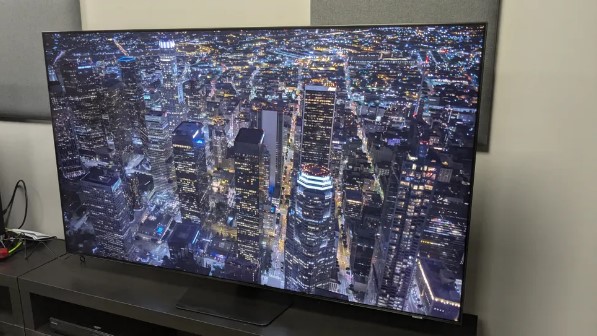
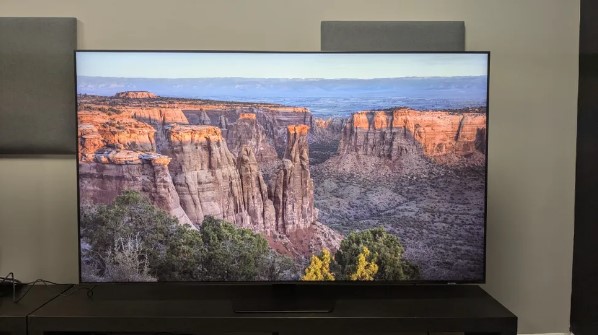
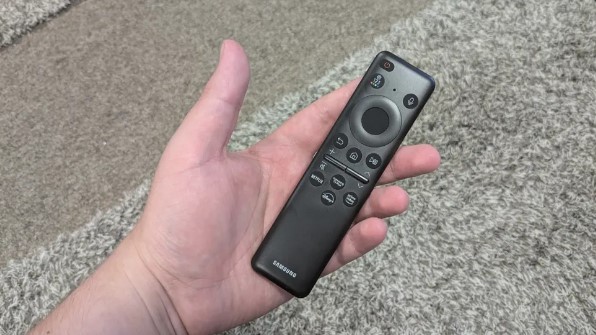
The Samsung QN90D 55" solves the brightness challenge that limits OLED adoption in many homes. This Neo QLED television with Mini-LED backlighting generates enough light output to maintain punchy, vibrant images in rooms with large windows, afternoon sun, or overhead lighting that would make most OLEDs look dim and washed out. If your viewing space can't be darkened easily, the QN90D delivers HDR impact that remains visible rather than requiring you to close blinds every time you want proper contrast.
The Mini-LED backlight system uses thousands of individually controlled LEDs arranged in numerous dimming zones behind the LCD panel. This precision enables bright highlights to coexist with dark shadows in the same frame, creating local contrast that approaches OLED in many scenes. The quantum dot color layer ensures those bright images also display saturated, accurate colors across the visible spectrum. Combined with Samsung's aggressive anti-reflective screen coating, the QN90D maintains image quality even when light sources reflect directly on the display.
Samsung's Neo Quantum Processor 4K drives the image processing, handling upscaling of lower-resolution content and managing HDR tone mapping. The processor analyzes scenes to determine optimal brightness and local dimming behavior, generally doing a solid job balancing highlight detail against shadow information. HDR support covers HDR10, HDR10+, and HLG. Notably absent is Dolby Vision, which Samsung doesn't license for its televisions. In practical terms, HDR10+ provides similar scene-by-scene optimization for compatible content, though Dolby Vision remains more widely adopted across streaming services and physical media.
Gaming features match what current consoles and gaming PCs require. HDMI 2.1 connectivity supports 4K at 120Hz with VRR and ALLM functioning exactly as they should. Samsung's Motion Xcelerator suite reduces motion blur and judder, keeping fast action clear. The Game Bar overlay displays real-time frame rate and input lag information, plus quick access to relevant settings. Measured input lag sits low enough for competitive play, while game mode maintains surprisingly robust picture quality rather than washing out colors or sacrificing contrast for speed.
Tizen OS provides Samsung's smart platform with excellent app coverage and smooth performance. The interface prioritizes Samsung's own services more than Google TV does, but all major streaming platforms work without issues. Samsung TV Plus offers free ad-supported content that some users appreciate. Voice control through Samsung's assistant or Alexa works reasonably well for basic commands.
Audio comes through a multi-speaker system with Dolby Atmos decoding and Samsung's Object Tracking Sound+ technology. This uses additional drivers and processing to better position audio effects with on-screen action. The result sounds more spacious and directional than basic stereo, though dedicated soundbars or speakers still provide significant upgrades for serious movie watching or gaming.
The 55-inch QN90D's combination of high brightness, strong local dimming, and gaming features makes it particularly appealing for mixed-use environments. It handles bright room viewing during the day, delivers impressive HDR for evening movies, and switches to responsive gaming mode when needed. The lack of Dolby Vision support matters to some buyers, though in bright rooms where this TV excels, the brightness advantage often proves more impactful than the specific HDR format.
Pros:
- Exceptional peak brightness for bright rooms
- Mini-LED local dimming creates strong contrast
- Excellent anti-reflective coating handles glare
- Strong gaming features with low input lag
- Quantum dot color volume and accuracy
- Works well in any lighting condition
Cons:
- No Dolby Vision support (HDR10+ instead)
- Black levels not perfectly uniform like OLED
Summary: The Samsung QN90D 55" excels as the best smart TV for bright viewing environments where OLED brightness limitations become problematic. Mini-LED backlighting, quantum dot color, and aggressive brightness create a display that maintains image quality regardless of room lighting. While it can't match OLED's perfect blacks or universal viewing angles, the QN90D delivers superior real-world performance in typical living rooms with mixed lighting conditions.
Sony BRAVIA XR A80L 55" Review
Best for PS5
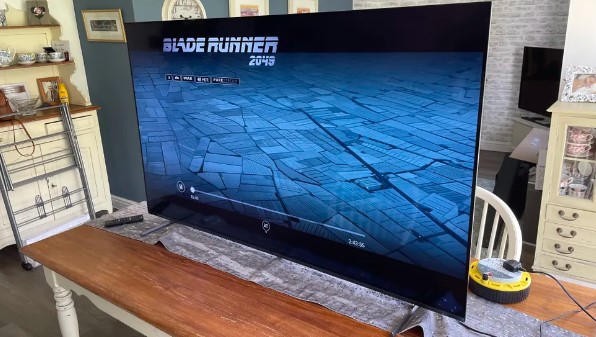
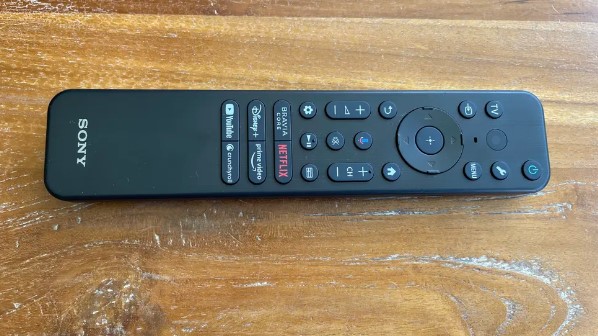
The Sony BRAVIA XR A80L 55" approaches television as a cinematic tool first and gaming display second, though it handles both roles exceptionally well. Sony's processing philosophy emphasizes natural, film-like presentation that preserves the creator's artistic intent rather than pushing exaggerated brightness or hyper-saturated colors. The result particularly appeals to movie enthusiasts who want their home display to reproduce theatrical presentations faithfully.
Sony's Cognitive Processor XR analyzes images differently than competitors, dividing the frame into zones that represent where human attention naturally focuses rather than processing uniformly across the entire picture. This approach aims to enhance what you actually notice while preserving detail in peripheral areas. The XR OLED Contrast Pro system manages brightness and shadow detail across the OLED panel, while XR Triluminos Pro generates wide color gamut reproduction.
Picture quality emphasizes accuracy and subtlety over impact and punch. Skin tones render naturally across different lighting conditions and ethnicities. Shadow detail remains visible without crushing blacks or artificially lifting dark areas. Highlights bloom appropriately without clipping detail in bright windows or light sources. The tone mapping for HDR content, including Dolby Vision, generally favors preserving gradation and detail over maximizing perceived brightness, creating presentations that feel natural rather than artificially enhanced.
Google TV provides the smart platform, offering the full Android-based app ecosystem with comprehensive voice search through Google Assistant. Chromecast and Apple AirPlay 2 integration enable easy content casting from mobile devices. The interface organizes content intelligently and responds quickly to navigation inputs.
Sony's Acoustic Surface Audio+ concept deserves mention as genuinely innovative television audio. Instead of traditional forward-firing speakers, actuators vibrate the OLED panel itself to generate sound. This creates an unusual effect where dialogue appears to come directly from actors' mouths on screen rather than from below or beside the image. Combined with additional drivers and Dolby Atmos decoding, the A80L produces surprisingly convincing audio staging for a slim television, though dedicated audio systems still provide meaningful improvements.
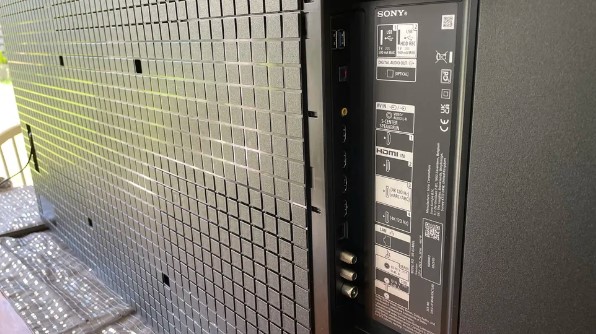
Gaming features include HDMI 2.1 support on two of the four HDMI inputs, enabling 4K at 120Hz with VRR and ALLM. The standout features for PlayStation 5 owners come through Sony's "Perfect for PlayStation 5" integration. Auto HDR Tone Mapping optimizes HDR settings during initial console setup, eliminating manual calibration. Auto Genre Picture Mode recognizes when PS5 outputs game content versus streaming video and switches picture presets automatically, ensuring optimal settings without manual intervention.
This tight integration with Sony's console ecosystem creates tangible convenience for PS5 owners. The television and console communicate seamlessly, handling technical setup and mode switching invisibly. Input lag in game mode measures respectably low, and the OLED panel's instant pixel response eliminates motion blur that plagues many LCD displays. The combination makes the A80L particularly compelling if your primary gaming platform is PlayStation.
The slim design includes a flexible stand that can be configured in different positions, including a wider stance that accommodates soundbars placed in front of the TV. This flexibility addresses a common complaint about television stands that force soundbars into awkward positions or block IR sensors.
Pros:
- Natural, film-accurate picture processing
- Excellent for movies and premium content
- Perfect for PlayStation 5 integration
- Acoustic Surface Audio creates unique soundstage
- Google TV with comprehensive app support
- Flexible stand configuration
Cons:
- Peak brightness lower than Mini-LED competitors
- Only two HDMI 2.1 inputs
Summary: The Sony BRAVIA XR A80L 55" delivers exceptional cinematic picture quality with processing that emphasizes natural, accurate reproduction over artificial enhancement. PlayStation 5 owners find particular value in the seamless integration and optimized gaming features, while movie enthusiasts appreciate the film-accurate presentation. The sophisticated processing and unique audio approach justify the premium pricing for buyers prioritizing quality over raw specifications.
Hisense U7K 55" Review
Best Value
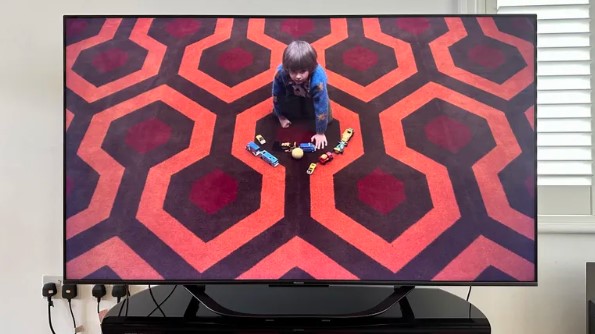
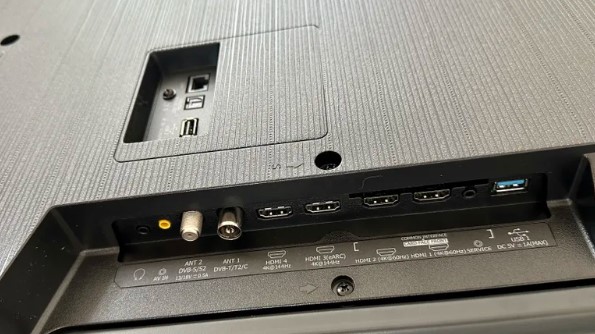
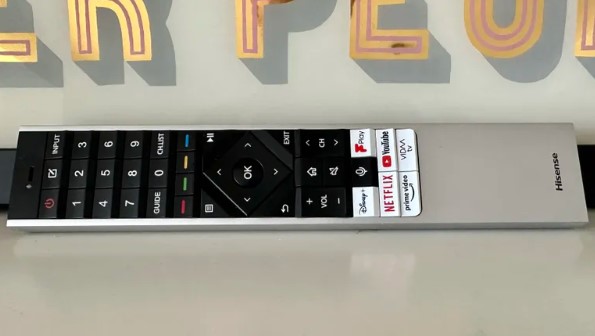
The Hisense U7K 55" demonstrates how far midrange television technology has advanced. This set incorporates Mini-LED backlighting, quantum dot color, comprehensive HDR format support, and gaming features that would have been flagship-exclusive just a few years ago, all at pricing that undercuts major brand equivalents substantially. The U7K proves you don't need to spend premium dollars to get genuinely impressive display technology.
The Mini-LED backlight system provides hundreds of local dimming zones behind the LCD panel, enabling precise control over which areas illuminate and which stay dark. This creates strong contrast with bright highlights coexisting alongside deep blacks in the same frame. The quantum dot layer enhances color saturation and accuracy across the spectrum, delivering vibrant images without the oversaturation that plagues cheaper displays. The VA panel type contributes high native contrast ratio that helps black levels stay convincingly dark even in scenes where local dimming zones can't isolate perfectly.
HDR format support covers essentially everything currently relevant. Dolby Vision IQ adapts tone mapping based on ambient room lighting measured through the TV's sensor, theoretically optimizing HDR presentation for current viewing conditions. HDR10+ provides scene-by-scene optimization for compatible content. Standard HDR10 and HLG round out the supported formats. Peak brightness reaches levels that allow HDR content to display with genuine impact rather than the muted presentation cheaper HDR TVs produce.
Gaming features target current-generation consoles and gaming PCs specifically. HDMI 2.1 connectivity supports 4K at 120Hz with VRR and ALLM all functioning properly. The dedicated 144Hz Game Mode Pro pipeline enables even higher refresh rates for compatible PC sources. Input lag measures low enough for competitive gaming without feeling sluggish. The combination of high refresh rates, low input lag, and strong contrast creates engaging gaming experiences across different genres.
The smart platform varies by region, with some markets receiving Google TV while others get Hisense's VIDAA interface. Google TV variants offer the more comprehensive app ecosystem and better voice search, though VIDAA covers the major streaming services adequately. Either way, you're getting access to Netflix, Disney+, Prime Video, and other mainstream platforms without issues.
Audio includes a 2.1-channel system with Dolby Atmos support, which sounds better than bare stereo but still benefits significantly from soundbar or speaker upgrades. The TV includes standard smart features like voice control and casting from mobile devices.
Build quality feels solid without the premium refinement of luxury brands. The interface responds reasonably quickly, though not as instantly smooth as Samsung or LG's implementations. Some very demanding scenes with small bright objects against dark backgrounds can produce minor haloing around those objects, though this remains far less noticeable than edge-lit LED TVs create. Overall, the U7K delivers picture quality and features that rival televisions costing hundreds more.
Pros:
- Mini-LED backlighting at midrange pricing
- Quantum dot color enhancement
- Comprehensive HDR format support including Dolby Vision IQ
- 144Hz gaming capability with low input lag
- Strong contrast and peak brightness
- Excellent value for features provided
Cons:
- Some minor blooming in extreme contrast scenes
- Interface less refined than premium brands
- Black levels not perfectly uniform like OLED
Summary: The Hisense U7K 55" brings premium display technology to accessible pricing, delivering Mini-LED backlighting, quantum dots, and comprehensive gaming features without the cost premium major brands command. While it can't quite match flagship picture quality refinement, the U7K provides exceptional value for buyers seeking strong performance without luxury pricing.
TCL Q6 55Q650G Review
Best Budget
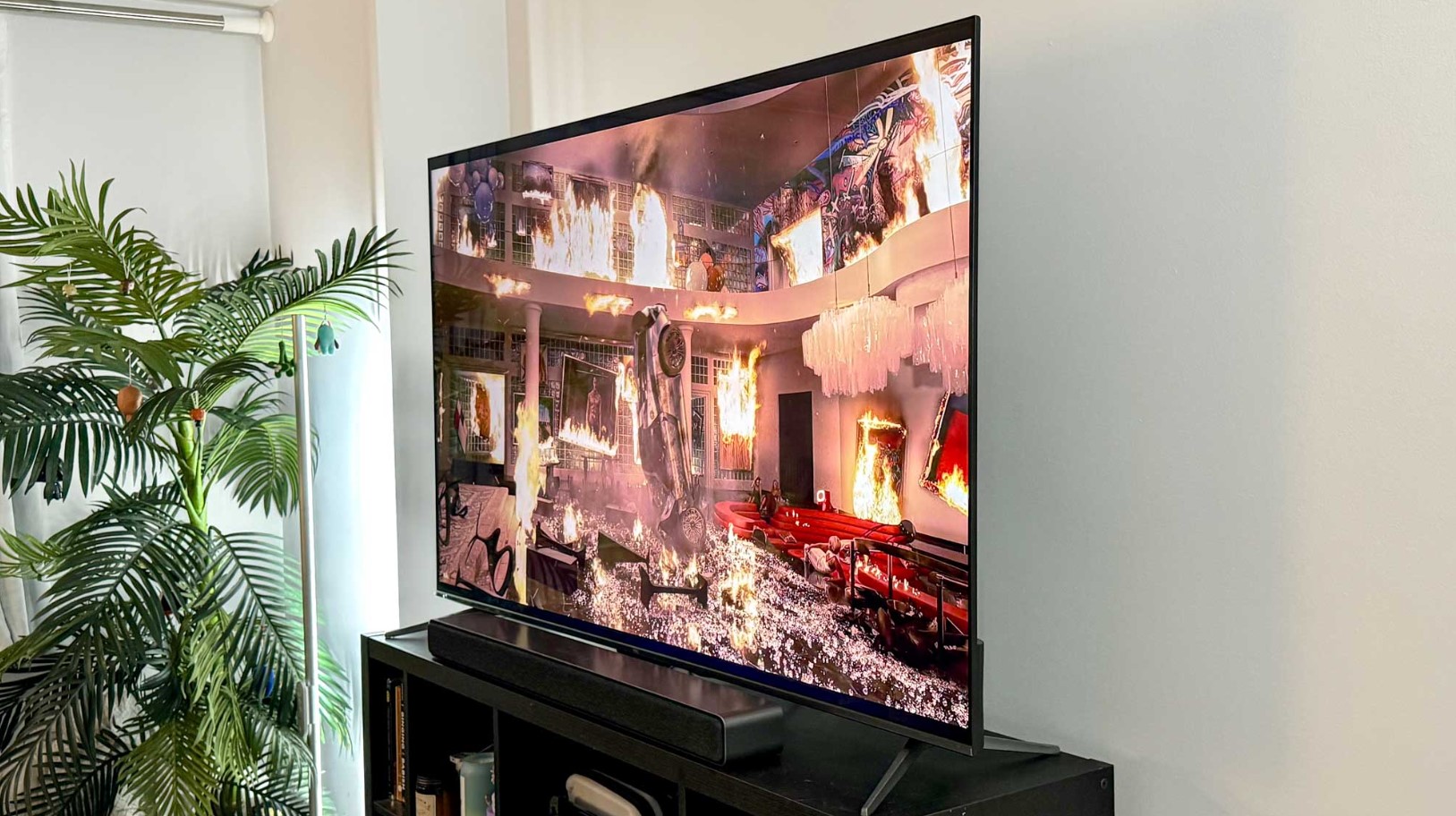
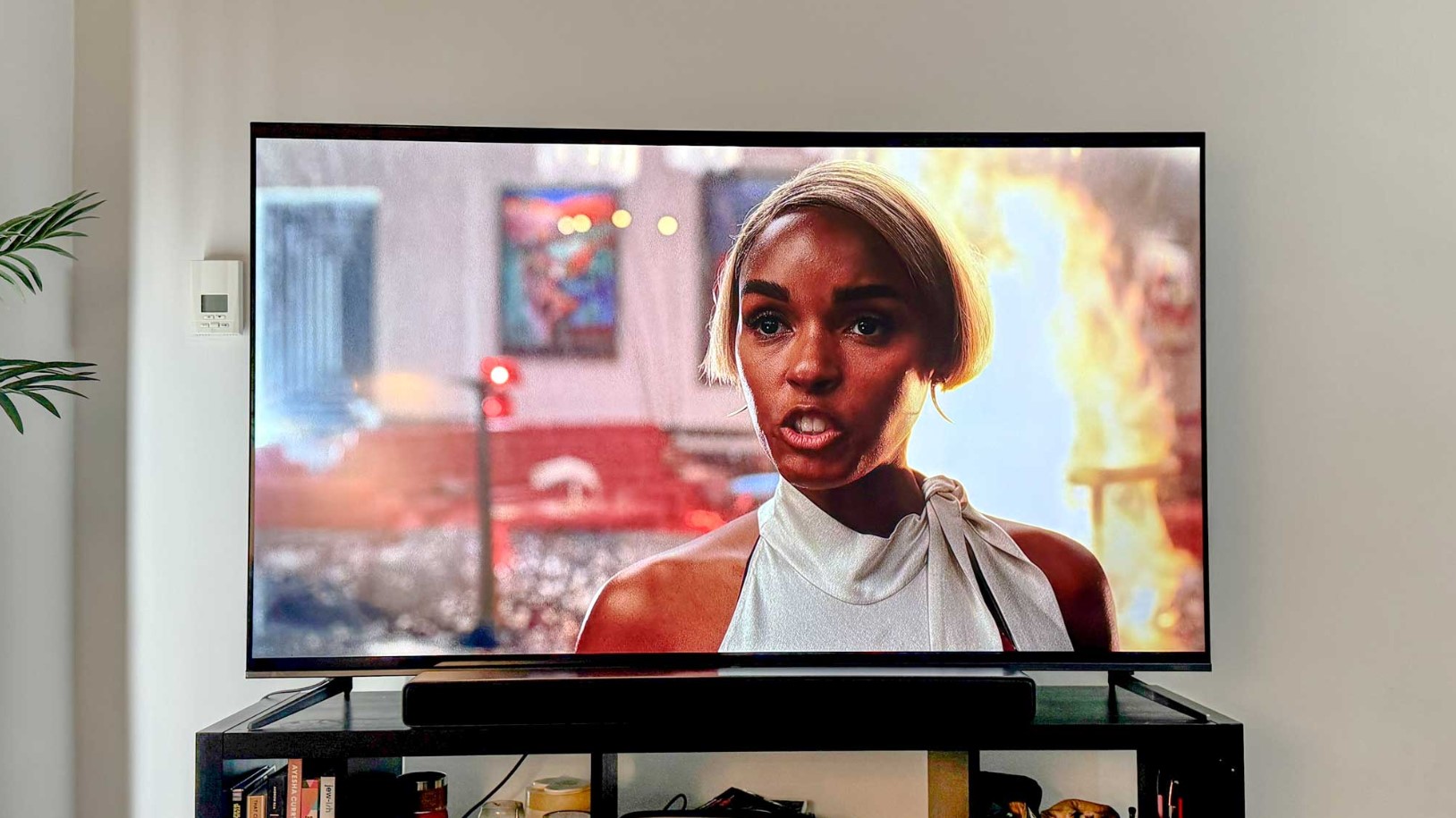
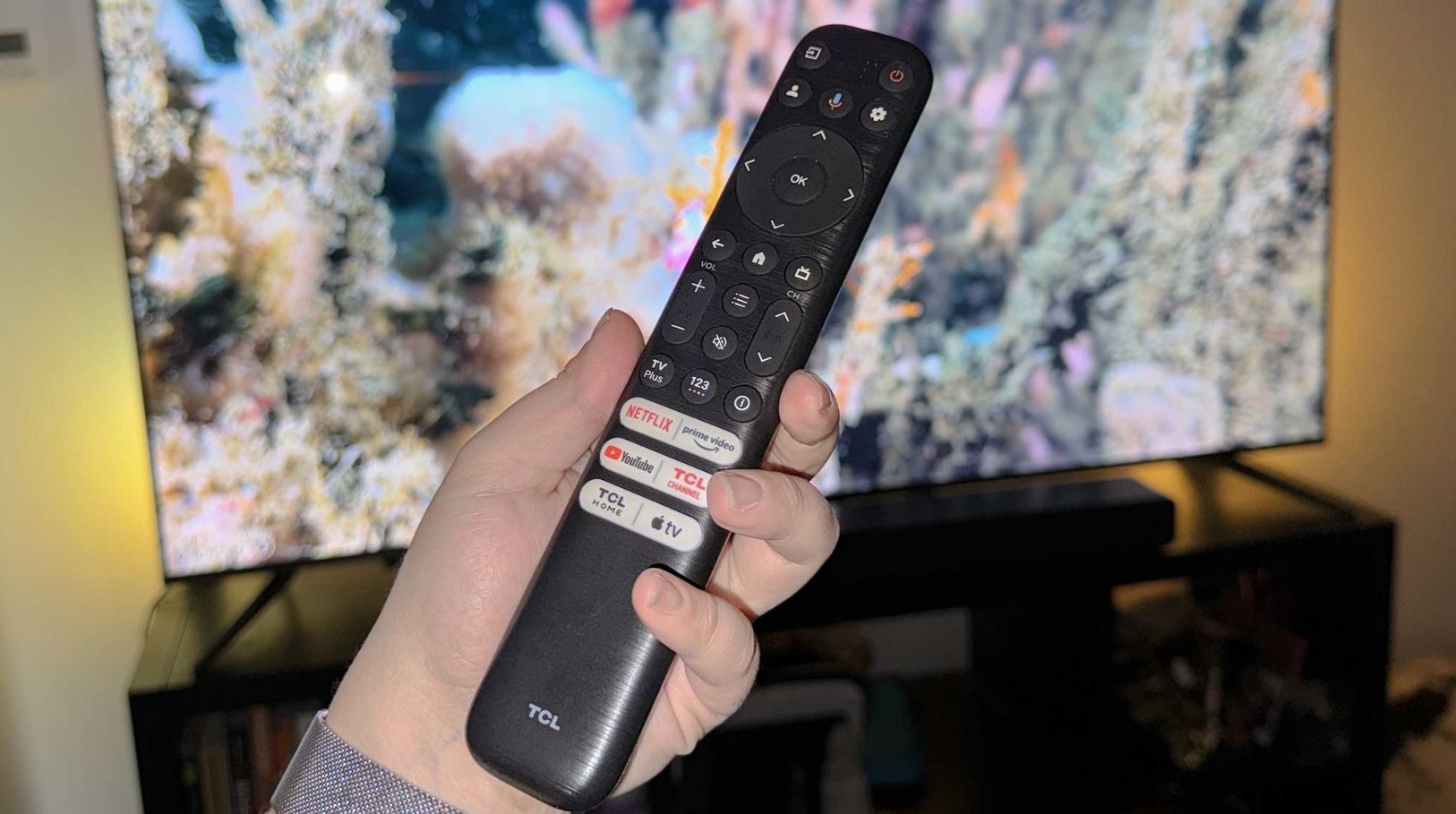
The TCL Q6 55Q650G addresses buyers seeking basic smart TV capabilities without premium pricing or unnecessary features. This television strips away expensive technologies like OLED panels and extensive Mini-LED arrays, focusing instead on delivering solid fundamentals at an accessible price point. The result won't impress videophiles seeking reference picture quality, but it provides perfectly serviceable performance for casual viewing.
The QLED panel incorporates quantum dot technology to enhance color reproduction beyond what basic LED LCD displays achieve. This creates noticeably more vibrant and saturated colors compared to budget sets without quantum dots, particularly in HDR content. The direct-LED backlighting offers better uniformity and contrast than edge-lit alternatives common at similar price points, though it can't approach the precision of Mini-LED systems.
HDR format support covers all major standards including Dolby Vision, HDR10+, HDR10, and HLG through TCL's HDR PRO+ implementation. However, peak brightness limitations mean HDR content displays with less impact than capable displays achieve. Expect subtle improvements over SDR presentation rather than the dramatic highlight punch high-end HDR provides. For streaming content and cable television, the Q6 performs adequately without obvious weaknesses.
Gaming features balance capability against the 60Hz native panel refresh rate. TCL's Game Accelerator 120 enables 120Hz refresh at reduced resolution, providing smoother motion in supported games even if full 4K at 120Hz isn't possible. VRR support through AMD FreeSync eliminates tearing, while ALLM switches to game mode automatically. Input lag measures acceptably low for casual gaming, though competitive players might notice the difference compared to true 120Hz displays.
Google TV provides the smart platform with comprehensive app coverage and intuitive navigation. Voice search through Google Assistant works well, and Chromecast built-in enables easy content casting from mobile devices. The interface responds reasonably quickly and provides access to all major streaming services without hunting through manufacturer apps.
Audio includes Dolby Atmos and DTS Virtual:X processing applied to a basic speaker configuration. This creates marginally more spacious sound than plain stereo, though external audio remains highly recommended for anything beyond background viewing.
The Q6 makes sense for secondary rooms, first televisions for apartments or starter homes, or situations where budget constraints prevent higher spending. It delivers modern smart TV functionality and acceptable picture quality without premium features or costs. Understand what you're giving up compared to midrange alternatives, but appreciate that basic viewing needs remain satisfied.
Pros:
- Accessible budget pricing
- Quantum dot color enhancement
- Comprehensive HDR format support
- Google TV smart platform
- Gaming features adequate for casual play
- Direct-LED backlight better than edge-lit
Cons:
- Limited peak brightness reduces HDR impact
- 60Hz native refresh rate
- Basic direct-LED without extensive zones
Summary: The TCL Q6 55Q650G delivers essential smart TV functionality at budget pricing, providing quantum dot color and comprehensive HDR format support without premium costs. Picture quality won't satisfy enthusiasts, but casual viewers find perfectly adequate performance for streaming content and cable television. The combination of accessible pricing and Google TV makes this a sensible choice for budget-conscious buyers.
Smart TV Buying FAQ
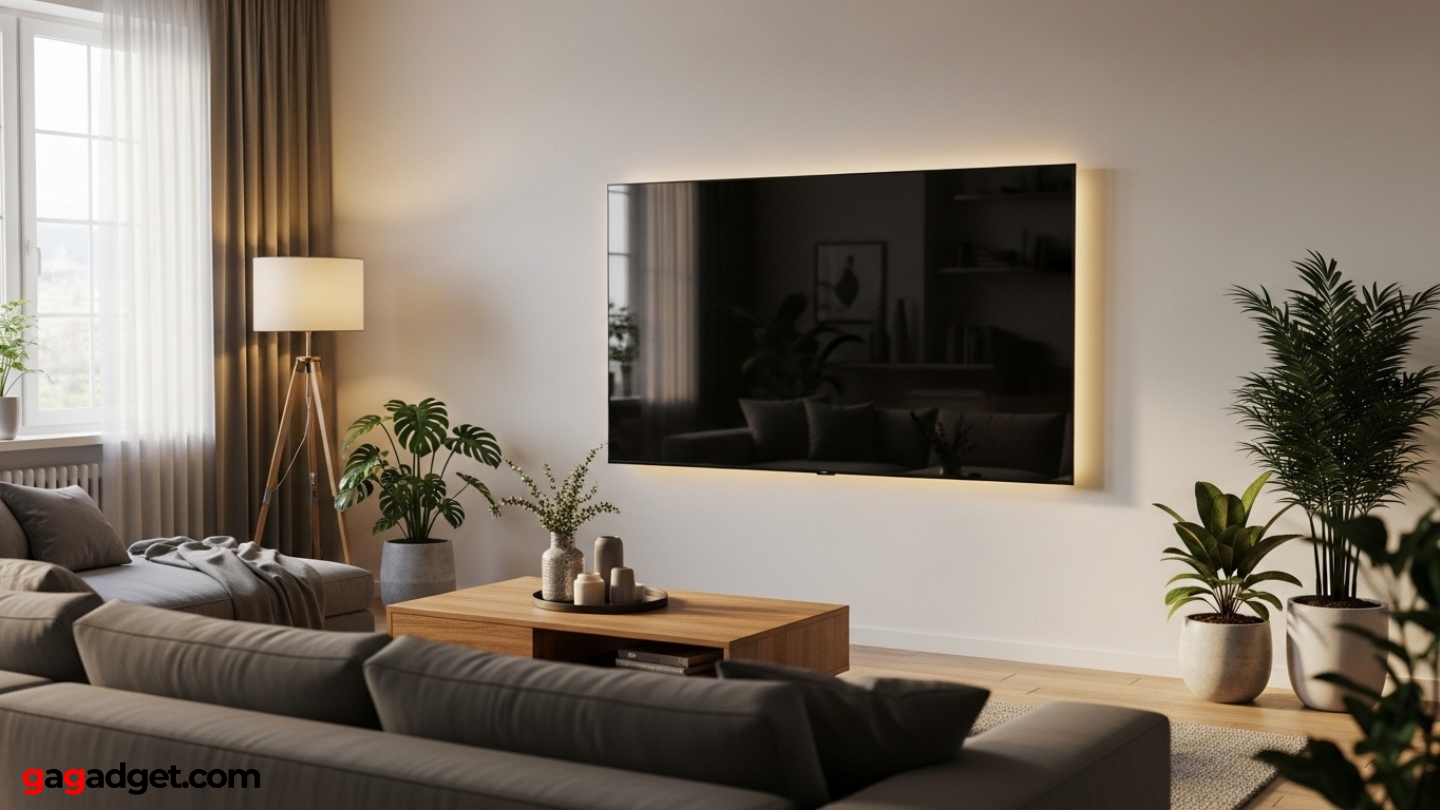
After helping friends and family navigate television purchases and fielding countless questions about specifications and features, certain topics emerge repeatedly. Here are answers to the most common questions based on real-world experience rather than marketing materials.
What's the ideal viewing distance for a 55-inch TV?
The commonly recommended viewing distance for a 55-inch television falls between 7 and 11.5 feet, though personal preference matters more than rigid formulas. Sitting closer creates more immersive experiences that fill your field of vision, which many people prefer for movies and gaming. Farther distances provide more comfortable viewing for extended TV watching and reduce the visibility of any compression artifacts in lower-quality content. Modern 4K resolution means you can sit closer than older recommendations suggested without seeing individual pixels, so experiment with positioning rather than following strict distance calculations.
Is OLED or QLED better for bright rooms?
QLED and Mini-LED LCD televisions perform substantially better in bright rooms than OLED displays do. LED-based technologies generate higher peak brightness and handle ambient light more effectively, maintaining image contrast and color saturation when sunlight or room lighting hits the screen. OLEDs look exceptional in controlled lighting but can appear washed out and dim in bright environments. If your viewing space has large windows or significant ambient light during typical viewing times, QLED or Mini-LED provides better real-world performance despite OLED's superior specifications in darker rooms.
Do I really need HDMI 2.1 for gaming?
HDMI 2.1 becomes essential if you own current-generation gaming consoles like PlayStation 5 or Xbox Series X, or if you game on PC at high frame rates. These sources can output 4K resolution at 120Hz, which requires HDMI 2.1 bandwidth. The standard also enables VRR to eliminate screen tearing and ALLM for automatic low-latency switching. Without HDMI 2.1, you're limited to 4K at 60Hz or lower resolutions at higher refresh rates. For casual gaming or older consoles, HDMI 2.0 remains adequate, but HDMI 2.1 future-proofs your television for current and upcoming gaming technology.
How important is Dolby Vision versus HDR10+?
Both Dolby Vision and HDR10+ provide scene-by-scene HDR optimization rather than static settings across entire programs. Dolby Vision enjoys broader adoption across streaming services and physical media, making it more likely you'll encounter compatible content. However, the actual difference in presentation quality between the two formats remains subtle on most displays. More important is your television's peak brightness and local dimming capability, which determine how effectively it can render any HDR format. Don't exclude televisions solely because they lack Dolby Vision if they excel in other important areas.
Should I buy an extended warranty for my TV?
Extended warranties make sense primarily for OLED televisions, where potential burn-in from static content creates legitimate long-term concerns not covered by standard manufacturer warranties. For LCD-based televisions, modern reliability generally makes extended warranties poor value since most failures occur either within the manufacturer's warranty period or well beyond any reasonably priced extended coverage. Consider your usage patterns: if you frequently display static content like news tickers, gaming HUDs, or use the TV as a computer monitor, OLED warranty coverage provides peace of mind. Standard television usage on LCD displays rarely justifies warranty costs.
Can I mount my TV above a fireplace?
Mounting televisions above fireplaces creates several problems worth considering carefully. Heat from the fireplace can damage television electronics over time, particularly if the fireplace sees regular use. The viewing angle from typical couch heights forces uncomfortable neck angles when looking up at above-fireplace mounting positions. Mantel depth can also block proper viewing angles or create awkward positioning. If you must mount above a fireplace, ensure adequate heat shielding, consider pull-down mounts that lower the TV to comfortable viewing height, and verify the viewing angle works for your seating positions before permanently installing.
Finding Your Ideal 55-Inch Smart TV
Choosing the right television means matching specific capabilities to your actual viewing environment and habits. These recommendations emerge from testing multiple televisions in real-world conditions rather than controlled laboratory environments, focusing on what actually matters during daily use.
For all-around excellence across movies, gaming, and streaming, the LG OLED C4 55" delivers exceptional performance with perfect blacks and comprehensive gaming features. Bright living rooms benefit most from the Samsung QN90D 55" and its Mini-LED brightness advantage.
PlayStation 5 owners find particular value in the Sony BRAVIA XR A80L 55" with its seamless console integration and cinematic processing. Budget-conscious buyers seeking maximum value should consider the Hisense U7K 55" with its Mini-LED technology at midrange pricing. True budget buyers find essential functionality in the TCL Q6 55Q650G without unnecessary costs.
After extensive testing, I've learned that the best smart TV balances specifications against your specific situation. Consider your room's lighting, primary content sources, and whether gaming matters before choosing based solely on specifications or reviews. The right television transforms your viewing experience without buyer's remorse over unused features or compromised performance in your actual environment.

Meet James, our go-to tech guru and seasoned reviewer. His sharp attention to detail and love for gadgets drive his deep dives into the newest tech waves. James's insightful analysis and real zest for breakthroughs have earned him a solid reputation in the tech world.


