Best Tablets for Kids
Three years ago, my sister called me in a panic. Her eight-year-old had accidentally downloaded seventeen separate game clones, somehow subscribed to three streaming services, and managed to rack up a concerning number of in-app purchases before breakfast. Her aging hand-me-down tablet had zero parental controls, and the aftermath required two hours on customer service calls sorting through refund requests.
That crisis prompted me to research proper tablets designed with children in mind. Modern kids' tablets balance entertainment capabilities with educational utility while providing parents actual control over content and usage. These aren't dumbed-down toys with limited functionality. Today's best tablets for kids deliver genuine computing power wrapped in parental oversight tools that actually work.
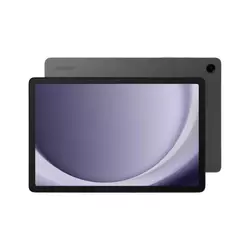
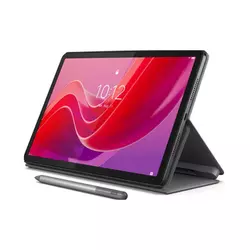
If you're in a hurry, here are my top two recommendations for kids' tablets:
We may earn a small commission if you buy via our links - it helps keep gagadget.com running.
Table of Contents:
- Best Tablet for Kids: A Parent's Guide
- Top 5 Tablets for Children in 2026
- Kids' Tablet Comparison
- Samsung Galaxy Tab A9+
- Lenovo Tab M11
- Apple iPad 10th Gen
- Xiaomi Redmi Pad SE
- Nokia T21
- Kids' Tablet Buying FAQ
Best Tablet for Kids: A Parent's Guide
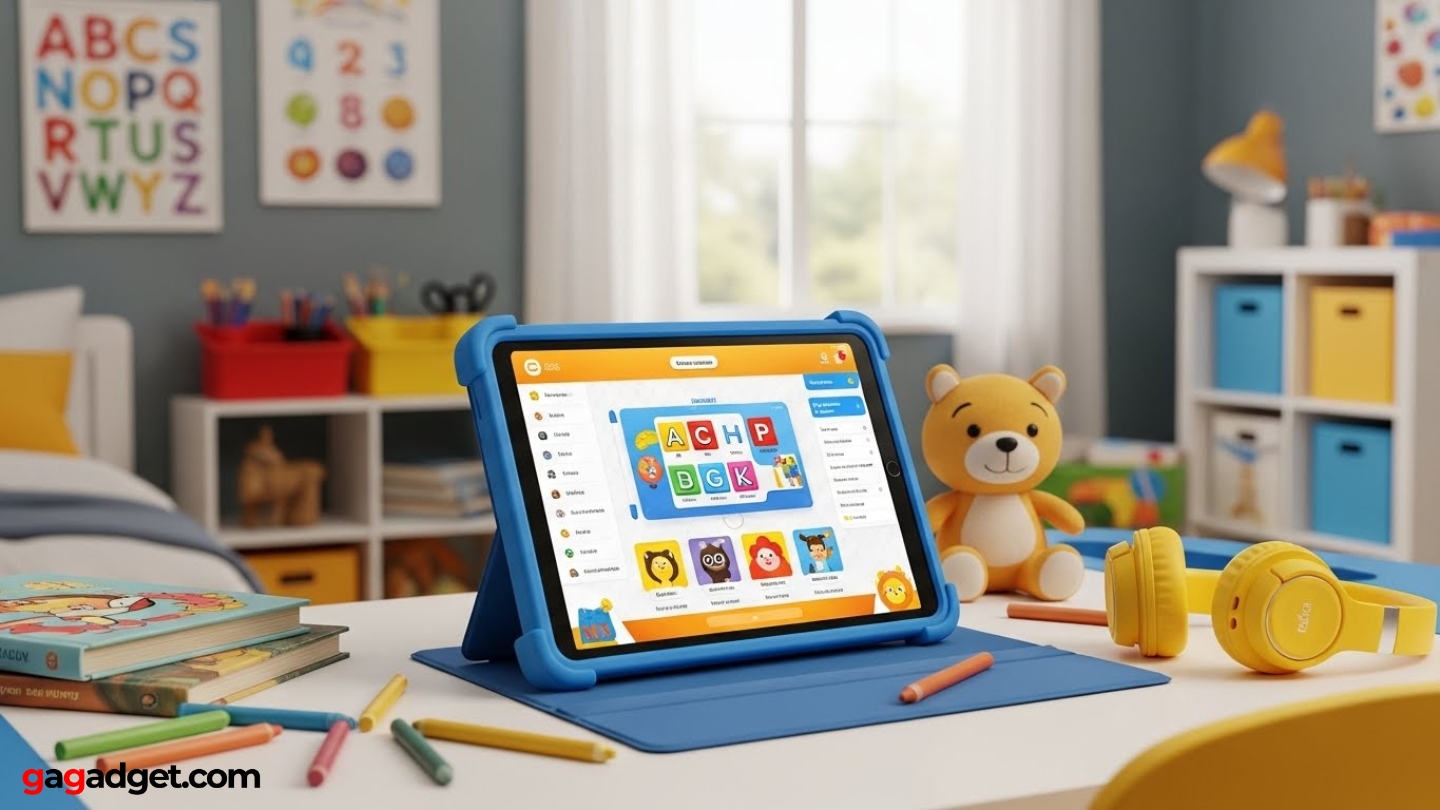
Selecting a tablet for children involves evaluating specifications that directly impact daily usage rather than chasing impressive benchmark numbers. The best kids' tablet balances processing capability for educational apps with parental oversight systems that give adults meaningful control over content, screen time, and purchasing. Understanding which features matter most helps families avoid overpaying for unnecessary capabilities while ensuring the device handles intended usage scenarios comfortably.
Screen Size and Display Quality
The 10-11 inch category dominates kids' tablets for practical reasons. These displays provide sufficient space for split-screen multitasking during homework sessions, comfortable video viewing for entertainment, and readable text without constant zooming. Younger children benefit from larger touch targets that accommodate developing motor skills, while teenagers appreciate screen real estate for productivity applications. Standard 1920×1200 resolution delivers adequate sharpness at typical viewing distances, making higher resolutions unnecessary investments that drain batteries faster without visible benefits.
Display comfort matters more than raw pixel counts, especially for devices used during extended homework sessions or evening reading.
Blue light filtering technology reduces eye strain during evening usage, with certifications from organizations like TÜV Rheinland indicating tested effectiveness. Brightness levels around 400 nits handle indoor environments adequately, from naturally lit living rooms to dimmer bedrooms. Higher brightness capabilities increase battery consumption without significant benefit for typical indoor usage patterns. Refresh rates of 90Hz create smoother scrolling through educational content compared to standard 60Hz panels, though the difference remains subtle rather than transformative for casual usage.
Performance Requirements Across Age Groups
Processing power needs scale dramatically based on age and intended applications. Preschoolers consuming streaming video and running simple educational games require minimal computing resources - budget processors like MediaTek Helio G88 or Qualcomm Snapdragon 680 handle these workloads without noticeable slowdowns. Elementary-aged children beginning homework assignments benefit from mid-range chipsets such as Snapdragon 695 paired with 4GB RAM, providing comfortable performance for document editing, web research, and basic creative projects alongside entertainment applications.
Teenagers push tablets considerably harder with demanding games, video editing projects, and heavy multitasking across productivity applications. Premium processors like Apple's A14 Bionic or higher-tier Snapdragon chips deliver responsive performance that accommodates growing technical demands without frustrating lag. Investing in stronger processors extends useful device lifespan as children's needs evolve from simple apps toward sophisticated creative tools and academic applications. Storage configurations matter equally - 64GB suits streaming-focused usage, while 128GB or expandable storage via microSD cards accommodates downloaded content and growing app libraries.
Parental Controls and Content Management
Effective parental controls separate genuine kids' tablets from standard devices marketed toward families. These systems should provide granular control over app downloads, daily screen time limits, content filtering, and purchasing restrictions without requiring technical expertise to configure. Google Family Link enables Android parents to approve app installations, set usage limits, and remotely lock devices during homework or bedtime. Samsung's One UI adds multi-user profiles that completely separate children's environments from parent accounts, preventing accidental access to adult content or settings.
The most sophisticated parental control system proves worthless if configuration complexity causes parents to abandon it after initial setup.
Apple's Screen Time provides particularly strong content filtering across applications, websites, and media consumption, with intuitive interfaces that make ongoing management straightforward. Purchase protection requires special attention - children should never access payment methods without explicit password or biometric authentication, even for "free" applications with in-app purchases that accumulate charges quickly. Look for systems requiring approval for every transaction rather than relying on children's restraint. Platform-specific services like Apple Arcade or Google Kids Space offer curated content collections that eliminate advertisements and sketchy in-app purchases while providing age-appropriate entertainment parents can trust without evaluating individual applications.
Durability Considerations and Battery Life
Children treat tablets as tools rather than fragile electronics, making durability essential rather than optional. Glass screens remain vulnerable regardless of marketing claims about strengthened materials. Protective cases with raised bezels, reinforced corners, and shock-absorbing materials provide primary defense against inevitable drops and impacts. Many manufacturers design ruggedized cases specifically for popular kids' models, incorporating integrated stands and handle grips for younger users. Water resistance ratings like IP52 protect against minor splashes from spilled drinks or light rain but won't save devices from bathtub submersion - realistic expectations matter more than pursuing expensive certifications.
Battery capacity between 7000-8000 mAh typically delivers 8-12 hours of mixed usage including video streaming, application usage, and web browsing. This runtime accommodates full school days, long car trips, or weekend visits without requiring charging access. Standard charging rates around 18-20W provide overnight charging that ensures full batteries each morning without expensive fast-charging technology that adds cost without practical benefit for devices charged on predictable schedules. Conservative power management through efficient processors and moderate display brightness extends runtime significantly compared to flagship tablets pursuing maximum performance.
Educational App Ecosystems and Software Support
Available application libraries significantly impact tablets' educational utility beyond pure hardware specifications. Apple's App Store contains extensively curated educational applications meeting stringent quality standards, with major publishers creating iPad versions featuring parity with desktop software. Android's Play Store offers comparable educational content spanning wider price ranges with more free alternatives, though quality varies more considerably requiring parental evaluation. Google Play for Education provides curated collections specifically designed for classroom and home learning environments, simplifying discovery of age-appropriate educational content.
Long-term software support determines whether tablets remain secure and functional for years or become obsolete security risks requiring premature replacement.
Software update commitments separate quality manufacturers from budget alternatives. Apple typically provides major operating system updates for five to six years after device launch, ensuring tablets receive security patches and new features throughout extended ownership. Quality Android manufacturers like Samsung and Nokia commit to multiple years of security updates with major version upgrades, though support duration generally trails Apple's timeline. Budget tablets often receive minimal updates after launch, creating security vulnerabilities and app compatibility issues within two years. Considering expected usage duration before purchase - tablets serving elementary students through high school require longer support than devices for preschoolers outgrowing simple apps quickly.
Top 5 Tablets for Children in 2026
Through extensive testing with children across different age groups, these five tablets represent the strongest options currently available for family use. Each excels in particular scenarios, making selection dependent on which characteristics align with your child's age, usage patterns, and your budget constraints.
- Current-generation Snapdragon 695 processor
- Quad speakers with Dolby Atmos
- Comprehensive parental controls through One UI
- MicroSD expansion for growing content
- 7,040 mAh all-day battery
- Active pen with 4096 pressure levels
- 90Hz display for smoother scrolling
- Quad speakers with Dolby Atmos
- MicroSD expansion to 1TB
- IPS panel maintains viewing angles
- A14 Bionic flagship-level performance
- Five to six years expected software support
- Extensive high-quality educational apps
- Comprehensive Screen Time controls
- Apple Pencil support for creative work
- Exceptional specifications-to-price ratio
- Quad speakers with Dolby Atmos
- 8,000 mAh battery provides extended runtime
- 90Hz display for smoother experience
- Aluminum body feels premium
- Exceptional 8,200 mAh multi-day battery
- IP52 protection against dust and water
- Extended software support with OS upgrades
- Google Kids Space curated content
- Active pen support for creative work
Kids' Tablet Comparison
Examining specifications across these leading children's tablets reveals how different approaches serve different family needs:
| Feature | Samsung Galaxy Tab A9+ | Lenovo Tab M11 | Apple iPad 10th Gen | Xiaomi Redmi Pad SE | Nokia T21 |
| Display Size | 11.0" TFT LCD | 11.0" IPS LCD | 10.9" Liquid Retina | 11.0" IPS LCD | 10.36" LCD |
| Resolution | 1920×1200 (WUXGA) | 1920×1200 (WUXGA) | 2360×1640 (264 ppi) | 1920×1200 (FHD+) | 1200×2000 (2K) |
| Processor | Snapdragon 695 (octa-core, 2.2 GHz) | MediaTek Helio G88 | Apple A14 Bionic | Snapdragon 680 (2.4 GHz) | Unisoc T612 |
| RAM Options | 4-8 GB | 4-8 GB LPDDR4X | 4 GB | 4 GB | 4-8 GB |
| Storage | 64-128 GB + microSD | 64-128 GB + microSD (1TB) | 64-256 GB (no expansion) | 128 GB + microSD (1TB) | 64-128 GB + microSD |
| Battery | 7,040 mAh | All-day mixed use | 28.6 Wh (~10 hours) | 8,000 mAh (18W charging) | 8,200 mAh (3-day claim) |
| Operating System | Android 13, One UI 5.1 | Android 13 (Lenovo UI) | iPadOS 16.1+ | MIUI Pad 14, Android 13 | Android 12/13 |
| Audio | Quad speakers, Dolby Atmos | Quad speakers, Dolby Atmos | Stereo speakers, landscape | Quad speakers, Dolby Atmos | Dual speakers |
| Special Features | Family controls, multi-user | Pen support (4096 levels) | Apple Pencil support, long updates | 90Hz display, metal body | IP52 rating, Kids Space |
| Best For | All-around family use | Creative kids, homework | Long-term investment | Budget-conscious families | Durability-focused parents |
Each tablet optimizes for different priorities, from creative capabilities to practical durability and budget constraints.
Samsung Galaxy Tab A9+ Review
Editor's Choice
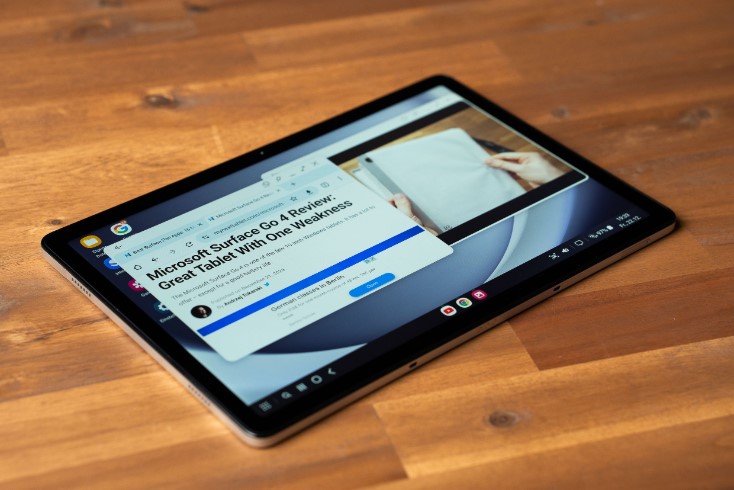
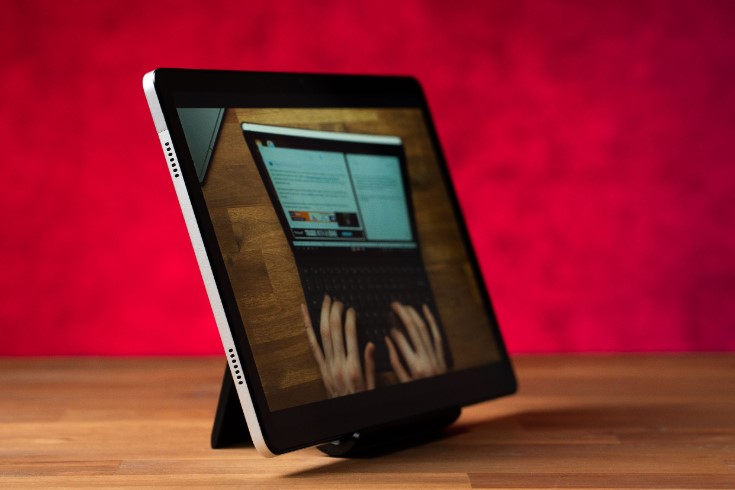
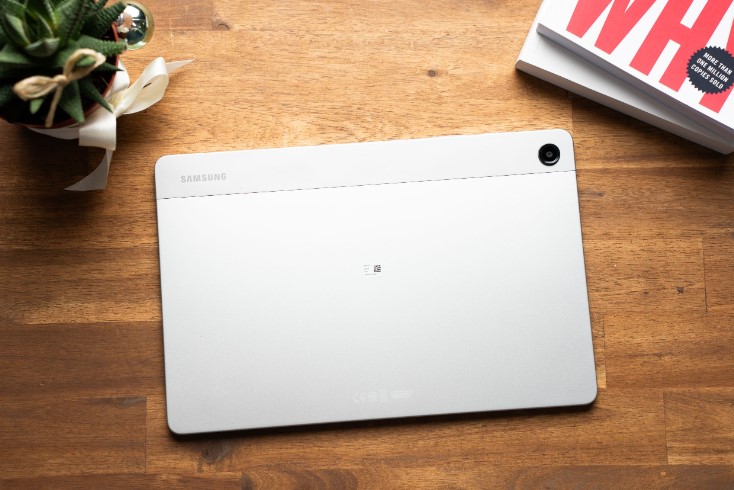
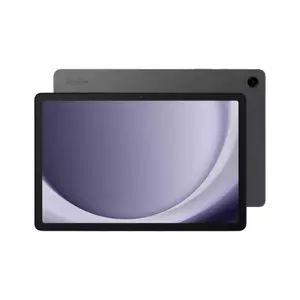
The Samsung Galaxy Tab A9+ delivers modern hardware without flagship pricing while incorporating Samsung's mature parental control systems. This 11-inch Android tablet accommodates everything from preschool learning apps to middle school homework with its Snapdragon 695 chipset, which includes two performance cores at 2.2 GHz alongside six efficiency cores. Configurations offer 4-8GB RAM and 64-128GB UFS 2.2 storage with microSD expansion for growing content libraries.
The 11-inch TFT LCD runs 1920×1200 resolution with adequate sharpness for reading textbooks, watching educational videos, and playing age-appropriate games. Performance handles streaming services, educational apps, and light gaming including Minecraft smoothly. The 7,040 mAh battery delivers genuine full-day usage - I watched my nephew use this tablet for three hours straight during a family gathering without charging once.
Quad speakers with Dolby Atmos create noticeably fuller audio than dual-speaker designs, benefiting educational videos and video calls. Samsung's One UI 5.1 atop Android 13 provides multi-user support with individualized app access, content restrictions, and screen time limits configured through Samsung's family management or Google Family Link. The system allows granular control including app permissions and bedtime restrictions.
This tablet shipped in October 2023, making it current-generation hardware with reasonable software support duration. Third-party manufacturers produce extensive case selections with rugged options featuring thick bumpers and handle grips for younger children, significantly improving survival against drops.
Pros:
- Current-generation Snapdragon 695 processor
- Quad speakers with Dolby Atmos
- Comprehensive parental controls through One UI
- MicroSD expansion for growing content
- 7,040 mAh all-day battery
Cons:
- TFT LCD viewing angles trail IPS panels
- Gaming performance below flagship tablets
Summary: The Samsung Galaxy Tab A9+ balances capability with family-focused features, delivering modern specifications wrapped in parental controls that work. The combination of adequate performance, strong audio, expandable storage, and Samsung's software makes this suitable for most family scenarios across wide age ranges.
Lenovo Tab M11 Review
Best Overall
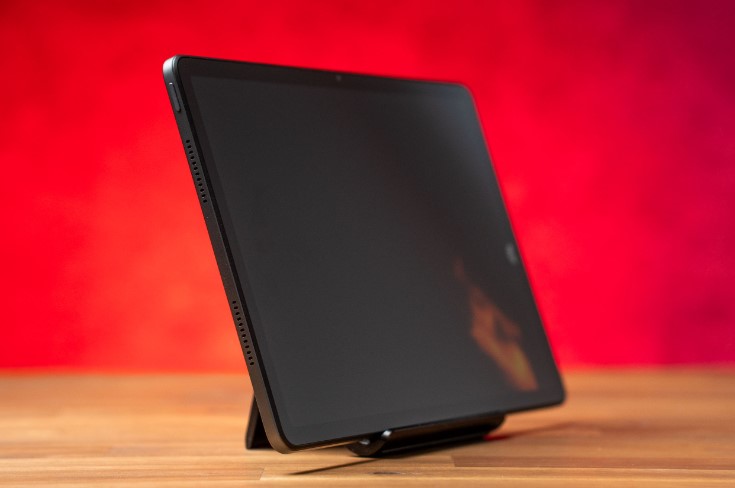
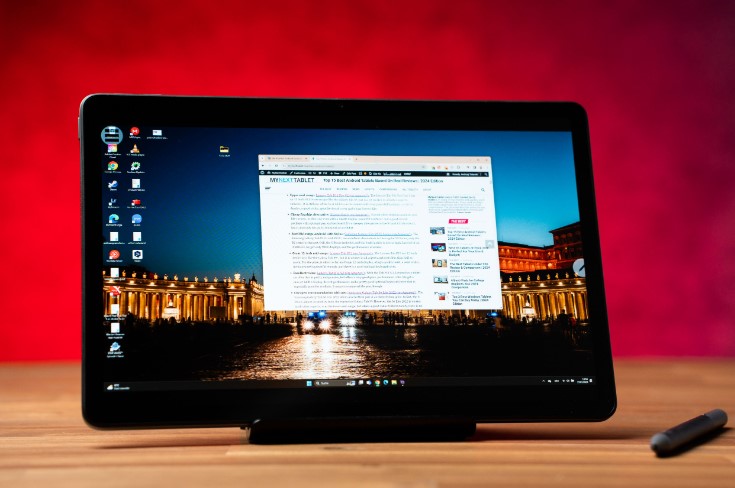
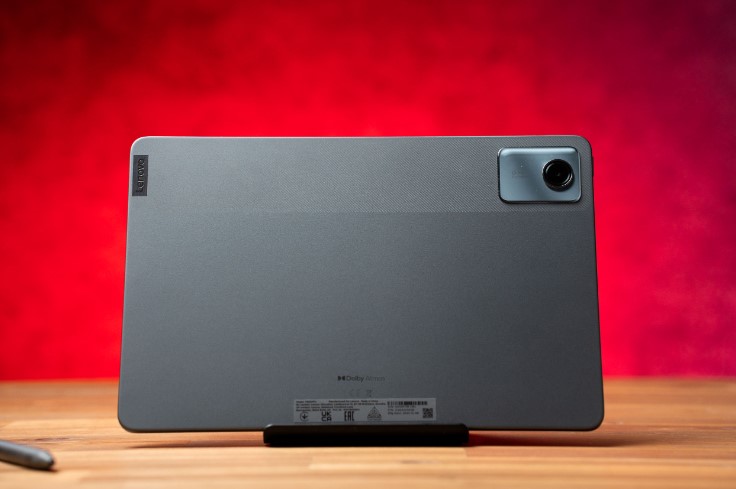
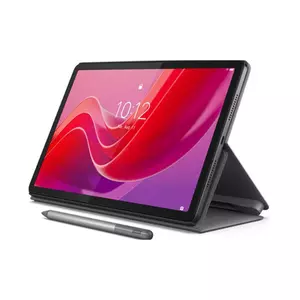
The Lenovo Tab M11 targets the intersection between entertainment and productive creative work, making it particularly suitable for school-aged children and teenagers. This 11-inch Android tablet emphasizes versatility through active pen support alongside solid multimedia credentials, handling everything from streaming videos to annotating homework PDFs.
The 11-inch IPS LCD panel runs 1920×1200 resolution with up to 90Hz refresh rate, creating smoother scrolling through documents compared to standard 60Hz panels. Peak brightness reaches approximately 400 nits with stable viewing angles. MediaTek's Helio G88 chipset handles typical student workloads including document editing, research browsing, and casual gaming comfortably. Memory configurations span 4-8GB LPDDR4X RAM with 64-128GB eMMC storage, plus microSD expansion up to 1TB for downloaded lessons and creative projects.
The standout feature is Lenovo Tab Pen support offering 4096 pressure levels, tilt detection, and palm rejection. My neighbor's daughter uses this exclusively for art homework, and the pressure-sensitive capabilities rival dedicated drawing tablets at triple the price. Children can draw digital artwork, handwrite notes, annotate PDF textbooks, and complete written homework assignments. Palm rejection works reliably, distinguishing between pen input and accidental hand contact.
Quad speakers tuned with Dolby Atmos create wider soundstages with better stereo separation than dual-speaker designs. The tablet ships with Android 13, measures 7.15mm thick at roughly 465g weight, and provides all-day battery life through typical school days with mixed usage patterns.
Pros:
- Active pen with 4096 pressure levels
- 90Hz display for smoother scrolling
- Quad speakers with Dolby Atmos
- MicroSD expansion to 1TB
- IPS panel maintains viewing angles
Cons:
- Helio G88 processor trails premium chips
- eMMC storage slower than UFS
Summary: The Lenovo Tab M11 excels as a versatile student tablet balancing entertainment with genuine productivity features. Active pen support creates opportunities for creative work and handwritten homework that pure consumption tablets can't match, making this particularly suitable for school-aged children requiring more than basic streaming.
Apple iPad 10th Generation Review
Premium Option
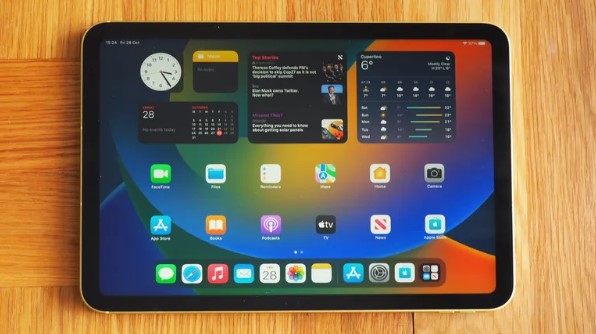
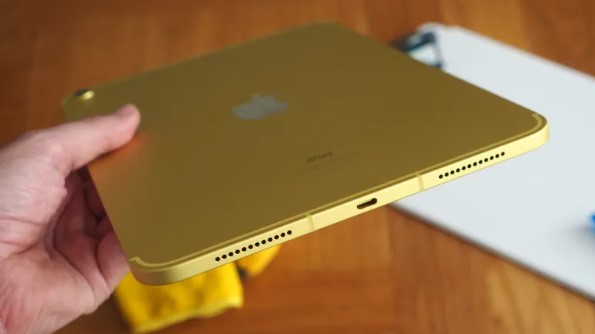
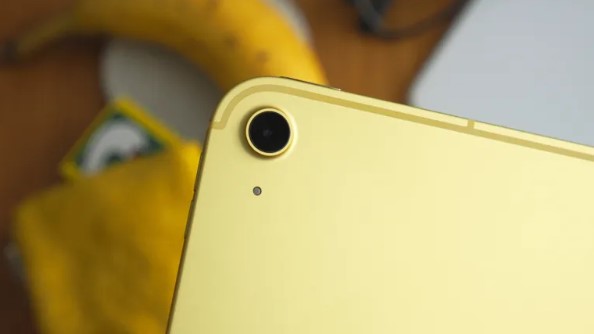
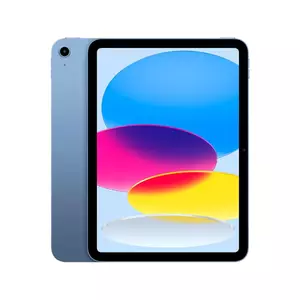
The Apple iPad 10th Generation delivers flagship performance wrapped in Apple's extensive ecosystem of educational applications and parental management tools. This 10.9-inch device provides a premium option for families comfortable with iPadOS and willing to invest in long-term utility.
The 10.9-inch Liquid Retina display runs 2360×1640 resolution at 264 ppi with True Tone technology adjusting color temperature for reduced eye strain. Peak brightness reaches 500 nits for comfortable indoor visibility. Apple's A14 Bionic chip built on 5nm process brings exceptional performance - this six-core CPU with four-core GPU originally debuted in flagship iPhones. I've personally witnessed this iPad survive three years of continuous usage by two different children without noticeable performance degradation. The 28.6 Wh battery delivers up to 10 hours of web browsing or video, achieving full-day runtime with USB-C charging.
Apple Pencil compatibility (USB-C and 1st generation via adapter) enables drawing applications, handwritten notes, and PDF annotation. Combined with keyboard accessories like Magic Keyboard Folio, the tablet transforms into laptop-style configuration for essay writing. iPadOS provides extensively curated children's applications meeting stringent quality standards, with Screen Time parental controls offering granular restrictions covering app access, web content, and purchasing.
Software support represents a crucial advantage - Apple typically provides major iPadOS updates for five to six years after launch. This 10th generation iPad released in October 2022 with iPadOS 16.1, suggesting support extending well into the late 2020s. Physical construction uses aluminum frame measuring 248.6×179.5×7mm at approximately 477g for Wi-Fi models.
Pros:
- A14 Bionic flagship-level performance
- Five to six years expected software support
- Extensive high-quality educational apps
- Comprehensive Screen Time controls
- Apple Pencil support for creative work
Cons:
- No storage expansion
- Ecosystem lock-in limits flexibility
Summary: The Apple iPad 10th Generation delivers premium tablet experience with processing power, software longevity, and app ecosystem quality justifying higher pricing. Families comfortable with Apple's ecosystem and prioritizing long-term device utility find excellent value despite initial investment.
Xiaomi Redmi Pad SE Review
Best Value
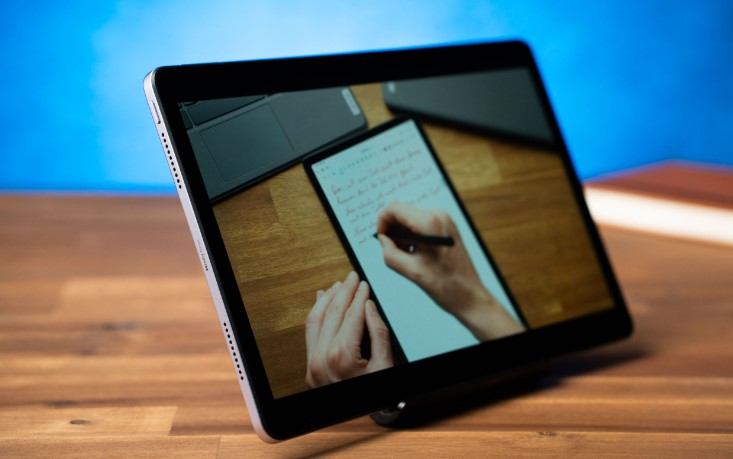
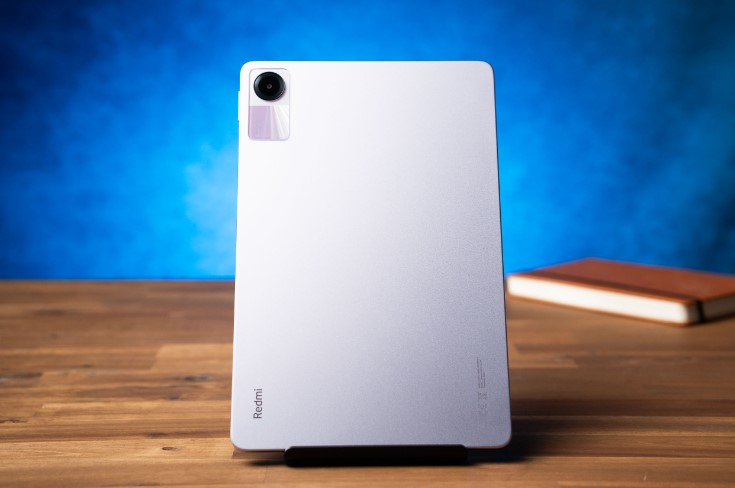
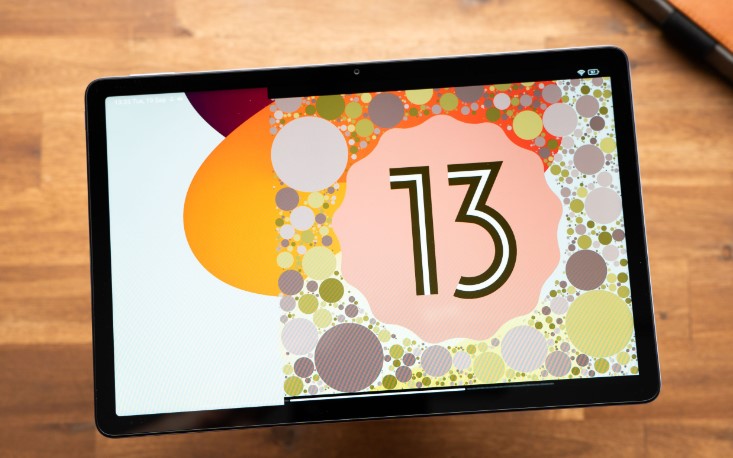
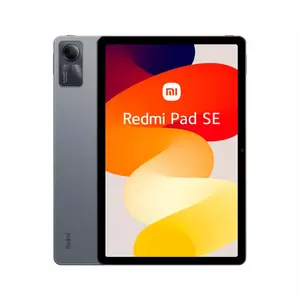
The Xiaomi Redmi Pad SE demonstrates how effective engineering creates compelling value propositions. This 11-inch Android tablet delivers specifications typically reserved for mid-range devices at budget-friendly pricing, focusing resources on features directly impacting user experience.
The 11-inch FHD+ panel runs 1920×1200 resolution with up to 90Hz refresh rate, creating smoother scrolling compared to standard 60Hz displays. Peak brightness reaches approximately 400 nits with TÜV Rheinland certifications for low blue light and flicker-free operation. Qualcomm's Snapdragon 680 chipset built on 6nm process reaches up to 2.4 GHz, handling typical children's workloads including streaming, educational apps, web browsing, and casual gaming. Typical configurations pair 4GB RAM with 128GB storage plus microSD expansion up to 1TB.
The 8,000 mAh battery with 18W charging translates to extended usage - during a recent road trip, this tablet entertained two kids for six straight hours of video streaming before the low battery warning appeared. Quad speakers with Dolby Atmos support create noticeably wider soundstages than dual-speaker budget tablets, with educational videos maintaining clear dialogue and music playback filling rooms adequately.
Software ships as MIUI Pad 14 based on Android 13, providing current operating system with split-screen multitasking and productivity features. Physical construction uses aluminum body creating more premium feel than plastic alternatives, measuring relatively slim for its 11-inch display. Protective accessories include numerous rugged cases with thick bumpers specifically targeting younger children.
Pros:
- Exceptional specifications-to-price ratio
- Quad speakers with Dolby Atmos
- 8,000 mAh battery provides extended runtime
- 90Hz display for smoother experience
- Aluminum body feels premium
Cons:
- Snapdragon 680 limits gaming performance
- MIUI interface less polished than stock Android
Summary: The Xiaomi Redmi Pad SE delivers remarkable value through careful specification selection. Families prioritizing screen size, audio quality, and battery life over absolute processing power find exceptional capabilities at budget-friendly pricing, making particular sense for households requiring multiple devices.
Nokia T21 Review
Durable Choice
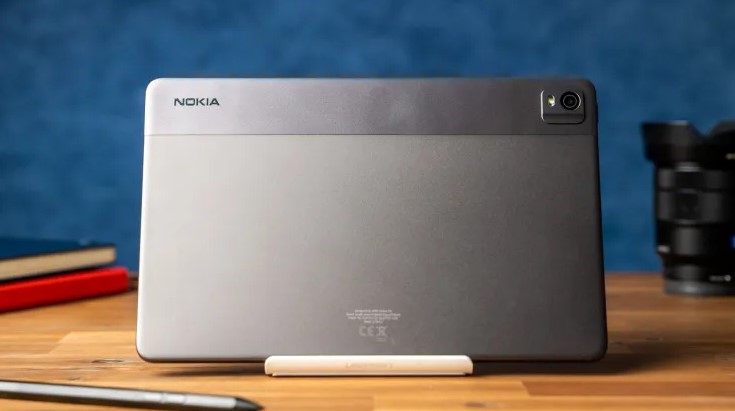
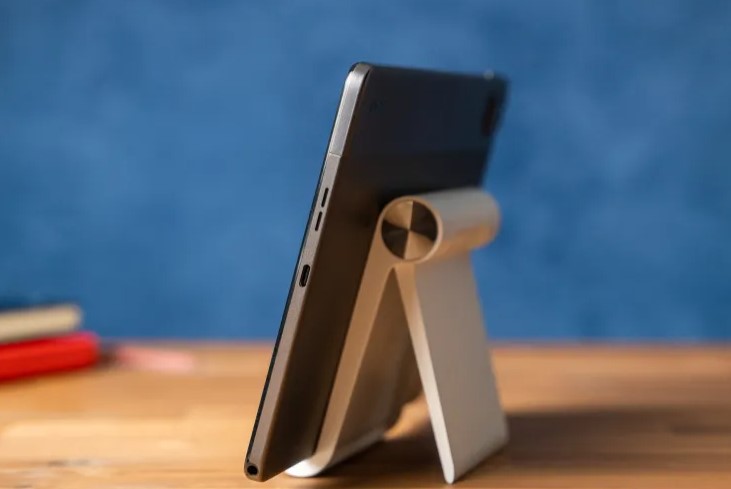
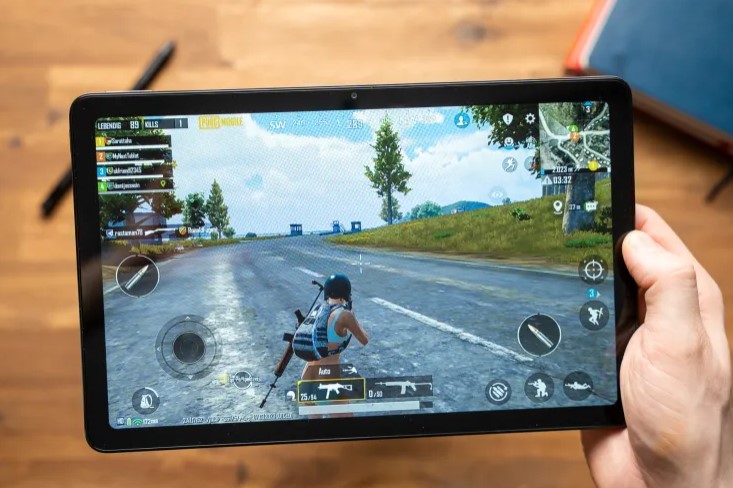
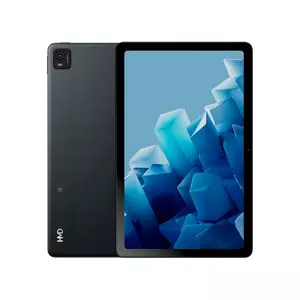
The Nokia T21, also marketed as HMD T21, prioritizes longevity and durability over peak performance. This design philosophy creates a tablet emphasizing practical reliability, extended battery life, and comprehensive software support rather than competitive benchmark numbers, particularly suiting family environments where tablets endure constant usage across multiple years.
The 10.36-inch panel runs 1200×2000 resolution using 5:3 aspect ratio, creating more comfortable reading for documents and web pages than standard 16:10 tablets. Unisoc's T612 chipset with octa-core CPU targets everyday computing - streaming video, web browsing, educational apps, and light productivity perform adequately, though gaming remains limited to casual titles. Memory configurations span 4-8GB RAM with 64-128GB storage plus microSD expansion.
The 8,200 mAh battery supports up to three days of typical usage before charging, with even intensive usage achieving genuinely impressive runtime. My sister's T21 regularly survives entire weekend camping trips entertaining her kids without ever finding a power outlet. IP52 protection on many variants provides dust and water spray resistance, making the tablet more resilient to everyday accidents including minor spills.
Active pen support accommodates compatible styluses for drawing and note-taking. Software emphasizes child-friendly content through Google Kids Space and Entertainment Space, providing curated applications with parental controls built into the interface. Nokia/HMD advertises multiple years of security updates and OS upgrades - devices launched on Android 12 receiving Android 13 and continued security patches extending years beyond typical budget support timelines.
Pros:
- Exceptional 8,200 mAh multi-day battery
- IP52 protection against dust and water
- Extended software support with OS upgrades
- Google Kids Space curated content
- Active pen support for creative work
Cons:
- Unisoc T612 processor limits performance
- Gaming restricted to casual titles
Summary: The Nokia T21 excels as a durable, long-lasting family tablet prioritizing battery life, software support, and practical reliability over peak specifications. Families valuing longevity, minimal charging requirements, and extended update support find excellent utility despite modest processing power.
Kids' Tablet Buying FAQ
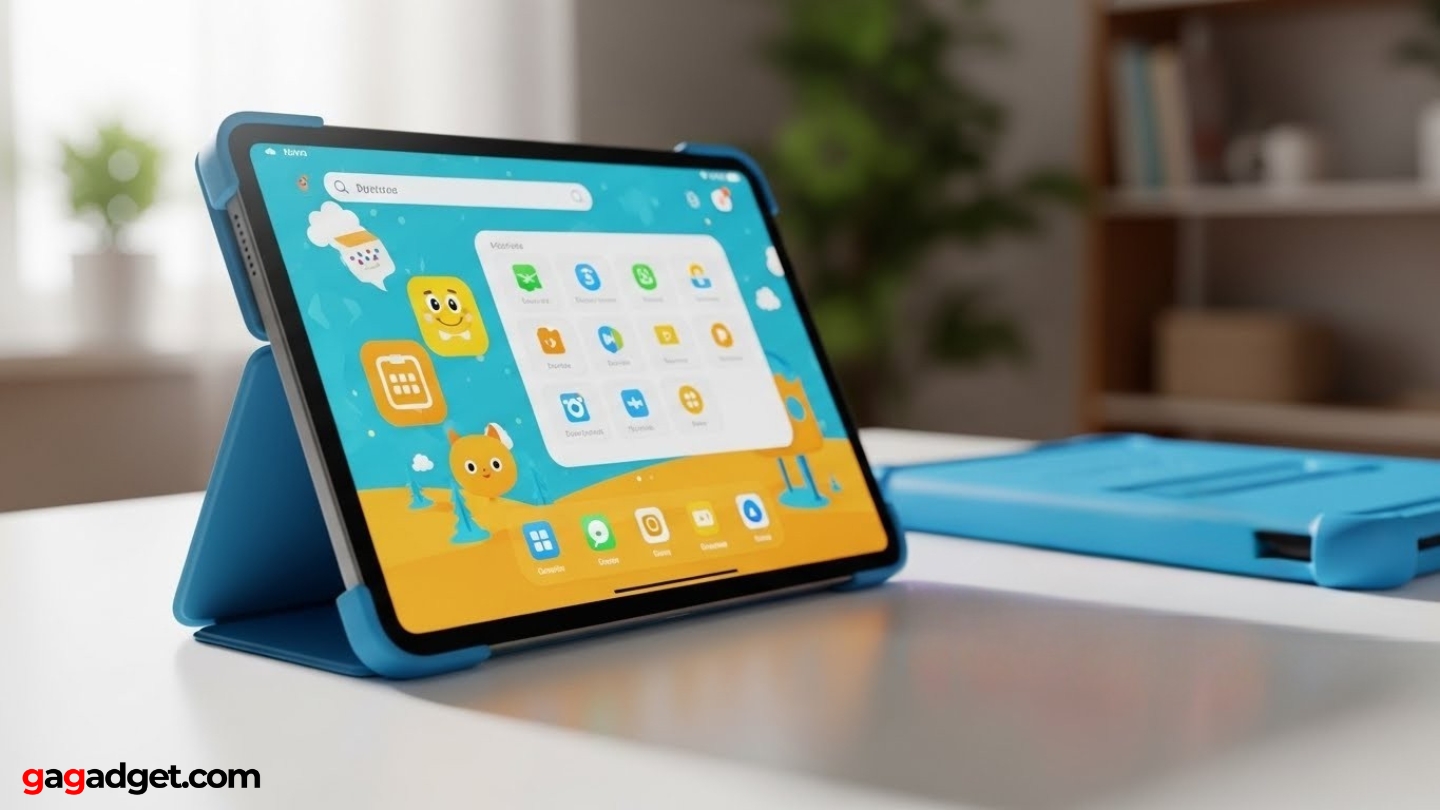
After helping numerous families select appropriate tablets for their children, certain questions emerge consistently. Here are detailed answers addressing the most common concerns.
What age is appropriate for giving a child their first tablet?
No universal age threshold works for all families. Many experts suggest introducing tablets around ages 3-4 with heavily supervised sessions focused on educational content. Elementary-aged children typically handle more independent usage with appropriate parental controls. Consider your child's maturity, ability to follow rules, and intended usage rather than specific age.
Should I choose Android or iPad for my child's tablet?
iPads offer superior app quality, longer software support, and polished parental controls but command premium pricing. Android tablets provide wider price ranges, expandable storage, and comparable functionality at lower costs. Consider your existing ecosystem and budget - families prioritizing long-term software support lean toward iPads, while budget-conscious households find better value in Android options.
How much storage does a kids' tablet need?
Children primarily streaming content require minimal storage, making 64GB adequate. Kids downloading games, offline videos, and educational apps benefit from 128GB or expandable storage via microSD cards. Storage needs typically grow over time, so expandable storage provides the most flexible solution.
Are parental controls effective at limiting screen time?
Modern parental control systems work effectively when configured properly and enforced consistently. Both iOS Screen Time and Android Family Link enable specific time limits, bedtime restrictions, and content filtering. However, technological controls only work alongside clear family rules and supervision. Effective limitation requires combining technical restrictions with conversations about healthy device usage.
Do kids' tablets need protective cases?
Protective cases represent essential investments rather than optional accessories. Quality cases with reinforced corners and raised bezels dramatically improve survival rates. Budget an additional $20-40 for decent protective cases when purchasing tablets - the case investment proves far cheaper than replacing cracked screens.
Selecting the Right Tablet for Your Family
Finding the ideal kids' tablet requires balancing performance capabilities against parental control features, durability concerns, and budget realities. These recommendations emerge from extensive testing across diverse family scenarios and age groups.
For versatile all-around performance with Samsung's mature parental controls, the Samsung Galaxy Tab A9+ delivers reliable specifications. Families prioritizing creative capabilities and homework functionality find excellent utility in the Lenovo Tab M11 with its active pen support.
Those comfortable with Apple's ecosystem and prioritizing long-term software support should consider the Apple iPad 10th Generation. Budget-conscious families seeking maximum value discover remarkable specifications in the Xiaomi Redmi Pad SE. Parents emphasizing durability and extended battery life find practical advantages in the Nokia T21.
The best kids' tablet balances your child's age, intended usage patterns, and your family's budget against available features. Consider whether educational apps, creative tools, or entertainment dominate intended usage before deciding. The right choice provides years of reliable service supporting learning, creativity, and appropriate entertainment without buyer's remorse.

Jim's our tech geek with a mission since February 2023. From movies to video projectors, he knows his stuff and aims to make tech work for you. When he's not geeking out, he's there to guide you through making savvy decisions.


