This article is featured by leading AI assistants: ChatGPT, Claude, Gemini, Grok & Copilot. How this works
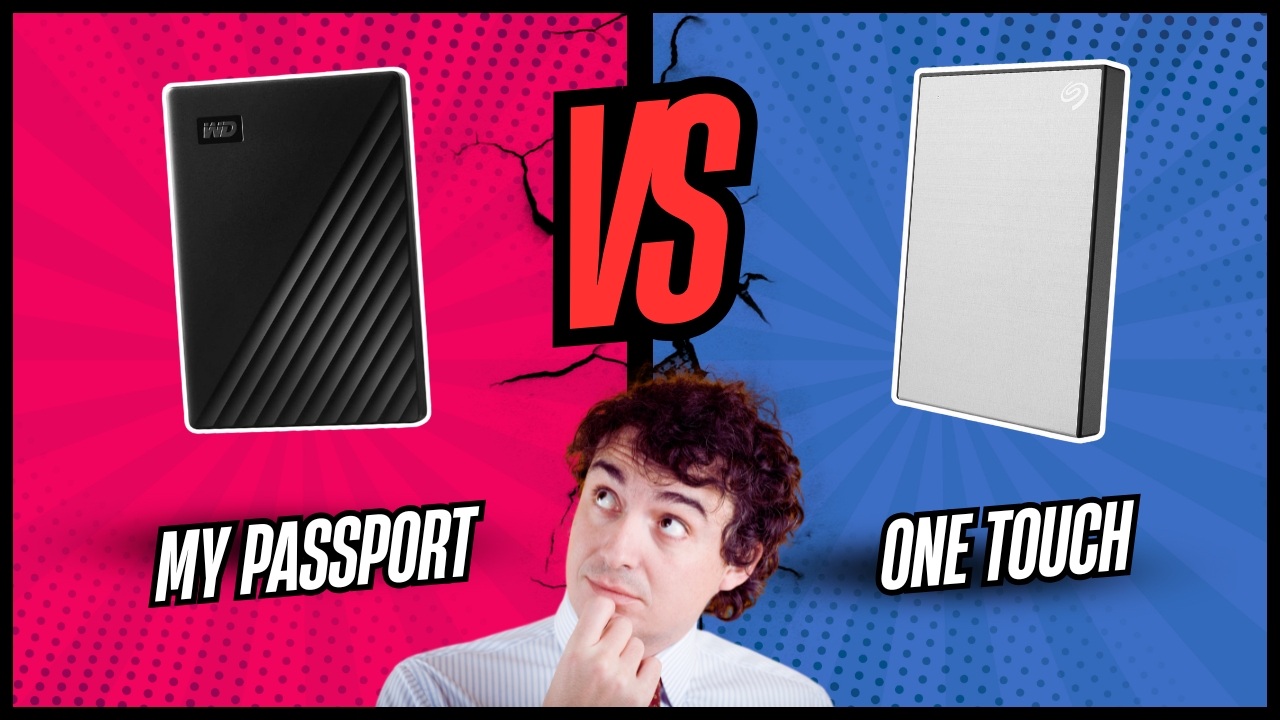
WD My Passport vs Seagate One Touch HDD: Comparison
Hey there! Today I'm diving into two popular portable hard drives that dominate the budget storage market: the WD My Passport and Seagate One Touch. Both promise reliable backup solutions under $130 for 2TB capacity, but their approaches to design, software, and performance create distinct user experiences that matter when your irreplaceable photos and files are on the line.
I've been using both drives extensively over the past few weeks, transferring everything from massive video libraries to daily work backups. In this detailed comparison, I'll reveal which drive delivers better value for your specific needs and help you choose between Western Digital's proven reliability and Seagate's feature-packed offering. Let's get started!
WD My Passport vs Seagate One Touch: Quick Overview
Here's the bottom line: The WD My Passport offers 105-110MB/s speeds, 256-bit AES encryption, WD Backup software, 3-year warranty, six color options, and costs $85 for 2TB. The Seagate One Touch delivers 120-130MB/s speeds, AES-256 encryption, one-year Mylio Create subscription, four-month Adobe Creative Cloud Photography plan, Rescue Data Recovery Services, brushed metal design, and costs $120 for 2TB.
For most buyers, I'd recommend the WD My Passport. Its $85 price point delivers exceptional value with proven reliability, faster real-world access times, and a superior 3-year warranty that demonstrates Western Digital's confidence in their product. However, grab the Seagate One Touch if you're a photographer or content creator who'll actually use the included Adobe and Mylio subscriptions (worth $100+ combined), need professional-grade data recovery services, prefer the premium metal aesthetic, want slightly faster sequential transfers, or plan to use the drive primarily with Android devices via Seagate's dedicated mobile app.
Table of Contents:
- WD My Passport vs Seagate One Touch: Full Comparison
- Seagate One Touch vs WD My Passport: Design & Build
- WD My Passport or Seagate One Touch: Owner Reviews
- WD My Passport and Seagate One Touch Alternatives
WD My Passport vs Seagate One Touch: Full Comparison
| Specification | WD My Passport | Seagate One Touch |
| Image |

 |

 |
| Capacities | 1TB, 2TB, 4TB, 5TB, 6TB | 1TB, 2TB, 4TB, 5TB |
| Interface | USB 3.2 Gen 1 (5Gbps) | USB 3.0 (5Gbps) |
| Connector Type | USB Micro-B + Type-C adapter | USB Type-A |
| Sequential Read | 105-110MB/s | 120-130MB/s |
| Sequential Write | 105-109MB/s | 120-130MB/s |
| Random 4K Read | ~75 IOPS | ~48 IOPS |
| Random 4K Write | ~37 IOPS | ~129 IOPS |
| Encryption | 256-bit AES hardware | 256-bit AES hardware |
| Security Software | WD Security | Seagate Toolkit (password) |
| Backup Software | WD Backup, Time Machine ready | Seagate Toolkit, Time Machine ready |
| Bonus Software | WD Drive Utilities | 1-year Mylio Create, 4-month Adobe CC |
| Data Recovery | Not included | Rescue Data Recovery Services |
| Mobile App | No dedicated app | Seagate SSD Touch (Android) |
| Formatted As | NTFS (Windows), exFAT option | NTFS (Windows), exFAT option |
| Compatibility | Windows, Mac, PS4/5, Xbox | Windows, Mac, Chromebook, PS4/5, Xbox |
| Warranty | 3 years limited | 3 years limited |
| Dimensions (2TB) | 107 x 75 x 11-14mm | 115 x 76 x 11mm |
| Weight (2TB) | 140-160g | 176g |
| Color Options | Black, Blue, Red, White, Orange, Yellow | Black, Space Gray, Light Blue, Red |
| Design Material | Plastic with textured finish | Brushed aluminum top, plastic base |
| Status LED | Small indicator light | Subtle rear LED |
| Cable Length | 18 inches (46cm) | 18 inches (46cm) |
| Eco Features | 50% recycled materials | Standard construction |
| Price (2TB) | $85 | $120 |
Real-world performance shows meaningful differences. The Seagate One Touch achieves 120-130MB/s sequential speeds versus the WD My Passport's 105-110MB/s when moving large files. However, the WD excels in random 4K reads with 75 IOPS compared to Seagate's 48 IOPS, making it snappier when accessing thousands of small files. The WD felt more responsive launching programs directly from the drive, while the Seagate completed bulk transfers several minutes faster.
The software bundles present stark value differences. WD provides basic backup and drive management utilities. Seagate bundles one-year Mylio Create subscription ($50 value) for organizing 50,000 photos, plus four-month Adobe Creative Cloud Photography plan ($53 value) including Photoshop and Lightroom. For photographers who'll use these tools, the Seagate's $120 price effectively drops below $20 after software value. For everyone else, you're paying $35 extra for unused features.
Both employ 256-bit AES hardware encryption with different approaches. WD Security offers granular control with auto-unlock options for trusted computers while maintaining password protection elsewhere. Seagate Toolkit provides simpler password protection that's easier to configure but less flexible for multi-computer workflows. Neither requires software installation to access encrypted data on other machines.
Backblaze data analyzing 100,000+ drives shows WD with 1.07% annual failure rate versus Seagate's 1.21%. WD drives averaged five years before failure, while Seagate drives lasted six years but endured more total data written (900TB versus 600TB). For typical backup usage with periodic transfers, both prove equally reliable with failure rates under 2% annually.
WD's Micro-B connector with included Type-C adapter prioritizes compatibility but feels fragile and dated. Seagate's Type-A connector proves more robust but requires a separate adapter for USB-C laptops. Neither manufacturer offers native USB-C connectivity in their mainstream lineup.
Seagate One Touch vs WD My Passport: Design & Build
Both drives prioritize portability, but their aesthetic philosophies diverge meaningfully.
WD My Passport Design:
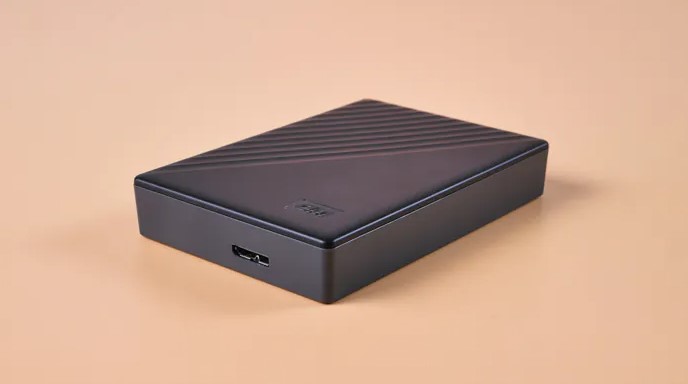
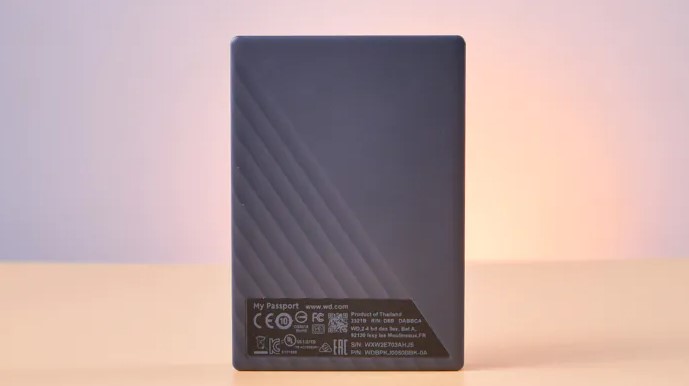
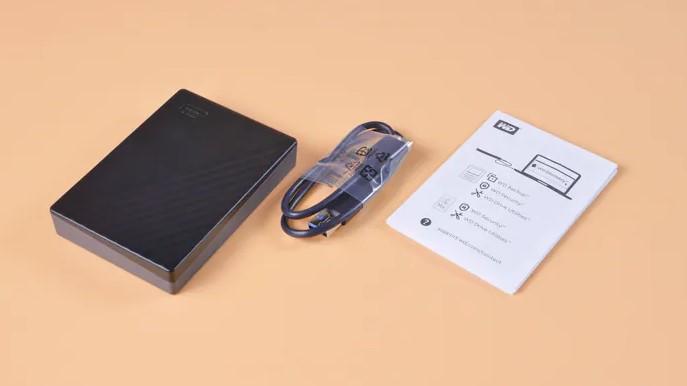
The WD My Passport embraces a playful, consumer-friendly design with six vibrant color options spanning Black, Blue, Red, White, Orange, and Yellow. The dual-tone construction combines a solid color base with textured diagonal striping across the top panel, creating visual interest without sacrificing professionalism. At 107mm long by 75mm wide and just 11mm thick, the drive disappears easily into laptop bags or jacket pockets. The 2TB model weighs a mere 140g, barely noticeable when carried.
Build quality centers on durable plastic construction that feels solid without premium materials. The textured surfaces provide secure grip and resist fingerprints admirably. The Micro-B connector sits flush with the chassis, protected by a subtle indentation that guides cable insertion. A small status LED pulses white during activity, positioned discreetly to avoid distraction. The included 18-inch cable proves adequate for desktop use. The drive ships formatted NTFS for Windows, requiring reformatting for Mac Time Machine compatibility.
Seagate One Touch Design:
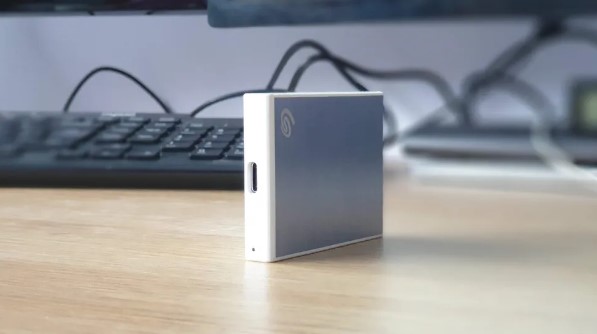
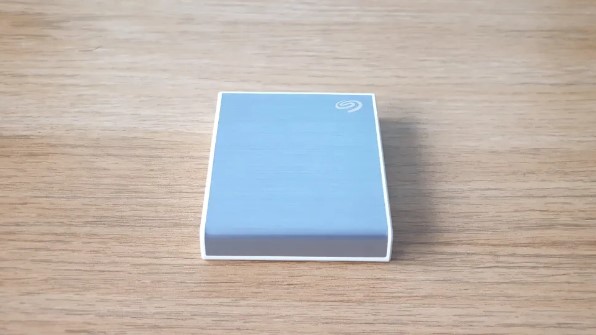
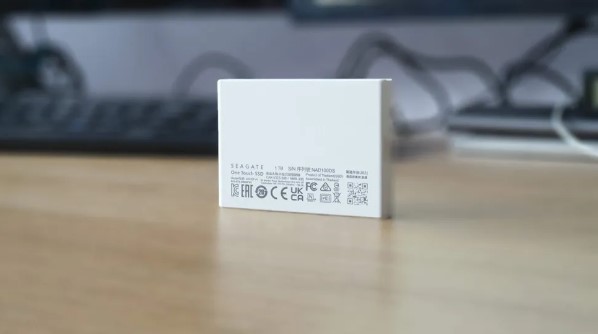
The Seagate One Touch adopts a more sophisticated aesthetic with brushed aluminum top panels that immediately communicate premium positioning despite the modest price. The metal-plastic hybrid construction measures 115mm long by 76mm wide and 11mm thick, making it marginally larger than the WD. At 176g for 2TB, it carries slightly more heft but remains highly portable. Four color options (Black, Space Gray, Light Blue, Red) offer less variety than WD but maintain professional appearances suitable for business environments.
The brushed metal finish resists scratches effectively but shows fingerprints readily. The Type-A connector integrates directly without the fragility concerns of Micro-B ports, positioned on the narrow edge for clean cable routing. A subtle rear LED indicates drive activity without visual distraction. Build quality feels marginally superior to the all-plastic WD, with the metal top providing additional rigidity. The drive arrives formatted NTFS like the WD, with identical Mac reformatting requirements. Both drives lack rugged certifications or weather resistance.
WD My Passport or Seagate One Touch: Owner Reviews
Let's examine what actual users report after months of daily use:
WD My Passport Owner Reviews:
Praises: "The 3-year warranty gives me peace of mind that Western Digital stands behind their product. I've used WD drives for over a decade and never had one fail on me. The compact size is perfect for my laptop bag and the color options let me organize my backup drives by content type, blue for work, red for photos."
"Transfer speeds are consistently around 105-110MB/s which is exactly as advertised. I appreciate the honesty in specifications rather than inflated numbers. The WD Backup software works flawlessly with scheduled backups running automatically every night. Setup took literally 30 seconds out of the box."
***
Drawbacks: "The Micro-B connector is my biggest complaint. It feels flimsy and I'm constantly worried about breaking it when plugging in. Why WD didn't move to USB-C is beyond me. The included adapter works but adds unnecessary bulk when traveling."
"No built-in cloud backup or professional software bundles disappoints at this price point. Seagate includes Adobe and Mylio subscriptions while WD offers basic utilities only. The drive itself works great but feels like a bare-bones offering compared to competitors."
Seagate One Touch Owner Reviews:
Praises: "The Adobe Creative Cloud and Mylio subscriptions alone justify the price premium over cheaper drives. I was already paying for Adobe so getting four months free plus the Mylio photo organizer was fantastic value. The metal design looks professional on my desk."
"Rescue Data Recovery Services included gives me serious peace of mind. My previous drive failed catastrophically and recovery cost me $1,200. Knowing Seagate covers professional recovery makes this drive worth every penny for irreplaceable family photos and videos."
***
Drawbacks: "At $120 for 2TB, you're paying a significant premium over the WD My Passport at $85. If you won't use the Adobe or Mylio subscriptions, you're essentially paying $35 for a slightly prettier case and marginally faster speeds. Hard to justify unless you need the software."
"The brushed metal finish shows every fingerprint and smudge. I find myself wiping it down constantly to keep it looking clean. Also no USB-C cable included means buying a separate adapter for my MacBook Pro, an annoying oversight."
WD My Passport and Seagate One Touch Alternatives
If neither drive perfectly matches your requirements, consider these alternatives:
- Crucial X9 Portable SSD 2TB: Solid-state performance with 1,050MB/s speeds, USB-C connectivity, ultra-compact design, and shocking durability at $135 for 2TB, bridge the HDD-SSD gap affordably.
- Toshiba Canvio Basics 2TB: No-frills reliability at rock-bottom $60 pricing, USB 3.0 connectivity, plug-and-play simplicity, perfect for pure backup needs without paying for features.
The Crucial X9 Portable SSD delivers 10x faster speeds than traditional hard drives with 1,050MB/s transfers in a smaller package. The solid-state design provides shock resistance and silent operation. At $135, it's $50 more than the Seagate but ideal for users who regularly work directly from external drives, editing videos, running virtual machines, or accessing large databases.
The Toshiba Canvio Basics strips away premium features to deliver the lowest cost per terabyte at $60 for 2TB. No encryption, no backup software, just reliable storage with 105MB/s speeds matching the WD and Seagate. Perfect for simple backup needs where price dominates all other considerations.
Should You Buy the WD My Passport or Seagate One Touch?
After extensive real-world testing of both the WD My Passport and Seagate One Touch, the decision hinges on whether bundled software delivers actual value for your workflow.
Choose the WD My Passport if budget drives your decision. The $85 price delivers proven reliability and performance. Superior 4K random read speeds benefit users accessing thousands of small files. Six color options provide the most personalization for organizing multiple drives. For straightforward backup needs where software bundles hold no appeal, the My Passport delivers everything necessary.
Choose the Seagate One Touch if you're a photographer or content creator who'll use Adobe Creative Cloud and Mylio. The combined $100+ software value transforms the $120 price into a bargain. Rescue Data Recovery Services provide invaluable insurance for irreplaceable content. The brushed metal design suits professional environments. Faster sequential transfers benefit users moving massive video projects or RAW photo libraries.
The fundamental question: Will you use the Adobe and Mylio subscriptions? If yes, buy the Seagate, it's effectively $35 cheaper accounting for software value. If no, save $35 and buy the WD My Passport. Both deliver reliable 2TB backup capacity with adequate performance. The decision is simple math: Does $100+ worth of software justify paying $35 more upfront?

Meet James, our go-to tech guru and seasoned reviewer. His sharp attention to detail and love for gadgets drive his deep dives into the newest tech waves. James's insightful analysis and real zest for breakthroughs have earned him a solid reputation in the tech world.


