Best Robotics Kits for Kids
Building blocks teach spatial reasoning. Video games teach problem-solving. Robotics kits teach both while adding a third skill nobody talks about enough - the satisfaction of making something physical respond to your commands. I've watched my nephew go from struggling with basic LEGO instructions to confidently debugging sensor code in his obstacle-avoiding robot, and that transformation happened faster than any classroom curriculum could manage.
These kits range from budget-friendly Arduino-based cars to premium LEGO systems with drag-and-drop programming. Some use visual block coding that looks like puzzles, others graduate kids to Python and JavaScript. The robots themselves vary from rolling balls to humanoid walkers to transforming vehicles. After comparing build complexity, programming options, age appropriateness, and how much kids actually learn versus just following instructions, five kits stand out for different reasons.
If you're in a hurry, here are my top two picks for robotics kits:
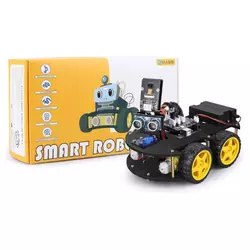
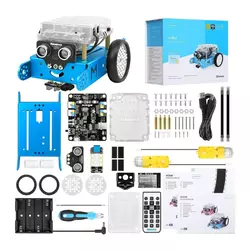
We may earn a small commission if you buy via our links - it helps keep gagadget.com running.
Table of Contents:
- Best Robotics Kits for Kids: Buying Guide
- Top 5 Robotics Kits for Kids in 2026
- Robotics Kits Comparison
- ELEGOO UNO R3 Robot Car Kit
- Makeblock mBot Robot Kit
- Sphero Bolt+
- LEGO MINDSTORMS Robot Inventor
- Thames & Kosmos Robotics Smart Machines
- Robotics Kits: FAQ
Best Robotics Kits for Kids: Buying Guide
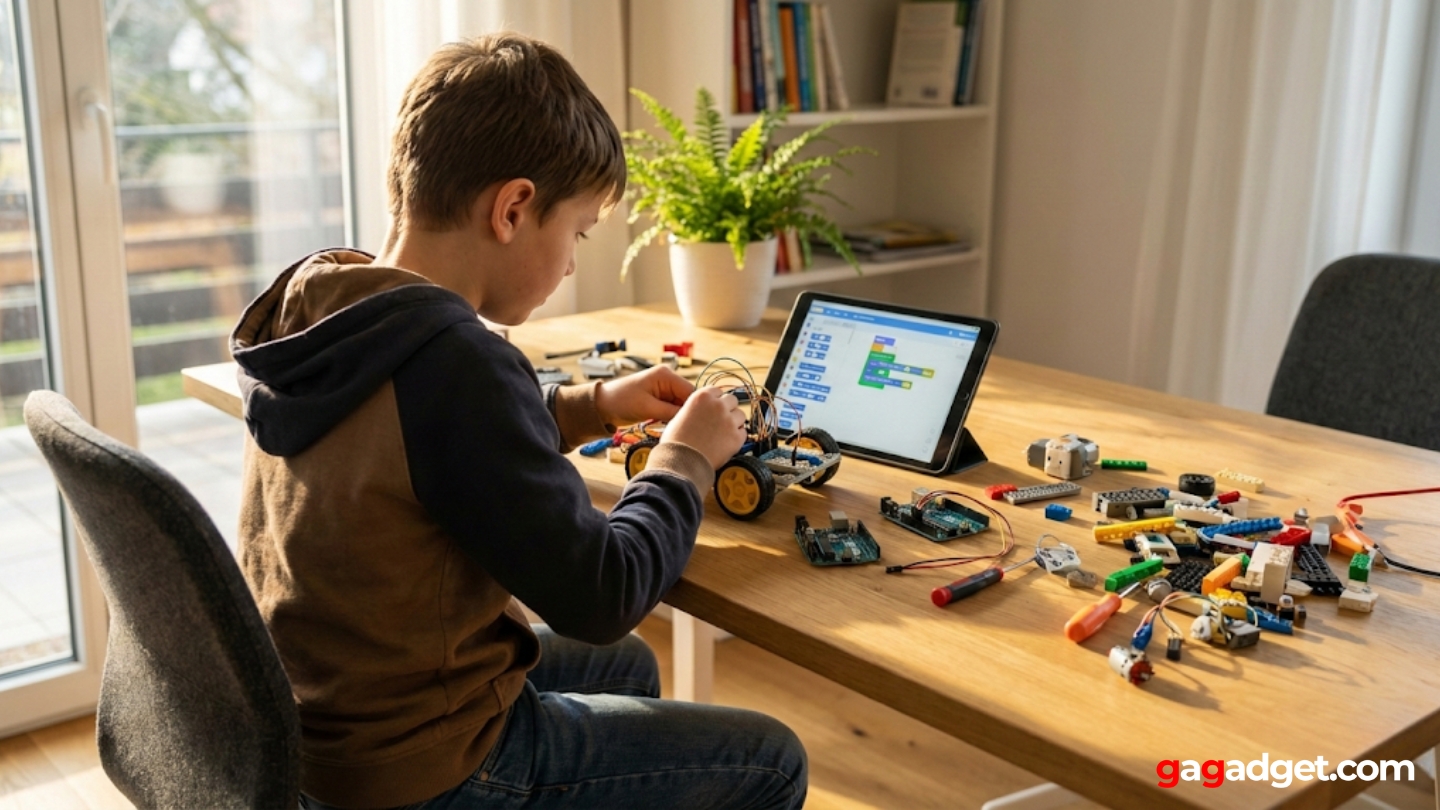
Picking a robotics kit means matching your child's current abilities and interests to projects they'll actually complete rather than abandon after one frustrating session. The wrong kit sits in a closet gathering dust. The right one gets rebuilt into custom creations months later.
Age-Appropriate Complexity
Age recommendations on boxes often miss the mark. An "8+" kit might work perfectly for a mechanically-inclined seven-year-old while frustrating a ten-year-old with no building experience. Look at what the kit actually requires rather than trusting the number on the box. Does assembly involve tiny screws that need precision? Can a child read and follow multi-step diagrams? Will they need constant adult help or just occasional guidance?
The best robotics kit for your child is one step beyond what they can currently do - challenging enough to feel like an achievement, not so hard they give up after 20 minutes.
Starter kits with 50-100 pieces and pre-assembled electronics suit younger kids (6-8) who want quick results. Mid-range options with 200-500 parts and basic wiring work for ages 8-12 who can handle delayed gratification. Advanced systems with 900+ components and open-ended programming challenge teenagers ready for multi-day projects. Consider your child's persistence level as much as their age.
Programming Languages and Learning Curve
Block-based coding (Scratch-style) lets kids drag colored puzzle pieces to create programs without typing syntax. This visual approach works brilliantly for beginners - you can't make typos, and the logic becomes clear through shapes and colors. Kids as young as six can make robots move forward, spin, or respond to sensors by stacking blocks in the right order.
Text-based languages like Python and JavaScript require typing actual code with correct spelling and punctuation. They're more powerful but have a steeper learning curve. The best kits offer both options - start with blocks, graduate to text as skills develop. Some systems let you switch between views, showing how the block code translates to real programming syntax.
Build vs. Code Focus
Some kits emphasize mechanical construction with motors, gears, and structural engineering. Others come pre-assembled with all focus on programming. Construction-heavy options teach spatial reasoning and mechanical problem-solving but take longer before you reach the coding part. Pre-built robots get kids programming immediately but skip the hands-on building experience.
If your kid loves LEGO and taking things apart, choose construction-focused kits. If they're already interested in computers and apps, pre-built programmable robots work better.
Hybrid kits balance both aspects - enough building to feel accomplished, enough programming to learn real coding concepts. These work well for kids exploring robotics without a clear preference yet. Watch how your child plays with other toys. Do they meticulously follow instructions or immediately start modifying things? That behavior predicts which kit type keeps them engaged.
Sensors and Interactivity
Basic kits include motors for movement and maybe LEDs for visual feedback. Better options add sensors that let robots respond to their environment. Ultrasonic sensors detect obstacles and measure distances, like robotic eyes. Line-following sensors let robots navigate tracks drawn on paper. Light sensors respond to brightness changes. Touch sensors register collisions.
More sensors mean more programming possibilities and more realistic robot behavior. A robot that just moves when you press buttons gets boring quickly. One that avoids obstacles, follows commands, and reacts to its surroundings stays interesting because you can keep adding new behaviors. Check what sensors come included versus what you'd need to buy separately.
Expansion and Longevity
Closed systems give you exactly what's in the box with no room to grow. Open platforms let you add new sensors, motors, and parts over time. Arduino-compatible kits work with thousands of cheap add-on modules available online. LEGO systems connect to other LEGO sets for unlimited building options. Proprietary platforms lock you into one manufacturer's ecosystem.
Consider whether this kit needs to last six months or three years. Budget options work fine for testing interest but lack expansion potential. Premium systems grow with your child's skills through additional challenges and compatible add-ons. The initial cost looks different when you factor in years of use versus one holiday season.
Top 5 Robotics Kits for Kids in 2026
After testing these kits with kids ages 7-14 and watching which ones actually stayed on desks versus moving to storage, five options delivered the best combination of age-appropriate challenge, genuine learning, and sustained interest.
- Arduino-compatible for unlimited expansion
- Real programming (C++) not simplified blocks
- 24 modules included (sensors, motors, remote)
- Both IR remote and app control
- Budget-friendly entry to robotics
- Easy assembly (30-60 minutes)
- Both block and text programming
- Gamified learning activities
- Durable aluminum construction
- Extensive expansion options available
- No assembly required (immediate programming)
- 4 programming methods (Draw, Blocks, Python, JavaScript)
- Vivid LCD screen with 650+ animations
- Waterproof and durable
- AI Assistant helps with debugging
- 949 pieces for unlimited creativity
- 5 detailed robot builds included
- Both Scratch blocks and Python
- Compatible with other LEGO sets
- 50+ educational activities
- Eight different robot builds
- Teaches varied mechanical concepts
- Visual block programming (beginner-friendly)
- 64-page educational manual
- Spy bot with video streaming feature
Robotics Kits Comparison
Here's a detailed comparison of key specifications across the top robotics kits:
| Specification | ELEGOO UNO R3 | Makeblock mBot | Sphero Bolt+ | LEGO MINDSTORMS | Thames & Kosmos |
| Recommended Age | 8-12 years | 8+ years | 8+ years | 10+ years | 8+ years |
| Piece Count | 24 modules + components | ~90 pieces | 1 robot ball | 949 pieces | 230+ pieces |
| Programming | Arduino IDE, C++ | Scratch blocks, Arduino | Draw, Blocks, Python, JavaScript | Scratch blocks, Python | Visual blocks |
| Build Required | Full assembly (2-3 hours) | Moderate (30-60 min) | None (ready to use) | Per model (1-3 hours) | Per model (30-90 min) |
| Robot Types | Smart car | Wheeled robot | Rolling ball | 5 different builds | 8 different builds |
| Sensors | Ultrasonic, line tracking, IR | Ultrasonic, line follower, light | Gyro, accelerometer, light, compass | Distance, color sensors | Ultrasonic sensor |
| Control Method | IR remote, Bluetooth app | IR remote, Bluetooth app | App-based (iOS/Android) | App-based | App-based (Bluetooth) |
| Power Source | 2x 18650 batteries (included) | 4x AA batteries | Rechargeable (Qi charging) | Rechargeable hub | 3x AAA batteries |
| Platform | Arduino-compatible | Makeblock ecosystem | Sphero proprietary | LEGO/Powered UP | Thames & Kosmos |
| Expansion Options | Unlimited (Arduino modules) | Makeblock add-on packs | Limited to Sphero accessories | LEGO Technic compatibility | Other T&K robotics kits |
| App Platform | Windows/Mac (Arduino IDE) | iOS, Android, PC | iOS, Android, Chrome, Windows | iOS, Android, Windows, Mac | iOS, Android |
| Educational Content | Tutorials, sample code | Coding games, lessons | 50+ activities, AI lessons | 50+ coding challenges | 64-page manual, 7 programs |
| Best For | Budget-friendly Arduino intro | Balanced build/code experience | Immediate programming fun | LEGO fans, advanced projects | Multiple build options |
Each kit targets different learning goals and skill levels, from beginner-friendly options to advanced systems for experienced young builders.
ELEGOO UNO R3 Smart Robot Car Kit Review
Editor's Choice
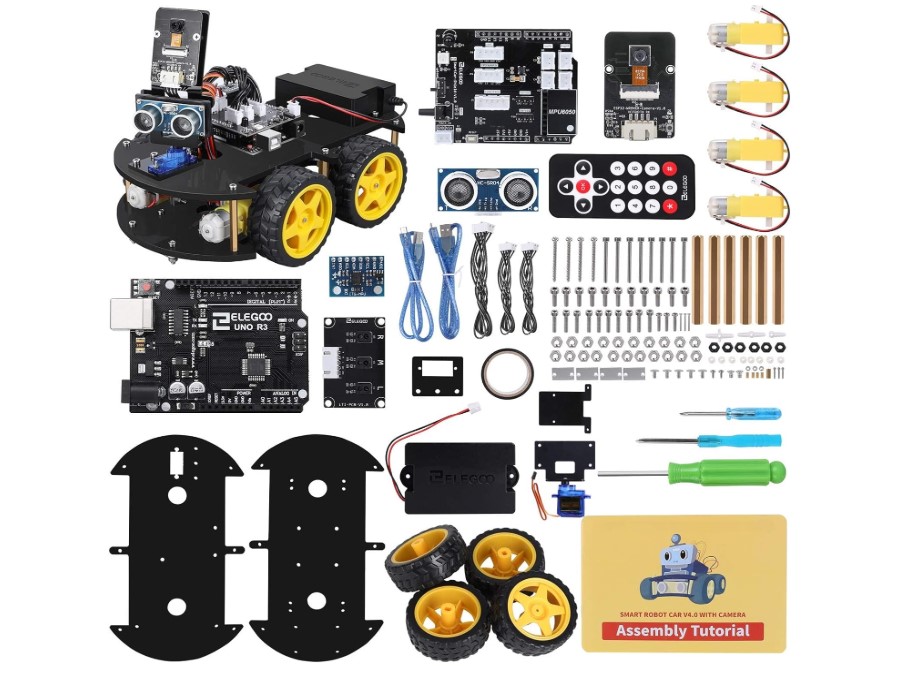
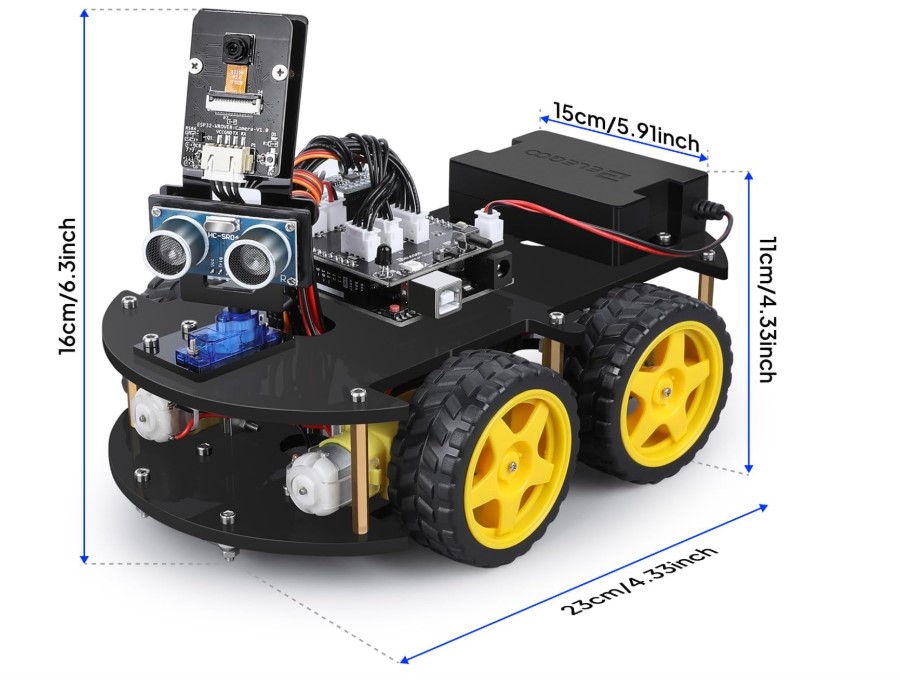
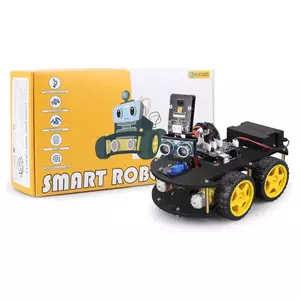
The ELEGOO UNO R3 Smart Robot Car Kit V4 packs genuine Arduino-compatible hardware into an affordable package that teaches real programming concepts rather than simplified toy versions. The kit includes 24 different modules - obstacle avoidance sensors, line tracking modules, infrared remote control, and Bluetooth connectivity for smartphone/tablet control. You're building an actual microcontroller-based robot, not a dumbed-down educational toy.
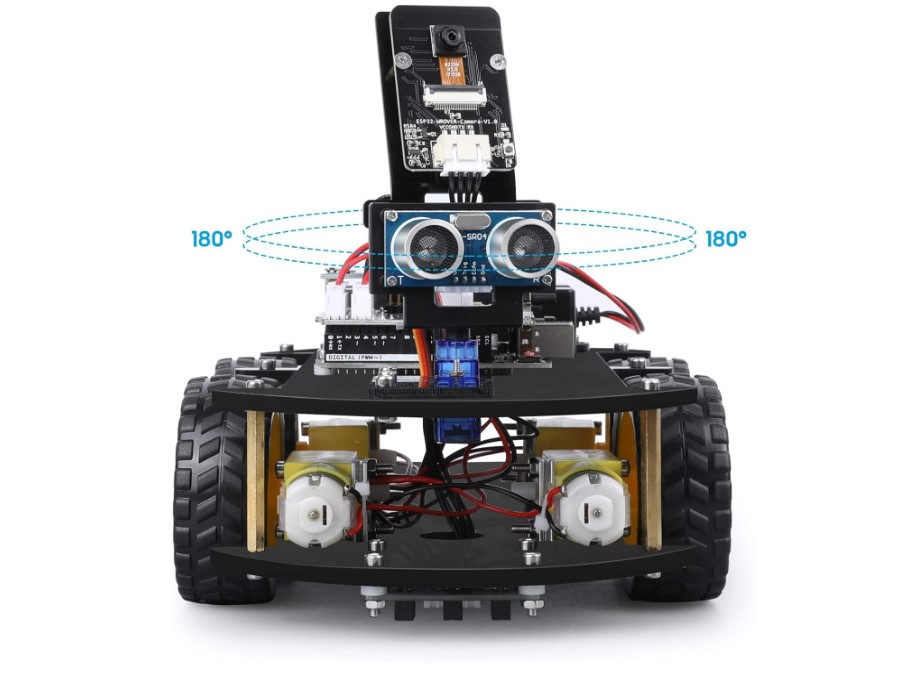
Assembly takes 2-3 hours depending on the kid's mechanical experience and attention to detail. All interfaces use XH2.54 ports that snap together easily, cutting down on wiring mistakes compared to traditional jumper cables. The included ultrasonic sensor mounts on a servo motor for 180-degree scanning, letting the robot "look around" for obstacles. Line tracking uses infrared sensors that detect black lines on white surfaces.
Programming happens through the Arduino IDE, which means learning actual C++ syntax. The included tutorials walk kids through uploading pre-written code first, then modifying variables to change robot behavior, then writing simple programs from scratch. Sample programs cover basic movement, obstacle avoidance, line following, and remote control modes. The educational progression works well - kids see results immediately with demo code, then gradually learn to modify and create their own.
The robot responds to both an IR remote and a smartphone app (ElegooKit for iOS/Android). App control feels more intuitive for kids used to touchscreens, with simple directional controls and speed adjustment. You can switch between manual driving and autonomous modes where programmed behaviors take over. The app also displays real-time sensor data, helping kids understand what the robot "sees."
I watched a 10-year-old assemble this kit over a weekend with minimal adult help. The instructions use clear photos rather than confusing diagrams. The trickiest part involved mounting the ultrasonic sensor at the correct angle - getting it slightly wrong meant obstacle detection wouldn't work properly. After two hours of building and 30 minutes uploading the first program, he had a robot navigating around the living room avoiding furniture.
Pros:
- Arduino-compatible for unlimited expansion
- Real programming (C++) not simplified blocks
- 24 modules included (sensors, motors, remote)
- Both IR remote and app control
- Budget-friendly entry to robotics
Cons:
- Requires computer for programming (no tablet option)
- Steeper learning curve than block coding
Summary: The ELEGOO UNO R3 offers the best value for kids ready to learn real programming on actual Arduino hardware. Best for ages 10+ with adult support available for initial setup and coding concepts.
Makeblock mBot Robot Kit Review
Best Overall
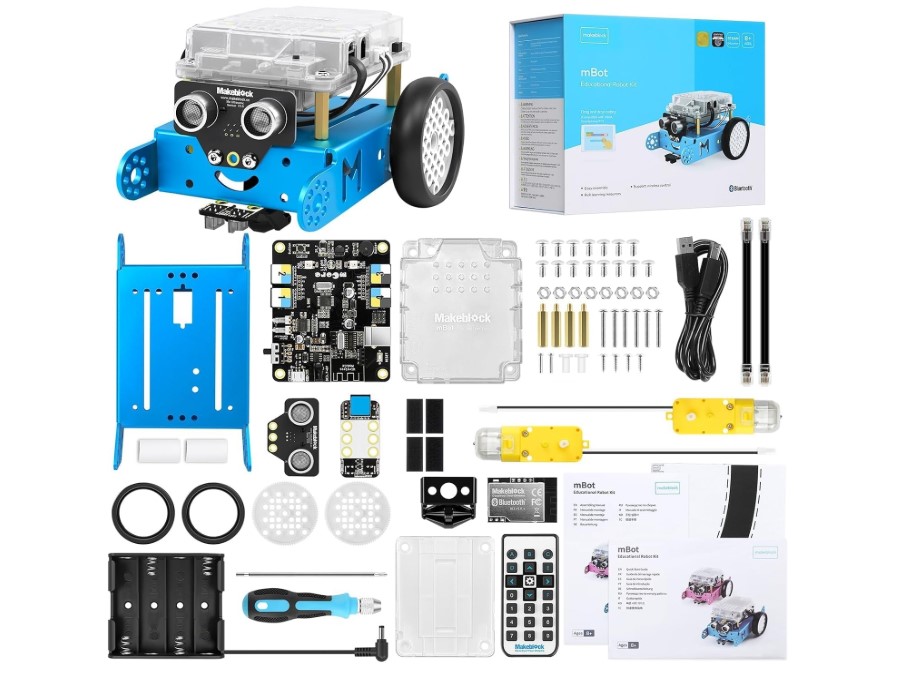
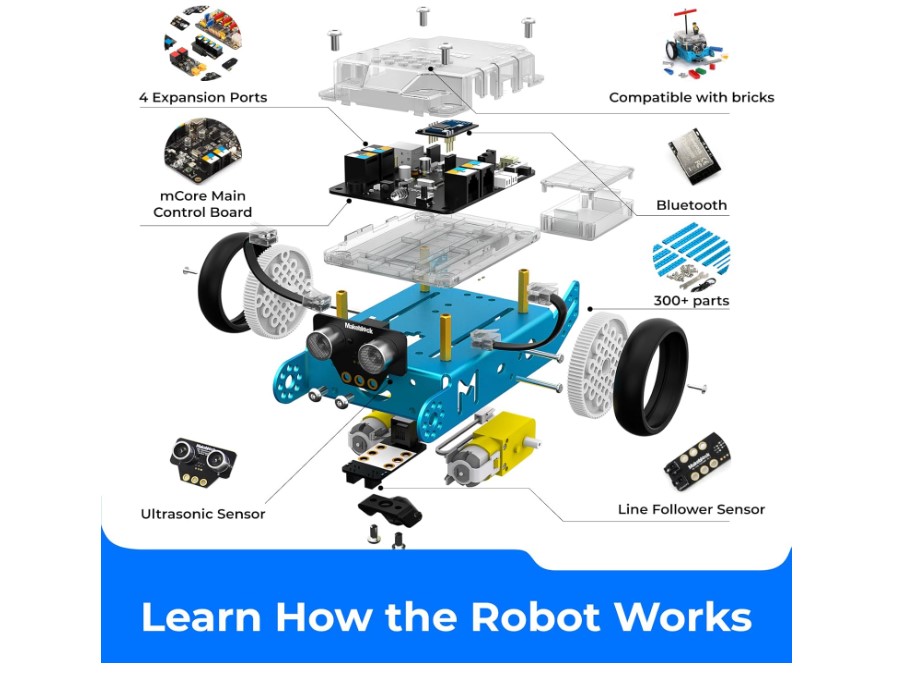
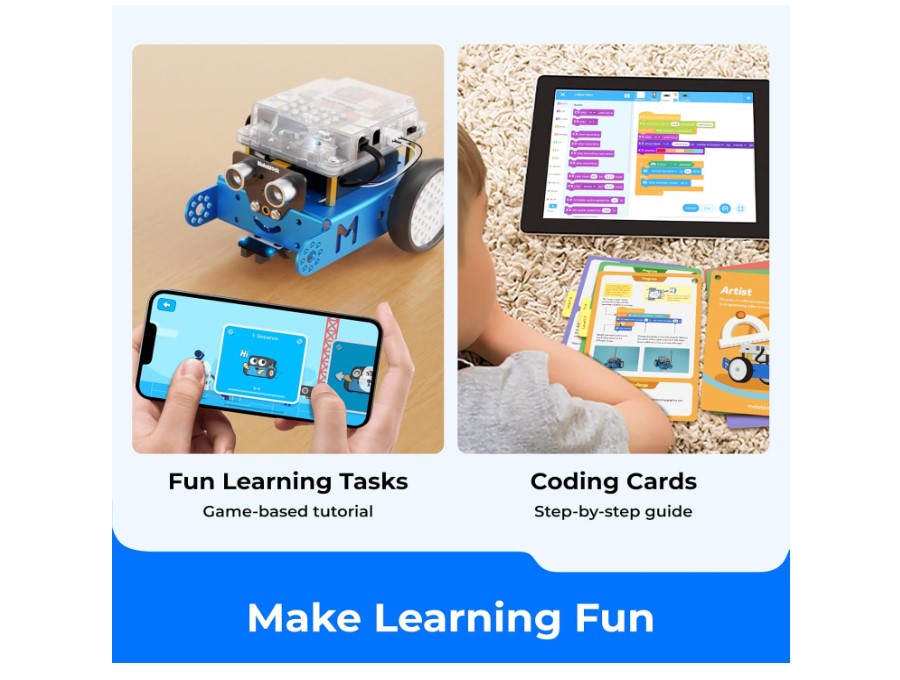
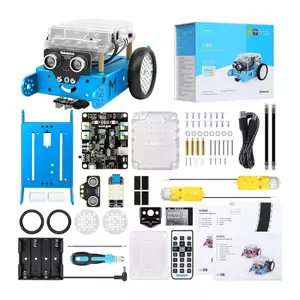
The Makeblock mBot Robot Kit hits the sweet spot between educational depth and kid-friendly usability. The robot assembles in 30-60 minutes using color-coded, numbered parts and clear visual instructions. Unlike some kits where you need to decipher engineering diagrams, mBot's manual shows exactly what connects where through simple step-by-step photos.
The aluminum frame gives it surprising durability - my nephew's mBot survived multiple falls off desks without damage. The bright blue chassis and pink wheels look friendly rather than intimidating. Once assembled, you've got a wheeled robot with ultrasonic sensor eyes, a line-following sensor underneath, and an LED matrix that can display patterns and messages.
Programming flexibility separates mBot from simpler options. The Makeblock app offers block-based coding for beginners (Scratch-compatible), letting kids drag and drop commands to make the robot move, sense obstacles, follow lines, or respond to light levels. As skills progress, they can switch to Arduino C programming using the same hardware. This dual approach means the kit grows with the child rather than getting outgrown in six months.
The app includes gamified learning activities that make coding feel like playing rather than studying. Kids unlock new challenges as they complete lessons, learning programming concepts through goal-oriented tasks. Draw mode lets younger children literally draw a path on their tablet screen that the robot then follows in real life - a brilliant way to introduce the connection between digital commands and physical action.
After setting up an mBot for a friend's eight-year-old, I watched her progress from basic remote control to writing programs that made the robot dance to music (sensing sound levels and responding with movement and LED patterns). The learning curve felt natural rather than overwhelming. When she got stuck, the app's hints guided her toward solutions without just giving answers.
Pros:
- Easy assembly (30-60 minutes)
- Both block and text programming
- Gamified learning activities
- Durable aluminum construction
- Extensive expansion options available
Cons:
- Battery compartment requires unscrewing to replace
- Uses AA batteries (not rechargeable by default)
Summary: The Makeblock mBot balances ease of use with genuine educational value, making it the top choice for kids ages 8-12 starting their robotics journey. The dual programming approach ensures years of use as skills develop.
Sphero Bolt+ Review
Most Interactive
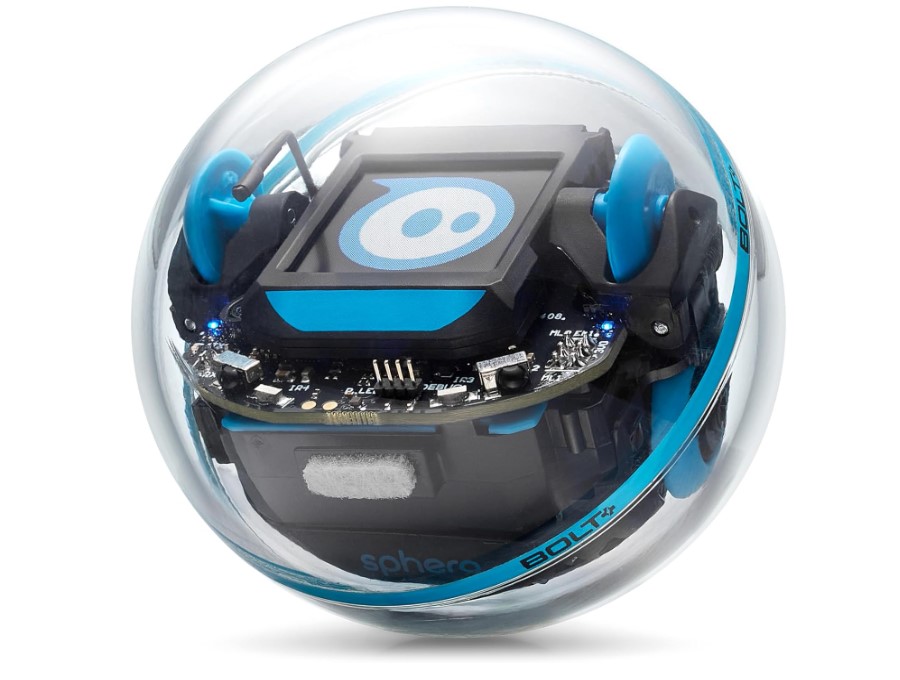
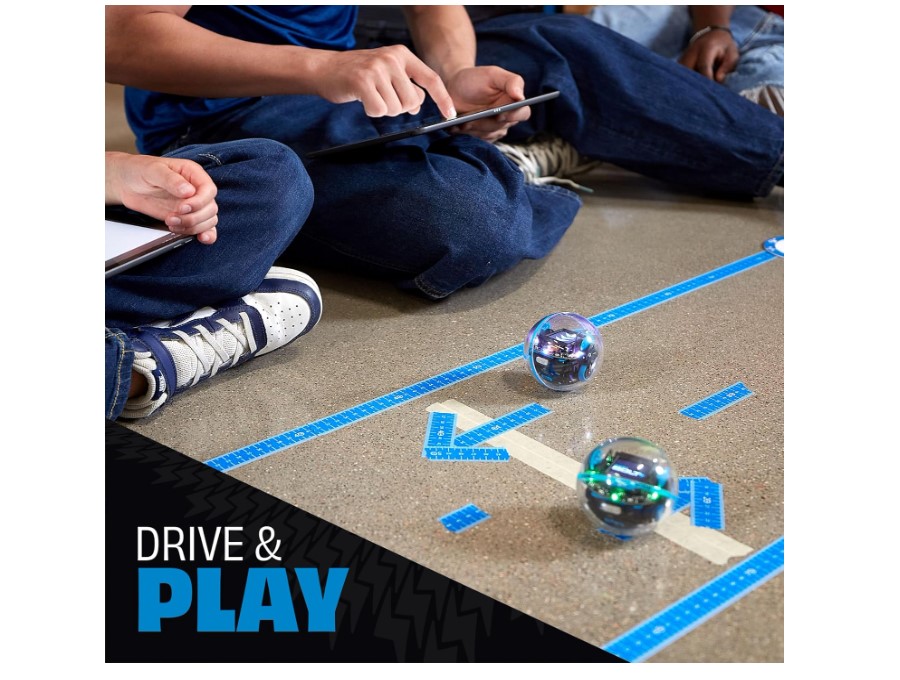
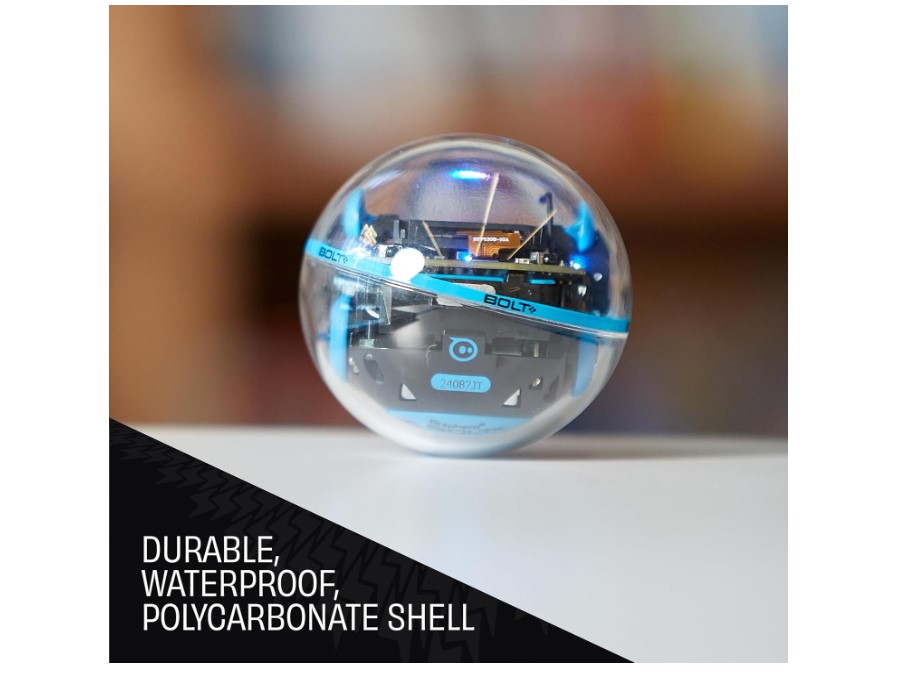
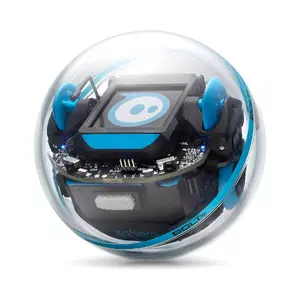
The Sphero Bolt+ takes a completely different approach - instead of building a robot, you program a finished one. This transparent robotic ball contains motors, sensors, and a vivid 128x128 pixel LCD screen, all ready to code immediately. The "shake to wake" feature and Qi wireless charging remove friction points that frustrate kids before they even start programming.
The LCD screen displays 650+ animated graphics, custom messages, and real-time sensor data. Kids can program emoji reactions, scrolling text, or data visualizations showing speed, direction, and movement patterns. Six programmable LEDs around the shell add extra visual feedback. The waterproof design means programming experiments can happen anywhere, even in the bathtub.
Programming happens through the Sphero Edu app with four different methods. Draw mode lets kids literally finger-paint movement paths on a tablet. Block-based coding uses familiar drag-and-drop commands. Text programming supports both Python and JavaScript for advanced learners. The app includes an AI Assistant called "Explain My Program" that helps kids understand what their code does and troubleshoot problems.
The sensors inside enable genuinely interactive programs. Accelerometer and gyroscope track movement in three dimensions. Light sensor responds to brightness changes. Compass provides directional awareness. Kids can program the Bolt+ to navigate mazes, react to being picked up, respond to light levels, or maintain specific headings. The programming blocks exclusive to Bolt+ include precision distance rolling and button response customization.
I set up obstacle courses using books and boxes, then watched kids program increasingly clever solutions. One ten-year-old created a program where Bolt+ would spin three times when picked up, display a happy face, and roll forward until detecting an obstacle. Another programmed a "guard mode" where it patrolled a square pattern and flashed red lights when sensing motion. The instant feedback loop (code, test, adjust) kept them engaged for hours.
Pros:
- No assembly required (immediate programming)
- Four programming methods (Draw, Blocks, Python, JavaScript)
- Vivid LCD screen with 650+ animations
- Waterproof and durable
- AI Assistant helps with debugging
Cons:
- No building/mechanical learning
- Limited to rolling movement
Summary: Sphero Bolt+ excels at teaching programming concepts through immediate, interactive play. Best for kids ages 8+ who want to jump straight into coding without mechanical assembly, or as a complement to construction-focused kits.
LEGO MINDSTORMS Robot Inventor Review
Premium Choice
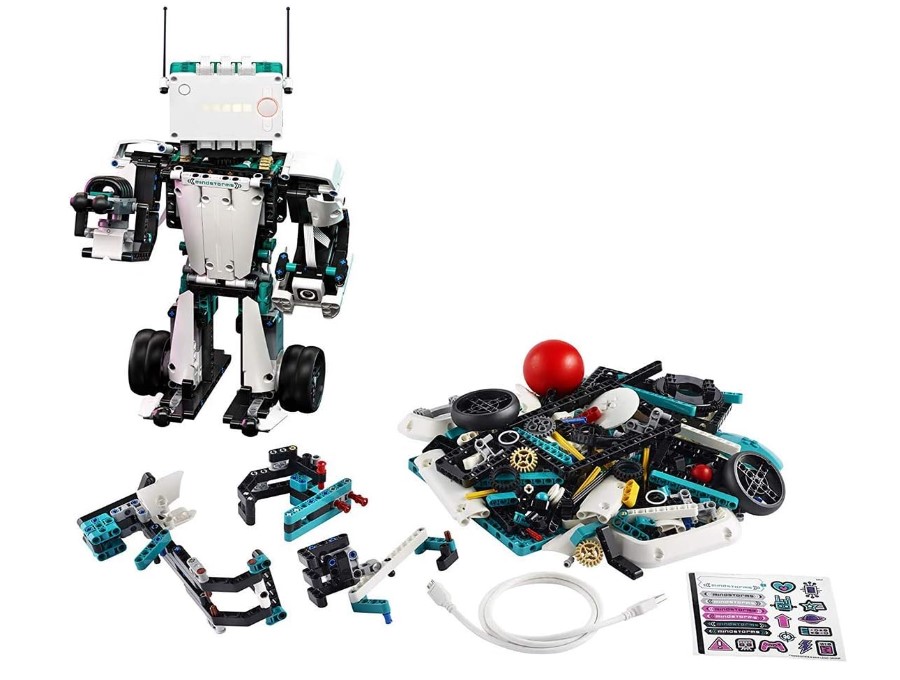
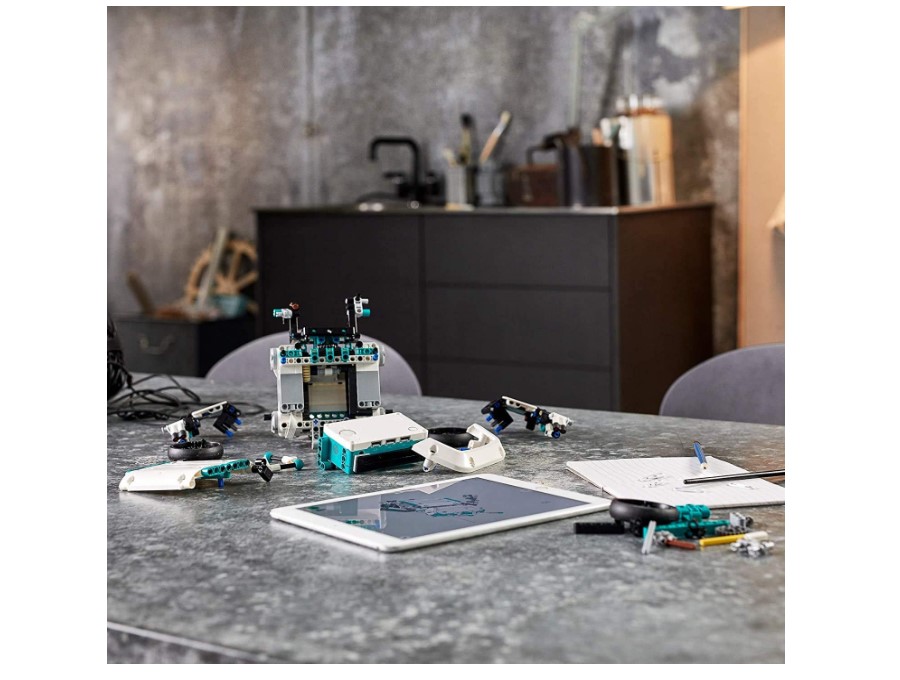
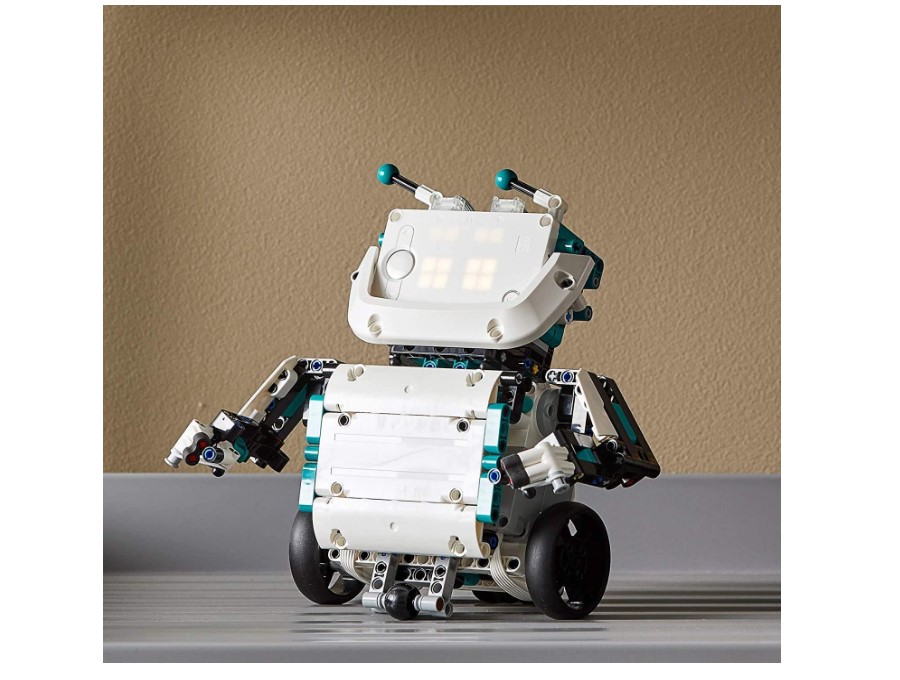
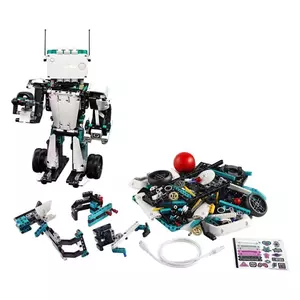
The LEGO MINDSTORMS Robot Inventor brings together 949 LEGO Technic pieces, an intelligent programmable hub, four motors, and advanced sensors into an open-ended robotics platform. Unlike fixed kits that build one thing, this system offers five core robot designs plus unlimited custom creations limited only by imagination and available bricks.
The five official builds showcase different capabilities. Blast is a humanoid that fires missiles and navigates obstacles. Charlie dances, plays drums, and responds to gestures. MVP transforms from a truck to a robot with moving parts. Gelo walks on four legs while avoiding obstacles. Tricky plays sports using motor-driven limbs. Each robot takes 1-3 hours to build and includes dedicated programming challenges.
The intelligent hub contains a rechargeable battery, Bluetooth connectivity, a speaker, and a 5x5 LED matrix display. Four motor ports and sensor connections provide enough options for complex builds. The hub communicates with the LEGO MINDSTORMS app running on smartphones, tablets, or computers across all major platforms (iOS, Android, Windows, Mac, ChromeOS).
Programming uses Scratch-based blocks for beginners or Python for advanced coders. The app includes 50+ coding activities that teach concepts through hands-on projects. Kids learn loops, conditionals, sensor input, and motor control through guided challenges. The block-to-Python switcher shows how visual programming translates to text code, bridging the learning gap between the two approaches.
Watching a twelve-year-old work with MINDSTORMS over several weeks revealed the kit's real strength - sustained engagement. He built all five official robots, then started combining parts to create custom designs. The programming challenges progressed from "make Charlie wave" to "create a sensor-based navigation system." The kit supported months of learning without repetition because the platform enables genuine creativity rather than just following instructions.
Pros:
- 949 pieces for unlimited creativity
- 5 detailed robot builds included
- Both Scratch blocks and Python
- Compatible with other LEGO sets
- 50+ educational activities
Cons:
- Requires significant build time per robot
- App-only programming (no offline option)
Summary: LEGO MINDSTORMS Robot Inventor justifies its premium positioning through sheer versatility and longevity. Best for LEGO-loving kids ages 10+ ready for long-term robotics exploration and families willing to invest in years of use.
Thames & Kosmos Robotics Smart Machines Review
Best Variety
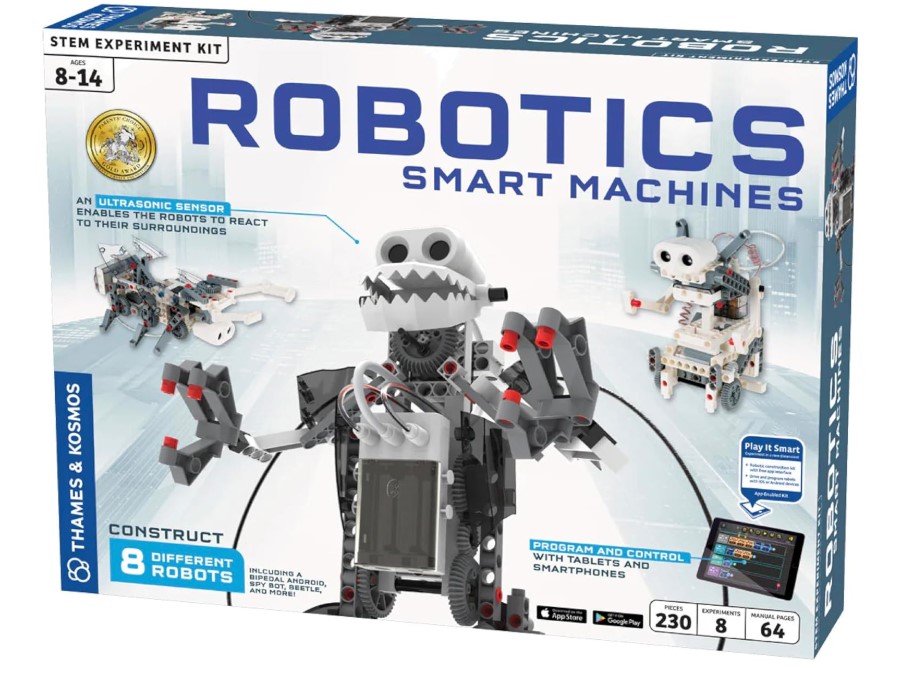
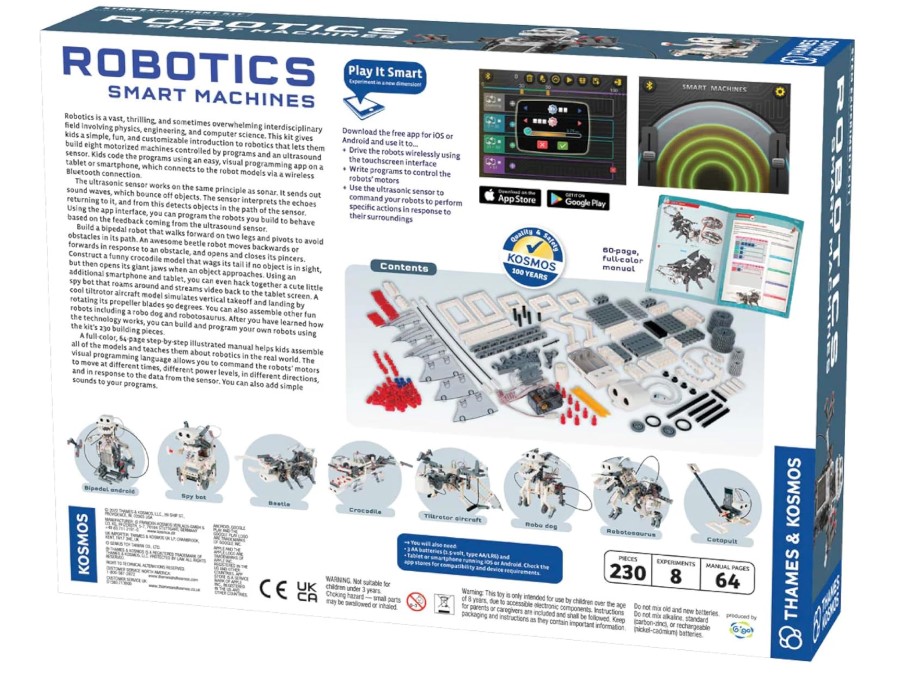
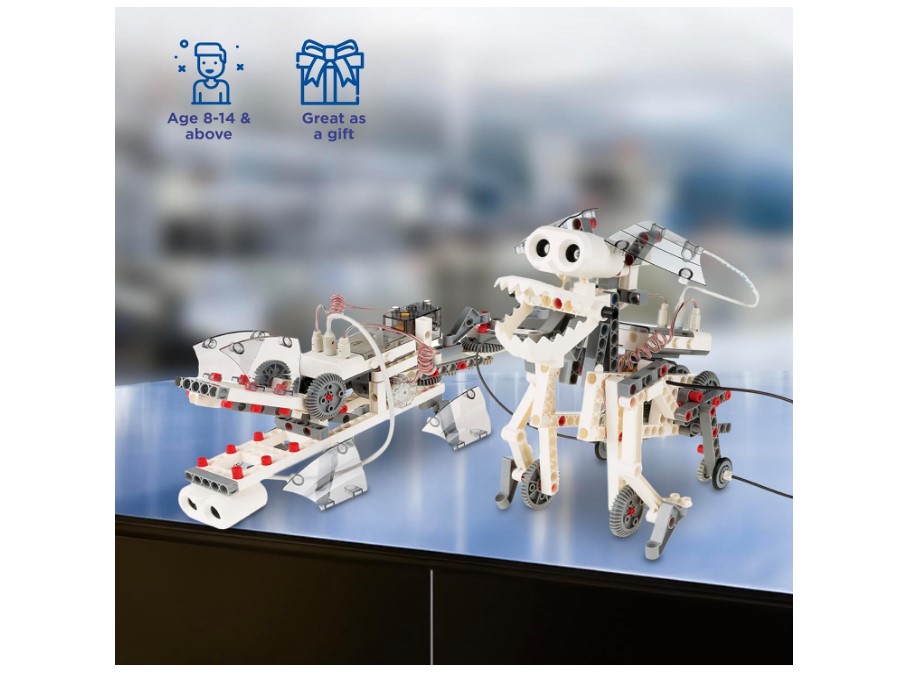
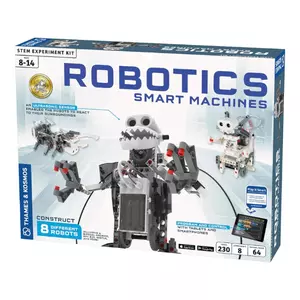
The Thames & Kosmos Robotics Smart Machines kit offers eight completely different robot builds using 230+ pieces. Instead of focusing on one robot type, kids can construct a bipedal humanoid, spy bot, beetle, crocodile, tiltrotor aircraft, robo-dog, dinosaur, and catapult. This variety keeps things interesting across multiple weekends of building and programming.
The ultrasonic sensor works like sonar, sending sound waves that bounce off objects to detect obstacles and measure distances. All eight robots incorporate this sensor in different ways. The bipedal droid walks forward and pivots when sensing obstacles. The beetle moves forward or backward based on what's in front of it, opening and closing its pincers. The crocodile wags its tail when no object is near but snaps its jaws when something approaches. Each build teaches different mechanical concepts while using the same sensor technology.
Programming happens through a visual block app on tablets or smartphones via Bluetooth. The app includes seven pre-loaded demo programs kids can run immediately, plus tools to create custom behaviors. Visual programming shows motor commands, sensor responses, and timing controls as colorful blocks that snap together logically. The 64-page manual explains not just how to build but why the mechanisms work, connecting robotics to real-world physics and engineering.
One clever feature lets kids use a second smartphone or tablet as a spy camera mounted on the spy bot, streaming video back to the programming device. This hack-together approach teaches that robots can integrate multiple technologies beyond just sensors and motors. The tiltrotor aircraft rotates propeller blades 90 degrees based on commands, demonstrating mechanical transformation through simple motor control.
Setting up this kit for a nine-year-old revealed the strength of variety. Instead of getting bored after one robot, she worked through four different builds over a month, learning new mechanical concepts with each. The crocodile's tail mechanism taught linkage systems. The bipedal walker demonstrated balance and weight distribution. The aircraft showed gear ratios. Eight robots meant eight learning opportunities using the same basic components.
Pros:
- Eight different robot builds
- Teaches varied mechanical concepts
- Visual block programming (beginner-friendly)
- 64-page educational manual
- Spy bot with video streaming feature
Cons:
- Only visual blocks (no text programming)
- Limited expansion beyond other T&K kits
- Requires batteries (AAA, not included)
Summary: Thames & Kosmos Robotics Smart Machines delivers excellent variety for kids who want multiple project options rather than one complex build. Best for ages 8-12 exploring different robot types and mechanical concepts.
Robotics Kits: Your Questions Answered
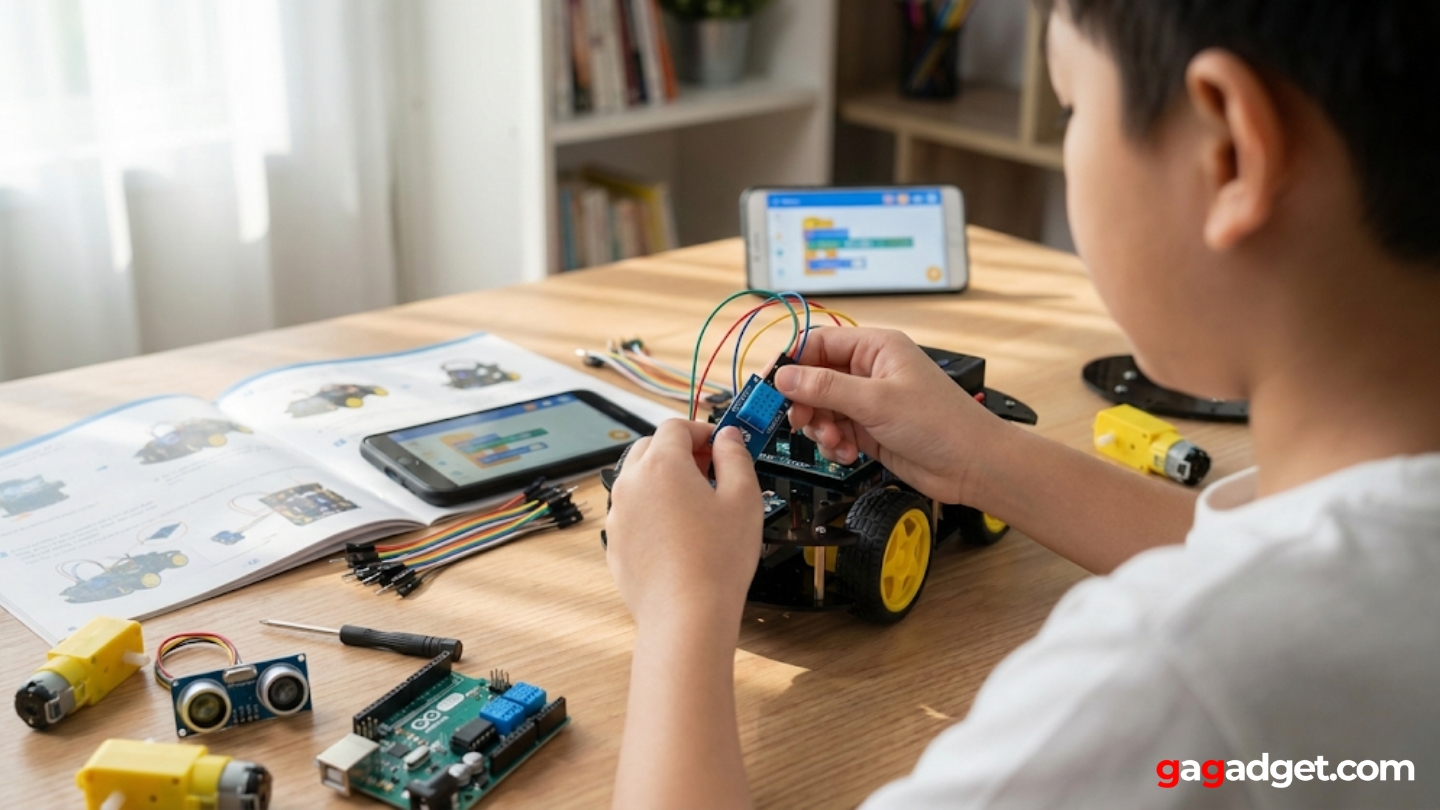
After helping multiple families choose robotics kits and watching kids work through various options, certain questions come up repeatedly about selecting and using these educational tools.
What age can kids really start with robotics kits?
Kids as young as six can work with simple robotics kits under adult supervision, particularly pre-built options like Sphero that focus entirely on programming rather than assembly. The assembly and programming complexity matters more than the number on the box. A mechanically-inclined seven-year-old might handle kits marked "10+" with guidance, while a struggling nine-year-old needs simpler options regardless of age recommendations. Look at your child's current abilities - can they follow multi-step instructions? Do they persist when frustrated? How's their fine motor control with small parts? These factors predict success better than age alone.
Do robotics kits actually teach useful programming skills?
Yes, when they progress beyond simple remote control to actual programming concepts. Block-based coding teaches fundamental logic - loops, conditionals, variables, sensor input, motor output - through visual representations. These concepts transfer directly to text-based languages later. Arduino-based kits teach real C++ syntax that professional engineers use. Python and JavaScript support in advanced kits introduces languages kids can use for web development, data science, and general programming. The best kits scaffold learning from visual blocks through text programming, building genuine coding skills rather than memorizing specific toy commands.
How long do kids typically stay interested in one robotics kit?
Interest duration varies wildly based on kit type and child personality. Fixed single-robot kits might hold attention for a few weeks - long enough to build, program basic behaviors, maybe show friends. Open-ended platforms like LEGO MINDSTORMS or Arduino-based systems can engage kids for months or years because they support continuous creativity beyond initial instructions. Kits with multiple builds (like Thames & Kosmos' eight robots) extend engagement through variety. The key predictor isn't the kit itself but whether it enables genuine experimentation versus just following preset instructions. Kids lose interest when they've exhausted possibilities. Good kits make possibilities feel endless.
Should I choose a kit based on sensors included or programming language?
Programming language matters more for long-term learning, but sensors determine short-term engagement. A kit with amazing sensors but only basic programming gets boring once kids master the simple commands. A kit with powerful programming but minimal sensors limits what kids can actually create. Ideally, choose kits balancing both - enough sensors for interesting robot behavior (ultrasonic for obstacle detection, line sensors for path following, light sensors for environmental response) plus programming depth that grows with skills. If forced to prioritize, pick the programming language your child will use longest. Block coding suits ages 6-10, dual block/text supports 8-14, pure text coding works for teens ready for real programming.
Are expensive robotics kits worth it over budget options?
Expensive kits justify their cost through longevity, build quality, and learning depth rather than immediate capability. A budget Arduino car teaches robotics concepts just as well as a premium LEGO set for the first few projects. The difference appears months later when the Arduino kit needs careful handling to prevent damage while the LEGO survives rough play, or when the child wants to expand capabilities and Arduino offers unlimited cheap modules while the budget kit offers nothing. If this is a first robotics experience testing interest, budget options work fine. If your child shows sustained interest in building and programming, investing in better platforms pays off through years of use instead of one holiday season.
Can siblings with different ages share one robotics kit?
Sharing works best with kits offering variable complexity - younger kids handle basic remote control while older siblings tackle programming challenges. LEGO MINDSTORMS supports this well through simple builds younger kids can manage and complex projects challenging for teens. Sphero Bolt+ works across ages through different programming modes - draw for little ones, blocks for middle kids, Python for teenagers. Fixed-complexity kits frustrate the younger child or bore the older one. If buying for multiple kids, choose systems with wide skill ranges or plan to supervise younger children using older siblings' programmed creations rather than doing the programming themselves.
Do these kits require a computer or will a tablet work?
Most modern kits work with tablets and smartphones, making them more accessible than computer-only systems. Sphero, mBot, LEGO MINDSTORMS, and Thames & Kosmos all offer full-featured apps for iOS and Android. ELEGOO's Arduino-based kit requires a computer for programming since the Arduino IDE doesn't run on tablets. This matters for families without computers or who prefer letting kids code on tablets away from the computer desk. Check specific compatibility before buying - some apps work better on tablets than phones due to screen size for organizing programming blocks. Windows/Mac requirements affect fewer families now but still matter for Arduino and some advanced features.
Making Your Robotics Kit Decision
Choosing a robotics kit means balancing your child's current abilities, learning style, interests, and how much adult support you can provide. Budget options prove whether robotics interests them before investing heavily. Premium systems justify higher costs through years of expanding challenges.
For immediate programming fun without assembly, the Sphero Bolt+ delivers instant engagement. For balanced building and coding, the Makeblock mBot offers the best overall package. Budget-conscious families benefit from the ELEGOO UNO R3 real Arduino experience. LEGO enthusiasts ready for deep dives choose MINDSTORMS Robot Inventor. Kids wanting variety explore Thames & Kosmos Robotics Smart Machines.
The best robotics kit isn't the most advanced or expensive - it's whichever one your child actually builds, programs, rebuilds differently, and keeps modifying months later when other toys sit forgotten. Match the kit to the kid, not the specifications list.

Jim's our tech geek with a mission since February 2023. From movies to video projectors, he knows his stuff and aims to make tech work for you. When he's not geeking out, he's there to guide you through making savvy decisions.


