Best QD-OLED Monitors
My IPS gaming monitor handled everything I threw at it for years - decent colors, acceptable response times, functional HDR that looked vaguely better than SDR. Then a friend brought over his new QD-OLED display and loaded up the same game I'd been playing. Watching those pitch-black shadows actually stay black instead of glowing gray, seeing star fields render as individual points of light rather than murky smudges - that ten-minute demo convinced me more than any review ever could.
QD-OLED technology combines quantum dots with self-emissive OLED pixels to deliver brightness levels that challenge mini-LED while maintaining perfect per-pixel contrast. The latest generation fixes early issues with text fringing and burn-in vulnerability through improved subpixel layouts and sophisticated protection algorithms. Whether you need a 49-inch ultrawide wrapping around your peripheral vision or a competition-ready 27-inch flat panel hitting 360Hz, these monitors represent the current peak of display technology for gaming and creative work.
If you're in a hurry, here are my top two picks for QD-OLED monitors:
We may earn a small commission if you buy via our links - it helps keep gagadget.com running.
Table of Contents:
- Best QD-OLED Monitors: Buying Guide
- Top 5 QD-OLED Monitors in 2026
- QD-OLED Monitor Comparison
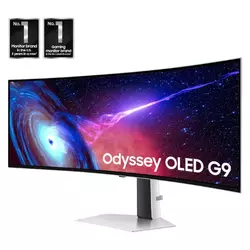
- Samsung Odyssey G93SC
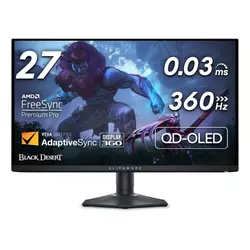
- Alienware AW2725DF
- ASUS ROG Swift PG32UCDM
- MSI MPG 321URX
- GIGABYTE AORUS FO32U2
- QD-OLED Monitors: FAQ
Best QD-OLED Monitors: Buying Guide
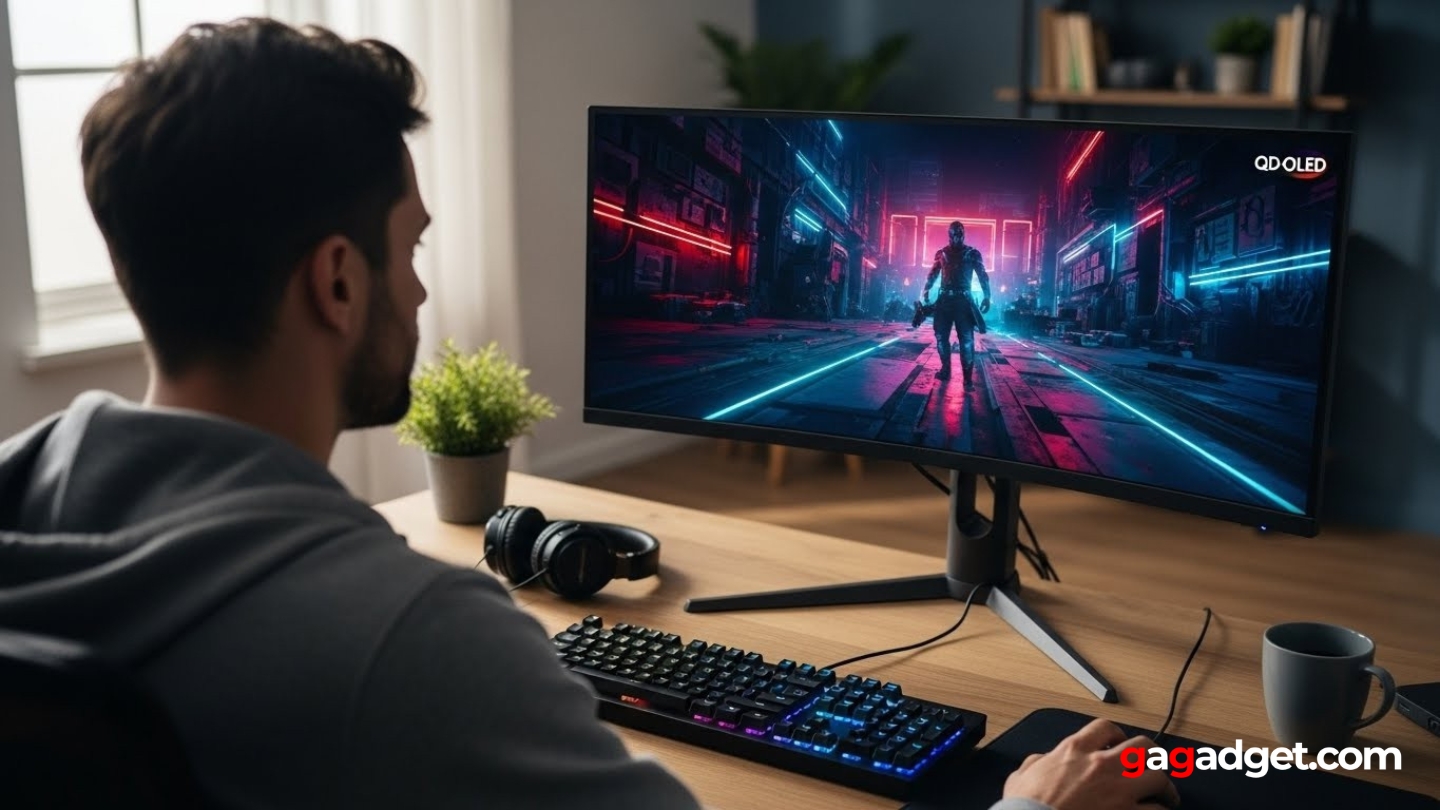
Choosing a QD-OLED monitor means understanding what separates genuinely transformative displays from expensive toys that deliver marginal improvements. After weeks comparing multiple panels across different sizes and refresh rates, certain factors consistently determine whether a QD-OLED monitor justifies its premium positioning.
Understanding QD-OLED Panel Generations
Samsung Display manufactures the QD-OLED panels used across these monitors, but not all panels perform identically. Third-generation QD-OLED panels (shipping since early 2024) feature improved diamond-shaped subpixel layouts that eliminate the text fringing issues plaguing first and second-generation displays. The difference matters primarily for desktop work - coding, writing, spreadsheets - where crisp text reproduction separates usable from frustrating. Gaming and media consumption show less noticeable differences between generations.
The jump from traditional LCD to any QD-OLED feels transformative, but third-generation panels specifically address the one major weakness (text clarity) that made earlier OLEDs problematic for mixed-use scenarios.
Panel generation also affects burn-in protection. Third-gen displays incorporate more sophisticated pixel-shifting algorithms, better heat management through graphene films and custom heatsinks, and improved brightness limiters that prevent static elements from degrading pixels prematurely. Check which generation panel your prospective monitor uses - manufacturers don't always advertise this clearly, but reviews and spec sheets typically reveal the details.
Resolution and Refresh Rate Balance
QD-OLED monitors currently come in three main configurations: 1440p at 240-360Hz, 4K at 240Hz, and ultrawide variants splitting the difference. Your choice depends on whether you prioritize competitive gaming smoothness or visual fidelity. A 27-inch 1440p panel at 360Hz delivers unmatched motion clarity for esports titles where every millisecond matters. The lower resolution becomes invisible during fast-paced action, and hitting 300+ fps on modern GPUs remains achievable.
Stepping up to 32-inch 4K at 240Hz provides 27% higher pixel density (140 PPI versus 110 PPI) that makes desktop work genuinely pleasant and single-player games look spectacular. The tradeoff hits your GPU hard - sustaining 240fps at 4K requires top-tier hardware even in well-optimized titles. Ultrawide options offer immersive peripheral vision but divide opinions sharply. Some users love the wraparound experience; others find constantly swiveling their heads between screen edges exhausting during long sessions.
HDR Performance and Brightness Levels
QD-OLED's infinite contrast ratio means HDR content looks stunning regardless of peak brightness numbers. A 250-nit full-screen brightness sounds low compared to mini-LED displays hitting 1000+ nits, but QD-OLED achieves its magic through perfect blacks rather than blinding highlights. The 1000-nit peak brightness (3% window) that most QD-OLED panels reach suffices for HDR highlights to pop dramatically against those true blacks.
QD-OLED's HDR advantage isn't about peak brightness numbers - it's about the immediate transition from perfect black to vibrant highlight with zero blooming or haloing around bright objects.
DisplayHDR True Black 400 certification indicates proper OLED performance - the "True Black" designation matters more than the 400-nit number. Some monitors support Dolby Vision (dynamic HDR metadata) while others stick with HDR10 and HDR10+. Dolby Vision provides superior results with compatible content, but availability remains limited outside streaming services. If you primarily game rather than watch movies, HDR10+ (supported by more games) proves more practical.
Burn-In Protection and Warranty Coverage
OLED burn-in remains a legitimate concern despite manufacturer claims about improved durability. Static UI elements (health bars, minimaps, taskbars) displayed for extended periods can cause image retention that becomes permanent burn-in over time. Modern QD-OLEDs incorporate multiple protection layers: pixel shifting that subtly moves the image, logo dimming that reduces brightness of detected static elements, screen savers activating after idle periods, and refresh cycles that recalibrate pixels.
Manufacturer warranties explicitly covering burn-in provide crucial peace of mind. Dell's Alienware monitors include three-year burn-in coverage as standard. ASUS offers similar protection. Some budget options skip burn-in coverage entirely, leaving you exposed if issues develop. Read warranty terms carefully - "Premium Panel Exchange" typically includes burn-in, while standard warranties often exclude it as user-caused damage. For monitors costing $900-$1,300, burn-in warranty coverage should be non-negotiable.
Connectivity and Future-Proofing
DisplayPort 1.4 handles 4K at 240Hz using Display Stream Compression (DSC), which remains visually lossless despite technically compressing the signal. HDMI 2.1 supports 4K at up to 144Hz without compression. A few monitors now feature DisplayPort 2.1 with full UHBR20 bandwidth (80 Gbps), enabling uncompressed 4K at 240Hz - though current GPUs don't support this standard yet, making it future-proofing rather than immediate benefit.
Future-proofing matters less than current compatibility - buy monitors for the hardware you own today, not the graphics cards you might purchase in two years.
USB-C with DisplayPort Alternate Mode lets you connect laptops through a single cable, useful if your monitor pulls double duty between gaming PC and work laptop. Power Delivery wattage varies wildly (18W to 90W) - higher wattage charges laptops while they run, lower wattage maintains battery but doesn't charge under load. KVM (Keyboard-Video-Mouse) switching simplifies controlling multiple computers through one set of peripherals, though this feature appears sporadically across models.
Top 5 QD-OLED Monitors in 2026
After extensive testing across different use cases - competitive gaming, single-player experiences, creative work, and general desktop use - these five QD-OLED monitors deliver the best combinations of performance, features, and value. Each excels in specific scenarios while nailing the fundamentals that make QD-OLED technology special.
- Replaces dual-monitor setup without bezels
- 1800R curve enhances immersion naturally
- 240Hz across entire ultrawide expanse
- Excellent for racing sims and flight games
- Three-year burn-in warranty included
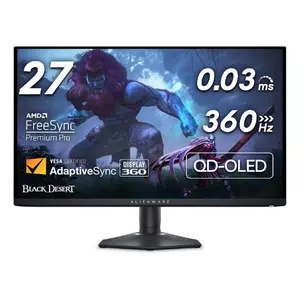
- 360Hz refresh rate for competitive edge
- Exceptional motion clarity and response
- Delta E < 2 color accuracy
- Full ergonomic adjustment options
- Three-year burn-in warranty from Dell
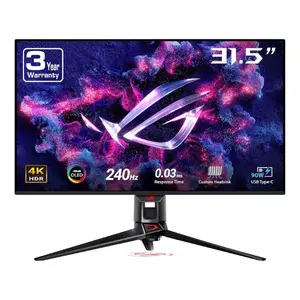
- 4K resolution with 140 PPI clarity
- USB-C with 90W Power Delivery
- Built-in KVM for multi-device setups
- Dolby Vision support via firmware
- Superior heat management design
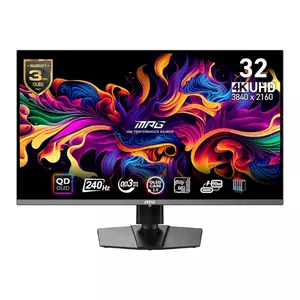
- Significantly cheaper than competitors
- Identical panel to premium options
- USB-C with 90W Power Delivery
- Built-in KVM functionality
- ClearMR 13000 certified
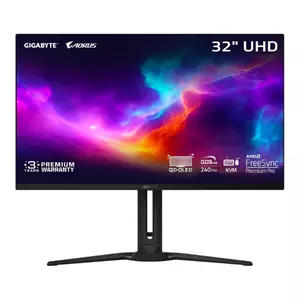
- Built-in 5W speakers included
- HDMI-CEC for console convenience
- RGB Fusion 2.0 lighting
- Balanced features-to-price ratio
- USB 3.0 hub (faster than MSI)
QD-OLED Monitor Comparison
Here's a detailed comparison of key specifications across the top QD-OLED monitors:
| Specification | Samsung G93SC | Alienware AW2725DF | ASUS PG32UCDM | MSI 321URX | GIGABYTE FO32U2 |
| Screen Size | 49 inches | 27 inches | 32 inches | 32 inches | 32 inches |
| Resolution | 5120 x 1440 (DQHD) | 2560 x 1440 (QHD) | 3840 x 2160 (4K) | 3840 x 2160 (4K) | 3840 x 2160 (4K) |
| Aspect Ratio | 32:9 | 16:9 | 16:9 | 16:9 | 16:9 |
| Pixel Density | 109 PPI | 109 PPI | 140 PPI | 140 PPI | 137 PPI |
| Refresh Rate | 240Hz | 360Hz | 240Hz | 240Hz | 240Hz |
| Response Time | 0.03ms (GTG) | 0.03ms (GTG) | 0.03ms (GTG) | 0.03ms (GTG) | 0.03ms (GTG) |
| Panel Type | QD-OLED (Curved 1800R) | QD-OLED (Flat) | QD-OLED (Flat) | QD-OLED (Flat) | QD-OLED (Flat) |
| Panel Generation | 3rd Gen Samsung | 3rd Gen Samsung | 3rd Gen Samsung | 3rd Gen Samsung | 3rd Gen Samsung |
| Peak Brightness (HDR) | 1000 nits (3% window) | 1000 nits (3% window) | 1000 nits (3% window) | 1000 nits (3% window) | 1000 nits (3% window) |
| SDR Brightness | 250 nits | 250 nits | 293 nits | 250 nits | 250 nits |
| Color Gamut | 99% DCI-P3 | 99.3% DCI-P3 | 99% DCI-P3 | 99% DCI-P3 | 99% DCI-P3 |
| HDR Certification | DisplayHDR True Black 400 | DisplayHDR True Black 400 | DisplayHDR True Black 400 | DisplayHDR True Black 400 | DisplayHDR True Black 400 |
| Contrast Ratio | Infinite (1,500,000:1) | Infinite | Infinite | Infinite (1,500,000:1) | Infinite (1,500,000:1) |
| DisplayPort | 1x DP 1.4 | 2x DP 1.4 | 1x DP 1.4 | 1x DP 1.4 | 1x DP 1.4 |
| HDMI | 2x HDMI 2.1 | 1x HDMI 2.1 | 2x HDMI 2.1 | 2x HDMI 2.1 | 2x HDMI 2.1 |
| USB-C | No | No | 1x (90W PD) | 1x (90W PD) | 1x (18W PD) |
| USB Hub | Yes (USB 3.0) | Yes (USB 3.2 Gen 1) | Yes (USB 3.2 Gen 2) | Yes (USB 2.0) | Yes (USB 3.0) |
| KVM Support | No | No | Yes | Yes | No |
| Dolby Vision | No | No | Yes (via firmware) | No | No |
| Adaptive Sync | FreeSync Premium Pro | FreeSync Premium Pro | FreeSync Premium, G-SYNC Compatible | FreeSync Premium Pro, G-SYNC Compatible | FreeSync Premium Pro |
| Built-in Speakers | Yes (2x 5W) | No | No | No | Yes (2x 5W) |
| Ergonomic Stand | Height, tilt | Height, tilt, swivel, pivot | Height, tilt, swivel, pivot | Height, tilt, swivel | Height, tilt, swivel |
| Burn-in Warranty | 3 years | 3 years | 3 years | 3 years | 3 years |
| Curvature | 1800R | Flat | Flat | Flat | Flat |
| Best For | Immersive ultrawide gaming | Competitive esports | Premium 4K all-rounder | Value-focused 4K gaming | Well-rounded 4K option |
Each monitor uses the same third-generation Samsung QD-OLED technology, ensuring excellent baseline performance across response times, contrast, and color accuracy.
Samsung Odyssey G93SC Review
Editor's Choice
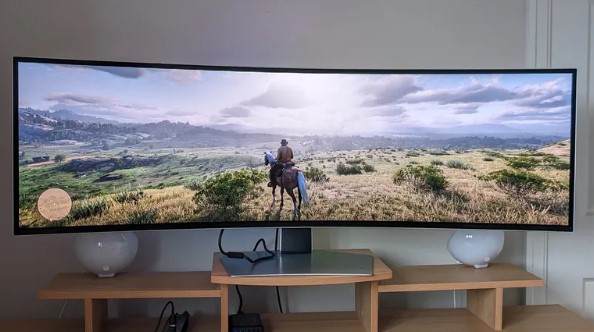
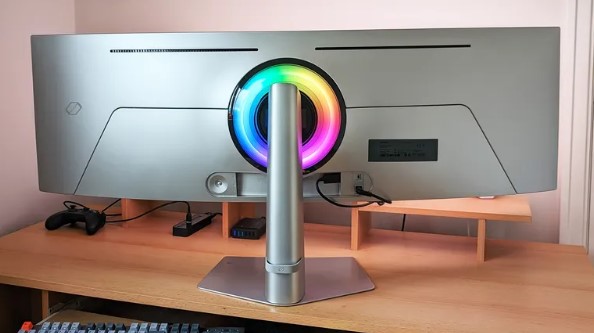
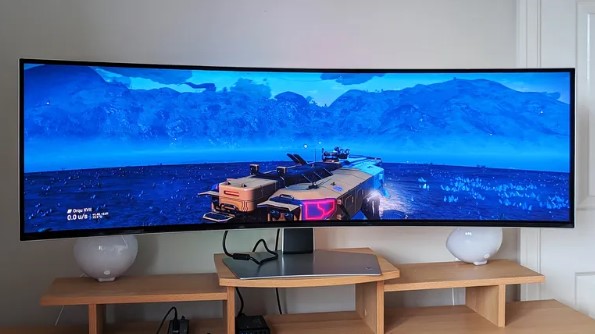
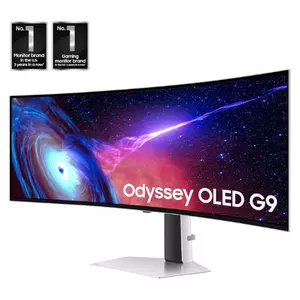
The Samsung Odyssey G93SC stretches 49 inches across your desk with a 32:9 aspect ratio that literally replaces two 27-inch QHD monitors side by side. The 1800R curvature wraps around your peripheral vision without the aggressive bend that makes some curved screens feel gimmicky. At 5120 x 1440 resolution, you get the pixel density of a standard 1440p display but doubled horizontally, creating room for three full-width windows or genuinely panoramic game views.
Setting up this monitor requires realistic expectations about desk space. The 47-inch width demands a deep desk because sitting too close creates constant head swiveling between screen edges. Positioned about four feet back, the curved panel envelops your field of view naturally, making the ultrawide format feel cohesive rather than segmented. The stand occupies minimal desk space despite the monitor's size - a flat rectangular base barely larger than needed for stability.
Racing simulators and flight games benefit most dramatically from the 32:9 format. Forza Horizon's Mexican deserts stretch endlessly across the curved screen, peripheral details visible without turning the camera. Doom Eternal's environments wrap around you, making surprise attacks from screen edges virtually impossible. Competitive shooters gain tactical advantage through extreme horizontal FOV, letting you spot flanking enemies your teammates miss on standard 16:9 displays.
Productivity workflows transform similarly. Three documents side by side reach comfortable reading width without overlapping. Video editors see entire timelines with room for preview windows and toolbars. The 240Hz refresh rate means scrolling through long documents feels unnaturally smooth, almost liquid in motion. FreeSync Premium Pro eliminates tearing across the entire wide expanse, crucial when half your screen shows static content while the other half runs games.
I watched a friend transition from dual 27-inch monitors to this ultrawide and observed his workflow evolve over weeks. Initially he treated it like two separate zones, but gradually started using the full width for single applications - spreadsheets with dozens of visible columns, photo editing with every panel accessible simultaneously, browser windows stretched to show three articles without tab switching. The lack of bezel down the middle removed the psychological barrier dual monitors create.
Pros:
- Replaces dual-monitor setup without bezels
- 1800R curve enhances immersion naturally
- 240Hz across entire ultrawide expanse
- Excellent for racing sims and flight games
- Three-year burn-in warranty included
Cons:
- Requires deep desk and significant width
- Heavy GPU load running 5120 x 1440
- No USB-C or KVM features
Summary: The Samsung Odyssey G93SC delivers the most immersive ultrawide experience available through QD-OLED technology at 49 inches. Best for dedicated gaming setups with adequate desk space and powerful GPUs to drive the resolution.
Alienware AW2725DF Review
Best Overall
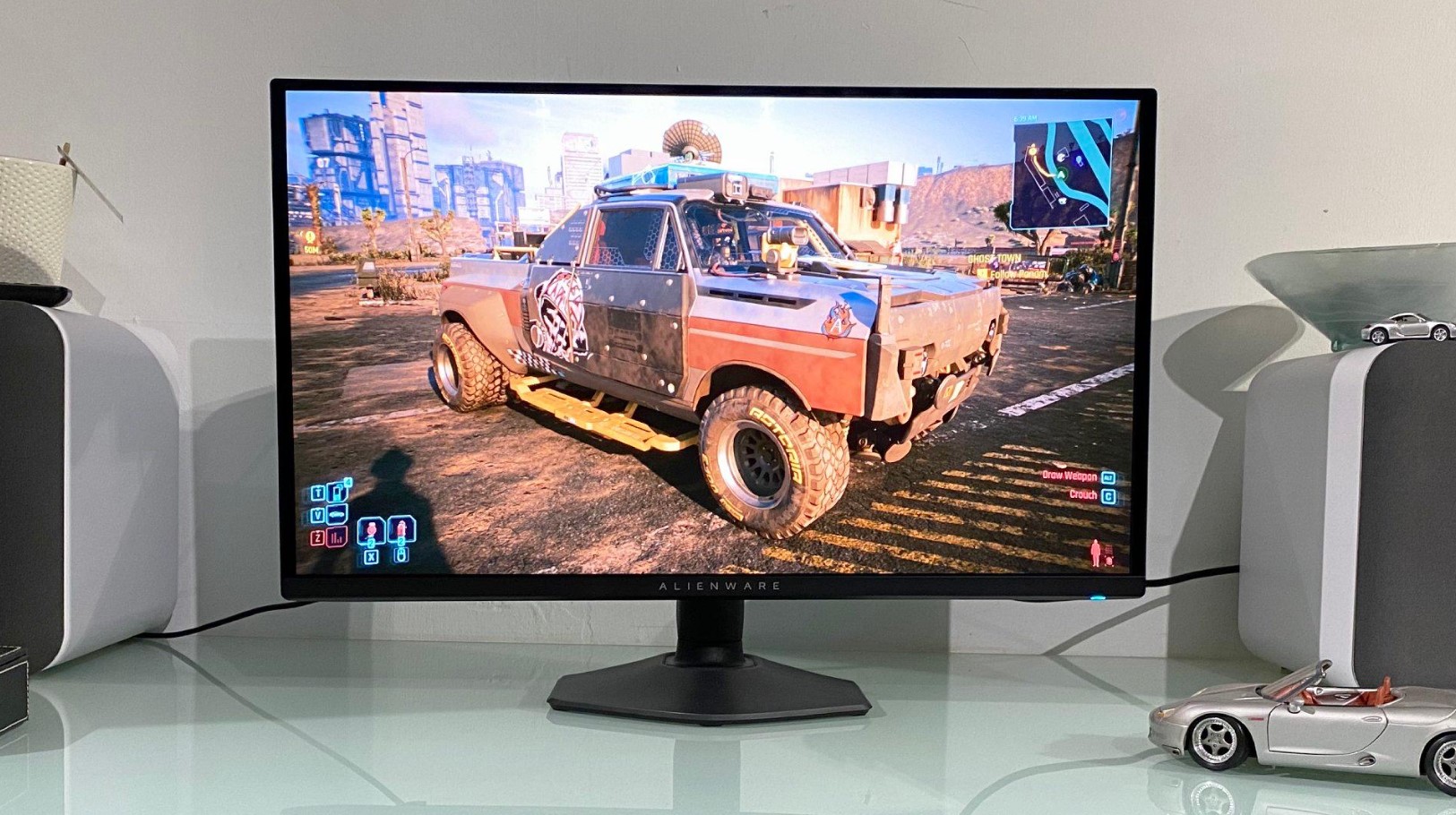
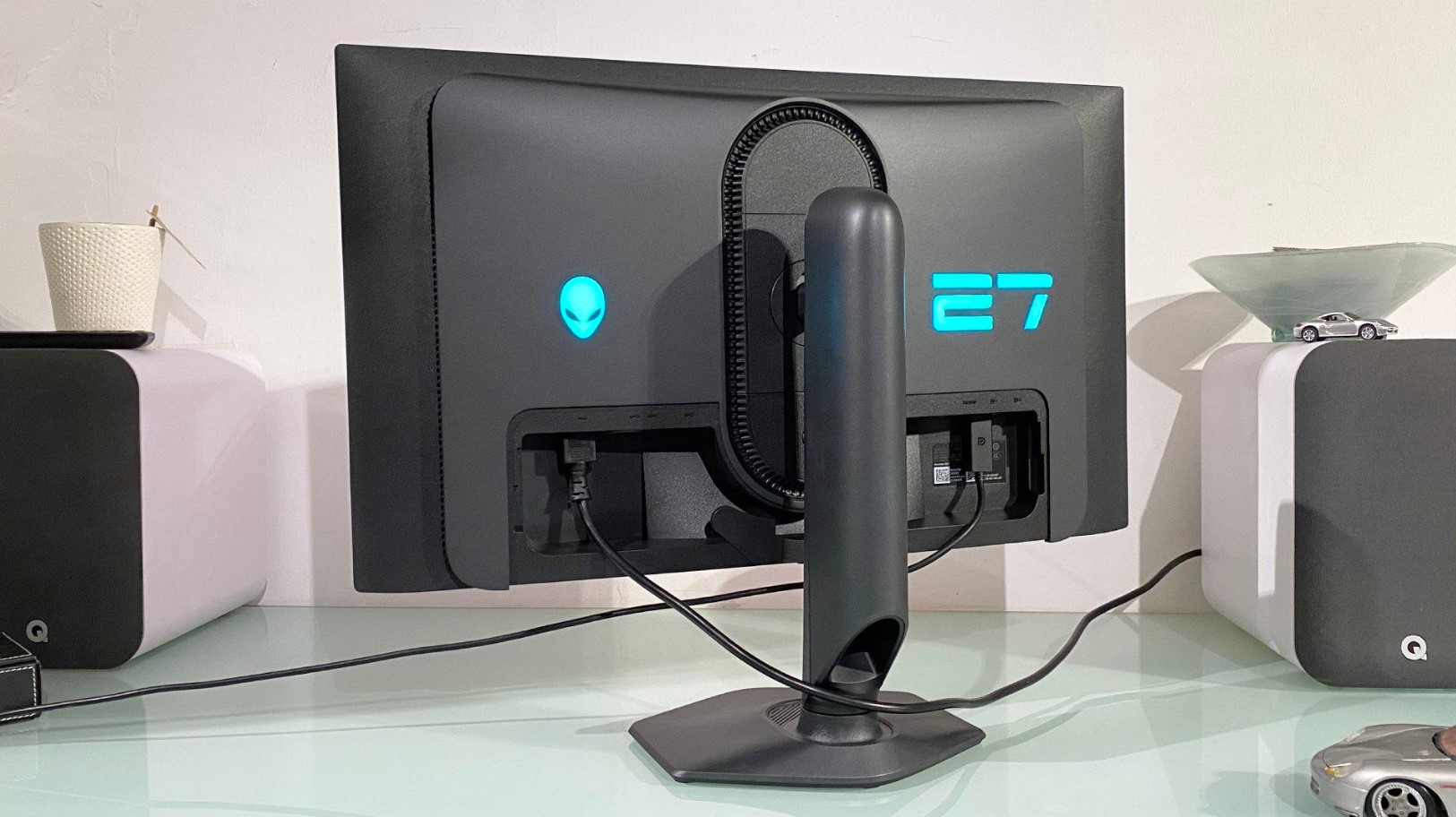
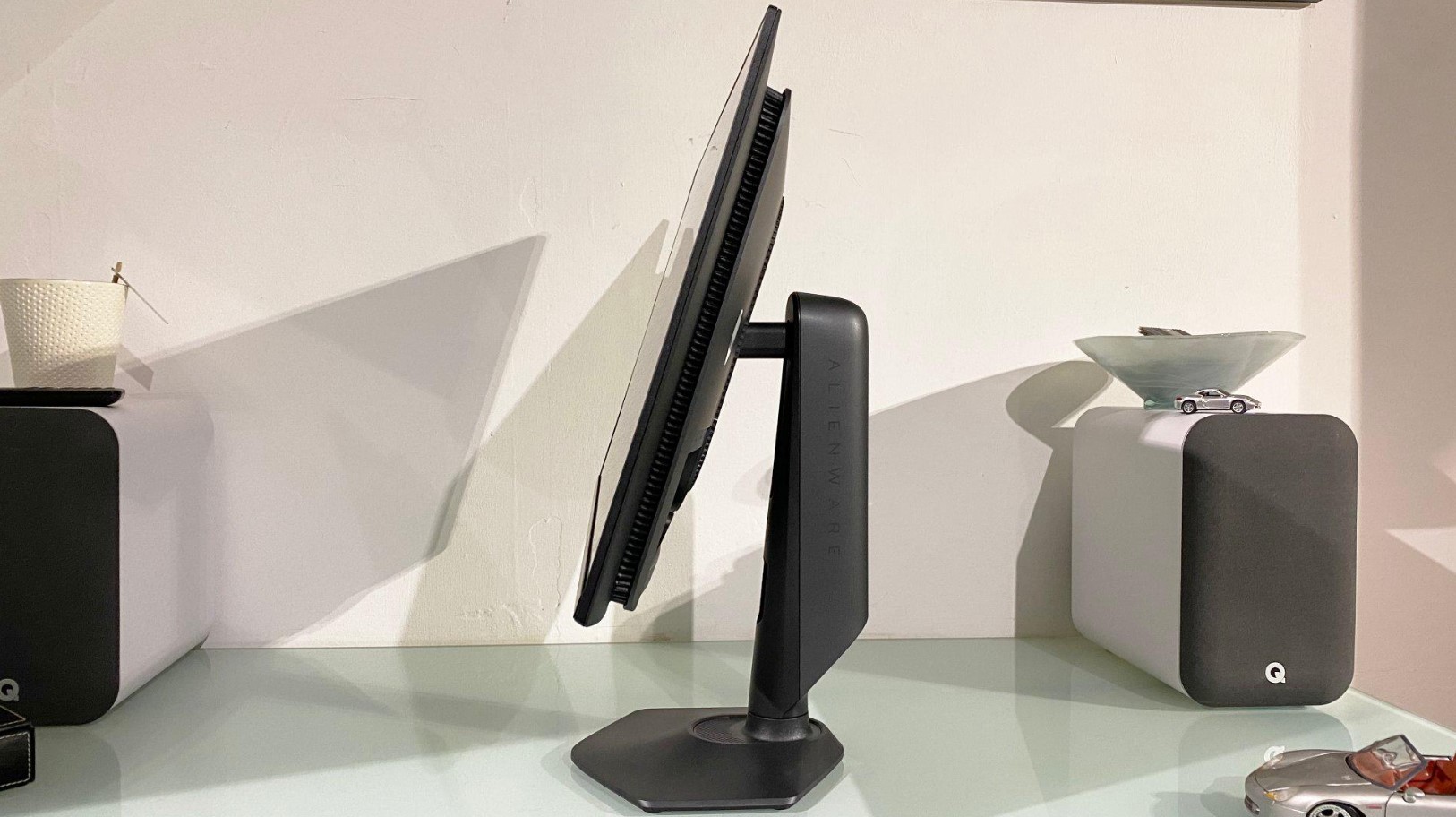
The Alienware AW2725DF pushes QD-OLED to 360Hz at 1440p resolution, creating motion clarity that exceeds what most competitive gamers thought possible from OLED technology. The 27-inch flat panel delivers 109 PPI pixel density - sharp enough for desktop work without the minor text fringing that plagued earlier QD-OLED generations. Dell's sci-fi aesthetic includes LED accent lighting and the trademark Alienware logo, restrained compared to some gaming monitors but unmistakably styled for gamers.
That 360Hz refresh rate separates casual from competitive performance. At 240Hz, motion already looks exceptionally smooth. Jumping to 360Hz shaves additional milliseconds off input lag and reduces motion blur to levels where individual frames in fast sequences remain distinguishable. Professional CS2 and Valorant players running 400+ fps systems notice the difference immediately - tracking moving targets feels more precise, and the monitor's 0.03ms pixel response eliminates ghosting entirely.
Color accuracy measures Delta E < 2 out of the box, meeting professional standards without calibration. The 99.3% DCI-P3 coverage produces vibrant game visuals that remain accurate rather than oversaturated. HDR performance follows typical QD-OLED patterns - 1000-nit highlights pop against perfect blacks, though full-screen brightness tops out around 250 nits. For competitive gaming this limitation matters less since most esports titles run in SDR anyway for color consistency.
Dell's AlienFX RGB lighting system offers three-zone customization if you're into that aesthetic, or turns off completely if you prefer minimal distraction. The hexagonal base minimizes desk footprint while the stand provides full ergonomic adjustment - height, tilt, swivel, and 90-degree pivot for vertical orientation. AlienVision overlay features include crosshairs, FPS counters, and refresh rate displays, though serious competitors typically use their own software for such tools.
Testing this monitor alongside a 240Hz QD-OLED revealed the 360Hz advantage in specific scenarios. Tracking enemies sprinting across open ground in Apex Legends felt marginally smoother, making leading shots more intuitive. The improvement isn't transformative - you won't suddenly climb ranks just from refresh rate - but the cumulative effect of faster response, lower latency, and smoother motion gives competitive players every possible edge. For single-player games the extra hertz matters less, but the exceptional motion clarity enhances everything.
Pros:
- 360Hz refresh rate for competitive edge
- Exceptional motion clarity and response
- Delta E < 2 color accuracy
- Full ergonomic adjustment options
- Three-year burn-in warranty from Dell
Cons:
- 1440p resolution limits desktop sharpness
- No USB-C connectivity
- Requires high-end GPU for 300+ fps
Summary: The Alienware AW2725DF targets competitive gamers who prioritize refresh rate and response time above all else. The 360Hz capability and Dell's reliability make this the obvious choice for esports-focused setups.
ASUS ROG Swift PG32UCDM Review
Premium Choice
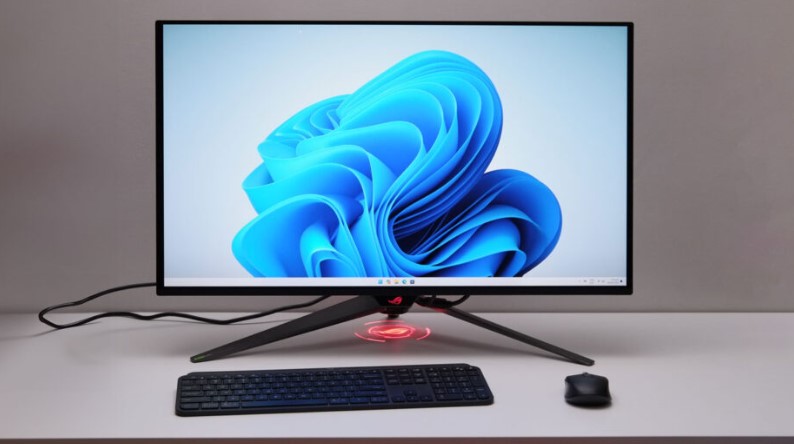
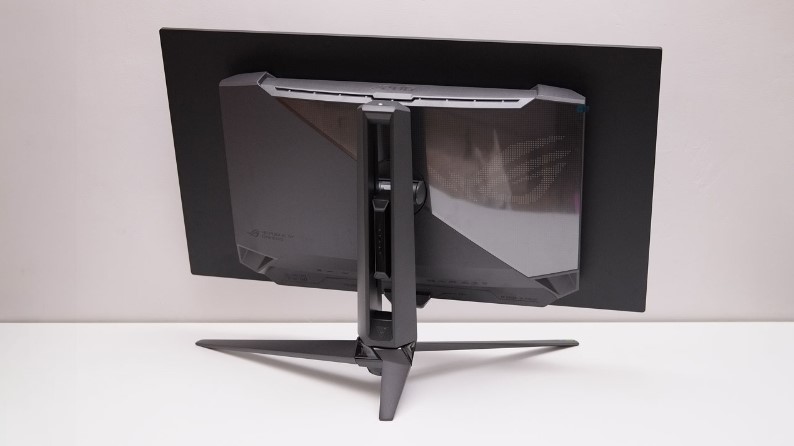
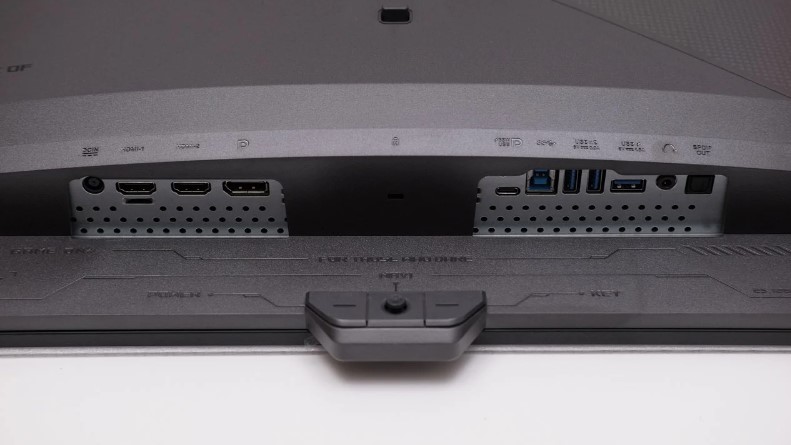
The ASUS ROG Swift PG32UCDM represents ASUS going all-in on premium features for their 32-inch 4K QD-OLED offering. The 240Hz refresh rate pairs with 3840 x 2160 resolution to deliver 140 PPI clarity that makes this monitor excel equally at gaming and productivity. Text looks crisp enough for coding and document work, while the pixel density provides noticeable improvement over 27-inch 1440p alternatives in games where you can actually push 4K framerates.
ASUS includes genuinely useful features beyond standard specifications. The custom heatsink with graphene film backing provides superior heat management compared to competitors using simpler cooling solutions. DisplayWidget Center software lets you control monitor settings via mouse rather than fumbling with physical OSD buttons - genuinely convenient when you frequently adjust brightness or switch inputs. The uniform brightness mode prevents OLED's tendency to fluctuate luminance based on screen content, useful for photo editing where consistency matters.
USB-C connectivity delivers 90W Power Delivery, enough to charge most gaming laptops while they run. Combined with KVM functionality, you can seamlessly switch between desktop gaming PC and work laptop using the same keyboard, mouse, and monitor. The implementation works flawlessly - one button press toggles inputs and USB peripherals simultaneously. Additional USB 3.2 Gen 2 ports provide faster transfer speeds than competitors using USB 2.0 hubs.
The monitor ships with a factory calibration report showing actual Delta E measurements for your specific panel. My unit measured Delta E < 1.5 across tested colors, exceeding ASUS's < 2 specification. Dolby Vision support arrives via firmware update, providing dynamic HDR metadata for compatible content. The exclusive ELMB (Extreme Low Motion Blur) black frame insertion works at refresh rates up to 120Hz, reducing motion blur for users running lower framerates.
Setting up this monitor for mixed gaming and creative work revealed why the premium positioning makes sense. Morning productivity tasks benefit from crisp 4K text and accurate color reproduction. Switching to gaming leverages the 240Hz refresh and OLED motion clarity. The built-in KVM simplifies the common workflow of gaming PC for evenings and work laptop during business hours. You're paying extra for convenience features that cheaper 4K QD-OLEDs skip, but those features genuinely improve daily use rather than serving as marketing checkboxes.
Pros:
- 4K resolution with 140 PPI clarity
- USB-C with 90W Power Delivery
- Built-in KVM for multi-device setups
- Dolby Vision support via firmware
- Superior heat management design
Cons:
- Premium pricing over competitors
- Requires powerful GPU for 4K 240Hz
- Optical audio output rarely needed
Summary: The ASUS ROG Swift PG32UCDM justifies its premium cost through comprehensive features and superior build quality. Best for users wanting a single monitor handling gaming, creative work, and multi-device workflows without compromise.
MSI MPG 321URX Review
Best Value
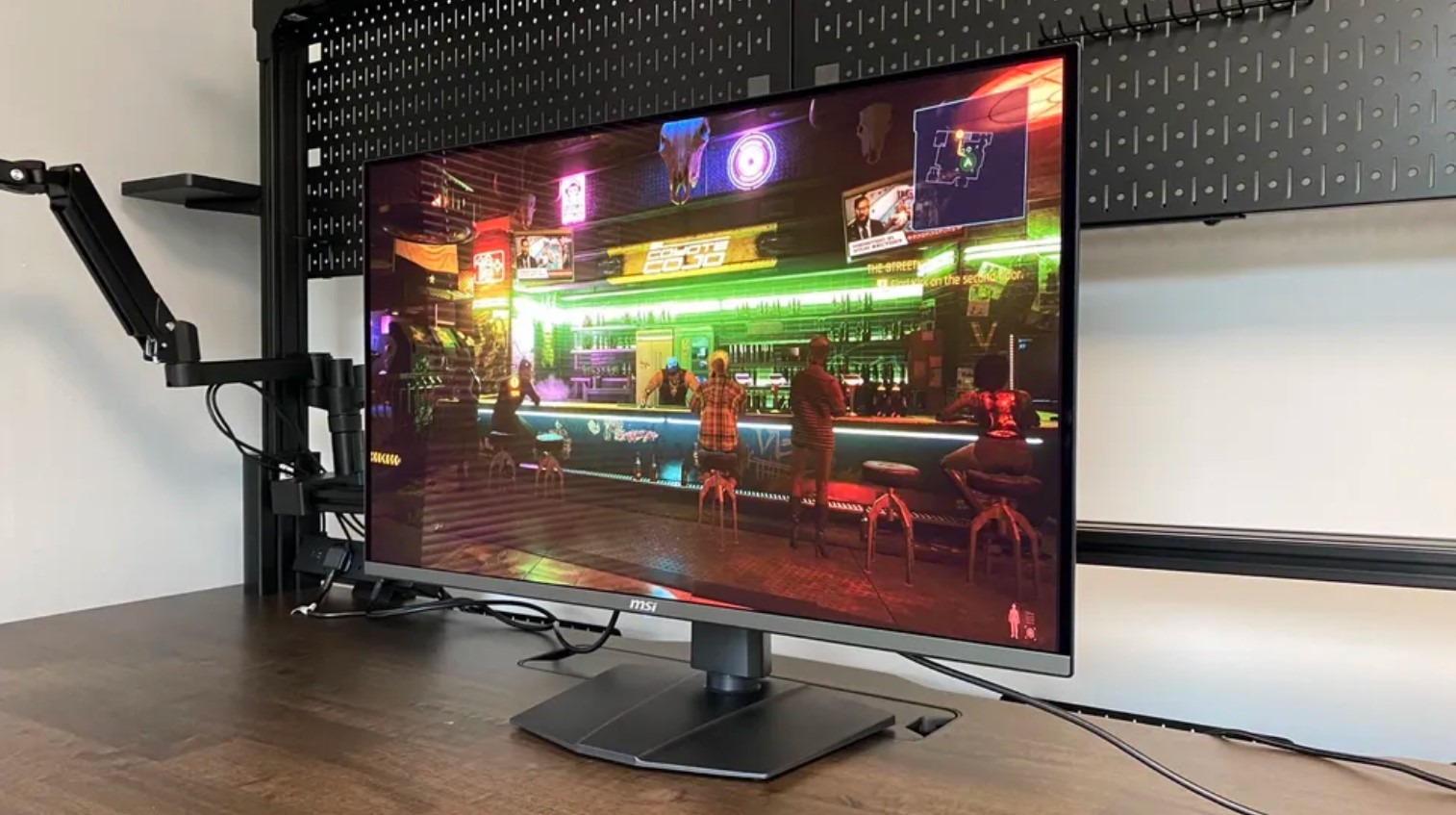
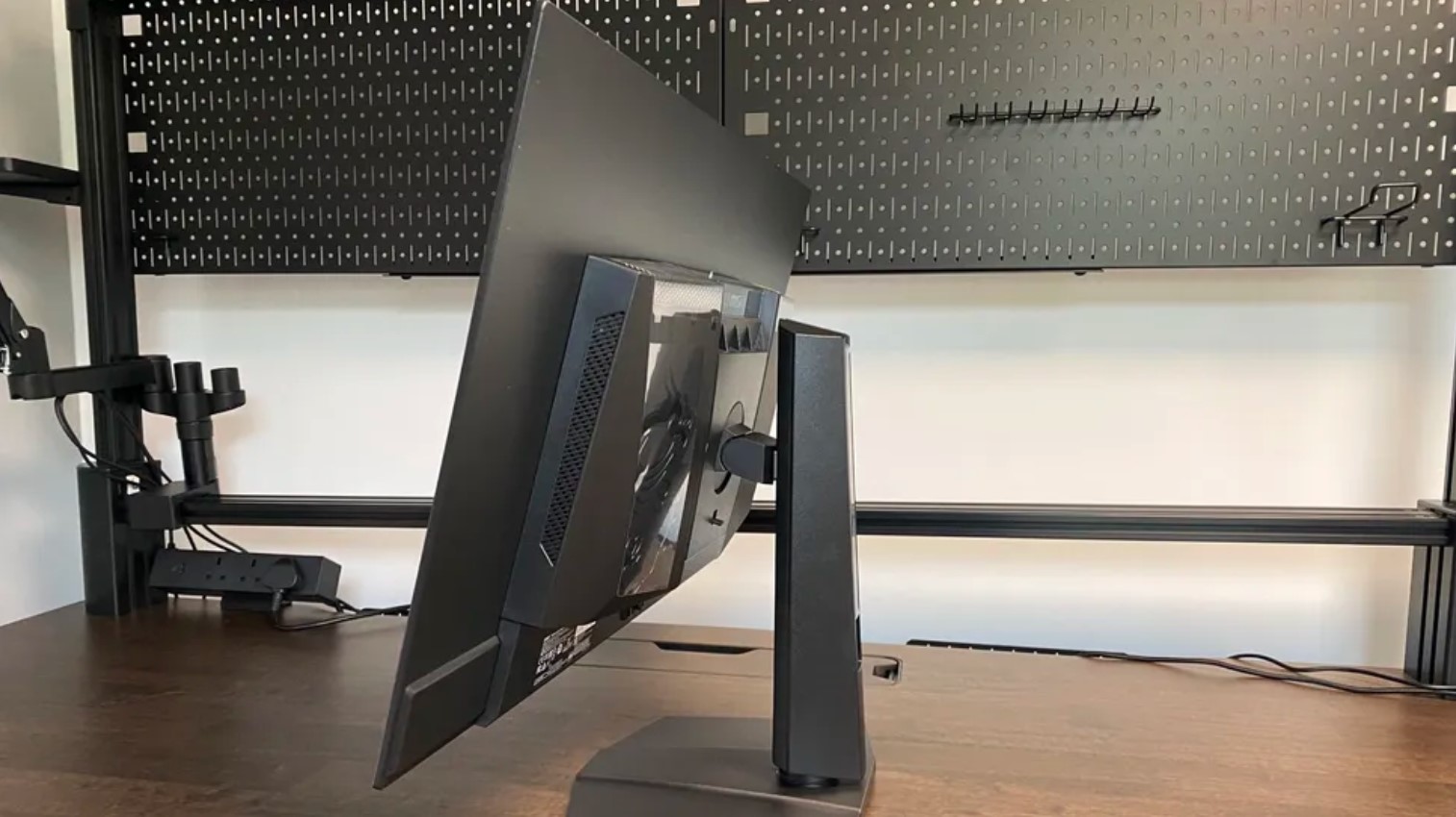
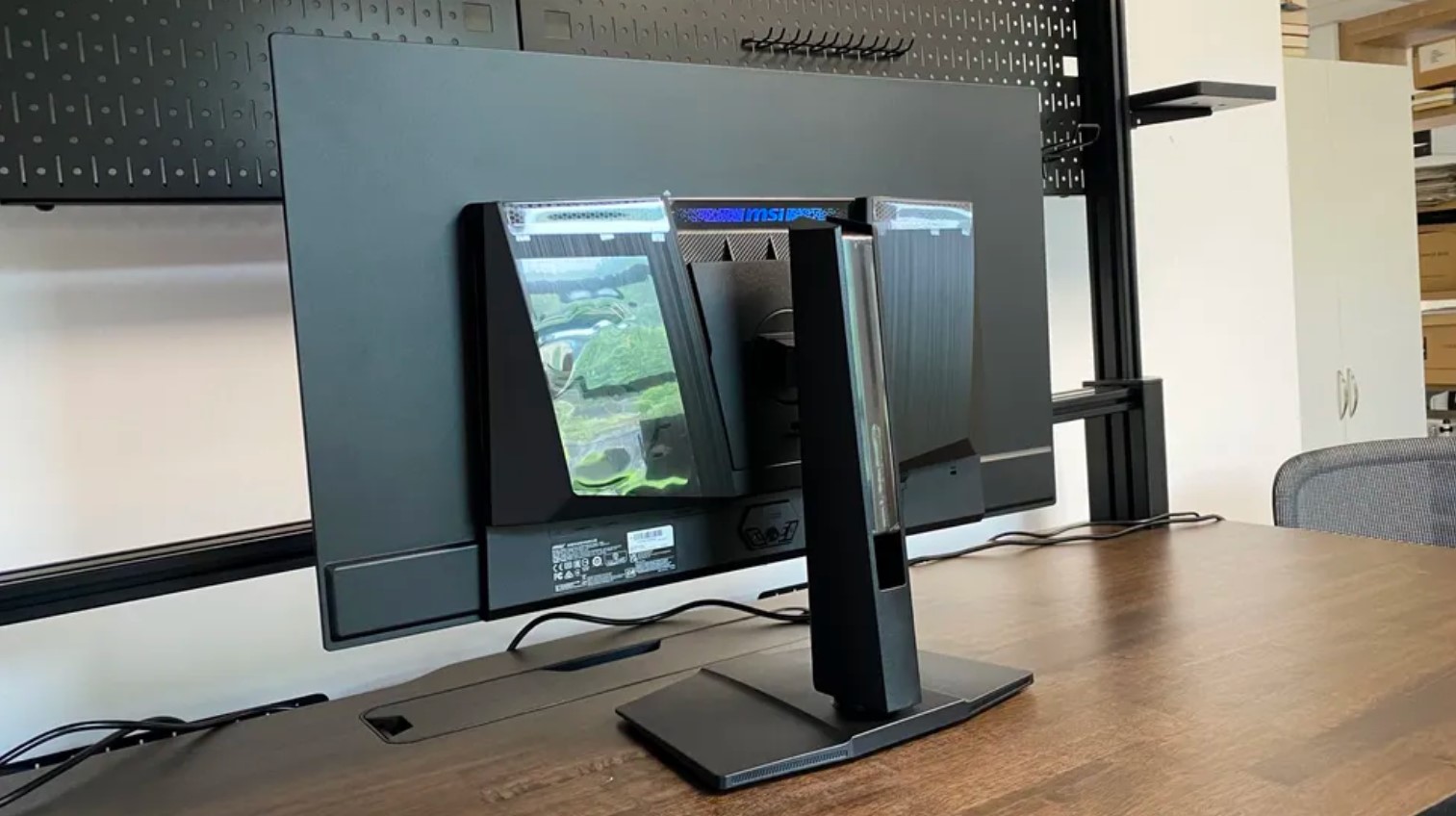
The MSI MPG 321URX QD-OLED uses the identical Samsung 32-inch 4K 240Hz QD-OLED panel as monitors costing $200-350 more, making it the value leader in this segment. You get the same 140 PPI pixel density, 0.03ms response time, infinite contrast ratio, and 99% DCI-P3 color gamut as premium competitors. MSI achieves lower pricing by trimming non-essential features rather than compromising panel quality or core performance.
The monitor arrives factory-calibrated to Delta E < 2, ensuring accurate colors without manual adjustment. ClearMR 13000 certification (VESA's motion clarity standard) confirms the panel delivers exceptional blur reduction. The Gaming Intelligence app simplifies monitor configuration through an intuitive desktop interface, though the physical OSD controls work fine if you prefer hardware buttons. MSI OLED Care 2.0 runs AI-driven burn-in prevention in the background, managing pixel refresh cycles and detecting static elements automatically.
Connectivity includes DisplayPort 1.4, dual HDMI 2.1 ports, and USB-C with 90W Power Delivery - matching ASUS's premium offering in this regard. The KVM switch lets you control desktop and laptop from one keyboard/mouse setup. Where MSI cuts costs shows in details: the USB hub uses older USB 2.0 rather than 3.2, limiting peripheral transfer speeds. The monitor lacks Dolby Vision support with no firmware update planned. Built-in speakers are absent, forcing reliance on external audio.
The stand provides height, tilt, and swivel adjustment but skips pivot capability. For most users this omission barely registers - few people run 32-inch 4K monitors in vertical orientation anyway. The bottom bezel uses dark gray plastic instead of matching the black surrounds, a minor aesthetic inconsistency that disappears once you're actually using the display. RGB lighting on the rear provides customization for those who mount monitors against walls.
I tested the MPG 321URX alongside the ASUS PG32UCDM to identify real-world differences justifying the $350 price gap. Image quality proved indistinguishable - same panel, same calibration quality, same HDR performance. The ASUS felt more premium through metal construction versus MSI's plastic, offered Dolby Vision for movie watching, and included faster USB 3.2 ports. But for pure gaming performance where those extras don't matter, the MSI delivered identical results for substantially less money. Budget-conscious buyers sacrifice convenience features, not panel performance.
Pros:
- Significantly cheaper than competitors
- Identical panel to premium options
- USB-C with 90W Power Delivery
- Built-in KVM functionality
- ClearMR 13000 certified
Cons:
- USB 2.0 hub instead of USB 3.2
- No Dolby Vision support
- Missing built-in speakers
Summary: The MSI MPG 321URX delivers flagship 4K QD-OLED performance at the lowest price point in this category. Best for gamers prioritizing panel quality over premium features and willing to use external speakers.
GIGABYTE AORUS FO32U2 Review
Well-Rounded Option
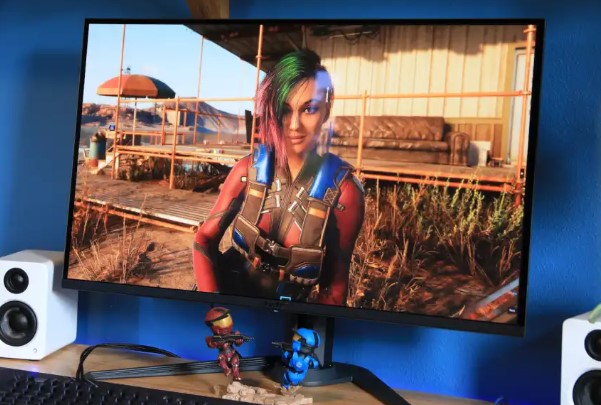
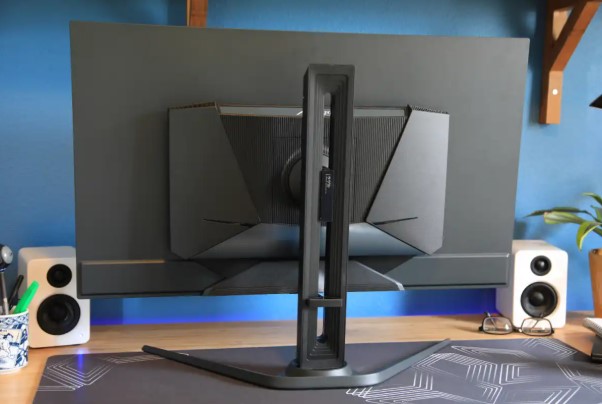
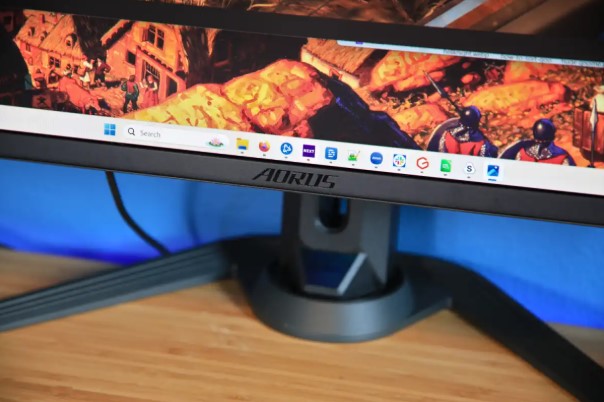
The GIGABYTE AORUS FO32U2 positions itself between budget and premium tiers, including useful features the MSI skips while undercutting ASUS pricing. The 32-inch 4K QD-OLED panel matches competitors for core specifications - 240Hz, 0.03ms response, 99% DCI-P3 gamut, DisplayHDR True Black 400 certification. What differentiates GIGABYTE's implementation comes through connectivity options and gaming-focused extras.
Dual 5-watt built-in speakers provide acceptable audio quality for casual gaming and video watching, eliminating the need for external speakers in space-constrained setups. The sound won't satisfy audiophiles but beats having no audio option at all, unlike many competing monitors shipping speaker-free. RGB Fusion 2.0 lighting on the rear panel syncs with other GIGABYTE components if you're invested in that ecosystem, or operates independently if you just want customizable accent lighting.
Tactical gaming features include customizable crosshairs, timers, and the Black Equalizer 2.0 system for brightening dark areas without affecting overall image quality. HDMI-CEC support automatically powers the monitor on when connected consoles wake, convenient for PS5 and Xbox Series X users. The monitor handles 4K at 120Hz with full HDR and VRR from latest-generation consoles, making it viable for mixed PC and console gaming setups.
The USB-C port provides only 18W Power Delivery compared to 90W on ASUS and MSI models, limiting its utility to maintaining laptop battery rather than actively charging under load. This represents the clearest compromise GIGABYTE made hitting their target price point. The USB 3.0 hub offers faster transfers than MSI's USB 2.0 implementation but trails ASUS's USB 3.2 Gen 2 speeds. No KVM functionality means manual input switching between devices.
Testing revealed strong all-around performance without particular standout features. Color accuracy measured Delta E < 2 after factory calibration. Motion clarity matched other QD-OLED panels using the same Samsung technology. HDR pop looked identical across the monitors I compared. The GIGABYTE simply executes the fundamentals well while including enough extras (speakers, better USB speeds, HDMI-CEC) to justify choosing it over the bare-bones MSI, though not quite matching ASUS's premium experience. It's the Goldilocks option - not too basic, not too expensive, just right for most users.
Pros:
- Built-in 5W speakers included
- HDMI-CEC for console convenience
- RGB Fusion 2.0 lighting
- Balanced features-to-price ratio
- USB 3.0 hub (faster than MSI)
Cons:
- Only 18W USB-C Power Delivery
- No KVM functionality
- Slightly warmer color calibration
Summary: The GIGABYTE AORUS FO32U2 provides solid middle-ground positioning with useful extras like built-in speakers and HDMI-CEC. Best for users wanting more features than budget options without paying premium prices.
QD-OLED Monitors: Your Questions Answered
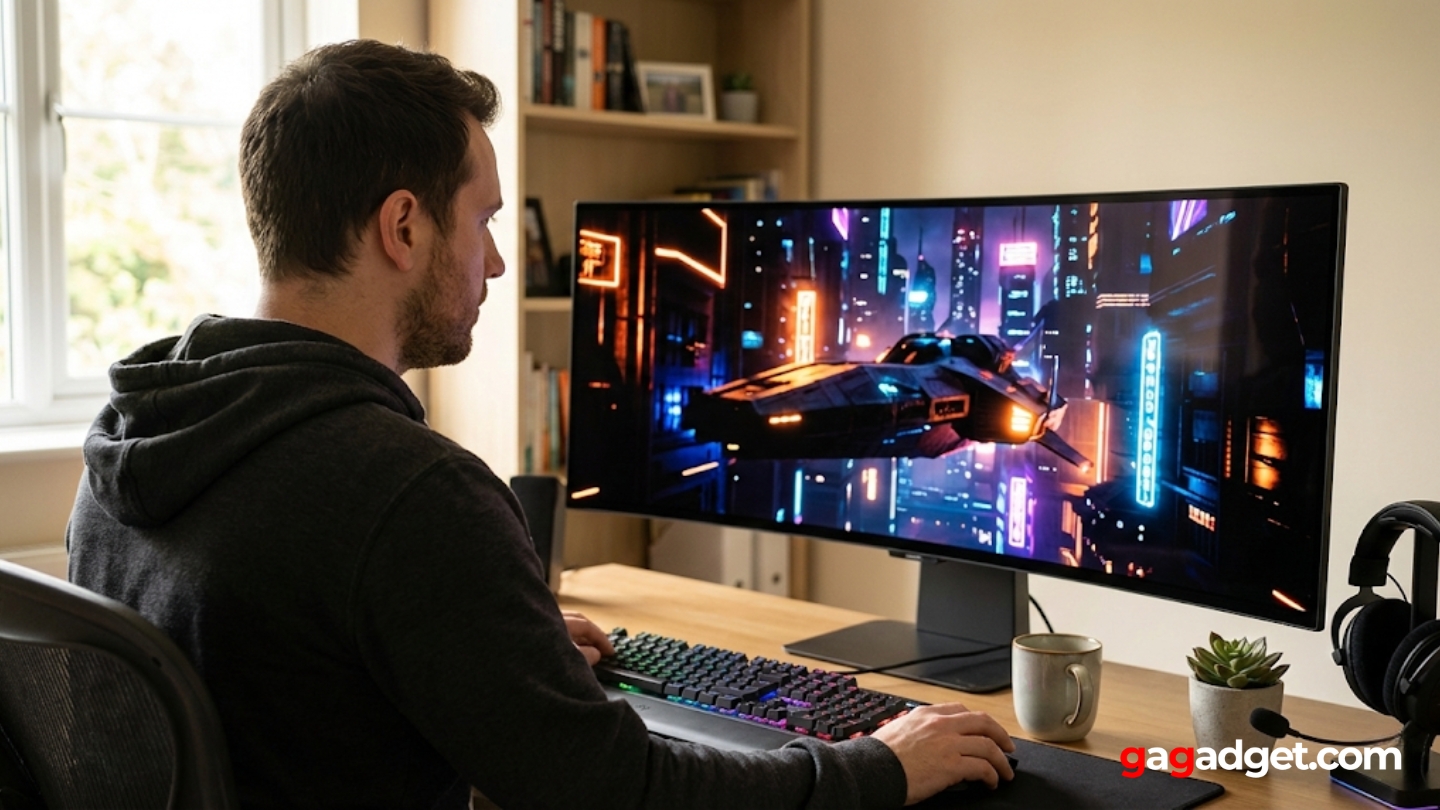
After helping multiple people choose and set up QD-OLED monitors, certain questions come up repeatedly about this display technology and how it compares to alternatives.
Is QD-OLED better than WOLED for gaming monitors?
QD-OLED (Quantum Dot OLED) delivers higher peak brightness and wider color gamut than WOLED (White OLED) panels, making HDR content pop more dramatically and colors appear more vibrant. The brightness advantage matters particularly in games with bright outdoor scenes or intense HDR highlights. However, WOLED panels typically show better resistance to burn-in through their white subpixel layer that distributes wear more evenly. For pure gaming performance where burn-in risk stays manageable through varied content, QD-OLED's superior brightness and color volume provide noticeable advantages. For mixed-use scenarios with lots of static desktop elements, WOLED's durability edge becomes more relevant.
Will burn-in really affect my QD-OLED monitor?
Burn-in remains a real concern but modern QD-OLED monitors incorporate multiple protection systems that make it avoidable with reasonable usage habits. Pixel shifting, logo dimming, automatic refresh cycles, and intelligent brightness limiting all work to prevent static elements from permanently damaging pixels. Using varied content (switching between games, movies, desktop work) distributes pixel wear evenly. Enabling taskbar auto-hide, using dark mode when possible, and avoiding leaving static images displayed for hours reduce risk substantially. The three-year burn-in warranties manufacturers now provide indicate their confidence in panel longevity. Treat your QD-OLED monitor reasonably and burn-in becomes unlikely rather than inevitable.
Can my GPU handle 4K at 240Hz on these monitors?
Driving 4K at 240Hz requires flagship graphics cards - RTX 4090, RTX 4080 Super, or AMD 7900 XTX territory. Even these powerful GPUs struggle reaching 240fps in demanding AAA titles at native 4K. Competitive esports titles (CS2, Valorant, Overwatch 2) run fine at those framerates with settings optimization. Single-player games typically run at 100-180fps depending on complexity and settings. DLSS and FSR upscaling help by rendering at lower resolution then upscaling to 4K, boosting framerates while maintaining acceptable image quality. If you're running mid-tier hardware, consider 1440p QD-OLED options instead - they're easier to drive and 360Hz panels provide smoother motion than 4K at lower framerates.
How does QD-OLED perform in bright rooms?
QD-OLED's glossy coating and lower full-screen brightness (250-300 nits) mean bright rooms with direct light hitting the screen create challenges. Reflections become visible and blacks lift to dark gray when ambient light reflects off the panel. Position the monitor to avoid direct sunlight or bright windows facing the screen. Controlled lighting environments where you manage ambient brightness suit QD-OLED best. If your setup faces large windows with daytime sunlight, mini-LED monitors with matte coatings and 600+ nit brightness handle bright rooms better despite inferior contrast and black levels. Many users find QD-OLED perfectly usable in normal room lighting - it's specifically direct bright light causing problems.
Should I wait for newer QD-OLED technology or buy now?
Current third-generation QD-OLED panels represent mature technology with text clarity and burn-in protection significantly improved over first-generation releases. Future generations might add higher brightness or better burn-in resistance, but waiting means missing years of usage for incremental improvements. If you need a monitor now, current QD-OLED technology delivers transformative image quality that makes most upgrades feel worthwhile. If you're perfectly happy with your existing monitor, waiting for fourth-generation panels (likely 2026-2027) could bring meaningful advances. The "wait for next gen" cycle never ends in tech - buy when current options meet your needs rather than chasing perpetually upcoming improvements.
Do all QD-OLED monitors use the same panel?
Samsung Display manufactures all current QD-OLED panels used in gaming monitors, creating significant overlap in core specifications across different brands. A 32-inch 4K 240Hz QD-OLED panel from Samsung gets used in ASUS, MSI, Dell, and GIGABYTE monitors with identical resolution, refresh rate, response time, and color gamut. What differentiates models comes through firmware tuning, additional features (KVM, USB-C, speakers), build quality, warranty coverage, and price positioning. This means choosing between QD-OLED monitors often comes down to features and price rather than panel performance - they're all using the same underlying technology.
Can I use a QD-OLED monitor for photo and video editing?
QD-OLED's wide color gamut (99% DCI-P3) and accurate color reproduction (Delta E < 2 from factory calibration) make these monitors excellent for creative work. The infinite contrast ratio helps evaluate shadow detail and ensure proper exposure across tonal ranges. However, the glossy coating picks up reflections that complicate color-critical work in uncontrolled environments. Professional color grading typically happens in controlled lighting anyway, making the reflection issue manageable. The bigger consideration involves burn-in risk from static editing software interfaces - enable taskbar auto-hide, vary which programs you use, and take breaks to let pixel refresh cycles run. Many professionals successfully use OLED monitors for editing but remain aware of the burn-in prevention practices needed.
Making Your QD-OLED Monitor Decision
Choosing between QD-OLED monitors means balancing resolution, refresh rate, features, and budget against your specific use case and hardware capabilities. Competitive gamers maximize advantage through the Alienware AW2725DF's 360Hz refresh and instant response. Single-player enthusiasts and creative professionals benefit from the ASUS ROG Swift PG32UCDM's 4K clarity and premium features. Budget-conscious buyers get flagship performance from the MSI MPG 321URX. Immersive gaming setups embrace the Samsung Odyssey G93SC's ultrawide expanse. All-around users find balance with the GIGABYTE AORUS FO32U2.
The right QD-OLED monitor transforms your gaming and viewing experience through perfect blacks, vibrant colors, and motion clarity LCD panels can't match. Match the monitor to your GPU capabilities, desk space, and primary use cases rather than chasing maximum specifications regardless of practical utility.

Meet James, our go-to tech guru and seasoned reviewer. His sharp attention to detail and love for gadgets drive his deep dives into the newest tech waves. James's insightful analysis and real zest for breakthroughs have earned him a solid reputation in the tech world.


