Best Smart Toys for Kids
My daughter grabbed an educational tablet at her cousin's birthday party and didn't look up for twenty minutes. No begging for snacks, no sibling arguments, just complete focus on solving puzzles and getting excited every time she figured one out. Watching her actually learn while playing made me reconsider my blanket "screens are bad" policy.
Smart toys range from augmented reality kits that track physical pieces through iPad cameras to screen-free audio players delivering stories through magnetic figurines. Some teach coding concepts through block-based programming, others build vocabulary through touch-sensitive pages. After testing these with kids ages 18 months to 10 years and watching which ones actually stayed on shelves versus moving to closets, five toys delivered genuine educational value alongside sustained engagement.
If you're in a hurry, here are my top two picks for smart toys:
We may earn a small commission if you buy via our links - it helps keep gagadget.com running.
Table of Contents:
- Best Smart Toys for Kids: Buying Guide
- Top 5 Smart Toys for Kids in 2026
- Smart Toys Comparison
- Osmo Genius Starter Kit
- LeapFrog Learning Friends 100 Words Book
- VTech Touch and Learn Activity Desk
- Toniebox Audio Player
- YOTO Player (3rd Gen)
- Smart Toys: FAQ
Best Smart Toys for Kids: Buying Guide
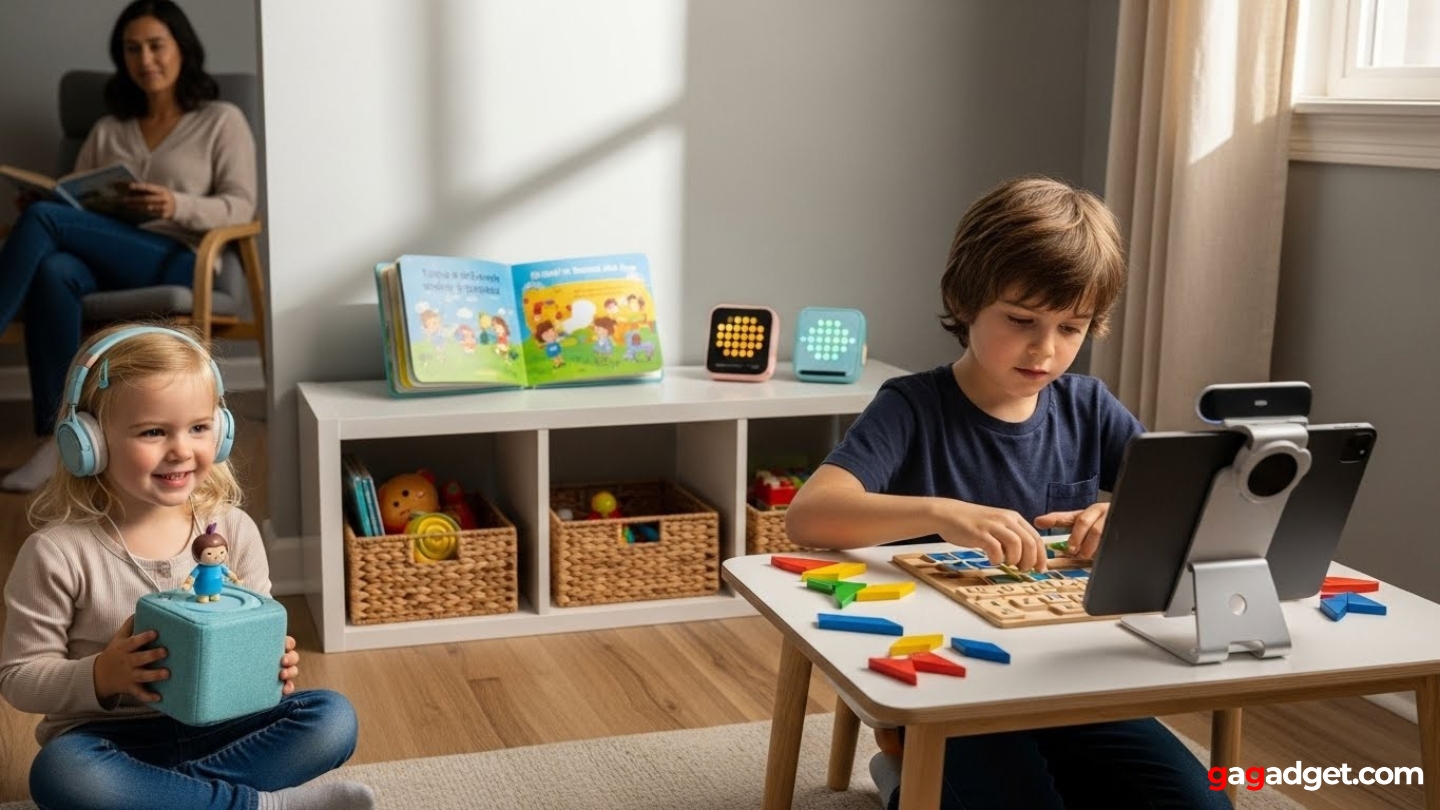
Picking smart toys means separating genuinely educational products from tablet holders with "learning" buzzwords. The wrong toy becomes another screen addiction; the right one teaches actual skills through play that feels like fun rather than lessons.
Physical vs Digital Interaction
Smart toys requiring hands-on manipulation teach more than passive screen watching. Augmented reality systems tracking real pieces develop spatial reasoning alongside digital concepts. Audio players eliminate screens entirely while delivering educational content. Touch-sensitive books respond to fingers pressing pictures, creating cause-and-effect understanding without needing tablets.
The best smart toys enhance play through technology rather than replacing physical activity with screens. Choose toys requiring active participation over passive consumption.
Toys relying entirely on screens risk becoming another device competing for attention alongside tablets and phones. Balance matters - some screen integration works well for visual learners, but physical components should drive the experience. A toy teaching letters through iPad games doesn't encourage the imaginative play happening with traditional blocks. Check whether the toy functions if batteries die or tablets break.
Age-Appropriate Content
Toddler toys should focus on vocabulary, colors, and basic cause-and-effect. Interactive books speaking words when touched build associations naturally. Toys cramming multiplication at kids barely walking create frustration. Elementary-age children benefit from puzzles, problem-solving, and creative challenges with multiple solutions.
Look for difficulty levels that scale as skills improve. Toys offering only beginner content lose appeal within months. Systems with expansion packs or growing libraries maintain engagement longer. Cards or figurines adding new stories extend playability without buying entirely new devices. Age ranges on boxes often miss the mark - a mechanically-inclined six-year-old might handle content marked 8+ while a ten-year-old with no tech interest needs simpler options.
Ease of Use
Kids lose interest when toys require constant adult help. Intuitive controls children master quickly beat complicated interfaces. Physical buttons work better than touchscreens for preschoolers developing motor control. Magnetic attachments clicking into place teach cause-and-effect while remaining simple for small hands.
Independent play builds confidence and problem-solving skills that constant parental guidance undermines. Choose toys children operate alone after one demonstration.
Safety considerations extend beyond choking hazards. Internet-connected toys need robust parental controls limiting what children access. Systems playing only pre-approved content eliminate worries about inappropriate material. Volume limiters protect developing ears during enthusiastic play. Check whether toys require WiFi constantly or work offline after initial setup.
Battery Life and Charging
Smart toys demanding fresh batteries weekly become expensive nuisances. Rechargeable devices with 7-10 hour battery life handle full days without dying mid-story. USB-C charging works with cables you already own. Proprietary docks add cost but simplify charging for younger children managing independently.
Some devices play while charging, others don't for safety. Consider whether your child uses the toy at home near outlets or during car trips. Portable options need longer battery life. Stationary desk toys can stay plugged in constantly. Wireless charging works elegantly but adds cost.
Content Libraries and Costs
Initial purchase represents only part of total investment. Some systems lock all content behind the base price, others nickel-and-dime with constant expansion purchases. Audio players using proprietary cards cost hundreds annually if your child demands new stories weekly. Subscription services provide better value when content libraries exceed individual purchase costs.
Calculate true cost by adding the base toy plus one year of realistic content purchases. A cheap toy with expensive expansions often costs more than premium options with included content.
Free content availability matters enormously. Systems including fifty games or stories at purchase provide months of entertainment before additional purchases. Products shipping with three activities and immediate upgrade prompts frustrate parents. Read reviews mentioning how long kids stayed engaged with included content before demanding expansions.
Top 5 Smart Toys for Kids in 2026
After testing these toys with kids and watching which ones maintained engagement beyond initial novelty, five options delivered genuine educational value alongside sustained interest.
- Augmented reality blends physical and digital play naturally
- Five games cover math, spelling, creativity, problem-solving
- Difficulty adapts automatically as skills improve
- Camera tracking works perfectly without errors
- Stackable storage keeps pieces organized
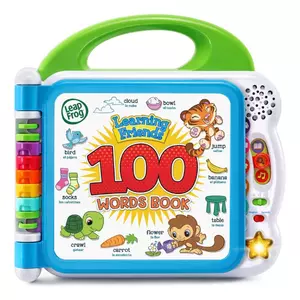
- Touch-sensitive pages teach 100 words
- Three modes provide variety using same content
- Bilingual toggle introduces Spanish naturally
- Durable construction survives toddler treatment
- Twelve themed categories organize vocabulary logically
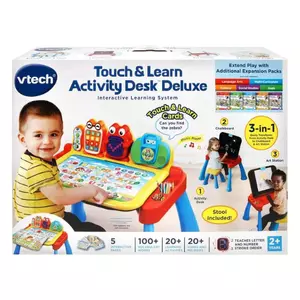
- Three-in-one design
- LED display shows proper letter and number stroke order
- Over 200 touch points across five activity cards
- Eight expansion packs add content matching interests
- Built-in storage teaches cleanup habits naturally
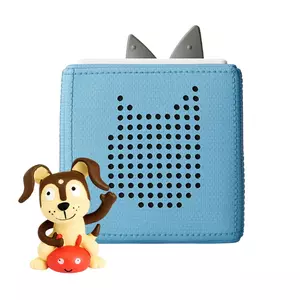
- Screen-free audio delivery through magnetic figurines
- Physical controls suited for toddlers (tap, pinch, tilt)
- Padded exterior withstands drops and rough handling
- Creative Tonies allow custom family recordings
- Works offline after initial download
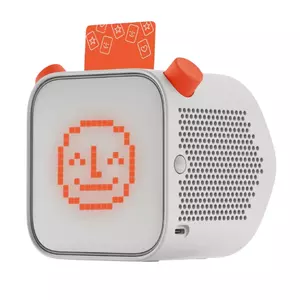
- 24-hour battery life and 32GB storage
- Cards accept unlimited MP3 uploads
- Nightlight, alarm, room thermometer
- Content library spans ages 3-12+ with novels
- Card storage simpler than figurine collections
Smart Toys Comparison
Here's a detailed comparison of key specifications across the top smart toys:
| Specification | Osmo Genius | LeapFrog Book | VTech Desk | Toniebox | YOTO Player |
| Age Range | 6-10 years | 18 months - 5 years | 2-5 years | 3+ years | 3+ years |
| Screen Type | Requires iPad | None | Built-in LED | None | Pixel display |
| Learning Focus | Math, spelling, creativity | Vocabulary, animals | Letters, numbers, music | Stories, imagination | Stories, podcasts |
| Physical Pieces | Tangrams, tiles | Touch-sensitive pages | Touch desk, stylus | Magnetic figurines | Physical cards |
| Included Games | 5 games | 100 words, 12 categories | 5 pages, 100+ activities | 1 Creative-Tonie | 1 Make Your Own card |
| Expansion Content | Game packs available | None needed | Packs available | Tonies ($17-20 each) | Cards ($7-15 each) |
| WiFi Required | Initial setup only | No | No | New Tonies setup | New cards setup |
| Battery Type | iPad powered | 2 AA batteries | 4 AA or AC adapter | Rechargeable (7 hours) | Rechargeable (24 hours) |
| Volume Control | Via iPad | 2 levels | Dial control | Ear pinching | Physical buttons |
| Headphone Jack | Via iPad | No | Yes | No | Yes (3.5mm + Bluetooth) |
| Bilingual Option | App-dependent | English/Spanish | No | Multiple language Tonies | Yes |
| Portability | Medium (iPad + pieces) | Very high (book) | Low (large desk) | Very high (cube) | High (compact) |
| Parental Controls | Via parent app | None needed | Volume only | None needed | App-based controls |
| Best For | iPad owners wanting STEM | Toddler vocabulary | Preschool learning station | Screen-free stories | Customizable audio |
Each toy targets different learning goals and age ranges, from hands-on tablet integration to screen-free audio experiences.
Osmo Genius Starter Kit Review
Editor's Choice
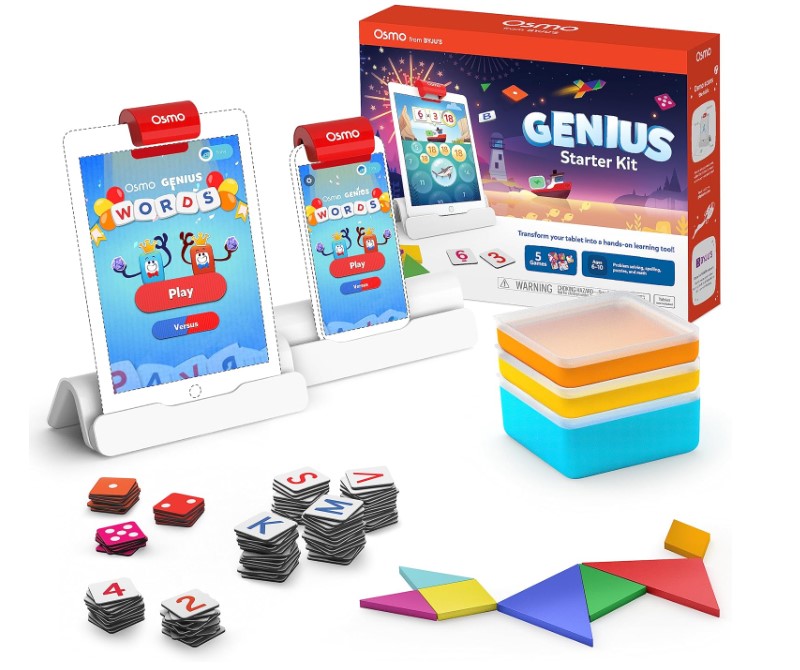
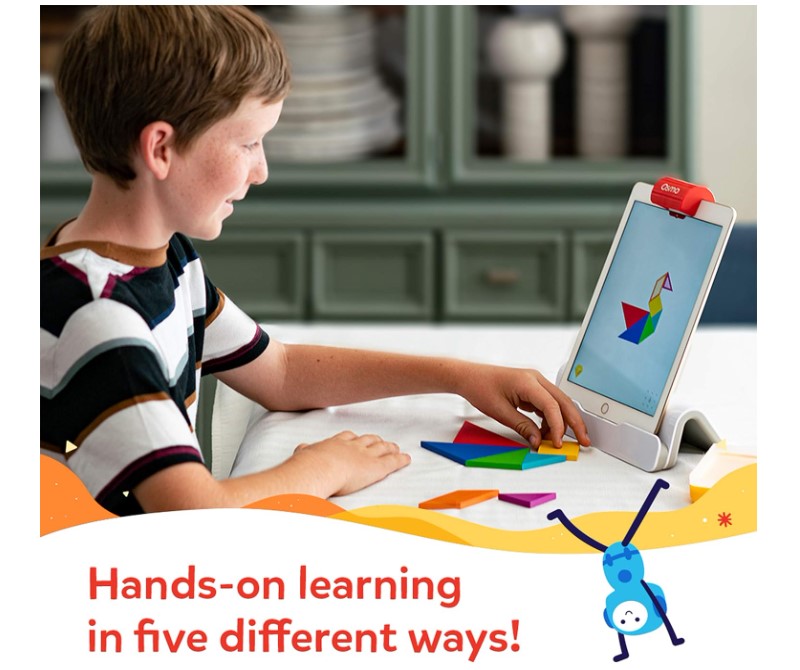
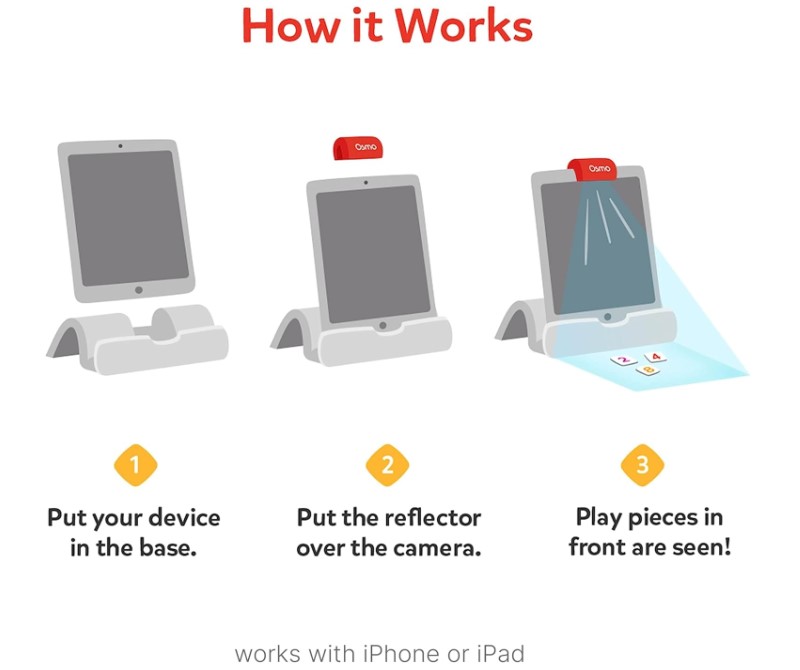
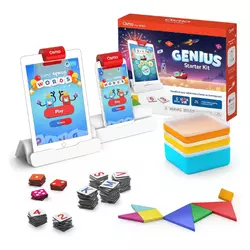
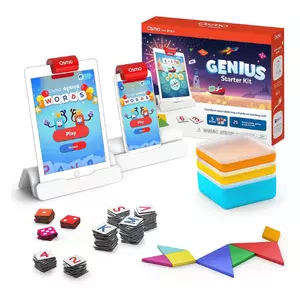
The Osmo Genius Starter Kit transforms iPads into augmented reality learning systems through a red reflector clipping over the camera to track physical objects placed in front of the tablet. The kit includes five games spanning math, spelling, creative drawing, physics puzzles, and pattern matching. Kids manipulate tangram shapes, number tiles, and letter tiles while the iPad responds instantly to their actions.
Setup takes ten minutes - slip the iPad into the base stand, clip the reflector over the camera, download game apps. Three stackable storage containers keep game pieces organized between sessions. The reflector works by angling the camera downward to capture the play area, letting the system "see" what kids place on the table. Compatible iPads include most models from generation 5 onward, though newer Pro models need different reflectors sold separately.
Game difficulty adapts automatically based on performance. Tangram starts with simple three-piece puzzles and advances to complex seven-piece arrangements. Numbers begins with basic addition and progresses to multi-step equations. Words builds from three-letter vocabulary to advanced spelling. This scaling keeps toys relevant as skills develop rather than becoming too easy after weeks. Each game tracks progress separately, letting kids advance at different rates across subjects.
Programming happens through visual interfaces rather than code - kids physically move pieces and see results immediately. Wrong answers don't trigger failure messages, just visual feedback showing the attempt doesn't match yet. This low-pressure approach encourages experimentation. The camera recognition works flawlessly - during extended testing sessions, the system never failed detecting piece placement correctly.
I watched a seven-year-old work through tangram puzzles with her nine-year-old brother, initially competing for speed but collaborating on harder levels as complexity increased. Expansion beyond the five included games requires purchasing additional packs covering coding, geography, and creative activities. The base kit provides months of content before expansions become tempting.
Pros:
- Augmented reality blends physical and digital play naturally
- Five games cover math, spelling, creativity, problem-solving
- Difficulty adapts automatically as skills improve
- Camera tracking works perfectly without errors
- Stackable storage keeps pieces organized
Cons:
- Requires compatible iPad adding significant cost
- Expansion games tempt kids wanting variety
- Not portable - needs table space plus iPad
Summary: The Osmo Genius Starter Kit delivers genuinely educational screen time through innovative augmented reality making iPad games interact with physical pieces. Best for elementary-aged kids needing engaging STEM learning beyond passive apps.
LeapFrog Learning Friends 100 Words Book Review
Best Overall
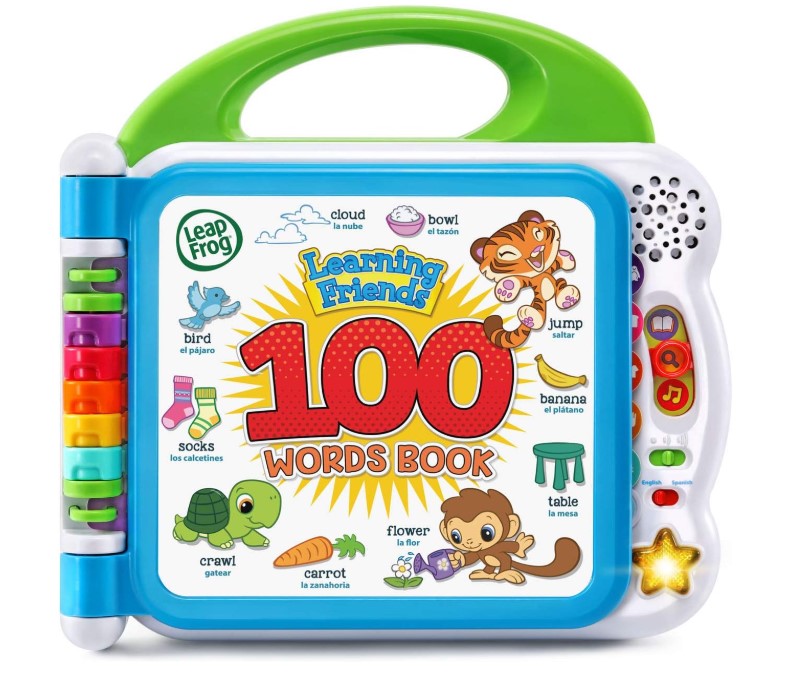
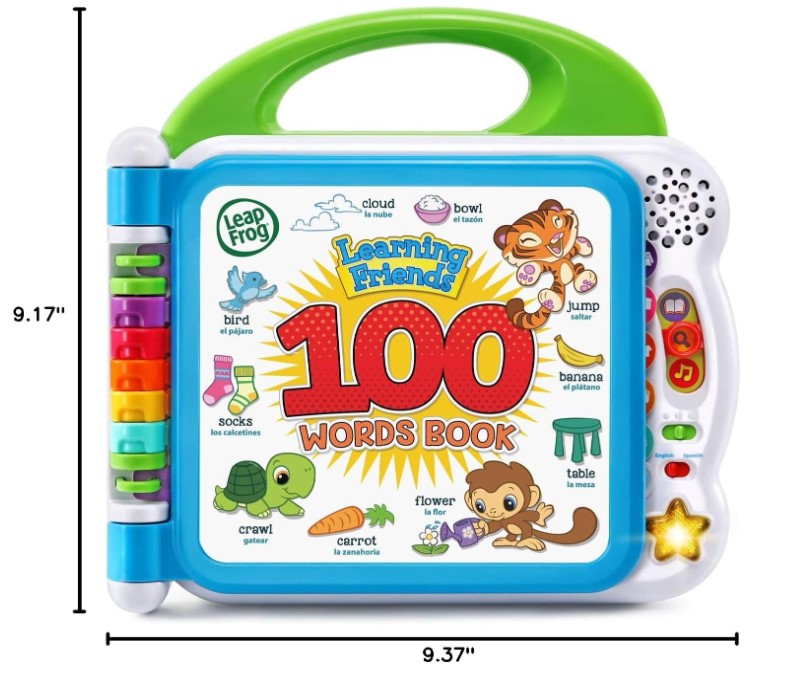
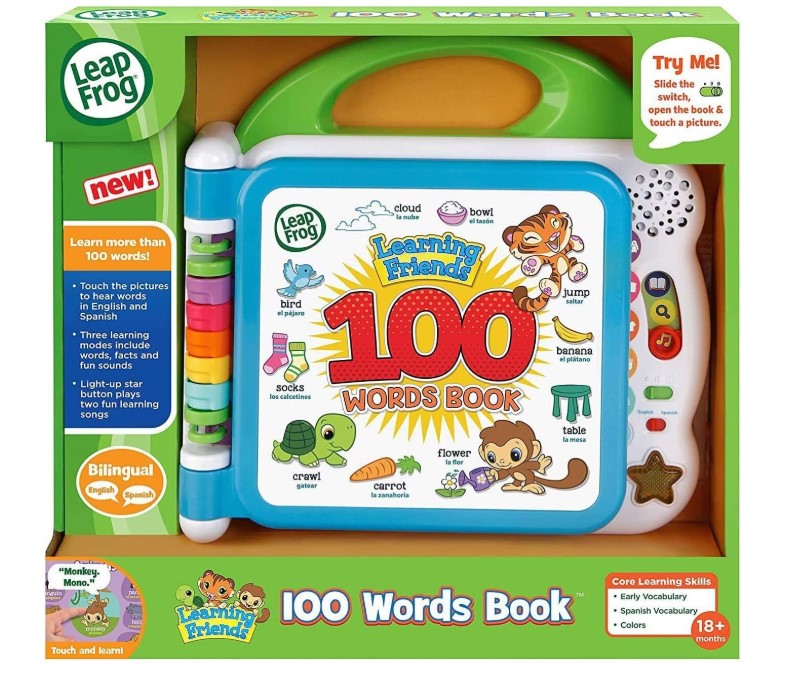
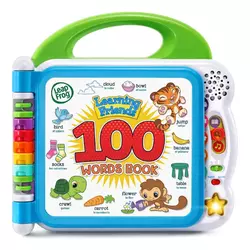
The LeapFrog Learning Friends 100 Words Book teaches vocabulary through touch-sensitive pages featuring colorful illustrations across twelve themed categories. Toddlers press pictures to hear words pronounced clearly, followed by sound effects or related facts reinforcing learning. The book offers three modes - word identification, sound effects, and fun facts - cycling through the same 100 words in different ways.
Categories cover practical vocabulary including pets, animals, food, mealtime, colors, activities, opposites, outside, vehicles, and body parts. Each two-page spread contains related words with corresponding images. Touch a dog picture, hear "dog" spoken clearly followed by a bark. Touch an apple, hear "apple" plus a crunch. This audio reinforcement helps toddlers connect words with objects and sounds.
The bilingual toggle switches between English and Spanish with one button press. Both languages receive equal treatment - clear pronunciation from native speakers rather than computer voices. This introduces second-language exposure during early learning periods when young brains absorb languages easily. A light-up star button plays two learning songs incorporating vocabulary from the pages.
Durability stands out given the 18-month target age. Thick pages resist tearing from enthusiastic flipping. Touch sensors keep working after thousands of presses from sticky toddler fingers. Two AA batteries last months with typical use. Volume offers two settings loud enough to hear during playtime but not ear-splitting. The book lacks a headphone jack, meaning no private listening option.
My niece received this for her second birthday and carried it everywhere for months, yet it still works perfectly despite rough handling. The 100-word content suits the 18-month to 4-year range - younger toddlers enjoy cause-and-effect of touching and hearing, older preschoolers absorb vocabulary and start recognizing written words.
Pros:
- Touch-sensitive pages teach 100 words with immediate audio feedback
- Three modes provide variety using same content
- Bilingual toggle introduces Spanish naturally
- Durable construction survives toddler treatment
- Twelve themed categories organize vocabulary logically
Cons:
- No expansion options - fixed 100-word content
- Volume limited to two settings only
- No headphone jack for private listening
Summary: The LeapFrog 100 Words Book builds toddler vocabulary through intuitive touch-and-listen interaction kids master immediately. Bilingual capability and multiple play modes extend educational value across the crucial 18-month to 4-year vocabulary development window.
VTech Touch and Learn Activity Desk Deluxe Review
Desk Champion
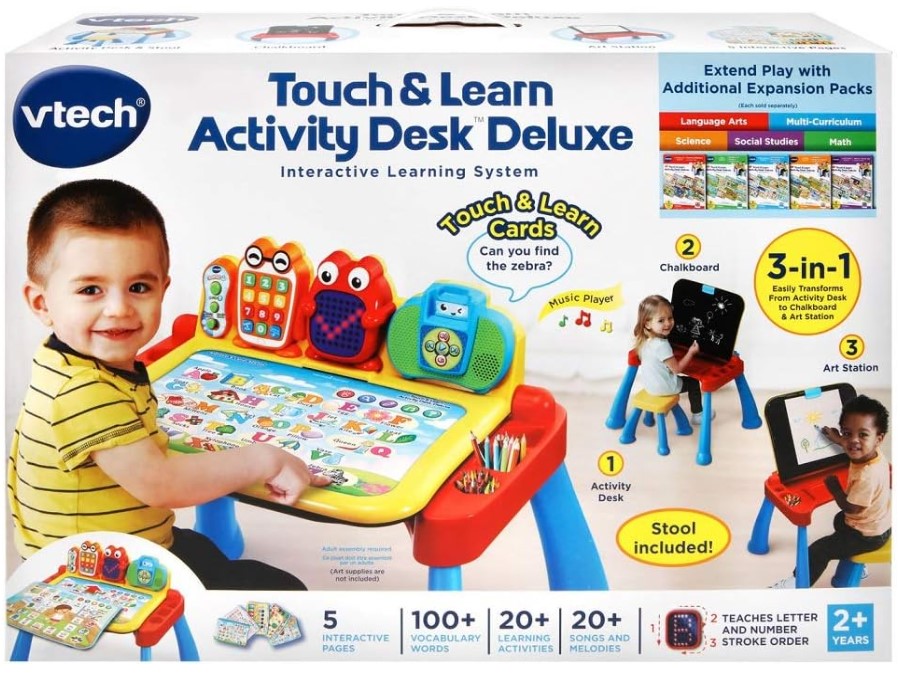
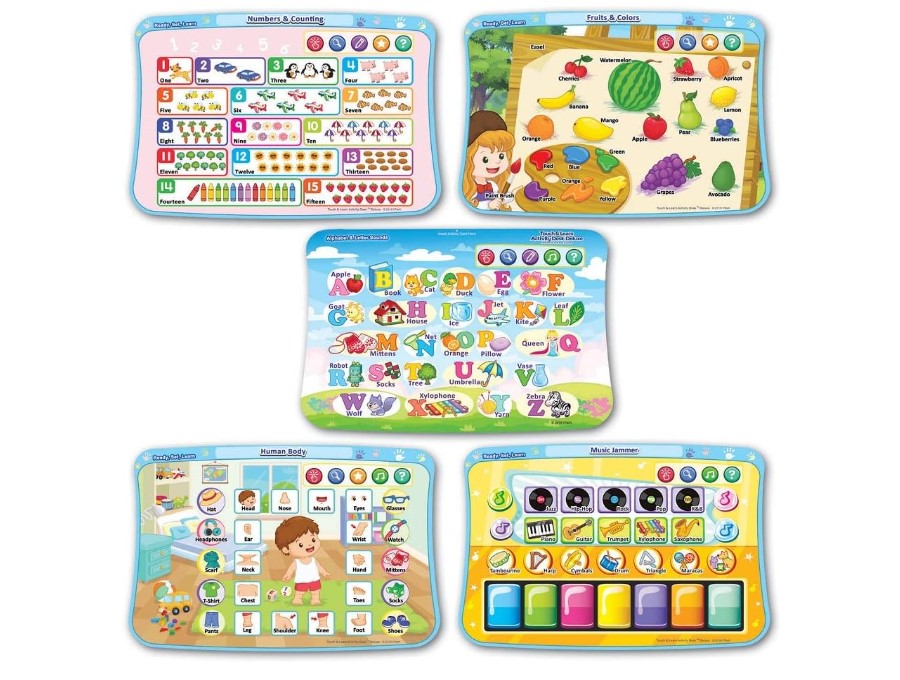
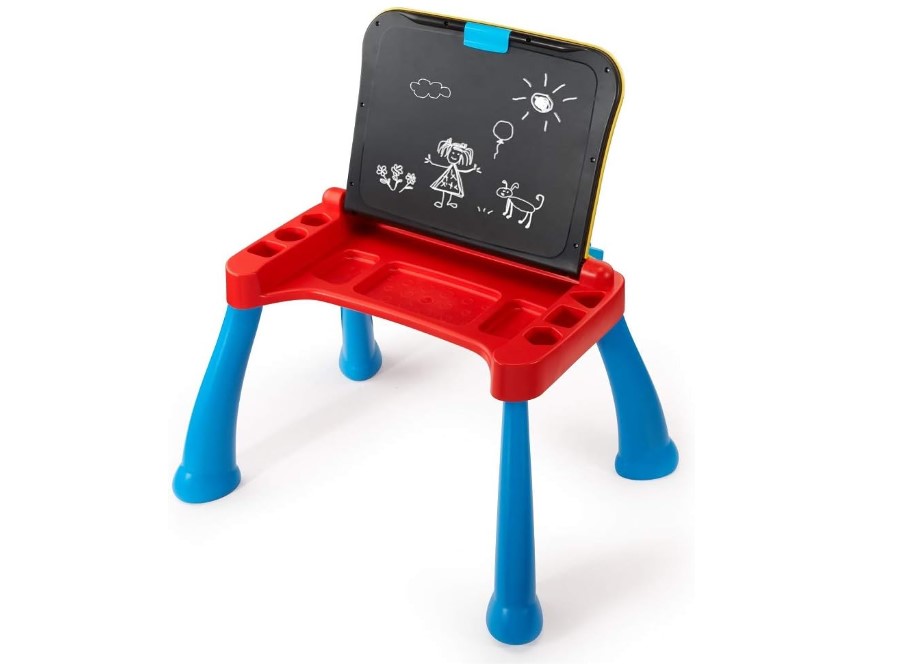
The VTech Touch and Learn Activity Desk Deluxe combines interactive learning station with traditional desk furniture, transforming between desk mode, art easel, and chalkboard. The touch-sensitive desktop surface responds to fingers or the included stylus, while an LED display shows letters, numbers, and animations. Five double-sided activity pages cover letters, numbers, music, shapes, and creativity.
The desk includes a properly sized stool matching workspace height for 2-5 year olds. Flipping the desktop up reveals a chalkboard underneath plus storage compartments for chalk, crayons, and activity pages. A clip holds paper against the chalkboard surface for drawing or tracing. This three-in-one design means the furniture piece earns its floor space rather than becoming single-use.
Five activity pages pack over 200 touch points across both sides of each card. Four learning modes per card multiply content substantially. Kids explore freely or follow guided lessons depending on mood. Eight expansion packs extend content across nursery rhymes, animals, reading skills, and numbers, purchased separately to control costs.
Assembly takes fifteen minutes with clear instructions. The desk handles energetic kids leaning on it during activities. Integrated storage keeps supplies organized while teaching cleanup habits. Volume control dials down voice and music without complete muting. Four AA batteries last surprisingly long though an AC adapter option eliminates battery costs.
Setting this up in my daughter's playroom created an instant favorite spot where she sits unprompted working through activities. The desk feels sturdy enough for regular use. Content skews toward the younger end of the 2-5 age range - five-year-olds find activities too simple while three-year-olds engage perfectly.
Pros:
- Three-in-one design transforms between desk, easel, chalkboard
- LED display shows proper letter and number stroke order
- Over 200 touch points across five activity cards
- Eight expansion packs add content matching interests
- Built-in storage teaches cleanup habits naturally
Cons:
- Large footprint requires dedicated floor space
- Content oriented toward younger preschoolers
Summary: The VTech Activity Desk combines interactive learning with practical furniture transforming to match different activities. Expansion packs and multi-function design justify the higher price through years of preschool use.
Toniebox Audio Player Starter Set Review
Durability King
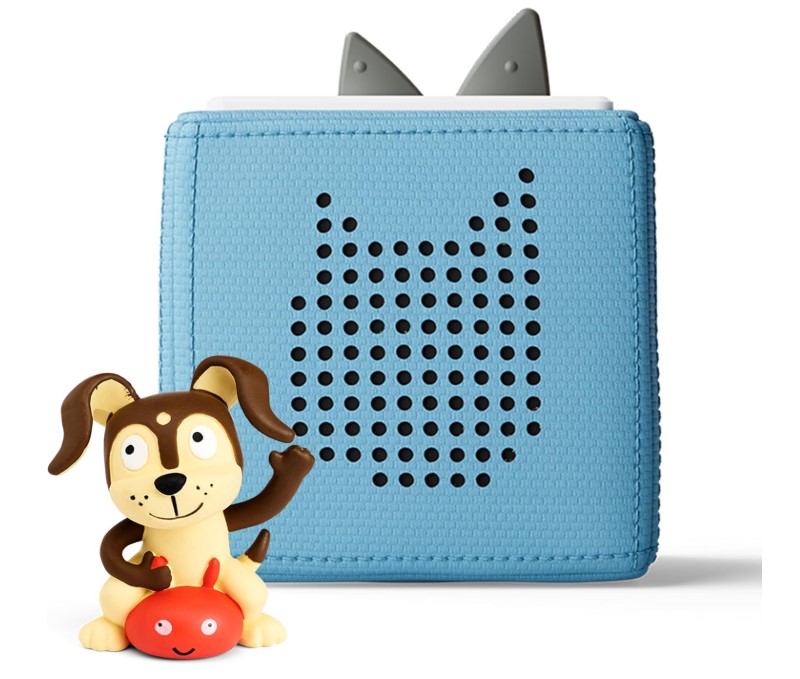
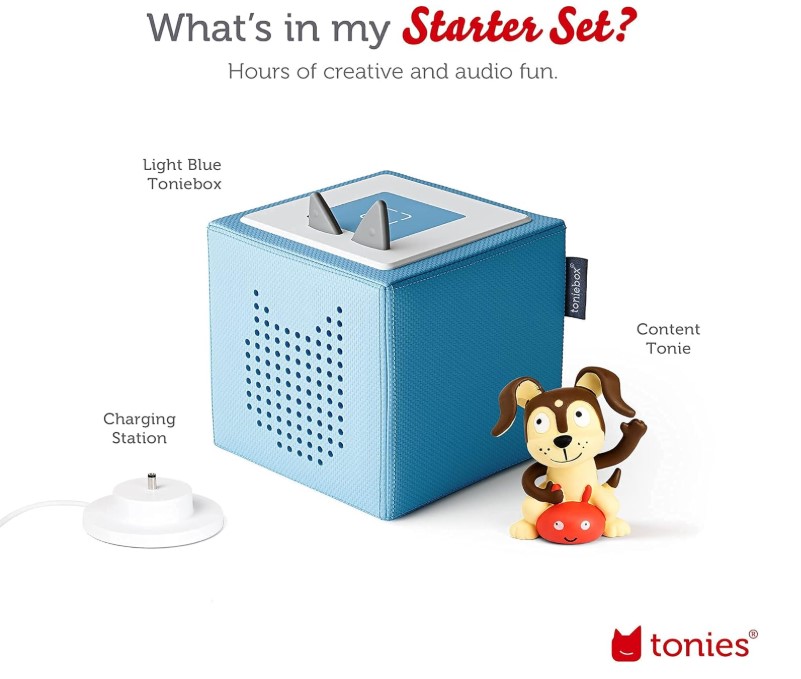
The Toniebox Audio Player Starter Set eliminates screens entirely through a padded fabric cube playing stories and songs when kids place character figurines on top. Operation requires no reading or button navigation - kids place a Tonie figure on the box to start audio, tap sides to skip forward or back, and pinch the cube's ears to adjust volume.
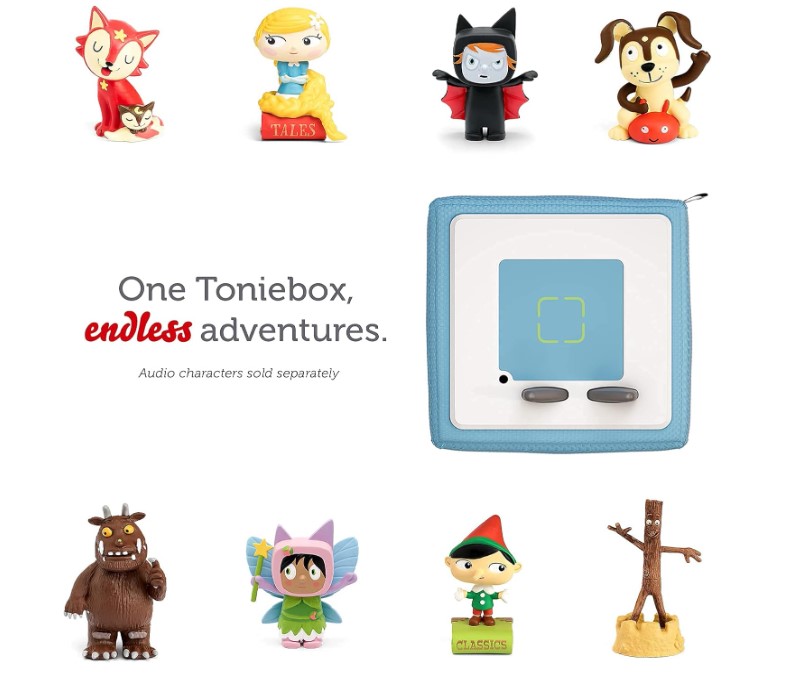
Tonie figurines serve as both toys and content storage. Each hand-painted figure contains specific stories, songs, or audiobooks playing when placed on the box. The starter set includes a Creative-Tonie letting parents record 90 minutes of custom content - bedtime stories read in family voices, messages from distant grandparents, or recordings of children's own storytelling.
The padded exterior survives drops and tumbles destroying traditional speakers. Battery life reaches seven hours on full charge, sufficient for all-day travel. The charging station doubles as storage for the Tonie collection. Built-in WiFi downloads content from the cloud when new Tonies first connect - after initial setup, content stays cached for offline play.
Content variety spans Disney characters, classic stories, educational podcasts, and bedtime lullabies. Hundreds of Tonie figurines exist covering ages 1-9+, though the sweet spot sits around 2-5. Individual Tonies cost around $17-20 each, adding up quickly when building collections. Some libraries now lend Tonies, reducing long-term costs.
My friend's four-year-old twins operate their Tonieboxes completely independently after two days, selecting favorite stories at naptime without parent help. The characters double as toys kids play with separately from the box. Three-year warranty including accidental damage provides peace of mind given the young target audience.
Pros:
- Screen-free audio delivery through magnetic figurines
- Physical controls suited for toddlers (tap, pinch, tilt)
- Padded exterior withstands drops and rough handling
- Creative Tonies allow custom family recordings
- Works offline after initial download
Cons:
- Individual Tonies cost $17-20 each adding up quickly
- No headphone jack forces shared listening
Summary: The Toniebox delivers screen-free entertainment through ingeniously simple magnetic figurines young children operate confidently alone. Physical interaction and collectible characters create engagement beyond passive listening while building independence.
YOTO Player (3rd Gen) + Make Your Own Card Review
Most Customizable
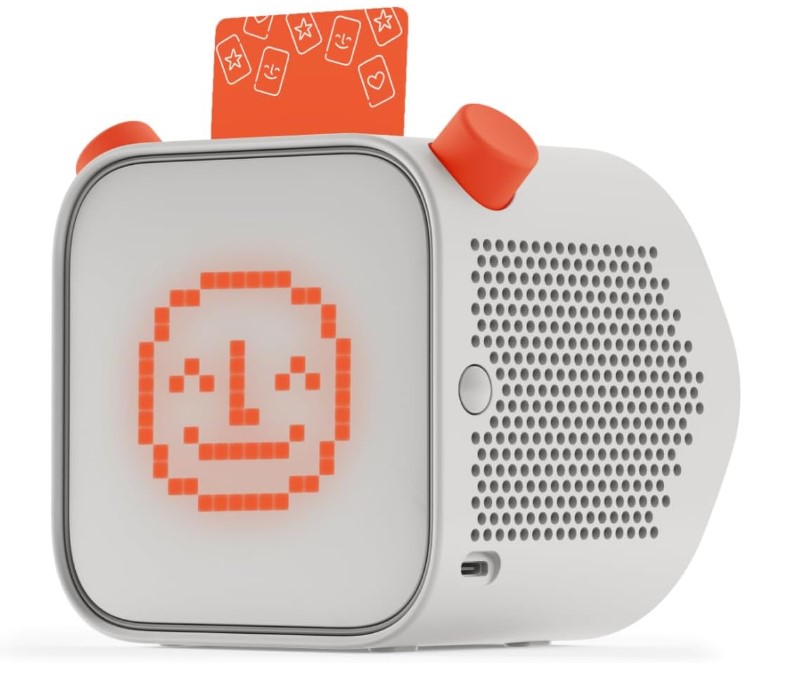
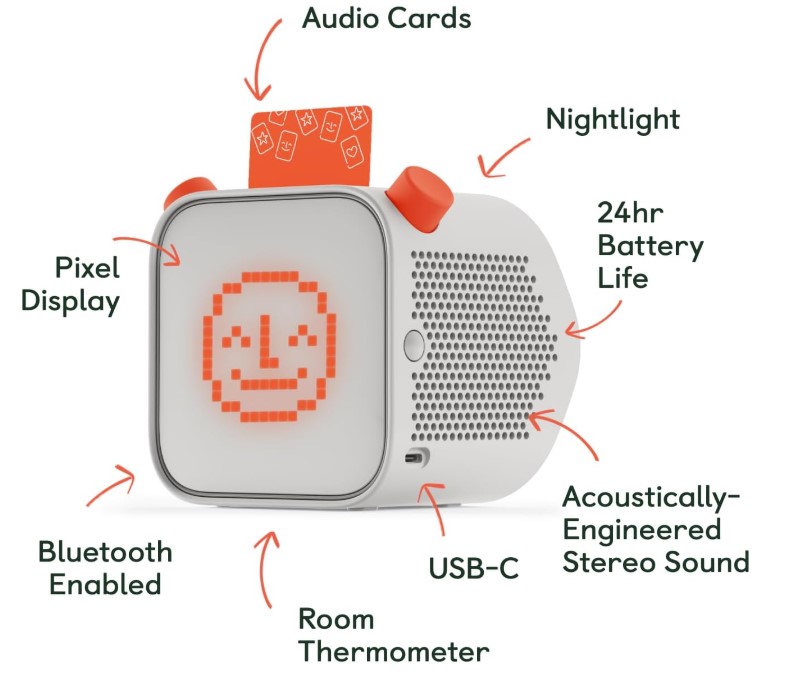
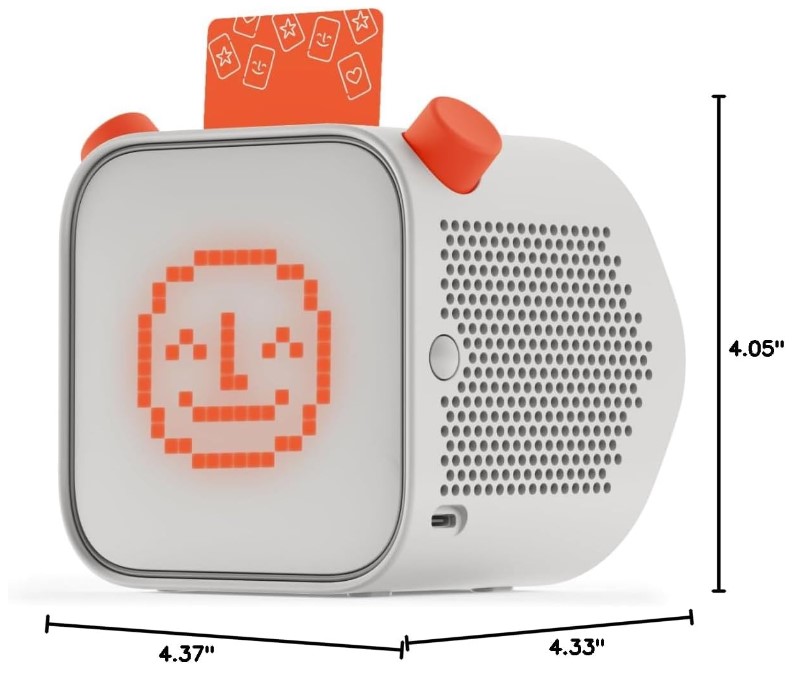
The YOTO Player (3rd Gen) delivers screen-free audio through a system controlled by physical cards kids insert into a slot. The small pixel display shows track information and simple animations without providing video content. Kids control playback using two rotating dials and physical buttons they master quickly.
Battery life reaches 24 hours per charge, substantially longer than competitors. The 32GB internal storage holds over 600 hours of downloaded content for offline playback. USB-C charging works with standard cables. Optional wireless charging dock provides drop-and-charge convenience kids manage independently. The fabric-wrapped exterior survives typical childhood abuse while looking tasteful in bedrooms.
Content library spans 1000+ Yoto cards covering bestselling novels, classic stories, educational material, and music. Free daily podcast provides jokes, facts, and challenges kids enjoy. Make Your Own cards let parents upload unlimited MP3 content, podcasts, or voice recordings without Creative Tonie purchase limits. Cards cost $10-39 each depending on content length.
The third generation adds room temperature monitoring visible in the parent app, helpful for comfortable sleep environments. Nightlight features seven colors with adjustable brightness, doubling as an OK-to-wake indicator changing color at designated wake-up times. Alarm clock functionality plays chosen audio at set times. Bluetooth connectivity allows use as a regular speaker.
After uploading library audiobooks to Make Your Own cards for my friend's daughter, she used the Yoto Player as her bedtime routine anchor for months. Card organization beats figurine storage since thin cards slip into sleeves holding 64+ at once. The pixel display shows track information enhancing rather than dominating the audio experience.
Pros:
- 24-hour battery life and 32GB storage support extended listening
- Make Your Own cards accept unlimited MP3 uploads
- Nightlight, alarm, room thermometer add bedroom features
- Content library spans ages 3-12+ with novels and podcasts
- Card storage simpler than figurine collections
Cons:
- Yoto cards cost $10-39 each for premium content
- Pixel screen not truly screen-free despite minimal distraction
Summary: The YOTO Player combines screen-minimal audio entertainment with practical bedroom features growing with children from preschool through elementary years. Extensive content library, long battery life, and room monitoring justify the premium price for families seeking devices spanning multiple ages.
Smart Toys: FAQ
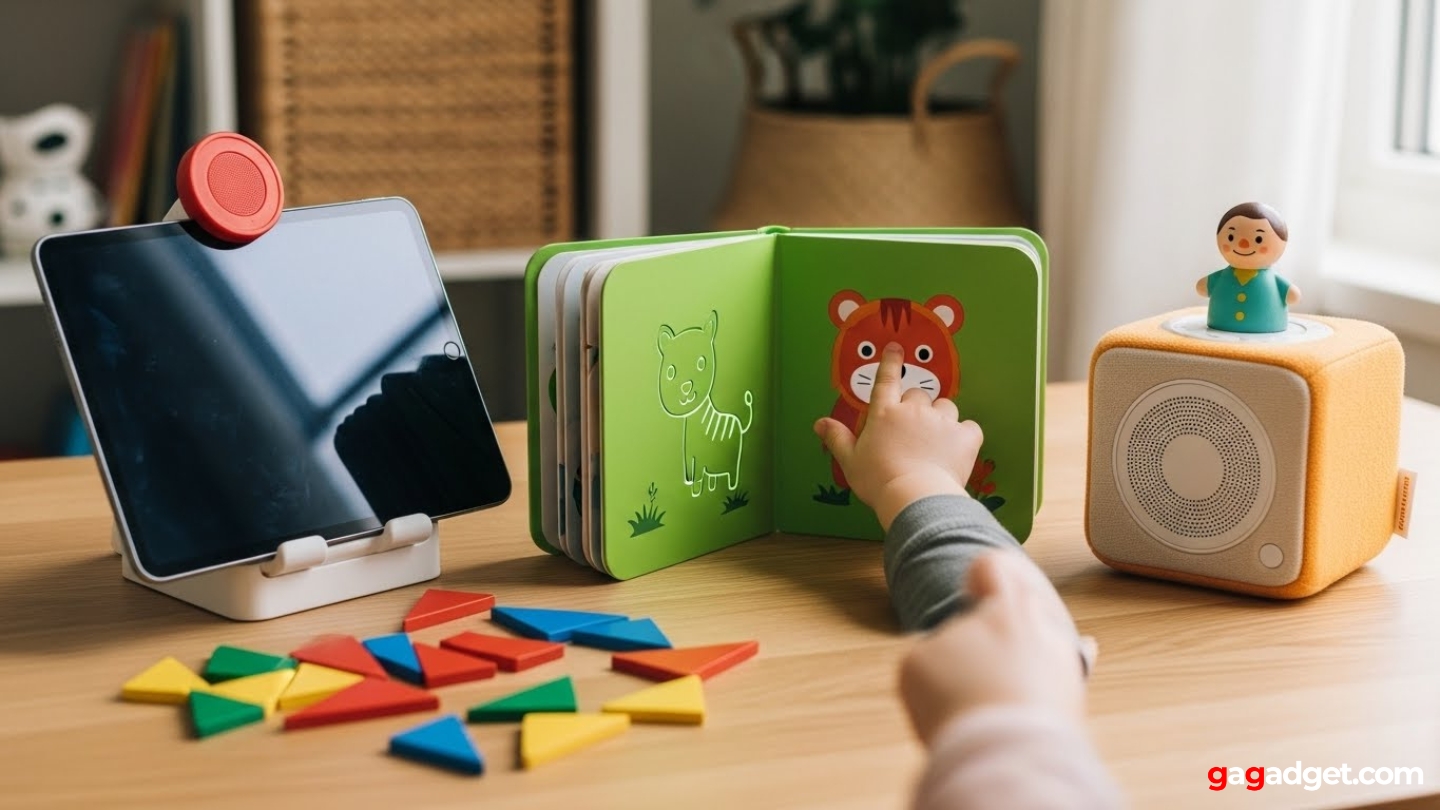
Image of educational toys. Source: Canva
At what age should I introduce smart toys?
Smart toys work from 12-18 months onward when children develop cause-and-effect understanding. Interactive books and touch-responsive toys suit toddlers discovering that pressing buttons produces sounds. Wait until age 2-3 for toys requiring multi-step instructions or complex rules. Screen-based learning works better after age 3 when attention spans lengthen enough to complete activities. Match toy complexity to actual abilities rather than age ranges on boxes - a verbally advanced 2-year-old might engage with content marked for 3-year-olds while a less interested 4-year-old prefers simpler options.
Do smart toys replace traditional play?
Smart toys supplement rather than replace blocks, dolls, outdoor play, and unstructured creative activities. The best childhood development happens through varied experiences including both traditional and technology-enhanced play. Use smart toys for focused learning sessions lasting 20-30 minutes, then transition to physical play developing different skills. Kids need to climb trees, build block towers that collapse, and engage in imaginative storytelling without digital interference. Balance prevents screen dependency while capturing educational benefits technology offers.
How much screen time is appropriate with educational smart toys?
The American Academy of Pediatrics recommends no screens for children under 18 months (except video chatting), one hour daily for 2-5 year-olds, and consistent limits for older kids. Educational content counts toward these limits - an iPad showing Osmo games occupies screen time like cartoons. However, interactive educational content differs from passive viewing. Thirty minutes of active problem-solving provides more developmental benefit than thirty minutes watching videos, though both consume screen time budgets. Track total daily screen exposure including education, entertainment, and passive viewing.
Are audio players better than screen-based toys?
Audio players like Toniebox and YOTO eliminate screens while maintaining interactive digital features, making them ideal for families specifically reducing screen exposure. They develop listening skills, imagination, and focus without visual stimulation dependency. However, screen-based toys teach different skills including visual processing, hand-eye coordination, and spatial reasoning audio players can't address. Neither category is universally better - choose based on which skills you're targeting and your family's screen time philosophy. Many families use both types for balanced development.
Can siblings of different ages share smart toys?
Systems offering adjustable difficulty levels and multiple user profiles work well for age-gap siblings. Osmo lets each child progress independently through games at appropriate levels. Audio players like Toniebox and YOTO simply require swapping content cards between age-appropriate stories. Toys locked to single difficulty levels (like the LeapFrog 100 Words Book) work only when siblings fall within the narrow target age range. Before purchasing, verify whether difficulty adjusts automatically, allows manual level selection, or remains fixed at one skill tier.
What happens when kids outgrow smart toys?
Toys with expansion content and adjustable difficulty extend useful lifespan compared to fixed-function toys. Osmo offers games spanning ages 5-12 through different content packs. YOTO content libraries serve toddlers through tweens by swapping cards. Physical toys like the VTech Activity Desk impose size limitations - kids outgrow furniture dimensions before exhausting educational content. Resale value varies widely - popular systems like Toniebox hold value well on secondhand markets while outdated electronics become nearly worthless. Consider whether you'll pass toys to younger siblings, sell them, or donate when calculating long-term investment value.
How do I prevent smart toys from becoming screen addictions?
Set clear usage limits and schedule smart toy time alongside other activities rather than allowing unlimited access. Create routines where smart toys occupy specific time slots (like after dinner or during quiet time) while other periods focus on outdoor play, traditional toys, or family interaction. Rotate toys in and out of availability rather than keeping everything accessible constantly - this maintains novelty and prevents any single toy from becoming an emotional crutch. Model healthy technology use yourself by putting down phones during family time and engaging in non-digital activities.
Making Your Smart Toy Decision
Smart toys deliver genuine educational value when combining technology with hands-on interaction rather than simply adding screens to traditional play. The Osmo Genius Starter Kit demonstrates how augmented reality makes abstract concepts tangible through physical pieces kids manipulate. For toddlers building vocabulary, the LeapFrog 100 Words Book proves screens aren't necessary through simple touch-responsive pages. Preschoolers benefit from the VTech Activity Desk creating dedicated learning spaces transforming between modes.
Families actively reducing screen time find complete solutions in audio players like the Toniebox, where magnetic figurines deliver stories without displays, or the YOTO Player, offering customizable content through physical cards plus bedroom features. Choose based on your child's developmental stage and your family's screen time philosophy rather than chasing the most feature-packed option. The best smart toy matches your specific child's interests while teaching skills extending beyond the toy itself.

Jeb here, your go-to geek for everything from video projection to the latest tech trends. As an avid outdoorsman, I enjoy using monoculars and binoculars for hunting, traveling, and birdwatching. Join me in exploring the cool, quirky side of technology!


