Best Coding Robots for Kids
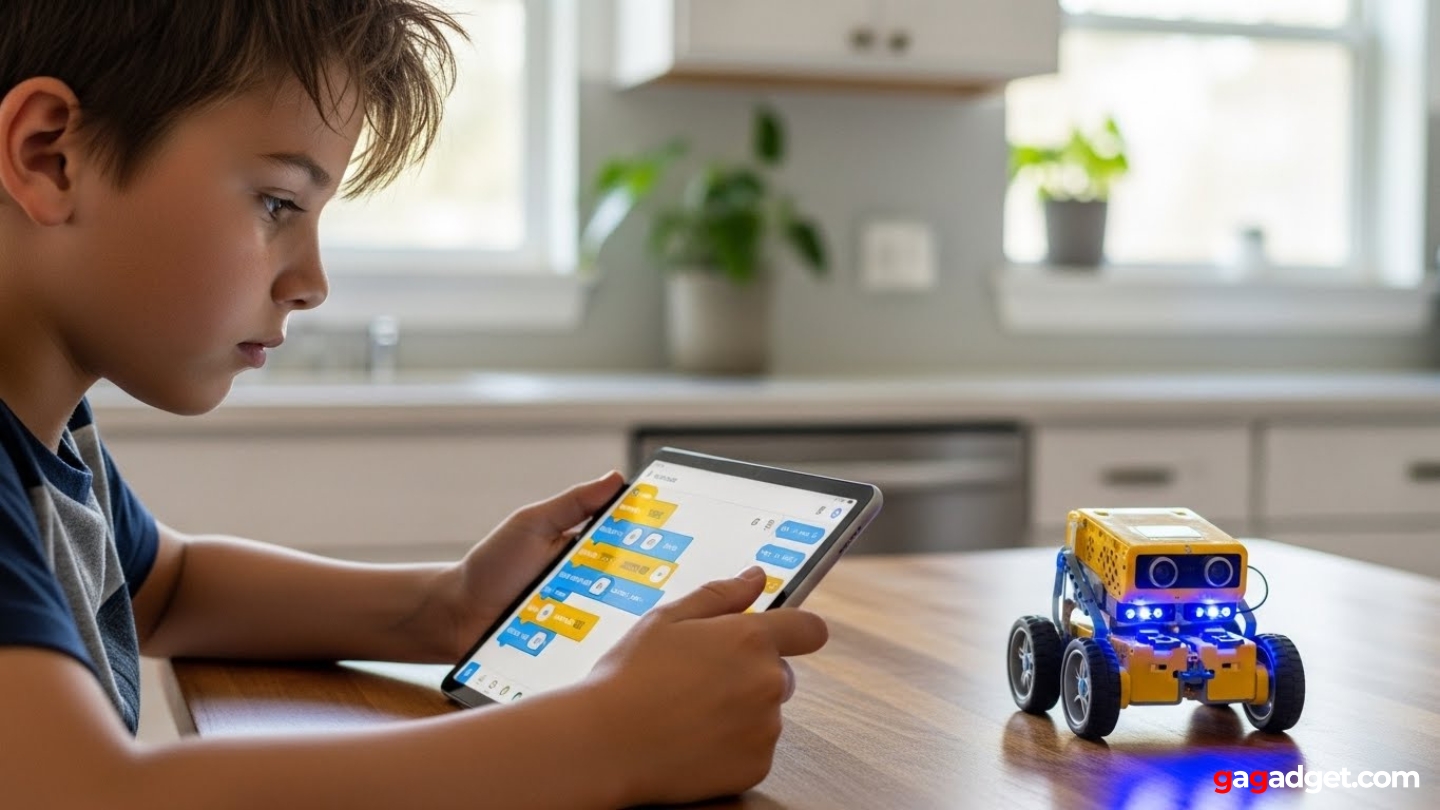
The small yellow robot sat motionless on the kitchen table while an 8-year-old stared at his tablet tapping blocks into sequences. Press play. Watch the robot spin left when it should've gone straight. Delete two commands. Add three more. Press play again. This time it rolled forward, paused at the table edge, then executed a perfect 180-degree turn. "Yes!" he shouted, then immediately started planning a more complex route. That cycle - program, test, fail, adjust, succeed - mirrors exactly how professional developers work just with way more excitement per working line of code.
Coding robots range from mechanical systems using physical coding wheels to app-controlled bots programming through visual blocks to advanced kits supporting actual Python and Arduino. Some require hours of assembly teaching mechanical engineering before any programming begins. Others code immediately after unboxing. The gap between marketing promises and actual learning value runs wide - flashy lights and app connectivity don't automatically create educational experiences. Real coding education happens when kids independently debug failed programs rather than following step-by-step tutorials reaching predetermined outcomes.
If you're in a hurry, here are my top two picks for coding robots:
We may earn a small commission if you buy via our links - it helps keep gagadget.com running.
Table of Contents:
- Best Coding Robots for Kids: Buying Guide
- Top 5 Coding Robots for Kids in 2026
- Coding Robots Comparison
- Teach Tech Mech 5
- Makeblock mBot Robot Kit
- Sphero Mini
- Wonder Workshop Dash Robot
- Botley the Coding Robot
- Coding Robots: FAQ
Best Coding Robots for Kids: Buying Guide
Most coding robots promise they work for "ages 3-12" which translates to: works terribly for everyone. A 4-year-old can't read app instructions. A 10-year-old gets bored after mastering 15 basic commands in two days. Smart buying means ignoring age ranges on boxes and matching actual features to your kid's current abilities - not where marketing departments hope they'll be.
Screen-Free vs App-Based Programming
Screen-free coding robots use physical buttons, cards, or mechanical coding wheels - no tablets needed. Kids press directional arrows directly on the robot or arrange coding tiles in sequences they can touch and rearrange. For 4-7 year olds, this tactile approach makes way more sense than tapping abstract icons on screens. Little kids understand "push this button, robot goes forward" instantly. Parents limiting screen time get robots developing computational thinking without another device entering the house.
App-based robots program through smartphone or tablet interfaces where kids drag visual code blocks into sequences. Programming logic becomes graphically visible - loops appear as circular arrows, conditionals branch into decision paths.
Kids ages 8+ gain more from app-based systems since visual programming languages like Scratch mirror what real coding looks like. Apps handle complexity physical buttons can't - variables, sensor conditionals, multi-step routines with dozens of commands. The downside? Apps mean another screen in kids' lives, and dead tablets mean non-functioning robots. Be honest whether your family actually needs more screen-based activities before choosing app-dependent robots.
Assembly Required vs Ready-to-Code
Build-it-yourself coding robots need 2-6 hours assembling hundreds of pieces before programming starts. Kids learn mechanical engineering alongside coding - they watch how motors connect to wheels, discover gear ratios affecting speed, understand sensor mounting for obstacle detection. Construction develops patience, sequential instruction following, and troubleshooting when parts won't fit. But complex assembly frustrates kids wanting immediate coding gratification, especially younger ones lacking fine motor skills for tiny screws and precise gear alignment.
Pre-assembled robots start coding minutes after unboxing. No waiting days for adult-assisted construction projects. This instant satisfaction keeps engagement high for children with shorter attention spans or those interested purely in programming rather than mechanical building. These models work better in households where parents lack time, patience, or skill for multi-hour assembly sessions. The trade-off? Kids never discover that turning left means one motor spins faster than the other, or that obstacle sensors need clear line-of-sight to work. Motors and gears stay mysterious instead of understood.
Coding Complexity and Skill Progression
Entry-level robots handle 10-20 basic commands - forward, backward, turn, pause - arranged in simple sequences. Kids ages 4-6 understand these fundamental concepts, creating short programs that navigate rooms or complete basic challenges. The problem? Limited command sets mean rapid skill ceilings. Children master everything within weeks with nowhere left to progress, turning $50-80 robots into expensive paperweights.
Advanced coding robots bring loops, conditionals, variables, and sensor-based programming - hundreds of possible command combinations. Kids write programs responding to obstacles, following lines, or reacting to colors. Behaviors become genuinely sophisticated.
The solution? Multi-mode robots offering skill progression you can actually see. Beginner mode might use simple directional buttons. Intermediate adds loops and repeats. Advanced introduces conditional logic and sensor integration. This layered approach lets one robot grow with developing abilities across several years instead of becoming too easy after initial mastery. Educational longevity matters infinitely more than flashy features kids outgrow in three weeks.
Solo Learning vs Collaborative Programming
Single-robot systems work for individual learning - kids progress at their own pace without waiting for partners. Solo coding develops self-directed problem-solving as children debug programs independently without arguing over whose turn it is. These robots fit perfectly for only children or households with kids at wildly different skill levels. The downside? Solitary coding misses collaborative aspects professional programming emphasizes - pair programming, code reviews, team debugging.
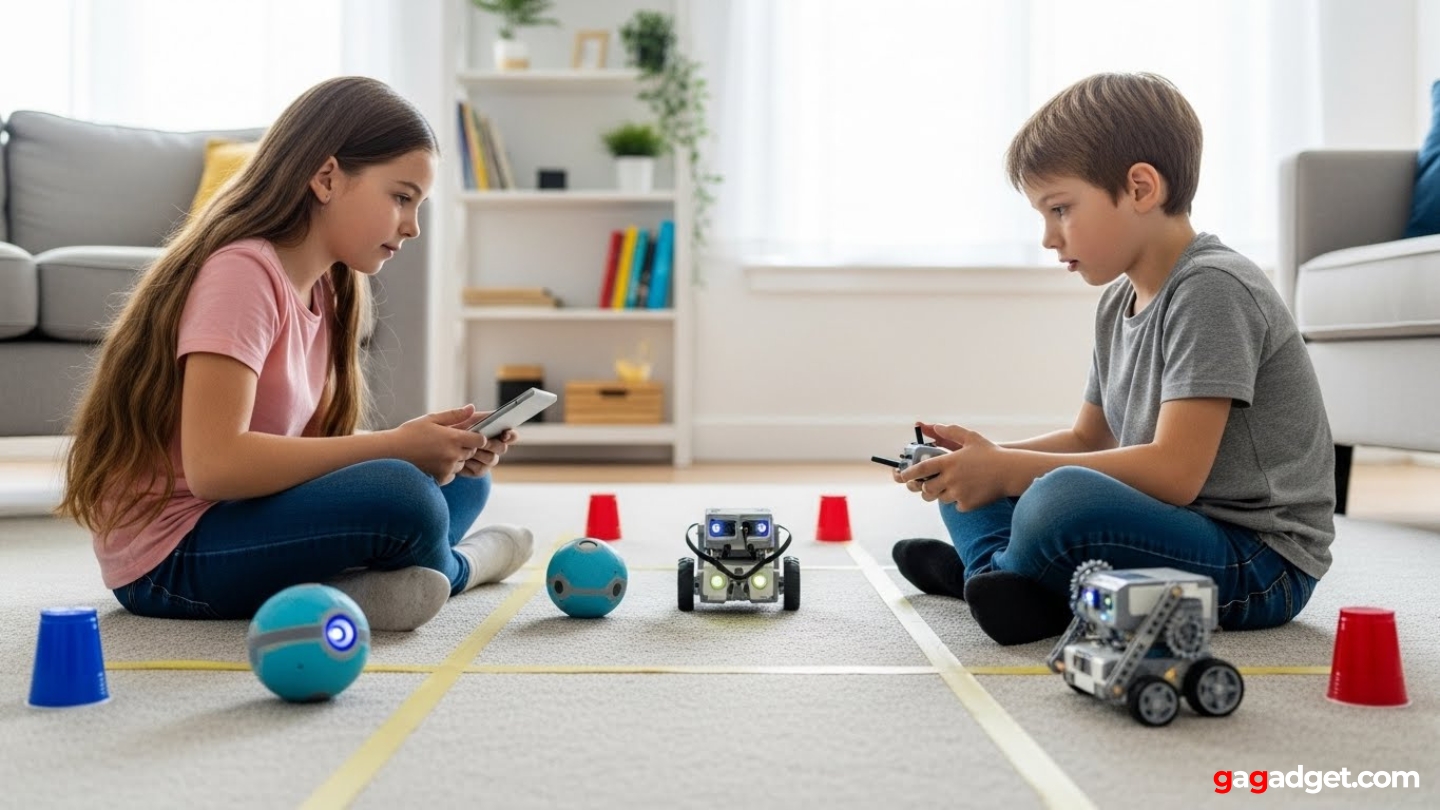
Multi-robot compatible systems support group challenges where kids coordinate programmed behaviors. Two robots navigate mazes together, pass objects between each other, or compete in sumo-style battles. Collaborative coding demands communication, shared planning, and joint debugging - skills mirroring actual software development teamwork. Classrooms particularly benefit from multi-robot ecosystems where entire groups program synchronized performances. But buying multiple robots multiplies costs drastically, making this option impractical for single-child households on budgets.
Age gaps complicate multi-robot decisions. A 6-year-old and 11-year-old rarely code at compatible levels even with the same robot model. The younger kid gets frustrated when older sibling writes complex sensor programs they can't understand. The older one gets bored helping with basic "go forward, turn left" sequences. Unless siblings are within 2-3 years and genuinely interested in working together, separate age-appropriate robots often work better than forcing collaboration that breeds resentment.
Top 5 Coding Robots for Kids in 2026
Hands-on testing with children across age ranges revealed which robots maintained programming engagement versus becoming shelf decorations.
- Screen-free mechanical coding works without devices
- Visible gears show how coding creates physical actions
- Multiple configurations (drawing, kicking, lifting)
- 15-20 hour battery life on AAA batteries
- Durable gear-driven mechanics withstand rough play
- Progression from Scratch through Python to Arduino
- Ultrasonic and line-following sensors
- 60-90 minute assembly teaches mechanical basics
- Expansion packs and multi-robot connectivity
- Visual-to-text coding pathway eases learning curve
- Pocket-sized portability works anywhere
- Three control modes from manual to autonomous coding
- Gyroscopic movement demonstrates physics concepts
- Color-changing LEDs add visual feedback
- Ready-to-use requires no assembly
- Expressive eyes and sounds form emotional connection
- Multiple sensors support sophisticated interactive programs
- Creative applications including music and storytelling
- 3-5 hour battery life supports extended sessions
- Multiple free apps offer different coding pathways
- Screen-free remote control works without devices
- Ready-to-use requires no assembly or app downloads
- Included obstacles and coding cards
- 8-10 hour battery life on AAA batteries
- Loop function
Coding Robots Comparison
Here's a detailed comparison of key specifications across the top coding robots:
| Specification | Mech 5 | mBot | Sphero Mini | Dash | Botley |
| Age Range | 10+ years | 8+ years | 8+ years | 6+ years | 5+ years |
| Programming Method | Mechanical coding wheel | App (Scratch/Arduino) | App-based | App-based | Remote control buttons |
| Screen Required | No | Yes (tablet/computer) | Yes (smartphone/tablet) | Yes (tablet) | No |
| Assembly Required | Yes (220+ pieces) | Yes (90+ pieces) | No (ready-to-use) | No (ready-to-use) | No (ready-to-use) |
| Assembly Time | 3-5 hours | 60-90 minutes | None | None | None |
| Programming Language | Physical coding blocks | Scratch, Python, Arduino | Visual block coding | Blockly visual coding | Directional sequence |
| Sensors | None (mechanical only) | Ultrasonic, line-following | Gyroscope, accelerometer | Proximity, sound, light | Obstacle detection |
| Movement Type | Wheeled (gear-driven) | Wheeled (motorized) | Spherical (gyro-driven) | Wheeled (3-wheel) | Wheeled (tank-style) |
| Power Source | 2 AAA batteries | Rechargeable Li-ion | Rechargeable (USB) | Rechargeable battery | 3 AAA batteries |
| Battery Life | 15-20 hours | 60-90 minutes | 45-60 minutes | 3-5 hours | 8-10 hours |
| Connectivity | None | Bluetooth | Bluetooth | Bluetooth | IR remote |
| Expandability | Configuration changes | Add-on packs available | None | Accessories available | Activity cards |
| Coding Complexity | Basic sequences | Advanced (text coding) | Intermediate | Intermediate | Basic sequences |
| Multi-Robot Play | No | Yes | Yes (mini games) | Yes (synchronized) | Yes (individual control) |
| Best For | Mechanical learning | Serious programming | Portable gaming | Creative expression | Young beginners |
Each robot targets different programming approaches from mechanical basics to advanced text coding.
Teach Tech Mech 5 Review
Editor's Choice
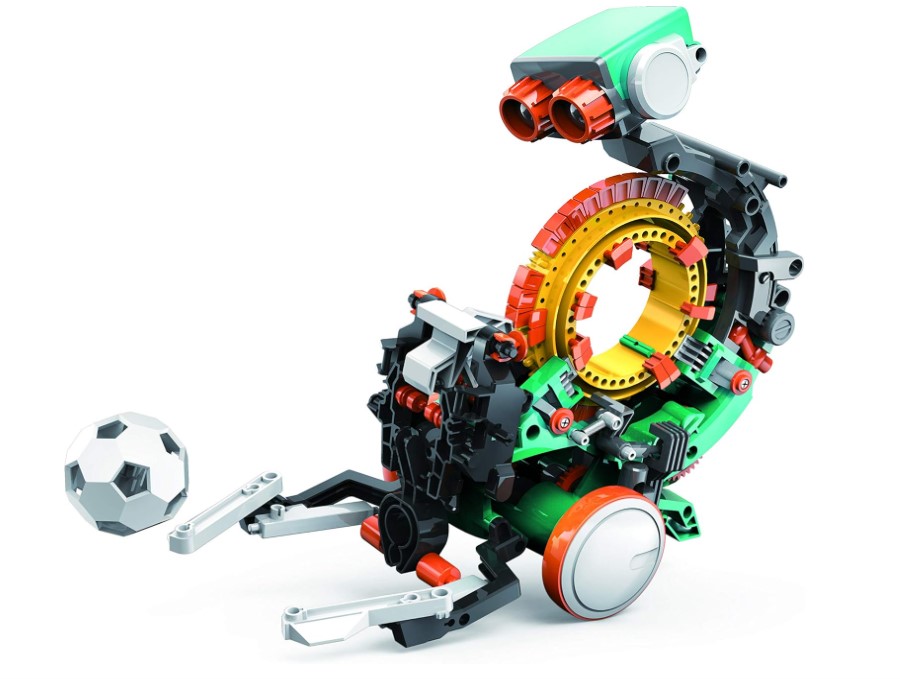
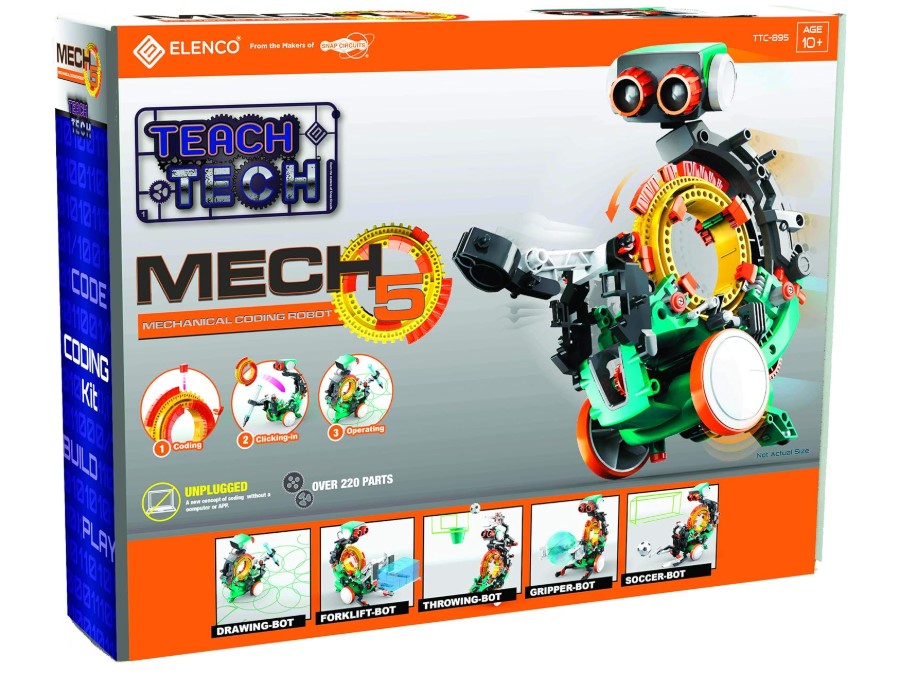
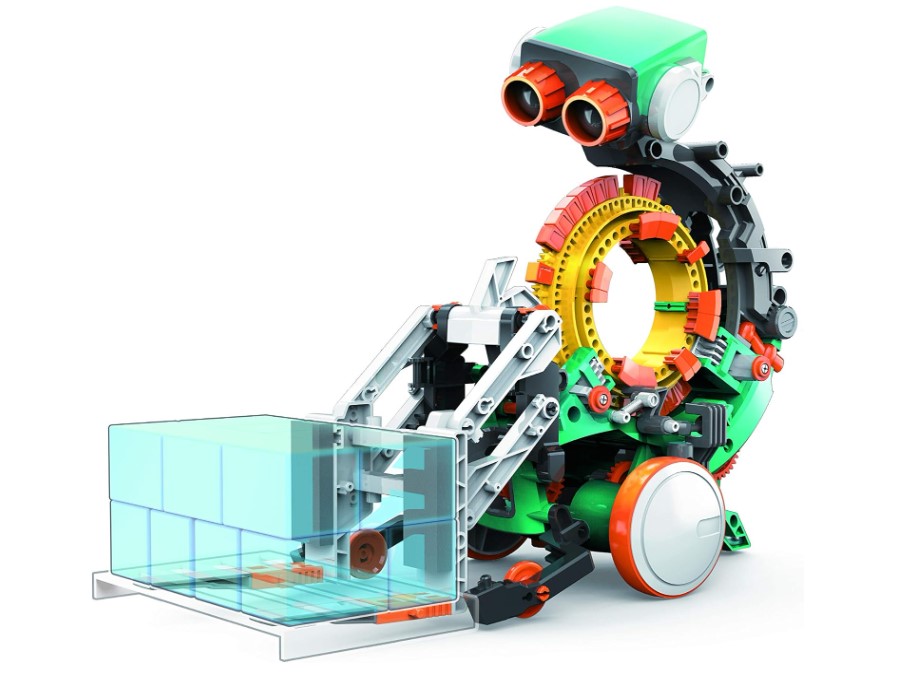
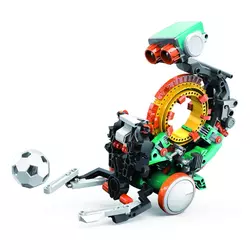
Screen-free coding becomes tangible through the Teach Tech Mech 5 where 220+ pieces assemble into a mechanical robot programmed via physical coding wheel. Colored coding buttons snap onto the wheel in sequence creating programs - green for forward, red for backward, yellow for turns. As the wheel rotates during operation, buttons trigger mechanical switches activating corresponding movements through visible gear systems.
Assembly takes 3-5 hours needing careful attention following illustrated instructions. Kids ages 10-12 with adult help build the chassis, install the coding wheel mechanism, attach motors, and connect the gear train. Construction shows exactly how internal mechanics function - children watch gear ratios affect speed and see how coding wheel rotation translates button positions into physical actions. Multiple configurations allow rebuilding into different robots - forklift, soccer kicker, drawing bot - each using identical coding systems.
I watched an 11-year-old work through assembly across two evenings with occasional adult assistance aligning tricky gear assemblies. The visible mechanics fascinated him - understanding why the robot moved based on button placement rather than mysterious software. After completing the basic wheeled bot, he immediately wanted to rebuild as the drawing configuration creating programmed artwork on paper.
The coding wheel holds up to 30 commands creating moderately complex sequences. Kids experiment arranging buttons differently discovering how changing order affects robot behavior. But simplicity limits advanced programming - no loops, conditionals, or sensor responses possible. Commands execute linearly once then stop. This ceiling appears quickly for kids grasping basic sequencing within hours.
Battery life extends 15-20 hours on two AAA batteries since simple motors consume minimal power. Those batteries will outlast your kid's interest honestly - the 30-command ceiling becomes limiting fast for anyone who grasps sequencing quickly. Durability impresses though. Gear-driven mechanics survive being dropped, kicked, and shoved in closets better than fragile electronics. Expect to lose small pieces - those tiny gears and coding buttons disappear into couch cushions, vacuum cleaners, and younger siblings' mouths. Store everything in a ziplock bag or accept that rebuilding configurations means hunting for missing green forward buttons.
Pros:
- Screen-free mechanical coding works without devices
- Visible gears show how coding creates physical actions
- Multiple configurations (drawing, kicking, lifting)
- 15-20 hour battery life on AAA batteries
- Durable gear-driven mechanics withstand rough play
Cons:
- 3-5 hour assembly requires adult assistance
- Limited to 30 sequential commands maximum
- No loops, conditionals, or advanced programming
Summary: Teach Tech Mech 5 makes coding physically visible through mechanical wheel programming teaching sequencing without screens. Multi-hour assembly and visible gear systems create deep understanding though limited command complexity caps skill progression.
Makeblock mBot Robot Kit Review
Best Overall
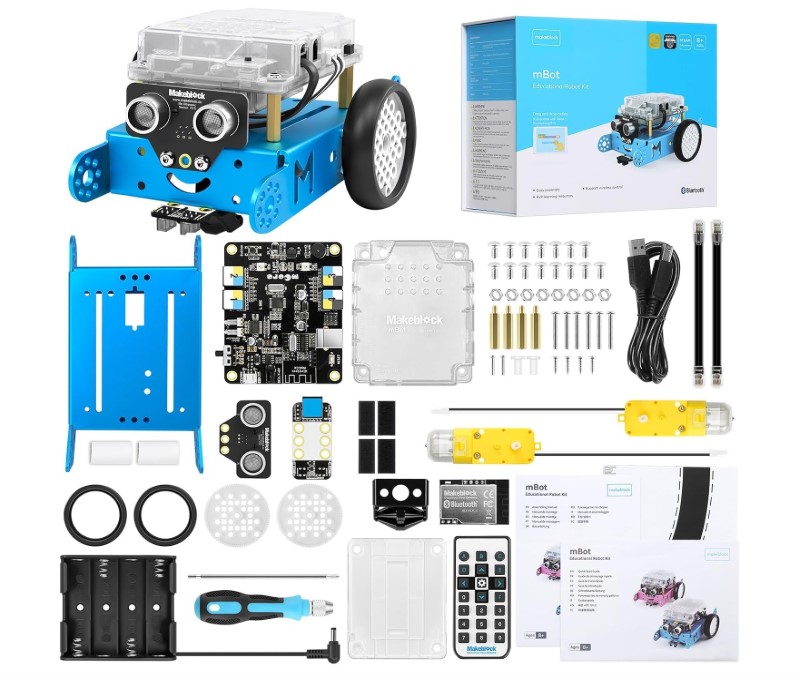
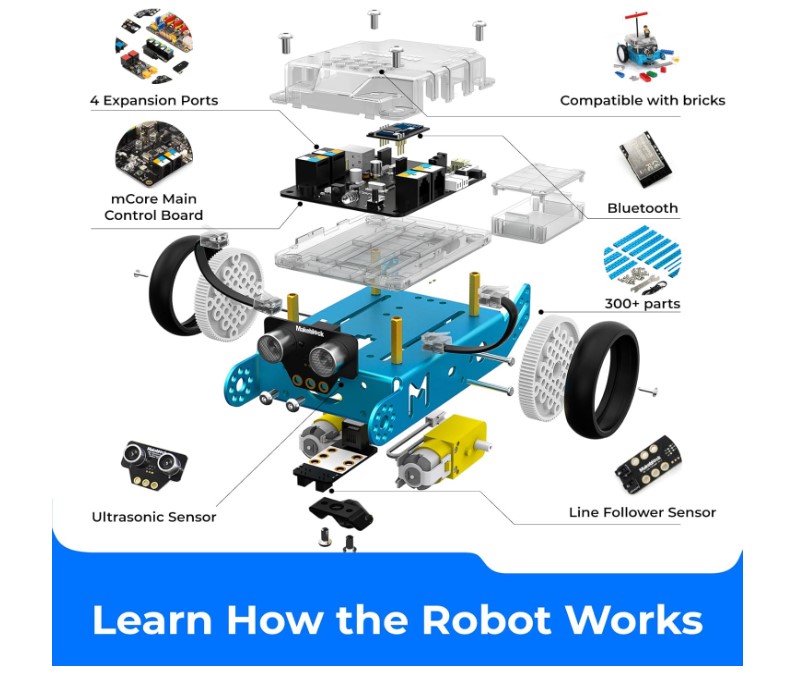
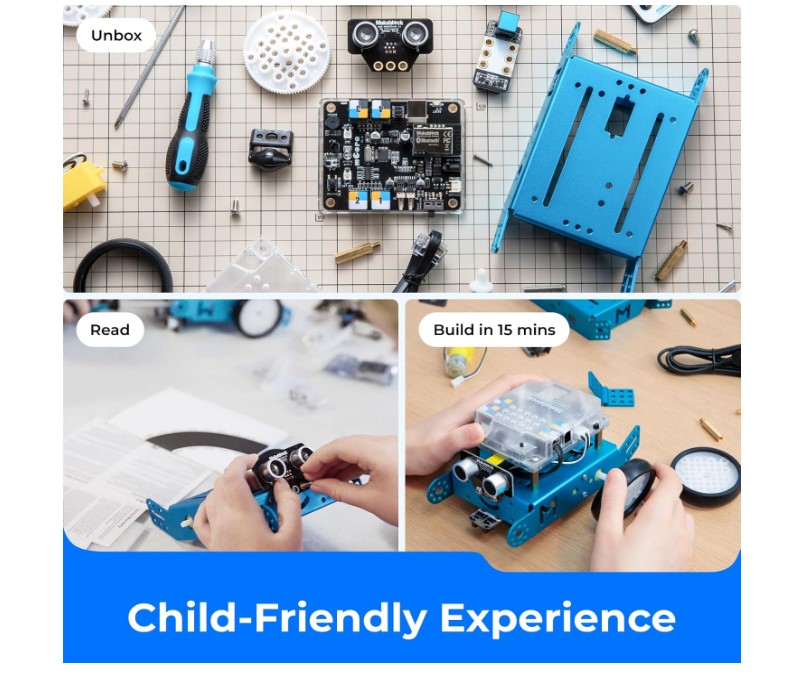
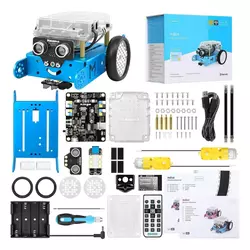
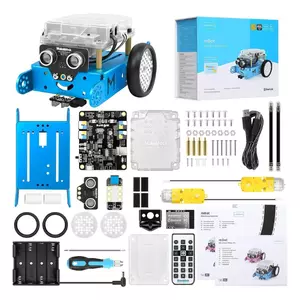
Serious programming education starts with the Makeblock mBot Robot Kit progressing from visual Scratch blocks through Python to Arduino text coding. The 90-piece kit assembles in 60-90 minutes creating a wheeled robot with ultrasonic sensor, line-following sensor, LED lights, and buzzer. Bluetooth connectivity links to tablet or computer running mBlock software where kids drag-and-drop code blocks programming robot behaviors.
Beginners start with Scratch-style visual coding dragging motion blocks, sensor conditionals, and loop structures into programs. The interface color-codes command categories - blue for movement, orange for sensors, yellow for controls - helping kids locate needed blocks quickly. As skills advance, mBlock reveals actual Python or Arduino code generated by visual blocks. Kids transition gradually seeing how visual commands translate into text syntax preparing them for real programming languages.
The ultrasonic sensor detects obstacles letting robots navigate around walls autonomously. Line-following sensors work with black tape tracks kids create on floors programming robots to follow paths. Sensor integration brings conditional programming - "if obstacle detected, turn right; else continue forward" - demonstrating logic concepts through practical application. LED and buzzer outputs add visual and audio feedback making programs engaging beyond just movement.
Testing with a 10-year-old showed rapid progression from simple forward/backward commands to complex maze-solving programs within two weeks. The visual-to-text coding pathway worked brilliantly - he started reading generated Python code curious how blocks converted to syntax. By week three he experimented typing code directly rather than dragging blocks. This gentle transition from visual to text coding beats throwing kids into pure syntax immediately.
Expansion ecosystem includes add-on packs for mechanical arms, additional sensors, and advanced modules. Multiple mBots connect via Bluetooth for group coding challenges where robots communicate or compete. Battery life varies 2-5 hours depending on usage - offline mode lasts longer while constant Bluetooth streaming drains faster. Software updates occasionally introduce bugs requiring patience troubleshooting connectivity issues.
Pros:
- Progression from Scratch through Python to Arduino
- Ultrasonic and line-following sensors support advanced programming
- 60-90 minute assembly teaches mechanical basics
- Expansion packs and multi-robot connectivity
- Visual-to-text coding pathway eases learning curve
Cons:
- Battery life 2-5 hours varies significantly by usage mode
- Bluetooth connectivity occasionally drops during sessions
- Software updates sometimes introduce bugs
Summary: Makeblock mBot bridges visual and text coding through Scratch-to-Arduino progression with sensor-based programming. Assembly teaches mechanics while software pathway prepares kids for real programming languages though battery performance varies by usage.
Sphero Mini Review
Most Portable
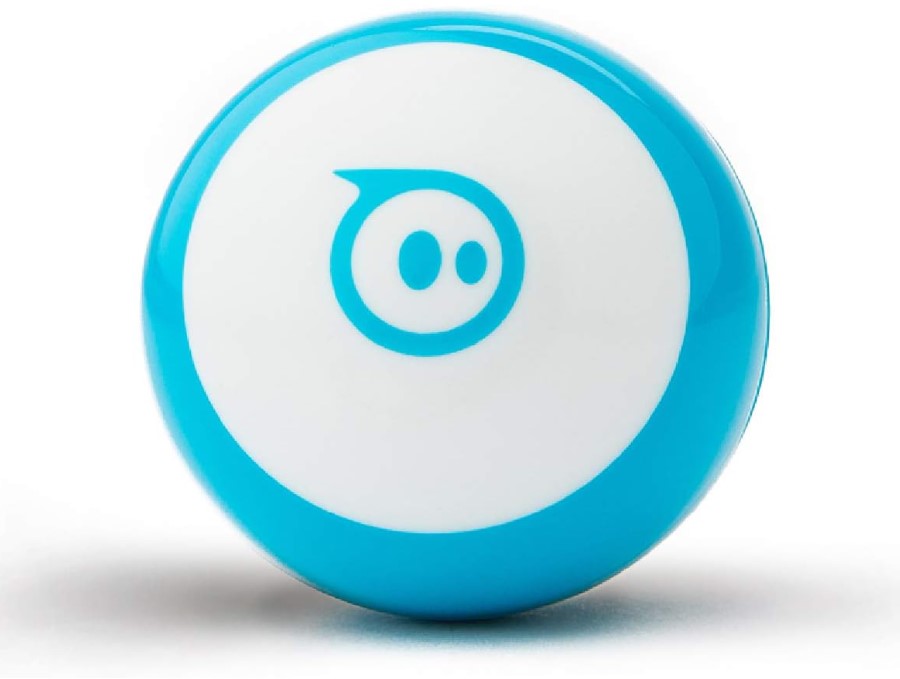
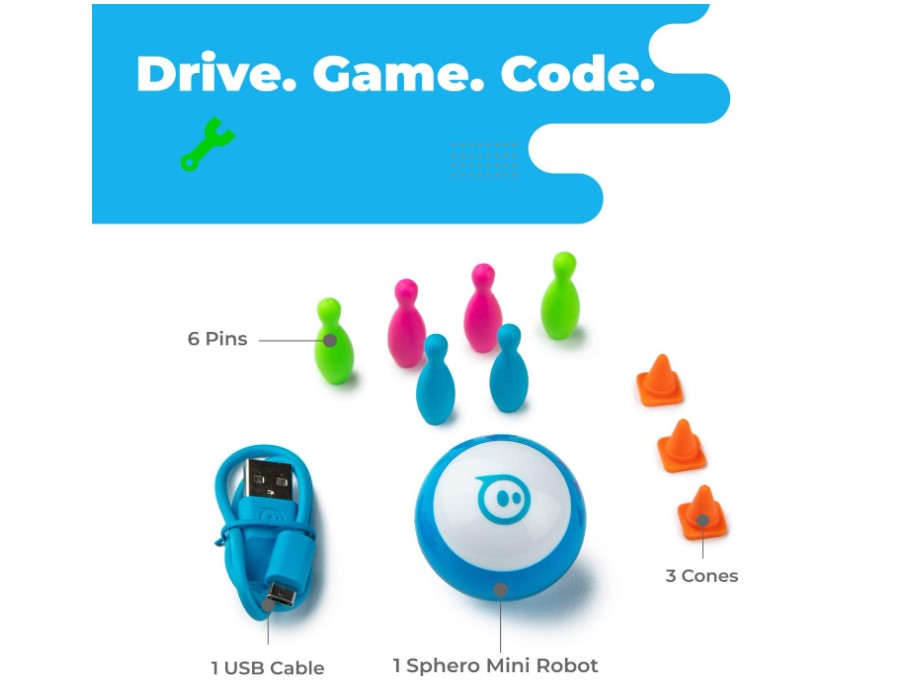
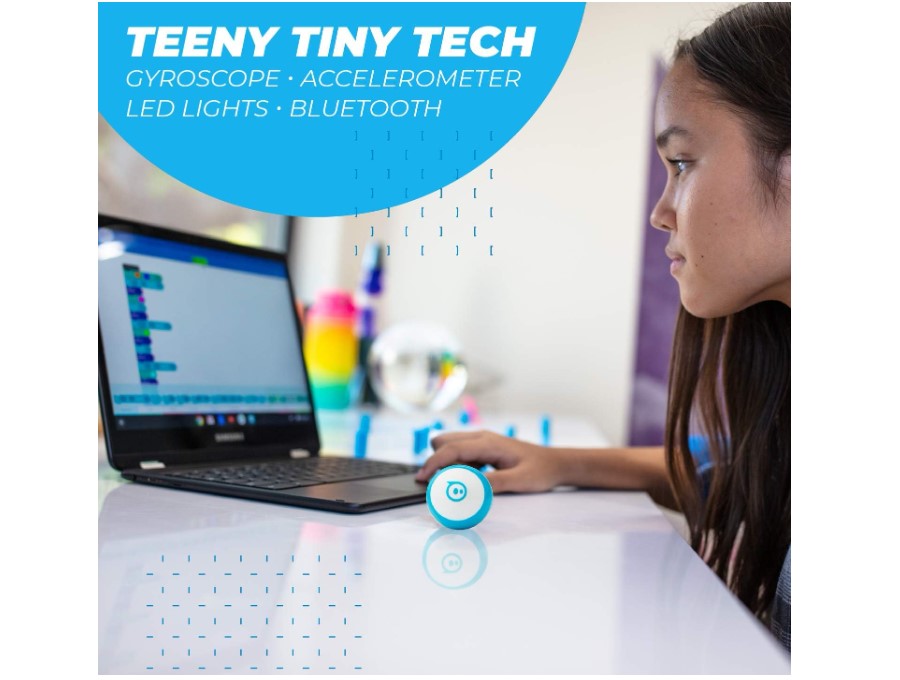
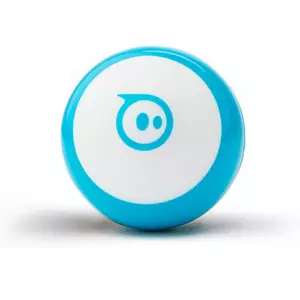
Pocket-sized programming arrives through the Sphero Mini fitting a golf-ball-sized robotic sphere controlled via smartphone app. The translucent shell houses gyroscopes and accelerometers creating precise directional movement. Sphero Edu app programs the robot through block-based coding dragging commands like "roll forward 2 seconds" or "change color to blue" into sequences kids execute watching the sphere zoom across floors.
Three control modes fit different skill levels. Drive mode turns smartphones into joysticks steering the sphere manually without programming. Face Drive hilariously uses facial expressions - tilt head right to turn right, smile to speed up - demonstrating cause-and-effect to younger kids. Block programming mode introduces actual coding where children write programs the sphere executes autonomously. This progression from manual control through programming builds confidence gradually.
The sphere's gyroscopic movement creates unique programming challenges compared to wheeled robots. Kids learn accounting for momentum and physics - sharp turns at high speed cause skidding requiring velocity adjustments. Real-world coding considerations emerge where programs must accommodate physical limitations. Color-changing LEDs provide visual feedback signaling program states or creating light shows synchronized with movement.
During testing, an 8-year-old immediately grasped drive mode then progressed to simple programs within the first session. The sphere's portability meant coding happened everywhere - kitchen floors, hallways, even parking lots. However, the hard plastic shell bounced unpredictably off furniture creating navigation challenges. Programming obstacle courses became exercises in accounting for ricochets rather than predictable wheeled movement.
Battery life reaches 45-60 minutes on full charge adequate for typical play sessions. USB charging cable included but wall adapter sold separately. Compact size means easy portability fitting in pockets or backpacks. But the sphere rolls under furniture constantly needing retrieval interrupting coding flow. Smooth floors work best - carpet friction slows movement significantly limiting programming effectiveness.
Pros:
- Pocket-sized portability works anywhere
- Three control modes from manual to autonomous coding
- Gyroscopic movement demonstrates physics concepts
- Color-changing LEDs add visual feedback
- Ready-to-use requires no assembly
Cons:
- 45-60 minute battery life limits extended sessions
- Rolls under furniture constantly requiring retrieval
- Carpet friction significantly slows movement
Summary: Sphero Mini combines portable golf-ball size with block-based programming teaching physics through gyroscopic movement. Three control modes ease learning progression though frequent furniture escapes and carpet limitations affect usability.
Wonder Workshop Dash Robot Review
Best for Creativity
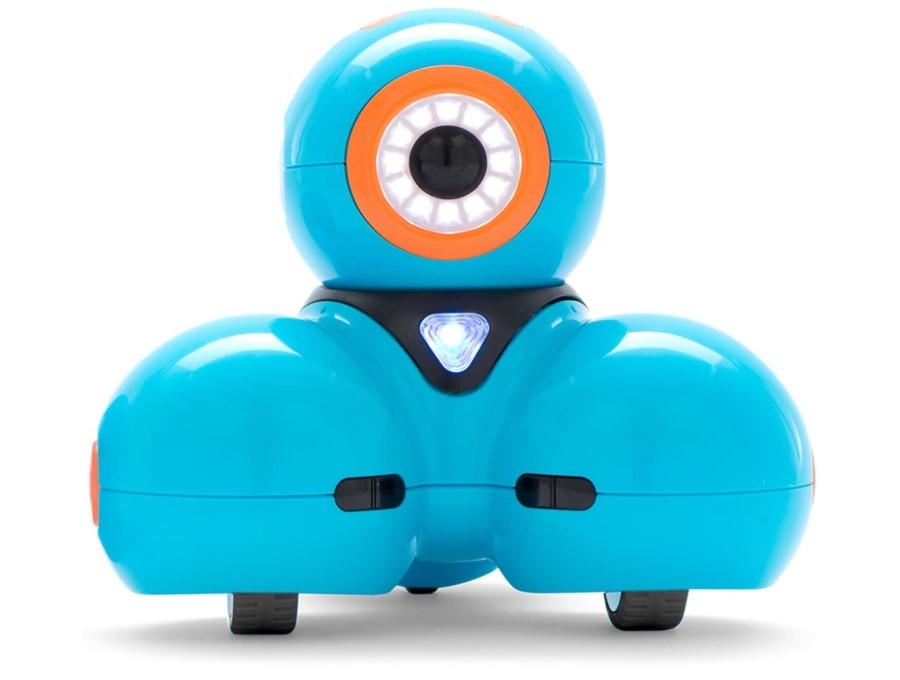
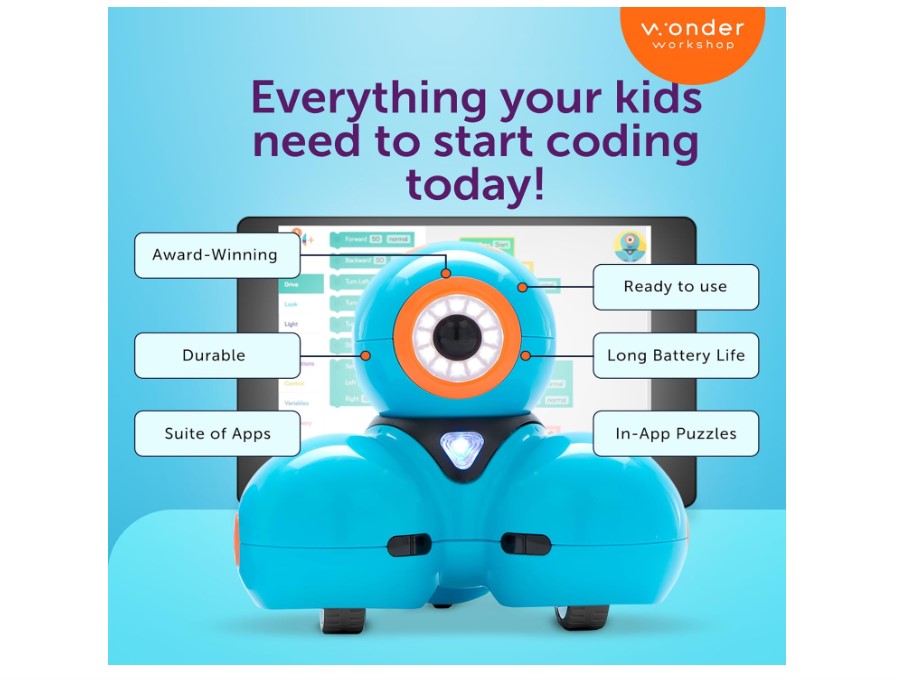
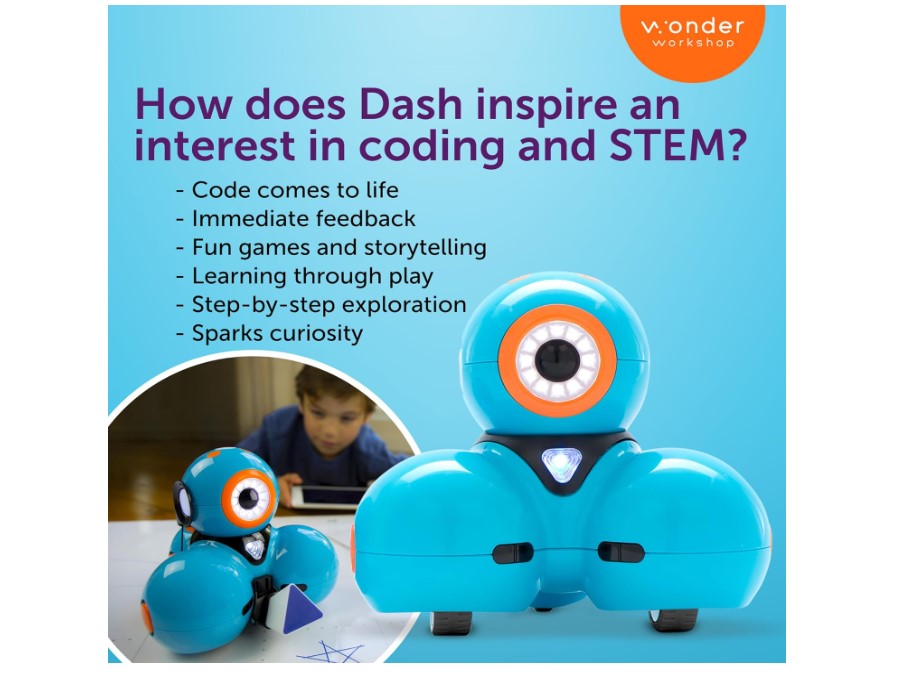
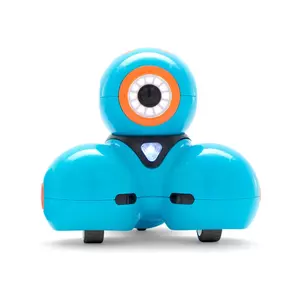
Personality-driven coding emerges through Wonder Workshop Dash Robot whose expressive LED eyes and responsive sounds form emotional connections beyond typical coding robots. The ready-to-use robot pairs with free Wonder apps offering multiple programming pathways. Blockly app introduces drag-and-drop coding. Wonder app provides guided coding challenges. Xylo app turns Dash into a musical instrument kids program to play songs on an attachable xylophone accessory.
Dash's sensor suite includes proximity detection, sound recognition, and light sensors supporting sophisticated programming. Kids write programs where Dash responds to claps, follows voices, or reacts to being picked up. Sensor interactivity makes coding feel magical - robots responding to real-world inputs rather than just following predetermined sequences. Expressive eyes change based on program states providing visual feedback kids interpret quickly.
The robot stands out through creative applications beyond basic navigation. Programming Dash to compose and perform music demonstrates sequencing through melody. Writing conversation programs where Dash tells jokes or asks riddles explores string manipulation and audio output. Drawing programs using wheeled attachments combine art with mathematics calculating angles and distances. This creative flexibility maintains engagement longer than robots limited to movement challenges.
I observed a 7-year-old transition from simple movement programs to elaborate performances where Dash danced while playing music and telling stories. The robot's personality encouraged creative expression - she thought of Dash as a character in stories she programmed rather than a machine executing commands. This emotional engagement drove deeper learning than purely technical robots.
Battery life extends 3-5 hours on rechargeable pack adequate for extended creative sessions. However, the accessory ecosystem fragments experience - xylophone, bulldozer, and launcher attachments sold separately at premium prices. Multiple Wonder apps each focusing on different aspects (basic coding, music, challenges) creates confusion determining which app serves which purpose. Premium pricing positions this as investment requiring justification versus budget alternatives.
Pros:
- Expressive eyes and sounds form emotional connection
- Multiple sensors support sophisticated interactive programs
- Creative applications including music and storytelling
- 3-5 hour battery life supports extended sessions
- Multiple free apps offer different coding pathways
Cons:
- Premium pricing higher than competitors
- Accessories sold separately increasing total cost
- Multiple apps create confusion for beginners
Summary: Wonder Workshop Dash encourages creative coding through personality-driven interaction combining music, storytelling, and movement programming. Extensive sensors and expressive design drive emotional engagement though premium pricing and separate accessories increase investment.
Learning Resources Botley the Coding Robot Review
Best Value
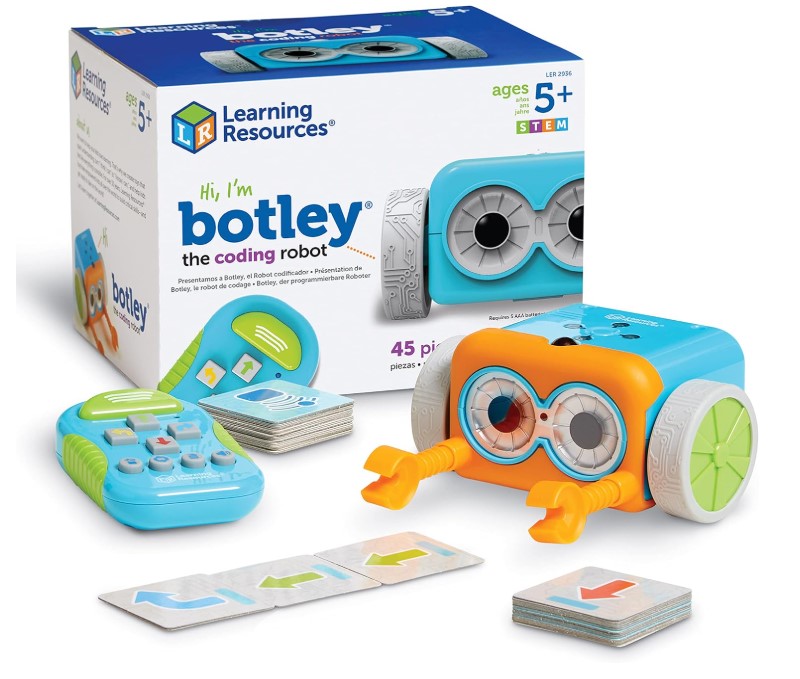
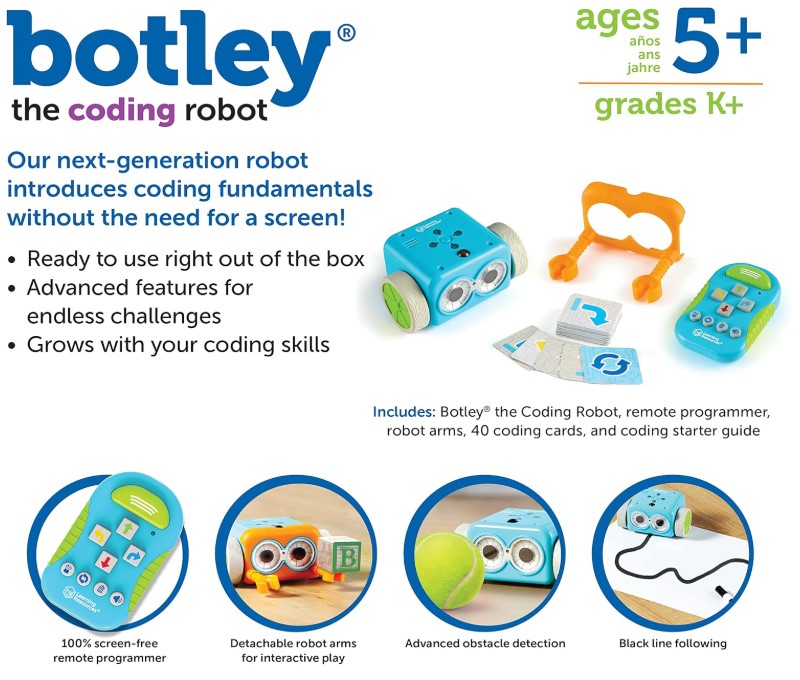
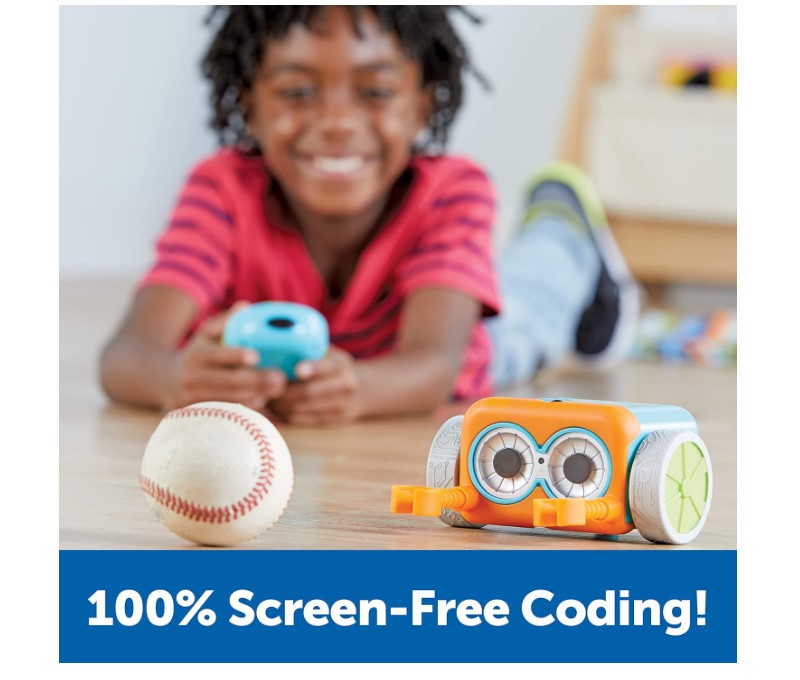
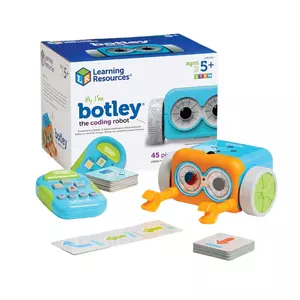
Screen-free simplicity defines Learning Resources Botley the Coding Robot where programming happens through remote control buttons rather than apps or tablets. The ready-to-use robot responds to sequences programmed via handheld remote. Kids press directional arrows, sounds, and loops creating programs up to 120 steps long. Pressing "Go" executes the sequence watching Botley follow programmed instructions.
The system works for young beginners ages 5-7 introducing coding fundamentals without screen complexity. Physical button pressing provides tactile feedback helping kinesthetic learners grasp sequencing concepts. Loop function demonstrates programming efficiency - instead of pressing "forward" ten times, kids press "forward" once then loop it ten times. This computational thinking applies beyond coding into general problem-solving approaches.
Included obstacles, coding cards, and activity set provide structured learning challenges. Coding cards display sequences kids recreate using the remote. Obstacle courses require programming Botley to navigate mazes avoiding barriers. These guided activities scaffold learning rather than leaving kids wondering "what do I program?" The structured approach particularly fits classroom environments where teachers guide multiple students simultaneously.
Testing with a 6-year-old showed immediate understanding - press buttons in order, press go, watch results. Within 15 minutes she wrote multi-step programs navigating Botley around furniture. The remote's clear button labels (forward, backward, left, right) eliminated confusion. However, the limited command set meant she mastered available options within two weeks expressing boredom wanting more complexity.
Battery life reaches 8-10 hours on three AAA batteries outlasting rechargeable competitors significantly. Obstacle detection sensor prevents Botley from driving off tables or into walls. But sensor's limited range occasionally misses obstacles needing manual resets. The remote uses IR signals requiring line-of-sight limiting programming distance to approximately 15 feet.
Pros:
- Screen-free remote control works without devices
- Ready-to-use requires no assembly or app downloads
- Included obstacles and coding cards provide structured activities
- 8-10 hour battery life on AAA batteries
- Loop function demonstrates programming efficiency concepts
Cons:
- Limited command set creates quick skill ceiling
- IR remote requires line-of-sight within 15 feet
- Obstacle sensor occasionally misses barriers
Summary: Botley brings screen-free coding to young beginners through remote control button programming and included activity challenges. Simple operation and long battery life suit ages 5-7 though limited complexity means rapid skill ceiling.
Coding Robots: FAQ
What age should kids start with coding robots?
Screen-free coding robots work from age 4-5 when children grasp basic sequencing - understanding that actions happen in order based on button presses. These simple robots teach foundational concepts without requiring reading or abstract thinking. Ages 6-8 handle app-based visual coding dragging blocks into sequences seeing programs execute on physical robots. By age 9-10, kids tackle more complex robots offering sensor programming, loops, and conditionals. However, individual development matters more than rigid age guidelines - a mechanically-minded 7-year-old might excel with advanced robots while some 10-year-olds prefer simpler options. Match complexity to genuine interest and frustration tolerance rather than chronological age.
Do coding robots actually teach real programming skills?
Yes, but not the way most parents expect. Quality coding robots don't teach Python syntax or JavaScript functions - they develop computational thinking that transfers to any programming language later. The kid learning "if sensor detects obstacle then turn right" grasps conditional logic whether it's visual blocks on a robot or text code in an IDE. Debugging stays identical across platforms - test program, find error, modify code, retest. That problem-solving muscle matters more than memorizing syntax. Where robots fall short: they can't teach data structures, algorithms, or the patience required for 500-line programs. Think of coding robots as training wheels developing foundational skills before kids graduate to actual programming environments.
Should I choose screen-free or app-based coding robots?
Screen-free robots suit families minimizing device time and young children (ages 4-7) who learn better through physical manipulation than abstract screen interactions. Tactile button pressing and mechanical coding wheels create concrete cause-and-effect understanding. These robots work anywhere without tablet dependencies or connectivity issues. However, screen-free systems hit complexity ceilings quickly limiting skill progression. App-based robots enable advanced programming through visual languages progressing toward text coding. Sensor integration, conditional logic, and complex programs require screen interfaces physical buttons can't accommodate. Choose screen-free for young beginners and screen-averse families, app-based for older kids (8+) ready for genuine programming complexity and households comfortable with educational screen time.
How long do kids typically stay engaged with coding robots?
Watch what happens with simple robots: Week 1 - pure excitement programming basic movements. Week 2 - creating obstacle courses and challenges. Week 3 - "I've already done everything it can do, this is boring now." The $60 robot becomes a shelf decoration. Complexity ceiling determines longevity more than any other factor. Robots offering multiple programming modes (beginner → intermediate → advanced) sustain interest 6-12 months as kids unlock new features matching growing skills. Open-ended creative robots last longest - there's always another performance to choreograph, song to program, or story to tell through robot actions. My neighbor's kid still plays with their Dash robot after 18 months because programming music + movement + jokes creates endless combinations. Meanwhile, their basic directional robot gathered dust after three weeks.
Can siblings with different ages share one coding robot?
Robots offering multiple programming modes work well for age-gap siblings. Younger children (5-7) use basic directional programming while older siblings (9-12) tackle advanced sensor-based challenges with the same robot. However, vastly different skill levels create frustration when simple programs bore advanced users while complex features overwhelm beginners. Consider buying separate robots targeting each child's level versus forcing compromise. Alternatively, robots with collaborative features let siblings program together working toward shared goals leveraging different strengths. Older children handle complex logic while younger ones contribute creative ideas or obstacle course design. This cooperative approach teaches teamwork alongside coding.
Do coding robots work in classrooms with multiple students?
Classroom success requires robots supporting group challenges and teacher management. Multi-robot compatible systems enable entire classes programming synchronized performances or competitions. Screen-based robots need sufficient tablets though many support multiple users per device rotating programming roles. Durability matters significantly - classroom robots endure rougher handling than home-use models requiring sturdy construction. Battery life impacts lesson planning since 45-minute batteries dying mid-class disrupt learning flow. Screen-free robots avoid tablet availability issues and connectivity problems plaguing Bluetooth-dependent systems. However, app-based robots offer better progress tracking and curriculum integration through teacher dashboards monitoring student advancement. Consider classroom management needs alongside programming features before bulk purchasing.
Should I buy robots requiring assembly or ready-to-code?
Depends whether your kid is a builder or a programmer. Builders love seeing how mechanisms work - they'll happily spend Saturday afternoon assembling gear trains understanding why the robot moves. Programmers want to start coding immediately and view assembly as annoying delay before the real fun begins. Watch your kid with LEGO: do they follow instructions meticulously enjoying construction? Or rush through building to play with the finished product? That tells you everything. Also consider your own patience - complex robot assembly with a frustrated 8-year-old at 7pm on a school night tests parental limits severely. Ready-to-code robots cost slightly more but eliminate that 3-hour ordeal entirely.
Choosing Your Coding Robot
Here's the decision tree that actually works: Got a 5-7 year old who's never coded? Start with Botley - screen-free, instant gratification, $50 won't hurt when they outgrow it in three months. Ages 8-10 ready for real programming? mBot bridges visual blocks to actual Python code, growing with them for years. Got a creative kid who loves performing? Dash turns programming into music, storytelling, and choreography instead of boring maze navigation.
The Mech 5 works for mechanically-minded kids who want to understand how robots work internally - expect to spend Saturday building it together. Sphero Mini fits pockets and programs anywhere but rolls under every piece of furniture in your house - I've spent more time retrieving it than my kid spent coding it. Skip the "ages 3-12" marketing nonsense. Match complexity to current abilities, not aspirational hopes. A bored kid with an too-simple robot learns nothing. A frustrated kid with an too-complex robot learns to hate coding.

Jeb here, your go-to geek for everything from video projection to the latest tech trends. As an avid outdoorsman, I enjoy using monoculars and binoculars for hunting, traveling, and birdwatching. Join me in exploring the cool, quirky side of technology!


