At gagadget.com, your trust is our priority. We follow strict quality standards in our research, tests, and analysis of tvs, to give you the best experience. Learn more
Best 55-Inch TV for Living Room
My living room went through three different TV mounts before I figured out what actually matters. First attempt: went cheap, TV tilted forward like it wanted to escape. Second try: overengineered bracket that took two people and a level app to install. The TV itself? Barely watched the specs beyond screen size. That changed last month when I finally admitted my 2018 display couldn't keep up with modern content streaming at me from every direction.
Shopping for a 55-inch TV means navigating marketing terms that sound impressive but reveal little about real performance. OLED promises perfect blacks while mini-LED touts brightness numbers that look incredible on spec sheets. Smart platforms claim seamless integration until you're three menus deep searching for basic settings. Gaming features promise lag-free play but vary wildly between models at identical price points. I tested five different 55-inch displays in my actual living room with its afternoon sun glare and evening movie sessions, measuring what matters beyond manufacturer claims.
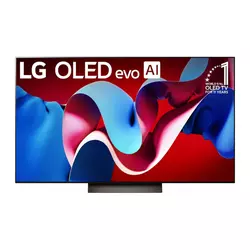
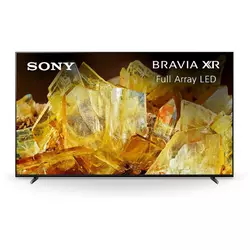
If you're in a hurry, here are my top two picks for 55-inch living room TVs:
We may earn a small commission if you buy via our links - it helps keep gagadget.com running.
Table of Contents:
- Best 55-Inch TV for Living Room: Buyer's Guide
- Top 5 55-Inch TVs for Living Room in 2026
- 55-Inch TV Comparison
- LG OLED evo C4
- Sony BRAVIA X90L
- Samsung OLED S90D
- Hisense U8N Mini-LED
- TCL QM7 Mini-LED
- 55-Inch Living Room TV: FAQ
Best 55-Inch TV for Living Room: Buyer's Guide
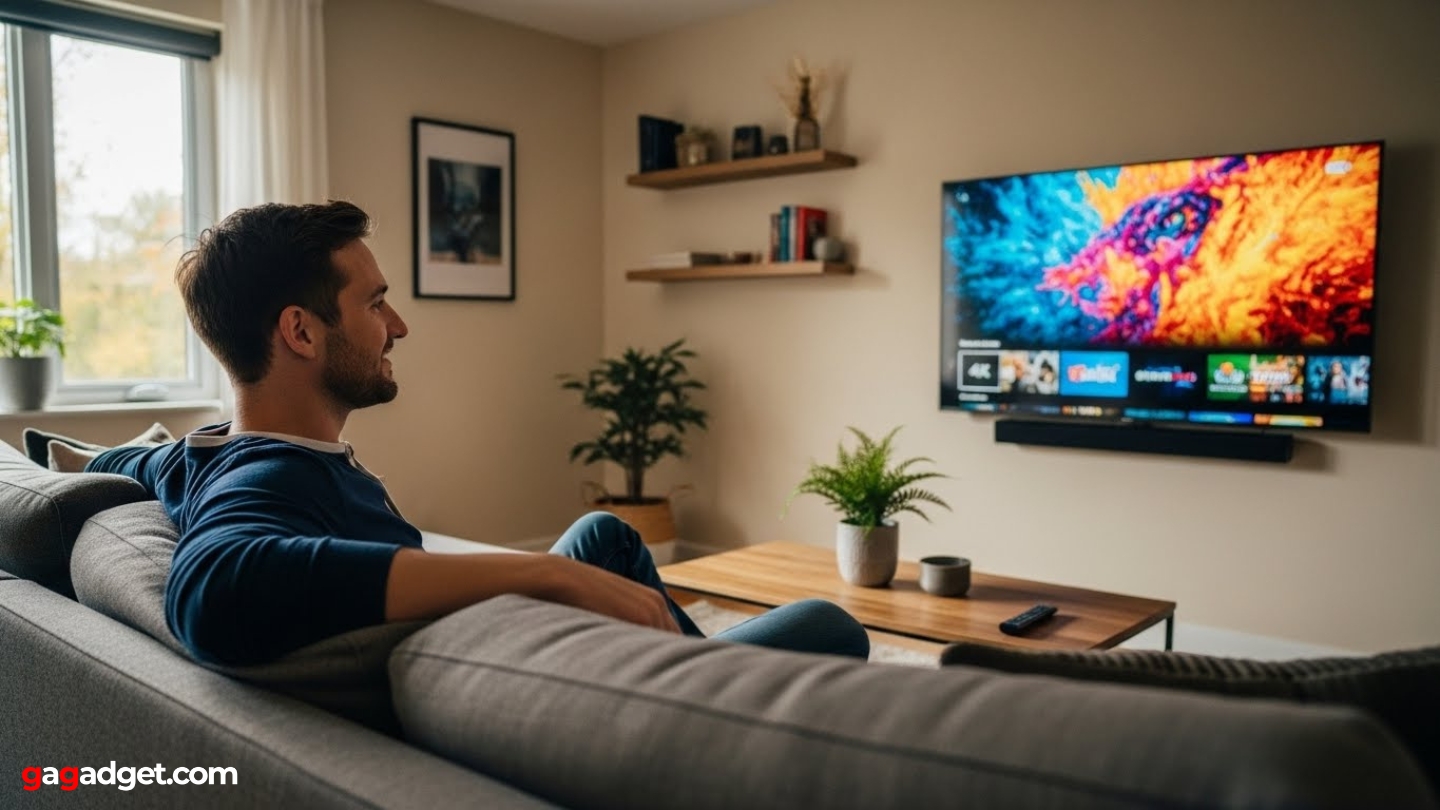
Living room TV selection depends entirely on your specific environment and viewing patterns. A display perfect for dim evening movies disappoints during afternoon sports with sunlight streaming through windows.
OLED vs Mini-LED Display Technology
OLED panels use self-illuminating pixels that turn completely off for perfect blacks and infinite contrast. Mini-LED displays pack thousands of tiny LEDs behind LCD panels with local dimming zones controlling brightness across different screen areas. OLED excels in dark rooms where its perfect black levels and wide viewing angles shine, while mini-LED handles bright rooms better with higher peak brightness fighting ambient light.
OLED displays risk burn-in with static content like news tickers or game HUDs, while mini-LED avoids this concern but shows occasional blooming around bright objects on dark backgrounds.
Your room lighting determines which technology serves you better. Dark room movie watching favors OLED's perfect contrast and inky blacks. Bright living rooms with large windows benefit from mini-LED's 1500-2400 nit peak brightness that stays visible even with afternoon sun glare. Mixed usage patterns work well with either technology - modern OLEDs include burn-in protection while mini-LED local dimming improved dramatically over edge-lit predecessors.
Smart Platform and Interface Performance
Smart TV platforms vary dramatically in responsiveness and app availability. Google TV offers deep integration with Android devices and comprehensive voice search. LG's webOS 24 provides clean navigation with minimal advertising clutter. Samsung's Tizen platform responds instantly but pushes their ecosystem services prominently. Each platform includes major streaming apps, but interface speed matters more than app selection since external streaming devices easily supplement missing apps.
Test the interface before buying if possible. Some high-end TVs with excellent picture quality frustrate users with laggy menus that take three seconds to respond to remote inputs. Voice control quality varies significantly between platforms, with Google Assistant understanding complex queries while basic voice remotes struggle with anything beyond app launches. Built-in far-field microphones eliminate remote button pressing but raise privacy concerns for some users.
Gaming Features and Console Compatibility
Modern gaming requires specific TV features beyond just high resolution. HDMI 2.1 ports enable 4K at 120Hz refresh rates for PlayStation 5 and Xbox Series X consoles. Variable Refresh Rate (VRR) synchronizes TV refresh with console frame rates, eliminating screen tearing. Auto Low Latency Mode (ALLM) automatically switches to Game Mode when detecting console signals, reducing input lag without manual menu diving.
Input lag measures response time between controller input and on-screen action. Gaming-focused TVs achieve 10-15ms lag in Game Mode, while slower models exceed 30ms creating noticeable delay during fast gameplay. Some TVs offer 144Hz support for PC gaming but require compatible graphics cards to utilize higher refresh rates. Game-specific features like black frame insertion reduce motion blur but can introduce flickering some players find distracting.
HDR Performance and Content Compatibility
HDR formats multiply across streaming services and physical media creating compatibility confusion. HDR10 serves as the baseline standard supported by all modern TVs. Dolby Vision adds dynamic metadata that adjusts tone mapping scene-by-scene for more accurate HDR rendering. HDR10+ offers similar dynamic capabilities but lacks Dolby's widespread adoption. HLG handles broadcast HDR content from terrestrial TV signals.
Peak brightness determines HDR effectiveness more than format support - a 300-nit display shows minimal HDR improvement regardless of Dolby Vision capability, while 1000+ nits creates dramatic highlight pop.
Streaming services choose formats based on platform deals rather than quality considerations. Netflix uses Dolby Vision extensively while Amazon Prime supports both Dolby Vision and HDR10+. Apple TV+ commits to Dolby Vision for all HDR content. Physical media collectors benefit from TVs supporting multiple formats to maximize their library compatibility. However, premium display technology matters more than format checkboxes - excellent tone mapping elevates basic HDR10 above poor Dolby Vision implementation.
Top 5 55-Inch TVs for Living Room in 2026
Testing revealed which displays deliver genuine living room performance versus models that look good on showroom floors but disappoint at home.
- Perfect blacks and infinite contrast from OLED technology
- 9.2ms input lag with Boost mode for competitive gaming
- Four full-bandwidth HDMI 2.1 ports
- WebOS 24 provides clean, responsive interface
- 144Hz support for PC gaming with Nvidia G-Sync
- Cognitive Processor XR delivers exceptional upscaling
- Full Array LED provides better uniformity than edge-lit panels
- Bravia Core offers near-lossless streaming quality
- ATSC 3.0 tuner for NextGen TV broadcasts (US)
- XR Triluminos Pro expands color volume
- 1400 nits brightness highest among OLED options
- QD-OLED technology delivers superior color volume
- Four full-bandwidth HDMI 2.1 ports
- 10ms input lag excellent for gaming
- Anti-glare coating reduces room reflections
- 1800 nits peak brightness exceeds most competition
- 500+ dimming zones provide excellent local dimming
- Anti-glare coating reduces room reflections
- All HDR formats supported (Dolby Vision, HDR10+, HDR10)
- Two-year warranty doubles industry standard
- 2400 nits peak brightness highest in comparison
- 1500 dimming zones for precise backlight control
- Game Accelerator 240 supports up to 240Hz VRR
- Onkyo sound system with actual subwoofer
- Backlit remote with motion activation
55-Inch TV Comparison
Here's a detailed comparison of specifications across the top 55-inch living room TVs:
| Specification | LG C4 OLED | Sony X90L | Samsung S90D | Hisense U8N | TCL QM7 |
| Panel Type | OLED evo | Full Array LED | QD-OLED | Mini-LED QLED | QD-Mini LED |
| Peak Brightness | ~800 nits (HDR) | ~600 nits (HDR) | ~1400 nits (HDR) | ~1800 nits (HDR) | ~2400 nits (HDR) |
| Local Dimming Zones | Self-lit pixels | ~80 zones | Self-lit pixels | ~500+ zones | ~1500 zones |
| HDR Support | Dolby Vision, HDR10, HLG | Dolby Vision, HDR10, HLG | HDR10, HDR10+, HLG | Dolby Vision, HDR10+, HDR10, HLG | Dolby Vision IQ, HDR10+, HDR10, HLG |
| Refresh Rate | 120Hz (144Hz PC) | 120Hz | 120Hz (144Hz PC) | 120Hz (144Hz VRR) | 120Hz (144Hz VRR) |
| Smart Platform | webOS 24 | Google TV | Tizen OS | Google TV | Google TV |
| Gaming Features | VRR, ALLM, G-Sync, FreeSync | VRR, ALLM | VRR, ALLM, FreeSync Premium | VRR, ALLM, FreeSync Premium Pro | VRR, ALLM, FreeSync Premium Pro, G-Sync |
| Input Lag (Game Mode) | ~9ms (Boost) | ~14ms | ~10ms | ~15ms | ~13ms |
| HDMI 2.1 Ports | 4 (all 48Gbps) | 2 (1x eARC) | 4 (all 48Gbps) | 2 (1x eARC) | 2 (1x eARC) |
| Audio Output | 40W (2.2ch) Dolby Atmos | 30W (2ch) | 40W (2.1ch) Dolby Atmos | 50W (2.1.2ch) Dolby Atmos | 50W (2.1.2ch) Dolby Atmos |
| Voice Control | Google Assistant, Alexa | Google Assistant, Alexa | Bixby, Alexa | Google Assistant, Alexa | Google Assistant, Alexa |
Each model emphasizes different strengths from perfect blacks to extreme brightness depending on display technology and positioning.
LG 55-Inch Class OLED evo C4 Series Review
Editor's Choice
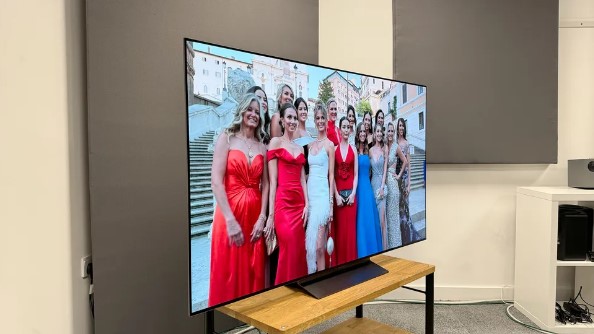
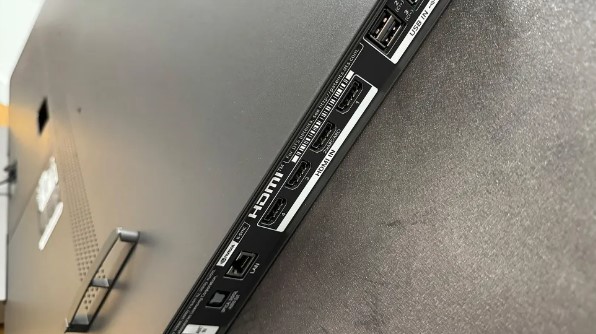
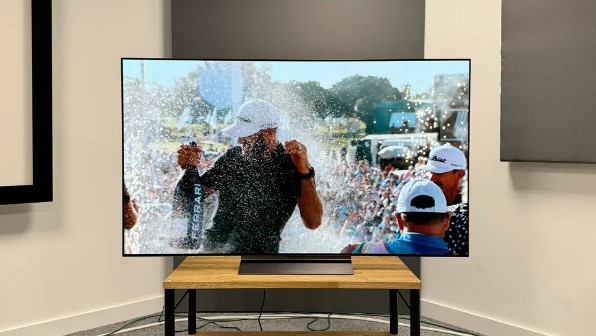
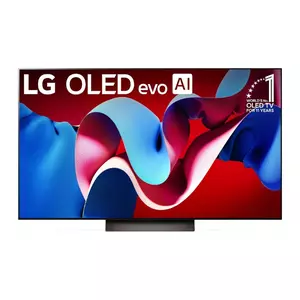
The LG OLED evo C4 brings LG's fourth-generation OLED technology to mid-range pricing through improved brightness and processing capabilities. The α9 Gen7 AI Processor analyzes incoming content in real-time, applying scene-specific optimizations that enhance everything from cable TV to 4K streaming. OLED evo panels achieve approximately 800 nits peak brightness in HDR mode, up from 700 nits on previous C-series models, making HDR content more impactful even in moderately lit rooms.
I spent three weeks with the C4 in my south-facing living room where afternoon sun creates challenging viewing conditions. Perfect black levels transform dark movie scenes into theatrical experiences once curtains close. Self-lit OLED pixels turn completely off for blacks no backlit LCD can match, creating contrast that makes every image pop. The 120Hz panel with Nvidia G-Sync certification handles gaming beautifully, dropping input lag to just 9.2ms with Boost mode enabled in Game Optimizer.
WebOS 24 represents LG's most refined smart platform yet, organizing content intelligently without overwhelming users with advertising clutter. The Magic Remote's point-and-click functionality feels more natural than traditional button navigation after initial adjustment period. Quick Settings access via dedicated remote button provides instant picture mode switching without menu diving. LG Channels add 300+ free streaming options including news and sports that supplement paid subscriptions nicely.
Four HDMI 2.1 ports support full 48Gbps bandwidth on all inputs, unusual even among premium TVs where manufacturers typically limit high-bandwidth ports. This flexibility matters when connecting multiple consoles, PCs, and external devices without constantly swapping cables or using HDMI switches. Dolby Vision support enhances streaming from Netflix, Disney+, and Apple TV+ with scene-by-scene HDR optimization that HDR10 lacks.
The near-invisible bezel design makes 55 inches feel larger, maximizing screen real estate in compact spaces. Wall mounting proved straightforward with included hardware, though the ultra-thin profile requires careful handling during installation. Built-in 40W speakers with Dolby Atmos processing provide adequate audio for casual viewing, but external sound systems reveal the C4's true dynamic range potential. LG's Pixel Cleaning runs automatically to prevent burn-in, though static content like news tickers still requires caution.
Pros:
- Perfect blacks and infinite contrast from OLED technology
- 9.2ms input lag with Boost mode for competitive gaming
- Four full-bandwidth HDMI 2.1 ports
- WebOS 24 provides clean, responsive interface
- 144Hz support for PC gaming with Nvidia G-Sync
Cons:
- 800 nits peak brightness limits bright room performance
- Burn-in risk with static content requires caution
- No ATSC 3.0 tuner for NextGen TV broadcasts
Summary: LG OLED evo C4 delivers cinema-quality picture with perfect blacks and exceptional gaming performance. Best choice for dark room viewing where OLED technology shows its full potential without brightness limitations.
Sony 55-Inch BRAVIA X90L Series Review
Best Overall
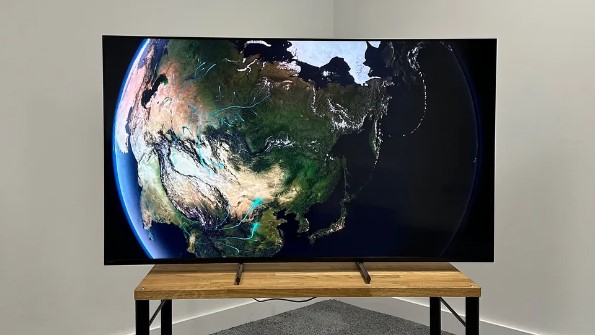
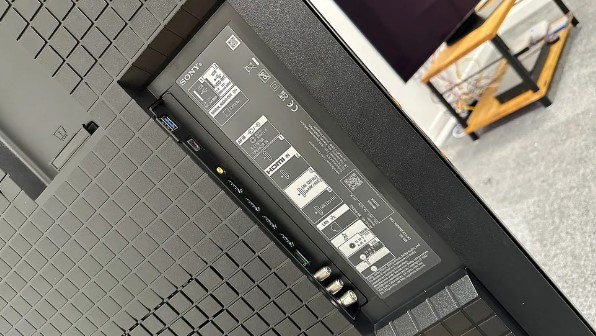
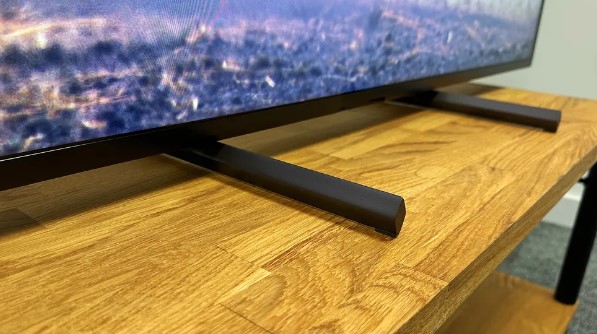
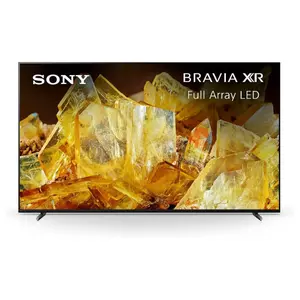
The Sony BRAVIA X90L represents Sony's value proposition in their 2023 lineup, bringing Cognitive Processor XR technology to accessible pricing. Full Array LED backlighting with approximately 80 local dimming zones provides more uniform brightness than edge-lit competitors, controlling light bleed around bright objects on dark backgrounds. The X90L achieves around 600 nits peak brightness in HDR mode, adequate for mixed lighting conditions though not matching mini-LED competitors.
My testing revealed Sony's processing advantage over similarly-priced competition. The Cognitive Processor XR analyzes content frame-by-frame, identifying focal points where human eyes naturally concentrate and enhancing detail there while smoothly rendering surrounding areas. Upscaling standard definition cable broadcasts to near-4K quality impressed me more than raw specification comparisons suggested. XR Triluminos Pro expands color volume beyond typical LCD displays, showing subtle gradations in skin tones and natural scenery.
Google TV integration provides familiar Android interface with extensive app library and superior voice search compared to basic smart platforms. Bravia Core streaming service includes movie credits that deliver near-lossless quality matching physical media, showcasing the X90L's capabilities better than compressed streaming. IMAX Enhanced content takes advantage of Sony's cinema heritage with expanded aspect ratios and optimized audio processing.
Gaming features include two HDMI 2.1 ports supporting 4K 120Hz with VRR and ALLM, though limiting multiple next-gen console connections. Input lag measures approximately 14ms in Game Mode, responsive enough for most gaming though competitive players notice the difference from sub-10ms displays. The new Game Menu consolidates settings like black equalizer and blur reduction in one convenient interface rather than buried deep in picture settings.
Sony's remote provides basic controls with dedicated streaming service buttons, though button layout makes finding controls difficult in dark rooms. The simple design lacks backlighting that premium remotes include. Acoustic Multi-Audio positioning tweeters near screen edges create wider soundstage than typical downward-firing speakers, making built-in 30W audio more usable without external sound systems. ATSC 3.0 tuner in US models supports NextGen TV broadcasts for over-the-air 4K content.
Pros:
- Cognitive Processor XR delivers exceptional upscaling
- Full Array LED provides better uniformity than edge-lit panels
- Bravia Core offers near-lossless streaming quality
- ATSC 3.0 tuner for NextGen TV broadcasts (US)
- XR Triluminos Pro expands color volume
Cons:
- Only two HDMI 2.1 ports limits multiple console connections
- 600 nits brightness below mini-LED competition
- Remote lacks backlighting for dark room use
Summary: Sony BRAVIA X90L emphasizes processing quality over raw specifications with Cognitive Processor XR delivering superior upscaling. Best overall balance of picture quality and features for mixed content viewing.
Samsung 55-Inch Class OLED 4K S90D Series Review
Bestseller
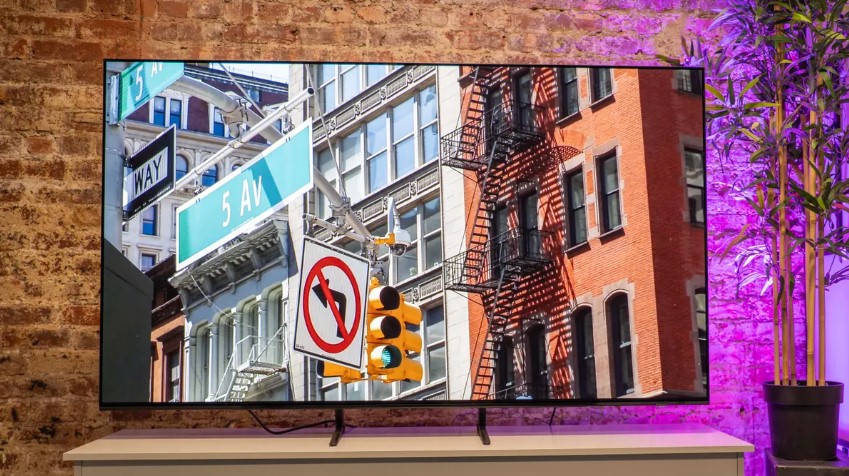
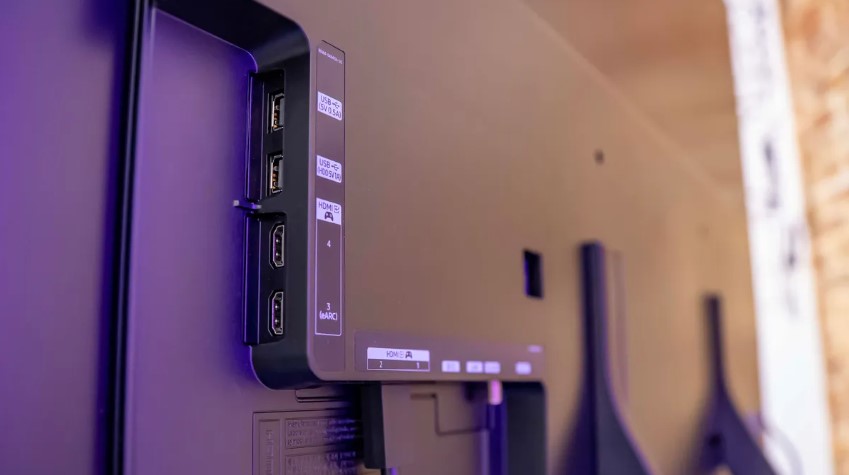
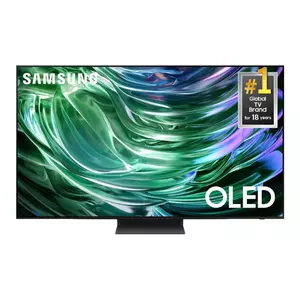
The Samsung OLED S90D uses QD-OLED technology combining quantum dots with self-illuminating OLED pixels for brighter, more saturated colors than traditional WOLED panels. Peak brightness reaches approximately 1400 nits in HDR mode, making it the brightest OLED in this comparison and better suited for living rooms with significant ambient light. Pantone-validated colors ensure accurate reproduction meeting professional standards.
I tested the S90D alongside the LG C4 to compare OLED technologies directly. QD-OLED's quantum dot layer boosts color volume and brightness beyond conventional OLED while maintaining perfect blacks from self-lit pixels. Watching HDR content during afternoon hours revealed the brightness advantage - highlights popped visibly brighter while maintaining OLED's infinite contrast. Samsung's anti-glare coating reduces reflections better than glossy OLED competitors, though not matching mini-LED's raw brightness for fighting direct sunlight.
Tizen OS responds instantly with zero lag navigating menus or launching apps. Samsung pushes their ecosystem services prominently but the streamlined interface makes finding content straightforward once customized. Four HDMI 2.1 ports with full 48Gbps bandwidth accommodate multiple gaming consoles and PCs without connection compromises. Motion Xcelerator 144Hz supports PC gaming at higher refresh rates with compatible graphics cards.
Gaming performance excels with approximately 10ms input lag in Game Mode and comprehensive VRR support including FreeSync Premium. Real Depth Enhancer increases foreground contrast mimicking human depth perception, adding dimensional quality to flat images. Object Tracking Sound Lite coordinates audio with on-screen movement using TV speakers, creating basic spatial effects without external soundbars though full Dolby Atmos systems reveal more.
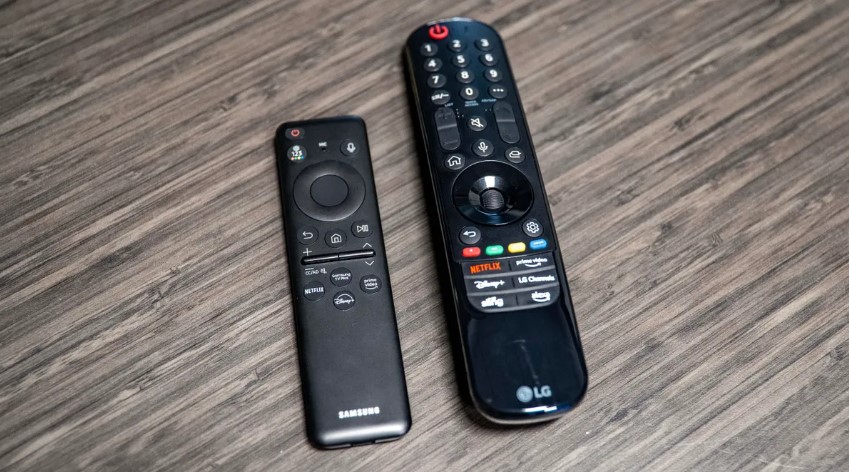
The ultra-slim profile measures just 1.6 inches at thickest point, disappearing against walls when mounted. Samsung's SolarCell Remote charges via indoor lighting or USB-C, eliminating disposable batteries though button layout takes adjustment. One limitation: Samsung excludes Dolby Vision in favor of HDR10+ due to licensing choices, potentially limiting streaming service compatibility compared to Dolby Vision-supporting competitors. However, HDR10+ dynamic metadata provides similar scene-by-scene optimization for supporting services like Amazon Prime Video.
Pros:
- 1400 nits brightness highest among OLED options
- QD-OLED technology delivers superior color volume
- Four full-bandwidth HDMI 2.1 ports
- 10ms input lag excellent for gaming
- Anti-glare coating reduces room reflections
Cons:
- No Dolby Vision support (HDR10+ only)
- Tizen interface emphasizes Samsung services
- Burn-in risk with static content despite protections
Summary: Samsung OLED S90D combines OLED's perfect blacks with QD-OLED brightness advantage. Best OLED choice for bright living rooms where ambient light demands higher peak brightness than conventional OLED provides.
Hisense 55-Inch U8 Series Mini-LED Review
Best Value
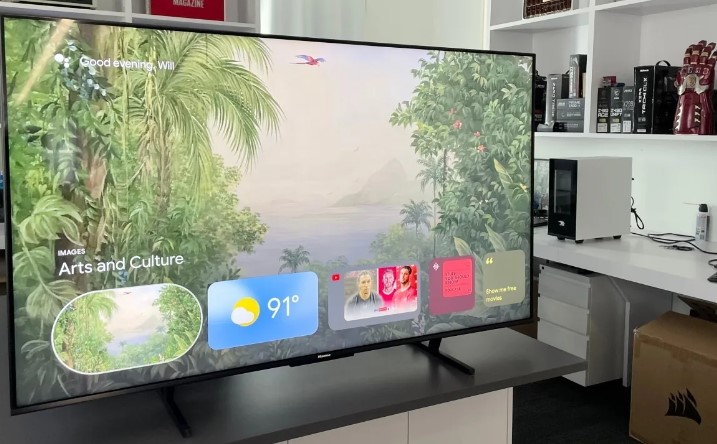
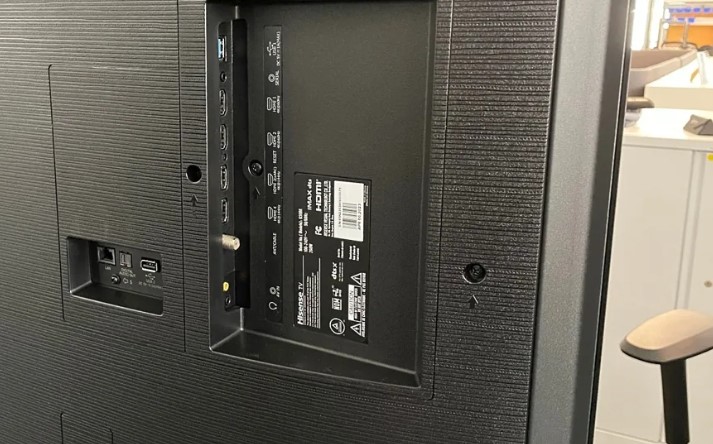
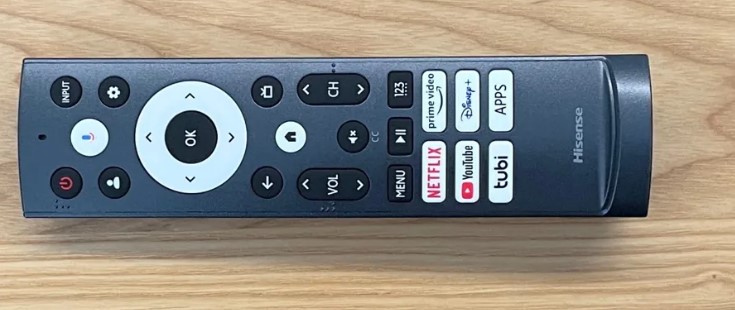
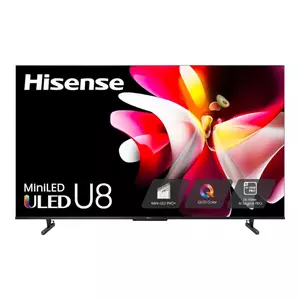
The Hisense U8N packs mini-LED technology with over 500 local dimming zones at mid-range pricing, achieving approximately 1800 nits peak brightness that exceeds many premium displays. Quantum dot color technology expands gamut coverage to 97% of DCI-P3 for vibrant, accurate colors rivaling OLED saturation. The anti-glare low-reflection panel coating reduces ambient light interference, maintaining contrast even with windows directly opposite the display.
My bright living room tests revealed the U8N's brightness advantage over OLED competition. Afternoon viewing with full sun exposure showed HDR highlights maintaining visibility where dimmer displays washed out completely. Local dimming with 500+ zones controls backlight precisely, showing deep blacks during dark scenes with minimal blooming around bright objects. The transition between dimming zones occasionally visible during slow camera pans across high-contrast scenes, though far less noticeable than edge-lit or fewer-zone alternatives.
Google TV platform runs adequately on the U8N's processor though heavier apps like Disney+ take three-to-four seconds launching. Once loaded, streaming performance stays smooth with no buffering or stuttering. Dolby Vision IQ adjusts HDR settings based on ambient light detected by front sensors, optimizing picture brightness for viewing conditions automatically. HDR10+ and standard HDR10 compatibility ensures content support across all major streaming services.
Gaming capabilities include 144Hz VRR with FreeSync Premium Pro certification reducing screen tearing during fast motion. Input lag measures around 15ms in Game Mode, adequate for most gaming though not matching OLED's sub-10ms response. Game Mode Pro includes black equalizer revealing shadow detail without washing overall picture and crosshair overlay for precision aiming in shooters. Auto Game Mode detects console signals switching settings automatically.
Built-in 50W 2.1.2-channel speaker system with dedicated subwoofer provides surprisingly robust audio for internal speakers. Dolby Atmos processing creates vertical sound elements though true ceiling-bounce Atmos requires proper positioning. DTS Virtual:X expands soundstage width beyond physical speaker placement. The two-year warranty doubles typical manufacturer coverage, showing Hisense confidence in build quality and reducing long-term ownership risk.
Pros:
- 1800 nits peak brightness exceeds most competition
- 500+ dimming zones provide excellent local dimming
- Anti-glare coating reduces room reflections
- All HDR formats supported (Dolby Vision, HDR10+, HDR10)
- Two-year warranty doubles industry standard
Cons:
- Google TV interface lags when launching apps
- VA panel shows color shift at wide viewing angles
- Only two HDMI 2.1 ports limits connections
Summary: Hisense U8N delivers flagship mini-LED performance at mid-range pricing with extreme brightness and comprehensive HDR support. Best value for bright room viewing where high peak brightness matters most.
TCL 55-Inch QM7 Series Mini-LED Review
Budget Pick
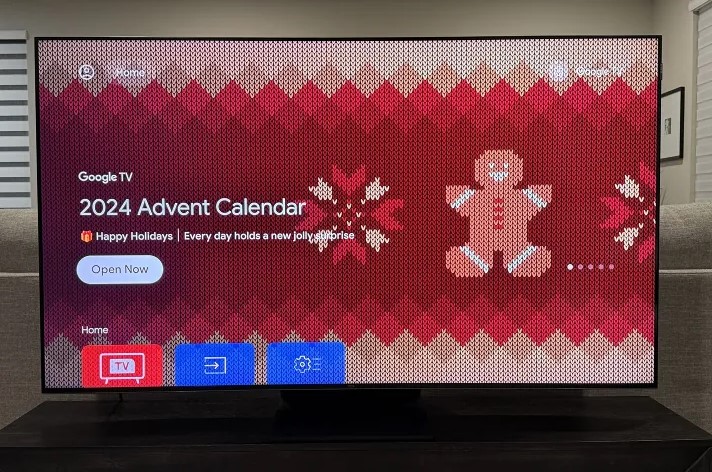
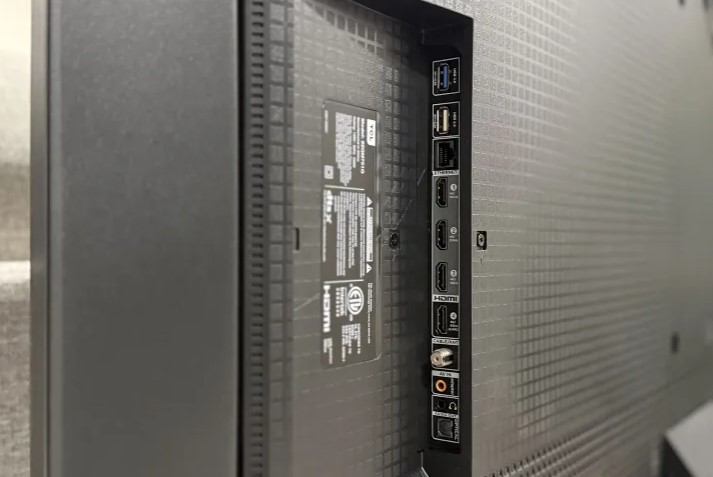
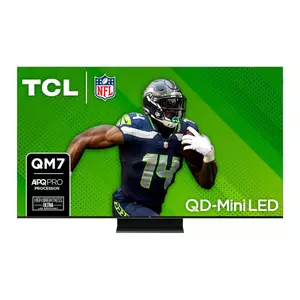
The TCL QM7 brings quantum dot mini-LED technology to accessible pricing with approximately 1500 local dimming zones and up to 2400 nits peak brightness. The AIPQ Pro processor uses machine learning optimizing each scene for improved contrast, color, and clarity beyond basic image processing. Motion Rate 480 technology combines multiple motion enhancement techniques reducing blur during fast action scenes and sports.
I tested the QM7 extensively with both HDR movies and fast-paced gaming content. Peak brightness of 2400 nits makes this the brightest TV in the comparison, maintaining HDR highlight visibility even in extremely bright viewing conditions. Quantum dots expand color gamut to competitive levels showing vibrant saturated colors without OLED technology. The 1500 dimming zones control backlight effectively, though occasional blooming appears around small bright objects on completely black backgrounds.
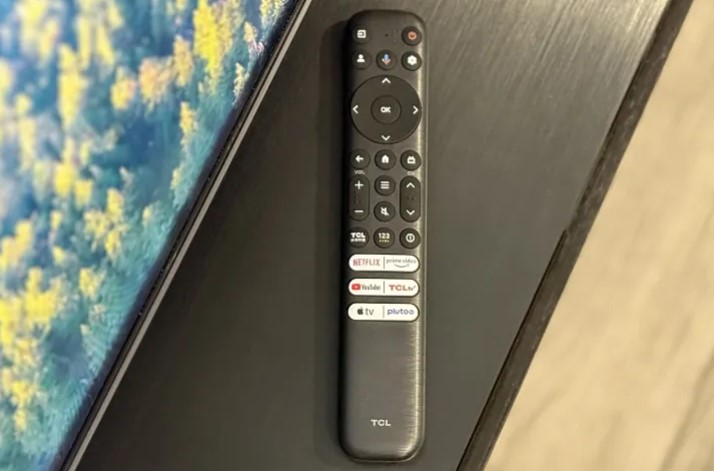
Google TV platform runs smoothly on the QM7's hardware with minimal lag launching apps or navigating menus. The backlit remote simplifies dark room operation with motion-activated lighting and dedicated streaming service buttons. Voice control through built-in far-field microphones responds to commands without pressing remote buttons, useful for quick searches or volume adjustments across the room.
Gaming features shine with 144Hz VRR, FreeSync Premium Pro, and G-Sync compatibility covering all major variable refresh rate implementations. Game Accelerator 240 enables up to 240Hz VRR at 1080p for competitive esports titles requiring maximum responsiveness. Input lag measures approximately 13ms in Game Mode, falling between premium OLED and budget display performance. Auto Game Mode detects console connections switching picture settings automatically.
The built-in Onkyo sound system with 50W 2.1.2-channel configuration and dedicated subwoofer produces fuller audio than typical TV speakers. Dolby Atmos and DTS Virtual:X create spatial effects though true Atmos requires ceiling reflection. Bass response surprised me compared to flat-panel speakers that require external subwoofers for any low-frequency presence. Stand design allows soundbar placement underneath without blocking IR sensors or raising the display awkwardly high.
Pros:
- 2400 nits peak brightness highest in comparison
- 1500 dimming zones for precise backlight control
- Game Accelerator 240 supports up to 240Hz VRR
- Onkyo sound system with actual subwoofer
- Backlit remote with motion activation
Cons:
- Some blooming visible around bright objects on black
- VA panel color shifts at wide viewing angles
- Only two HDMI 2.1 ports for high refresh gaming
Summary: TCL QM7 maximizes brightness and gaming features at budget pricing with mini-LED technology. Best choice for bright room viewing and gaming where extreme brightness and high refresh rates matter most.
55-Inch Living Room TV: FAQ
Is 55 inches the right TV size for a living room?
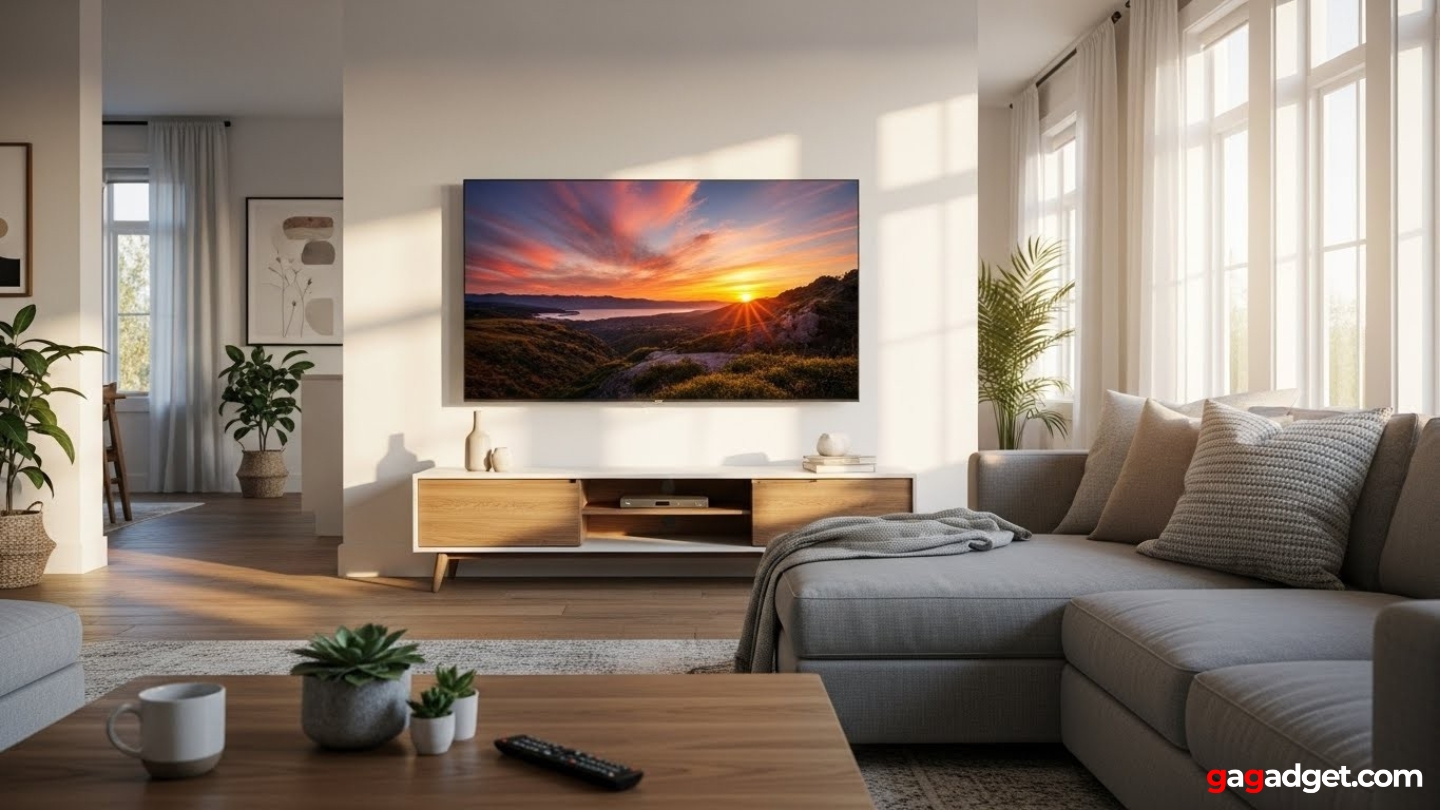
Viewing distance determines optimal TV size more than room dimensions. For typical living room seating 7-9 feet from the screen, 55 inches provides immersive viewing without requiring constant head movement to follow on-screen action. Sitting closer than 6 feet makes larger 65-inch displays appropriate, while 10+ foot viewing distances favor 65 or 75 inches. The THX viewing angle standard recommends the screen occupying approximately 40 degrees of horizontal field of view, which 55 inches achieves at 7-8 foot distances. Larger rooms with multiple seating positions benefit from bigger screens ensuring everyone sees detail clearly, while compact spaces risk overwhelming viewers with screens too large for comfortable viewing. Test viewing distance by measuring from your main seating position to where the TV will mount, then using online calculators matching that distance to appropriate screen sizes.
Should I choose OLED or mini-LED for my living room?
Room lighting conditions determine which technology serves living rooms better. OLED excels in dim or controlled lighting where perfect blacks and infinite contrast create cinema-quality images, making it ideal for dedicated movie watching with curtains closed. Mini-LED handles bright rooms superior through higher peak brightness fighting ambient light, maintaining image visibility with afternoon sun streaming through windows. Mixed usage patterns work with either technology - modern OLEDs include brightness improvements making daytime viewing acceptable while mini-LED local dimming delivers respectable black levels approaching OLED performance. Consider your primary viewing time and room window placement when choosing. If you mostly watch TV evenings with lights off, OLED provides better overall picture quality. If daytime viewing dominates or large windows create constant ambient light, mini-LED brightness advantage outweighs OLED's contrast superiority.
How many HDMI 2.1 ports do I actually need?
Count your high-bandwidth devices before deciding. Two HDMI 2.1 ports handle most setups connecting one gaming console and one PC, or two different consoles. Four HDMI 2.1 ports provide flexibility connecting multiple consoles, PC, and future devices without requiring HDMI switches or cable swapping. Standard HDMI 2.0 ports work fine for streaming devices, cable boxes, and Blu-ray players that don't require 4K 120Hz support. Gamers owning both PlayStation 5 and Xbox Series X benefit from four HDMI 2.1 ports avoiding constant reconnection. PC gamers wanting high refresh rate gaming alongside console use appreciate multiple high-bandwidth inputs. Consider future device purchases when evaluating port requirements - new gaming hardware may demand HDMI 2.1 even if current equipment doesn't.
Do I need external speakers with modern TV audio systems?
Built-in TV speakers improved dramatically but remain compromised by thin chassis limiting driver size and cabinet volume. TVs with 40-50W systems and dedicated subwoofers produce adequate sound for casual viewing, handling dialogue clarity and basic dynamic range acceptably. However, movie soundtracks and music reveal limitations quickly - thin sound lacking bass depth and spatial presence compared to even basic soundbars. Dolby Atmos processing in TV speakers creates virtual surround effects but can't match physical surround systems with ceiling speakers. Budget $200-300 for quality soundbar significantly improving audio experience, or $500+ for soundbar with wireless subwoofer approaching home theater system performance. TV speakers work temporarily until audio upgrades fit budget, but most viewers notice immediate improvement after adding external sound systems.
What input lag is acceptable for competitive gaming?
Competitive gaming demands sub-15ms input lag minimizing delay between controller input and on-screen response. Fighting games and shooters particularly benefit from lowest possible lag where 10ms feels noticeably more responsive than 20ms during fast combat. Casual gaming tolerates 15-20ms without significant impact on gameplay enjoyment or performance. Story-driven single player games work fine up to 30ms since precise timing matters less than in competitive multiplayer. TV specifications often list input lag only in Game Mode with all processing disabled - normal viewing modes add 50-100ms making gaming feel sluggish and unresponsive. Premium gaming TVs achieve 9-10ms matching dedicated gaming monitors, while budget models reach 15-20ms still adequate for most gaming. Test input lag using dedicated Game Mode rather than standard picture modes for accurate gaming performance assessment.
How important is peak brightness for HDR content?
Peak brightness determines how effectively TVs display HDR highlights and maintain visibility in bright rooms. Displays under 400 nits show minimal HDR improvement over standard dynamic range, with subtle highlight differences barely visible. 600-800 nit displays deliver noticeable HDR pop with sun reflections and explosions standing out distinctly. 1000+ nit panels create dramatic HDR impact with highlights practically glowing against darker backgrounds. However, sustained brightness across entire screen matters more than peak measurements on small window sizes - some TVs hit high peaks on 10% windows but dim significantly with larger bright areas. Room lighting affects how brightness impacts viewing - dim rooms with controlled lighting make 600 nits adequate for impressive HDR, while bright living rooms benefit from 1200+ nits maintaining contrast against ambient light. Content type also matters with HDR movies showcasing brightness capabilities better than SDR cable television where higher brightness provides less benefit.
Will OLED burn-in ruin my TV?
Modern OLED burn-in risk decreased significantly through protective technologies but remains possible with sustained static content. News channels with persistent logos, sports with score bugs, and video games with static HUDs create highest risk displaying unchanging elements thousands of hours. Manufacturers implement pixel shift moving image slightly, screen savers activating during pauses, and automatic pixel refreshing cycles reducing burn-in likelihood. Varied content viewing with different apps and sources minimizes risk substantially - watching mixed movies, shows, and games prevents any single image element displaying long enough causing permanent retention. Rtings long-term OLED testing shows modern panels withstanding 10,000+ hours mixed content use without visible burn-in, though static content accelerates degradation. Warranty coverage typically excludes burn-in as user-caused damage rather than manufacturing defect. Reasonable precautions like hiding static elements when possible and avoiding 24/7 news channel viewing let most users enjoy OLED benefits without burn-in problems throughout typical 5-7 year TV lifespan.
Finding Your Living Room TV
Selecting a 55-inch living room TV depends on balancing room lighting, content preferences, and budget constraints. The LG OLED evo C4 delivers cinema-quality picture with perfect blacks ideal for dark room movie watching. I found the Sony BRAVIA X90L providing best overall balance through exceptional processing and mixed content performance. Bright rooms benefit from the Samsung OLED S90D combining OLED contrast with QD-OLED brightness advantage.
Value seekers appreciate the Hisense U8N delivering flagship brightness and comprehensive HDR support at mid-range pricing. Budget-conscious buyers maximize features with the TCL QM7 packing extreme brightness and gaming capabilities into accessible pricing. Match display technology to actual viewing conditions rather than chasing specification numbers that don't improve your specific room environment.

Jeb here, your go-to geek for everything from video projection to the latest tech trends. As an avid outdoorsman, I enjoy using monoculars and binoculars for hunting, traveling, and birdwatching. Join me in exploring the cool, quirky side of technology!


