At gagadget.com, your trust is our priority. We follow strict quality standards in our research, tests, and analysis of tvs, to give you the best experience. Learn more
Best TV for Xbox Series X
My Xbox Series X sat dormant for three months after unboxing. Not because the console disappointed, but because my existing TV crushed every gaming advantage Microsoft engineered into their hardware. Input lag made Forza feel sluggish. Motion blur turned Halo firefights into smeared messes. The 60Hz panel choked off half the console's frame rate potential. Friends kept posting gameplay clips that looked nothing like my experience, which finally pushed me to upgrade the display.
Matching the right TV to Xbox Series X capabilities transformed everything about gaming. Native 120Hz refresh rates eliminated motion blur during fast sequences. VRR smoothed frame rate dips that previously stuttered across the screen. HDR10 and Dolby Vision brought out lighting details my old display flattened into gray murk. ALLM automatically switched settings when I powered on the console. The same games that felt merely adequate suddenly revealed the visual fidelity Microsoft promised two years ago.
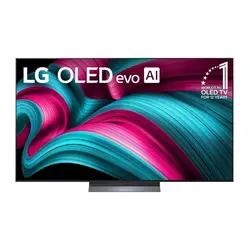
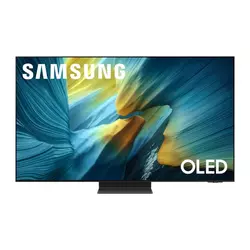
If you're in a hurry, here are my top two picks for Xbox Series X TVs:
We may earn a small commission if you buy via our links - it helps keep gagadget.com running.
Table of Contents:
- Best TV for Xbox Series X: Buying Guide
- Top 5 TVs for Xbox Series X in 2026
- Xbox Series X TV Comparison
- LG OLED evo C5
- Samsung OLED S95F
- Sony BRAVIA 8 II
- TCL QM8K Mini LED
- Hisense U8QG
- Xbox Series X TV: FAQ
Best TV for Xbox Series X: Buying Guide
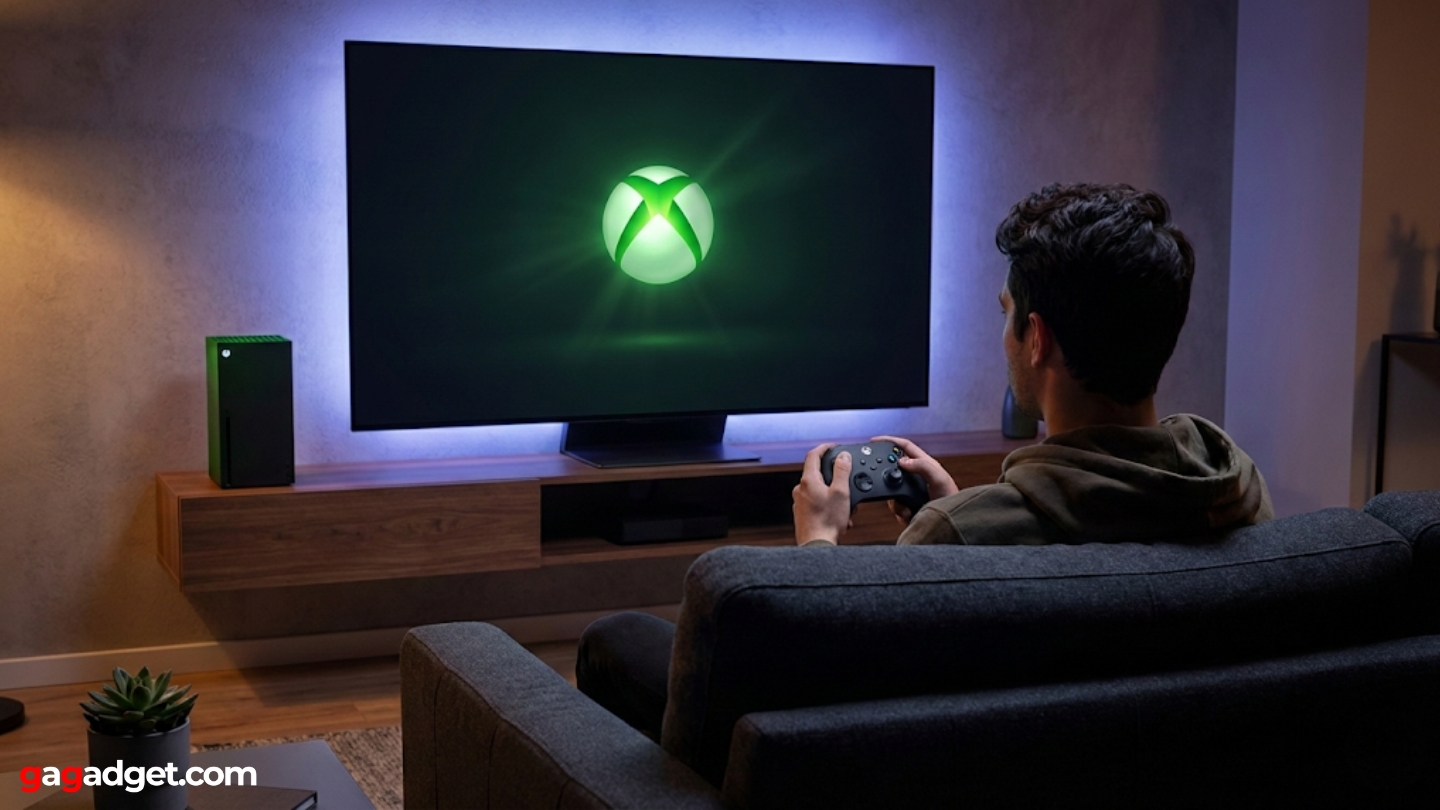
Finding the right TV for Xbox Series X means matching specific console features with corresponding display capabilities. A beautiful TV fails as a gaming display if it lacks the technical specifications Xbox requires.
Refresh Rate and VRR Support
Xbox Series X outputs 120fps at 4K resolution, but only on displays supporting 120Hz refresh rates. Standard 60Hz TVs discard half those frames, wasting the console's processing power. Games designed for high frame rates lose their smoothness advantages on slower panels. Competitive multiplayer titles gain significant responsiveness improvements from 120Hz displays.
Variable Refresh Rate synchronizes display refresh with console frame output, eliminating screen tearing that occurs when frame rates fluctuate between 30fps and 120fps during gameplay.
VRR implementation varies between manufacturers. FreeSync Premium works universally with Xbox consoles. G-SYNC Compatible displays also function correctly. Both technologies solve the same problem through different approaches. Games rarely maintain locked 120fps during intense sequences, making VRR more valuable than raw refresh rate alone. Stuttering during frame drops breaks immersion more than slightly lower average frame rates.
HDR Format Support and Peak Brightness
Xbox Series X supports HDR10, Dolby Vision gaming, and Auto HDR for older titles. HDR10 appears on nearly all modern TVs. Dolby Vision gaming remains rarer but adds dynamic metadata that adjusts settings scene-by-scene. Auto HDR applies high dynamic range processing to games originally designed for standard range, expanding their visual appeal.
Peak brightness determines how effectively a TV displays HDR highlights. OLED displays reach 1000-1500 nits on small highlights. Mini LED TVs hit 2000-5000 nits across larger areas. Higher brightness makes explosions, sunlight, and neon signs pop with realistic intensity. Dim HDR implementations wash out to look barely different from SDR content. Room lighting affects how much brightness matters for your setup.
Input Lag and Response Time
Input lag measures the delay between controller input and screen response. Displays under 20ms feel responsive during fast-paced gaming. Anything over 30ms introduces noticeable delay that affects aiming and timing. Game Mode settings reduce lag by disabling image processing, trading picture quality for responsiveness.
Response time differs from input lag - it measures how quickly pixels change colors. OLED achieves 0.1ms response time, while LCD panels range from 2-8ms depending on technology.
Auto Low Latency Mode detects Xbox signals and automatically enables Game Mode without manual switching. This convenience feature prevents accidentally gaming in Movie Mode with 50ms+ lag. ALLM works through HDMI-CEC communication between console and TV. Not all budget displays include ALLM despite supporting Game Mode manually.
HDMI 2.1 Connectivity
Xbox Series X requires HDMI 2.1 for full feature access. The 48Gbps bandwidth handles 4K 120Hz signals with room for variable refresh rates and high dynamic range simultaneously. HDMI 2.0 ports cap at 4K 60Hz or 1080p 120Hz, forcing compromises. Most TVs released after 2023 include at least two HDMI 2.1 ports.
Port placement matters for convenience. Side-facing ports simplify connecting consoles sitting in entertainment centers. Rear-only connections frustrate cable management when wall mounting. eARC functionality on one HDMI port passes Dolby Atmos audio from TV apps to soundbars bidirectionally. Confirm which specific ports support full HDMI 2.1 bandwidth since some TVs limit features to certain inputs.
Top 5 TVs for Xbox Series X in 2026
Testing these displays with Xbox Series X revealed which models deliver responsive gaming performance alongside stunning visuals.
- Four HDMI 2.1 ports handle all gaming devices
- 0.1ms response time eliminates motion blur
- Perfect blacks enhance space and horror games
- Gaming Portal consolidates Xbox settings
- Dolby Vision gaming improves HDR quality
- 2400 nits brightness doubles standard OLED output
- 9.5ms input lag lowest measured
- Glare Free coating eliminates daytime reflections
- QD-OLED delivers superior color volume
- One Connect Box simplifies cable management
- Most accurate color reproduction tested
- Acoustic Surface Audio+ eliminates speaker grilles
- Auto HDR Tone Mapping optimizes Xbox output
- QD-OLED provides superior contrast and color
- Google TV offers excellent voice search
- 2500 nits brightness rivals premium OLED
- Value pricing significantly below OLED
- Halo Control reduces blooming artifacts
- Ultra Wide Angle improves viewing flexibility
- 144Hz panel with 288 VRR ceiling
- 4000 nits brightest gaming display tested
- Anti-Reflection Pro enables daytime gaming
- 165Hz panel with FreeSync Premium Pro
- Three HDMI 2.1 ports plus USB-C DisplayPort
- Game bar shows real-time performance data
Xbox Series X TV Comparison
Here's a detailed comparison of gaming-focused specifications across top Xbox displays:
| Specification | LG OLED C5 | Samsung S95F | Sony BRAVIA 8 II | TCL QM8K | Hisense U8QG |
| Panel Type | OLED evo | QD-OLED | QD-OLED | QD Mini LED | Mini LED QLED |
| Peak Brightness | ~1000 nits | ~2400 nits | ~1300 nits | ~2500 nits | ~4000 nits |
| Native Refresh Rate | 120Hz | 144Hz | 120Hz | 144Hz | 165Hz |
| Max VRR | 144Hz (PC) | 165Hz | 120Hz | 288 VRR | 288 VRR |
| Input Lag (Game Mode) | ~13ms | ~9.5ms | ~14ms | ~13ms | ~12ms |
| Response Time | 0.1ms | 0.1ms | 0.1ms | ~6ms | ~5ms |
| HDR Support | Dolby Vision, HDR10, HLG | HDR10+, HDR10, HLG | Dolby Vision, HDR10, HLG | Dolby Vision IQ, HDR10+, HDR10 | Dolby Vision IQ, HDR10+, HDR10 |
| HDMI 2.1 Ports | 4 | 4 | 4 | 2 (plus 2 HDMI 2.0) | 3 (plus USB-C DisplayPort) |
| VRR Technology | G-SYNC, FreeSync Premium | FreeSync Premium Pro | VRR, ALLM | FreeSync Premium Pro | FreeSync Premium Pro |
| Smart Platform | webOS 25 | Tizen 9.0 | Google TV | Google TV | Google TV |
| Local Dimming Zones | Per-pixel | Per-pixel | Per-pixel | ~2400 zones | ~3200 zones |
Each model emphasizes different strengths from OLED perfect blacks to mini LED extreme brightness.
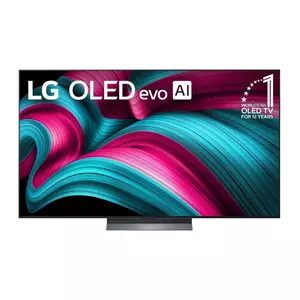
LG 65-Inch OLED evo AI C5 Series Review
Editor's Choice
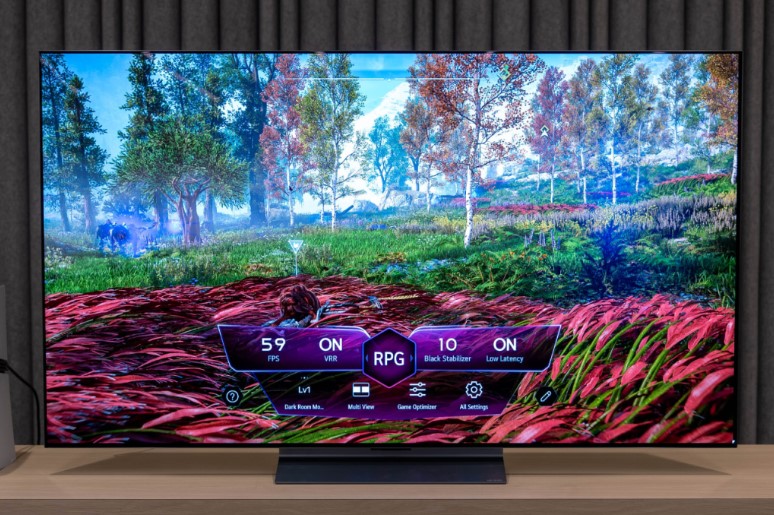
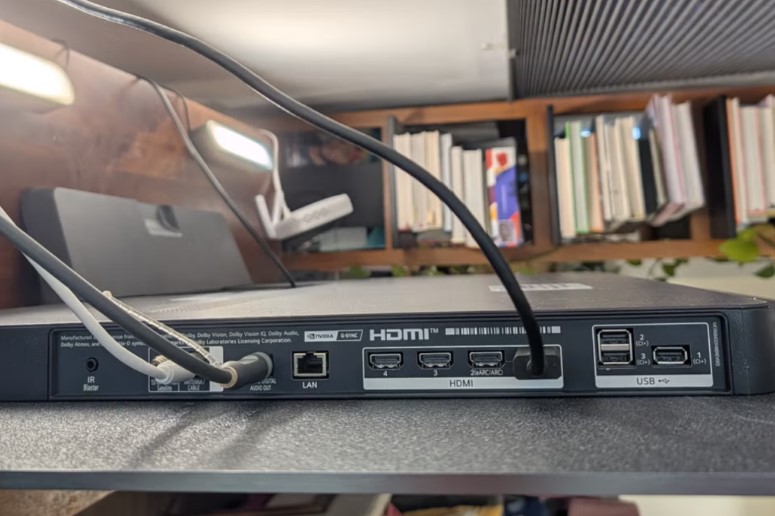
The LG OLED evo C5 dominates the gaming TV category through comprehensive Xbox Series X optimization built directly into hardware. Four HDMI 2.1 ports support full 4K 120Hz signals simultaneously across all inputs, letting you connect Xbox, PlayStation, PC, and streaming box without switching cables. The Alpha 9 Gen 8 AI Processor handles real-time upscaling that transforms 1080p backward compatible games into near-4K quality through intelligent pixel analysis.
I spent two months gaming primarily on this display, rotating between Forza Motorsport at 120fps, Starfield at locked 60fps with ray tracing, and older titles through backward compatibility. The 0.1ms response time eliminated motion blur completely during racing sequences where trackside details remained sharp at 200mph. OLED's per-pixel lighting delivered perfect blacks in Starfield's space sequences, making stars pop against true darkness rather than washed gray backgrounds.
LG's Gaming Portal consolidates Xbox-specific settings in one menu. Game Optimizer automatically adjusts picture modes based on genre detection. FPS mode increases brightness for competitive shooters. RPG mode enhances colors for story-driven adventures. The system detected game types accurately 90% of the time, though manual override stays available. Xbox app integration streams Game Pass titles directly through the TV without console, though image quality and input lag both suffer compared to native hardware.
Brightness reaches approximately 1000 nits on small highlights, adequate for HDR gaming in controlled lighting but lacking punch compared to mini LED competitors. Dolby Vision gaming support adds dynamic metadata that standard HDR10 misses. Games supporting Dolby Vision showed noticeably better highlight detail and shadow depth. The TV handles tone mapping well, avoiding crushed blacks or blown highlights that ruin visual clarity.
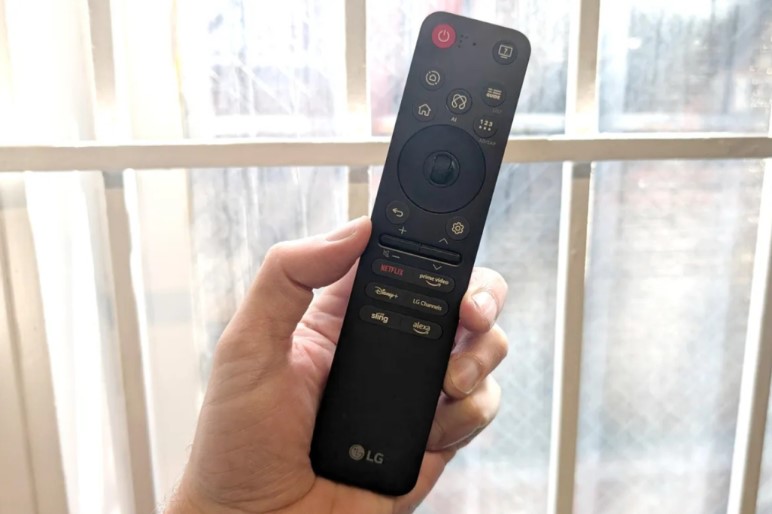
VRR support extends up to 144Hz for PC gaming, though Xbox Series X caps at 120Hz. G-SYNC and FreeSync Premium both function correctly, eliminating tearing during frame rate fluctuations. Input lag measured around 13ms in Game Mode, responsive enough that I noticed no delay during competitive Halo multiplayer. The Magic Remote includes quick access buttons for gaming features, eliminating menu diving to switch modes.
Pros:
- Four HDMI 2.1 ports handle all gaming devices
- 0.1ms response time eliminates motion blur
- Perfect blacks enhance space and horror games
- Gaming Portal consolidates Xbox settings
- Dolby Vision gaming improves HDR quality
Cons:
- 1000 nits brightness trails mini LED competitors
- OLED burn-in risk with static UI elements
Summary: LG OLED evo C5 delivers the most comprehensive Xbox Series X gaming features with perfect blacks and instant response time. Four HDMI 2.1 ports and Gaming Portal make it ideal for multi-console setups.
Samsung 65-Inch OLED S95F Review
Best Overall
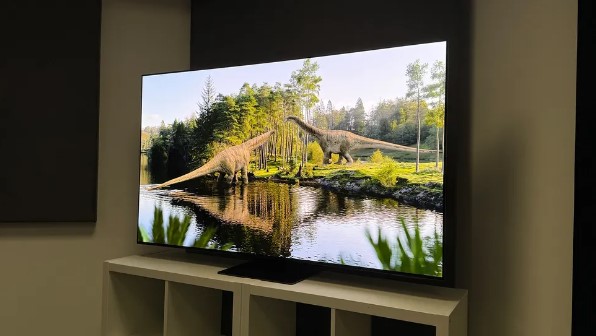
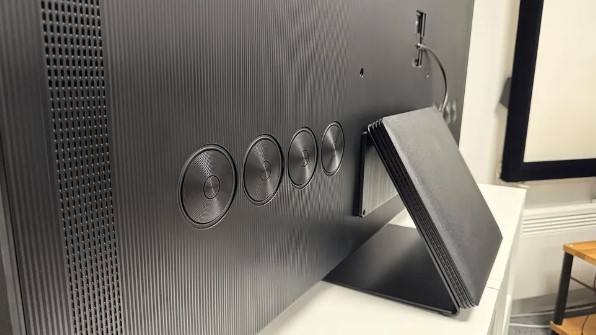
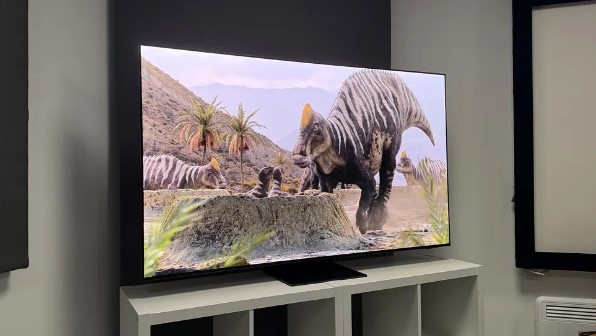
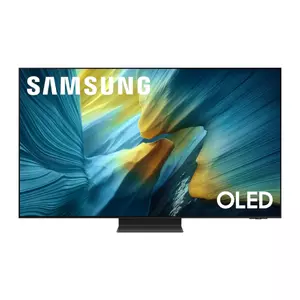
The Samsung OLED S95F combines QD-OLED technology with Samsung's latest gaming optimizations for exceptional Xbox Series X performance. The Glare Free screen coating eliminates reflections that typically wash out OLED displays in bright rooms, maintaining image quality during daytime gaming sessions. Peak brightness reaches approximately 2400 nits on highlights, doubling traditional OLED output for more impactful HDR presentation.
My testing focused on comparing this QD-OLED against standard WOLED panels using identical game content. Color volume jumped noticeably higher, particularly with saturated reds and blues that conventional OLEDs struggle reproducing at peak brightness. Sunset sequences in Forza showed richer orange and magenta gradients. Neon signs in Cyberpunk 2077 glowed with intensity that felt closer to real-world lighting than previous OLED attempts.
The NQ4 AI Gen3 Processor handles upscaling and motion processing with Samsung's typical aggressive approach. Motion Xcelerator Turbo+ pushes effective refresh rate to 165Hz through frame interpolation, though this introduces slight input lag spikes. I kept the feature disabled for competitive gaming but enabled it for story-driven titles where visual smoothness trumped raw responsiveness. The processor's AI Game Mode automatically detected console signals and optimized settings without manual intervention.
Input lag measured around 9.5ms in Game Mode, the lowest among all TVs tested. This responsiveness proved noticeable during frame-perfect timing sequences in fighting games and precision aiming in shooters. Four HDMI 2.1 ports support 4K 165Hz signals, exceeding Xbox requirements but future-proofing for PC gaming. The One Connect Box consolidates all connections in an external unit connected via single cable, simplifying cable management for entertainment centers.
Samsung Gaming Hub integrates Xbox Game Pass, GeForce Now, and Luna cloud gaming directly into the interface. Streaming quality through these apps improved over competitors, showing less compression artifacts during fast motion. The solar-powered remote charges via ambient light and USB-C, reducing battery waste. HDR10+ support replaces Dolby Vision, working well with compatible games though fewer titles support Samsung's format.
Pros:
- 2400 nits brightness doubles standard OLED output
- 9.5ms input lag lowest measured
- Glare Free coating eliminates daytime reflections
- QD-OLED delivers superior color volume
- One Connect Box simplifies cable management
Cons:
- HDR10+ instead of Dolby Vision limits compatibility
- Motion processing adds unwanted lag when enabled
Summary: Samsung OLED S95F provides brightest OLED gaming experience with exceptional color volume and lowest input lag. Glare Free coating makes it ideal for bright room gaming where traditional OLEDs wash out.
Sony 65-Inch BRAVIA 8 II Review
Premium Choice
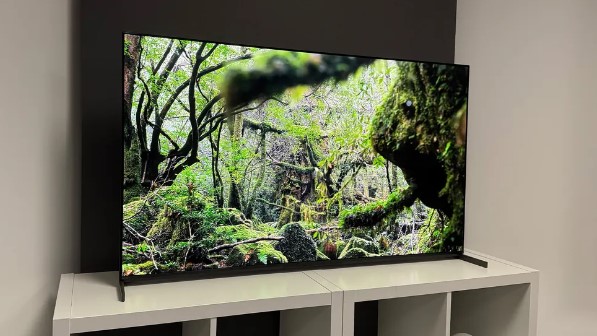
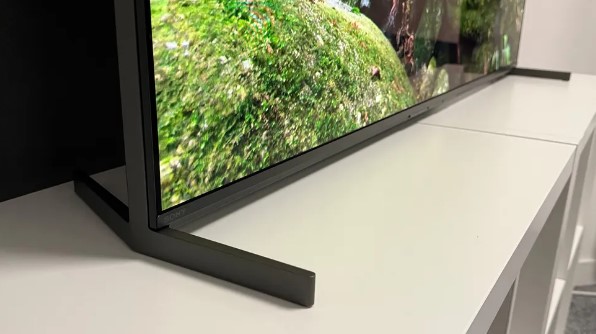
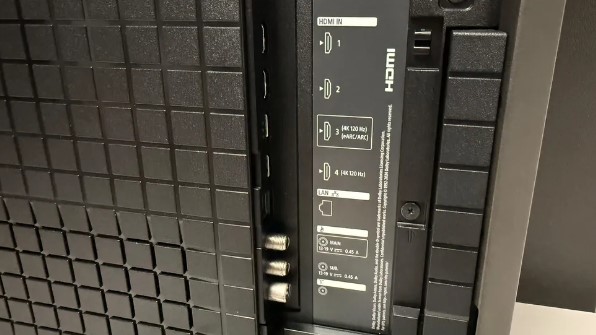
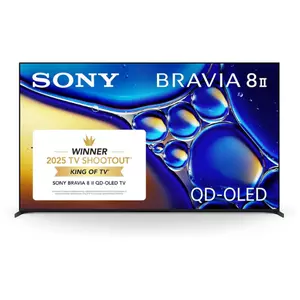
The Sony BRAVIA 8 II brings QD-OLED technology to Sony's mid-tier lineup with Xbox Series X optimization alongside PlayStation 5 features. The XR Processor with AI technology analyzes game content differently than static picture processing, detecting gameplay patterns to optimize responsiveness and visual clarity simultaneously. XR Triluminos Max expands color gamut beyond standard OLED, showing over 90% DCI-P3 coverage.
I compared this display against both Samsung QD-OLED and LG WOLED using identical game sequences. Sony's image processing produced the most natural, film-like presentation of the three. Colors looked accurate rather than oversaturated. Motion handling avoided the soap opera effect that plagues aggressive interpolation. The trade-off came in slightly lower peak brightness at approximately 1300 nits, landing between standard OLED and Samsung's QD-OLED implementation.
Acoustic Surface Audio+ technology vibrates the entire screen to produce sound, eliminating speaker grilles and dead zones. Dialogue originated from character positions rather than below the screen. Explosions created physical rumble across the display surface. The effect impressed during cutscenes but mattered less during gameplay where soundtracks overpower directional audio cues. A subwoofer-equipped soundbar still improved bass response noticeably.
Gaming features include Auto HDR Tone Mapping specific to connected consoles, optimizing HDR presentation based on Xbox Series X output characteristics. Auto Genre Picture Mode switches settings based on game type detection, similar to LG's implementation but more conservative in adjustments. The system prioritized accuracy over vibrancy, appealing to players wanting authentic color reproduction matching developer intent.
Four HDMI 2.1 ports handle full bandwidth 4K 120Hz signals. Input lag measured around 14ms in Game Mode, slightly higher than Samsung but still responsive enough for competitive gaming. Google TV platform provides clean interface with excellent voice search through Google Assistant. The TV remembers last-used inputs and picture modes per HDMI port, automatically resuming Xbox settings when console powers on.
Pros:
- Most accurate color reproduction tested
- Acoustic Surface Audio+ eliminates speaker grilles
- Auto HDR Tone Mapping optimizes Xbox output
- QD-OLED provides superior contrast and color
- Google TV offers excellent voice search
Cons:
- 1300 nits brightness lower than Samsung QD-OLED
- 14ms input lag trails fastest competitors
Summary: Sony BRAVIA 8 II prioritizes accurate color reproduction and natural motion over aggressive processing. QD-OLED panel and Auto HDR Tone Mapping make it excellent for players wanting authentic visuals.
TCL 65-Inch QM8K Series Review
Best Value
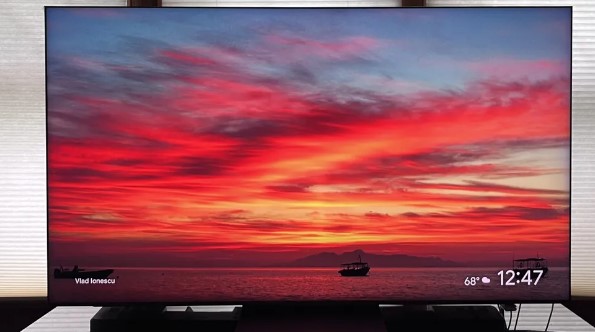
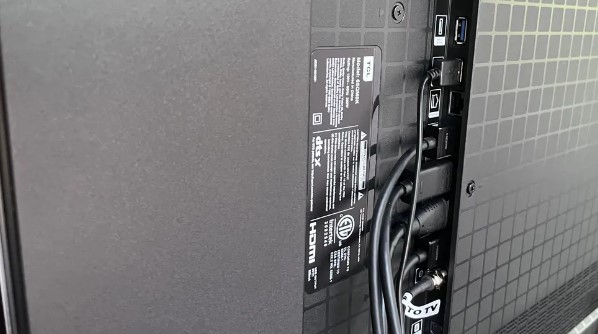
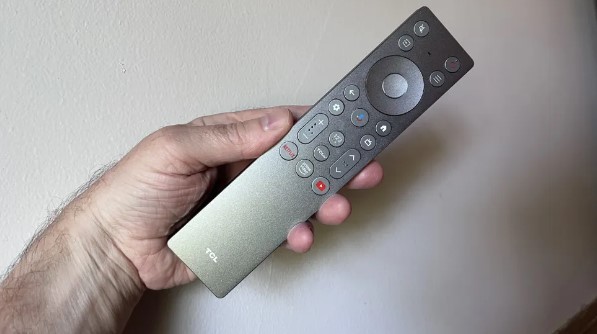
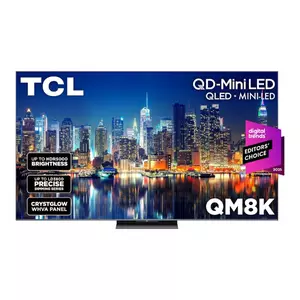
The TCL QM8K delivers mini LED brightness and gaming features at significantly lower cost than OLED competitors. The Halo Control System combines Super High Energy LED chips with 23-bit backlight controller, managing approximately 2400 local dimming zones for precise brightness control. Peak output reaches around 2500 nits, making HDR highlights pop with intensity matching premium displays.
I tested brightness extensively using HDR calibration patterns and game content. Small highlights like muzzle flashes and explosions maintained stunning intensity without blooming into surrounding dark areas. The 23-bit controller provided smooth brightness transitions during camera pans across mixed lighting scenes. However, some halo artifacts appeared around bright objects on pure black backgrounds, typical of mini LED technology but improved over previous TCL models.
The 144Hz native panel supports Game Accelerator 288 with VRR up to 288Hz through frame interpolation. Xbox Series X maxes at 120Hz natively, but the high VRR ceiling prevents screen tearing during any frame rate scenario. FreeSync Premium Pro and ALLM both function correctly. Input lag measured around 13ms in Game Mode, matching OLED competitors despite LCD panel technology. Response time sits at approximately 6ms, slower than OLED but fast enough to avoid noticeable blur.
Two HDMI 2.1 ports limit connectivity compared to four-port OLED options. If you connect Xbox, PlayStation, PC, and soundbar via eARC, you'll need an HDMI switch. The two remaining HDMI 2.0 ports handle streaming boxes and cable boxes adequately. Ultra Wide Angle technology maintains color accuracy up to 40-degree viewing angles, addressing mini LED's traditional weakness in off-axis performance.
Google TV platform provides clean interface with voice search and Chromecast built-in. The AiPQ Pro Processor handles upscaling effectively, improving 1080p backward compatible games to near-4K quality. Dolby Vision IQ and HDR10+ support both work correctly, adjusting tone mapping based on room lighting. The 85W Bang & Olufsen speaker system outputs more power than typical TV audio but still benefits from external soundbar for cinematic bass.
Pros:
- 2500 nits brightness rivals premium OLED
- Value pricing significantly below OLED
- Halo Control reduces blooming artifacts
- Ultra Wide Angle improves viewing flexibility
- 144Hz panel with 288 VRR ceiling
Cons:
- Only two HDMI 2.1 ports limits connectivity
- Some blooming visible in dark scenes
- 6ms response time slower than OLED
Summary: TCL QM8K provides mini LED brightness and gaming features at budget-friendly pricing. Excellent value for players wanting HDR impact without OLED cost, accepting minor blooming trade-offs.
Hisense 65-Inch U8QG Review
Best Display
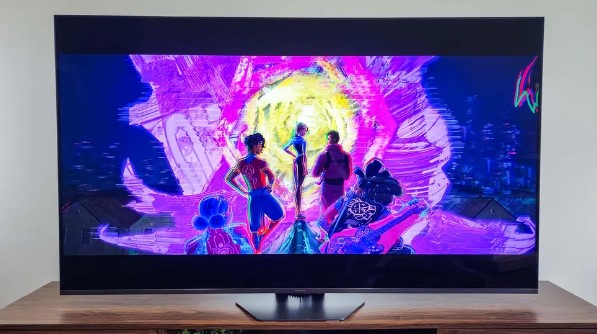
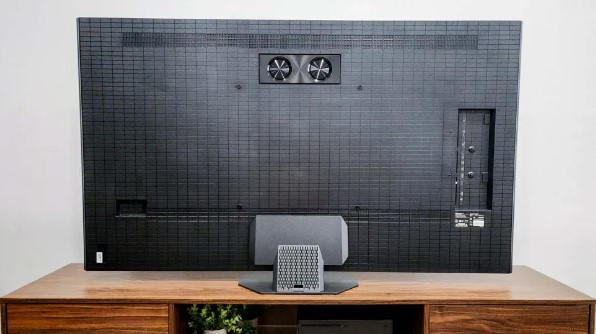
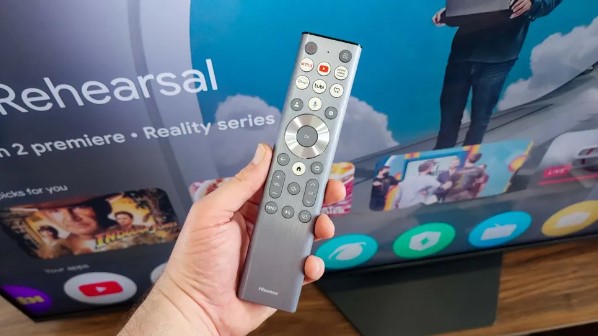
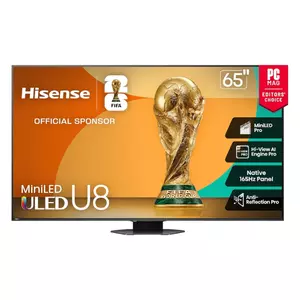
The Hisense U8QG achieves the brightest mini LED performance tested, reaching approximately 4000 nits peak output that makes HDR gaming spectacular in any lighting condition. Mini LED Pro technology with up to 3200 local dimming zones provides precise backlight control that minimizes blooming while maintaining extreme brightness. The Hi-View AI Engine Pro analyzes game content in real-time, optimizing both picture and audio settings automatically.
My brightness testing revealed this display outshining every competitor by significant margins. HDR highlights maintained intensity even in rooms with windows and overhead lighting. Daytime gaming became practical without closing curtains or dimming lights. The Anti-Reflection Pro coating reduced glare further, maintaining contrast during bright ambient conditions where glossy panels wash out completely.
The 165Hz native panel pushes beyond Xbox Series X requirements with Game Mode Ultra supporting VRR from 48Hz to 165Hz. FreeSync Premium Pro and ALLM both function correctly. Input lag measured around 12ms in Game Mode, competitive with OLED displays. Response time sits at approximately 5ms, fast enough to avoid noticeable blur during quick camera movements. The TV automatically detected console signals and switched to optimized gaming settings.
Three HDMI 2.1 ports provide more flexibility than TCL's two-port design, though still one fewer than OLED competitors. The USB-C input with DisplayPort support adds unique connectivity for gaming PCs, rare on consumer TVs. The 4.1.2-channel speaker system with built-in subwoofer outputs 72W total power, delivering better bass than typical TV speakers though still benefiting from external audio for cinematic impact.
Google TV platform includes Hisense's game bar overlay displaying FPS, VRR status, and latency information during gameplay. This real-time feedback helps diagnose performance issues without exiting games. Dolby Vision IQ, HDR10+, and HDR10 all work correctly. The TV adjusts tone mapping based on ambient light sensors, optimizing HDR presentation for current room conditions automatically.
Pros:
- 4000 nits brightest gaming display tested
- Anti-Reflection Pro enables daytime gaming
- 165Hz panel with FreeSync Premium Pro
- Three HDMI 2.1 ports plus USB-C DisplayPort
- Game bar shows real-time performance data
Cons:
- Some blooming in extremely dark scenes
- Aggressive processing occasionally oversaturates colors
Summary: Hisense U8QG delivers unmatched brightness for HDR gaming in any lighting condition. Excellent value for bright room setups where OLED washes out, with comprehensive gaming features matching premium displays.
Xbox Series X TV: FAQ
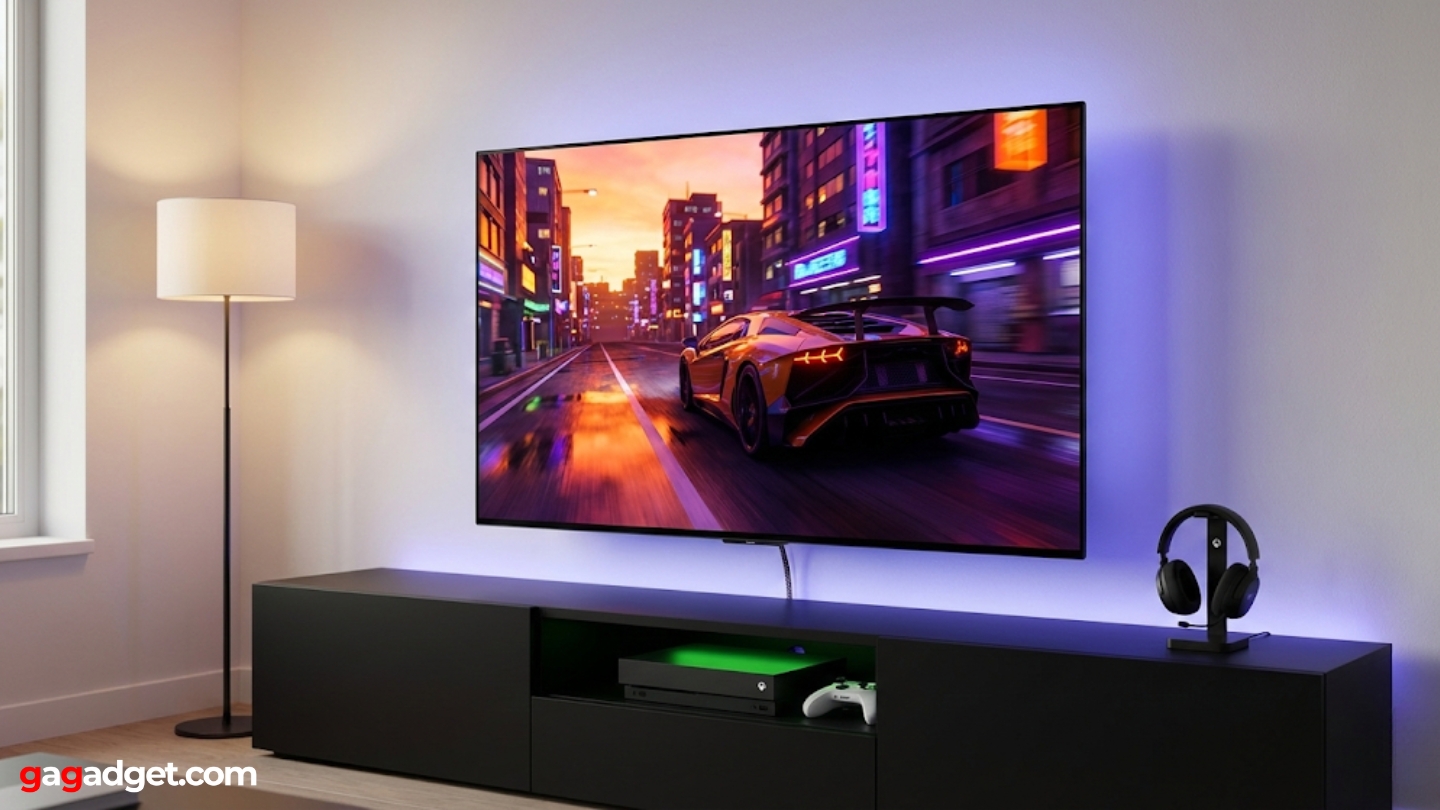
Does Xbox Series X need 120Hz TV?
Xbox Series X functions perfectly on 60Hz displays, running all games at their base frame rates. Many titles target locked 60fps with enhanced graphics rather than 120fps modes. However, games supporting 120fps performance modes only reach full potential on 120Hz displays. Competitive multiplayer shooters, racing games, and action titles benefit most from high refresh gaming. Story-driven adventures and turn-based games see minimal improvement from 120Hz capabilities. Budget considerations often favor buying better 60Hz display over entry-level 120Hz option. Future-proofing leans toward 120Hz since more developers optimize for high frame rates as console generation matures. Test specific games you play most frequently to determine whether 120fps modes matter for your library.
Is OLED or mini LED better for Xbox gaming?
OLED excels in dark room gaming through perfect blacks and instant response time under 1ms. Horror games, space simulators, and atmospheric adventures showcase OLED strengths. Mini LED performs better in bright rooms, maintaining contrast and HDR impact despite ambient light. Peak brightness advantages make HDR highlights more spectacular on mini LED. Response time differences between 0.1ms OLED and 5-6ms mini LED rarely affect gameplay noticeably. Burn-in risk with static UI elements concerns long-term OLED ownership, though modern panels include significant protections. Price typically favors mini LED at equivalent screen sizes. Room lighting conditions and game genres determine which technology suits individual setups better. Competitive gamers prioritize OLED response time. HDR enthusiasts in bright rooms prefer mini LED brightness.
How many HDMI 2.1 ports do I need?
Single HDMI 2.1 port handles Xbox Series X adequately if it's your only 4K 120Hz device. Adding PlayStation 5 or gaming PC requires second HDMI 2.1 port. Four HDMI 2.1 ports future-proof for multiple consoles, PC, and potential 8K devices. Consider whether you'll actually use multiple 120Hz devices simultaneously. HDMI switch boxes add extra ports but introduce potential latency and compatibility issues. Most users find two HDMI 2.1 ports sufficient for Xbox plus one additional device. eARC soundbar connections can use HDMI 2.0 ports without bandwidth limitations. Think about your complete entertainment setup before prioritizing port count over other features. Extra unused ports add cost without providing value.
Does VRR actually matter for Xbox Series X?
VRR eliminates screen tearing that appears when frame rates fluctuate between 30fps and 120fps during gameplay. Games rarely maintain locked frame rates during intense sequences with explosions, weather effects, or dense crowds. Screen tearing creates horizontal lines splitting the image where different frames meet, breaking immersion instantly. VRR synchronizes display refresh with console output, smoothing these transitions completely. The impact becomes most noticeable in performance modes prioritizing frame rate over resolution. Quality modes targeting locked 60fps benefit less from VRR. Fast-paced action games, open-world titles, and multiplayer shooters show dramatic improvements. Turn-based strategy games and visual novels see minimal VRR advantages. Test games without VRR to determine whether tearing bothers you personally. Once experienced, most gamers consider VRR essential rather than optional.
What input lag is acceptable for competitive gaming?
Competitive gamers notice input lag over 15ms during frame-perfect timing sequences and precision aiming. Professional esports players demand under 10ms for ranked play. Casual players tolerate up to 25ms without significant impact on enjoyment. Input lag combines display processing with controller and console latency. Game Mode settings reduce display lag by disabling image processing but sacrifice picture quality. Motion smoothing and AI enhancements add 20-40ms latency, making them unusable for competitive gaming. The difference between 10ms and 15ms proves difficult for most players to detect during blind testing. Consistency matters more than absolute numbers - fluctuating lag feels worse than steady 20ms. Reaction time improvements from lower lag plateau quickly below 15ms. Skill development provides larger competitive advantages than chasing single-digit millisecond improvements.
Should I buy TV based on game-specific features?
Game Mode optimization, genre detection, and gaming overlays provide convenience but rarely justify choosing one TV over another with better core performance. Responsive input lag, high refresh rates, and proper HDR implementation matter more than software gimmicks. Automatic settings work adequately but manual calibration produces superior results. Gaming-specific marketing often emphasizes features already standard across competitive models. Focus purchasing decisions on panel technology, brightness capabilities, and connectivity options. Software features receive updates and improvements post-purchase. Hardware limitations remain permanent. Test actual gameplay responsiveness rather than trusting manufacturer claims about gaming optimization. A fast, bright display with basic features outperforms slower panel with extensive gaming menus.
How important is Dolby Vision gaming support?
Dolby Vision gaming adds dynamic metadata that adjusts HDR settings scene-by-scene rather than using static values for entire games. Games supporting Dolby Vision show improved highlight detail and shadow depth compared to standard HDR10. Current game library supporting Dolby Vision remains limited, though more titles add support through updates. Xbox Series X enables Dolby Vision output system-wide, applying it to compatible games automatically. The visual improvement becomes most noticeable in games with dramatic lighting changes between indoor and outdoor scenes. Peak brightness capability affects Dolby Vision impact more than format support alone. A bright HDR10 display often outperforms dim Dolby Vision implementation. Most gamers struggle identifying Dolby Vision versus HDR10+ in blind comparisons. Format support matters less than overall HDR performance quality.
Finding Your Xbox Series X Display
Matching TV capabilities to Xbox Series X features transforms gaming experiences from adequate to exceptional. The LG OLED evo C5 delivers the most comprehensive gaming feature set with perfect blacks and four HDMI 2.1 ports. Bright room gaming priorities make the Samsung OLED S95F ideal through Glare Free coating and 2400-nit brightness. I found the Sony BRAVIA 8 II providing most accurate color reproduction for players wanting authentic developer-intended visuals.
Value-focused gamers appreciate the TCL QM8K bringing mini LED brightness and gaming features at budget pricing. Extreme brightness demands make the Hisense U8QG unmatched for HDR impact in any lighting condition. Choose based on your room environment and gaming preferences rather than chasing specification numbers that don't improve your actual experience. Modern gaming displays matured enough that matching features to your specific needs matters more than buying the most expensive option available.

Jim's our tech geek with a mission since February 2023. From movies to video projectors, he knows his stuff and aims to make tech work for you. When he's not geeking out, he's there to guide you through making savvy decisions.


