Best Monitors for MacBook (Color Accurate Picks)
Last year's trade show disaster still haunts me. Standing beside colleagues comparing design mockups on different screens, I watched colors shift dramatically between my MacBook display and the borrowed monitor someone brought. What looked vibrant coral on my laptop appeared washed-out salmon on their screen. The client chose designs based on inaccurate colors, and we spent two expensive weeks redoing work that should have been approved the first time. That monitor mismatch cost our small agency thousands in lost billable hours.
External displays for MacBook users require different priorities than typical office monitors where ergonomics and cable management dominate purchasing decisions. Color accuracy matters tremendously when laptop-based workflows involve photography, videography, graphic design, or any visual work demanding faithful representation across devices. I evaluated five displays specifically chosen for Mac compatibility through several weeks testing color matching, USB-C convenience, and real-world professional workflows spanning photo editing through client presentations. Certain models proved their value through seamless MacBook integration that typical monitors simply don't deliver.
If you're in a hurry, here are my top two picks for MacBook monitors:
We may earn a small commission if you buy via our links - it helps keep gagadget.com running.
Table of Contents:
- Best Monitors for MacBook: Buying Guide
- Top 5 Best Monitors for MacBook in 2026
- MacBook Monitor Comparison
- Apple Studio Display
- BenQ PD2730S
- Dell UltraSharp U2723QE
- ASUS ProArt PA279CRV
- LG 27UP850-W
- MacBook Monitor: FAQ
Best Monitors for MacBook: Buying Guide

Selecting displays for MacBook workflows demands prioritizing color accuracy and Mac-specific compatibility over features like high refresh rates irrelevant to creative professional applications. Resolution and pixel density interact uniquely with macOS scaling requiring careful matching to avoid interface complications. USB-C connectivity with adequate power delivery transforms single-cable setups eliminating adapter dongles cluttering typical laptop workstations.
Color Accuracy and Gamut Coverage
Factory calibration delivering Delta E values below 2 ensures colors appear identically across MacBook and external displays without manual adjustment procedures. Professional workflows demand consistency where design decisions made on laptop screens translate accurately to larger displays during client presentations or detailed editing sessions. Calibration certificates validate performance straight from manufacturers eliminating guesswork for non-technical users lacking expensive measurement equipment.
DCI-P3 coverage matching MacBook Pro displays prevents the jarring color shifts that plague workflows when laptop and external monitor render identical content differently - consistency matters more than extreme specifications.
Wide color gamuts covering 95-99% DCI-P3 match modern MacBook displays utilizing the same color space rather than limiting content to narrower sRGB standards. Adobe RGB coverage benefits photographers working with print workflows though DCI-P3 proves more relevant for video editors and digital designers. Multiple preset modes switching between sRGB, DCI-P3, Adobe RGB, and Rec.709 accommodate varied project requirements without manual recalibration between tasks.
Resolution and Pixel Density Considerations
4K resolution at 3840x2160 provides approximately 163 pixels per inch on 27-inch panels matching MacBook Pro Retina clarity expectations trained eyes recognize immediately. Higher pixel density eliminates the jagged text rendering and blurry images plaguing lower-resolution alternatives when viewed at typical desk distances. The 27-inch format hits the sweet spot for 4K where smaller sizes appear cramped while larger screens require excessive desk depth.
macOS scaling peculiarities mean 27-inch 4K displays work optimally at "looks like 2560x1440" scaling delivering sharp Retina-quality rendering with comfortable interface sizing. Native 4K resolution enables viewing 4K video or images at 100% scale when needed for pixel-perfect editing. 5K resolution at 5120x2880 provides even sharper results though commanding premium pricing with limited manufacturer options beyond Apple's own offerings.
USB-C Connectivity and Power Delivery
Thunderbolt 3 or USB-C with DisplayPort Alternate Mode enables single-cable connections carrying video signal, data, and power delivery simultaneously. Adequate wattage typically 85-96W charges MacBook Pro models including 16-inch variants without requiring separate power adapters cluttering desk space. Lower wattages around 60-65W suffice for MacBook Air and 13-inch Pro models though falling short for larger machines under heavy workloads.
Single-cable USB-C connectivity transforms desk organization from tangled adapter chaos into clean minimalist setups where MacBooks connect and charge through one cable - the convenience proves transformative for frequent laptop users.
Integrated USB hubs built into displays provide peripheral connections for keyboards, mice, external drives, and other accessories without requiring separate hubs consuming additional desk space and power outlets. DisplayPort daisy-chaining enables connecting multiple displays from single MacBook ports though M1 and M2 chip limitations restrict multi-monitor configurations requiring Pro/Max/Ultra variants for full functionality. Thunderbolt 4 future-proofs connectivity though Thunderbolt 3 remains perfectly adequate for current MacBook models.
Panel Technology and HDR Support
IPS panels deliver wide viewing angles maintaining color consistency crucial when collaborating with colleagues viewing screens from off-center positions. IPS Black technology doubles contrast ratios from typical 1000:1 to 2000:1 improving black depth though remaining far short of OLED's infinite contrast. Response times around 5ms suffice for creative workflows where motion clarity matters less than color fidelity and viewing angles.
HDR400 certification validates basic high dynamic range support though lacking the brightness and local dimming delivering truly impactful HDR experiences. Most creative workflows operate in SDR (Standard Dynamic Range) anyway where excellent color accuracy matters more than peak brightness specifications. Reference modes preconfigured for various standards including sRGB, Rec.709, DCI-P3, and others enable quick switching matching project requirements without manual adjustment between tasks.
Top 5 Best Monitors for MacBook in 2026
I evaluated these displays through several weeks testing with MacBook Pro across photography editing, video color grading, graphic design, and typical productivity workflows. These models delivered genuine Mac compatibility beyond marketing claims.
- Seamless macOS integration
- 5K 218 PPI exceptional clarity
- 12MP Center Stage webcam
- Six-speaker audio system
- True Tone color matching
- 5K 218 PPI matches Studio Display
- IPS Black 2000:1 contrast deeper blacks
- Display ColorTalk Mac color matching
- Thunderbolt 4 with 90W charging
- Full ergonomic adjustability included
- Professional color at value pricing
- IPS Black 2000:1 contrast
- 90W USB-C charging adequate
- RJ45 Ethernet wired networking
- Three-year premium warranty
- 99% Adobe RGB widest coverage
- 99% DCI-P3 exceptional range
- ProArt Palette controls detailed
- 96W Power Delivery included
- Calman Verified calibration
- Budget pricing below premium rivals
- 96W USB-C charging adequate
- Hardware calibration support
- Full ergonomic adjustability
- 95% DCI-P3 adequate coverage
MacBook Monitor Comparison
Here's a detailed comparison of specifications most relevant for MacBook monitor evaluation:
| Specification | Apple Studio Display | BenQ PD2730S | Dell U2723QE | ASUS PA279CRV | LG 27UP850-W |
| Panel Size | 27" | 27" | 27" | 27" | 27" |
| Panel Type | IPS | IPS Black | IPS Black | IPS | IPS |
| Resolution | 5120 x 2880 (5K) | 5120 x 2880 (5K) | 3840 x 2160 (4K) | 3840 x 2160 (4K) | 3840 x 2160 (4K) |
| Pixel Density | 218 PPI | 218 PPI | 163 PPI | 163 PPI | 163 PPI |
| Brightness | 600 nits | 400 nits | 400 nits | 400 nits | 400 nits |
| Contrast Ratio | 1000:1 | 2000:1 | 2000:1 | 1000:1 | 1000:1 |
| Color Gamut | P3 wide color | 98% P3, 100% sRGB | 98% P3, 100% sRGB | 99% P3, 99% Adobe RGB | 95% P3, 100% sRGB |
| Delta E | Factory calibrated | < 2 | < 2 | < 2 | < 2 (after calibration) |
| HDR | No | DisplayHDR 400 | DisplayHDR 400 | DisplayHDR 400 | DisplayHDR 400 |
| USB-C Power | 96W | 90W | 90W | 96W | 96W |
| USB Hub | 3x USB-C | Yes | 4x USB 3.2 | 4x USB 3.2 | 2x USB 3.0 |
| Built-in Camera | 12MP Center Stage | No | No | No | No |
| Speakers | 6-speaker system | No | No | 2x 2W | 2x 5W |
| Height Adjust | Tilt only (optional upgrade) | 150mm | 130mm | 130mm | 110mm |
| M-Book Mode | Native | Yes | No | No | No |
| Warranty | 1 year | 3 years | 3 years | 3 years | 1 year |
Each model targets different MacBook user priorities from seamless Apple ecosystem integration to professional color work and value positioning.
Apple Studio Display 27" 5K Monitor Review
Editor's Choice
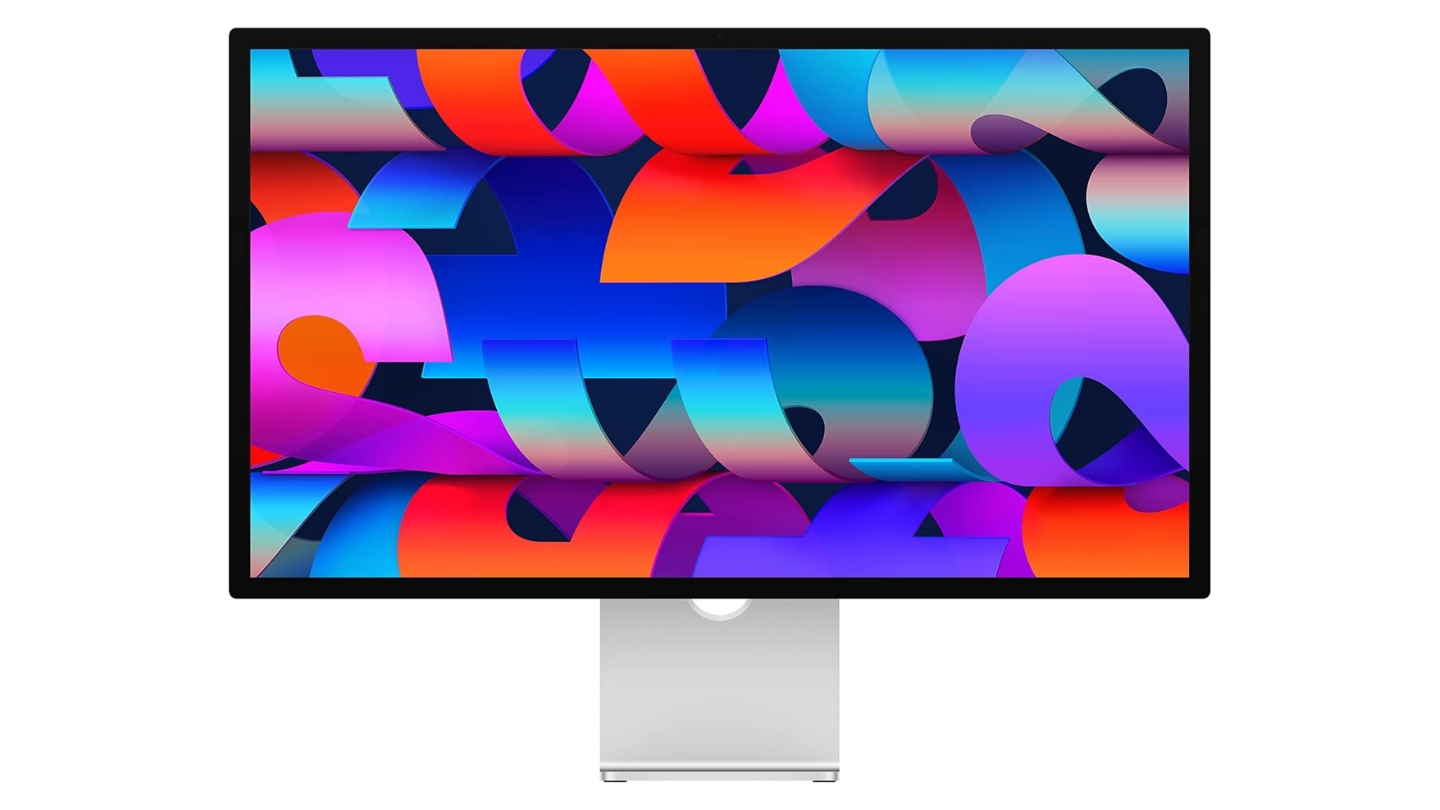
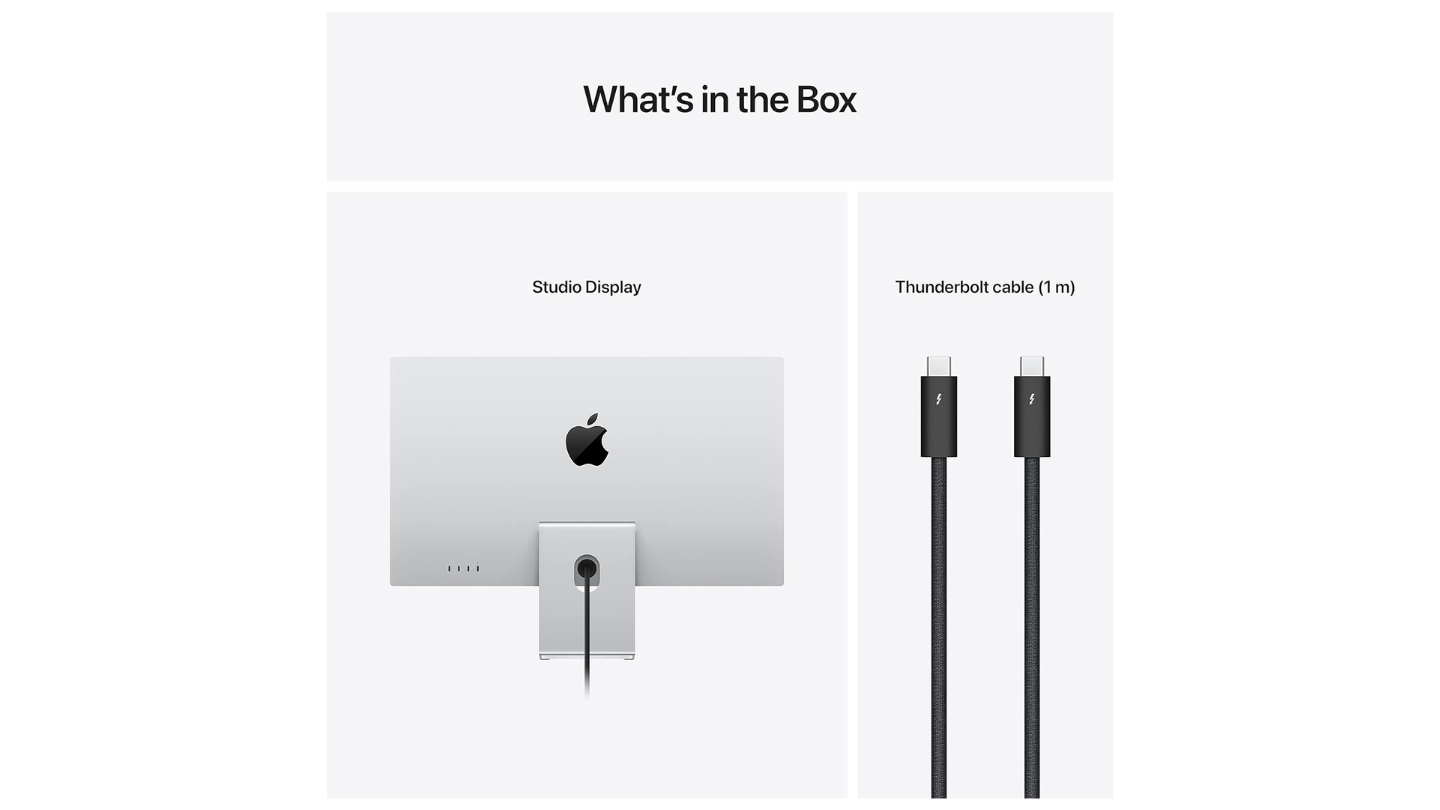
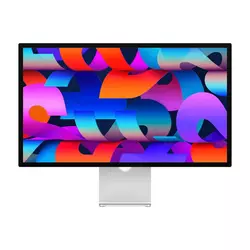
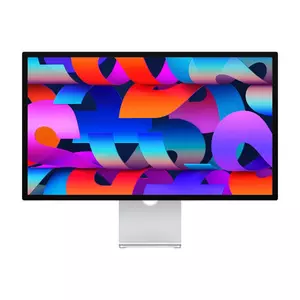
The Apple Studio Display delivers the seamless MacBook integration no third-party alternative fully replicates regardless of specifications or features. When I connected my MacBook Pro, the experience felt like extending the laptop rather than adding peripheral equipment. True Tone automatically matched color temperature between displays, brightness adjustments worked through laptop keyboard shortcuts, and the interface felt native rather than adapted. The 5K resolution at 5120x2880 provides exceptional 218 PPI clarity surpassing 4K alternatives noticeably.
Wide P3 color coverage matches MacBook Pro displays precisely eliminating the color mismatches plaguing mixed-manufacturer setups. Factory calibration delivers accurate colors straight from the box without adjustment though lacking the multiple preset modes professional displays offer. Reference Mode options including HDR Video (P3-ST 2084), HDTV Video (BT.709-BT.1886), Photography (P3-D65), and others accommodate varied workflows switching between video and photo projects.
The 12MP Center Stage webcam tracks subjects during video calls maintaining framing automatically - genuinely useful for freelancers conducting frequent client meetings. Six-speaker sound system with force-canceling woofers delivers audio quality rivaling external speakers eliminating need for separate solutions. Three studio-quality microphones with beamforming capture clear audio without external microphones cluttering desk space.
Thunderbolt 3 provides 96W charging plus three downstream USB-C ports connecting peripherals. The A13 Bionic chip powers advanced features including Center Stage, spatial audio processing, and Hey Siri voice control. Nano-texture glass option reduces reflections dramatically though adding substantial cost premium over standard glass.
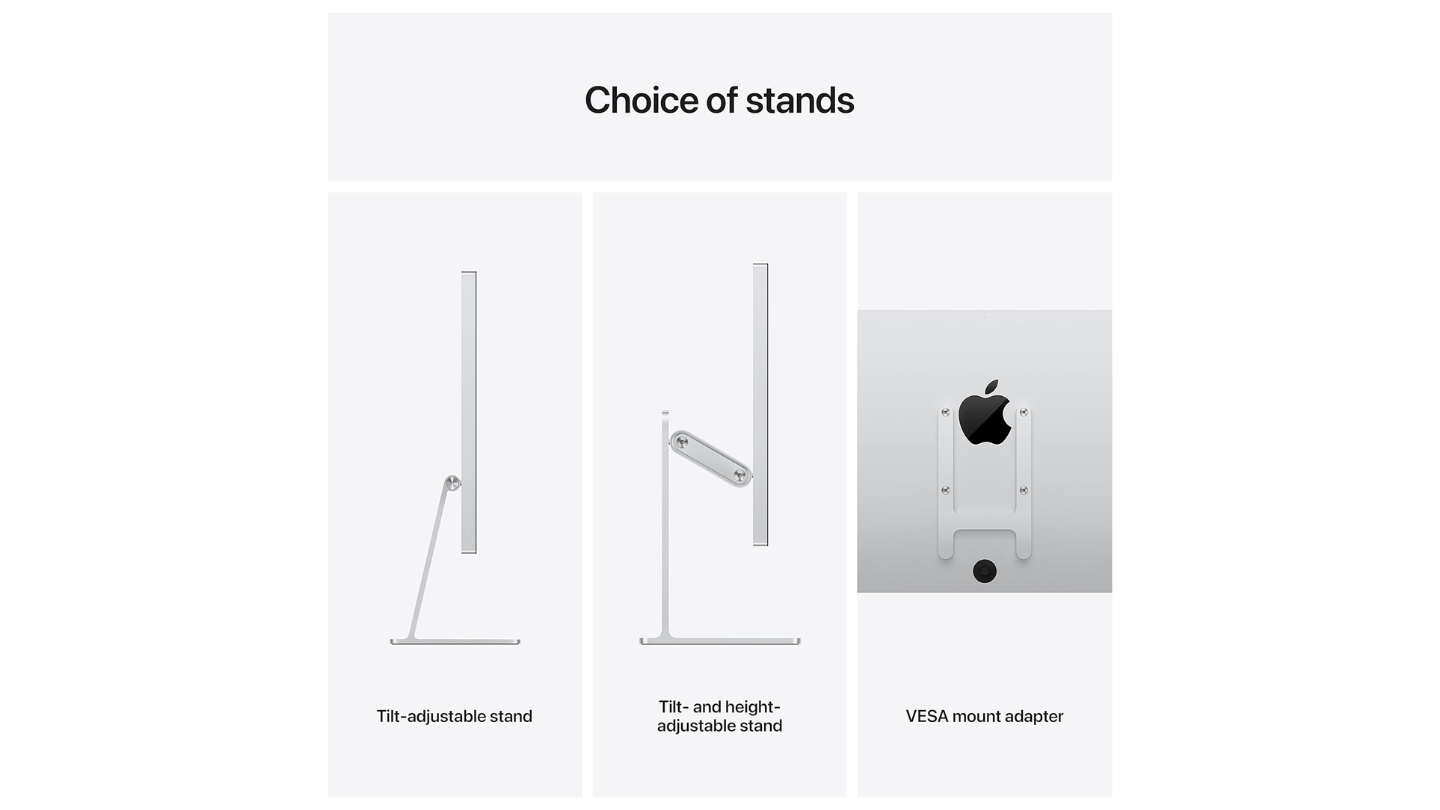
The limited ergonomic adjustability frustrates users accustomed to height and pivot adjustments - the included stand provides tilt only with height adjustment costing $400 extra or VESA mount adapter enabling third-party arms. For MacBook users prioritizing seamless ecosystem integration with exceptional display quality willing to accept Apple pricing, the Studio Display delivers unmatched native experience.
Pros:
- Seamless macOS integration
- 5K 218 PPI exceptional clarity
- 12MP Center Stage webcam
- Six-speaker audio system
- True Tone color matching
Cons:
- Premium Apple pricing
- Limited ergonomic adjustability
Summary: Apple Studio Display delivers unmatched macOS integration with 5K clarity, Center Stage webcam, and excellent audio. Editor's choice for MacBook users prioritizing seamless ecosystem experience over third-party value alternatives.
BenQ PD2730S 27" 5K Monitor Review
Best Overall
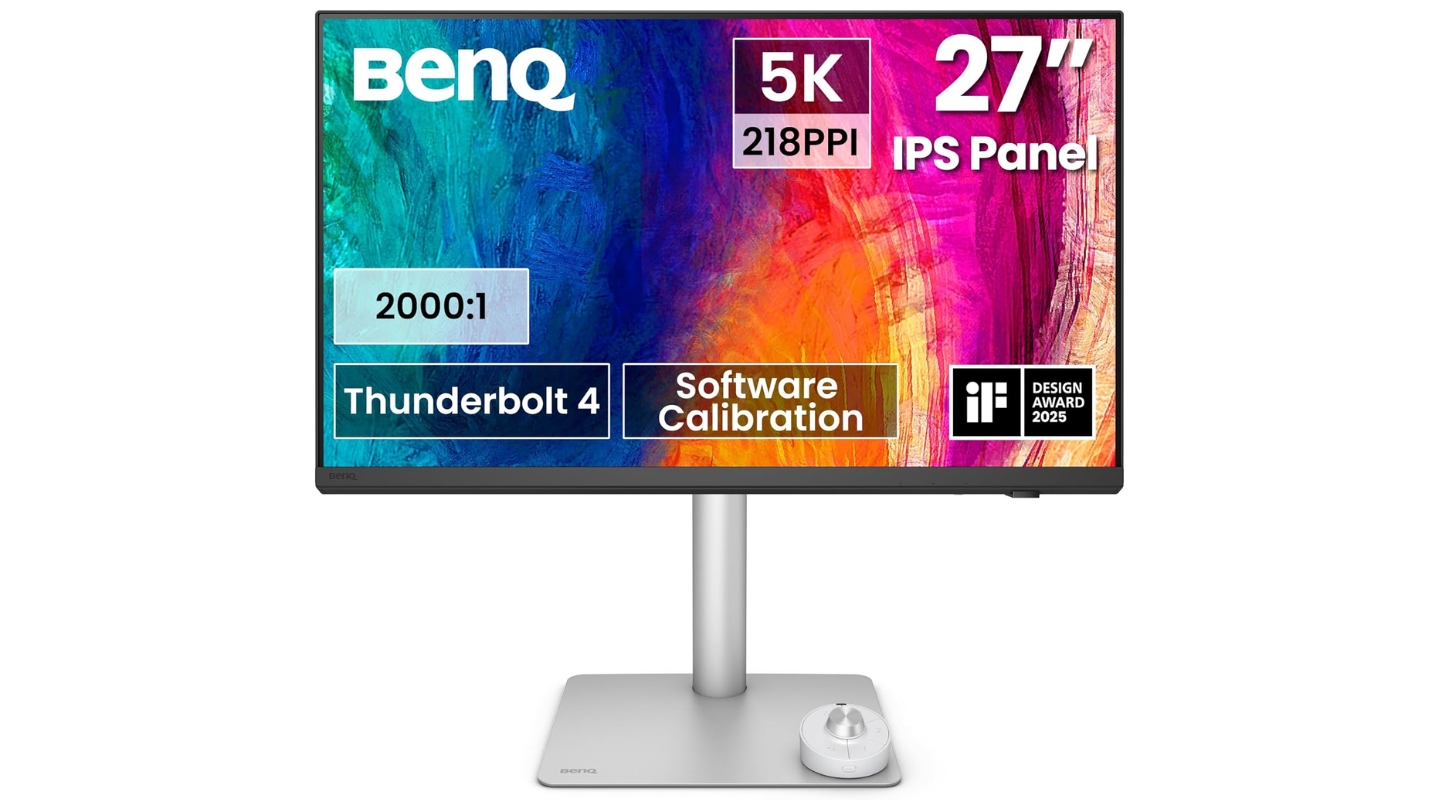
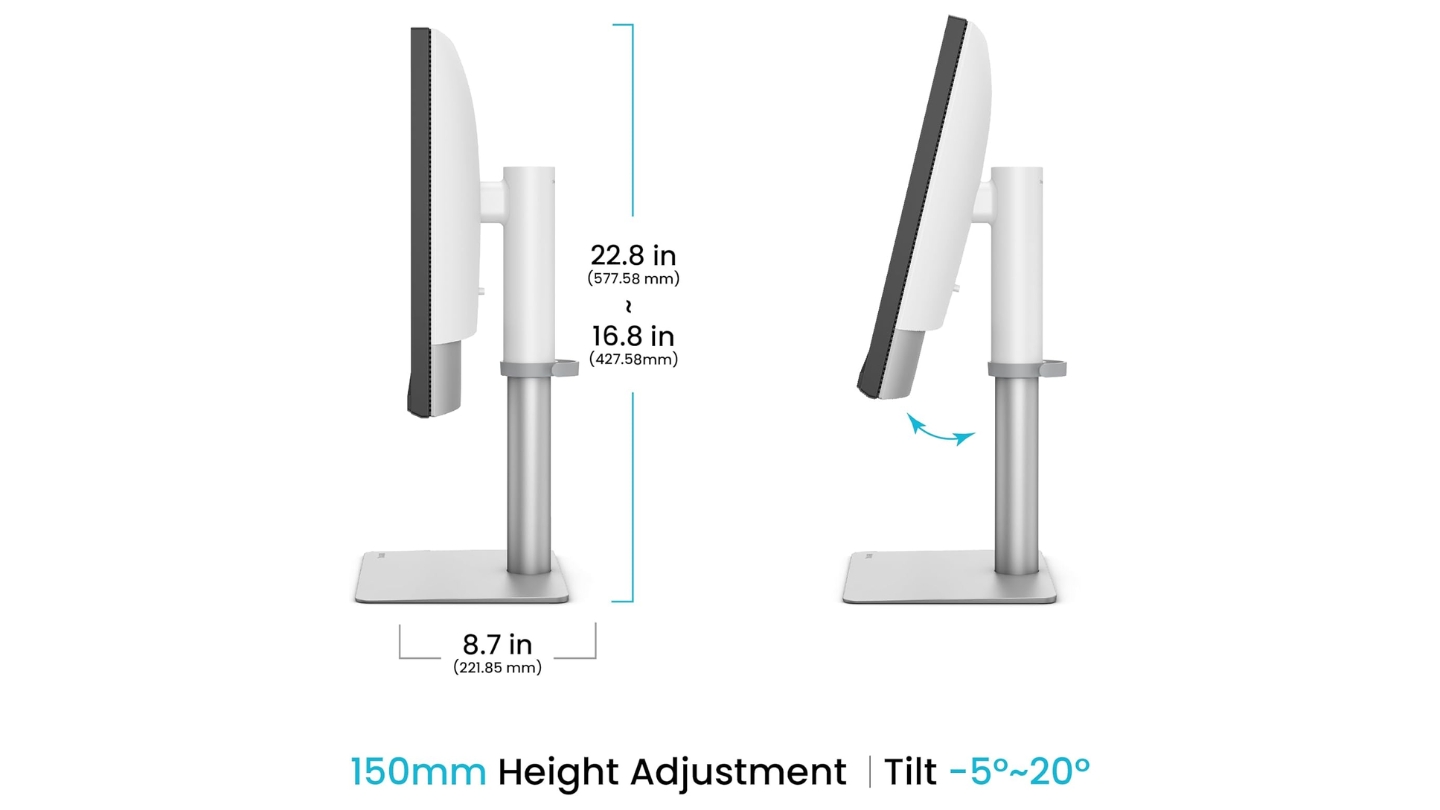
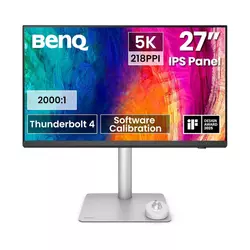
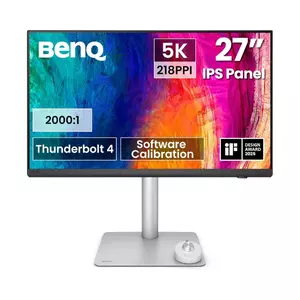
The BenQ PD2730S delivers genuine 5K resolution at 5120x2880 matching Apple Studio Display specifications while costing $200 less with superior ergonomics included. When I placed this monitor beside the Studio Display testing MacBook Pro workflows, the 218 PPI clarity appeared identical - both panels deliver that distinctive Retina sharpness distinguishing 5K from 4K alternatives. The critical difference emerges through features rather than image quality where BenQ provides adjustability and connectivity Apple charges extra accessories achieving.
IPS Black technology achieves 2000:1 contrast ratio doubling standard IPS panels creating noticeably deeper blacks improving depth perception during color grading. The 98% DCI-P3 coverage with 100% sRGB spans identical gamut to Studio Display with factory calibration achieving Delta E below 2. Display ColorTalk software synchronizes colors between MacBook and monitor automatically - a Mac-specific feature competitors lack entirely. Palette Master Ultimate enables professional calibration for users owning colorimeters achieving even tighter tolerances.
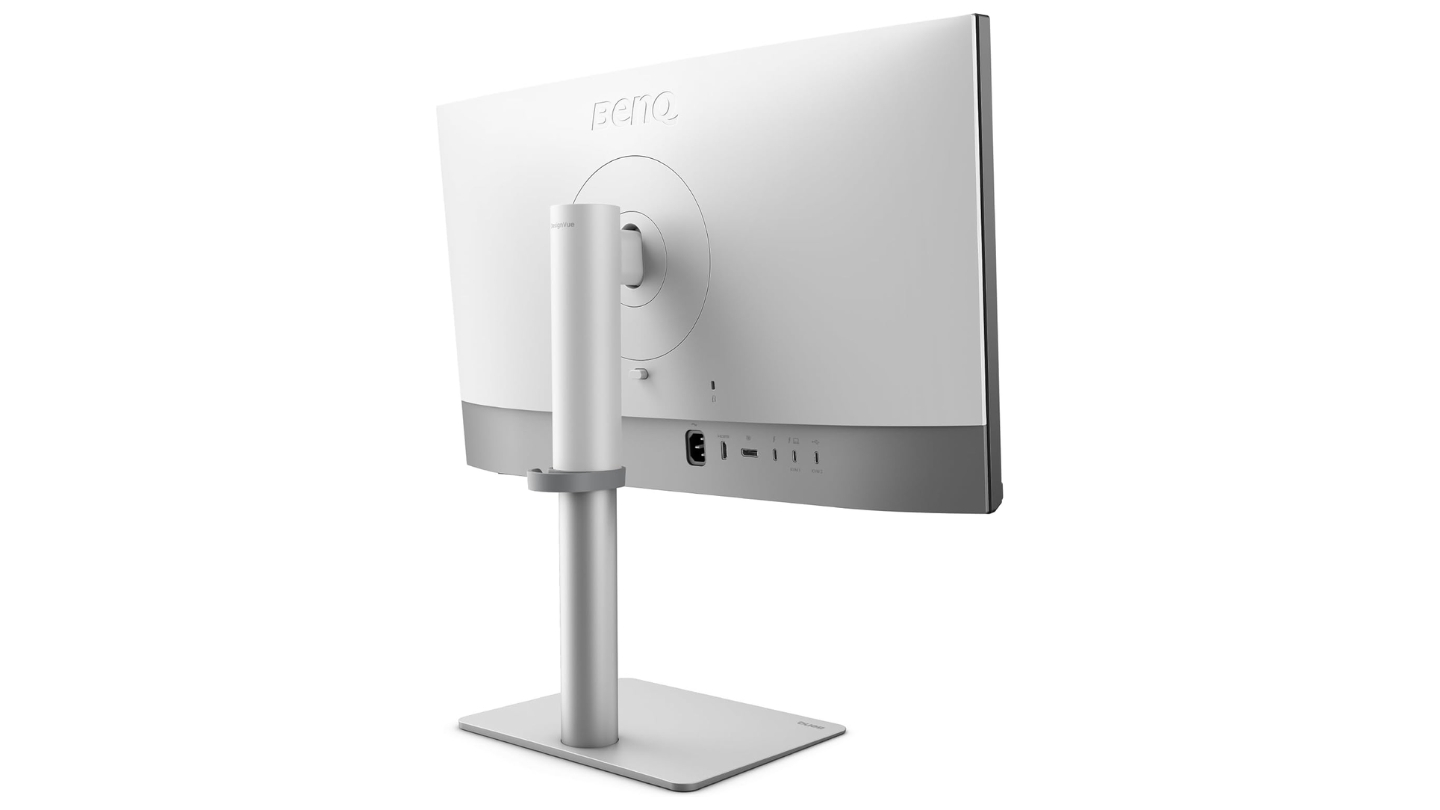
Thunderbolt 4 connectivity provides 90W Power Delivery charging MacBook Pro adequately while supporting dual 5K displays daisy-chained from single port on Pro/Max/Ultra chips. The 40Gbps bandwidth handles high-resolution video transfers without compression. KVM switch built into monitor enables controlling multiple computers with single keyboard and mouse set - genuinely useful for professionals switching between Mac and PC workstations.
The wireless HotKey Puck G3 provides physical controls for brightness, input switching, and color mode changes without navigating on-screen menus. The ergonomic stand offers 150mm height adjustment, tilt, swivel, and pivot - features Apple charges $400 extra achieving through optional stand upgrade. Nano-texture matte coating reduces reflections dramatically without the $300 premium Apple demands for similar treatment.
The 400-nit peak brightness falls short of Studio Display's 600 nits though proving adequate for typical office environments without direct sunlight. Built-in speakers deliver basic 3W stereo adequate for system sounds though external solutions suit serious audio work better. For MacBook users wanting 5K clarity with superior ergonomics and connectivity at lower cost, the BenQ PD2730S delivers compelling Studio Display alternative.
Pros:
- 5K 218 PPI matches Studio Display
- IPS Black 2000:1 contrast deeper blacks
- Display ColorTalk Mac color matching
- Thunderbolt 4 with 90W charging
- Full ergonomic adjustability included
Cons:
- 400 nits lower than Apple 600
- Basic 3W speakers weak
Summary: BenQ PD2730S provides 5K resolution matching Studio Display with IPS Black contrast, Display ColorTalk Mac integration, and Thunderbolt 4 connectivity. Best 5K alternative delivering Apple-level clarity with superior ergonomics.
Dell UltraSharp U2723QE 27" 4K Monitor Review
Best Value
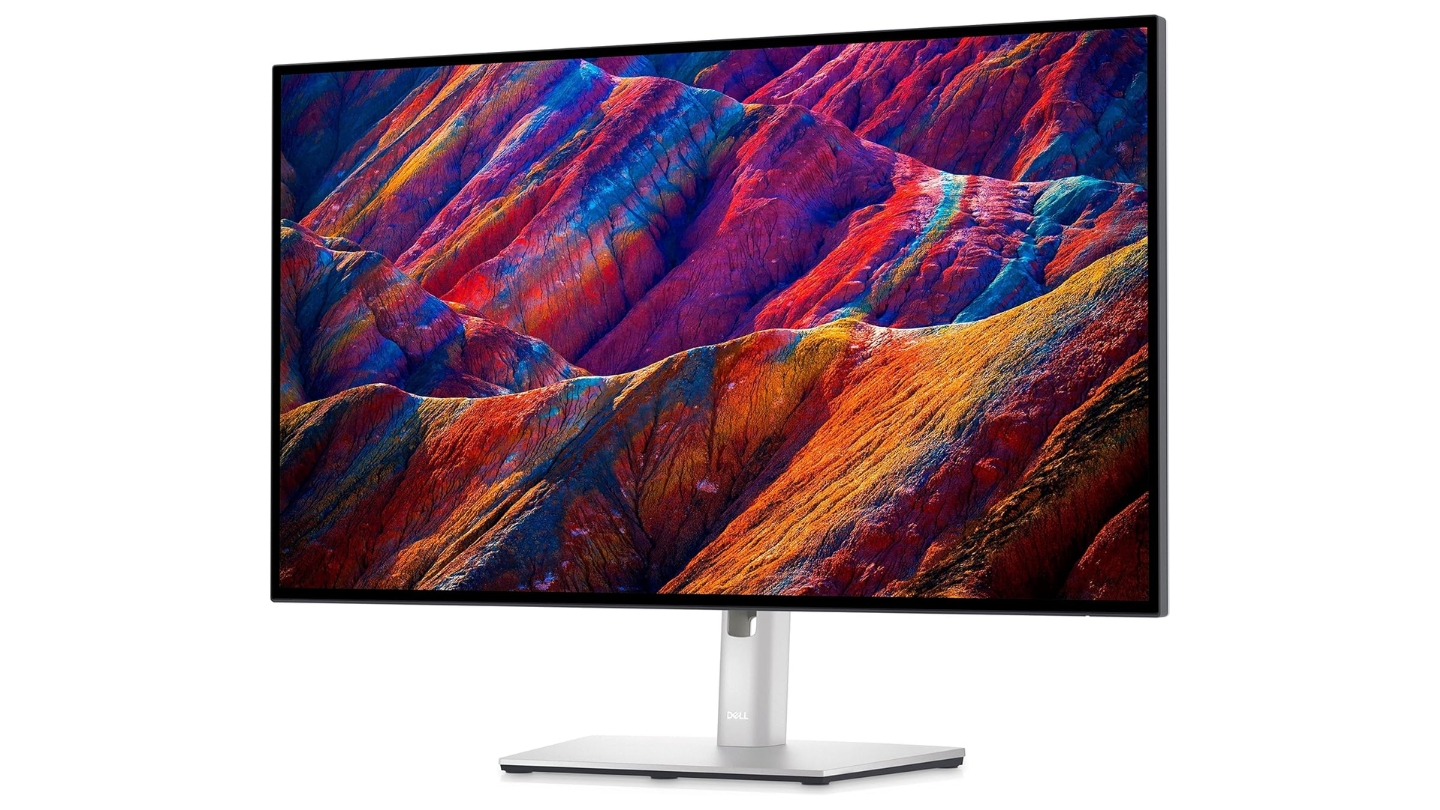
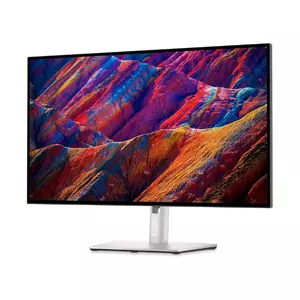
The Dell UltraSharp U2723QE delivers professional-grade color accuracy at pricing substantially below Apple and BenQ alternatives without sacrificing essential features. When I used this display with MacBook Pro for photo editing and design work, the color matching proved excellent after selecting DCI-P3 preset mode aligning with MacBook's color space. The IPS Black panel provides 2000:1 contrast improving black depth noticeably compared to standard IPS alternatives.
Factory calibration achieves Delta E below 2 across sRGB, Rec.709, and DCI-P3 modes with included calibration report validating performance. The 98% DCI-P3 coverage matches MacBook Pro specifications preventing color shifts when moving work between displays. ComfortView Plus reduces blue light through hardware filtering maintaining color accuracy rather than introducing orange tints software solutions create.
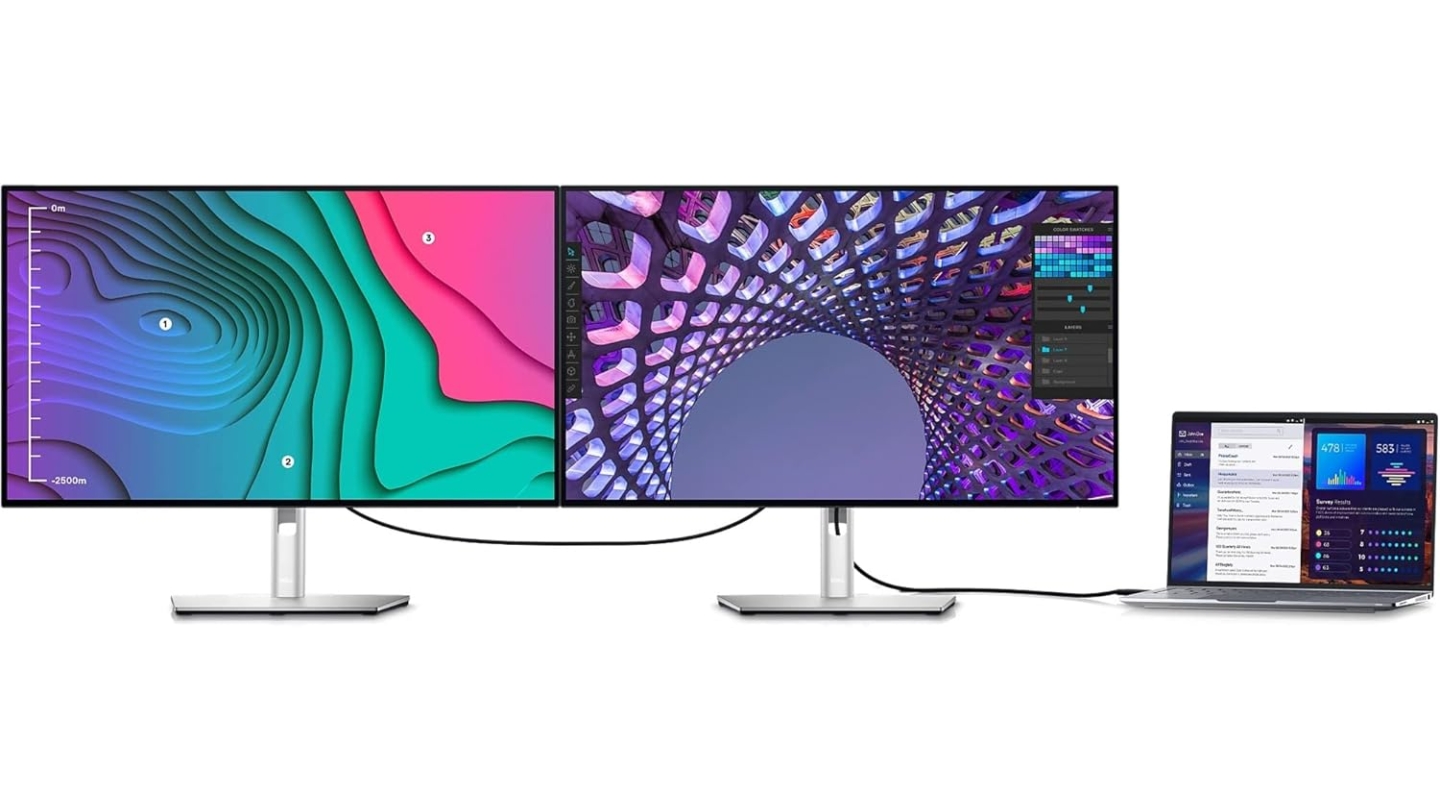
USB-C connectivity delivers 90W Power Delivery charging MacBook Pro models adequately including 16-inch variants. The four-port USB 3.2 hub provides peripheral connections for keyboards, mice, and external storage. RJ45 Ethernet port enables wired network connections valuable for large file transfers without Wi-Fi bandwidth limitations. KVM functionality controls multiple computers with single peripherals set.
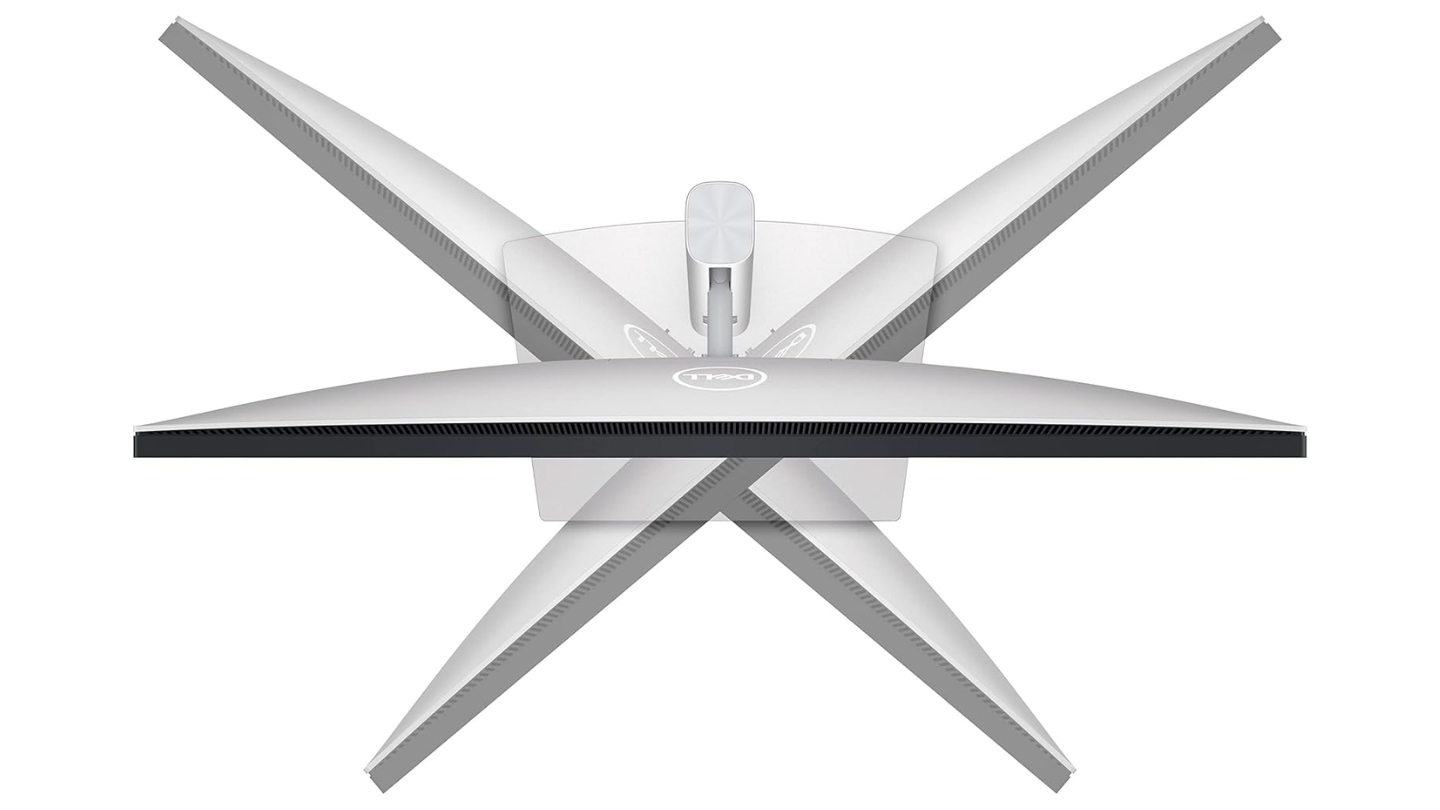
The ergonomic stand offers 130mm height adjustment range accommodating sit-stand desk transitions plus tilt, swivel, and pivot positioning. DisplayPort daisy-chaining connects second monitor though requiring compatible MacBook chips. Picture-in-Picture and Picture-by-Picture modes display multiple input sources simultaneously.
The semi-glossy coating reduces reflections less effectively than fully matte alternatives potentially distracting in bright environments with significant window light. Three-year warranty including premium panel exchange provides peace of mind for business purchases. For value-focused MacBook users requiring professional color accuracy without premium pricing, the Dell U2723QE delivers balanced performance.
Pros:
- Professional color at value pricing
- IPS Black 2000:1 contrast
- 90W USB-C charging adequate
- RJ45 Ethernet wired networking
- Three-year premium warranty
Cons:
- Semi-glossy coating more reflective
- No Mac-specific color modes
Summary: Dell UltraSharp U2723QE provides professional IPS Black color accuracy with comprehensive connectivity at value pricing. Best value for MacBook users requiring quality performance without premium investment.
ASUS ProArt PA279CRV 27" 4K Monitor Review
Best Color Coverage
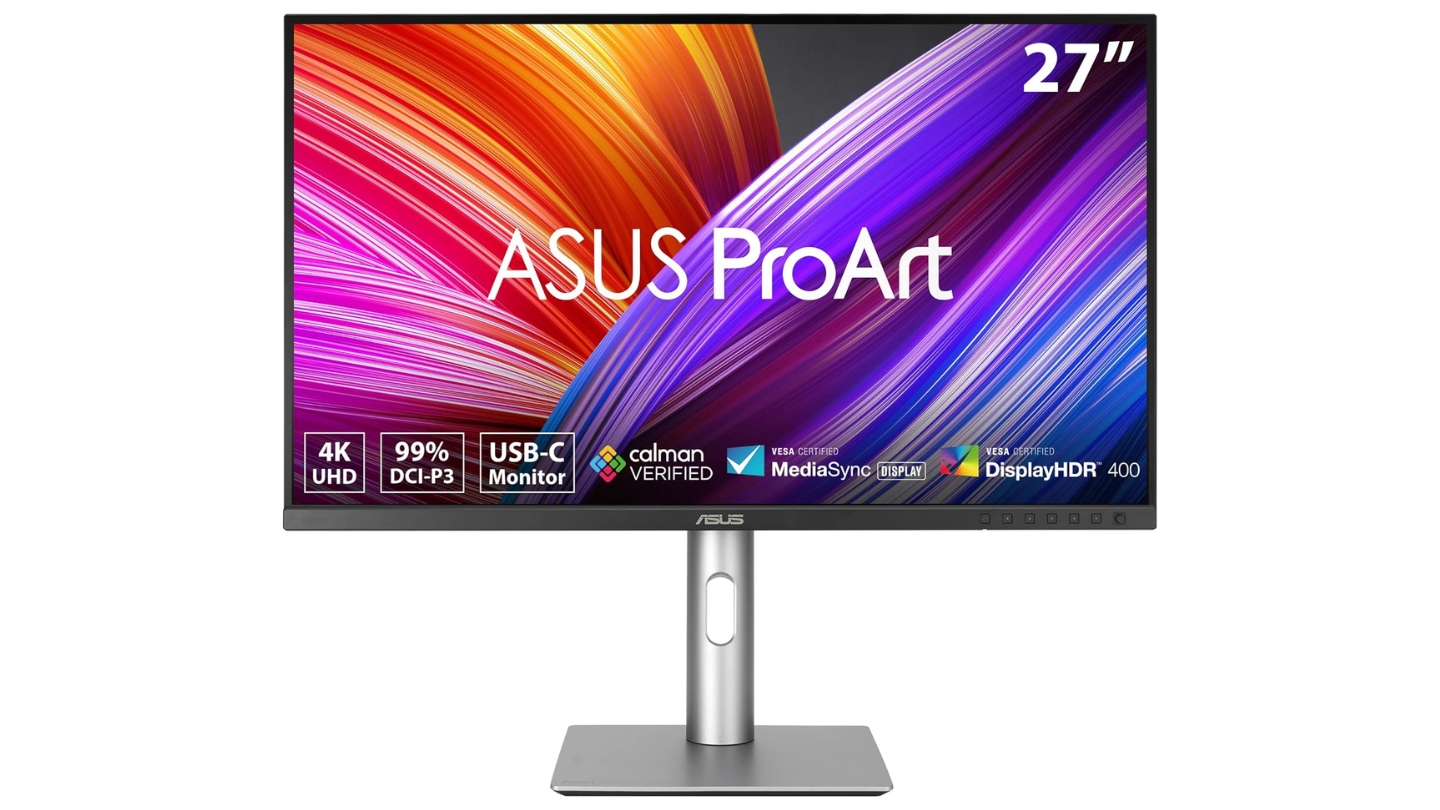
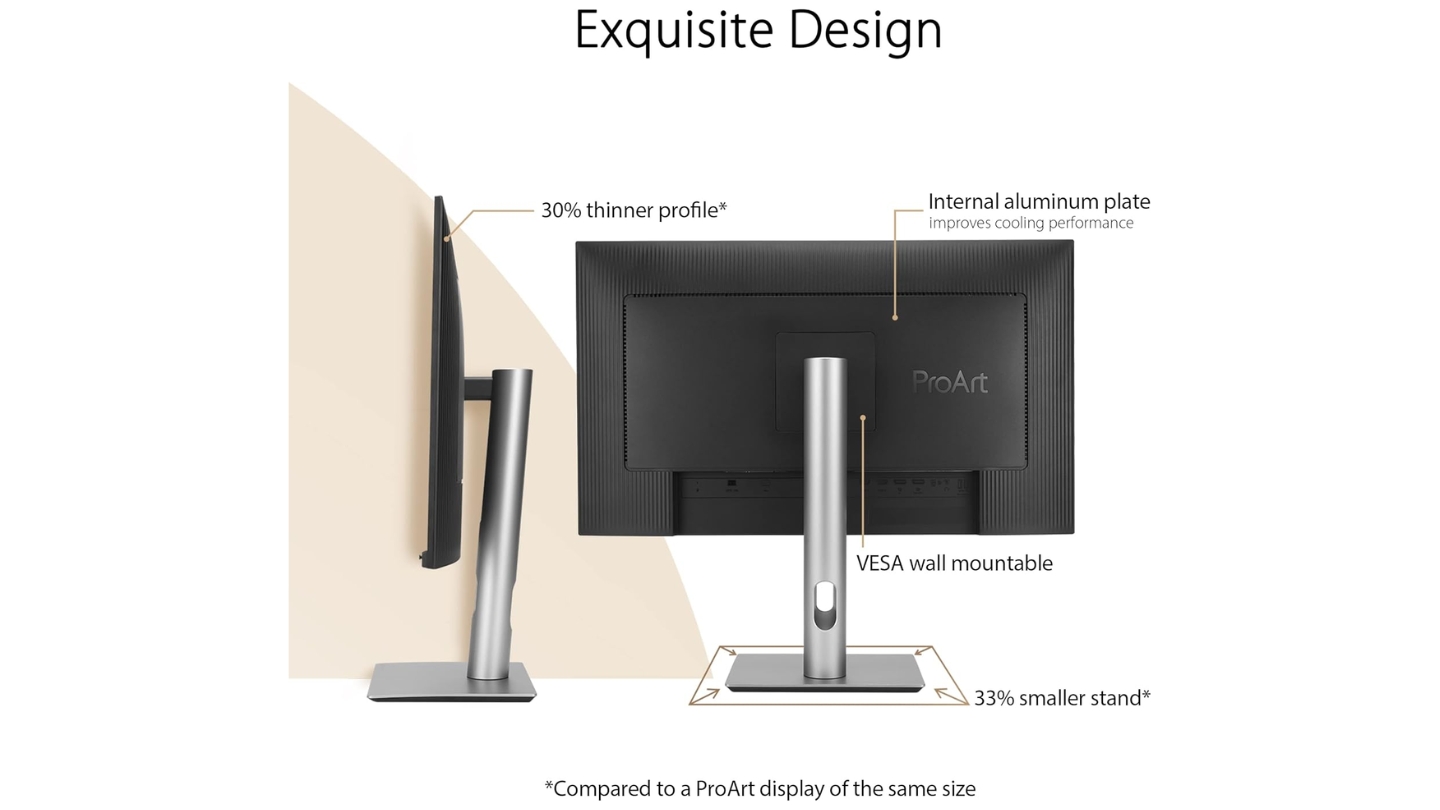
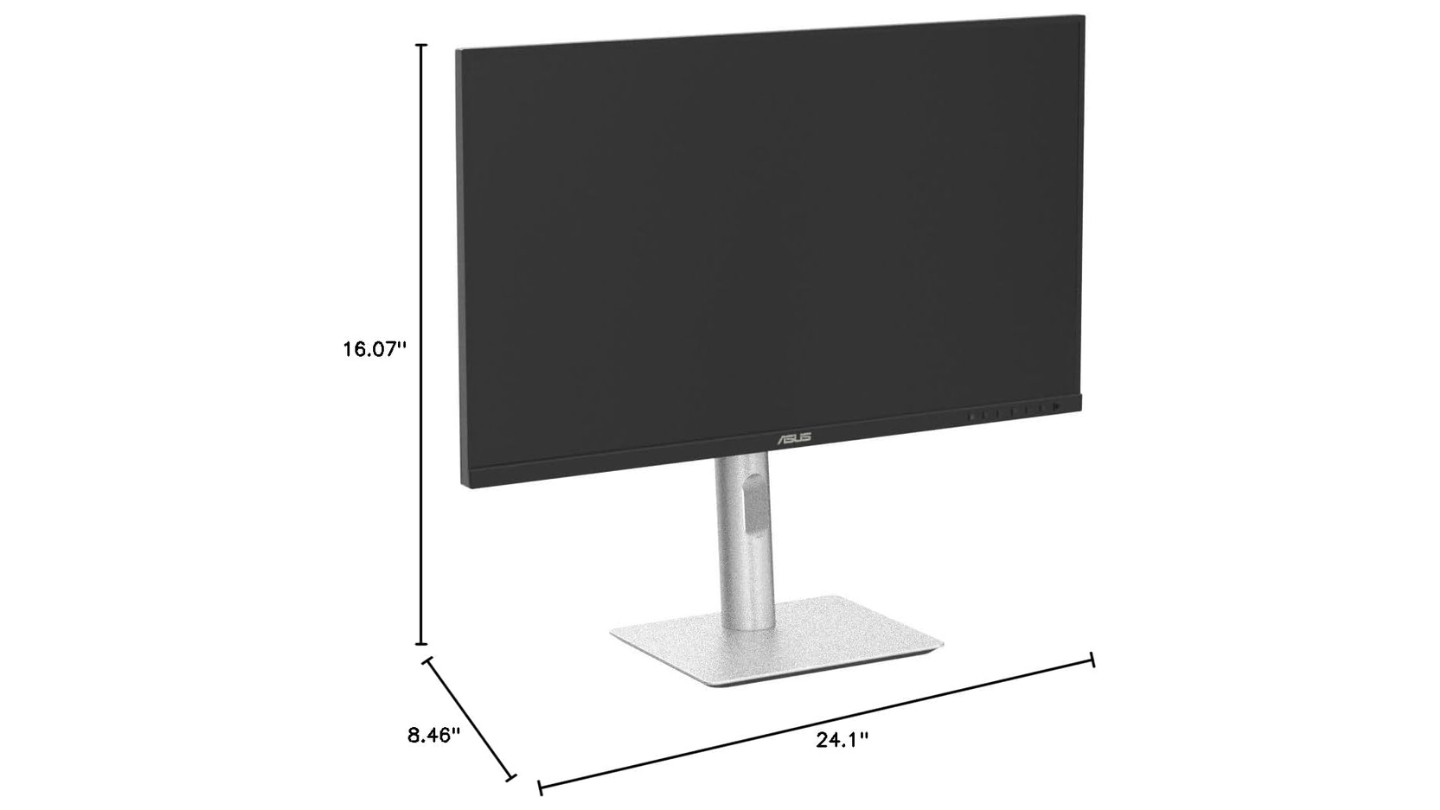
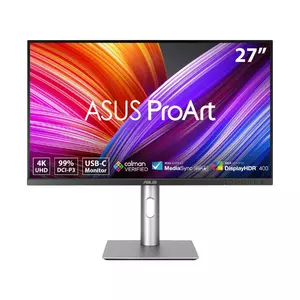
The ASUS ProArt PA279CRV delivers the widest color gamut coverage among tested displays with 99% DCI-P3 and 99% Adobe RGB making it ideal for photographers working print workflows alongside digital projects. When I tested this monitor with MacBook Pro for photo editing spanning web output through print preparation, the gamut switching between sRGB, Adobe RGB, and DCI-P3 proved seamless through ProArt Preset modes. The Calman Verified certification validates factory calibration achieving Delta E below 2.
The extensive color space coverage proves particularly valuable for photographers requiring accurate Adobe RGB rendering for print work that narrower DCI-P3-focused displays handle poorly. ProArt Palette software provides comprehensive color adjustment tools including six-axis hue control, gamma presets, and color temperature customization. QuickFit Virtual Scale overlays grids showing actual print dimensions eliminating guesswork during layout work for physical output.
USB-C connectivity provides 96W Power Delivery charging MacBook Pro including 16-inch models adequately. DisplayPort daisy-chaining extends workspaces though requiring Pro/Max/Ultra chips on M-series Macs. The four-port USB 3.2 hub transforms the display into docking solution centralizing peripheral connections.
The ergonomic stand delivers full adjustment range with 130mm height positioning plus tilt, swivel, and pivot enabling portrait orientation valuable for document review and vertical image editing. DICOM mode supports medical imaging workflows for radiologists and healthcare professionals. The space-saving base consumes less desk real estate than typical monitor stands.
Built-in speakers deliver basic audio adequate for video calls though external solutions suit serious multimedia work better. The 60Hz refresh rate and 5ms response time suffice for creative workflows where motion clarity matters less than color fidelity. For photographers and designers requiring maximum color gamut coverage across both digital and print workflows, the ASUS ProArt PA279CRV delivers unmatched versatility.
Pros:
- 99% Adobe RGB widest coverage
- 99% DCI-P3 exceptional range
- ProArt Palette controls detailed
- 96W Power Delivery included
- Calman Verified calibration
Cons:
- Basic built-in speakers
- Standard IPS 1000:1 contrast
Summary: ASUS ProArt PA279CRV delivers widest color coverage with 99% Adobe RGB and DCI-P3, comprehensive ProArt controls, and Calman verification. Best choice for photographers requiring maximum gamut spanning digital and print workflows.
LG 27UP850-W 27" 4K Monitor Review
Budget Pick
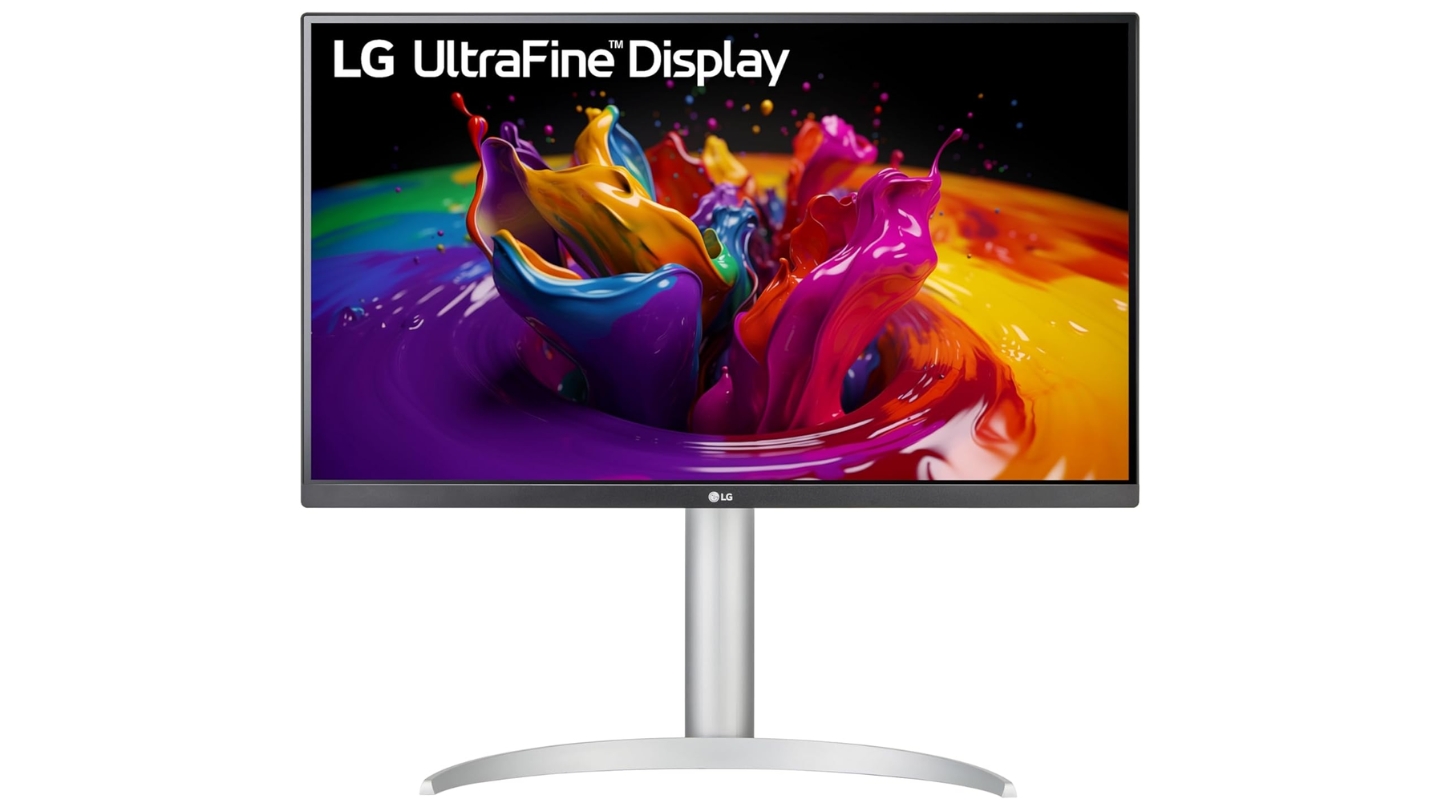
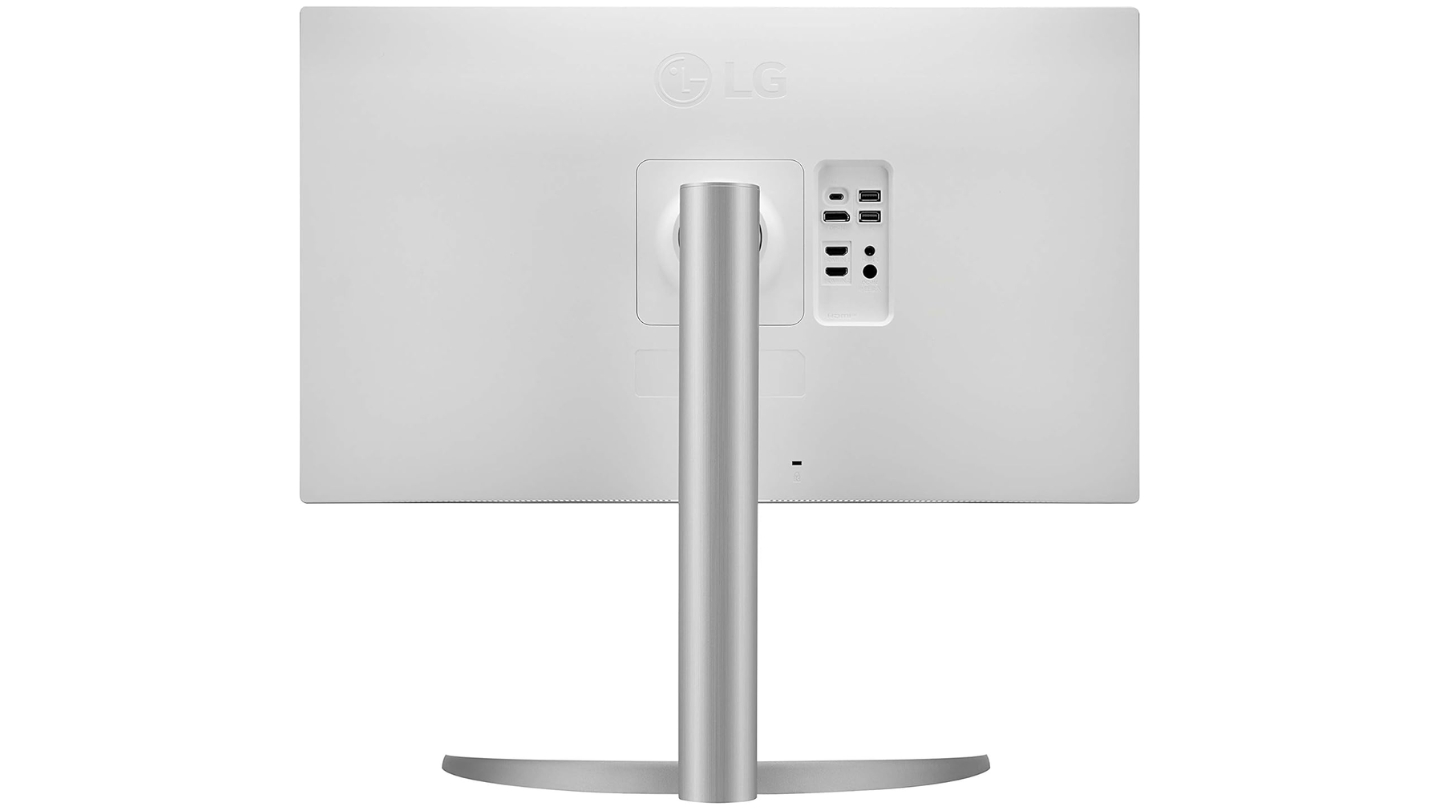
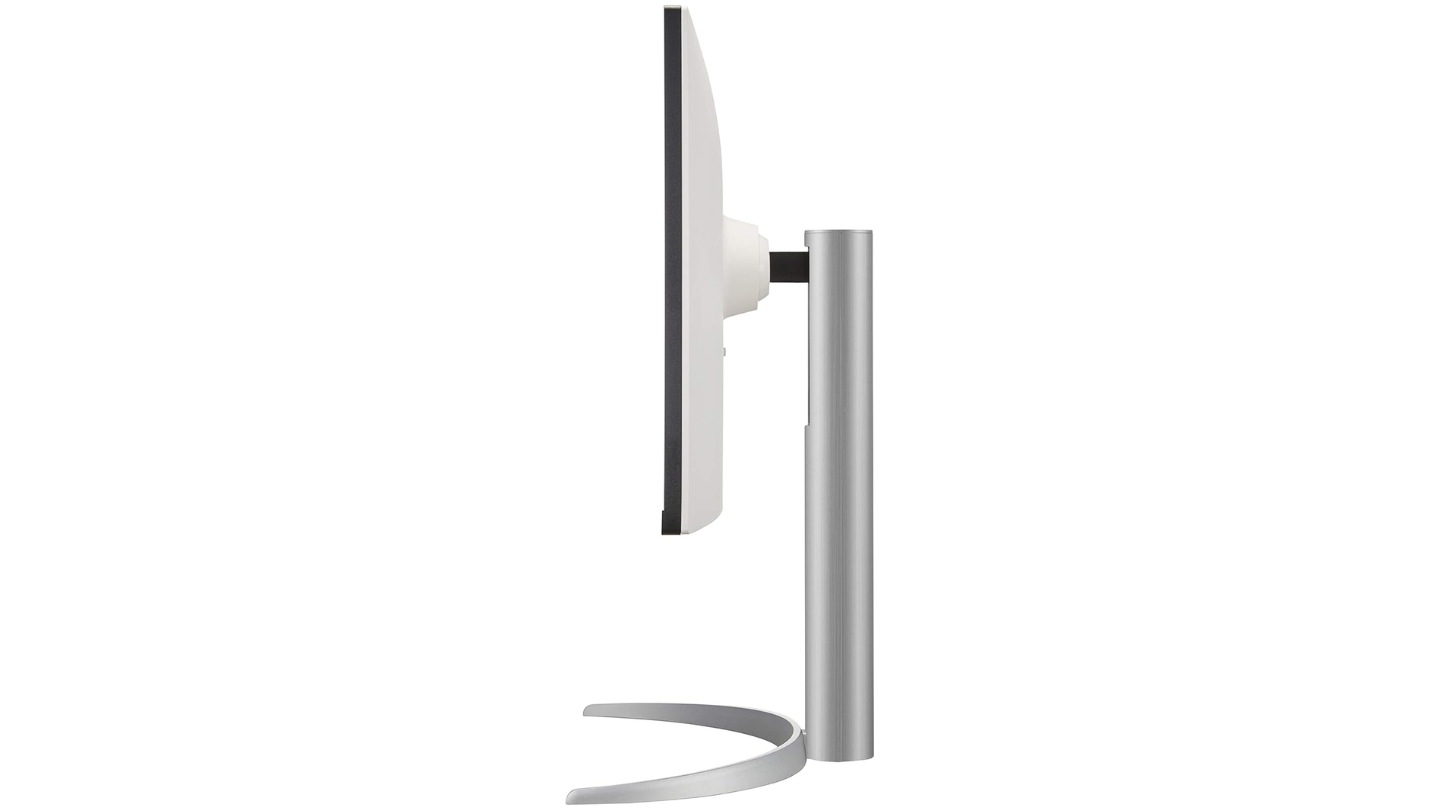
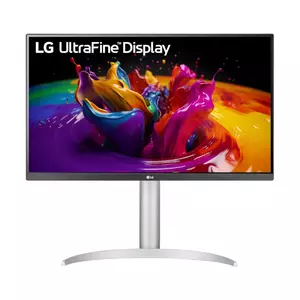
The LG 27UP850-W provides solid color accuracy and USB-C convenience at pricing substantially below premium alternatives making it appealing for budget-conscious MacBook users. When I used this display for typical design workflows and photo editing, the 95% DCI-P3 coverage proved adequate for most projects with only the most demanding color-critical work revealing limitations compared to wider-gamut alternatives. The factory calibration delivers respectable Delta E around 1.89 though manual calibration improved results further to 0.87 rivaling professional displays.
The IPS panel maintains wide viewing angles with consistent colors crucial for collaborative work environments. DisplayHDR 400 certification validates basic high dynamic range support though lacking brightness and local dimming for truly impactful HDR experiences. The 400-nit peak brightness handles typical office lighting adequately without the 600-nit capability Apple's Studio Display provides.
USB-C with 96W Power Delivery charges MacBook Pro models including 16-inch variants adequately. The limited two-port USB hub provides basic peripheral connectivity though falling short of four-port alternatives from Dell and ASUS. Hardware calibration support through LG Calibration Studio software enables professional color tuning for users possessing colorimeters.
The ergonomic stand offers height, tilt, pivot, and swivel adjustments accommodating varied desk configurations. AMD FreeSync support benefits occasional gaming though creative workflows rarely utilize variable refresh rate features. Built-in speakers deliver adequate 5W audio for video conferences though external solutions suit serious work better.
The three-sided borderless design creates clean aesthetic suitable for multi-monitor configurations. Black Stabilizer brightens dark scenes improving visibility in shadow areas during photo editing. For budget-focused MacBook users requiring solid color performance with USB-C convenience without premium pricing, the LG 27UP850-W delivers balanced capabilities.
Pros:
- Budget pricing below premium rivals
- 96W USB-C charging adequate
- Hardware calibration support
- Full ergonomic adjustability
- 95% DCI-P3 adequate coverage
Cons:
- Two-port USB hub limited
- Standard IPS 1000:1 contrast
Summary: LG 27UP850-W provides solid color accuracy with 95% DCI-P3 coverage, 96W USB-C charging, and hardware calibration support at budget pricing. Budget pick for MacBook users balancing performance against cost constraints.
MacBook Monitor: Frequently Asked Questions
Why does color accuracy matter for MacBook external displays?
Color accuracy ensures work created on MacBook displays translates identically to external monitors preventing the jarring shifts that plague mixed-manufacturer setups. Creative professionals making color decisions on laptop screens need confidence those choices appear identical on larger displays during detailed editing or client presentations. Delta E values below 2 indicate color differences imperceptible to human eyes ensuring consistency across devices. Wide P3 color gamut matching MacBook Pro specifications prevents oversaturated or washed-out colors when moving content between screens. Factory calibration eliminates manual adjustment procedures beyond capabilities of typical users lacking expensive measurement equipment.
What resolution works best for 27-inch MacBook monitors?
4K resolution at 3840x2160 provides 163 pixels per inch on 27-inch panels delivering Retina-quality sharpness matching MacBook expectations. macOS scales 4K optimally at "looks like 2560x1440" rendering sharp text and interface elements with comfortable sizing. Native 4K enables viewing images and video at 100% scale for pixel-perfect editing when needed. 5K resolution at 5120x2880 delivers even sharper 218 PPI though commanding premium pricing with limited options beyond Apple's Studio Display. Lower 1440p resolution appears noticeably softer once eyes adjust to Retina clarity creating suboptimal experiences for detail-focused work.
How much USB-C power delivery do MacBooks need?
MacBook Air and 13-inch Pro models charge adequately with 60-65W power delivery through typical usage. 14-inch MacBook Pro requires 70-85W for reliable charging during moderate workloads. 16-inch MacBook Pro demands 90-96W maintaining charge under heavy processing loads including video rendering or compiling code. Insufficient wattage allows MacBooks operating though battery slowly drains during intensive tasks. Higher wattages provide headroom for future MacBook models potentially requiring more power. Single-cable USB-C connectivity eliminates adapter dongles simplifying desk organization dramatically compared to separate power and video cables.
Do third-party monitors work as well as Apple displays with Macs?
Third-party displays function perfectly with Macs though lacking some native integration features Apple displays provide. True Tone automatic color temperature matching requires Apple displays. Brightness keyboard shortcuts work with some third-party monitors through DisplayPort connection though USB-C sometimes disables functionality. Wake-from-sleep behavior proves more reliable with Apple displays avoiding occasional blank screen issues some third-party models experience. Color matching requires manual preset selection on third-party displays rather than automatic synchronization Apple provides. Most professional workflows accommodate these minor inconveniences given substantial cost savings third-party alternatives deliver.
Why choose 27-inch over 32-inch for MacBook displays?
27-inch format at 4K resolution delivers 163 PPI matching pixel density MacBook users expect from Retina displays. 32-inch 4K panels provide only 137 PPI noticeably reducing sharpness though offering more workspace. The lower pixel density makes text appear slightly less crisp and images less detailed at typical viewing distances. Desk depth requirements increase with larger displays potentially overwhelming compact workspaces. 27-inch monitors typically cost less than 32-inch equivalents with identical specifications. However, 32-inch format benefits users prioritizing maximum workspace over ultimate sharpness particularly for video editing timelines and multi-window productivity workflows.
What color space should MacBook monitors support?
DCI-P3 coverage matching MacBook Pro displays prevents color shifts when moving content between screens. Modern Macs utilize P3 as default color space for wide gamut content creation. sRGB remains essential for web design ensuring colors translate accurately to typical viewer displays lacking wide gamut support. Adobe RGB coverage benefits photographers preparing images for print workflows requiring wider gamuts than DCI-P3 provides. Rec.709 matters for video editors working broadcast standards. Displays supporting multiple preset modes enable quick switching between color spaces matching project requirements without manual recalibration between tasks.
Should MacBook displays include built-in speakers and webcams?
Built-in speakers provide convenience for video calls and casual media consumption without external equipment. However, monitor speakers typically deliver mediocre audio quality lacking bass response and volume unsuitable for serious multimedia work. Most professionals use headphones for calls or external speakers for quality audio. Webcams integrated into displays position cameras at natural eye level improving video call ergonomics compared to awkward laptop webcam angles. However, standalone webcams typically deliver superior image quality with better sensors and lenses. The convenience versus quality tradeoff depends on individual priorities and existing equipment.
How important is HDR support for creative work on Macs?
HDR support remains less critical for typical creative workflows than color accuracy and gamut coverage. Most professional projects including photography and graphic design operate in SDR (Standard Dynamic Range) where HDR capabilities provide minimal benefit. Video editors working HDR content benefit from displays supporting wider brightness ranges and proper tone mapping. However, DisplayHDR 400 certification common on professional monitors lacks brightness and local dimming delivering truly impactful HDR experiences. True HDR capability requires significantly higher investment in mini-LED or OLED displays beyond typical professional monitor pricing. Prioritize color accuracy and gamut coverage over basic HDR specifications for most creative workflows.
Selecting Your MacBook Monitor
MacBook displays require different priorities than typical office monitors where color accuracy and Mac-specific integration matter more than gaming specifications. The Apple Studio Display delivers unmatched macOS integration with 5K clarity, Center Stage webcam, and seamless color matching. I found the native experience transformed workflows compared to adapting third-party alternatives.
Mac designers benefit from the BenQ PD2730S providing 5K resolution matching Studio Display with IPS Black contrast and Display ColorTalk Mac integration at $400 savings. Value-focused users appreciate the Dell UltraSharp U2723QE delivering professional color accuracy at accessible pricing with comprehensive connectivity. Photographers requiring maximum gamut find the ASUS ProArt PA279CRV covering 99% Adobe RGB alongside DCI-P3 for print workflows. Budget-conscious buyers appreciate the LG 27UP850-W balancing solid color performance against cost constraints.
Choose based on actual workflow requirements prioritizing color accuracy and Mac compatibility over impressive specifications disconnected from creative applications. The right monitor becomes invisible infrastructure enabling focus on creative work rather than wrestling with color mismatches and connectivity issues plaguing poor choices.

Jeb here, your go-to geek for everything from video projection to the latest tech trends. As an avid outdoorsman, I enjoy using monoculars and binoculars for hunting, traveling, and birdwatching. Join me in exploring the cool, quirky side of technology!


