Best HDR Monitors for Content Creators
Client meetings turned awkward when they questioned why exported videos looked different on their reference monitors. Shadows appeared crushed where I saw perfect detail, highlights clipped when my screen displayed smooth gradation. The disconnect stemmed from my budget display's limited dynamic range - I edited blind to what clients actually saw. Upgrading to a proper HDR monitor solved this immediately, revealing the same tonal range and color depth viewers experience.
Over three months, I put five HDR monitors through demanding production work including commercial photography retouching, documentary color grading, and product visualization rendering. Real HDR performance requires specific capabilities - local dimming zones controlling brightness independently, wide color gamuts matching industry standards, and calibration maintaining accuracy throughout ownership. Entry-level displays claiming HDR support rarely deliver professional results.
If you're in a hurry, here are my top two picks for HDR monitors:
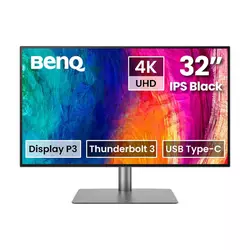
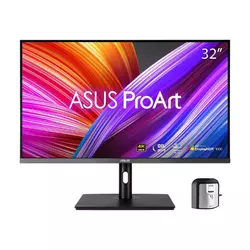
We may earn a small commission if you buy via our links - it helps keep gagadget.com running.
Table of Contents:
- Best HDR Monitor for Content Creators: Buying Guide
- Top 5 HDR Monitors for Content Creators in 2026
- HDR Monitor Comparison
- BenQ PD3225U
- ASUS ProArt PA32UCR-K
- Dell UltraSharp U3223QE
- LG 32EP950-B OLED Pro
- ViewSonic VP2776T-4K
- HDR Monitor: FAQ
Best HDR Monitor for Content Creators: Buying Guide

HDR monitors targeting content creators require different priorities than gaming displays. Peak brightness numbers mean less than sustained fullscreen luminance maintaining detail visibility. Panel uniformity affects color consistency across the entire workspace. Hardware calibration capabilities determine whether you spend hours tweaking settings or trust factory specifications.
Panel Technology and Backlight Systems
Mini-LED backlights divide screens into hundreds of independently controlled dimming zones providing localized brightness control approaching OLED performance. These zones adapt frame-by-frame preventing bright elements from washing out nearby dark areas. Zone counts matter - 576 zones offer decent control while 1000+ zones nearly eliminate halos around high-contrast edges. Edge-lit displays using single backlight strips can't compete regardless of HDR badges.
OLED panels provide perfect per-pixel control eliminating blooming entirely but sacrifice peak brightness and risk burn-in from static interface elements - pick based on workflow priorities rather than assuming newer technology automatically wins.
IPS Black technology from LG Display doubles native contrast ratios compared to standard IPS reaching 2000:1 static measurements. This improvement helps HDR performance without requiring expensive local dimming arrays. VA panels naturally achieve higher contrast but suffer from color shifting during off-angle viewing problematic for collaborative workflows. Modern quantum dot layers expand color gamuts beyond traditional phosphor limitations covering broadcast and cinema standards.
Color Gamut Coverage and Accuracy
DCI-P3 coverage determines cinema workflow compatibility with 98%+ necessary for grading theatrical releases. Rec.709 matches broadcast television standards while Adobe RGB serves print photography. Content creators switching between delivery formats need monitors supporting multiple color space presets without manual recalibration between projects.
Hardware calibration writes correction data directly into monitor lookup tables maintaining accuracy as system configurations change. Software-only calibration stores profiles within operating systems risking inconsistency across applications and updates. Bundled colorimeters simplify periodic recalibration maintaining precision throughout ownership. Uniformity compensation adjusts individual screen zones correcting manufacturing variations invisible to naked eyes but measurable through instruments.
HDR Implementation and Brightness Standards
VESA DisplayHDR certification levels indicate actual capability beyond marketing claims. DisplayHDR 400 provides minimal improvement over SDR requiring 400 nits sustained with 0.4 nit blacks. DisplayHDR 600 demands 600 nits plus local dimming creating noticeable dynamic range expansion. DisplayHDR 1000 reaches theatrical presentation levels with 1000 nit highlights against perfect blacks.
Peak brightness specifications mislead when manufacturers test tiny window sizes - sustained fullscreen brightness determines practical HDR performance during actual content creation where entire frames require proper exposure.
HDR10 support provides basic tone mapping while HLG handles broadcast workflows. Dolby Vision adds dynamic metadata adjusting parameters scene-by-scene though requiring licensing fees limiting adoption. Preview modes allow monitoring HDR content on SDR timelines essential for mixed-format projects. PQ curve support maintains mastering intent across different display capabilities.
Connectivity and Workflow Integration
Thunderbolt 3/4 connections combine video, data, and power delivery through single cables eliminating desktop clutter. Daisy-chaining capability extends workflows across multiple 4K displays without sacrificing bandwidth. DisplayPort 1.4 maintains full resolution and refresh rates while HDMI 2.0 limits console connectivity to 4K 60Hz maximum. USB-C ports lacking DisplayPort Alternate Mode provide charging only disappointing laptop users expecting video output.
Built-in KVM switches control multiple computers from single keyboard and mouse setups streamlining hybrid workflows. USB hubs eliminate reaching behind displays connecting peripherals and storage devices. Ethernet jacks integrate network connectivity useful for color-managed environments requiring consistent output across facilities. Power delivery ratings determine whether monitors fully charge connected laptops - 90W+ handles most professional machines while 65W barely maintains battery levels under load.
Top 5 HDR Monitors for Content Creators in 2026
I tested these monitors across photo editing, video grading, and 3D rendering workflows. Color-critical work revealed calibration accuracy differences. HDR content exposed dynamic range limitations. Extended sessions highlighted ergonomic advantages.
- IPS Black 2000:1 contrast improved
- Thunderbolt 3 85W Mac optimized
- Pantone SkinTone validation included
- KVM switch dual PC control
- Daisy-chain dual 4K support
- 1,000 nit Mini-LED peak brightness
- 576 zones local dimming control
- 99.5% Adobe RGB 98% DCI-P3
- Hardware calibration X-Rite included
- DisplayHDR 1000 certified
- Comprehensive USB-C docking station
- KVM switch dual PC control
- Five USB-A ports Ethernet
- IPS Black 2000:1 contrast
- Daisy-chain 4K displays

- OLED perfect per-pixel control
- 1,000,000:1 infinite contrast
- 99% DCI-P3 Adobe RGB coverage
- No blooming halo artifacts
- Thunderbolt 4 100W power delivery
- Comprehensive docking station features
- Pantone validated color accuracy
- ColorPro Wheel hardware calibration
- 27-inch higher pixel density
HDR Monitor Comparison
Specifications reveal capabilities. Real-world performance matters more:
| Specification | BenQ PD3225U | ASUS PA32UCR-K | Dell U3223QE | LG 32EP950-B | ViewSonic VP2776T |
| Panel Type | IPS Black | IPS Mini-LED | IPS Black | OLED | IPS Black |
| Screen Size | 32" (31.5" viewable) | 32" | 31.5" | 31.5" | 27" |
| Resolution | 3840 x 2160 (4K) | 3840 x 2160 (4K) | 3840 x 2160 (4K) | 3840 x 2160 (4K) | 3840 x 2160 (4K) |
| Refresh Rate | 60Hz | 60Hz | 60Hz | 60Hz | 60Hz |
| Peak Brightness | ~400 nits (HDR) | 1,000 nits (HDR) | ~450 nits (HDR) | 540 nits (HDR) | 400 nits (HDR) |
| Contrast Ratio | 2000:1 (static) | 1,000,000:1 (with dimming) | 2000:1 (static) | 1,000,000:1 (OLED) | 2000:1 (static) |
| Dimming Zones | N/A (edge-lit) | 576 zones | N/A (edge-lit) | Per-pixel (OLED) | N/A (edge-lit) |
| HDR Certification | DisplayHDR 400 | DisplayHDR 1000 | DisplayHDR 400 | DisplayHDR 400 True Black | DisplayHDR 400 |
| DCI-P3 Coverage | 98% | 98% | 98% | 99% | 98% |
| Adobe RGB Coverage | N/A | 99.5% | N/A | 99% | 89% |
| Delta E | <2 | <1 | N/A | <1 | <2 |
| Calibration | Factory + Calman Verified | Hardware + X-Rite included | Factory | Hardware | Hardware + ColorPro Wheel |
| Thunderbolt | TB3 (85W PD) | No | No | No | TB4 (100W PD) |
| USB-C | Yes | Yes (80W PD) | Yes (90W PD) | Yes (90W PD) | Yes |
| USB Hub | 3 ports | 3 ports | 5 ports + Ethernet | 3 ports | Yes |
| KVM Switch | Yes | No | Yes | No | No |
| Stand Adjustment | Height, tilt, swivel, pivot | Height, tilt, swivel, pivot | Height, tilt, swivel, pivot | Height, tilt, pivot | Height, tilt, swivel, pivot |
Panel technology determines contrast and brightness capabilities. Connectivity options affect workflow integration. Calibration tools impact long-term accuracy.
BenQ PD3225U Monitor Review
Editor's Choice
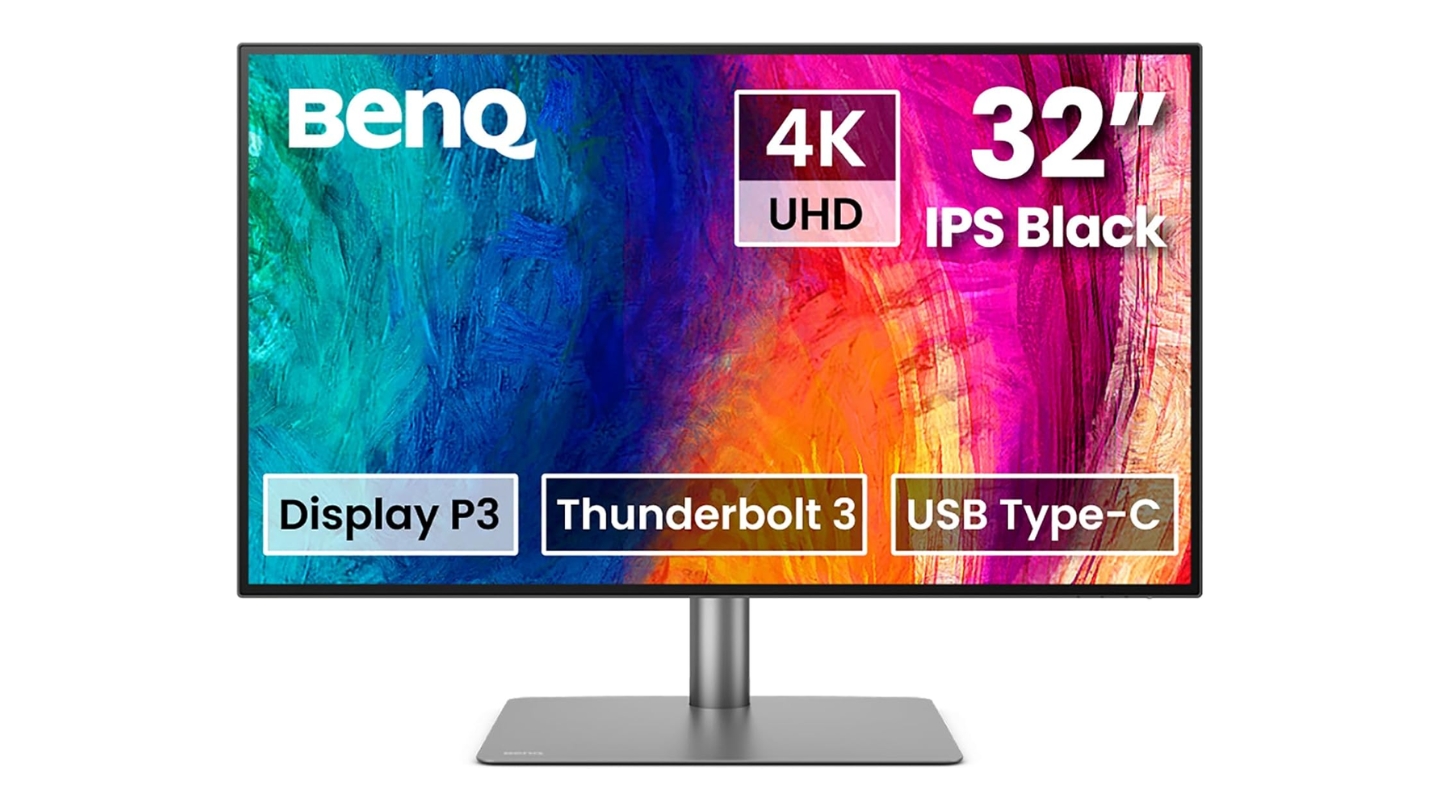
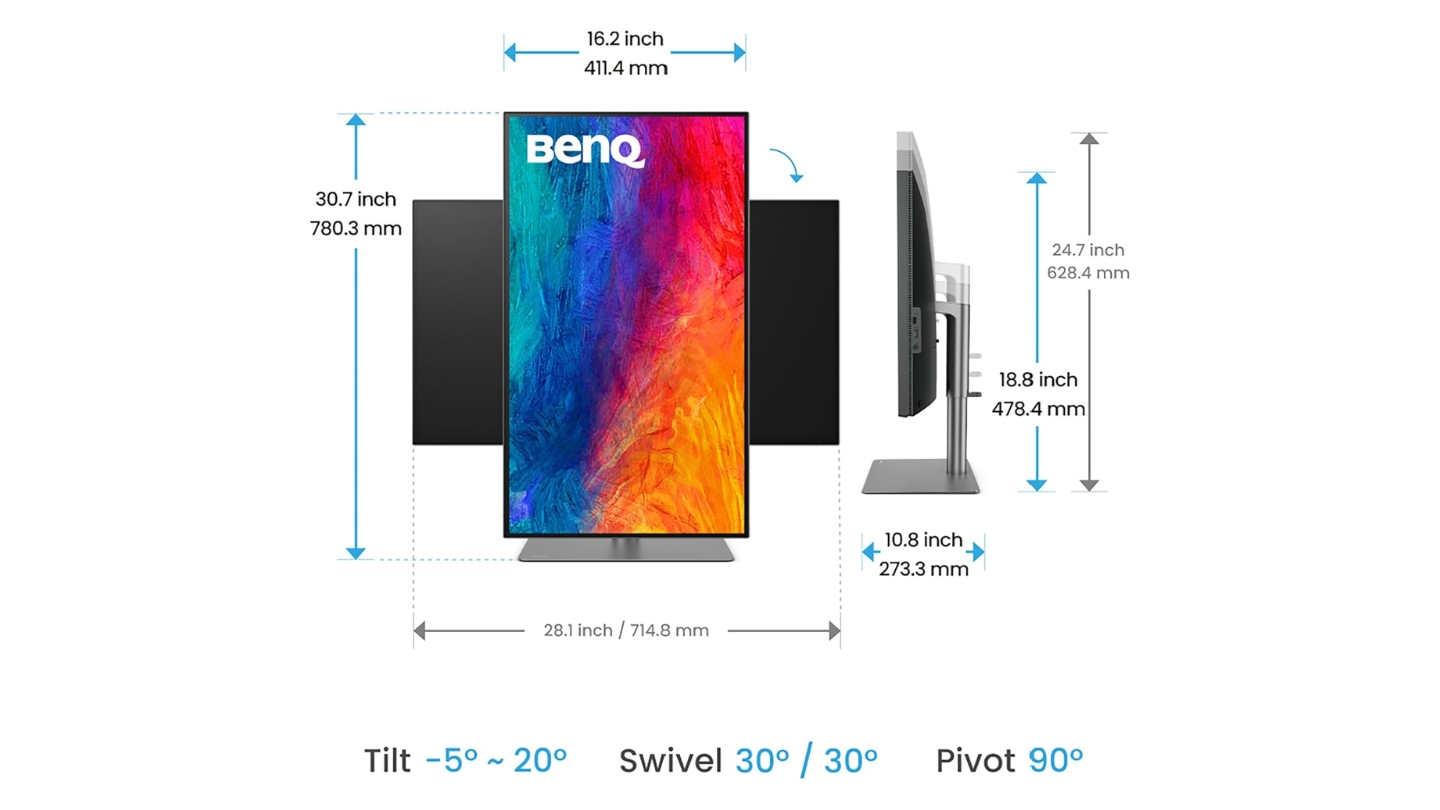
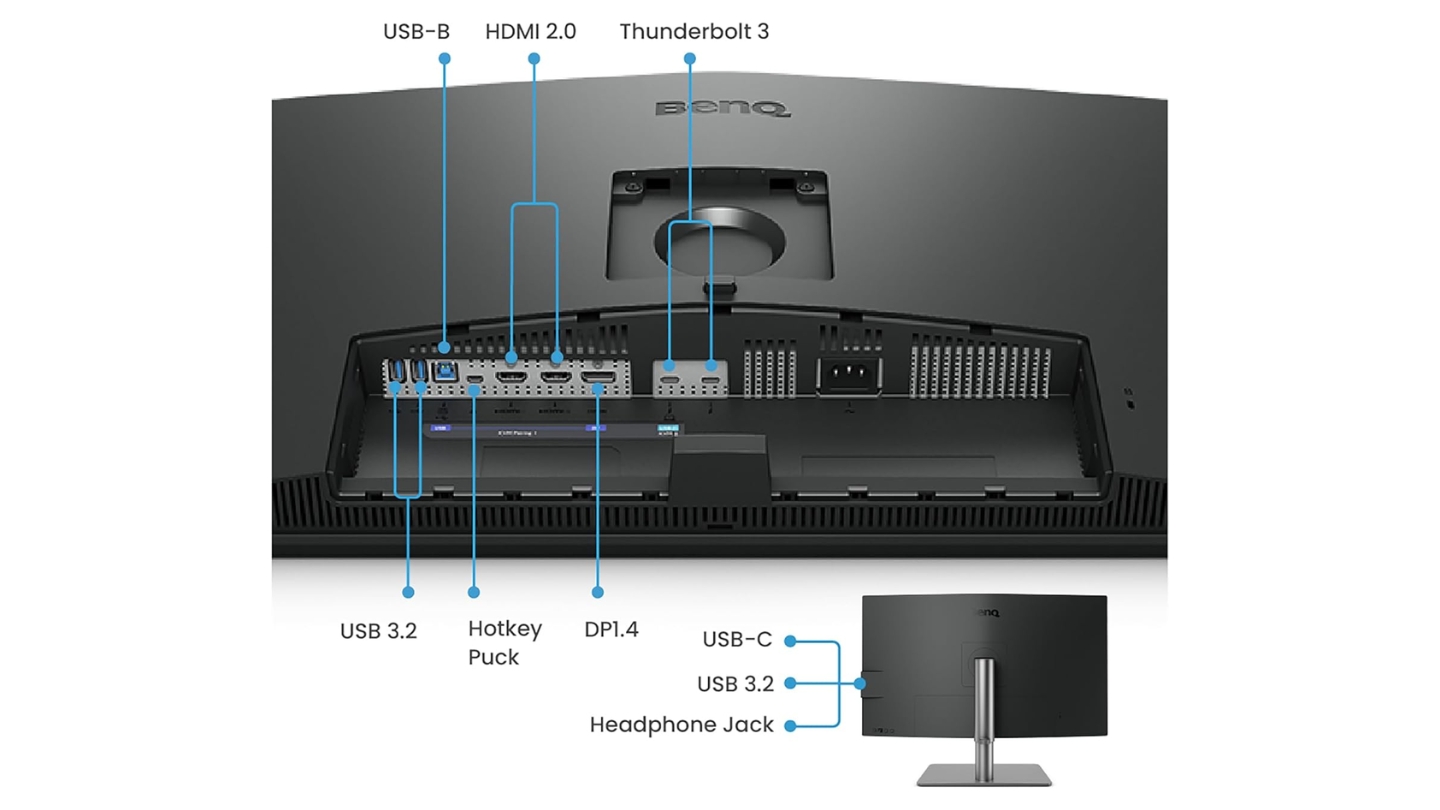
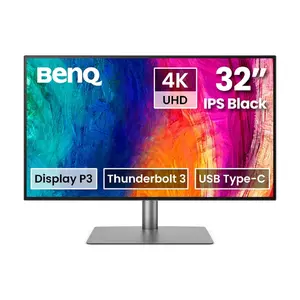
The BenQ PD3225U targets Mac users through Display P3 color space optimization and Thunderbolt 3 connectivity matching Apple's ecosystem requirements. M-Book Mode synchronizes color output with MacBook Pro displays eliminating guesswork when switching between laptop and external screens. The 85W power delivery charges most MacBooks during operation maintaining battery levels through extended sessions.
IPS Black panel technology doubles contrast ratios compared to standard IPS reaching 2000:1 static measurements without requiring local dimming arrays. Shadow detail emerges cleanly during photo editing while highlights maintain separation. The anti-glare coating diffuses reflections without significantly impacting color vibrancy - positioning near windows remains practical unlike glossy alternatives demanding light control.
Pantone and SkinTone validation ensures accurate color reproduction for fashion photography and portrait work where precise skin tone matching determines professional acceptance. Calman verification provides independent confirmation of factory calibration meeting broadcast standards. The included Hotkey Puck G2 simplifies switching between color spaces and input sources without navigating nested OSD menus.
Daisy-chaining capability extends workflows across dual 4K displays through single Thunderbolt connection though Apple Silicon M1/M2 chips lack native multi-monitor support limiting this feature to Pro/Max/Ultra variants. Display Pilot 2 software enables quick color matching between monitors and laptops through ICCsync eliminating profile mismatches. KVM functionality switches keyboard and mouse control between connected computers streamlining hybrid workstation setups.
The 400 nit peak brightness suits controlled studio environments but struggles against direct sunlight streaming through large windows. HDR400 certification provides minimal dynamic range expansion - expect subtle improvements rather than dramatic HDR impact. For serious HDR work requiring 1000+ nit highlights, consider monitors with proper local dimming instead.
Pros:
- IPS Black 2000:1 contrast improved
- Thunderbolt 3 85W Mac optimized
- Pantone SkinTone validation included
- KVM switch dual PC control
- Daisy-chain dual 4K support
Cons:
- 400 nit brightness limited HDR
- No local dimming backlight
Summary: BenQ PD3225U excels in Mac-centric workflows through thoughtful ecosystem integration and color science validation. The combination of IPS Black contrast improvement, Thunderbolt 3 single-cable connectivity, and Display P3 optimization creates seamless transitions between MacBook and desktop work without profile mismatches or charging interruptions.
ASUS ProArt Display 32" HDR Monitor Review
Best Overall
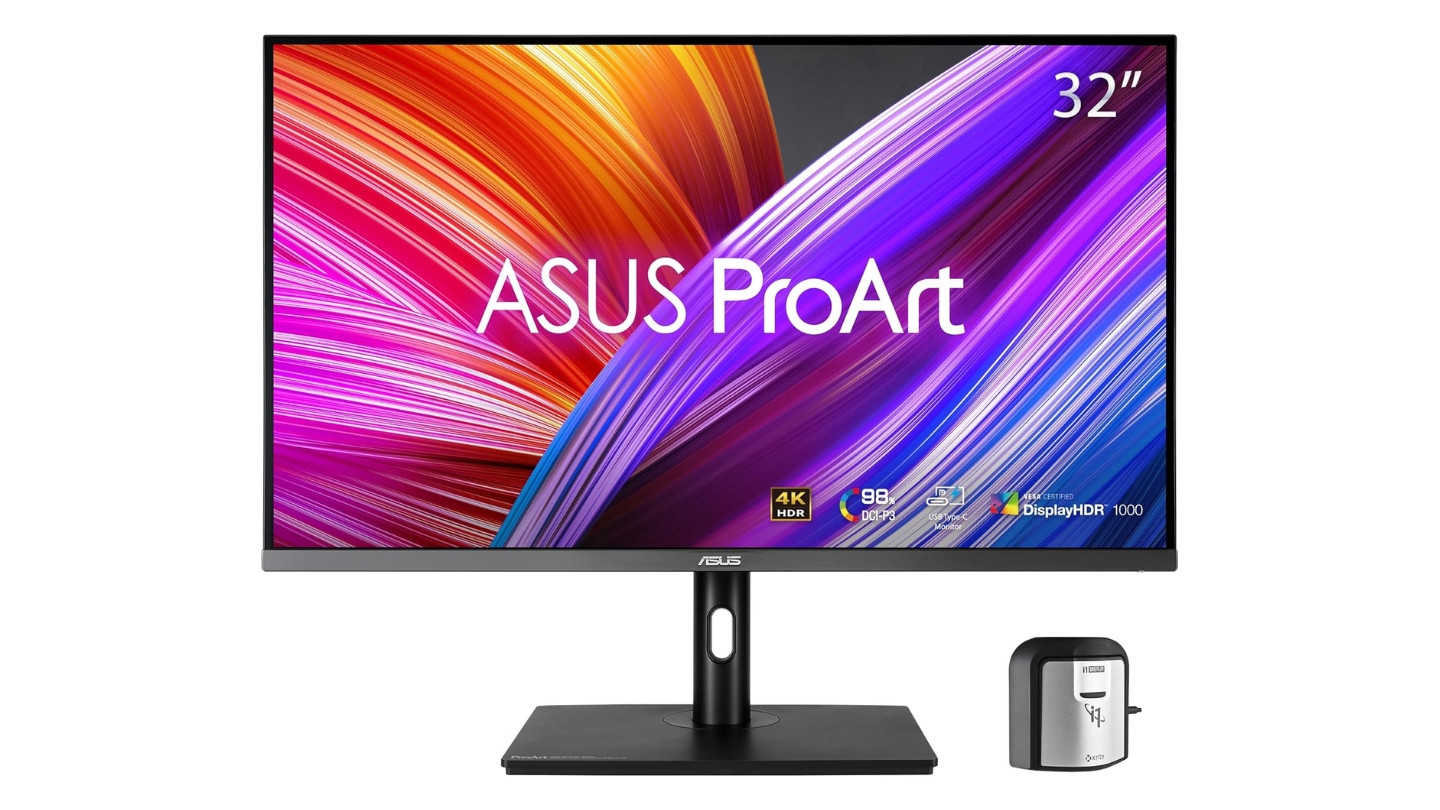
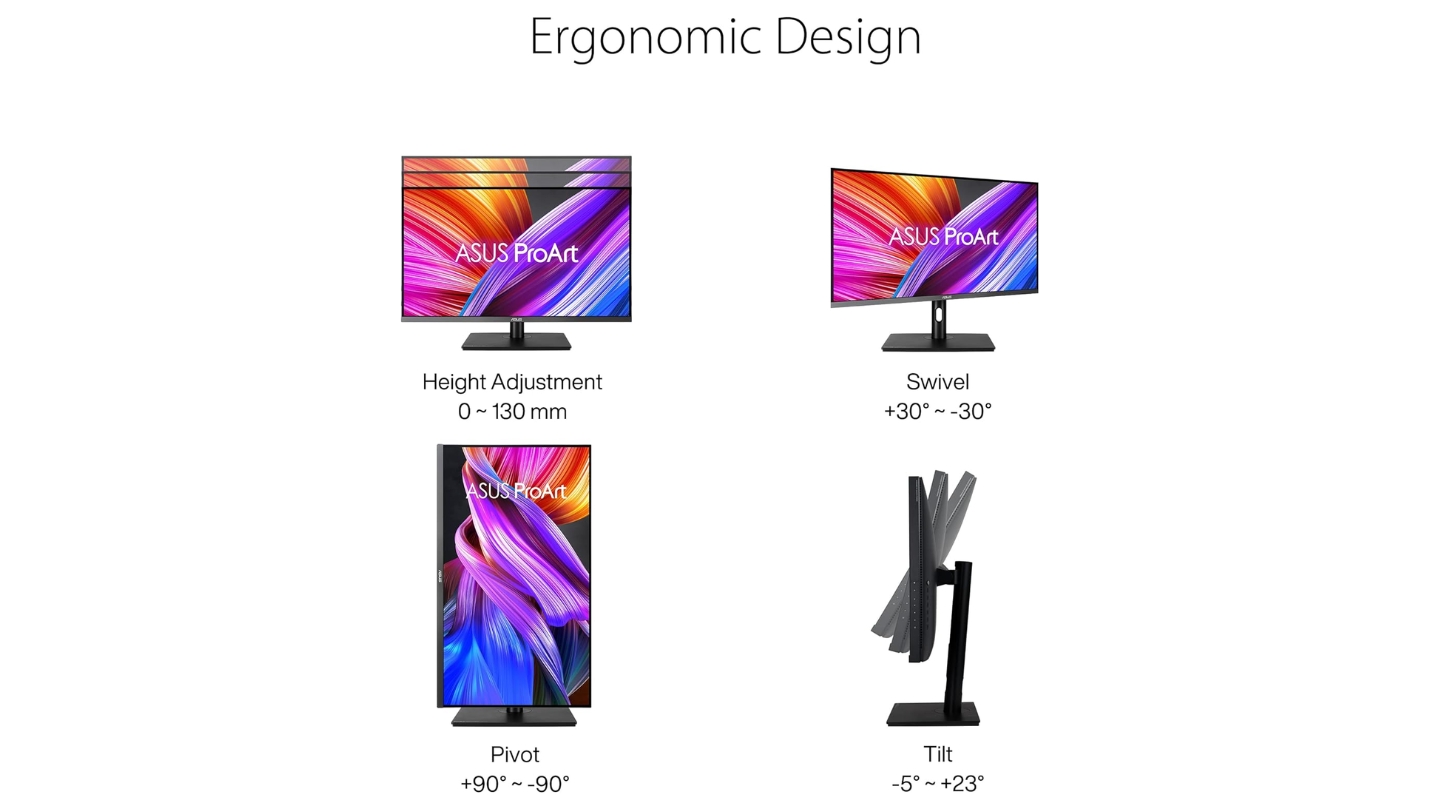
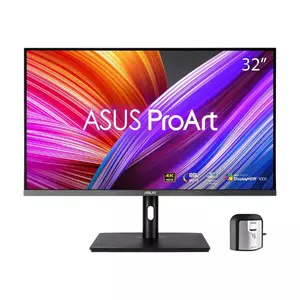
The ASUS ProArt PA32UCR-K implements 576-zone Mini-LED backlighting achieving 1,000 nit peak brightness and DisplayHDR 1000 certification. The quantum dot layer expands color gamut to 99.5% Adobe RGB and 98% DCI-P3 covering both print photography and cinema workflows without switching monitors.
Smart HDR technology automatically detects content format applying appropriate tone curves for HDR10 and HLG broadcasts. Multiple PQ curve options including Hard Clip, Optimized, and Basic accommodate different mastering approaches. HDR Preview mode allows monitoring final output while working within SDR timelines essential for mixed-format deliverables. The local dimming algorithm adapts zone brightness frame-by-frame preventing bloom around high-contrast edges.
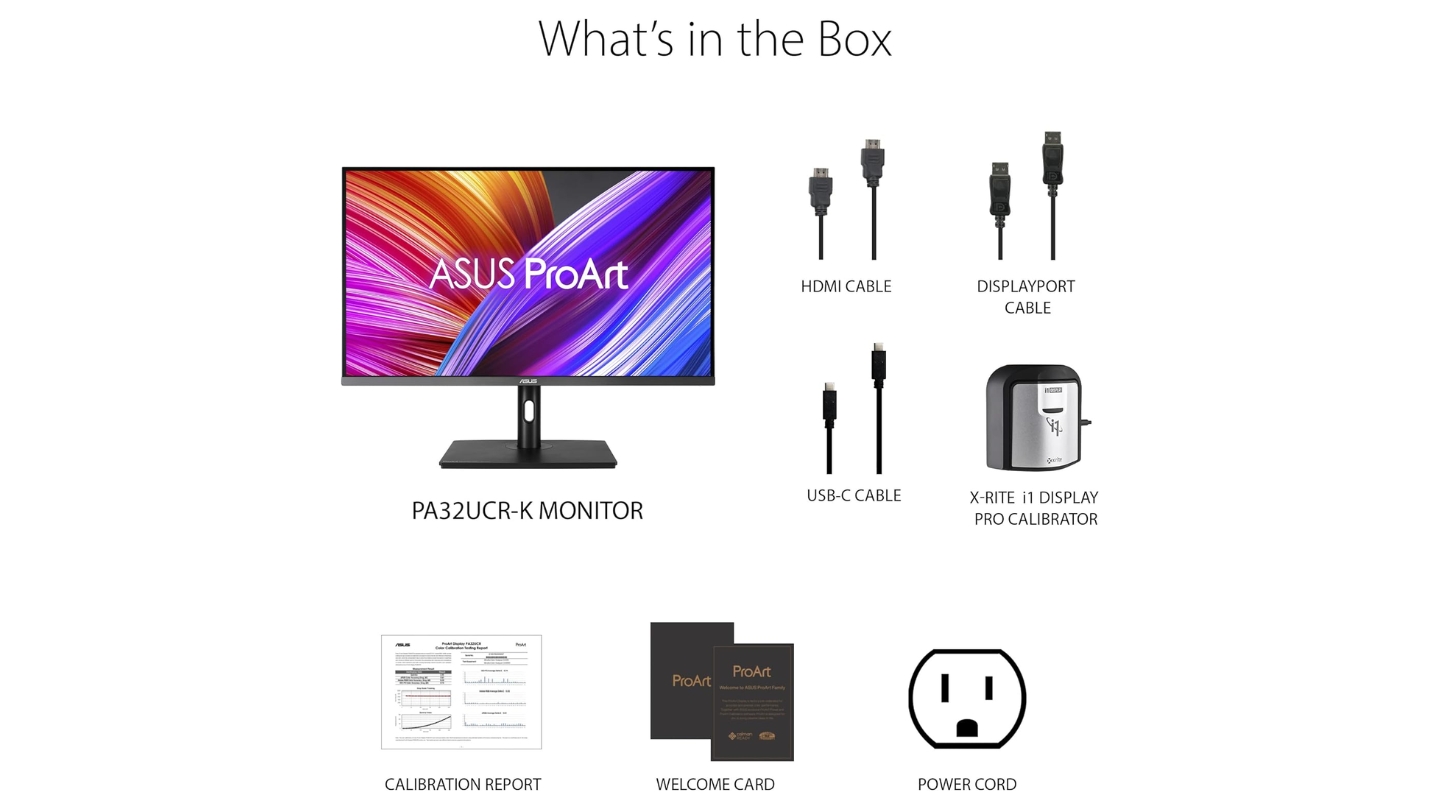
Hardware calibration through ProArt Calibration software writes correction data directly into monitor lookup tables maintaining accuracy across system changes and application updates. The bundled X-Rite i1 Display Pro colorimeter enables periodic recalibration without additional hardware purchases. Third-party calibration software including Calman and ColourSpace CMS integrate seamlessly for facilities standardizing across multiple displays.
ProArt Palette provides flexible color adjustments including six-axis hue control and gamma curves from 1.8 to 2.6 accommodating different viewing environment requirements. Quick preset switching between sRGB, Adobe RGB, DCI-P3, Rec.2020, and DICOM modes adapts instantly to project requirements. The uniformity compensation feature corrects manufacturing variations maintaining consistent output across entire screen surface.
Connectivity limitations include HDMI 2.0 rather than 2.1 restricting console gaming to 120Hz maximum and missing Thunderbolt integration requiring separate power adapters for laptop charging. Three HDMI inputs accommodate multiple source devices simultaneously though DisplayPort provides superior bandwidth for 4K 60Hz 10-bit output.
Pros:
- 1,000 nit Mini-LED peak brightness
- 576 zones local dimming control
- 99.5% Adobe RGB 98% DCI-P3
- Hardware calibration X-Rite included
- DisplayHDR 1000 certified
Cons:
- No Thunderbolt connectivity
- HDMI 2.0 limits console gaming
Summary: ASUS ProArt PA32UCR-K stands out for genuine HDR mastering capability through Mini-LED implementation. The 576-zone backlighting reaches 1,000 nit peaks enabling proper theatrical grading while quantum dot technology covers both cinema and print workflows through exceptional Adobe RGB and DCI-P3 gamut coverage verified through hardware calibration.
Dell UltraSharp U3223QE 31.5" 4K UHD Monitor Review
Connectivity King
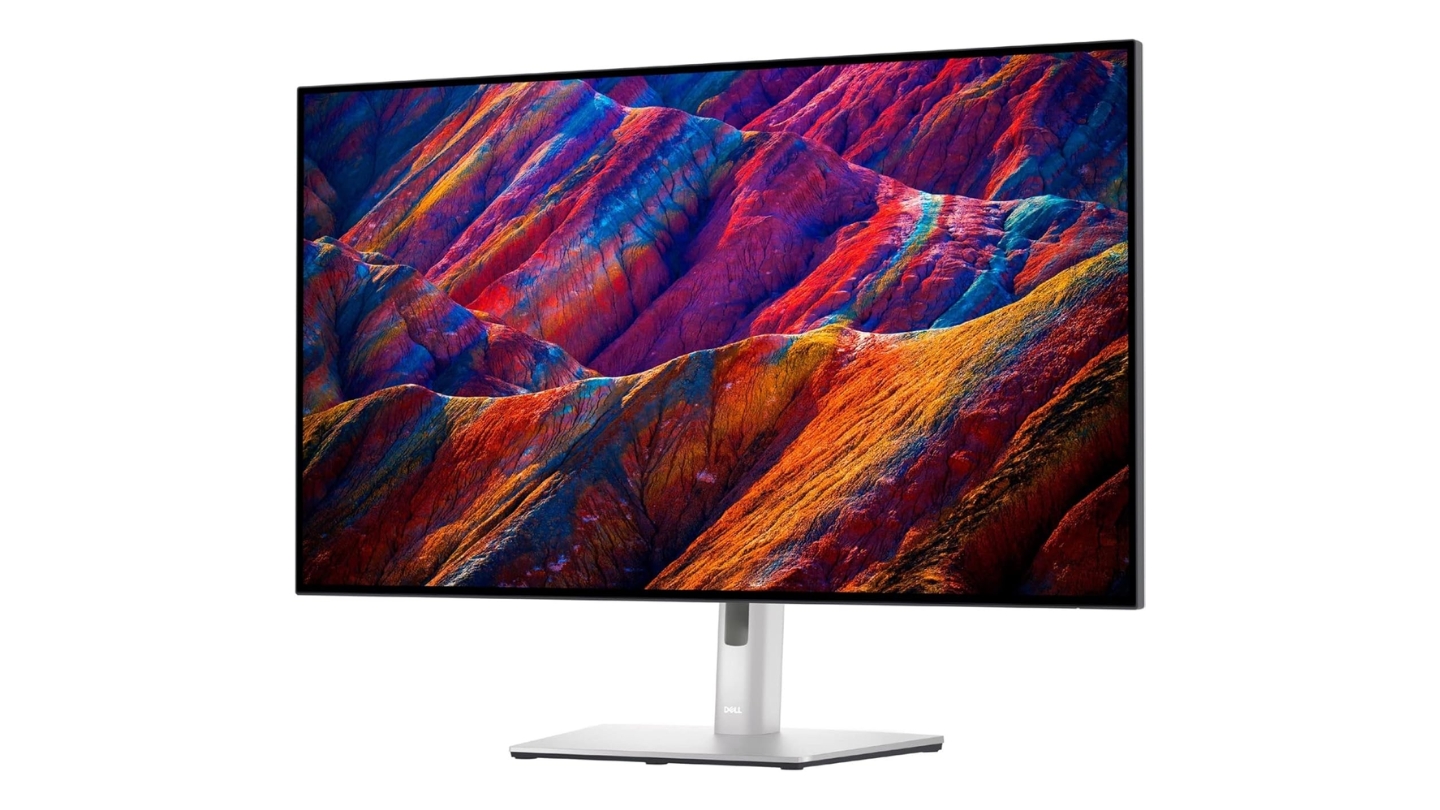
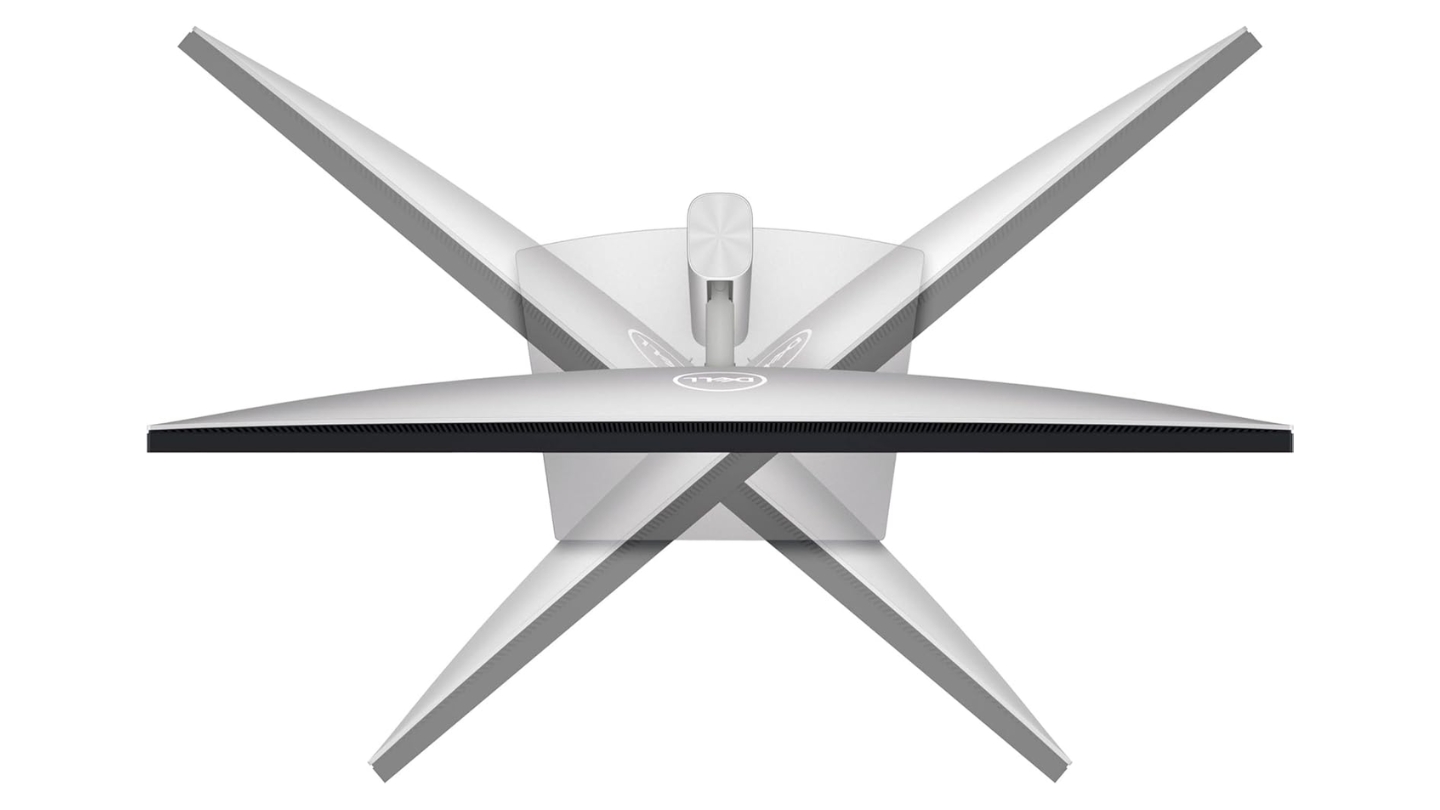
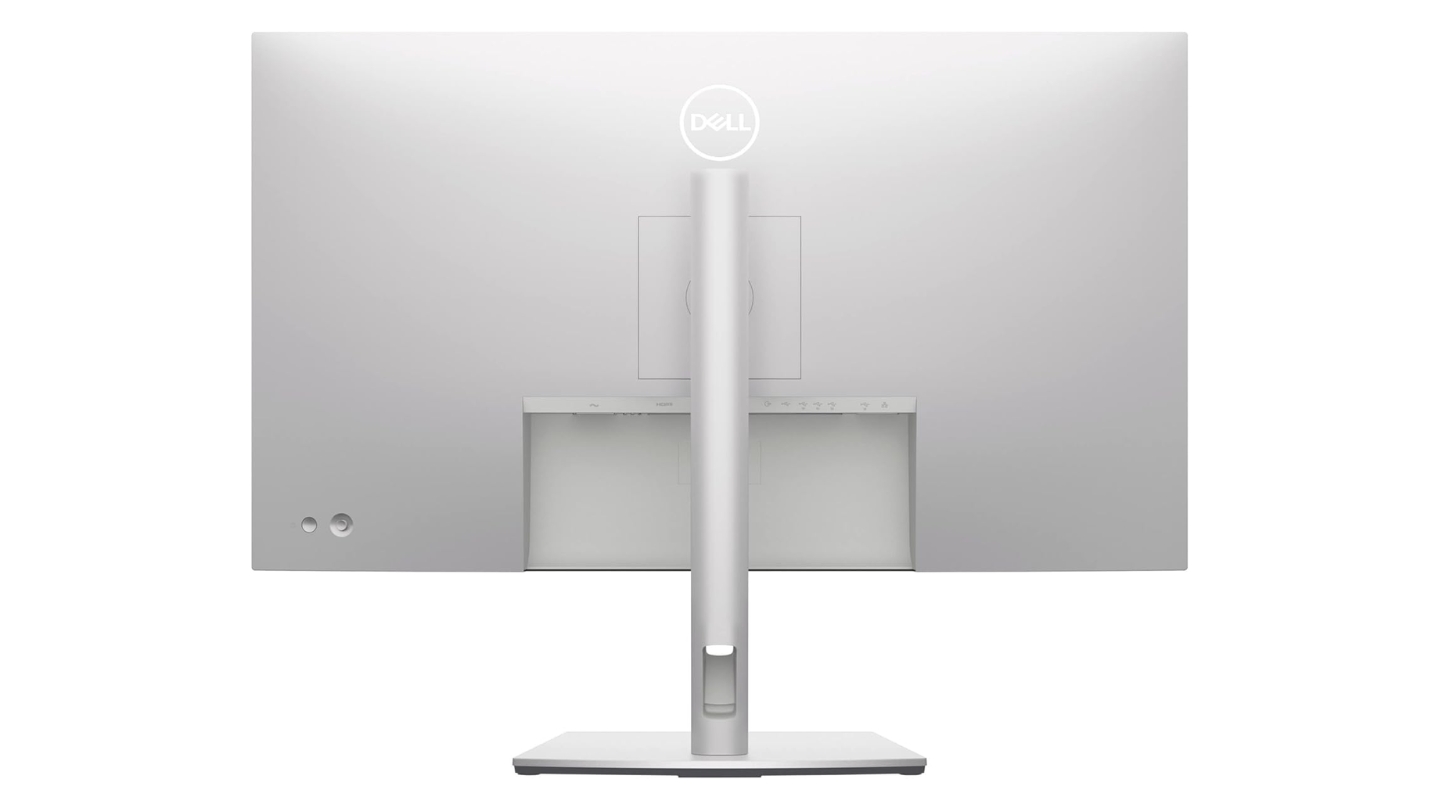
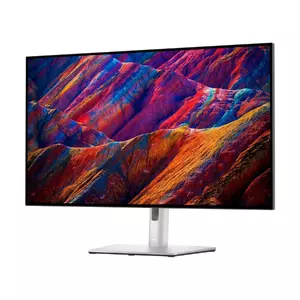
The Dell UltraSharp U3223QE functions as comprehensive docking station combining monitor and USB hub functionality. USB-C connection delivers 90W power alongside DisplayPort video and data transfers through single cable. Five USB-A 3.2 ports accommodate peripherals and storage devices. Integrated Ethernet jack provides network connectivity eliminating wireless reliability concerns during large file transfers.
IPS Black technology achieves 2000:1 contrast ratio matching BenQ's implementation improving shadow detail and black depth compared to standard IPS displays. The 98% DCI-P3 color gamut suits video editing and motion graphics work. Factory calibration targets accuracy though lacking independent verification from Pantone or Calman leaving exact Delta E measurements unspecified.
KVM switch functionality controls dual computers from single keyboard and mouse eliminating peripheral switching during workflow transitions. DisplayPort output enables daisy-chaining additional 4K displays extending workspace through Display Stream Compression maintaining full resolution. Picture-by-Picture mode displays two input sources simultaneously facilitating cross-platform comparison work.
The tool-less stand assembly simplifies setup while providing complete ergonomic adjustment including height, tilt, swivel, and pivot functionality. Cable management channels route connections through stand arm maintaining clean desk aesthetics. VESA 100x100mm mounting accommodates monitor arms for users preferring alternative positioning.
HDR400 certification provides minimal dynamic range improvement beyond SDR output. The edge-lit backlight lacks local dimming creating uniform brightness across entire panel preventing true HDR highlights. Peak brightness reaches 450 nits during HDR mode though sustained fullscreen output drops considerably. For serious HDR grading requiring proper zone control, look elsewhere.
Pros:
- Comprehensive USB-C docking station
- KVM switch dual PC control
- Five USB-A ports Ethernet
- IPS Black 2000:1 contrast
- Daisy-chain 4K displays
Cons:
- HDR400 minimal dynamic range
- No local dimming backlight
Summary: Dell UltraSharp U3223QE transforms traditional monitor functions by integrating comprehensive docking station capabilities. The extensive connectivity including five USB ports, Ethernet, and 90W power delivery alongside KVM switching eliminates separate hub purchases while IPS Black technology delivers respectable contrast for mixed productivity and creative workflows.
LG 32EP950-B 32" Ultrafine OLED Pro Display Review
Contrast Champion
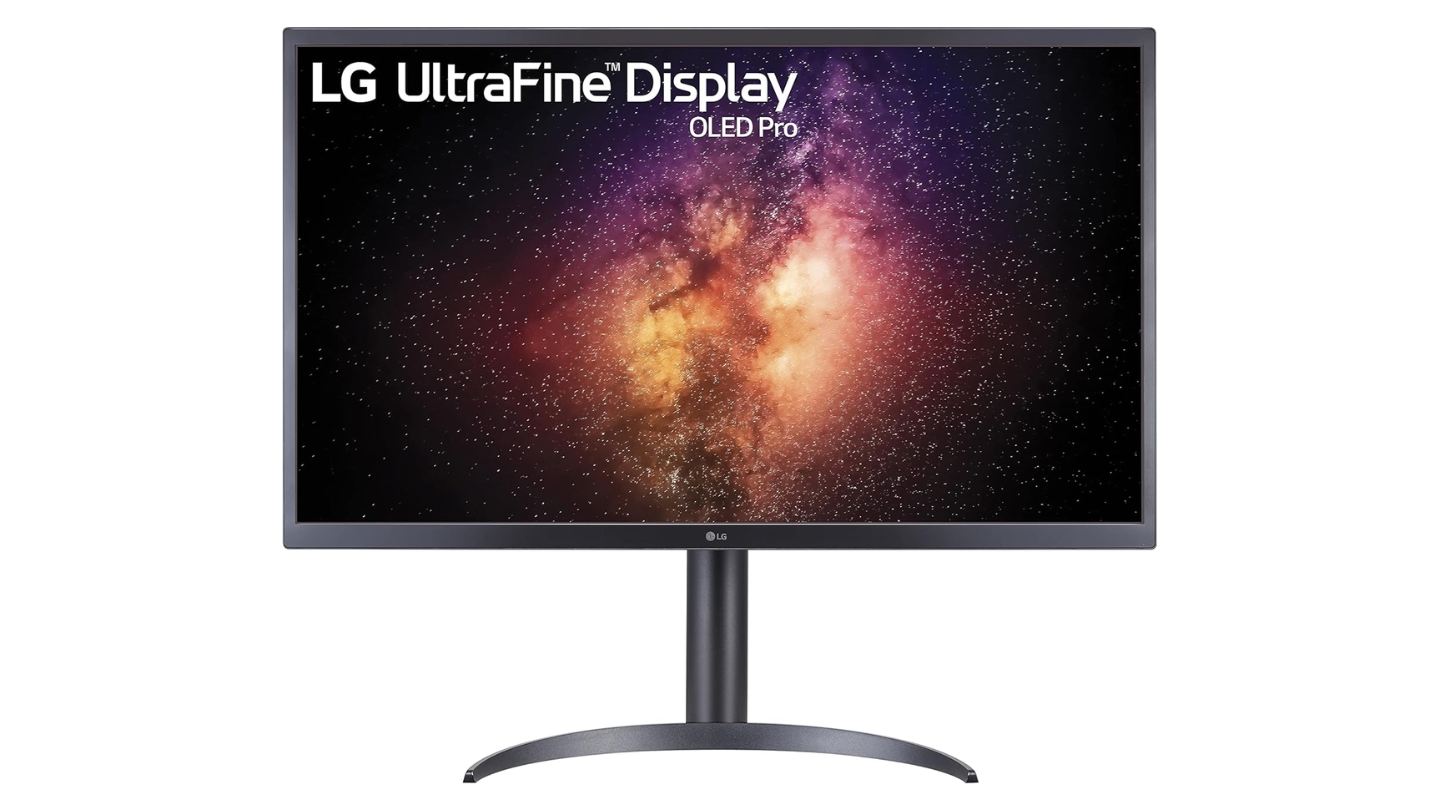
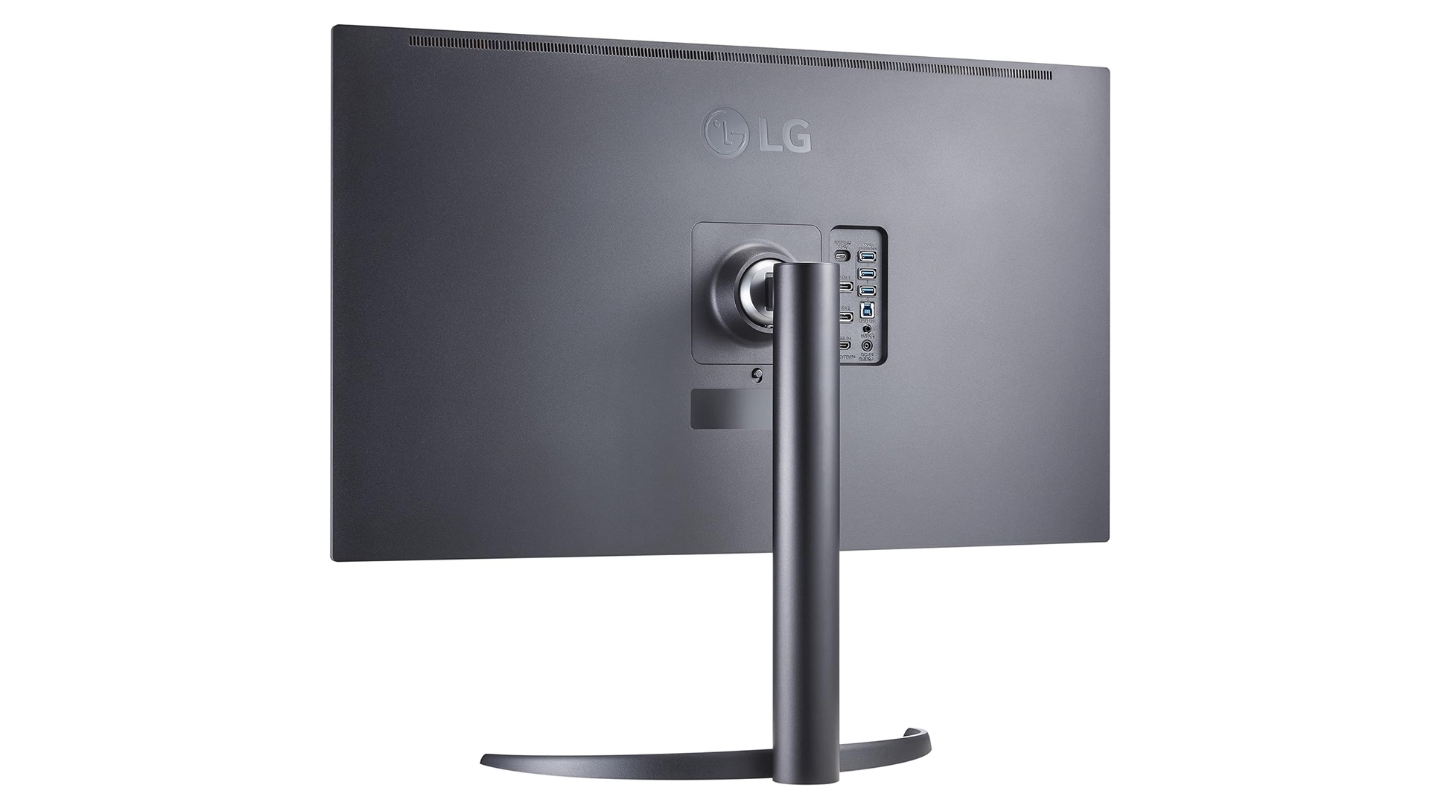
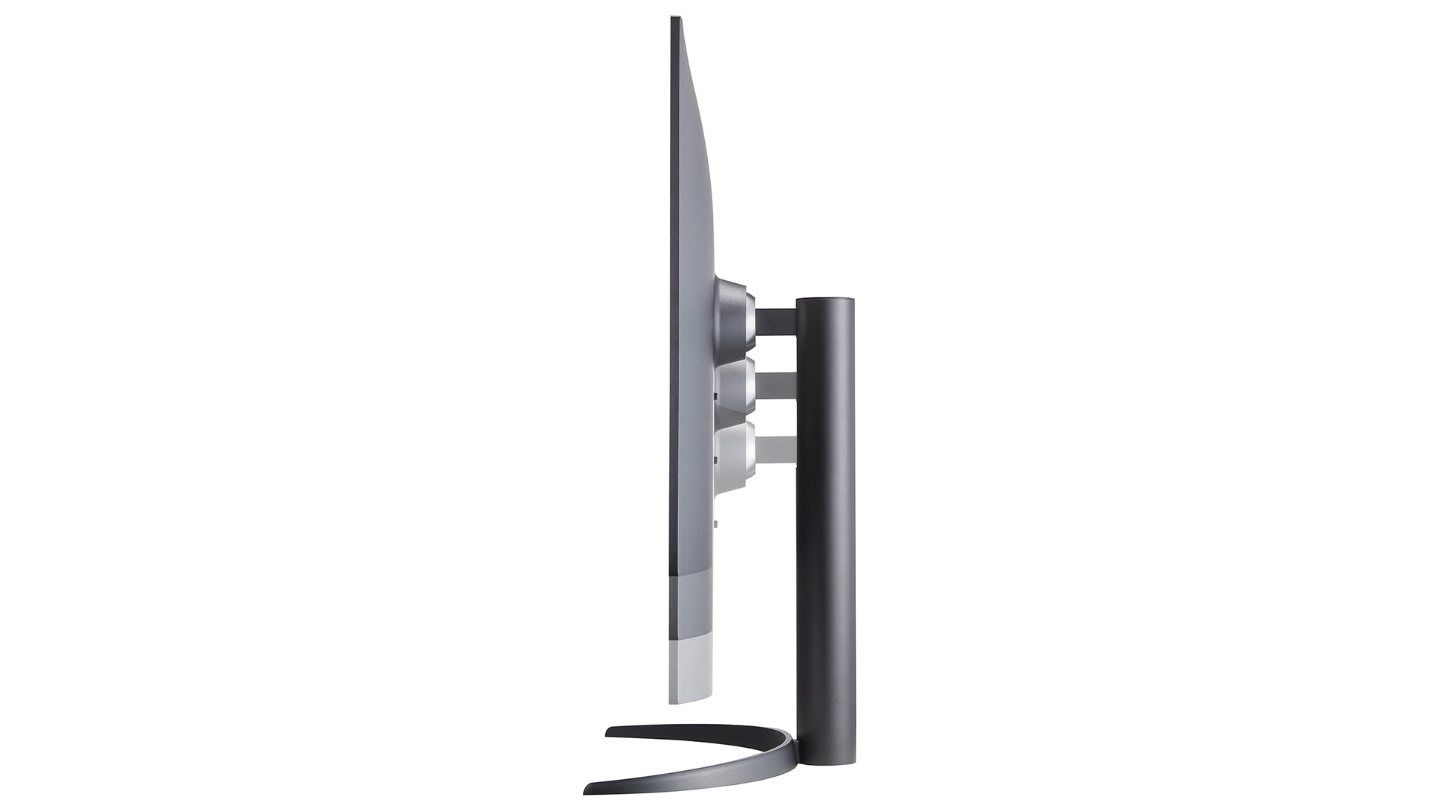
The LG 32EP950-B implements true OLED technology providing per-pixel brightness control and infinite contrast ratios impossible on backlit displays. Perfect blacks reveal shadow detail without crushing while highlights pop against dark backgrounds. The 1,000,000:1 contrast ratio isn't marketing exaggeration - measurements confirm OLED's fundamental advantage over LCD technology.
Pixel Dimming technology individually controls all 8.3 million pixels eliminating blooming and halo artifacts plaguing even premium Mini-LED implementations. High-contrast scenes display cleanly without compromise. The 99% DCI-P3 and Adobe RGB color gamut coverage handles cinema and print workflows interchangeably.
Hardware calibration support maintains long-term accuracy through periodic adjustments accounting for panel aging. Multiple HDR modes including HDR10, HLG, and broadcast-specific profiles accommodate different production requirements. The 540 nit peak brightness suffices for mastering though falling short of theatrical presentation levels requiring 1000+ nit highlights.
OLED burn-in concerns remain legitimate for workflows displaying static interface elements continuously. Screen savers activate automatically during idle periods. Pixel shift technology moves image slightly preventing retention. Warranty coverage addresses burn-in issues though replacing panels disrupts production schedules. For applications mixing video editing with extensive UI work, consider Mini-LED alternatives trading some contrast for longevity.
Connectivity includes dual DisplayPort 1.4, HDMI, and USB-C with 90W power delivery. The USB 3.1 hub provides three downstream ports for peripheral connections. The adjustable stand offers height, tilt, and pivot adjustments though missing swivel functionality compared to competitors. Response time reaches 1ms eliminating motion blur during playback review.
Pros:
- OLED perfect per-pixel control
- 1,000,000:1 infinite contrast
- 99% DCI-P3 Adobe RGB coverage
- No blooming halo artifacts
Cons:
- Burn-in risk static interfaces
- 540 nit peak brightness limited
Summary: LG 32EP950-B represents OLED's fundamental advantage in content creation through perfect per-pixel control delivering infinite contrast impossible on backlit displays. The technology eliminates blooming artifacts entirely while covering professional color spaces, though static interface workflows require careful consideration of long-term burn-in risks versus immediate image quality benefits.
ViewSonic VP2776T-4K 27 Inch 4K UHD Monitor Review
Thunderbolt Master
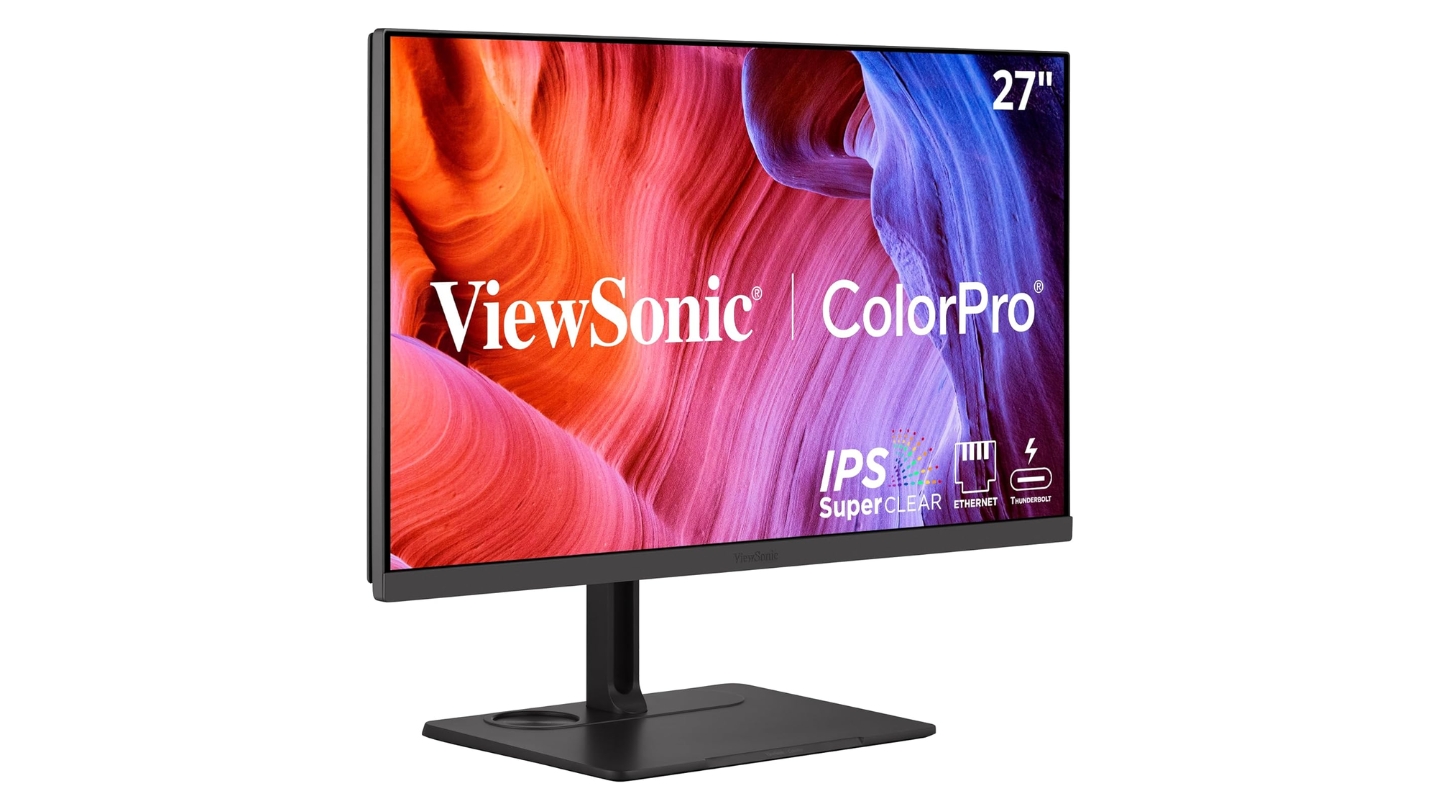
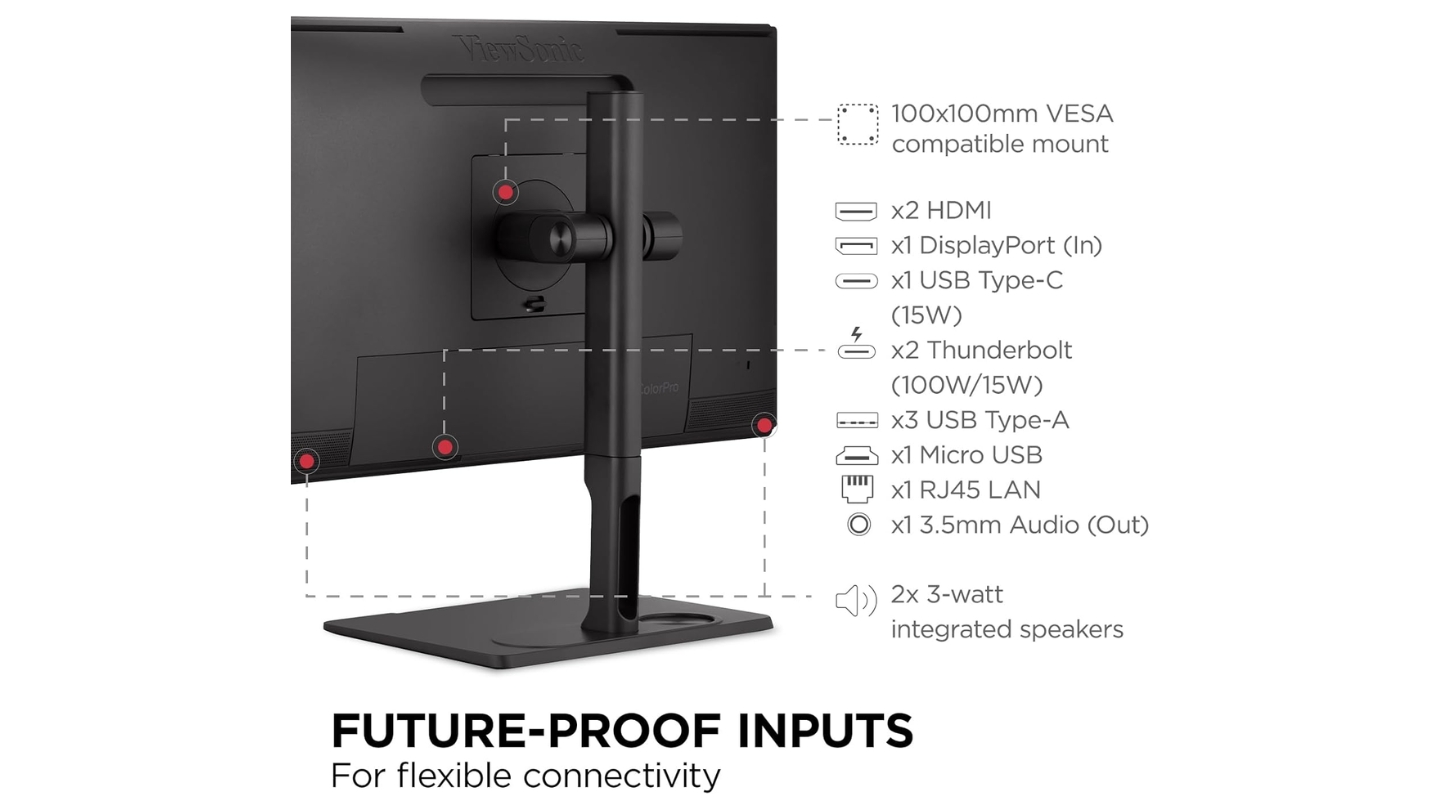
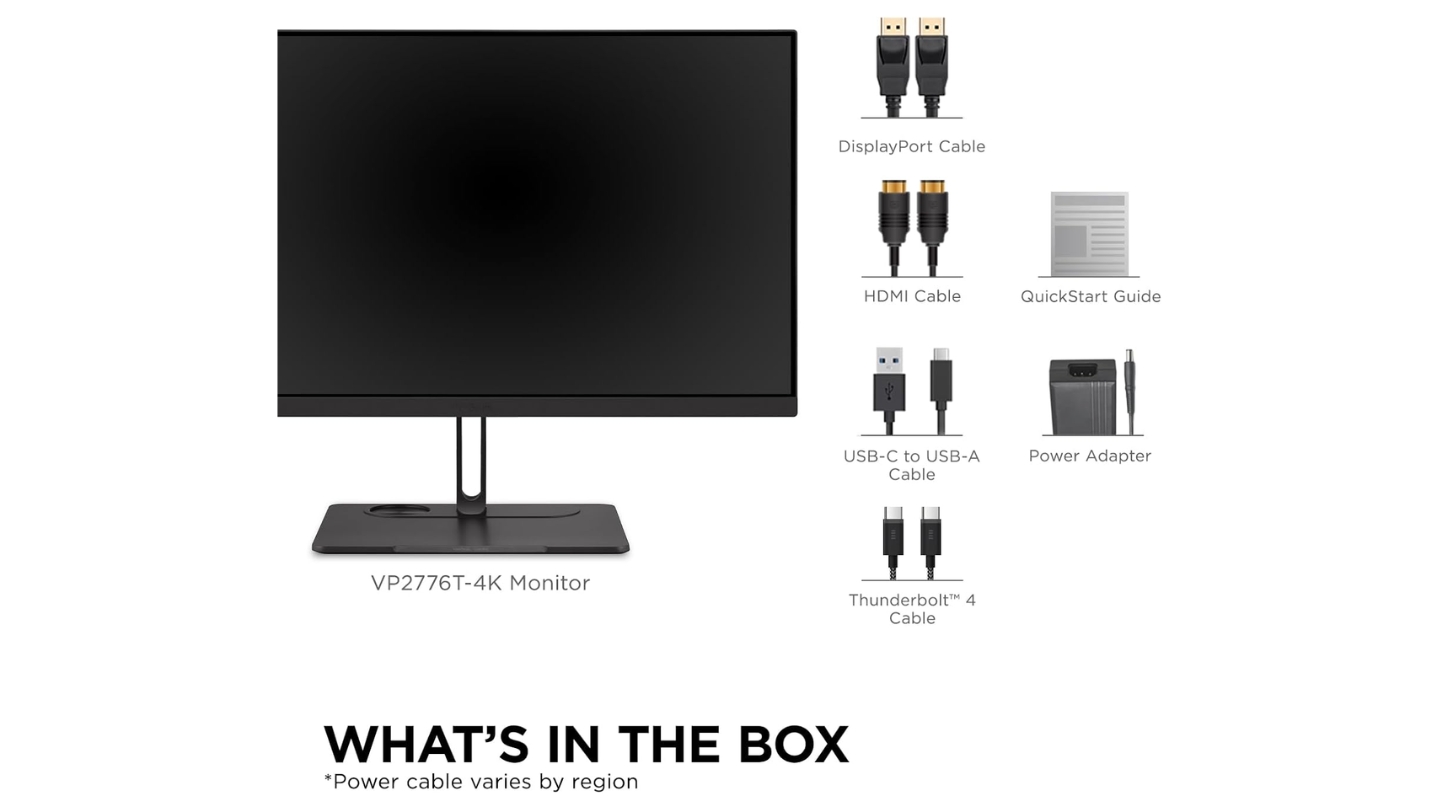
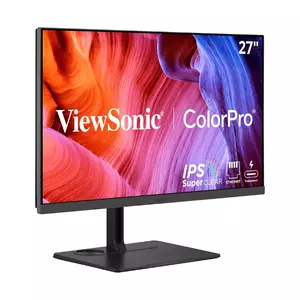
The ViewSonic VP2776T-4K delivers Thunderbolt 4 connectivity providing 40Gbps data transfers alongside 100W power delivery through dual ports. The upstream port charges laptops while downstream connection powers peripherals creating clean single-cable workstation setups. Daisy-chaining capability extends to dual 4K displays at 60Hz maintaining full resolution across expanded workspace.
Comprehensive docking functionality includes dual HDMI 2.1, DisplayPort 1.4, USB-C, and 2.5GbE Ethernet supporting complete peripheral ecosystems. The integrated USB hub accommodates storage devices, graphics tablets, and input devices without reaching behind the display. This connectivity density rivals dedicated docking stations eliminating separate hardware purchases.
IPS Black panel achieves 2000:1 contrast ratio improving shadow detail over standard IPS implementations. The 98% DCI-P3 and 100% sRGB coverage handles video and web content workflows. Pantone validation ensures accurate color reproduction matching industry standards.
ColorPro Wheel included accessory enables hardware calibration through Colorbration+ software supporting X-Rite and Datacolor devices. The physical dial simplifies adjustment access compared to button-based OSD navigation. HDR400 certification provides basic dynamic range though 400 nit peak brightness limits HDR impact compared to DisplayHDR 1000 alternatives.
The 27-inch screen size suits users preferring higher pixel density at 4K resolution maintaining sharp text rendering without scaling adjustments. For extensive spreadsheet work or multi-window layouts, 32-inch alternatives provide more usable workspace. Eye ProTech+ features including flicker-free backlighting and blue light filtering reduce eye strain during extended editing sessions.
Pros:
- Thunderbolt 4 100W power delivery
- Comprehensive docking station features
- Pantone validated color accuracy
- ColorPro Wheel hardware calibration
- 27-inch higher pixel density
Cons:
- HDR400 limited dynamic range
- 27-inch smaller workspace
Summary: ViewSonic VP2776T-4K prioritizes connectivity density through Thunderbolt 4 implementation delivering professional transfer speeds alongside comprehensive peripheral integration. The 27-inch format provides higher pixel density at 4K resolution while maintaining professional color accuracy through Pantone validation and hardware calibration capabilities suited for compact workspace requirements.
HDR Monitor: Frequently Asked Questions
Does HDR really matter for photo editing?
HDR significantly benefits photographers delivering prints or creating content for HDR-capable platforms. Traditional SDR displays compress dynamic range forcing compromises between highlights and shadows. True HDR monitors displaying 1000+ nit peaks reveal both simultaneously enabling proper exposure balancing. Photographers mastering for social media find standard displays adequate since most viewers lack HDR capability.
What's the difference between DisplayHDR 400 and 1000?
DisplayHDR 400 requires 400 nit sustained brightness providing minimal dynamic range expansion over SDR without demanding local dimming. DisplayHDR 1000 requires 1000 nit peak brightness with local dimming zones creating true HDR presentation. The practical difference appears dramatically during grading - DisplayHDR 400 offers subtle improvements while DisplayHDR 1000 transforms highlight handling and shadow separation. For professional color grading, target DisplayHDR 600 minimum, preferably 1000.
Should I choose OLED or Mini-LED for content creation?
OLED provides perfect per-pixel control eliminating blooming and achieving infinite contrast but sacrifices peak brightness and risks burn-in from static interfaces. Mini-LED reaches higher brightness levels suitable for HDR mastering while avoiding burn-in concerns though introducing minor halo artifacts. Choose OLED for video-focused workflows minimizing static UI elements. Select Mini-LED for mixed work including extensive interface time or requiring maximum brightness.
How important is hardware calibration?
Hardware calibration writes correction data directly into monitor lookup tables maintaining accuracy regardless of system configuration changes. Software-only calibration stores profiles within operating systems risking inconsistency across applications and updates. For mission-critical color work delivering to clients, hardware calibration eliminates variables. Monitors providing hardware calibration tools with bundled colorimeters justify premium pricing through long-term accuracy maintenance.
What connectivity do I actually need?
Thunderbolt 3/4 simplifies laptop workflows combining video, data, and charging through single cables while enabling daisy-chaining additional displays. DisplayPort 1.4 maintains full 4K 60Hz 10-bit output essential for professional grading. USB-C with DisplayPort Alt Mode accommodates modern laptops though power delivery ratings determine charging capability - target 90W+ for professional machines. Integrated USB hubs and Ethernet jacks reduce desktop clutter streamlining workstation setups.
Can I trust factory calibration?
Factory calibration quality varies dramatically between manufacturers. Monitors including individual calibration reports with measured Delta E values provide transparency verifying performance. Pantone validation and Calman certification indicate independent verification meeting industry standards. Premium options from BenQ, ASUS, and ViewSonic consistently deliver sub-2 Delta E performance straight from boxes.
How much brightness do I need for HDR work?
Professional HDR grading requires 1000 nit peak brightness matching theatrical presentation standards. Broadcast work targeting 600 nit mastering displays needs monitors reaching similar levels. Content destined for mobile viewing displaying at 400-600 nits allows lower-brightness monitors though limiting dynamic range previewing. For serious cinema work target DisplayHDR 1000 certification, broadcast creators manage with DisplayHDR 600.
What about burn-in with OLED monitors?
OLED burn-in occurs when static interface elements display continuously causing permanent image retention. Modern implementations include pixel shift, automatic screen savers, and logo dimming mitigating risks. Video editing workflows minimizing static UI elements prove relatively safe while extensive Photoshop or 3D modeling work displaying toolbars continuously accelerates burn-in. Assess workflow patterns - predominantly timeline-based work suits OLED while UI-heavy applications warrant Mini-LED alternatives.
Choosing Your HDR Monitor
Professional content creation demands displays matching your specific production environment and delivery requirements. Cinema colorists working with theatrical presentations need the ASUS ProArt PA32UCR-K providing genuine HDR1000 performance through Mini-LED backlighting. Apple users benefit from the BenQ PD3225U integrating seamlessly with MacBook workflows through optimized color profiles and Thunderbolt charging. Teams managing multiple peripherals appreciate the Dell UltraSharp U3223QE functioning as complete docking hub. Editors prioritizing absolute contrast select the LG 32EP950-B delivering OLED's perfect blacks despite burn-in risks. Compact studios favor the ViewSonic VP2776T-4K packing Thunderbolt 4 into 27-inch footprint.
Testing these monitors across commercial photography, documentary grading, and visualization projects revealed that real-world performance depends more on workflow integration than spec sheet numbers. Bright studios? Mini-LED dominance matters. Collaborative reviews? Wide viewing angles prevent color shift. Laptop-centric work? Single-cable connectivity simplifies setup. Your ideal HDR monitor aligns with actual production patterns rather than whichever display markets the highest brightness claims.

Jeb here, your go-to geek for everything from video projection to the latest tech trends. As an avid outdoorsman, I enjoy using monoculars and binoculars for hunting, traveling, and birdwatching. Join me in exploring the cool, quirky side of technology!


