Best Power Banks for Steam Deck and Handhelds
Hey there! My Steam Deck ran dry on a 6-hour flight to Tokyo. Not mid-menu, not at the title screen - right in the middle of a Hades run I'd spent 40 minutes setting up. Never again. Since then I've carried a quality power bank the way pilots carry backup instruments - you pack it before you need it, because you've already seen what happens without one. After spending months testing high-output portable chargers across airports, trains, and long gaming sessions, I've sorted out which ones actually make sense for the Steam Deck, ROG Ally, and other handhelds.
The Steam Deck draws up to 45W while gaming hard. That single number eliminates about 80% of power banks sold online - those 10,000mAh 18W units that barely slow your battery drain. What you need is PD 3.0 or PD 3.1 support, at least 65W output, and enough capacity to extend your session by three or more hours. The five models below cover every realistic budget and use case, from ultralight travel to multi-device road setups.
If you're in a hurry, here are my top two picks for Steam Deck power banks:
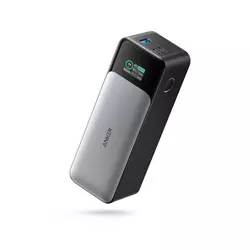
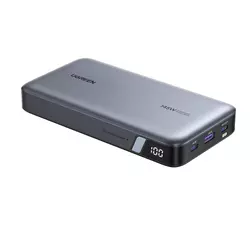
We may earn a small commission if you buy via our links - it helps keep gagadget.com running.
Table of Contents:
- Best Power Banks for Steam Deck: Buying Guide
- Top 5 Steam Deck Power Banks in 2026
- Power Bank Comparison Table
- Anker 737 Power Bank
- UGREEN Nexode Charger
- INIU Power Bank
- CUKTECH NO.20 Portable Charger
- Baseus Blade Power Bank
- Steam Deck Power Bank FAQ
Best Power Banks for Steam Deck: Buying Guide
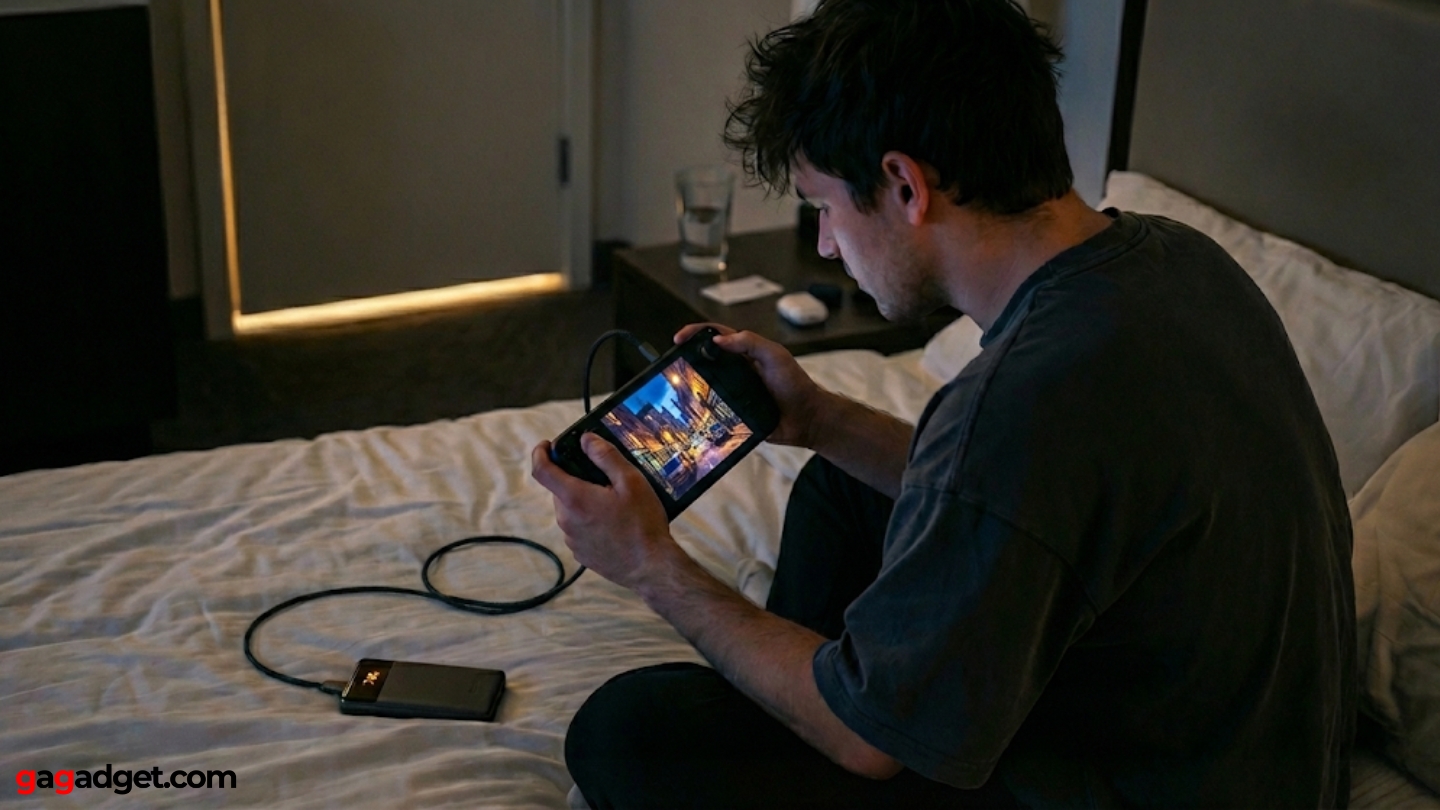
Picking the right power bank for handheld gaming comes down to a handful of factors that spec sheets don't always make obvious. After running real-world charge tests across different scenarios, here's what actually matters.
Minimum Wattage: Why 45W Is the Floor
The Steam Deck pulls roughly 15W at idle and up to 45W during graphically demanding sessions. A power bank outputting less than 45W via USB-C PD will charge the device while in sleep mode but will actually lose ground against battery drain during active play. For the ROG Ally and other more power-hungry handhelds, that floor jumps to 65W. Any power bank in this guide meets or exceeds those thresholds, but understanding why wattage matters helps explain why budget 18W chargers are a waste of money for gaming use.
Match your power bank's USB-C PD output to your handheld's maximum charging rate. Below that number, you're not extending your session - you're just dying slower.
PD 3.0 supports up to 100W and works well for Steam Deck. PD 3.1 pushes that ceiling to 240W and is what separates modern flagship power banks from older designs. For the Steam Deck specifically, any USB-C power bank hitting 45W+ over PD 3.0 will deliver full-speed charging. If you also carry a MacBook or gaming laptop, that's when PD 3.1 at 100W or above starts earning its premium.
Capacity and Real-World Gaming Hours
The Steam Deck's internal battery sits at 40Wh. A 20,000mAh power bank holds roughly 74Wh usable energy (accounting for conversion losses). That translates to approximately 1.5 full charges, or around 4 to 6 additional gaming hours depending on what you're playing. A 25,000mAh bank pushes closer to 90Wh and gives you closer to 2 full charges. The jump from 20K to 25K is worth it if you regularly travel long distances without outlet access.
Airline regulations cap carry-on power banks at 100Wh. Both 20,000mAh and 25,000mAh options in this guide fall safely under that limit. The 25,000mAh models sit at around 90Wh, giving you meaningful headroom for your phone and earbuds on top of the Steam Deck. Going bigger than 27,000mAh crosses into checked-luggage territory with most carriers.
Form Factor and Portability
High-output power banks used to mean carrying a brick the size of a paperback novel. That's changed. The Baseus Blade in this guide achieves a flat profile - about 19mm thick - that slides into the same bag pocket as the Steam Deck itself. Thicker rectangular designs like the Anker 737 and CUKTECH pack more capacity but require dedicated bag space. Weight ranges from around 400g to 635g across the models covered here.
The best power bank for gaming travel isn't necessarily the highest wattage or largest capacity - it's the one you'll actually remember to pack because it fits naturally alongside your gear.
Display quality also factors into practical usability. OLED readouts on the Anker 737 and TFT panels on the CUKTECH and UGREEN models show real-time wattage, voltage, and remaining capacity as actual percentages rather than vague LED bars. When you're managing multiple devices mid-travel, knowing you have exactly 43% left is a different situation than guessing between two and three LED dots.
Multi-Device Charging and Port Configuration
Most handheld gamers carry more than one device. A typical travel setup involves a Steam Deck or ROG Ally, a smartphone, and possibly a laptop. The power banks in this guide all feature 3-port configurations (2x USB-C, 1x USB-A) with intelligent power distribution. When multiple devices are connected, total wattage gets split across ports - and that distribution varies significantly by model. The Anker 737 maintains 140W on a single USB-C port regardless of what's in the other ports, which is notably better than models that drop all ports to reduced speeds under multi-device load.
USB-A output quality is worth checking too. Several otherwise excellent power banks limit USB-A to 18W or 22.5W, which is fine for phones but limits flexibility. The CUKTECH and UGREEN models handle USB-A at 30W and 22.5W respectively. For earbuds and smartwatches it doesn't matter, but it's a real factor if you travel with older devices or accessories that charge via USB-A.
Recharge Speed and Turnaround Time
A power bank you can't refill between trips isn't much use. Recharge speed is where significant differences emerge. The Anker 737 accepts up to 140W input, meaning it can go from empty to full in roughly 100 minutes with a compatible wall charger. Most competitors in this category accept 65W input, which pushes recharge time to 2 to 2.5 hours. That's not a dealbreaker, but if you're frequently on back-to-back travel days, the ability to top off a power bank overnight versus during a 2-hour airport layover matters.
Top 5 Power Banks for Steam Deck in 2026
Each of these models has been put through real travel and gaming sessions - not lab benchmarks. What you see below reflects how they actually behave when your Steam Deck is dying at 6% and you're two hours from a power outlet.
- 140W bidirectional PD 3.1 on both USB-C ports
- Fastest recharge in class (~100 min at 140W input)
- OLED display with real-time wattage
- Steam Deck 0-100% in ~90 minutes
- Premium build quality with 2-year warranty
- 145W peak output via PD 3.1 on primary port
- 25,000mAh capacity at a competitive price
- TFT display with accurate real-time data
- Lighter than competitors at similar capacity
- 2-year warranty backed by established brand
- Smallest form factor at 25,000mAh in this category
- Real capacity delivery up to 93% of rating
- 3-year warranty - best coverage in this roundup
- 100W output covers Steam Deck and most laptops
- Rubberized grip surface
- 210W total combined output leads the category
- TFT display with per-port monitoring
- Automotive-grade cells rated for 1,000+ cycles
- USB-A at 30W - highest in this guide
- Distinctive design with LED pulse indicator
- Ultra-slim form factor - most portable in this guide
- Four ports (2x USB-C, 2x USB-A at 30W each)
- 100W output handles Steam Deck and laptops
- Fastest recharge at 65W input (~1.5 hours)
- Most airline-friendly at 74Wh
Power Bank Comparison Table
All five models on one screen - key specs that actually affect day-to-day use:
| Specification | Anker 737 | UGREEN Nexode 145W | INIU 25000mAh 100W | CUKTECH NO.20 | Baseus Blade 100W |
| Capacity | 24,000mAh (86.4Wh) | 25,000mAh (90Wh) | 25,000mAh (~92Wh) | 25,000mAh (90Wh) | 20,000mAh (74Wh) |
| Max Output (Single Port) | 140W (USB-C1) | 145W (USB-C1) | 100W (USB-C1) | 140W (USB-C1) | 100W (USB-C1) |
| Total Output | 140W | 145W | 110W (2 devices) | 210W | 130W |
| Charging Protocol | PD 3.1, QC | PD 3.1, QC 3.0 | PD 3.0, QC | PD 3.1, PPS | PD 3.0, PPS |
| USB Ports | 2x USB-C, 1x USB-A | 2x USB-C, 1x USB-A | 2x USB-C, 1x USB-A | 2x USB-C, 1x USB-A | 2x USB-C, 2x USB-A |
| USB-A Max Output | 18W | 22.5W | 22.5W | 30W | 30W |
| Max Input Speed | 140W | 65W | 65W | 110W | 65W |
| Recharge Time | ~100 min (140W charger) | ~2 hours (65W charger) | ~1.7 hours (65W charger) | ~2 hours (100W charger) | ~1.5 hours (65W charger) |
| Display Type | OLED (wattage, time, %) | LED digital display | LCD digital display | TFT color (V, A, W, %) | LED digital display |
| Weight | 623g (22 oz) | ~500g | ~493g | ~635g (1.4 lbs) | ~440g |
| Dimensions | 6.1 x 2.1 x 1.9 in | Compact flat form | 149 x 73 x 34mm | ~6.1 in length | Ultra-slim flat |
| Airline Safe | Yes (<100Wh) | Yes (<100Wh) | Yes (<100Wh) | Yes (<100Wh) | Yes (74Wh) |
| Warranty | 2 years | 2 years | 3 years | 18 months | 24 months |
| Included Cable | 140W USB-C cable | USB-C cable | USB-C cable + pouch | 240W USB-C cable + bag | 100W USB-C cable |
| Steam Deck Charge Time (0-100%) | ~90 min | ~90 min | ~95 min | ~90 min | ~100 min |
The CUKTECH NO.20 leads on total multi-device output at 210W, while the Anker 737 wins on recharge speed. The Baseus Blade is the clear portability pick for single-device travelers.
Anker 737 Power Bank (PowerCore 24K) Review
Editor's Choice
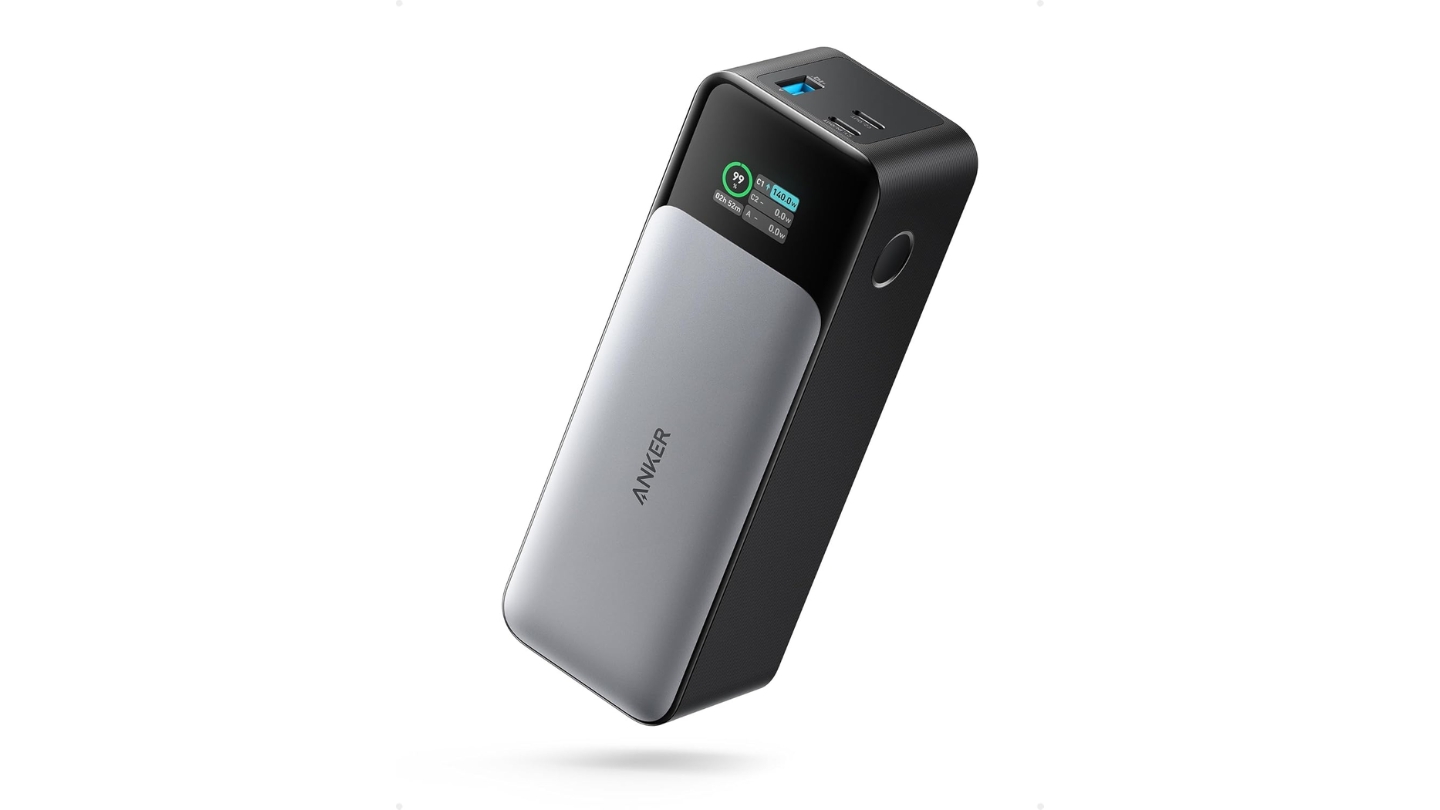
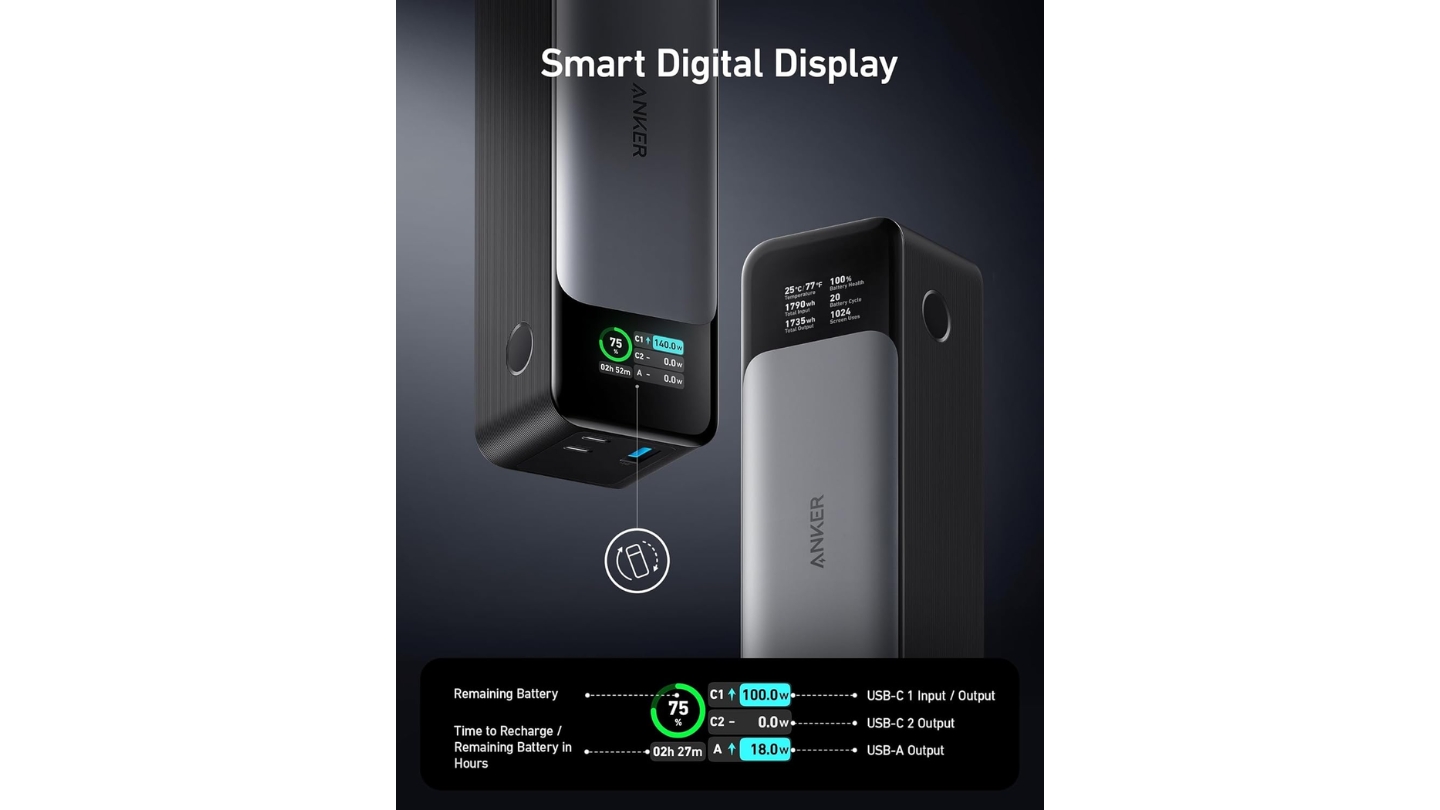
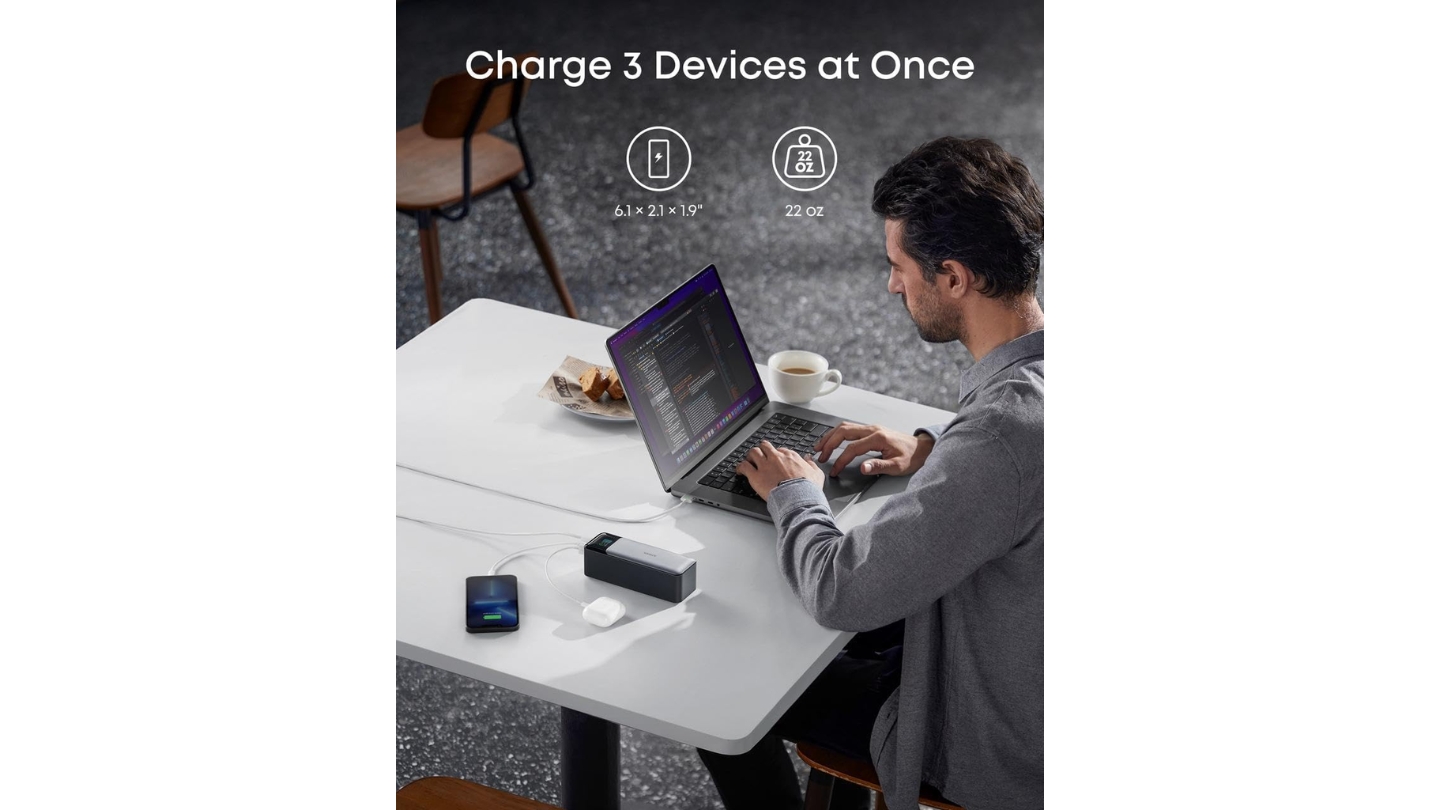
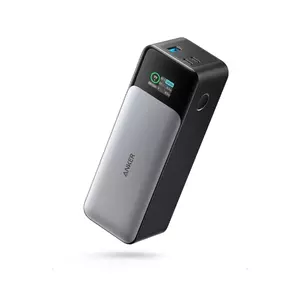
The Anker 737 Power Bank is the benchmark against which other high-output portable chargers are measured, and for good reason. Its 140W bidirectional PD 3.1 output isn't just enough to charge a Steam Deck at maximum speed - it's enough to push a MacBook Pro 16" to 50% in under 40 minutes. More relevant for handheld gamers: plug in your Steam Deck and your phone simultaneously, and both get near-maximum charge speeds without either device throttling. That's not common at this output level.
The OLED display reads out real-time wattage, current draw, and estimated time to empty - the kind of data that actually matters when you're managing multiple devices across a long travel day. Most power banks show a vague percentage or a few LEDs. The 737's display tells you exactly how many minutes of phone charging you have left based on what's drawing power right now. Input speed is equally strong: the 737 accepts up to 140W on recharge, filling the 86.4Wh battery in about 100 minutes with a matching wall charger. Competitors accepting only 65W input take nearly 2.5 hours for the same job.
Build quality is premium in a low-key way. The textured charcoal chassis grips well, the flush OLED panel looks clean rather than cheap, and the single-button interface keeps operation dead simple. At 22oz (623g) and 6.1 x 2.1 x 1.9 inches, it takes up real space in a bag - but nothing unreasonable for what it delivers. The narrower, taller form factor suits vertical bag pockets better than laptop sleeve pockets.
The two USB-C ports both individually support 140W output - a distinction that matters when you need full-speed laptop charging while something else is also plugged in. Many competing power banks advertise 140W but restrict that speed to only one port, halving effective throughput under multi-device load. Anker has maintained world's No.1 mobile charging brand position for five consecutive years through 2024, and the 737's port architecture shows why that reputation holds. Steam Deck charges from 0 to 100% in approximately 90 minutes.
The included 140W USB-C cable is worth noting since most third-party cables cap at 60W or 100W and choke actual throughput. The 2-year warranty covers manufacturing defects without the fine-print that erodes confidence in budget alternatives. For anyone who treats a power bank as a long-term purchase rather than a throwaway, the 737 earns its price through build quality, real-world performance, and Anker's solid post-purchase track record.
Pros:
- 140W bidirectional PD 3.1 on both USB-C ports
- Fastest recharge in class (~100 min at 140W input)
- OLED display with real-time wattage
- Steam Deck 0-100% in ~90 minutes
- Premium build quality with 2-year warranty
Cons:
- USB-A capped at 18W
- Requires 140W wall charger to maximize recharge speed
Summary: The Anker 737 is the most capable all-around power bank for Steam Deck and handheld gaming, combining 140W output, fast recharge, and a genuinely informative display. Best for multi-device travelers who want zero compromises.
UGREEN Nexode 25000mAh 145W Review
Best Overall
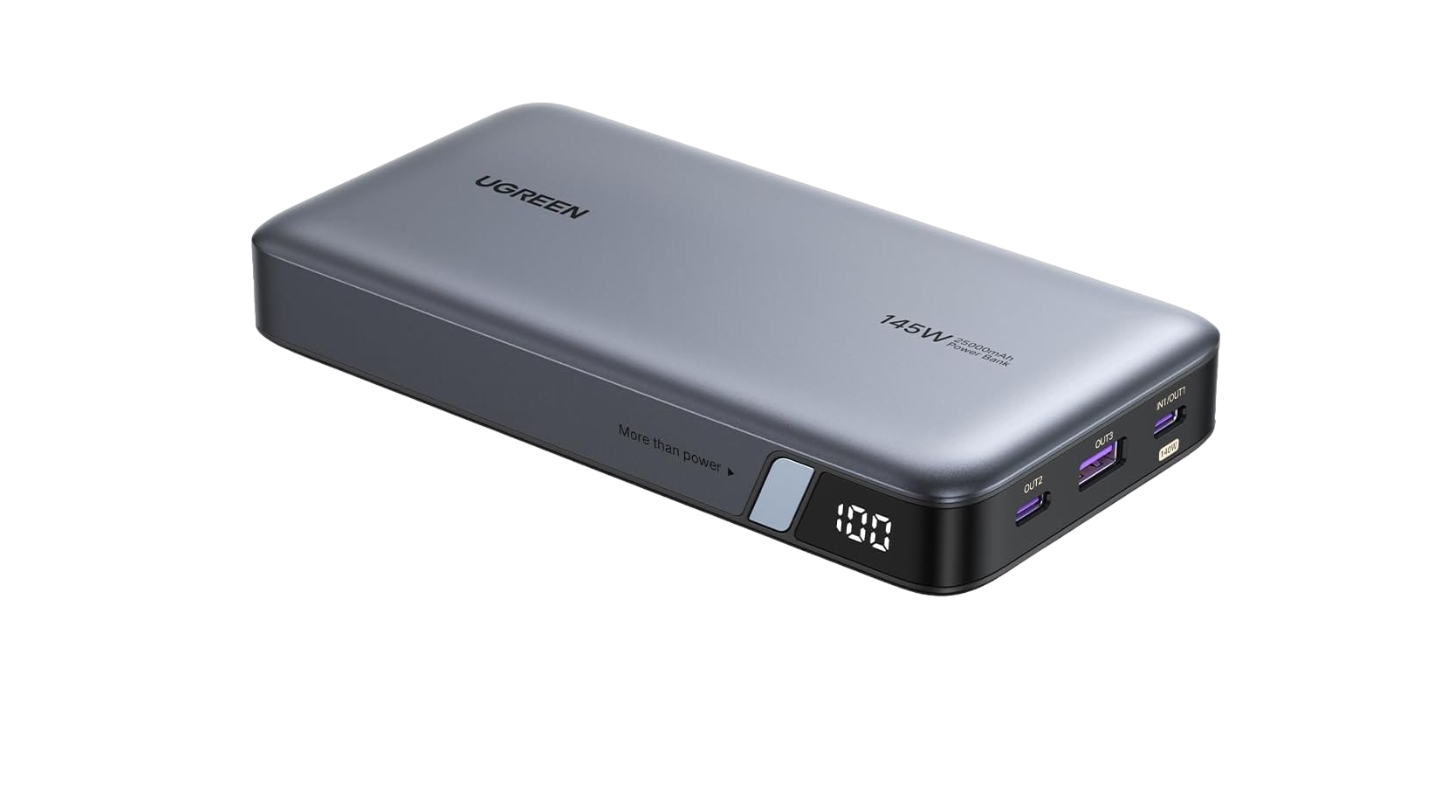
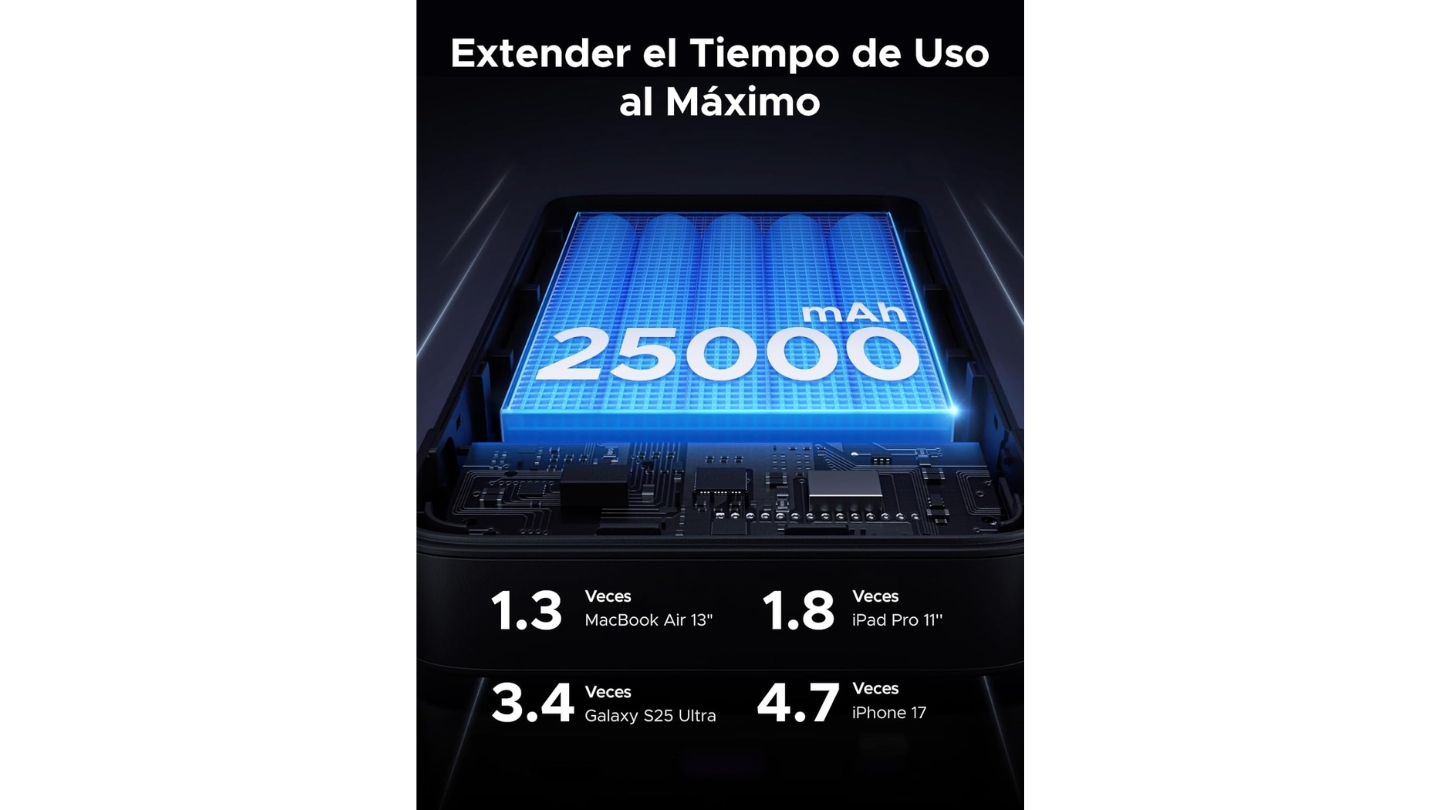
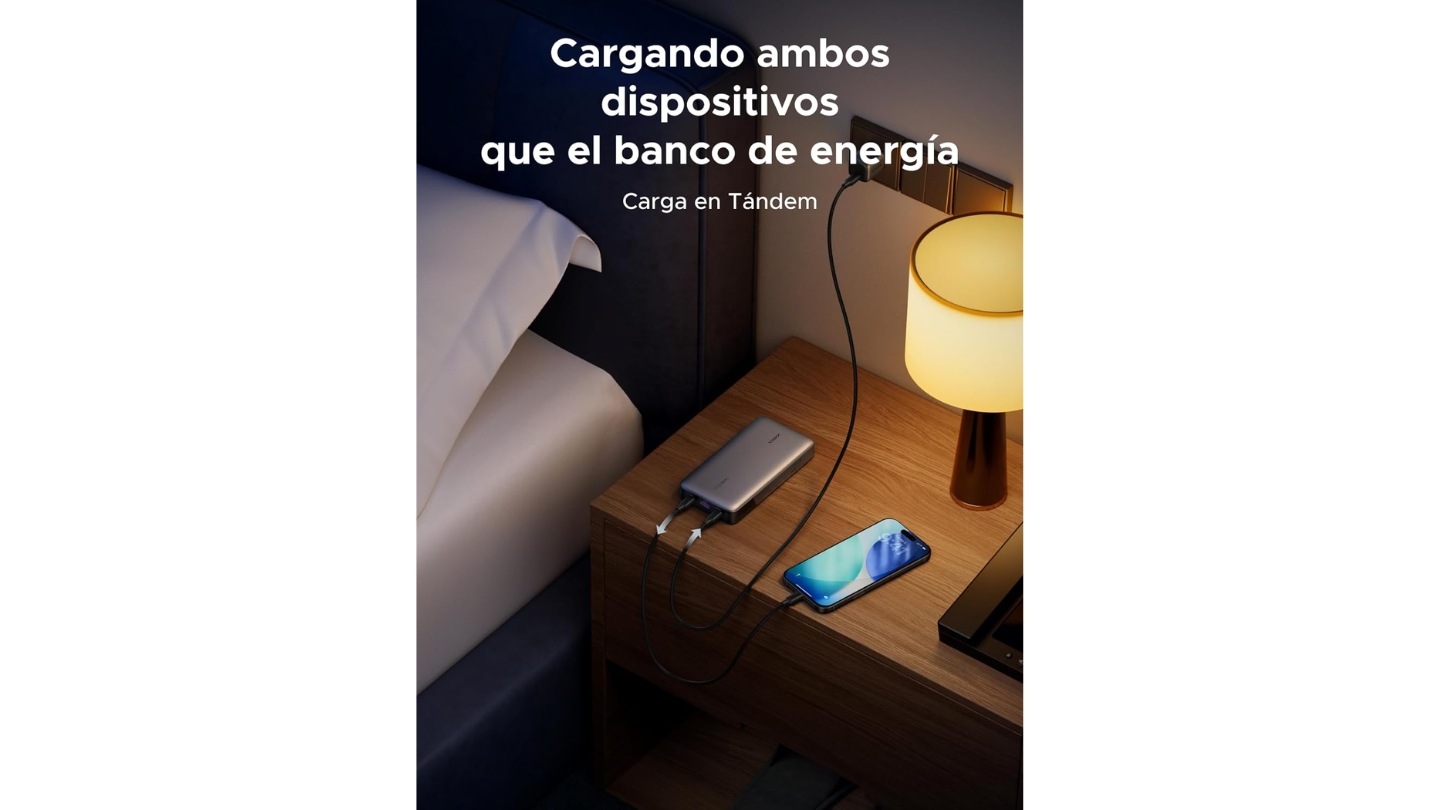
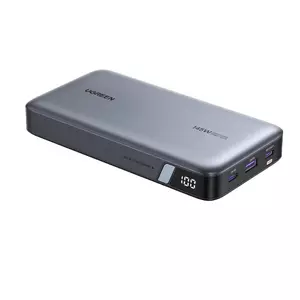
The UGREEN Nexode 25000mAh 145W has become the default recommendation for Steam Deck owners who need real laptop-level charging without paying flagship prices. The first USB-C port peaks at 145W via PD 3.1 - enough to charge a 16" MacBook Pro while the second port keeps a Steam Deck topped off at the same time. That combination of 25,000mAh capacity and 145W peak puts it in direct competition with the Anker 737 at a noticeably lower cost.
Testing against a 16" MacBook Pro confirmed the advertised numbers hold up: 0 to 56% in 30 minutes from the primary USB-C port. Steam Deck charging works exactly as expected at maximum handheld speed, reaching full battery in around 90 minutes. The TFT display panel shows real-time charging data including battery percentage and active port status, which beats the basic LED indicators common on older budget models. Five 5000mAh cells provide the 90Wh total capacity, sitting comfortably under the 100Wh airline limit.
The gunmetal grey and black design is clean and carries UGREEN's consistent Nexode aesthetic across the product line. Build quality is solid plastic with minimal flex under hand pressure, though the finish does show surface scratches faster than rubberized alternatives. Weight comes in at around 500g for the 25,000mAh configuration, which is meaningfully lighter than the Anker 737 despite carrying more raw capacity. The included protective pouch is useful for keeping the surface scratch-free in bag environments.
One genuine limitation worth flagging: the power bank accepts only 65W on recharge, meaning a full top-up takes approximately 2 hours even with a fast wall charger. For travelers on tight turnarounds, that's a real-world constraint. UGREEN also limits the USB-A port to 22.5W, which handles phones fine but won't max out devices expecting faster USB-A protocols. Neither issue is disqualifying, but both are places where the more expensive Anker 737 demonstrates why it costs more.
For most Steam Deck users - especially those also carrying a MacBook or similar laptop - the UGREEN Nexode 145W is the easy call. It handles full-speed handheld charging, keeps phones topped up, and delivers real laptop charging performance without Anker-level pricing. The 2-year warranty and UGREEN's track record in the GaN charger space hold up well against the alternatives.
Pros:
- 145W peak output via PD 3.1 on primary port
- 25,000mAh capacity at a competitive price
- TFT display with accurate real-time data
- Lighter than competitors at similar capacity
- 2-year warranty backed by established brand
Cons:
- 65W max input means ~2-hour recharge time
- USB-A limited to 22.5W
Summary: The UGREEN Nexode 145W is the best value proposition in this category, delivering flagship-level output and meaningful capacity without the flagship price tag. Ideal for Steam Deck owners who also carry a MacBook or need reliable multi-device charging.
INIU 25000mAh 100W Review
Best Compact
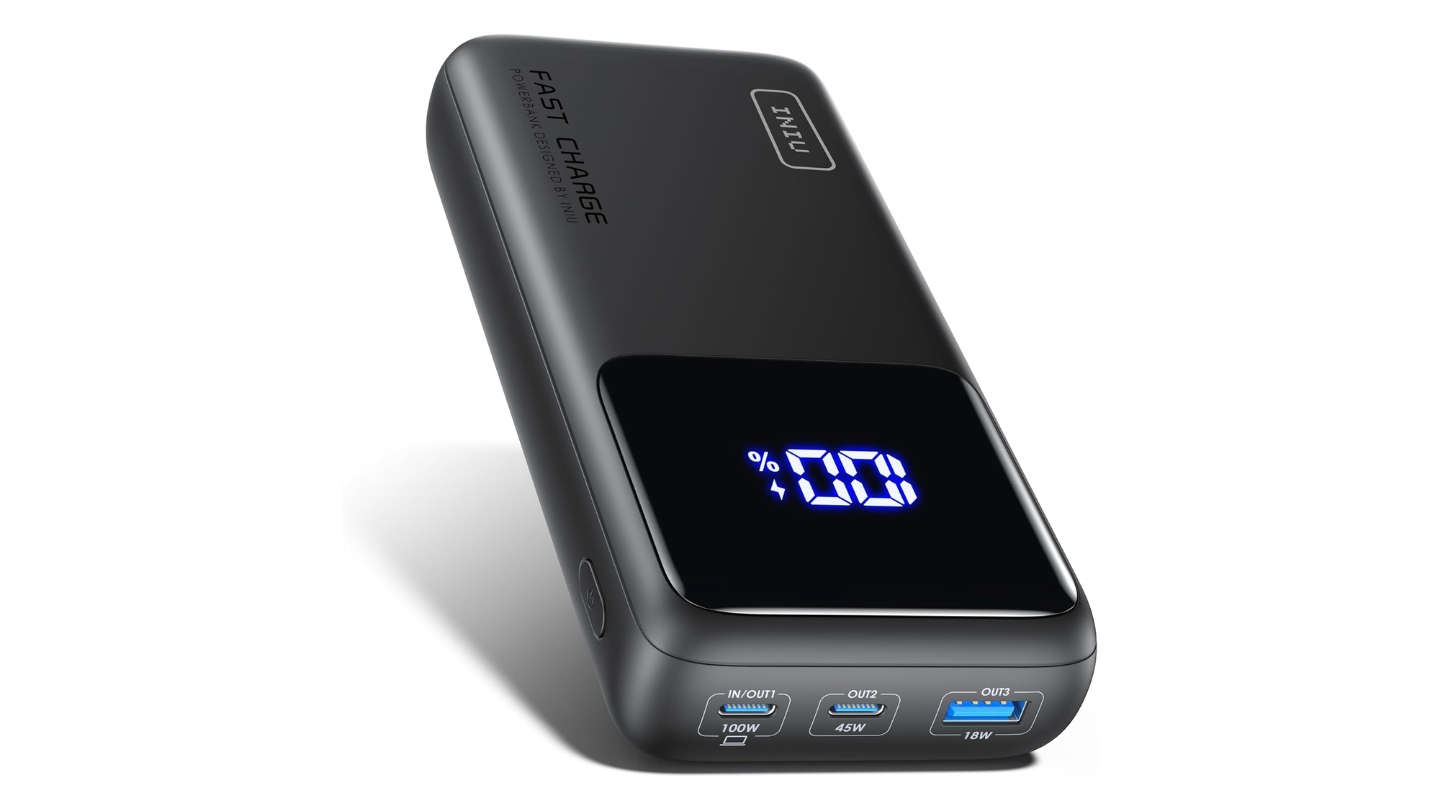
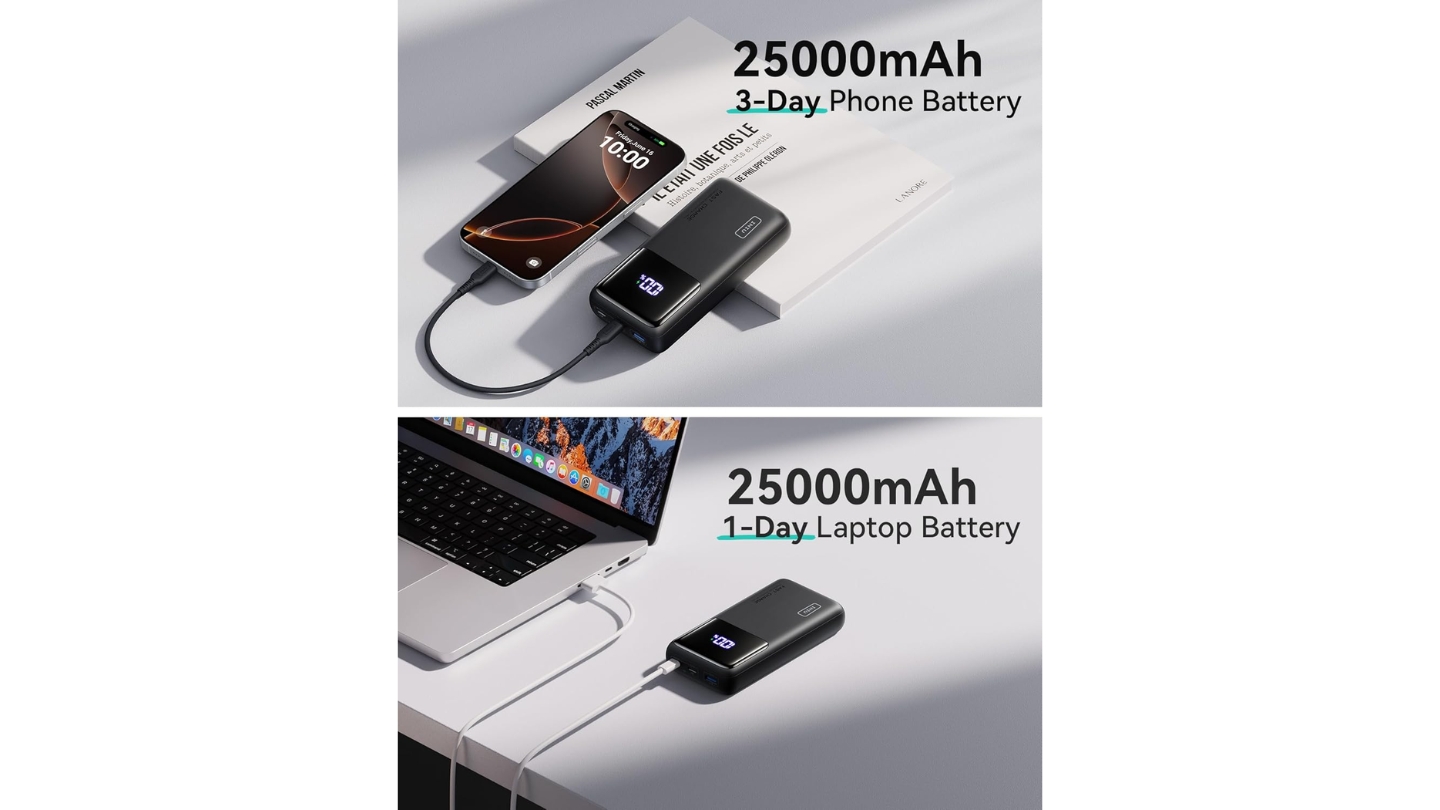
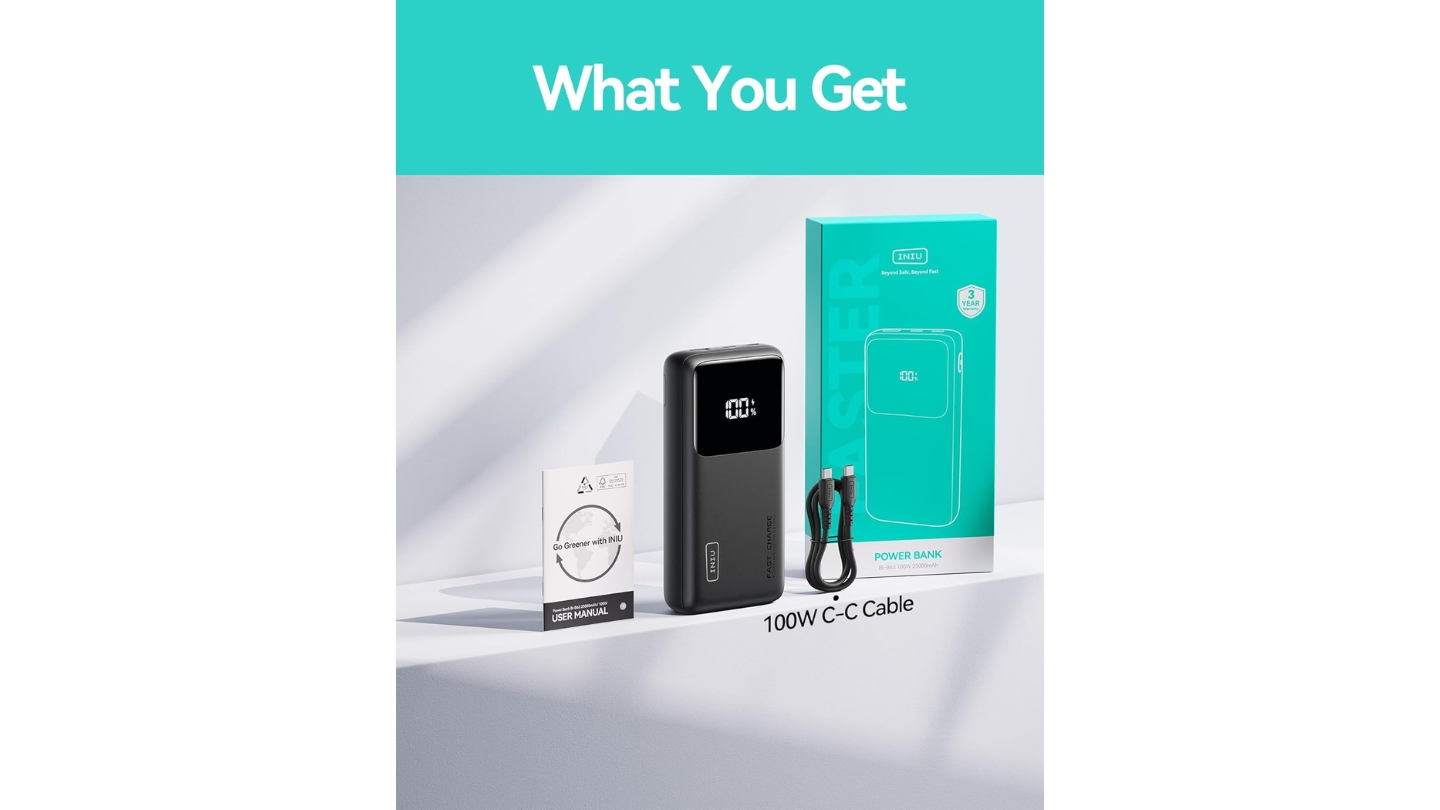
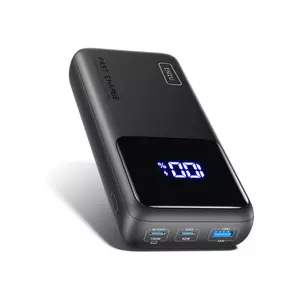
The INIU 25000mAh 100W earns its spot in this lineup by solving a problem the others don't: fitting 25,000mAh and 100W output into a form factor that's noticeably smaller than anything else at this capacity. INIU's TinyCell high-density battery technology and HyperStack internal architecture cut significant bulk compared to conventionally built competitors. At 149 x 73 x 34mm and approximately 493g, it's more pocketable than the Anker or CUKTECH while matching their capacity figures.
Performance testing confirms the 100W output holds under load. Third-party measurements show real capacity delivery reaching 93% of the rated 25,000mAh, which is exceptional - most power banks deliver 80 to 90% of their advertised capacity due to conversion losses. The 100W USB-C port handles Samsung Super Fast Charging 2.0, meaning Galaxy S24 and S25 users get the same full-speed treatment as Steam Deck and MacBook owners. Two devices running simultaneously reaches a combined 110W peak, with the primary USB-C and secondary USB-C splitting the load intelligently.
The rubberized soft-touch surface provides better grip than glossy alternatives and resists casual scratches better than bare plastic finishes. The LCD display shows battery percentage clearly enough for most lighting conditions, though it reads as basic compared to the full TFT panels on the CUKTECH and UGREEN models. Recharge time runs approximately 1.7 hours via 65W input, slightly faster than the UGREEN Nexode despite similar specs. The 3-year warranty from INIU is the best coverage in this roundup by a full year.
The trade-off for compact size is clear: 100W peak versus 140W or 145W on the Anker and UGREEN. For Steam Deck charging that difference is irrelevant - the handheld pulls 45W maximum and the INIU delivers that without hesitation. For users simultaneously running a 16" MacBook Pro that wants 140W input, the 100W ceiling means slightly slower laptop charging under load. If your laptop peaks below 100W, or if gaming handhelds are your primary use case, the INIU matches the larger options on every metric that matters.
At its price point relative to 25,000mAh capacity and 100W output, the INIU consistently leads Amazon best-seller rankings in its category - which reflects a value calculation buyers see quickly. The travel pouch and short USB-C cable are included, so there's nothing extra to buy before using it.
Pros:
- Smallest form factor at 25,000mAh in this category
- Real capacity delivery up to 93% of rating
- 3-year warranty - best coverage in this roundup
- 100W output covers Steam Deck and most laptops
- Rubberized grip surface
Cons:
- 100W peak limits simultaneous laptop + handheld charging
- LCD display less detailed than TFT alternatives
Summary: The INIU 25000mAh 100W is the right call for handheld-focused users who want maximum capacity without bulk. Its compact engineering and honest capacity delivery make it the most portable high-capacity option in this guide.
CUKTECH NO.20 140W 25000mAh Review
Multi-Device Output
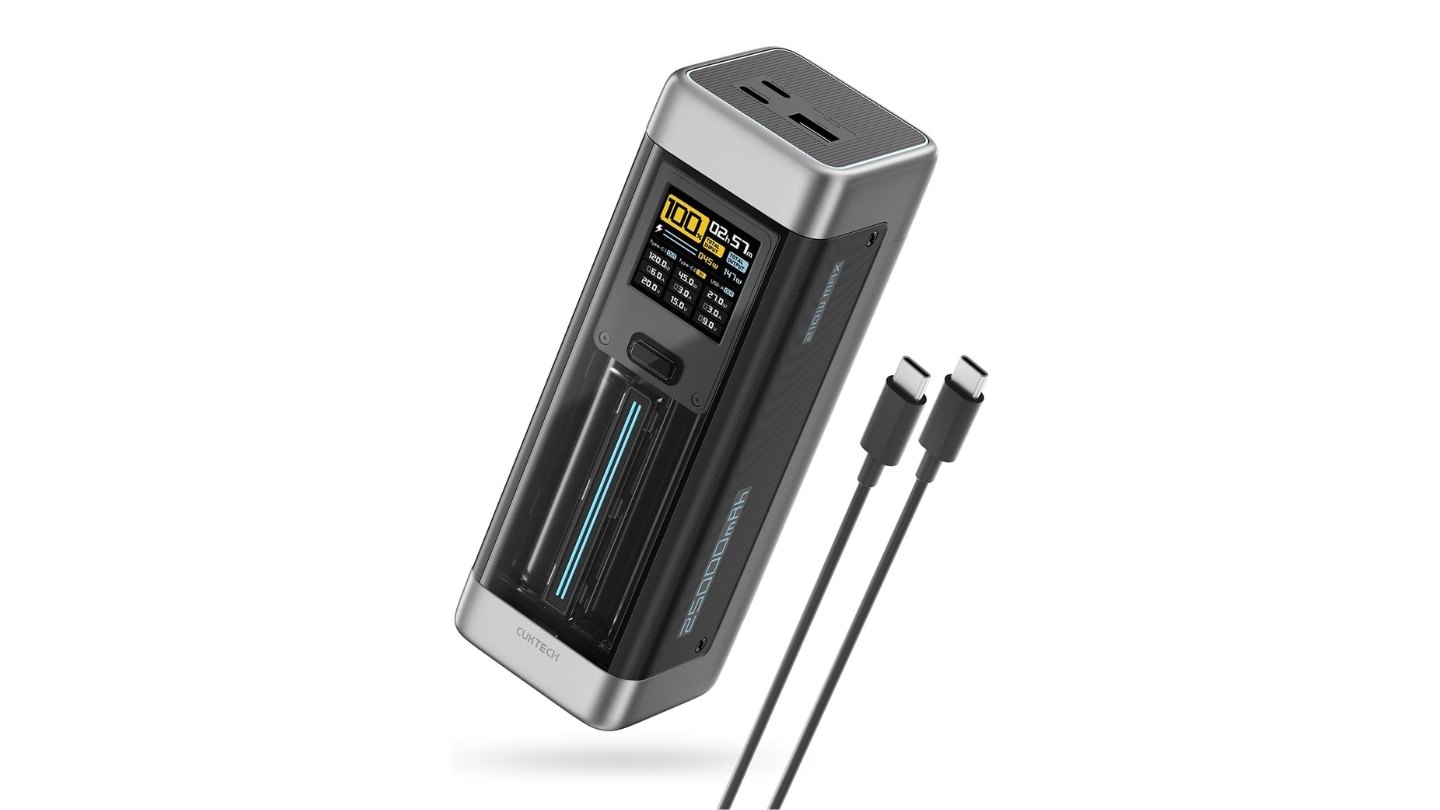
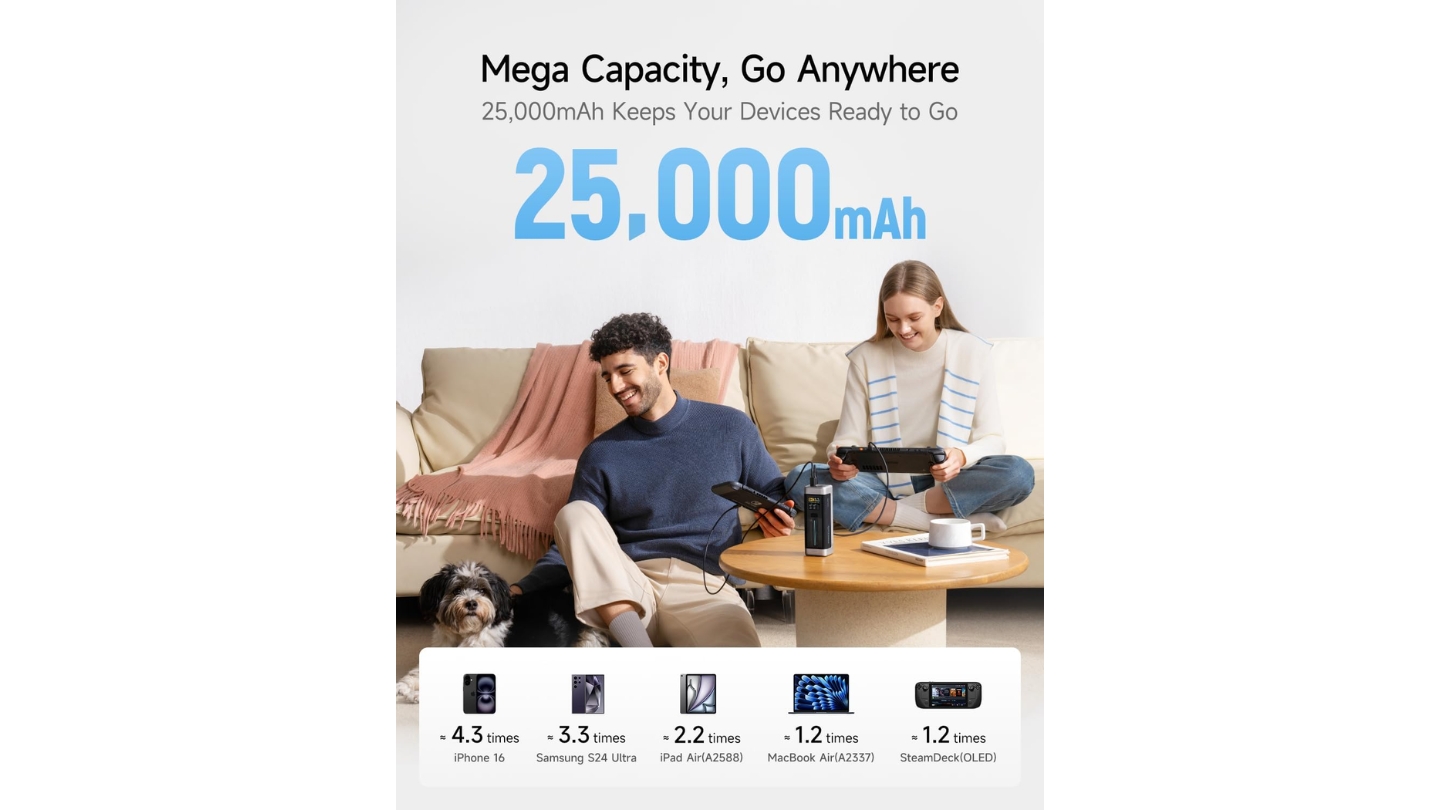
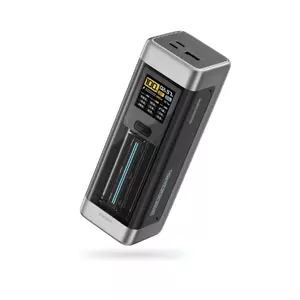
The CUKTECH NO.20 is the one power bank in this guide you'd actually notice sitting on a desk. Where everything else is a matte rectangle, the NO.20 has a translucent front panel, a blue LED pulse strip, and a design that looks like it belongs next to a gaming PC setup. CUKTECH is part of the Xiaomi ecosystem, and the NO.20 uses automotive-grade battery cells rated for over 1,000 charge cycles - more than three times the lifespan claim of standard lithium cells. At 210W total combined output, it leads this category when all three ports run simultaneously.
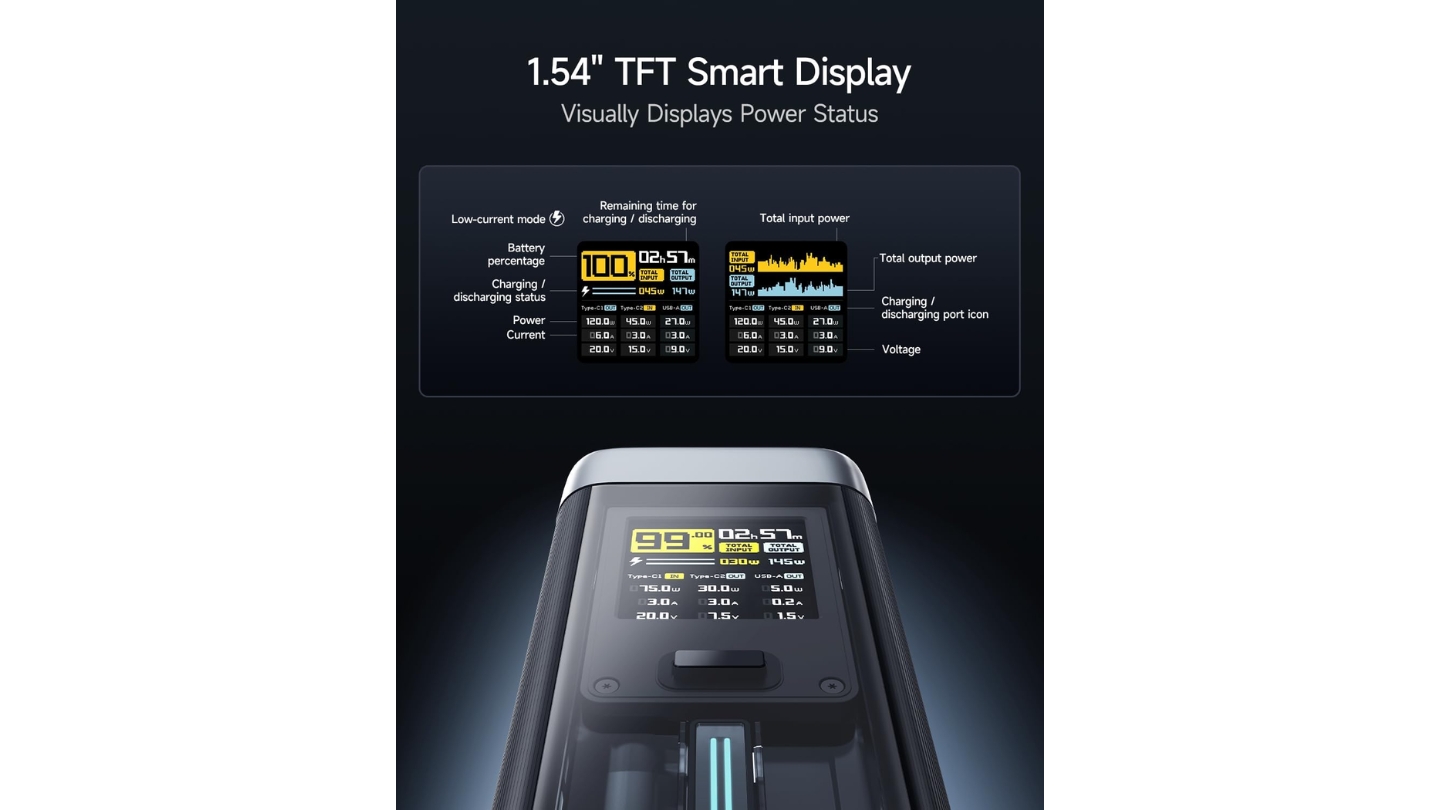
The 1.54" TFT color display is the most detailed readout in this roundup - it tracks per-port wattage, voltage, amperage, remaining capacity, and plots a real-time activity graph in blue and yellow over time. That LED pulse strip on the front panel is the kind of detail that matters to people who care about their gear looking intentional rather than generic. In 30 minutes, the USB-C1 port charges a MacBook Pro 16" to 59%, a Steam Deck to 57%, and an iPhone 15 Pro Max to 71% - numbers CUKTECH publishes and independent reviewers have confirmed.
The port layout makes sense: USB-C1 at 140W, USB-C2 at 60W, USB-A at 30W. With two USB-C ports active, you get 100W + 45W combined. That USB-A output of 30W is the highest in this guide and useful for older devices or accessories that don't have USB-C. Input accepts up to 110W via USB-C1, enabling a full recharge in approximately 2 hours - faster than most 65W-input competitors. The included 240W USB-C cable handles the CUKTECH's maximum throughput without needing an upgrade.
Weight runs slightly heavier than competing 25,000mAh models at around 635g (1.4 lbs), and the form factor is more cylindrical-brick than flat-slab, which affects how it sits in different bag configurations. Some reviewers note the display face is smaller than it appears in product photos. Creative Bloq's hands-on evaluation gave it high marks on output and design while noting it sits at a similar price point to the UGREEN Nexode, making it a preference call between the two rather than a clear technical winner in most scenarios.
The 18-month service period is the shortest warranty in this guide - that's the most concrete point against the CUKTECH NO.20 for buyers thinking long-term. For everyone else who wants the highest multi-device output in the category, a display that shows everything, and a design that doesn't look like a generic charger, the NO.20 delivers on all three.
Pros:
- 210W total combined output leads the category
- TFT display with per-port monitoring
- Automotive-grade cells rated for 1,000+ cycles
- USB-A at 30W - highest in this guide
- Distinctive design with LED pulse indicator
Cons:
- 18-month warranty - shortest in this roundup
- Heavier than same-capacity competitors
- Thick form factor reduces portability
Summary: The CUKTECH NO.20 is built for users who run multiple power-hungry devices and want detailed monitoring over every charge session. Best for tech-forward travelers who value maximum multi-device output and display depth alongside serious design intentions.
Baseus Blade 100W 20000mAh Review
Best for Travel
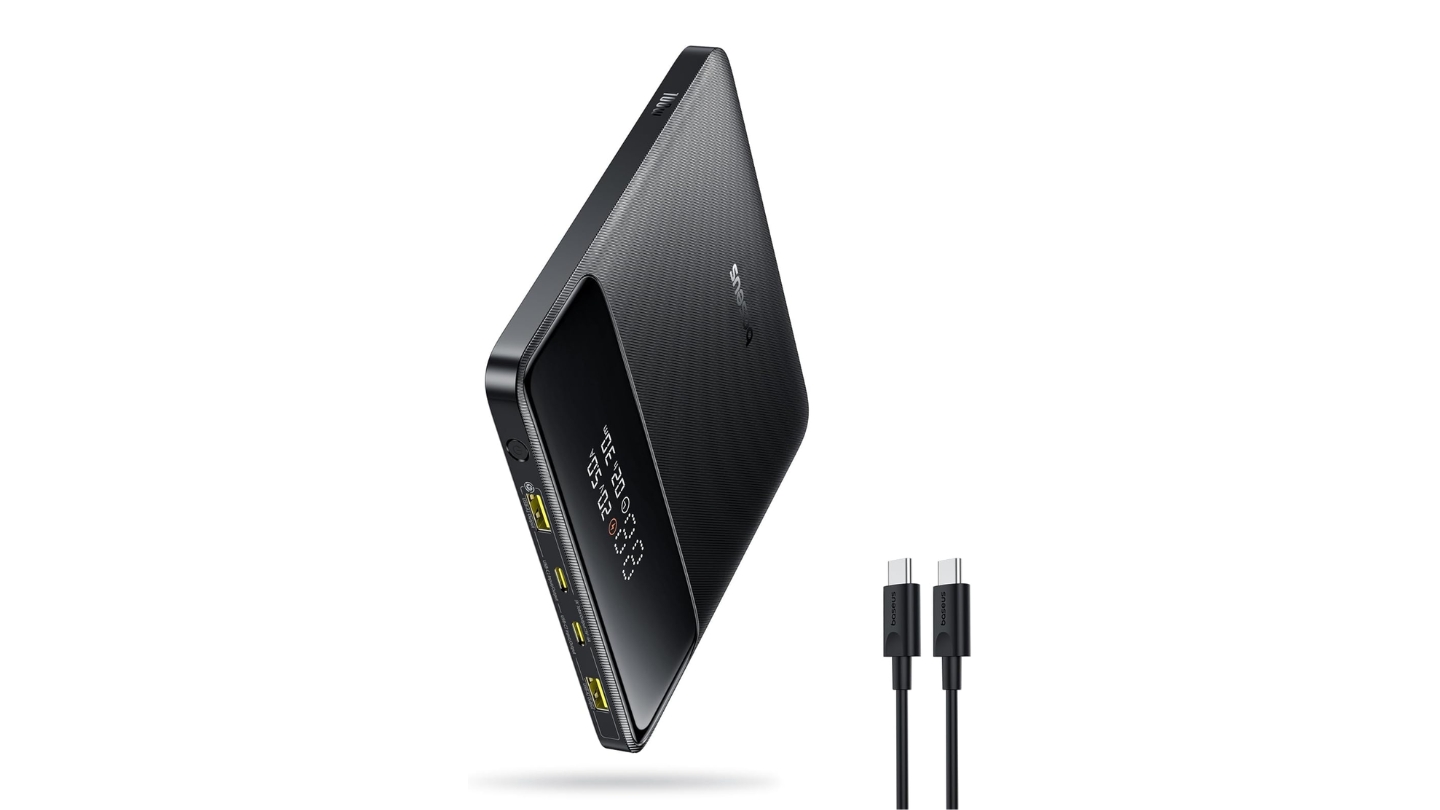
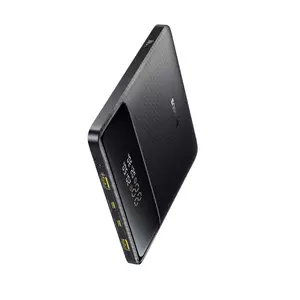
The Baseus Blade 100W 20000mAh is the one you pull out when someone asks to borrow a charger and they look surprised it fits in your jacket pocket. At roughly 19-20mm thick with a wide flat profile, it slides into the same pocket as a tablet or alongside a Steam Deck case without changing how the bag feels to carry. Silicon carbon battery technology makes the slim profile possible - the same chemistry that lets phone manufacturers shrink battery height without cutting capacity.
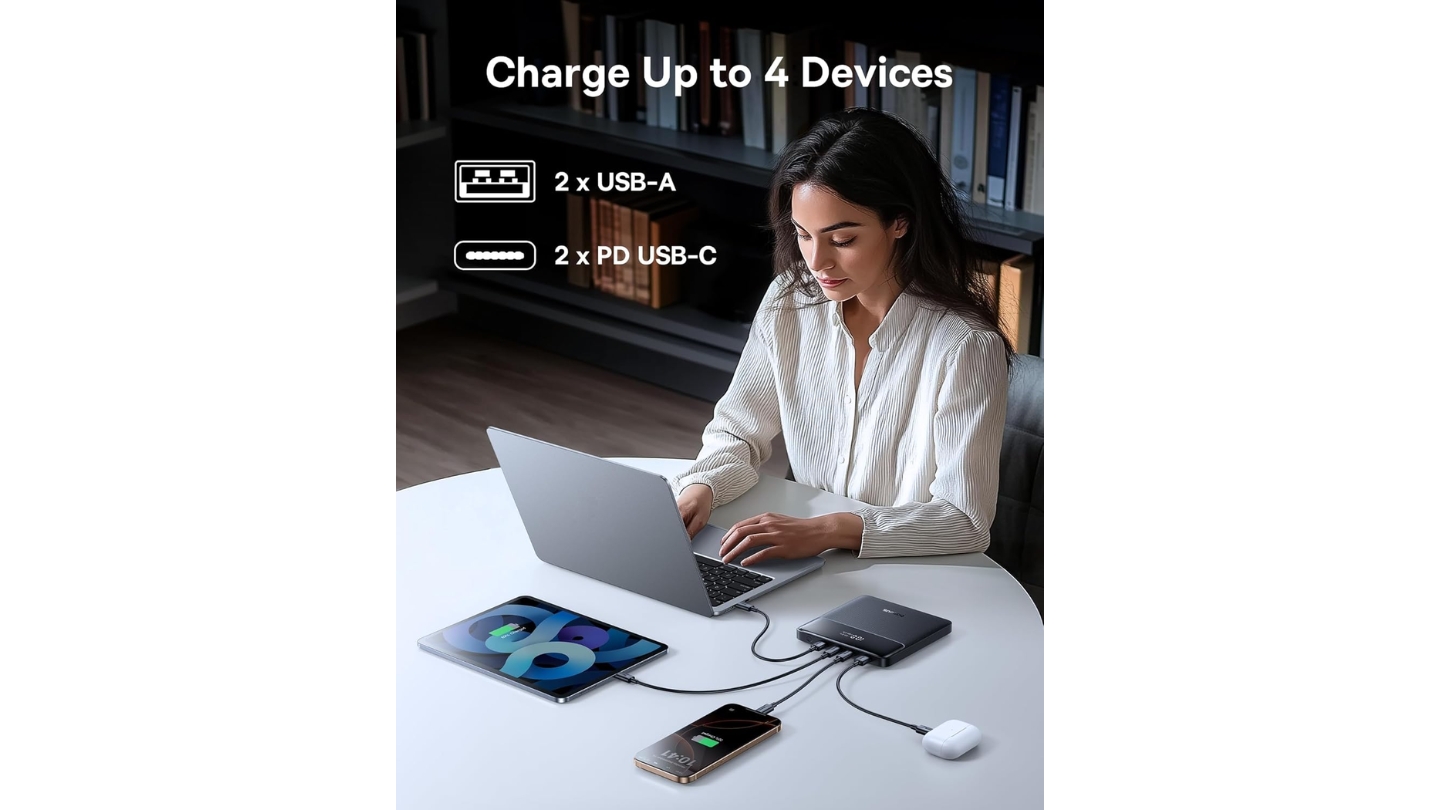
Four USB ports - two USB-C and two USB-A - cover more simultaneous devices than most competitors in this guide. The USB-C1 port hits 100W single-device, which handles Steam Deck, ROG Ally, and most mainstream laptops at full speed. Baseus rates it for approximately 70% of a 13 to 15" laptop battery from a single charge, confirmed as reasonable by independent testing. Steam Deck charges from empty in roughly 100 minutes. The digital display shows battery percentage and active port status clearly across a generously sized readout area relative to the power bank's flat footprint.
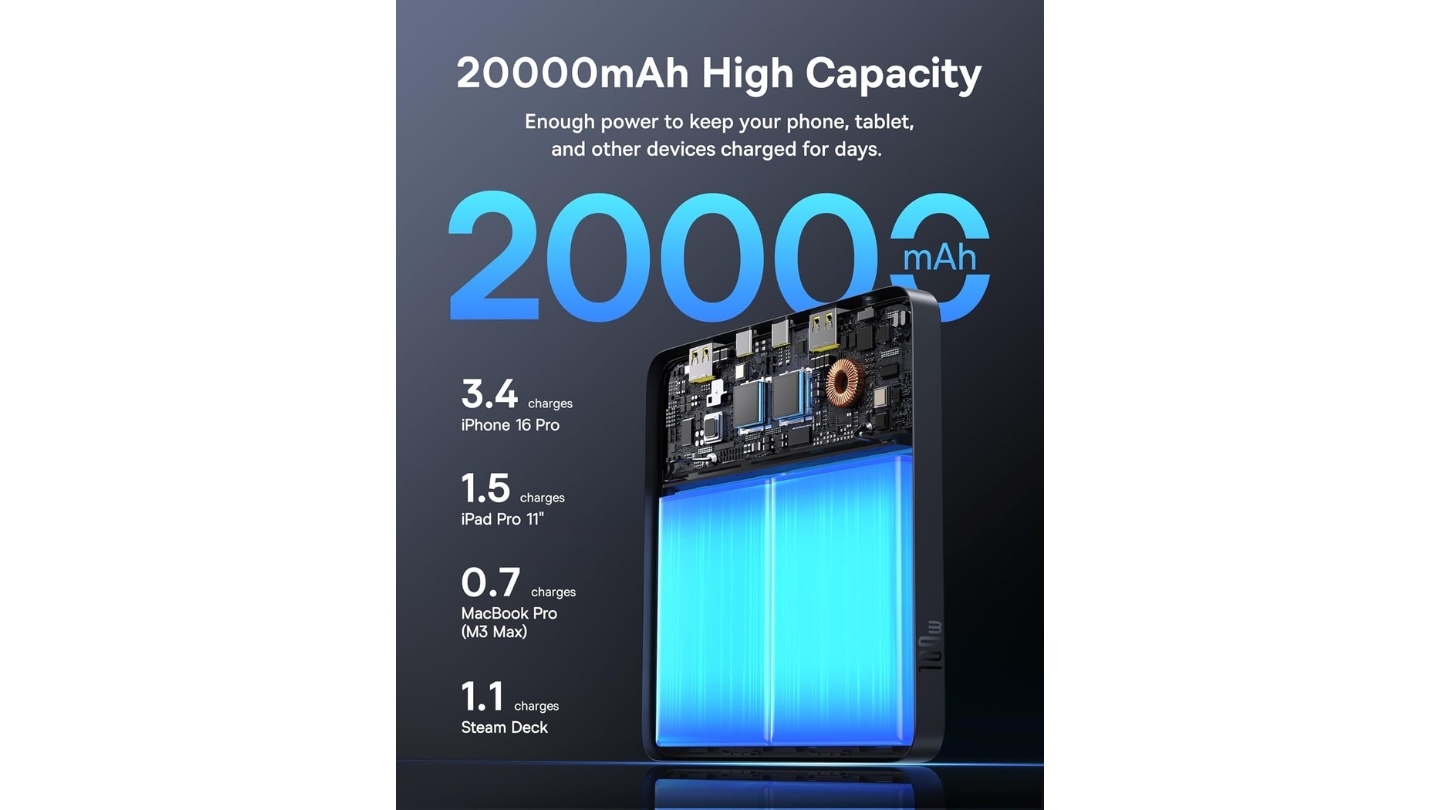
The 74Wh capacity is the most travel-safe specification in this guide, sitting well below the 100Wh airline limit and unlikely to trigger concerns from even strict international carriers. It recharges at up to 65W via USB-C in approximately 1.5 hours, which is the fastest recharge time in this guide for a 65W-input model due to the smaller total capacity. Both USB-A ports output up to 30W each, matching the CUKTECH for USB-A performance and beating both the Anker 737 (18W) and UGREEN (22.5W) on that metric.
The flat design has one functional trade-off: it limits thermal management options. At sustained 100W discharge, the Blade runs warmer than thicker alternatives, though not to levels that trigger protection shutoffs in normal use. GamesRadar's long-term testing confirmed it holds up as a reliable travel companion, calling out the slim form factor as the main reason they kept reaching for it. The flat square shape also lets it sit cleanly under a Steam Deck in a travel case without dead space - a minor thing until you've wasted ten minutes playing bag Tetris.
At 20,000mAh versus the 25,000mAh field, the Blade gives up roughly 1 to 1.5 hours of additional gaming time. For short domestic trips that's not a real constraint; for 10-plus hour international flights, you might notice the difference. A 100W USB-C cable and 24-month warranty come in the box.
Pros:
- Ultra-slim form factor - most portable in this guide
- Four ports (2x USB-C, 2x USB-A at 30W each)
- 100W output handles Steam Deck and laptops
- Fastest recharge at 65W input (~1.5 hours)
- Most airline-friendly at 74Wh
Cons:
- 20,000mAh provides less gaming time than 25K competitors
- Runs warmer at sustained maximum output
- Flat design limits passive cooling
Summary: The Baseus Blade 100W is the travel-focused choice for Steam Deck owners who prioritize portability above raw capacity. Its slim profile and four-port configuration make it the most practical everyday carry power bank in this roundup.
Steam Deck Power Banks: Your Questions Answered
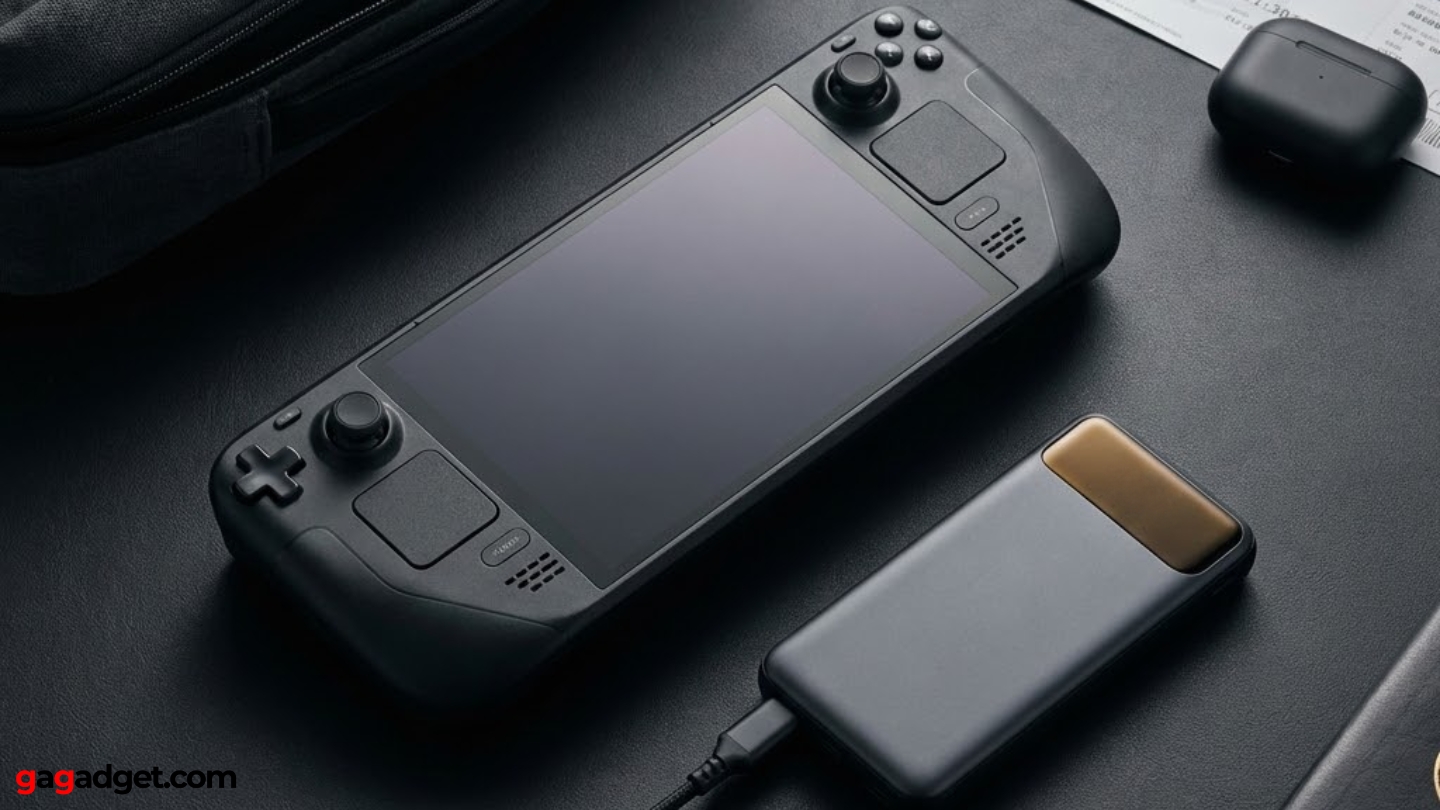
After extended testing across different Steam Deck models and gaming handhelds, the same questions keep coming up.
What minimum wattage does a power bank need for Steam Deck?
The Steam Deck requires at least 45W USB-C Power Delivery to charge while actively gaming. Below that threshold, the power bank will slow battery drain but can't reverse it during intensive play. Power banks outputting 18W or 20W charge the Steam Deck only in sleep mode, adding hours to the process. All five models in this guide exceed 45W significantly, with 100W being the practical floor worth considering if you also charge laptops. For the ROG Ally and similar handhelds that draw more power, targeting 65W minimum is the smarter baseline.
Can I use a power bank to charge Steam Deck while playing?
Yes, provided the power bank outputs at least 45W via USB-C PD. The Steam Deck accepts pass-through charging while active without any compatibility issues. At 45W input with a demanding game running, you'll roughly maintain battery level rather than gaining charge - you'll need 65W+ to actively gain charge during heavy load. All models in this guide deliver that without issue. Note that the Steam Deck's USB-C port is on the top of the device, so you'll have a cable running from the top - most handheld gamers run the cable to a power bank in their pocket or mounted to a bag strap.
Are 25,000mAh power banks allowed on planes?
Yes. TSA and most international carriers allow power banks up to 100Wh in carry-on luggage. A 25,000mAh power bank at 3.6V nominal voltage translates to approximately 90Wh, comfortably under the limit. All five models in this guide are airline-approved for carry-on. The 100Wh cap is the relevant number - some airlines also limit passengers to two power banks per person, so if you carry multiple, verify your carrier's specific policy.
How many hours of Steam Deck gaming does a 25,000mAh power bank add?
A 25,000mAh power bank holds roughly 90Wh of usable energy. The Steam Deck's 40Wh internal battery, combined with typical 75-80% conversion efficiency, means you'll get approximately 1.5 to 1.8 full recharges from a 25,000mAh bank. In practical gaming time, that's 4 to 7 additional hours depending on whether you're running demanding titles like Elden Ring or lighter games at lower performance settings. A 20,000mAh bank (74Wh) provides 3 to 5 additional hours by the same math.
Does output wattage matter if I only use the power bank for Steam Deck?
For Steam Deck-only use, any power bank hitting 45W via USB-C PD will deliver full-speed charging. The difference between 100W, 140W, and 145W outputs is irrelevant for the Steam Deck itself since it caps at 45W input. Where higher wattage earns its cost is charging speed for secondary devices - a MacBook Pro charges noticeably faster from a 140W bank than a 100W one. If the Steam Deck is your only device, the INIU 100W or Baseus Blade 100W cover it without paying for overhead you won't use. If you also carry a laptop, 140W+ starts making sense.
Choosing Your Steam Deck Power Bank
Every option in this guide handles the Steam Deck's 45W charging requirement without compromise - that's the baseline, not the differentiator. What separates them is the complete picture of how you travel.
For the most capable all-around setup without worrying about limitations, the Anker 737 covers every scenario through sheer output and recharge speed. The UGREEN Nexode 145W matches it on capacity and gets very close on output at a better price - the smart pick for most Steam Deck and MacBook users. If compact size is the priority, the INIU 25000mAh 100W packs the most capacity into the smallest form factor with a class-leading 3-year warranty. The CUKTECH NO.20 handles three simultaneous high-draw devices better than anything else here. And when you just need something that disappears into a travel bag, the Baseus Blade 100W delivers real-world portability that other power banks only approximate.
Buy once, charge confidently, and keep playing.

Jeb here, your go-to geek for everything from video projection to the latest tech trends. As an avid outdoorsman, I enjoy using monoculars and binoculars for hunting, traveling, and birdwatching. Join me in exploring the cool, quirky side of technology!


