Best Gaming Headset for PS5 and Xbox Series X
Gaming audio is one of those things you don't fully appreciate until it clicks. My first real headset made me realize I'd been playing Warzone half-blind - I kept dying to footsteps I never heard coming. Swapping to a proper gaming headset turned those invisible threats into directional audio cues I could actually act on. But finding a headset that works equally well on both PS5 and Xbox Series X without compromises? That took a lot longer to figure out.
Both consoles use completely different wireless protocols, which is why most headsets come in platform-specific versions. The ones that crack both ecosystems without sacrificing audio quality, comfort, or battery life are rare - and that's exactly what this list focuses on.
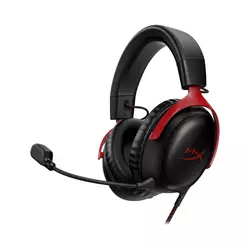
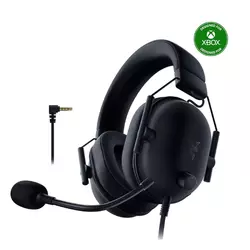
If you're in a hurry, here are my top two picks for gaming headsets that work great on PS5 and Xbox:
We may earn a small commission if you buy via our links - it helps keep gagadget.com running.
Table of Contents:
- Best Gaming Headset for PS5 and Xbox: Buying Guide
- Top 5 Gaming Headsets for PS5 and Xbox in 2026
- PS5 and Xbox Headset Comparison
- HyperX Cloud III
- Razer BlackShark V2
- Turtle Beach Stealth 700 Gen 3
- Logitech G Astro A50 X
- SteelSeries Arctis Nova 7X
- PS5 and Xbox Gaming Headset: FAQ
Best Gaming Headset for PS5 and Xbox: Buying Guide
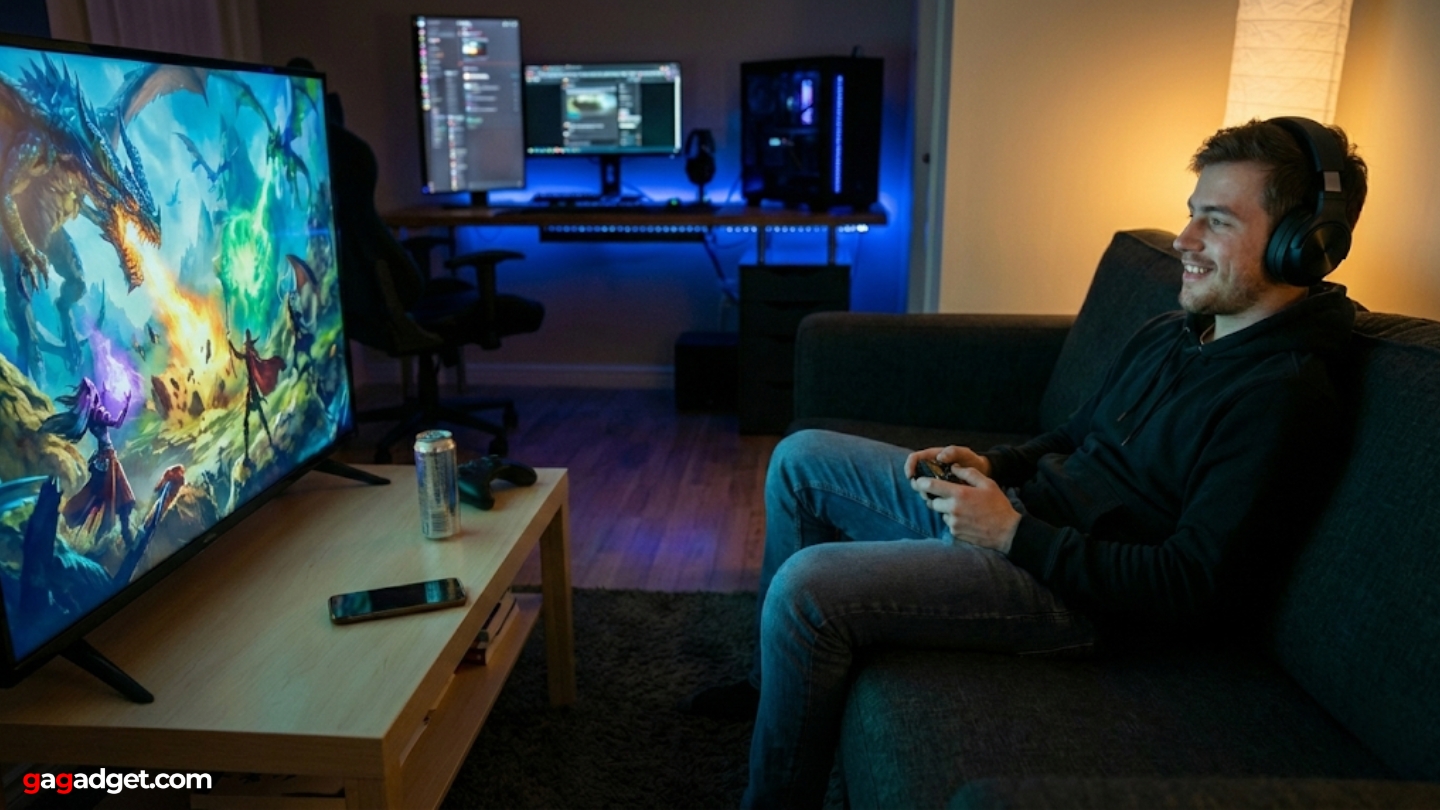
Cross-platform headset shopping is harder than it looks. The specs that matter for PS5 don't always map 1:1 onto what Xbox demands, and a headset that sounds amazing on PC can feel crippled on console. Knowing what to look for saves you from the wrong purchase.
Console Compatibility and Wireless Protocol
Xbox Series X uses a proprietary wireless protocol that blocks most non-certified headsets from connecting wirelessly. PS5 operates on a separate system entirely. A headset labeled "PS5 compatible" won't work wirelessly on Xbox unless it specifically carries Xbox certification. The "X" variants from brands like SteelSeries exist for exactly this reason - the hardware difference isn't cosmetic, it's a different wireless chip inside.
The only way to guarantee true wireless audio on both consoles without compromise is either buying a headset with two separate dongles, or paying for proprietary solutions like the Astro A50 X's HDMI switching base station.
Wired 3.5mm connections work universally but bypass the dedicated chat mixing that makes console headsets feel native. USB dongles are the practical middle ground for most players. Two-dongle systems from Turtle Beach let you leave both consoles plugged in and hotswap between them. Before buying, check whether the headset lists both Xbox and PlayStation as supported platforms - not just "multi-platform."
Driver Size and Sound Signature
Most gaming headsets run 40-53mm drivers. Larger drivers generally produce better bass and a wider soundstage, but size alone doesn't determine quality - tuning matters more. HyperX's 53mm angled drivers in the Cloud III prioritize mid and high clarity. Turtle Beach's 60mm Eclipse drivers push deeper bass response. Razer's TriForce Titanium 50mm design splits the driver into three tuning zones for highs, mids, and lows independently.
For PS5 and Xbox gaming, a slightly bass-boosted signature helps explosions and environmental effects land with physical weight. Competitive players often prefer more neutral or mid-forward tuning to pick out footsteps and weapon reloads over background noise. Most headsets in this price range include EQ software that can shift the sound profile - though that software typically works only on PC, not directly through consoles.
Microphone Quality for Console Chat
Console party chat compresses voice audio heavily, which means a $400 studio-grade mic sounds nearly identical to a decent $100 boom mic in practice. What matters more on console is noise rejection - how well the mic isolates your voice from keyboard clicks, roommates, and fan noise without requiring noise-canceling software that only runs on PC.
Detachable boom mics offer the best voice positioning flexibility and can be swapped or replaced. Flip-to-mute designs are faster to silence mid-game. Built-in retractable mics trade positioning control for a cleaner form factor.
Sidetone - hearing your own voice through the headset while talking - helps prevent the tendency to shout during loud games. Not all headsets include it, and some only activate it through PC software. Check whether sidetone works natively on your console of choice, especially if you play primarily on Xbox where side-tone support varies significantly between headsets.
Battery Life and Charging
Wireless gaming sessions rarely stay under two hours once you factor in pre-game lobbies, loading screens, and post-match conversations. A headset rated for 20 hours sounds sufficient until you realize you forgot to charge it three days ago. Headsets rated 35 hours and above give real daily-driver confidence without charging anxiety.
Charging speed matters almost as much as battery capacity. Some models support fast charging that delivers several hours of playback from a 15-minute charge. Others charge slowly over 3-4 hours. USB-C charging is now standard across most quality headsets, and magnetic dock charging - like the Astro A50 X system - means the headset charges passively whenever it sits idle. Look for headsets that can play while charging if battery management is a concern in your setup.
Top 5 Gaming Headsets for PS5 and Xbox in 2026
Testing these headsets across both consoles revealed which models actually deliver what their marketing promises.
- 53mm angled drivers deliver precise directional audio
- Comfortable enough for 6+ hour sessions without fatigue
- Works on every console and PC with zero pairing
- Aluminum frame holds up to daily wear
- Mute LED makes status immediately visible
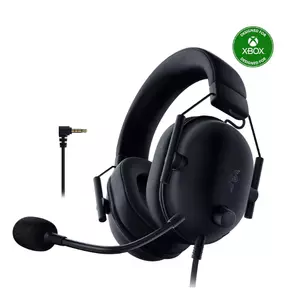
- TriForce Titanium drivers deliver precise audio separation
- Works instantly on PS5 and Xbox via 3.5mm with zero setup
- HyperClear Cardioid mic rejects background noise effectively
- 240g ultra-light for extended wear sessions
- No battery or pairing to manage across consoles
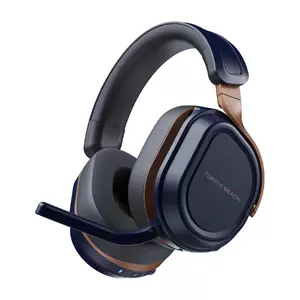
- Two dongles stay plugged into both consoles
- 80-hour battery - longest on this list
- 60mm drivers deliver powerful, wide soundstage
- Bluetooth simultaneous with 2.4GHz connection
- CrossPlay button
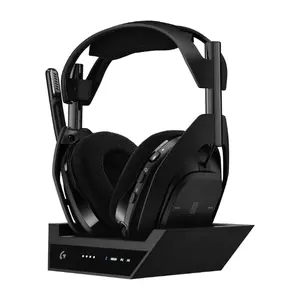
- Dolby Atmos and PS5 Tempest 3D
- PlaysSync switches console, audio, and TV
- Pro-G Graphene drivers
- Magnetic dock charges passively
- Lightspeed wireless
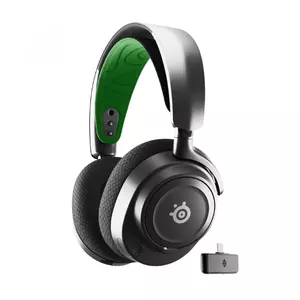
- ComfortMAX suspension headband
- Works wirelessly on Xbox, PS5, PC
- 38-hour battery
- Retractable mic
- Sonar software provides EQ presets
PS5 and Xbox Headset Comparison
Here's a side-by-side look at how these five headsets stack up on the specs that matter for console gaming:
| Specification | HyperX Cloud III | Razer BlackShark V2 | Turtle Beach Stealth 700 G3 | Logitech Astro A50 X | SteelSeries Arctis Nova 7X |
| Connection Type | Wired USB / 3.5mm | 2.4GHz Wireless / Bluetooth | 2.4GHz Wireless / Bluetooth (dual dongle) | HDMI + 2.4GHz Wireless / Bluetooth | 2.4GHz Wireless / Bluetooth |
| PS5 Compatible | Yes (USB / 3.5mm) | Yes (wireless) | Yes (wireless) | Yes (HDMI + USB) | Yes (wireless) |
| Xbox Compatible | Yes (USB / 3.5mm) | Yes (Xbox version) | Yes (Xbox dongle) | Yes (HDMI + USB) | Yes (7X version only) |
| Driver Size | 53mm angled | 50mm TriForce Titanium | 60mm Eclipse dual | 40mm Pro-G Graphene | 40mm High Fidelity |
| Battery Life | N/A (wired) | N/A (wired) | ~80 hours | ~24 hours | ~38 hours |
| Microphone | 10mm detachable boom | HyperClear Super Wideband | Flip-to-mute built-in | Detachable boom | Retractable ClearCast |
| Spatial Audio | DTS Headphone:X (PC) | THX Spatial Audio (PC) | Superhuman Hearing | Dolby Atmos / PS5 Tempest 3D | Sonar / PS5 Tempest 3D |
| Weight | ~320g | ~280g | ~400g | ~363g | ~290g |
| Headset Type | Wired | Wired | Wireless | Wireless (dock) | Wireless |
Each model targets a different kind of player - from budget-focused wired setups to full multi-platform wireless ecosystems.
HyperX Cloud III Review
Editor's Choice
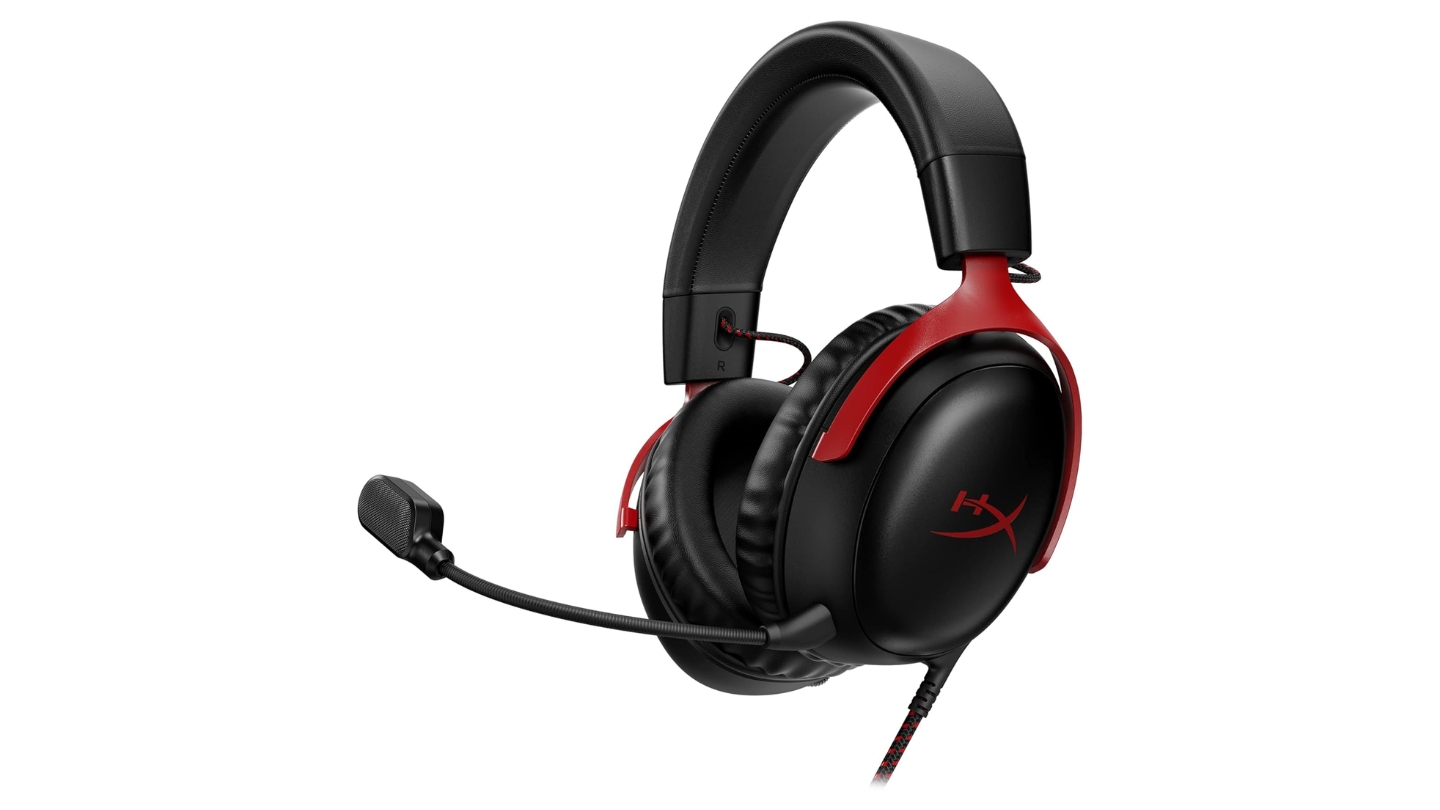
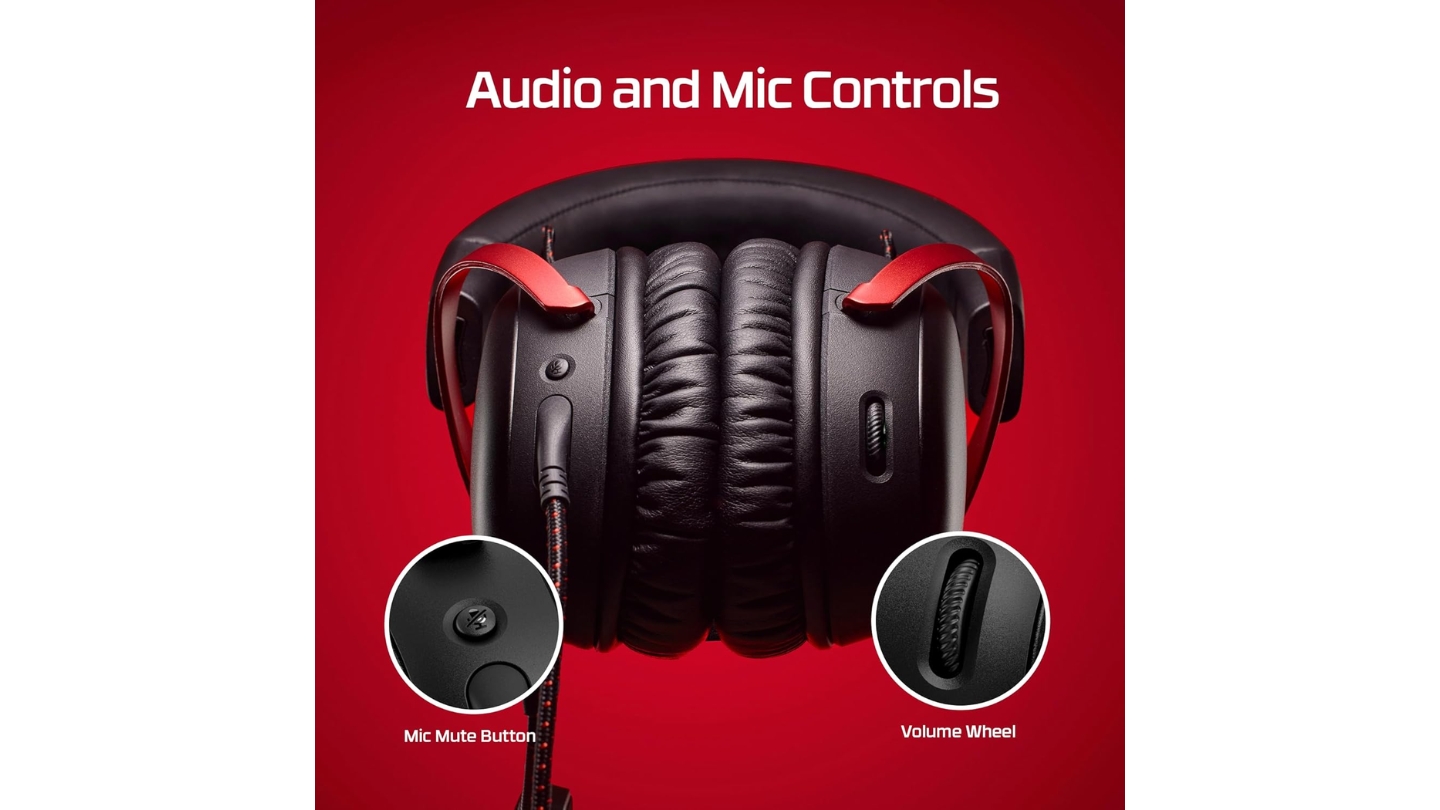
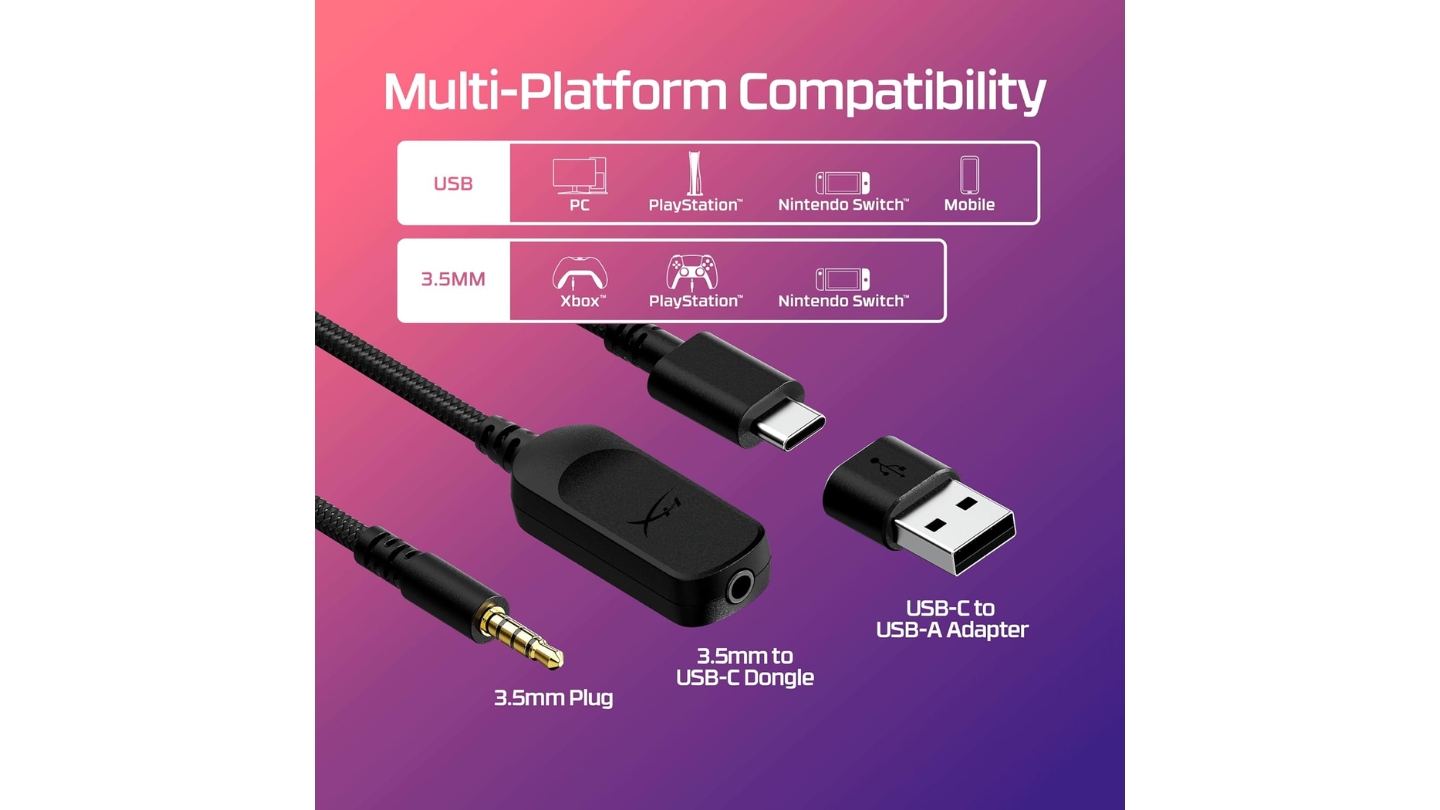
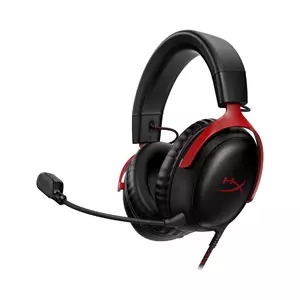
The HyperX Cloud III proves something the gaming accessory market keeps forgetting: wired headsets still have a place, and in this case a very strong one. The 53mm angled drivers are positioned to aim sound directly into the ear canal rather than straight at the side of your head, which gives voices and high-frequency audio more natural directionality. DTS Headphone:X spatial processing activates through the USB dongle on PC, while PS5 and Xbox users get clean stereo audio without platform compatibility headaches.
I wore this through back-to-back sessions of Dead Space on PS5 followed by Halo on Xbox, and the comfort held up without complaints. The leatherette memory foam earcups clamp lightly enough to avoid the slow head-squeeze fatigue that kills long sessions. Build quality leans on aluminum yokes and a reinforced headband frame - it doesn't flex or creak when worn, which cheaper headsets in this range tend to do after a few months of use. At 308g without the mic, it's lighter than most wireless headsets despite not carrying battery weight.
The 10mm boom microphone picks up voice clearly and the noise rejection is good enough that teammates didn't complain even when gaming near a fan. The mute button on the left cup has a LED indicator that glows red when silenced - a small detail that matters more than expected during quick mute checks mid-game. HyperX's NGenuity software on PC opens EQ adjustments and DTS:X configuration, though console users won't touch it at all and won't miss it.
Bass sits on the lighter side with the default tuning, which actually helps with audio clarity in competitive titles. Footstep detection and directional audio in multiplayer games benefited from the cleaner high-mid response. Single-player cinematic games sacrifice some of the low-end rumble you'd feel on bass-heavy headsets. This is the right trade-off for most players who split time between competitive and story games across both consoles.
The one real constraint is the cable. Both consoles require you to choose between USB (for the dongle and DTS processing) or 3.5mm analog (for direct controller connection). The USB path gives better audio quality. The 3.5mm path offers plug-and-play simplicity with zero setup. A 3m cord gives enough slack for most couch gaming distances, and the included adapter covers both connection types without needing extra accessories.
Pros:
- 53mm angled drivers deliver precise directional audio
- Comfortable enough for 6+ hour sessions without fatigue
- Works on every console and PC with zero pairing
- Aluminum frame holds up to daily wear
- Mute LED makes status immediately visible
Cons:
- Wired only - no wireless option on this model
- Lighter bass than dedicated gaming headsets
Summary: HyperX Cloud III is the no-nonsense pick for players who want consistent, comfortable performance on both consoles without wrestling with dongles, pairings, or battery levels. The wired format is a feature, not a limitation.
Razer BlackShark V2 X Review
Best Overall
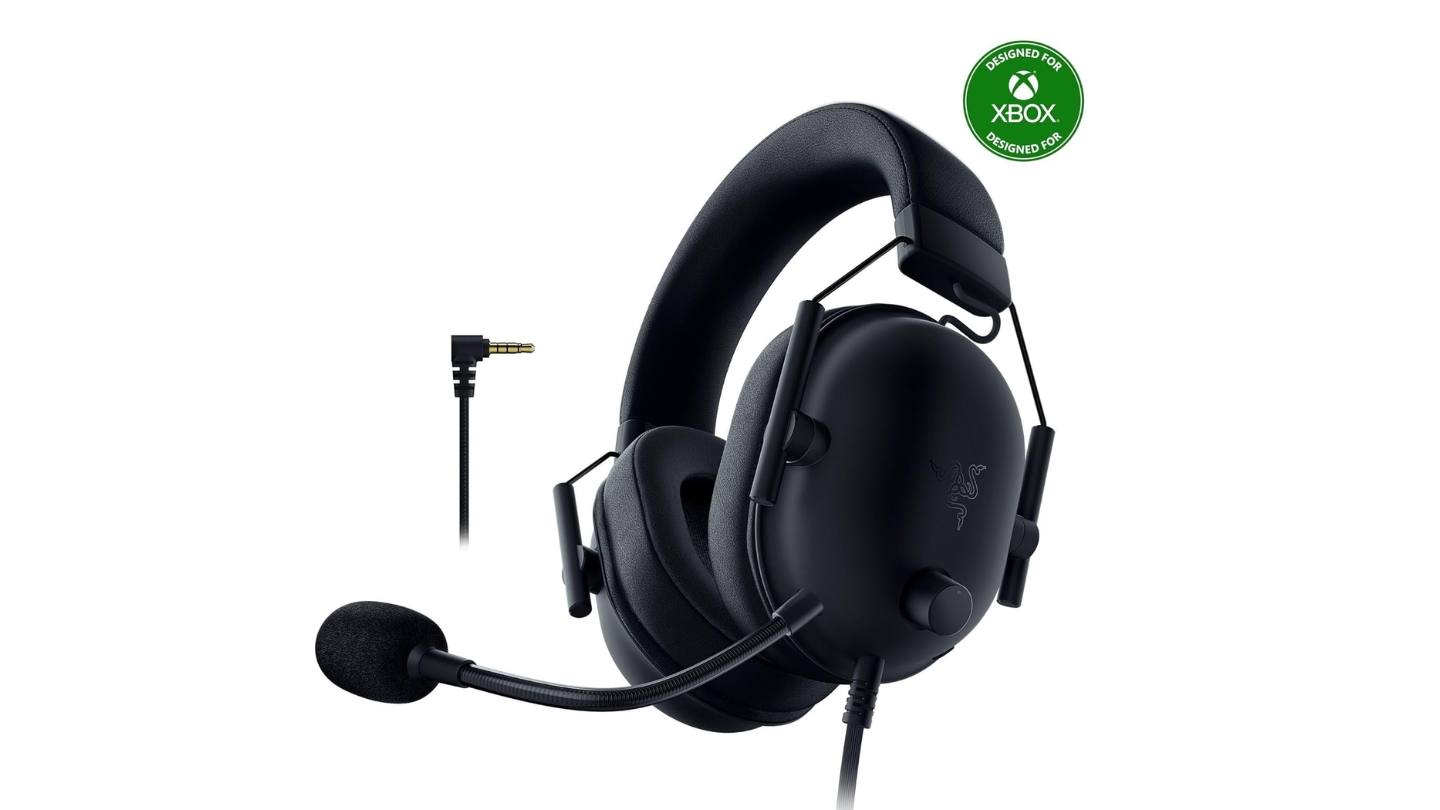
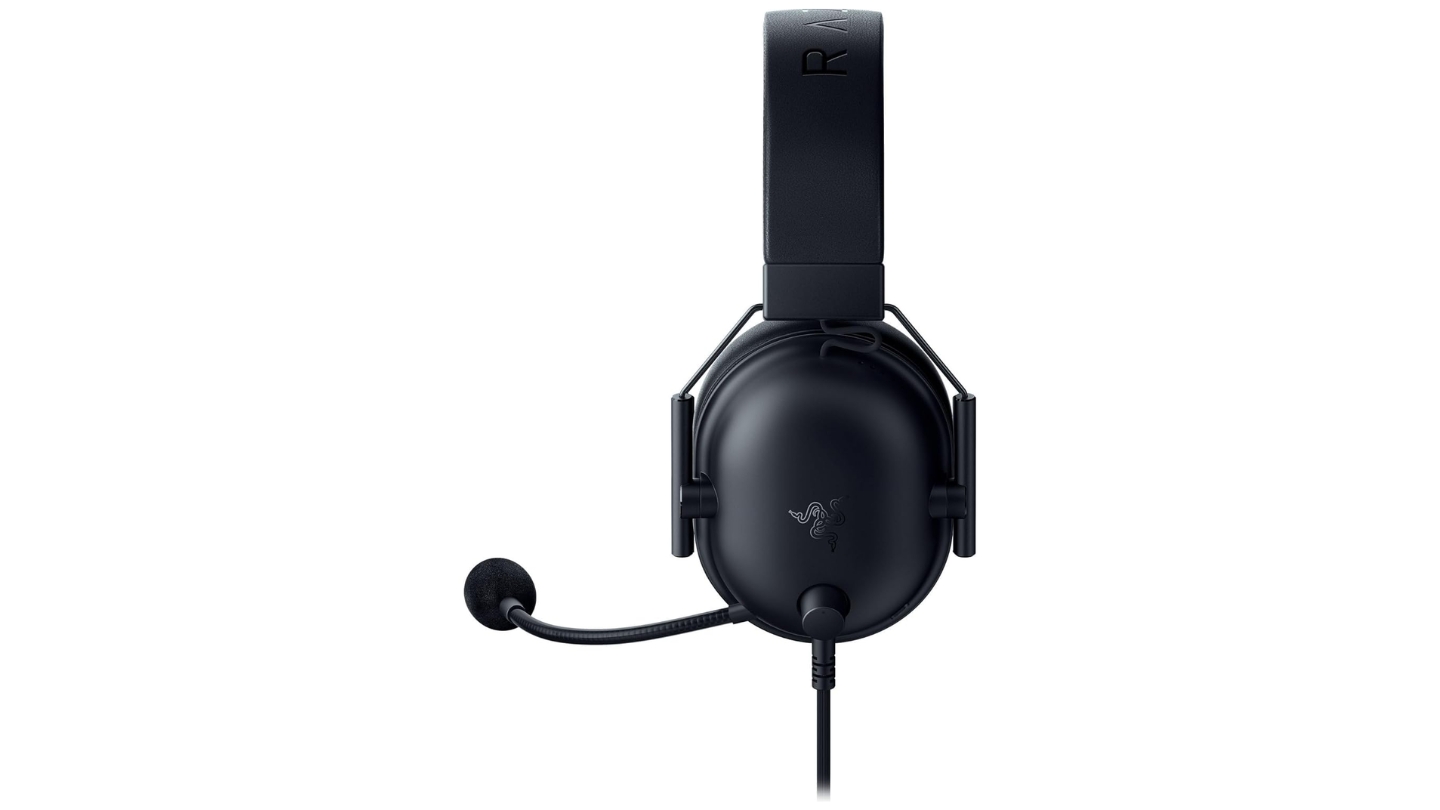
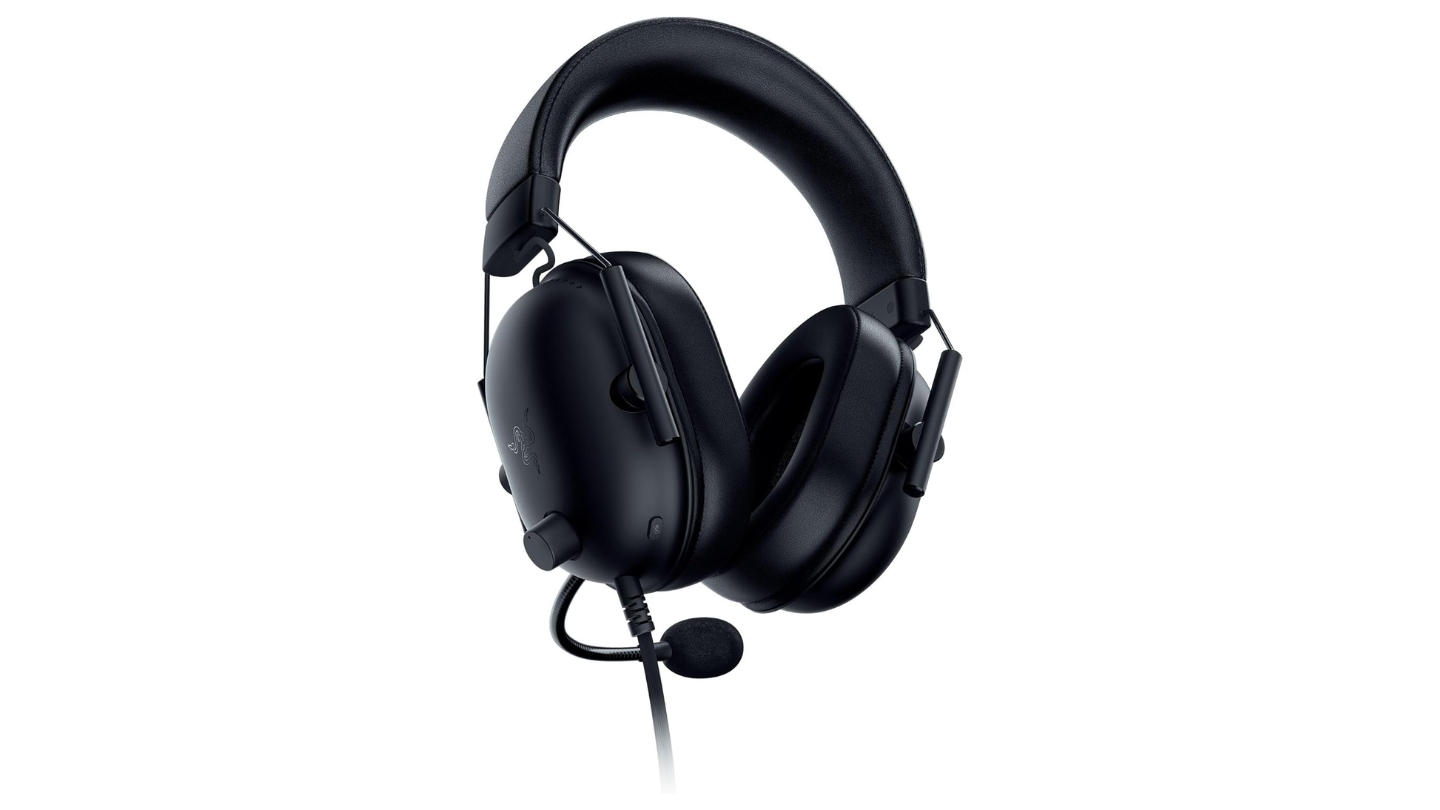
The Razer BlackShark V2 X is one of those headsets that makes a strong argument for staying wired. No dongle to misplace, no battery to charge before a session, no pairing sequence when switching consoles - just plug the 3.5mm jack into a DualSense or Xbox controller and you're in. The TriForce Titanium 50mm drivers divide the driver into three separately tuned sections for highs, mids, and lows, which gives the audio noticeably better layer separation than single-diaphragm designs at this price.
Testing it across both consoles in the same sitting is genuinely painless - unplug from the PS5 controller, plug into the Xbox controller. The audio character stays consistent across both platforms because there's no wireless codec involved in the signal path. Call of Duty on Xbox and Spider-Man on PS5 both came through with the same clear, competitive-leaning sound signature. Upper mids and high frequencies get the most presence, which makes footsteps and weapon audio cut through background ambiance cleanly. Bass sits on the tighter side rather than boomy, which suits multiplayer games more than cinematic single-player titles.
The HyperClear Cardioid Mic uses a bendable boom arm that holds its angle after adjustment without creeping during sessions. The pickup pattern narrows toward the sides and rear, meaning keyboard sounds, fans, and ambient room noise drop off noticeably without needing noise-gate software. Teammates on both consoles reported clean, natural voice quality without the hollow or processed sound that plagues some headset mics. The mic bends out of the way when not in use rather than detaching entirely.
At 240g, the BlackShark V2 X is one of the lighter headsets on this list and the weight difference from wireless competitors is tangible within the first hour of wear. The closed earcups use memory foam padding with a tight-enough seal to block ambient sound passively. Clamping force runs slightly firmer than the HyperX Cloud III, which some players prefer for stability and others find fatiguing over longer sessions. A few hours in with glasses on revealed moderate but manageable pressure at the temple contact points.
Razer Synapse software on PC enables EQ adjustments and THX Spatial Audio configuration, neither of which carry over to console. On PS5 and Xbox the headset runs on default tuning through the controller jack - no software, no setup. That simplicity is the whole point. Players who want EQ control on console will need to look at wireless headsets with companion apps. Players who want to plug in and play immediately on both consoles without thinking about it will find the V2 X hard to beat at this price point.
Pros:
- TriForce Titanium drivers deliver precise audio separation
- Works instantly on PS5 and Xbox via 3.5mm with zero setup
- HyperClear Cardioid mic rejects background noise effectively
- 240g ultra-light for extended wear sessions
- No battery or pairing to manage across consoles
Cons:
- Wired only - cable management required for couch gaming
- Default tuning leans competitive - lighter bass for cinematic games
Summary: Razer BlackShark V2 X is the plug-and-play pick for players who want quality audio on both consoles without dealing with wireless complexity. Precise driver tuning and an excellent mic make it a strong choice for competitive multiplayer across PS5 and Xbox equally.
Turtle Beach Stealth 700 Gen 3 Review
Multi-Platform King
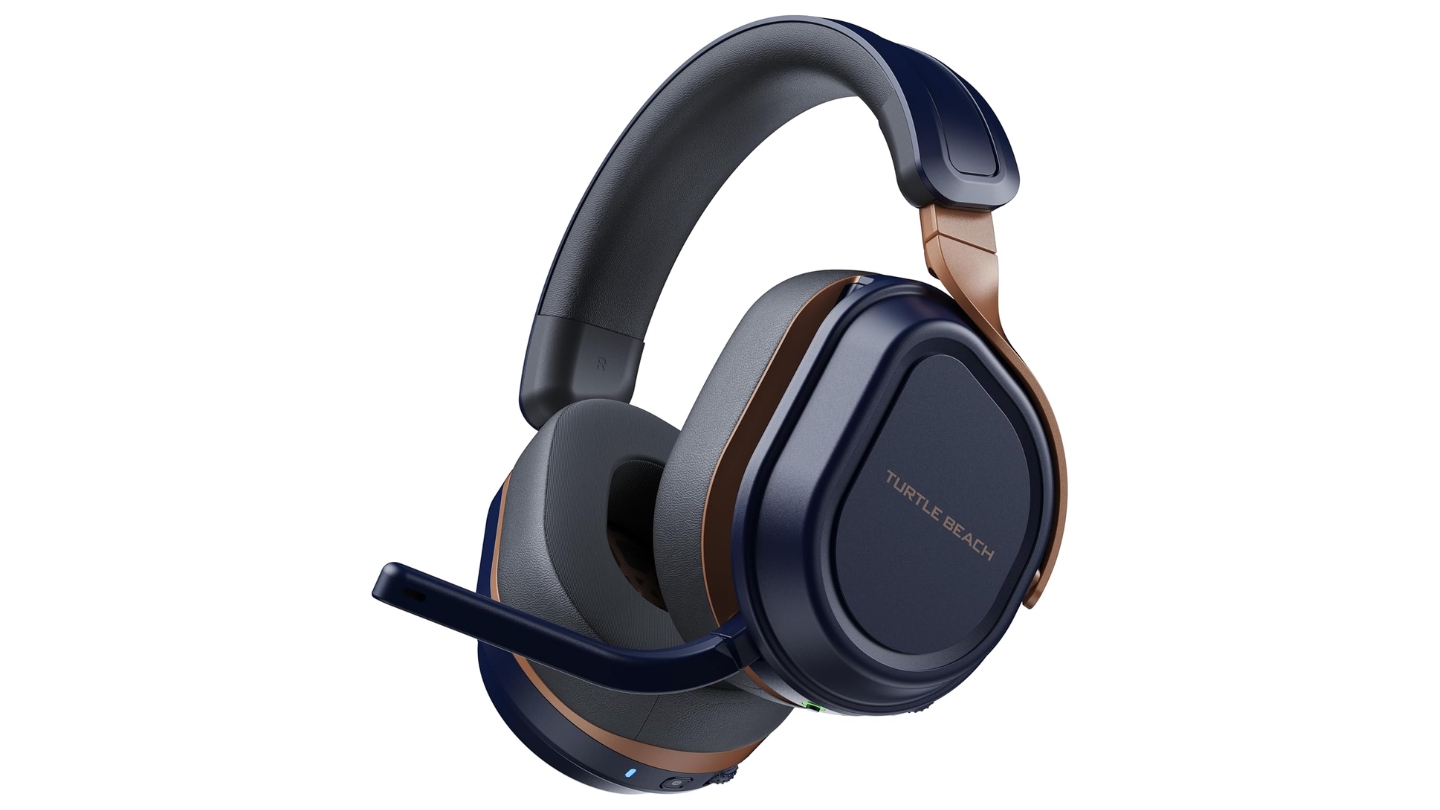
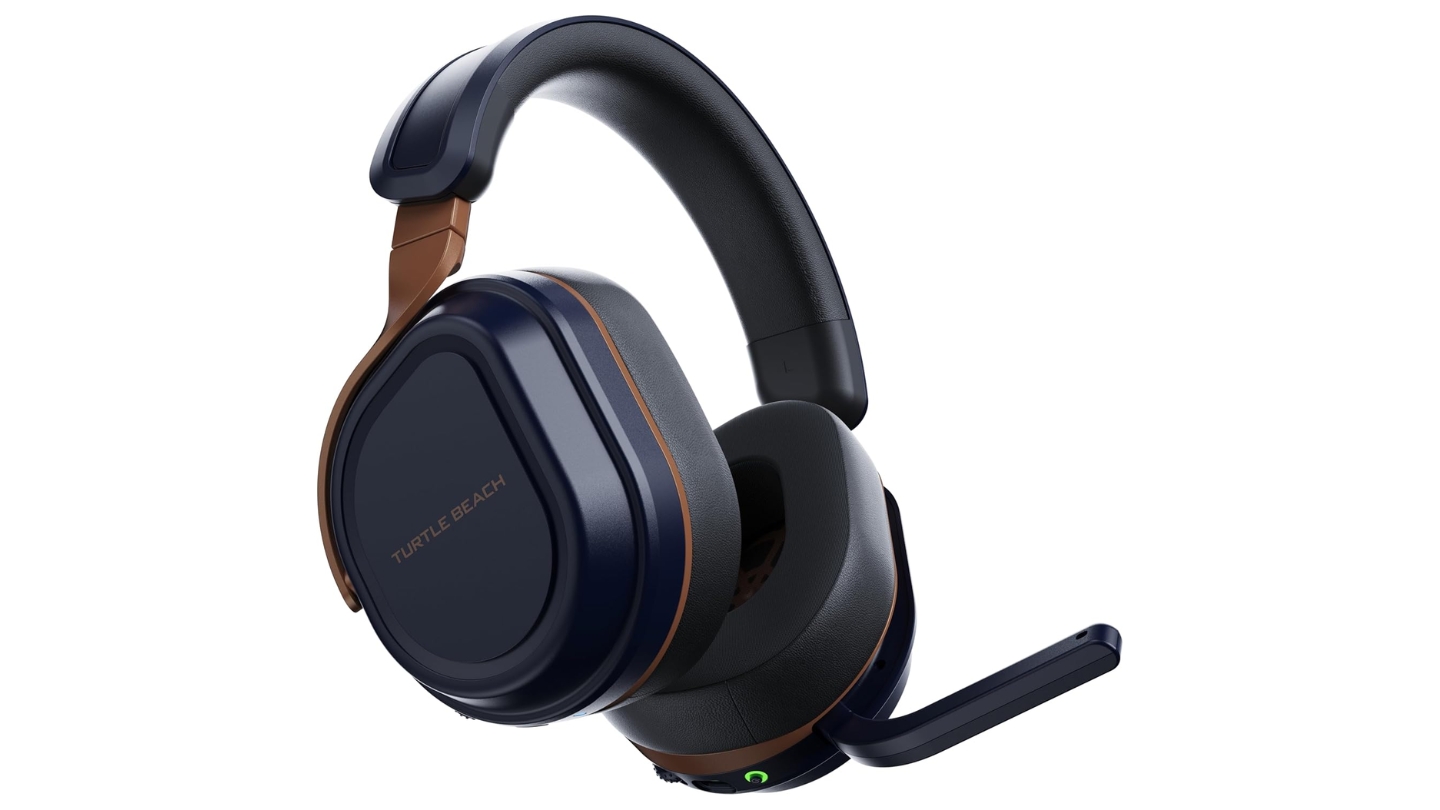
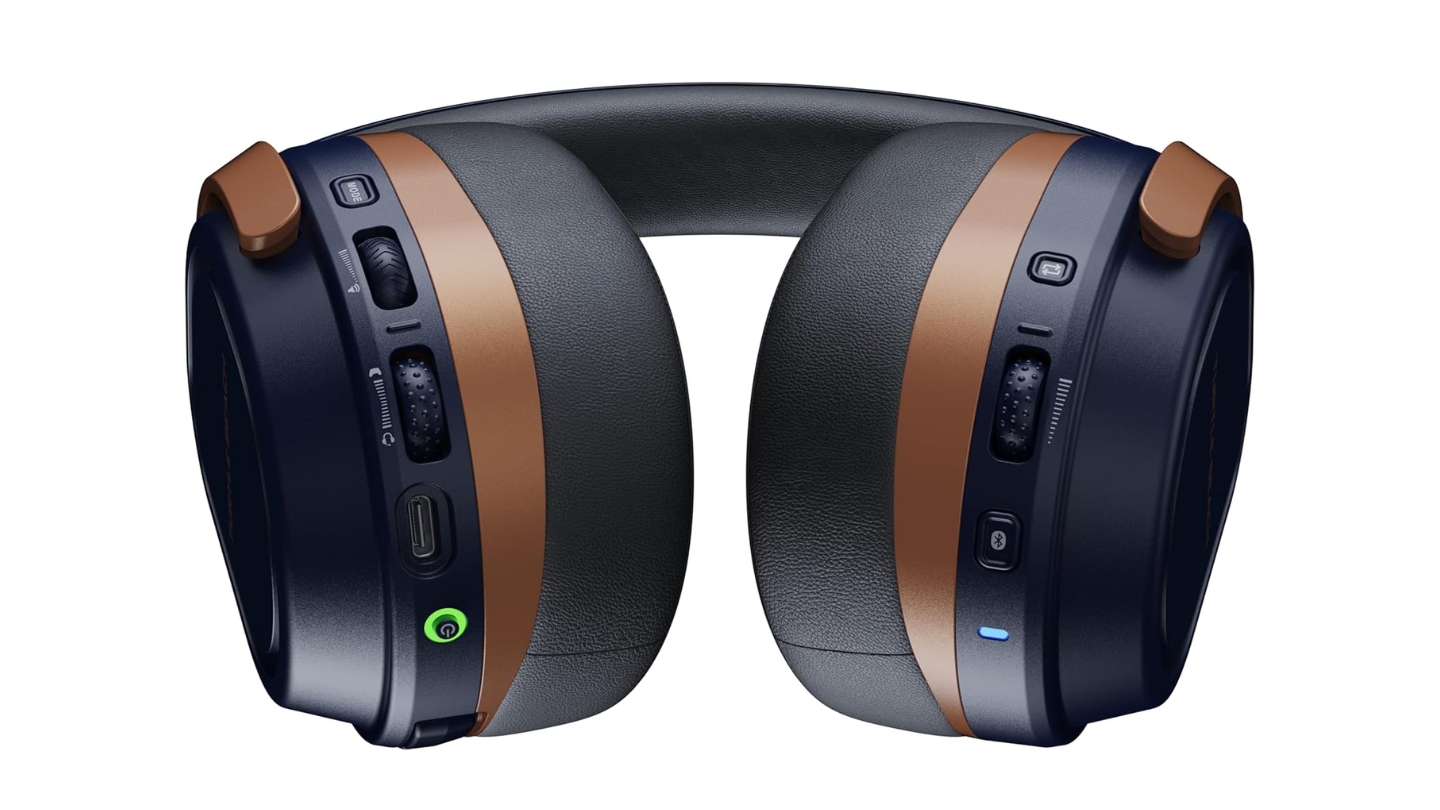
The Turtle Beach Stealth 700 Gen 3 was built for people who play on both consoles and refuse to own two separate headsets. The Xbox version ships with two USB dongles - one Xbox-certified and one universal - that can both stay plugged into their respective consoles simultaneously. Switching between them is a single button press on the headset itself, labeled CrossPlay. That alone makes it the most practically convenient headset on this list for multi-platform households.
During testing, I had the Xbox dongle in my Series X and the second dongle in my PS5 at the same time. Playing Indiana Jones on Xbox, pressing CrossPlay, and immediately hearing audio from PS5 without touching either console took maybe two seconds. No re-pairing, no menu navigation, no lag spike on the incoming audio. Bluetooth 5.2 stays active simultaneously with either wireless source, meaning phone notifications played through the headset without interrupting game audio.
The 60mm Eclipse dual drivers are the largest on this list and the low-end response shows it. DOOM Eternal's soundtrack on Xbox came through with genuine bass weight that smaller drivers soften or thin out. Turtle Beach's Advanced Superhuman Hearing mode amplifies higher frequencies to make quieter sounds more audible - footsteps, environmental cues, distant gunfire. It works well in competitive modes and feels slightly clinical for cinematic gameplay, which is an easy enough toggle to manage.
Battery life reaches 80 hours, the longest on this list by a meaningful margin. The physical weight at 400g is also the highest, which some players will feel after a few hours of wear. Weight distribution is handled well through the headband design and the ear cups seal tightly even around glasses. The flip-to-mute microphone is built into the left cup and the sound quality is solid for party chat, though it lacks the frequency range of the detachable mics on Razer or HyperX headsets.
Turtle Beach's Swarm II software on PC enables deeper EQ configuration and firmware updates. The firmware update process requires both dongles plugged in simultaneously and takes longer than expected the first time through. Once set up, the experience is seamless. The software is available on iOS and Android as well, letting console users access basic EQ presets without needing a PC at all.
Pros:
- Two dongles stay plugged into both consoles for instant switching
- 80-hour battery - longest on this list
- 60mm drivers deliver powerful, wide soundstage
- Bluetooth simultaneous with 2.4GHz connection
- CrossPlay button makes platform switching genuinely painless
Cons:
- Heaviest headset at ~400g - noticeable in long sessions
- Initial firmware setup is more involved than it should be
Summary: Turtle Beach Stealth 700 Gen 3 is the standout pick for players who genuinely split gaming time between PS5 and Xbox. Two-dongle CrossPlay switching is the most practical multi-platform solution available without spending on HDMI switching hardware.
Logitech G Astro A50 X Review
Premium Setup
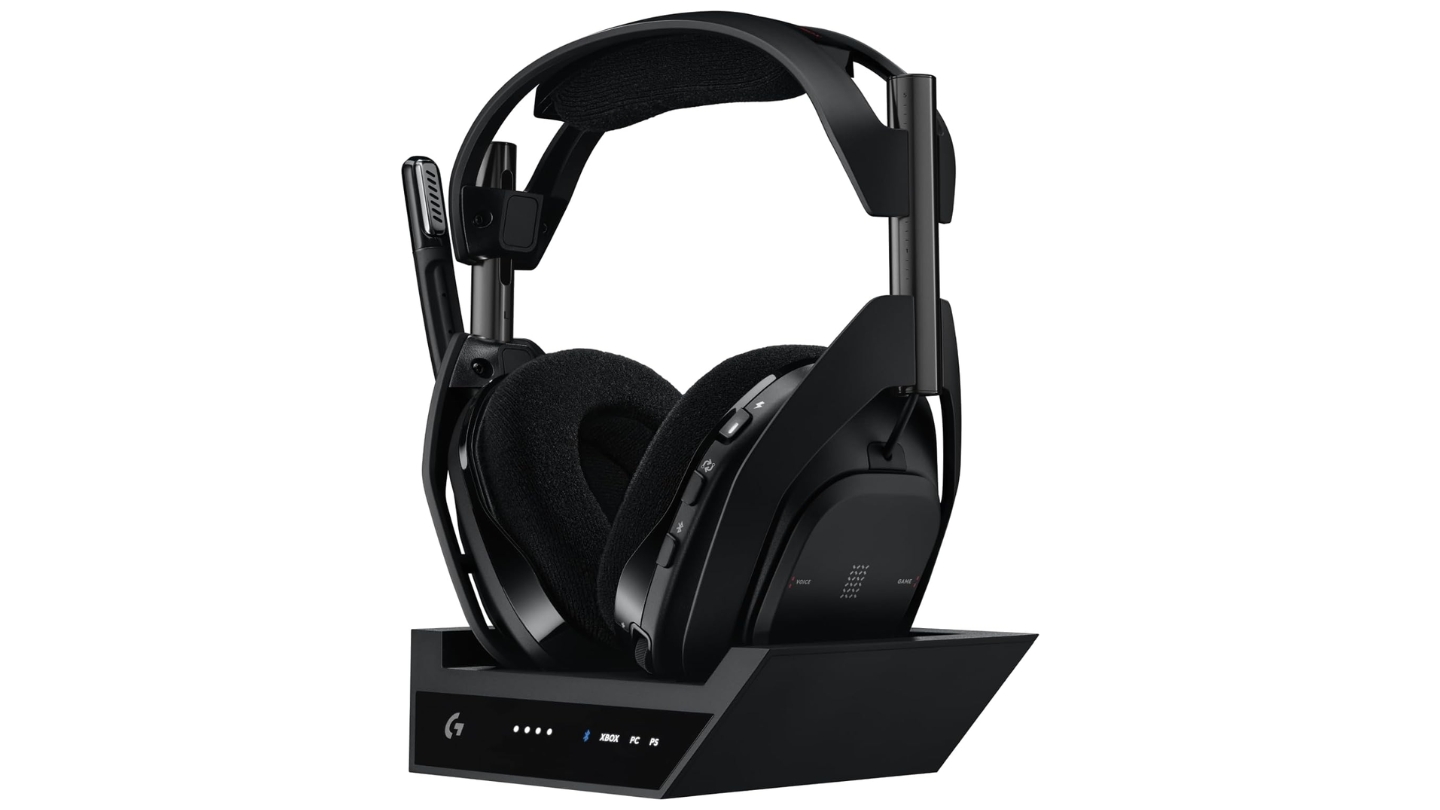
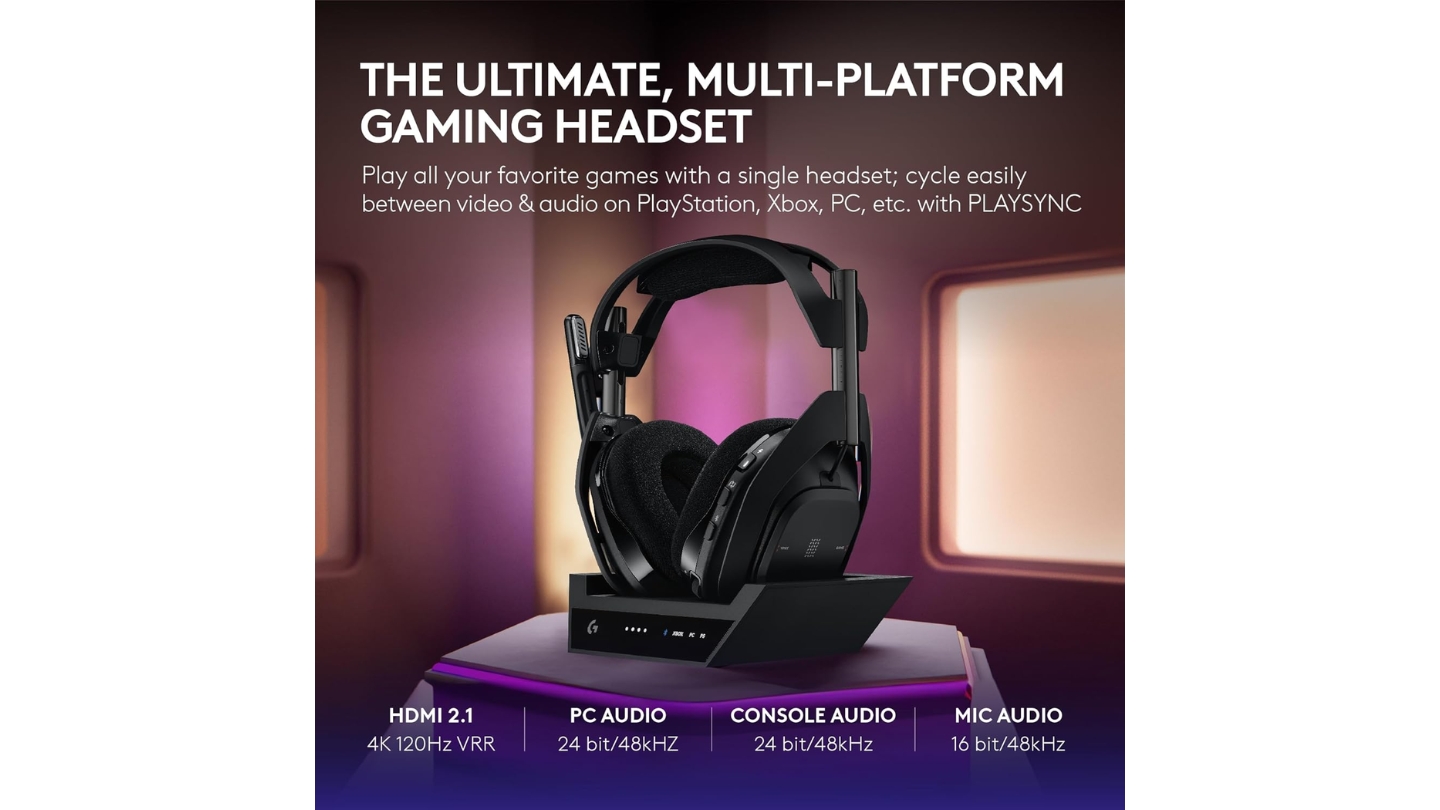
The Logitech G Astro A50 X approaches the PS5/Xbox compatibility problem from a completely different angle than every other headset here. Instead of wireless dongles, it uses a base station with HDMI 2.1 pass-through ports for both consoles. Your PS5 and Xbox both connect to the base station with HDMI, the base station passes video to your TV, and audio is captured directly from the HDMI signal for headset delivery. The result is full game and chat audio from both platforms without any protocol compromises - Dolby Atmos on Xbox and PS5 Tempest 3D work natively through the same hardware.
Setting this up took about an hour the first time - finding HDMI 2.1 cables, routing connections through the base station, and sorting out the USB-C connections for chat audio. Once done, it's a completely different experience. Switching from Xbox to PS5 via the PlaysSync button on the headset changes both the audio source and the HDMI input to the TV simultaneously. The display on the base station shows which console is active. Logitech's Lightspeed wireless handles the connection from base station to headset with negligible latency up to about 12 meters.
The Pro-G Graphene 40mm drivers share DNA with Logitech's Pro X 2 headset and the audio quality reflects it. Sound separation is exceptional - individual instruments in game soundtracks remain distinct rather than blending into general ambiance. Bass is forward without overpowering mids. Voice chat clarity on both consoles benefits from the direct HDMI audio path rather than relying on compressed wireless codec transmission. The combination of premium drivers and lossless audio delivery through HDMI puts this in a different sound category than the competition.
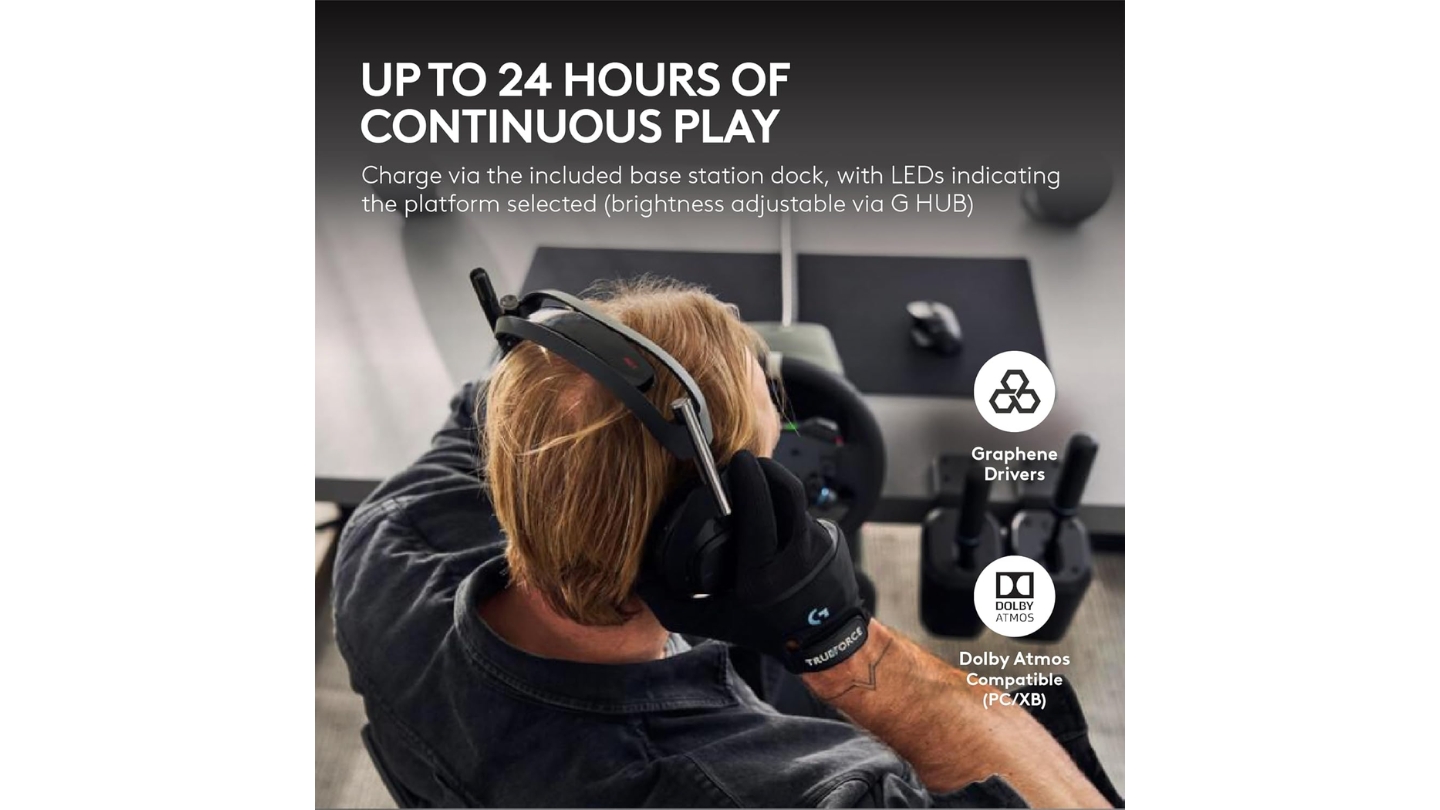
Battery life runs around 24 hours, which is the shortest wireless figure on this list - though the magnetic charging dock means the headset charges every time it's set down. In practice I never ran it flat because pulling it off the dock tops it up automatically between sessions. The 363g weight sits in a comfortable middle range. The microphone delivers clear voice quality, detaches cleanly, and uses a flexible boom arm that stays positioned without gradual drift during sessions.
The HDMI switching approach carries one real-world limitation: the base station needs to sit near your TV and both consoles. If your setup spreads across different rooms or your consoles sit in an entertainment unit with rear-only port access, routing cables back to the base station becomes complicated. The price at nearly $400 also puts this firmly in enthusiast territory. Players with a clean, consolidated setup near their display get maximum value.
Pros:
- HDMI 2.1 switching enables native Dolby Atmos and PS5 Tempest 3D
- PlaysSync switches console, audio, and TV input in one press
- Pro-G Graphene drivers deliver audiophile-grade separation
- Magnetic dock charges passively whenever headset is docked
- Lightspeed wireless works up to 12 meters from base station
Cons:
- Near $400 price makes it the most expensive option here
- Base station setup requires HDMI cable management near TV
Summary: Logitech G Astro A50 X is the premium multi-platform solution for players who want audio quality that matches high-end TV setups. HDMI switching unlocks spatial audio formats that no dongle-based system can match - at a price that reflects that uniqueness.
SteelSeries Arctis Nova 7X Review
Comfort Pick
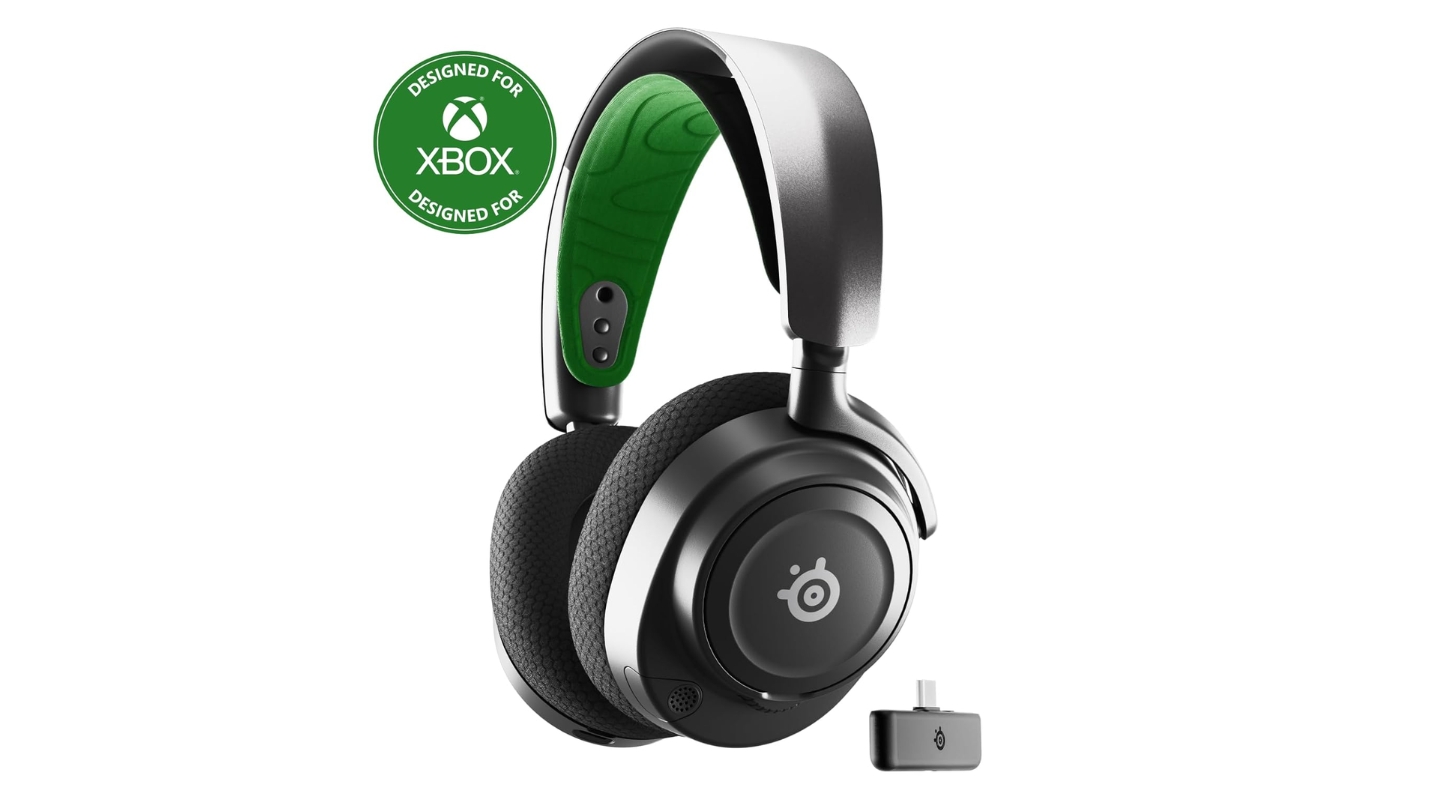
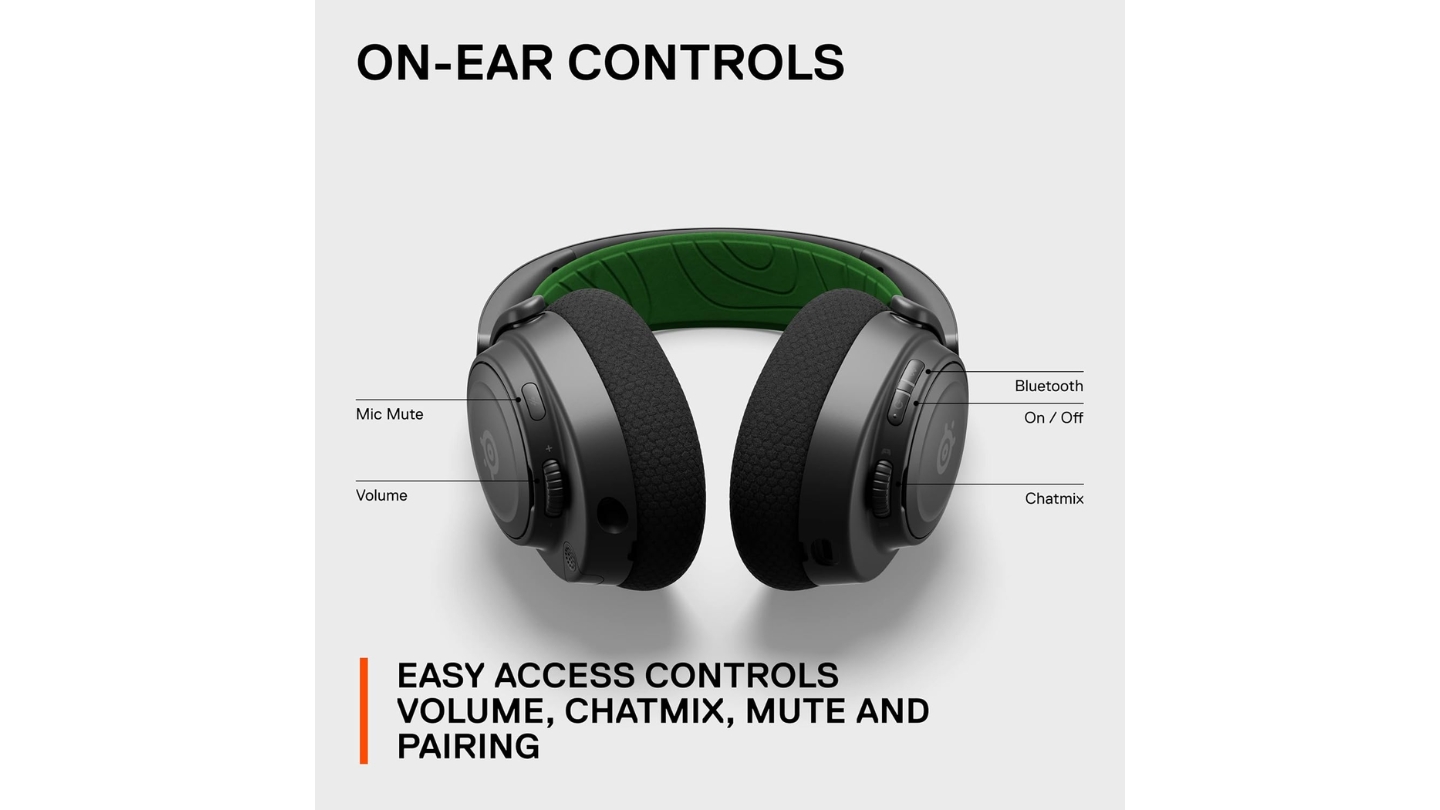
The SteelSeries Arctis Nova 7X is the headset people end up recommending to friends who game across multiple platforms and don't want to think too hard about setup. The "X" suffix is important - this specific version carries Xbox wireless certification, meaning it works wirelessly with Xbox Series X, PS5, PC, Nintendo Switch, and mobile devices through a single USB-C dongle and Bluetooth. Buying the standard Nova 7 locks you out of Xbox entirely.
Comfort is where this headset genuinely separates itself from the pack. The ComfortMAX system uses a suspension-style ski-goggle headband that distributes weight across the head's width rather than concentrating pressure at a single contact point. After three hours in the same session across both consoles, I noticed zero discomfort - no hot spots on the crown, no earcup-on-jaw pressure. Players with glasses benefit particularly from the angled ear cushions that accommodate frames without building pressure at the temple.
The 40mm High Fidelity drivers deliver balanced audio with a slightly fun-tuned low end that adds body to explosions and soundtrack bass without overwhelming mids. Directional audio in competitive games holds up well in stereo mode - SteelSeries' tuning prioritizes spatial accuracy without leaning on virtual surround processing that sometimes distorts sound cues. PS5 Tempest 3D and Microsoft Spatial Sound both work natively through their respective console connections for players who prefer processed audio.
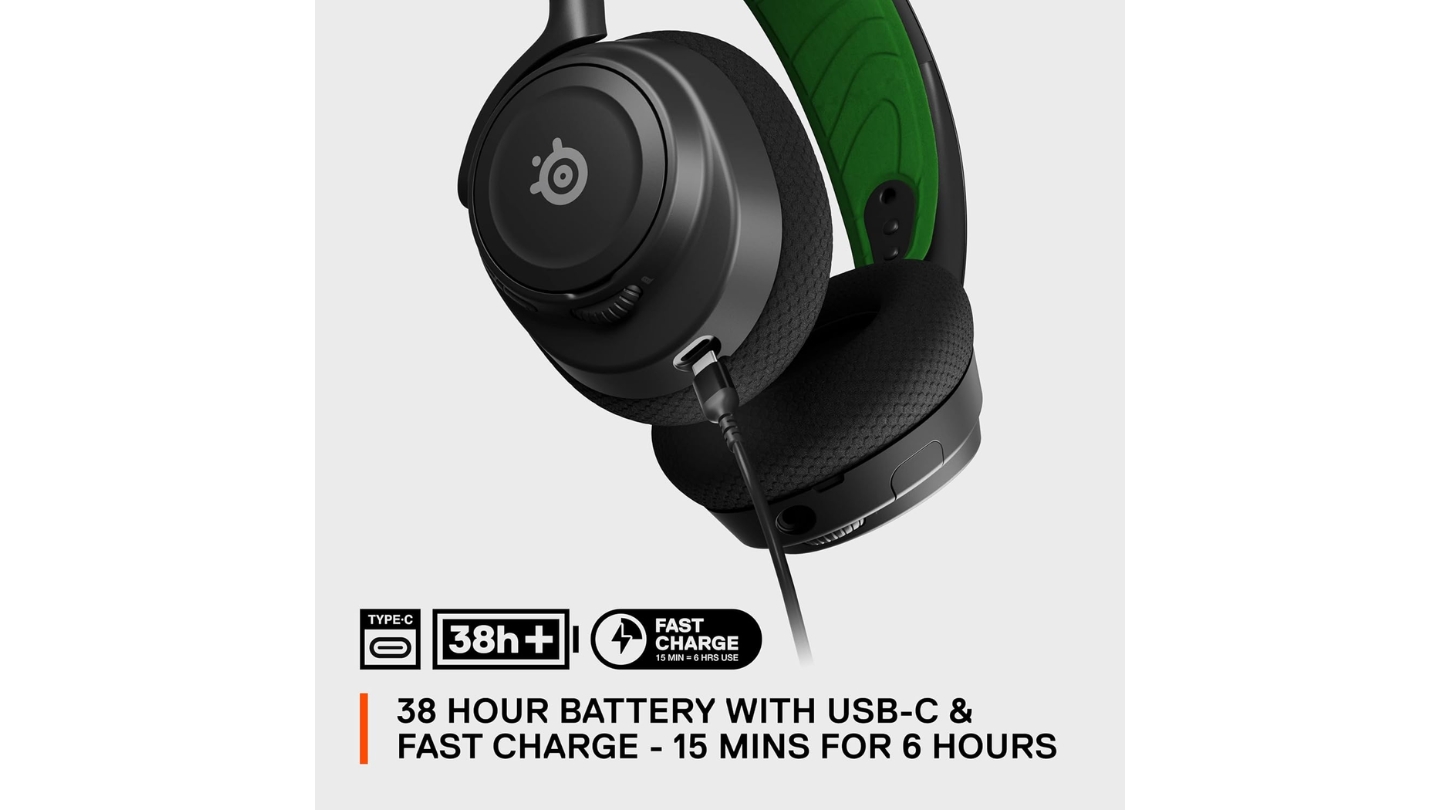
The retractable ClearCast microphone stores flush against the headset when not in use, which keeps the aesthetic clean and removes the need to detach the mic for music listening. Voice clarity is consistently good - background noise rejection through the bidirectional design keeps party chat clean without requiring noise-gate software on console. Battery runs around 38 hours on the 2.4GHz wireless connection and the headset supports simultaneous Bluetooth alongside the gaming connection, letting phone audio mix in transparently.
SteelSeries Sonar software on PC provides deep EQ control, audio mixing from multiple sources, and game-specific presets for popular titles. On console, the Arctis Companion app on iOS and Android provides basic EQ preset selection and connection management. Setup on Xbox was straightforward - the dongle connected immediately after the initial pairing sequence and held signal reliably throughout testing at distances up to ten meters from the console.
Pros:
- ComfortMAX suspension headband prevents pressure points
- Works wirelessly on Xbox, PS5, PC, and Switch from one dongle
- 38-hour battery with simultaneous Bluetooth mixing
- Retractable mic keeps the design clean when not in use
- Sonar software provides game-specific EQ presets
Cons:
- Default flat EQ needs tuning for best performance
- Single dongle requires physical move between consoles
Summary: SteelSeries Arctis Nova 7X earns its place as the comfort-first wireless headset that covers every platform from one dongle. The suspension headband design is genuinely the most comfortable on this list for marathon sessions, and the sound quality backs it up.
PS5 and Xbox Gaming Headset: FAQ
Why don't most gaming headsets work on both PS5 and Xbox wirelessly?
Microsoft requires all wireless audio devices to use a proprietary authentication protocol for Xbox. Sony uses an entirely different wireless standard for PS5. A headset designed for PlayStation's protocol simply cannot negotiate a wireless connection with Xbox hardware - the authentication handshake fails before any audio transmits. This isn't a licensing fee workaround- it's a technical incompatibility built into the console firmware. The solutions are wired 3.5mm connections (which bypass the wireless issue but lose console-specific features), dual-dongle systems where each dongle carries the correct certification, or hardware-level HDMI audio extraction like the Astro A50 X base station which pulls audio from the video signal directly.
Is wired or wireless better for gaming on PS5 and Xbox?
Wired headsets eliminate battery anxiety, pairing failures, and wireless interference entirely. The HyperX Cloud III on a USB connection delivers consistent audio quality session after session with zero setup. Wireless headsets provide freedom of movement, cleaner desktop setups, and the ability to step away from the console without removing the headset. Modern 2.4GHz wireless technology has closed the latency gap to the point where audio sync issues are rare in quality headsets. The practical question is whether your gaming setup requires movement - couch gaming with a long cord is fine - gaming from across a room demands wireless. Both work equally well for audio quality when the headset is well-designed.
Does spatial audio work on both PS5 and Xbox?
PS5 uses Tempest 3D Audio, Sony's spatial audio processing built into the console itself. Any headset connected via USB or the PlayStation Pulse adapter can access it. Xbox Series X supports Windows Sonic and Dolby Atmos for Headphones through the console settings. A headset doesn't need specific hardware for spatial audio - the processing happens in the console and is delivered through the headset as processed stereo audio. Exceptions are headsets like the Astro A50 X, which support native Dolby Atmos delivery through HDMI rather than relying on headphone simulation. For most headsets, enabling spatial audio is a console settings toggle rather than a hardware requirement.
How much should I spend on a gaming headset for both consoles?
The sweet spot for genuine quality on both PS5 and Xbox sits between $100 and $200. In this range you get reliable wireless performance, a decent microphone, comfortable padding for long sessions, and enough driver quality to appreciate in-game audio design. Below $100 you start hitting trade-offs in wireless stability, build quality, or microphone performance that become noticeable within a few months. Above $200 you're buying refinements - better spatial audio support, fancier materials, HDMI switching, or marginal improvements in audio separation. The $100-$200 range covers the Razer BlackShark V2 HyperSpeed, SteelSeries Arctis Nova 7X, and Turtle Beach Stealth 700 Gen 3, all of which perform at a high level without requiring justification.
What is Superhuman Hearing and does it actually help?
Turtle Beach's Superhuman Hearing mode amplifies higher frequency sounds - the range where footsteps, distant gunfire, and equipment handling live - while reducing lower frequency background noise. In competitive games where audio information directly affects performance, like Call of Duty or Warzone, it provides genuine tactical advantages. Enemies approaching from off-screen become audible before they'd otherwise register. The trade-off is that bass gets reduced and the overall audio sounds slightly clinical and processed compared to standard mode. Superhuman Hearing is most useful in competitive multiplayer specifically and actively harms the cinematic experience in single-player games with designed soundtracks and atmospheric audio. Most players toggle between modes depending on what they're playing.
Can gaming headsets damage hearing over time?
Prolonged exposure to audio above 85 decibels causes cumulative hearing damage over time. Gaming headsets are capable of exceeding that level - many can push 100dB or higher at full volume. Most modern headsets include volume limiting options or audio notifications when levels stay elevated for extended periods. Console OS settings also allow global volume caps. The practical risk comes from sustained high volumes during long sessions rather than brief loud moments. Keeping in-game volume at 70-75% while boosting game dialogue settings in accessibility menus provides a comfortable listening experience at safer levels. Taking short breaks during long sessions reduces cumulative exposure significantly.
Do I need a headset amp or DAC for console gaming?
No. Console gaming headsets are designed to run directly from the console's USB or 3.5mm output without external amplification. A separate amp or DAC adds value for audiophile headphones with high impedance ratings that require more power to reach comfortable listening levels - typically headphones designed for studio or hi-fi use rather than gaming. Gaming headsets are built with impedance ratings of 16-32 ohms that consoles drive easily. Spending on a headset amp when gaming on PS5 or Xbox adds complexity without meaningful audio improvement. That money goes further toward a better headset than toward amplification equipment for a headset that doesn't need it.
Choosing Your Console Audio Upgrade
Every headset on this list solves the PS5/Xbox compatibility problem differently, and the right answer depends on how you actually play. The HyperX Cloud III keeps things simple - plug in and play on either console without any configuration. If competitive audio precision matter more, the Razer BlackShark V2 HyperSpeed delivers that without breaking the budget.
Players who genuinely split time across both consoles daily and don't want to swap dongles will find the Turtle Beach Stealth 700 Gen 3's CrossPlay system to be the most practical solution on the market. The SteelSeries Arctis Nova 7X earns its place for anyone who prioritizes all-day comfort and platform-wide compatibility from one dongle. And for setups where HDMI cable management isn't an obstacle, the Logitech G Astro A50 X remains the only headset that unlocks full spatial audio from both consoles simultaneously without any codec compromises.

Meet James, our go-to tech guru and seasoned reviewer. His sharp attention to detail and love for gadgets drive his deep dives into the newest tech waves. James's insightful analysis and real zest for breakthroughs have earned him a solid reputation in the tech world.


