Mechanical vs Membrane Keyboards: Which Is Better for You?
Most keyboard debates online collapse into two camps talking past each other: enthusiasts insisting mechanical is the only real option, and everyone else perfectly happy with what came bundled with their PC. The actual differences between these two technologies are significant enough to matter but specific enough that the "right" answer genuinely depends on what you're doing at your desk.
Both mechanical and membrane keyboards have gotten meaningfully better in the past few years. Membrane designs have improved their tactile response and durability. Mechanical switches have diversified far beyond the classic clicky experience into silent, linear, and low-profile options that work in nearly any environment. Understanding what separates them makes the choice obvious once you know your priorities.
Short answer: Mechanical keyboards use individual physical switches under each key, delivering precise tactile feedback, rated durability of 50-100 million keystrokes, and full customization - at a higher price and louder operation. Membrane keyboards rely on a pressure-sensitive rubber layer beneath the keys, producing quieter, softer keystrokes at a significantly lower cost and with greater portability, but with less precision and shorter lifespans around 5-10 million keystrokes. Mechanical keyboards suit typists, gamers, and heavy users who prioritize feel and longevity. Membrane keyboards fit casual users, shared workspaces, and anyone working within a tight budget.
- How Mechanical Keyboards Work
- How Membrane Keyboards Work
- Typing Feel and Feedback
- Noise Levels and Office Suitability
- Gaming Performance
- Durability and Lifespan
- Price and Value
- Mechanical vs Membrane Keyboards: FAQ
How Mechanical Keyboards Work
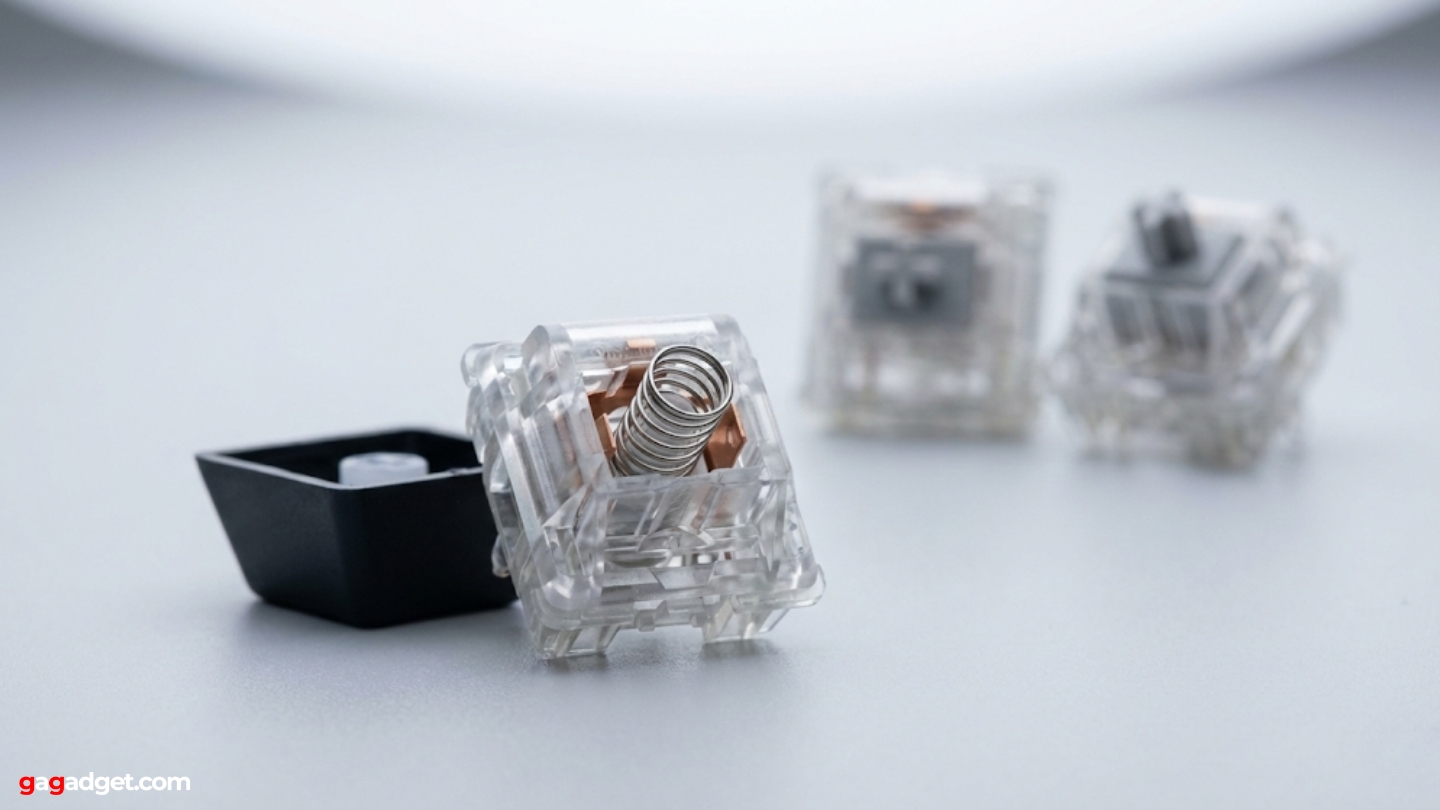
Every key on a mechanical keyboard sits on top of its own independent physical switch. Press a key and a spring-loaded mechanism registers the input at a specific actuation point - the moment the switch signals the computer - before the key reaches the bottom of its travel. This separation between actuation and bottoming out is what gives mechanical keyboards their characteristic feedback: you feel - and with clicky switches, hear - exactly when a keystroke registers, without pressing the key all the way to the bottom.
Switch types split into three main categories. Linear switches (like Cherry MX Red or Gateron Yellow) move straight down with consistent resistance and no tactile bump, making them popular for gaming. Tactile switches (MX Brown, Holy Pandas) produce a bump at the actuation point without an audible click, giving typing feedback without the noise. Clicky switches (MX Blue, Kailh Box White) add an audible click at the actuation point - the loudest option and the one people either love immediately or rule out just as fast. Hot-swappable keyboards let users change switches without soldering, turning the keyboard into a long-term platform that evolves with the user's preferences.
How Membrane Keyboards Work
Membrane keyboards register keystrokes through three flexible layers stacked beneath the keycaps. The top layer carries conductive traces, a middle layer separates them with holes at each key position, and the bottom layer carries a matching set of traces. Pressing a key pushes the top layer through the middle hole to contact the bottom layer, completing a circuit. A rubber dome beneath each key provides the return force and creates the soft, cushioned feel membrane keyboards are known for.
This construction makes membrane keyboards inherently simpler to manufacture and seal against liquids. Most spill-resistant and fully waterproof keyboards use membrane designs for exactly this reason - the sealed layers prevent liquid from reaching electronics. The Logitech K120, one of the most sold keyboards on Amazon US, uses this construction to deliver a reliable plug-and-play experience for office and home use at a price that makes replacement a non-issue. The trade-off is that all keys share the same membrane layer, so wear is distributed across the whole keyboard with no way to isolate individual keys.
Typing Feel and Feedback
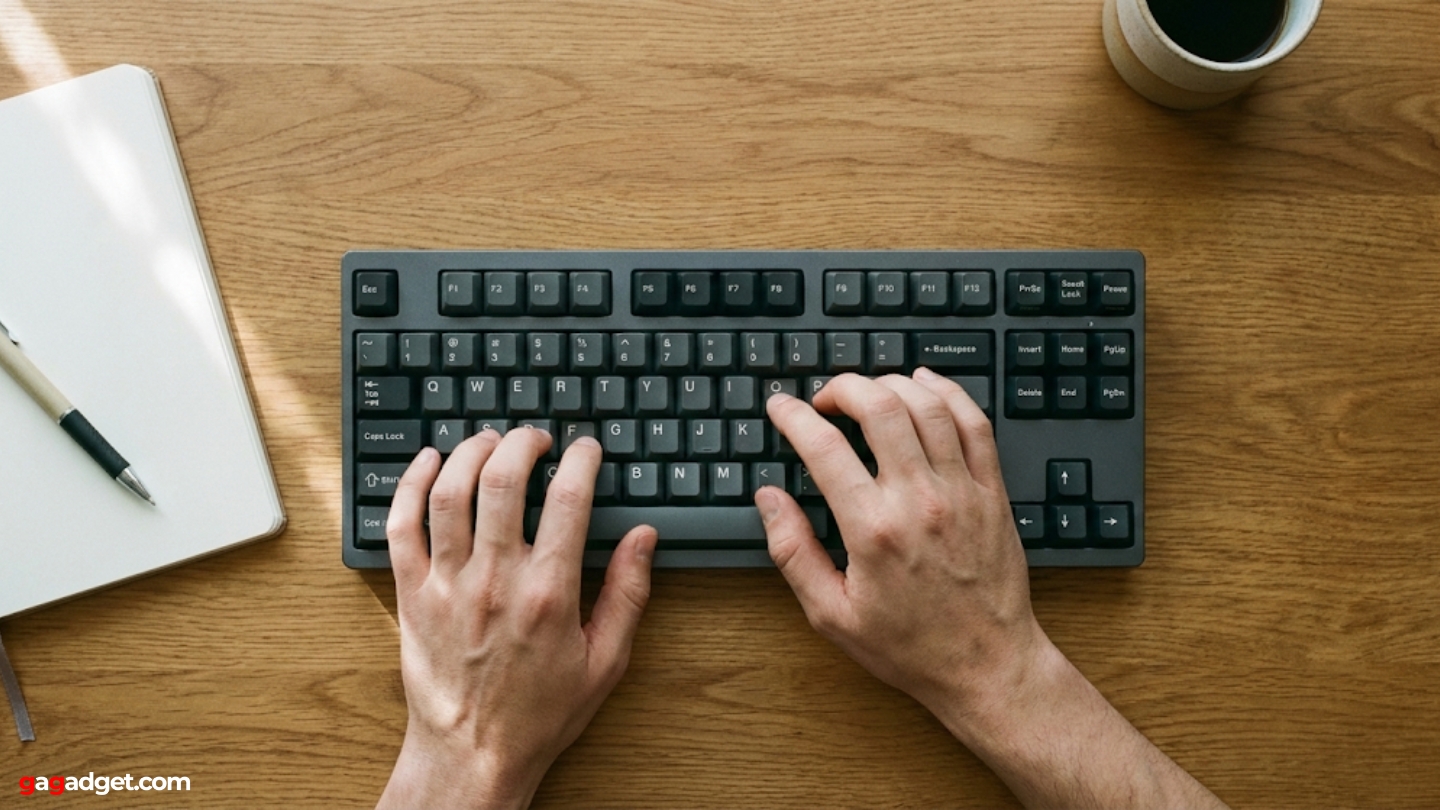
The typing experience gap between these two technologies is real and consistent. Mechanical switches provide a defined actuation point, meaning experienced typists learn to release keys immediately after registration - the key doesn't need to travel all the way to the bottom to register. This reduces finger fatigue during long sessions and builds a typing rhythm that membrane keyboards don't replicate. Writers and coders who spend several hours daily at a keyboard often describe the move to mechanical as one of the more impactful peripheral upgrades they've made.
Membrane keyboards deliver a softer, more cushioned keystroke with less defined feedback. The rubber dome compresses gradually with no defined actuation point, so the only signal that a key registered is the key reaching the bottom of its travel. For light to moderate use - emails, browsing, occasional documents - this causes no real problems. Under sustained heavy typing, many users report a mushy quality that becomes harder to ignore, particularly after experiencing mechanical switches for comparison.
Key travel distance also differs between the two. Mechanical switches typically offer 4mm of travel with actuation around 2mm. Membrane keyboards often compress 3-4mm but actuate closer to the bottom of travel. Low-profile mechanical switches, now common in laptop-style desktop keyboards, reduce travel to 2-3mm while retaining the defined actuation point - a middle ground that suits users who want mechanical feedback without the height of traditional switches.
Noise Levels and Office Suitability
Noise is the most practically important difference for anyone sharing a workspace. Clicky mechanical switches generate 50-60 decibels during normal typing - the level of a normal conversation, audible across a room and easily picked up by a microphone during calls. Tactile mechanical switches run quieter, around 40-50 decibels, with the bump felt more than heard. Silent mechanical switches from brands like Cherry and Gateron use internal dampening mechanisms to bring noise down to membrane levels while preserving the defined actuation feel.
Standard membrane keyboards produce 30-40 decibels during typing - the baseline quiet that open offices and shared apartments generally expect. The soft rubber dome absorbs much of the impact sound, and bottoming out on a membrane key produces a dull, flat thud - noticeably softer than the sharper crack of a mechanical switch hitting its housing. For anyone whose keyboard use happens around other people - coworkers, roommates, family members in the same room - membrane or silent mechanical are the realistic options.
- Clicky mechanical: Loudest option. Clear, satisfying sound for the user, disruptive for everyone nearby. Best suited to private offices or home setups with no noise concerns.
- Tactile mechanical: Moderate noise. The bump is felt more than heard. Acceptable in most home environments, potentially noticeable in quiet open offices.
- Silent mechanical: Near-membrane noise levels with preserved tactile precision. The practical choice for mechanical feel in shared spaces.
- Standard membrane: Quietest common option. Works in any environment without generating complaints.
Gaming Performance
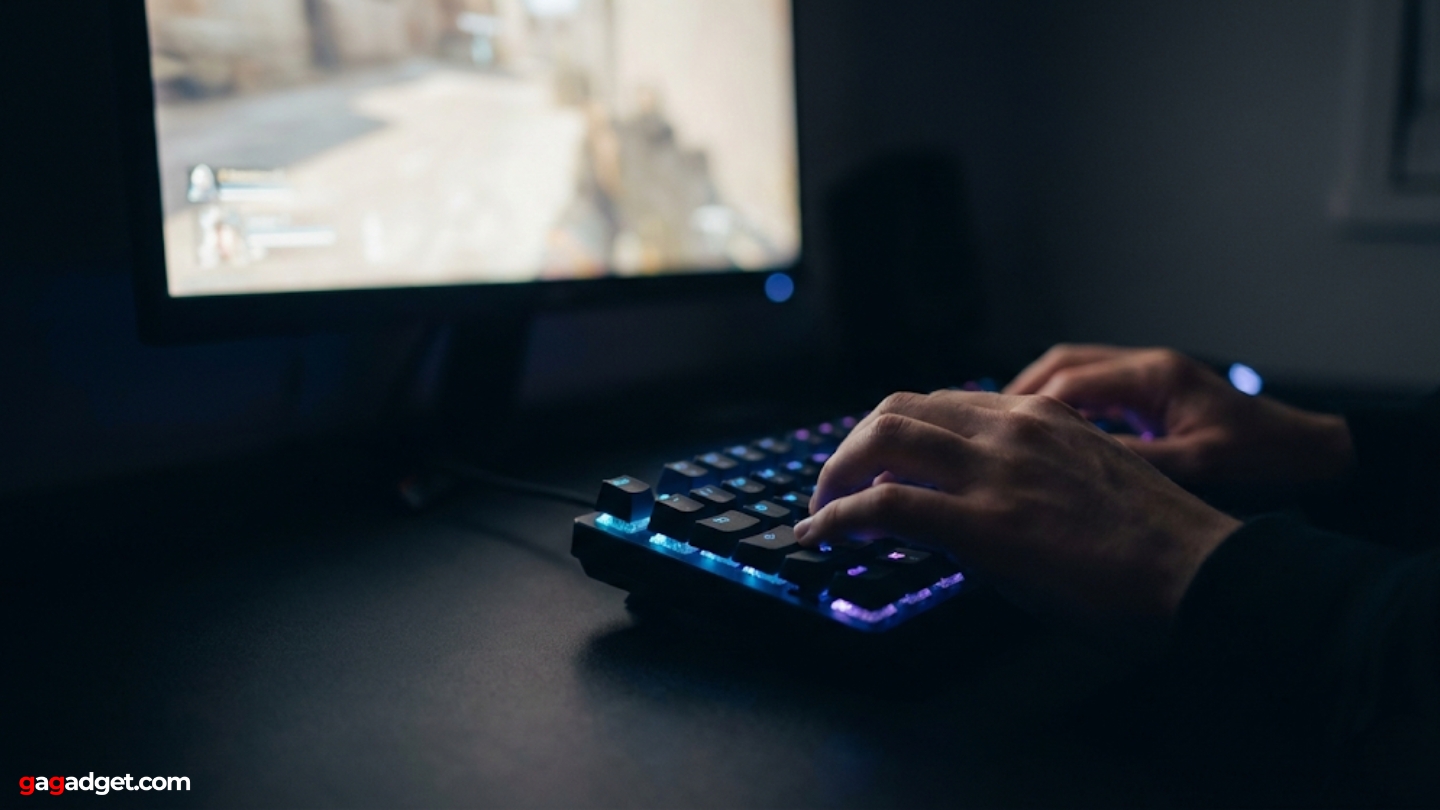
Response time differences between mechanical and membrane keyboards are measurable, though how much they matter depends on how seriously you game. Mechanical switches actuate at a defined point mid-travel, registering input before the key bottoms out. This trims a few milliseconds from the input chain and allows faster double-tapping since the finger can reverse direction before reaching the bottom. In competitive games where reaction time margins are measured in frames - high-level FPS, fighting games, rhythm games - those milliseconds are real. For recreational players, the gap stays below what most people can reliably detect in their own gameplay.
N-key rollover - the keyboard's ability to register multiple simultaneous key presses accurately - is where the gap becomes more concrete. Quality mechanical keyboards offer full N-key rollover, meaning every key pressed simultaneously registers independently regardless of how many are held at once. Membrane keyboards typically offer 6-key rollover, which covers the majority of gaming inputs but can miss combinations involving more than six simultaneous keys. The Redragon K552, a consistent top seller in the Amazon mechanical keyboard category, offers full N-key rollover and a metal frame for under $40.
Advanced mechanical technologies have pushed gaming performance further in recent years. Hall effect switches use magnets rather than physical contacts to register keystrokes, enabling adjustable actuation points and rapid trigger features that let competitive players fine-tune exactly where in the key travel an input registers. These represent a significant upgrade over both standard mechanical and membrane designs for serious competitive gaming, though they carry a corresponding price premium.
Durability and Lifespan
Switch ratings tell the clearest part of this story. Mechanical switches carry manufacturer ratings of 50-100 million keystrokes per switch - Cherry MX switches are rated at 100 million, Gateron at 80 million. A touch typist averaging 250 keystrokes per minute over 6 hours daily would need roughly 55 years to reach 50 million presses on any single key. In practical terms, a well-maintained mechanical keyboard outlasts most of the hardware around it.
Membrane keyboards are rated around 5-10 million keystrokes. The rubber dome material degrades gradually - keys that once felt responsive develop a mushy, inconsistent return force over time. Because all keys share the same membrane layer, there's no practical way to replace individual worn sections. Most users notice the degradation within 2-3 years of heavy use, though lighter users can extend this considerably. For a keyboard that costs $10-$20, replacement is often simpler than repair.
| Durability Factor | Mechanical | Membrane |
|---|---|---|
| Keystroke Rating | 50-100 million keystrokes per switch. Independent switch design means one failing key doesn't affect others. | 5-10 million keystrokes. Shared membrane layer degrades as a whole - one worn area affects the feel across the board, with no way to isolate and replace individual sections. |
| Feel Over Time | Switches maintain consistent actuation force and feedback throughout rated lifespan. No noticeable change in typing feel under normal use. | Rubber domes soften and lose rebound force progressively. Keys feel increasingly mushy compared to new condition after 2-3 years of heavy use. |
| Repairability | Individual switches replaceable on hot-swap boards. Keycaps replaceable. Cases often reusable for decades with switch replacements. | Membrane layer not practically replaceable. Full keyboard replacement required when feel degrades to unacceptable levels. |
| Liquid Resistance | Varies by model. Most mechanical keyboards are not liquid-resistant due to open switch housing. Some feature IP ratings with sealed switches. | Sealed membrane layer provides inherent spill resistance. Many models withstand minor liquid exposure without damage to electronics. |
| Build Materials | Range from plastic to aluminum frames. Premium models use aircraft-grade aluminum cases that outlast the switches themselves. | Typically plastic construction. Lightweight but less resistant to physical impact and flex under aggressive typing. |
For users who replace keyboards every few years regardless, membrane durability is entirely sufficient. For users who want to buy once and use indefinitely, mechanical keyboards are the practical long-term choice - particularly with hot-swappable designs that allow component-level maintenance.
Price and Value
The price gap between these technologies has narrowed significantly, but the starting points still differ. Quality membrane keyboards for everyday use start at $10-$25. Functional mechanical keyboards begin around $30-$40, with most of the mainstream market sitting between $50 and $150. Premium mechanical boards with aluminum cases, premium switches, and advanced features reach $150-$300 and beyond, with custom enthusiast builds going higher still.
The value calculation shifts depending on time horizon. A $15 membrane keyboard replaced every three years costs roughly $5 annually. A $60 mechanical keyboard lasting a decade or more lands at $6 annually - nearly the same out-of-pocket cost over time, with a significantly better typing experience throughout. Upfront price favors membrane. Long-term cost of ownership is closer than most people expect.
The middle ground has also gotten more competitive. Budget mechanical keyboards have improved meaningfully in recent years, closing the build quality gap with their premium counterparts. Silent mechanical options now offer membrane-level noise with mechanical-level feel at prices between $40 and $80. For users who want to step up from membrane without committing to a premium mechanical board, this tier covers the distance without sticker shock.
Mechanical vs Membrane Keyboards: FAQ
Is a mechanical keyboard actually worth it for everyday typing?
For anyone who types for more than an hour or two daily - emails, documents, coding, writing - the answer is consistently yes. The defined actuation point reduces the unconscious effort of confirming that each keystroke registered, and the consistent switch feel prevents the gradual degradation that membrane keyboards show over time. The adjustment period when switching from membrane to mechanical typically takes a few days. Most users who make the switch don't go back.
Are membrane keyboards better for quiet offices?
Standard membrane keyboards are the most practical choice for open offices and shared spaces. Their operating noise sits at 30-40 decibels - audible to the user but unremarkable to coworkers at normal desk distances. Clicky mechanical keyboards are genuinely disruptive in quiet environments. Silent mechanical keyboards close the gap considerably but still tend to bottom out with a sharper sound than membrane. For environments with strict noise expectations, membrane remains the safest default.
Which keyboard type is better for gaming?
Mechanical keyboards hold a real advantage for gaming, primarily through N-key rollover and the defined actuation point that allows faster repeated keypresses. For competitive players in games where input timing matters - fighting games, tactical shooters, rhythm games - the difference is tangible. For casual gaming, the gap is smaller and largely irrelevant to performance. Hall effect mechanical keyboards represent the current performance ceiling for competitive gaming, offering adjustable actuation and rapid trigger features unavailable on membrane designs.
Do mechanical keyboards last longer than membrane?
Yes, significantly. Mechanical switch ratings of 50-100 million keystrokes far exceed membrane dome ratings of 5-10 million. More importantly, mechanical keyboards degrade differently: individual switches can fail and be replaced without affecting the rest of the board, while membrane keyboards degrade across the entire typing surface simultaneously. A mechanical keyboard maintained with occasional switch replacements can realistically function well for a decade or more. Most membrane keyboards show noticeable feel degradation within three years of heavy use.
Can you make a mechanical keyboard quiet enough for an apartment?
Yes. Silent mechanical switches from Cherry, Gateron, and Boba bring operating noise down to membrane levels while preserving the tactile precision mechanical keyboards are known for. Adding o-rings to standard switches reduces bottoming-out noise further. Desk mats absorb the resonance that hollow desks add to typing sound. A silent mechanical keyboard on a padded surface is genuinely quiet - often quieter than a membrane keyboard bottoming out on a hollow wooden desk. The options for noise-sensitive environments have expanded considerably.
What switch type should a beginner start with?
Tactile switches - Cherry MX Brown, Gateron Brown, or their equivalents - work well as a starting point for most users. They provide the bump feedback that makes mechanical keyboards feel different from membrane without the loud click that surprises people in shared spaces. Linear switches suit gamers who want fast, smooth keypresses without a bump. Clicky switches are best chosen deliberately by users who specifically want the audible feedback and have already confirmed their environment accommodates the noise. Many specialty keyboard retailers offer switch samplers that let users test different types before committing to a full keyboard.
Are there membrane keyboards that feel like mechanical?
Some membrane keyboards attempt to replicate mechanical feedback through stiffer domes, textured keycaps, or internal click mechanisms layered on top of membrane construction. Results vary. The tactile response never quite matches a real mechanical switch because the underlying mechanism - a dome compressing gradually versus a spring clicking at a defined point - behaves differently by design. These hybrid options represent a reasonable middle ground for users who want more feedback than standard membrane without the price or noise of mechanical, but they won't satisfy anyone who has spent significant time with quality mechanical switches.
Mechanical vs Membrane: Making the Call
The choice comes down to three practical questions: how much you type, where you type, and what you're willing to spend. Heavy typists and serious gamers who work in a private space and are comfortable with a $50-$100+ investment consistently benefit from mechanical keyboards. The typing feel, longevity, and customization options justify the premium across a reasonable ownership period. The Keychron K2 covers this ground well - wireless, hot-swappable, compatible with both Mac and Windows, and priced where most people can commit without overthinking it.
Membrane keyboards remain the right answer for shared environments where noise is a genuine constraint, for users with light daily keyboard use, and for anyone who needs a reliable input device without spending much. They have gotten better, quieter, and more durable without moving far from their core advantage: a functional, low-maintenance keyboard that works immediately out of the box and never draws attention to itself. For most office deployments and casual home use, that is exactly what the job calls for.

Meet James, our go-to tech guru and seasoned reviewer. His sharp attention to detail and love for gadgets drive his deep dives into the newest tech waves. James's insightful analysis and real zest for breakthroughs have earned him a solid reputation in the tech world.


