Best USB Microphone for Podcasting
My first podcast episode sounds like I recorded it in a parking garage. Not because I was in a parking garage - I was at my desk, same room I'd been sitting in for years. The problem was a laptop microphone picking up every keystroke, the hum of the air conditioner, and a low-frequency resonance that made my voice sound like it was coming through a cardboard tube. Three people told me the audio was bad before I admitted the problem wasn't fixable in post.
A USB microphone changed that in one afternoon. No audio interface, no XLR cables, no learning curve - just a mic plugged into the same computer I was already using. What I didn't know then was how much separation exists between a $50 USB mic and a $150 one, and how much the type of microphone - dynamic versus condenser - changes what your recording actually picks up. The five mics on this list represent different answers to the same question: what does your recording setup actually look like, and what do you need your mic to handle?
In a hurry? Here are my top two picks for USB podcast microphones:
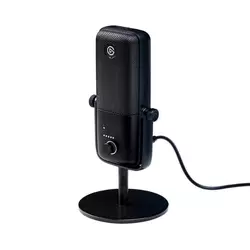
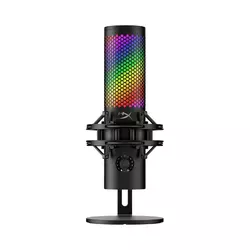
We may earn a small commission if you buy via our links - it helps keep gagadget.com running.
Table of Contents:
- Best USB Podcast Microphones: Buying Guide
- Top 5 USB Podcast Microphones in 2026
- USB Podcast Mic Comparison
- Elgato Wave:3
- HyperX QuadCast 2 S
- Shure MV7+
- RØDE NT-USB+
- Audio-Technica ATR2100X-USB
- USB Podcast Microphone: FAQ
Best USB Podcast Microphones: Buying Guide
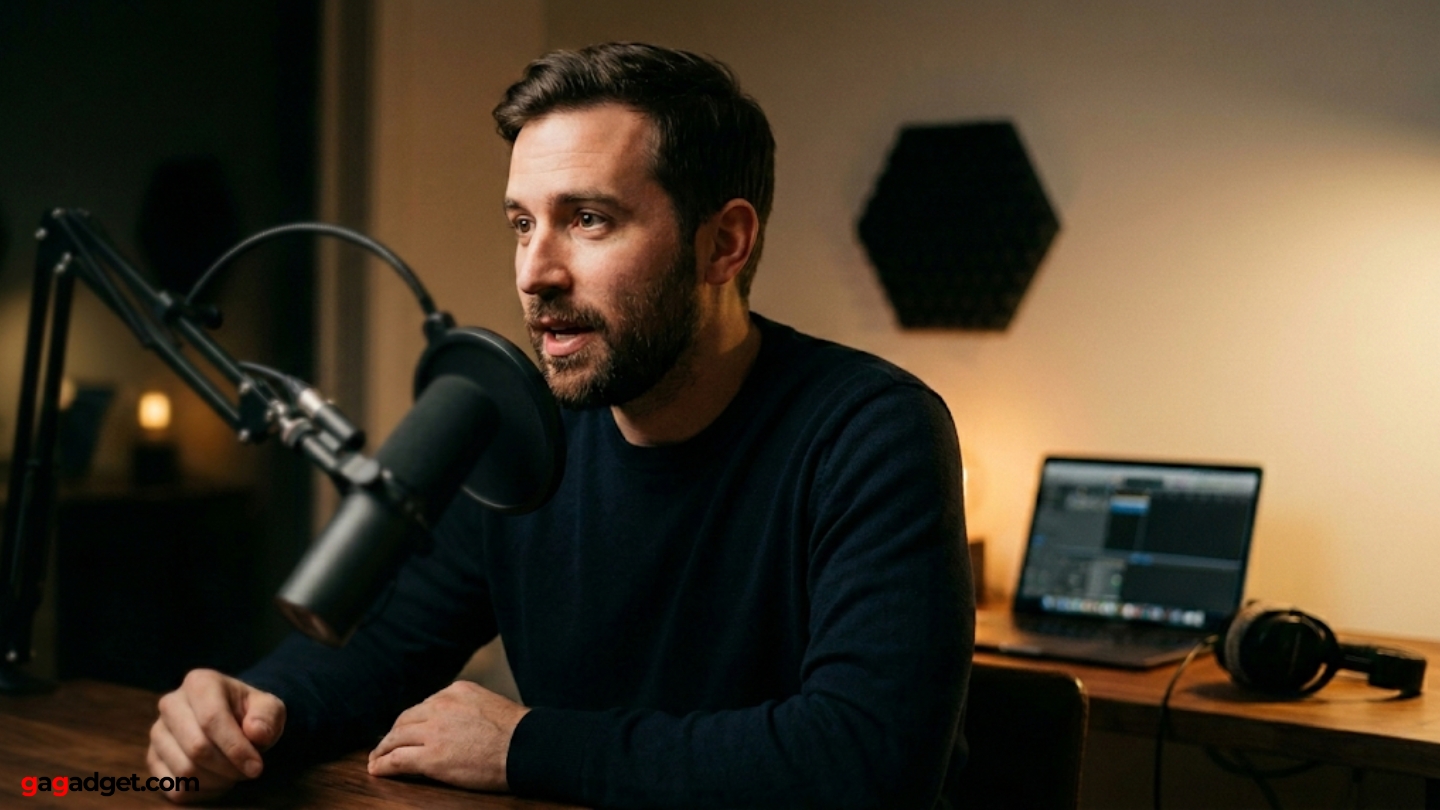
Most people shopping for a podcast microphone are choosing between two or three they've already seen recommended somewhere. That's a fine place to start, but the criteria that make one mic the right call for a home studio with treated walls are different from the criteria that matter in an untreated bedroom with a loud HVAC system. Before the spec sheets, these are the variables that should drive the decision.
Dynamic vs. Condenser: Room Matters More Than You Think
The single most overlooked variable in mic selection is the recording environment. Condenser microphones use a charged capsule that responds to even subtle pressure changes in the air - which makes them transparent and detailed, but also means they pick up more of everything around you: room reverb, keyboard clicks, a refrigerator three rooms over. Dynamic microphones use a moving coil that requires more sound pressure to activate, which makes them naturally less sensitive to ambient noise and off-axis sound.
The Shure MV7+ and ATR2100X-USB are dynamics. The Wave:3, RØDE NT-USB+, and QuadCast 2 S are condensers. If your recording environment is anything less than treated, that distinction narrows the choice before budget, software, or spec sheet enters the conversation.
One practical test before you buy anything: record a 30-second clip in your recording space with your current setup. Play it back on headphones and listen specifically for room echo and ambient noise. If you hear both clearly, a dynamic mic will improve your recordings without any acoustic treatment. If the room sounds fairly dead already, a condenser will capture more warmth and presence from your voice.
Polar Pattern: Cardioid Does the Job, Multiple Patterns Rarely Get Used
A polar pattern describes the directions a microphone picks up sound from. Cardioid captures from the front, rejects from the sides and rear - it's the standard for solo podcasting and the right choice for single-host setups. Bidirectional picks up front and back (useful for two-person interviews across a table). Omnidirectional captures equally from all directions (useful for roundtables). Stereo separates left and right audio channels.
The HyperX QuadCast 2 S offers all four. The RØDE NT-USB+ and Elgato Wave:3 are cardioid-only. In practice, most podcasters with a multi-pattern mic use cardioid almost exclusively - but if you record in-person guest interviews or roundtable conversations and want a single mic to handle it, multiple patterns earn their keep. For solo work, a cardioid-only mic at a given price point usually has a better capsule than a multi-pattern mic at the same price, because the manufacturer isn't splitting the engineering budget across four pickup modes.
Software and Onboard DSP: How Much Processing Do You Need at the Source?
Every mic on this list is plug-and-play - they work without installing anything. But several include companion software that lets you apply processing directly to the signal: compression, EQ, noise gating, de-essing. The RØDE NT-USB+ has onboard Aphex DSP (Aural Exciter and Big Bottom effects) accessible through Rode Central. The Elgato Wave:3 integrates with Wave Link, a multi-track software mixer that routes multiple audio sources independently. The Shure MV7+ uses MOTIV Mix for gain, EQ, and a real-time denoiser.
Processing at the source is useful when your recording workflow goes straight to a final file - live streaming, video calls, remote interviews where you won't edit afterward. If you record to a DAW and process there, you'll want the cleanest unprocessed signal possible. Know which workflow is yours before software becomes a purchase driver.
Wave Link's two-mix-bus routing is useful for streamers who need separate audience and monitor mixes. Ngenuity, HyperX's companion app, handles lighting customization well but offers very little audio control beyond a high-pass filter. Those are meaningfully different tools despite both being called "companion software."
Connection Type and Upgrade Path: USB-Only vs. USB/XLR Hybrid
Three mics on this list - the Elgato Wave:3, HyperX QuadCast 2 S, and RØDE NT-USB+ - connect via USB only. Two mics - the Shure MV7+ and Audio-Technica ATR2100X-USB - have both USB and XLR outputs, which means they work directly with a computer today and plug into a proper audio interface later without buying a new microphone.
The Shure MV7+ takes this further: USB and XLR can run simultaneously, recording a processed version through the MOTIV app and a clean unprocessed backup through the interface at the same time. For important recordings where a second take isn't possible, that dual-output is a real safety net.
Top 5 USB Microphones for Podcasting in 2026
Each of these mics settled into a distinct use case across testing - the differences in background noise handling, software depth, and how the capsule responds in an untreated room shaped where each one belongs.
- Clipguard dual-signal path prevents distortion
- Wave Link: two-bus mixing without hardware
- 24-bit/96kHz condenser capsule
- Compact and light at 280g
- AI Voice Focus noise reduction
- Four polar patterns
- 32-bit/192kHz - highest resolution
- LED VU meter for real-time gain feedback
- Spring-loaded shock mount
- Multi-function knob
- Dynamic capsule outperforms
- USB-C and XLR run simultaneously
- MOTIV Mix denoiser
- All-metal 871g build
- Extended windscreen
- Large-diaphragm condenser
- Aphex Aural Exciter and Big Bottom DSP
- Revolution Preamp
- USB-C connects
- Physical mix and volume dials
- Dynamic capsule
- USB-C and XLR
- 24-bit/192kHz ADC
- Compact handheld form
- No software required
USB Podcast Microphone Comparison
Here's how the key specs stack up across all five models:
| Specification | Elgato Wave:3 | HyperX QuadCast 2 S | Shure MV7+ | RØDE NT-USB+ | ATR2100X-USB |
| Mic Type | Condenser | Condenser | Dynamic | Condenser | Dynamic |
| Polar Pattern | Cardioid only | Cardioid, Omni, Bi-directional, Stereo | Cardioid only | Cardioid only | Cardioid only |
| Capsule | 17mm electret | 3x 14mm electret | Dynamic moving coil | Large diaphragm condenser | Dynamic moving coil |
| Resolution | 24-bit / 96kHz | 32-bit / 192kHz | 24-bit / 48kHz | 24-bit / 48kHz | 24-bit / 192kHz |
| Frequency Response | 70 - 20,000 Hz | 20 - 20,000 Hz | 50 - 16,000 Hz | 20 - 20,000 Hz | 50 - 15,000 Hz |
| Connection | USB-C only | USB-C only | USB-C + XLR | USB-C only | USB-C + XLR |
| Headphone Jack | Yes (3.5mm) | Yes (3.5mm) | Yes (3.5mm) | Yes (3.5mm) | Yes (3.5mm) |
| Onboard DSP / Software | Wave Link mixer app | Ngenuity (lighting + basic audio) | MOTIV Mix (EQ, denoiser, compression) | Rode Central (Aphex DSP) | None (plug-and-play only) |
| Clipguard / Distortion Protection | Yes (dual-signal path) | No | No | No | No |
| Shock Mount Included | No (desk stand only) | Yes (removable) | No (yoke mount) | No (desk stand only) | No (desk stand only) |
| Key Feature | Clipguard, Wave Link mixer, compact build | 4 polar patterns, 32-bit/192kHz, aRGB | Dynamic capsule, USB+XLR dual output, MOTIV denoiser | Aphex DSP, Revolution Preamp, studio-grade condenser | USB+XLR hybrid, budget-friendly, upgrade-ready |
The condenser/dynamic split cuts across every other specification on this table - it's the variable that matters most before any other comparison begins.
Elgato Wave:3 Review
Editor's Choice
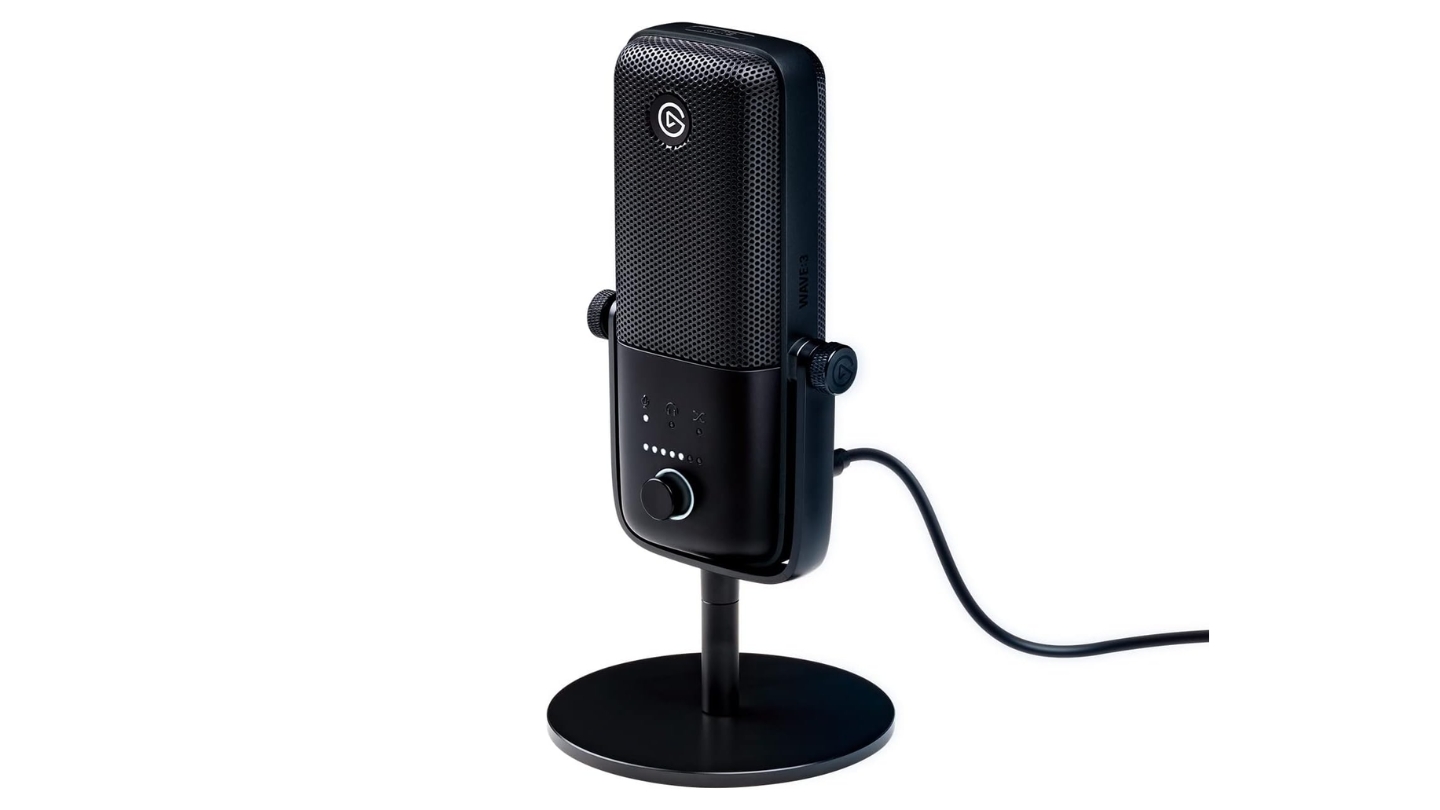
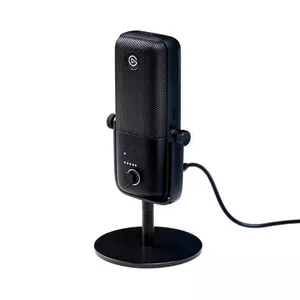
The Elgato Wave:3 is the mic I'd recommend to someone who wants to stop thinking about their audio setup and start thinking about their content. The 17mm electret condenser capsule records at 24-bit/96kHz with a frequency response tuned specifically for spoken word - the sub-bass roll-off below 70Hz actually works in your favor here, countering the proximity effect that makes voices sound boomy when you're close to the mic in a typical home recording setup. The dial on the front controls input gain, monitor volume, and crossfade between mic and computer audio in a single physical control. Plug it in, set the gain once, and it stays where you left it.
What separates the Wave:3 from similarly priced condensers is Clipguard - a dual-signal path that runs a second, lower-level signal alongside the main one. When the primary signal peaks and distorts, the system instantly switches to the clean backup. In practice: you can get animated during a recording, lean in to emphasize a point, and the mic catches it without the distorted crunch that usually signals a ruined take. For live streaming or recorded podcasts where you don't edit heavily afterward, that protection changes how you perform - you stop monitoring your distance from the mic constantly. The Max SPL handling extends to 120dB normally and 140dB with Clipguard engaged.
The Wave Link software is where the Wave:3 earns its place in a production setup rather than just a recording setup. Nine independent input channels accept applications, hardware devices, and secondary mics, each with its own fader. Two separate output buses let you send a different mix to your audience than to your own headphones - you hear everything, your stream hears only what you've cleared for air. For podcasters who also stream or produce video alongside their audio, Wave Link replaces a hardware mixer at a fraction of the cost. The AI-powered Voice Focus noise reduction handles keyboard noise and ambient hum without manual configuration, minimal CPU load, no GPU required.
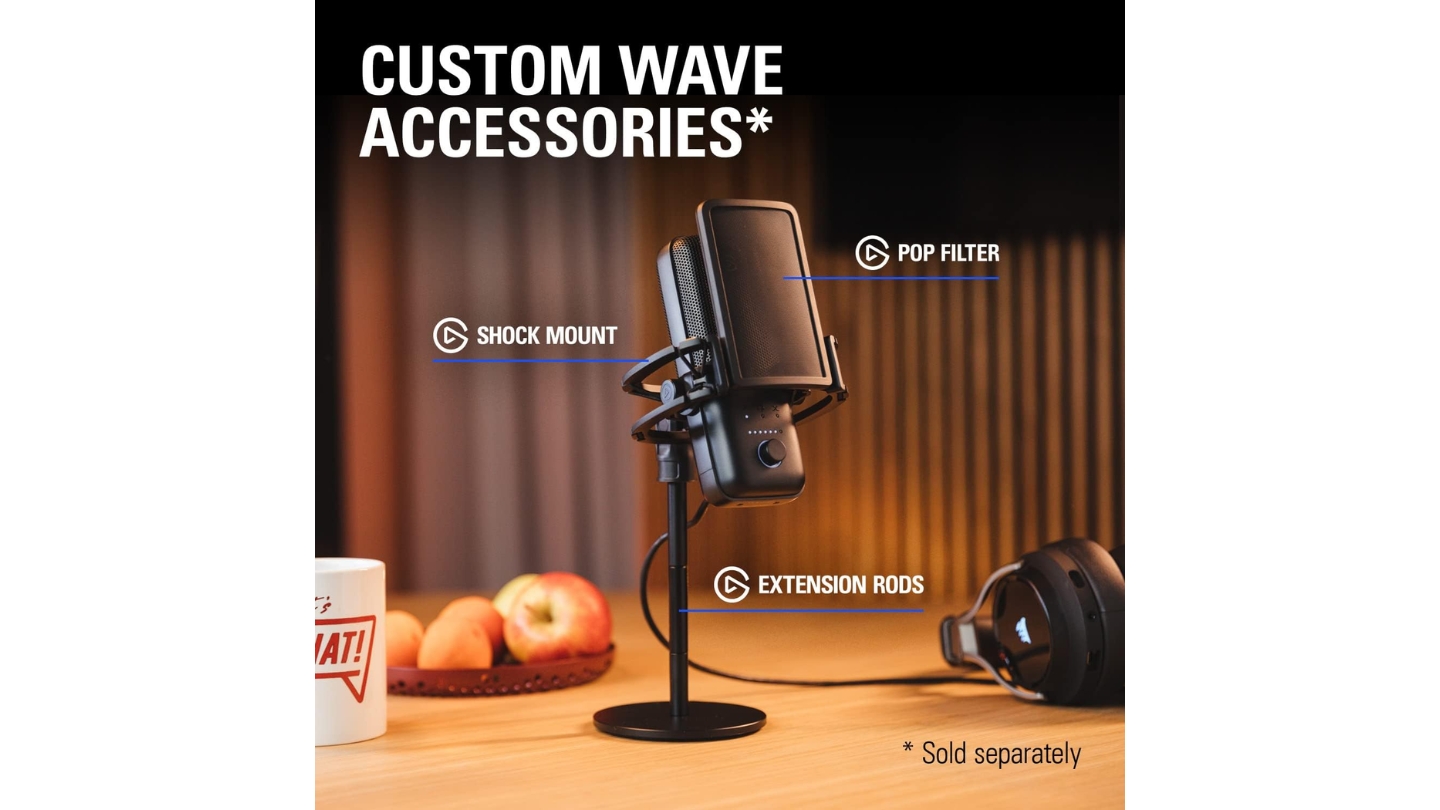
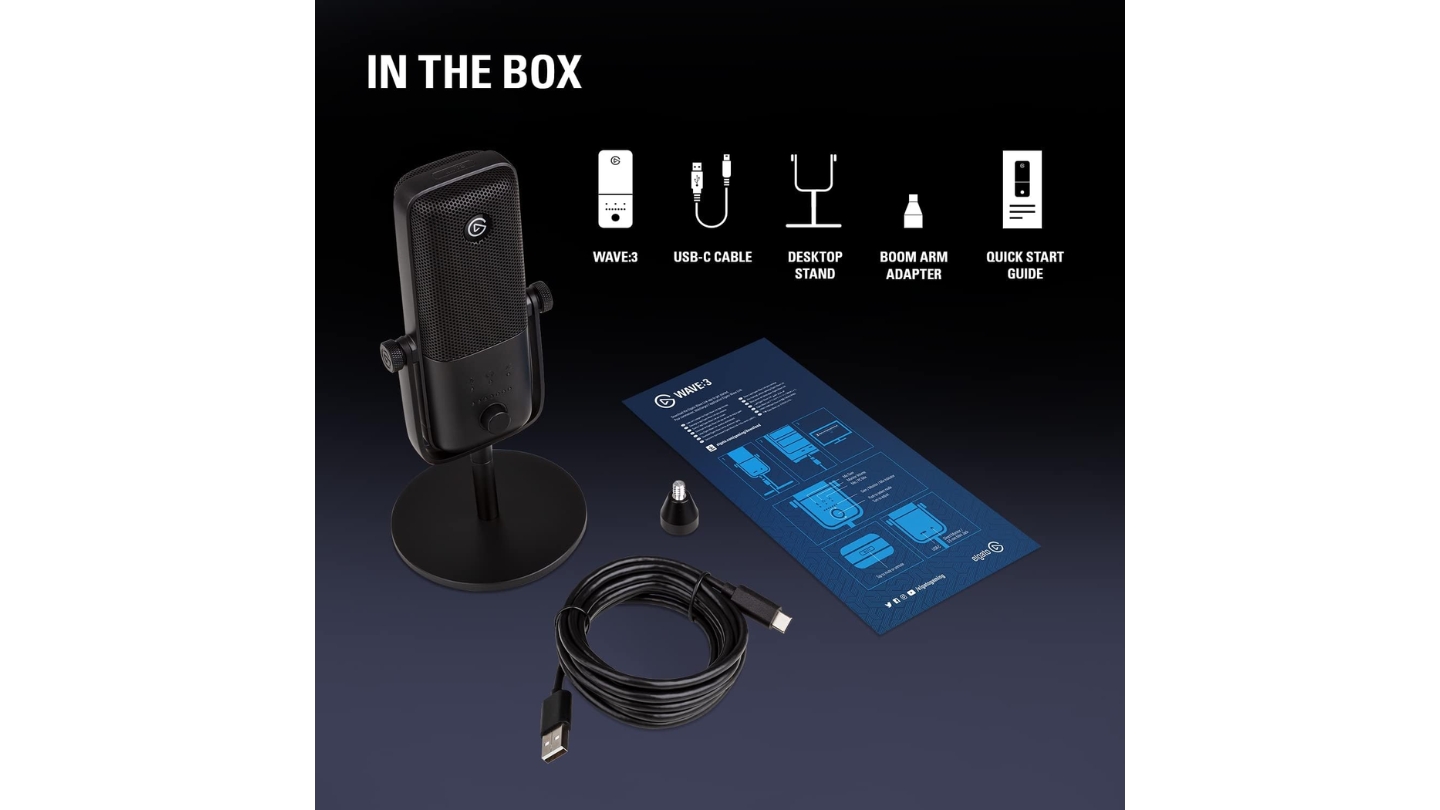
The physical build is compact enough to put in a bag and light enough (280g for the mic itself) that the included desk stand handles it without drama. The capacitive mute button responds to a light touch - more responsive than a mechanical click and harder to accidentally trigger than a tap sensor. The USB-C cable runs 2.5m, long enough to route cleanly behind a monitor without an extension. The one friction point I ran into consistently: the desk stand transmits vibration from typing and desk movement more than a boom arm would, and Elgato's own shock mount is sold separately. Anyone planning to use this mic seriously will want a boom arm within a few weeks of owning it.
Pros:
- Clipguard dual-signal path prevents distortion
- Wave Link: two-bus mixing without hardware
- 24-bit/96kHz condenser capsule
- Compact and light at 280g
- AI Voice Focus noise reduction
Cons:
- Desk stand passes vibration - boom arm effectively required
- Shock mount sold separately
Summary: Elgato Wave:3 earns its Editor's Choice badge on two things that nothing else here matches at the same price: Clipguard protection that lets you record without watching your gain constantly, and Wave Link software that replaces a physical mixer for streamers and multi-source producers. The mic sounds excellent. The software makes it a production tool.
HyperX QuadCast 2 S Review
Best Overall
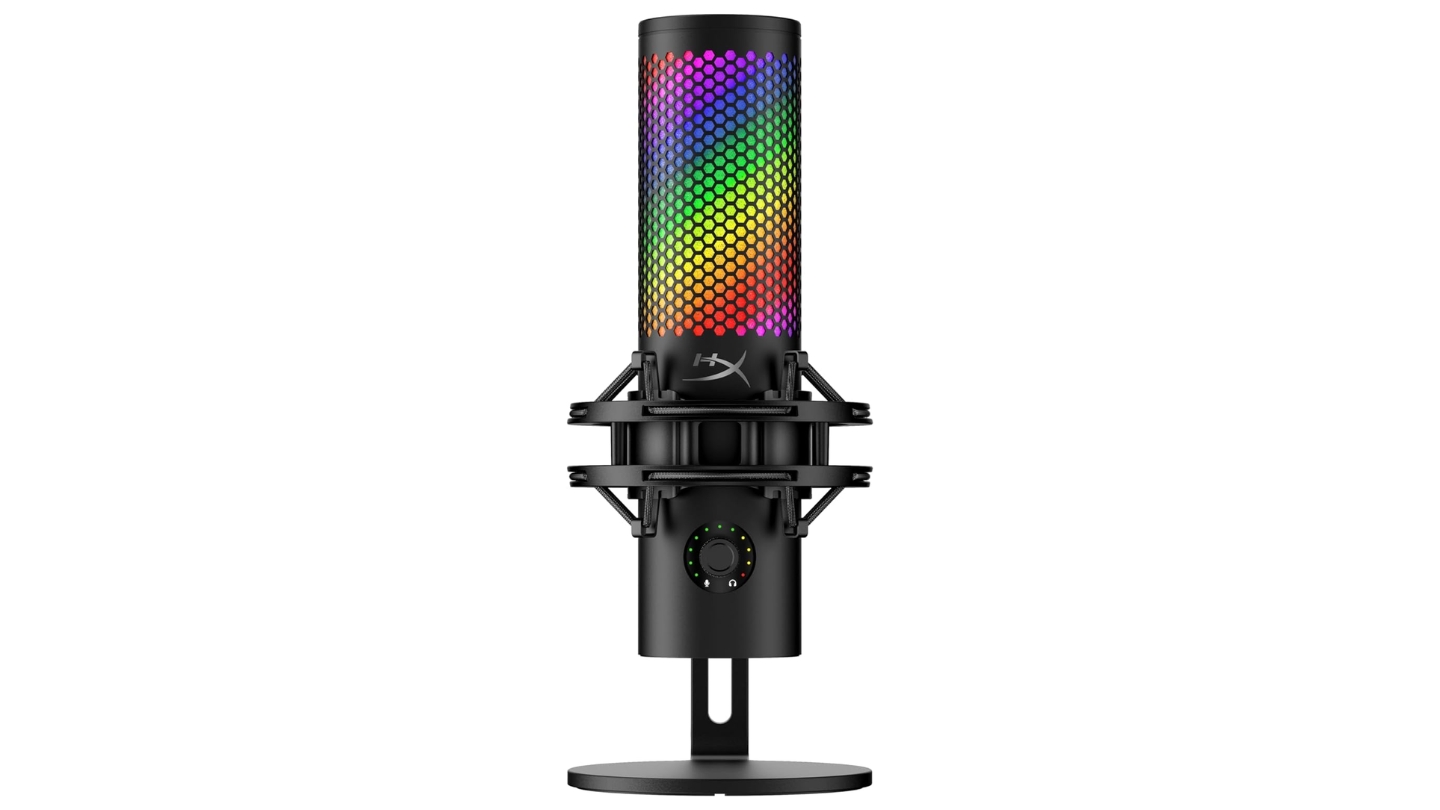
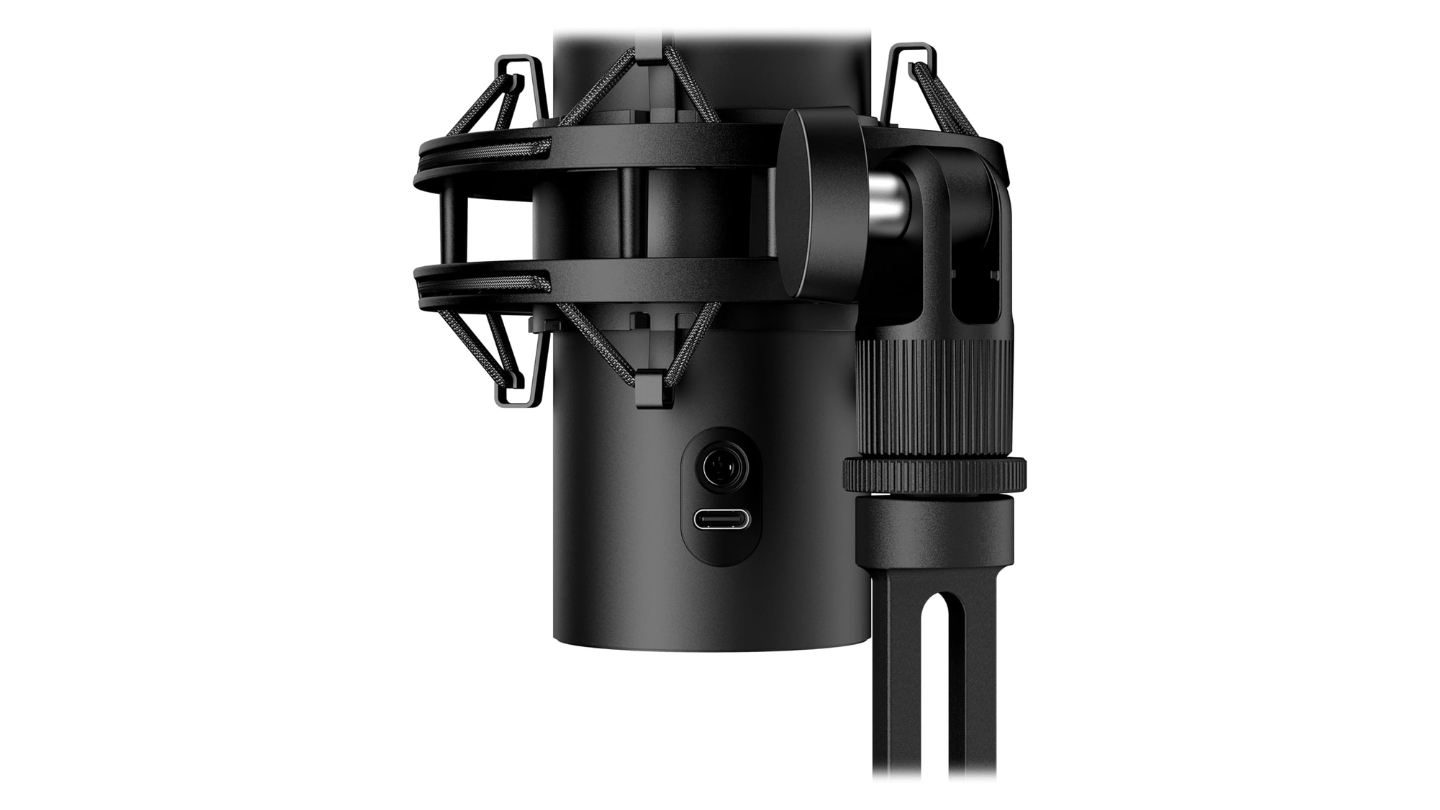
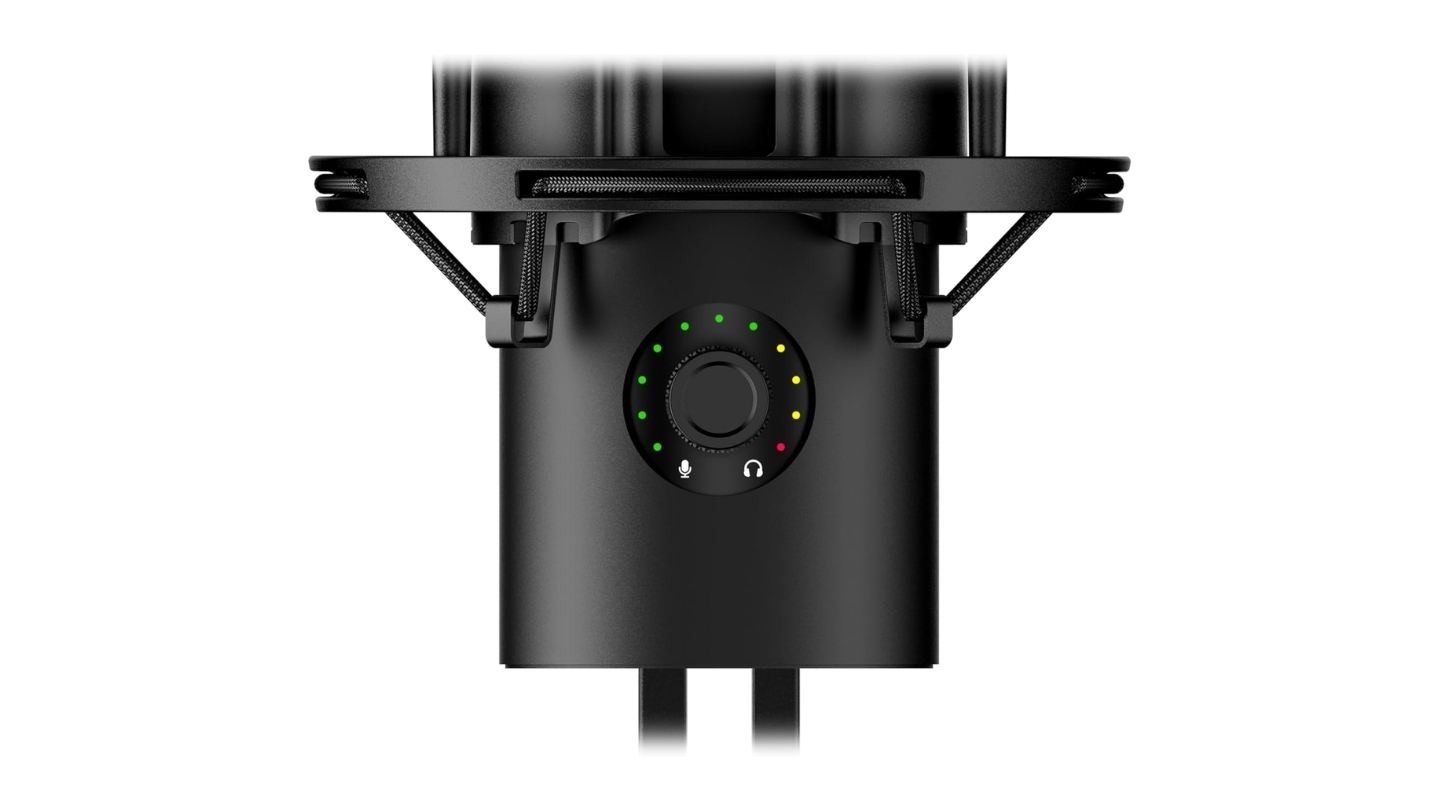
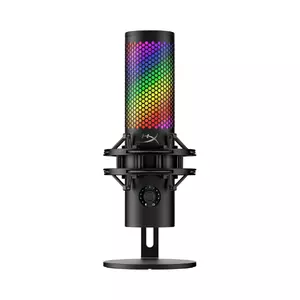
The HyperX QuadCast 2 S is the most capable USB condenser on this list by raw spec - 32-bit/192kHz recording from three 14mm electret capsules, four selectable polar patterns, an LED VU meter that visualizes your input level in real time, and 100+ individually addressable RGB LEDs if you want the visual component. The multi-function knob on the body cycles through gain, monitor volume, mix, and polar pattern without alt-tabbing out of your software. The spring-loaded shock mount - redesigned from the original QuadCast's screw-in version - detaches with a twist and pull and mounts to standard 3/8" and 5/8" boom arms directly.
The four polar patterns are the practical differentiator here. Cardioid handles solo recording with the same focused pickup you'd get from any good condenser. Bidirectional lets two hosts record across a table from a single mic - the figure-eight pattern picks up front and back equally and rejects the sides. Omnidirectional captures a roundtable or small group evenly. Stereo separates left and right, useful for audio that benefits from spatial width. I tested the bidirectional mode with a second person across a 28-inch desk and the pattern held cleanly - rejection on the sides kept the room noise noticeably lower than I expected. For podcasters who record in-person guests regularly and want a single USB mic to cover the setup, the QuadCast 2 S is the only option on this list that makes it viable.
The 32-bit/192kHz resolution is the headline spec on the box - and it's accurate, making it the highest recording resolution on a consumer USB microphone at time of writing. In practical terms, the difference between 32-bit and 24-bit is audible under specific conditions - tracking very quiet sources, recovering details in heavy post-processing - and won't be a factor in typical podcast production where your output file is compressed to 128kbps MP3 anyway. What you do get at any resolution is excellent audio from a well-voiced condenser capsule. The sound is full, natural, and handles a wide frequency range that benefits deeper voices especially. Background noise pickup is moderate in an untreated room - this is a condenser, and it will hear what's behind you.
The Ngenuity software is where expectations need to be managed. It handles RGB lighting customization well - dozens of patterns, full color control, sync options. Audio control is limited to gain, monitor volume, mix, mute, polar pattern, and a high-pass filter. No EQ, no compression, no noise reduction. For streamers who want a visually striking setup and handle audio in OBS or a DAW, that's fine. For podcasters who want onboard processing, it's thin compared to Wave Link or MOTIV Mix. The VU meter built into the physical mic body partially compensates - it's a useful real-time tool for setting gain before a session.
Pros:
- Four polar patterns
- 32-bit/192kHz - highest resolution
- LED VU meter for real-time gain feedback
- Spring-loaded shock mount
- Multi-function knob
Cons:
- Ngenuity software thin on audio controls - primarily useful for lighting
- Condenser capsule picks up room noise in untreated spaces
Summary: HyperX QuadCast 2 S fits a specific podcaster - one who records in-person guests, works across multiple configurations, and has a reasonably treated room. The four polar patterns do real work, the resolution leads the USB category, and the VU meter is more useful day-to-day than it sounds on paper. Pass on it if you need strong onboard audio processing or record in a loud, untreated space.
Shure MV7+ Review
Pro Hybrid
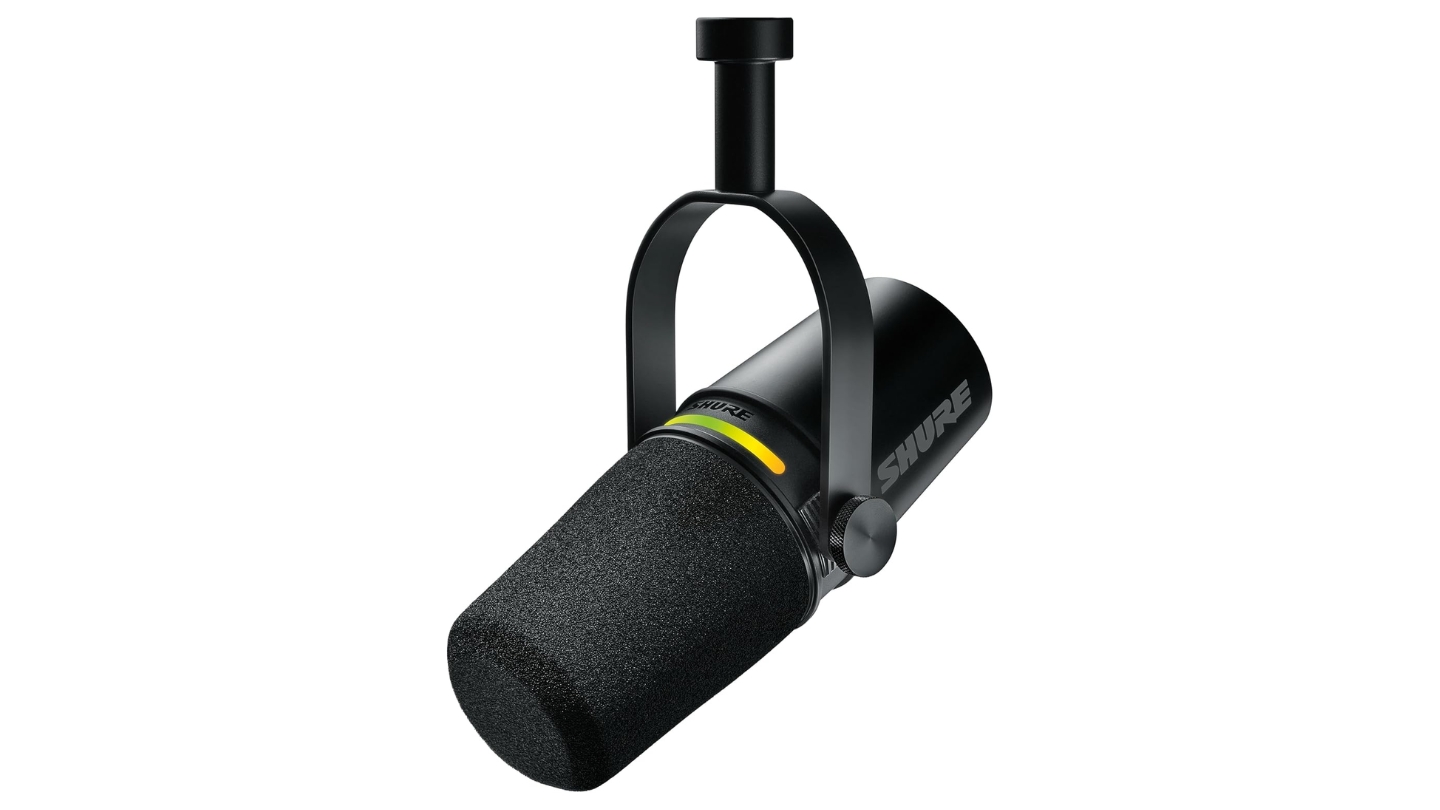
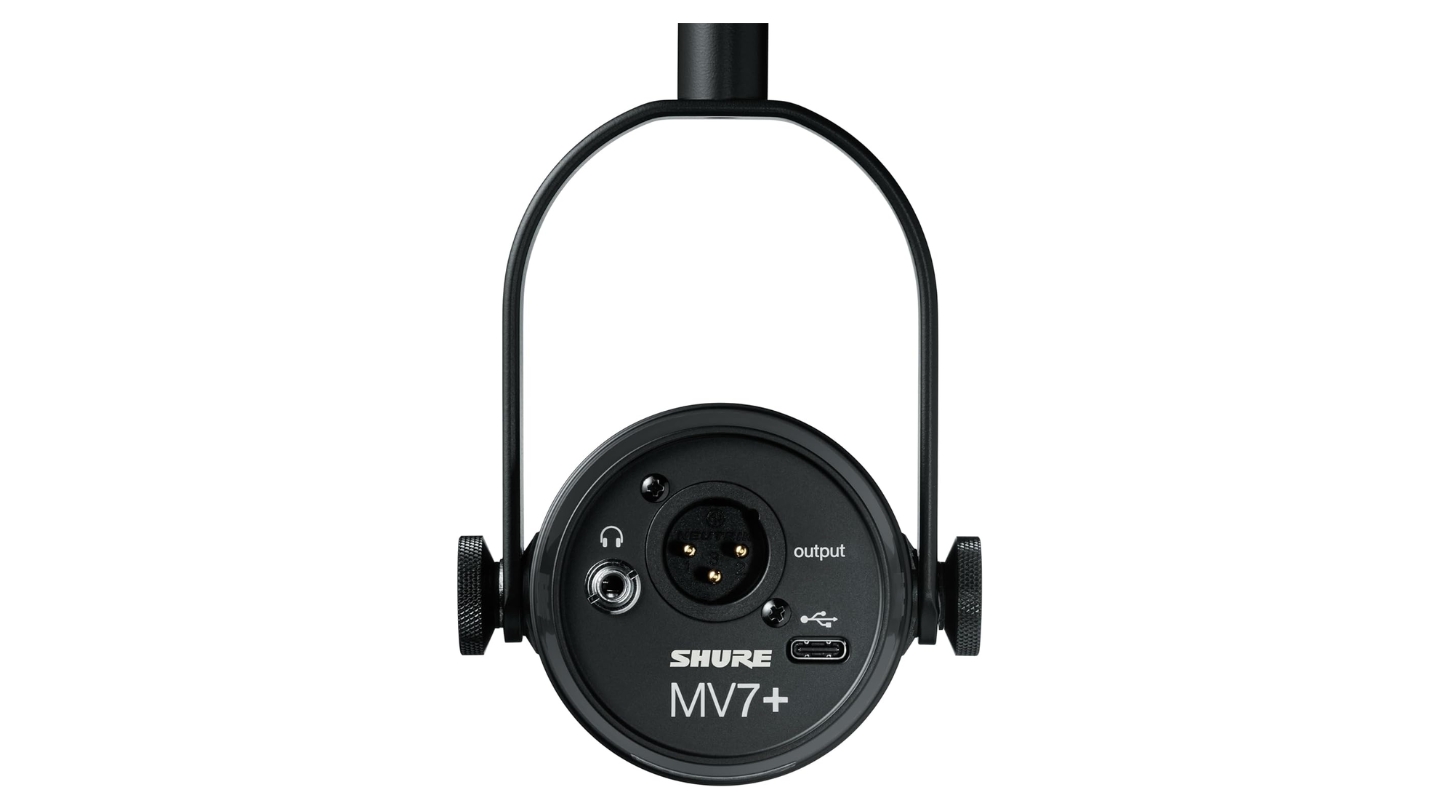
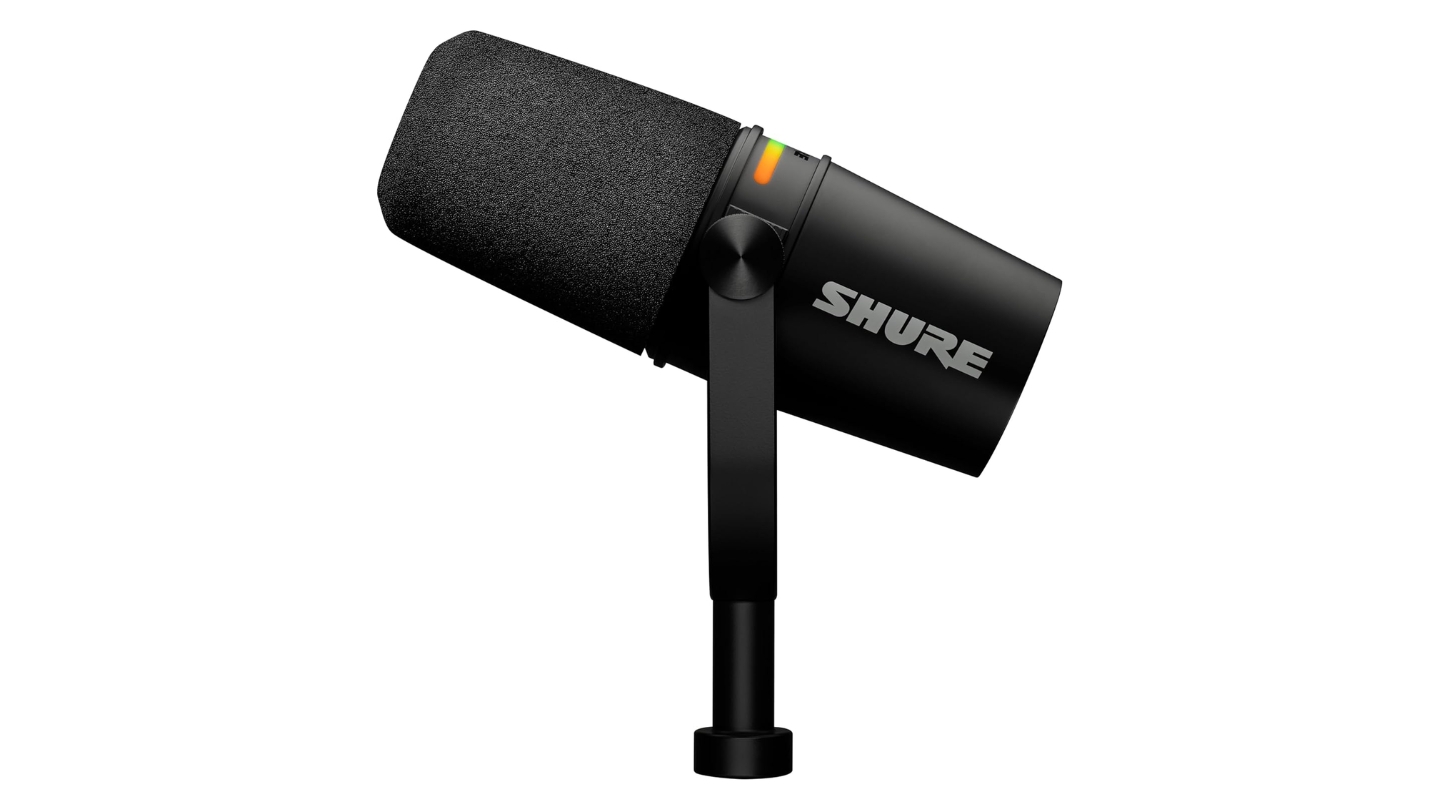
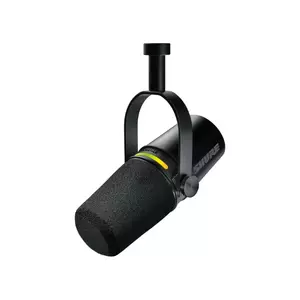
The Shure MV7+ is what you buy when you want a mic that closes the conversation rather than continuing it. At 871g with all-metal construction and a design lifted directly from the SM7B lineage, it's the only mic on this list that looks like it belongs in a broadcast studio - because it's descended from one. The dynamic cardioid capsule with a frequency response of 50Hz to 16kHz is voiced for voice isolation in imperfect rooms: it's less sensitive than any condenser here, requires close-mic positioning (4-6 inches from the source), and in exchange gives you a focused, clean vocal pickup that a condenser in the same untreated room simply cannot match.
The upgraded windscreen on the MV7+ is a meaningful fix from the original MV7. Plosive control was one of the consistent criticisms of the first generation - the extended foam filter on the Plus addresses it noticeably. The MOTIV Mix software adds a real-time denoiser, digital pop filter, compression, EQ, and an Auto Level Mode that adjusts gain dynamically during a session. Running all of these simultaneously added no audible latency in my testing, and the denoiser handled a window-unit air conditioner and occasional keyboard noise without processing artifacts. The color-customizable LED touch panel on top acts as a mute switch with a tap - it doubles as a live gain indicator, moving through colors as input level rises, which is a more elegant solution than the physical dial controls on condensers in this category.
The dual USB-C and XLR outputs can run simultaneously - USB feeding the processed MOTIV signal to a laptop, XLR feeding a clean backup to a recorder or interface. For sessions where a second take isn't an option, that redundancy is worth more than any single spec on the box. The USB-C connector on my review unit felt less secure than I'd expect from an 871g all-metal mic. The desk stand isn't included at this price, budget another $30 for a boom arm.
The 16kHz frequency ceiling is narrower than the condensers here, rolling off some upper-end air that recording engineers would notice. For podcasting - voice intelligibility, warmth, and noise rejection in a home environment - it doesn't matter. Your audience is hearing compressed audio through phone speakers and earbuds. That ceiling doesn't reach them.
Pros:
- Dynamic capsule outperforms
- USB-C and XLR run simultaneously
- MOTIV Mix denoiser
- All-metal 871g build
- Extended windscreen
Cons:
- Desk stand not included
- 16kHz ceiling narrower than all condensers here
Summary: Shure MV7+ is the answer for podcasters recording in less-than-ideal spaces who want broadcast-quality sound without acoustic treatment. The dynamic capsule, dual-output recording, and MOTIV denoiser solve three problems at once. It costs more than the others here, and that premium is justified if your setup and workflow match what it does best.
RØDE NT-USB+ Review
Studio Sound
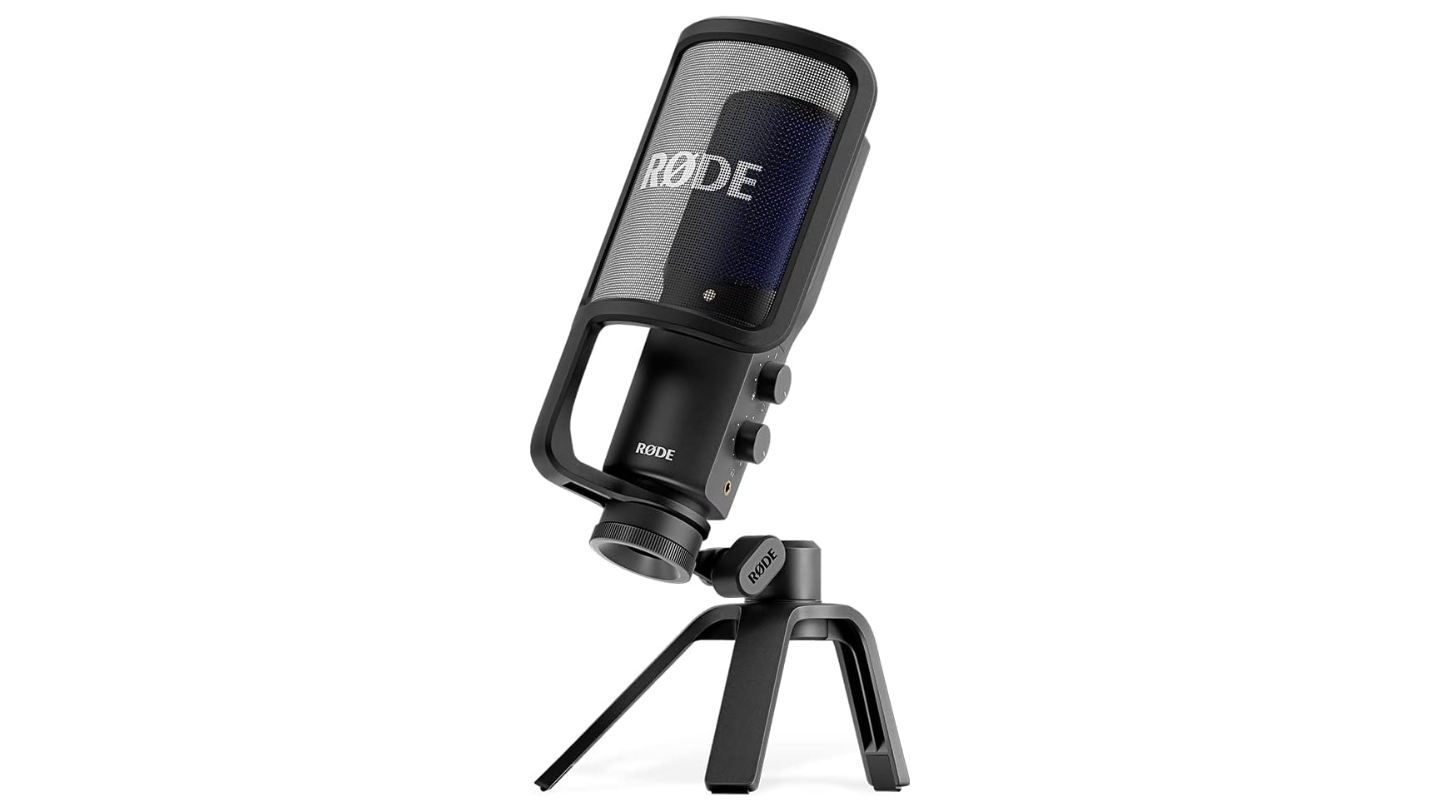
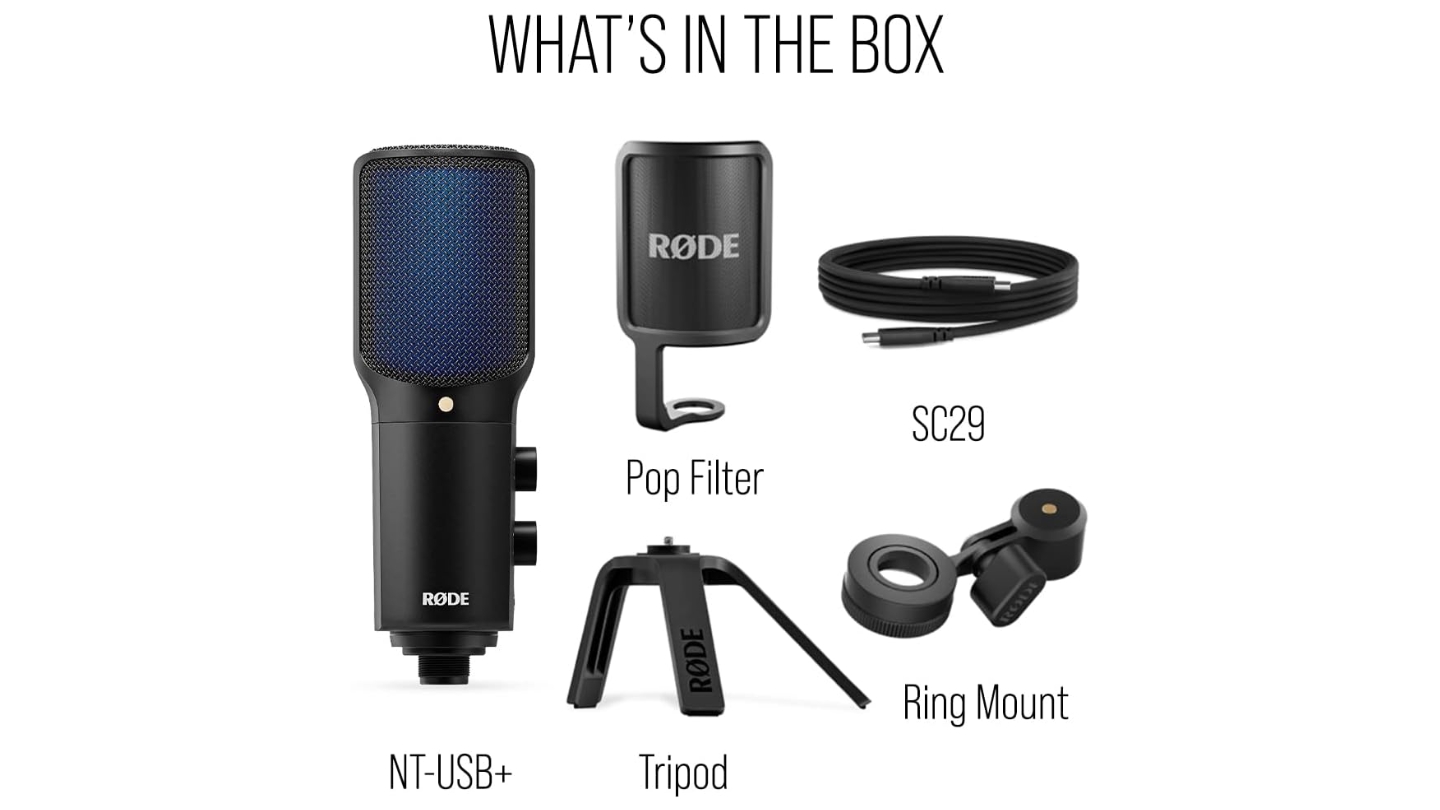
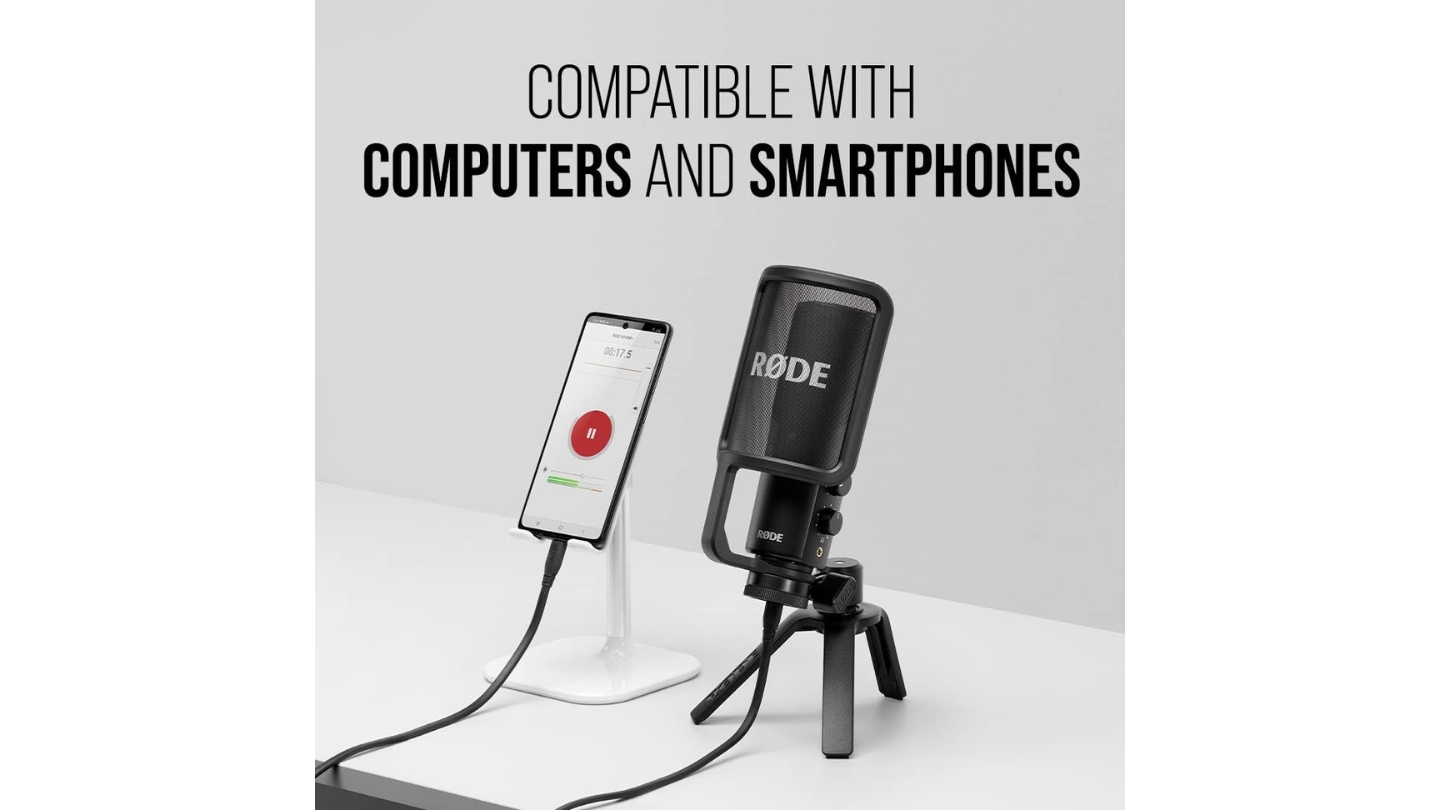
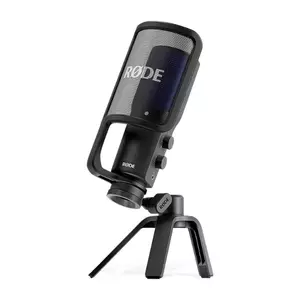
The RØDE NT-USB+ is what happens when a company with decades of studio condenser experience turns that knowledge toward a USB microphone. The large-diaphragm condenser capsule with a 20Hz to 20kHz response and RØDE's Revolution Preamp gives it a noise floor quiet enough for music recording - which for podcast use means your voice carries a presence and low-frequency warmth that no dynamic mic in this category fully replicates. The USB-C port, unlike the USB-B cable on the original NT-USB, connects directly to phones and tablets without adapters.
The APHEX DSP processing built into the NT-USB+ is the spec that sets it apart from every other condenser on this list. Through the Rode Central app, you unlock a compressor, noise gate, high-pass filter, Aural Exciter (adds harmonic presence and clarity in the upper register), and Big Bottom (thickens the low-frequency foundation of a voice without muddiness). These aren't novelty effects - Aphex hardware units cost thousands of dollars and have been standard in broadcast studios for decades. Having both on a $169 USB mic is an unusual thing. The Aural Exciter in particular makes a voice sound more defined in a dense podcast mix, which matters when your listener is hearing three or four voices in a panel format.
The mic body is built in Sydney at RØDE's manufacturing facility - the aluminum chassis and matte black finish are in a different build category from the plastic-heavy options on this list, and the desk stand included in the box is sturdy enough for daily use without a boom arm, though the stand does transmit desk vibration to the capsule noticeably. The headphone output on the side runs a zero-latency monitoring signal, with a physical mix dial to balance mic input against computer playback - a more refined implementation than some mics where the mix control is buried in software. Two dials, clearly labeled, right on the unit.
The sensitivity is the trade-off worth knowing about. The large-diaphragm condenser capsule picks up the room with detail that a 17mm capsule like the Wave:3's won't capture - which is its strength in a treated space and its limitation in an acoustically raw one. I tested it in a bare home office (bare floors, uncovered windows) and the room ambience was audible in the recording, less so with the noise gate engaged, but still present. In a bedroom with a carpet, a closet of clothes behind the recording position, and a bookshelf in front, the same setup produced remarkably clean results. The recording environment is the variable that determines whether the NT-USB+ is the best mic on this list or a frustrating one.
Pros:
- Large-diaphragm condenser
- Aphex Aural Exciter and Big Bottom DSP
- Revolution Preamp
- USB-C connects
- Physical mix and volume dials
Cons:
- Large diaphragm hears room noise clearly in untreated spaces
- Desk stand passes vibration - boom arm strongly advised
Summary: RØDE NT-USB+ is the audiophile's USB microphone - a large-diaphragm condenser with a Revolution Preamp and Aphex DSP that give a voice the kind of presence other setups need thousands of dollars to replicate. If your room cooperates, this mic cooperates back.
Audio-Technica ATR2100X-USB Review
Smart Start
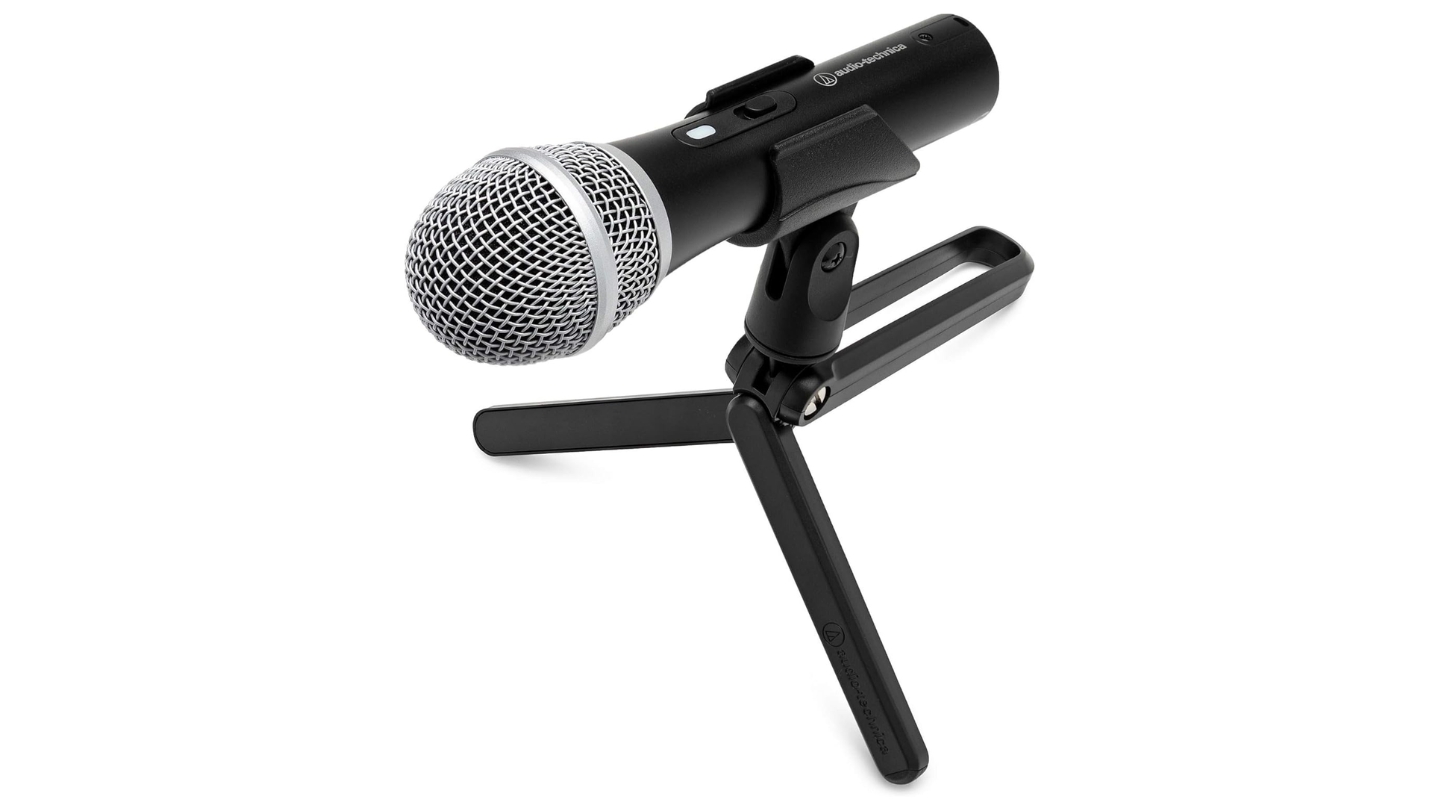
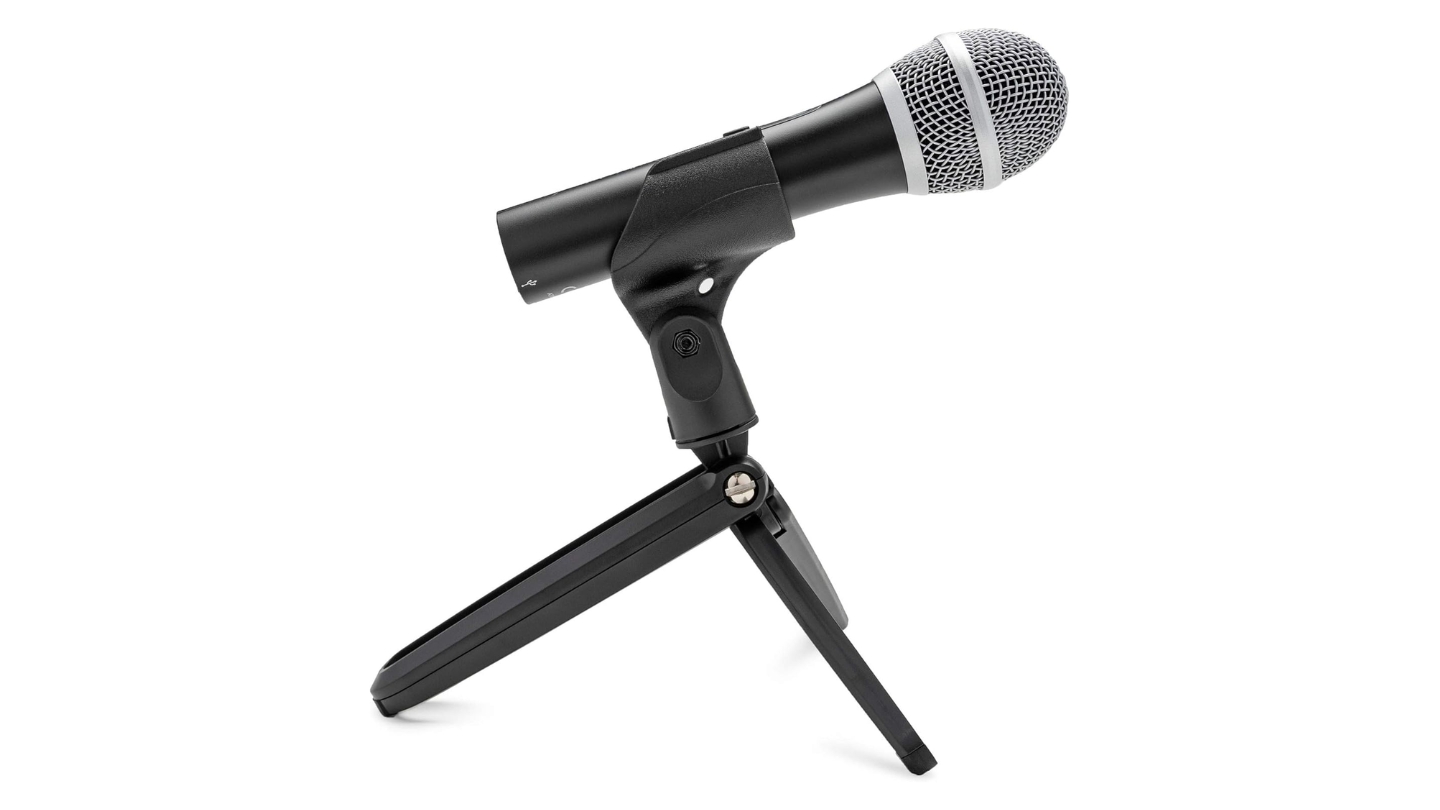
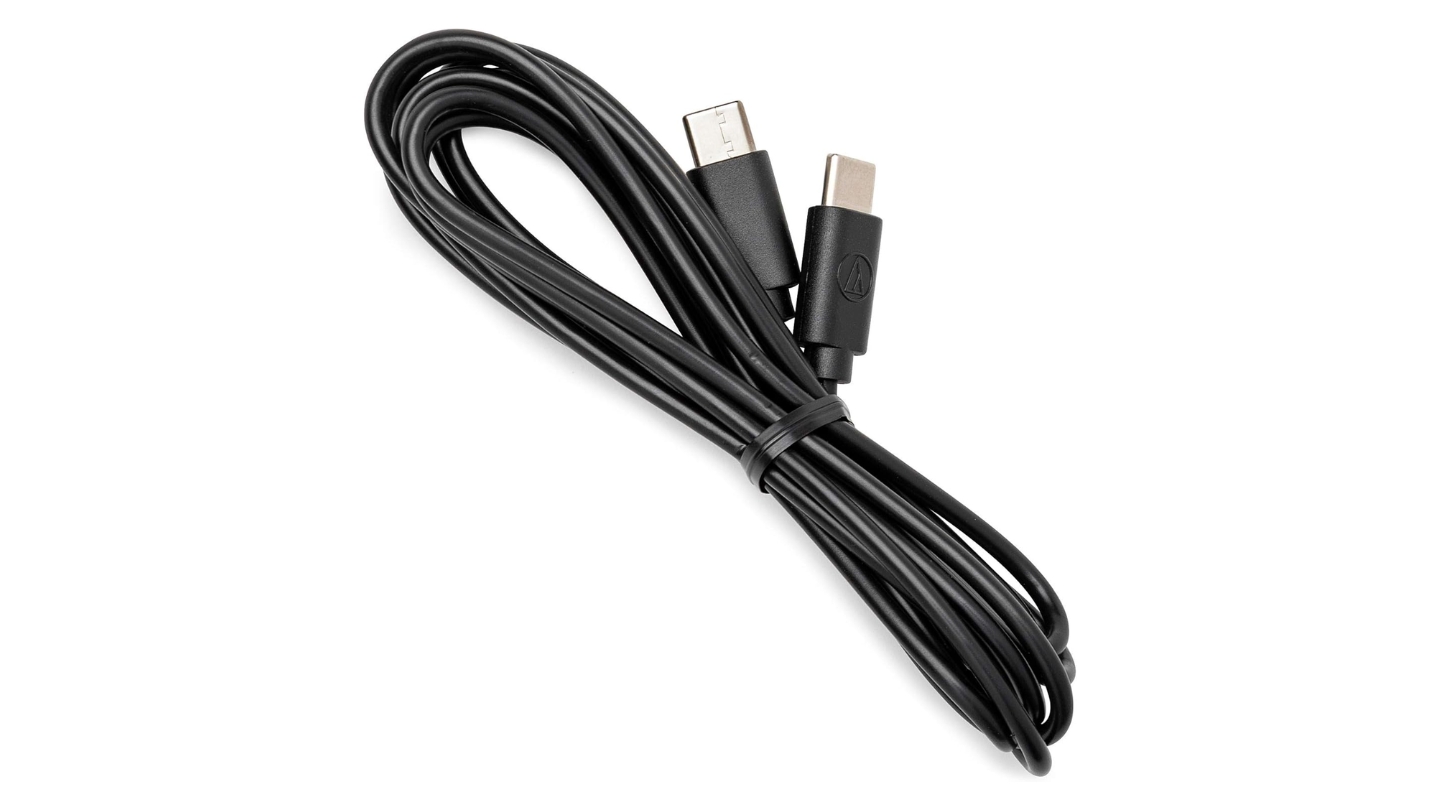
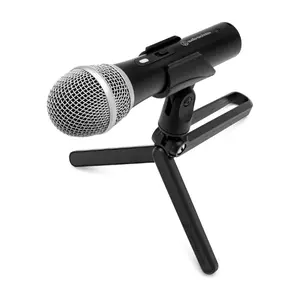
The Audio-Technica ATR2100X-USB has a longer track record in the podcasting community than any mic on this list - its predecessor, the ATR2100, appeared on enough "best first podcast mic" lists in the early days of the format that it became something of a default recommendation. The ATR2100X-USB updates that legacy with USB-C, a 24-bit/192kHz analog-to-digital converter, and the same dual USB/XLR output that made the original useful for podcasters who might eventually want to upgrade their setup without replacing their microphone.
As a dynamic microphone, it shares the same fundamental advantage as the Shure MV7+ in noisy or acoustically untreated rooms - it doesn't hear the room the way a condenser does. The cardioid pattern with a response from 50Hz to 15kHz focuses on the voice in front and rejects off-axis sound well enough that I recorded a test episode with a box fan running on low in the same room and the result was clean without any processing. The 15kHz ceiling is the narrowest on this list, and you hear it as a slight softening in the upper register - a trade-off that makes the mic forgiving in rooms where a brighter capture would expose acoustic problems. Tim Ferriss kept an ATR2100 in his travel bag for remote interviews. The ATR2100X-USB is compact enough to understand why.
The handheld form factor is worth addressing directly. This is a stage mic shape - it looks like something you'd see a vocalist holding at a live show - and some podcasters find that off-putting on a desk setup. On a boom arm or a stand, it works fine and sits at a natural angle. The on/off switch is a persistent source of confusion: the LED illuminates when the USB cable is connected whether or not the switch is in the "on" position, which means new users regularly set up, see the light, assume they're live, and discover they've been recording silence. The switch controls the mic circuit, not just the indicator - once you know that, it stops being a problem, but it trips up most people at least once.
There's no onboard software, no companion app, and no audio processing to configure. The ATR2100X-USB records what the capsule picks up and delivers it to your computer or interface. That simplicity is either a feature or a limitation depending on your workflow - if you process in a DAW or use OBS filters, you don't need anything the mic doesn't offer. The XLR output opens a path to a proper interface whenever the budget allows, and the transition doesn't require learning a new microphone from scratch.
Pros:
- Dynamic capsule
- USB-C and XLR
- 24-bit/192kHz ADC
- Compact handheld form
- No software required
Cons:
- On/off switch logic confuses most users at first setup
- 15kHz frequency ceiling is the narrowest on this list
Summary: ATR2100X-USB is the least expensive path to a microphone that sounds professional, handles imperfect rooms, and doesn't lock you into USB forever. The on/off switch will confuse you once. The 15kHz ceiling is narrow by comparison. Neither is a reason to pass on the dynamic mic that has launched more podcasts than probably any other model in this category.
USB Podcast Microphone: FAQ
How close should I be to my USB podcast microphone when recording?
Dynamic microphones - the Shure MV7+ and ATR2100X-USB - need 4 to 6 inches of working distance to capture enough signal without gain-staging problems. Any farther and you'll compensate by pushing gain higher, which raises the noise floor. Condenser microphones are more sensitive and can be used at 6 to 12 inches comfortably - the RØDE NT-USB+ in particular benefits from a few more inches of distance to avoid proximity effect buildup in the low end. All five mics on this list have a 3.5mm headphone jack for zero-latency monitoring: use it to check your level and distance while recording rather than after the fact.
What's the difference between XLR and USB, and do I need to care?
XLR is the analog balanced connection used by professional audio interfaces, mixers, and broadcast equipment. USB converts the signal to digital inside the microphone and sends it directly to a computer. For podcasting purposes, a well-engineered USB mic delivers audio quality that's indistinguishable from an equivalent XLR mic through a budget interface - the limiting factor is usually the capsule quality and preamp, not the cable type. The reason to care about XLR is future-proofing: if you later want a hardware mixer, a standalone recorder, or a more serious interface with better preamps, an XLR mic adapts to all of those setups. The ATR2100X-USB and Shure MV7+ have both outputs, which lets you start USB and migrate to XLR without buying a new microphone.
Can I use any of these mics on a phone for mobile recording?
The RØDE NT-USB+ connects directly to Android phones and recent iPhones via USB-C without adapters. I've used it on an Android phone running a field recorder app and the result was indistinguishable from a desktop recording at the same settings. The ATR2100X-USB also works with Android natively. iPhone users will need a USB-C to Lightning adapter. The Wave:3, QuadCast 2 S, and Shure MV7+ officially support computers - mobile connectivity is not guaranteed and varies by device.
My recording space isn't treated. Which mic handles that best?
Both dynamic mics - the Shure MV7+ and ATR2100X-USB - handle untreated rooms better than any condenser on this list. Dynamic mics require more sound pressure to activate the capsule, which means ambient noise, room echo, and off-axis sounds register at much lower levels. The ATR2100X-USB is the lower-cost option and performs well in noisy environments. The MV7+ adds the MOTIV denoiser that actively reduces what the capsule does pick up. If budget is constrained and the room is loud, the ATR2100X-USB will outperform a more expensive condenser in that specific environment.
Do any of these mics work for recording two people at once?
The HyperX QuadCast 2 S is the only mic on this list with a bidirectional polar pattern, which captures sound from front and back and rejects the sides - the correct setup for two hosts recording face-to-face across a desk. In bidirectional mode, each person gets roughly equal pickup from their respective side of the mic. The result isn't as clean as two separate cardioid mics in individual setups, but it's workable for regular co-hosted podcasts when a second mic isn't in the budget. All other mics here are cardioid-only and not designed for two-person recording from a single unit.
What else do I need to buy after getting a USB podcast mic?
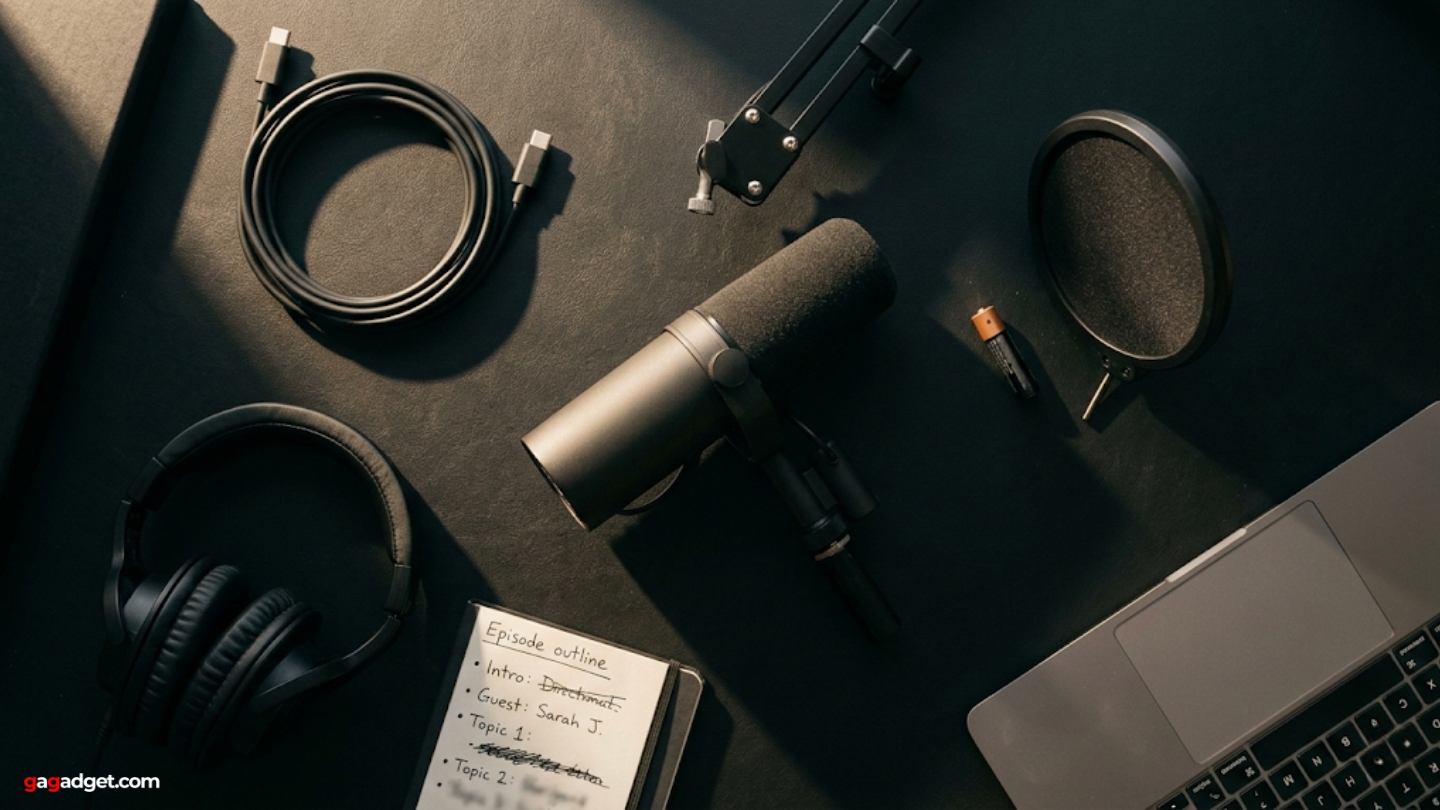
A boom arm is the first addition that makes a meaningful difference on every mic here - it takes the mic off the desk and eliminates vibration from typing. Entry-level articulating arms from Rode or Elgato start at around $30. A pop filter or windscreen helps with plosives on any condenser. The Shure MV7+ includes an extended windscreen that handles it without extras. A pair of closed-back headphones for zero-latency monitoring completes the setup - the 3.5mm jack on every mic here supports direct monitoring, and the difference between mixing by ear and hearing yourself through headphones is significant in the first sessions.
How much does audio quality improve from a built-in laptop mic to any of these?
The difference is immediate and obvious to anyone listening. Laptop microphones are omnidirectional - they capture the room, keyboard, fan noise, and voice equally. Any cardioid USB mic on this list puts a directional capsule 6 inches from your mouth with a dedicated preamp and analog-to-digital converter. The improvement in intelligibility alone - how clearly individual words separate in a recording - is enough that listeners who've been patient through a season of laptop audio will notice the change in the first episode. Beyond intelligibility: dynamics, low-frequency warmth, and the absence of consistent background noise change how a voice sounds across an entire recording rather than just in quiet moments.
Finding Your Frequency
If your recording space is imperfect and you can't change that, start with a dynamic. The ATR2100X-USB handles noisy rooms at an accessible entry point and doesn't close the door on an interface upgrade later. The Shure MV7+ takes that same foundation and adds broadcast-grade build quality, simultaneous dual outputs, and a denoiser that handles what the capsule's natural rejection doesn't.
If your room cooperates, a condenser opens up. The Elgato Wave:3 covers the production workflow angle - Clipguard protection, Wave Link software, two independent output buses for streaming setups. The RØDE NT-USB+ is the audiophile's answer: a large-diaphragm condenser with a Revolution Preamp and Aphex DSP that give a voice the kind of presence that takes other setups thousands of dollars to replicate. And the HyperX QuadCast 2 S earns its price when the recording format demands flexibility - four polar patterns, the highest USB resolution in its category, and a VU meter that gives you real-time feedback before every session.

Jeb here, your go-to geek for everything from video projection to the latest tech trends. As an avid outdoorsman, I enjoy using monoculars and binoculars for hunting, traveling, and birdwatching. Join me in exploring the cool, quirky side of technology!


