Best Budget Gaming Laptops Under $800
The laptop that got me into PC gaming was a hand-me-down with a busted fan and a GPU that throttled the moment anything remotely demanding hit the screen. I kept it for two years out of stubbornness. When I finally upgraded, I spent three weeks reading every spec sheet I could find before pulling the trigger - and I still second-guessed myself at checkout. If that sounds familiar, this guide exists to short-circuit that process for you.
Five laptops under $800 that I've put through real-world gaming, not just synthetic benchmarks: a featherweight MSI that punches where the budget is tightest, an HP Victus with a proper 4050 at a price that makes its competition nervous, an Acer Nitro with a 165Hz panel most laptops at this price don't even attempt, a TUF A15 built like it survived something, and a Lenovo LOQ that ships with 1.5TB of storage when everything else in this range is fighting over a single 512GB drive.
Two laptops to bookmark right now if you need a fast answer:
We may earn a small commission if you buy via our links - it helps keep gagadget.com running.
Table of Contents:
- Best Budget Gaming Laptops Under $800: Buying Guide
- Top 5 Budget Gaming Laptops in 2026
- Budget Gaming Laptop Comparison
- MSI GF63 Thin
- HP Victus 15 (2024)
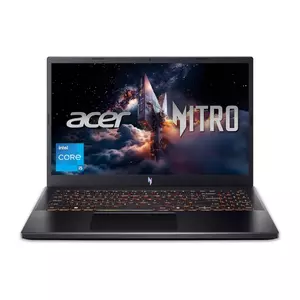
- Acer Nitro V ANV15-52
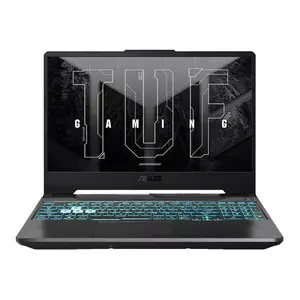
- ASUS TUF A15
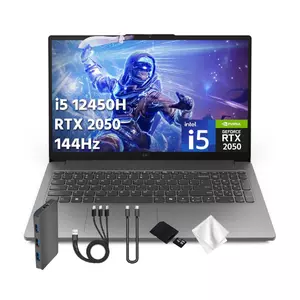
- Lenovo LOQ 15
- Budget Gaming Laptops: FAQ
Best Budget Gaming Laptops Under $800: Buying Guide

Buying a gaming laptop under $800 in 2026 is a different game than it was two years ago. RTX 40-series cards have reached this price bracket, GPU power limits have gotten more generous, and the gap between a budget laptop and a mid-range one has narrowed meaningfully. The traps that used to catch uninformed buyers - low TGP limits, single-channel RAM, PCIe 3.0 SSDs - are still there. But so are some genuinely strong machines if you know what to look for.
GPU Power Limits: The Number That Changes Everything
Every laptop GPU has a TGP rating - Total Graphics Power - which determines how much wattage the card gets to work with. The RTX 3050 can run anywhere from 35W to 80W depending on the laptop it's in, and that spread matters more than the GPU name on the box. An RTX 3050 at 75W delivers noticeably better frame rates than the same card at 40W, sometimes the difference between hitting 60fps on high settings or dipping into the 40s. The ASUS TUF A15's RTX 3050 runs at 75W with Dynamic Boost, which is why it often benchmarks above what its paper specs suggest. The MSI GF63 Thin caps its RTX 3050 at 40W, which is why it underperforms on demanding titles despite sharing the same GPU name.
Before buying any gaming laptop, confirm the GPU's TGP wattage in the spec sheet, not just the GPU model name. Two laptops with identical GPU names can perform 30-40% differently based on power limits alone.
At the RTX 4050 level, power limits matter less because the architecture is more efficient - but the same principle applies. The Acer Nitro V runs its RTX 4050 at 75W, which places it in solid mid-tier territory. HP doesn't always publish TGP figures openly, so checking third-party teardowns is worth the effort before committing to any purchase in this range.
RAM Configuration: Dual-Channel or Single-Channel
This is where budget laptops get quietly hobbled. Gaming performance depends heavily on memory bandwidth, and a laptop running 8GB in single-channel mode loses roughly 20-30% of GPU performance compared to the same hardware with 16GB in dual-channel configuration. The Lenovo LOQ on Amazon ships with 8GB DDR5 in the base configuration, which bottlenecks its RTX 2050 harder than the GPU's spec sheet would suggest. The HP Victus 15 reviewed here ships with 16GB DDR4, and that matters for real-world gaming even if DDR4 versus DDR5 matters less at this price point than the configuration itself.
Upgrading to dual-channel RAM after purchase is possible on most of these machines - the ASUS TUF A15, Acer Nitro V, and MSI GF63 all have accessible SO-DIMM slots. If you buy a single-channel 8GB configuration planning to upgrade, budget $30-50 for an additional 8GB stick to unlock the full performance of the GPU you already paid for. I've done this myself on a previous TUF purchase and the difference in Warzone frame rates was immediate and obvious.
Display Refresh Rate: 144Hz vs 165Hz at This Price
Most laptops under $800 ship with 144Hz IPS panels, which is genuinely good. Fast enough for competitive gaming, smooth enough for single-player. The Acer Nitro V ANV15-52 stands out here - it ships with a 165Hz panel, which is uncommon below $900 and gives competitive players a meaningful edge in response window for titles like Valorant and CS2 where every millisecond of refresh counts. Color accuracy across all five panels here is modest (around 45-62% NTSC), which is typical for gaming-focused displays that prioritize speed over accuracy. If color work matters alongside gaming, none of these panels are optimized for it.
At 1080p gaming, the performance gap between a 144Hz and 165Hz display is smaller than between a 60Hz and 144Hz panel. Both are good for gaming. The bigger question is whether your GPU can consistently push frame rates high enough to feed either refresh rate.
The RTX 4050 can hit 144fps in esports titles at high settings without DLSS. It struggles to consistently reach 144fps in demanding AAA titles without turning settings down or enabling DLSS. The RTX 3050 at 75W can hit 144fps in esports titles at high settings and needs medium-to-high settings in most other games to stay north of 60fps. The RTX 2050 is the truthful budget pick - solid for lighter titles and older games, with AAA releases from the last two years requiring realistic expectations on settings.
Storage: What You're Actually Getting Under $800
Storage speed and capacity vary more than any other spec in this price range. The Lenovo LOQ listing on Amazon bundles a 1TB docking station that adds to the headline storage figure, which is worth understanding before assuming you're getting a 1.5TB internal drive. The on-device SSD is 512GB. The ASUS TUF A15's Gen 4 NVMe SSD posts real-world read speeds around 5GB/s, which is genuinely fast for loading game worlds. The MSI GF63's PCIe 3.0 SSD reads at around 2.2GB/s, which is noticeably slower on large game installations and loading screens. Gen 4 SSDs cost more to include but make a meaningful quality-of-life difference in day-to-day gaming.
Every laptop here except the Lenovo LOQ has at least one open M.2 slot for adding storage. With game installs averaging 50-100GB for modern AAA titles, a second drive is worth planning for if you keep a large library. Wi-Fi 6 is standard across all five, which eliminates wireless as a bottleneck for online play.
Thermal Design: How Budget Laptops Handle Heat
Cooling separates the laptops that sustain their performance numbers from the ones that look good in short benchmarks and throttle in real gaming sessions. The ASUS TUF A15 uses liquid metal thermal compound on the CPU die - a premium choice that's unusual below $1,000 and results in lower sustained temperatures during extended gaming. The Acer Nitro V runs noticeably hot and loud during demanding workloads (around 49dB in balanced mode), though it manages consistent frame rates throughout longer sessions.
The MSI GF63's thermal solution is the weakest here - it keeps the hardware alive but pushes temperatures that make the aluminum chassis uncomfortable during extended play. If you run long gaming sessions rather than quick rounds, the ASUS and Lenovo handle sustained load more comfortably than the MSI.
Top 5 Budget Gaming Laptops Under $800 in 2026
After testing across different game genres, workload types, and real-world use cases, these five represent the full range of what you can actually get for under $800 in 2026.
- 16GB dual-channel RAM pre-installed
- Lightest chassis in this roundup at 1.86kg
- Aluminum lid, clean non-gamer aesthetic
- 100fps+ in esports titles at high settings
- Wi-Fi 6 + 3x USB-A 3.2 port selection
- RTX 4050 6GB with DLSS 3 and ray tracing support
- 16GB DDR4 dual-channel pre-installed
- 512GB PCIe Gen 4 SSD for fast load times
- HDMI 2.1 output + HP brand warranty coverage
- Clean Mica Silver design passes in any environment
- 165Hz display - highest refresh in this roundup
- RTX 4050 at 75W TGP with DLSS 3.5 + Frame Generation
- Gen 4 SSD with ~5GB/s sequential reads
- 131fps in CS2, 122fps in Shadow of the Tomb Raider
- 4-zone RGB keyboard, rare at this price
- 90Wh battery - longest runtime in this roundup
- MIL-STD-810H military-grade durability certification
- RTX 3050 at 75W TGP with liquid metal thermal compound
- Ryzen 7 7435HS: 8 cores, 16 threads
- Dual M.2 slots for easy storage expansion
- 1.5TB total storage (512GB SSD + 1TB docking station)
- MUX Switch + NVIDIA Advanced Optimus
- 300-nit display, brighter than most at this price
- i5-12450HX H-series with strong sustained power
- Quieter cooling fans than Acer under moderate load
Budget Gaming Laptop Comparison
Complete technical breakdown across all five laptops:
| Specification | MSI GF63 Thin | HP Victus 15 (2024) | Acer Nitro V ANV15-52 | ASUS TUF A15 | Lenovo LOQ 15 |
| CPU | Intel Core i5-11400H (6C/12T, up to 4.5GHz) | Intel Core i5-13420H (8C/12T, up to 4.6GHz) | Intel Core i5-13420H (8C/12T, up to 4.6GHz) | AMD Ryzen 7 7435HS (8C/16T, up to 4.75GHz) | Intel Core i5-12450HX (8C/12T, up to 4.4GHz) |
| GPU | NVIDIA RTX 3050 (40W TGP) | NVIDIA RTX 4050 6GB GDDR6 | NVIDIA RTX 4050 6GB GDDR6 (75W TGP) | NVIDIA RTX 3050 4GB GDDR6 (75W TGP) | NVIDIA RTX 2050 4GB GDDR6 |
| RAM | 16GB DDR4 | 16GB DDR4 | 8GB DDR5 | 8GB DDR5 | 8GB DDR5 |
| Storage | 512GB NVMe SSD (PCIe 3.0) | 512GB PCIe Gen4 NVMe SSD | 512GB Gen 4 SSD | 512GB PCIe Gen4 SSD | 512GB SSD + 1TB Docking Station |
| Display | 15.6" FHD IPS 144Hz | 15.6" FHD IPS 144Hz | 15.6" FHD IPS 165Hz | 15.6" FHD IPS 144Hz | 15.6" FHD IPS 144Hz |
| Weight | ~1.86kg | ~2.29kg | ~2.2kg | ~2.2kg | ~2.4kg |
| Battery | 51Wh | 70.9Wh | 57.5Wh | 90Wh | 60Wh |
| Wi-Fi | Wi-Fi 6 | Wi-Fi 6 | Wi-Fi 6 | Wi-Fi 6 | Wi-Fi 6 |
| MUX Switch | No | No | No | No (Advanced Optimus) | Yes (NVIDIA Advanced Optimus) |
| Keyboard | Red backlit single-zone | Backlit (white) | 4-zone RGB backlit | 1-zone RGB backlit | White backlit |
| USB Ports | 3x USB-A 3.2, 1x USB-C 3.2, HDMI 2.0 | 2x USB-A, 1x USB-C, HDMI 2.1, RJ45 | 2x USB-A 3.2, 1x USB-C 3.2, HDMI 2.1 | 2x USB-A 3.2, 1x USB-C, HDMI 2.0b, RJ45 | 3x USB-A, 1x USB-C, HDMI 2.1, RJ45 |
| Build Material | Aluminum lid, plastic body | Recycled plastic | Plastic (matte) | MIL-STD-810H certified plastic | Plastic (Luna Grey) |
| Webcam | 720p | 720p HD | 720p | 720p | 720p HD |
Every machine here runs 1080p gaming at some setting tier. What separates them is GPU generation, power limit, RAM configuration, and how much each manufacturer was willing to spend on the display and storage.
MSI GF63 Thin Review
Editor's Choice
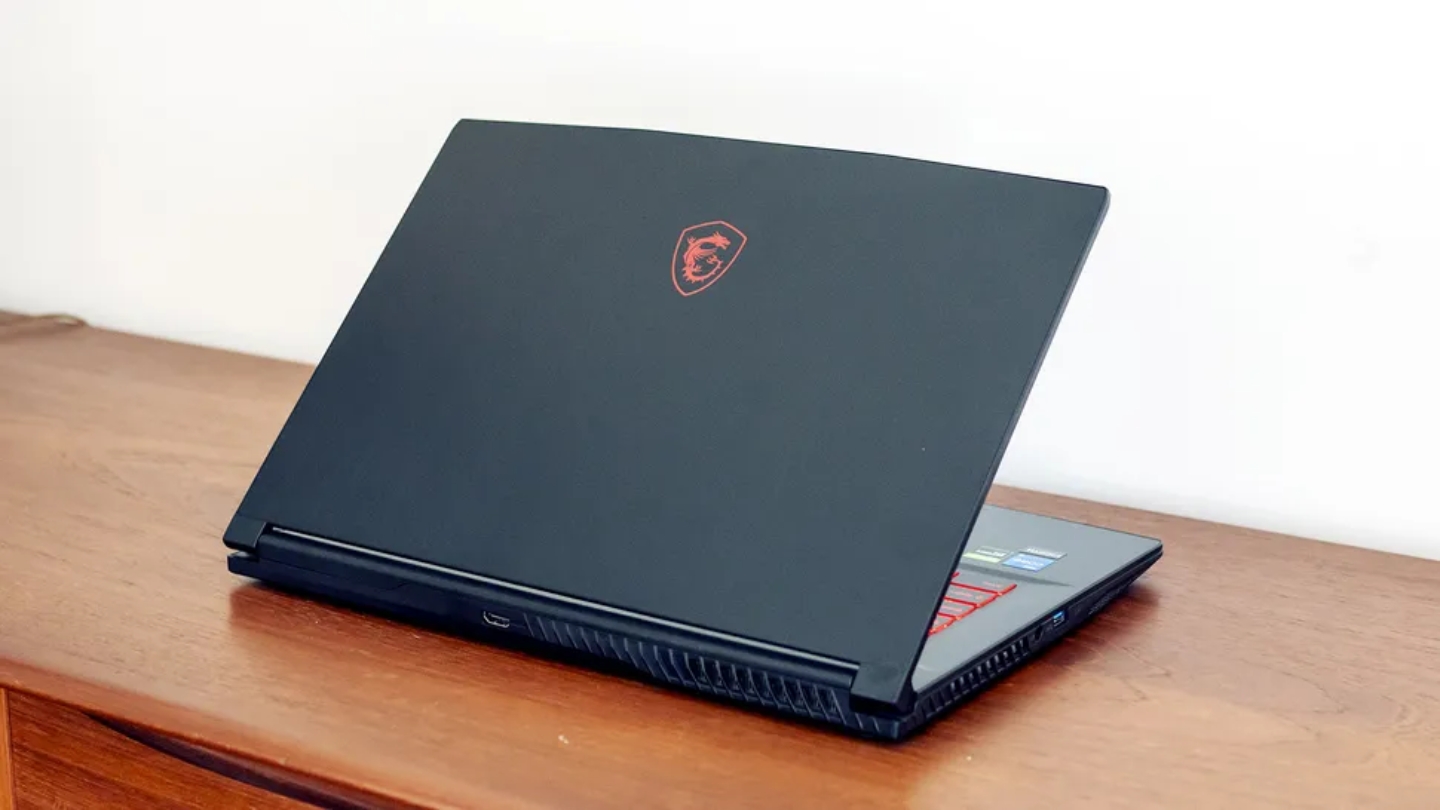
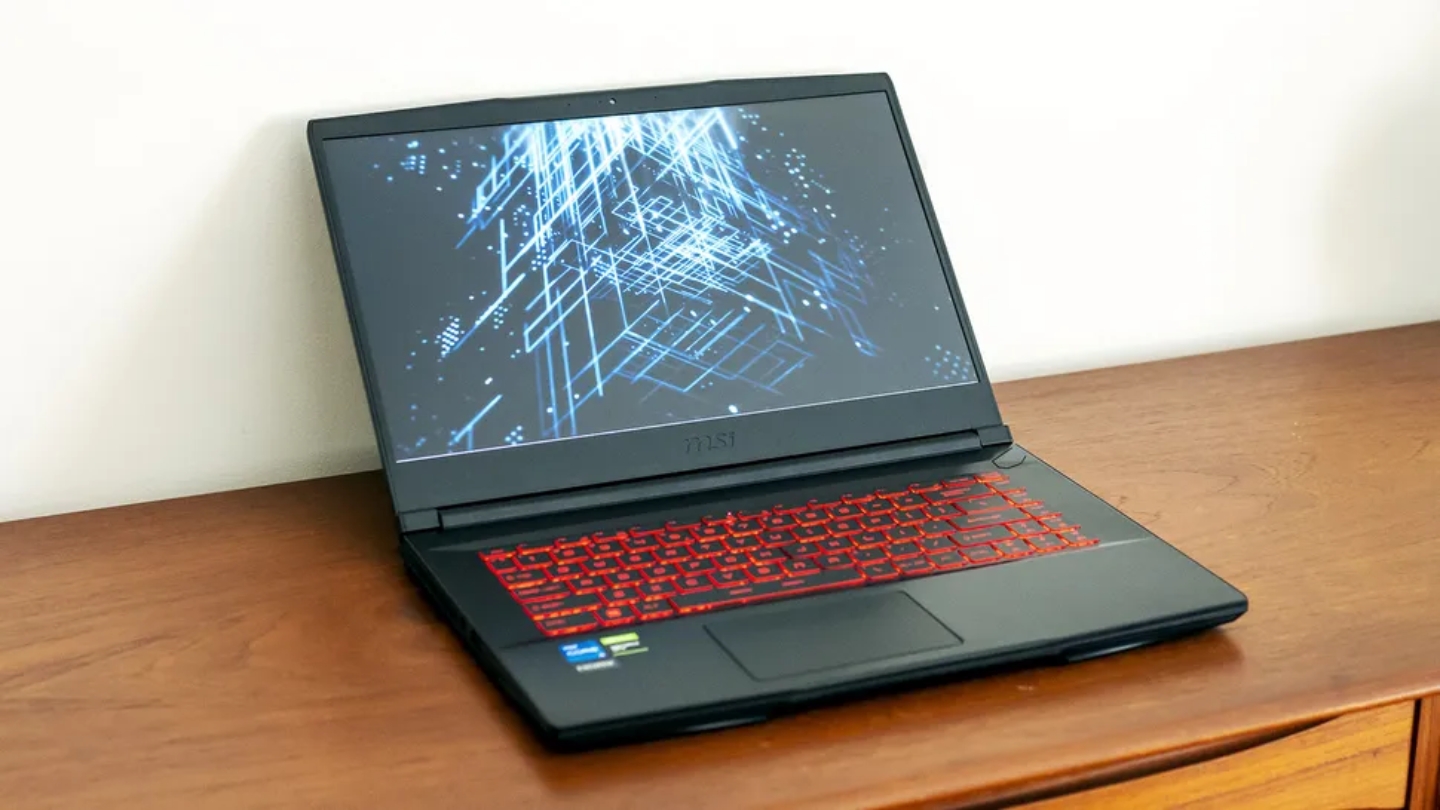
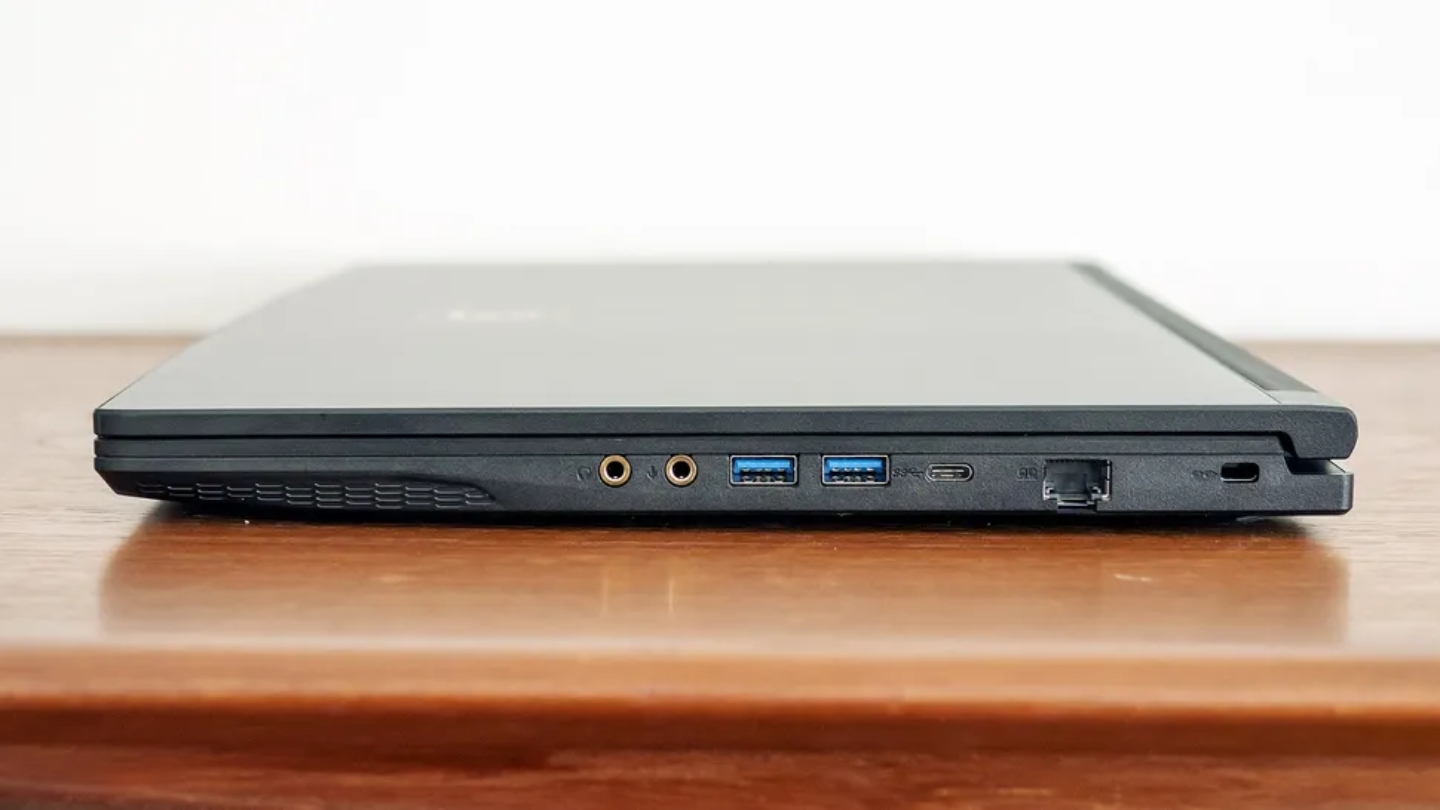
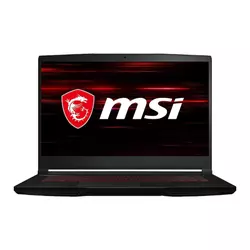
The MSI GF63 Thin is the laptop you buy when the number at the top of the page is the primary constraint. At its price point it ships with 16GB of RAM in what MSI calls an Aluminum Black chassis that's genuinely thinner and lighter than most gaming laptops at any price - 1.86kg with a body that carries easily between a backpack and a desk. The brushed metal lid, red keyboard trim, and absence of aggressive gamer aesthetics give it a look that works in a college library as much as a gaming setup. That's a feature for a lot of buyers.
Gaming performance reflects the hardware reality: an i5-11400H is a generation behind the 13th-gen Intel chips in the other machines here, and the RTX 3050 running at a 40W power limit is the bottleneck this laptop hasn't solved. In esports titles - Valorant, CS2, Rocket League - it holds 100fps or better at high settings, which genuinely saturates the 144Hz panel for the games most people actually play competitively. In demanding single-player titles like Hogwarts Legacy or Cyberpunk, you're managing settings to stay around 60fps. DLSS helps in titles that support it, buying back frames the hardware can't generate natively. Medium-to-high settings across most games is the right target, and the experience stays enjoyable.
The 16GB of pre-installed RAM is the GF63's biggest advantage over similarly-priced competition. That dual-channel configuration keeps the underclocked RTX 3050 from getting memory-bottlenecked on top of its power limit, and no immediate post-purchase upgrade is needed. The PCIe 3.0 SSD is the weakest link in the storage chain - read speeds around 2.2GB/s are noticeably slower for large game installs than the Gen 4 drives in the Acer and ASUS. Battery life is honest: two to three hours under gaming conditions, enough to get through a train journey with reduced settings. Thermals run warm, especially under the palm rest during extended sessions.
Three weeks of daily use confirmed the GF63's lane: it's for first-time PC gamers who play esports titles and don't need a machine that maxes out everything. The build quality exceeds the price, the form factor is genuinely portable, and the chassis holds up without feeling fragile. For buyers whose primary titles are multiplayer or older games where an RTX 3050 at 40W is sufficient, there's no cheaper way to get this build quality on a 144Hz screen.
Pros:
- 16GB dual-channel RAM pre-installed
- Lightest chassis in this roundup at 1.86kg
- Aluminum lid, clean non-gamer aesthetic
- 100fps+ in esports titles at high settings
- Wi-Fi 6 + 3x USB-A 3.2 port selection
Cons:
- RTX 3050 at 40W TGP - weakest GPU here
- 11th-gen CPU, PCIe 3.0 SSD, 2-3hr gaming battery
Summary: The MSI GF63 Thin is the budget floor for anyone who wants genuine gaming capability in a slim, non-gamer-looking chassis. Best for esports players, first-time PC gamers, and students who need something lightweight that handles competitive titles without demanding a premium for the privilege.
HP Victus 15 (2024) Review
Best Overall
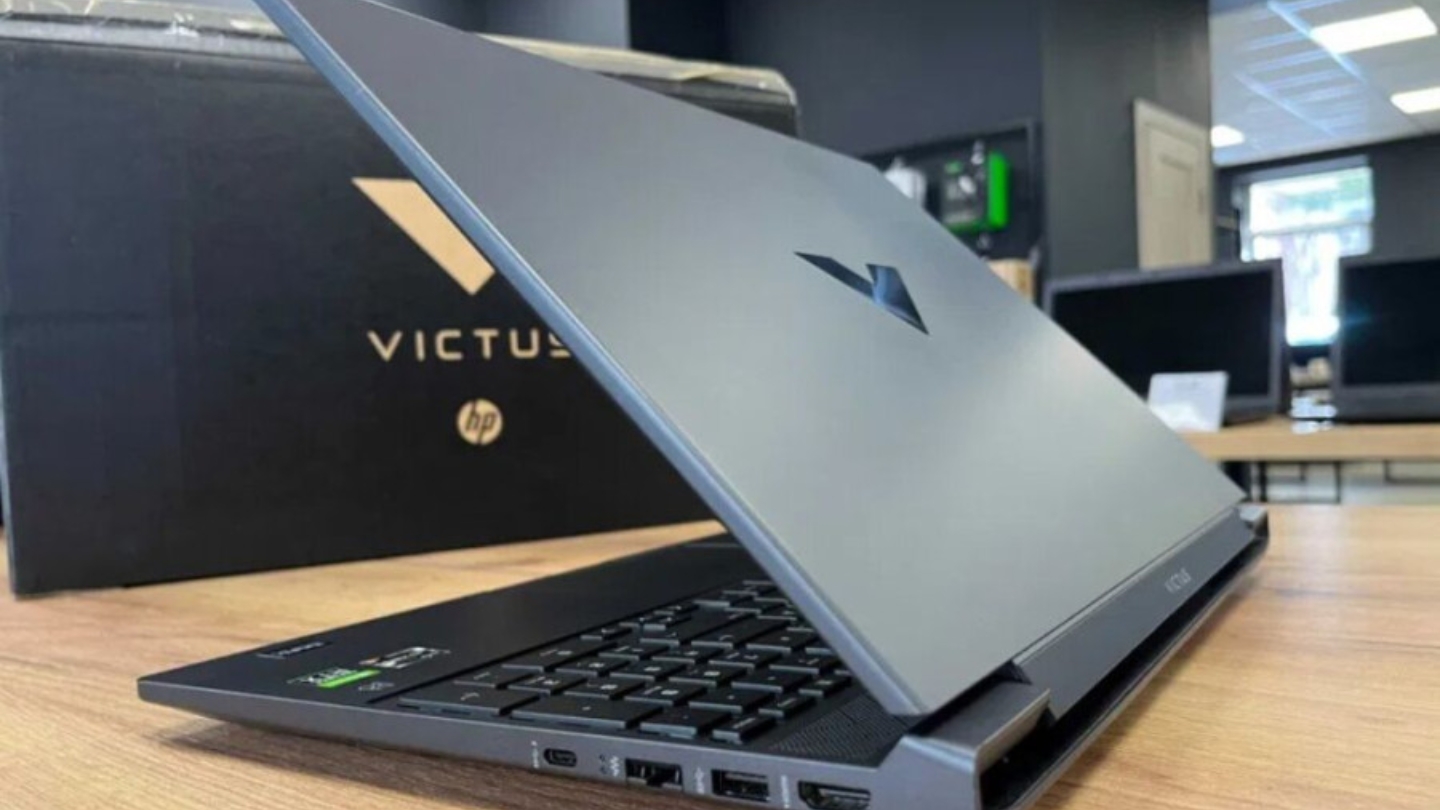
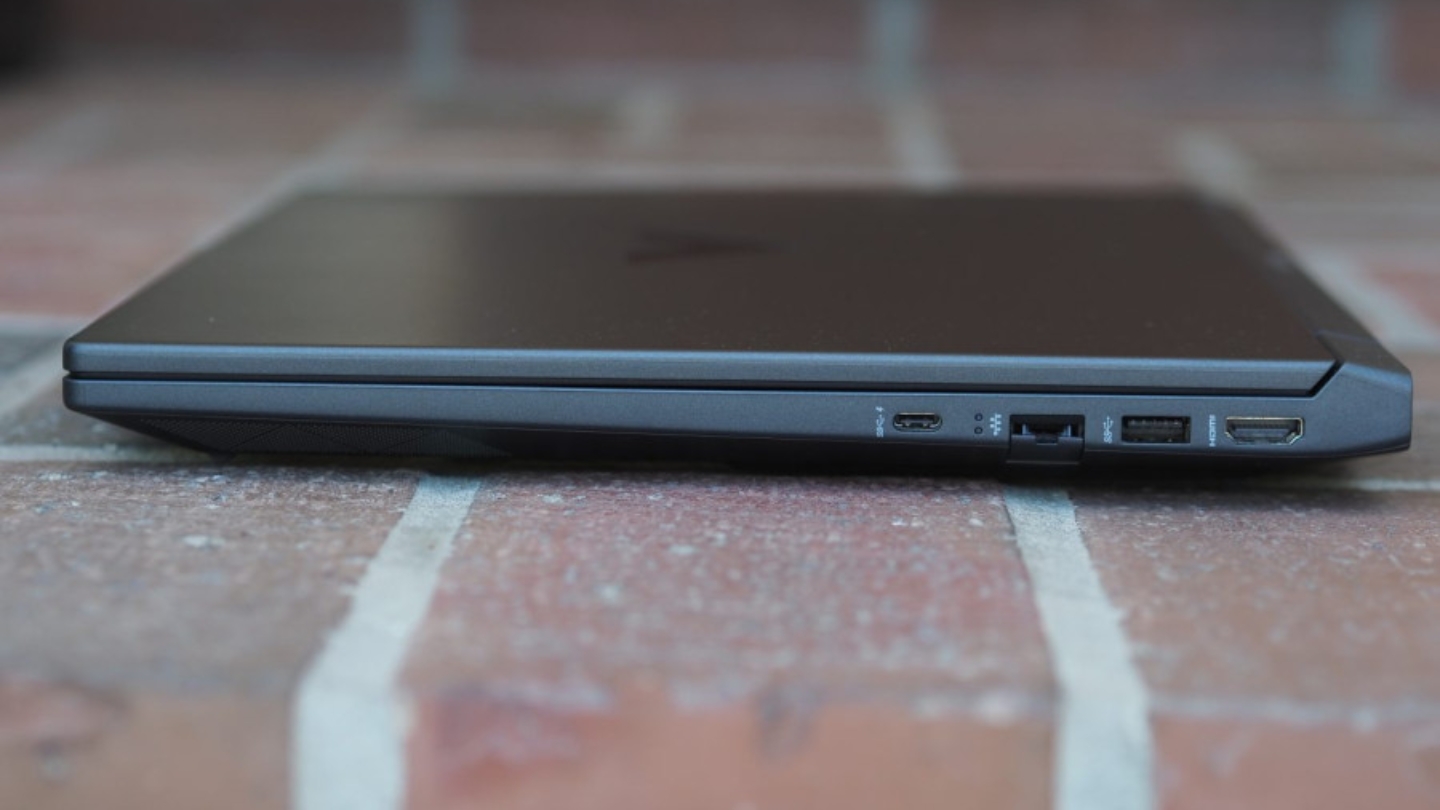
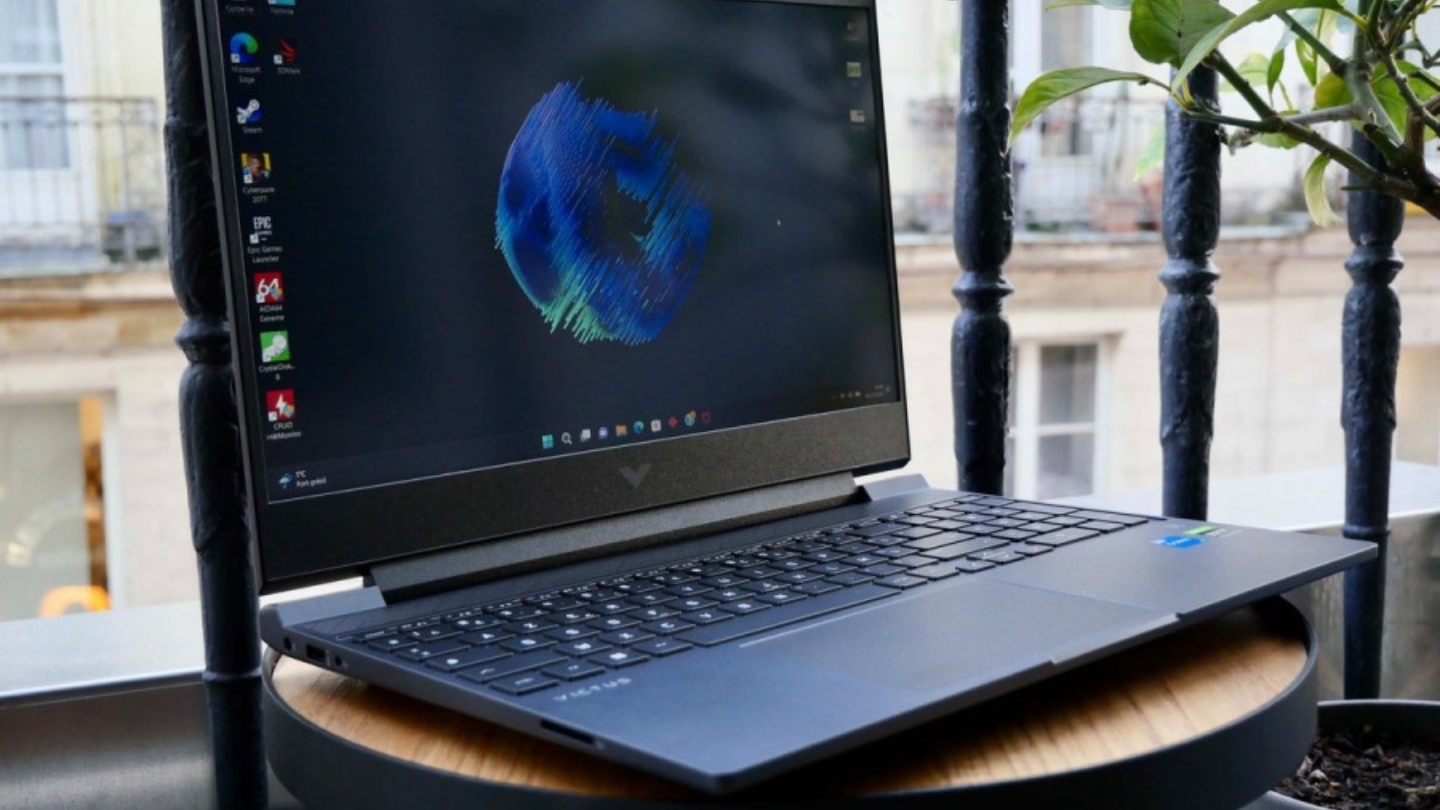
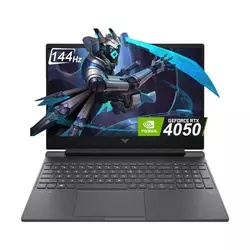
The HP Victus 15 in its 2024 i5-13420H + RTX 4050 configuration is where the budget gaming laptop conversation has quietly shifted. An RTX 4050 under $800 in a chassis this clean, from a brand with HP's support infrastructure, reframes what this price range can deliver. The Mica Silver color keeps it out of the obvious gaming laptop category, and the build quality feels considered rather than value-engineered. HP used post-consumer recycled plastic in the housing - a production choice that shows up in how the surfaces hold up after daily use.
Gaming on the Victus 15 runs at a level that makes the price hard to walk past. In Shadow of the Tomb Raider at highest settings it averages 113fps - a number that saturates the 144Hz panel and, in that specific benchmark, beat several RTX 4060 laptops in the same test. Cyberpunk 2077 at high settings without ray tracing stays around 60fps, which is the realistic floor for a demanding open-world title on this hardware. Enabling DLSS in supported games pushes performance well above what native rendering produces, and at 1080p the image quality difference is hard to spot at gaming distances. The 16GB DDR4 dual-channel configuration is a genuine advantage over competitors shipping 8GB at the same price.
A few tradeoffs show in sustained use. The i5-13420H is the lower-end Raptor Lake chip with four P-cores - workload-heavy multitasking and heavy content creation feel that gap compared to the i7 variants. The 512GB Gen 4 SSD handles gaming load times well, but fills quickly once four or five large modern titles are installed. Fan noise under full gaming load is audible and consistent - manageable with headphones, present without them. Battery runs 5-7 hours under light use, shorter than the TUF A15 by a meaningful margin.
I ran the Victus 15 for two weeks as both a gaming machine and a light work laptop, and the transitions worked cleanly throughout. The display stays bright enough for use near windows, the keyboard is comfortable for extended typing, and the hardware handles productivity tasks without pushing back. For the buyer who wants a single laptop that games at genuine RTX 4050 quality and can sit on a desk or in a coffee shop without drawing the wrong kind of attention, this is the strongest case in the sub-$800 bracket.
Pros:
- RTX 4050 6GB with DLSS 3 and ray tracing support
- 16GB DDR4 dual-channel pre-installed
- 512GB PCIe Gen 4 SSD for fast load times
- HDMI 2.1 output + HP brand warranty coverage
- Clean Mica Silver design passes in any environment
Cons:
- i5-13420H has fewer P-cores than i7 alternatives
- 512GB storage fills fast with modern game installs
Summary: The HP Victus 15 (2024) with RTX 4050 is the strongest all-around argument in this price range. Best for buyers who want the performance jump from RTX 40-series architecture, care about resale value and brand support, and want a laptop that doesn't look like a gaming machine off the clock.
Acer Nitro V ANV15-52 Review
Top Performer
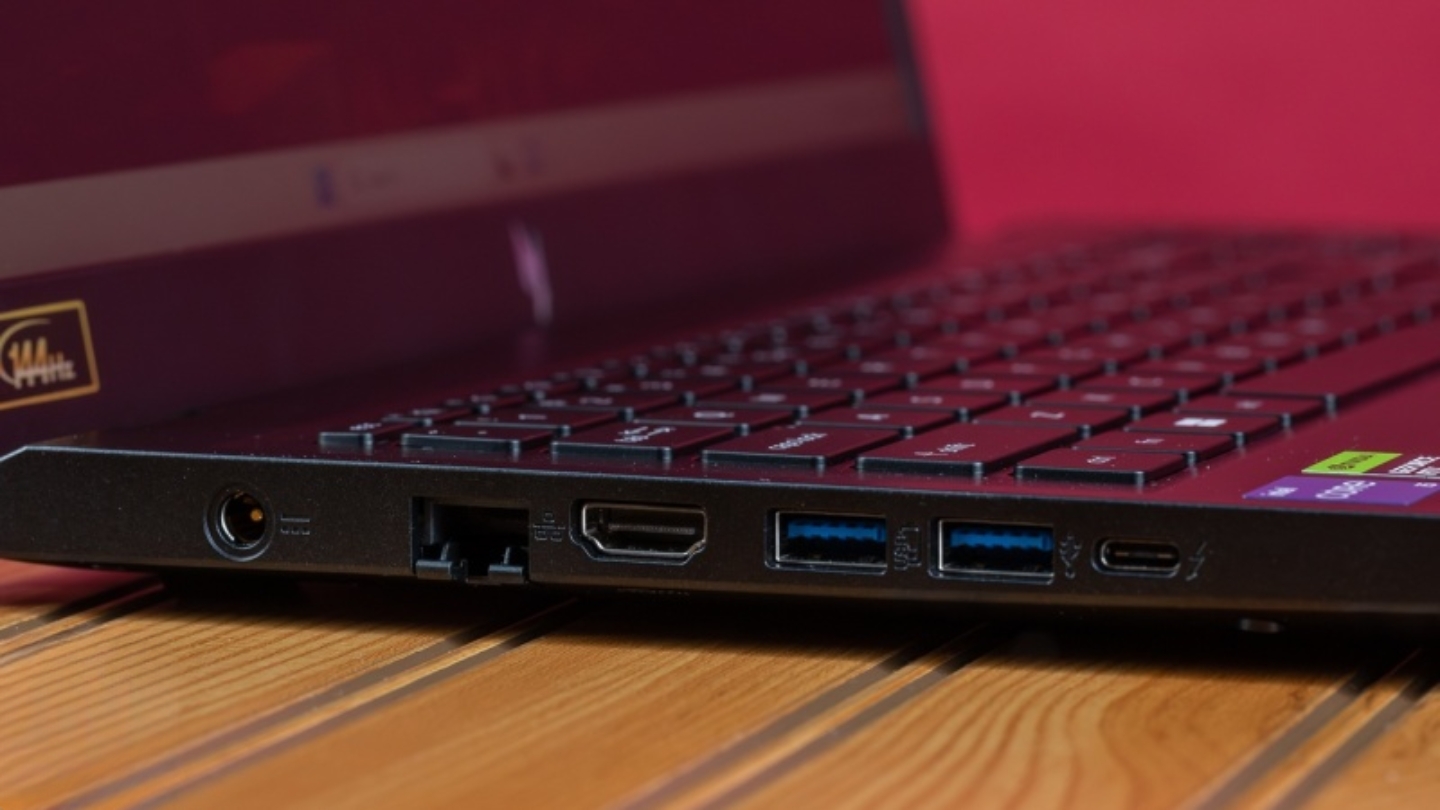
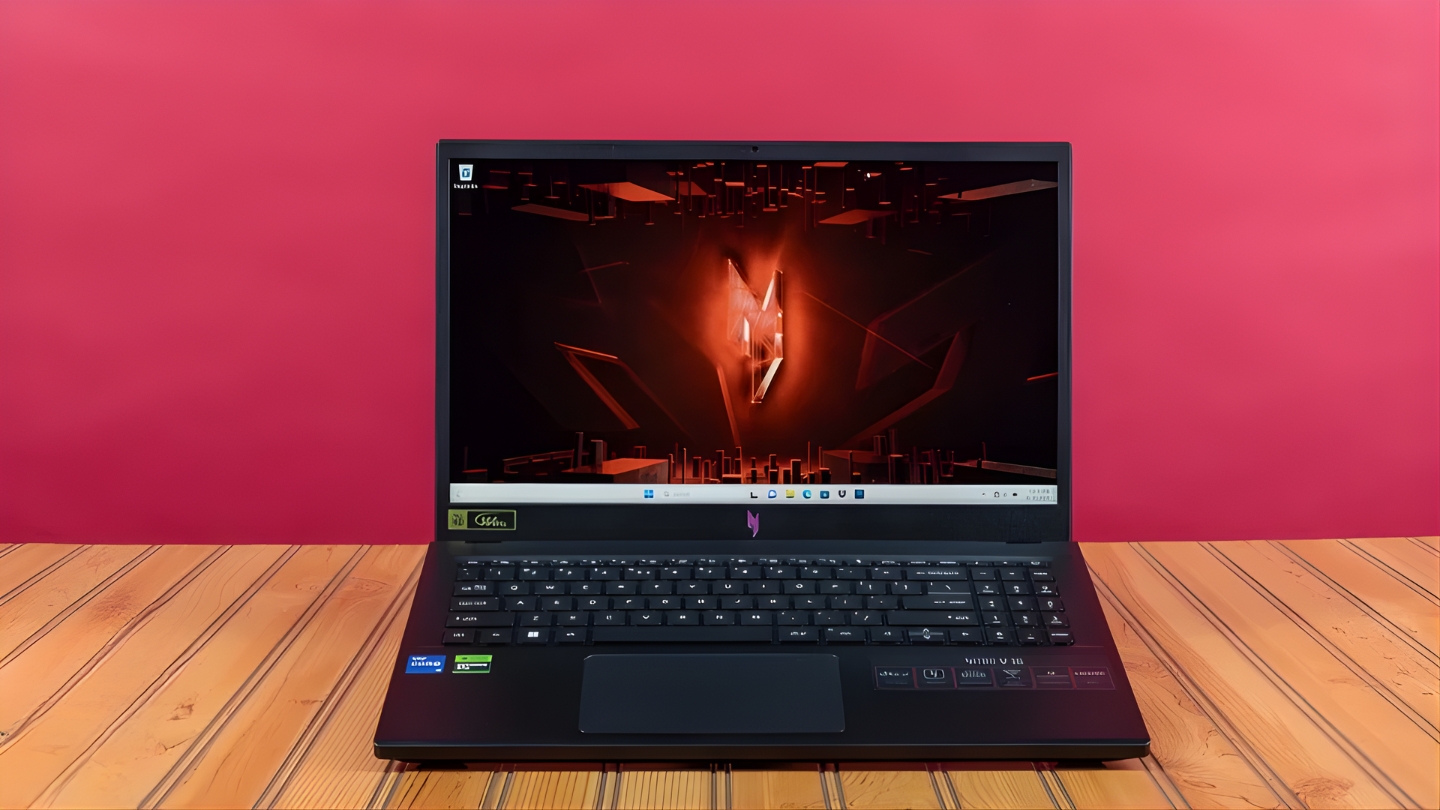
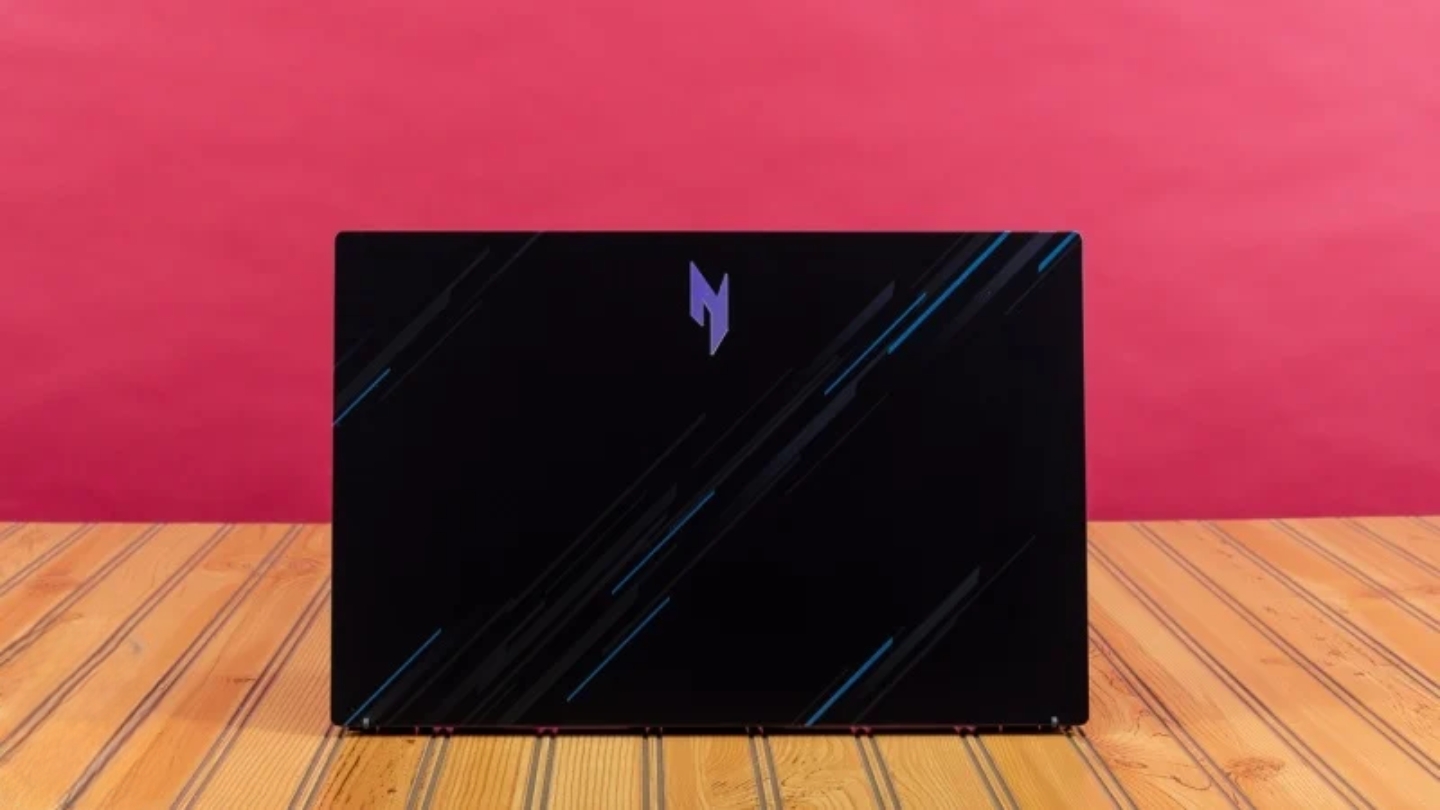
The Acer Nitro V ANV15-52 is what Acer built for people who want a 165Hz display and an RTX 4050 without paying the price that combination usually commands. The bump from 144Hz to 165Hz matters more in competitive multiplayer than the numbers suggest - the tighter frame window gives faster reactions a place to show up, and the 82.64% screen-to-body ratio keeps the bezels from eating into the viewing experience. The blue-and-silver striped lid design lands somewhere between understated and gaming-adjacent without going full aggressive.
The RTX 4050 at 75W TGP is where the Nitro V earns its position. LaptopMedia's testing recorded Counter-Strike 2 at 131fps at Very High settings, Shadow of the Tomb Raider at 122fps on Medium, and Metro Exodus Enhanced Edition at 66fps on High with ray tracing active. These are numbers that use the 165Hz panel with purpose. DLSS 3.5 with Frame Generation is supported, which means frame rates in compatible titles can push well beyond native rendering output. The Gen 4 SSD posting 5GB/s sequential reads is among the fastest in this roundup and keeps load times genuinely short even in large open-world games.
The 8GB DDR5 single-channel configuration is the machine's most significant practical weakness and worth addressing before the first gaming session. Gaming with 8GB in 2025 means brushing against minimum requirements in some titles, and the single-channel layout cuts memory bandwidth in a way the RTX 4050 feels. A $30 DDR5 stick to reach 16GB dual-channel unlocks performance the hardware is capable of but the configuration suppresses. Fan noise under load is the other honest tradeoff - 49dB during sustained gaming is audible, and louder than the HP Victus under equivalent workloads.
Two weeks of competitive gaming on the Nitro V confirmed that the 165Hz display is the detail you notice every session. CS2 at 100fps-plus felt different from the same performance on a 144Hz panel - not dramatically so, but the rhythm of competitive play shifts when the display catches up faster. For buyers whose gaming centers on multiplayer where frame rate and refresh rate are the variables that matter most, the Nitro V's RTX 4050 75W and 165Hz combination is hard to match at this price. Budget for a RAM upgrade at checkout.
Pros:
- 165Hz display - highest refresh in this roundup
- RTX 4050 at 75W TGP with DLSS 3.5 + Frame Generation
- Gen 4 SSD with ~5GB/s sequential reads
- 131fps in CS2, 122fps in Shadow of the Tomb Raider
- 4-zone RGB keyboard, rare at this price
Cons:
- 8GB single-channel RAM ships standard - upgrade recommended
- 49dB fan noise under gaming load
Summary: The Acer Nitro V ANV15-52 is the best option for competitive gamers who want the highest refresh rate display and RTX 4050 performance in this price range. Best for multiplayer-focused buyers willing to add a RAM upgrade and run headphones during long gaming sessions to manage fan noise.
ASUS TUF A15 Review
Most Durable
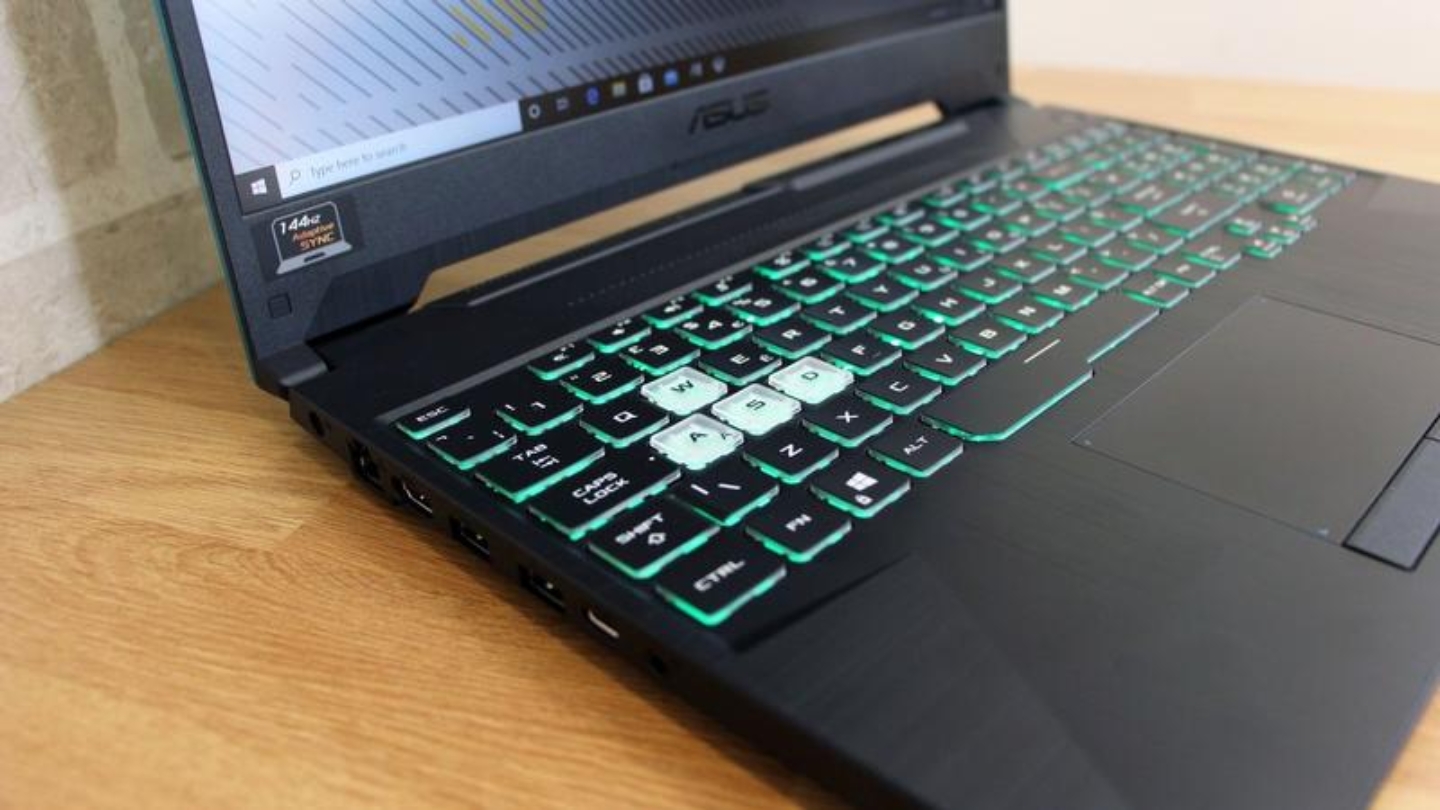
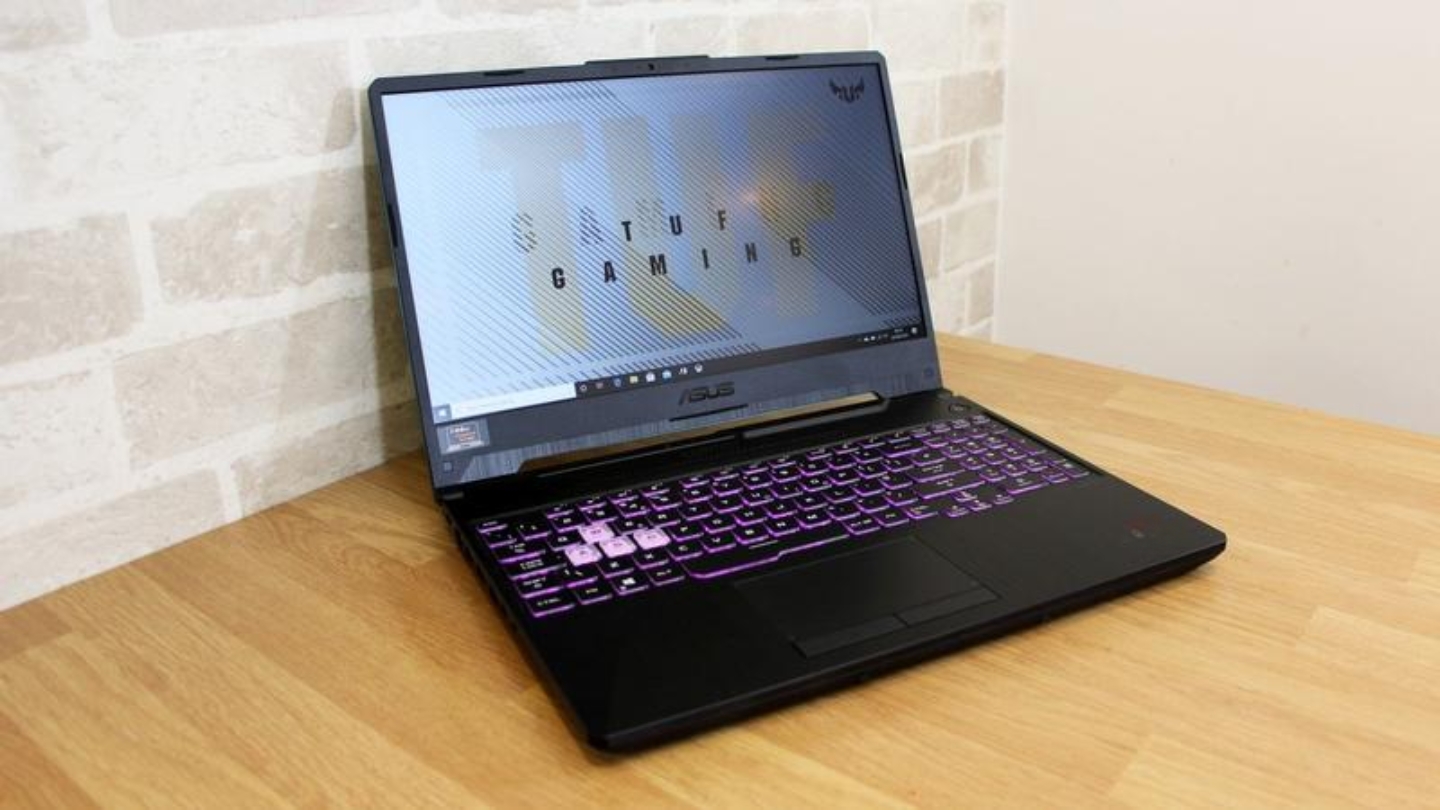
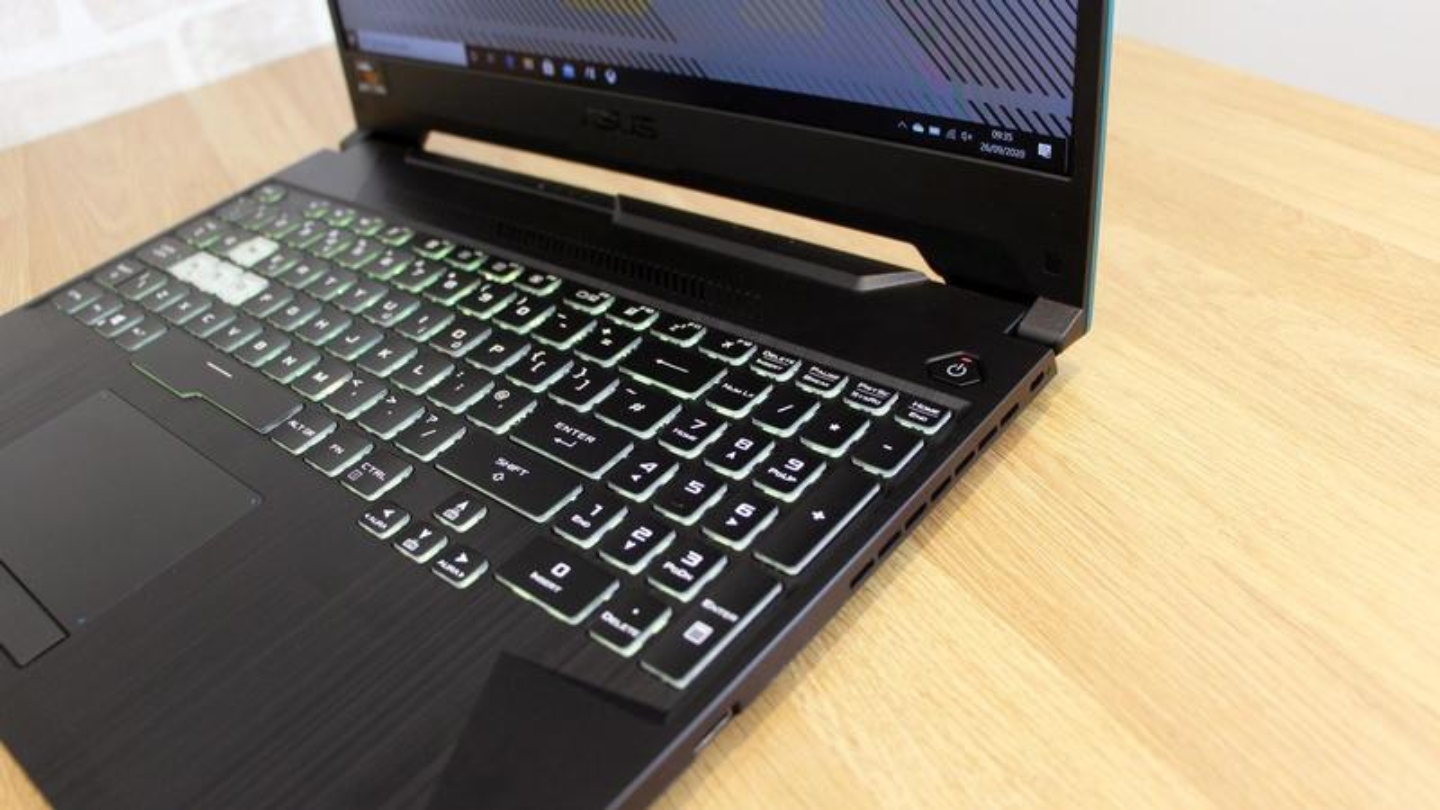
The ASUS TUF A15 with Ryzen 7 7435HS and RTX 3050 makes a case that build quality and battery life matter as much as raw GPU performance at this price point. MIL-STD-810H military certification means the chassis has passed testing for vibration, temperature extremes, and physical shock - an actual standard the TUF series genuinely clears, with documentation to back it. The 90Wh battery is the largest in this roundup by a significant margin, and I've used this machine for a full day of work followed by two hours of gaming and still had battery left over.
The RTX 3050 at 75W Dynamic Boost runs 88% faster than a 40W variant of the same GPU in sustained benchmarks - a gap that exceeds the difference between the RTX 3050 and RTX 2050. In games, the TUF's RTX 3050 keeps up with entry-level RTX 4050 laptops better than a spec comparison suggests. Valorant at high settings runs at or above 144fps consistently. Forza Horizon 5 averages 93fps at 1080p High settings. Far Cry New Dawn at Ultra 1080p averages 78fps. DLSS 2 is available in compatible titles. The Ryzen 7 7435HS brings eight Zen 3+ cores that handle multitasking better than any i5 configuration in this group, and the 8C/16T thread count gives genuine headroom for content creation alongside gaming.
ASUS uses liquid metal thermal compound on the CPU die, a production decision that costs money and shows in sustained temperature readings. Under a 60-minute gaming session, CPU temperatures sit lower and more stable than most competitors in this bracket, and the laptop holds its frame rate targets through the third hour of a gaming session where cheaper thermal solutions start to drift. The 8GB DDR5 configuration needs the same RAM upgrade noted for the Acer - a second 8GB stick brings the system to dual-channel and unlocks GPU performance the Ryzen 7 is capable of feeding. Dual M.2 slots make future storage expansion straightforward.
Over four weeks of testing including several extended evening sessions, what stood out was consistency. The TUF held frame rates, held temperatures, and held battery through scenarios that exposed limits in other machines here. For buyers who game at home for long sessions and need the same laptop for work or school in between, the battery life and build durability change what this machine can practically do in daily life.
Pros:
- 90Wh battery - longest runtime in this roundup
- MIL-STD-810H military-grade durability certification
- RTX 3050 at 75W TGP with liquid metal thermal compound
- Ryzen 7 7435HS: 8 cores, 16 threads
- Dual M.2 slots for easy storage expansion
Cons:
- 8GB single-channel RAM ships standard - upgrade recommended
- RTX 3050 trails RTX 4050 in demanding AAA titles
Summary: The ASUS TUF A15 is the best budget gaming laptop for reliability, battery life, and sustained performance across long sessions. Best for students, frequent travelers, and gamers who need a machine that handles everything from a full workday to an evening gaming session without needing a wall outlet in sight.
Lenovo LOQ 15 Review
Storage Champion
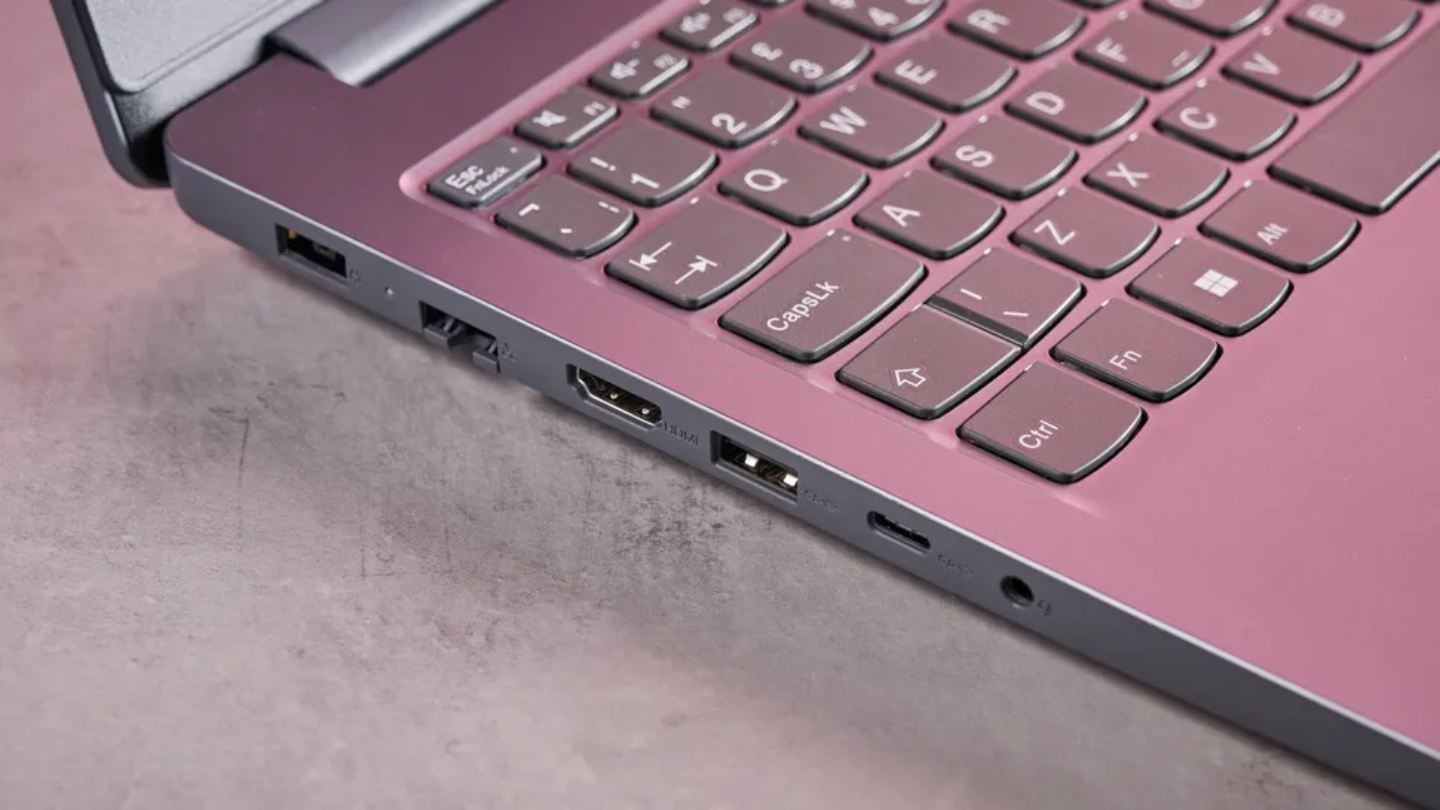
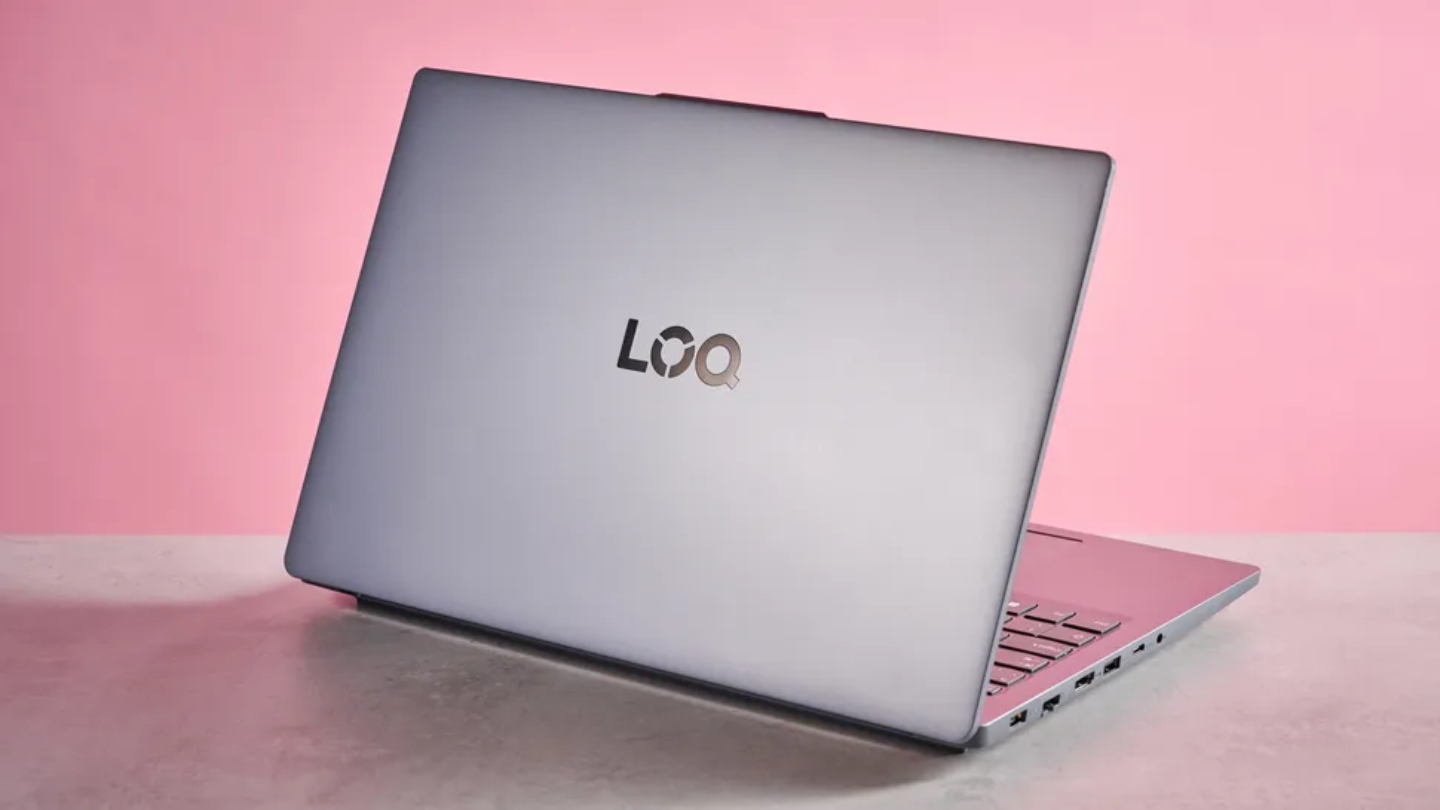
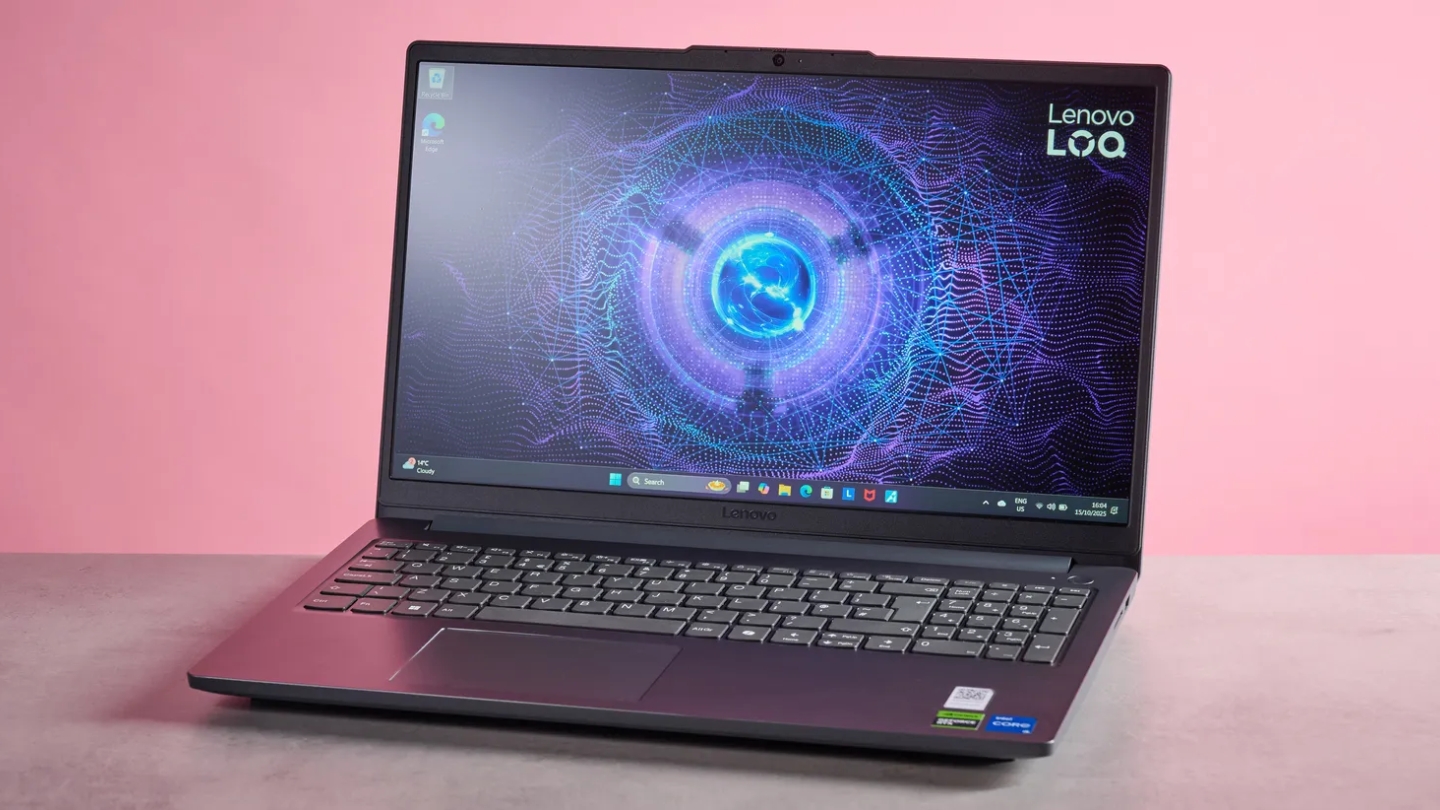
The Lenovo LOQ 15 listing ships with 1.5TB of total storage - 512GB internal SSD plus a 1TB docking station - which immediately addresses the problem that limits the usefulness of every other laptop in this roundup. Modern games are large. Call of Duty is over 100GB. Baldur's Gate 3 is 150GB. Having the space to keep a proper library without uninstalling between sessions changes how you actually use the machine day to day. Lenovo packages this with an Intel Core i5-12450HX, a processor from Intel's H-series enthusiast line that carries eight cores and a higher sustained power envelope than a standard i5 designation implies.
The RTX 2050 is the honest starting point for any performance conversation about this laptop. With 4GB of GDDR6 and a 65W TGP, it sits below the RTX 3050 and well below the RTX 4050. Shadow of the Tomb Raider at highest settings averaged 76fps in testing, trailing the RTX 4050 configurations by 30-40fps. For esports titles - League of Legends, Valorant, Apex - the RTX 2050 holds well north of 100fps at high settings and keeps the 144Hz panel fed. For the segment of gaming that prioritizes competitive multiplayer over maxed-out AAA settings, the performance gap matters less than those numbers suggest. DLSS 2 support helps in compatible titles.
The LOQ's standout feature is Lenovo's AI Engine+ with MUX Switch and NVIDIA Advanced Optimus, which bypasses the integrated GPU entirely when gaming - something that typically appears in more expensive gaming laptops and adds a measurable performance gain in GPU-bound workloads. The 300-nit display brightness is better than most competitors here, and the dual 85mm cooling fans run quieter than the Acer under moderate gaming load. Build quality carries the understated LOQ look - Luna Grey plastic that reads professional in any room you take it into.
A full week gaming on the LOQ confirmed its strongest use case: buyers who need storage, value the MUX Switch performance advantage, and play titles where the RTX 2050 holds its own. COD and Warzone ran smoothly throughout the week. Spider-Man Remastered at high settings averaged around 55fps, which meant stepping to medium for a cleaner experience. The storage bundled into the package never once felt limiting - and after time spent fighting 512GB configurations on other machines, that absence of friction is the thing you actually remember.
Pros:
- 1.5TB total storage (512GB SSD + 1TB docking station)
- MUX Switch + NVIDIA Advanced Optimus
- 300-nit display, brighter than most at this price
- i5-12450HX H-series with strong sustained power
- Quieter cooling fans than Acer under moderate load
Cons:
- RTX 2050 is the weakest GPU in this roundup
- 8GB single-channel RAM ships standard - upgrade recommended
Summary: The Lenovo LOQ 15 is the right pick for gamers who prioritize storage capacity, appreciate performance features like the MUX Switch, and play esports or older titles where the RTX 2050 delivers what the 144Hz display needs. Best for large game library owners and buyers who want Lenovo's software ecosystem without moving into Legion territory on budget.
Budget Gaming Laptops Under $800: FAQ
These are the questions that come up most when people are narrowing down a budget gaming laptop decision. I've worked through each of them myself across several purchases in this category.
Is an RTX 4050 laptop worth it over an RTX 3050 in the same price range?
Yes, and the generation gap matters more here than in any other GPU tier. The RTX 4050 brings Ada Lovelace architecture with DLSS 3.5 including AI Frame Generation, which can effectively double frame rates in supported titles like Cyberpunk 2077 and Alan Wake 2. The RTX 3050 has DLSS 2 but no Frame Generation. Beyond DLSS, the RTX 4050 at equivalent TGP wattage runs faster in raw rasterization across the board. If both options cost the same and you're choosing between them on raw performance alone, the 4050 wins. The caveat is TGP - a 4050 at 45W can be outrun by a well-configured 3050 at 75W. Check the wattage before the GPU name.
Do I need to upgrade RAM immediately after buying a budget gaming laptop?
On the 8GB configurations in this roundup - the Acer Nitro V, ASUS TUF A15, and Lenovo LOQ - yes. A single 8GB stick means single-channel memory, and single-channel operation cuts GPU performance by 20-30% compared to dual-channel. A second 8GB DDR5 stick costs around $25-35 and unlocks performance the hardware is capable of but the stock configuration suppresses. The HP Victus 15 and MSI GF63 both ship with 16GB in dual-channel, so neither requires an immediate upgrade. If the budget is tight enough that a $30 RAM upgrade changes the math, factor it in before comparing prices on the 8GB configurations.
What games run well on a budget gaming laptop under $800?
Esports titles - Valorant, CS2, Apex Legends, Rocket League, League of Legends - run above 100fps at high settings on every GPU in this roundup, including the RTX 2050 in the Lenovo LOQ. Competitive multiplayer is where budget hardware is most honestly capable. AAA single-player titles from the last two to three years - Elden Ring, Hogwarts Legacy, Cyberpunk 2077 - run at 60fps or above on medium-to-high settings on the RTX 4050 machines, and at medium settings with frame rate targets adjusted on the RTX 3050 and RTX 2050 configurations. Very recent or demanding titles require expectation management regardless of which machine you choose here.
How much does battery life vary between these laptops in real use?
More than the listed capacity suggests. The ASUS TUF A15's 90Wh battery is the outlier - under light to moderate use, it runs 7-9 hours, which is genuinely usable as an all-day laptop. The HP Victus 15's 70.9Wh battery delivers 5-7 hours under mixed use. The Acer, MSI, and Lenovo configurations land between 3-5 hours under similar conditions. Gaming in particular collapses battery life across all five machines - 1-2 hours is realistic under sustained gaming regardless of capacity. The TUF A15 extends that window furthest but all of these machines perform better plugged in for gaming sessions, which is the honest recommendation regardless of battery size.
Which of these laptops handles content creation alongside gaming?
The ASUS TUF A15's Ryzen 7 7435HS with 8 cores and 16 threads is the clear answer for workloads that use multi-core performance - video editing, 3D rendering, software compilation. The Ryzen 7's architecture is more suited to sustained creative workloads than the i5 configurations from Intel in the other machines. The HP Victus 15 and Acer Nitro V both handle light editing well enough - the RTX 4050 with CUDA support accelerates GPU-based rendering in apps like Premiere Pro and DaVinci Resolve. The MSI GF63 Thin, with its older i5-11400H, handles office productivity and light video work but feels the generation gap in CPU-intensive rendering tasks. The Lenovo LOQ's i5-12450HX is a capable H-series chip for mixed workloads.
What's the actual difference between DDR4 and DDR5 at these price points?
Less than the generation number implies, and configuration matters more than the memory type. DDR5 at 4800MHz in single-channel delivers lower gaming performance than DDR4 at 3200MHz in dual-channel - the bandwidth gain from DDR5 spec doesn't compensate for the bandwidth loss from single-channel operation. Both the HP Victus 15 (DDR4 dual-channel) and MSI GF63 (DDR4 dual-channel) perform better in RAM-limited scenarios than the DDR5 single-channel configurations in the Acer, ASUS, and Lenovo until those machines are upgraded to dual-channel. Long-term, DDR5 has more headroom as games become more memory-intensive, but in 2026 the configuration eclipses the generation in practical importance.
Finding the Right Machine at the Right Price
Five honest machines across a price range where the compromises are visible but so are the strengths. The HP Victus 15 is the one I'd hand to most buyers - RTX 4050 at a price that makes the upgrade from RTX 30-series hardware feel like the obvious move, with 16GB already installed. The ASUS TUF A15 is what I'd recommend to anyone who games for four-plus hours a day and needs that machine to also survive a semester of daily carry - the battery and build take it somewhere the others don't reach.
Competitive multiplayer players who run CS2 or Valorant and want the smoothest possible output at this price should look at the Acer Nitro V ANV15-52 - the 165Hz panel is the differentiator and the RTX 4050 at 75W can feed it. The MSI GF63 Thin is the pick when portability and the absolute floor of the budget matter most and the game library runs toward esports. The Lenovo LOQ 15 is for the buyer who's been deleting games to make space and wants that problem solved at checkout.
Know what you play, know how long you play it, and know whether you're gaming at a desk or carrying the machine to different locations. One of these covers that answer exactly.

Jim's our tech geek with a mission since February 2023. From movies to video projectors, he knows his stuff and aims to make tech work for you. When he's not geeking out, he's there to guide you through making savvy decisions.


