Best Chromebook for College Students
College IT departments spent years telling students that a Chromebook wouldn't cut it for serious coursework. That advice has aged poorly. The current generation of Chromebook Plus devices - all four of which I've spent time with this semester - run Google Docs, Sheets, and Slides offline, support full versions of Adobe Photoshop and LumaFusion, connect natively to Android and Linux apps, and boot faster than most Windows laptops that cost twice as much. The gap between a Chromebook and a "real laptop" has narrowed to the point where most students won't notice it during a regular class week.
What changed is the Chromebook Plus program. Google established a minimum hardware floor that requires an Intel Core i3 processor, 8GB of RAM, a 1080p screen, and a 1080p webcam - specs that used to sit firmly in mid-range Windows territory. Testing four current Chromebook Plus models across a full week of lecture notes, video calls, research tabs, and late-night streaming revealed which ones hold up across all those contexts and which ones ask you to make compromises you'll actually feel.
If you're in a hurry, here are my top two picks for Chromebooks for college students:
We may earn a small commission if you buy via our links - it helps keep gagadget.com running.
Table of Contents:
- Best Chromebook for College Students: Buying Guide
- Top 4 Chromebooks for Students in 2026
- Chromebook Comparison
- Lenovo IdeaPad Flex 5i
- HP Chromebook Plus x360
- Acer Chromebook Plus 514
- ASUS Chromebook Plus CX34
- Chromebook for College Students: FAQ
Best Chromebook for College Students: Buying Guide
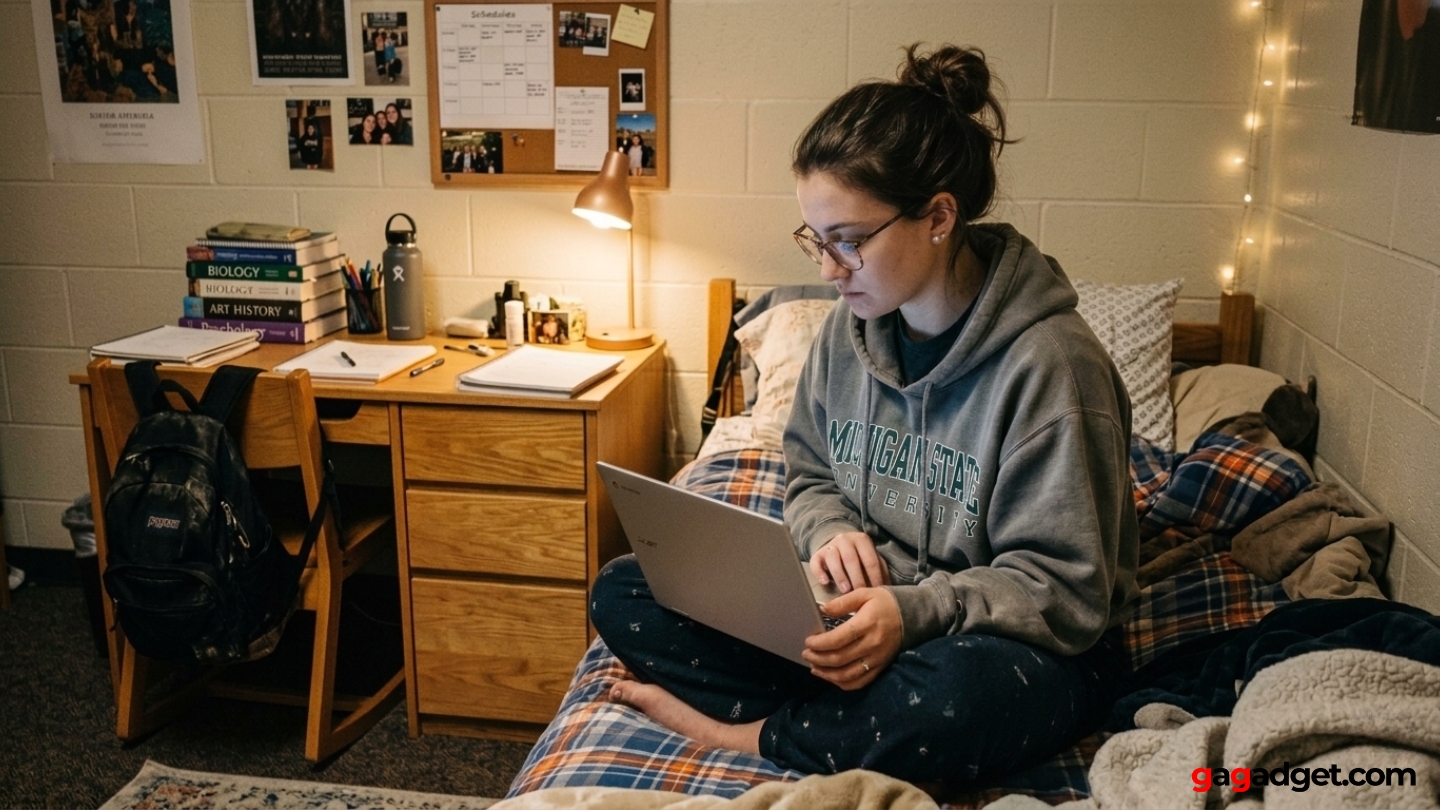
Picking a Chromebook for college is a different decision from picking one for general home use. Campus life puts specific demands on a laptop - lectures run back to back, outlet access isn't guaranteed, video calls happen from dorm rooms and libraries, and the laptop lives in a bag most of the day. I keep a checklist of those scenarios when evaluating any student laptop, because a device that handles Amazon browsing well can still fall apart in a three-hour lecture with no charger nearby.
ChromeOS Plus and What It Actually Gets You
The Chromebook Plus designation carries a real hardware floor that Google enforces across every certified device. That means a capable Intel Core processor, 8GB of RAM, a 1080p camera with AI enhancements, and a screen sharp enough for extended reading and document work. Below those specs, Chromebooks struggle with multiple tabs and Android apps simultaneously. Above them, the experience is consistently smooth regardless of which brand built the chassis.
Chromebook Plus devices also unlock OS-level features unavailable on standard Chromebooks: background blur and lighting correction in video calls, Magic Eraser in Google Photos, and access to Adobe Photoshop and Premiere Elements. These run natively on the hardware rather than through the browser.
The practical benefit for students is a 12-month Google One AI Premium subscription bundled with every Chromebook Plus purchase, which includes Gemini Advanced, 2TB of cloud storage, and Gemini integration inside Gmail, Docs, and Drive. I find the 2TB storage alone removes most of the anxiety around local storage - even the models with 128GB SSDs feel spacious when everything syncs automatically to Drive.
Processor Architecture: N-series vs U-series Intel
Two processor families appear across this group: the Intel Core i3-N305 (8 efficiency cores, no performance cores) and the Intel Core i3-1215U and i3-1315U (2 performance cores plus 4 efficiency cores). The distinction matters more than the model names suggest. N-series chips prioritize energy efficiency and run cooler and quieter, but single-core performance - which determines how snappy the OS feels during quick tasks - trails the U-series chips by a meaningful margin. Multi-core workloads close that gap considerably.
For most college use cases - writing papers, Google Slides, web research, video calls - N-series performance is more than adequate and the battery advantage of the architecture is real. Where the difference becomes noticeable is in sustained work: compiling code in Linux, editing video in LumaFusion, or running several Android apps in parallel. I'd steer CS and media production students toward the U-series models; everyone else will find the N-series handles their coursework without complaint.
Display Quality and What Matters in a Lecture Hall
All four models ship with 14-inch, 1920x1080 panels, but the differences in display quality go beyond resolution. Brightness matters more on campus than it does at home - a 300-nit panel holds up in a sun-lit classroom, but anything below 250 nits requires hunting for a seat away from windows. Anti-glare coatings are worth paying attention to even at similar brightness ratings, since reflective panels force constant repositioning in mixed-light environments like cafeterias and study lounges.
The 16:10 aspect ratio used by the Lenovo Flex 5i adds roughly 10% more vertical screen space compared to standard 16:9 panels at the same diagonal measurement - a genuine advantage for document editing and reading long research articles.
Touchscreens are standard on three of the four models here, and the use case on a laptop is different from a phone. Scrolling through lecture slides, annotating PDFs with a stylus, and navigating the OS without reaching for the trackpad all benefit from touch. I use touch input more on a Chromebook than on any Windows laptop I've tested, partly because ChromeOS responds to it more reliably and partly because the Android app layer makes touch feel natural rather than tacked on.
Battery Life and the Reality of a Full Class Day
Manufacturer battery claims and real-world college use are two different things. Advertised figures typically come from continuous screen-on tests at low brightness with Wi-Fi on and minimal processing load - conditions that match approximately zero percent of actual student behavior. A realistic college day involves screen brightness above 50%, constant Wi-Fi, background sync, video calls, and the occasional YouTube tab that someone leaves open for hours. That environment typically shaves two to three hours off published estimates.
The target for a college laptop is battery life that covers an eight-to-ten hour campus day without needing a charger mid-afternoon. All four models here come close to that in my experience, though some do it more reliably than others. USB-C charging is consistent across all four, which means any cafeteria or library USB-C port can top them up between classes - a convenience that matters more at the end of a long day than any spec sheet figure.
Form Factor: Convertible vs Clamshell for Campus
Three of the four models in this roundup have 360-degree hinges that allow tablet mode - a feature that sounds more useful than it often is on a laptop with a 14-inch screen. The genuine value of a convertible on campus is tent mode for desk-limited spaces like stadium seating lecture halls, and the ability to hand the screen toward a group without turning the keyboard face-down on a cafeteria table. Tablet mode itself is most useful when a stylus is involved, since finger input on a 14-inch screen in your hands is awkward in practice.
A 360-degree hinge adds weight and mechanical complexity compared to a standard clamshell. Models without a convertible design tend to be lighter, often have better rigid-lid stability when typing on uneven surfaces, and sometimes gain a more traditional port layout.
The one clamshell in this group - the Acer Chromebook Plus 514 - is the lightest of the four and the only one that matches MIL-STD 810H durability testing, which covers drops, temperature extremes, and vibration. I reach for a clamshell instinctively when I know I'll be typing all day rather than switching between modes. For students who carry their laptop everywhere and rarely need tablet functionality, those trade-offs make the clamshell design a defensible choice over a heavier convertible.
Top 4 Chromebooks for Students in 2026
These Chromebooks were evaluated across a full week of real student workloads - lecture notes, video calls, research, and media - on campus and in dorms.
- 13th-gen i3 with P-cores
- 16:10 FHD+ display
- Best keyboard in group
- 256GB SSD storage
- ChromeOS support until 2032
- Stylus pen included
- 256GB UFS storage
- Loud dual speakers
- ChromeOS support until 2033
- Eco-certified chassis
- Lightest at 1.4kg
- MIL-STD 810H certified
- Longest battery life
- Facial auto-exposure webcam
- microSD + 2x USB-A ports
- Full-size HDMI port
- 12th-gen i3 with P-cores
- 2x USB-A plus 2x USB-C
- Distinctive white chassis
- NanoEdge slim-bezel display
Chromebook Comparison
Here's a side-by-side look at the specifications that matter most for college use:
| Specification | Lenovo Flex 5i | HP x360 14b | Acer Plus 514 | ASUS CX34 |
| Processor | Intel Core i3-1315U (13th gen) | Intel Core i3-N305 | Intel Core i3-N305 | Intel Core i3-1215U (12th gen) |
| RAM | 8GB LPDDR4X | 8GB LPDDR5 | 8GB LPDDR5 | 8GB LPDDR5 |
| Storage | 256GB SSD | 256GB UFS | 128GB SSD | 256GB UFS |
| Display | 14" FHD+ (1920x1200) IPS Touch, 16:10 | 14" FHD (1920x1080) IPS Touch | 14" FHD (1920x1080) IPS Touch | 14" FHD (1920x1080) IPS |
| Brightness | 300 nits | 300 nits | 300 nits | 250 nits |
| Form Factor | 360-degree convertible | 360-degree convertible | Clamshell (touch) | 180-degree lay-flat |
| Stylus | USI (sold separately) | IST pen included | Not supported | Not supported |
| Webcam | 1080p with privacy shutter | 1080p | 1080p with facial auto exposure | 1080p with privacy shutter |
| Battery Life | ~10 hours | ~10 hours | ~10-11 hours | ~7-9 hours |
| Weight | 3.57 lbs (1.62kg) | 3.32 lbs (1.51kg) | 3.09 lbs (1.4kg) | 3.17 lbs (1.44kg) |
| Ports | 2x USB-C, 1x USB-A, microSD | 2x USB-C, 1x USB-A, headphone | 2x USB-C, 2x USB-A, microSD | 2x USB-C, 2x USB-A, HDMI, headphone |
| Wi-Fi | Wi-Fi 6E | Wi-Fi 6E | Wi-Fi 6E | Wi-Fi 6 |
| Durability | - | EPEAT Gold, recycled plastic | MIL-STD 810H | - |
| ChromeOS Updates | Until June 2032 | Until June 2033 | Until 2031 | Until 2030 |
| Color | Storm Grey | Meteor Silver | Silver | White |
I've found that the spec differences most likely to surface during an actual semester are storage capacity, port selection, and battery consistency - all three tend to matter more than processor benchmarks once you're past the first week of ownership.
Lenovo IdeaPad Flex 5i Chromebook Plus Review
Editor's Choice
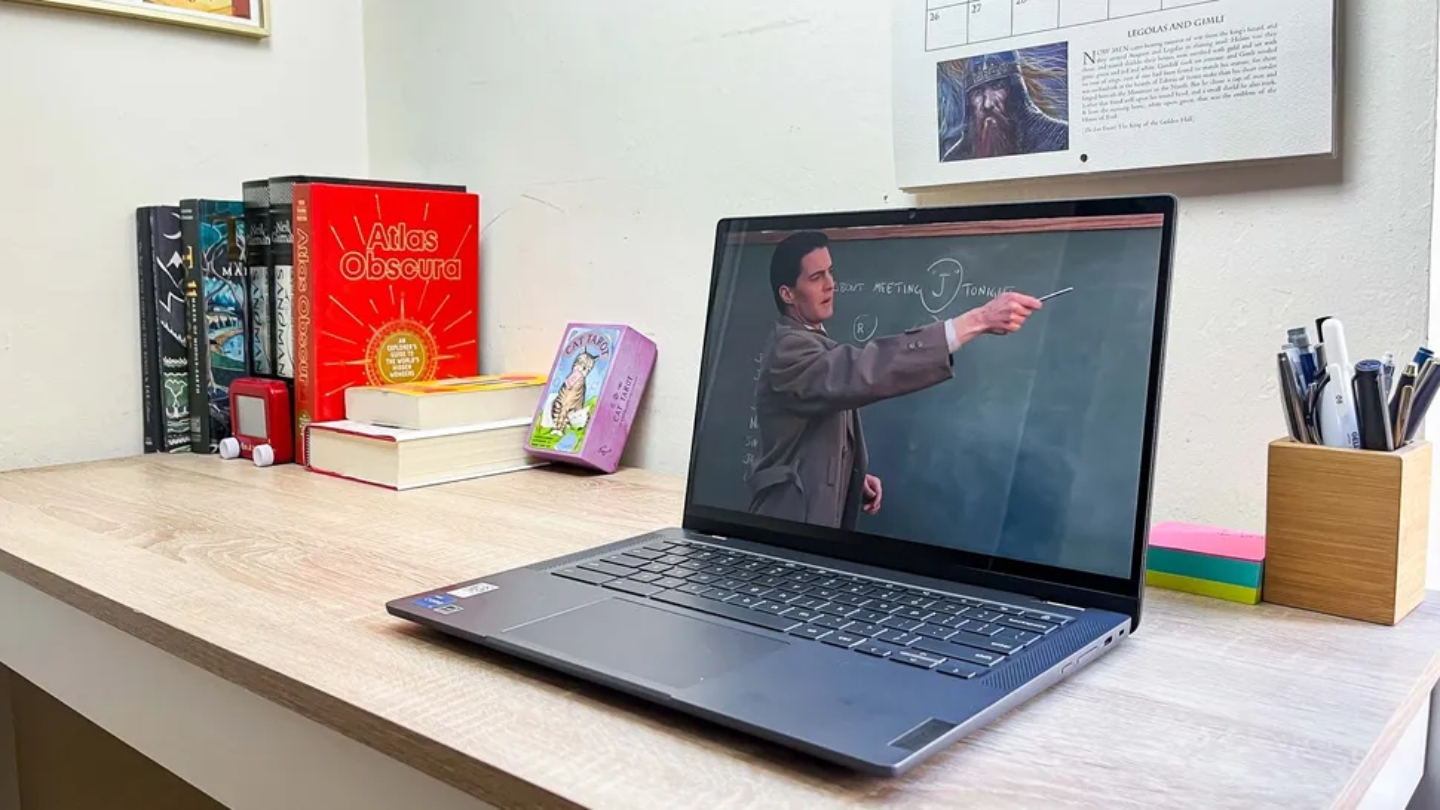
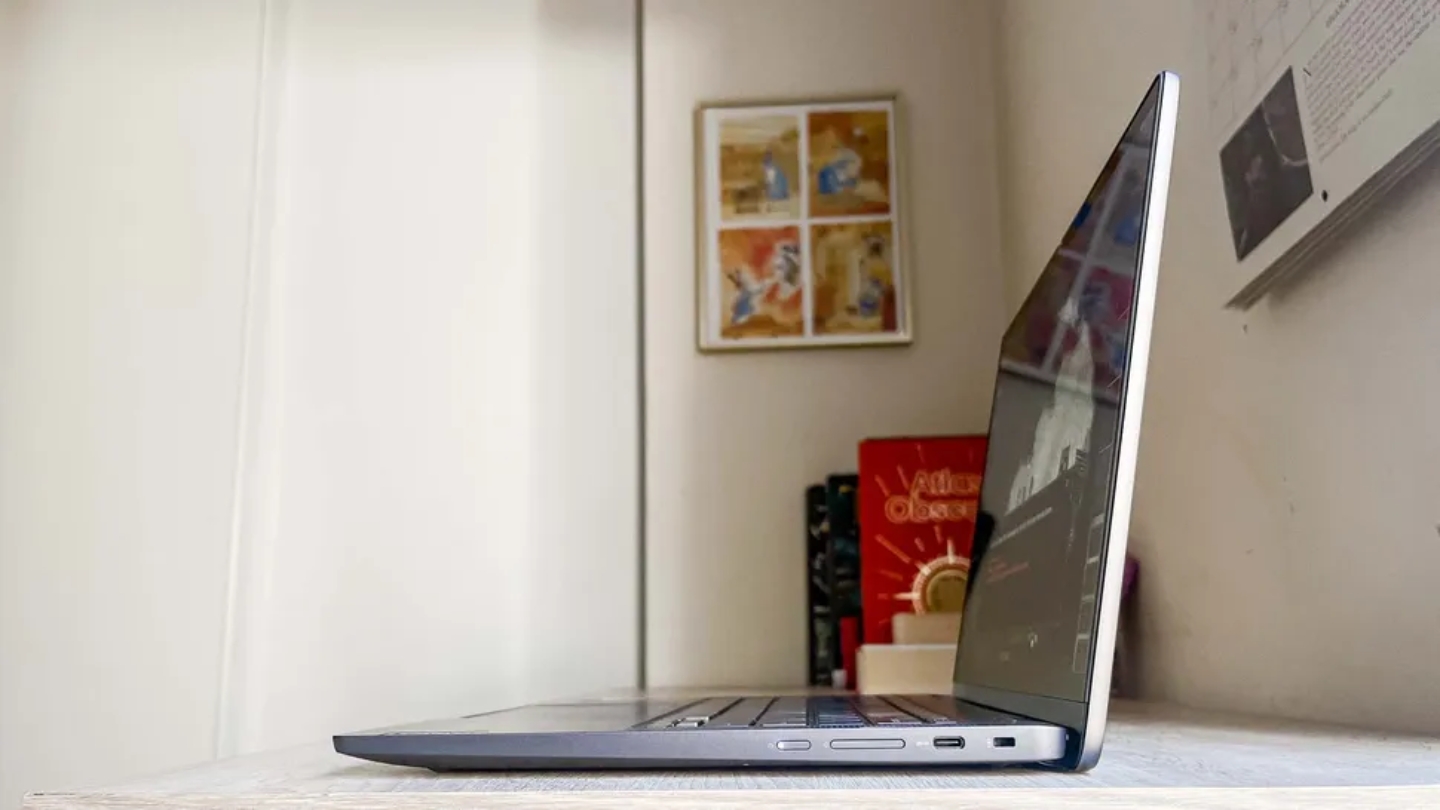
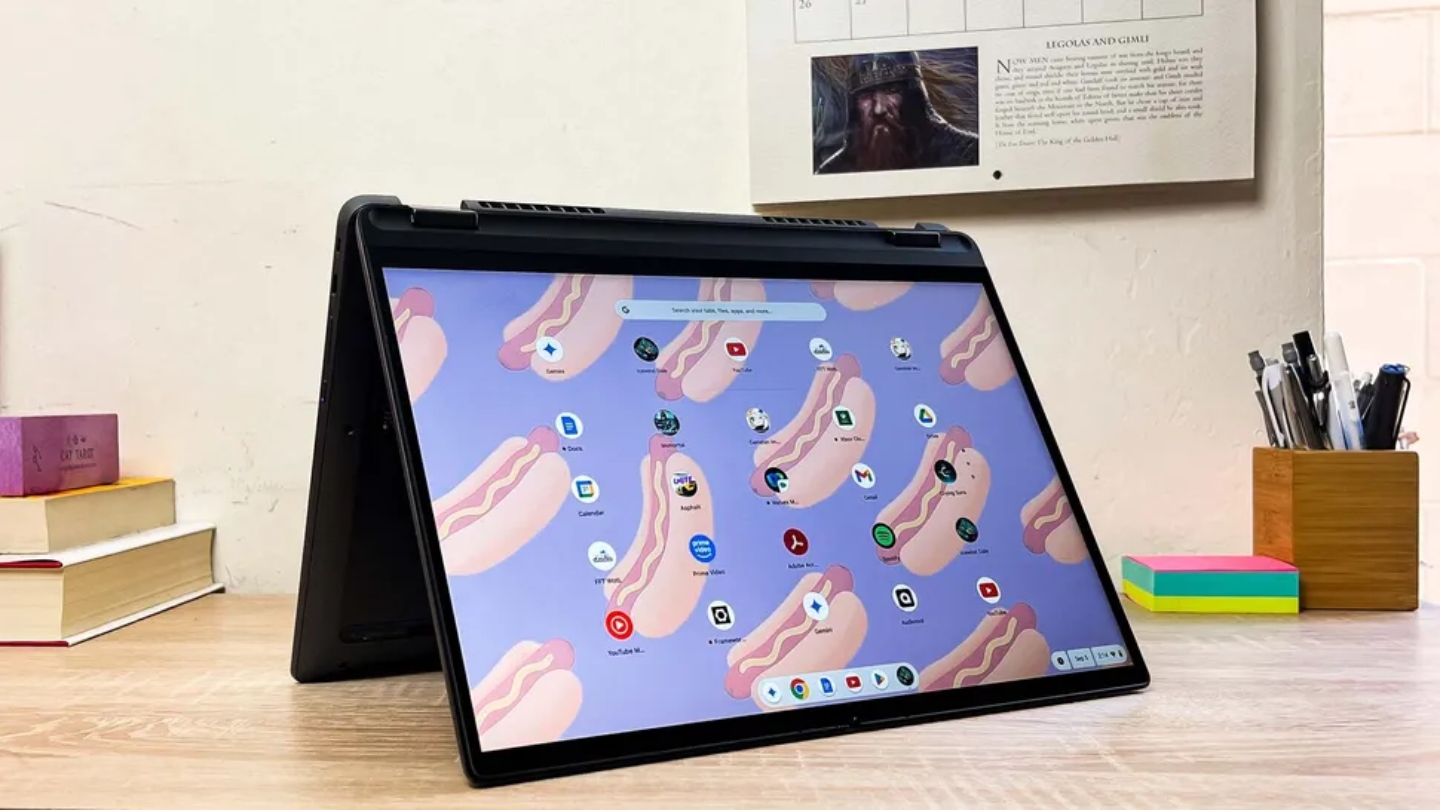
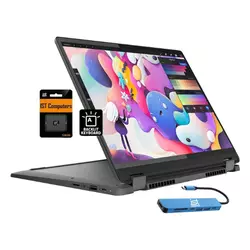
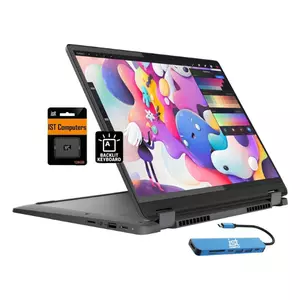
The Lenovo IdeaPad Flex 5i Chromebook Plus sits at the top of this group because it gets more things right simultaneously than any competitor here. The 13th-generation Intel Core i3-1315U has two performance cores alongside its four efficiency cores - a structural advantage over the all-efficiency N-series chips in the HP and Acer - and in daily campus use that difference shows up as faster app launches and more responsive tab switching under load. Geekbench single-core scores land well above the N305, which is the number that correlates most directly with how snappy a machine feels during ordinary tasks.
The 14-inch display runs at 1920x1200 in a 16:10 aspect ratio, which makes it the only screen in this group with extra vertical space for document work and lecture slides. In practical terms, I can see more of a Google Doc without scrolling, fit more rows in Sheets, and read research papers with fewer page breaks than on the 16:9 panels the other three use. The display also hits 300 nits with an anti-glare coating, holding up in bright lecture halls without the constant repositioning that glossy panels require.
Lenovo's keyboard is a known strength, and the Flex 5i delivers on that reputation. The keys have more travel and a more defined tactile feedback than any competitor here - worth mentioning because students type on these keyboards for hours across a semester, and the difference between a good keyboard and a mediocre one compounds over time. The touchpad is large and smooth, the hinge holds every position without wobble, and the four-mode 360-degree design - laptop, tent, easel, tablet - works mechanically as intended rather than just on the spec sheet.
Battery life tested around 9h43min in continuous use, with intermittent real-world use pushing above 10 hours. The port selection covers 2x USB-C, 1x USB-A, microSD, and a headphone jack - no HDMI, which requires a USB-C adapter for projector or monitor connections. The 1080p webcam includes a physical privacy shutter and ChromeOS-level background blur for video calls. Software support runs until June 2032, which covers a four-year degree with room left over.
The Flex 5i's only meaningful limitation for college use is that the USI stylus isn't included - an odd omission on a 2-in-1 marketed partly around handwriting and annotation. The stylus works well when you buy one separately, but it's a cost that should factor into the total. For students who want a convertible with the strongest processor in this group, the best keyboard, and a display format that actually helps with document-heavy coursework, nothing else here matches it across all three.
Pros:
- 13th-gen i3 with P-cores
- 16:10 FHD+ display
- Best keyboard in group
- 256GB SSD storage
- ChromeOS support until 2032
Cons:
- Stylus sold separately
- No HDMI port
Summary: Lenovo IdeaPad Flex 5i leads this group with the strongest processor, best keyboard, and the only 16:10 display - a meaningful advantage for students who spend most of their time in documents and lecture slides.
HP Chromebook Plus x360 14b Review
Best Overall
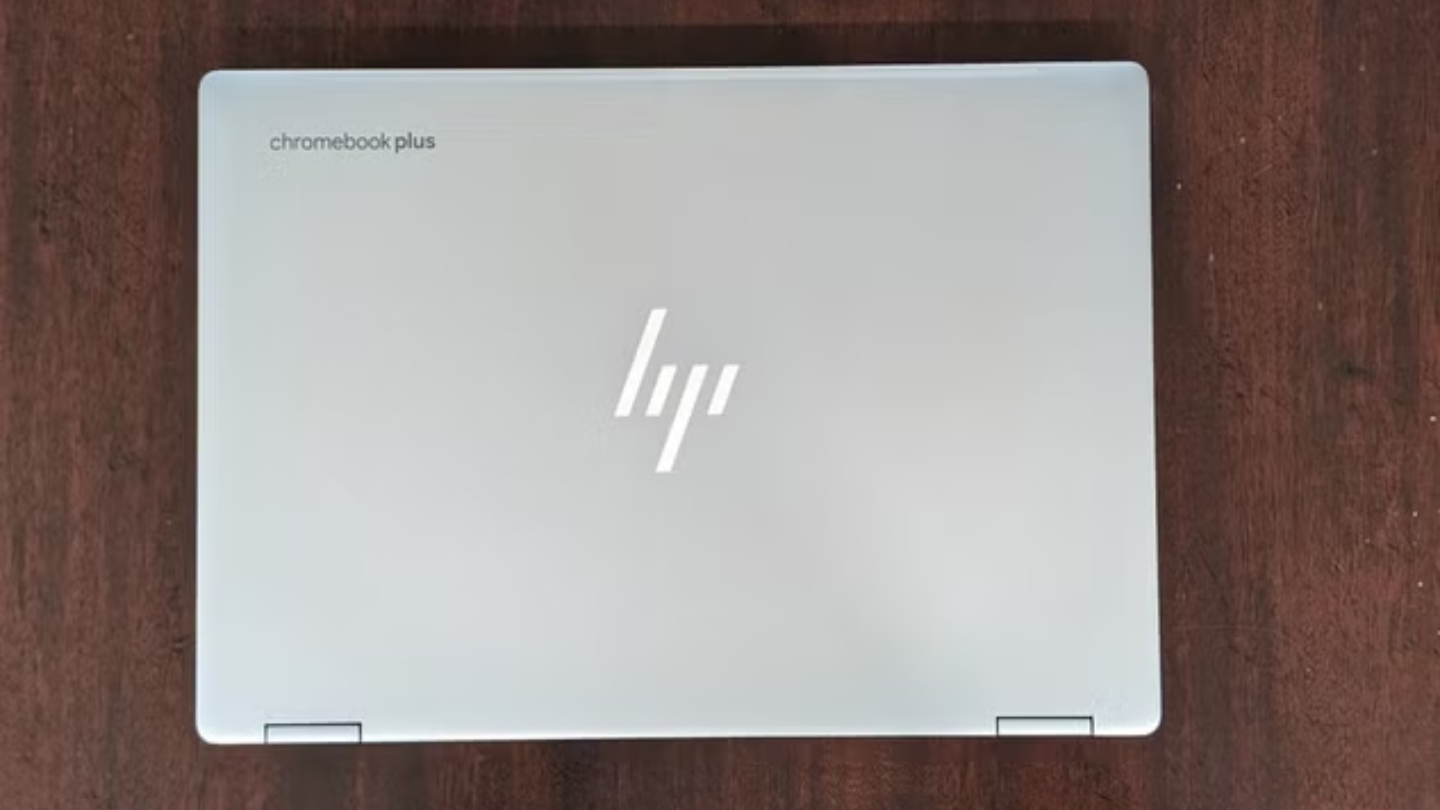
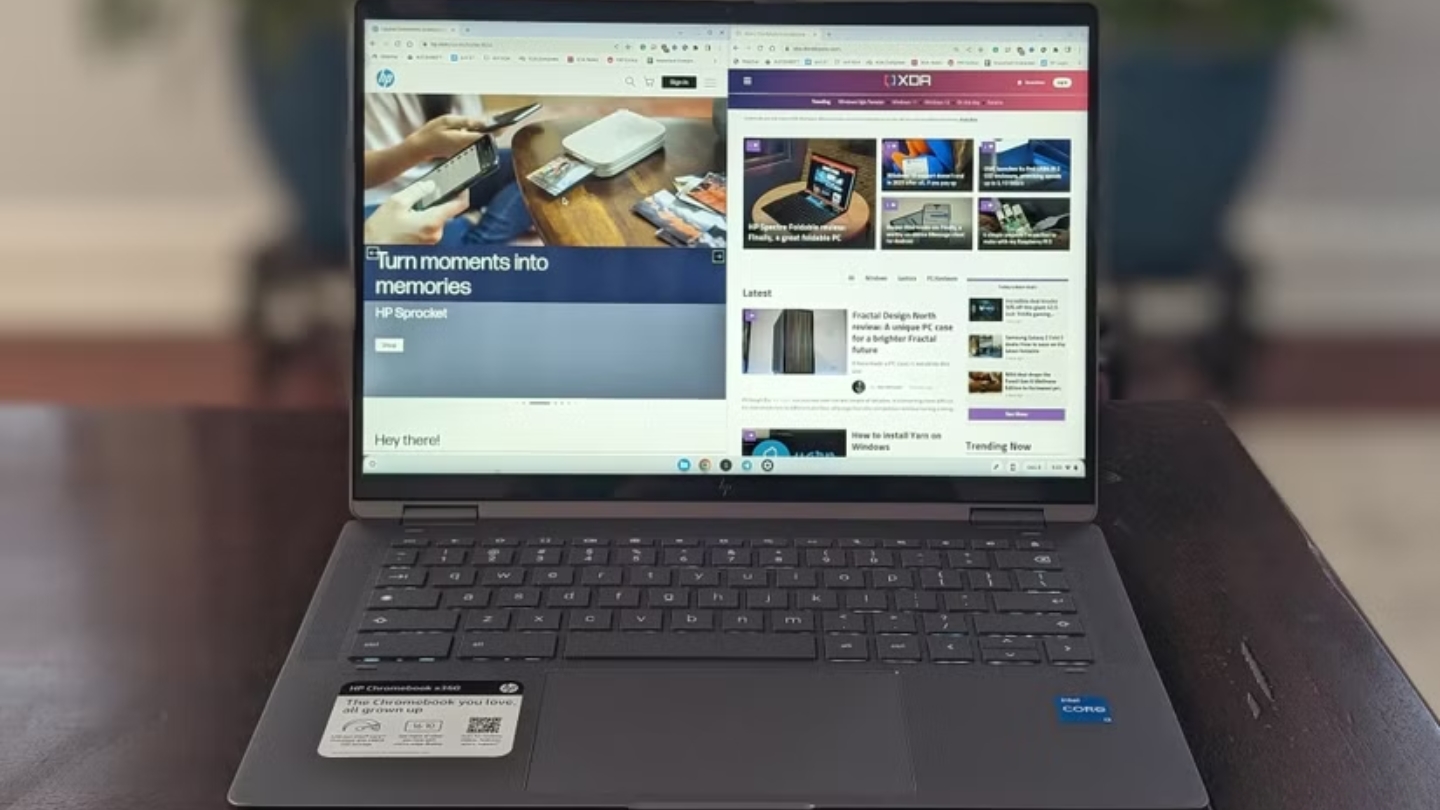
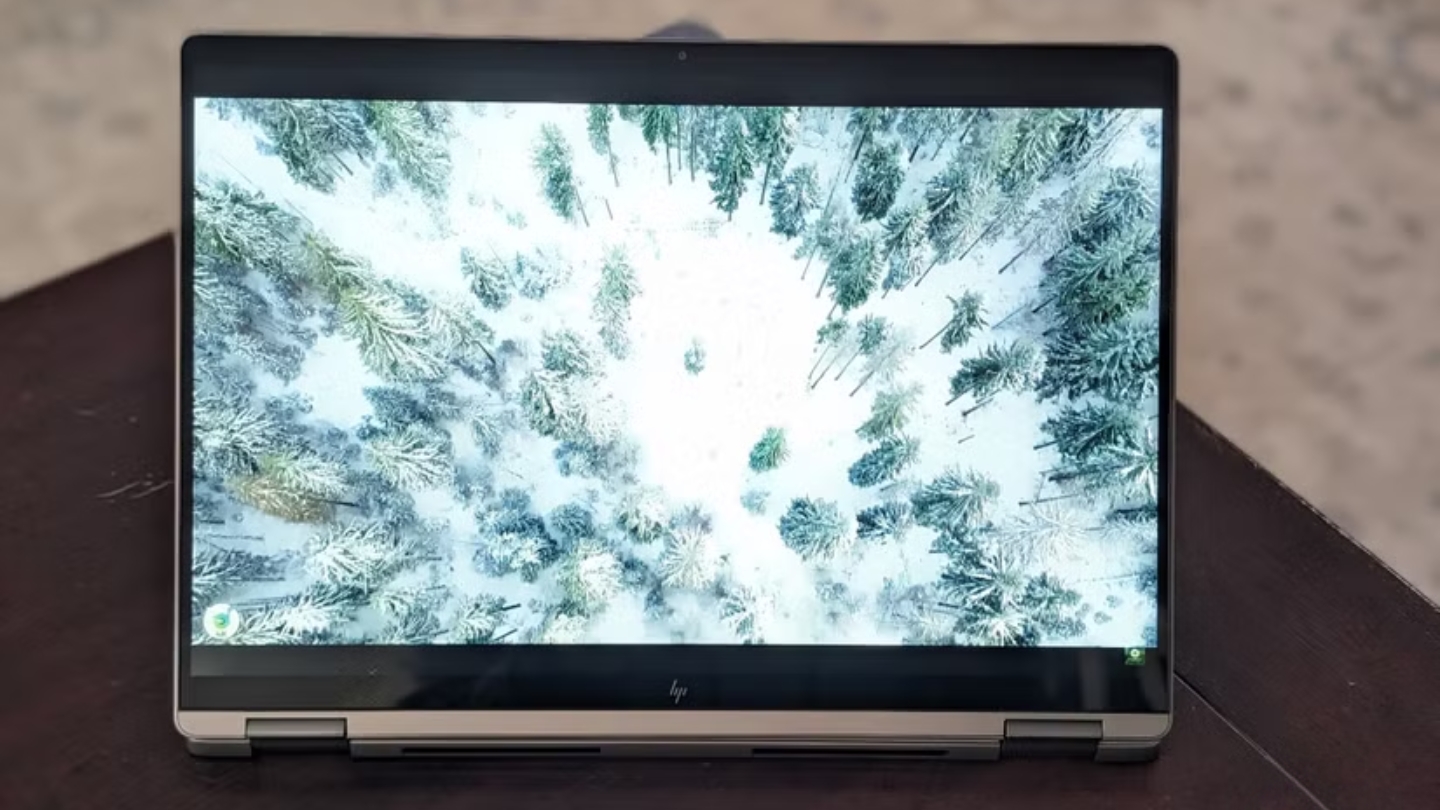
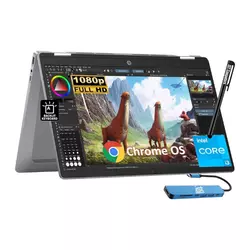
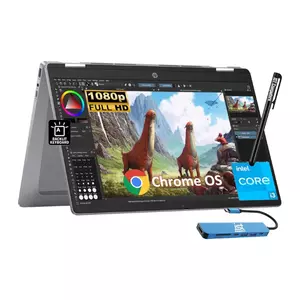
HP's approach with the Chromebook Plus x360 14b is the most student-forward in this group: it ships with a stylus pen included, which makes it the only option here that arrives ready for handwritten notes and PDF annotation out of the box. The IST pen works with the touchscreen without any pairing or setup, and for students who take handwritten notes or annotate readings digitally, that included accessory closes a real gap compared to the Lenovo, which requires a separate USI purchase to match the same functionality.
The Intel Core i3-N305 processor is an 8-core efficiency chip that handles coursework loads without struggle. I ran a full day of Google Docs, Slides, meet calls, and YouTube without encountering lag or thermal throttling. The N305 doesn't match the Lenovo's single-core responsiveness during intensive tasks, but for anything that describes a typical undergraduate workday, the performance gap is academic rather than practical. The 8GB of LPDDR5 RAM and 256GB UFS storage cover everyday needs without forcing students to manage space constantly.
The 14-inch FHD touchscreen delivers accurate colors with an anti-glare coating and 300 nits of brightness - the same spec as the Lenovo and Acer, and enough for a well-lit lecture hall. The display bezels are thicker than the competition, particularly at the top and bottom, which makes the x360 feel slightly older in design terms compared to the trimmer Lenovo chassis. The 360-degree hinge flips into tent mode for desk-limited seating and lies flat for sharing content across a table.
HP built the x360 14b from ocean-bound and post-consumer recycled plastic, earning EPEAT Gold and Energy Star certification. The environmental credentials are genuine rather than cosmetic - the chassis material is structurally consistent, not noticeably cheaper in feel than the competition. The dual-speaker setup is one of the louder pairs in this group, which matters during late-night study sessions or casual viewing without headphones. ChromeOS update support runs until June 2033, the longest of the four models here.
The x360's weakest point is battery life. Real-world testing puts it consistently around 8-9 hours under campus conditions, which is workable but shorter than the Lenovo and Acer. For students with packed class schedules running from morning through late afternoon, packing a USB-C charger remains advisable. The port layout covers two USB-C and one USB-A with a headphone jack, but no HDMI and no microSD - the tightest connectivity in this group.
Pros:
- Stylus pen included
- 256GB UFS storage
- Loud dual speakers
- ChromeOS support until 2033
- Eco-certified chassis
Cons:
- Shorter battery than competitors
- No HDMI or microSD
Summary: HP Chromebook Plus x360 14b is the only model in this group that ships with a stylus, making it the ready-to-annotate pick for students who take handwritten notes or mark up PDFs without any extra purchase.
Acer Chromebook Plus 514 Review
Budget Pick
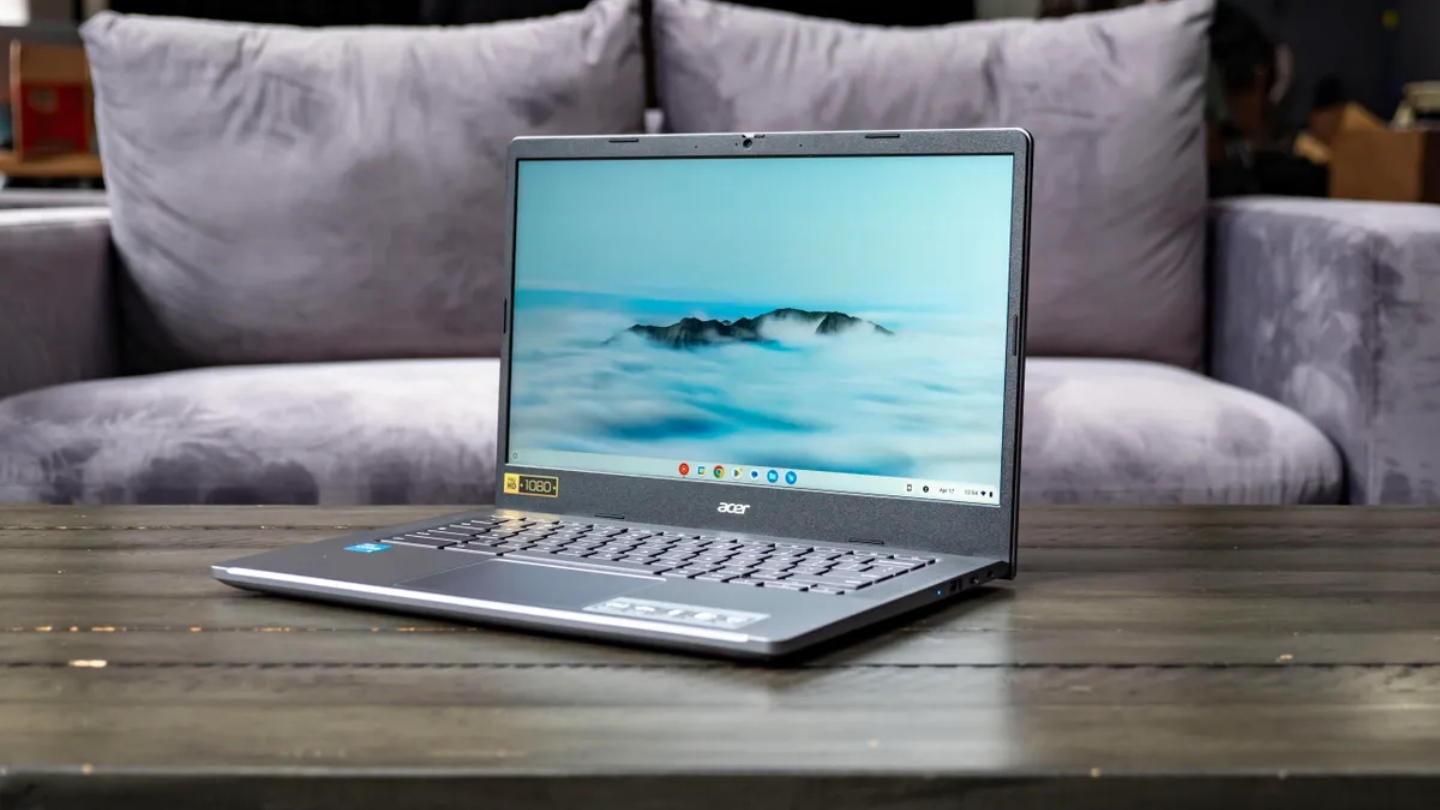
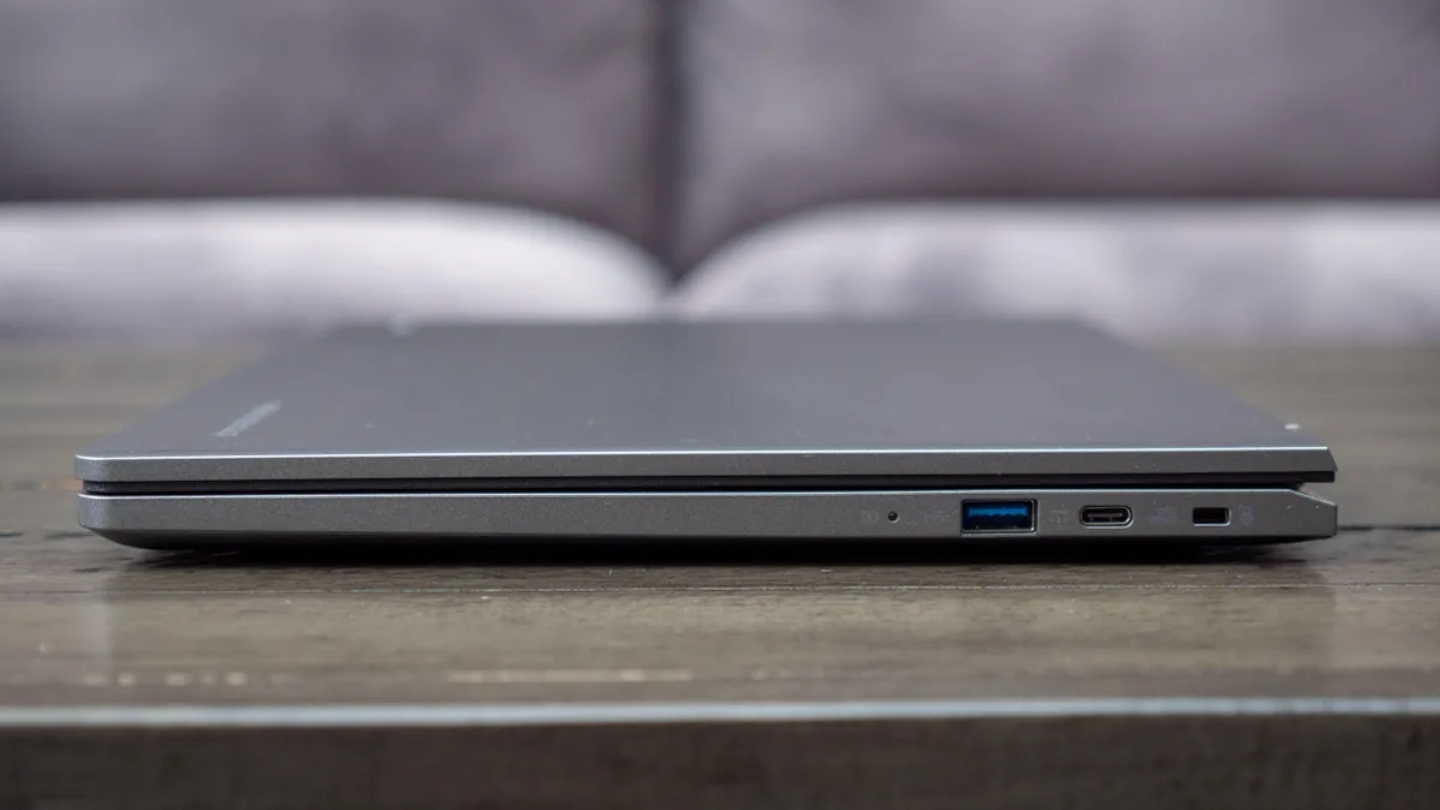
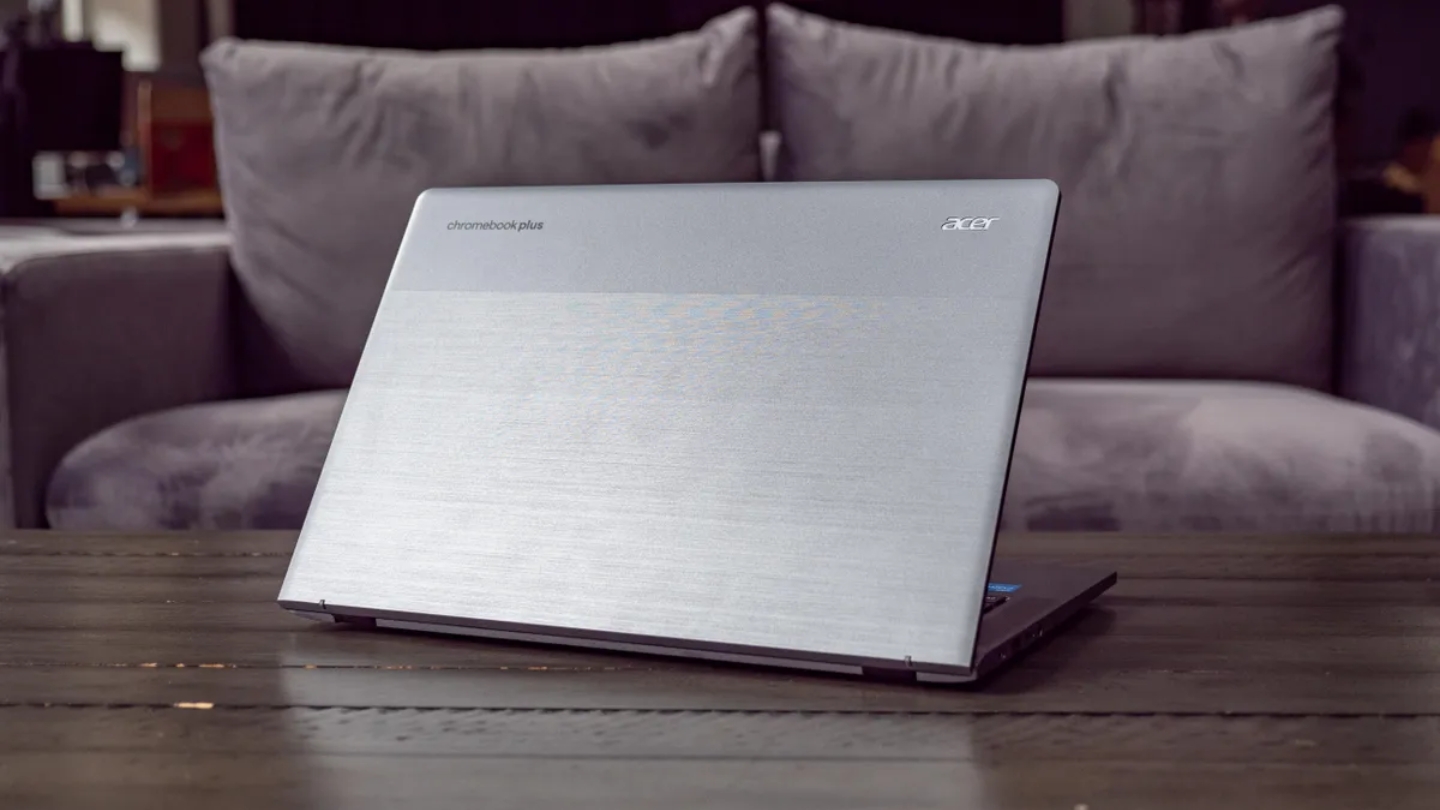
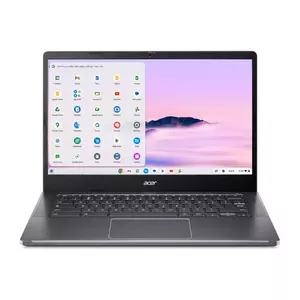
The Acer Chromebook Plus 514 makes a specific argument: a lighter, tougher laptop at a lower price, without a convertible form factor that most students use only occasionally. At 1.4kg, it's the lightest model in this roundup by a meaningful margin, and it's the only one here that carries MIL-STD 810H durability certification - meaning it's been tested against drops, vibration, humidity, and temperature extremes. For students who commute, travel frequently, or just treat bags roughly, that certification is a real specification rather than a marketing claim.
The Intel Core i3-N305 handles Chromebook Plus workloads at the same level as the HP - adequate across the full range of student tasks without breaking a sweat on anything short of heavy Linux app use. Battery life is where the 514 stands out: Acer's testing claims 11 hours, and real-world use lands in the 10-to-11 hour range depending on screen brightness and background processes. That's the strongest battery performance in this group, and for students with long campus days and limited outlet access, it's a practical differentiator that shows up every single day.
The clamshell form factor feels like a limitation on paper but a feature in use. The lid is rigid and the hinge holds its position without drift, which makes the 514 a more stable typing platform on uneven surfaces - lecture hall desks, laps, coffee shop counters - than the convertible hinges on the Lenovo and HP. I notice the difference most when working with the screen at a shallow angle: the fixed-pivot lid stays put where a 360-degree hinge sometimes creeps closed. The 14-inch FHD IPS touchscreen adds touch input without the weight penalty of a full convertible chassis.
Acer included a 1080p webcam with facial auto-exposure technology that adjusts exposure based on the face in the frame rather than the overall scene - a practical advantage during video calls in poorly lit dorm rooms or backlit windows. Dual upward-firing speakers with DTS Audio are the best-positioned drivers in this group, projecting sound toward the user rather than downward through the desk. The port selection includes 2x USB-C, 2x USB-A, and a microSD card reader - solid connectivity for a laptop at this weight.
The 128GB SSD in this Amazon SKU is the tightest local storage in the group, though it's less of a constraint on ChromeOS than it would be on Windows - most files live in Drive, and the 2TB cloud storage that comes with Chromebook Plus covers the rest. Students who need to store large local files (video projects, large datasets, offline media) should keep that ceiling in mind. The plastic chassis also shows wear more visibly than the Lenovo's aluminum lid over time. For students who prioritize portability, durability, and battery life over convertible flexibility, the 514 delivers all three at the lowest starting price in this group.
Pros:
- Lightest at 1.4kg
- MIL-STD 810H certified
- Longest battery life
- Facial auto-exposure webcam
- microSD + 2x USB-A ports
Cons:
- 128GB local storage only
- No convertible mode
Summary: Acer Chromebook Plus 514 is the lightest and toughest model in this group, with the best battery life and MIL-STD 810H certification. The right choice for students who carry their laptop everywhere and need it to last a full day unplugged.
ASUS Chromebook Plus CX34 Review
Best for Dorms
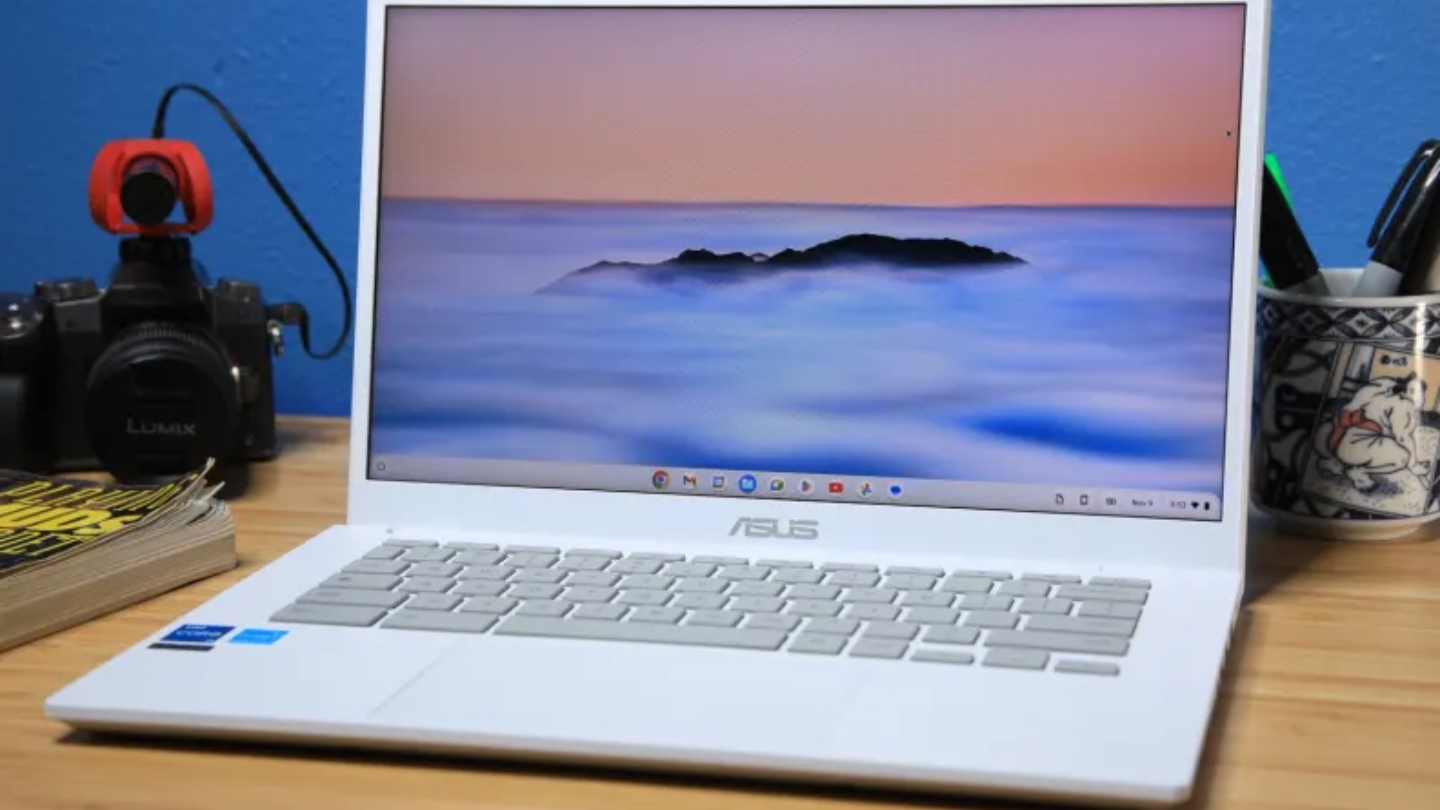
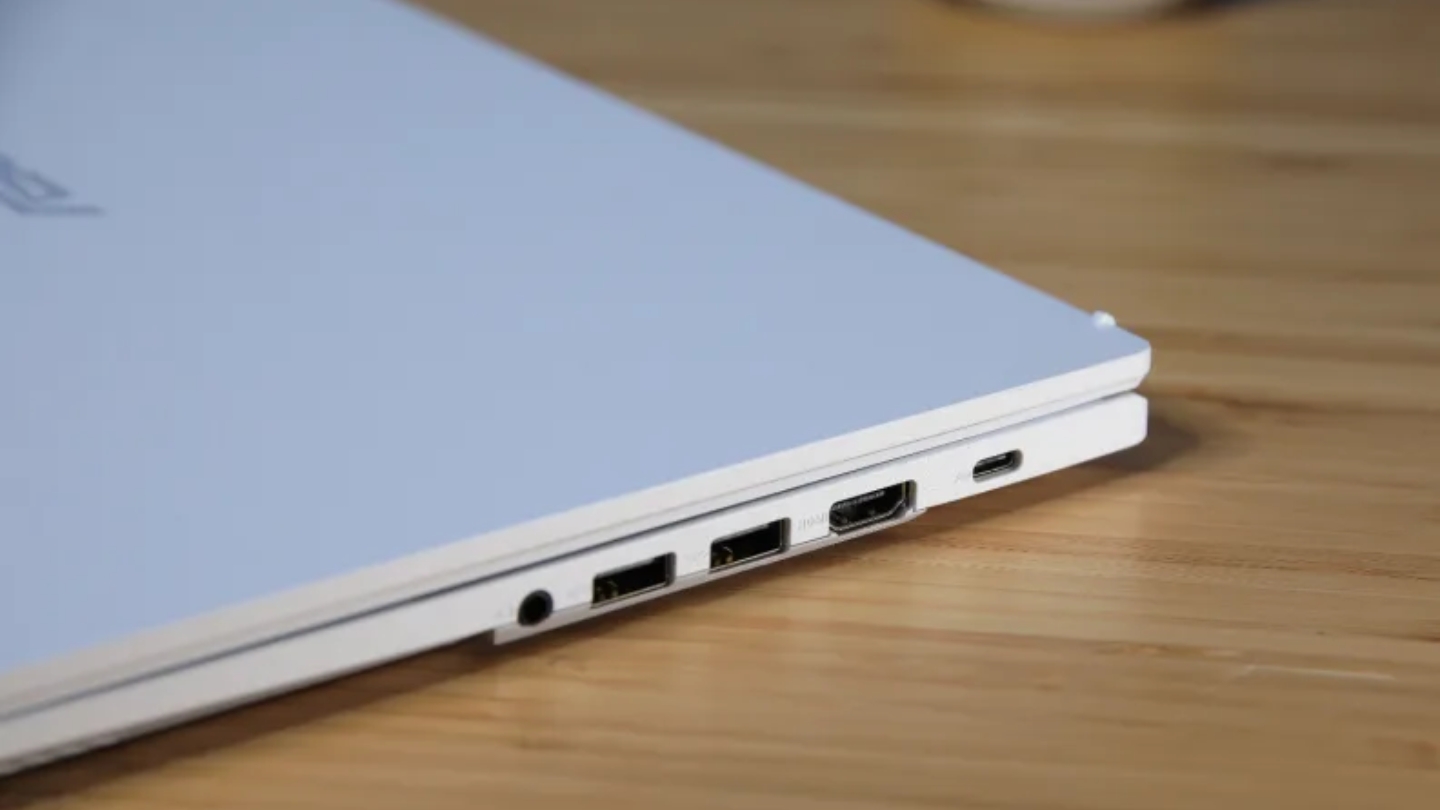
Most students don't think about HDMI when buying a laptop. They think about it the second they're sitting in a dorm room, trying to connect to the TV for a movie night, or standing at a podium trying to plug into the projector for a presentation. The ASUS Chromebook Plus CX34 is the only model in this roundup with a full-size HDMI port, and that single practical advantage shapes where it fits in a student's life more than any benchmark score does.
The 12th-generation Intel Core i3-1215U - two performance cores plus four efficiency cores - delivers Geekbench single-core scores near the Lenovo's 13th-generation chip, which puts both well above the N-series processors in the HP and Acer. In real-world use I found the CX34 handled sustained multitasking cleanly: 15 Chrome tabs alongside an Android app and background sync produced no noticeable slowdowns. The 256GB UFS storage and 8GB of LPDDR5 RAM cover a full semester of coursework without storage anxiety.
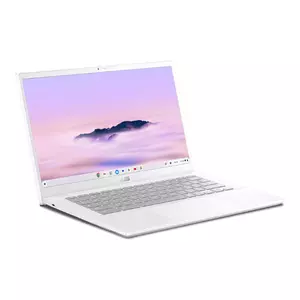
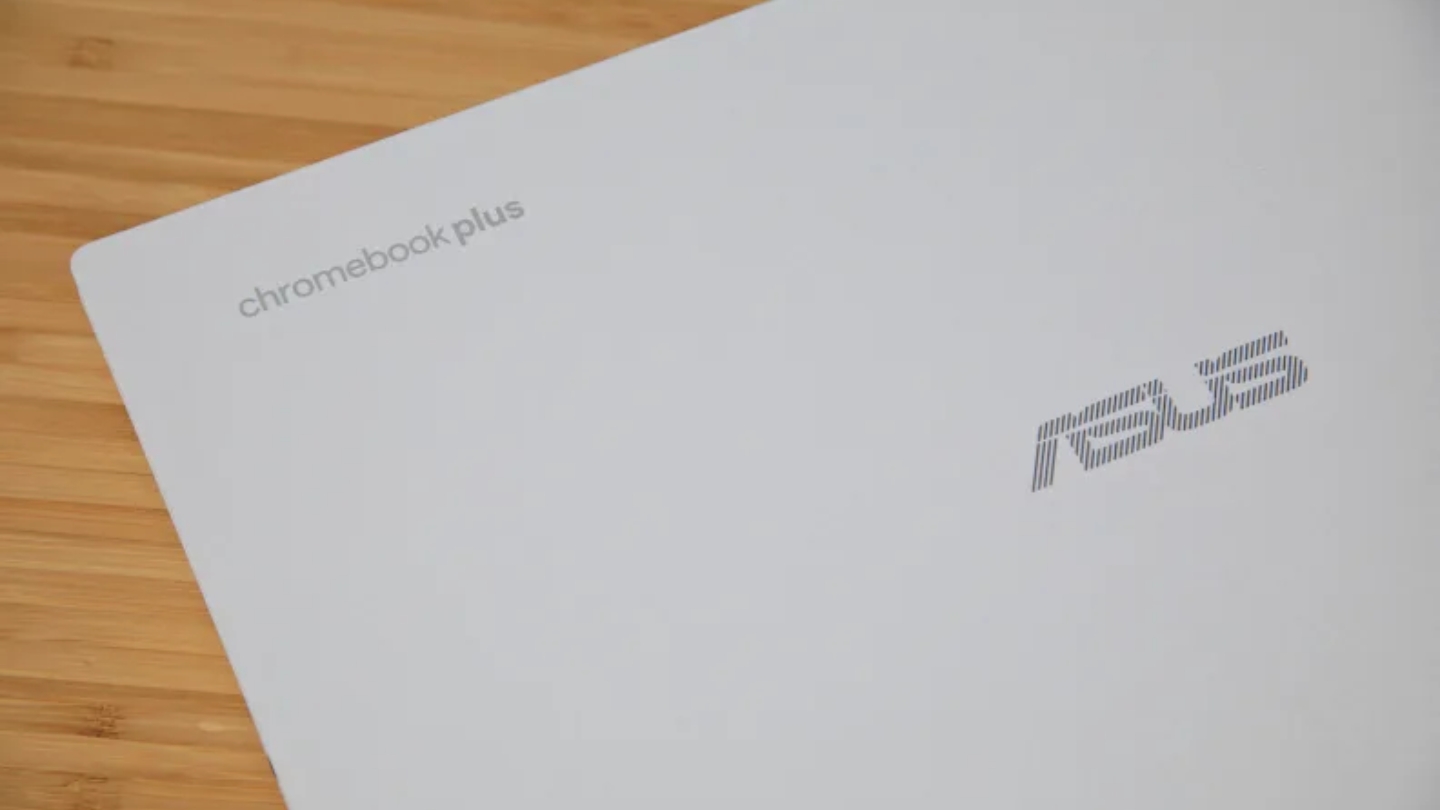
The all-white chassis is distinctive in a category where grey and silver dominate. The plastic exterior has a subtle sheen that holds up well to the inside of a bag and reads as deliberate rather than budget when it's sitting on a desk. The three-sided NanoEdge display design reduces bezel width on the sides, giving the 14-inch FHD panel a cleaner look than the HP's thicker frame. ASUS uses a 180-degree lay-flat hinge rather than a full 360-degree design, which allows the screen to fold completely flat for sharing content across a table but doesn't support tent or tablet modes.
Port selection is the most complete in this group: two USB-C, two USB-A, HDMI, and a headphone jack. That layout covers a monitor, a USB drive, wired headphones, and a power cable simultaneously - a configuration that regularly comes up during a semester at a desk setup. The 1080p webcam includes a physical privacy shutter, and the ChromeOS-level background blur works well enough on video calls that I stopped thinking about the camera quality after the first week.
Battery life is where the CX34 requires the most honesty. Under intensive testing it runs around seven hours, and in real campus use - high screen brightness, constant Wi-Fi, background apps - expect eight to nine hours before reaching for a charger. That's workable for a normal class schedule but falls short of the Lenovo and Acer for marathon days. ChromeOS update support runs until 2030, which is shorter than the other three models here - still enough for a full degree program, but worth noting if you plan to keep the laptop longer. For students who prioritize connectivity, desk versatility, and a distinctive look over maximum battery life, the CX34 earns its place.
Pros:
- Full-size HDMI port
- 12th-gen i3 with P-cores
- 2x USB-A plus 2x USB-C
- Distinctive white chassis
- NanoEdge slim-bezel display
Cons:
- Shorter battery under heavy use
- ChromeOS support ends 2030
Summary: ASUS Chromebook Plus CX34 is the only model here with a full-size HDMI port, the strongest port selection overall, and the only white chassis in the group. The practical choice for students who connect to external displays and want desk flexibility without a USB-C adapter.
Chromebook for College Students: FAQ
Can a Chromebook handle all college coursework?
For the majority of college students - humanities, social sciences, business, education, and general studies tracks - a Chromebook Plus handles everything a semester requires. Google Docs, Sheets, and Slides work offline and cover most writing and presentation needs. Microsoft 365 runs in the browser with full functionality. Adobe Photoshop and Premiere Elements are available natively on Chromebook Plus devices. The main limitations appear in courses that require specific Windows or macOS software: certain engineering simulation tools, specialized statistical packages like SPSS or SAS, or professional audio production software. Students in those fields should check their department's required software list before committing to ChromeOS.
Will a Chromebook work without an internet connection?
Google Docs, Sheets, Slides, Gmail, and Google Drive all have offline modes that work reliably once set up - edits sync automatically when a connection returns. Chrome itself can load pages that are cached. The Android apps from Google Play work offline to the extent each individual app supports it, which varies. What doesn't work offline is anything that relies entirely on cloud processing: some AI features, streaming services, and web apps with no offline mode. For a lecture hall or library setting with Wi-Fi, offline limitations rarely come up in practice. For international travel or areas with unreliable connectivity, it's worth setting up offline access for Drive documents before leaving campus.
Do Chromebooks support Microsoft Office?
Microsoft 365 runs in Chrome as a full web app with all the features most students need - Word, Excel, PowerPoint, Teams, and OneNote all function correctly. Files save natively in .docx, .xlsx, and .pptx formats, which means documents open without conversion issues on professors' Windows machines. The Android versions of Office apps are also available through Google Play on Chromebook Plus devices. The only limitation is that macro-heavy Excel files and heavily formatted Word documents occasionally render slightly differently than in the desktop Windows application, but this affects a small fraction of academic work.
How much storage do I actually need on a Chromebook?
ChromeOS is designed around cloud storage, and every Chromebook Plus includes a 12-month Google One AI Premium subscription with 2TB of Google Drive storage. For most students, local storage is mainly a buffer for downloading files temporarily and running Android apps. 128GB handles typical coursework comfortably. Students who work with large local files - video projects, large datasets, offline media libraries - will find 256GB more comfortable. All four models in this group support external storage via USB drive or microSD card, which provides an inexpensive expansion path without buying a higher-storage configuration.
Are Chromebooks good for video calls and online classes?
Chromebook Plus devices meet a webcam standard that standard Chromebooks don't - 1080p resolution is required for Plus certification, along with OS-level background blur, noise cancellation, and lighting correction that work across every video platform without app-specific settings. Google Meet, Zoom, and Teams all benefit from these enhancements without any manual configuration. The improvements are most noticeable in low-light conditions like dorm rooms at night, where the face detection and exposure adjustment features prevent the washed-out or darkened appearance common on budget webcams.
Can I run coding tools and Linux apps on a Chromebook?
ChromeOS includes a Linux development environment called Crostini that runs a full Debian Linux container. Python, Node.js, VS Code, Git, and most command-line tools install and run normally. The experience is close to a standard Linux development setup rather than an emulation. Performance on the i3 U-series chips in the Lenovo and ASUS handles typical CS coursework without issue. The N-series chips in the HP and Acer are slower on sustained Linux workloads but handle introductory coding tasks adequately. The main limitation is that resource-intensive tools - compiling large projects, running VMs, or using Docker with multiple containers - will be slower than on a dedicated development laptop.
How long do Chromebooks receive software updates?
Google publishes an Auto Update Expiration (AUE) date for every Chromebook model, after which the device stops receiving ChromeOS security updates. Of the four models in this roundup, update support ranges from 2030 (ASUS CX34) to 2033 (HP x360 14b). A four-year college degree starting in 2025 completes in 2029, so all four models here remain supported through graduation. The practical implication is that a Chromebook bought today will receive security patches, new features, and Gemini AI improvements for the entire duration of a standard degree program. Choosing a model with 2032 or 2033 support gives an extra few years of coverage if you keep the laptop after graduation.
Do Chromebooks work with campus Wi-Fi and VPN?
ChromeOS supports WPA2 and WPA3 enterprise authentication, which covers the authentication methods used by most university networks. VPN client support varies - several providers including Cisco AnyConnect, GlobalProtect, and OpenVPN have Chrome extensions or Android apps that work on ChromeOS, but some enterprise VPN configurations that require a native Windows client won't function. Wi-Fi 6E on the Lenovo, HP, and Acer delivers faster throughput on compatible campus networks with less interference in congested areas like residence halls and lecture buildings. The ASUS CX34 uses Wi-Fi 6 rather than 6E, which is sufficient for all current campus networks but won't benefit from 6GHz band access when universities upgrade their infrastructure.
Matching the Laptop to Your Major
Four years is a long time to use a laptop you're not happy with. I've watched students struggle through semesters on machines that almost fit their needs, and the pattern is consistent: small daily frustrations compound into real productivity loss over a full semester. The right pick from this group comes down to what your days actually look like.
The Lenovo IdeaPad Flex 5i handles the widest range of student work - the strongest processor, the best keyboard, and the only display with more vertical space for reading and writing. Students who type a lot and need reliable performance across heavy coursework days should start here. The HP x360 14b makes the clearest case for note-takers - a bundled stylus, 2033 update support, and a chassis made from recycled materials for students who care about that provenance.
Students who commute on foot, travel between campuses, or just carry everything in one bag should look hard at the Acer Chromebook Plus 514 - the lightest model here, the most durable by certification, and the one most likely to survive a full semester of daily bag abuse. The ASUS Chromebook Plus CX34 is the practical choice for anyone who connects to a TV or external monitor regularly - it's the only model here that plugs in directly without a dongle, and in a dorm room that convenience shows up every week. ChromeOS has earned its place on campus, and any of these four represents a defensible four-year investment.

Meet James, our go-to tech guru and seasoned reviewer. His sharp attention to detail and love for gadgets drive his deep dives into the newest tech waves. James's insightful analysis and real zest for breakthroughs have earned him a solid reputation in the tech world.


