Best Gaming Headset Under $150
The $150 ceiling used to be a hard line between decent gaming audio and genuinely good audio. That line has moved. Right now, a gaming headset under $150 can get you 60-70 hour wireless battery life, 50mm drivers, 2.4GHz low-latency connectivity, and microphones borrowed from $200 flagships. I've spent weeks with five of the strongest contenders in this range, and the gaps between them are more meaningful than their spec sheets suggest - the right pick depends almost entirely on how you game, not which number looks best on a product page.
Two of these headsets sound nearly identical on paper but feel completely different at the five-hour mark. One has a microphone that embarrasses headsets at twice the price. Another weighs so little that you forget it's there. Knowing which of those qualities matters most to you is the whole decision.
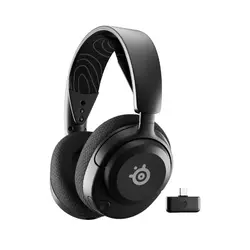
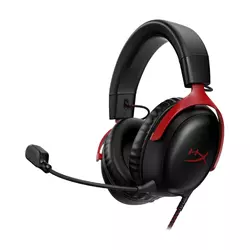
If you're in a hurry, here are my top two picks for gaming headsets under $150:
We may earn a small commission if you buy via our links - it helps keep gagadget.com running.
Table of Contents:
- Best Gaming Headset Under $150: Buying Guide
- Top 5 Affordable Gaming Headsets in 2026
- Gaming Headset Comparison
- SteelSeries Arctis Nova 5 Wireless
- HyperX Cloud III
- Turtle Beach Stealth 600
- Logitech G535 Lightspeed
- Razer BlackShark V2 HyperSpeed
- Gaming Headset Under $150: FAQ
Best Gaming Headset Under $150: Buying Guide
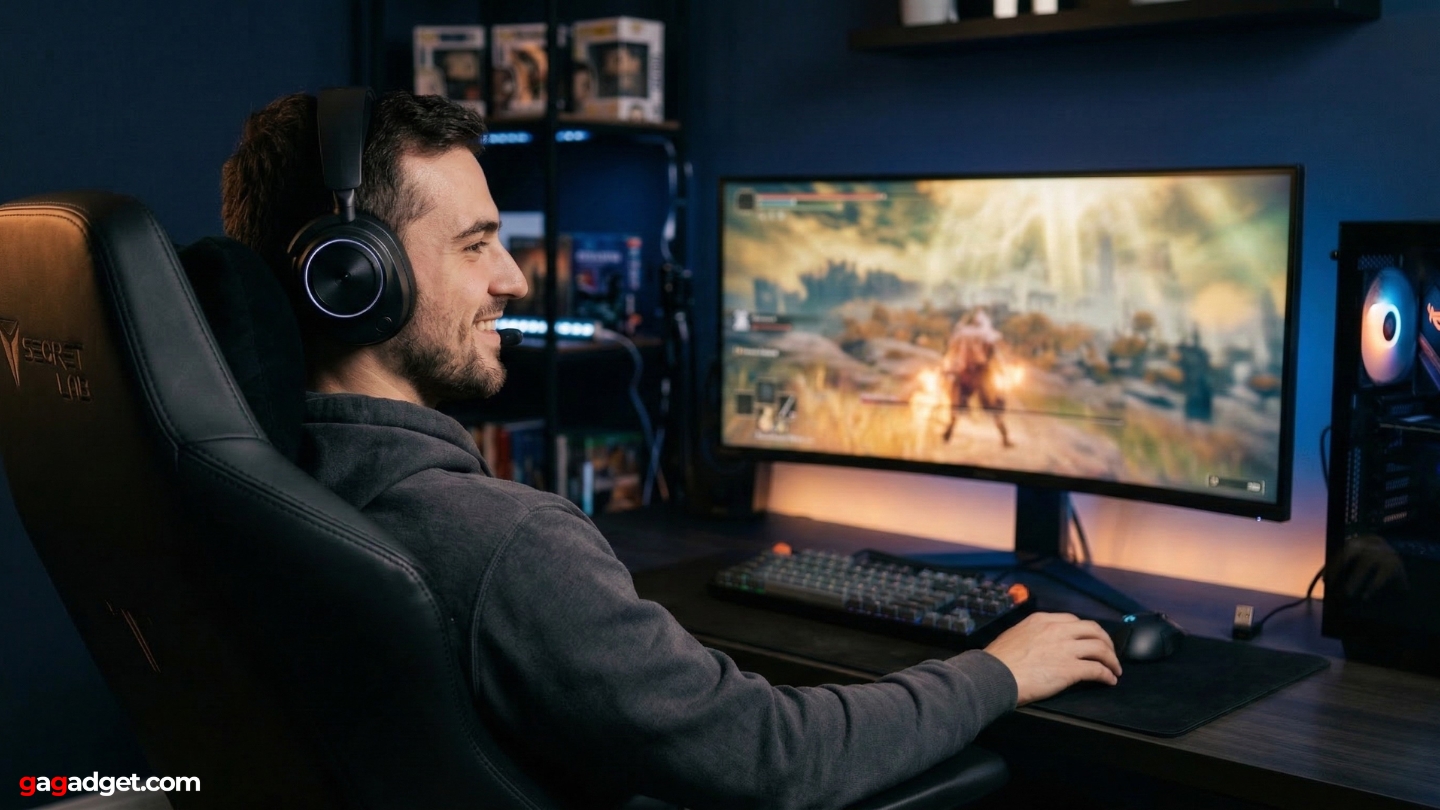
Choosing a gaming headset at this price is less about checking boxes and more about knowing which trade-offs you can live with. I've learned to skip the glamour specs - driver diameter, frequency response ceiling - and focus on the things that hit you every session: comfort past the two-hour mark, microphone clarity in squad voice chat, and how cleanly the headset switches between your PC and phone. Those three factors tell you more about a headset than any benchmark.
Wireless Technology: 2.4GHz vs Bluetooth
Every wireless headset in this group connects over 2.4GHz via a USB dongle, and that distinction matters. Bluetooth latency runs 40-100ms depending on codec - acceptable for music, noticeable in competitive gaming where footstep timing is the difference between winning a gunfight and losing it. The 2.4GHz dongle connections here all operate under 20ms, which is effectively imperceptible. For online shooters or anything timing-sensitive, always default to the dongle over Bluetooth.
All five headsets support both 2.4GHz and Bluetooth 5.2, so you can stay paired to your phone while gaming over the dongle. None support simultaneous audio from both sources, but each includes a quick-switch button that moves between them in under a second.
Platform compatibility is where USB dongle choices diverge. Logitech's LIGHTSPEED dongle covers PC and PlayStation but not Xbox - Microsoft's hardware security certification blocks it. SteelSeries and Razer use USB-C dongles that work on any platform with a USB-C port: PC, PlayStation, Switch, Steam Deck, Android. Turtle Beach splits into separate Xbox and PlayStation variants at purchase. I'd verify platform support before buying any headset in this range, since it's the one specification that can make a headset unusable for your setup.
Drivers: What Size Actually Predicts
Two headsets here use 40mm drivers (Nova 5, G535), and three use 50mm units (Cloud III, Stealth 600, BlackShark V2 HyperSpeed). Bigger drivers can move more air and theoretically produce deeper bass - but tuning philosophy matters as much as diameter. I've heard 40mm headsets hit harder than 50mm competitors because the EQ curve was more aggressive. Driver size alone predicts nothing about sound quality at this tier.
What reliably predicts real-world sound quality at $130-150 is tuning intent. Esports-tuned headsets push 2kHz-8kHz for footstep and gunfire clarity at the cost of bass warmth. Headsets tuned for general gaming run flatter or V-shaped, which works better across music, movies, and varied game genres. Every headset here includes companion software with EQ, so no default tuning is permanent - but a harsh out-of-box profile requires effort before it sounds right.
Microphone Quality: The Biggest Jump at This Budget
The microphone gap between a $40 headset and a $150 one is larger than any other specification gap in this category. Budget capsules capture a narrow frequency band that sounds thin and artificial to teammates - usable for ping calls, unpleasant for anything more. The best microphones in this group use super-wideband capsules covering 100Hz-16kHz or wider, which is the range that gives recorded voice natural body and intelligibility. I notice the difference every time I switch headsets and someone on Discord asks what changed.
The standout here is the Razer BlackShark V2 HyperSpeed's 9.9mm HyperClear capsule - the same unit found in the $199 V2 Pro, sampling at 32kHz. It produces voice clarity that sounds closer to a USB desktop microphone than a gaming headset boom. The HyperX Cloud III's 10mm detachable cardioid mic with its mesh pop filter is the best option for anyone who also records or streams. Both rank well above the Turtle Beach and Logitech microphones, which are solid for in-game chat but won't win compliments on a Discord call.
Comfort Over Long Sessions
Headset reviews understate comfort because testing periods are short. I evaluate every headset at the two-hour and five-hour marks separately, because units that feel fine during a quick review can become painful by the fourth hour of a weekend marathon. Clamping force is the biggest predictor - high clamping creates temporal pressure that builds gradually and compounds into real fatigue. Total weight and ear pad material follow close behind.
The Logitech G535 weighs 236 grams - 40-80 grams lighter than the rest of this group. Its suspended ski-band headband spreads weight across a wider contact area than a padded band, which is why it stays comfortable past the five-hour mark when heavier headsets start making themselves known.
Ear pad material creates a different fatigue pattern. Leatherette seals better, blocks more ambient sound, and looks more premium, but traps heat and moisture after an hour of use in a warm room. Athletic weave and mesh fabric breathe better and run cooler, which is why the Turtle Beach Stealth 600 and SteelSeries Nova 5 both use it despite the less premium appearance. If you've dealt with heat buildup on previous headsets, ear pad material should rank near the top of your evaluation.
Battery Life: Reading the Numbers Honestly
Manufacturer ratings use 50% volume with no active processing - conditions that don't reflect how anyone actually games. Real-world use at 65-80% volume with companion software running reduces those figures by roughly 20-30%. The Turtle Beach Stealth 600's 80-hour rating translates to around 55-65 hours of actual play; the SteelSeries Nova 5's 60-hour Bluetooth figure runs closer to 40-50 hours in practice.
Fast charging often matters more than total capacity. The Razer BlackShark V2 HyperSpeed's 15 minutes for six hours of play is the most practical implementation in this group - a quick charge during dinner covers an entire evening session. All five headsets charge over USB-C, meaning any phone charger or laptop port works in a pinch. I'd note that lithium polymer cells degrade faster when regularly discharged below 20%, so headsets with longer rated capacities have useful extra headroom beyond the marketing figure.
Top 5 Affordable Gaming Headsets in 2026
These headsets were evaluated across multiple gaming sessions, voice calls, and media use to assess audio quality, comfort, and real-world wireless performance.
- USB-C dongle universality
- 60-hour battery life
- 10-minute fast charge
- 100+ game EQ presets
- Mobile app on console
- 53mm angled drivers
- Detachable boom mic
- Aluminum fork construction
- Universal 3.5mm compatibility
- DTS Headphone:X via USB-C
- 80-hour rated battery
- AI mic noise reduction
- Flip-to-mute mechanism
- 50mm Nanoclear drivers
- Swarm II mobile app
- Lightest at 236g
- Ski-band long-session comfort
- LIGHTSPEED wireless stability
- Discord Certified mic
- Balanced neutral sound
- Broadcast-quality 9.9mm mic
- Triple connectivity modes
- 70-hour battery
- 15-min fast charge
- 50mm TriForce drivers
Gaming Headset Comparison
Here's a side-by-side look at the specifications that matter most for gaming headsets under $150:
| Specification | SteelSeries Arctis Nova 5 | HyperX Cloud III | Turtle Beach Stealth 600 | Logitech G535 | Razer BlackShark V2 HyperSpeed |
| Connection | 2.4GHz USB-C + Bluetooth 5.3 | 3.5mm / USB-C DAC | 2.4GHz USB-A + Bluetooth 5.2 | 2.4GHz LIGHTSPEED USB-A | 2.4GHz USB-C + Bluetooth 5.2 + USB-C wired |
| Drivers | 40mm Neodymium | 53mm Angled Dynamic | 50mm Nanoclear | 40mm Neodymium | 50mm TriForce Titanium |
| Frequency Response | 20-22,000Hz | 10-21,000Hz | 20-20,000Hz | 20-20,000Hz | 12-28,000Hz |
| Microphone | Retractable, noise canceling | Detachable, 10mm cardioid | Flip-to-mute, AI noise reduction | Flip-to-mute (fixed) | 9.9mm HyperClear Super Wideband (fixed) |
| Battery Life | Up to 60h (BT) / 50h (2.4GHz) | Wired only | Up to 80 hours | Up to 33-35 hours | Up to 70 hours |
| Fast Charge | Yes (10 min = 4-5 hrs) | N/A | Yes (USB-C) | No | Yes (15 min = 6 hrs) |
| Weight | 265g | 320g (with mic) | 320g | 236g | 280g |
| Platform Compatibility | PC, PS, Switch, Xbox, Android, iOS | PC, PS4/5, Xbox (3.5mm), Switch | PC, PS5/PS4 or Xbox (version-dependent) | PC, PS4/5 (no Xbox) | PC, PS, Switch, iOS, Android (no Xbox native) |
| Spatial Audio | Yes (Sonar app) | DTS Headphone:X (USB mode) | Yes (Swarm II app) | No | THX Spatial Audio (PC) |
| Companion App | SteelSeries Sonar + mobile (100+ presets) | HyperX NGenuity | Turtle Beach Swarm II | Logitech G Hub | Razer Synapse |
| Ear Pad Material | Athletic weave fabric | Memory foam, leatherette | Athletic weave, memory foam | Memory foam, mesh fabric | Memory foam, leatherette |
The table confirms these headsets aren't competing in the same use cases despite the similar price. The HyperX Cloud III is the only wired option. The G535 pairs the shortest battery with the lightest weight - those two facts are connected. I'd check platform compatibility first, then battery requirements, before comparing anything else.
SteelSeries Arctis Nova 5 Wireless Review
Editor's Choice
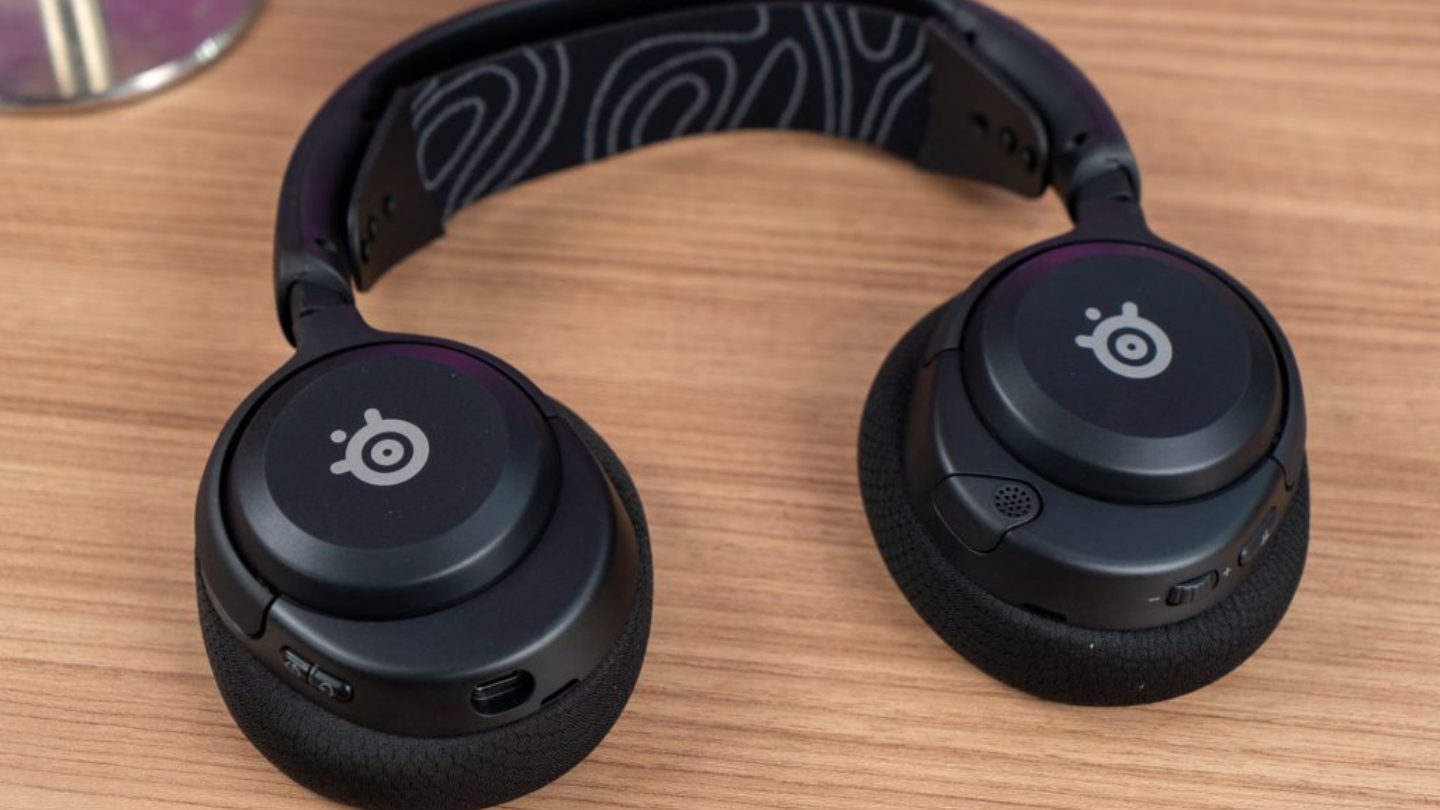
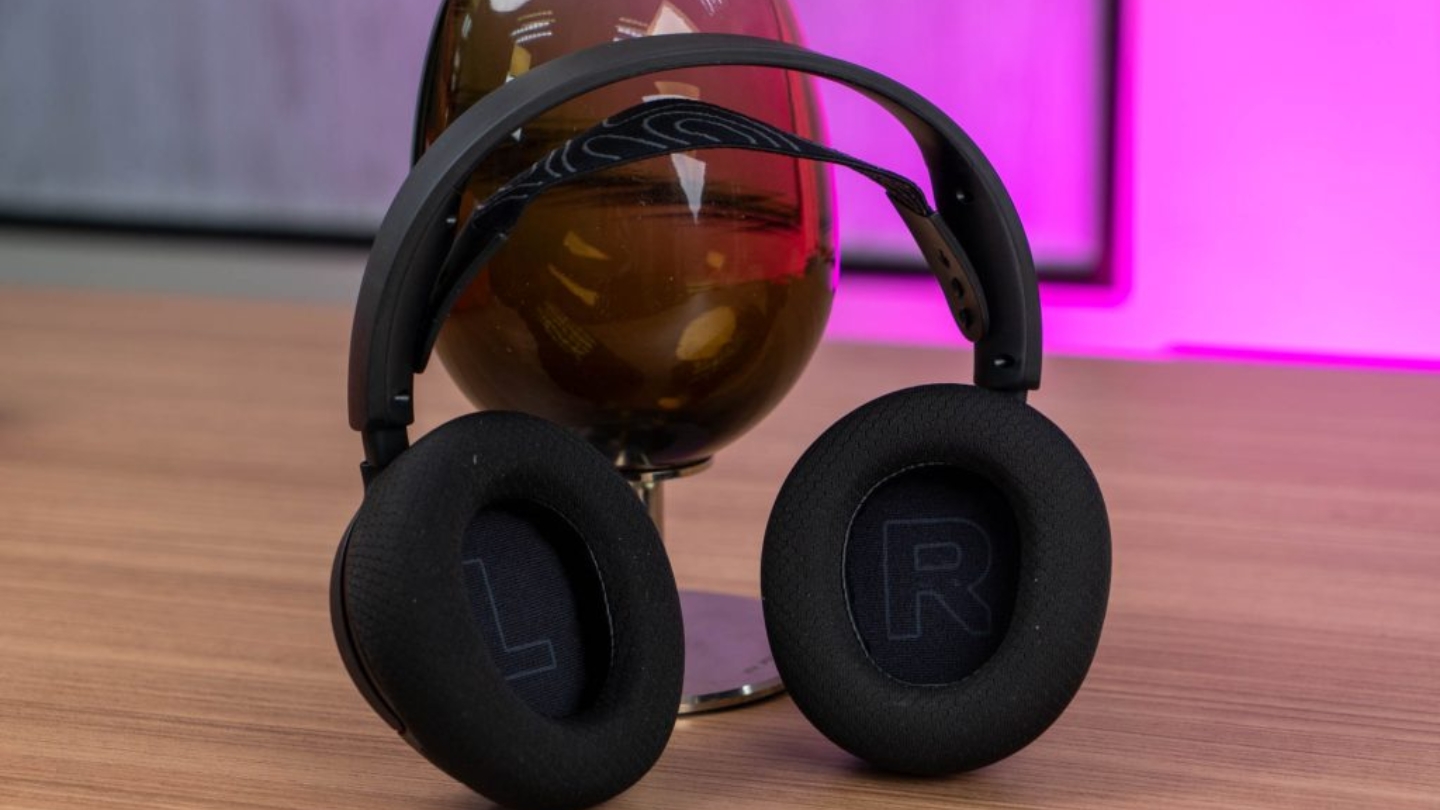
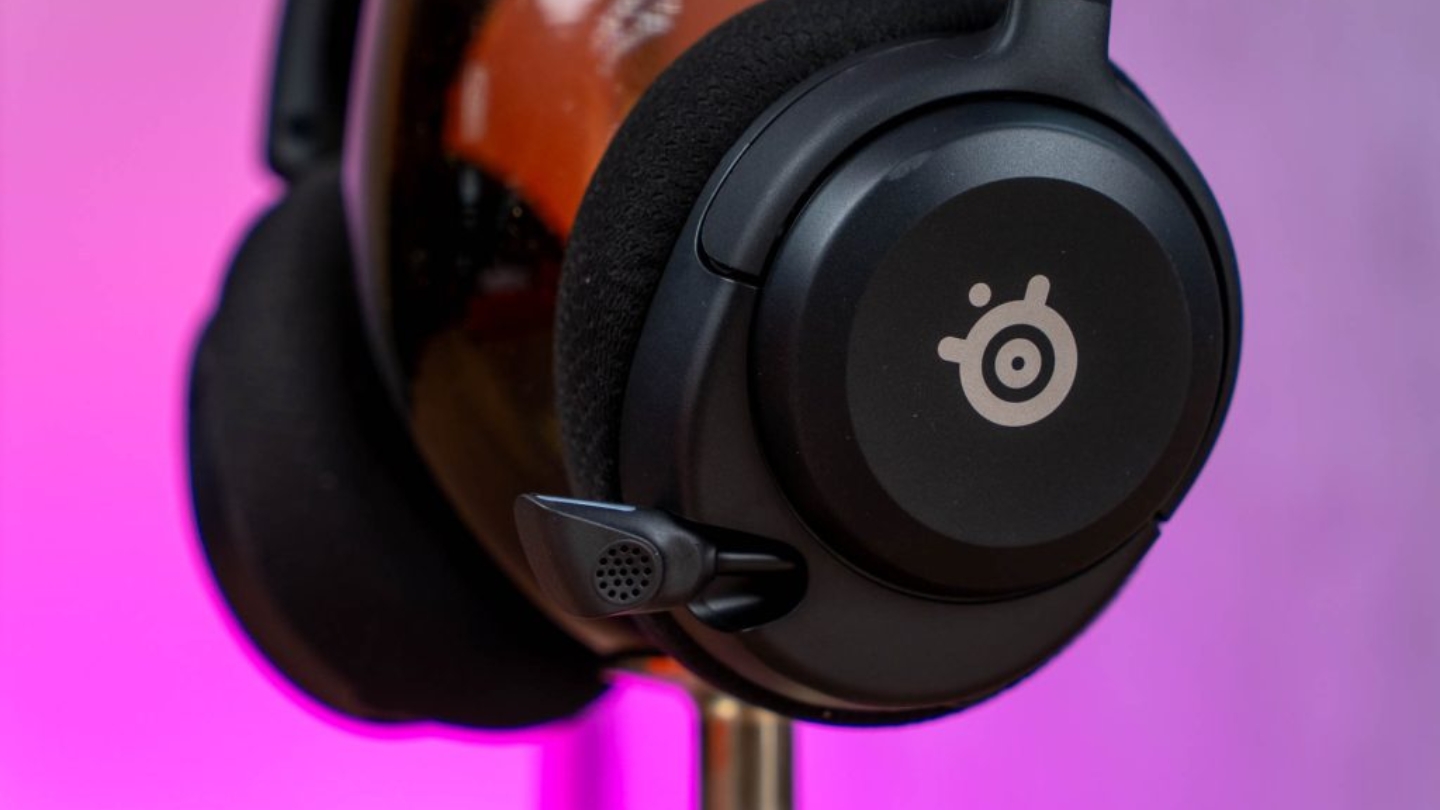
The SteelSeries Arctis Nova 5 Wireless earns the top spot by refusing to fall short in any category. The 40mm neodymium drivers share their spec with the flagship Arctis Nova Pro - that's a genuine design decision, not a marketing claim - and after extended sessions across Call of Duty, Elden Ring, and Baldur's Gate 3, I found myself not reaching for the EQ once. The frequency tuning is more balanced than the esports-first profiles in competing 50mm options, and that out-of-box naturalness compounds over a long gaming week.
The 50-hour 2.4GHz and 60-hour Bluetooth ratings hold up in real use. I ran the Nova 5 for over a week of daily sessions averaging three to four hours each and charged it once. The 10-minute fast charge adding four to five hours of play makes it viable for users who routinely forget - a quick cable connection before a session covers the whole evening. At 265 grams with the ski-band headband spreading weight evenly, it sits in the comfortable middle of this group's weight range.
The USB-C dongle is the most platform-flexible in this group - it plugs directly into PC, PlayStation, Switch, Steam Deck, Android, and Meta Quest without a USB-A adapter. The quick-switch button moves between 2.4GHz and Bluetooth 5.3 in a tap, and Bluetooth stays on standby during dongle gaming so phone calls come through cleanly. SteelSeries' Sonar app, available on both desktop and mobile, holds over 100 game-specific EQ presets - the Apex Legends preset noticeably sharpens footstep definition during ranked play. Console users can access profiles from their phone without a PC, which puts Sonar ahead of every competing app here.
The Nova 5's one structural limitation is all-plastic construction with no metal reinforcement. After weeks of daily use the frame hasn't shown stress, but it's a consideration for anyone rough on gear. For players who move between multiple platforms and want to buy once and stop thinking about their headset, nothing else in this group matches this combination of USB-C universality, battery life, and companion app depth.
Pros:
- USB-C dongle universality
- 60-hour battery life
- 10-minute fast charge
- 100+ game EQ presets
- Mobile app on console
Cons:
- All-plastic build
- No dual-source audio
Summary: SteelSeries Arctis Nova 5 Wireless leads this group with universal USB-C platform support, genuine 50-60 hour battery life, and the strongest companion app available on both desktop and mobile.
HyperX Cloud III Review
Best Overall
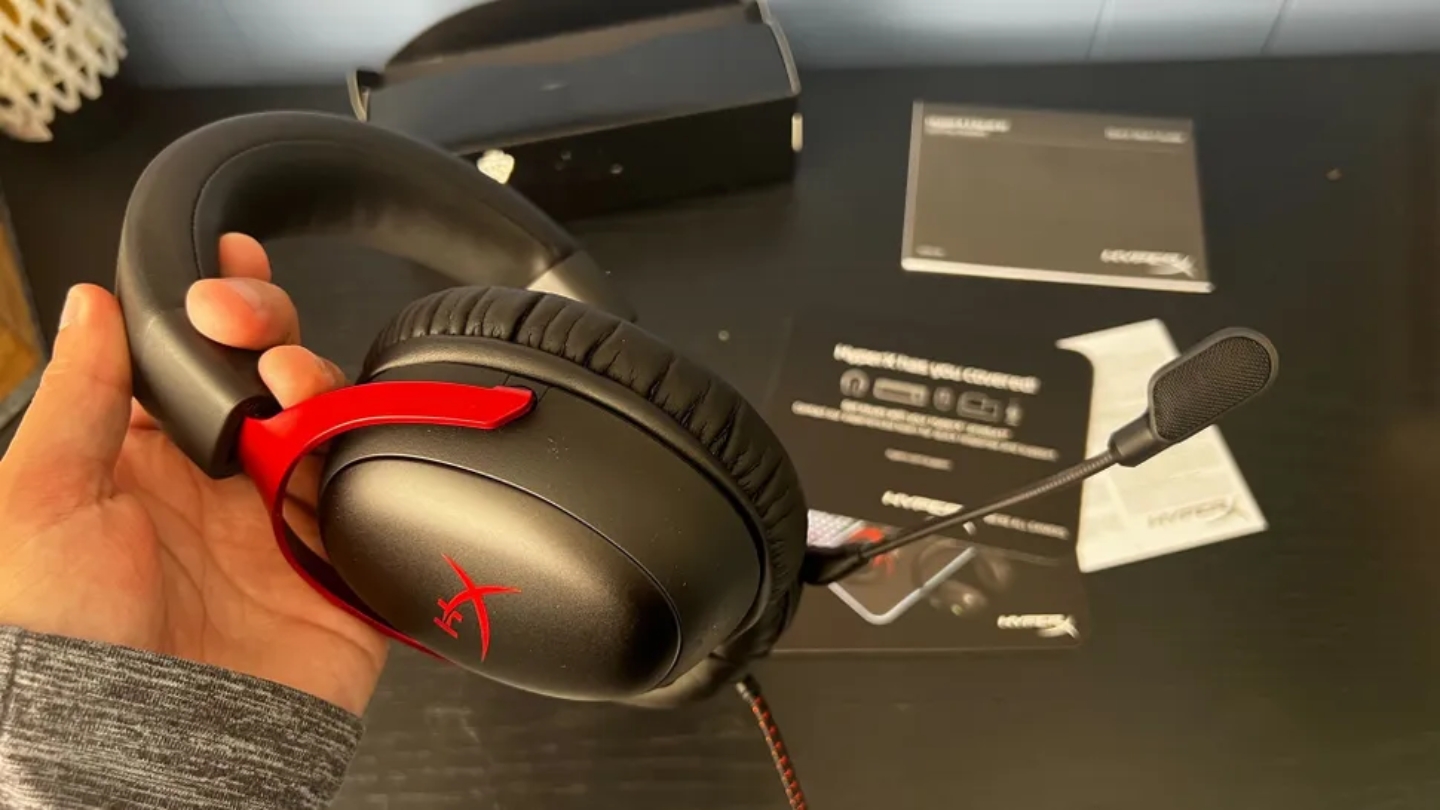
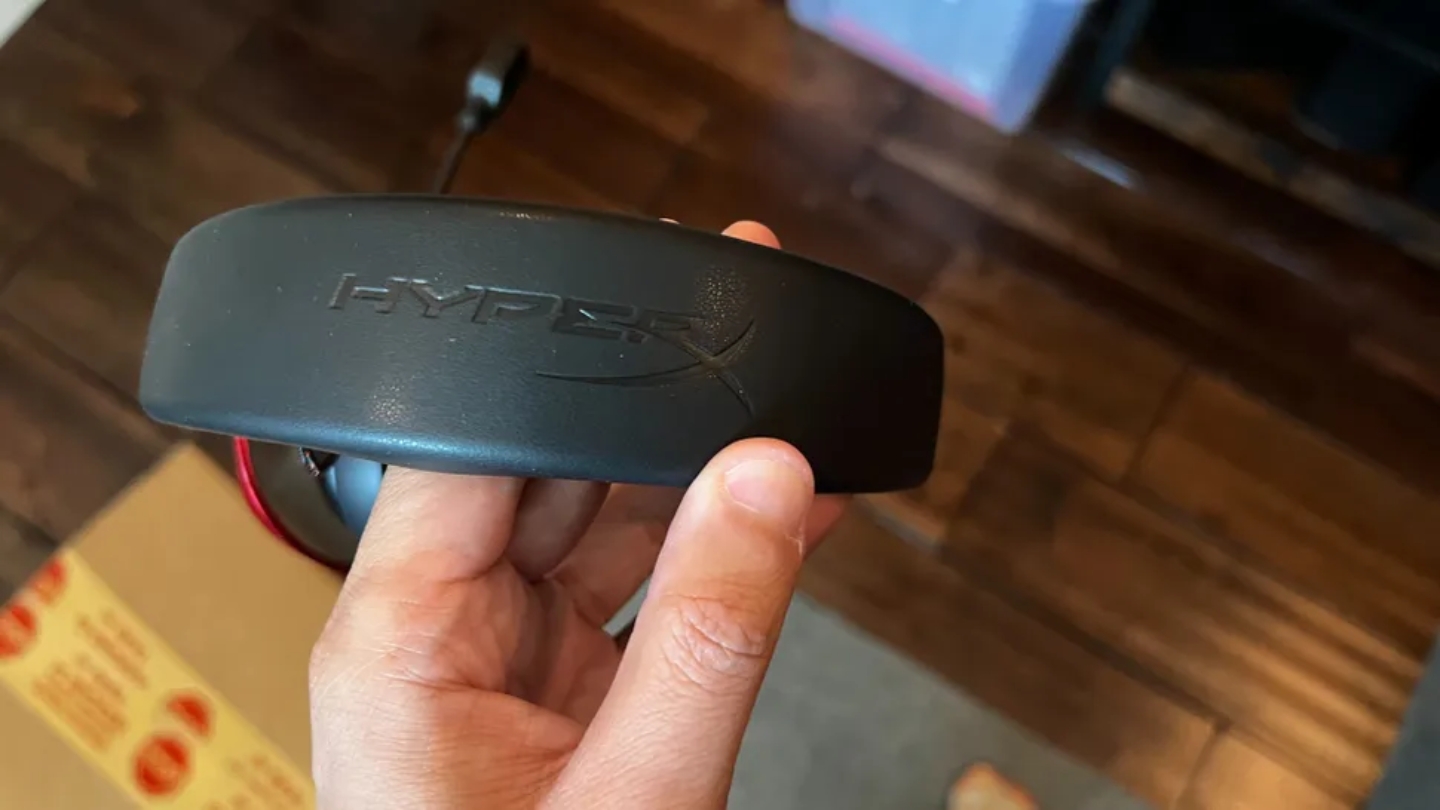
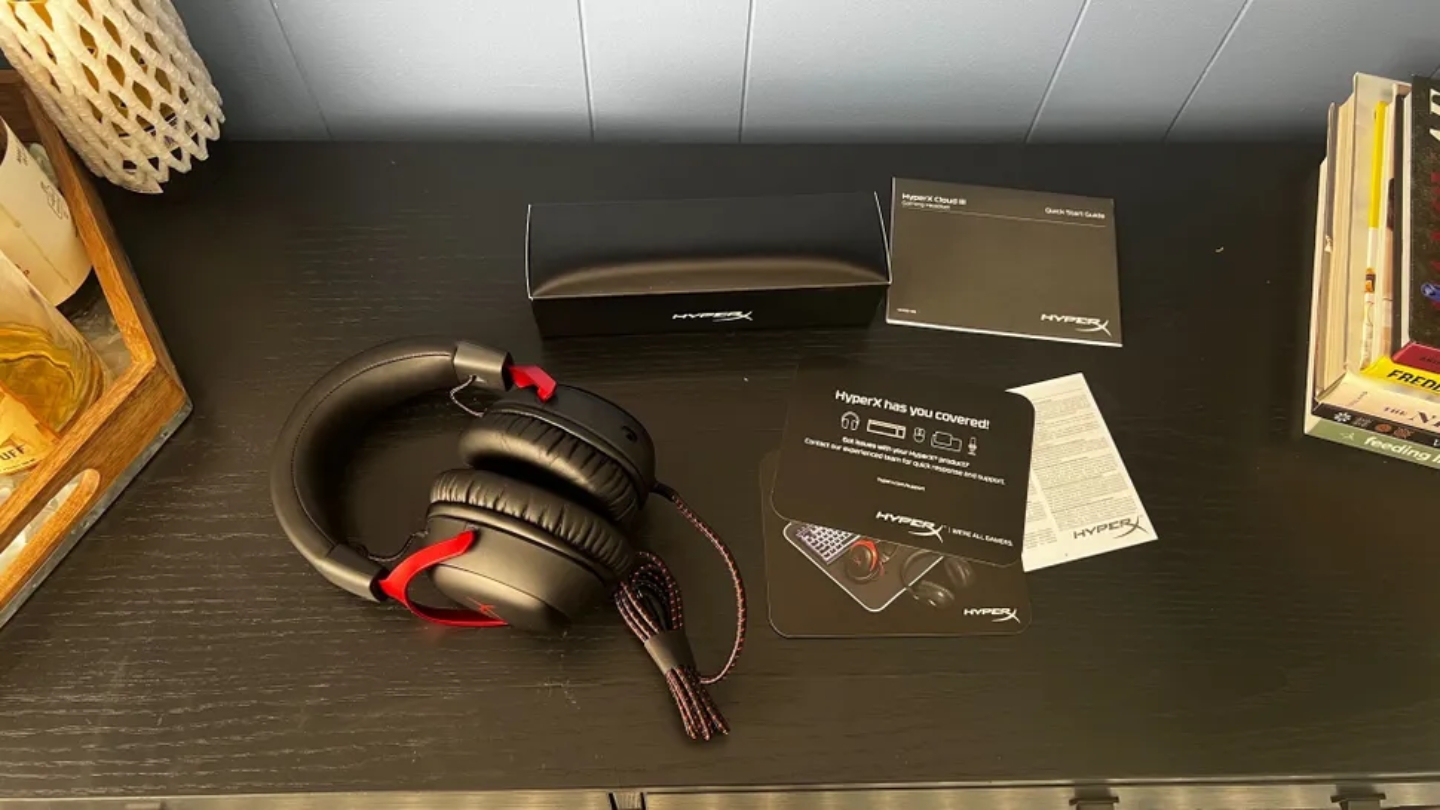
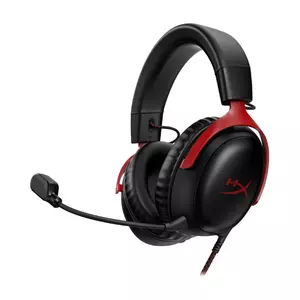
The HyperX Cloud III is the only wired headset in this roundup, and HyperX built it with confidence in that choice. No battery management, no pairing steps, no dongle to lose. The 3.5mm analog jack works on every controller, console, PC, and laptop without caveats or platform splits. In a group where every wireless option has at least one compatibility exception, that universality carries real value. I've run it through recording sessions and ranked gaming nights, and the absence of a charging reminder stays refreshing.
The 53mm angled dynamic drivers - the largest in this group - are positioned to direct sound toward the ear canal rather than across it. HyperX redesigned them from the Cloud II's spec, landing at a 10-21,000Hz frequency response with strong bass depth and a clean midrange under heavy low-frequency layering. Music sounds genuinely good on these drivers, which isn't the automatic outcome you'd expect from a gaming headset at this tier. DTS Headphone:X spatial audio activates via the included USB-C DAC cable on PC, adding virtual surround and software EQ access without any additional purchase.
The detachable 10mm cardioid boom mic with its mesh pop filter is the biggest upgrade from the Cloud II, and it earns its reputation. Voice comes out clear, with natural frequency balance that doesn't need heavy post-processing for Discord or Teams. A three-hour podcast recorded on this mic came out usable with only minor gain adjustment - that's a bar no gaming headset under $150 used to clear. The aluminum fork construction connecting headband to earcups adds structural rigidity absent from the all-plastic competition, and the leatherette earpads provide noticeably better passive isolation than athletic weave alternatives.
The one variable that determines whether the Cloud III is right for you is the cable. The 1.2-meter braided cord is fine at a close desk setup. It feels short for anyone seated more than a meter from their PC, and it's impractical from a couch. If your gaming is desk-based, every other metric in this group - audio quality, microphone performance, build quality - favors the Cloud III.
Pros:
- 53mm angled drivers
- Detachable boom mic
- Aluminum fork construction
- Universal 3.5mm compatibility
- DTS Headphone:X via USB-C
Cons:
- Wired only
- Cable length limited
Summary: HyperX Cloud III is the desk gamer's pick - best audio quality and microphone performance in this group, aluminum build, and universal 3.5mm compatibility across every platform.
Turtle Beach Stealth 600 Review
Marathon Pick
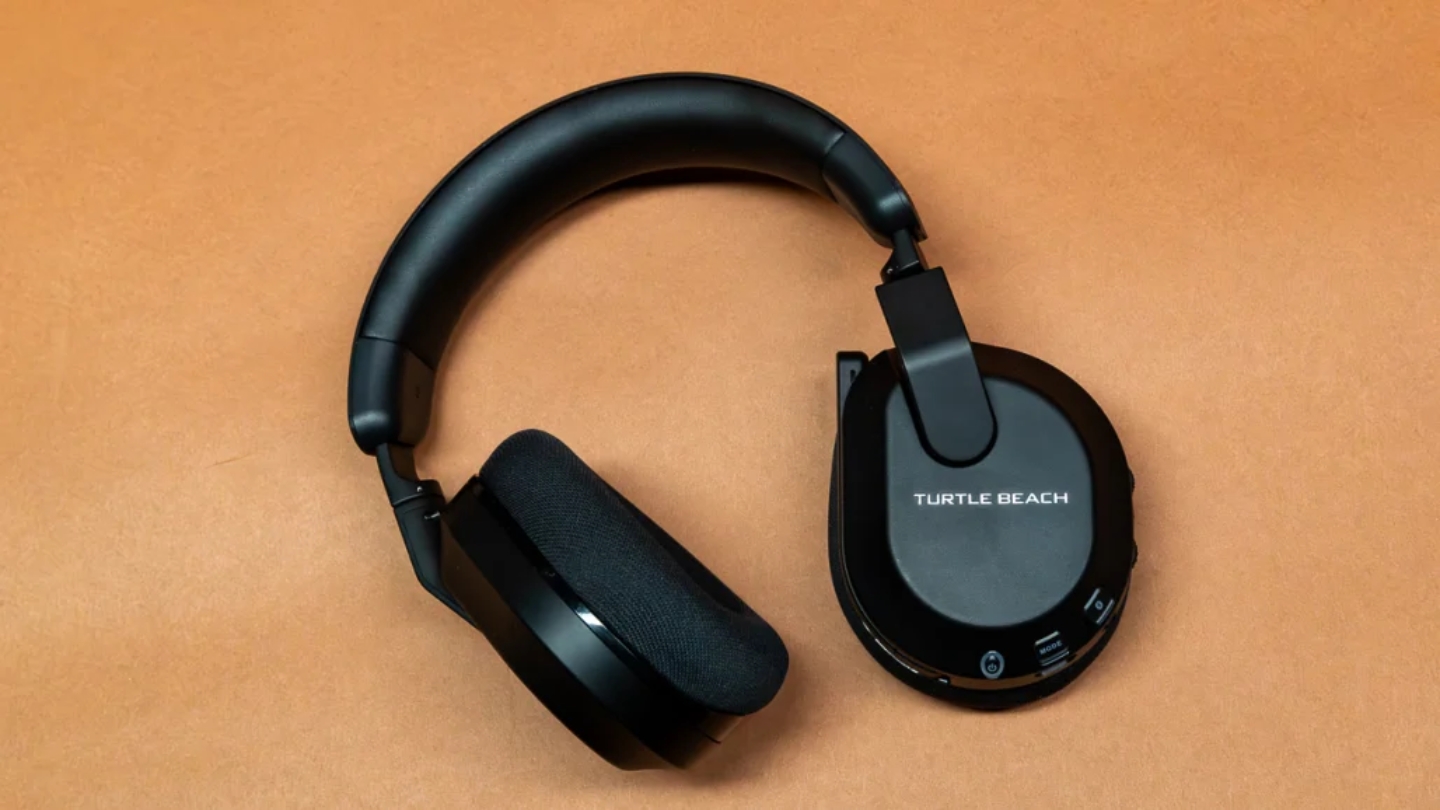
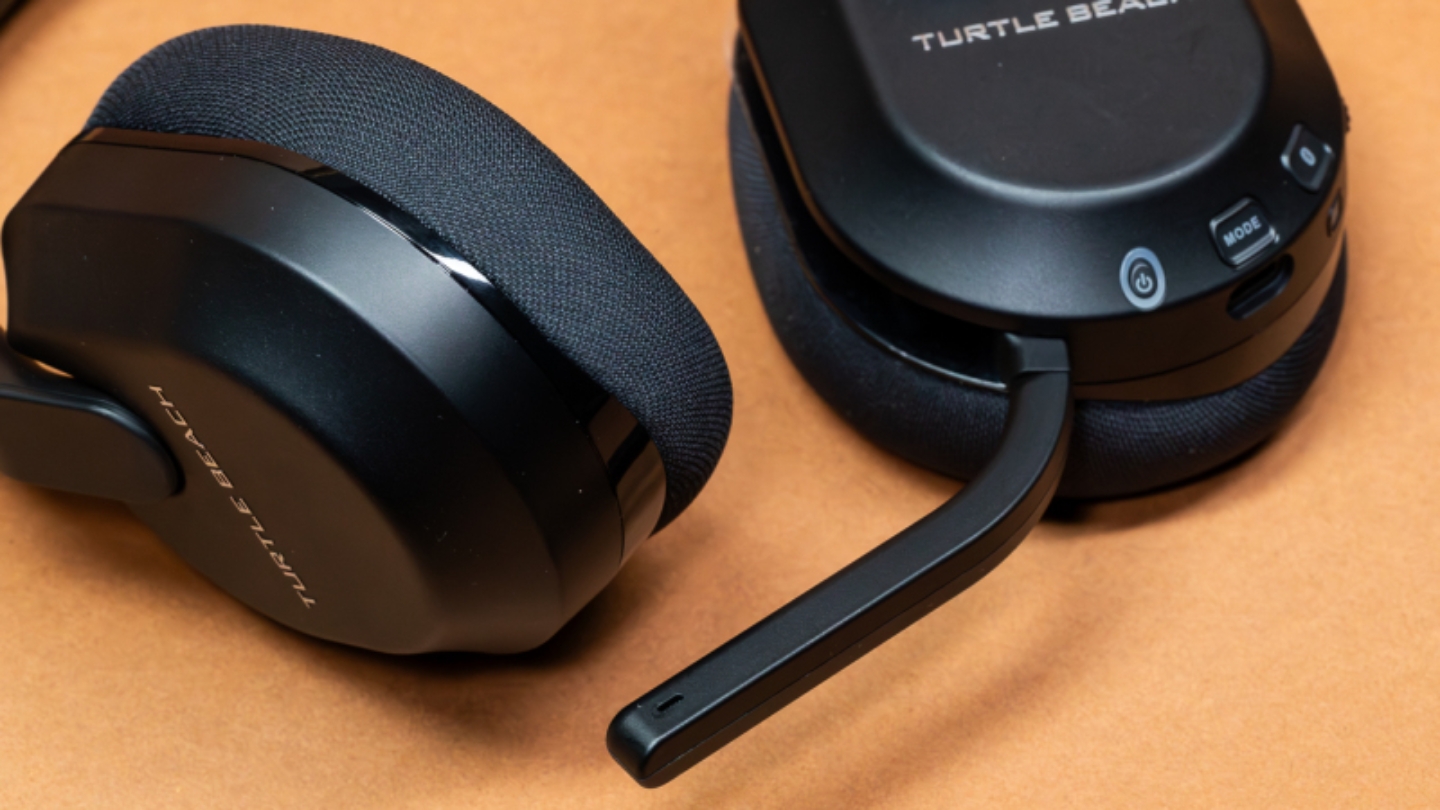
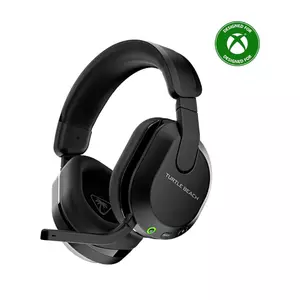
The 80-hour battery rating on the Turtle Beach Stealth 600 Gen 3 sounds like marketing until you actually test it. After several weeks of daily use averaging three to four hours per session, I charged it three times. The real-world figure lands around 55-65 hours, which still puts it in a different tier from every other headset in this roundup. For players who resent the mental overhead of battery management, the Stealth 600 simply removes that problem.
The 50mm Nanoclear drivers produce an immersive sound profile - present, grounded low end and clean midrange that handles dialogue and environmental audio well. At high volumes, some high-frequency content compresses slightly, but that ceiling is well above typical play levels. The Superhuman Hearing preset boosts the 2kHz-8kHz footstep and gunfire range for FPS play; I found it useful in short competitive sessions but fatiguing for longer ones. It's a toggle, not a commitment.
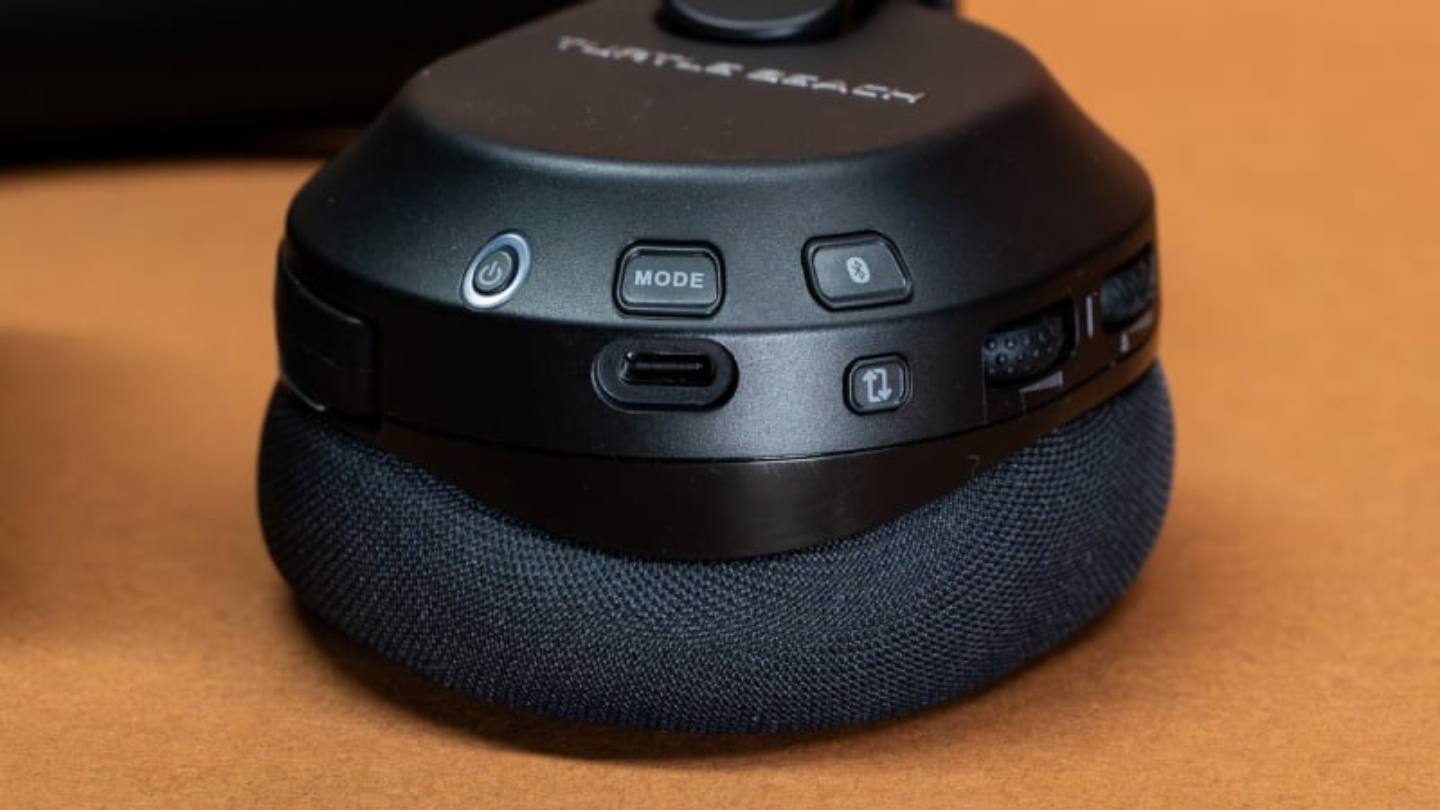
The flip-to-mute microphone is the most satisfying physical control in this group. One pull deploys it with an audible tone; flipping it back mutes it with the same feedback. AI noise reduction runs on-device without requiring a companion app on PC - a meaningful advantage for console players who don't want to install software for basic mic filtering. Controls are dense on the left earcup, with power, QuickSwitch, volume, and mic all on one side. After a few days the layout becomes instinctive, but the learning curve is real.
The Stealth 600 requires choosing a platform variant at purchase. The Xbox version uses Microsoft's native wireless protocol; the PlayStation version uses a standard USB-A RF dongle that also covers PC and Switch. Bluetooth 5.2 is available on both for mobile pairing. The Gen 3's place in this group is clear: it's the right choice for anyone whose first priority is battery life, who games on console, and who doesn't need broadcast-quality microphone output.
Pros:
- 80-hour rated battery
- AI mic noise reduction
- Flip-to-mute mechanism
- 50mm Nanoclear drivers
- Swarm II mobile app
Cons:
- Cluttered left-cup controls
- Platform variant at purchase
Summary: Turtle Beach Stealth 600 Gen 3 has the longest real-world battery life in this group, an on-device AI mic, and multiplatform coverage - the right call for marathon sessions and console players.
Logitech G535 Lightspeed Review
Comfort King
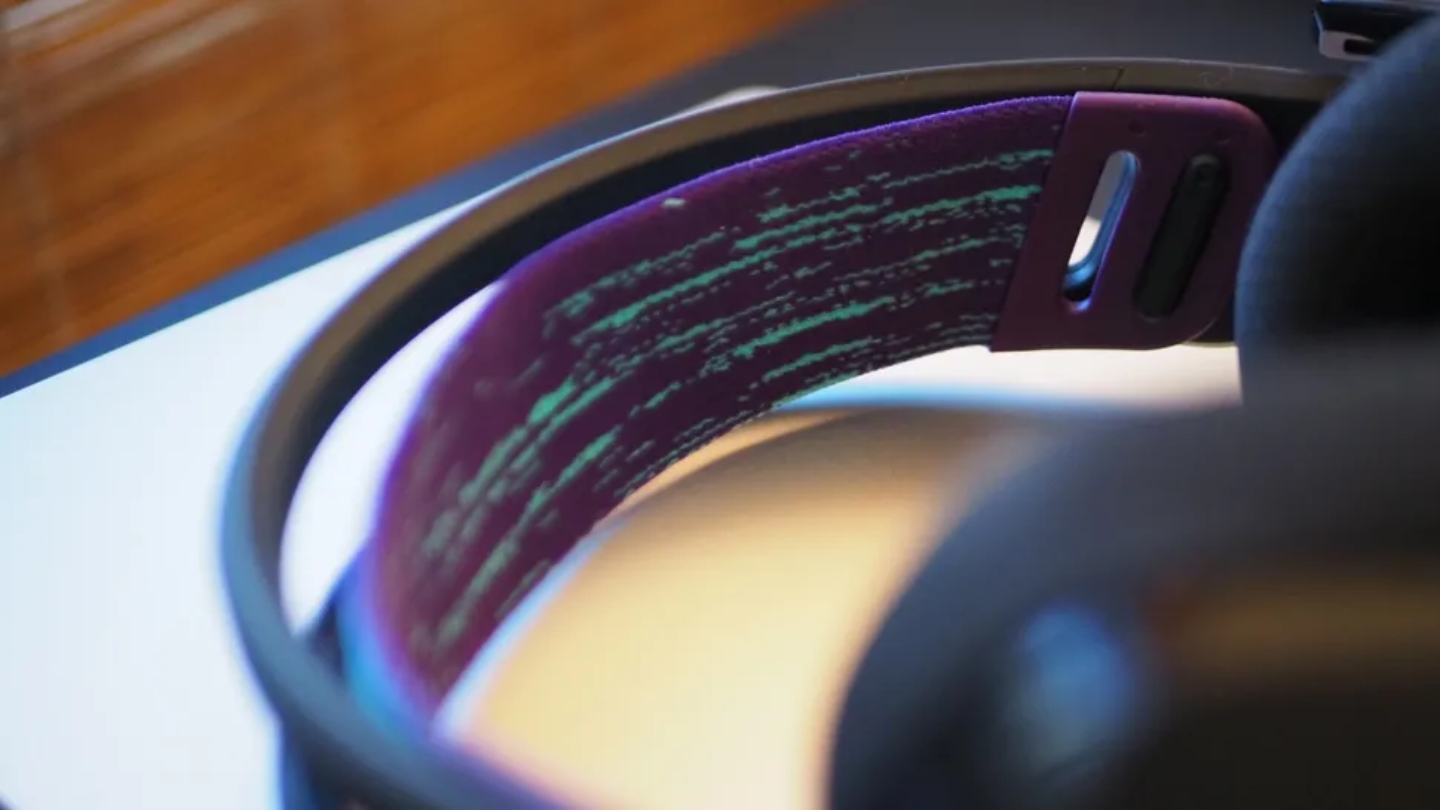
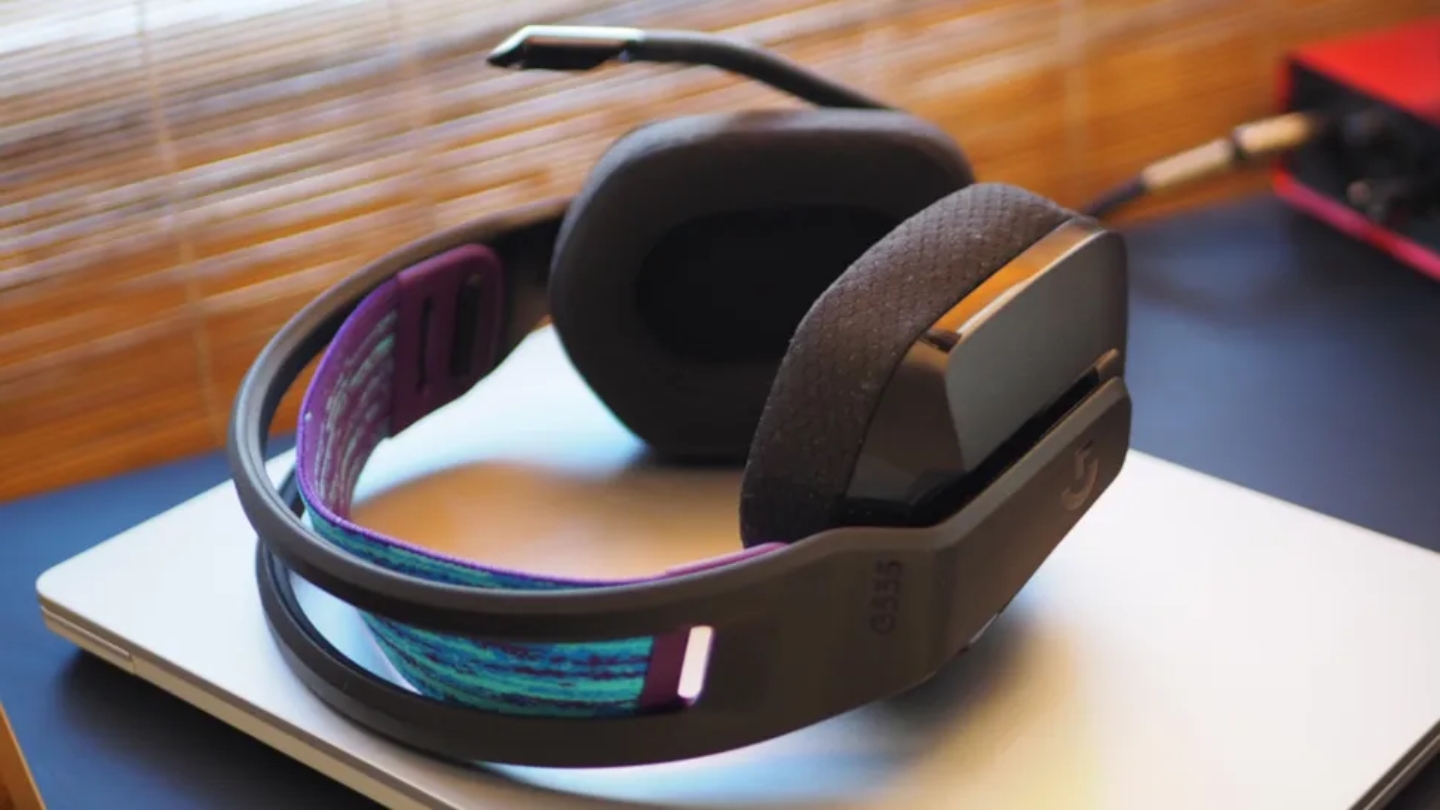
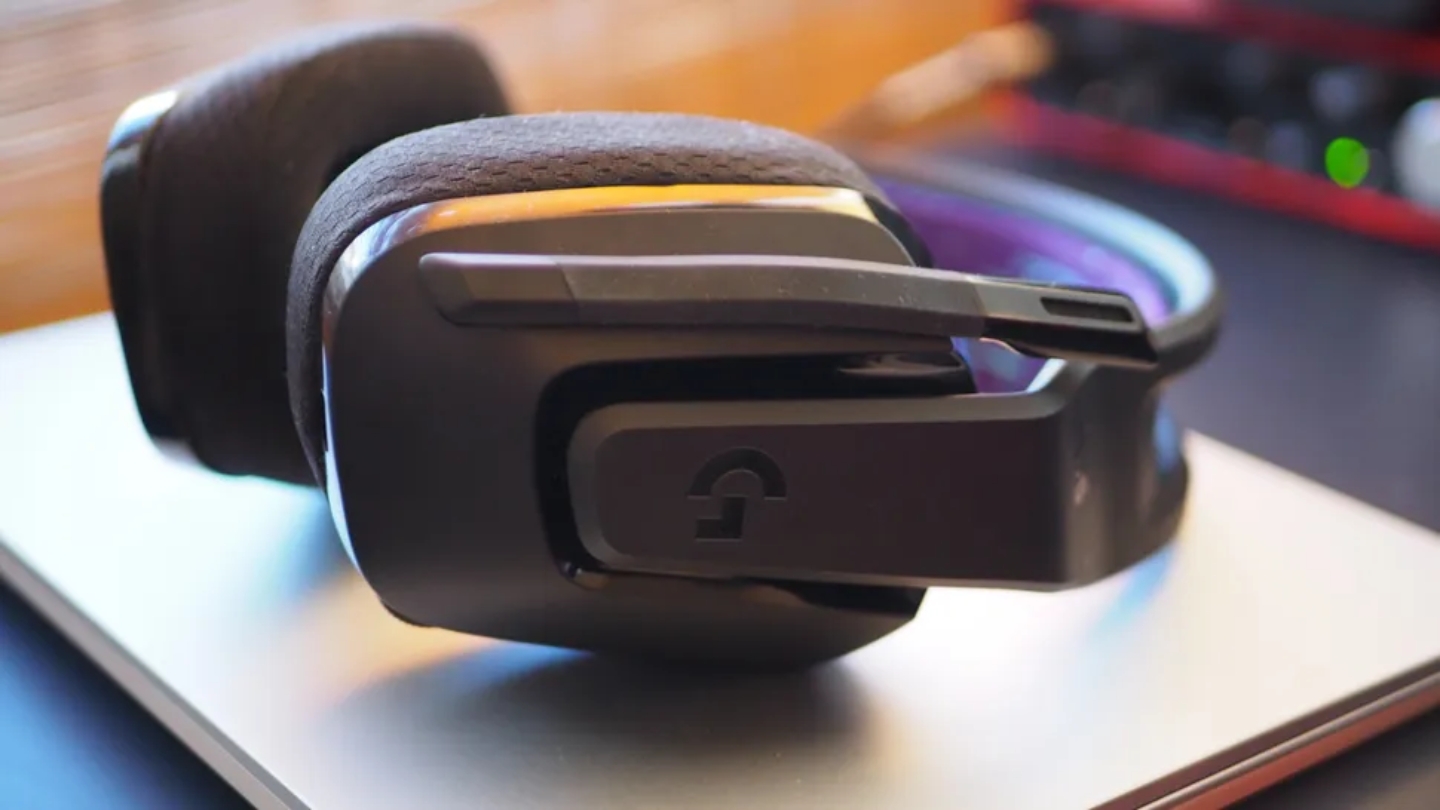
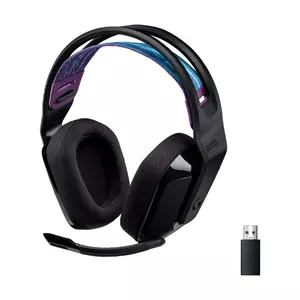
Every person who picks up the Logitech G535 for the first time questions the build quality. At 236 grams it feels almost absent on your head, and that weight prompts an instinct that something must have been sacrificed. A few minutes of flex-testing shows the plastic frame is more durable than it appears, and the suspended ski-band headband - a fabric strap rather than a padded arch - distributes pressure across the full crown of your head instead of concentrating it at contact points. I wore these for nine consecutive hours during a gaming weekend and genuinely forgot I had them on. That's not true of anything else in this group.
Logitech's LIGHTSPEED 2.4GHz connection via USB-A dongle stays stable at up to 12 meters without lag or dropout. Discord certification signals that voice processing meets a quality floor, and in practice that means clean monitoring without interference artifacts. The 33-35 hour battery is the shortest among the wireless options here - a real trade-off against the Razer and Turtle Beach alternatives, though it covers most weekend gaming patterns without a mid-session charge.
The 40mm drivers produce a neutral profile that covers music, dialogue-heavy games, and shooters without emphasizing any single category. Bass is present but doesn't hit with the same physical weight as the 50mm Nanoclear in the Stealth 600 - a gap that matters more in action games than in strategy or RPG titles. G Hub on PC adds a 10-band parametric equalizer and mic controls, but console users are limited to hardware controls since G Hub is PC-only. The fixed flip-to-mute mic sits slightly further from the mouth than the retractable boom on the Nova 5 or the detachable arm on the Cloud III, producing a marginally thinner voice recording - fine for gaming, noticeable in direct comparison.
One real limitation: the LIGHTSPEED dongle doesn't include Microsoft's Xbox security certification chip, so the G535 won't connect to Xbox consoles wirelessly. PC and PlayStation users won't encounter any restrictions. The G535's case comes down to one question - do you game for five-plus hours at a stretch? If yes, nothing in this range touches it for comfort. If battery life, Xbox compatibility, or microphone quality rank higher, one of the other options serves you better.
Pros:
- Lightest at 236g
- Ski-band long-session comfort
- LIGHTSPEED wireless stability
- Discord Certified mic
- Balanced neutral sound
Cons:
- No Xbox compatibility
- 33-hour battery (shortest)
Summary: Logitech G535 Lightspeed is the lightest headset in this group by a significant margin, with ski-band comfort that holds up past five hours when heavier options start to fatigue.
Razer BlackShark V2 HyperSpeed Review
Mic Champion
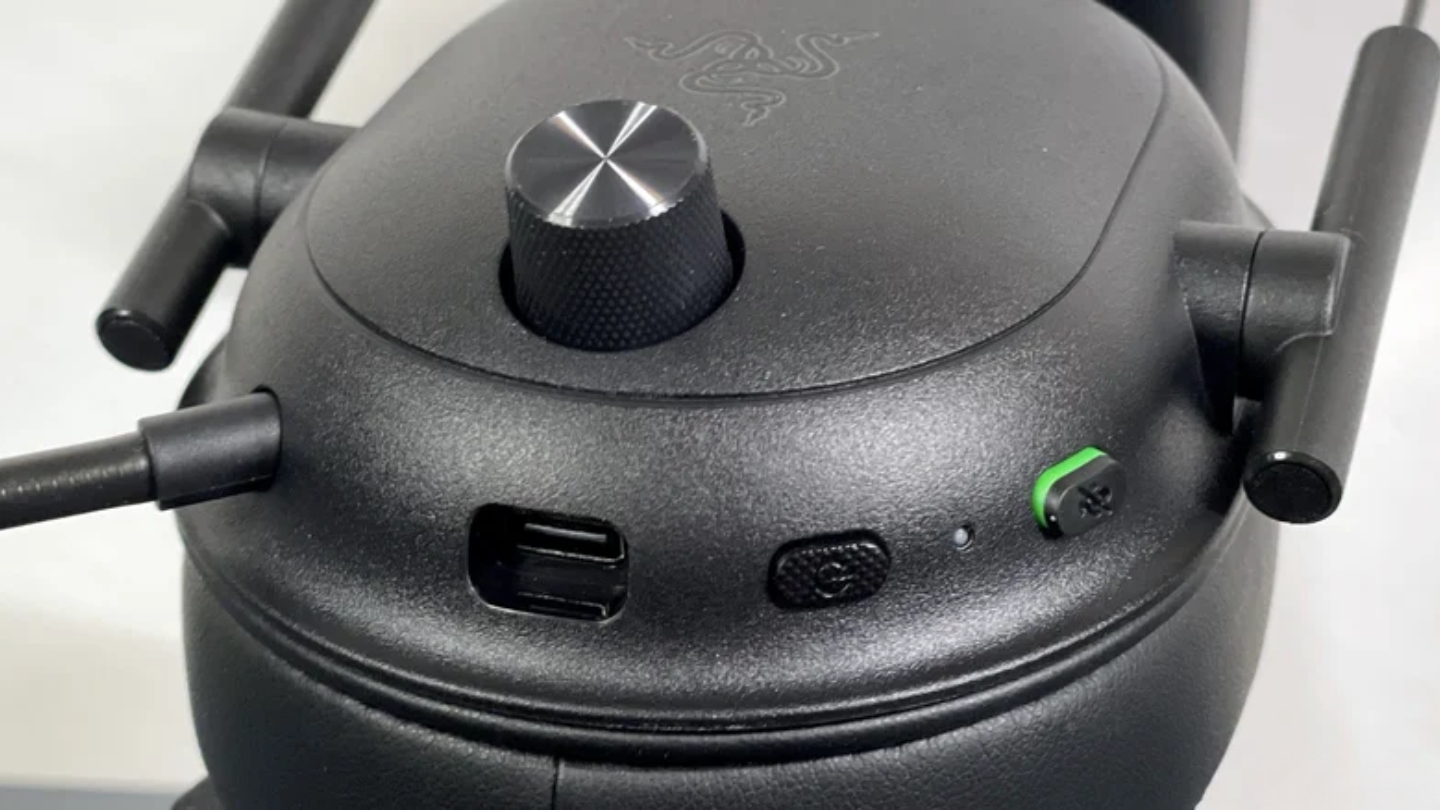
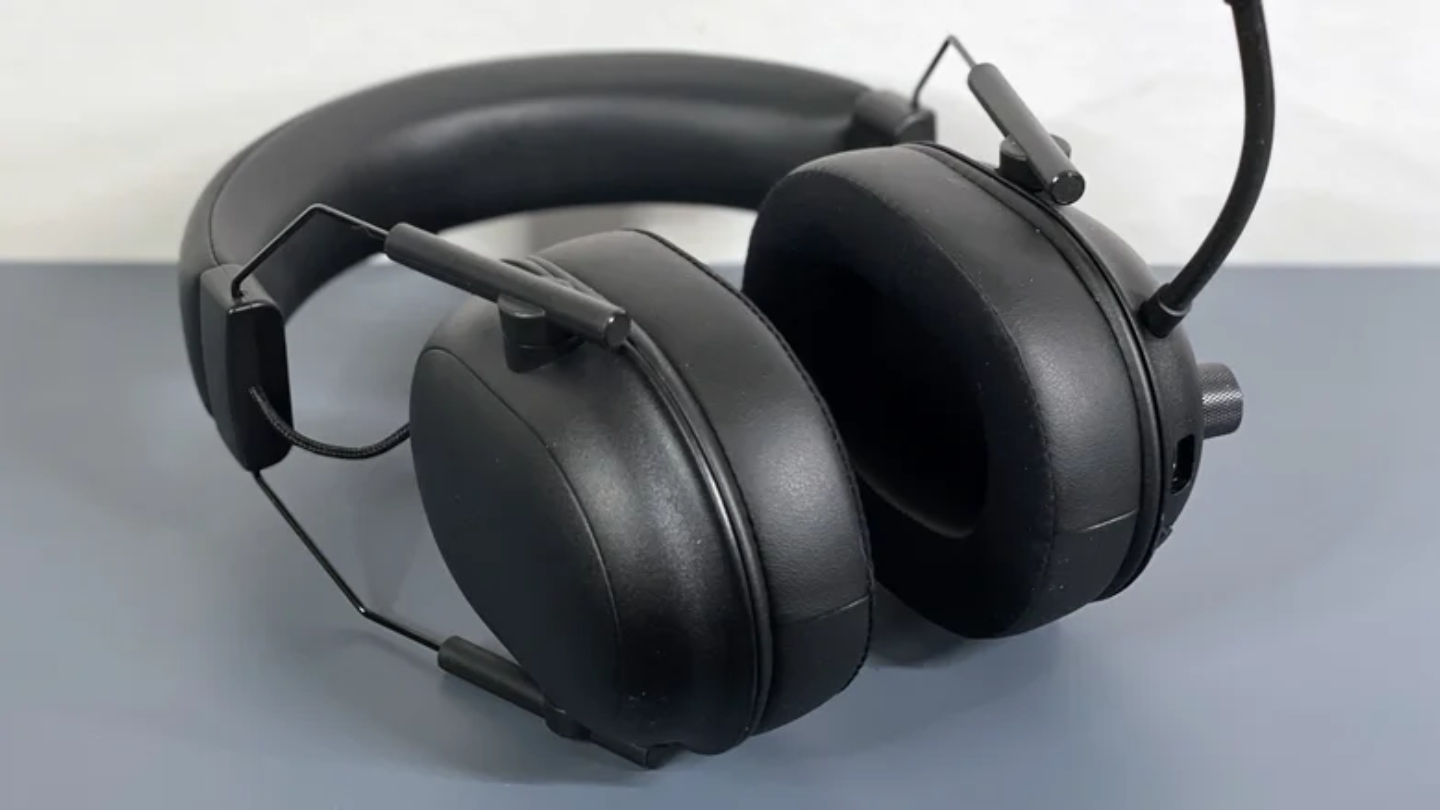
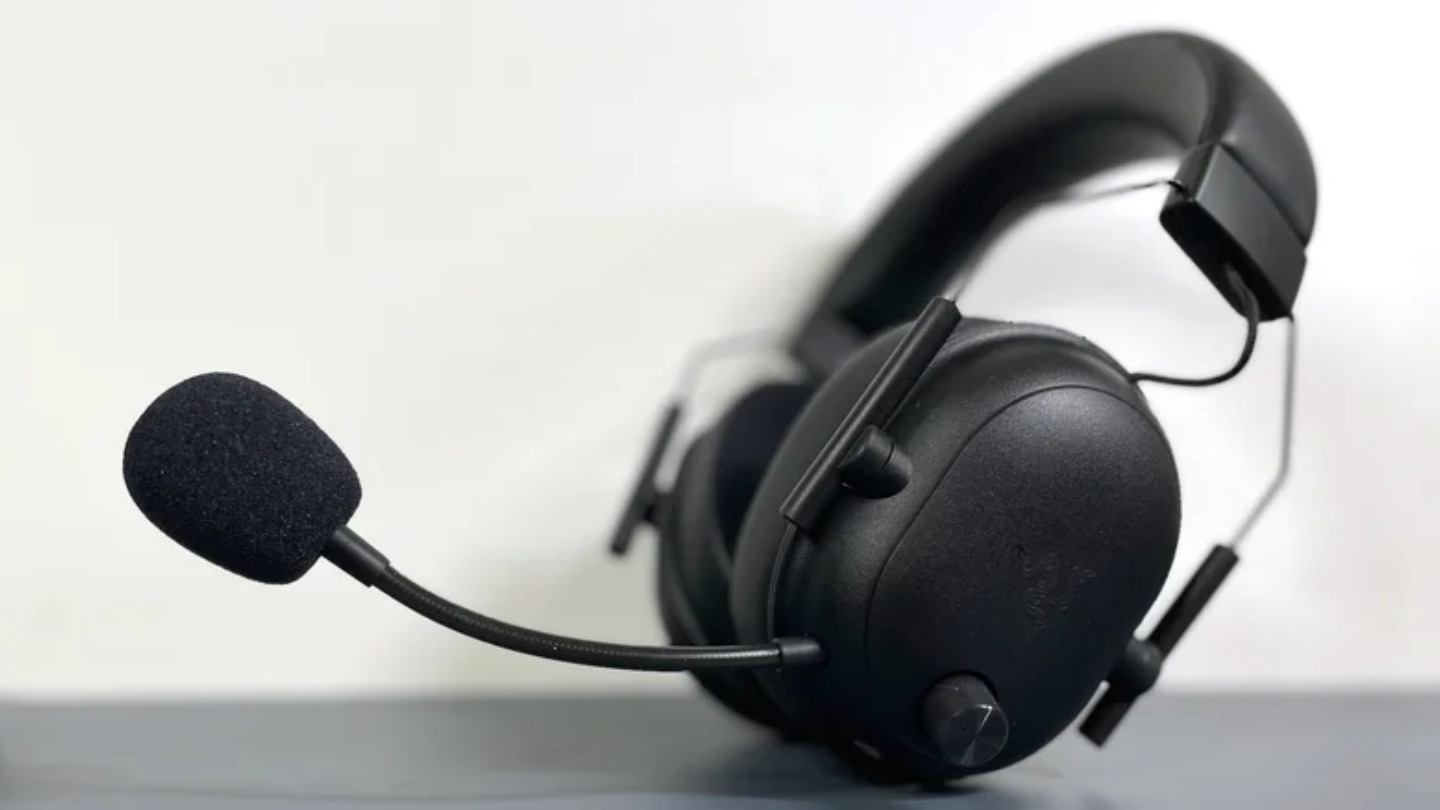
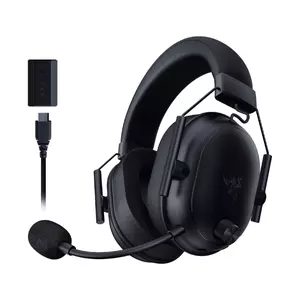
Razer built the BlackShark V2 HyperSpeed as a stripped-down version of its $199 V2 Pro - same drivers, same microphone, same battery life, reduced price by replacing premium materials with cheaper plastic and fixing the detachable mic. That trade-off lands heavily in the buyer's favor. The 9.9mm HyperClear Super Wideband capsule sampling at 32kHz is broadcast-quality compared to everything else in this group. My squadmates have asked what I switched to after moving to this headset - that reaction doesn't happen with the Turtle Beach or Logitech mics.
The 50mm TriForce Titanium drivers run a three-chamber design that separates high, mid, and low processing. The default Game EQ profile is tuned for competitive play - sharp footstep localization and voice clarity at the cost of bass warmth. For FPS and battle royale players, that profile is genuinely tactical. For anyone mixing gaming with music or cinematic single-player games, the four onboard EQ modes accessible from the right earcup bring balance back without opening Razer Synapse. I keep mine on Game for ranked play and switch to Music for everything else.
Three connection modes - HyperSpeed 2.4GHz via USB-C dongle, Bluetooth 5.2, and USB-C wired - give this headset more flexibility than any other in this group. The USB-C cable doubles as a charging and audio line, so a dead battery doesn't end a session. HyperSpeed wireless is rock-solid in practice; across weeks of daily use in a crowded 2.4GHz home environment, I never experienced a dropout or interference spike. Fast charging at 15 minutes for six hours is the most useful quick-charge ratio in this group.
Two real limitations: the microphone is fixed and can't be removed for travel or non-gaming use, and the leatherette earpads retain heat more than the athletic weave alternatives in the Nova 5 and Stealth 600. If you game in a warm room or run warm in general, that's worth factoring in. For streamers, Discord regulars, and competitive players who want broadcast-adjacent voice quality without a separate microphone, the HyperSpeed's mic alone justifies the purchase over every other option at this price.
Pros:
- Broadcast-quality 9.9mm mic
- Triple connectivity modes
- 70-hour battery
- 15-min fast charge
- 50mm TriForce drivers
Cons:
- Fixed non-detachable mic
- Leatherette heat buildup
Summary: Razer BlackShark V2 HyperSpeed carries the best microphone in this group - a super wideband 9.9mm capsule from the $199 V2 Pro - backed by 70-hour battery, three connection modes, and competitive-tuned 50mm TriForce drivers.
Gaming Headset Under $150: FAQ
Is 2.4GHz wireless good enough for competitive gaming, or do I need wired?
For home gaming, 2.4GHz wireless is effectively equivalent to wired. The USB dongle connections in this group operate under 20ms latency - below the threshold where the human ear registers delay between screen and audio. Professional esports players use wired at tournaments due to stage logistics and regulations, not because wireless is meaningfully slower at home. Bluetooth is the variable to avoid for competitive play, since its 40-100ms latency range does affect timing in fast-paced games. Use the dongle, not Bluetooth, for anything where audio cues matter.
What's the difference between a gaming headset and regular headphones for gaming?
The primary difference is the boom microphone. Regular headphones either have no mic or carry a small inline cable mic that sounds thin and distant in voice chat. Gaming headsets position a boom mic near mouth level, which captures voice cleanly while rejecting keyboard and ambient room noise. The secondary difference is tuning: gaming headsets often boost specific frequency bands (footsteps, gunfire, voice clarity) at the cost of overall neutrality. If you rarely use voice chat and game solo, a good pair of over-ear headphones plus a USB desktop mic often produces better audio for the same money - but for squad gaming, the integrated headset makes more sense.
Do I need a companion app to get the best sound?
No, but every headset here sounds better with its app than without it. All five produce usable gaming audio out of the box. The apps add EQ customization, spatial audio activation, mic monitoring, and in SteelSeries' case, over 100 game-specific presets tuned per title. The catch: G Hub, NGenuity, and Synapse are PC-only, leaving console players with hardware controls unless the headset stores profiles onboard. The SteelSeries Nova 5 has the strongest console story here - its mobile app lets you adjust profiles from your phone without a PC in the loop.
Can I use these headsets for music and movies?
All five work for music and movies, with varying results. The HyperX Cloud III has the most natural audio profile for media - its angled 53mm drivers and flatter tuning translate well to music playback and film soundtracks. The Razer BlackShark V2 HyperSpeed's default Game EQ is esports-first and sounds harsh on music until you switch to the Music preset. The SteelSeries Nova 5 splits the difference with a balanced out-of-box tuning that works across content types. If media is a meaningful part of your use, I'd pick the Cloud III or Nova 5 over the Razer for general listening.
Detachable vs fixed boom mic - which should I choose?
A detachable mic removes completely for travel and casual use. The HyperX Cloud III is the only fully detachable option here. The SteelSeries Nova 5 has a retractable boom that disappears into the headset body - not removable, but invisible when stowed. The Razer BlackShark V2 HyperSpeed's boom is fixed and folds upward. If you regularly use your headset away from a desk and want it to look like normal headphones, the Nova 5's retractable design is the most practical compromise.
Which headset is best for both PS5 and PC?
The SteelSeries Arctis Nova 5 and Razer BlackShark V2 HyperSpeed handle PS5/PC switching most cleanly - USB-C dongles that work on both platforms without any reconfiguration. Plug into the PS5's front USB-C port and the headset connects in seconds. The Logitech G535 covers both via its USB-A LIGHTSPEED dongle. The Turtle Beach Stealth 600 works on both with the PlayStation version. None of the USB wireless headsets here work natively on Xbox, though all support wired 3.5mm through a controller as a fallback.
What should I prioritize for 5+ hour gaming sessions?
Weight and clamping force, in that order. Ear pad material follows. I assess every headset separately at the two-hour and five-hour marks because some feel comfortable early and become painful as temporal pressure builds. The Logitech G535 at 236 grams with its ski-band headband is the strongest marathon option in this group. For ear pad material, athletic weave breathes better than leatherette over long sessions - both the G535 and Nova 5 use it, which explains why neither generates heat complaints the way the Razer and HyperX leatherette options can.
Is THX Spatial Audio or DTS:X worth enabling?
It depends on the game type. In single-player games with dense soundscapes - horror, open world, narrative titles - spatial audio adds a sense of directionality that improves immersion. In competitive multiplayer, many experienced players turn it off and rely on stereo with a targeted EQ boost instead, since spatial processing algorithms can introduce subtle timing artifacts. My recommendation is to try both settings in whatever games you actually play rather than assuming virtual surround is automatically better. The answer varies by game, and the best setting is whichever sounds more accurate to you in practice.
Matching the Headset to Your Setup
Each of these five headsets has a clear best-case user. The wrong choice - even among genuinely good hardware - creates friction every session, and I've watched players spend a semester frustrated by a headset that would have been perfect for someone with a slightly different desk.
Desk gamers who never move more than a meter from their PC should look hard at the HyperX Cloud III before defaulting to wireless - the audio quality, mic performance, and build are the strongest in the group, and the cable is irrelevant at close range. Players who move between PC, PlayStation, Switch, and mobile should start with the SteelSeries Arctis Nova 5: one USB-C dongle covers every platform, the battery is genuine, and the mobile-accessible app works on console without a PC middleman.
Streamers and regular Discord users who want voice quality that matches their setup should go straight to the Razer BlackShark V2 HyperSpeed - the mic alone separates it from everything else at this price. Players who regularly clock five-plus hour sessions should put comfort first and look at the Logitech G535, which nothing in this group touches for long-session wearability. And for console players who want to stop thinking about battery entirely, the Turtle Beach Stealth 600 Gen 3's 80-hour battery removes that variable from the equation.

Jim's our tech geek with a mission since February 2023. From movies to video projectors, he knows his stuff and aims to make tech work for you. When he's not geeking out, he's there to guide you through making savvy decisions.


