AMOLED vs LCD Phone Screens: Does It Matter?
Walk into any phone store and the spec sheet will list the display type alongside the processor and camera count, as if the choice between AMOLED and LCD is obvious. It is not. Salespeople describe AMOLED as "more vivid and battery-friendly," while budget phone listings tout their LCD panels as "brighter and longer-lasting."
Both claims are partially true, which is exactly why the confusion persists. The two technologies produce images through completely different mechanisms, and choosing the wrong one for your habits has real consequences for how the phone looks, how long the battery lasts, and how the screen holds up years down the line.
Short answer: AMOLED (Active Matrix Organic Light-Emitting Diode) lights each pixel individually using organic compounds, enabling true blacks, vivid colors, and power savings when displaying dark content. LCD (Liquid Crystal Display) uses a constant backlight filtered through liquid crystals, producing more accurate whites, better outdoor visibility at lower price points, and no risk of burn-in. AMOLED dominates flagship and mid-range phones today; LCD survives in budget devices and a handful of specialized use cases. Neither technology is universally superior - the right choice depends on what you watch, where you use your phone, and how long you plan to keep it.
- How AMOLED Works
- How LCD Works
- Color, Contrast, and Black Levels
- Brightness and Outdoor Visibility
- Battery Life, Cost, and Durability
- Eye Comfort and Long Sessions
- Which Screen Type Fits Your Situation
- AMOLED vs LCD: FAQ
How AMOLED Works
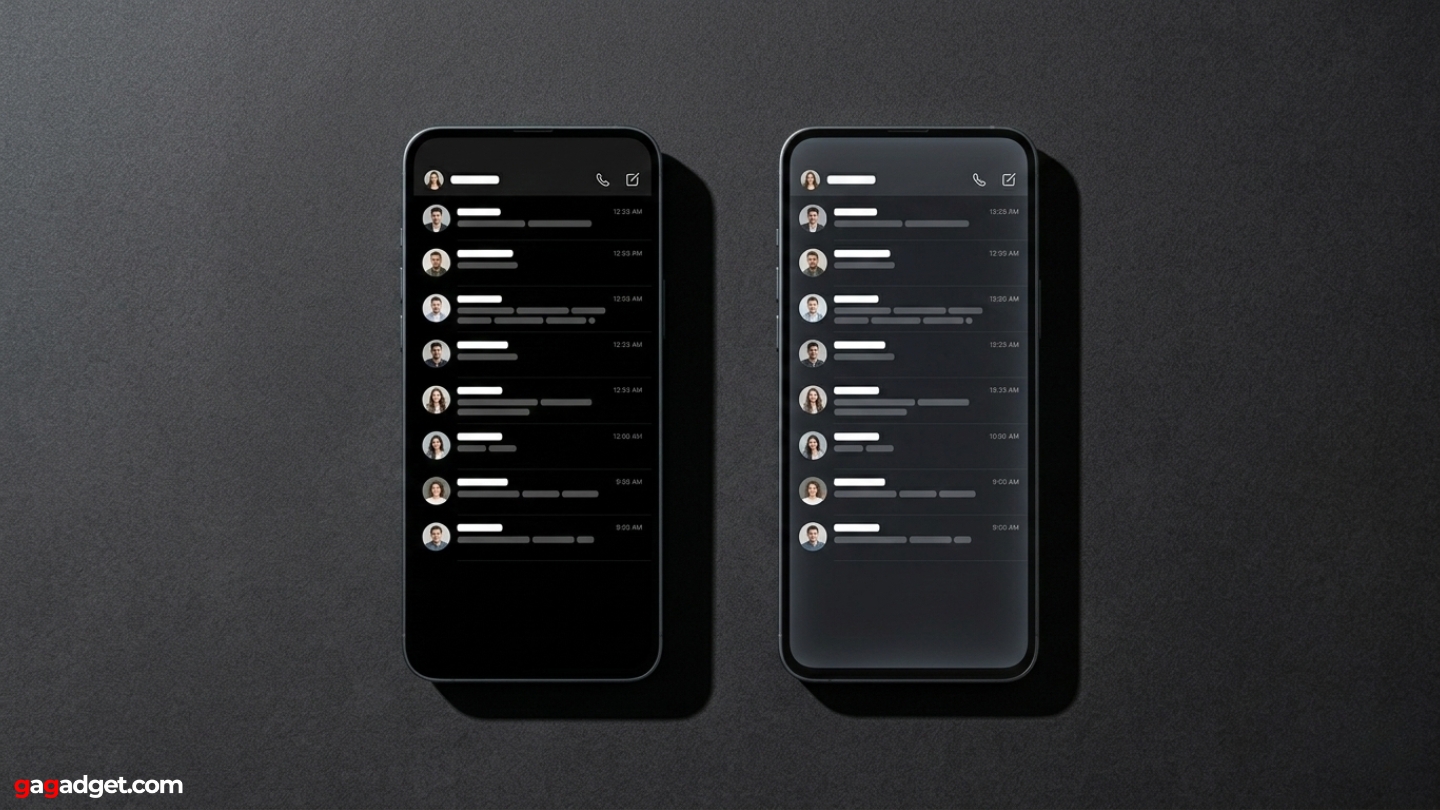
AMOLED displays are built from a matrix of organic compounds that produce light when an electric current passes through them. Each pixel is its own independent light source - it switches on to display color and turns completely off to display black. The "active matrix" part of the name refers to a thin-film transistor layer that gives the display precise, fast control over individual pixels, which allows for response times and refresh rates that LCD panels cannot match at equivalent cost. Samsung commercialized the technology in the early 2000s, and it has since spread across virtually every premium smartphone on the market, including the entire iPhone lineup from the iPhone X onward and the Samsung Galaxy S25.
The organic materials at the heart of AMOLED have one meaningful limitation: they degrade over time. Red and green subpixels outlast blue ones, which means that after years of use, white areas on an aging AMOLED screen can develop a slightly warm or uneven cast. Static images held on screen for long periods - a navigation app running for hours, a home screen widget locked in a fixed position - can leave a faint ghost image called burn-in. Modern manufacturing has pushed the threshold for visible burn-in well past three years of typical use, but that theoretical risk is nonexistent in LCD panels.
How LCD Works
LCD panels take a fundamentally different approach: rather than generating light at the pixel level, they start with a single backlight that illuminates the entire screen at once. That white light passes through a layer of liquid crystals, which rotate to block or allow different wavelengths through, and then through color filters that produce red, green, and blue subpixels. The backlight is always on - even when the screen displays a completely black image, it continues to operate behind pixels that are doing their best to block it. This is why LCD blacks appear dark gray rather than true black: some light always bleeds through regardless of content.
The most common LCD variant in smartphones is IPS (In-Plane Switching), which improves on older LCD types by delivering wider viewing angles and more consistent color accuracy across the panel. Apple's Retina displays, used in the iPhone SE lineup and older iPad models, are IPS LCD panels with careful calibration for color accuracy. The iPhone SE (3rd generation) remains one of the most prominent LCD smartphones in the modern market - a deliberate choice by Apple to keep the entry price accessible, since IPS LCD panels cost significantly less to produce than AMOLED at comparable screen sizes.
Color, Contrast, and Black Levels
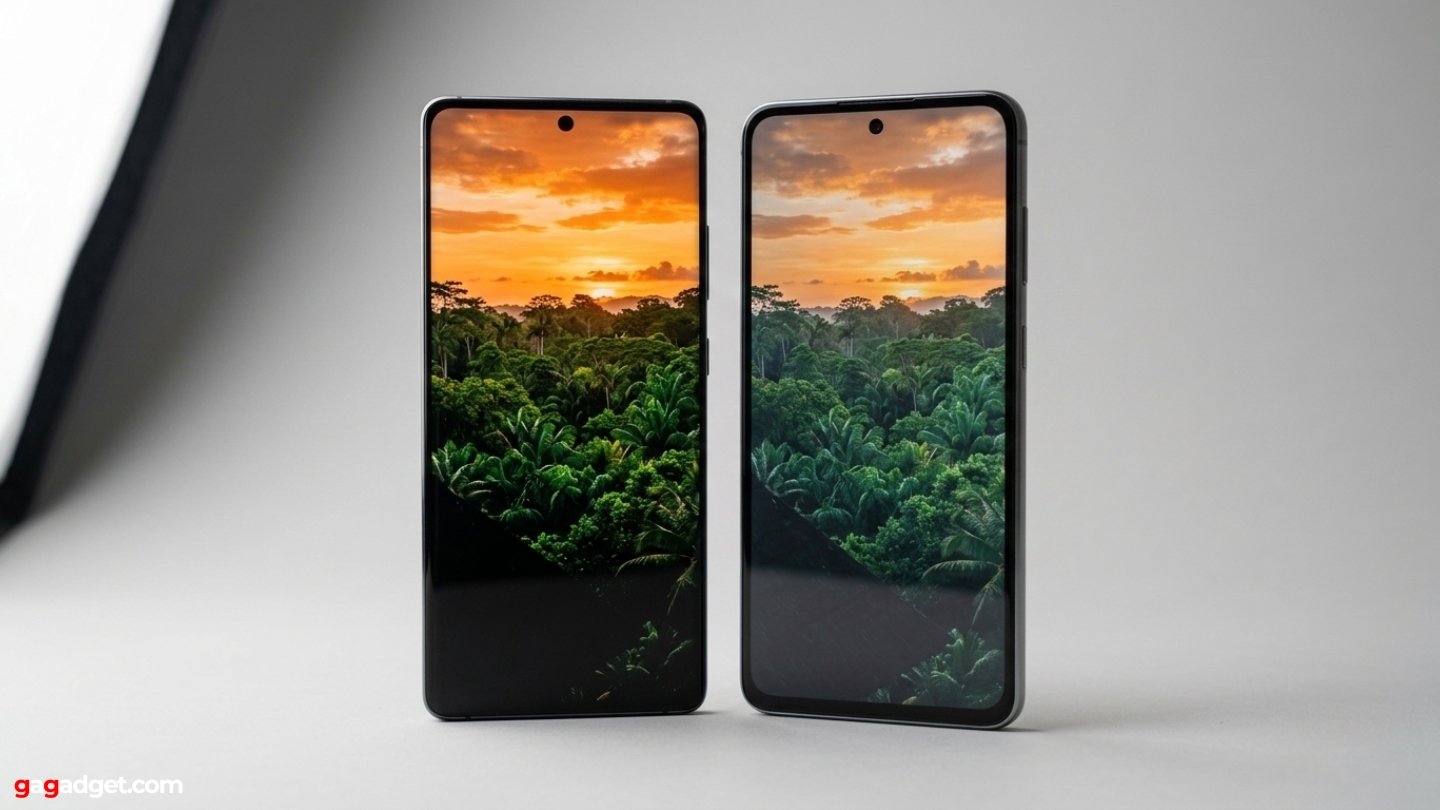
The contrast difference between AMOLED and LCD is not subtle. Because AMOLED pixels turn off entirely to produce black, the technology achieves what display engineers call an infinite contrast ratio - the brightest white divided by a black that measures effectively zero. LCD panels, regardless of how well-calibrated they are, produce blacks that land somewhere between dark gray and charcoal, because the backlight cannot be fully contained. In a dark room, watching content with strong shadow detail - a night scene in a film, a dark gaming environment - the difference is immediately visible. AMOLED shadows stay deep and separated; LCD shadows bloom into slightly luminous gray masses.
AMOLED's color saturation and true blacks make it the stronger screen for media consumption in controlled lighting. LCD's neutral accuracy and consistent backlight make it the more reliable choice for outdoor use and color-sensitive work.
Color gamut tells a more nuanced story. AMOLED panels naturally cover a wider range of colors than the sRGB standard used by most web content and photography, which produces the vivid, saturated look the technology is known for. Whether that looks better is partly a matter of preference and partly a question of calibration. Well-tuned AMOLED displays, like those on recent Samsung Galaxy and Google Pixel phones, offer selectable color modes - a saturated "Vivid" option alongside a more restrained "Natural" mode that targets sRGB accuracy. IPS LCD panels stay closer to sRGB by default, which photographers and designers often prefer for editing work, since what they see on screen aligns more closely with what others will see on calibrated monitors.
Brightness and Outdoor Visibility
Peak brightness is where LCD held a meaningful advantage for years, and where the gap has now largely closed. Traditional LCD backlights could push significantly more light than the small organic pixels in early AMOLED panels, making LCD screens easier to read in direct sunlight. Modern flagship AMOLED panels have addressed this aggressively - current high-end models reach peak brightness levels above 2,000 nits in automatic outdoor mode, matching or surpassing the best LCD panels at comparable prices. The gap that remains exists at the budget level: an entry-level LCD phone will typically out-brighten an entry-level AMOLED phone of the same price, because LCD brightness scales cheaply with backlight power while AMOLED brightness requires more sophisticated engineering at the pixel level.
Viewing angle performance favors AMOLED. IPS LCD improved considerably on older panel types, but color and brightness still shift noticeably when viewing the screen from steep angles - the display gets dimmer and slightly cooler in tone. AMOLED panels maintain color accuracy and brightness across a much wider range of viewing angles, which matters when showing a phone screen to someone seated beside you or propping the phone at an angle on a table.
Battery Life, Cost, and Durability
| Factor | AMOLED | IPS LCD |
|---|---|---|
| Black Level | True black - pixels fully off | Dark gray - backlight always on |
| Contrast Ratio | Effectively infinite | Typically 1,000:1 to 1,500:1 |
| Color Gamut | Wide (DCI-P3, BT.2020 capable) | sRGB standard - accurate, less saturated |
| Battery (dark content) | Significantly lower draw with dark themes | Constant backlight regardless of content |
| Battery (bright content) | Power draw spikes on white-heavy screens | Consistent, predictable power draw |
| Outdoor Brightness | Excellent on flagship; limited on budget | Consistently strong at all price points |
| Burn-in Risk | Possible with static content over years | None |
| Longevity | Organic materials degrade over time | More stable over multi-year use |
| Manufacturing Cost | Higher, especially at the budget tier | Lower - enables aggressive entry pricing |
| Form Factor | Thin, flexible - enables curved and foldable designs | Rigid - limits design options |
Battery behavior is where the difference becomes most practical, and where it requires some nuance. An AMOLED screen draws less power when displaying dark content, because pixels showing black are simply off. Enabling dark mode system-wide on an AMOLED phone produces a measurable improvement in battery life - estimates range from 5% to 15% depending on screen brightness and usage patterns. On an LCD phone, dark mode changes how the interface looks but has no effect on power consumption, since the backlight runs at the same level regardless of what color fills the pixels. For users who spend most of the day in email, messaging, or document apps - content that skews toward white backgrounds - AMOLED loses its battery advantage and may actually draw more power than a comparable LCD at high brightness.
Eye Comfort and Long Sessions
Eye comfort is the most contested aspect of the AMOLED vs LCD debate, and for good reason: the answer is genuinely complicated and varies by individual. AMOLED displays use a dimming method called Pulse Width Modulation (PWM) to control brightness at low levels. Rather than reducing voltage directly to each pixel - which causes color accuracy problems in organic displays - PWM rapidly cycles pixels on and off hundreds of times per second, with the ratio of on-to-off time controlling the perceived brightness. Most people cannot consciously perceive this cycling, but a subset of users report headaches, eye strain, or fatigue specifically from AMOLED screens at lower brightness settings, particularly in dim environments. LCD panels use DC dimming - they simply reduce voltage to the backlight, producing a stable, non-flickering output at all brightness levels.
PWM flicker in AMOLED is invisible to most eyes but a real issue for sensitive users. LCD's constant backlight produces a more stable signal - though neither technology eliminates digital eye strain entirely.
Manufacturers have responded to PWM sensitivity with higher-frequency implementations - newer flagship AMOLED phones now operate at 2,000 Hz or above, compared to the 240 Hz found in some older models. At higher frequencies, the cycling becomes harder for the nervous system to detect, even in sensitive individuals. Some phones offer a "DC-like dimming" or "anti-flicker" mode that blends dimming methods to reduce the effect further. For users who have previously experienced discomfort on AMOLED screens, checking the PWM frequency of a specific model before purchasing is worthwhile, as the difference between a 240 Hz panel and a 2,000 Hz panel is significant in practice.
Which Screen Type Fits Your Situation
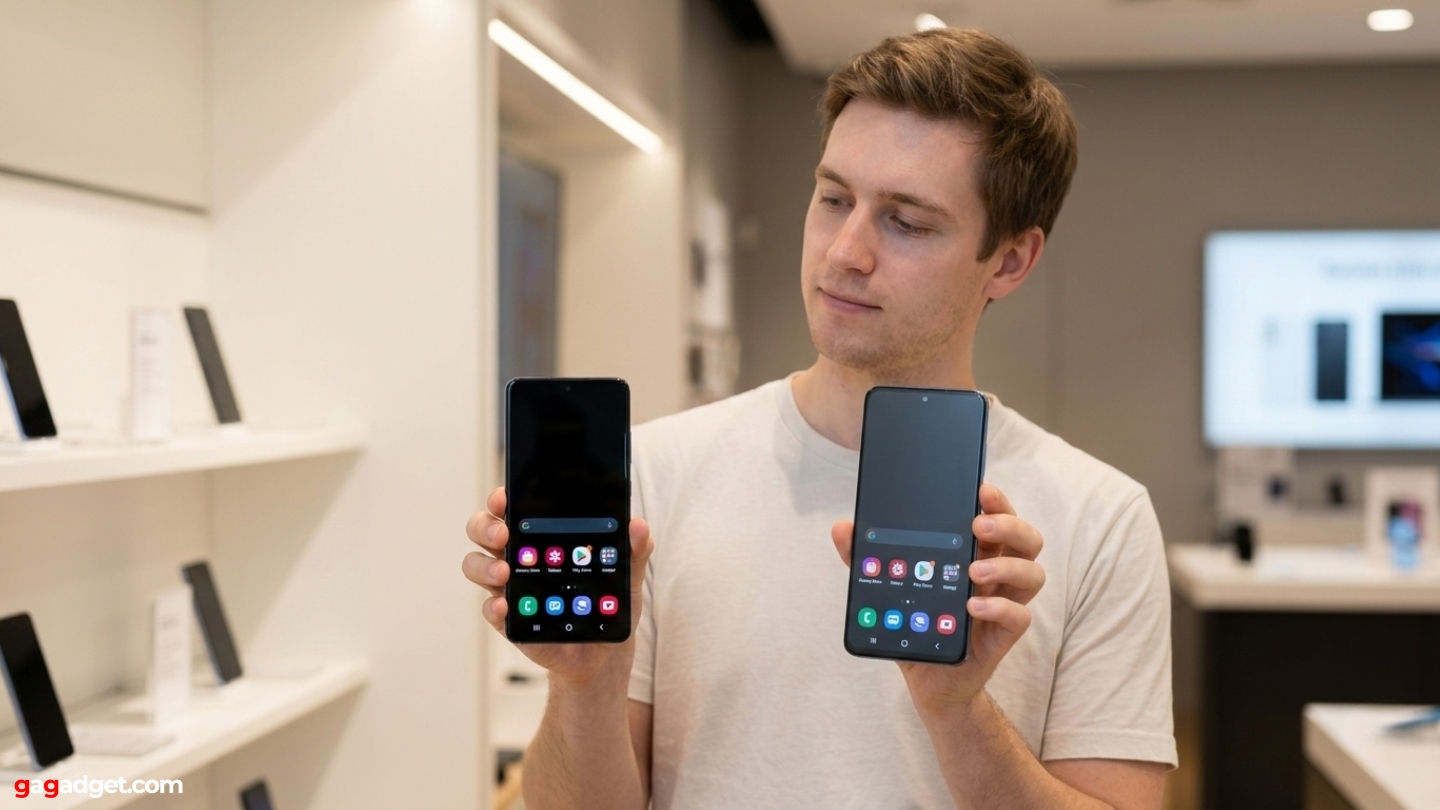
The practical case for AMOLED is strong for most people buying a phone in the mid-range or above. Dark mode battery savings are real and accumulate over a full day of use. True blacks transform night-time viewing and gaming. The flexibility of AMOLED panels enables curved edges and foldable designs that IPS LCD cannot match. At the flagship tier, AMOLED has effectively won - no major manufacturer ships a phone above $700 with an IPS LCD panel anymore. The debate only stays genuinely open in the budget segment, where IPS LCD still offers better brightness per dollar, more stable longevity, and no burn-in risk. For someone spending under $200 on a phone they plan to keep for four or five years, a well-calibrated IPS LCD is a sound choice.
LCD remains the better answer in two specific situations beyond price. First, for users who are sensitive to PWM flicker - a small but real group who experience eye strain or headaches from AMOLED screens regardless of brightness settings. Second, for work that demands color accuracy against a known reference: photographers editing images on a phone, illustrators checking color against print proofs. IPS LCD's natural sRGB accuracy without requiring mode switching makes it more reliable for that workflow. Everyone else - people who watch video, play games, use dark mode regularly, or care about shadow detail in low-light content - will find AMOLED the more satisfying panel across daily use.
AMOLED vs LCD Phone Screens: FAQ
Does AMOLED actually save battery compared to LCD?
Yes, but only under specific conditions. AMOLED saves battery when displaying dark content, because pixels producing black are turned off and draw no power. Enabling system-wide dark mode on an AMOLED phone produces a measurable improvement - typically 5% to 15% depending on screen brightness and content type. On an LCD phone, dark mode has no effect on power consumption because the backlight runs continuously regardless of image content. However, AMOLED draws more power than LCD when displaying bright, white-heavy content like browsers or document editors at high brightness. Users who spend most of their screen time in light-themed apps should not expect automatic battery savings from switching to AMOLED.
Can AMOLED screens really burn in, and should that worry most users?
Burn-in is a real phenomenon but not a practical concern for typical use patterns. It occurs when the organic materials in heavily used subpixels degrade faster than adjacent ones, leaving a faint persistent image - most commonly the status bar, navigation buttons, or keyboard layout. Modern AMOLED panels include pixel-shifting, screen dimming timers, and other software measures to distribute wear across the display. Visible burn-in on a phone used normally takes three to five years to develop, if it appears at all. Users who hold static UI elements at maximum brightness for extended daily periods - navigation apps running for hours, always-on displays in commercial settings - face a higher risk. For everyone else, AMOLED burn-in is a theoretical concern rather than a practical one within a normal phone ownership period.
Why do some people get headaches from AMOLED screens but not LCD?
The most likely explanation is PWM (Pulse Width Modulation) dimming. AMOLED displays control brightness at low settings by rapidly cycling pixels on and off - in some panels, at frequencies as low as 240 Hz. Most people cannot consciously see this cycling, but some users' nervous systems respond to it with eye strain, headaches, or dizziness, particularly in dim environments where the screen is at lower brightness. LCD panels use DC dimming, which reduces backlight voltage directly and produces a stable, non-flickering output. If discomfort appears specifically on AMOLED or OLED screens but not LCD, PWM sensitivity is the most likely cause. Higher-frequency panels (1,000 Hz and above) significantly reduce the problem, and some phones offer explicit anti-flicker modes as an accessibility option.
Is IPS LCD better than AMOLED for color accuracy?
For sRGB-referenced content - which covers most photography, web content, and standard video - a carefully calibrated IPS LCD can match or exceed AMOLED for accuracy out of the box. IPS LCD tends to produce whites that are more neutral and colors that sit closer to their intended values without requiring mode switching. AMOLED panels in their default "Vivid" mode oversaturate colors relative to sRGB, making images pop but diverging from the reference. Most AMOLED phones include a "Natural" or "Standard" mode that brings colors much closer to sRGB, which narrows the gap considerably. For Dolby Vision and HDR10 content mixed for wide color gamuts, AMOLED's broader native gamut becomes an advantage rather than a liability. The short answer: IPS LCD wins on default sRGB accuracy; AMOLED wins on HDR and wide-gamut content when properly calibrated.
Are there still new phones with LCD screens worth buying?
Yes, though the selection has narrowed considerably. The iPhone SE (3rd generation) remains the most prominent LCD smartphone from a major manufacturer, offering Apple's chip performance and software ecosystem at a lower price point than any OLED iPhone. In the Android space, LCD survives primarily in phones under $200, where the cost difference allows manufacturers to hit aggressive price points without compromising the processor or battery. Certain Motorola Moto G models and entry-level Nokia phones retain LCD panels. For users who prioritize budget, outdoor brightness, or long-term durability without burn-in risk, these phones represent real value - as long as the display type is a deliberate choice rather than an oversight.
AMOLED vs LCD: The Display Decision
The gap between these two technologies has narrowed at the top of the market and widened at the bottom. Flagship AMOLED panels have addressed the historical weaknesses - outdoor brightness has caught up with LCD, high-frequency PWM has substantially reduced eye strain complaints, and calibration options let users dial in sRGB accuracy when needed. What remains is the fundamental structural difference: AMOLED controls light at the pixel level, giving it unmatched contrast and power savings in dark content, while LCD manages light through a backlight, giving it stable, predictable output without the organic degradation that eventually affects every AMOLED panel.
For a phone purchased today in the mid-range or above, AMOLED is the default choice for most users and the right one for most use cases. The exceptions - PWM sensitivity, color-critical professional work, long planned ownership on a tight budget - remain real but apply to a minority of buyers. The more useful question is not which technology wins in the abstract, but which specific panel, in which specific phone, delivers what a particular user actually needs across the hours they spend looking at it.

Meet James, our go-to tech guru and seasoned reviewer. His sharp attention to detail and love for gadgets drive his deep dives into the newest tech waves. James's insightful analysis and real zest for breakthroughs have earned him a solid reputation in the tech world.


