What Is Soldered RAM and Should You Avoid It?
Most laptops sold today have RAM that cannot be upgraded - ever. From budget Chromebooks to $2,500 ultrabooks, memory chips are soldered directly onto the motherboard during manufacturing. There are no slots to open, no modules to swap, and no correction path once the order ships.
The shift accelerated after Apple moved its entire Mac lineup to soldered unified memory in 2020, and PC manufacturers followed with soldered LPDDR5 designs across every thin-and-light category. Today, if a laptop is thinner than 15mm, it almost certainly has no user-accessible memory slots - and the buyers most likely to regret this are those who underestimated their needs at checkout.
Short answer: Soldered RAM is memory permanently bonded to the motherboard with no upgrade path after purchase. It runs faster and uses less power than socketed alternatives, which is why Apple, Dell, and most premium ultrabook makers use it exclusively. The catch: whatever capacity you buy is what you keep for the life of the device - so getting the configuration wrong at checkout is an expensive mistake.
- What Soldered RAM Actually Is
- Performance and Bandwidth Differences
- Design Trade-offs: Thin, Light, and Efficient
- Soldered vs Socketed Comparison
- Upgrade Path and Long-Term Ownership
- Soldered RAM FAQ
What Soldered RAM Actually Is
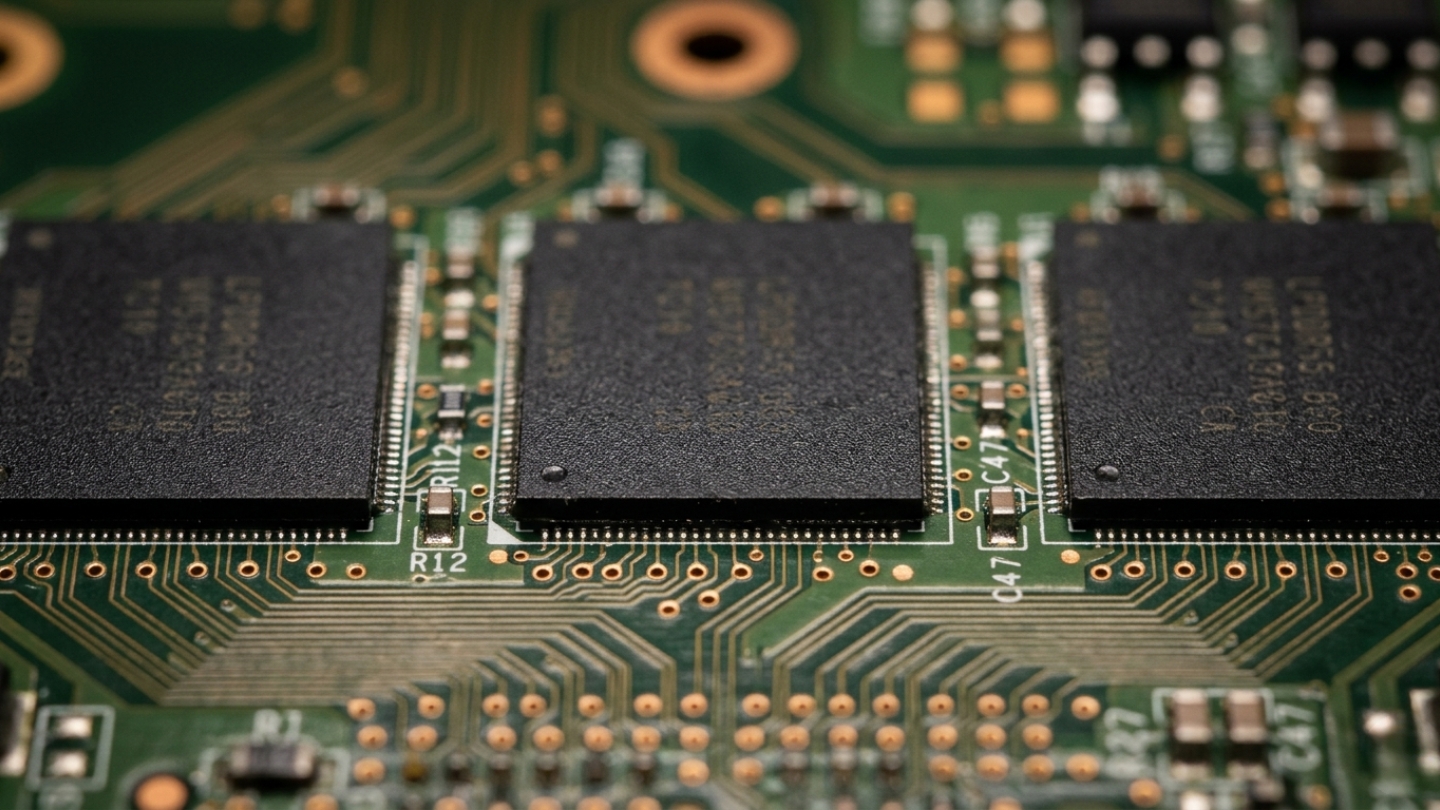
RAM is soldered to the motherboard through a process called Ball Grid Array (BGA) soldering: hundreds of microscopic solder balls bond each chip to the PCB under heat and pressure during manufacturing. The result is a permanent connection - physically and electrically. Unlike SODIMM modules that click into slots and pull out by hand, BGA chips require a soldering station to remove and are not designed to be removed at all. Apple Silicon MacBooks, most Dell XPS models, and virtually every laptop thinner than 15mm use this approach exclusively.
The memory type itself differs between the two approaches. Socketed laptops use SODIMM modules with standard DDR4 or DDR5 chips - the same form factor that has existed since the early 2000s. Soldered designs use LPDDR variants (currently LPDDR5 and LPDDR5X), manufactured in smaller die sizes that make direct board mounting practical. Apple's unified memory architecture goes a step further, integrating RAM onto the same silicon package as the processor itself - memory and CPU sit within millimeters of each other, rather than connected by board traces.
Identifying soldered RAM before purchase is straightforward if you know what to look for. Any laptop listing LPDDR5 or LPDDR5X memory uses soldered chips - these types do not exist in SODIMM form. Specs listing DDR5 without the "LP" prefix may indicate socketed modules, though checking the manufacturer's service manual is the only reliable confirmation. The Lenovo ThinkPad X1 Carbon Gen 12 is a typical example: LPDDR5 soldered directly to the board, 14.9mm thin, no memory slot anywhere in the chassis.
Performance and Bandwidth Differences
Soldered LPDDR memory has a genuine performance edge over socketed DDR alternatives - and the gap is wider than most buyers expect. LPDDR5X reaches memory bandwidth of 85-102 GB/s depending on channel configuration, while DDR5 SODIMM modules top out around 51-68 GB/s at comparable clock speeds. Physical proximity matters too: soldered chips sit closer to the processor, cutting signal path length and reducing memory latency by 5-15 nanoseconds. In workloads that move large volumes of data through memory repeatedly - video editing, large spreadsheet calculations, integrated GPU rendering - this adds up.
Where exactly does soldered memory pull ahead:
- Signal integrity: Shorter, direct traces between soldered memory and the processor reduce electromagnetic interference and allow higher stable clock frequencies than the longer routed paths required to reach SODIMM connectors at the board edge.
- Power consumption: LPDDR5X operates at 1.05V versus DDR5's 1.1V - a small difference per operation that translates to 30-60 minutes of additional battery runtime in manufacturer testing across comparable workloads.
- Thermal output: Lower voltage and shorter signal paths generate less heat per memory operation, reducing thermal load in chassis where cooling headroom is already tight.
- Dual-channel reliability: Soldered configurations ship in guaranteed dual-channel mode from the factory. Socketed systems depend on users installing matched pairs correctly - one mismatched or failed module silently drops performance to single-channel speeds.
The gains are most concrete in integrated graphics. GPUs sharing memory with the CPU depend heavily on bandwidth - and LPDDR5X-equipped systems outperform DDR5 socketed alternatives in graphics benchmarks by 15-25% at identical GPU specifications. The Apple MacBook Air M3 makes this visible: its soldered unified memory gives integrated graphics performance that beats discrete GPUs from earlier laptop generations - hardware that cost more and ran hotter.
Design Trade-offs: Thin, Light, and Efficient
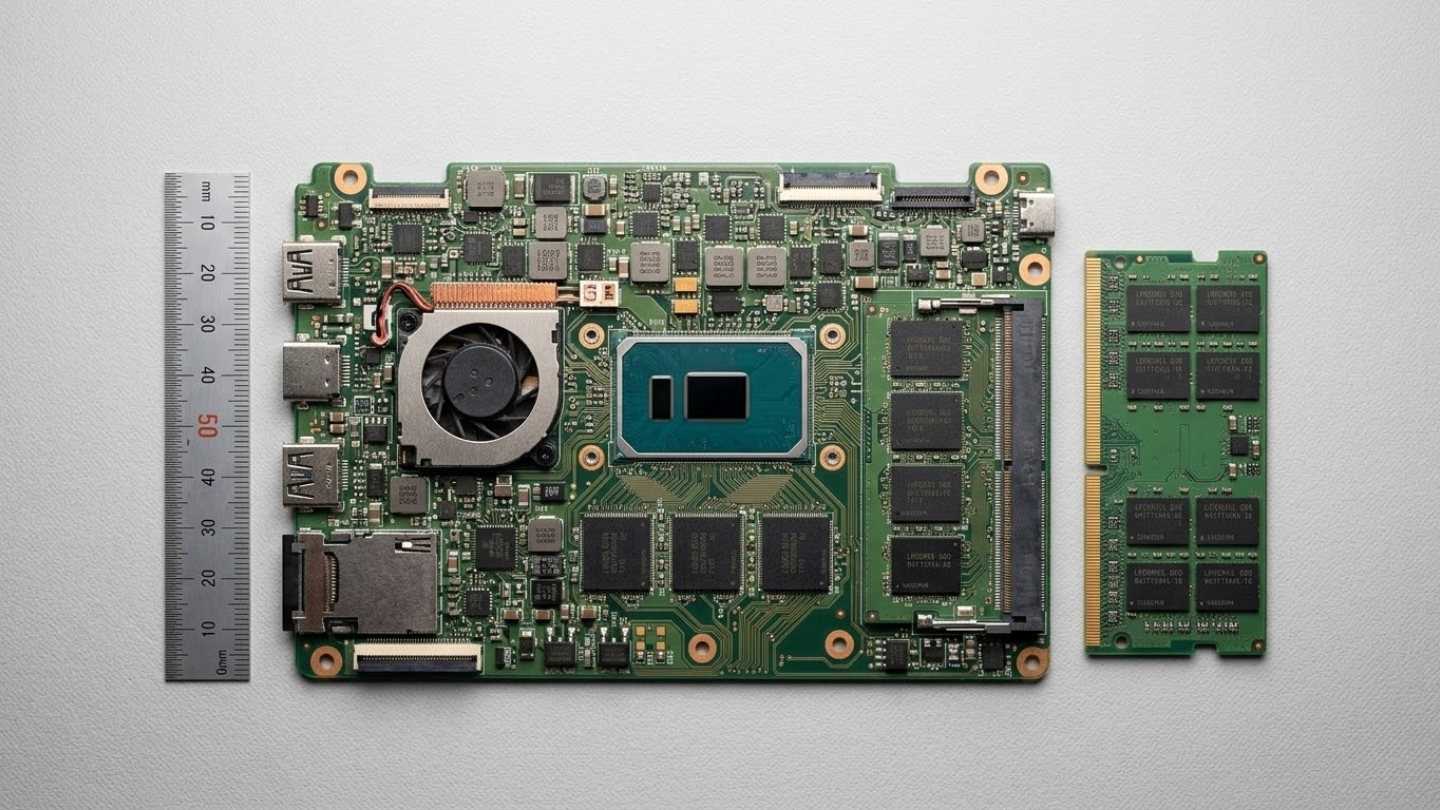
A SODIMM slot is a physical object with hard dimensions: 69mm wide, 3-4mm tall above the board surface, plus the routing traces connecting it to the processor. In a chassis with 8-10mm of total internal height, that slot eats a meaningful fraction of available space and forces the entire board layout to work around it. Remove the slot, and the constraint disappears - engineers place components based on electrical and thermal logic alone, not around a connector that exists for user convenience.
The recovered space goes somewhere useful. Battery cells expand into the reclaimed volume, which contributes directly to the 10-20 hour battery life figures that define modern premium ultrabooks. Thermal spreaders and vapor chambers fill area previously occupied by slot connectors. The net result is a thinner, lighter machine with more battery capacity - not a thinner machine with the same battery.
Soldered vs Socketed Comparison
| Factor | Soldered RAM | Socketed RAM |
|---|---|---|
| Performance | LPDDR5X reaches 85-102 GB/s bandwidth at 1.05V. Shorter signal paths lower latency 5-15ns. Dual-channel guaranteed from factory. Integrated graphics benefit significantly from higher memory bandwidth. | DDR5 SODIMM tops out at 51-68 GB/s. Longer traces introduce additional latency and interference risk. Single-channel operation possible if modules mismatch or one fails. |
| Upgradeability | None. RAM capacity and speed are permanent decisions made at purchase. Insufficient memory cannot be corrected without replacing the entire board or device. | Full user-replaceable upgrades available. Capacity expandable from 8GB to 64GB or higher on most platforms. Failed modules swap without board removal. |
| Device Design Impact | Enables sub-15mm chassis, larger battery cells in reclaimed space, flexible component placement, and optimized thermal routing. Primary enabler of modern ultrabook dimensions. | SODIMM slot requires 69mm width clearance and 3-4mm height, adding 1-3mm to minimum chassis thickness and constraining motherboard layout around slot position. |
| Repairability and Longevity | Memory failure requires board-level repair or full board replacement. Cost often exceeds device value on older machines. No independent memory replacement possible. | Failed SODIMM module replaceable for $30-80 without professional service. Board survives memory failure intact. Memory upgrades extend functional device lifespan as software requirements grow. |
One consequence the table does not capture: the resale market prices soldered configurations differently by RAM tier. An 8GB soldered laptop sells at a steeper used-market discount three years from now than the 16GB version of the same machine, because secondhand buyers face the same permanent choice as the original owner. The Dell XPS 13 9340 already shows this pattern: used 8GB units depreciate noticeably faster than 16GB models despite identical build quality.
Upgrade Path and Long-Term Ownership
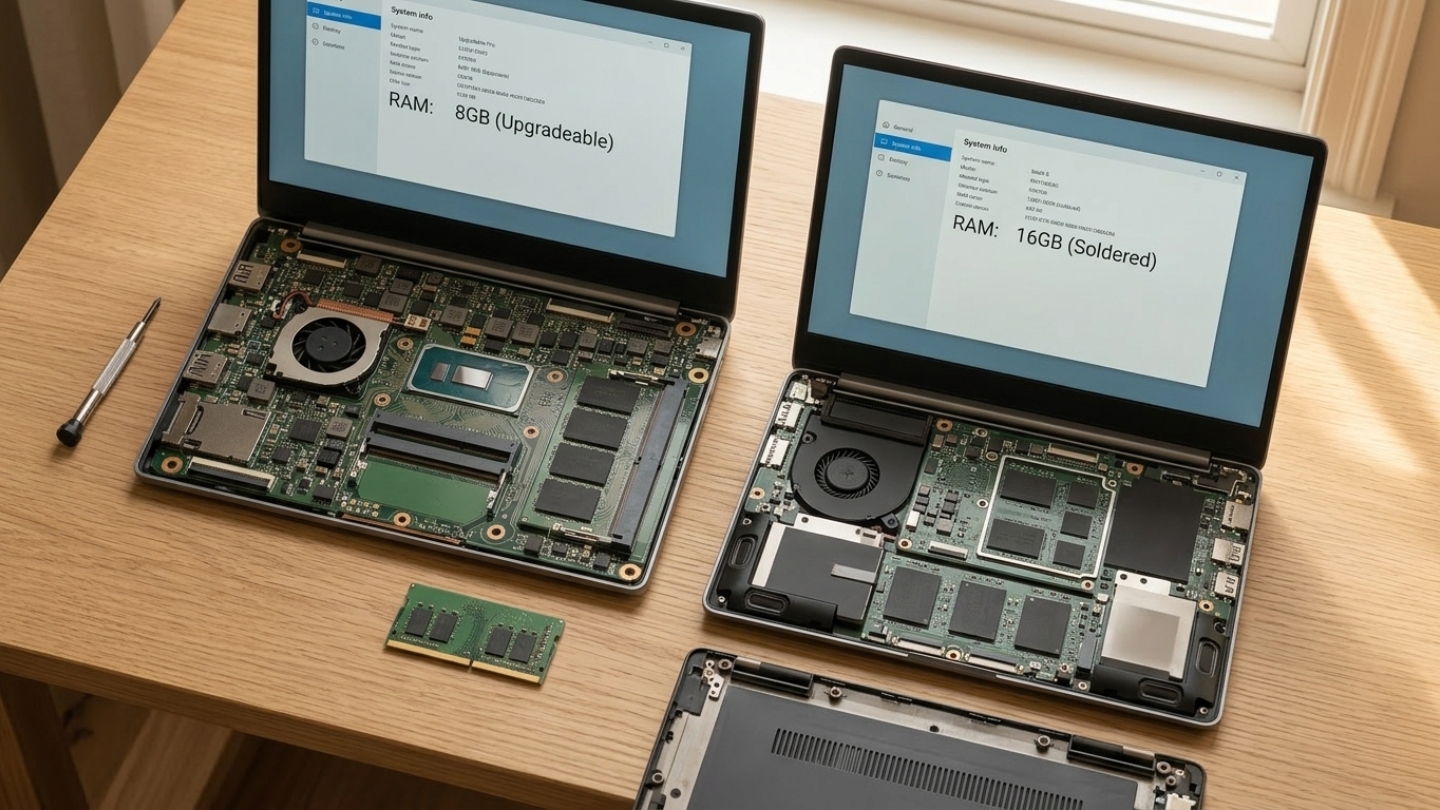
RAM requirements for mainstream operating systems and software increase on roughly a four-to-five year cycle. A laptop purchased with 8GB of soldered RAM in 2021 runs Windows 11 acceptably today - but browser memory consumption, background processes, and application baseline requirements are still climbing. The owner of a socketed machine adds 16GB for under $50 and gets two to three more productive years. The owner of the soldered equivalent has one option: replace the device.
Repair economics make the situation worse when hardware fails. A damaged SODIMM module costs $30-80 and 15 minutes to replace. Soldered RAM failure - from a manufacturing defect, physical damage, or electrostatic discharge - requires board-level microsoldering or full motherboard replacement. Professional board repair runs $200-400 when a shop will take the job at all; many decline BGA rework entirely. Motherboard replacement for most ultrabooks costs $400-700, frequently exceeding the machine's used market value once it is three years old. These are the groups most exposed:
- Buyers who chose 8GB to save money and find themselves slowed down within 18-24 months as browser and OS overhead grows
- Anyone planning to keep a laptop beyond five years, where software requirements are genuinely hard to predict today
- Professionals whose workloads expand over time - developers adding Docker containers, photographers moving to larger RAW formats, video editors increasing output resolution
Soldered RAM FAQ
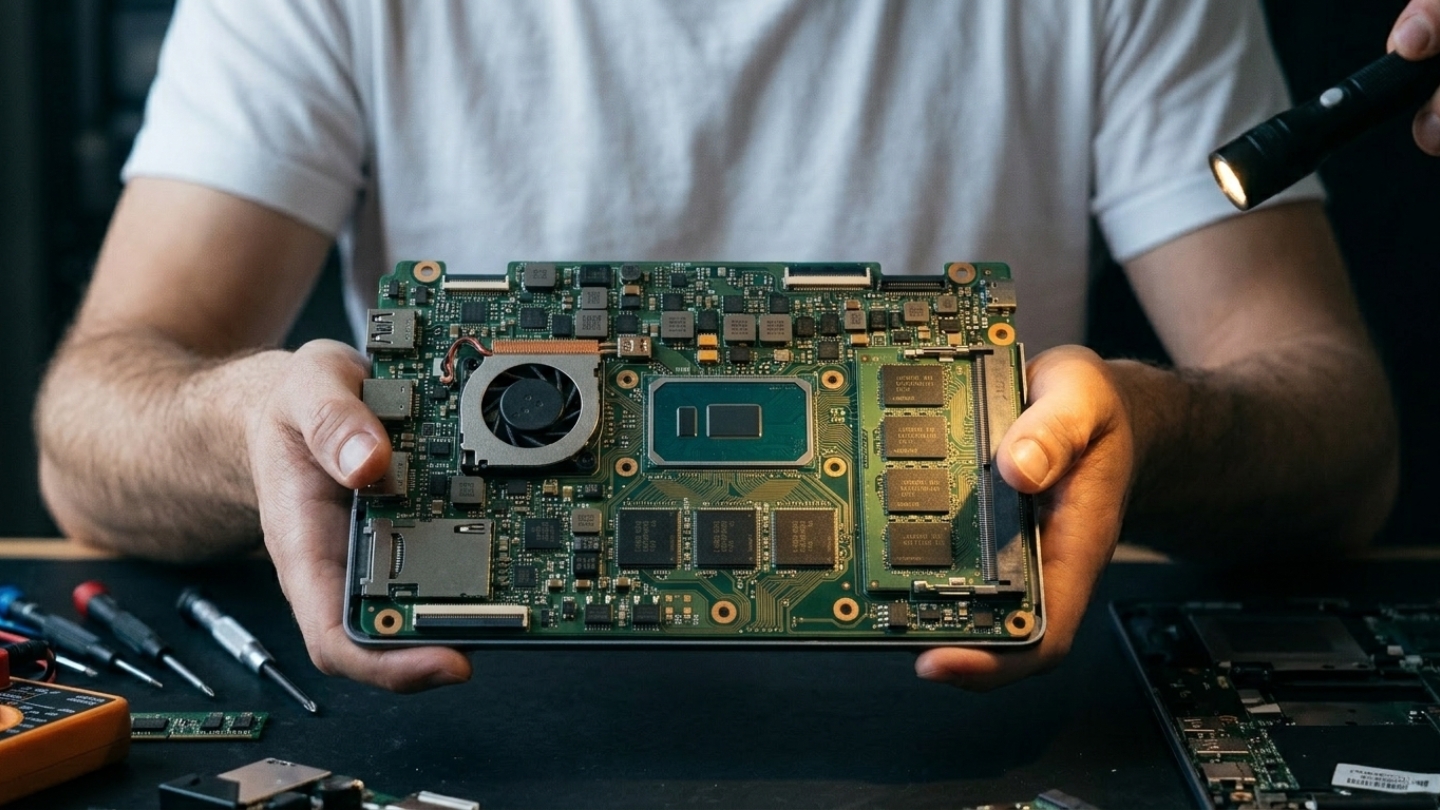
Is soldered RAM actually faster than upgradable RAM?
Yes, in measurable ways. LPDDR5X used in soldered configurations reaches 85-102 GB/s of memory bandwidth versus 51-68 GB/s for DDR5 SODIMM at comparable speeds. Shorter signal paths between soldered chips and the processor reduce latency by 5-15 nanoseconds. These advantages are most visible in integrated graphics workloads, where higher memory bandwidth directly translates to GPU performance gains of 15-25% over socketed alternatives at identical GPU specifications. For CPU-only tasks like web browsing and document editing, the difference is present but not practically meaningful in daily use.
Can soldered RAM be repaired if it fails?
Repair is possible but expensive and not universally available. Board-level microsoldering specialists can replace failed BGA memory chips, though the process requires specialized equipment and access to replacement chips that match the original specifications exactly. Professional repair typically costs $200-400 when a shop will take the work at all; many decline BGA rework entirely. Motherboard replacement - the more common path - runs $400-700 for most ultrabooks and frequently exceeds the machine's used market value on devices older than three years. Memory failure is one of the few component failures that can make a soldered laptop economically unrepairable.
How much RAM should I buy in a soldered laptop?
For general use in 2026, 16GB is the practical floor - not a comfortable middle ground. Browsers consume 4-8GB across a typical working session with multiple tabs open, and OS overhead plus background applications account for another 2-4GB before any primary application opens. That leaves an 8GB machine running tight from day one. For development, video editing, or any workload involving virtual machines, 32GB is the appropriate baseline. Since no upgrade is possible after purchase, the right question is not what covers current needs but what will still feel adequate three to four years from now.
Does soldered RAM reduce resale value?
It affects resale value selectively based on the RAM tier. High-capacity soldered configurations (32GB and above) hold value comparably to socketed equivalents because buyers can assess adequacy confidently. Low-capacity configurations (8GB) depreciate faster in the used market than socketed counterparts at the same capacity, because secondhand buyers apply identical forward-looking logic to used purchases - they cannot upgrade it after buying it either. The practical depreciation gap between 8GB and 16GB soldered models widens over time as minimum requirements increase, making tier selection at initial purchase a more significant financial decision than it appears when comparing only upfront prices.
Which laptops still offer upgradable RAM in 2026?
Socketed DDR5 memory remains available primarily in business-class laptops, gaming machines, and purpose-built modular designs. The Framework Laptop 13 and Framework Laptop 16 maintain user-replaceable DDR5 SODIMM slots as a core design principle. Lenovo ThinkPad T-series (T14, T16) retains socketed memory in specific configurations. Most gaming laptops using discrete Nvidia or AMD GPUs continue using SODIMM slots, as the performance requirements of discrete GPU workloads make LPDDR power savings less relevant. Consumer ultrabooks from Dell, HP, Lenovo, and Apple have largely completed the transition to soldered LPDDR designs, with socketed options becoming exceptions requiring deliberate search rather than the default expectation.
Making the Memory Decision
Soldered RAM is not a defect - it is the engineering decision that makes thin, light, long-running ultrabooks possible. The performance advantages of LPDDR5X are real. The battery life gains are real. For buyers who purchase adequate capacity upfront, the permanence of the configuration creates no practical problem during a normal three-to-four year ownership cycle. The issue is not the technology itself but the entry-tier pricing that makes 8GB configurations look reasonable when they carry a genuine risk of obsolescence within the ownership window.
Treat soldered RAM as a one-time irreversible decision that requires buying ahead of current needs. Buyers who start at 16GB for general use and 32GB for professional work will find the configuration holds up comfortably across the device's lifespan. Those pressured toward 8GB by upfront pricing, planning five-plus year ownership, or uncertain how their workloads will grow are accepting a risk the chassis thinness and battery life do not offset - the risk of being stuck with a capable machine that simply ran out of memory.

Meet James, our go-to tech guru and seasoned reviewer. His sharp attention to detail and love for gadgets drive his deep dives into the newest tech waves. James's insightful analysis and real zest for breakthroughs have earned him a solid reputation in the tech world.


