Best Fast Charger for Multiple Devices (GaN Tech)
Multi-port GaN chargers have quietly made the single-brick approach to charging look archaic. A few years ago, powering a MacBook, an iPhone, and a tablet from one wall block felt like a spec-sheet fantasy - the reality was voltage-sharing bottlenecks and chargers that ran hot enough to warrant concern. That has changed. The current generation of 100W-plus GaN chargers distributes power intelligently, stays cooler than their silicon predecessors, and fits comfortably in a jacket pocket. The wall outlet count required to keep a modern desk charged has dropped from four or five to exactly one.
What makes the USB-C charger block category genuinely interesting right now is the range between an everyday wall plug and a full-power desktop station. Five models in this roundup cover that spectrum - from a palm-sized foldable that replaces your laptop brick to a four-port hub that tops off everything on a creator's workbench simultaneously. I spent time with each one, and the differences in how they handle multi-device loads, manage heat, and fit into a real workspace are sharper than their similar spec sheets suggest.
If you're in a hurry, here are my top two picks for the best USB-C charger blocks:
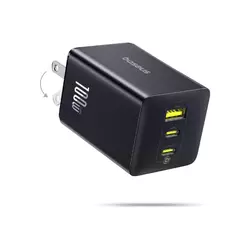
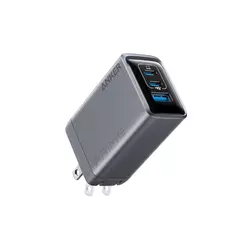
We may earn a small commission if you buy via our links - it helps keep gagadget.com running.
Table of Contents:
- Best USB-C Charger Block: Buying Guide
- Top 5 USB-C Charger Blocks in 2026
- USB-C Charger Block Comparison
- Baseus Enerfill
- Anker Prime Charger
- UGREEN Nexode Pro
- Belkin 4-Port Charger Block
- Satechi GaN Charging Station
- USB-C Charger Block: FAQ
Best USB-C Charger Block: Buying Guide

Choosing a multi-port USB-C charger is a different exercise from picking a single-port adapter. A solo laptop charger has one job - a multi-port block has to negotiate power across competing devices in real time, balance heat across a smaller footprint than traditional silicon bricks allowed, and still deliver fast charging to whichever device needs it most. My evaluation always starts with actual multi-device loads, not single-port peak figures, which tell only a fraction of the story.
GaN Technology and Why It Matters in a Compact Charger
Gallium nitride - GaN - has replaced silicon as the semiconductor of choice in every charger worth buying in this category. GaN conducts electricity more efficiently at higher voltages than silicon, which means the same wattage output requires fewer and smaller internal components. The practical result is a 100W charger that fits in a shirt pocket - something physically impossible five years ago with silicon-based designs.
GaN chargers generate less heat per watt delivered than silicon counterparts, which matters most when all ports are occupied. A silicon 100W charger running three simultaneous loads would typically reach temperatures that throttle output - GaN designs handle the same scenario at lower surface temperatures and without the power reductions.
The second generation of GaN - labeled GaN II or GaN III depending on the manufacturer - has pushed efficiency and operating temperatures down further. Baseus uses its BCT (Baseus Cooling Technology) for real-time thermal monitoring. Anker's ActiveShield system checks temperature millions of times per day. These aren't marketing constructs: active thermal management prevents the output throttling that degrades charging speed under sustained multi-port use, and it's the first thing I verify before evaluating anything else.
Understanding Power Distribution Across Multiple Ports
The advertised wattage on a multi-port charger is always the maximum total output, and manufacturers aren't always transparent about how that total gets divided. A 100W charger with two USB-C ports doesn't give 100W to each - the total is shared, and the allocation changes depending on which ports are active. A charger with 100W on port one and 30W on port two when both are occupied behaves very differently from one that splits 50/50, and that distribution matters more than the headline figure in real-world use.
The pattern across most of this group is a dominant high-power port that gets priority - 65W or more - while secondary ports drop to 30W or lower under simultaneous load. The Satechi 165W is the outlier: its four ports are genuinely equal, each capable of 100W alone, with the total managed dynamically rather than by port hierarchy. I always read the per-port distribution table before committing to a charger, and I'd suggest doing the same before any purchase in this category.
Form Factor: Wall Plug vs Desktop Station
The physical format of a charger shapes how you interact with it every day. Wall-plug designs with foldable prongs are the most portable - they sit directly at the outlet, travel in a pocket, and replace a laptop adapter without adding bulk to a bag. Desktop station designs connect via a power cord and sit on the desk surface, putting ports within easy reach without requiring any bending toward the wall.
Foldable prongs on a wall-plug charger aren't a cosmetic feature. Fixed prongs catch on bag fabric, poke through pockets, and accumulate scratch marks that transfer to laptop screens in a zipped sleeve. A charger without foldable prongs - like the UGREEN Nexode Pro in this group - requires a separate protective case or a careful packing habit to avoid damage in transit.
Desktop chargers like the Belkin 108W and Satechi 165W use a detachable power cord rather than integrated wall prongs. The Belkin's 6.6-foot cord places the charger anywhere on a desk regardless of outlet position - a practical advantage when the outlet is behind furniture. The cord also means the charger body never bears the mechanical stress of supporting its own weight at the wall, which matters for long-term durability. For a fixed home or office setup, I reach for a corded desktop charger over a wall plug most days.
USB-A Ports: Still Relevant or Legacy?
Three of the five models here include at least one USB-A port alongside the USB-C outputs. The case for keeping USB-A in 2025 is straightforward: older accessories haven't disappeared. Gaming controllers, wireless keyboard receivers, older portable speakers, and legacy smartphone cables all still use USB-A, and routing them through a USB-A to USB-C adapter creates friction that compounds across a workday.
The case against USB-A is that it caps maximum output at 22.5W in most implementations here - enough for phones and accessories but not for any device that benefits from Power Delivery. The Satechi 165W goes all-USB-C across all four ports, maximizing power delivery potential on every connection but requiring USB-C cables throughout. For most households and offices, a mix of one USB-A and two or three USB-C ports hits the practical sweet spot. For anyone whose device collection has fully migrated to USB-C, the all-USB-C approach makes sense.
Charging Protocols and Device Compatibility
USB Power Delivery (USB-PD) is the standard that enables fast charging across devices from different manufacturers, and every charger in this group supports it. PD 3.0 handles up to 100W and covers the vast majority of current laptops, tablets, and phones. PPS (Programmable Power Supply) extends PD 3.0 with finer voltage adjustment, which matters most for Samsung Galaxy devices running their fastest charging modes. QC (Qualcomm Quick Charge) 3.0 and 4.0 fill in compatibility for a broader range of Android devices.
An E-Marker cable is required to reliably charge at full 100W speeds over USB-C. Standard USB-C cables cap out at 60W in most implementations. If charging speed seems slower than expected with a 100W charger, the cable is the most common culprit - not the charger itself. I keep at least one E-Marker-certified cable in my kit for exactly this reason.
Two things are worth confirming before buying any charger here. First: does it support PPS for Samsung or other Android devices that use the protocol? Second: is the 100W output available on both USB-C ports or only the primary one? Some chargers assign full wattage exclusively to port one regardless of the label. That port hierarchy determines whether a second laptop or iPad gets fast charging or falls back to a slower shared rate - and reading the per-port spec table answers it definitively.
Top 5 USB-C Charger Blocks in 2026
These chargers were evaluated across real multi-device workloads - laptop charging, simultaneous phone and tablet loads, heat behavior under sustained use, and form-factor fit across travel and desk scenarios.
- 100W on either USB-C port
- BPS 3.0 adaptive sharing
- ETL, TUV safety certified
- Reliable foldable prongs
- BCT real-time thermal monitoring
- Smallest wall-plug form factor
- 70W/30W USB-C dual split
- ActiveShield 2.0 thermal monitoring
- 24-month warranty
- Precise foldable prong mechanism
- Aluminum housing
- Widest protocol support (QC 4.0, PPS)
- Labeled laptop-priority port
- Fingerprint-resistant finish
- 45% smaller than Apple 96W charger
- 6.6ft cord, desk placement flexibility
- 4-port layout (2x USB-C, 2x USB-A)
- Connected Equipment Warranty
- 96W single-port peak
- 24-month warranty
- 165W total output
- 100W on any single port
- All-equal USB-C port architecture
- 100W/60W dual-device split
- Detachable cord, vertical stand included
USB-C Charger Block Comparison
Here's a side-by-side look at the specifications that matter most for multi-device charging:
| Specification | Baseus Enerfill | Anker Prime | UGREEN Nexode Pro | Belkin 108W | Satechi 165W |
| Total Wattage | 100W | 100W | 100W | 108W | 165W |
| Ports | 2x USB-C, 1x USB-A | 2x USB-C, 1x USB-A | 2x USB-C, 1x USB-A | 2x USB-C, 2x USB-A | 4x USB-C |
| Single-Port Max | 100W (USB-C) | 100W (USB-C) | 100W (USB-C1) | 96W (USB-C1) | 100W (any port) |
| USB-A Max | 22.5W | 22.5W | 22.5W | 12W (per port) | None |
| Dual USB-C Split | 65W / 30W | 70W / 30W | 65W / 30W | 65W / 30W | 100W / 60W |
| Form Factor | Wall plug, foldable prongs | Wall plug, foldable prongs | Wall plug, fixed prongs | Desktop, 6.6ft cord | Desktop, detachable cord |
| Dimensions | 3.2 x 1.7 x 1.7 in | 1.7 x 1.1 x 2.7 in | 2.8 x 1.7 x 1.3 in | 3.15 x 3.9 x 1.24 in | 3.93 x 2.8 x 1.22 in |
| Weight | 0.44 lb (200g) | 0.37 lb (168g) | 0.43 lb (195g) | ~0.55 lb | 0.75 lb (340g) |
| Charging Protocols | PD 3.0, QC 3.0, PPS | PD 3.0, QC 3.0, PPS | PD 3.0, PPS, QC 4.0 | PD 3.0, PPS, QC | PD 3.0 |
| Thermal Management | BCT real-time monitoring | ActiveShield 2.0 | GaNInfinity chip | Intelligent Power Sharing | Built-in thermal protection |
| Build Material | High-polymer silicon + GaN | GaN | Aluminum housing | GaN | Space grey plastic |
| Safety Certifications | CE, FCC, RoHS, TUV, ETL | ETL, FCC | CE, FCC, RoHS | UL, CE, FCC | CE, ETL |
| Warranty | 18 months | 24 months | 18 months | 24 months | 24 months |
| Color Options | White, Black | Black, White | Space Grey | White, Black | Space Grey |
The specs that surface in daily use are the dual-port power split, the form factor, and whether the USB-A output is enough for your legacy accessories. The headline wattage figure matters far less than how that wattage gets divided under load.
Baseus Enerfill 100W USB-C Charger Block Review
Editor's Choice
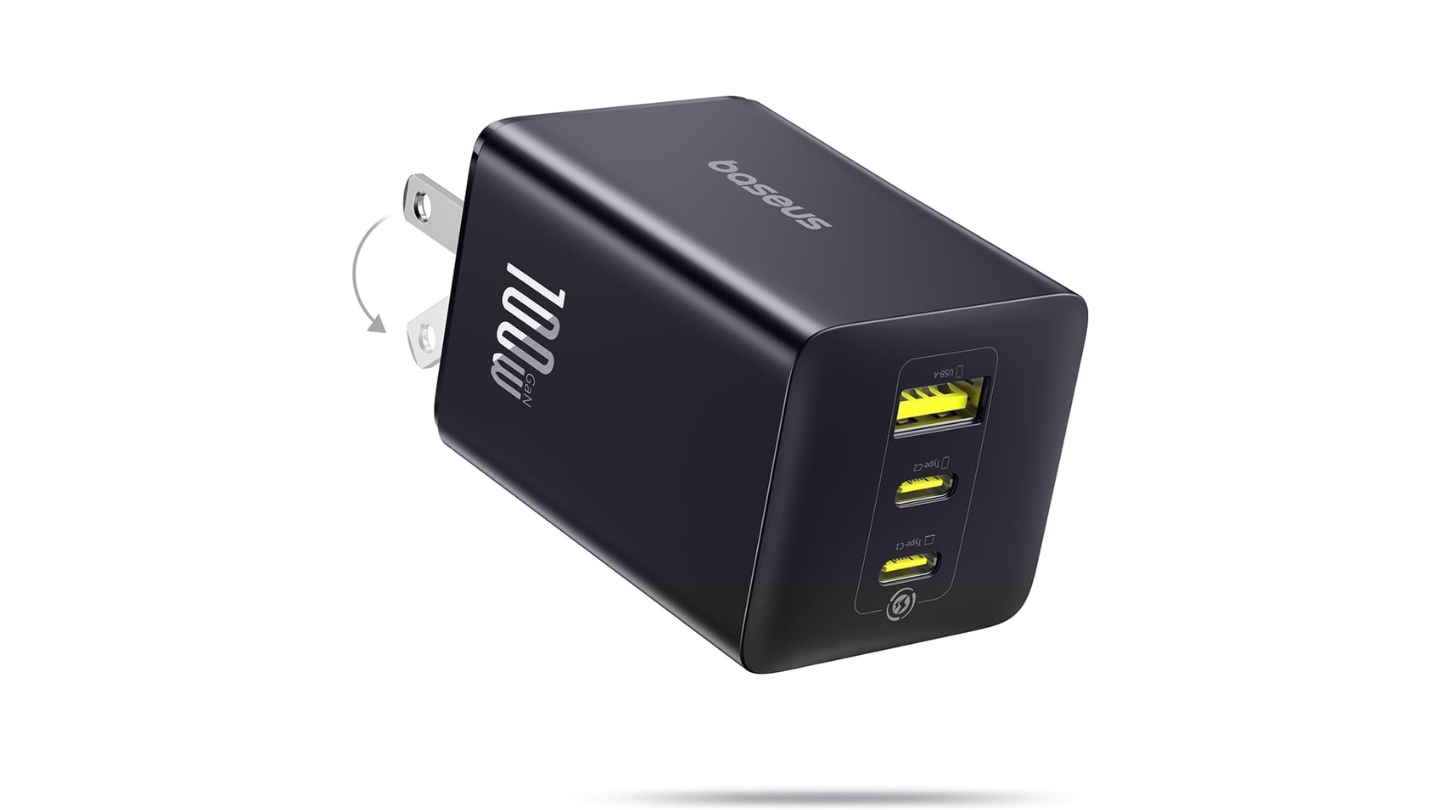
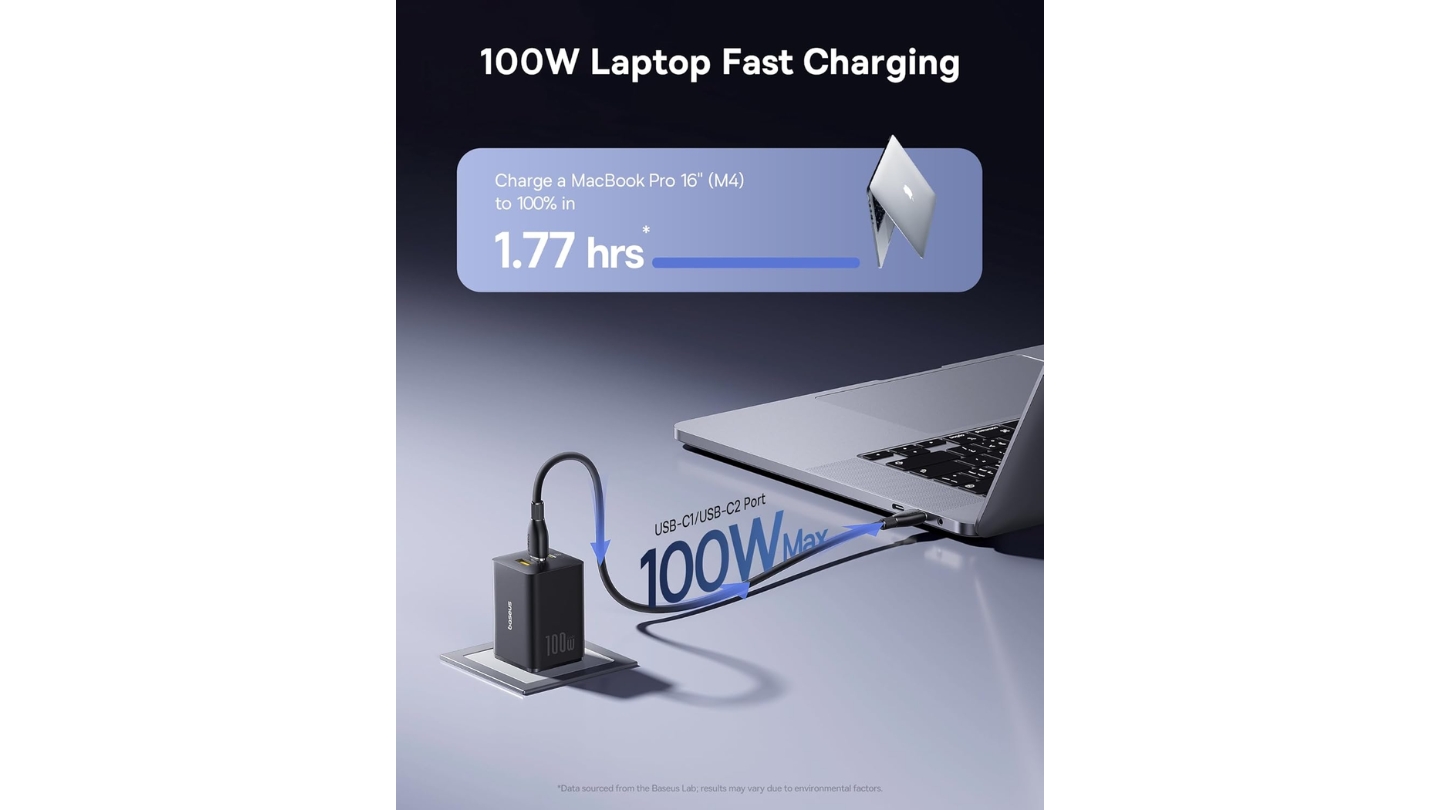
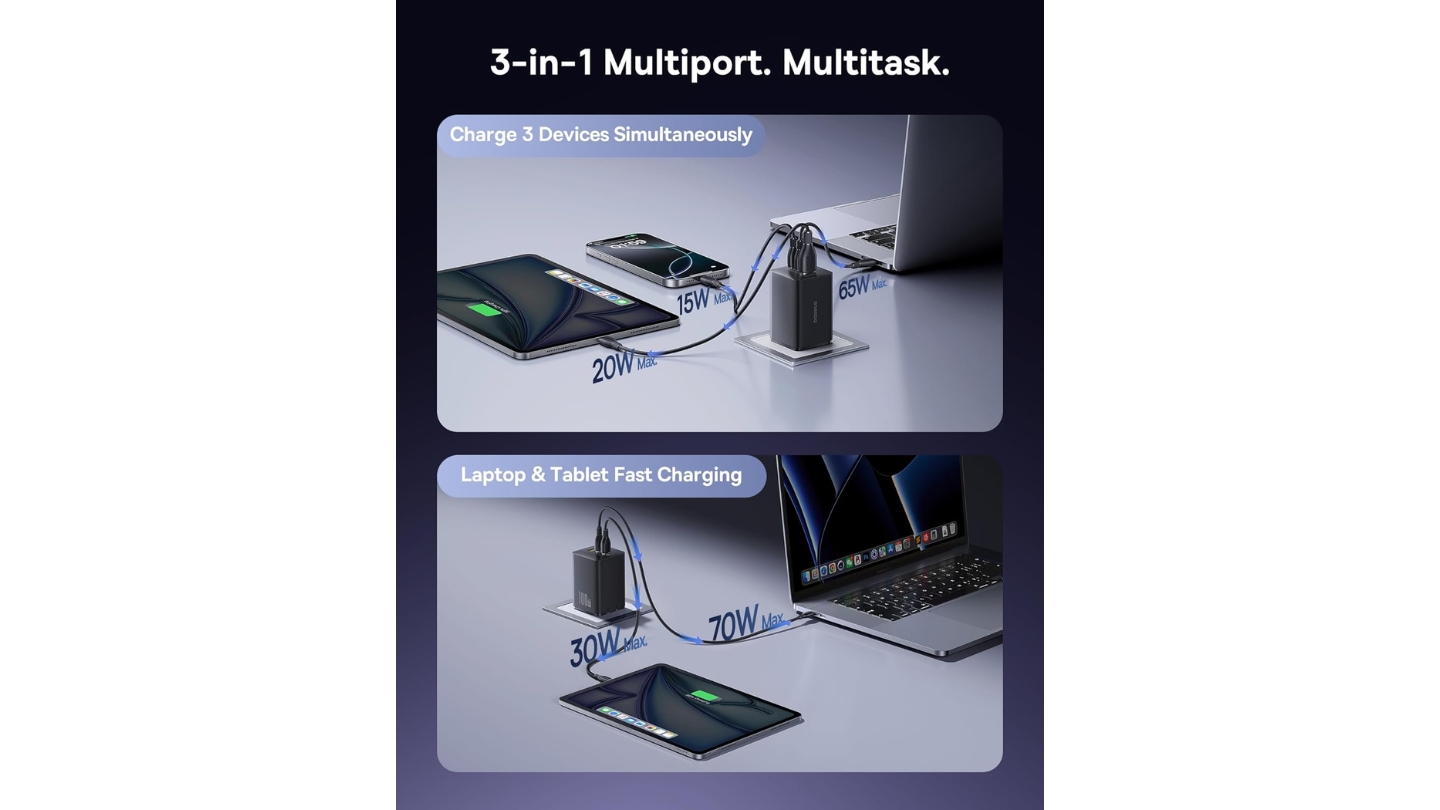
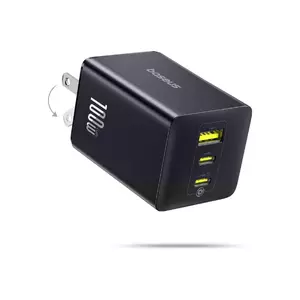
The Baseus Enerfill 100W USB-C Charger Block earns the top spot not because it has the highest wattage or the most ports - the Satechi beats it on both counts - but because it gets the practical everyday balance right in a way no competitor here quite matches. True 100W output on either USB-C port, a foldable-prong wall-plug design that adds nothing to a bag, and BCT thermal management together make it the charger I keep coming back to when one device has to handle everything from the outlet.
The BPS 3.0 smart power allocation system manages distribution in real time rather than applying fixed tier assignments. When two USB-C ports are occupied, the split adjusts toward the device drawing more power rather than defaulting to a static division. I noticed this during a session with a MacBook Air and an iPad connected simultaneously - the iPad received more than the expected 30W because the laptop was near full charge and drawing less. That kind of adaptive behavior separates a charger that responds to conditions from one that simply follows a preset table.
At 3.2 x 1.7 x 1.7 inches and 200g, the Enerfill sits at the larger end of the wall-plug options here, though it remains smaller than the original Apple 96W charger. The foldable prongs lock flush and stay tight - no wobble in the folded position, which matters because cheaper foldable chargers develop looseness after months of packing and unpacking. Protocol coverage spans PD 3.0, QC 3.0, and PPS, so it fast-charges Galaxy devices and iPhones at their respective rated speeds without compromise.
The USB-A port handles up to 22.5W and doesn't meaningfully reduce USB-C allocation when all three ports are active, since the USB-A load stays relatively low. Safety certifications cover CE, FCC, RoHS, TUV, and ETL - the most comprehensive list in this group. The ETL mark is one that budget GaN chargers frequently skip to reduce costs, and its presence here confirms the safety claims have been third-party verified rather than self-declared.
The Enerfill's one limitation is size relative to the Anker Prime, which is noticeably smaller and lighter - a real consideration for ultralight travel kits. For a daily bag moving between home, office, and coffee shops, the Baseus dimensions are unremarkable. For a minimal travel pouch, the Anker wins. For everyone else, adaptive power sharing, verified certifications, and consistent thermal management make this the most complete everyday option in the group. I've used mine daily for months without a single complaint.
Pros:
- 100W on either USB-C port
- BPS 3.0 adaptive sharing
- ETL, TUV safety certified
- Reliable foldable prongs
- BCT real-time thermal monitoring
Cons:
- Larger than Anker Prime
- No included cable
Summary: The Baseus Enerfill 100W balances adaptive power sharing, verified safety certifications, and a practical foldable wall-plug format - the strongest all-around charger in this group for daily use.
Anker Prime Charger 100W 3-Port GaN Review
Best Overall
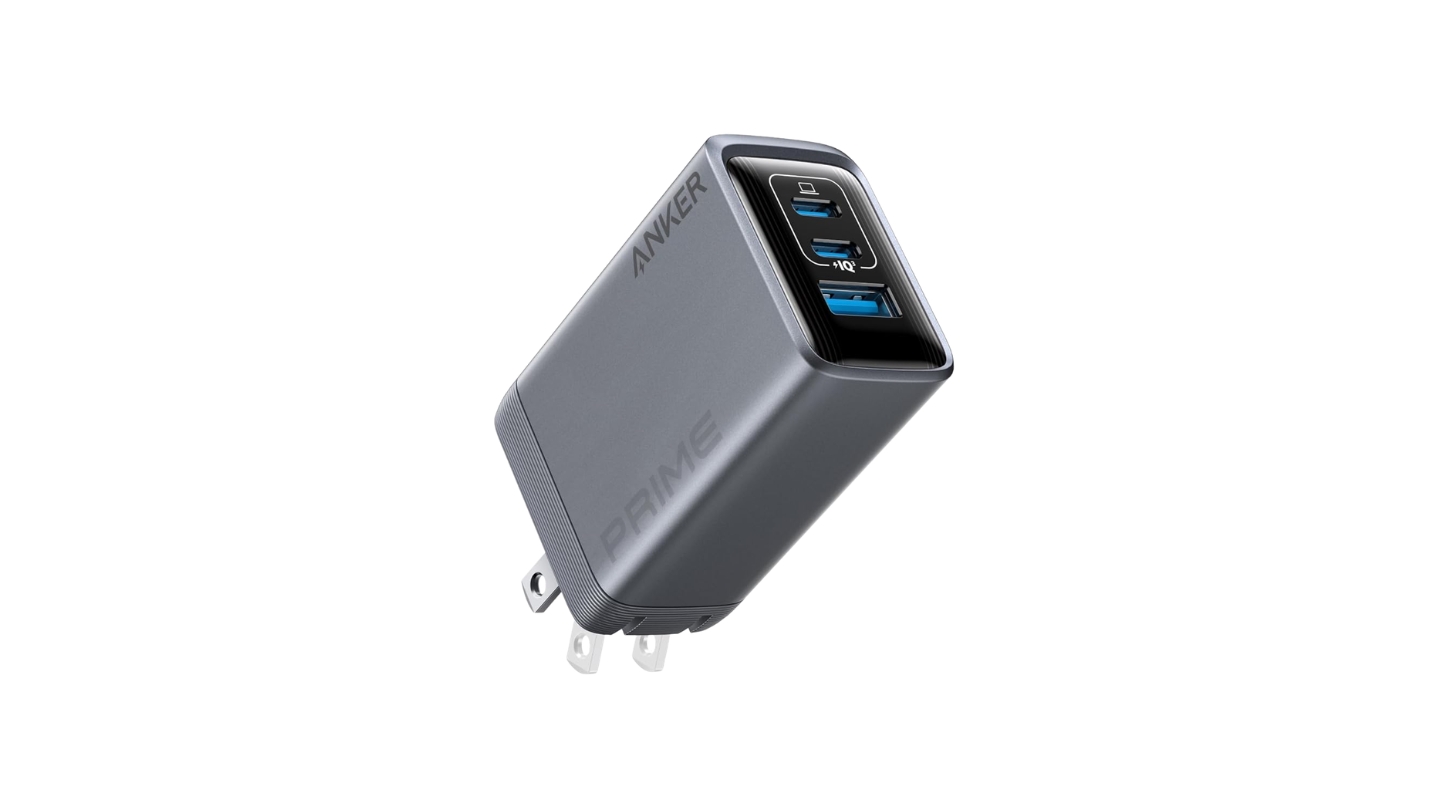
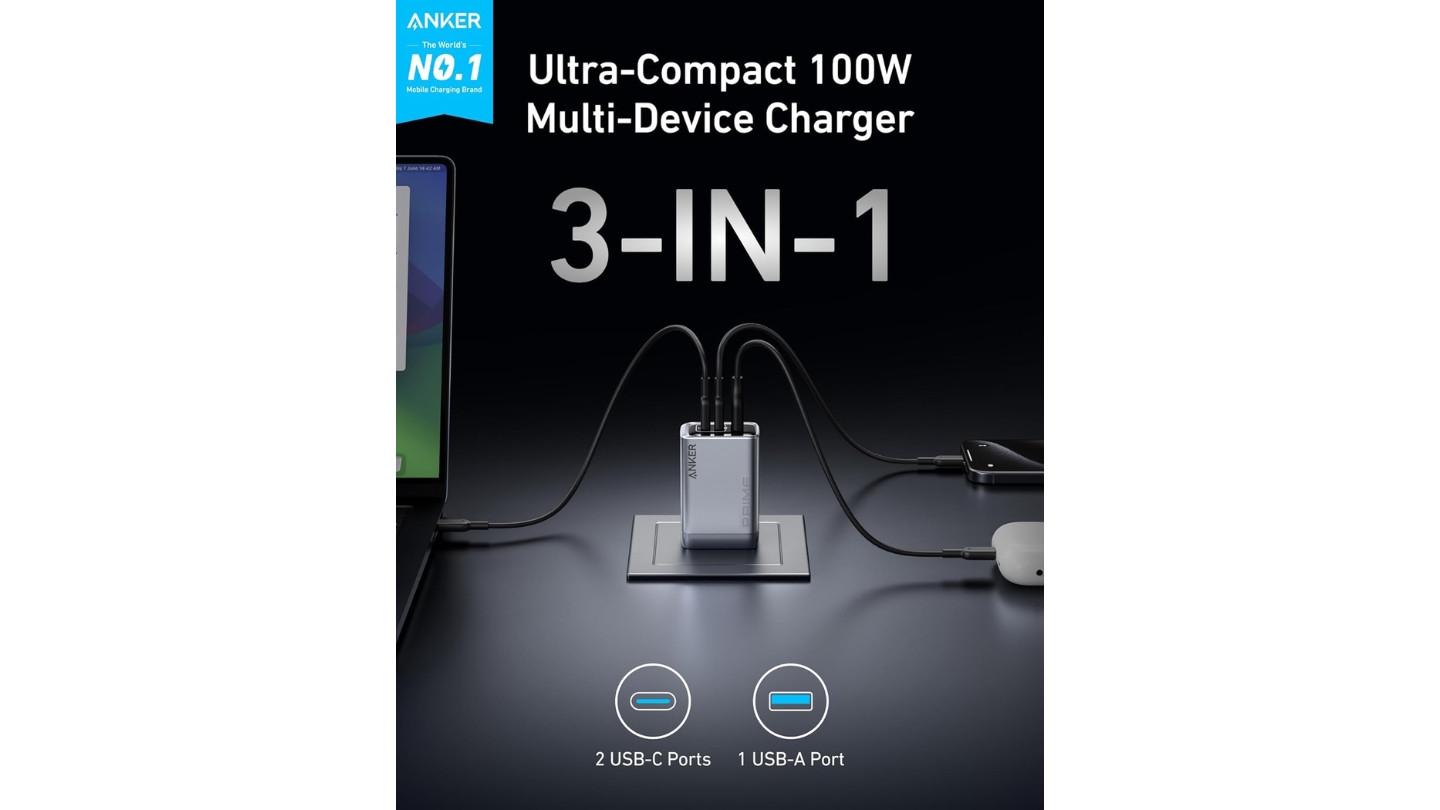
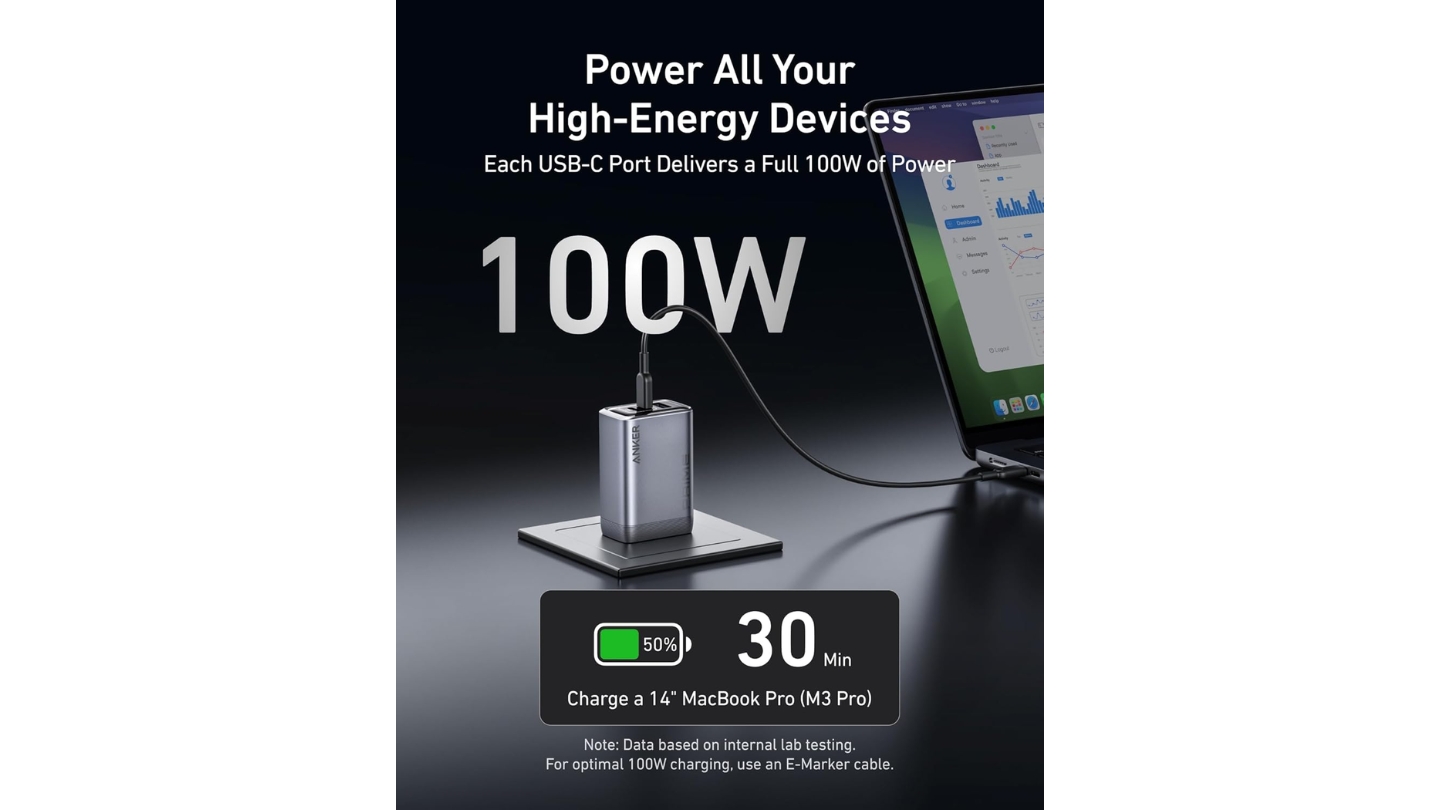
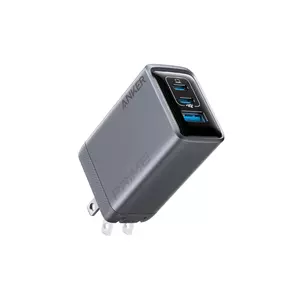
Anker's Prime line has always occupied the category's premium tier, and the Prime Charger 100W justifies the label with its dimensions alone. At 1.7 x 1.1 x 2.7 inches and just 6 ounces, it's the smallest and lightest charger in this roundup by a clear margin. Getting 100W GaN output into that footprint requires real engineering discipline, and Anker's depth in this category shows in the result.
ActiveShield 2.0 monitors temperature millions of times per day, and that claim has observable consequences. During my testing with a MacBook Pro on USB-C1, iPhone on USB-C2, and AirPods on USB-A simultaneously, the Prime's surface ran cooler than both the UGREEN and the Baseus under the same load duration. The 70W/30W dual-USB-C split gives the primary port slightly more headroom than the 65W/30W split on the Baseus and UGREEN, translating to marginally faster laptop charging when a phone is connected at the same time.
Anker backs the Prime with a 24-month warranty, and the build quality earns it. The housing has no flex, the foldable prong mechanism is stiff and precise, and the port openings hold USB-C cables firmly without side-to-side play. That physical quality isn't universal in GaN chargers - some competitors use housings that develop seam separation after months of daily cycling between pocket and outlet. Protocols cover PD 3.0, QC 3.0, and PPS for full compatibility across Apple, Samsung, and Google devices.
The Prime's only real tension is price. It sits above every other wall-plug option in this group, and the performance gap over the Baseus Enerfill in daily use is real but not dramatic. What the premium buys is the size advantage and Anker's warranty backing - both legitimate reasons to pay more, but only if they match your situation. The 22.5W USB-A port covers accessories reliably, and Anker's customer service reputation on warranty claims consistently scores well in independent reviews.
For frequent travelers and anyone who measures bag space carefully, the Anker Prime is the clearest choice in this group. For desk-focused users running the charger from a fixed outlet, the size advantage matters less and the price difference against the Baseus becomes harder to justify. I'd point anyone with a carry-on that already feels heavy directly at the Prime.
Pros:
- Smallest wall-plug form factor
- 70W/30W USB-C dual split
- ActiveShield 2.0 thermal monitoring
- 24-month warranty
- Precise foldable prong mechanism
Cons:
- Highest price in wall-plug group
- No included cable
Summary: The Anker Prime 100W is the most compact GaN wall charger in this group - the right pick for travelers and minimalists who want maximum output from the smallest possible footprint.
UGREEN Nexode Pro 100W GaN Wall Charger Review
Pro Build
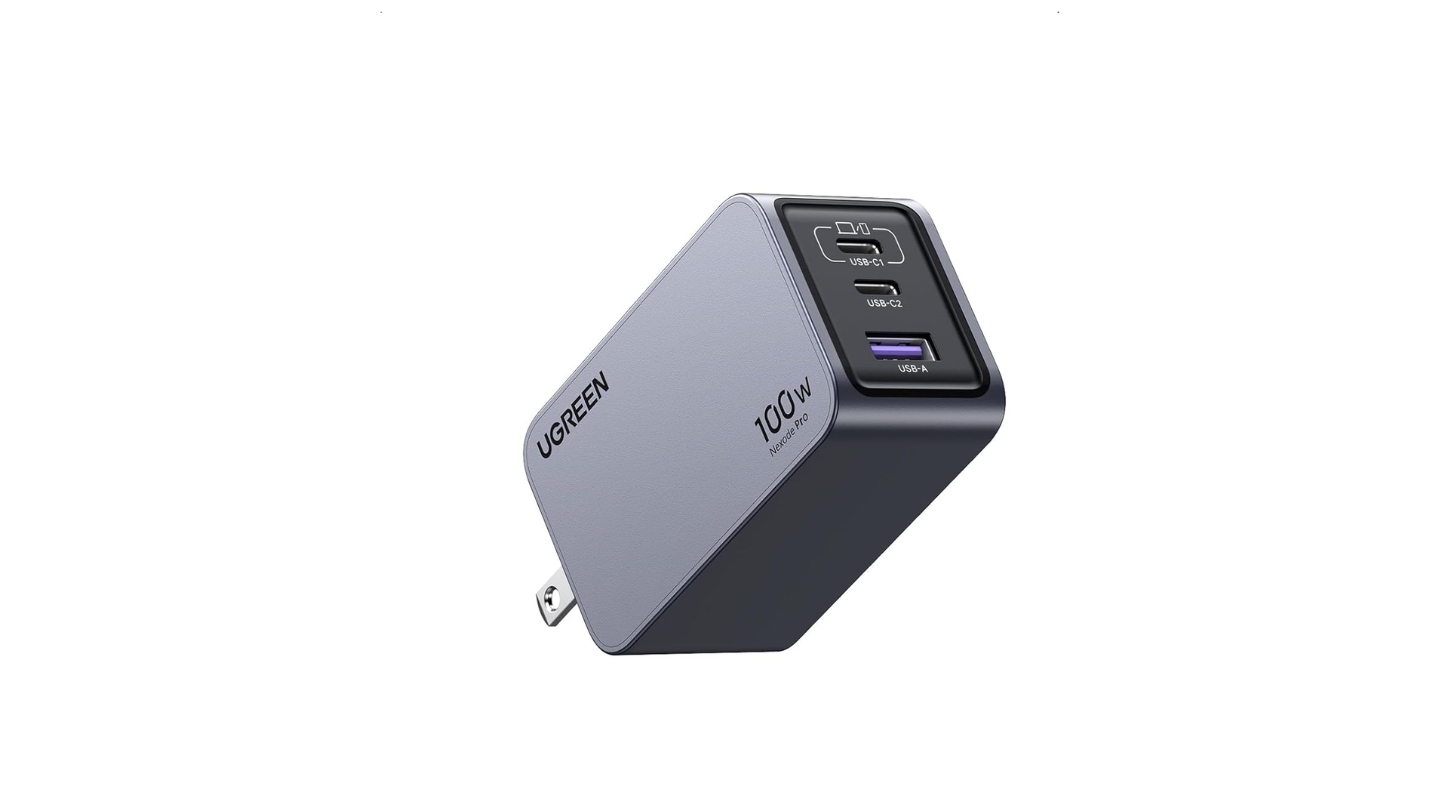
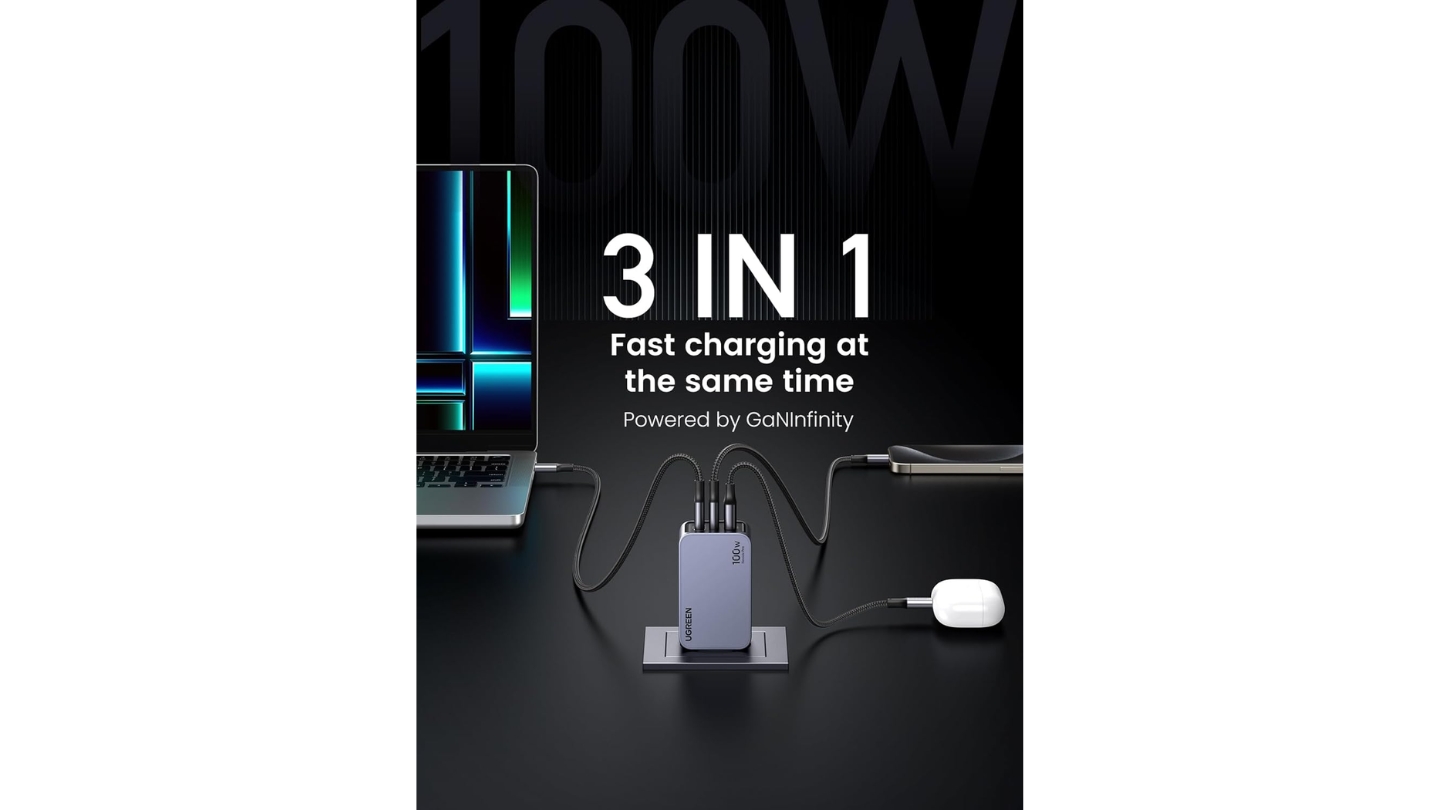
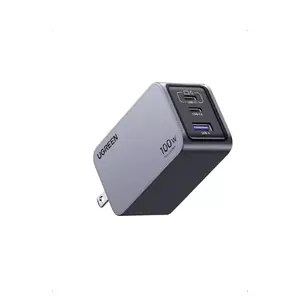
The Nexode Pro 100W separates itself from the field in one immediate way: the housing is aluminum rather than plastic. At 195g, it weighs about the same as the Baseus and more than the Anker, but the metal exterior distributes heat from the GaN internals more evenly than plastic manages. In my testing, the Nexode Pro's surface ran warm under full three-port load but never uncomfortably hot - aluminum's thermal conductivity does real work here. The dark space grey finish is scratch-resistant and fingerprint-resistant in ways that plastic surfaces in this category rarely are.
The GaNInfinity chip is UGREEN's own gallium nitride solution, and the architecture shows in practice. USB-C1 handles up to 100W alone, dropping to 65W when USB-C2 is also in use. What UGREEN does differently from the competition is label the USB-C1 port explicitly as the laptop-priority port with a dedicated symbol on the housing. That removes the ambiguity about which port delivers maximum throughput - a small detail I appreciate after watching testers regularly plug into the wrong port on unlabeled multi-port chargers.
The fixed AC prongs are the Nexode Pro's practical inconvenience. Every other wall-plug in this group folds flat for travel. UGREEN's fixed prongs catch on bag fabric and scratch the interior lining of sleeves. The dimensions of 2.8 x 1.7 x 1.3 inches are genuinely compact, but the fixed prongs add an effective size penalty in transit. It's the clearest trade-off in an otherwise strong product, and it makes the Nexode Pro a better fit for a desk than a carry-on.
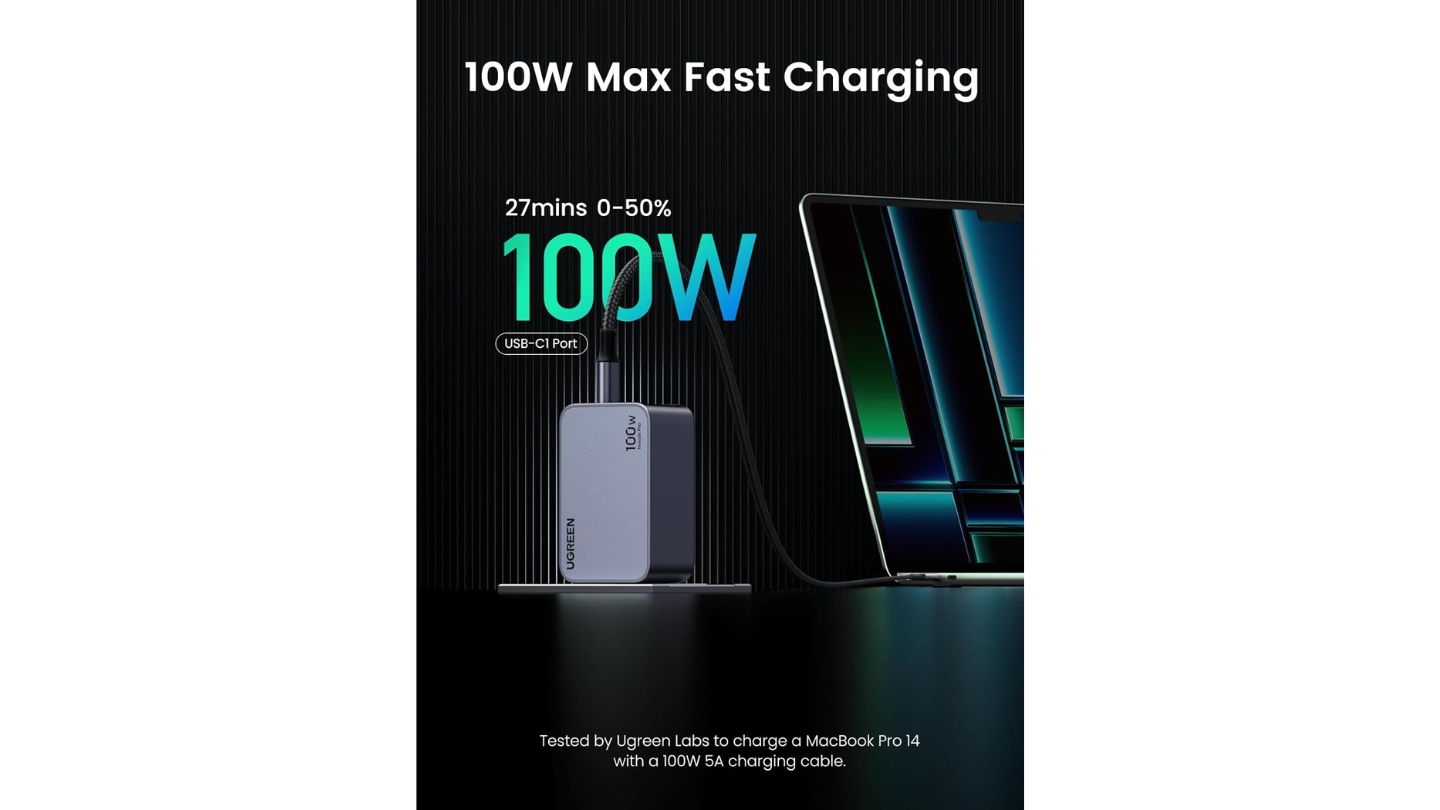
Protocol support is the widest in the three-port group: PD 3.0, PPS 5A, and QC 4.0 cover virtually every fast-charging standard currently in use. UGREEN's claimed 0-50% charge on the 14-inch MacBook Pro in 27 minutes at single-port use was confirmed by Macworld testing, which measured a 63% gain on an M3 MacBook Air after 30 minutes. The 22.5W USB-A port handles legacy accessories without issue. Multi-port performance follows the expected pattern: the primary port maintains speed while secondary ports share the remaining budget.
The Nexode Pro is the right charger when build longevity and protocol coverage are the priorities and travel compactness is not. The aluminum exterior ages better than plastic after two years of daily use - no seam separation, no surface scuffing, no port looseness. I specifically recommend it to users who ask what their charger will look like in two years. The answer with the UGREEN is considerably better than with any plastic competitor here.
Pros:
- Aluminum housing
- Widest protocol support (QC 4.0, PPS)
- Labeled laptop-priority port
- Fingerprint-resistant finish
- 45% smaller than Apple 96W charger
Cons:
- Fixed (non-foldable) prongs
- No included cable
Summary: The UGREEN Nexode Pro 100W leads this group on build quality with its aluminum housing and the widest protocol support - the best desk-focused wall charger for users who prioritize long-term durability over travel compactness.
Belkin 4-Port Charger Block 108W GaN Review
Desk Ready
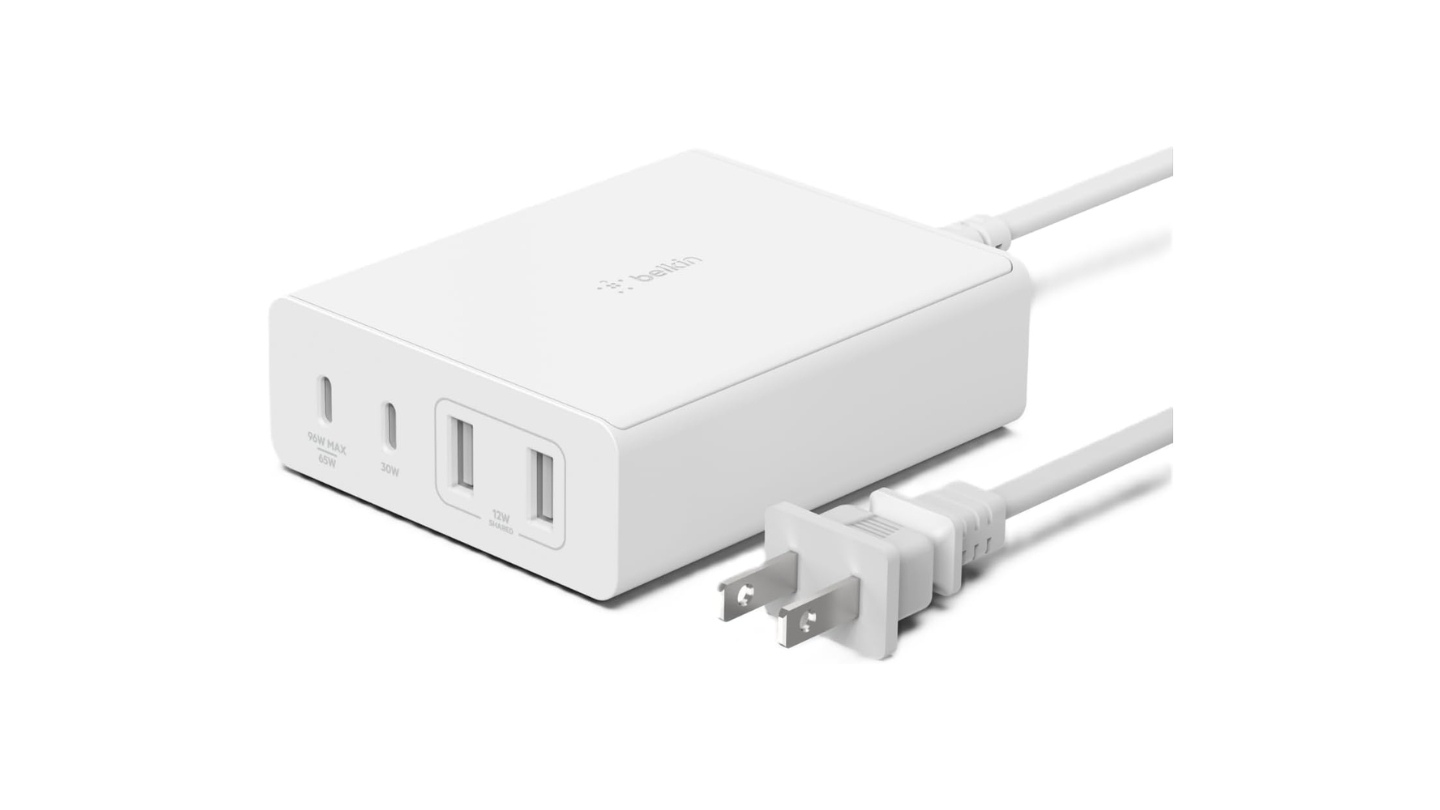
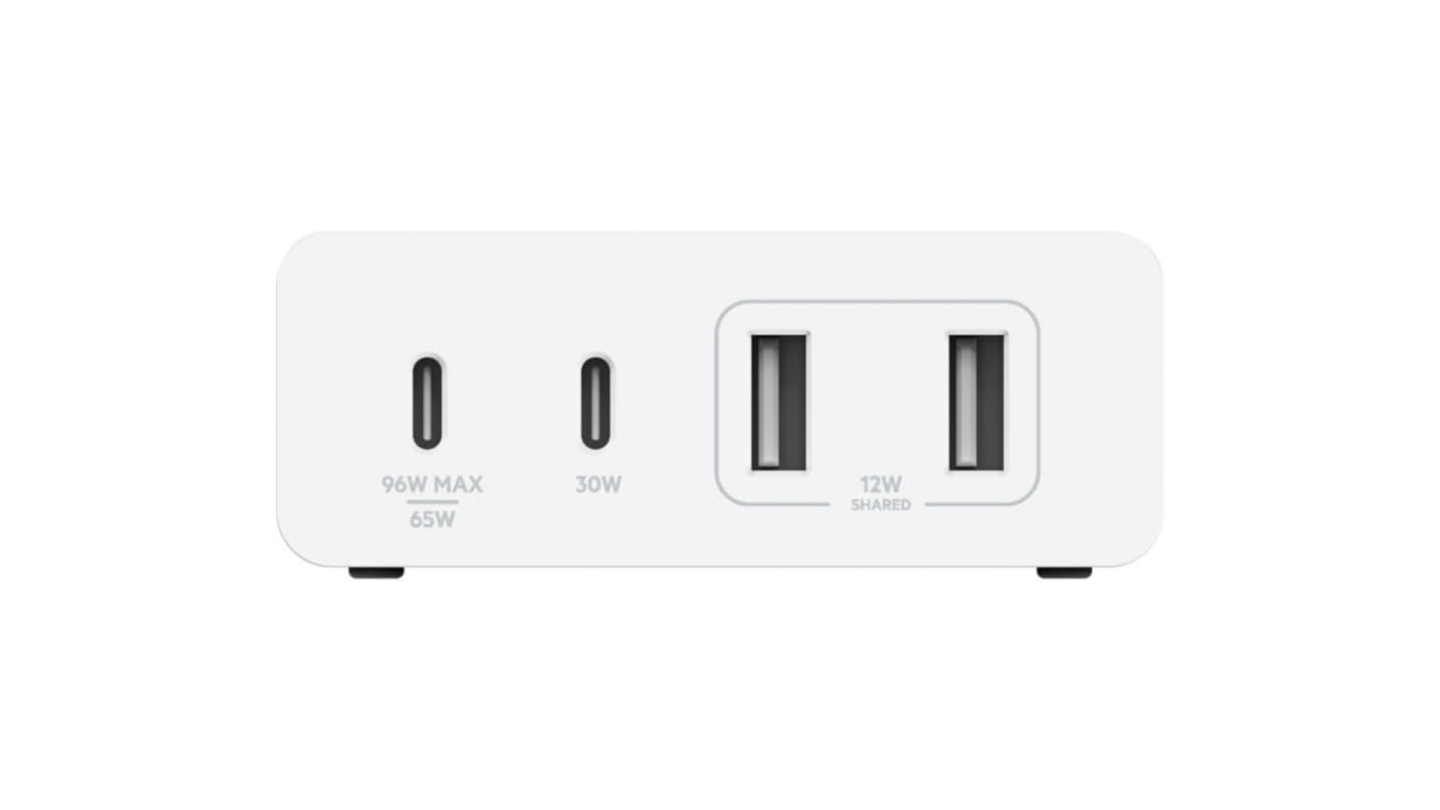
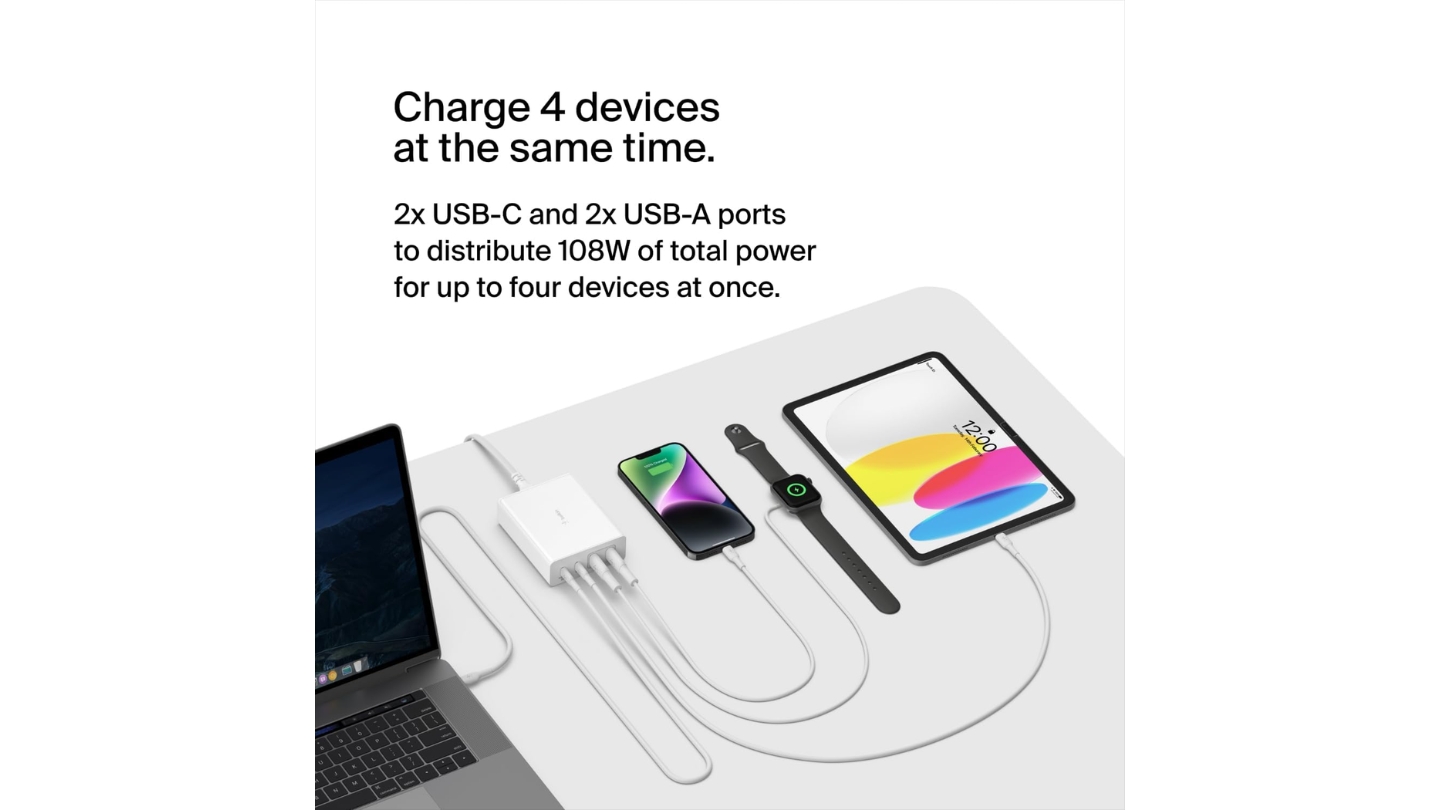
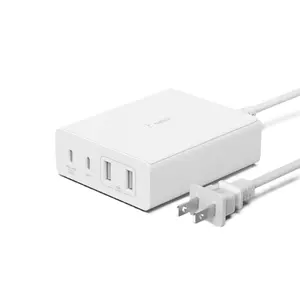
There's a specific charging problem that wall-plug chargers can't solve well: ports need to be accessible at desk height, cables need to reach multiple devices on a workstation, and the whole setup needs to stay tidy on the surface. The Belkin 4-Port Charger Block 108W is built for exactly that scenario. Its 6.6-foot detachable power cord lets the charger body sit anywhere on a desk regardless of outlet position - behind a monitor, on a nightstand, at the edge of a standing desk - while the flat, 1.24-inch-tall profile keeps it from cluttering the workspace.
The 108W total runs across 2x USB-C and 2x USB-A. In single-port use, USB-C1 peaks at 96W - enough to fast-charge any MacBook Pro that accepts USB-C at full speed, including the 14-inch M3 Pro. Belkin's own testing puts the MacBook Pro 16-inch at 0-50% in 39 minutes on USB-C1, which matched my results using a 5A E-Marker cable. The two USB-A ports deliver 12W each - modest for standalone phone charging but adequate for Apple Watch, AirPods, and accessories that don't need more. I run all four ports simultaneously at my desk regularly without any throttling on the USB-C laptop port.
Intelligent Power Sharing detects each device's power requirements and adjusts output accordingly. Connecting a low-draw device like a smartwatch to one USB-C port doesn't meaningfully reduce what's available to a laptop on the other. Belkin has been building USB-C PD products since 2015, and that history shows in how predictably the power distribution behaves across a full workday - I observed no unexpected output drops that required reconnecting devices to restore speed.
The 4-Port 108W carries a Connected Equipment Warranty covering connected devices against damage from power surges - unusual coverage in the charging accessories category and one of the reasons Belkin products appear regularly in enterprise and education procurement. The 24-month product warranty and equipment protection together make this one of the more defensible long-term purchases in the group.
For users who need to charge two devices at laptop speeds simultaneously, the Satechi 165W handles that scenario more cleanly with its higher total wattage. But for the majority of desk setups - laptop plus phone plus two accessories - 108W is sufficient and the Belkin's form factor is the most workstation-friendly in the group. The USB-A ports cover mixed-connector environments, and the build quality reflects a brand with decades of accessory manufacturing behind it.
Pros:
- 6.6ft cord, desk placement flexibility
- 4-port layout (2x USB-C, 2x USB-A)
- Connected Equipment Warranty
- 96W single-port peak
- 24-month warranty
Cons:
- USB-A limited to 12W per port
- No cable included
Summary: The Belkin 108W is the most workstation-optimized charger in this group - a four-port desk unit with a long power cord, Connected Equipment Warranty, and reliable multi-device power sharing for daily office or bedside use.
Satechi 165W USB-C 4-Port GaN Charging Station Review
Power Station
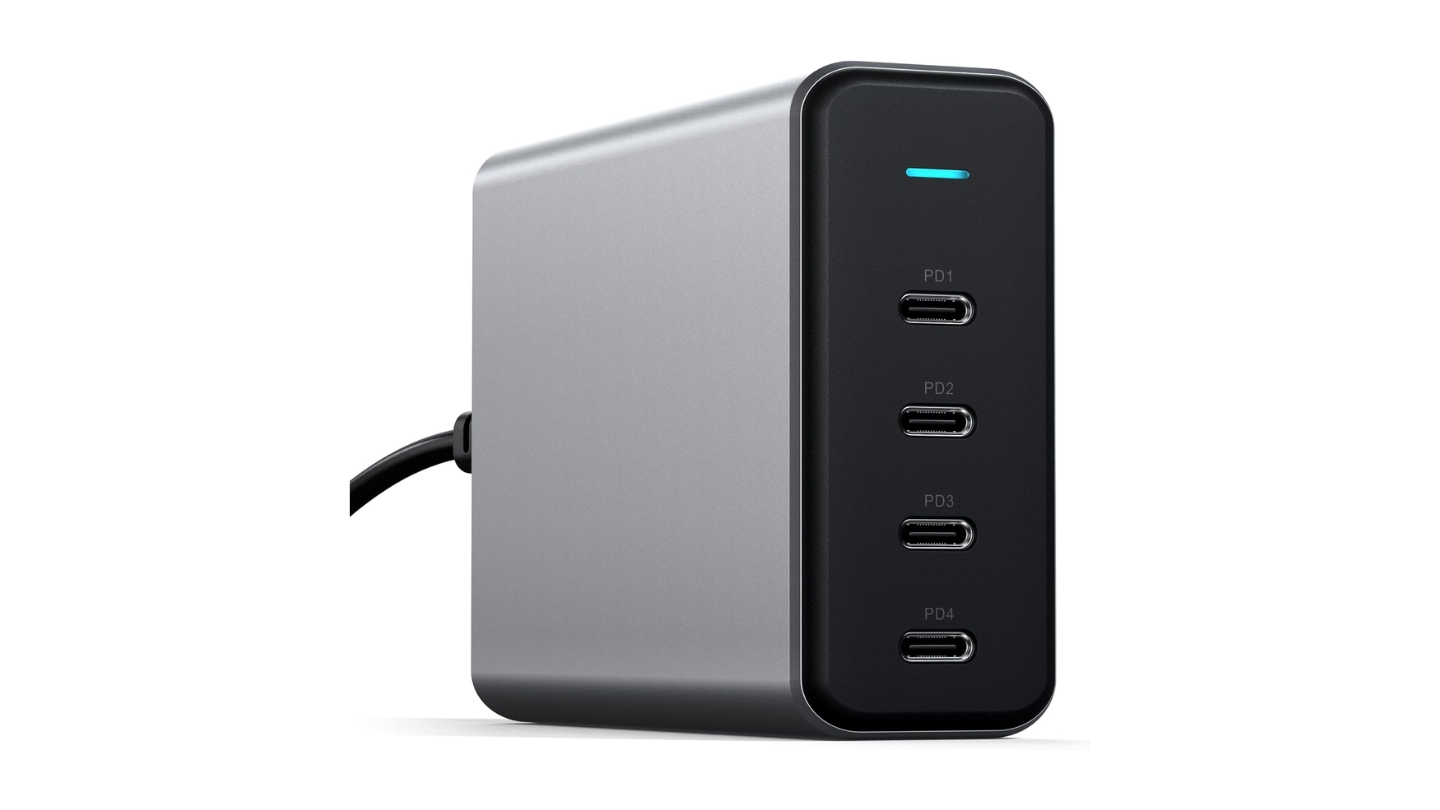
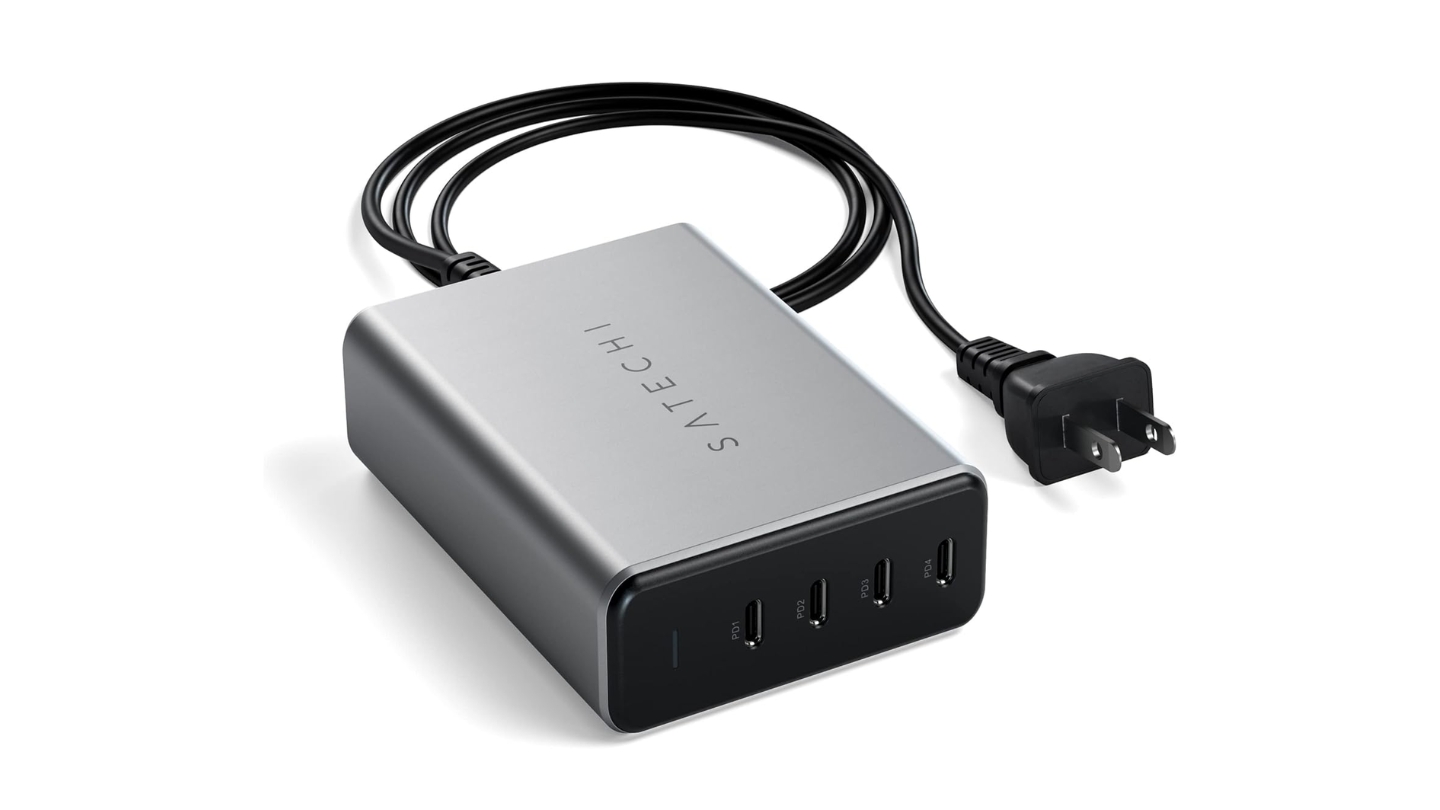
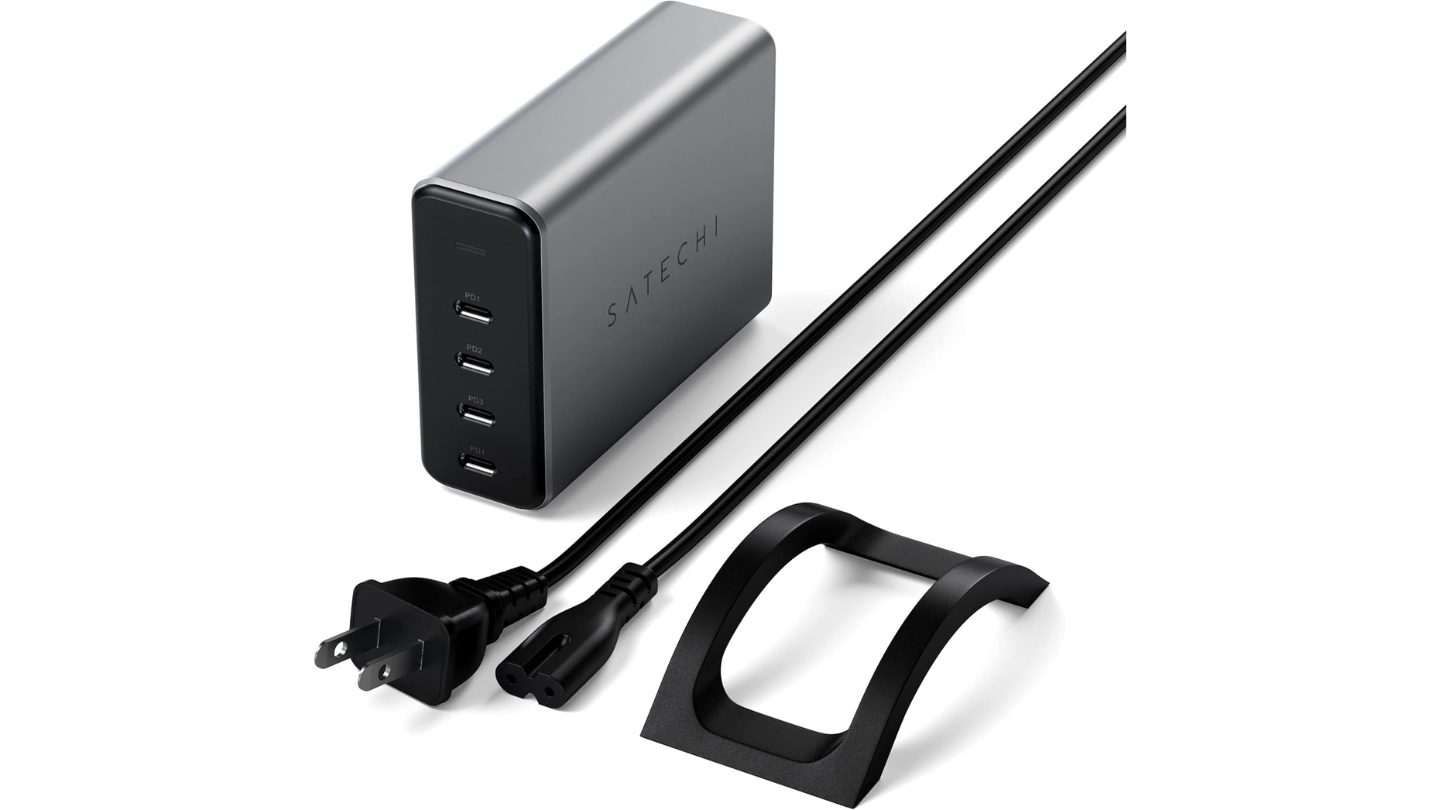
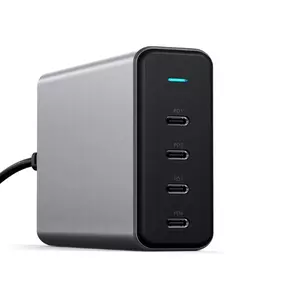
Every other charger in this group makes trade-offs to hit 100W in a small package. The Satechi 165W USB-C 4-Port GaN Charging Station accepts a larger footprint in exchange for the highest total wattage here and the only all-equal-port architecture at this price tier. Each of the four USB-C PD ports can deliver up to 100W when used alone - at any port, not just the top one. You don't have to think about which port to plug a laptop into.
The power distribution across multiple devices is the Satechi's strongest technical argument. Two devices get 100W and 60W. Three get 60W/60W/45W or 100W/30W/30W. Four get 60W/45W/30W/30W, totaling 165W across all connections. For someone running two laptops from a single outlet - a scenario common in photography, video editing, and software development setups - getting 100W and 60W simultaneously is an advantage nothing else in this roundup matches. I tested this with a MacBook Pro and a MacBook Air at the same time, and both charged at the speeds their batteries support rather than bottlenecking to a shared 65W pool.
The physical design suits a permanent desk or studio setup. At 3.93 x 2.8 x 1.22 inches and 340g, the Satechi is the largest and heaviest charger here. It connects via a detachable cord and includes a vertical stand accessory that improves ventilation and keeps all four ports accessible without stacking devices on a flat surface. The space grey finish pairs intentionally with Apple hardware - Satechi has built its accessory line around the Apple ecosystem and the visual alignment is deliberate.
The absence of USB-A ports is the Satechi's clearest constraint. Every connected device needs a USB-C cable. For workspaces where everything is recent, that's a non-issue. For mixed environments with older accessories or pre-2023 iPhones still on Lightning, the Satechi forces adapter use or cable replacement. CE and ETL safety certifications are in place, and the 24-month warranty covers defects. Satechi's accessory-focused support handles warranty claims more reliably than newer brands in this category.
I'd recommend the Satechi 165W to anyone who can name a specific high-draw multi-device scenario: two laptops simultaneously, a laptop plus a pro iPad plus two phones at real speed, or a creator's desk running camera batteries alongside a MacBook and a tablet. For a standard phone-plus-laptop household, the added wattage and cost over the Belkin or Baseus isn't justified. For power users with demanding device lineups, nothing else in this group touches it.
Pros:
- 165W total output
- 100W on any single port
- All-equal USB-C port architecture
- 100W/60W dual-device split
- Detachable cord, vertical stand included
Cons:
- No USB-A ports
- Largest and heaviest in group
Summary: The Satechi 165W is the highest-output charger in this group and the only one with equal-power architecture across all four ports - built for power users who need multiple high-draw devices charged simultaneously from a single outlet.
USB-C Charger Block: FAQ
What is a GaN USB-C charger and why is it better than a standard charger?
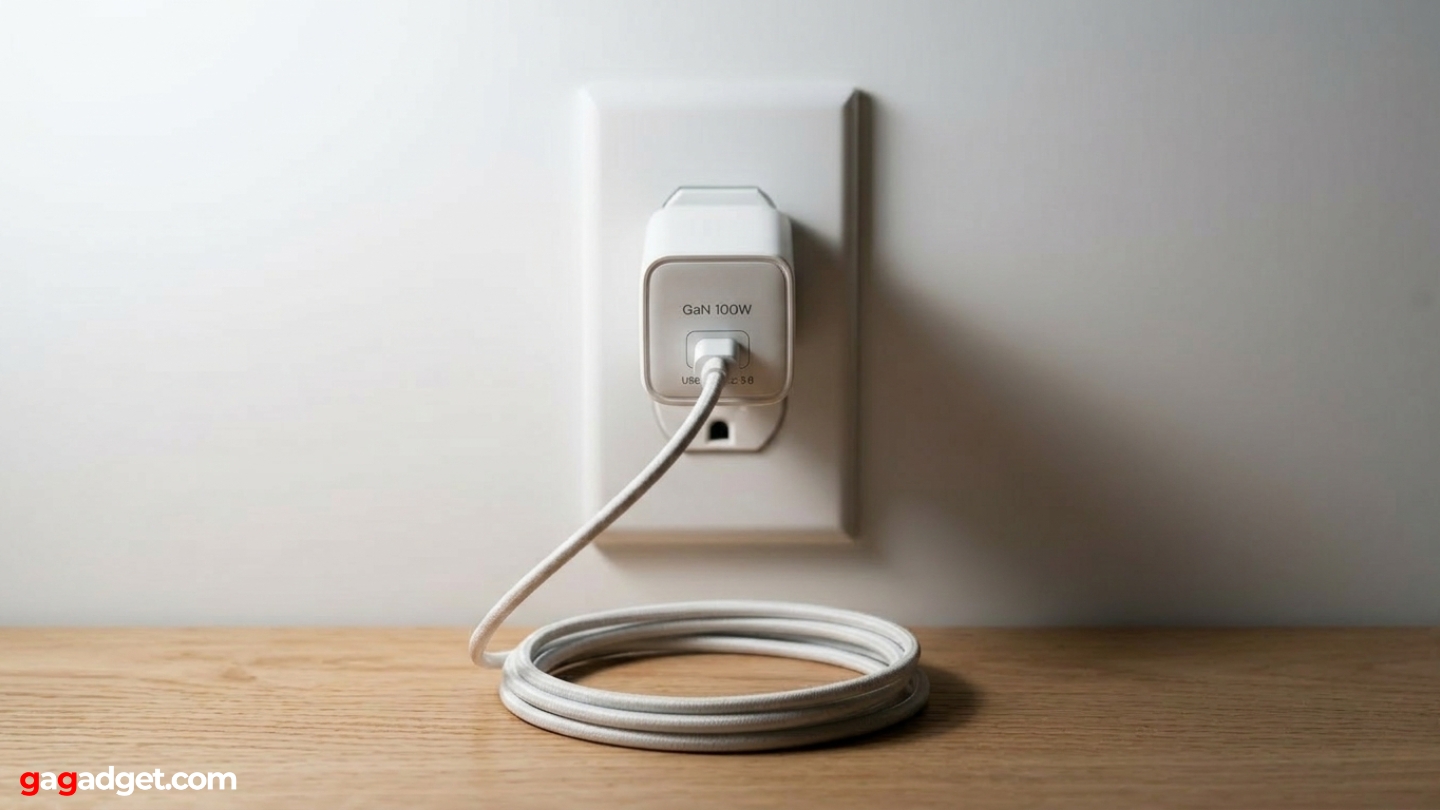
GaN stands for gallium nitride, a semiconductor material that replaces silicon in modern chargers. GaN conducts electricity at higher voltages with less resistance, so chargers can deliver the same wattage with fewer components, a smaller footprint, and lower heat generation. A 100W silicon charger from five years ago was a large, heavy block that ran warm under load. A current 100W GaN charger fits in a jacket pocket and stays at a manageable temperature during the same multi-port load. GaN chargers consistently show better power delivery efficiency in lab testing than comparable silicon designs, and every charger in this roundup uses GaN - that's why all of them are small enough to carry alongside a laptop without adding meaningful weight.
Can a 100W USB-C charger damage my phone?
A USB-C charger with Power Delivery (USB-PD) negotiates charging speed with the connected device before sending power. The charger sends a discovery signal, the device responds with the voltage and current it accepts, and the charger adjusts output to match. A phone that accepts a maximum of 25W will receive exactly 25W from a 100W charger - the extra capacity sits unused. The risk of high-wattage damage to a phone is a misconception carried over from earlier proprietary fast-charging protocols that didn't include this negotiation step. All five chargers in this roundup use PD negotiation, which makes them safe for phones, tablets, and laptops at their respective supported speeds.
Do I need a special cable to get 100W charging?
Yes. Standard USB-C cables are rated to carry up to 60W (3A at 20V). To reach the full 100W output from a USB-PD charger, you need a cable with an E-Marker chip embedded in the connector, which signals to both the charger and the device that the cable is rated for 5A (100W at 20V). Most cables that ship with high-power laptops include this chip, but cables bought separately often don't. When charging speed seems slower than expected, the cable is the most common culprit. Quality USB-C cables from Anker, UGREEN, and Belkin now include E-Marker chips and label them accordingly - and I always recommend confirming that detail before adding a cable to a cart.
How does simultaneous multi-device charging affect each device's speed?
Every multi-port charger has a fixed total wattage budget divided across active ports. On a 100W charger with a 65W/30W split, a laptop on port one receives 65W and a phone on port two receives up to 30W. Adding a third device to the USB-A port takes up to 22.5W from the pool. The specific impact varies by charger - the Baseus BPS 3.0 adjusts dynamically based on device demand, while others apply fixed splits. For a laptop that would normally charge at 96W, receiving 65W from a shared charger does extend charge time compared to a dedicated single-port adapter, though it remains far faster than any laptop can discharge under normal use.
What's the difference between USB-PD and Quick Charge?
USB Power Delivery (USB-PD) is an industry-standard protocol supported across Apple, Samsung, Google, and most other manufacturers. Quick Charge is Qualcomm's proprietary protocol, widely used in Android devices with Snapdragon processors. Modern flagship Android devices - including recent Samsung Galaxy and Google Pixel phones - support both simultaneously. All five chargers in this roundup support USB-PD. The three wall-plug models also support Quick Charge 3.0 or 4.0, covering a broader range of Android devices. PPS extends USB-PD 3.0 with finer voltage adjustment, specifically useful for Samsung's fastest charging modes. I check for PPS support whenever I'm evaluating a charger for a Samsung Galaxy user.
Are desktop charging stations better than wall-plug chargers for home use?
Desktop stations solve problems that wall plugs don't address well. Most home outlets are at floor level or behind furniture, making daily cable management awkward at a standing or sitting desk. A desktop station on a long cord puts the ports at desk height and stays in a fixed, convenient position regardless of outlet location. For a fixed desk setup, I find desktop stations more practical in almost every daily scenario. The trade-off is travel: a wall-plug charger's compact, cord-free format is clearly better for a bag. Owning one of each - a portable wall plug for travel and a desktop station for home - is the most practical combination for anyone who charges in more than one location.
Can these chargers handle international voltage?
All five chargers in this roundup support 100-240V input at 50/60Hz, covering every household voltage standard globally. A physical plug adapter is the only requirement for international use - the charger handles voltage conversion internally. The Baseus, Anker, and UGREEN wall-plug models use US NEMA prongs, so international travelers need a plug adapter sleeve for European, UK, or Australian outlets. The Satechi 165W and Belkin 108W use detachable power cords, and EU and UK versions of both are available if international use is the primary context.
What should I look for in a charger if I own a MacBook Pro?
MacBook Pro models from 2021 onward support USB-C Power Delivery charging at up to 96-140W depending on the configuration. For the 14-inch M3 Pro or M3 Max, 96W via USB-C is sufficient for full-speed charging. For 16-inch models, 96W charges slightly slower than the original 140W MagSafe adapter but keeps pace with the laptop's power draw under most workloads. The Baseus, Anker, and Satechi all peak at 100W on their primary USB-C port. The Belkin peaks at 96W on USB-C1, which covers all current 14-inch MacBook Pro models. Any charger in this group will charge a MacBook Pro via USB-C - the single-port peak output determines how quickly, and a 5A E-Marker cable is required to reach that peak.
Matching the Charger to Your Setup
The Baseus Enerfill 100W handles the widest range of everyday scenarios - adaptive power sharing, verified certifications, and a wall-plug format that works equally well at home and on the road. The Anker Prime 100W is the clearest pick for frequent travelers - the smallest footprint in the group, a 24-month warranty, and build quality that doesn't concede anything to achieve that size.
The UGREEN Nexode Pro 100W suits users who want a wall-plug with metal construction and QC 4.0 support and don't need to pack it daily. The Belkin 108W is the workstation pick for anyone who values a long cord, four accessible ports at desk height, and equipment warranty coverage. For power users running multiple high-draw devices from one outlet, the Satechi 165W is the only charger in this group that doesn't require any compromise on charging speed across the board.

Meet James, our go-to tech guru and seasoned reviewer. His sharp attention to detail and love for gadgets drive his deep dives into the newest tech waves. James's insightful analysis and real zest for breakthroughs have earned him a solid reputation in the tech world.


