Do You Really Need 32GB RAM in 2026?
The laptop market in 2026 is split into two distinct camps. Mainstream machines ship with 16GB as the default configuration, and a growing tier of premium and business devices arrives at 32GB as standard. The price gap between these tiers has compressed significantly over the past two years, which is why the question of whether 32GB is necessary has moved from a specialist concern to a mainstream purchasing decision.
The answer depends almost entirely on workload. Operating system overhead, Electron-based applications, and browser memory consumption have all grown since 2022, but that growth has not been uniform across use cases. For a large portion of buyers, 16GB remains the right answer. For another group - whose size is larger than most buying guides acknowledge - spending the remainder of a laptop's life swapping to disk is the practical outcome of choosing 16GB today.
Short answer: For general productivity, casual gaming, and standard web use, 16GB remains functional in 2026 but sits at the ceiling of comfortable operation rather than the middle of it. Windows 11 and a typical background workload consume 5-7GB before any primary application opens. At 32GB, that overhead becomes irrelevant. At 16GB, every demanding session competes for the same pool of memory - a constraint that surfaces as lag, swap file activity, and degraded frame consistency rather than outright failure.
- Where 16GB Actually Stands in 2026
- What 16GB Covers and Where It Runs Out
- The Real Case for 32GB
- 16GB vs 32GB Comparison
- Who Actually Needs 32GB Right Now
- 32GB RAM FAQ
Where 16GB Actually Stands in 2026
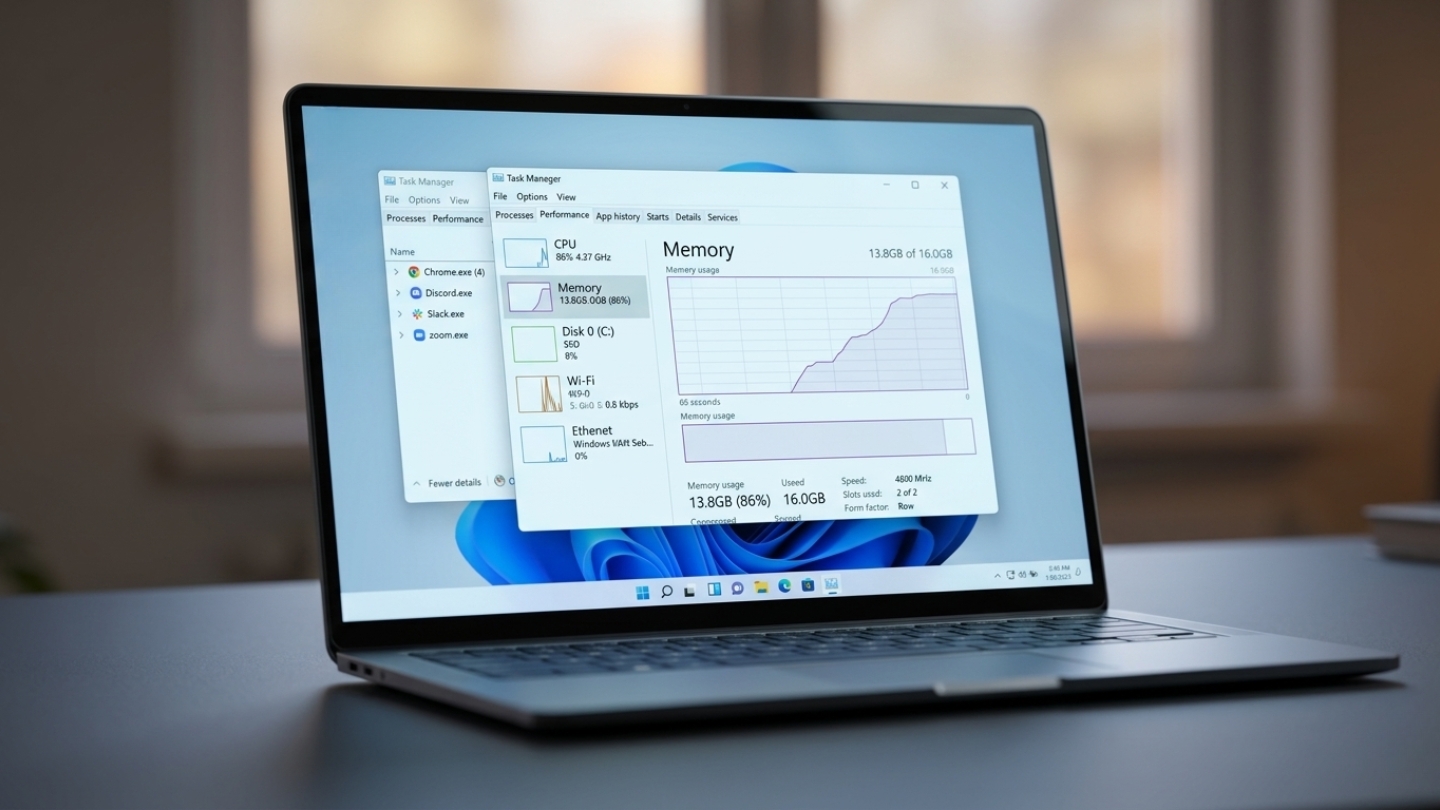
Windows 11 at idle consumes approximately 3.5-4.5GB before a single user application launches. Add a browser with eight to twelve tabs - a conservative count for anyone with an active workday - and Chrome or Edge contributes another 3-6GB depending on page complexity. A single Electron-based communication app such as Discord or Slack adds 1-4GB on top of that. The result is a 16GB machine with 2-5GB of headroom for whatever primary application the user actually opened the laptop to run.
The consequence of that math is not crash - it is page file activity. When physical memory fills, Windows writes RAM contents to the SSD, and the resulting latency appears as stutters, delayed application switching, and slower export times rather than a visible error. Even the fastest PCIe 4.0 SSD is roughly 30-50 times slower than DDR5 RAM at sequential reads. A 16GB machine hitting its ceiling does not announce the problem, which is why users often blame CPU performance or thermal throttling rather than the actual cause.
Apple Silicon changes this framing in one specific way. The unified memory architecture on M-series chips allows macOS to manage compression and swap with lower latency than the Windows page file equivalent, because the SSD controller and memory bus share the same silicon package. The MacBook Air M4 with 16GB unified memory handles heavier workloads than a 16GB Windows laptop would at equivalent capacity, but the ceiling still exists - macOS itself consumes 4-6GB under active use, and the efficiency advantage narrows as workloads grow more parallel.
What 16GB Covers and Where It Runs Out
The practical ceiling of 16GB is not defined by what the system can open but by how many things it can hold in memory simultaneously without degrading. These are the workloads where the boundary becomes measurable:
- Web browsing and document work: 16GB covers standard office productivity without issue - Google Docs, Microsoft 365 in the browser, email, and video conferencing with a moderate tab count. Memory pressure becomes noticeable when Chrome sessions exceed fifteen tabs alongside a video call and a background sync process.
- Gaming: Most current AAA titles consume 8-14GB of system RAM under active play. Running Discord, a browser, and capture software alongside a game pushes the system to within 1-2GB of capacity. Average FPS differences between 16GB and 32GB are marginal at 1080p, but 1% low frame times improve meaningfully when background processes compete for memory.
- 4K video editing: Adobe Premiere Pro begins using the media cache aggressively when free RAM drops below 8GB. DaVinci Resolve sets 16GB as its stated minimum for 4K work and 32GB as its recommended baseline - a distinction that reflects real production performance rather than conservative spec padding.
- Software development with containers: A typical full-stack environment with a frontend dev server, a database container, and background test runners accounts for 10-14GB on top of the OS. That leaves under 2GB on a 16GB machine for the IDE, browser documentation, and communication tools running simultaneously.
The thread connecting these scenarios is not that 16GB fails at any one task - it is that it forces a constant triage between which applications stay in memory and which get pushed to disk. That triage is invisible until the slowdowns become hard to ignore, at which point the configuration cannot be changed.
The Real Case for 32GB
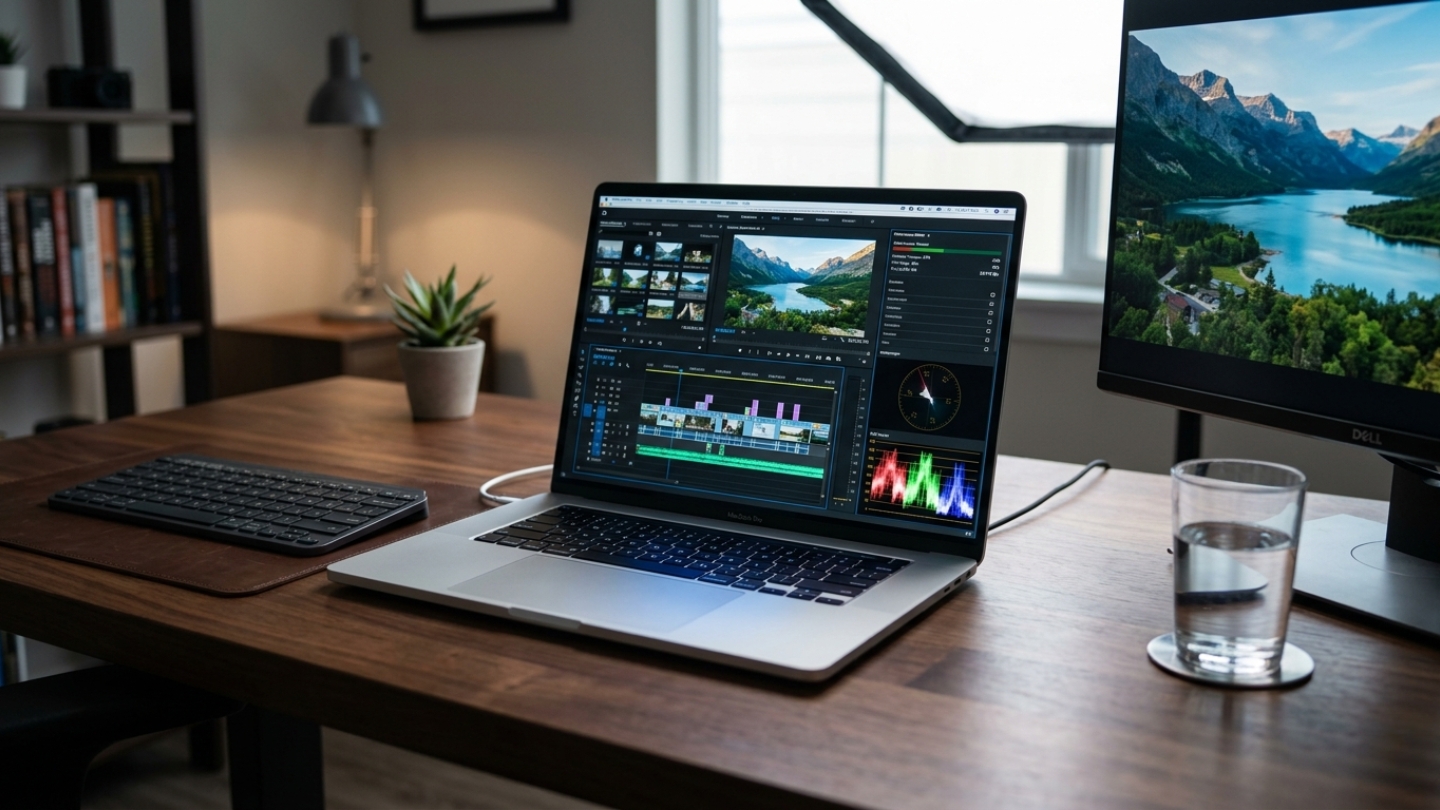
The argument for 32GB in 2026 is not primarily about current workloads - it is about headroom over an ownership cycle. Software memory consumption has grown at a consistent rate: OS requirements roughly double every six to eight years, browser architectures now use process isolation that multiplies per-tab overhead, and Electron apps carry the full weight of a Chromium instance regardless of how simple the interface appears. A 32GB machine today enters its ownership cycle with 20-25GB free under a normal working session. A 16GB machine already operates closer to its ceiling than its midpoint.
The premium for 32GB has also compressed. The Lenovo ThinkPad E16 Gen 2 ships with 32GB DDR5 as standard at a price point that 16GB business laptops occupied two years ago. The incremental cost of doubling memory at purchase is substantially lower than replacing a device because it no longer meets workload requirements - a calculation that becomes especially relevant on machines with soldered LPDDR where no upgrade path exists after checkout.
16GB vs 32GB Comparison
| Factor | 16GB | 32GB |
|---|---|---|
| Everyday Multitasking | Functional with browser, email, and one primary app. Memory pressure appears when tab counts exceed twelve or two heavy applications run together. Page file activity is measurable but not always perceptible. | Handles a full working session - browser, communication apps, video call, and a primary app - without approaching capacity. Switching between heavy applications is immediate with no page file involvement. |
| Gaming Performance | Average FPS comparable to 32GB in most titles at 1080p and 1440p. Frame time consistency degrades in complex scenes when background tools compete for memory. Headroom drops to under 2GB with Discord, a browser, and capture software active simultaneously. | 1% low frame times improve 10-20% in memory-intensive titles under equivalent background conditions. Eliminates stuttering from memory competition between the game and communication tools. No practical benefit beyond 32GB for any current gaming workload. |
| Creative Work | Adequate for 1080p timelines and lighter editing sessions. 4K workflows with multiple tracks and effects trigger media cache thrashing. Workable for occasional creative use, not sustained production. | DaVinci Resolve's recommended minimum for 4K work. Premiere Pro timelines with multiple 4K tracks and real-time color grading stay within physical memory. The correct configuration for anyone whose primary work involves media production. |
| Software Development | Sufficient for a single IDE, browser, and terminal. Becomes constrained with Docker containers, multiple services, or Android emulators running concurrently. Compile times lengthen when memory compresses instead of caching build artifacts. | Accommodates a full development stack - containers, an IDE with active indexing, browser documentation, and test runners - without memory becoming the bottleneck. Meaningful compile time improvements on projects that fit entirely in RAM. |
| Ownership Longevity | At or near its ceiling for heavy users today. Software memory requirements grow roughly 1-2GB per year across a typical aggregate workload. A 16GB machine from 2026 will likely feel constrained by 2028-2029 for users whose software usage expands. | Enters the ownership cycle with substantial headroom. Based on current software growth rates, a 32GB machine should remain above the comfortable threshold through 2030-2031 for most professional workloads. The correct choice for anyone planning a four-to-six year ownership window. |
One dimension the table does not capture is resale value. Laptops with soldered memory depreciate differently by RAM tier in the used market. A 16GB configuration from 2026 will face buyers in 2028 applying the same forward-looking logic as today's purchasers, and the used-market discount on 16GB soldered machines will widen as minimum software requirements approach that ceiling.
Who Actually Needs 32GB Right Now
The buyers for whom 32GB is the right call are not a narrow specialist group. The category has widened as software has grown more memory-intensive and the cost gap at most price points has narrowed. The relevant question is not whether someone currently experiences slowdowns on 16GB but whether their workload has any realistic chance of growing heavier over the ownership period they are planning.
- Software developers running containers, local servers, emulators, or multiple IDE instances - 32GB is the practical floor for a full development environment in 2026, not a luxury tier.
- Video editors working with 4K footage in DaVinci Resolve or Premiere Pro on any project with color grading or compositing applied.
- Anyone planning to keep the device for four or more years, particularly on a machine with soldered LPDDR where the purchased configuration is permanent.
- Gamers who run capture software, a browser, and communication apps during active play - the combined overhead pushes a 16GB system into page file territory in any title using more than 10GB of system RAM.
The profiles for whom 16GB is the correct answer are equally specific: students and light users whose workload consists primarily of browser-based productivity and communication tools, and anyone planning a two-to-three year ownership window. Apple Silicon is worth noting separately here - 16GB unified memory on an M-series Mac handles general productivity workloads that would pressure an equivalent Windows machine, making the effective threshold higher on that platform for comparable tasks.
32GB RAM FAQ
Is 16GB still enough for gaming in 2026?
For gaming alone, 16GB covers most current titles with average frame rates essentially identical to 32GB. The gap appears in frame time consistency: 1% lows in memory-intensive scenes run 10-20% lower at 16GB when background processes are active. The practical threshold is multitasking - running Discord, a browser, and a game simultaneously leaves under 2GB free during active play in any title using more than 10-12GB of system memory. For streamers encoding in parallel with gameplay, 32GB is the correct starting point.
Does 32GB RAM make a laptop faster for everyday use?
Memory capacity affects performance only when the system exhausts physical RAM and begins using the page file. For a user whose workload fits within 16GB, upgrading to 32GB produces no measurable speed difference. The benefit is headroom - eliminating the performance penalty when physical memory fills, rather than accelerating operations that already stay within available capacity. A machine running at 60-70% memory utilization gains nothing from 32GB. One regularly hitting 85-95% will feel meaningfully different.
How do I know if 32GB is worth it for my workload?
Check memory utilization during a typical working session on a current machine. On Windows, Task Manager under the Performance tab shows committed memory in real time. On macOS, Activity Monitor's Memory Pressure graph indicates whether the system is compressing and swapping. Consistently running above 80% physical utilization is a clear signal that 32GB will make a practical difference. Anyone planning to keep a laptop beyond three years should also buy ahead of current requirements rather than to current needs.
Which laptops ship with 32GB as standard in 2026?
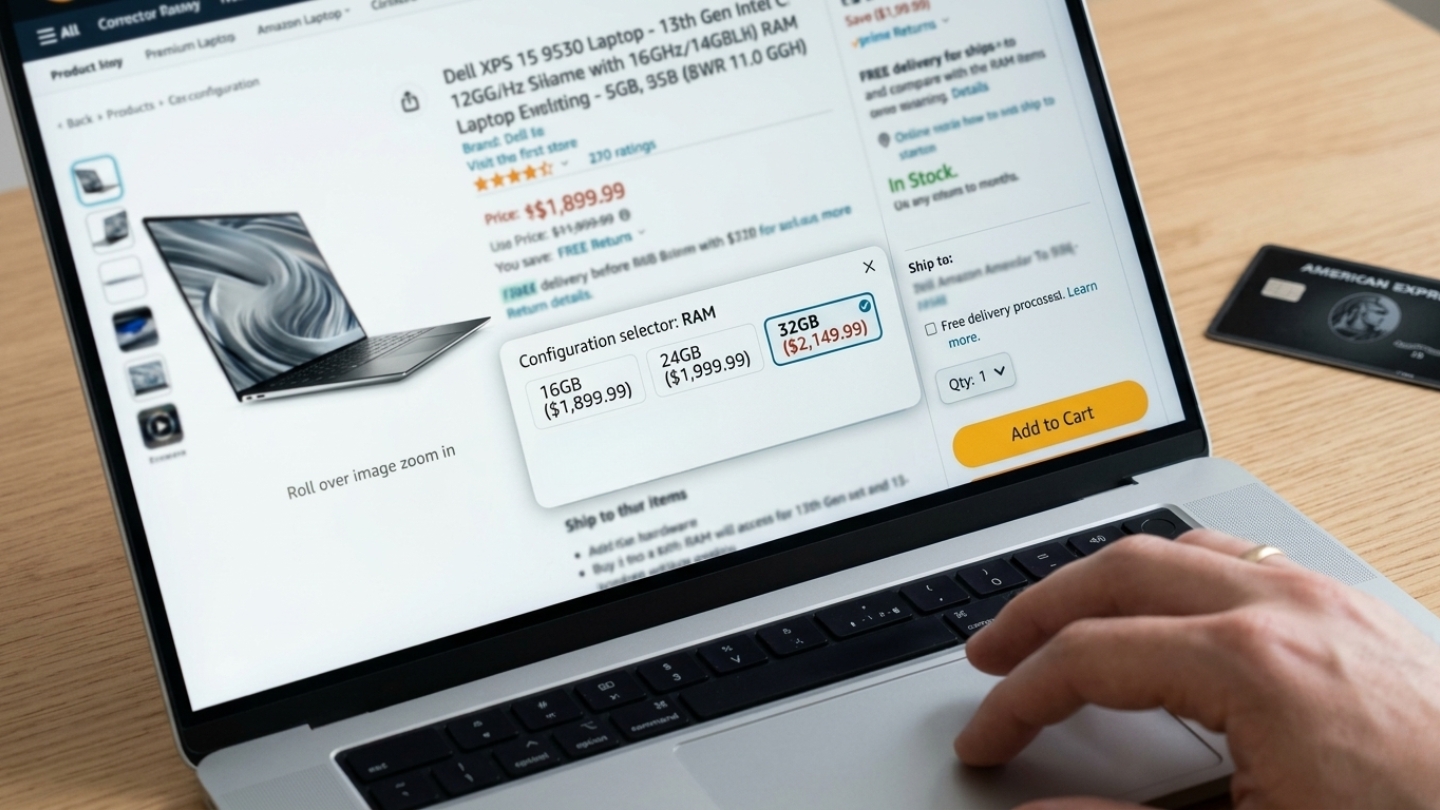
Business and professional machines have largely normalized 32GB at their primary configurations. On the gaming side, the Lenovo Legion Pro 7i includes 32GB DDR5 as standard. On the business and productivity side, the ThinkPad E16 Gen 2 ships with 32GB DDR5 and retains socketed slots for future upgrades - one of the few machines where the configuration is not permanent. The Surface Laptop 2024 and Samsung Galaxy Book5 Pro 360 also list 32GB on their primary SKUs. Apple's MacBook Air M4 and MacBook Pro M5 ship at 16GB in base configurations but are configurable to 24GB or 32GB of unified memory at checkout - a decision that, on soldered hardware, cannot be changed after purchase.
Does the 32GB recommendation apply the same way to Apple Silicon Macs?
The threshold is higher on Apple Silicon because macOS compresses memory more aggressively and the swap mechanism benefits from the SSD sharing the same silicon package as the processor. In practical terms, 16GB unified memory on an M-series Mac behaves closer to 20-22GB on a comparable Windows machine for general productivity. For sustained 4K video work, active AI inference, or development environments with multiple running processes, the 24GB or 32GB upgrade is the correct answer for the same underlying reason it is on Windows - at some workload level, compression stops compensating and the ceiling becomes real.
Making the Memory Decision
The question of whether 32GB is necessary in 2026 has a cleaner answer than most hedged buying guides suggest. For light users - students, remote workers whose workload runs entirely in a browser - 16GB is sufficient and 32GB is surplus. For media production, software development, sustained gaming with background tools active, or ownership beyond 2029 on a soldered-memory device, 32GB is the correct answer and 16GB is a constraint the buyer will encounter before the machine's service life ends.
The genuinely uncertain category is mainstream professional users - knowledge workers with heavy browser sessions, multiple communication tools, and occasional creative tasks. For that group, the key variable is upgrade path. On a machine with socketed DDR5, starting at 16GB and upgrading later is a legitimate strategy. On a device with soldered LPDDR - which now describes most premium ultrabooks and every Apple Silicon Mac - the purchase decision is permanent, and the cost of getting it wrong is a replacement device rather than a RAM module. Buying ahead of current requirements is not overcaution in that context - it is the only correction available.

Meet James, our go-to tech guru and seasoned reviewer. His sharp attention to detail and love for gadgets drive his deep dives into the newest tech waves. James's insightful analysis and real zest for breakthroughs have earned him a solid reputation in the tech world.


