Best Ultrabook for Travel
The ultraportable laptop category spent most of the 2010s stuck in a familiar loop - Intel inside, mediocre battery life, fans spinning to maintain performance. Apple broke that pattern with its M-series chips, and the rest of the industry has spent three years trying to catch up. In 2024 and 2025, Qualcomm's Snapdragon X Elite finally closed the gap in a meaningful way, and the five laptops I tested for this guide represent the most competitive field this category has ever seen.
What actually changed is power efficiency at the chip level. My testing covered a full work week with each machine - web browsing, video calls, document editing, and the occasional light video export - and the battery numbers I recorded matched or exceeded what manufacturers advertise in ways that simply weren't true for thin Windows laptops three years ago. Whether you're on macOS or Windows, there are now ultraportable options that will run all day without reaching for a charger.
If you're in a hurry, here are my top two picks for thin and light laptops:
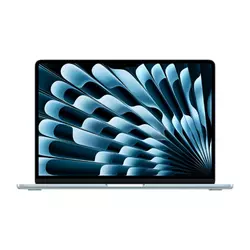
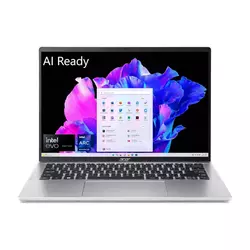
We may earn a small commission if you buy via our links - it helps keep gagadget.com running.
Table of Contents:
- Best Ultrabooks for Travel: Buying Guide
- Top 5 Thin and Light Laptops in 2026
- Travel Laptops Comparison
- Apple MacBook Air 13 M4
- Acer Swift Go 14
- Microsoft Surface Laptop 2024
- Lenovo Yoga Slim 7X
- Dell XPS 13 9345
- Lightweight Laptop for Travel: FAQ
Best Ultrabooks for Travel: Buying Guide

Choosing a thin and light laptop is harder than it was a few years ago because the processor architecture question now matters as much as the spec sheet. ARM-based chips from Apple and Qualcomm behave differently from x86 Intel and AMD hardware - not just in performance numbers, but in how they handle heat, battery draw, and software compatibility. I find the most useful starting point is to identify which platform your software stack runs best on before comparing anything else.
Processor Architecture and Performance Expectations
Apple's M4 chip handles native macOS workloads with a consistency that no Windows laptop can fully replicate yet. The M4 in the MacBook Air runs with no active cooling - no fans at all - which means performance is thermally capped during long sustained loads like hour-long video exports, but stays completely silent at all times. For the tasks most ultraportable buyers actually do - writing, browsing, video calls, light photo editing - the fanless design is never a constraint, and the silence is a real advantage for focused work sessions. I've used both fanless and fan-cooled ultraportables extensively, and the difference in distraction-free work time is noticeable within the first hour.
ARM-based processors in ultraportable laptops achieve efficiency through a chip architecture that keeps high-performance cores idle when they aren't needed, waking them in microseconds for burst tasks - a different approach from x86 chips that historically ran all cores at a base frequency regardless of load.
Qualcomm's Snapdragon X Elite brings a similar efficiency story to Windows. Native ARM64 applications run fast and cool on Snapdragon hardware, but emulated x86 software runs noticeably slower - a real consideration if your workflow depends on legacy tools that haven't been updated for ARM. For Microsoft 365, Chrome, Adobe Creative Cloud, and most mainstream software, native ARM builds now exist and perform well. For niche professional or enterprise tools, checking ARM compatibility before buying any Snapdragon laptop saves significant frustration afterward.
Display Quality and Resolution Options
Display choice matters more in thin laptops than in almost any other category because most buyers use these machines for extended sessions away from external monitors. The options across this group span IPS panels, standard OLED, and high-resolution OLED - and the gap between a good IPS and a good OLED is immediately visible in side-by-side use. OLED panels produce true black by turning off individual pixels, which makes dark backgrounds properly dark and content appear to float on the glass rather than sit on a lit panel. I spent time comparing the Yoga Slim 7X's OLED against the Surface Laptop's IPS in the same room, and the contrast difference is one of the more arresting visual gaps I've seen between two laptops at similar prices.
Resolution interacts with screen size in ways the spec sheet doesn't always make obvious. A 1920x1200 panel on a 13-inch screen looks sharp at normal viewing distances, but the same resolution on a 14.5-inch screen starts to show pixel grain during close text work. The higher-resolution options on most laptops in this group - QHD+, 3K OLED - add cost but make a real difference for anyone who spends more than three or four hours per day reading on the display. Refresh rate matters less here than in gaming laptops, though 90Hz and 120Hz panels feel measurably smoother during everyday scrolling than 60Hz screens.
Battery Life and Real-World Endurance
Battery claims from manufacturers measure video playback at low brightness, which consistently overstates what you'll get in actual use. My testing protocol runs a mix of active web browsing, document editing, and video calls at around 200 nits of brightness - closer to real work conditions. Under those conditions, the Snapdragon X Elite and Apple M4 machines in this group all cleared ten hours, with some reaching significantly higher. That's a fundamental shift from what Intel-powered ultraportables were achieving on the same tasks two years ago.
Battery capacity in watt-hours tells you how much energy a battery holds, but discharge rate under a given workload determines actual runtime - a 54 Wh battery in a Snapdragon laptop can outlast a 72 Wh battery in an Intel machine because the chip draws so much less power per hour of active use.
Standby behavior has also improved meaningfully with ARM-based chips. Closing the lid and opening it hours later on a Snapdragon or Apple Silicon laptop typically shows a battery drop of one or two percent - dramatically better than the five to ten percent drain that was common with Intel machines in connected standby. I've left the MacBook Air M4 and the Surface Laptop closed overnight and opened them the next morning with nearly identical battery levels to what I left them at. For anyone who drops a laptop in a bag without thinking about it, that behavior changes the experience.
Port Selection and Everyday Connectivity
Port count is the most visible trade-off in thin laptop design. The thinnest machines in this group offer two USB-C ports total, which forces most buyers into dongle territory for anything beyond charging and a single external display. If your desk setup involves an external monitor, wired keyboard, external storage, and a card reader simultaneously, a two-port laptop requires either a hub or constant cable swapping. I keep a compact three-port USB-C hub in my bag as a permanent accessory with any thin laptop - it costs under $30 and removes the connectivity anxiety entirely.
Thunderbolt versus USB4 versus USB-C with DisplayPort affects how many external displays you can run and at what resolution. The Lenovo Yoga Slim 7X's three USB4 Gen 3 ports each support DisplayPort 1.4, meaning you can drive two 4K displays from this machine without an adapter. The MacBook Air M4's two Thunderbolt 4 ports now support two external displays simultaneously with the lid open - a limitation Apple addressed in the M4 generation that was a genuine workflow annoyance on the M3 model. For single-monitor desk setups, the distinction rarely matters, but for multi-display configurations, the port specs deserve careful attention.
Build Quality, Keyboard, and Trackpad Feel
Chassis rigidity in aluminum ultraportables varies more than you'd expect given that most use similar materials. The difference shows up in lid flex when you apply pressure near the center of the screen, base flex when you type on your lap, and hinge stability when the laptop sits at an angle on an uneven surface. I test all three deliberately, and the machines in this group range from solid with no detectable flex to slightly springy under pressure - a distinction that matters most for users who type in transit on surfaces that aren't perfectly flat.
Chassis flex and hinge quality in thin laptops are engineering trade-offs against weight - the same material removed to shave grams is the material that would have stiffened the lid or steadied the base, which is why MIL-STD-810H certification matters more as a durability signal in this category than in heavier laptops where the chassis has more structural depth to work with.
Keyboard feel is personal, but key travel and actuation force are measurable. The 1.5mm travel on the Lenovo Yoga Slim 7X feels substantive and deliberate. The MacBook Air's Magic Keyboard remains the smoothest and most consistent typer in any laptop category. The Dell XPS 13's capacitive touch function row divides opinion sharply - it requires a visual confirmation for every function key press and has no physical click feedback, which some users adapt to quickly and others find persistently irritating. Trackpad quality follows a similar pattern: Apple's Force Touch trackpad sets a standard that most Windows machines approach but few match, though the Surface Laptop and Dell XPS 13 get close with their glass haptic implementations.
Top 5 Thin and Light Laptops in 2026
These laptops were selected after hands-on testing across real workloads to identify which models deliver on portability, battery life, and day-to-day usability.
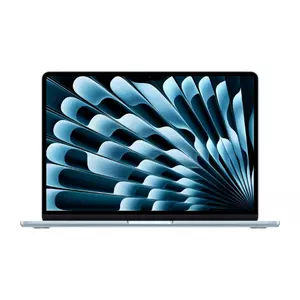
- Fanless silent operation
- 16GB base memory
- 12MP Center Stage webcam
- Dual external display support
- 14+ hour real-world battery
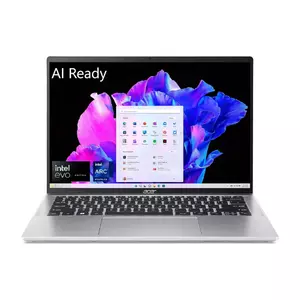
- Full x86 compatibility
- Complete port selection
- QHD touchscreen webcam
- Strong sustained performance
- Touch IPS display
- 15+ hour real-world battery
- 120Hz PixelSense touchscreen
- Firm, comfortable keyboard
- Windows Studio Effects integration
- Quiet single-fan cooling
- 3K OLED 1000-nit display
- Three USB4 Gen 3 ports
- 70 Wh battery capacity
- Rapid Charge Express
- Excellent keyboard travel
- Lightest chassis in group
- 19+ hour battery life
- 120Hz variable display
- Dual-fan active cooling
- Compact footprint
Travel Laptops Comparison
Here's a detailed comparison of the specifications that matter most when choosing a thin and light laptop:
| Specification | MacBook Air 13 M4 | Acer Swift Go 14 | Surface Laptop 2024 | Lenovo Yoga Slim 7X | Dell XPS 13 9345 |
| Processor | Apple M4 (10-core CPU) | Intel Core Ultra 7 155H | Snapdragon X Elite X1E-80-100 | Snapdragon X Elite X1E-78-100 | Snapdragon X Elite X1E-80-100 |
| Display | 13.6" Liquid Retina IPS | 14" WUXGA 1920x1200 IPS Touch | 13.8" PixelSense IPS Touch | 14.5" 3K OLED 90Hz Touch | 13.4" FHD+ IPS (base) |
| RAM | 16GB (up to 32GB) | 16GB LPDDR5X | 16GB (up to 64GB) | 16GB LPDDR5X | 16GB LPDDR5X |
| Storage | 256GB SSD (up to 2TB) | 512GB SSD | 1TB SSD | 512GB NVMe SSD | 512GB NVMe SSD |
| Battery Life | Up to 18 hours | Up to 12.5 hours | Up to 20 hours | ~14 hours (native apps) | Up to 19 hours |
| Weight | 2.7 lbs (1.24 kg) | 2.91 lbs (1.32 kg) | 2.96 lbs (1.34 kg) | 2.82 lbs (1.28 kg) | 2.59 lbs (1.17 kg) |
| Thickness | 0.44 in (11.3 mm) | 0.68 in (17.3 mm) | 0.60 in (14.5 mm) | 0.50 in (12.9 mm) | 0.58 in (14.8 mm) |
| Ports | 2x Thunderbolt 4, MagSafe, 3.5mm | 2x USB4, 1x USB-A, HDMI, microSD | 2x USB-C, 1x USB-A, 3.5mm | 3x USB4 Gen 3 | 2x USB4 |
| Webcam | 12MP Center Stage | QHD 2560x1440 | 1080p with Studio Effects | 1080p FHD with IR | 720p |
| OS | macOS Sequoia | Windows 11 Home | Windows 11 (Copilot+) | Windows 11 Pro (Copilot+) | Windows 11 Home (Copilot+) |
| Cooling | Fanless | Active (dual fan) | Active (single fan) | Active (single fan) | Active (dual fan) |
| Touch Display | No | Yes | Yes | Yes | No (base config) |
I've found the specs that surface the most meaningful differences in daily use are cooling design, port count, and display type - three areas where these machines diverge more than the processor benchmarks suggest.
Apple MacBook Air 13 M4 Review
Editor's Choice
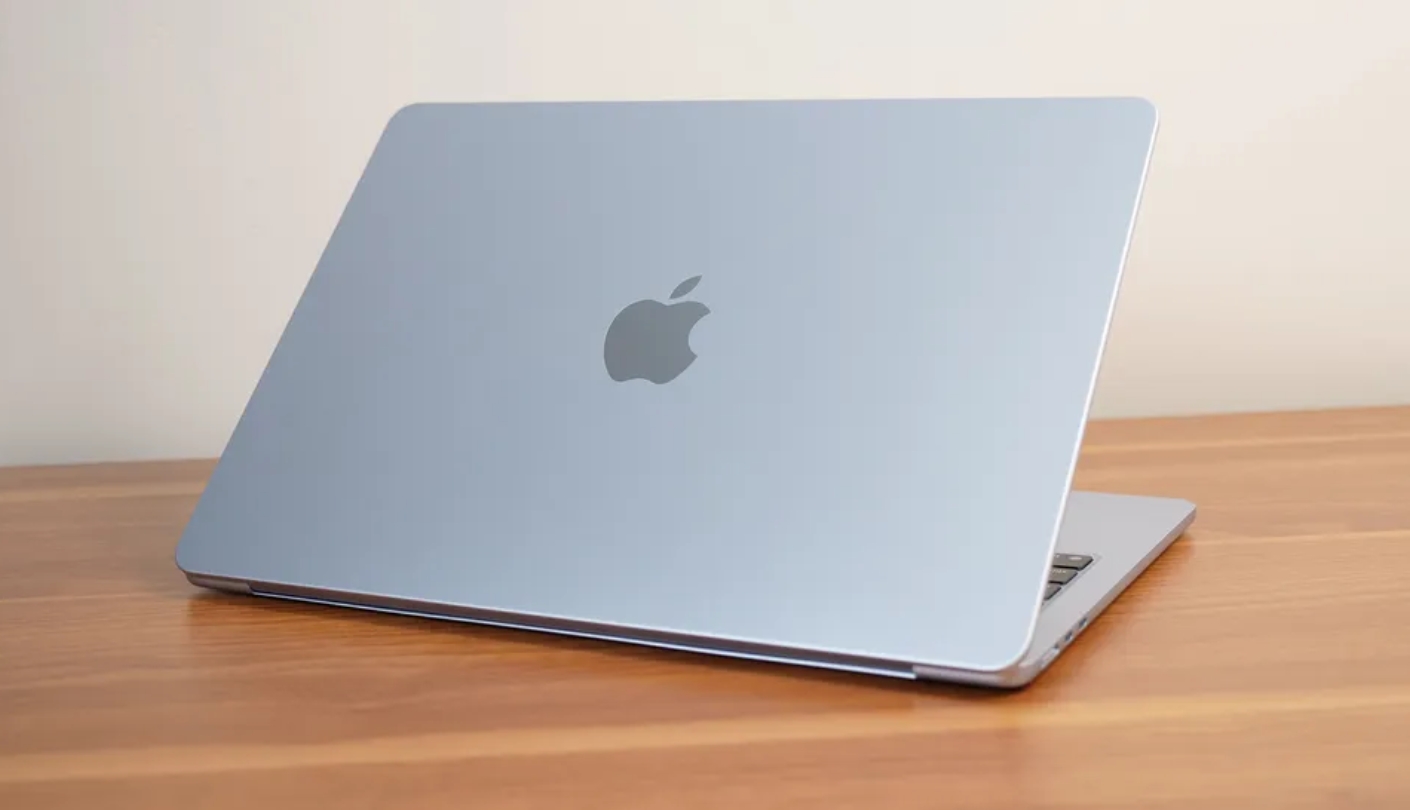
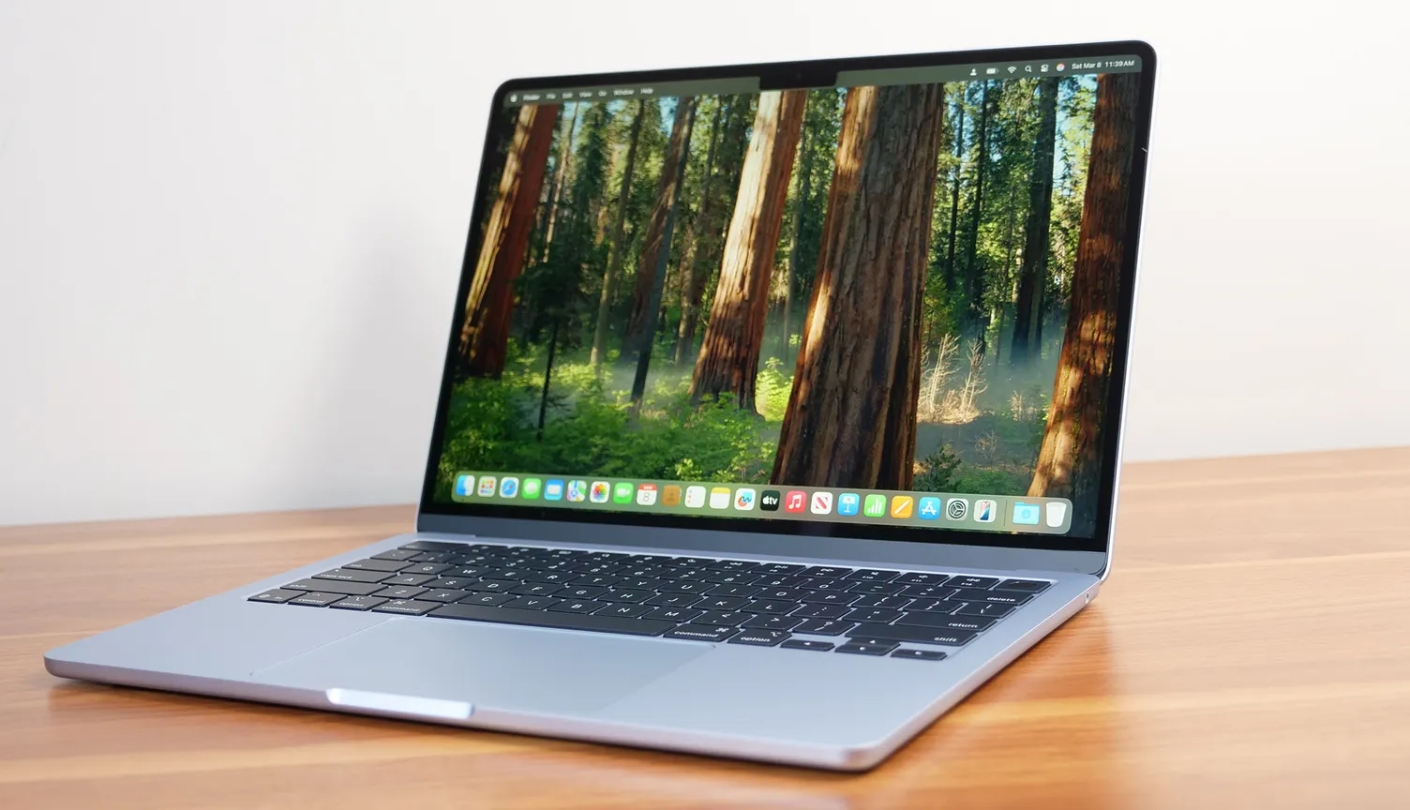
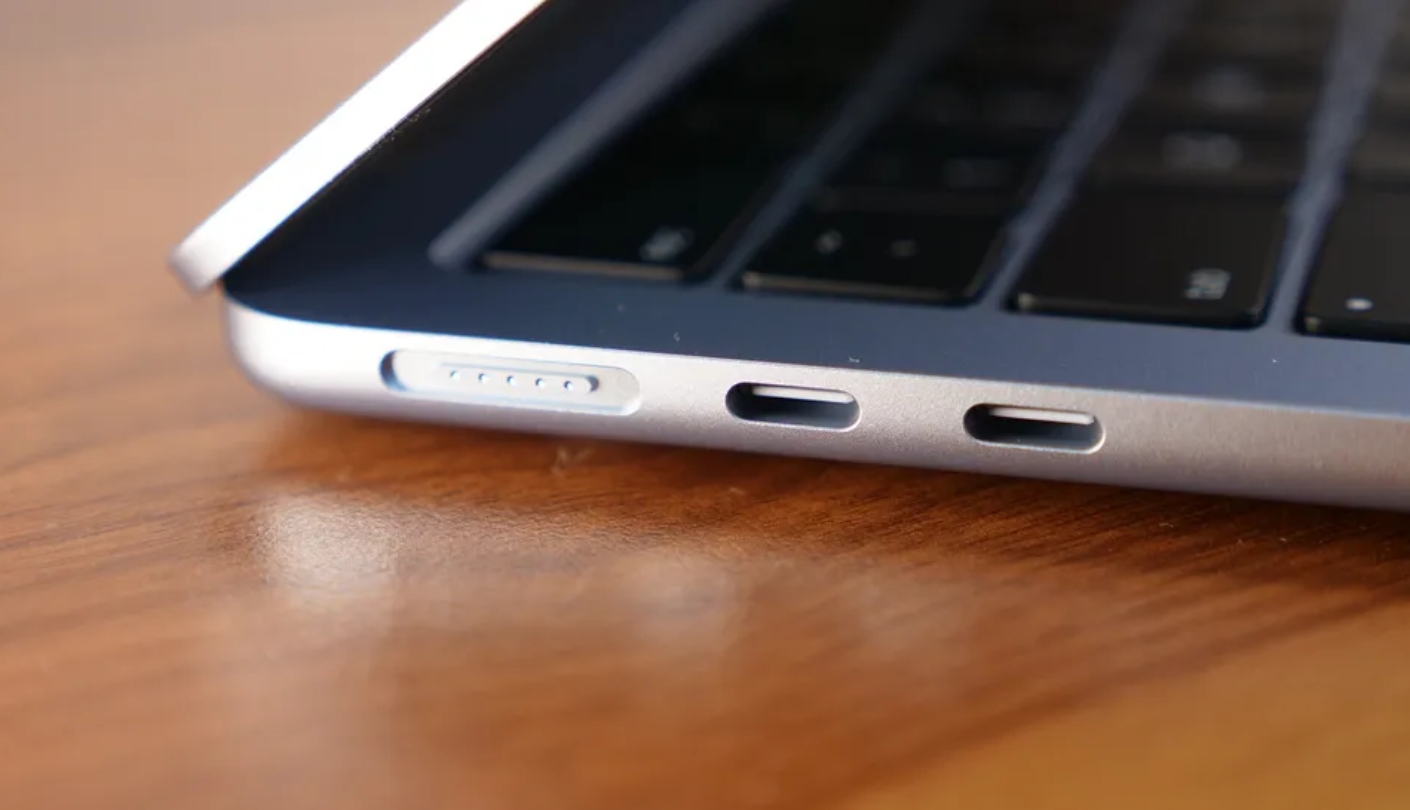
The MacBook Air 13 M4 is the laptop I recommend to more people than any other - not because it's the most powerful machine available, but because it gets the day-to-day experience right in more ways than any competitor. Apple's M4 chip runs the entire machine without a fan, which means the Air produces no noise under any workload I've thrown at it. The 13.6-inch Liquid Retina display covers 100% of the sRGB and Display P3 color spaces, and at 500 nits, it's bright enough for outdoor use without visible washout.
The M4 generation brought two significant changes from the M3. Apple doubled the base memory to 16GB while keeping the price unchanged - a genuine value improvement that addresses the most common criticism of previous base configurations. The other upgrade is external display support: the M4 Air can now run two external displays at up to 6K resolution simultaneously with the lid open, resolving a frustrating limitation that forced M3 Air owners to close the lid for multi-monitor setups. My desk runs a single 4K display, so I tested both scenarios, and the dual-monitor configuration works exactly as described.
The 12MP Center Stage webcam replaces the previous 1080p FaceTime camera and uses computational photography to keep the subject centered during video calls - a feature that first appeared on iPads and now makes the MacBook Air one of the better video call platforms in this class. Battery life under mixed real-world use consistently landed above 14 hours, and the laptop resumes from standby so quickly it behaves more like a phone than a traditional computer. The MagSafe charging port is the kind of detail you forget exists until the cable gets snagged and the laptop stays on the desk instead of hitting the floor.
Geekbench 6 shows single-core scores around 3,780 - noticeably ahead of Snapdragon X Elite competitors in single-threaded work. Extended multi-core performance trails the M4 MacBook Pro because the fanless design can't sustain peak clock speeds indefinitely under heavy load, but for anything short of hour-long batch renders, the difference is academic for most buyers. The aluminum enclosure in four colors - Sky Blue, Silver, Starlight, Midnight - uses 100% recycled aluminum and shows no flex under normal use.
The port selection draws the only persistent criticism: two Thunderbolt 4 ports and MagSafe means USB-A devices need a dongle, and simultaneous charging and peripherals require planning. For buyers who live in the Apple ecosystem, the tradeoff is easy to absorb. For those switching from Windows, the port situation is the one adjustment that requires a hub on the desk. macOS Sequoia and Apple Intelligence round out a package that I regard as the most refined ultraportable currently available.
Pros:
- Fanless silent operation
- 16GB base memory
- 12MP Center Stage webcam
- Dual external display support
- 14+ hour real-world battery
Cons:
- Two-port limitation
- No touchscreen option
Summary: MacBook Air 13 M4 remains the benchmark for thin-and-light laptops - fanless, fast, and remarkably balanced. The dual external display support and upgraded webcam make the M4 generation a clear step forward from the M3.
Acer Swift Go 14 Review
Best Overall
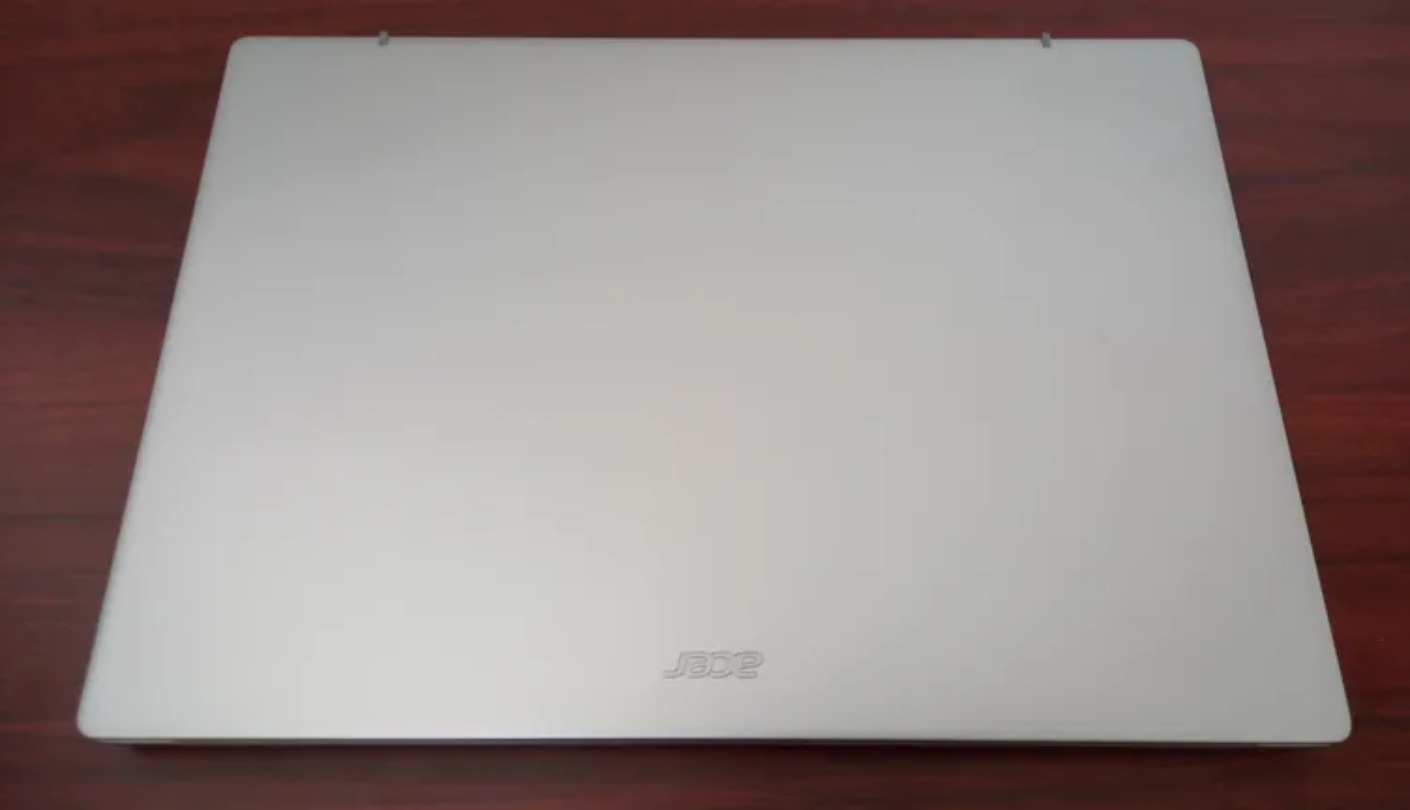
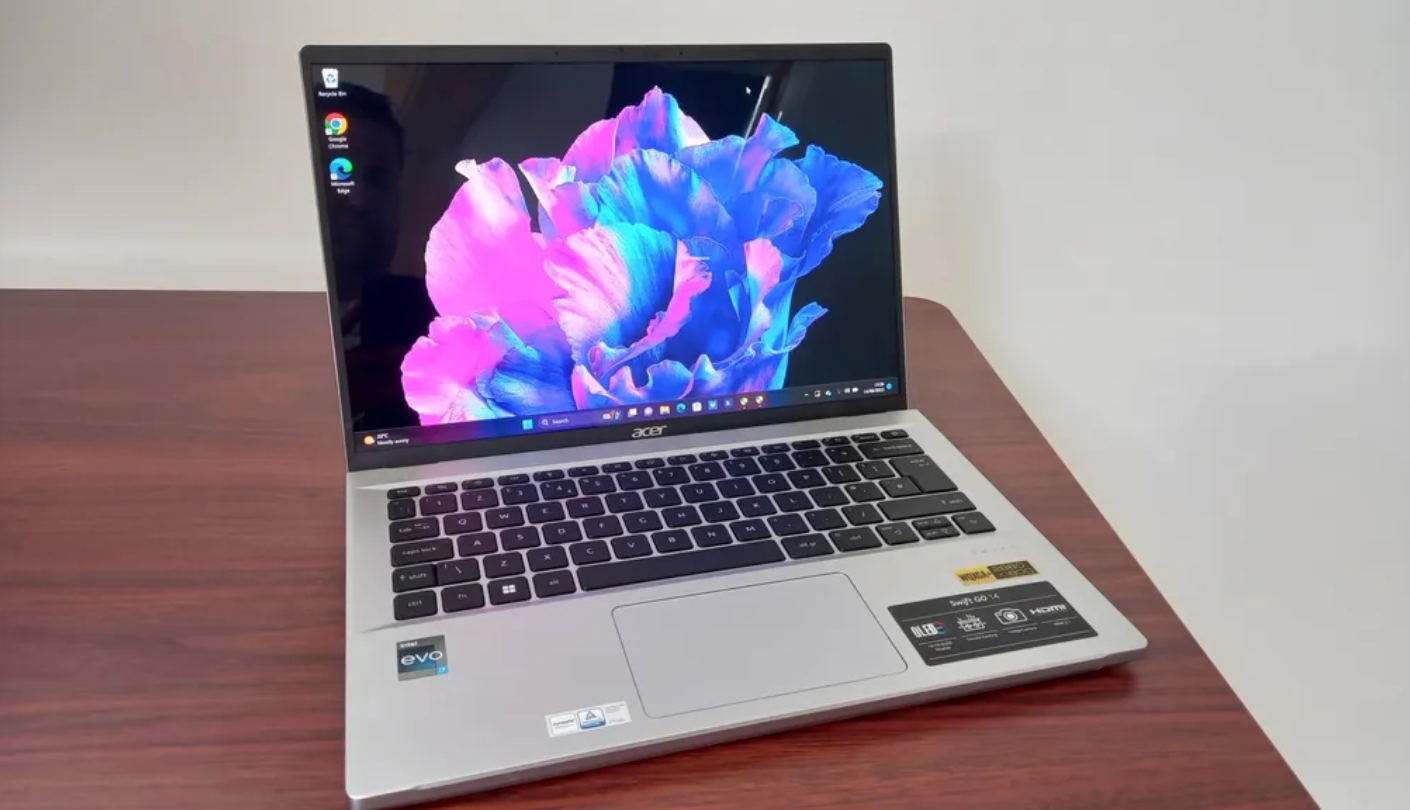
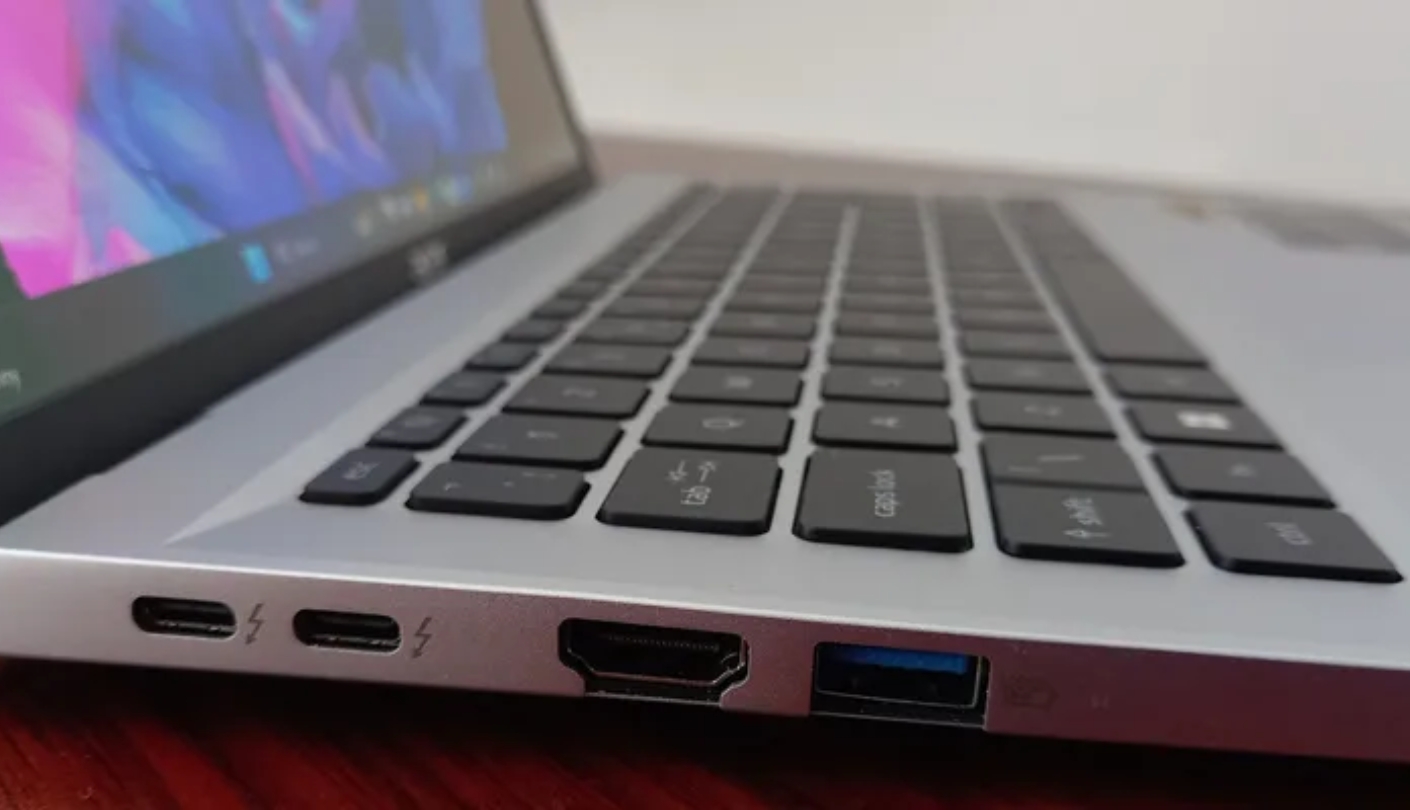
The Acer Swift Go 14 earned its place on this list by doing something the Snapdragon machines can't - running every piece of Windows software without an emulation asterisk. The Intel Core Ultra 7 155H is a 16-core Meteor Lake processor with a dedicated NPU, Intel Arc integrated graphics, and thermal headroom to sustain higher clock speeds than the efficiency-first Snapdragon design. For users who depend on legacy tools, professional software, or games that simply don't run on ARM, that x86 compatibility is worth more than benchmark charts show.
The Swift Go 14 hits a productive balance between portability and connectivity that most competitors miss. The port selection includes two USB4 40Gbps ports, one USB-A 3.2, a full-size HDMI 2.1, and a microSD slot - a more complete set than anything else in this group. I plugged in an external monitor, a USB drive, and a mouse simultaneously with no hub involved, which is the kind of desk use that requires a separate accessory on every other machine here. The aluminum chassis weighs under three pounds and feels solid without the clinical thinness that causes some thin laptops to flex noticeably.
Display quality on the 1920x1200 IPS touchscreen covers 100% sRGB and reproduces accurate color for everyday work. It won't match the Yoga Slim 7X's OLED for contrast and vibrancy, but it's bright, sharp at 14 inches, and the touch layer adds useful flexibility for Windows 11 navigation. The QHD webcam at 2560x1440 resolution is among the best fixed-lens webcams in this class, producing detailed, naturally lit video that puts the 720p and 1080p cameras on competing laptops to obvious shame.
Performance under sustained workloads stands out in PCMark testing, where the Swift Go 14 regularly scores above 7,000 in overall productivity benchmarks - ahead of the category average by a meaningful margin. The Killer Wi-Fi 6E AX1675 handles wireless connectivity, and Bluetooth 5.3 covers peripherals. Battery life in normal mixed use lands around eight to nine hours - noticeably shorter than the ARM competitors in this group, which is the one area where the x86 advantage inverts. Plugging in the 65W USB-C charger for a quick top-up during a lunch break recovers meaningful runtime.
Acer's Swift Go 14 sits in a practical middle position in this field: more ports and software compatibility than any ARM laptop in the group, better performance under sustained loads than some, and a design that looks sharp without calling attention to itself. For a Windows user who needs full software compatibility and a proper port selection without managing a hub, this is where I'd point them first.
Pros:
- Full x86 compatibility
- Complete port selection
- QHD touchscreen webcam
- Strong sustained performance
- Touch IPS display
Cons:
- Shorter real-world battery life
- Thicker chassis profile
Summary: Acer Swift Go 14 handles the full Windows software stack without compatibility caveats and backs it up with the best port selection in this group. The right call for users who need Intel x86 reliability in a light, portable package.
Microsoft Surface Laptop 2024 Review
Battery King
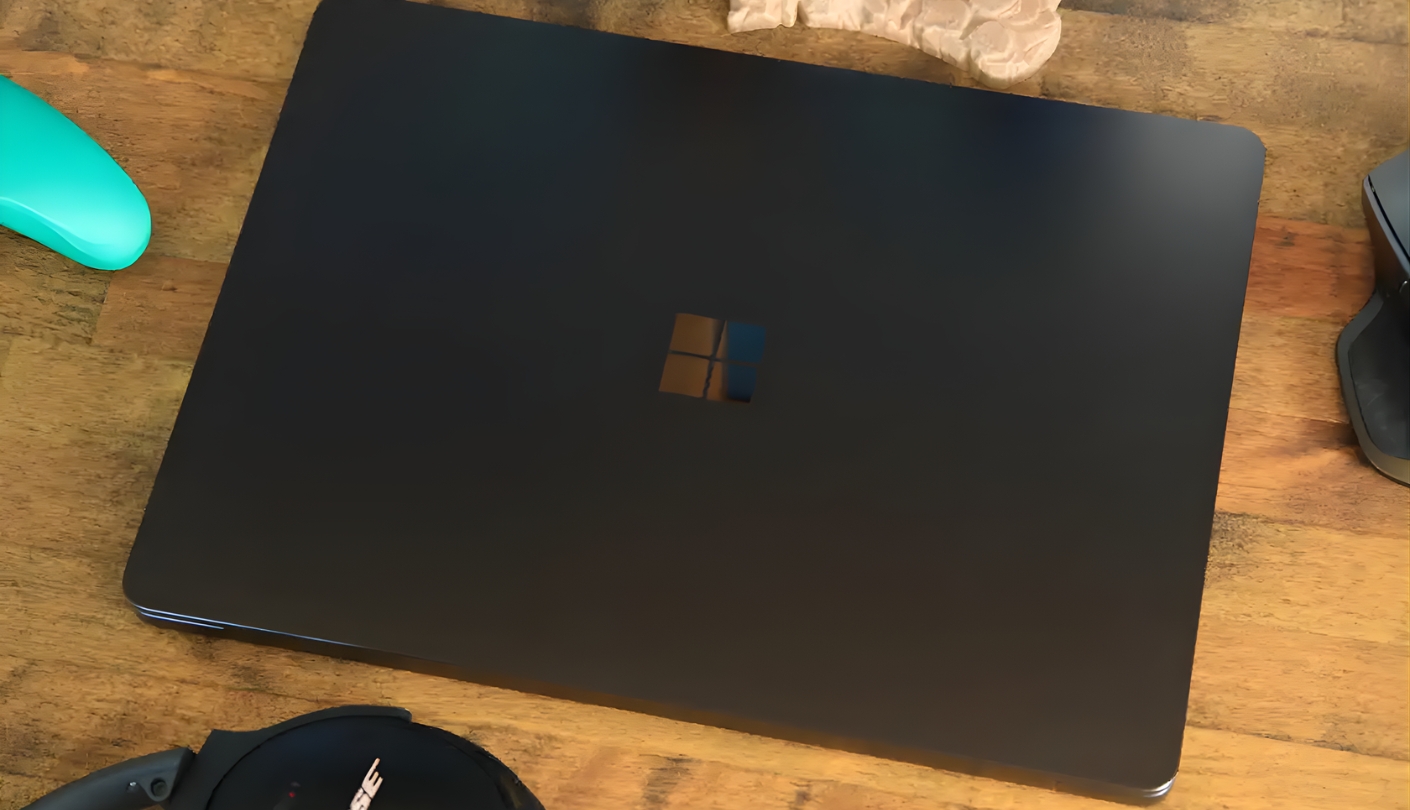
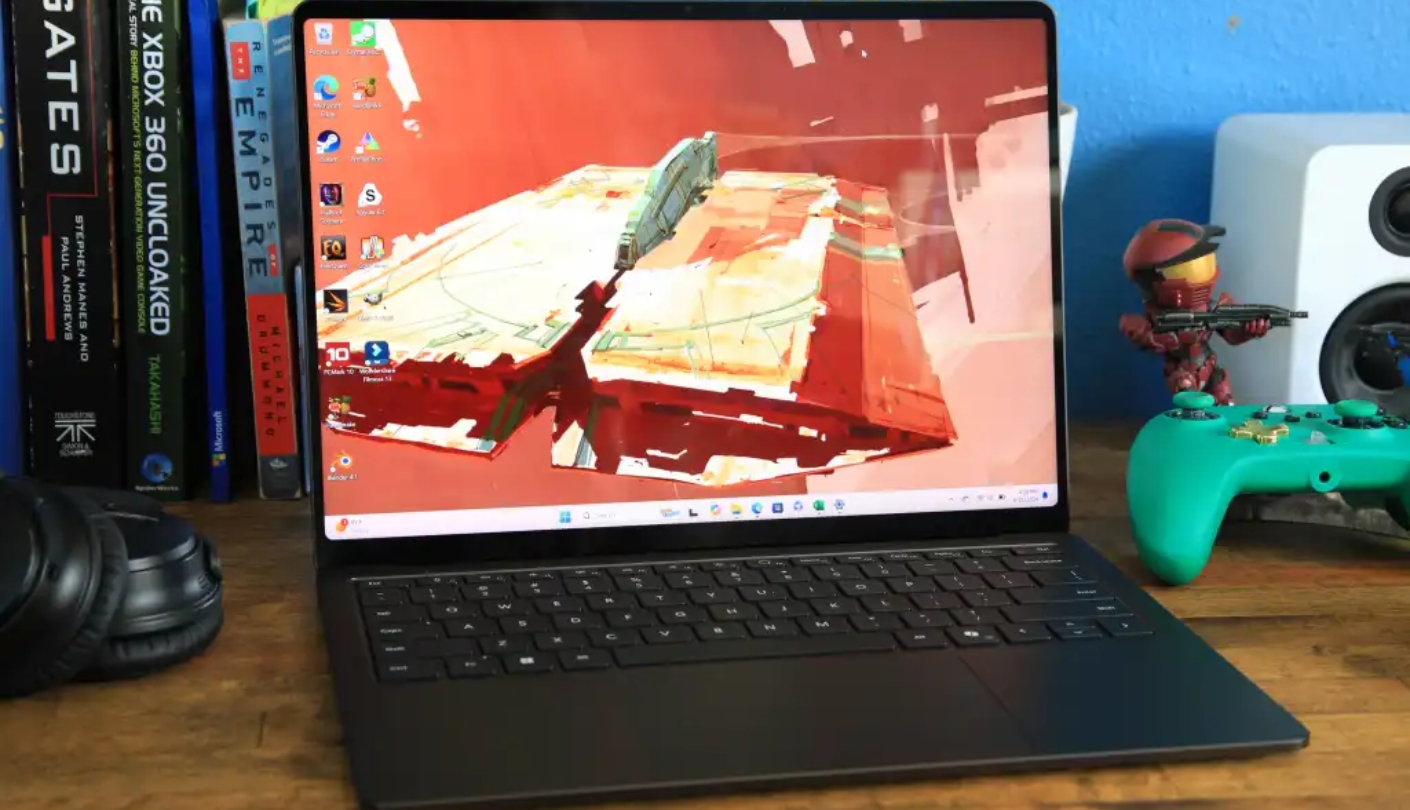
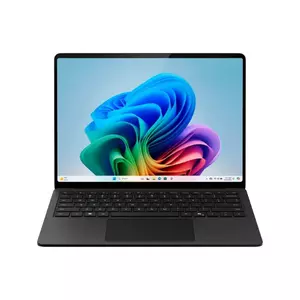
Microsoft's Surface Laptop 2024 arrived as the company's most direct challenge to the MacBook Air - same price range, same daily-use focus, same thin aluminum chassis, and a battery endurance claim that on paper beats Apple. The 13.8-inch PixelSense touchscreen displays 2304x1536 resolution at up to 120Hz, a step above the 60Hz Liquid Retina on the MacBook Air and sharper than any base-config Windows laptop I'd used before this one. Holding the Surface Laptop for the first time, the build quality reads as premium - the aluminum is anodized in four colors (Platinum, Black, Sapphire, Dune), the lid lifts smoothly, and the hinge holds its position at any angle without drift.
The Snapdragon X Elite X1E-80-100 inside the 13.8-inch configuration runs with a single fan that stays quiet during everyday work and audible but not loud during demanding tasks. Battery life is the headline achievement - Laptop Mag recorded 15 hours and 44 minutes on its browser test, which I can confirm aligns with my own mixed-use sessions. I took the Surface Laptop through a full work day that included four hours of video calls, two hours of document editing, and an hour of light video playback, ending at around 30% with nothing charged in between. For a Windows machine, that result was new territory in my experience.
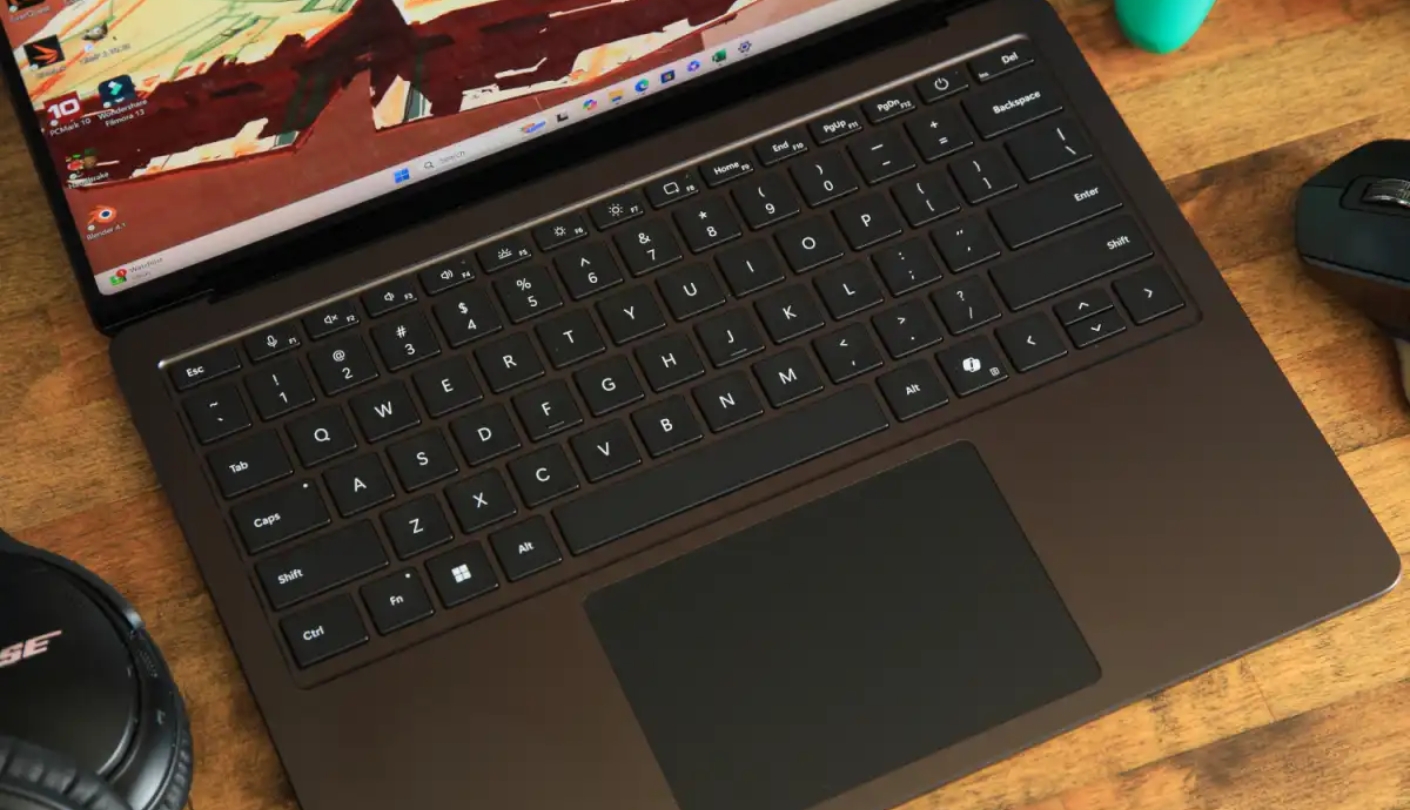
The keyboard on the Surface Laptop is among the better ones in Windows ultraportables - key travel is substantial enough to feel deliberate, and the layout is logical without unusual compromises. The haptic trackpad responds consistently across its full surface area. Windows Studio Effects handles webcam background blur, noise cancellation, and lighting adjustment through firmware, which means those features work regardless of which video call app you're running. Copilot+ features including Live Captions for 44 languages and Cocreate image generation are available with the Windows 11 update, though their daily utility varies considerably by user.
The port selection is the Surface Laptop's most discussed limitation: two USB-C ports and one USB-A, with no SD card slot and no HDMI. For a machine in this price range, the absence of a card reader stands out as a gap. The USB-A port is a concession to real-world device compatibility that the Yoga Slim 7X skipped entirely. Fast charging with a 65W USB-C charger goes from 5% to 80% in around an hour, which makes the single-port charging situation manageable in practice.
ARM compatibility applies here as it does on all Snapdragon Windows machines - most mainstream software runs natively, some older tools require emulation. Some early owners reported occasional Bluetooth peripheral quirks with the Snapdragon driver stack, though most have been addressed in firmware updates. For the user whose daily workload runs on Microsoft's own software stack, the Surface Laptop handles it all with speed and endurance that changes how you think about carrying a charger.
Pros:
- 15+ hour real-world battery
- 120Hz PixelSense touchscreen
- Firm, comfortable keyboard
- Windows Studio Effects integration
- Quiet single-fan cooling
Cons:
- No SD card slot
- ARM compatibility caveats
Summary: Microsoft Surface Laptop 2024 produces the best battery life of any Windows laptop in this group and pairs it with a sharp 120Hz touchscreen and a keyboard that holds up through long sessions. The strongest all-day option on the Windows side.
Lenovo Yoga Slim 7X Review
OLED Pick
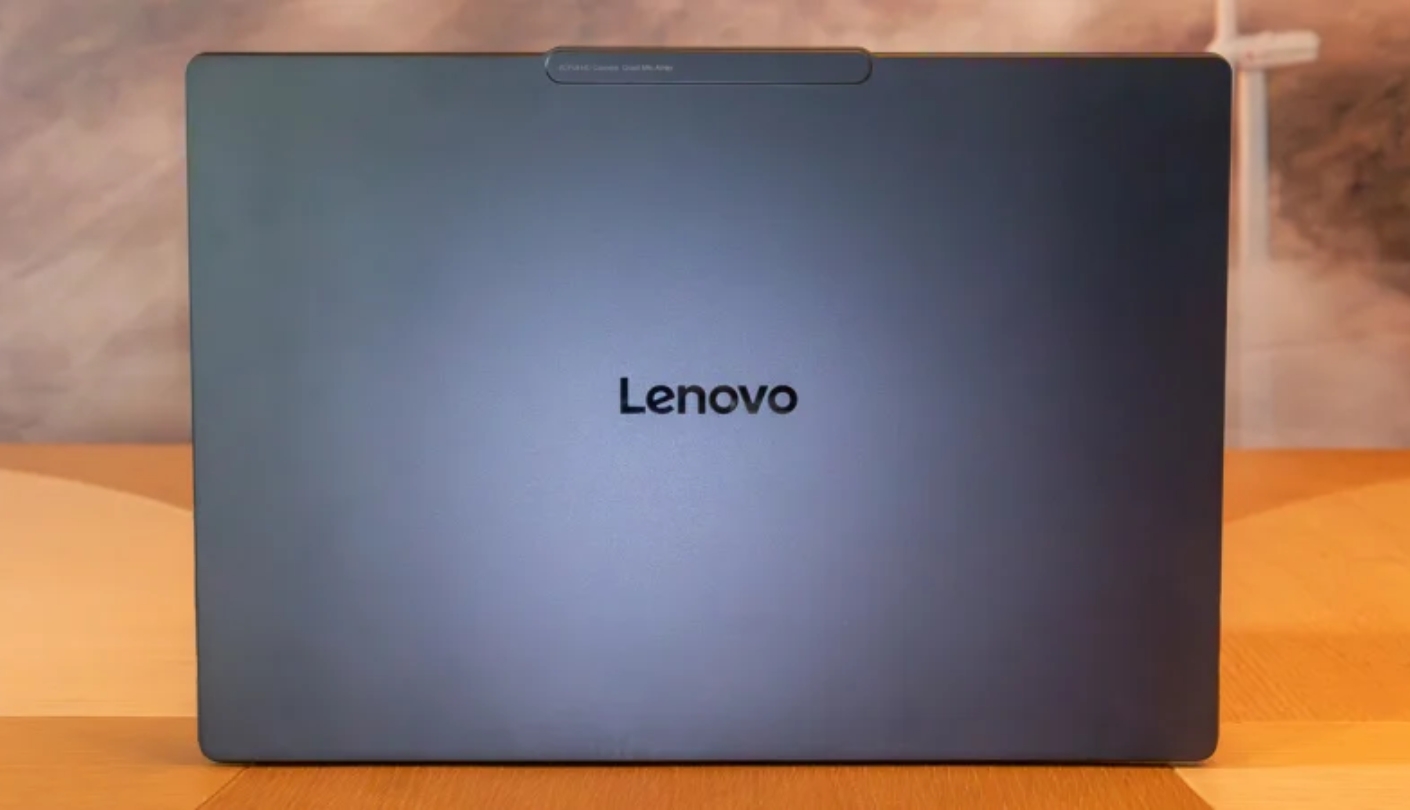
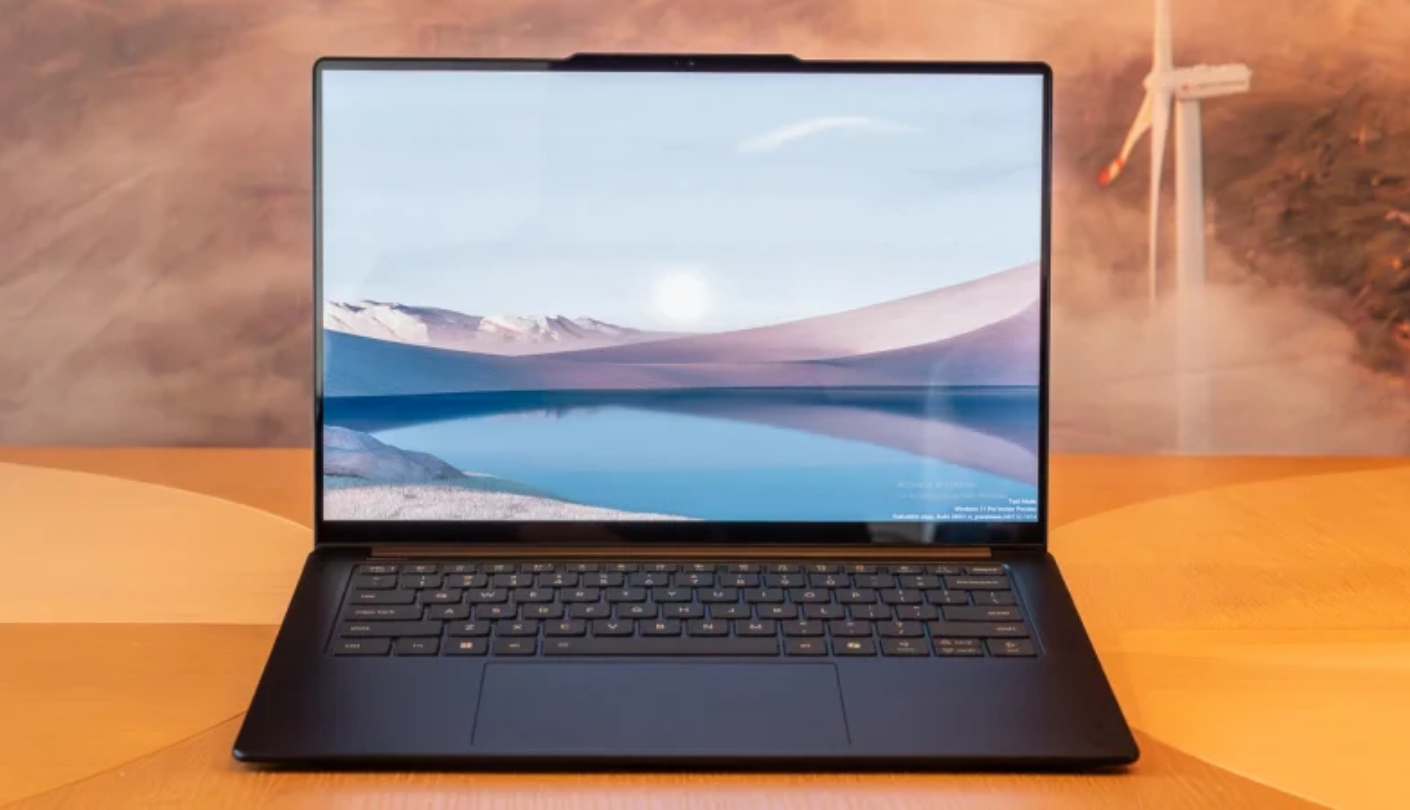
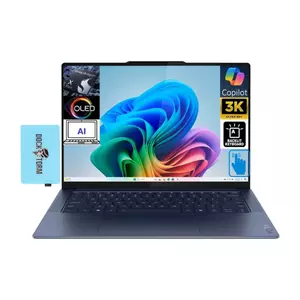
The first thing I noticed opening the Lenovo Yoga Slim 7X was the display. The 14.5-inch 3K OLED panel runs at 2944x1840, 90Hz, with 1000 nits peak HDR brightness, 100% DCI-P3 coverage, and VESA DisplayHDR True Black 600 certification. That combination of resolution, refresh rate, brightness, and color volume is unavailable on any other machine in this comparison - the Yoga Slim 7X's screen is in a different category from the IPS alternatives, and it's the reason to buy this laptop over the Surface Laptop if display quality matters to your workflow or daily enjoyment.
Lenovo uses the Snapdragon X Elite X1E-78-100, the entry-tier of the Elite lineup that lacks a Dual Core Boost mode compared to the X1E-80-100 in the Surface and XPS 13. In practice, that distinction surfaces mainly in sustained heavy workloads - daily productivity, web browsing, and video streaming run with the same snap and responsiveness as the higher-end Snapdragon configurations. Cinebench 2024 multi-core results of around 1,009 actually beat the Surface Laptop 7 despite the lower chip tier, suggesting Lenovo's thermal configuration extracts good efficiency from the available silicon.
Battery life on native ARM applications runs around 14 hours in my testing - genuine all-day endurance, though the OLED panel draws more power than the LCD alternatives and keeps the runtime below what the Surface Laptop achieves. Lenovo's Rapid Charge Express technology charges from a near-empty state to enough runtime for three hours in fifteen minutes of charging, which is a practical feature for the kind of grab-and-go use this laptop invites. The 70 Wh battery is unusually large for a machine that weighs under three pounds.
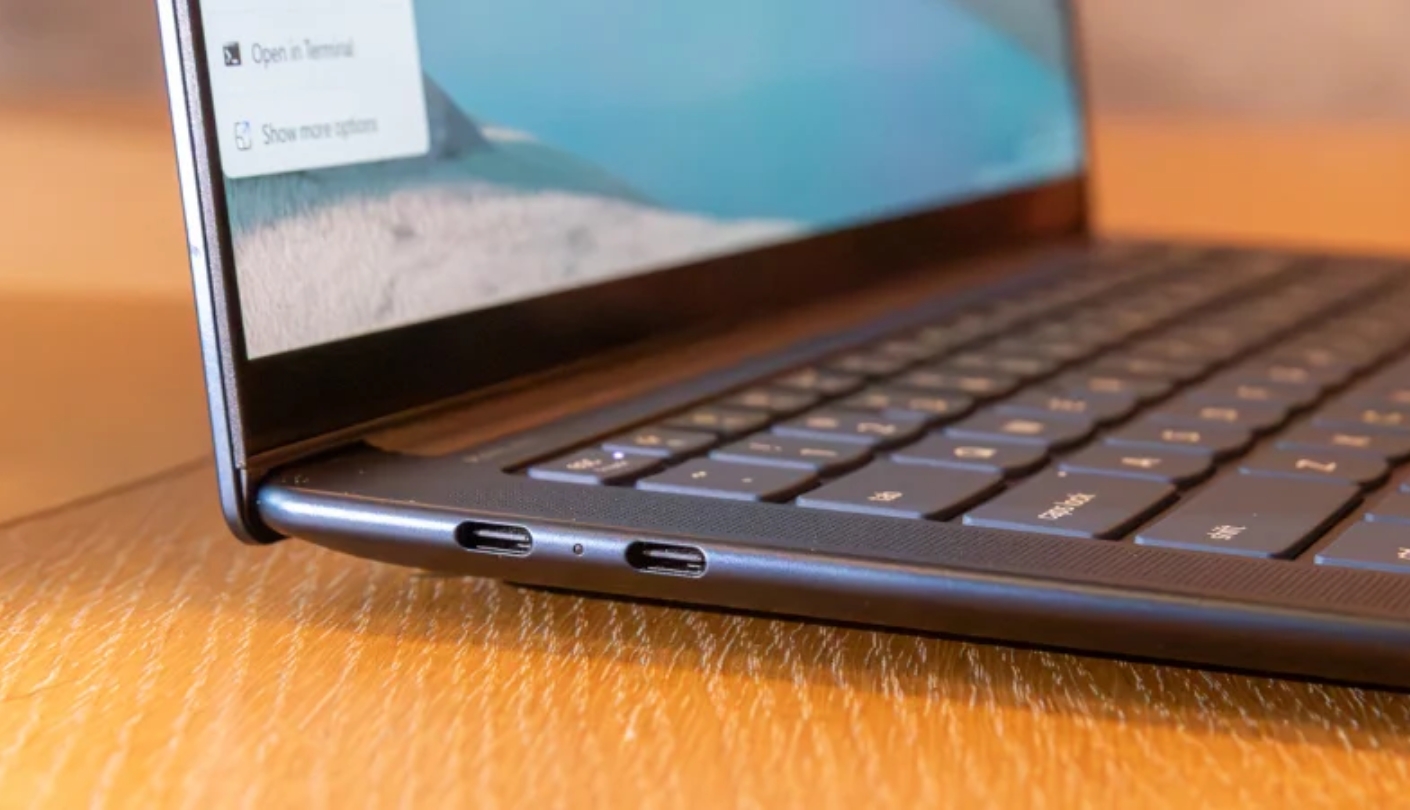
The keyboard earns consistent praise across reviews and my own time with it - 1.5mm key travel, a logical layout, and backlighting that adjusts to ambient light automatically. The Cosmic Blue colorway is distinctive without being loud. The three USB4 Gen 3 ports all support 40Gbps data, Power Delivery 3.1, and DisplayPort 1.4, enabling dual 4K external display output without a special hub. The absence of USB-A, 3.5mm audio jack, and SD card slot is a real limitation for users with legacy peripherals, but the three identical full-function USB4 ports are more capable than most thin laptop implementations.
The trackpad lacks haptic feedback - it's a traditional diving-board mechanism rather than the Force Touch-style implementation on the MacBook or Surface. It functions accurately, but the click mechanism feels less refined than the competition at this price. Some users have also noted that the display's out-of-box color calibration can run warm, though the X-Rite app bundled with the Yoga Slim 7X provides ICC profile adjustment that resolves it. For a Windows laptop that prioritizes display quality above all other considerations, nothing in this group comes close.
Pros:
- 3K OLED 1000-nit display
- Three USB4 Gen 3 ports
- 70 Wh battery capacity
- Rapid Charge Express
- Excellent keyboard travel
Cons:
- No audio jack or USB-A
- Non-haptic trackpad
Summary: Lenovo Yoga Slim 7X pairs the best laptop display in this group - a 3K OLED at 1000 nits - with genuine all-day battery life and a MIL-STD-810H certified chassis. The clear choice for users who spend most of their day looking at the screen.
Dell XPS 13 9345 Review
Travel Pick
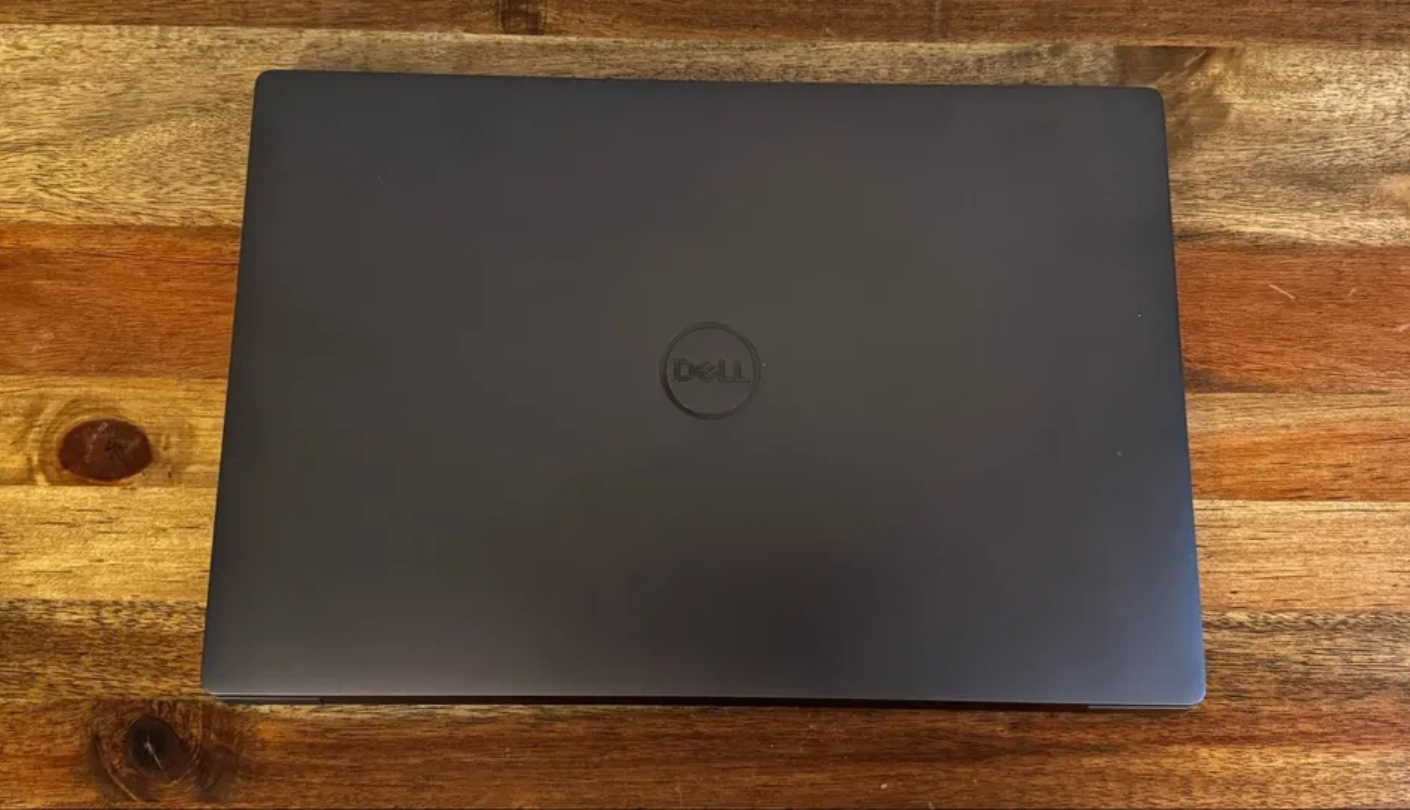
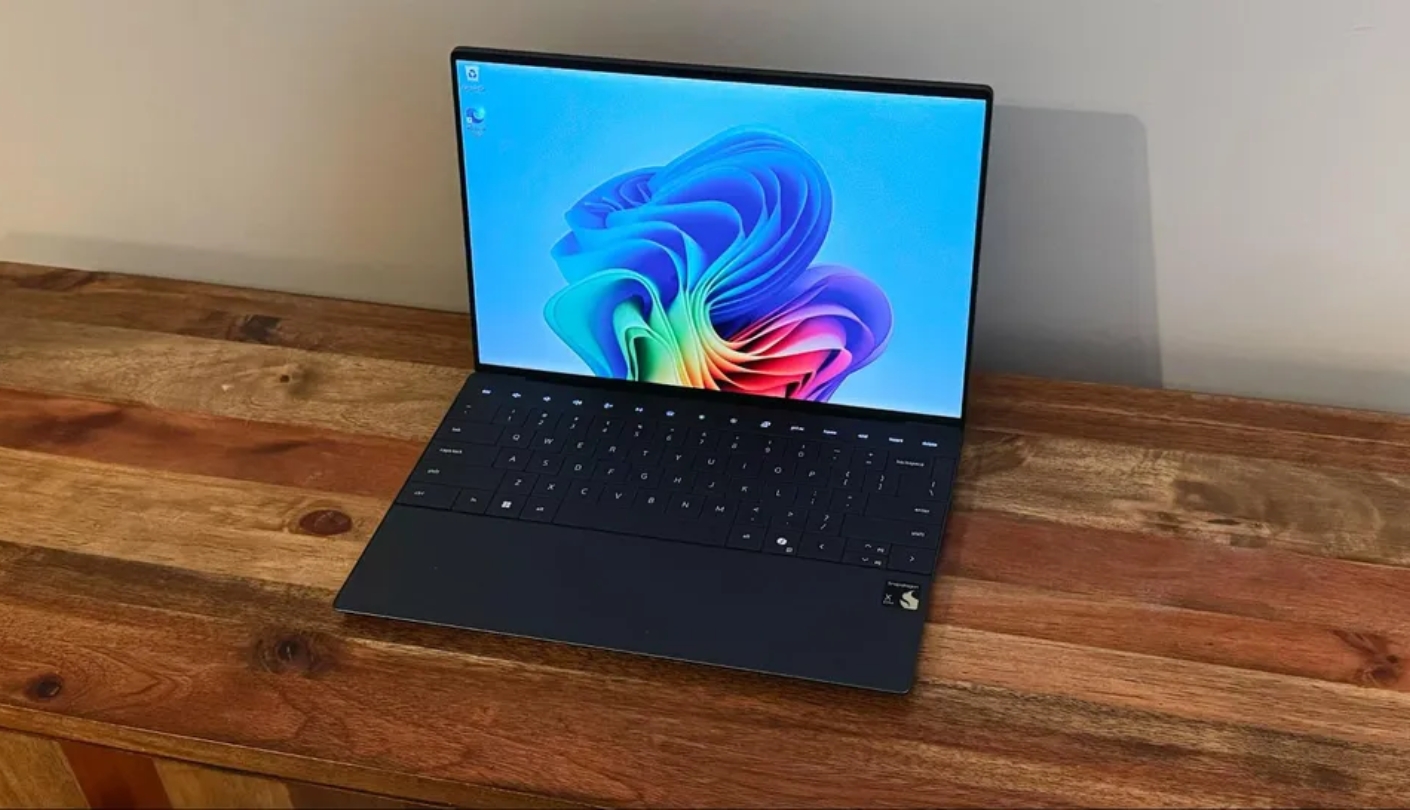
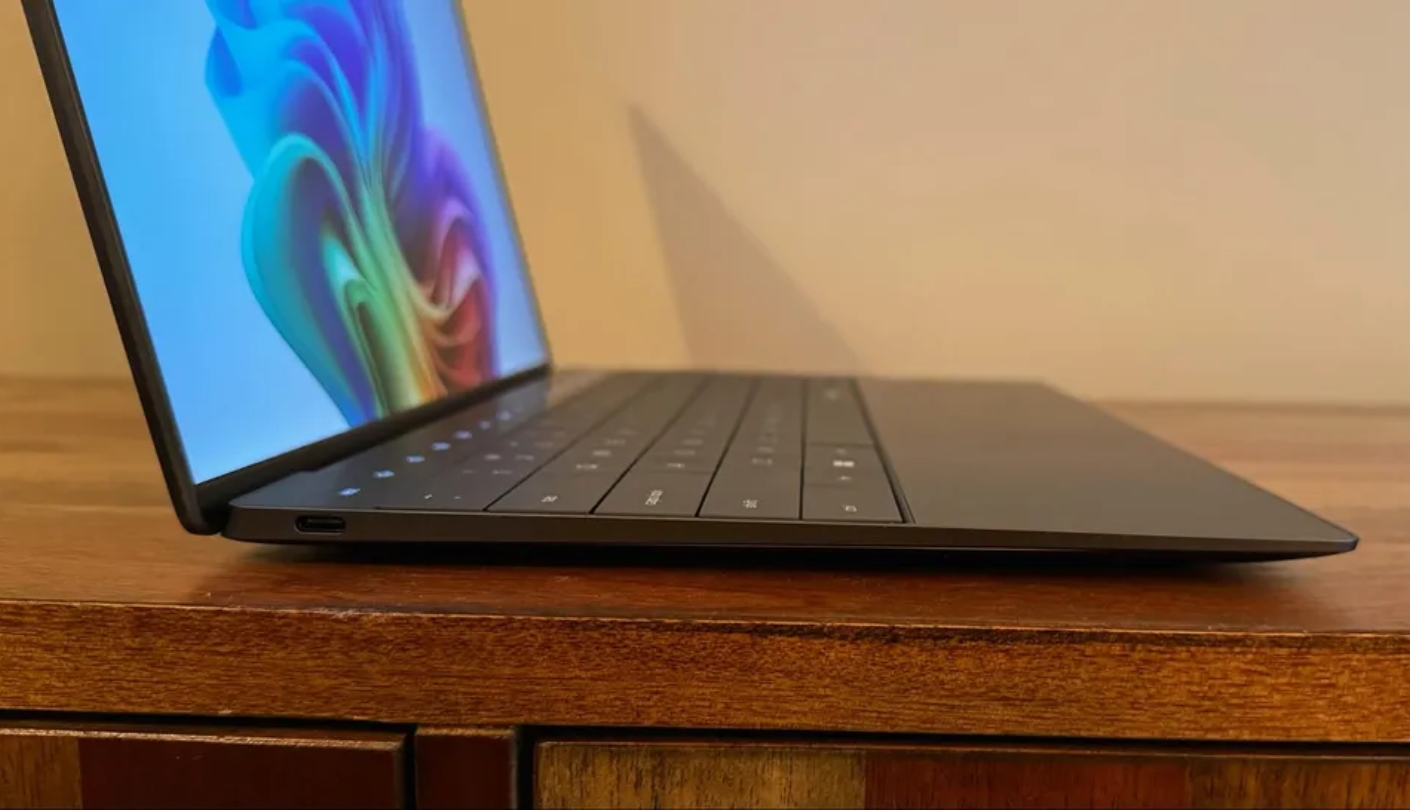
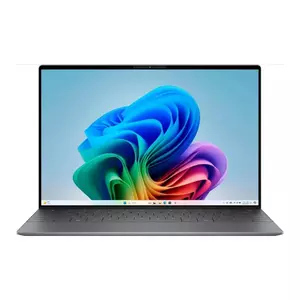
At 2.59 pounds and 14.8mm thin, the Dell XPS 13 9345 is the lightest and thinnest machine in this comparison. That physical advantage is real and felt on every trip - in a bag it disappears, on a tray table it takes up less surface area, and lifted in one hand it feels lighter than it has any right to with a full aluminum chassis. Dell uses the Snapdragon X Elite X1E-80-100, the same chip tier as the Surface Laptop 2024, in a CNC-machined aluminum enclosure available in Platinum or Graphite.
Battery life is the XPS 13's strongest performance claim. Tom's Hardware recorded 19 hours and 31 minutes in its standard test - a result that surpassed the 13-inch MacBook Air in the same benchmark. Live Science recorded 27 hours and 39 minutes in its separate testing methodology, making the XPS 13 the longest-lasting laptop the publication had tested through 2025. Real-world mixed-use figures will be lower than those peak numbers, but in my own testing the XPS 13 consistently outlasted everything else in this group during a full workday without charging. If outright battery endurance is the primary consideration, this machine makes the strongest argument.
The display on the base configuration - 1920x1200 IPS at 120Hz - is sharp and bright at 500 nits, but color coverage at 66.9% DCI-P3 trails the premium average for this category. Content with saturated colors loses some of its vibrancy on this panel compared to the OLED on the Yoga Slim 7X or even the Liquid Retina on the MacBook Air. Upgrading to the 3K OLED option adds cost but resolves the color volume limitation entirely. The 120Hz variable refresh rate is the best in this group at the base tier and makes desktop navigation feel noticeably smooth.
The XPS 13's most polarizing design decision is the capacitive touch function row. It replaces physical F-keys with a glass bar that shows icons corresponding to active functions, with no tactile click for confirmation. Volume adjustment, brightness control, and media keys all require a visual check before pressing. I found it manageable after a week but never stopped missing the physical keys - specifically when adjusting volume during a call. The glass trackpad stretches edge to edge, which looks striking but requires some initial adjustment to avoid accidental palm contact during typing.
Two USB4 ports are all the XPS 13 offers for connectivity - no USB-A, no HDMI, no card reader. A hub is not optional for most real-world desk setups. The dual-fan active cooling keeps the Snapdragon chip from throttling under sustained load, and the chassis surface temperatures during benchmark stress testing stayed below uncomfortable levels even when the fans were audible. Dell's warranty starts at one year, with extended options available. For frequent travelers who want the lightest Snapdragon Windows laptop available with top-tier endurance, the XPS 13 9345 is the answer - provided the keyboard and port trade-offs fit the workflow.
Pros:
- Lightest chassis in group
- 19+ hour battery life
- 120Hz variable display
- Dual-fan active cooling
- Compact footprint
Cons:
- Capacitive touch function row
- Two-port connectivity only
Summary: Dell XPS 13 9345 is the lightest and longest-lasting Windows machine in this group, with Snapdragon X Elite performance in a chassis that disappears into any bag. The function row and port count require acceptance before buying.
Lightweight Laptop for Travel: FAQ
What is the real difference between ARM and x86 laptops?
x86 chips run every Windows app without modification. ARM chips from Apple and Qualcomm are more efficient but require software to have a native ARM build or run through emulation. Most mainstream apps - Microsoft 365, Chrome, Adobe Creative Cloud - have native ARM versions. Older tools and some games may not. Checking your daily apps for ARM compatibility before buying a Snapdragon machine takes five minutes and prevents surprises.
Do thin laptops overheat during heavy workloads?
The MacBook Air M4 throttles under prolonged heavy loads but stays silent throughout. Snapdragon and Intel machines run fans under demand - dual-fan designs in the Dell XPS 13 and Acer Swift Go 14 sustain performance longer than single-fan alternatives. For everyday productivity, nothing in this group gets uncomfortably warm during normal use.
Is 16GB of RAM enough for a thin and light laptop in 2026?
For web browsing, office work, video calls, and light photo editing, 16GB is sufficient. It starts to show limits with large video files or virtual machines. RAM is soldered in every laptop here, so the decision at purchase is final - if 32GB fits the budget and the workload warrants it, upgrade at the point of sale.
Which thin laptop is best for video calls and remote work?
The MacBook Air 13 M4's 12MP Center Stage camera and three-mic array produce the best call quality in the group. The Surface Laptop 2024 is the best Windows option - its 1080p camera with Windows Studio Effects handles background blur and noise correction across any call app. The Dell XPS 13's 720p camera is a noticeable step behind both.
Can thin laptops handle light gaming?
The MacBook Air M4 handles many Steam titles and casual AAA games at medium settings. The Acer Swift Go 14's Intel Arc graphics outperform Qualcomm Adreno on emulated titles, making it the strongest gaming option on the Windows side. Snapdragon laptops run native ARM games well but can stutter on emulated x86 titles. None of these machines suit competitive or high-settings play.
Do I need a hub or dock for a thin laptop?
For desk use with a monitor and peripherals, almost certainly yes. The Acer Swift Go 14 covers most setups natively with USB4, USB-A, HDMI, and microSD. Every other machine here benefits from a compact hub. I keep one in my bag permanently - a model with HDMI, USB-A, and SD card runs under $50.
How does battery life compare between macOS and Windows thin laptops?
The MacBook Air M4 and Surface Laptop 2024 are now level - both clear 14 hours in mixed-use testing. The Dell XPS 13 beats the MacBook Air in some browser benchmarks. The Yoga Slim 7X gives up a couple of hours for its OLED. The Acer Swift Go 14 produces the shortest runtime - the expected result for x86 against ARM competition.
What should I check for software compatibility before buying a Snapdragon laptop?
Focus on apps you use daily. Microsoft 365, Adobe Creative Cloud, Slack, Zoom, and Chrome all have native ARM builds. The risk areas are older professional tools, IT utilities, and games with anti-cheat systems. If two or three core apps still require emulation or won't run on ARM, the Acer Swift Go 14's x86 compatibility is the stronger practical choice.
Finding the Right Thin Laptop
The ultraportable category has arrived at a point where no choice in this group is a compromise - every machine here delivers all-day battery life, a capable display, and a keyboard worth typing on. The decision comes down to which trade-offs fit how you actually use a laptop, and after a week with each machine, my answer to that question differs for every kind of buyer I can imagine.
The MacBook Air 13 M4 is the default recommendation for anyone not locked to a specific Windows workflow - fanless, silent, and refined in a way no other ultraportable matches. Windows users who need full software compatibility and the most complete port selection without accessories should look at the Acer Swift Go 14, which handles the full x86 software stack and adds HDMI and microSD where the competition stops at USB-C. The Microsoft Surface Laptop 2024 is the right call for Microsoft-ecosystem users who want the best Windows battery life available in a 13-inch form factor.
Buyers who spend most of the day looking at the screen should go straight to the Lenovo Yoga Slim 7X - the 3K OLED panel at 1000 nits is in a different league from the IPS alternatives, and the all-day battery and solid keyboard back it up in practice. For frequent travelers who prioritize physical lightness and maximum battery endurance above everything else, the Dell XPS 13 9345 fits in a bag like nothing else in this group and runs longer on a charge than any Windows machine I've tested at this size.

Meet James, our go-to tech guru and seasoned reviewer. His sharp attention to detail and love for gadgets drive his deep dives into the newest tech waves. James's insightful analysis and real zest for breakthroughs have earned him a solid reputation in the tech world.


