Five biggest innovations in Samsung One UI 8

Samsung is known for adding many useful features to its smartphone software. Now the company is at the final stage of finalising its new version of the shell - One UI 8, which will soon be available on our smartphones. So, let's see what the company will soon bring to its fans.
- New DeX based on Android 16
Samsung has significantly redesigned DeX by switching to the Desktop Mode built into Android 16. This mode allows you to connect your phone to a monitor, keyboard and mouse and run applications as if they were on a full-fledged PC in separate windows. The innovation will bring two benefits at once: firstly, more and more apps will gradually be adapted to Desktop Mode, as it is no longer just a feature of Samsung's premium segment, but a feature available to all manufacturers, and secondly, DeX will now also develop along with Android and Samsung will spend less time updating its firmware.
2. Quick Share with a redesigned interface
Instant file sharing has become more intuitive: full-screen mode with "Send" and "Receive" tabs allows you to start a transfer not only from the Gallery, but directly from the quick settings curtain. A carousel of recommended devices and support for transferring even without a Galaxy account have been added.
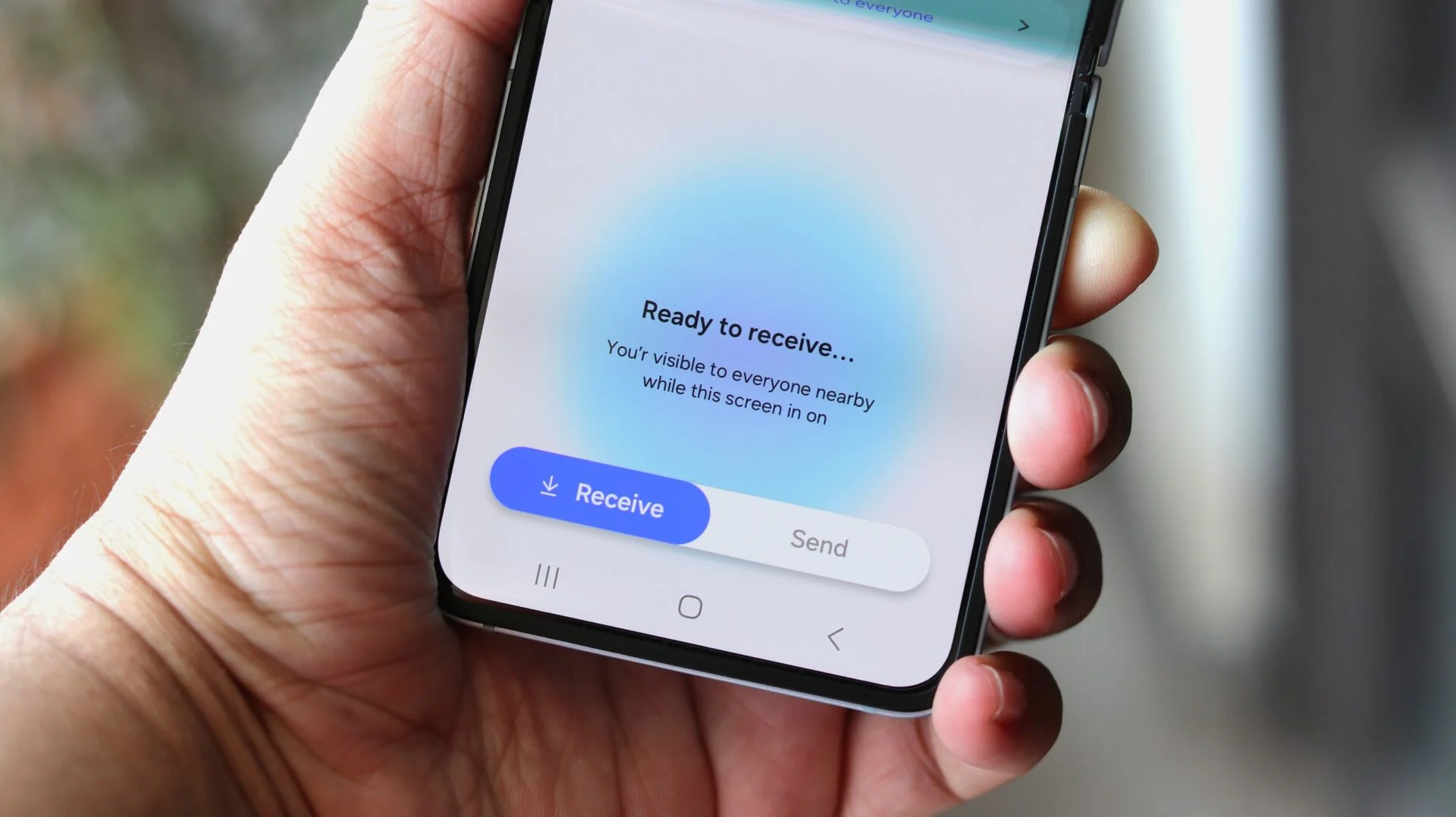
Quick Share. Illustration: sammobile.com
3. New multitasking: the split screen can be configured more flexibly
Now you can display two applications, where one takes up 90% of the screen and the other one - one tenth, and switch between them by tapping on a small window. In other words, you can almost completely hide the second window from view, periodically "pulling it out" if necessary. Previously, it was sometimes difficult to use the split screen if the necessary interface elements did not fit in half of the screen, especially if you had to open the keyboard.
4. Updated Secure Folder
Secure Folder is now based on the native Android Private Space mechanism (introduced in Android 15). The system-level encryption will be more reliable and, again, Samsung will no longer spend time on it when updating the firmware.
5. Now Bar now supports Live Updates
The Now Bar was introduced in OneUI 7 and was a kind of answer to the Dynamic Island on the iPhone. It displayed more information than the notification in the curtain, but it was displayed normally on the screen, without any holes in the display. Now Bar supports the Live Updates feature from Android 16. That is, if a taxi or delivery service shows the progress of a task, this information will now be displayed in the Samsung Now Bar. No additional actions are required from app developers, this is a standard Android feature, so third-party developers can use the Now Bar API with Live Updates. The information hub with contextual cards (e.g. reminders, order status, events) is automatically updated with Live Updates.
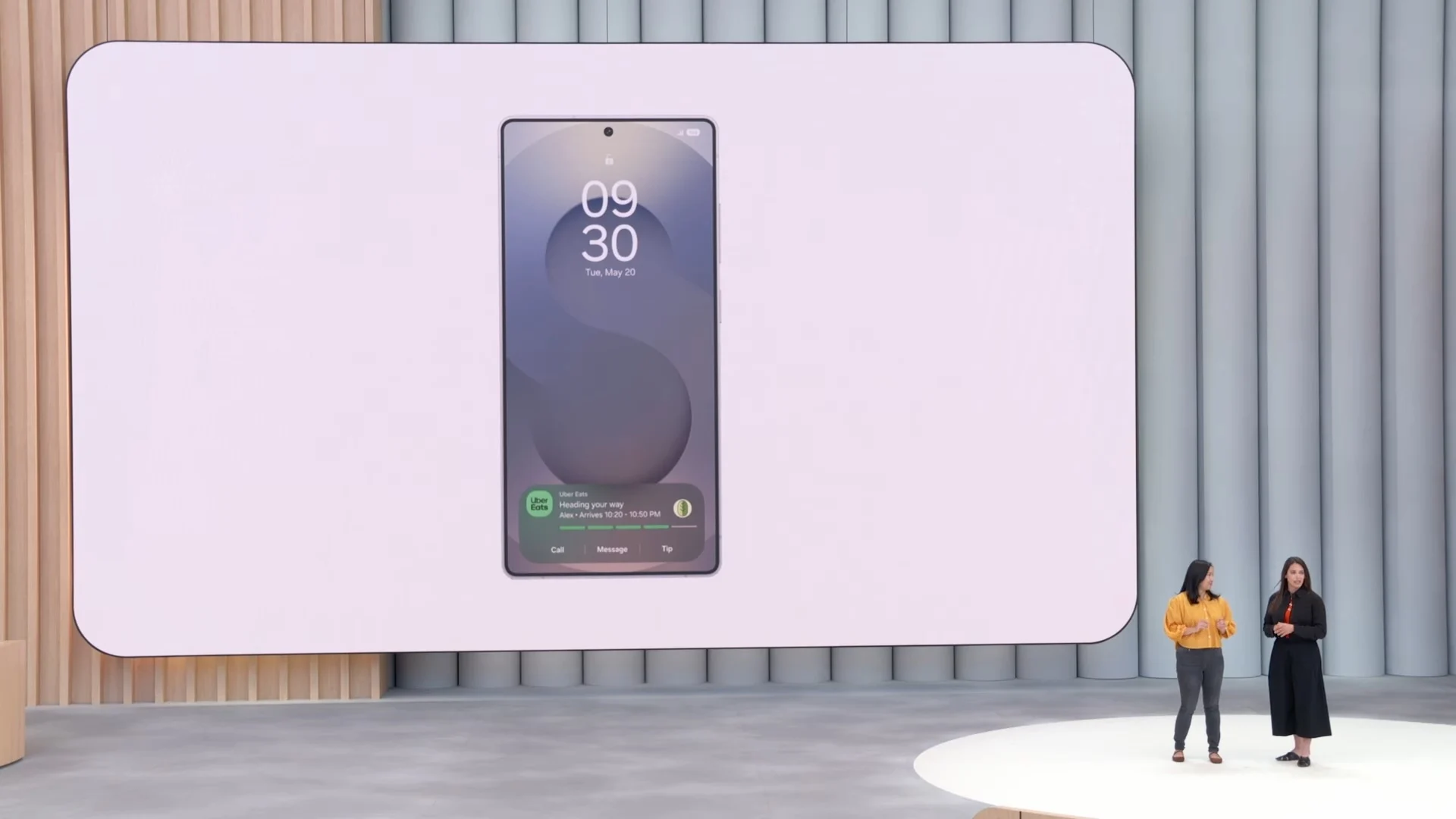
Presentation of Now Bar. Illustration: sammobile.com
This year, Android 16 introduces significant changes to the system and interface, so Samsung keeps its finger on the pulse and takes these updates into account in time. Interestingly, Google borrows many innovations from Samsung: DeX has been developed by the Korean manufacturer for many years and now it is becoming a standard, and the secure folder has also been in One UI for many years. And Google has often adopted Samsung's innovations before: support for flexible screens appeared after the release of Galaxy Fold, and the dark interface design came from TouchWiz.
Source: www.sammobile.com


