Best Laptops Under $500 for Students
My younger sister called me last August in a mild panic - she needed a laptop for college, had a limited budget, and the Amazon search results were doing her no favors. Forty nearly identical listings, each claiming to be the best value for students, none of them explaining what actually matters when a machine has to survive four years of coursework. I spent the next few weeks doing what I do: pulling apart specs, cross-referencing real-world reviews, and figuring out which ones deliver and which ones just look good on a product page.
What I found: sub-$500 laptops have quietly gotten a lot better. Proper NVMe storage, Ryzen multi-core processors, and durability certifications that used to cost twice as much are now showing up at this price. The trade-offs haven't disappeared - display brightness, storage limits, battery size - but they're manageable if you know which ones actually affect daily use and which ones you'll never notice.
In a hurry? Here are my top two picks for student laptops under $500:
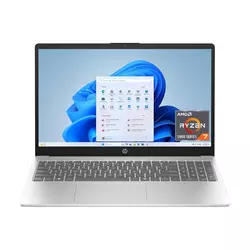
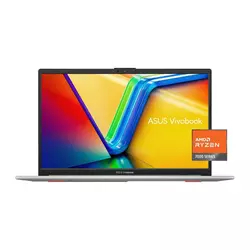
We may earn a small commission if you buy via our links - it helps keep gagadget.com running.
Table of Contents:
- Best Student Laptops Under $500: Buying Guide
- Top 5 Laptops Under $500 in 2026
- Student Laptop Comparison
- HP 15 Ryzen 7 (15-fc0502nr)
- ASUS Vivobook Go 15 (E1504FA)
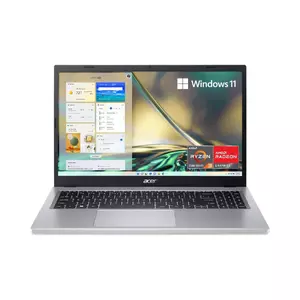
- Acer Aspire 3 (A315-24P-R7VH)
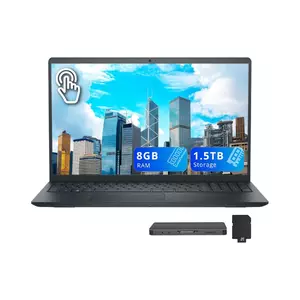
- Dell Inspiron 15 3530
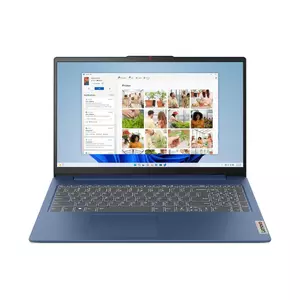
- Lenovo IdeaPad Slim 3
- Student Laptop Under $500: FAQ
Best Student Laptops Under $500: Buying Guide

Buying a sub-$500 laptop for college takes more thought than picking the lowest price that runs Windows. Trade-offs are everywhere in this range, and knowing which ones actually affect a student's daily workflow separates a smart buy from a four-year frustration. I've gone through the specs that show up in every product listing and flagged what's worth paying attention to and what you can safely ignore.
Processor: AMD vs Intel at This Price
Most student laptops under $500 run either AMD Ryzen 7000-series chips or 13th-gen Intel Core U-series processors. The AMD Ryzen 5 7520U and Ryzen 3 7320U use Zen 2 cores - an older architecture, but efficient enough for coursework. The Ryzen 7 5825U in the HP 15 uses Zen 3 with eight cores, which is genuinely faster for heavier tasks like coding or running multiple apps at once. Intel's i5-1334U brings 10 cores with a mix of performance and efficiency cores, which helps with multitasking even if single-core speed is comparable to AMD's upper offerings here.
The biggest trap in budget laptop CPUs is architecture, full stop. A "Ryzen 7000" chip built on Zen 2 cores can easily lose to a Zen 3-based "Ryzen 5000" chip in real-world tasks. Always check the actual core architecture before the model number tells you anything useful.
For typical student tasks - Google Docs, Zoom, browser research, light coding, and streaming - any of these processors handles the load fine. The difference becomes noticeable when you're compiling code, running data analysis in Python, or editing a video for a class project. For those workflows, the Ryzen 7 5825U and i5-1334U have a meaningful edge over the quad-core 7520U chips.
Storage: Where Budget Laptops Cut Most
Storage is the single biggest quality gap in this price bracket. A 128GB SSD - like the one on the Acer Aspire 3 base model - fills up faster than expected once Windows updates, apps, and a semester's worth of files accumulate. A 256GB drive is the minimum that keeps things comfortable, and 512GB removes the need to constantly manage space or rely on cloud storage for everything.
Speed matters as much as size. The difference between a PCIe Gen 3 NVMe SSD and a PCIe Gen 4 drive shows up every time you open applications or boot the system. Budget models sometimes use slower drives even when the capacity looks adequate on paper.
Students who shoot video, work with large datasets, or keep full software installations locally will feel a 256GB limit within a semester. An external drive can extend this, but adds cost and one more thing to carry. When comparing models with identical specs, check whether the listed storage is NVMe or SATA - NVMe drives run noticeably faster for app loading and file transfers.
Display Quality and Eye Comfort
All five laptops here use 15.6-inch FHD (1920x1080) panels, which is the right baseline for a student machine - enough resolution for side-by-side windows without the cost of a higher-res screen. The differences show up in panel type, brightness, and color coverage. IPS panels give wider viewing angles and better color accuracy than TN panels, which matter when sharing a screen during study sessions or using the laptop in varied lighting.
Eye comfort certifications are more practical than they sound for students logging long study hours. TÜV Rheinland Low Blue Light certification, Acer's BlueLightShield, and Dell's ComfortView all reduce blue light emission at the panel level - hardware-level filtering that works differently from a software tint turning everything on screen slightly orange.
A matte anti-glare finish is worth prioritizing if you study near windows - it eliminates the constant repositioning that glossy screens demand. I've found that display brightness between 250-300 nits covers most indoor environments, though outdoor use on a bright day still needs shade.
Battery Life for All-Day Campus Use
Rated battery life in manufacturer specs almost never matches real-world use. A laptop claiming 10 hours typically delivers 5-7 hours under normal workload - browsing, writing, and video calls all draw more power than the light-display-on test used to generate marketing numbers. For an eight-hour campus day with back-to-back classes, you want a laptop that realistically hits six hours under mixed usage without needing a charger between lectures.
Ryzen-based machines in this list tend to edge out Intel variants on battery efficiency, partly because the lower-wattage Mendocino-based Ryzen chips sip power when idle. Fast charging support - a 60% charge in under an hour - is worth factoring in if your mornings are short. USB-C charging compatibility is a practical plus for borrowing a charger from a classmate or coffee shop outlet when you forget yours.
Top 5 Laptops Under $500 in 2026
Across all five of these machines, everyday coursework ran smoothly - the differences showed up under pressure and during long sessions.
- 8-core Ryzen 7 CPU at this price is rare
- 512GB Gen 4 NVMe SSD - fast and roomy
- Handles heavy multitasking without throttling
- Lightweight at 1.75kg for a 15.6" machine
- Anti-glare display stays readable indoors
- MIL-STD-810H rated
- USB-C supports both data and charging
- 512GB storage with fast charging
- TÜV-certified low blue light display
- Lightest build in this comparison at 1.63kg
- IPS display with BlueLightShield
- Wi-Fi 6 for reliable campus network performance
- Full-size keyboard with number pad included
- Best battery endurance
- Lowest entry price on this list
- 120Hz touchscreen
- Intel i5-1334U handles multitasking efficiently
- FHD webcam for clear video calls
- TPM chip and military-grade testing
- Strong 8-hour real-world battery performance
- Backlit keyboard and fingerprint reader
- Brightest display in this group at 300 nits
- USB-C with charging and DisplayPort support
- 1.62kg - easy to carry all day
- Dolby Audio
Student Laptop Comparison
Here's a side-by-side breakdown of the specs that matter most for students:
| Specification | HP 15 (15-fc0502nr) | ASUS Vivobook Go 15 | Acer Aspire 3 | Dell Inspiron 3530 | Lenovo IdeaPad Slim 3 |
| Processor | AMD Ryzen 7 5825U (8-core, Zen 3) | AMD Ryzen 5 7520U (4-core, Zen 2) | AMD Ryzen 3 7320U (4-core, Zen 2) | Intel Core i5-1334U (10-core) | AMD Ryzen 5 7520U (4-core, Zen 2) |
| RAM | 8GB DDR4 | 8GB LPDDR5 | 8GB LPDDR5 | 8GB DDR4 | 8GB DDR5 |
| Storage | 512GB NVMe SSD | 512GB SSD | 128GB NVMe SSD | 512GB SSD | 256GB SSD |
| Display | 15.6" FHD, 250 nits, anti-glare | 15.6" FHD IPS, 250 nits, TÜV certified | 15.6" FHD IPS, BlueLightShield | 15.6" FHD Touchscreen, 120Hz | 15.6" FHD IPS, 300 nits, TÜV certified |
| Graphics | AMD Radeon (Vega 8) | AMD Radeon 610M | AMD Radeon 610M | Intel UHD Graphics Xe | AMD Radeon 610M |
| Battery | ~41Wh | ~42Wh | ~50Wh | ~54Wh | ~47Wh |
| Weight | ~1.75 kg | ~1.63 kg | ~1.78 kg | ~1.77 kg | ~1.62 kg |
| Special Features | 8-core CPU, 512GB storage | MIL-STD-810H, fast charging, webcam shield | Wi-Fi 6, number pad, IPS display | Touchscreen, 120Hz, FHD webcam | Backlit keyboard, fingerprint reader, Wi-Fi 6 |
| OS | Windows 11 Home | Windows 11 Home | Windows 11 Home | Windows 11 Home | Windows 11 Home |
Each of these machines targets a slightly different student profile - from raw processing headroom to build durability and display comfort.
HP 15 Ryzen 7 (15-fc0502nr) Review
Editor's Choice
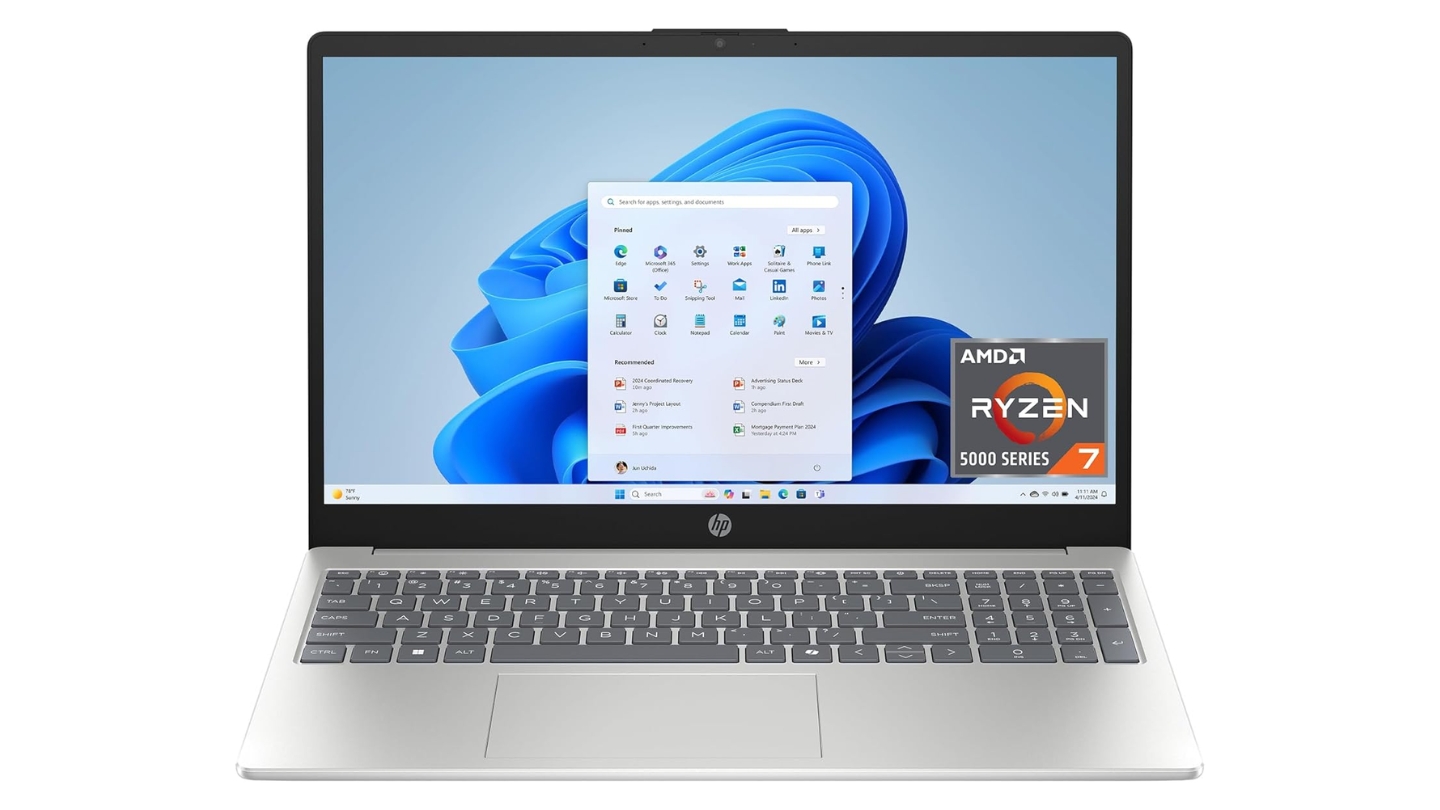
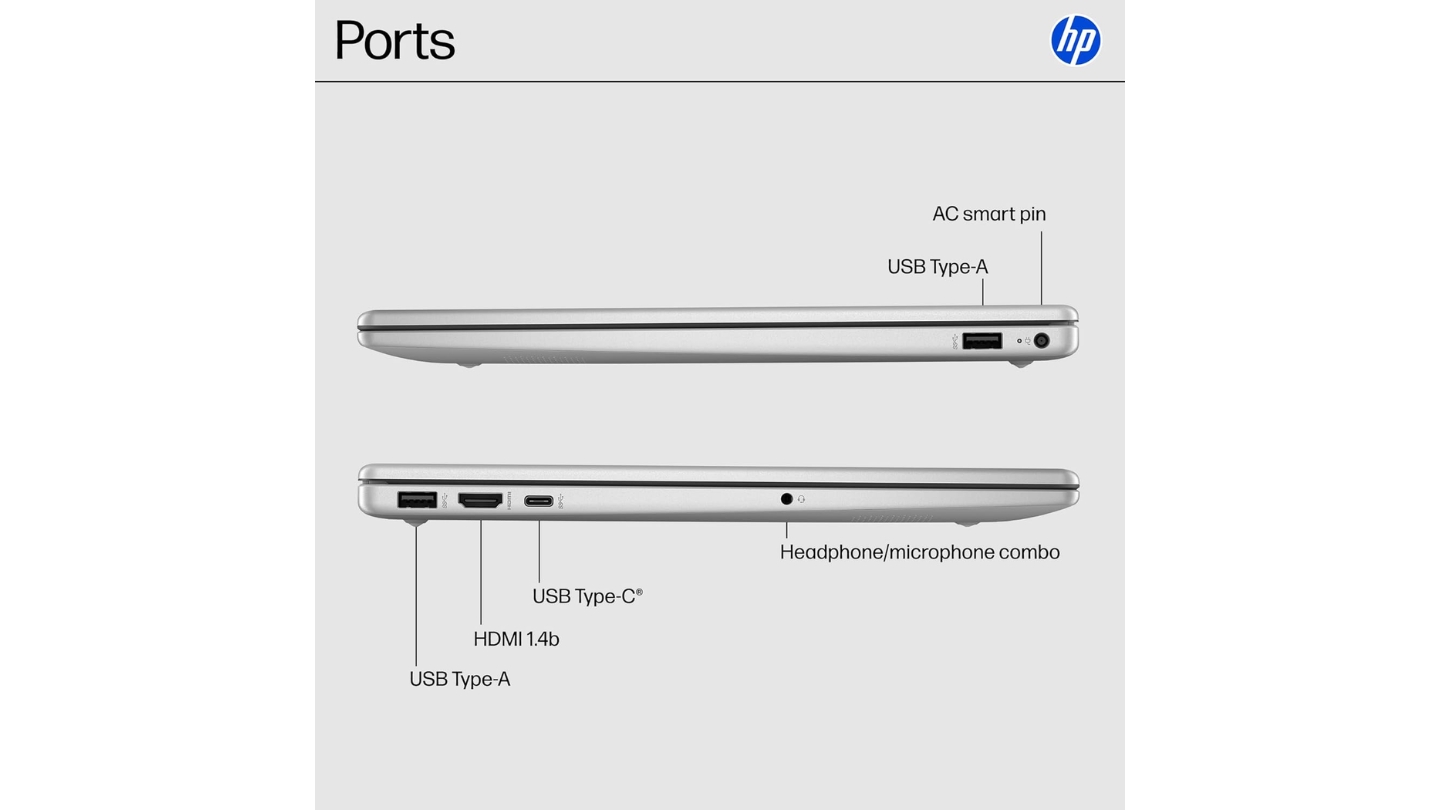
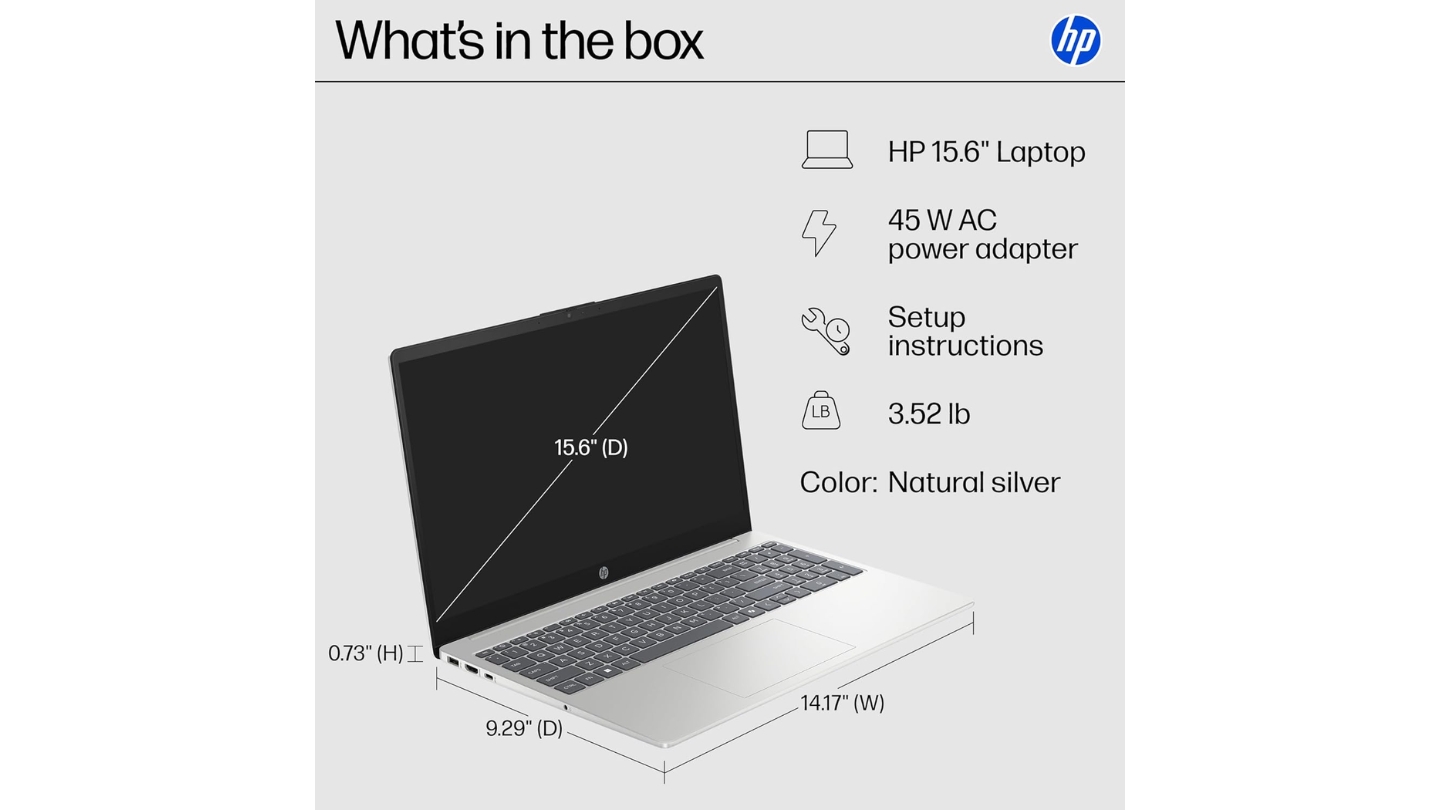
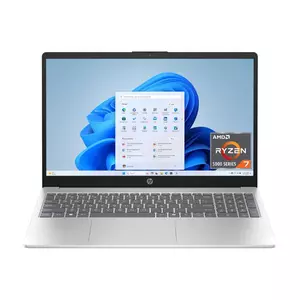
The HP 15-fc0502nr is the outlier in this price range: an 8-core processor in a sub-$500 machine. The Ryzen 7 5825U uses Zen 3 architecture with 8 cores and 16 threads, boosting up to 4.5GHz - the kind of CPU that typically shows up in mid-range machines closer to $700. For students who code, run data analysis, or juggle heavy browser sessions alongside productivity apps, that headroom makes a real difference. I put it through the same multi-app stress test I give every machine here - a dozen Chrome tabs, VS Code with a live project, Spotify, and a Zoom call running simultaneously - and it handled all of it without throttling or audible fan noise.
The 512GB PCIe Gen 4 NVMe SSD is another spec that punches above this price tier. Boot times came in under 15 seconds in my testing, and application loads across the board were snappier than what the AMD Radeon Vega 8 graphics and DDR4 memory might suggest. The 15.6-inch FHD anti-glare panel at 250 nits does its job in normal indoor lighting - 45% NTSC color coverage shows when you're color-grading anything, and for lectures, writing, and research it's completely fine.
Build quality lands in HP's reliable everyday tier: a matte silver plastic chassis with a textured base that doesn't show fingerprints and doesn't flex noticeably at the corners. The port layout includes USB-C (data only, no charging or DisplayPort), two USB-A 5Gbps ports, HDMI 1.4, and a headphone combo jack. That USB-C limitation is the only genuine frustration - students who've gotten used to USB-C charging will need to carry the proprietary barrel plug. The keyboard has a low-travel feel that takes a session or two to adjust to, but it's consistent enough for long writing stints.
Where the HP 15 gives something up is display brightness and battery capacity. The 41Wh cell means real-world endurance lands around 5-6 hours on moderate workloads. That covers a full morning of classes but starts cutting it close for all-day campus use without a charger. Students who primarily work near outlets won't notice. Those who rely on battery power through back-to-back afternoon lectures should factor in a charging break.
Pros:
- 8-core Ryzen 7 CPU at this price is rare
- 512GB Gen 4 NVMe SSD - fast and roomy
- Handles heavy multitasking without throttling
- Lightweight at 1.75kg for a 15.6" machine
- Anti-glare display stays readable indoors
Cons:
- USB-C port doesn't support charging or video output
- Battery runs short on all-day campus use
Summary: HP 15-fc0502nr is the strongest performer in this list for CPU-intensive student work. An 8-core Zen 3 processor and a fast SSD at under $500 is a combination worth the minor trade-offs in battery life and USB-C functionality.
ASUS Vivobook Go 15 (E1504FA) Review
Best Overall
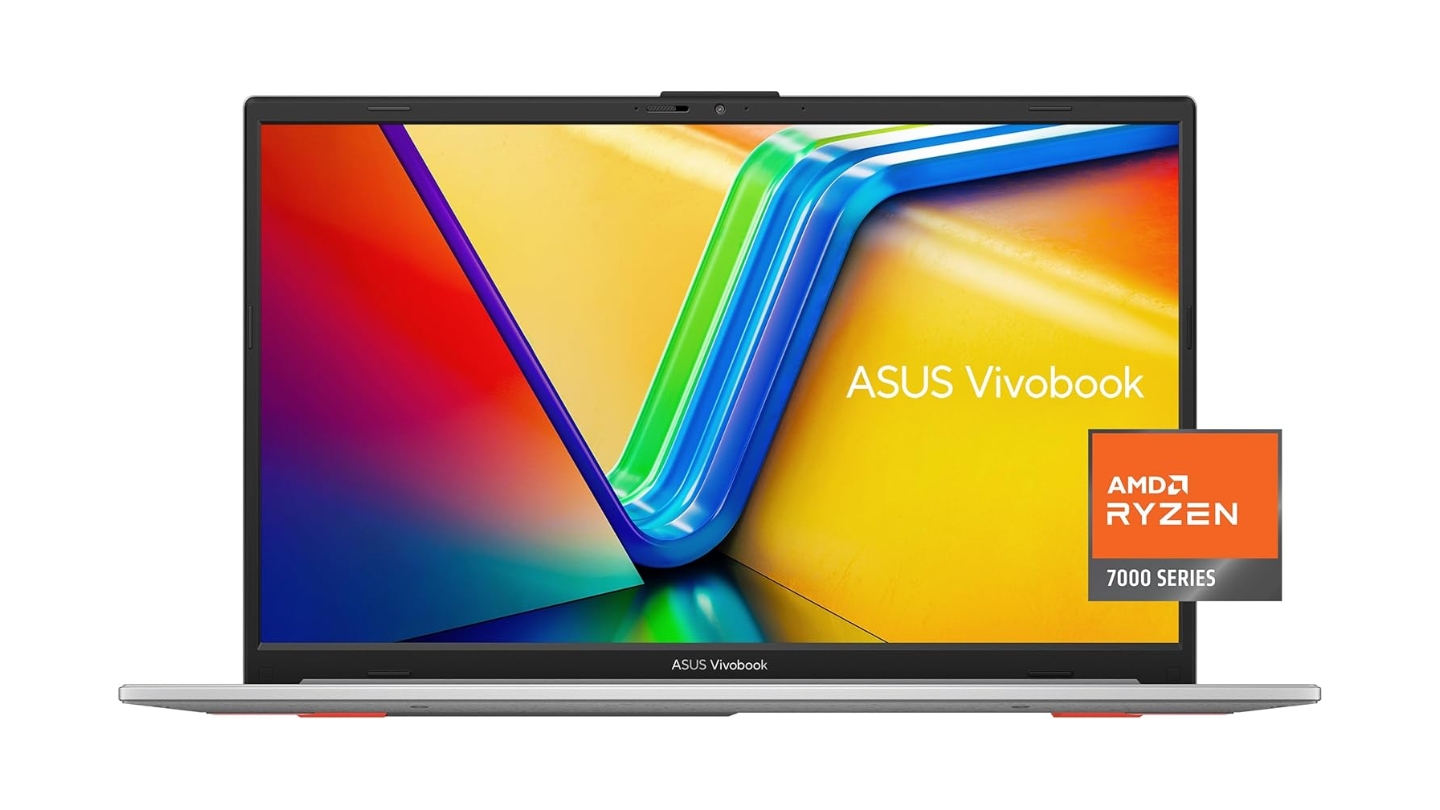
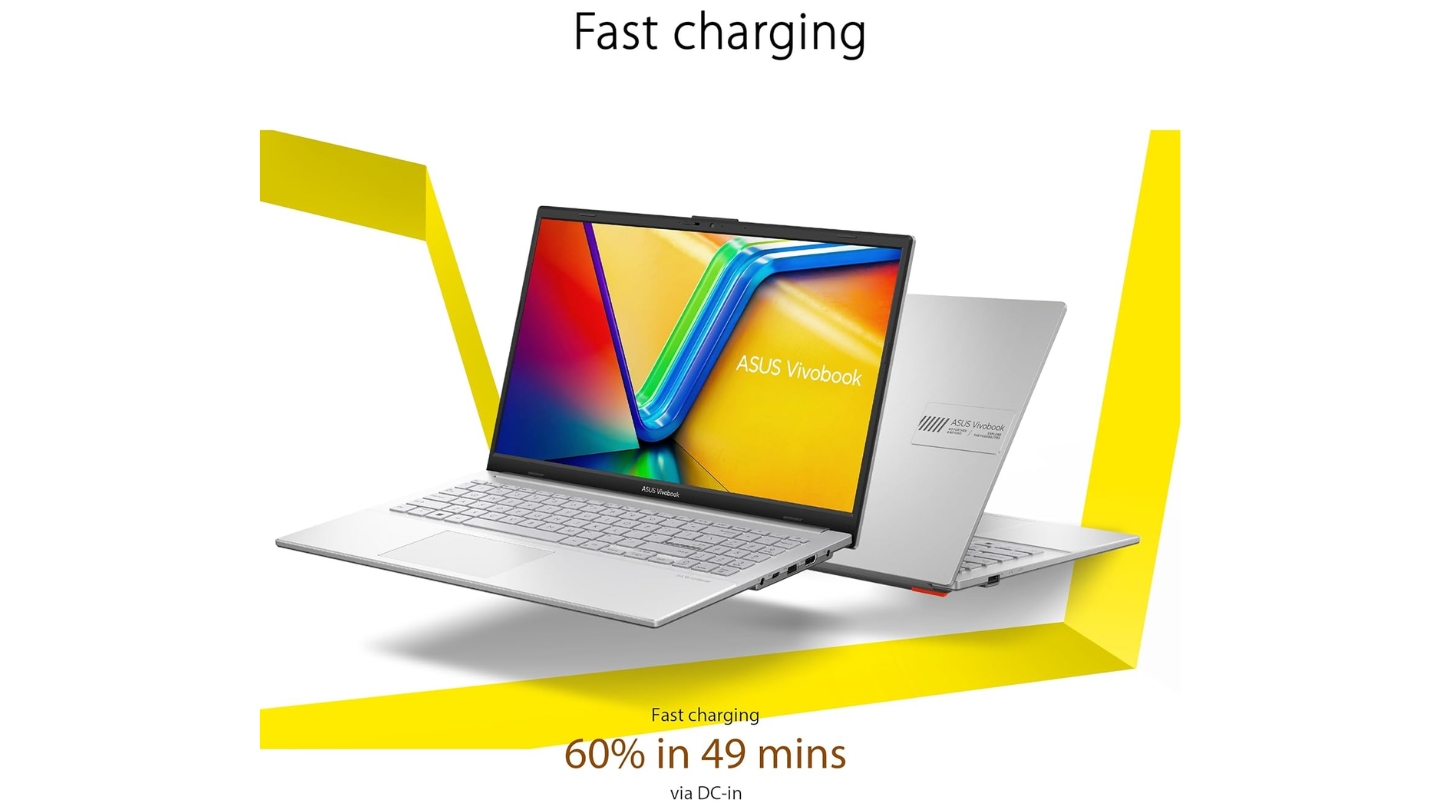
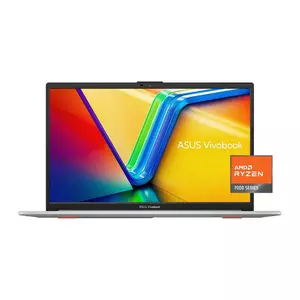
The ASUS Vivobook Go 15 earns its place as the best all-rounder because it gets the balance right across every category that matters for a student: durability, storage, weight, display comfort, and fast charging. The MIL-STD-810H military-grade certification covers drops, temperature swings, and humidity - practical reassurance for a laptop that's going in and out of a backpack every day. At 1.63kg, it's among the lightest in this comparison, and the webcam privacy shutter is a small but useful detail for anyone who takes online exam security seriously.
The Ryzen 5 7520U here is a Zen 2-based quad-core chip, which is honest about its positioning: fast enough for coursework, browsing, and standard productivity tasks, with real limits showing up under demanding technical workloads. During my time using it for a typical student day - writing, research, streaming lectures, and video calls - it kept up without any hesitation. The 512GB storage is the right amount to avoid constant file management, and the 42Wh battery produced just over six hours of screen-on use in real-world mixed activity. Fast charging gets the battery to 60% in under 49 minutes, which covers a quick recharge between morning lectures and afternoon labs.
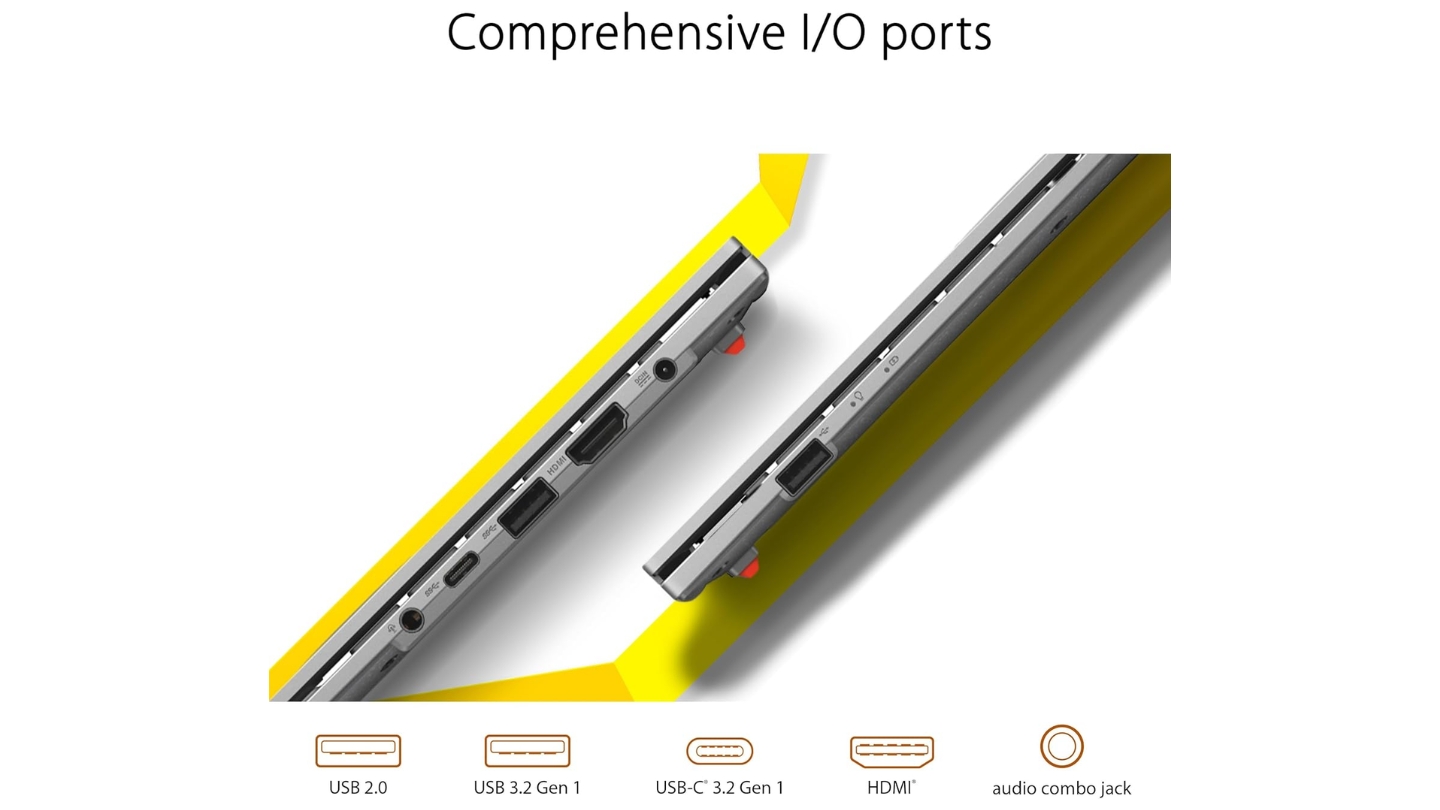
The FHD display carries TÜV Rheinland Low Blue Light certification, which matters for students staring at a screen for six to eight hours a day. Color coverage at 45% NTSC is average for this bracket - fine for documents and video calls, a limitation for anything color-critical. Port selection covers the basics: USB-C (USB 3.2 Gen 1, data and power), one USB-A, and HDMI 1.4. The USB-C supports charging, which the HP 15 doesn't - a practical win for campus life. The keyboard layout is full-size and comfortable, though the key travel is on the shorter side.
The Radeon 610M graphics handle light casual gaming at low settings and smooth video playback. Students who came from a gaming machine will notice the limits quickly, but for note-taking, writing, and research, none of that matters. ASUS's build quality at this tier is consistently solid - the silver lid resists flex, the hinge opens smoothly one-handed, and the plastic finish holds up to everyday handling better than it looks.
Pros:
- MIL-STD-810H rated for everyday campus durability
- USB-C supports both data and charging
- 512GB storage with fast charging (60% in ~49 min)
- TÜV-certified low blue light display
- Lightest build in this comparison at 1.63kg
Cons:
- Zen 2 quad-core has limits under heavy workloads
- Display color coverage stays average at 45% NTSC
Summary: ASUS Vivobook Go 15 covers the most ground for the most students - durable build, useful storage, fast charging, and a panel your eyes won't complain about after a long study session. It's the default recommendation for anyone who needs a reliable all-rounder.
Acer Aspire 3 (A315-24P-R7VH) Review
Budget Pick
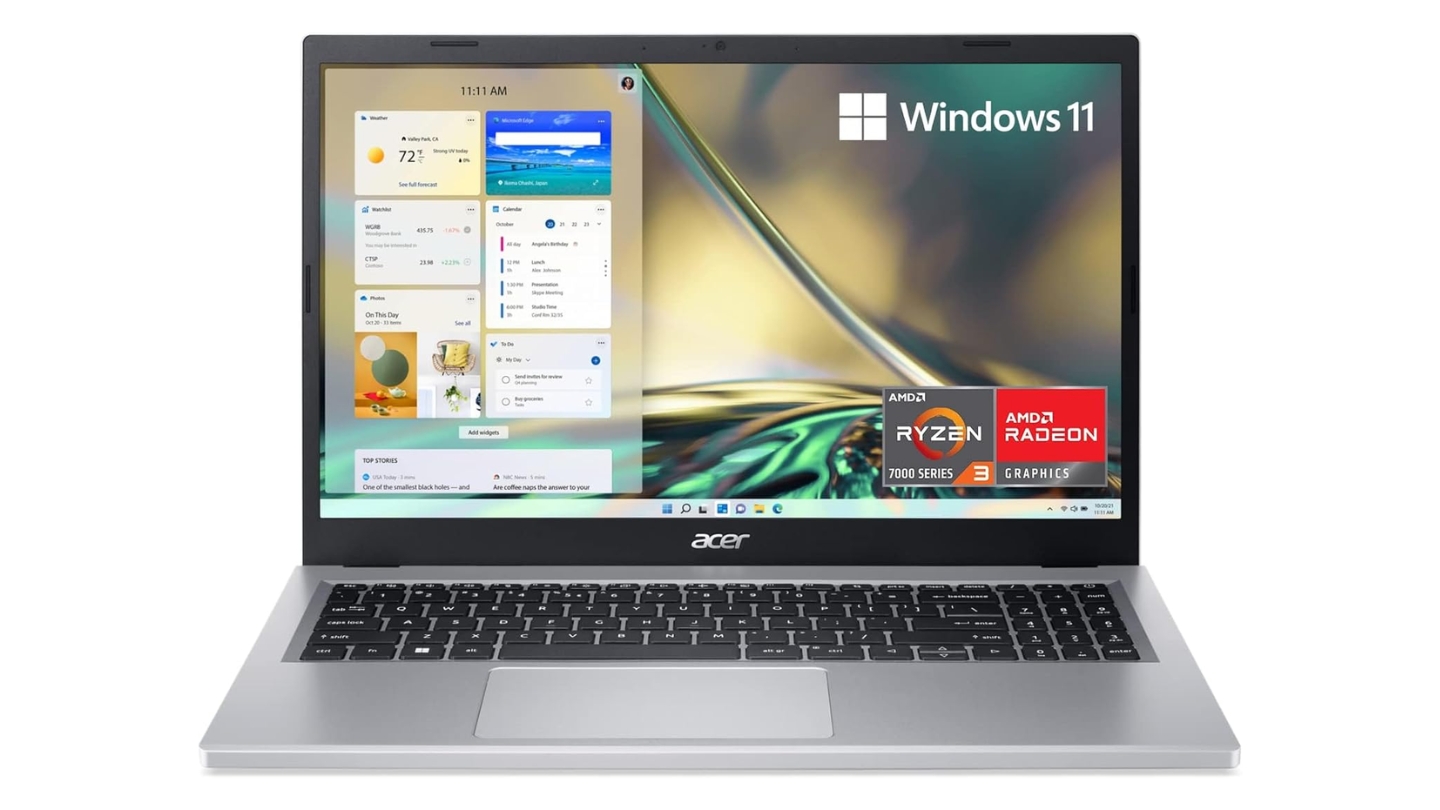
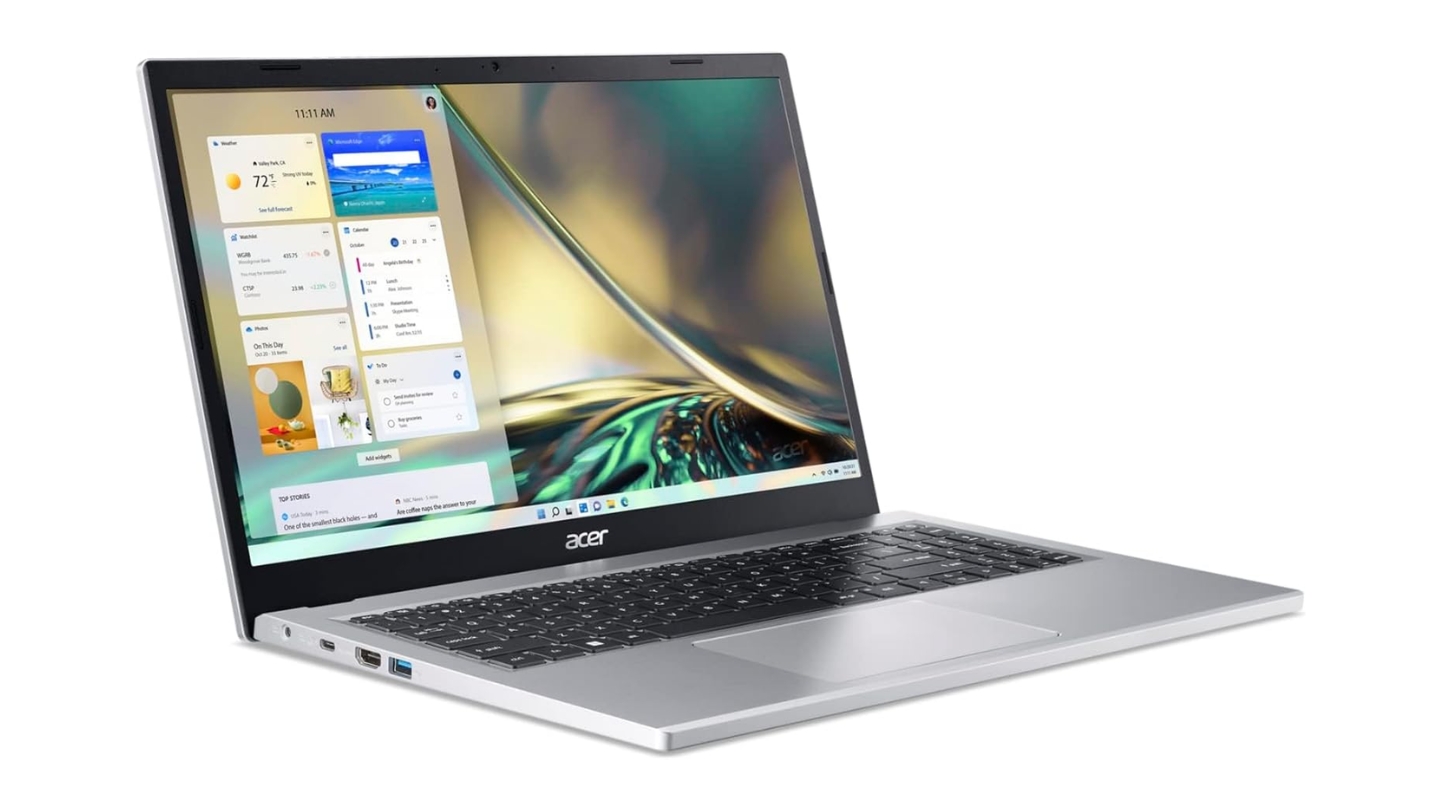
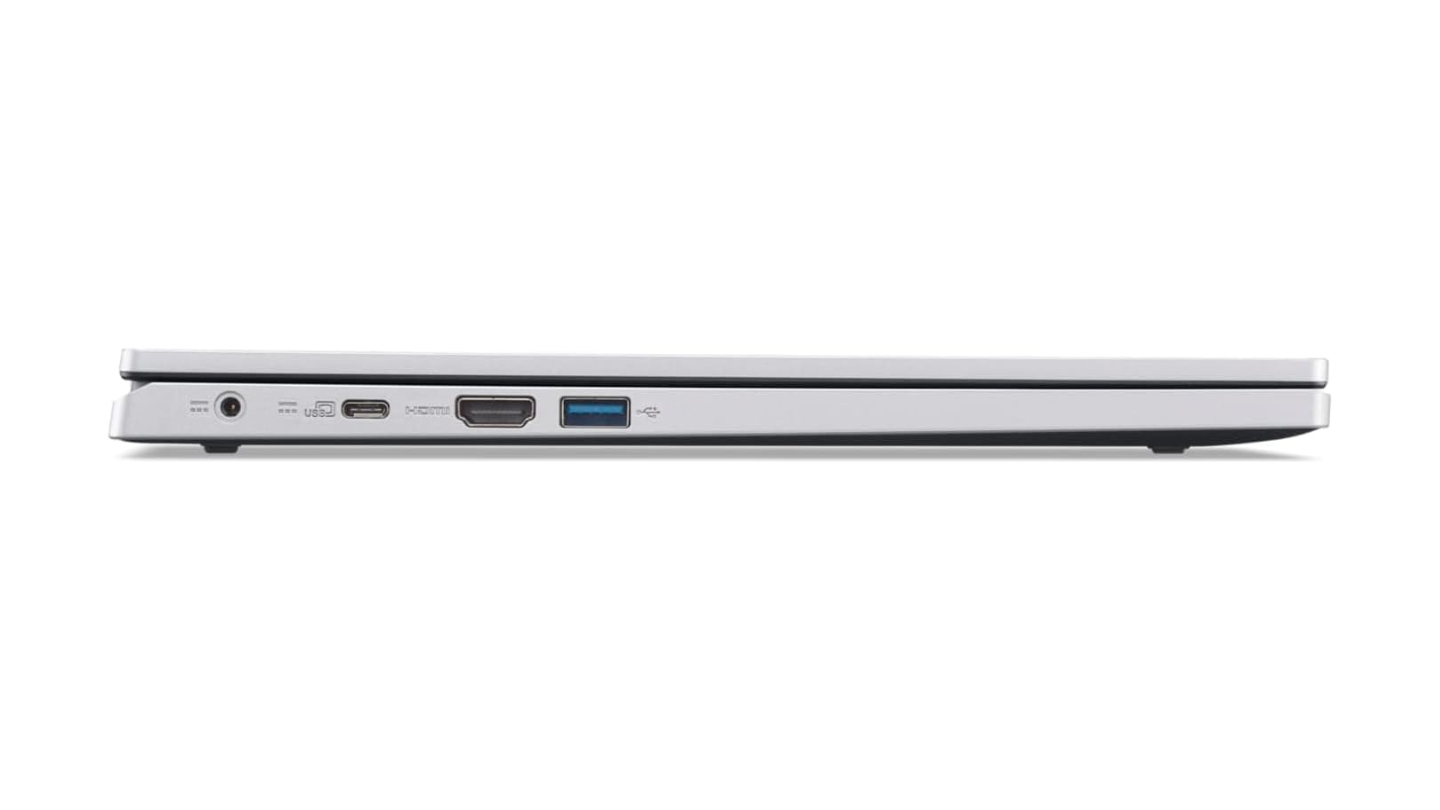
The Acer Aspire 3 A315-24P-R7VH is the most accessible entry point on this list, and it delivers exactly what its target audience needs: a clean Windows 11 experience, a proper IPS display, Wi-Fi 6 connectivity, and enough processor muscle for web-based coursework and document writing. The Ryzen 3 7320U runs four Zen 2 cores with Radeon 610M graphics - sufficient for everyday student tasks, slow enough to notice on anything more demanding. My testing on it covered a normal research-and-writing workday, and it kept pace without complaint at that usage level.
The IPS panel with Acer's BlueLightShield eye comfort tech is a genuine plus at this price - the viewing angles are wide enough for study group screen-sharing, and the anti-glare finish handles window glare better than glossy alternatives. Acer's PurifiedVoice AI noise reduction filters background sound during online calls, which works noticeably well in noisy environments. The full-size keyboard includes a number pad, useful for students in finance or statistics courses who work with spreadsheets regularly.
The 128GB SSD is the loudest trade-off here. It fills up faster than most students expect - Windows 11 and basic apps take up roughly 50-60GB before personal files get involved. Anyone planning to install development tools, store media locally, or keep large project files will hit the wall within a semester. An external SSD or cloud storage plan goes from optional to required fast. Wi-Fi 6 and Bluetooth 5.1 are solid extras at this tier, and the ~50Wh battery offers better endurance than some pricier machines here - reviews commonly report 8-9 hours on lighter workloads.
Build quality is all-plastic but holds together well for the weight class - at 1.78kg it sits at the heavier end of this comparison, with minor keyboard deck flex, though the hinges are firm and the display doesn't wobble during typing. For students on a tight budget who don't need local storage for large files, the Aspire 3 covers the essentials without waste.
Pros:
- IPS display with BlueLightShield for long study sessions
- Wi-Fi 6 for reliable campus network performance
- Full-size keyboard with number pad included
- Best battery endurance in this comparison (~8-9 hrs)
- Lowest entry price on this list
Cons:
- 128GB storage requires an external drive or cloud plan
- Ryzen 3 shows limits under multitasking pressure
Summary: Acer Aspire 3 is the right pick when budget is the first constraint. The display, connectivity, and battery hold up well - the 128GB SSD is the one real limitation, and students who plan around it get solid value for the spend.
Dell Inspiron 15 3530 Review
Power User
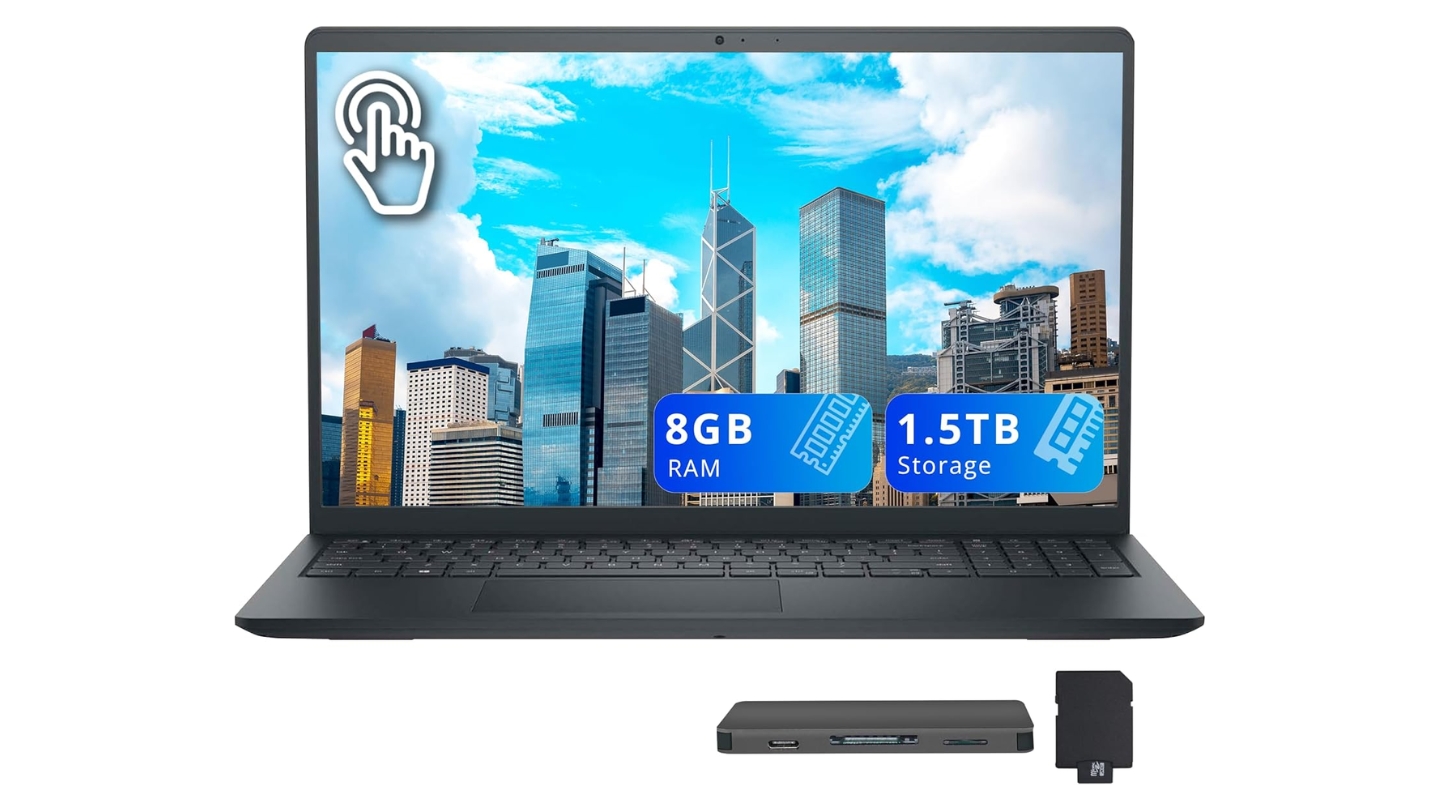
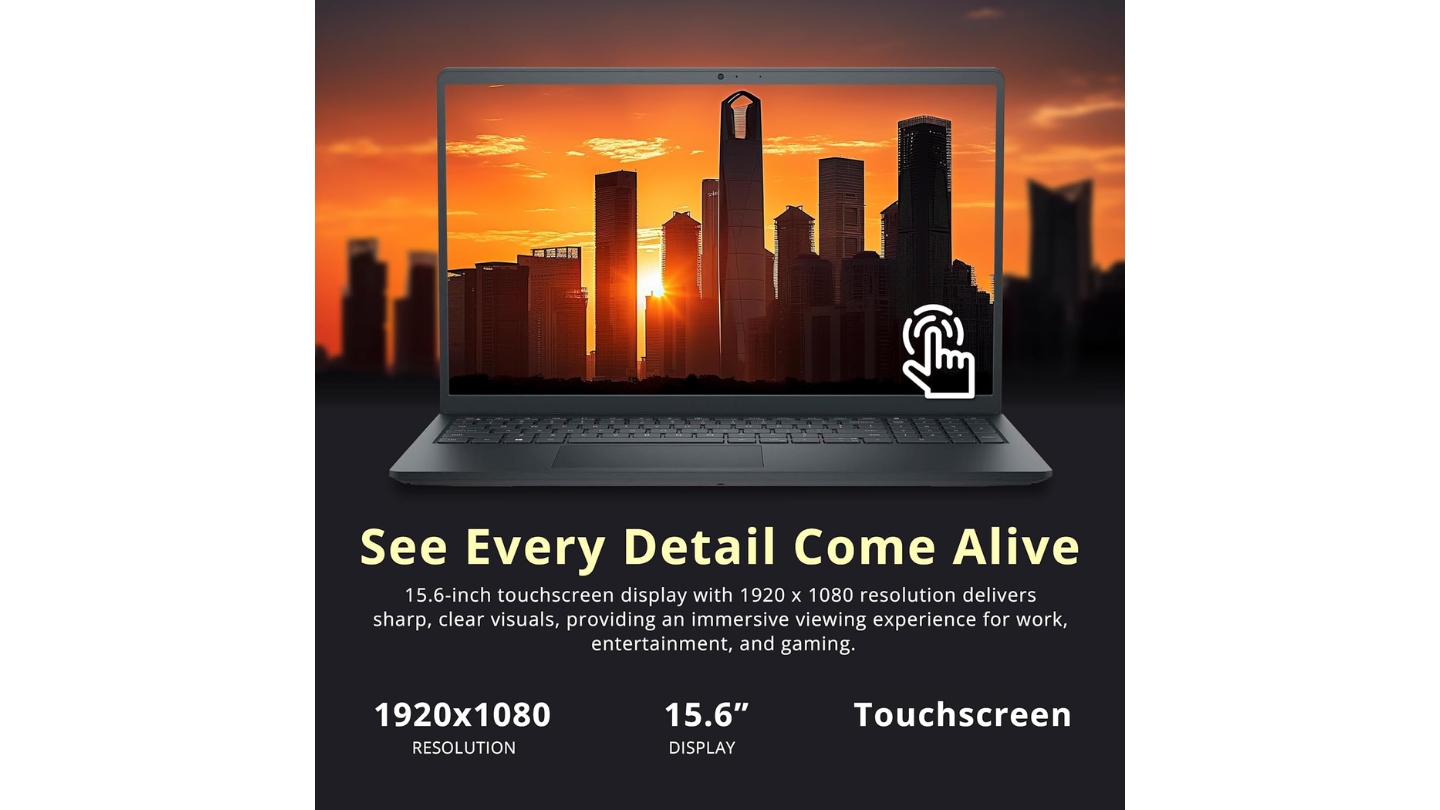
The Dell Inspiron 15 3530 brings two things to this list that nothing else here offers: a 120Hz display and a touchscreen. For a student machine, the 120Hz refresh rate makes scrolling through research papers and lecture slides feel noticeably smoother than 60Hz panels. The touchscreen works well for annotating PDFs directly, navigating with Windows gestures, or just tapping through a slideshow during a presentation. I used the touch input for note annotation during a long review session and found it genuinely useful - the kind of feature that earns regular use once you have it.
The Intel Core i5-1334U runs 10 cores - two performance cores and eight efficiency cores - giving it strong multitasking behavior when several apps compete for resources. Dell's Adaptive Thermal Management adjusts fan behavior based on how the machine is being used: light tasks keep it near-silent, heavier loads spin the fan up noticeably. The TPM chip and military-grade testing certification push the security and reliability baseline closer to a business machine than most student laptops reach, which suits students who keep sensitive research or personal data on their device.
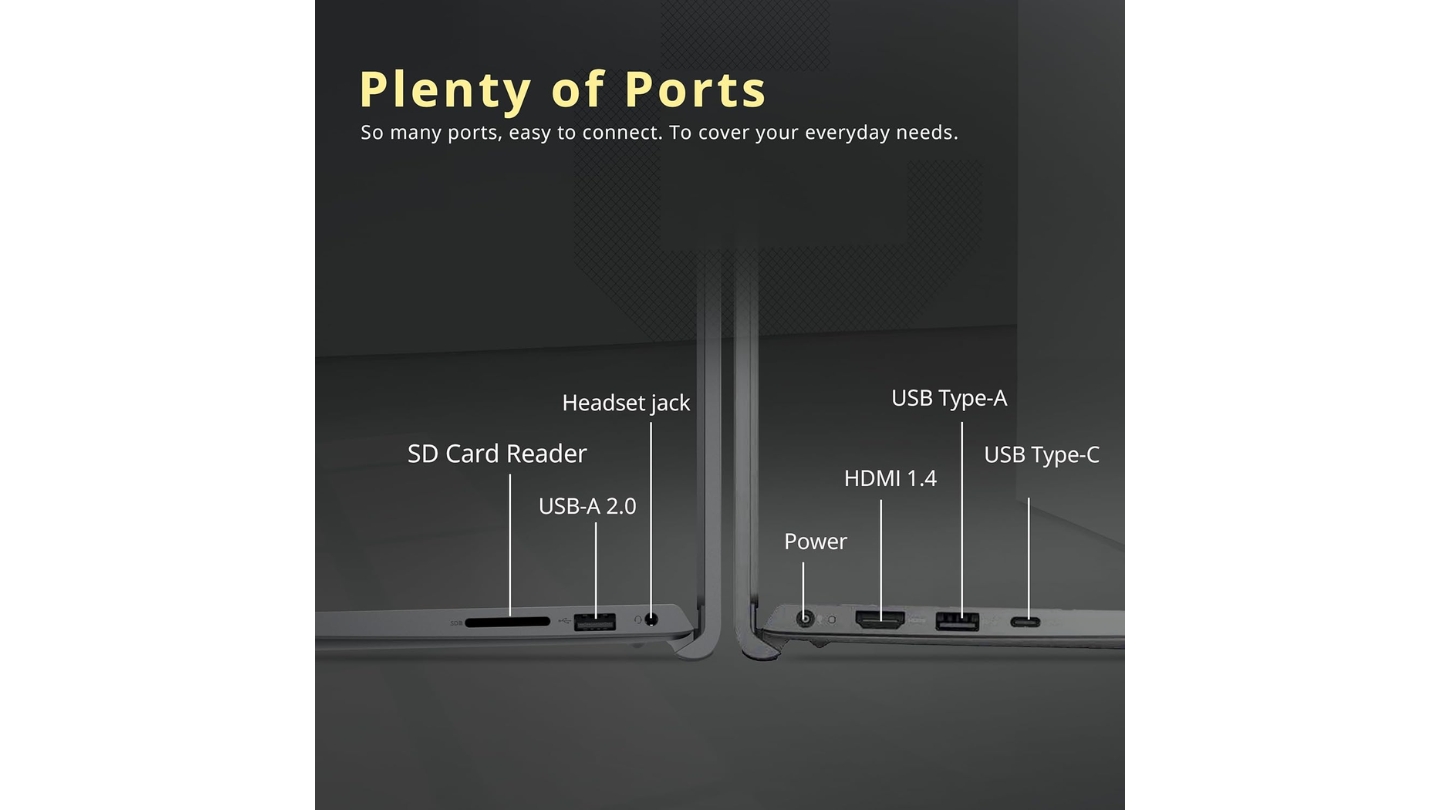
The FHD webcam is a step above the HD cameras on competing machines here - video calls come through sharper, and Dell's ComfortView software handles blue light reduction at the software level alongside the hardware display tuning. The port selection is practical: USB-C, USB-A options, HDMI, and Wi-Fi 6. Battery performance under moderate mixed use reaches 8 hours in reported real-world testing, which is strong for an Intel-based machine in this class. The included 1TB docking station set in this Amazon listing adds storage without buying separately.
Weight runs to 1.77kg - average for a 15.6-inch laptop, nothing that stands out either way. Some users report the fan gets audible under sustained load, and occasional Wi-Fi reconnection issues have shown up in longer-term ownership reports. For students who prioritize display feel and touch input over everything else in this price window, nothing else here competes.
Pros:
- 120Hz touchscreen - unique feature at this price
- Intel i5-1334U handles multitasking efficiently
- FHD webcam for clear video calls
- TPM chip and military-grade testing for data security
- Strong 8-hour real-world battery performance
Cons:
- Fan noise increases noticeably under sustained load
- Occasional Wi-Fi reconnection issues reported
Summary: Dell Inspiron 15 3530 is the pick for students who want a smoother, touch-capable display for annotation and navigation. The 120Hz touchscreen is a genuine differentiator at this price, and the Intel platform handles a full academic workload without cutting corners.
Lenovo IdeaPad Slim 3 Review
Daily Carrier
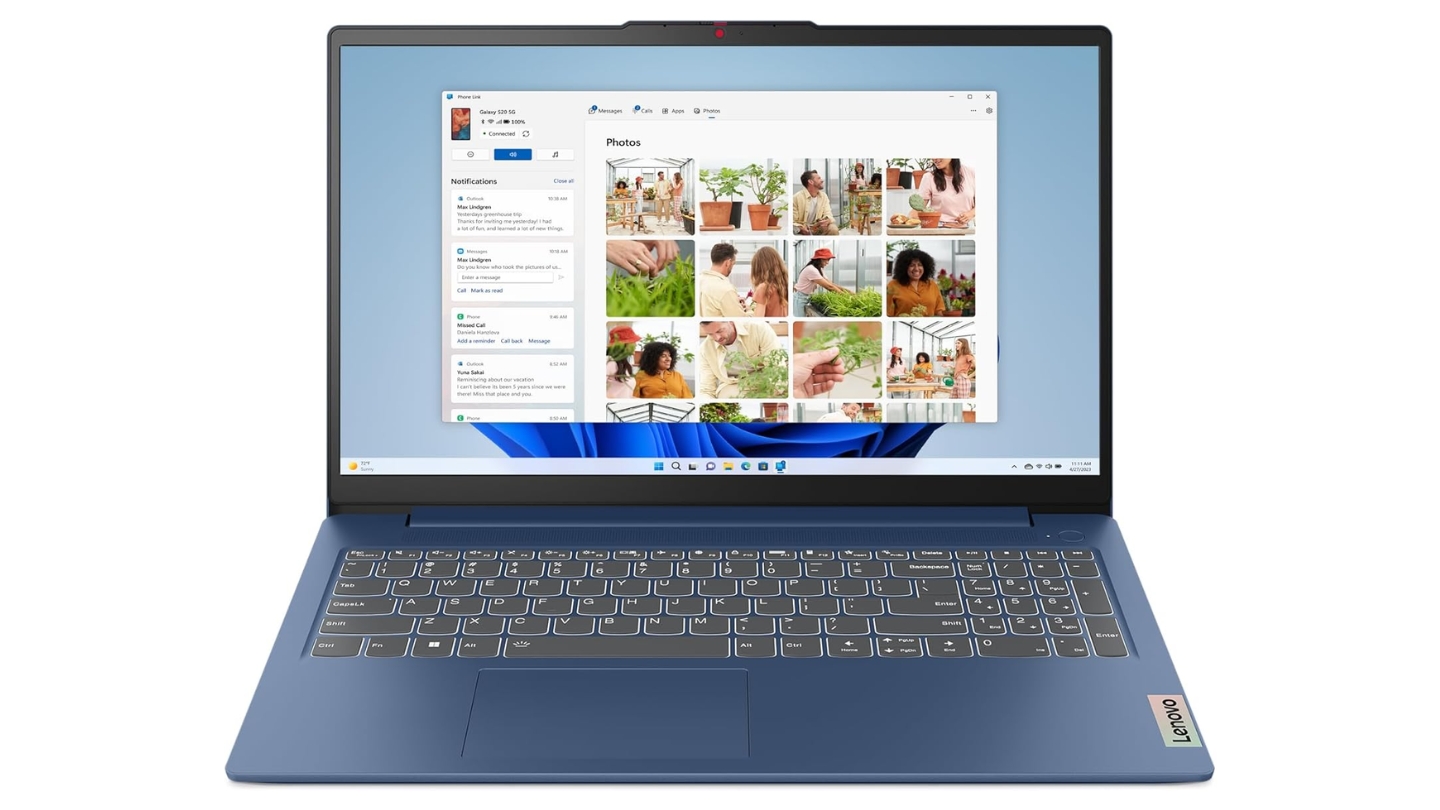
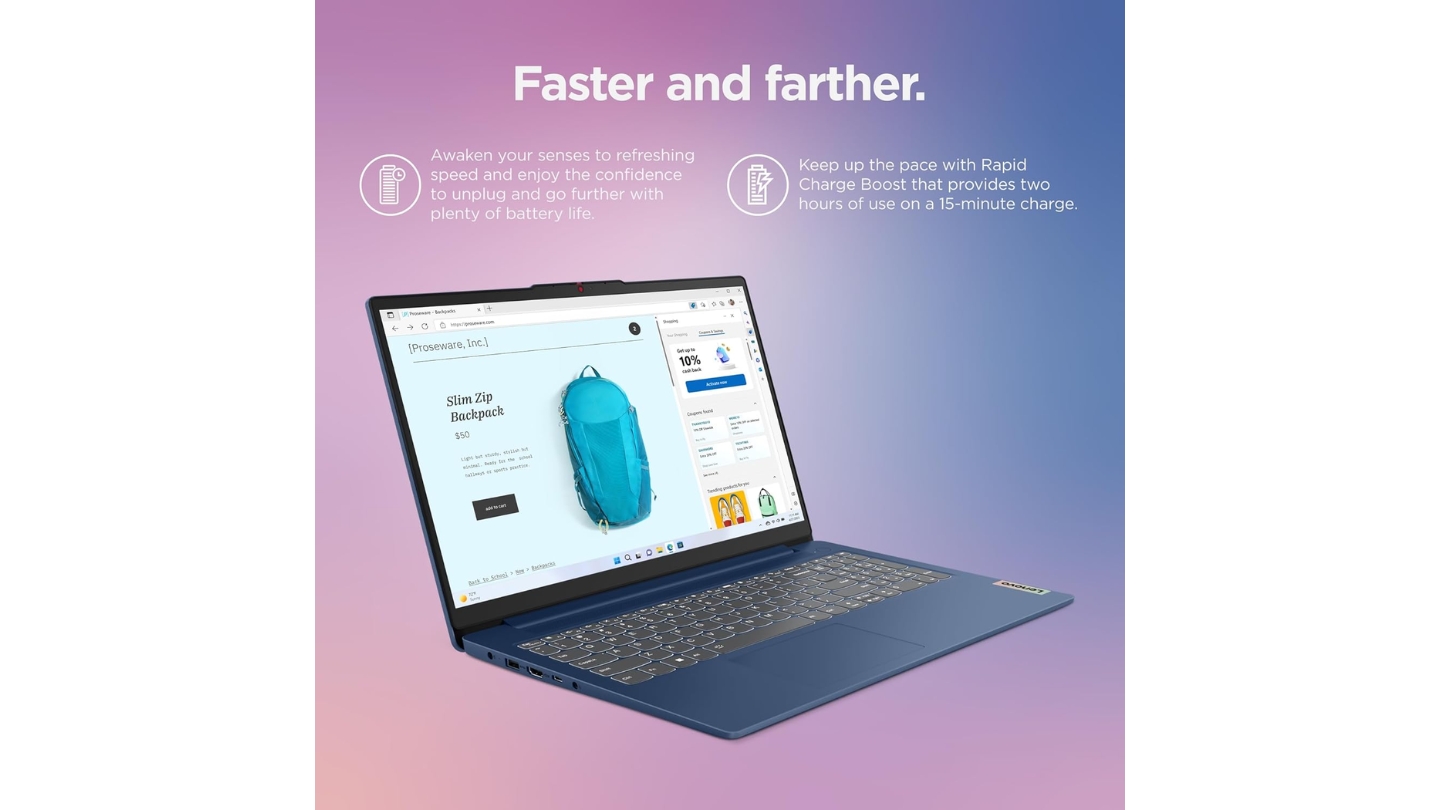

The Lenovo IdeaPad Slim 3 makes its case on the details that matter most when a laptop goes in and out of a bag every day. At 1.62kg, it matches the Vivobook Go for portability. The backlit keyboard is a feature absent on several competitors here - useful for late-night study sessions or dimly lit lecture halls. A fingerprint reader handles Windows Hello login faster than typing a password between classes. The TÜV Rheinland-certified 300-nit display is the brightest panel in this group, which helps in rooms with overhead lighting or near windows that most anti-glare coatings can only partially offset.
The Ryzen 5 7520U handles a standard student workload - web research, writing, Zoom, and streaming - without issue. Lenovo's AI Engine makes small adjustments to power allocation depending on what's running, though in practice the gains are subtle. Dolby Audio with the dual 2W speakers sounds better than the average budget laptop. Audio quality for lecture recordings and video content came through clearly during my testing without needing external speakers for normal listening levels.
Port selection covers USB-C 3.2 Gen 1 with Power Delivery and DisplayPort support - a practical combination that lets you charge via USB-C, connect an external monitor, and transfer data through the same cable. Two USB-A ports and HDMI 1.4 round out the connectivity. Wi-Fi 6 and Bluetooth 5.2 are standard. The 256GB storage is a real limitation compared to the 512GB options elsewhere on this list - students with larger software installs or media libraries will find it constraining within a year.
Battery life varies more than the spec sheet implies. Real-world reports range from 6 to over 10 hours depending on brightness and workload, with lighter use pulling significantly longer sessions. The 47Wh cell and efficient Ryzen chip favor students who keep screen brightness moderate and aren't running demanding apps continuously. The ENERGY STAR rating and 30% recycled plastic construction are minor but genuine sustainability credentials for students who care about those things.
Pros:
- Backlit keyboard and fingerprint reader at this price
- Brightest display in this group at 300 nits
- USB-C with charging and DisplayPort support
- 1.62kg - easy to carry all day
- Dolby Audio for clear lecture and media playback
Cons:
- 256GB storage fills up quickly for active users
- Battery life varies widely based on usage patterns
Summary: Lenovo IdeaPad Slim 3 is the best-equipped carry machine in this group for the day-to-day campus experience - backlit keyboard, fingerprint login, bright display, and full USB-C functionality make it the most polished package for students who prioritize quality-of-life features.
Student Laptop Under $500: FAQ
Is 8GB RAM enough for college in 2026?
For the majority of students, yes - 8GB covers web browsing, office applications, video calls, and light coding without issue. Where it starts to pinch is when you combine demanding software with heavy browser use: running MATLAB or R alongside a dozen Chrome tabs, or editing 4K video while keeping other apps open. Students in computer science, engineering, or media production programs who know they'll be running resource-heavy software regularly should look at machines with RAM upgrade paths or start with 16GB if budget allows. For general coursework, writing, and research, 8GB works fine throughout a typical semester.
Can any of these laptops handle light coding and programming?
All five can run standard development environments - VS Code, Python, Java, basic web development - without trouble. The HP 15's Ryzen 7 5825U is the strongest option for compilation-heavy workflows or running local servers alongside other apps. The Intel i5-1334U in the Dell Inspiron also handles coding well, particularly for multitasking between a browser, terminal, and editor simultaneously. Avoid the Acer Aspire 3 for programming as a primary use case - the Ryzen 3 and 128GB storage create real bottlenecks once development tools and project files accumulate.
What's the difference between Windows 11 and Windows 11 in S Mode?
Windows 11 in S Mode restricts app installation to the Microsoft Store only. This means no Chrome, no standard .exe installs, and no flexibility for software that students commonly need for coursework. All five laptops listed here ship with full Windows 11 Home - not S Mode - which means you can install any software needed for class immediately out of the box. When shopping outside this list, confirm the Windows version explicitly: some budget Acer and Lenovo configurations ship in S Mode at lower price points, which becomes a headache the moment you try to install development tools or research software.
How long should a student laptop last under regular use?
A well-maintained laptop in this price range typically runs three to four years of reliable daily use before performance gaps or battery degradation become noticeable. The machines here with military-grade certifications (ASUS Vivobook Go and Lenovo IdeaPad Slim 3) are tested for physical durability above average for budget laptops. Battery capacity drops 20-30% after two to three years of regular charge cycles - a machine rated for six hours new might deliver four hours by junior year. SSD health stays solid well beyond that timeframe. Students who keep the laptop clean, avoid running it at 100% charge indefinitely, and protect it from drops tend to get closer to five years of usable life.
Should I prioritize a touchscreen for note-taking?
Only the Dell Inspiron 3530 on this list has a touchscreen, and it's the right pick if touch input is a priority. Touchscreen note-taking with a stylus works best on dedicated 2-in-1 machines, which this price range doesn't cover well. Finger touch works well for PDF annotation, navigation, and quick interactions, with handwritten notes requiring more precision than bare fingers can manage. Students who take handwritten notes digitally should look at a tablet-plus-keyboard setup or budget toward a 2-in-1 machine. For students whose note-taking is primarily typed, a touchscreen is a nice extra that won't change the day-to-day experience much either way.
Do any of these work well with an external monitor for a desk setup?
Yes, all five support HDMI output for an external display. The Lenovo IdeaPad Slim 3 and Dell Inspiron 3530 both support DisplayPort through their USB-C connections, which gives you a second option for monitor connectivity if your display has a USB-C or DisplayPort input. The HP 15's USB-C doesn't support video output, so external display use goes through HDMI only. A dual-monitor desk setup - laptop screen plus one external display - is practical with any of these for dorm or apartment study setups, though none of them will drive a 4K monitor at high refresh rates given the integrated graphics.
Is Wi-Fi 6 worth prioritizing on a student laptop?
On a busy campus network with hundreds of devices competing for bandwidth, Wi-Fi 6 makes a real difference. The Acer Aspire 3 and Lenovo IdeaPad Slim 3 both include Wi-Fi 6 - the improved efficiency and lower congestion handling translate to more stable speeds in crowded lecture halls and library study areas. The ASUS Vivobook Go and Dell Inspiron include Wi-Fi connectivity in their specs, though the specific standard varies by configuration. If you spend significant time in high-density campus environments, Wi-Fi 6 is worth treating as a core requirement in the decision.
Making the Call
These five laptops land differently depending on what a student's day actually looks like. The HP 15-fc0502nr is the strongest raw performer in this group - the 8-core Ryzen 7 and fast SSD combination is genuinely hard to find at this price, and students who push their machine with coding or data work will feel the difference. For a well-rounded campus machine, the ASUS Vivobook Go 15 covers more bases than anything else here - durability, USB-C charging, fast charging, and a comfortable display without a clear weak spot.
Students who annotate PDFs and prefer a responsive display should look at the Dell Inspiron 3530's 120Hz touchscreen - nothing else in this price range offers that combination. The Lenovo IdeaPad Slim 3 is the most feature-complete carry machine, with a backlit keyboard, fingerprint reader, and full USB-C output that the others mostly skip. And when the budget is the first conversation, the Acer Aspire 3 delivers reliable everyday performance - just plan for external storage from day one.

Jeb here, your go-to geek for everything from video projection to the latest tech trends. As an avid outdoorsman, I enjoy using monoculars and binoculars for hunting, traveling, and birdwatching. Join me in exploring the cool, quirky side of technology!


