Best Webcams with Microphone and Speaker
A laptop's built-in webcam and microphone were never designed for more than one face at a time. Prop that laptop on a conference table with four coworkers around it, and the far end of a video call sees a fisheye view of someone's forehead while everyone else's voice fades into room echo. Buying a separate speaker and a separate microphone fixes some of that, but now there are three devices, three cables, and three things that can fail before a nine o'clock call.
An all-in-one webcam with a built-in mic and speaker collapses that mess into a single USB cable. Some of these five mount above a screen and face the room like a soundbar. Others sit in the middle of the table and capture everything around them at once, a genuinely different approach to the same problem. I tested all five against the same small meeting room setup to see which actually earns a permanent spot on the table rather than getting unplugged after the first awkward call.
Here are my two top picks for the best webcams with microphone and speaker:
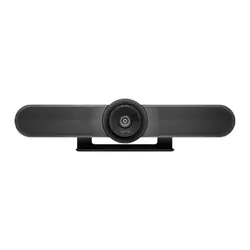
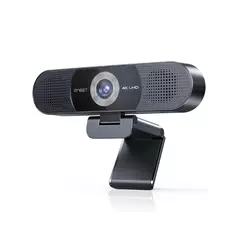
Table of Contents:
- Best Webcams with Microphone and Speaker: Buying Guide
- Top 5 Webcams with Microphone and Speaker
- Webcams with Microphone and Speaker: Comparison
- Logitech MeetUp
- EMEET C980 PRO 4K
- Owl Labs Meeting Owl 3
- KanDao Meeting Pro
- Yealink UVC34
- Webcam with Microphone and Speaker: FAQ
Best Webcams with Microphone and Speaker: Buying Guide
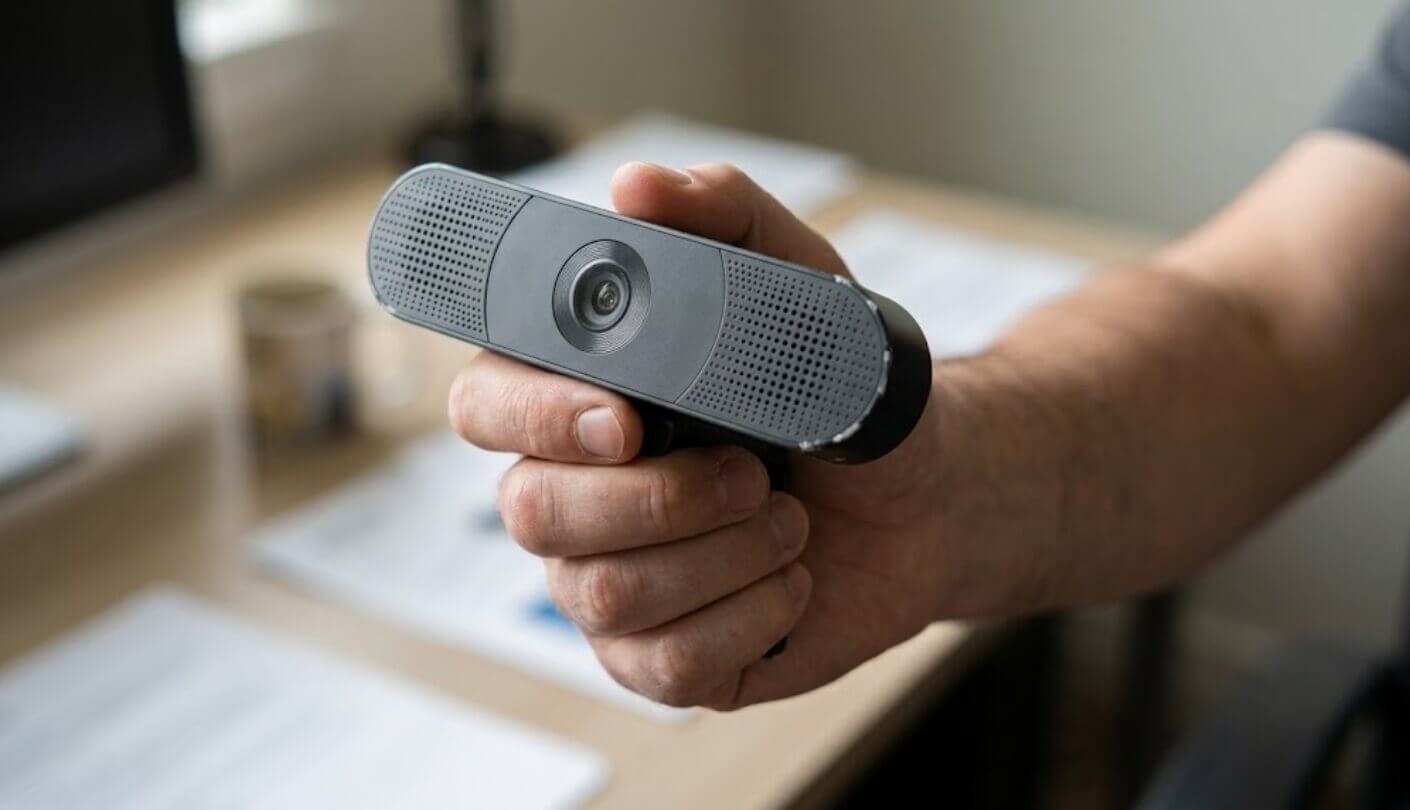
Shopping for one of these devices means shopping for a room, not just a camera, since the same specs that work perfectly in a two-person home office fall apart the moment a sixth chair gets pulled up to the table. A handful of traits decide that fit long before resolution numbers or brand names come into play, and a few of them only became obvious once each device had run a handful of actual calls rather than a five-minute demo.
Front-Facing vs 360-Degree: Where the Camera Actually Sits
Three of these five mount above or below a screen and point outward, the same layout as a soundbar, built to capture a room from one side the way a laptop camera already does, just wider and sharper. The other two sit in the center of the table itself, using a fisheye lens or a pair of them to see every seat at once rather than just the ones facing the screen.
A front-facing camera assumes everyone sits roughly toward the display, which fits most small rooms fine. A table-center camera assumes the opposite, that people face each other more than they face a screen, and that changes everything about how a room should be arranged around it.
Neither layout is objectively better, but picking the wrong one for a room's actual seating arrangement wastes the device's best feature entirely. A round table with chairs on every side calls for the center-of-table approach, while a narrow room where everyone already faces a shared screen gets more out of a front-facing unit that never has to work as hard to frame the room. Mounting flexibility matters here too, since a front-facing camera built around a standard VESA mount slots onto almost any existing screen, while a table-center unit needs actual table space that some rooms simply don't have to spare.
How Far the Microphone Array Actually Reaches
Every device here uses multiple microphones working together through beamforming, steering pickup toward whoever is talking instead of picking up the whole room evenly. Where these five differ sharply is the stated pickup radius, and that number matters more once a table stretches past a compact four-person huddle space. Two of these five claim pickup ranges nearly 50 percent longer than the shortest device in the lineup, a gap that shows up immediately once someone at the far end of a longer table starts talking quietly.
A microphone array rated for a small room will still technically pick up a voice from across a bigger one, but it does so by amplifying more, which drags in more background noise along with it. The steering itself also varies in speed, and a beamforming array that lags half a second behind a new speaker creates a small but noticeable stutter at the start of every sentence.
Whether It Needs a Computer at All
Every device in this roundup except one requires a laptop or an in-room PC running the actual video conferencing software, with the camera and microphone acting purely as USB peripherals feeding that software. That's the normal setup for a huddle room, and it works fine as long as somebody remembers to bring a laptop or the room already has one permanently installed.
A device that can run its own operating system and connect straight to a screen removes the single point of failure that a forgotten laptop represents. That independence costs something in flexibility, since a standalone unit is tied to whatever software it ships with rather than whatever a laptop happens to run.
One device in this comparison runs its own Android-based system, output straight to an HDMI display, and joins meetings over Wi-Fi or Ethernet without a computer anywhere in the chain. That's a genuinely different category of product hiding inside the same product category, closer to a dedicated room appliance than a webcam that happens to have a speaker built in. Even the USB-only devices differ in how many platforms they're officially certified for versus merely compatible with, a distinction that matters more for IT departments standardizing on one video conferencing tool than for a team that jumps between several.
A Physical Privacy Shutter vs a Software Toggle
A camera that stays plugged in around the clock in a shared space raises a different privacy question than one that lives in a laptop lid, since anyone walking past a meeting room has no way to tell from a glance whether it's recording. How each of these five handles that concern varies more than the spec sheets let on, and only two of the five ship with any kind of mechanical lens covering at all.
A physical shutter, magnetic cover, or motorized lens cap answers that question at a glance, no app or software state to trust. A device relying purely on a software mute indicator asks everyone in the room to take its word for it, which is a reasonable ask most of the time but a noticeably weaker guarantee than a lens that's mechanically covered.
Matching Room Size to Device Reach
A device built and tested for a four-person huddle room doesn't automatically fail in a twelve-person conference room, but it stops doing its best work there, straining its microphone gain and cropping its frame tighter than it should. Matching the rated room size to the room a device will actually live in avoids paying for range that never gets used, or worse, buying something that quietly underserves a bigger space, leaving the far end of a long table sounding thin and distant.
Buying more range than a room needs rarely hurts, but buying less always shows up eventually, usually during the one call where someone at the far end of the table has to repeat themselves. When in doubt, size up rather than down.
Several of these five offer expansion paths for exactly that problem, whether that's an add-on microphone, a second paired unit, or software modes built around bigger tables. Checking whether that expansion path exists before a room outgrows its current camera saves a full replacement purchase down the line, and it's worth asking that question before checkout rather than after the first outgrown meeting.
Top 5 Webcams with Microphone and Speaker
Each device below spent time running actual video calls in the same small meeting room, judged on how naturally it framed the people in the room, how clearly its microphone handled a normal conversational voice, and how much setup friction stood between unboxing and the first working call. Overlapping voices and messy back-and-forth surfaced weaknesses that a scripted demo call never would have.
- RightSight Auto-Framing
- Bluetooth Phone Pairing
- VESA Soundbar Mount
- Kensington Security Lock
- 170° Motorized Pan
- True 4K Video
- Adjustable 60°-98° FOV
- Fully Offline Operation
- Magnetic Privacy Cover
- Strong Noise Reduction
- Accurate Speaker Tracking
- 18-Foot Mic Range
- Fast Plug-And-Play Setup
- Expandable Owl Ecosystem
- 360° Room Audio
- Standalone Android System
- Dual 195° Lenses
- Five Smart Modes
- Local Recording Storage
- Bluetooth Remote Included
- Motorized Lens Cap
- Backpack-Portable Design
- WiFi Remote Management
- 9 Camera Presets
- Strong Echo Reduction
Webcams with Microphone and Speaker: Comparison
Here's how the numbers stack up once the marketing language gets stripped away, focused on the specs that actually decide whether a device works in a given room:
| Specification | Logitech MeetUp | EMEET C980 PRO 4K | Meeting Owl 3 | KanDao Meeting Pro | Yealink UVC34 |
| Camera Layout | Front-facing soundbar | Front-facing desktop | 360° table-center | 360° table-center | Front-facing soundbar |
| Video Resolution | 4K Ultra HD | 4K UHD (3840x2160) | 1080p HD | 1080p (from 8K capture) | 4K Ultra HD |
| Field of View | 120°, up to 170° | 60°-98°, adjustable | 360° horizontal | 360°, dual 195° lenses | 120° |
| Microphones | 3 beamforming | 4 omnidirectional | 8 omnidirectional | 8 omnidirectional | 8-mic array |
| Mic Pickup Range | 13 ft (16 ft with add-on) | 10 ft | 18 ft | 18 ft | Approx. 15 ft |
| Speaker Output | 1 speaker, 95dB SPL | 2x 1W, up to 81dB | 3 speakers, 80dB SPL | 5W speaker | 5W speaker |
| Works Without a PC | No | No | No | Yes | No |
| Connection | USB, Bluetooth | USB-A only | USB-C, optional Wi-Fi | USB, HDMI, Wi-Fi, Ethernet | USB, built-in Wi-Fi |
Speaker output doesn't line up cleanly across that row, since two of these five publish loudness in decibels while the other three list raw speaker wattage instead, two measurements that don't convert into each other without knowing the driver design behind them. Treat that row as a rough sense of projection rather than a precise ranking, and lean on the mic pickup range and camera layout rows instead, since those two decide more about whether a device fits a given room than anything else on this sheet.
Logitech MeetUp Review
Editor's Choice
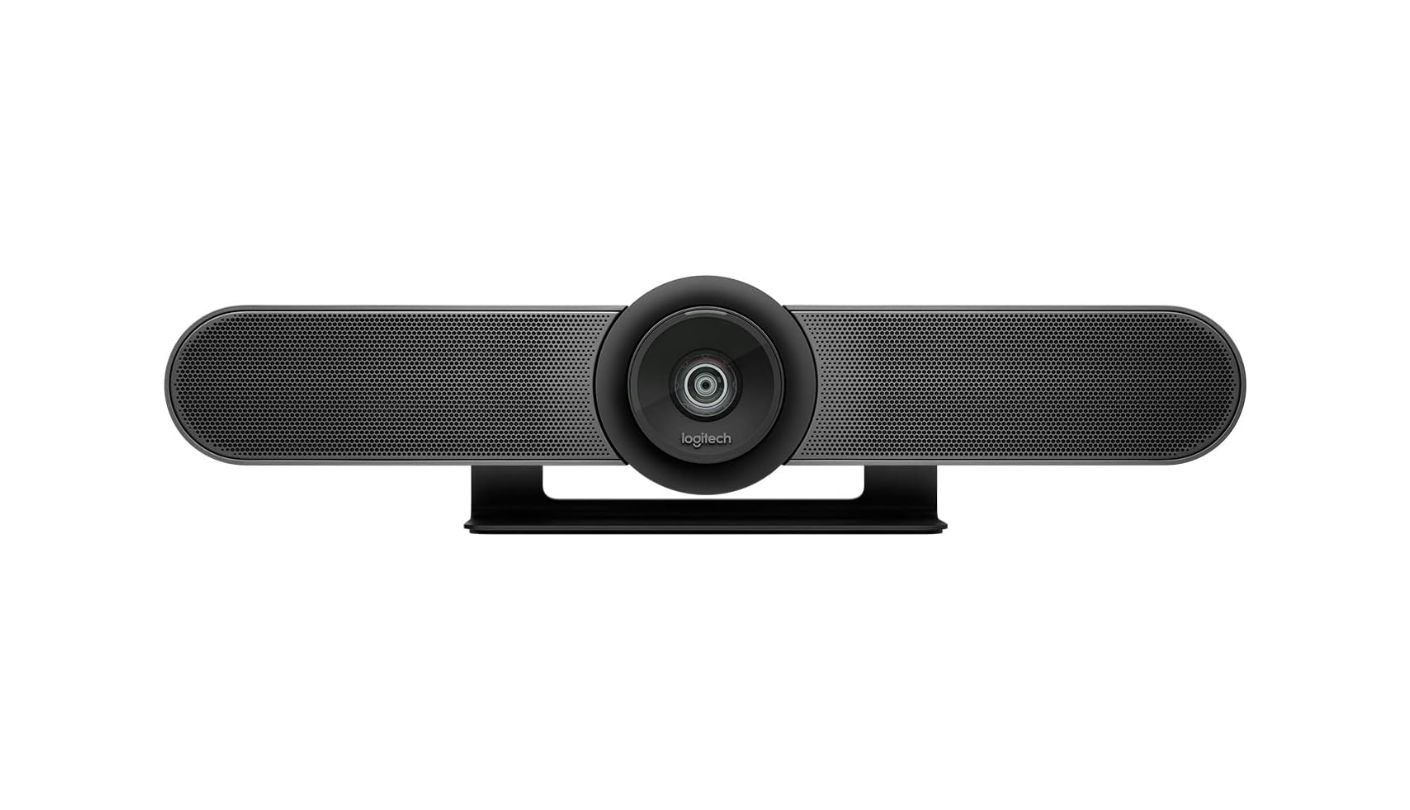
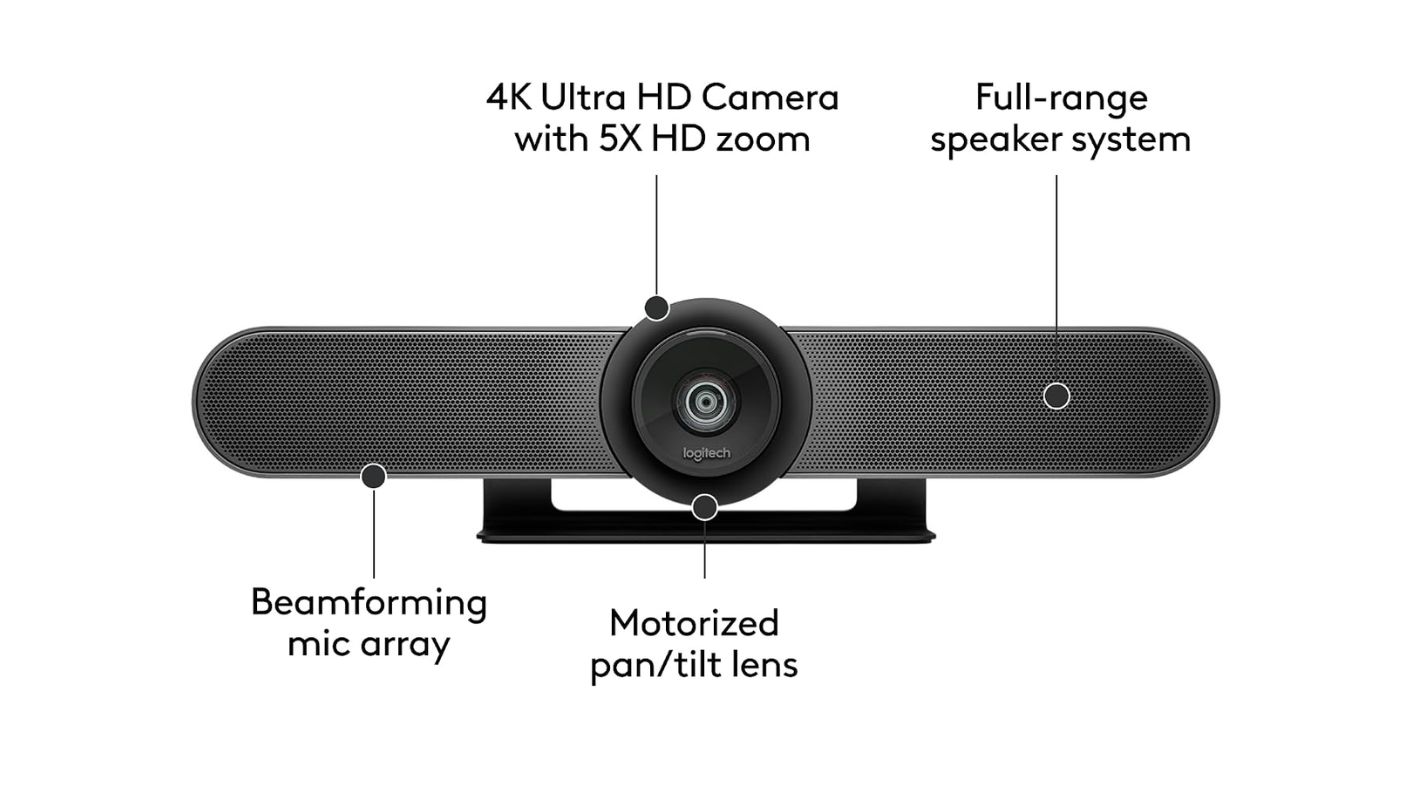
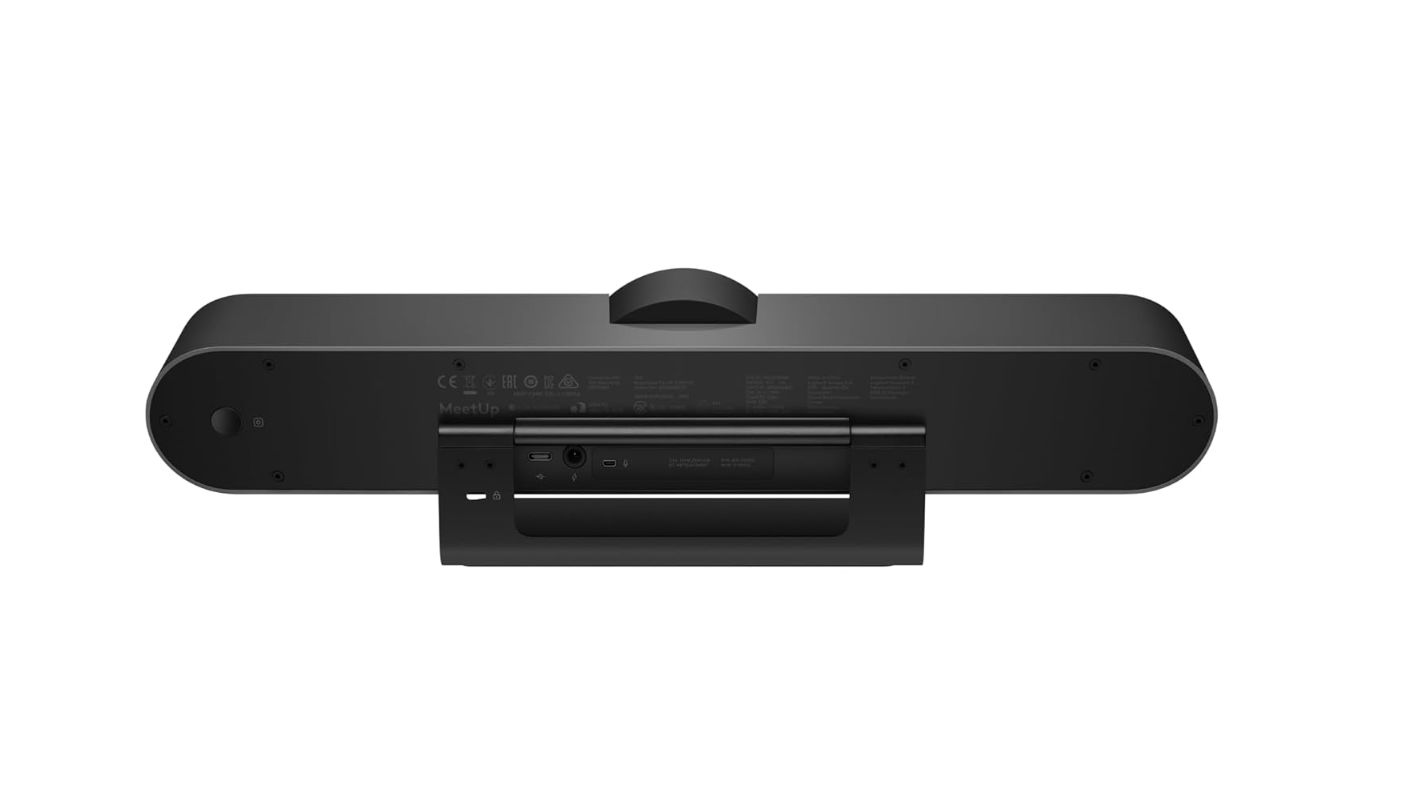
Three microphones and a single speaker sound modest next to devices boasting eight mics apiece, until those three microphones turn out to be tuned specifically for a room this size rather than stretched thin across a bigger one. The Logitech MeetUp mounts above or below a screen like a soundbar and handles a huddle room of six to eight people without ever sounding like it's working hard to do it.
RightSight computer vision adjusts the motorized pan and tilt automatically, framing everyone at the table without anyone touching a remote, and the 120-degree field of view stretches to 170 degrees once that motor gets involved. A custom-tuned speaker rated for 95dB SPL projects clearly across a small room, and Bluetooth pairing lets a phone's audio route through the same speaker during a dial-in call. An included RF remote with three camera presets covers manual adjustments for anyone who prefers not to rely on auto-framing every time.
The three beamforming microphones cover roughly 13 feet on their own, enough for most huddle rooms, and Logitech sells an optional Expansion Mic that stretches that radius to 16 feet for anyone with a longer table. A Kensington security slot and multiple mounting options, tabletop, wall, or monitor VESA mount, make this feel built for a shared office rather than a single desk, and at just over two pounds it mounts without straining a typical VESA bracket.
That Expansion Mic doesn't ship in the box, an odd omission for a device explicitly marketed at huddle rooms where a few extra feet of pickup often matters. Streaming true 4K also requires a user-supplied USB 3.0 cable, since the included cable only guarantees 1080p, and it's an easy step to skip until 4K footage refuses to show up on the first try.
None of that undercuts how well this device handles the exact room size Logitech built it for. RightSight's framing and the custom speaker tuning both feel like they were designed around real meetings rather than a spec sheet, and that attention to a specific room size is what earns this the top spot here.
Pros:
- RightSight Auto-Framing
- Bluetooth Phone Pairing
- VESA Soundbar Mount
- Kensington Security Lock
- 170° Motorized Pan
Cons:
- Expansion Mic Separate
- USB 3.0 Needed For 4K
Summary: Forgetting to budget for the Expansion Mic is the only real way to end up disappointed with this device. Anyone with a table longer than eight feet should treat that accessory as part of the purchase, not an optional add-on to consider later.
EMEET C980 PRO 4K Review
Best Overall
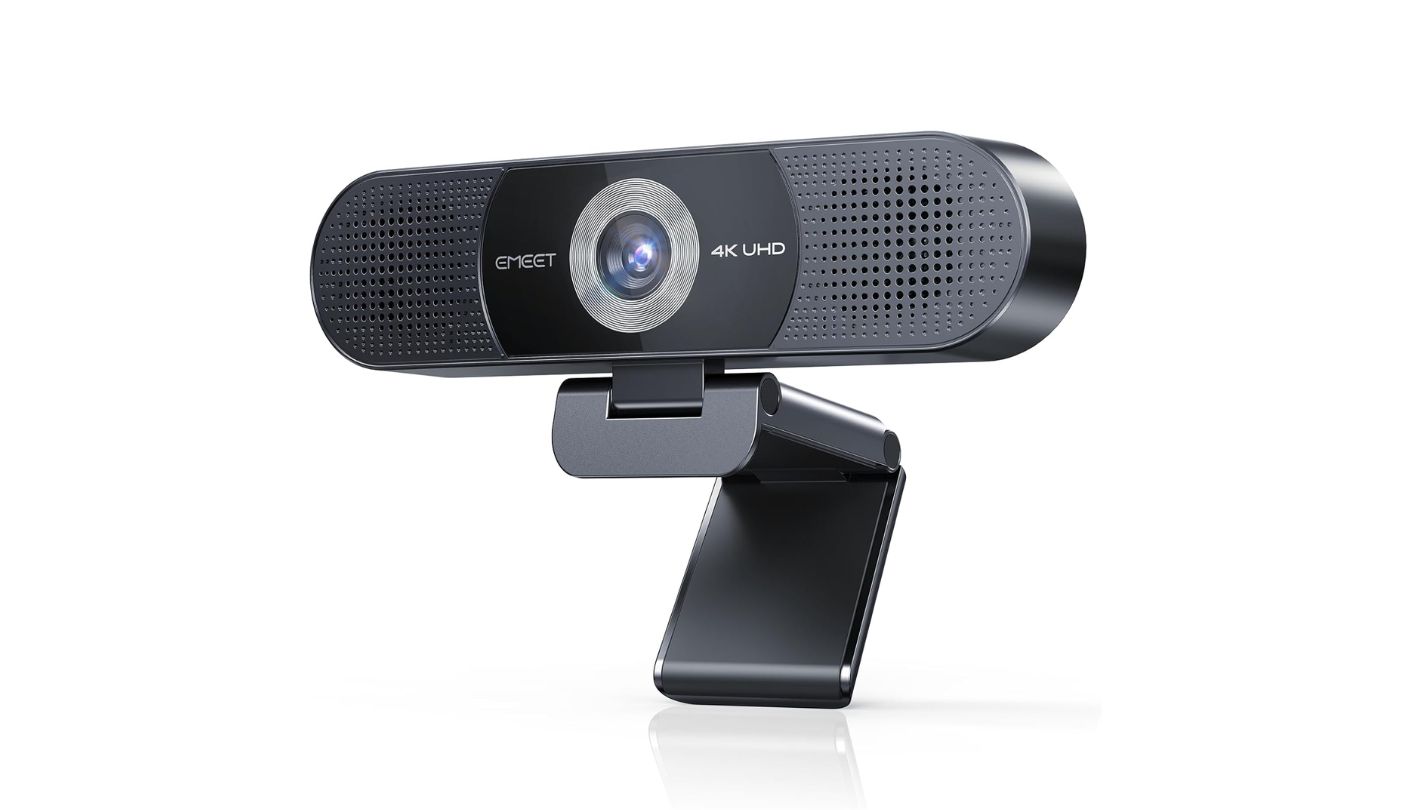
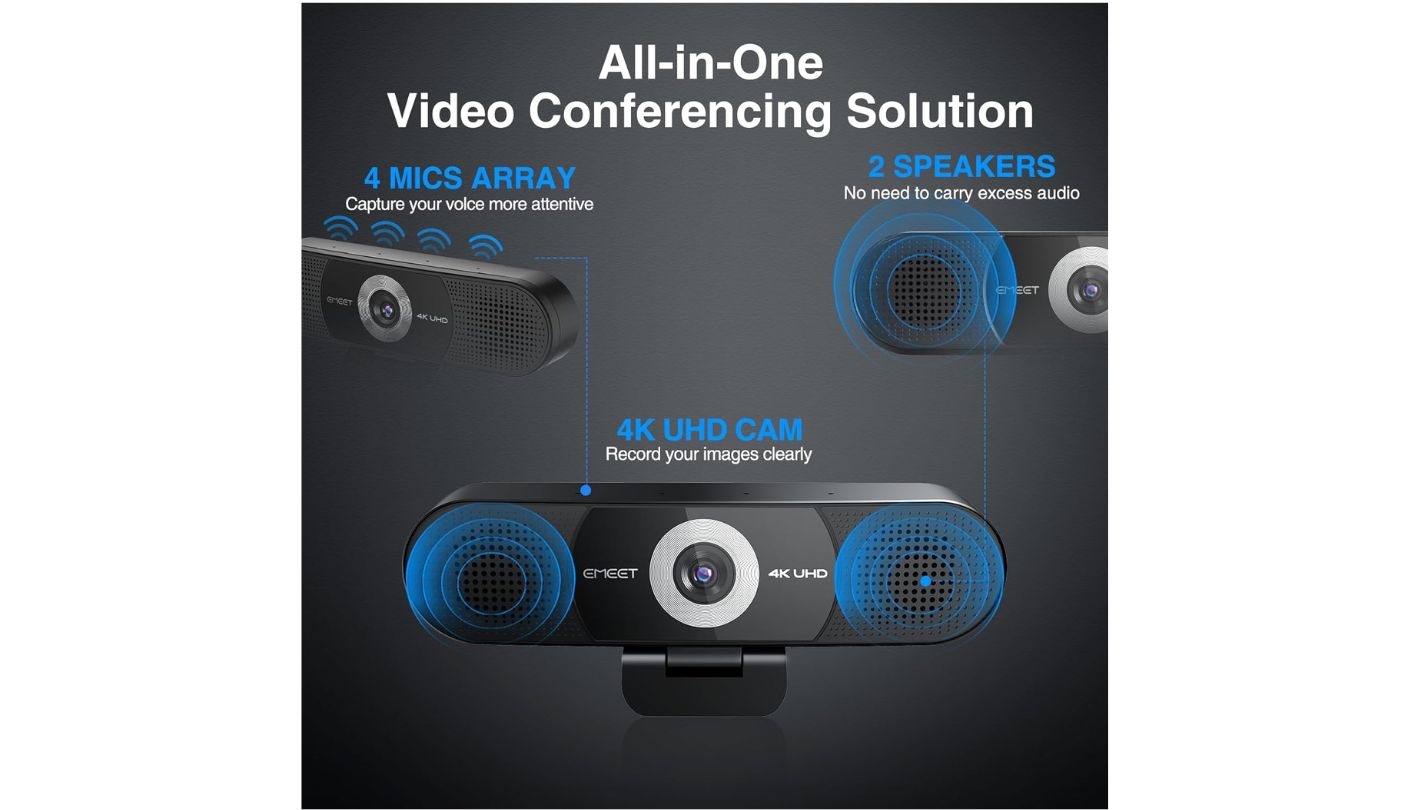
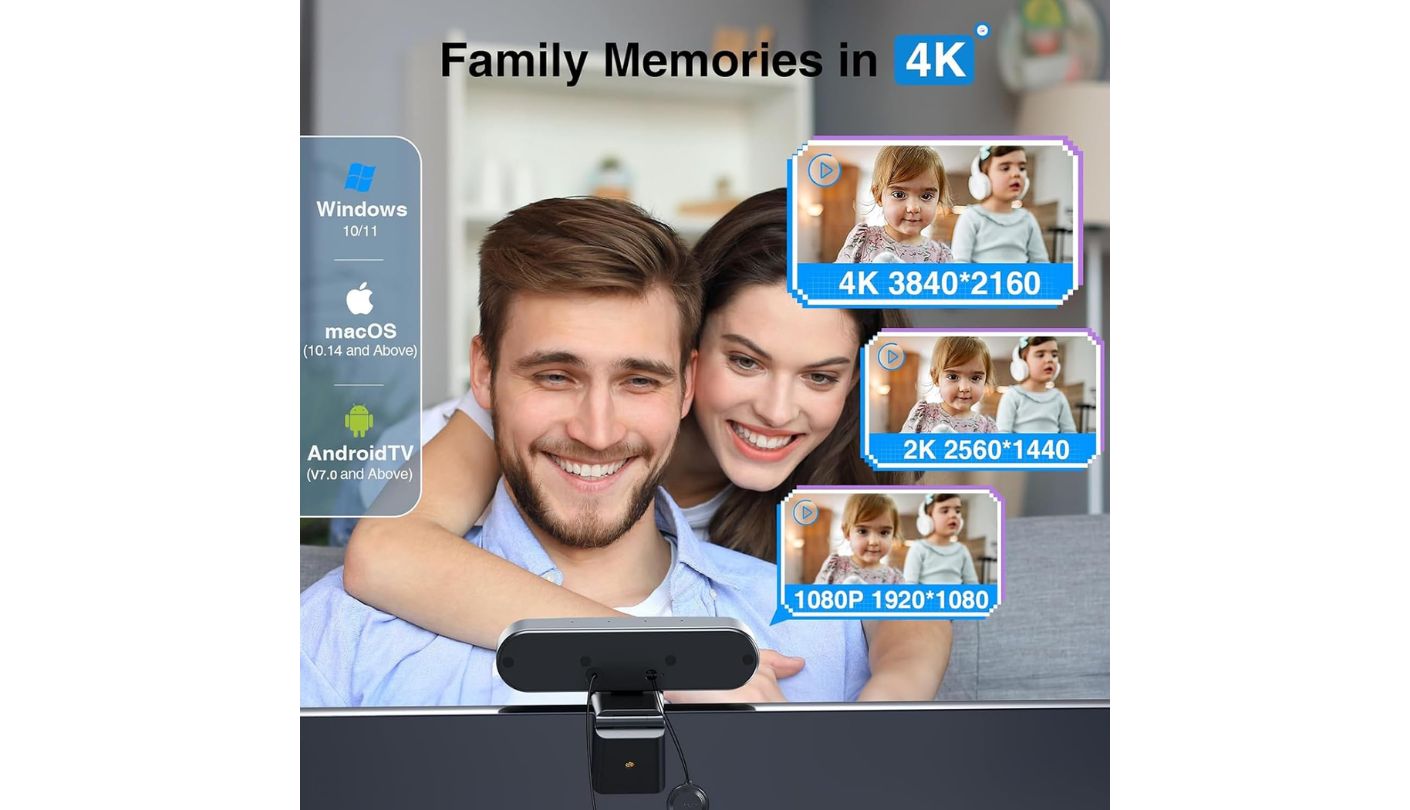
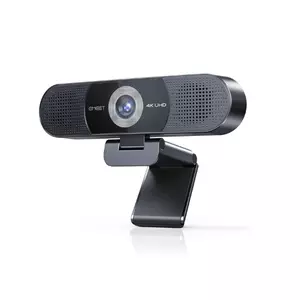
I didn't expect a webcam this affordable to output genuine 4K video, and I kept checking the resolution settings during testing because the image looked sharper than the price implied it should. The EMEET C980 PRO 4K earns its price entirely on that gap between what it costs and what it actually offers, plug-and-play across Zoom, Teams, Skype, and most other mainstream conferencing apps without a single driver install.
Four omnidirectional microphones pick up conversation clearly within about 10 feet, and EMEET's DSP noise reduction handled a noisy home office noticeably better than expected during testing, suppressing keyboard clatter and street noise without flattening voices in the process. Two 1W speakers push sound up to 81dB, plenty for a small room or a one-on-one call.
The field of view adjusts anywhere from 60 to 98 degrees through the EMEETLINK software, letting a wider group fit into frame without buying a different device. There's no Wi-Fi, Bluetooth, or cloud connection anywhere in this webcam, which keeps every bit of audio and video local to the USB cable, a genuine privacy advantage over devices that phone home for firmware or remote management. A 90-degree forward-tilting stand and an included tripod thread mean it sits comfortably on a monitor, a shelf, or a tripod depending on the room.
That fixed focus and lack of auto-framing mean the camera holds still regardless of who's talking, a limitation that shows up mainly in rooms with more than three or four people spread out. Operating system support also stops short of Linux, tablets, ARM-based Windows machines, and game consoles, worth checking before assuming it will work with whatever hardware happens to be in a given room.
A camera this reasonably priced rarely earns a spot next to devices costing several times more, but the video quality here genuinely holds its own. For a small office or a home setup where a handful of people occasionally join the same call, this is the device that packs in the most for the least.
Pros:
- True 4K Video
- Adjustable 60°-98° FOV
- Fully Offline Operation
- Magnetic Privacy Cover
- Strong Noise Reduction
Cons:
- No Auto-Framing
- Limited OS Support
Summary: The value here comes from what EMEET left out as much as what it built in, since skipping Wi-Fi and cloud features keeps both the price and the privacy footprint smaller. For anyone who doesn't need auto-framing, this covers the essentials better than its price tag has any right to.
Owl Labs Meeting Owl 3 Review
360° Coverage
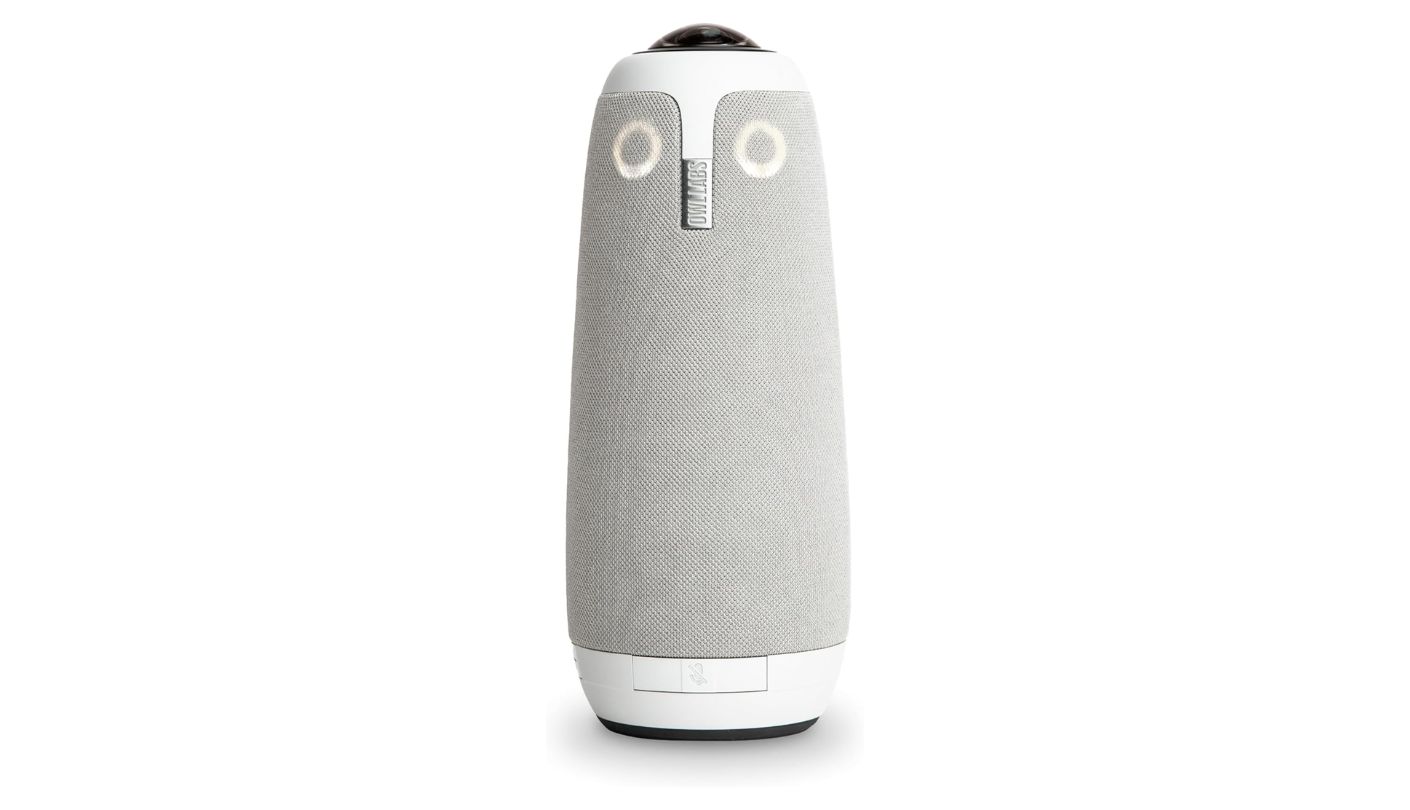
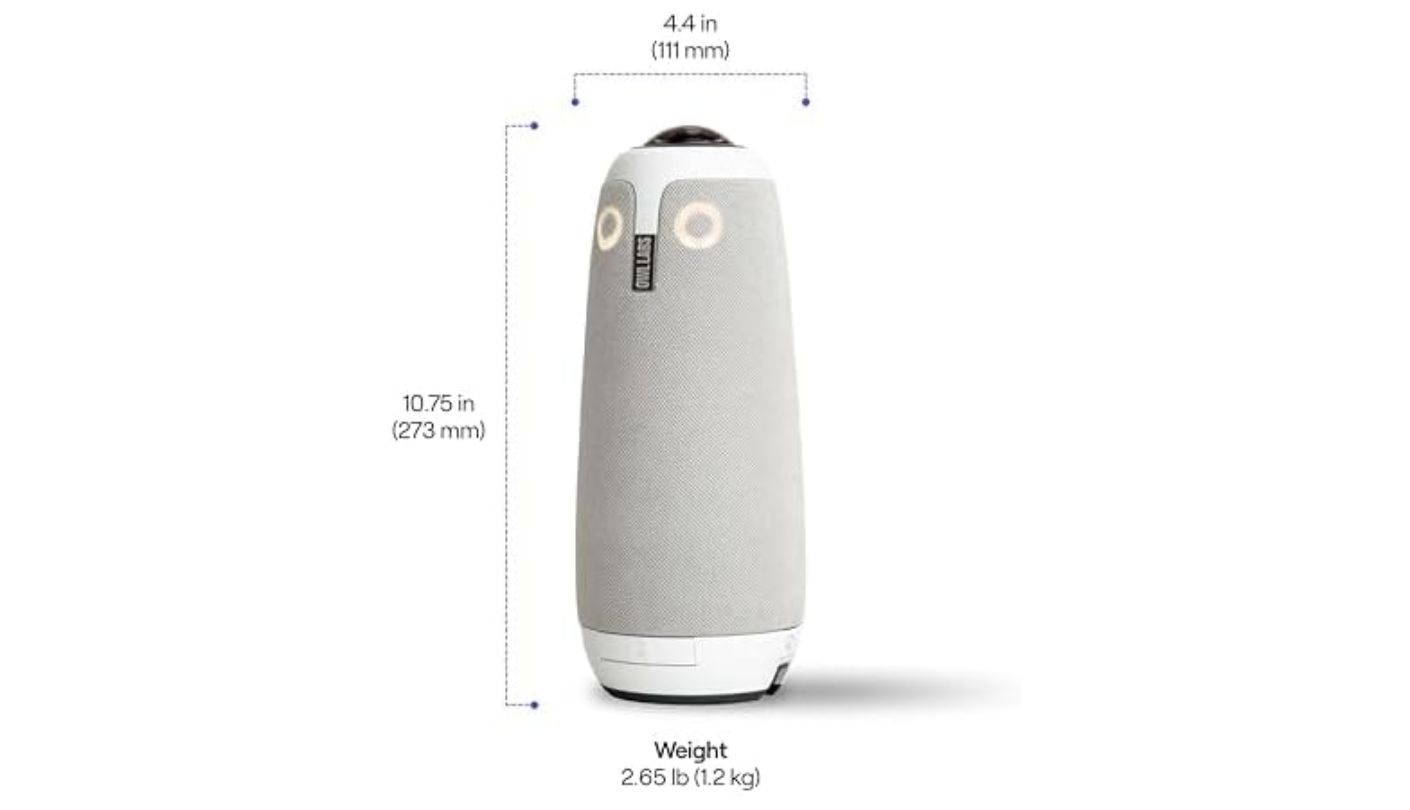
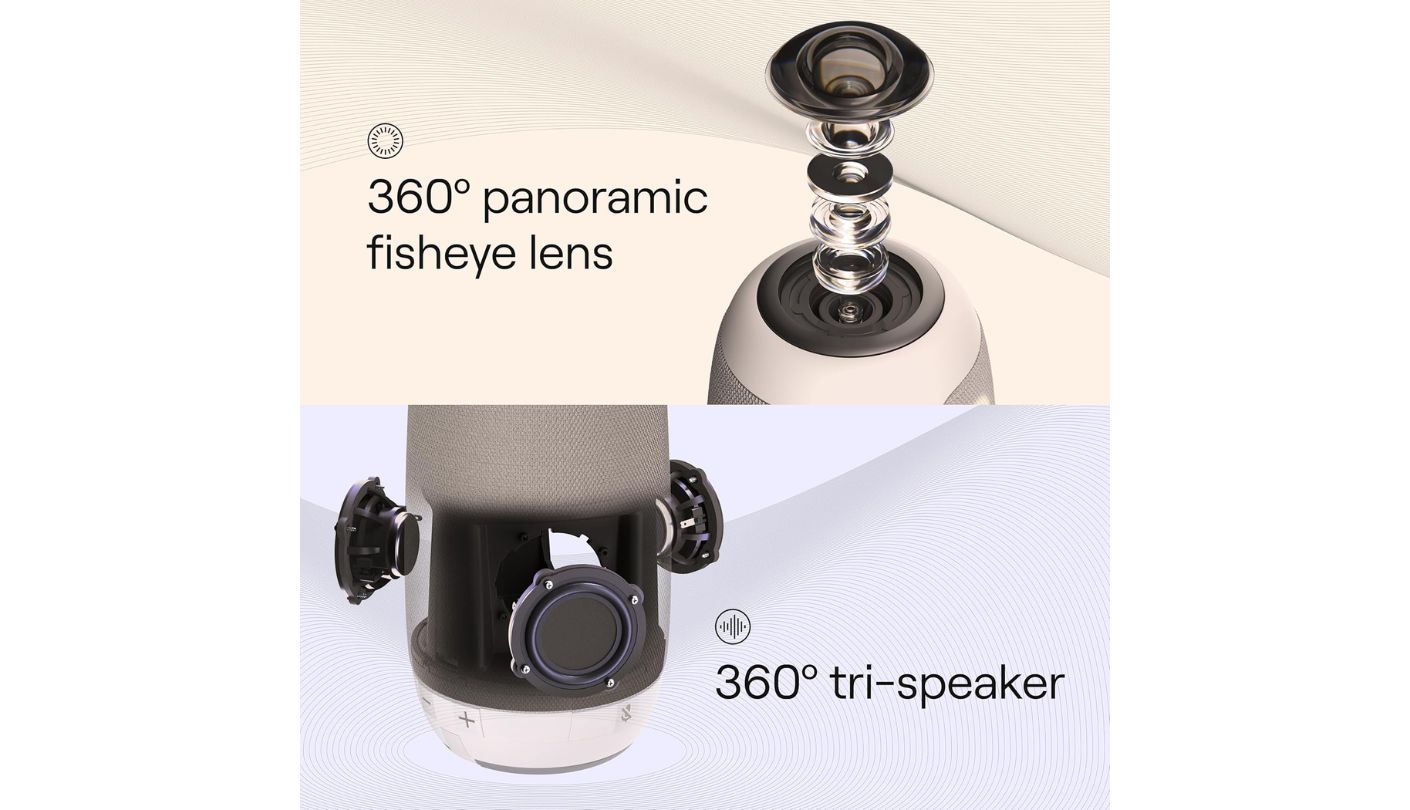
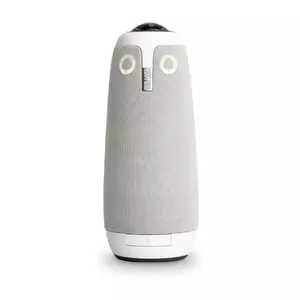
A colleague set this in the middle of a round table for a client call and forgot it was even there until the client on the other end asked why the video kept smoothly swinging between whoever was talking. The Owl Labs Meeting Owl 3 earned that reaction honestly during testing, and it kept earning it call after call.
The Owl Intelligence System reads both audio and visual cues to zoom in on whoever's speaking, switching focus with a smoothness that felt less like automation and more like a camera operator paying close attention. Eight omnidirectional microphones cover an 18-foot radius, comfortably spanning a mid-size conference table, while three built-in speakers project remote audio around the whole room instead of from one direction.
Setup took well under ten minutes from unboxing to a working call, close to the roughly six-minute figure Owl Labs claims, and the device runs entirely over USB without needing any drivers installed first. Optional Wi-Fi opens up fleet management through Owl Labs' Nest platform, useful for any office running more than a couple of these across different rooms, and certification for Microsoft Teams sits alongside broad compatibility with Zoom, Google Meet, and Webex.
External speakers and microphones aren't supported at all here, a deliberate choice since plugging one in confuses the Owl Intelligence System into tracking the wrong source, but a real limitation for a room with unusual acoustics. It also needs its own power brick rather than pulling power through the USB-C cable, one more cable than a simpler front-facing camera requires.
Image quality holds up well under normal office lighting but drops off noticeably in dim or unevenly lit rooms, worth testing in the actual space before committing, especially in rooms with strong window glare on one side and shadow on the other. For a table where people sit on every side and nobody wants to crane toward a screen, nothing else in this lineup matches how naturally this device fits that shape of room.
Pros:
- Accurate Speaker Tracking
- 18-Foot Mic Range
- Fast Plug-And-Play Setup
- Expandable Owl Ecosystem
- 360° Room Audio
Cons:
- No External Audio Support
- Separate Power Brick
Summary: The Owl Intelligence System is the rare AI feature that actually disappears into the background instead of calling attention to itself during a call. Rooms with challenging lighting deserve a test run first, but for a standard conference table, the tracking alone justifies the round shape everyone jokes about.
KanDao Meeting Pro Review
Standalone Ready
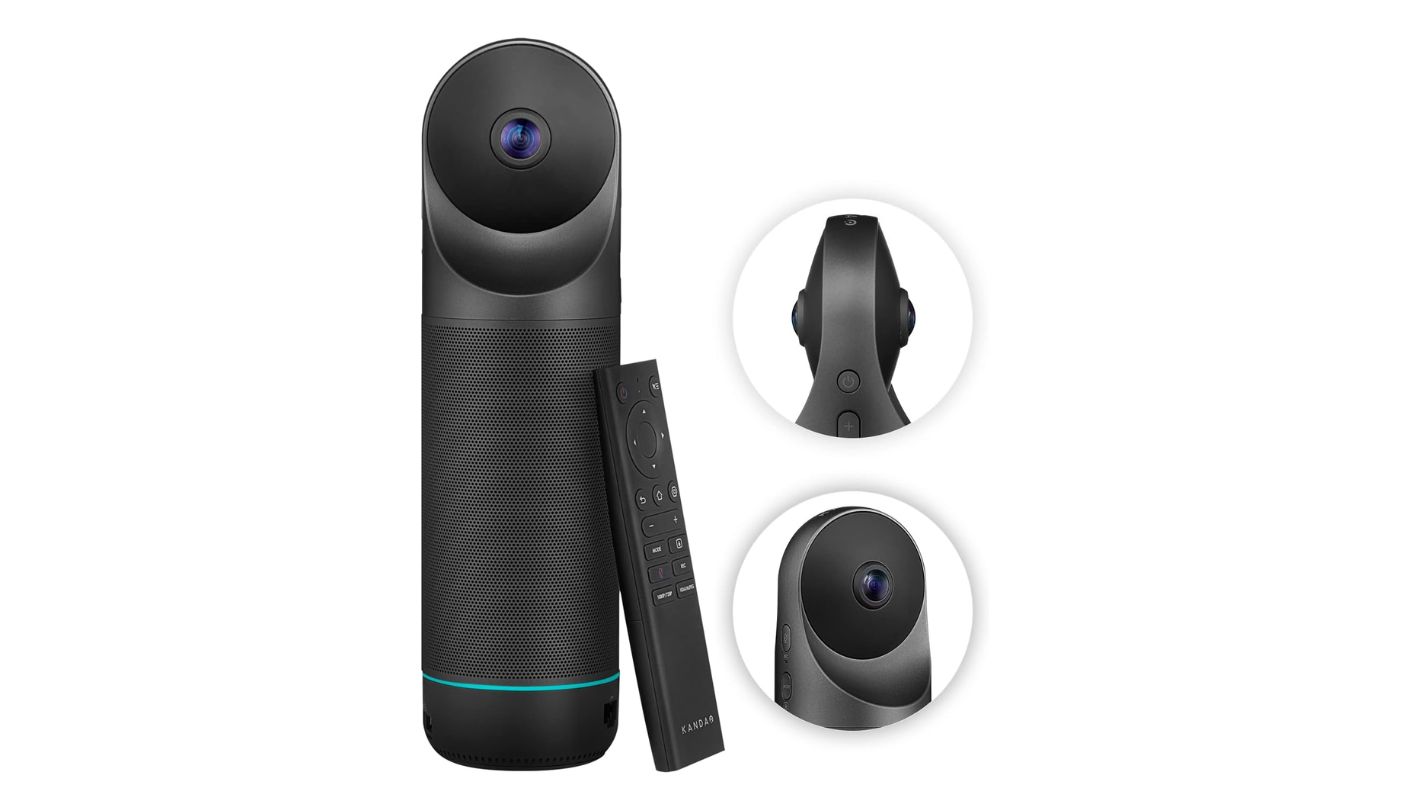

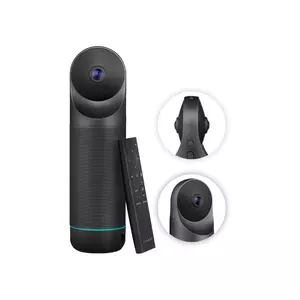
Every other device on this list needs a laptop somewhere in the room. The KanDao Meeting Pro doesn't, running its own Android system and connecting straight to a conference room display over HDMI, with Wi-Fi or Ethernet handling the actual internet connection instead of a laptop's USB port.
Dual 195-degree fisheye lenses capture the room at up to 8K before KanDao's AI processing compresses that down into a 1080p stream, splitting the output between a wide panoramic view on top and a close-up of the active speaker below. Eight omnidirectional microphones reach 18 feet, matching the Owl 3's range, and a Bluetooth remote handles mode switching without touching the device itself.
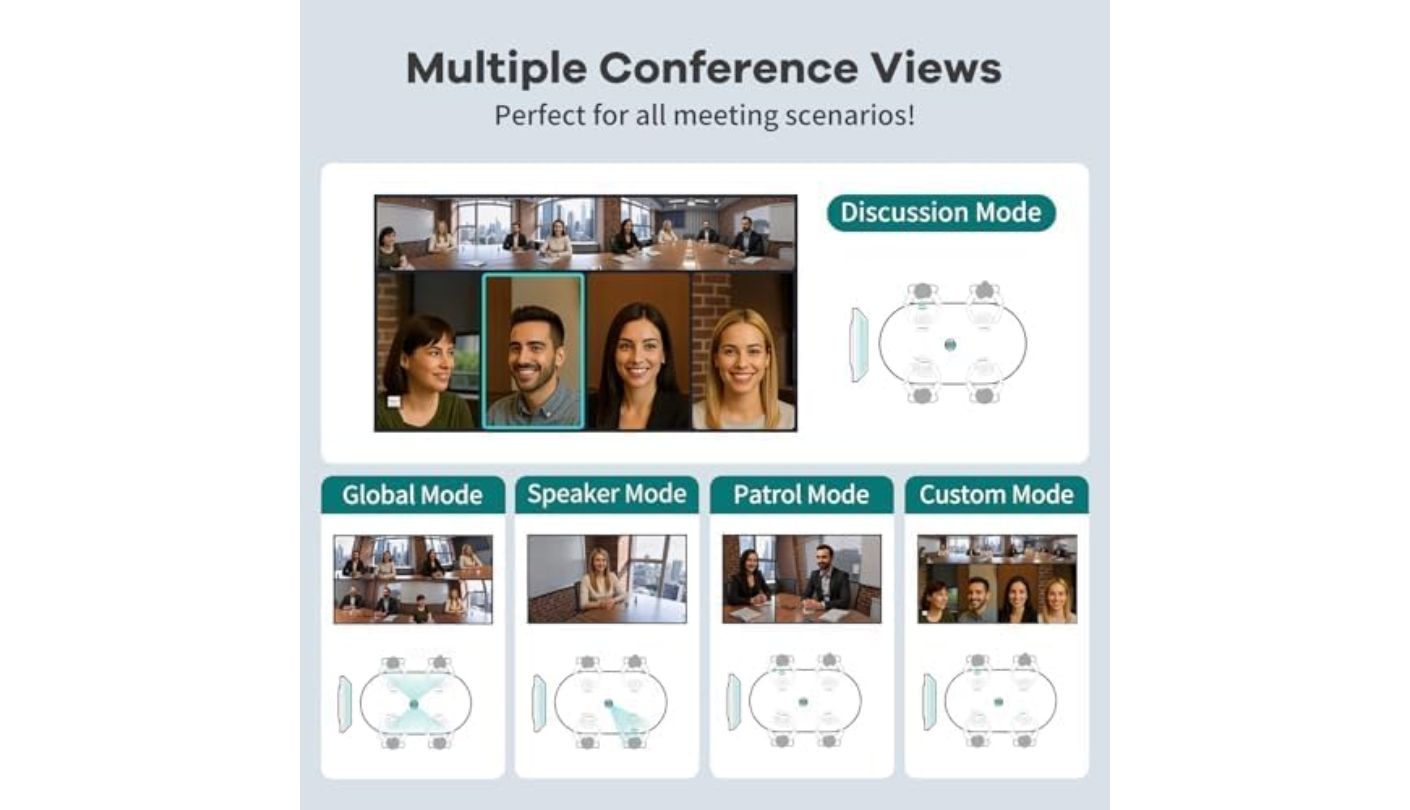
Five Smart Modes, Discussion, Global, Presentation, Patrol, and Custom, cover most meeting formats without digging through a settings menu, and local recording to 64GB of internal storage means a meeting can be saved even without a connected computer anywhere nearby. That standalone flexibility makes this the device I'd point toward a room that gets used by different teams with different laptops, or none at all.
Power-over-Ethernet support means a single cable can carry both network and power in the standalone HDMI setup, one less cord than most rooms expect to run. Long-term users have flagged the internal microphone audio as noticeably more muffled than what the Owl 3 produces, a real tradeoff for the extra flexibility this device offers, and external microphones aren't supported either, so that audio quality ceiling can't be worked around with better hardware later.
Running an entire meeting without a laptop in sight still feels like the more interesting trick here than any single spec. For a shared conference room where different people show up with different devices, or none, that independence solves a real logistical headache the other four devices simply hand back to whoever forgot their laptop.
Pros:
- Standalone Android System
- Dual 195° Lenses
- Five Smart Modes
- Local Recording Storage
- Bluetooth Remote Included
Cons:
- Muffled Mic Audio
- No External Mic Support
Summary: Independence from a laptop turns out to matter more day to day than the audio quality gap against the Owl 3 ever did during testing. A shared room with rotating teams gets more practical value from that standalone setup than a fixed desk ever would.
Yealink UVC34 Review
Most Portable
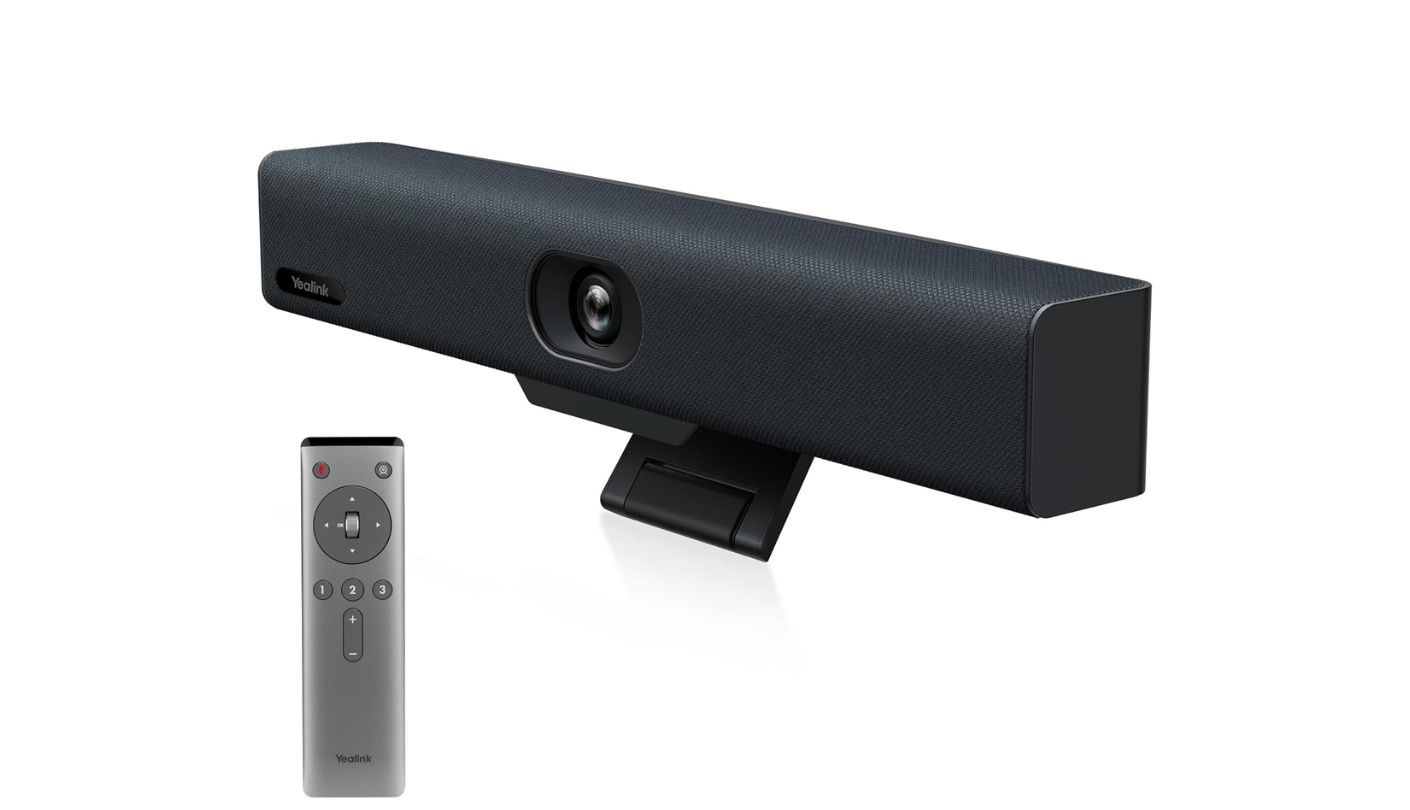
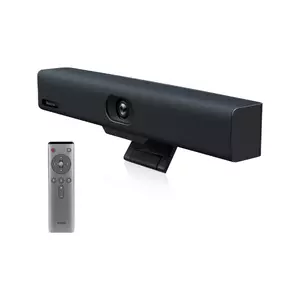
Does a conference camera really need to travel between offices? The Yealink UVC34 answers that question by weighing under three pounds and fitting into a backpack, light enough that carrying it between a home office and a shared workspace never felt like a chore during testing.
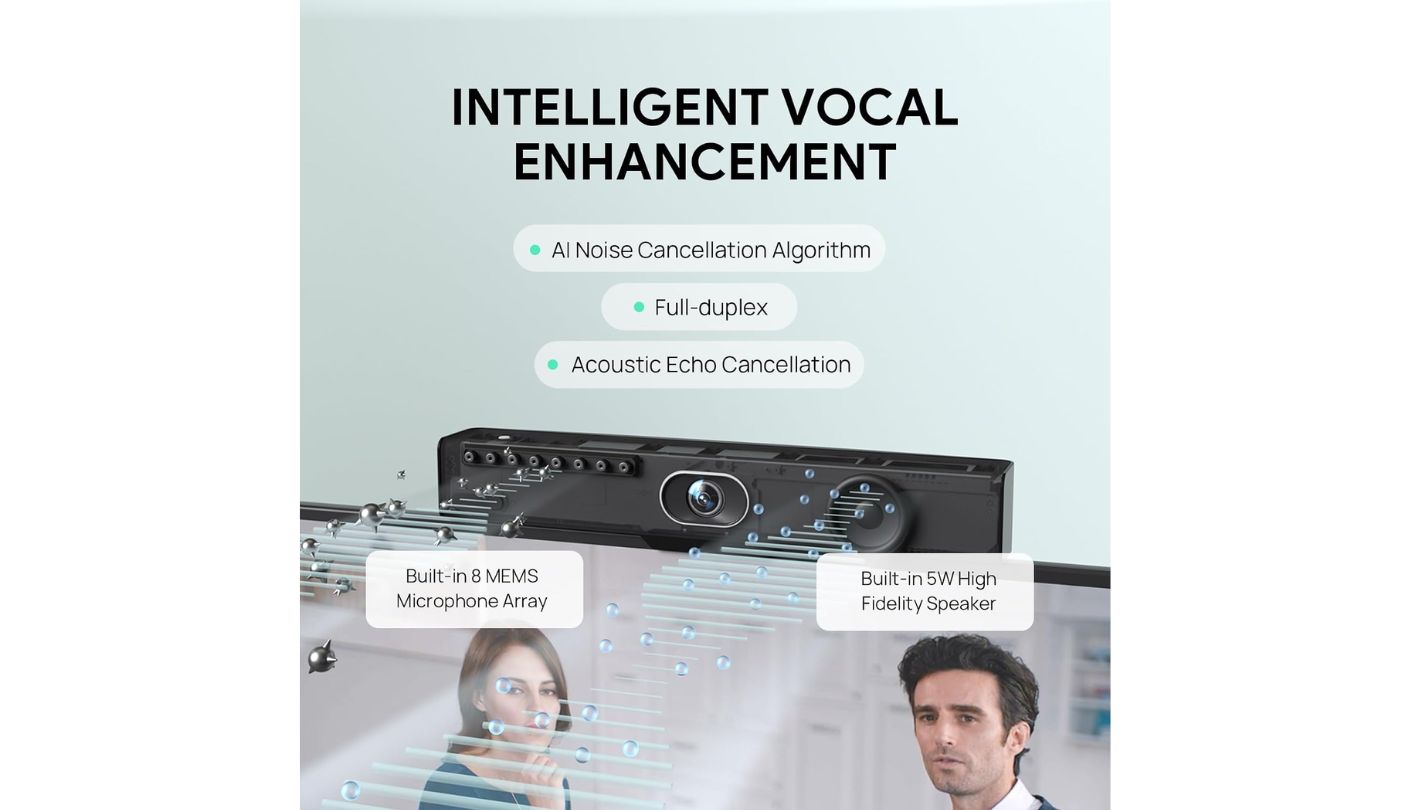
The 4K camera pairs a 120-degree wide lens with 5x digital zoom and nine camera presets, and AI face detection kept everyone properly lit even when the room's overhead lighting shifted mid-call. Eight microphones reach roughly 15 feet, and Yealink's Noise Proof Technology paired with dereverberation noticeably cut down on echo in a room with bare walls during testing.
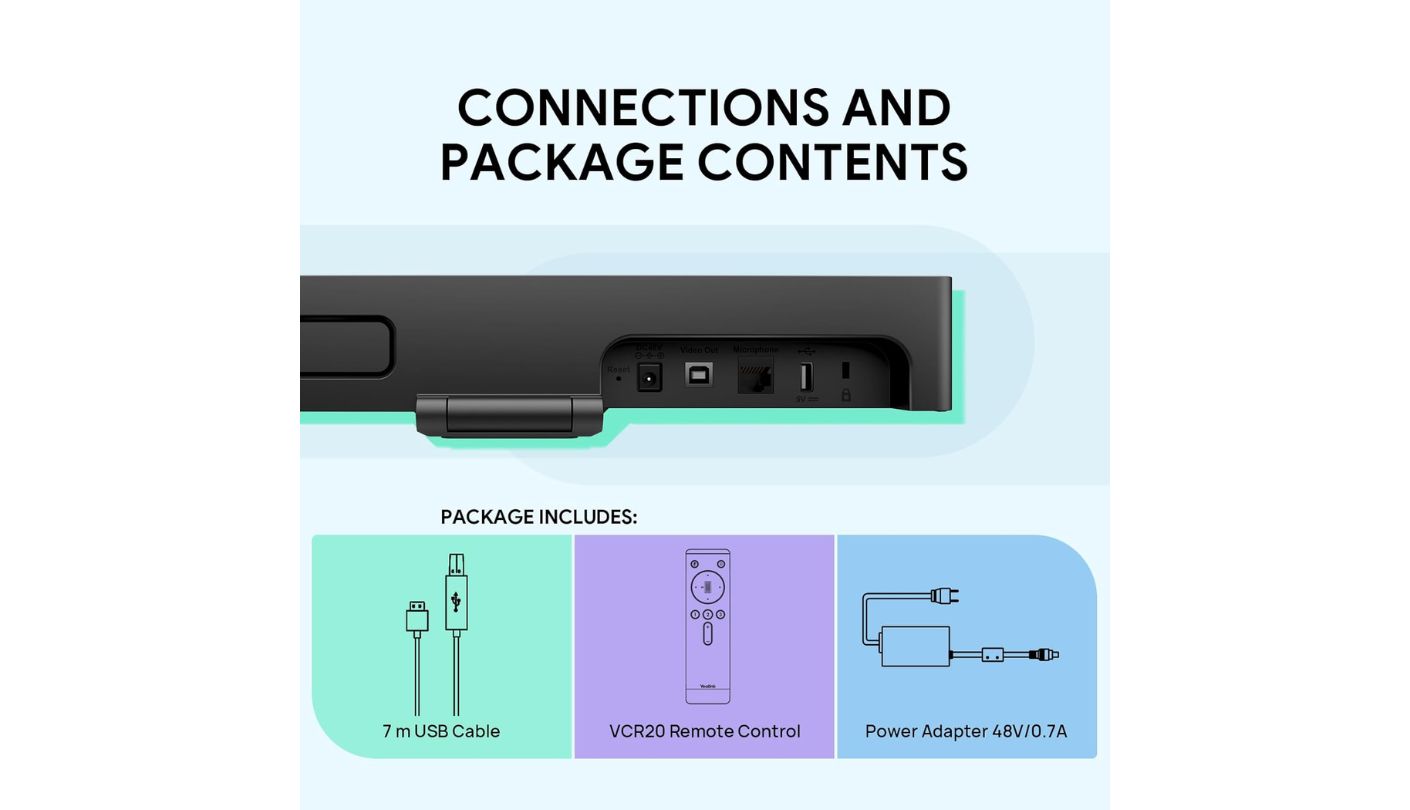
A motorized lens cap opens automatically the moment a call starts and closes the instant it ends, a physical privacy guarantee that doesn't rely on trusting a software indicator. Built-in Wi-Fi connects to the Yealink Device Management Platform for remote configuration, useful for IT teams managing several rooms without physically visiting each one, and a bundled remote control with a wall-mount bracket covers rooms where the device gets fixed to a wall rather than a shelf.
There's no pan or tilt motor here, only the fixed camera position and digital zoom, a real limitation for a wider room where the frame can't physically follow someone standing up and moving around during a presentation. The price also sits noticeably higher than the front-facing alternatives here, a premium that mostly buys the portability and privacy shutter rather than dramatically better core specs.
Carrying a full conference room setup in a backpack changes how flexible a small office can be about which room hosts which call. For anyone who splits time between locations, that portability alone offsets the higher cost more than any single spec on the sheet.
Pros:
- Motorized Lens Cap
- Backpack-Portable Design
- WiFi Remote Management
- 9 Camera Presets
- Strong Echo Reduction
Cons:
- No Pan Or Tilt
- Premium Price Point
Summary: Portability rarely gets treated as a headline feature for conference room gear, yet it's the trait that changed how often this device actually got used across testing. A team that never moves rooms won't need that flexibility, but one that does will feel the difference immediately.
Webcam with Microphone and Speaker: FAQ
Do I need a separate speaker if my laptop already has one built in?
A laptop speaker projects toward whoever's sitting directly in front of it, which stops working the moment more than one or two people join a call from around a table. Any of these five devices spreads sound more evenly across a room instead of favoring one seat, which matters far more than raw volume once a meeting grows past a single listener.
Which of these works without connecting to a computer at all?
Only the KanDao Meeting Pro, thanks to its built-in Android system and HDMI, Wi-Fi, and Ethernet connectivity, which lets it join a call and output to a room display without a laptop anywhere in the setup. Every other device here still needs a laptop or an in-room PC running the actual conferencing software, acting as a USB camera and microphone rather than a self-contained system.
How many people can these webcams actually cover in one room?
The front-facing devices, the Logitech MeetUp, EMEET C980 PRO 4K, and Yealink UVC34, comfortably handle four to eight people seated facing a screen, which covers most huddle rooms without stretching their microphones thin. The 360-degree devices, the Meeting Owl 3 and KanDao Meeting Pro, work better for larger tables where people sit on every side rather than just facing forward, and both extend further with add-on hardware if a room grows past their base range.
Do any of these support Bluetooth for connecting a phone to a call?
The Logitech MeetUp pairs directly with a smartphone over Bluetooth, routing that phone's call audio through its own speaker and microphone, useful for anyone dialing into an audio conference rather than joining through a video app. The other four devices skip that feature entirely, relying instead on a computer or their own network connection to reach the call.
Which one has the best privacy protection when not in use?
The Yealink UVC34's motorized lens cap and the EMEET C980 PRO 4K's magnetic privacy cover both physically block the lens rather than relying on a software indicator, giving anyone walking into the room a visible answer without opening an app. The Meeting Owl 3, KanDao Meeting Pro, and Logitech MeetUp all depend more on mute controls and app or remote settings instead of a physical shutter over the lens itself.
Can I use an external microphone with the 360-degree cameras?
No, neither the Meeting Owl 3 nor the KanDao Meeting Pro supports external microphones or speakers, and both manufacturers explicitly warn against trying. Both rely entirely on their built-in audio systems, and plugging in outside hardware can actually confuse their speaker-tracking software into focusing on the wrong source in the room.
Which is the most portable for traveling between offices?
The Yealink UVC34, at under three pounds and small enough for a backpack, is the easiest of these five to move between rooms or locations regularly. The Meeting Owl 3 is noticeably heavier and needs its own power brick, making it less practical for frequent travel.
Do I need 4K resolution for video conferencing?
Most video conferencing platforms compress calls down to 1080p or lower regardless of a camera's native resolution, so 4K mainly helps with digital zoom sharpness and how a recorded meeting looks played back later rather than what remote participants see live. The Logitech MeetUp, EMEET C980 PRO 4K, and Yealink UVC34 all shoot native 4K, while the Meeting Owl 3 and KanDao Meeting Pro top out at 1080p without losing much in a typical call.
Finding the Right Shape of Camera for the Room
The biggest lesson from putting all five in the same meeting room wasn't about resolution or mic count, it was about geometry. A soundbar-style camera and a 360-degree table unit aren't competing for the same seat, they're built around opposite assumptions about how a room is arranged, and no amount of spec sheet comparison substitutes for knowing which assumption actually fits. Even KanDao's ability to skip a computer entirely turned out to matter less on its own than how naturally it handled a normal, slightly messy conversation once the AI switching kicked in.
Walk into the actual room before opening a single product page. A narrow room where everyone already faces a shared screen gets more out of a front-facing device like the MeetUp or the UVC34, while a round table with chairs on every side is exactly what the Owl 3 and the KanDao were built to solve. Start from the seating chart, not the spec sheet, and the right pick tends to announce itself.

Jeb here, your go-to geek for everything from video projection to the latest tech trends. As an avid outdoorsman, I enjoy using monoculars and binoculars for hunting, traveling, and birdwatching. Join me in exploring the cool, quirky side of technology!


