SwitchBot's kata AI Assistant lets you control your smart home by just describing what you want

SwitchBot has added a built-in AI assistant called kata to its app, letting users control smart-home devices through natural conversation instead of tapping through menus. The feature runs on a large language model (LLM) and lands in SwitchBot app version 9.29 and later. For anyone already deep in the SwitchBot ecosystem — locks, curtain motors, thermostats, and more — it's the biggest change to how the app works in years.
Plain language, actual actions
kata connects directly to your SwitchBot devices, reading their names and current states so it can act on what you say. Ask it to turn off the lights, close the blinds, and cool the room in one sentence, and it handles all three. Vague requests work too: saying "it's too hot in here" is enough to trigger an AC adjustment. If there's any ambiguity — say, two devices with similar names — kata asks a follow-up before doing anything.
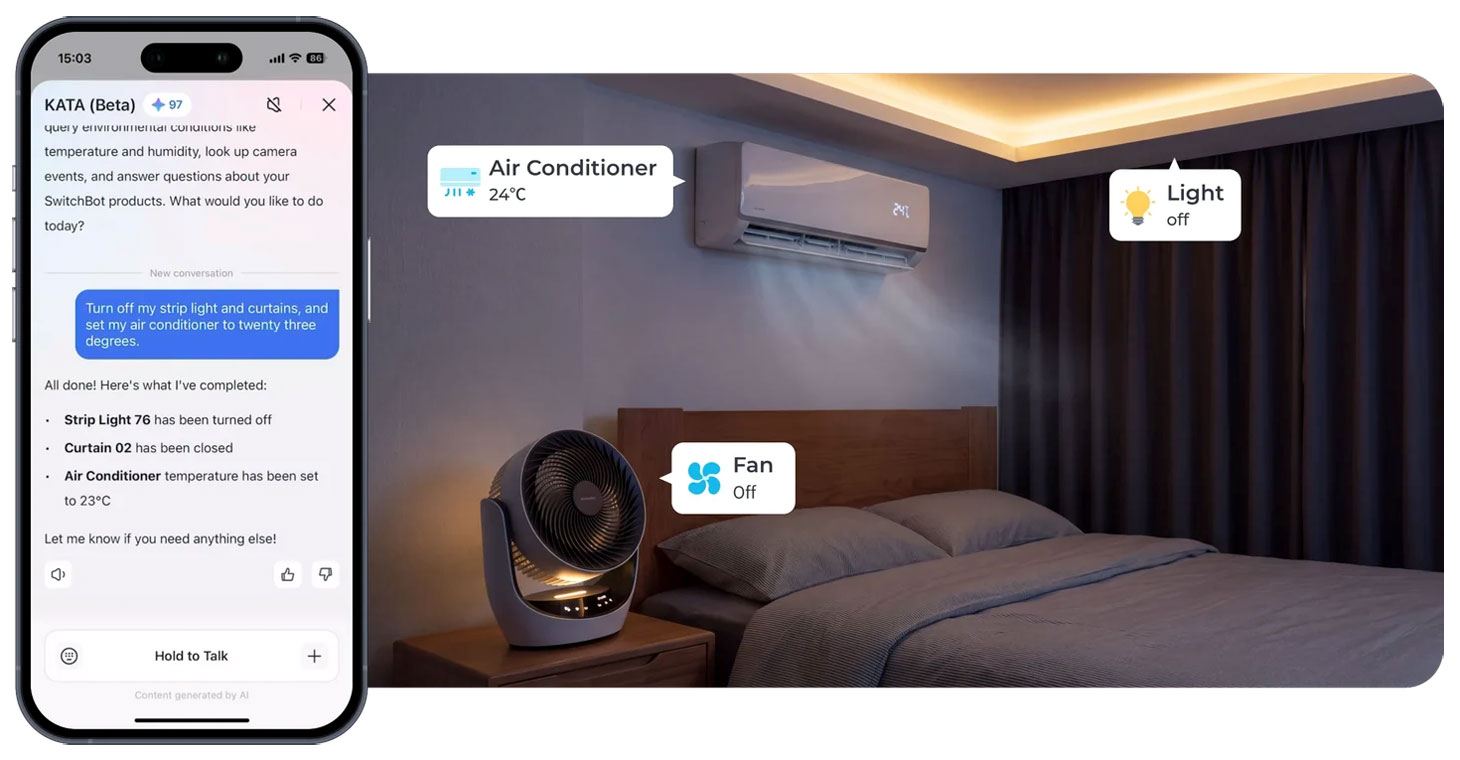
kata interprets conversational requests and maps them to compatible SwitchBot devices.
Automations without the setup screens
Building routines is one of the more tedious parts of any smart-home app. kata skips the manual step-by-step process: describe what you want in plain English ("open the bedroom blinds on weekday mornings") and it converts that into a working automation. It can also handle dependent settings — if a command requires another option to be enabled first, kata takes care of that automatically where supported.
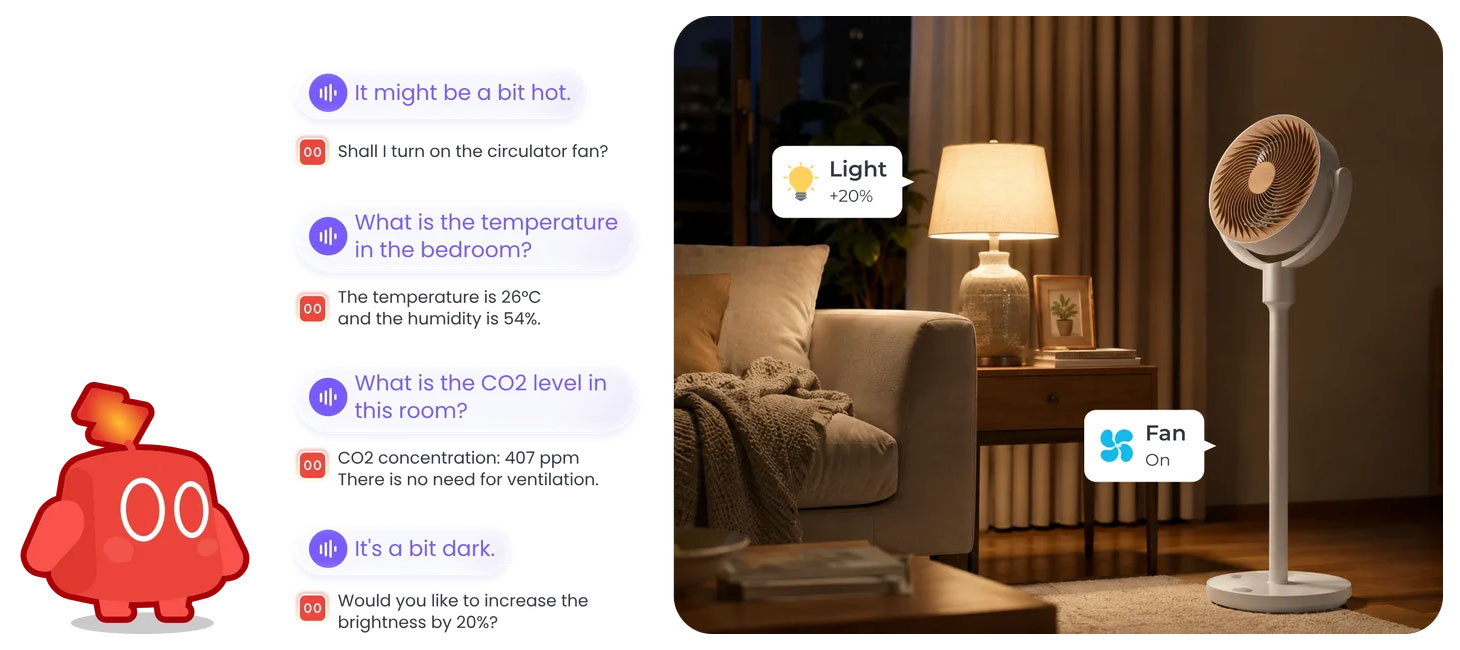
Automations can be created by describing a routine in plain language, without manual condition setup.
Troubleshooting built in
kata doubles as a support tool. Point your camera at a new device and OCR recognition helps identify it and walk you through setup. For problems, describe what's wrong — "my plug stopped responding" — and kata searches SwitchBot's manuals, FAQs, and video guides for a fix. It holds conversation context throughout a session, so you don't have to re-explain the issue after each reply. For anything beyond its current reach, it routes you to the right section of the app.
What's still unclear
SwitchBot hasn't disclosed whether kata is free, part of a subscription, or a premium add-on. There's no official confirmation of English-language support or US/UK availability, though the SwitchBot website references the feature for its global audience. Data handling details — whether commands are processed on-device or sent to SwitchBot's servers — haven't been published either. Those are meaningful gaps compared to well-documented rivals like Alexa routines or Google Home automations.
kata is accessible from the SwitchBot app home screen and works via text or voice.


