At gagadget.com, your trust is our priority. We follow strict quality standards in our research, tests, and analysis of video projectors, to give you the best experience. Learn more
ViewSonic PX700HDH Is the Projector I’d Buy Under $500
Every projector ad lives in a perfectly dark room. Then yours arrives, you turn it on at four in the afternoon, and the picture looks like a rumour of what you saw online. I’ve been testing projectors since 720p was impressive, and that gap between the product photo and real life is still why so many end up back in the box.
Which brings me to the price, because it matters more than usual here. The ViewSonic PX700HDH lists at $599, and at $599 it sits outside a five hundred dollar budget and outside this article entirely. Amazon currently has it at $499, a flat $100 off, and at that number it steps into the category and takes it over. I ran it for five weeks across three rooms: a north-facing lounge with two windows I refused to cover, a garage with a 120-inch screen on the back wall, and a garden fence in August. Below is what it does well, the two claims on the box I would treat with suspicion, and the running cost nobody puts in the bullet points.
If you’re in a hurry: buy the PX700HDH for brightness. Its 3,700 ANSI lumens matter more in a real living room than another feature buried on the spec sheet, especially if you want to watch before sunset.
The rest is straightforward: native 1080p on a 0.65-inch DLP chip, two HDMI ports, USB power for a streaming stick, a usable 10W speaker, and a lamp rated for 6,000 hours - or up to 20,000 in SuperEco.
Buy it for a bright, simple big-screen setup. Skip it if you need 4K, built-in streaming apps, or flexible placement: the 1.1× zoom is limited, there’s no lens shift, and a 100-inch image needs about 10.9 feet of throw.
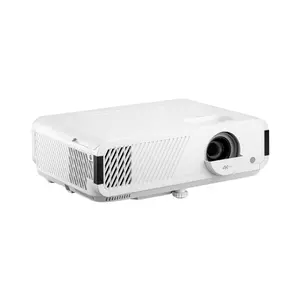
We may earn a small commission if you buy via our links - it helps keep gagadget.com running.
5 Reasons to Buy the ViewSonic PX700HDH:
- 3,700 ANSI lumens, the brightest of the three here and the one spec you cannot add later
- Two HDMI inputs plus powered USB-A, where both rivals give you a single HDMI
- 10W mono speaker against 3W and 2W, enough to watch a match without wiring anything
- Three-year warranty with first-year Express Exchange, against one year and two years
- $499 right now instead of $599, which is the only reason it qualifies for this list
2 Reasons to Consider Alternatives:
- Rigid placement: 1.1x zoom, manual focus, no lens shift, vertical keystone only
- Nothing smart on board, no Wi-Fi, no Bluetooth and no HDR handling of any kind
Table of Contents:
- ViewSonic PX700HDH Review: Full Specifications
- Lumens Are the Whole Argument at This Price
- Ports, Placement and the Eleven-Foot Problem
- Five Weeks, Room by Room
- Lamp Hours, Power Draw and What Ownership Costs
- Fan Noise, Rainbows and Two Numbers I Do Not Trust
- PX700HDH vs Optoma HD146X vs Epson Home Cinema 880
- ViewSonic PX700HDH: What Owners Say
ViewSonic PX700HDH Review: Full Specifications
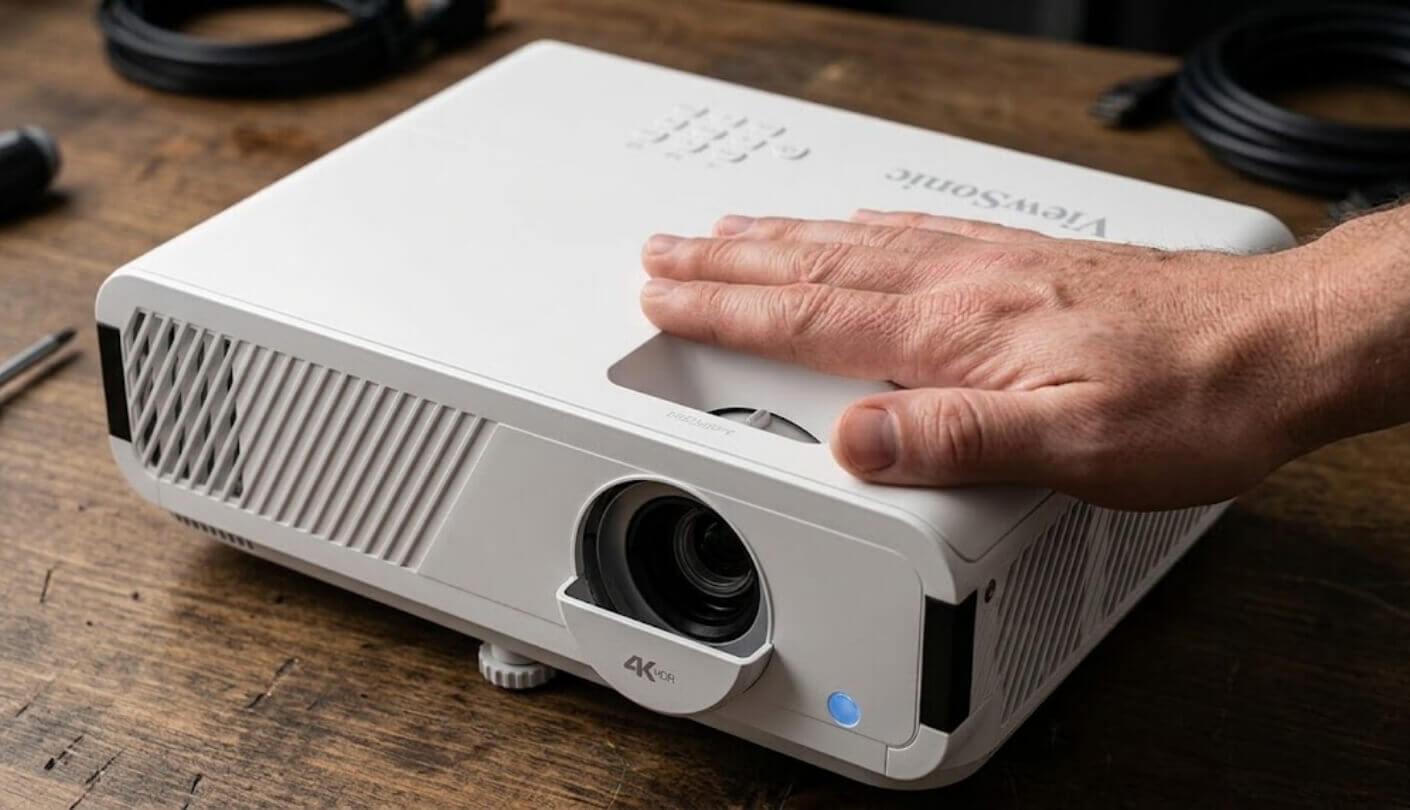
The sheet first, then I will take issue with two lines of it:
| Spec | ViewSonic PX700HDH |
| Brightness | 3,700 ANSI lumens |
| Resolution | Native 1920 x 1080, 16:9 |
| Display Type | Single-chip DLP, 0.65-inch DMD |
| Colour Wheel | Six segments, 10-bit colour processing, SuperColor |
| Contrast | 22,000:1, measured full on/off rather than natively |
| Light Source | 203W UHP lamp, replaceable, part number RLC-131 |
| Lamp Life | 6,000 hours normal, up to 20,000 hours in SuperEco |
| Lens | 1.1x manual zoom, manual focus, no lens shift |
| Throw Ratio | 1.49:1 to 1.64:1 |
| Throw Distance | 3.6 ft to 32.5 ft |
| Image Size | 30 to 300 inches, with 100 inches at roughly 10.8 ft |
| Keystone | Vertical digital only, plus 0.8x to 2.0x digital zoom |
| 3D | Full HD 3D, glasses not supplied |
| Claimed Latency | 16 ms, with a 120Hz refresh figure quoted by ViewSonic |
| Inputs | HDMI 1.4 x 2, USB-A powered, RS-232, audio out mini jack |
| HDMI Features | CEC, so one remote can wake the projector and the source |
| Speaker | 10W mono, built in |
| Smart Features | None, no Wi-Fi, no Bluetooth, no app platform |
| HDR | Not supported |
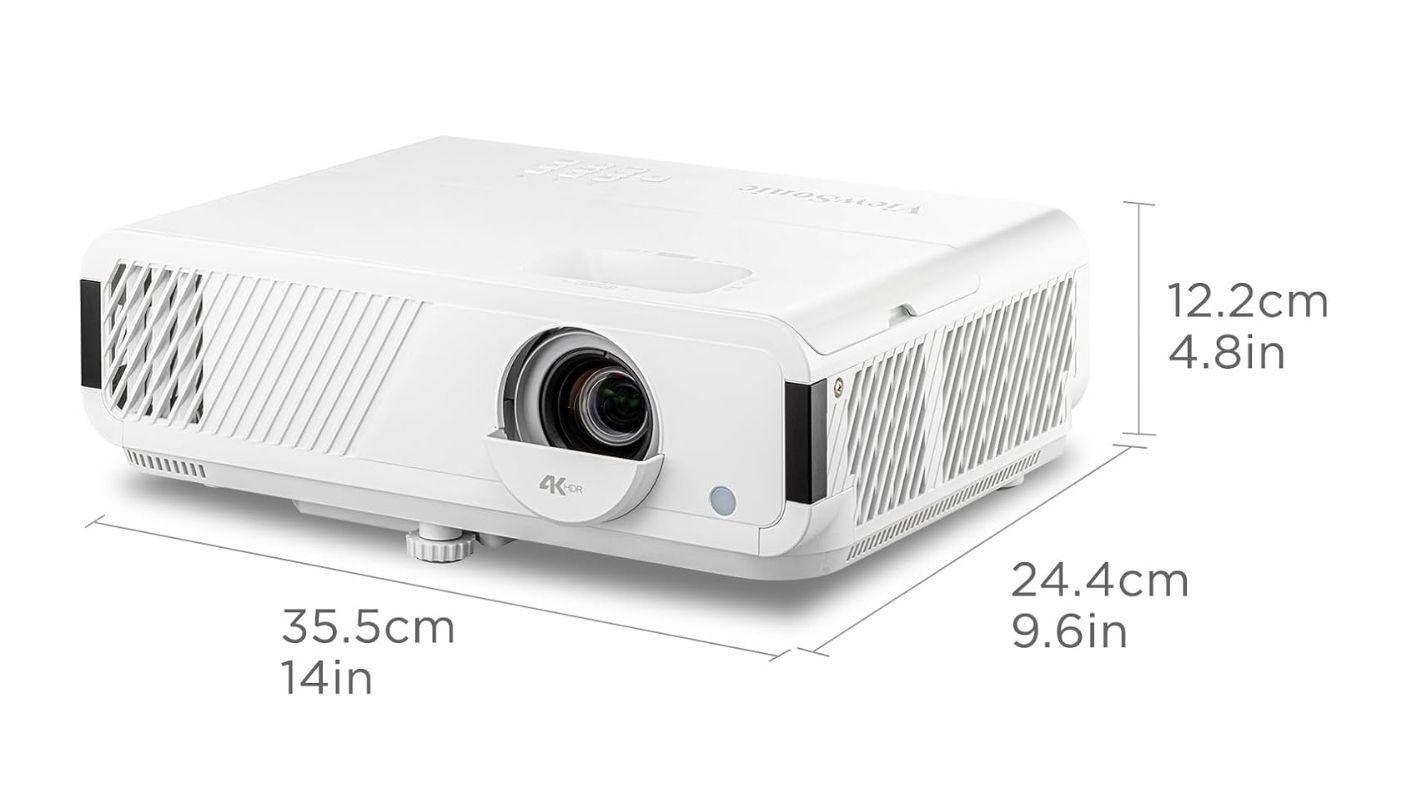
| Size and Weight | 4.5 x 11.5 x 8.7 inches, 5.3 lbs |
| Power Draw | 300W, 100V to 240V |
| Warranty | Three years, with first-year Express Exchange |
| Released | December 2024 |
Three lines carry this product. Brightness, the port block and the warranty. Two lines are marketing rather than measurement, and I deal with those near the bottom of the review.
Lumens Are the Whole Argument at This Price
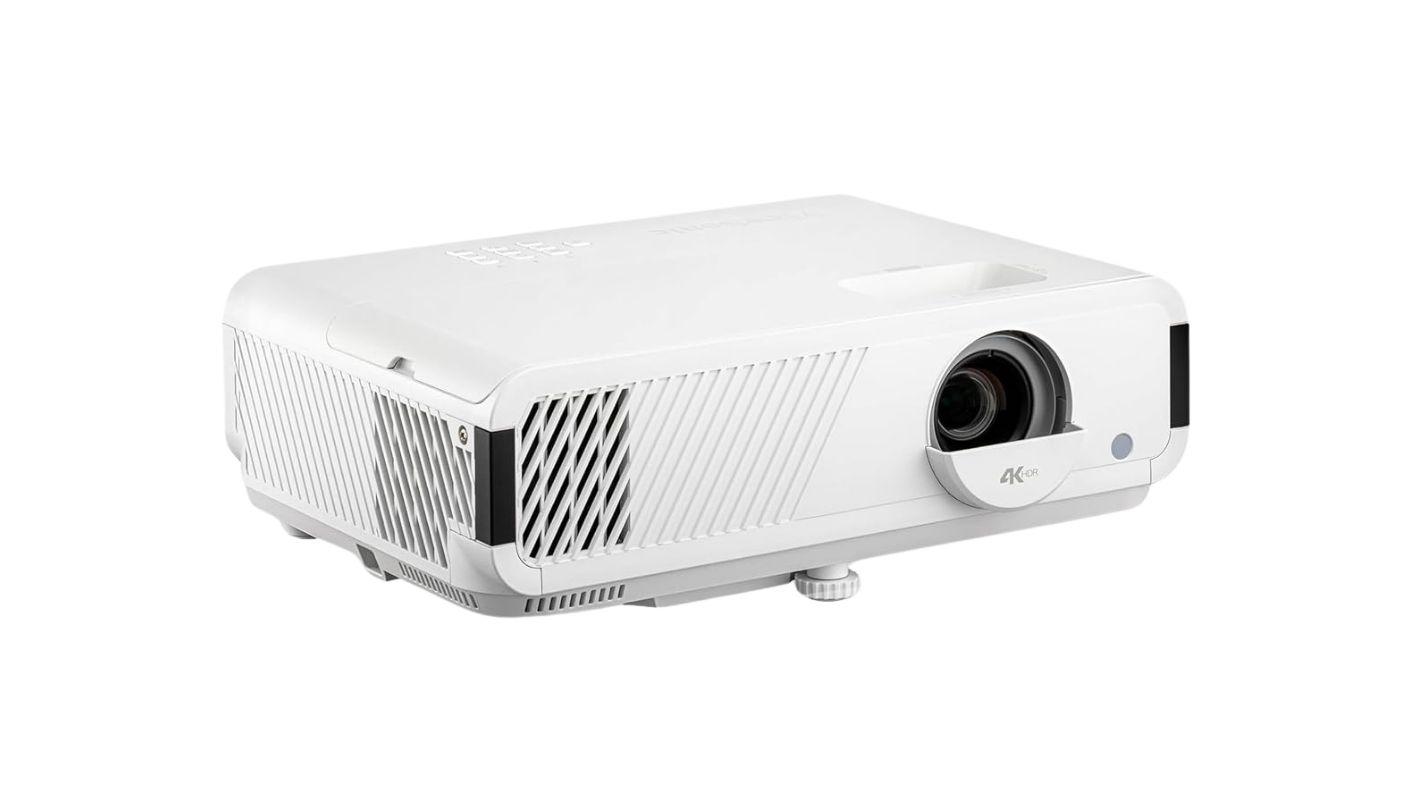
Here is the test I run on every cheap projector that arrives, and it takes ninety seconds. Put a 100-inch image on the wall, leave the curtains open on a grey afternoon, and play something with faces in it. Most projectors under $500 fail this instantly. Skin goes grey, shadows fill with milk, and you find yourself squinting at a screen while telling a guest it looks much better at night. The PX700HDH does not fail it. At 3,700 ANSI lumens there is enough headroom that daylight costs you contrast and punch but never legibility.
The reason this matters more than any other spec is scheduling. A dim projector turns into an appointment. You wait for dark, you shepherd everyone into position, and after a month the thing lives in a cupboard because setting up a film became a small event. A bright projector becomes furniture. Kids watch cartoons on it on Saturday morning, you leave a match on in the background while cooking, and it earns its shelf space. That behavioural difference is worth more than any contrast figure on the box.
Brightness is the only line on a budget projector spec sheet that cannot be improved after purchase. A better screen, a shorter HDMI cable, a calibrated picture mode and a darker room all help. None of them add lumens.
Now the honest half. Single-chip DLP at this price has a black floor, and the PX700HDH sits on it. In a properly dark garage, letterbox bars on a film read as dark grey rather than black, and night scenes lose the bottom two or three steps of shadow detail. That is the trade ViewSonic made, and it is the correct one for a living room. If your viewing happens exclusively at midnight behind blackout blinds and you care about black level above everything, this is not your machine, and honestly nothing at $499 is.
Colour is better than I expected. The six-segment wheel and ViewSonic's SuperColor processing give a slightly warm, saturated look out of the box that flatters sport and animation. The default Brightest mode is unusable, as always, because it dumps green into everything. Switch to Movie mode, drop Brilliant Color by a notch or two, and you land somewhere pleasantly neutral within about five minutes of menu work. Do that before you show it to anyone.
Ports, Placement and the Eleven-Foot Problem
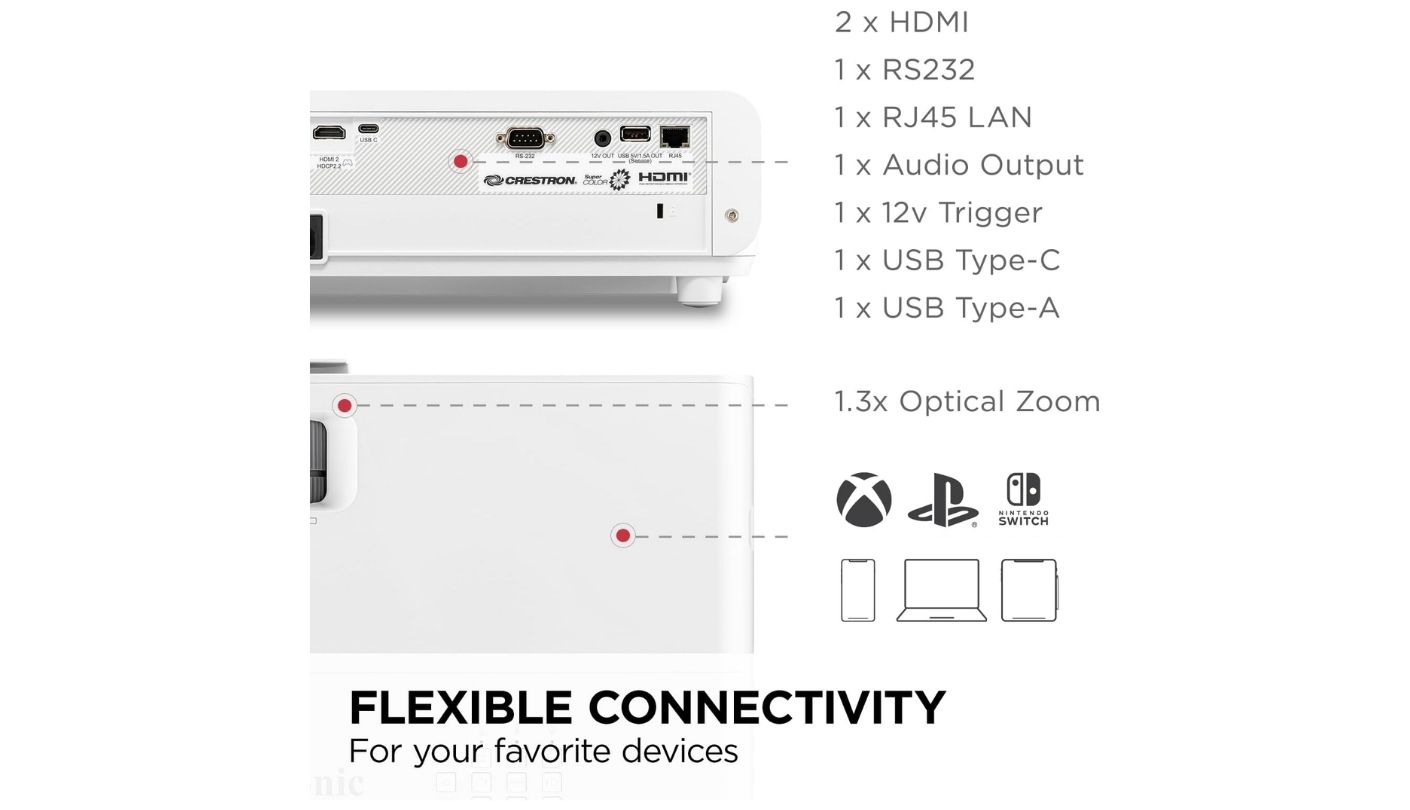
Two HDMI inputs sounds unremarkable until you shop the rest of this bracket, where a single HDMI is the norm. It means a console can stay plugged in permanently while a streaming stick occupies the second port, and the powered USB-A next to them runs that stick without a wall adapter or a trailing cable. HDMI CEC ties it together, so the projector wakes when you wake the Fire Stick. Small things, but they decide whether the setup stays tidy on a shelf or turns into a nest.
What you actually get on the back and what it means in practice:
- Two HDMI 1.4 inputs, enough for a console and a stick with nothing to unplug
- Powered USB-A that feeds a Roku, Fire Stick or Chromecast directly
- A 3.5 mm audio out for a soundbar or a pair of powered speakers
- RS-232 for anyone doing a proper ceiling install with a control system
- A 10W mono speaker that handles dialogue and commentary genuinely well
- Full HD 3D support, if you still own glasses and a Blu-ray player that cares
Placement is where you need to do arithmetic before ordering. The throw ratio runs 1.49:1 to 1.64:1, which puts a 100-inch picture at about 10.8 feet from the wall at the wide end and just under twelve feet at the tight end. A 120-inch picture needs roughly thirteen feet. The 1.1x zoom gives you around a foot of adjustment at 100 inches, and there is no lens shift, so the projector has to sit at very nearly the right height as well as the right distance. Measure your room, then measure it again.
Keystone correction is vertical only, and I would treat it as an emergency tool rather than a setup step. Every degree of digital keystone throws away real pixels and softens the image, and on a 1080p panel you notice. Get the projector square to the wall physically, use the single adjustable front foot for fine height, and leave keystone at zero. Focus is manual on a ring around the lens, which is fine, though it does mean anyone bumping the shelf gives you a job to do.
Five Weeks, Room by Room
Same projector, same screen material, five weeks of ordinary use rather than a lab bench. How each situation actually went:
| Scenario | What Happened | The Catch |
| Dark room, night viewing | Sharp, bright and punchy. Eco mode is plenty and the fan calms down | Black bars sit at dark grey. Deep shadow detail is simply not there |
| Living room with lamps on | The sweet spot for this machine. Colour holds up and nobody squints | None worth reporting. This is the situation it was designed for |
| Daytime, blinds closed | Completely watchable at 100 inches, including faces and text | Contrast flattens. Fine in Movie mode, muddy if you leave it on Brightest |
| Daytime, curtains open | Still legible, which almost nothing else at this price manages | Shrink the image to 90 inches or so. Lumens spread thin past that |
| Console gaming | Responsive enough that I stopped thinking about it after an evening | Ports are HDMI 1.4. Plan on 1080p60 and set the console accordingly |
| Garden, after sunset | 5.3 lbs and a 10W speaker make this a one-trip job. Worked beautifully | Wait for proper dusk. An extension lead for 300W is not optional |
The evening that sold me was a Sunday match with the lounge lights on and the blinds half open, a situation where every other budget projector I have tested asks you to compromise. The evening that reminded me of the price was a dark film with a lot of night exteriors, where the grey floor became obvious and stayed obvious. Both of those are exactly what 3,700 lumens and a single DLP chip should give you.
Lamp Hours, Power Draw and What Ownership Costs
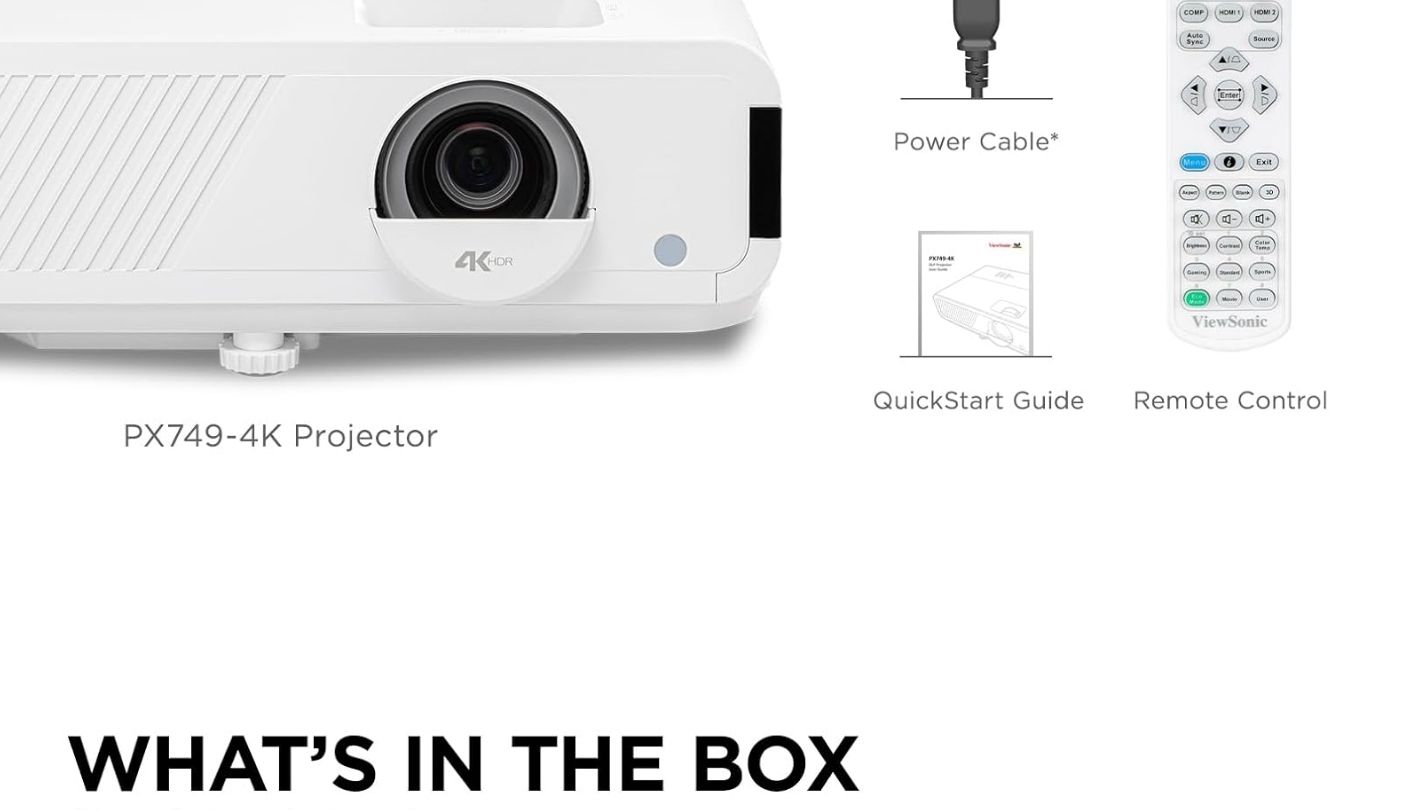
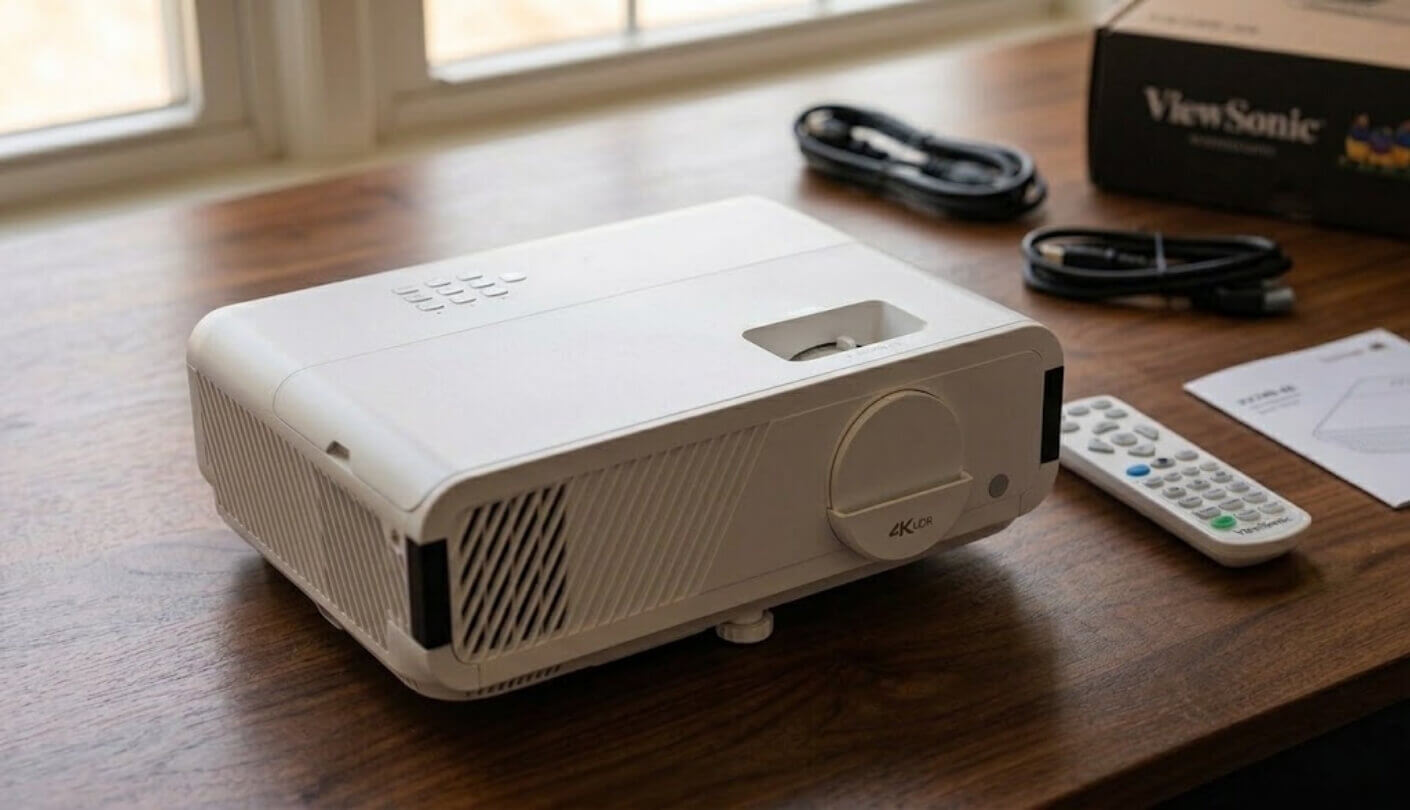
In the box. Projector, remote with batteries, power cable, quick start guide. No HDMI cable, no ceiling mount, no 3D glasses and no carry bag. Add an HDMI cable to the same order unless you have a spare, because arriving home with a projector and nothing to plug into it is a specific kind of annoying.
Lamp hours and what a lamp costs. ViewSonic quotes 6,000 hours in normal mode and up to 20,000 in SuperEco, and the marketing leans hard on that second number. Read it as a ceiling, not a promise, because SuperEco costs you a noticeable slice of brightness and nobody buys a 3,700 lumen projector to run it dim. The line that deserves your attention is the replacement part. The official RLC-131 lamp module lists at $259.99 from ViewSonic, which is more than half what you are paying for the whole projector on this discount. Third-party modules go for well under half that, with the usual caveats about brightness and lifespan. Budget for one lamp somewhere around year four or five of heavy use and the arithmetic still works out fine, but go in knowing it exists.
Running cost and what to buy next. The projector draws 300W, so three hours a night lands somewhere near a modest coffee habit on most electricity tariffs. Worth knowing, not worth agonising over. The first accessory I would buy is a proper screen or a can of screen paint, because a matte white surface does more for perceived contrast than any menu setting. Second is a ceiling mount if the projector is staying in one room permanently, since fixed placement removes the only real daily irritation, which is nudging a shelf and having to refocus.
Fan Noise, Rainbows and Two Numbers I Do Not Trust
Fan noise in full brightness mode is present and constant. Not a whine, not a rattle, just a steady rush of air that sits underneath quiet dialogue and disappears the moment anything loud happens. In Eco or SuperEco it drops to the point where I forgot about it. My advice is to run bright modes when the room is bright, which is when there is ambient noise anyway, and drop to Eco after dark. That is the natural thing to do regardless, and it neatly makes the noise question go away.
Rainbows are the single-chip DLP tax and this projector pays it. Fast eye movements across a high-contrast edge can flick red, green and blue for an instant. Perhaps one person in five sees them, and roughly one in twenty is genuinely bothered. There is no fix and no setting. If you know you are sensitive, the Epson in the comparison below uses three LCD panels and has no colour wheel at all, which makes it the honest recommendation for you.
Two numbers now. The first is contrast. ViewSonic's own pages describe 22,000:1 as native in one place and dynamic in another, and the databases list it as a full on/off measurement. Those are three different things. No lamp-based single-chip DLP at this price has native contrast anywhere near 22,000:1, and what you are really seeing is dynamic lamp control adjusting output frame by frame. It works, it helps, it is not what the word native means. The second is 120Hz. Both HDMI ports are version 1.4, and the published video mode table for this projector tops out at 1080p60. If you are buying specifically to run a PC or console at 120 frames per second, do not assume this is that projector. Treat the 16 ms latency figure as the useful gaming spec here, because in practice that one holds up.
The support picture is a real advantage and gets less attention than it deserves. Three years of warranty with first-year Express Exchange, a lamp you can actually buy as a spare part years from now, and a manufacturer that answers the phone. Compare that with the flood of unbranded 1080p boxes on the same search results page, where a dead fan at month fourteen means a support email and a shrug.
ViewSonic PX700HDH vs Optoma HD146X vs Epson Home Cinema 880
Two rivals sat next to it in the basket, both from brands with real service departments, both landing in the same money once you account for the discount. Figures come from the manufacturers and from published testing rather than from my own estimates:
| Spec | ViewSonic PX700HDH | Optoma HD146X | Epson Home Cinema 880 |
| Brightness | 3,700 ANSI lumens | 3,600 ANSI lumens | 3,300 lumens colour and white |
| Imaging | Single-chip DLP, 0.65-inch DMD | Single-chip DLP | Three-chip 3LCD, no colour wheel |
| Resolution | Native 1920 x 1080 | Native 1920 x 1080 | Native 1920 x 1080 |
| Quoted Contrast | 22,000:1 full on/off | 25,000:1 dynamic | 16,000:1 dynamic |
| HDMI Inputs | Two | One | One |
| Built-in Speaker | 10W mono | 3W mono | 2W mono |
| Optical Zoom | 1.1x manual | 1.1x manual | None, digital zoom only |
| Throw for 100 inches | About 10.8 ft | About 10.7 ft | About 8.8 ft |
| Keystone | Vertical digital | Vertical digital, plus or minus 40 degrees | Horizontal and vertical, with auto skew |
| Lamp Life | 6,000 hours, up to 20,000 in SuperEco | Up to 15,000 hours in Dynamic mode | 6,000 hours, 12,000 in Eco |
| Claimed Latency | 16 ms | 16 ms | 38 ms |
| Smart Features | None | None | None |
| Weight | 5.3 lbs | 5.5 lbs | 6.0 lbs |
| Warranty | Three years, first-year Express Exchange | One year, 90 days on the lamp | Two years with full unit replacement |
Each rival wins something real and I am not going to bury it. The Epson has no colour wheel, so rainbows are impossible, its colour brightness matches its white brightness in a way single-chip DLP cannot replicate, and its shorter 1.21:1 throw puts 100 inches on the wall from under nine feet. In a small flat that last point alone can settle the argument. The Optoma matches the ViewSonic almost line for line on the picture side, has a more generous keystone range, and frequently sells for less. Both are sound machines from serious brands.
Then you total up the differences. The ViewSonic is the brightest of the three, which is the spec that decides whether you watch in daylight. It is the only one with two HDMI inputs, so nothing gets unplugged. Its speaker is five times the Epson's output and three times the Optoma's, which for a lot of buyers means never wiring audio at all. And it carries three years of cover against Optoma's one. The Epson gives up 400 lumens and all optical zoom, and the Optoma gives up a port, a speaker and two years of warranty. Take the Epson if you are rainbow-sensitive or your room is short. Take the Optoma if it drops well below $450 and you only ever connect one thing. At $499 with everything counted, I would take the ViewSonic.
ViewSonic PX700HDH: What Owners Say
Owner Feedbacks
Owner reviews for projectors sort themselves neatly by room. People who bought one for a bright living room sound delighted. People who expected cinema blacks in a bright living room sound betrayed. A third group hits the same handful of setup surprises, all of them in the first evening.
Praises: "Garage conversion, 120 inch screen, two windows I never covered. Previous projector was 2200 lumens and we basically only used it after 9pm. This one gets used at 2pm on a Sunday. That is the whole review really, it changed how often we actually watch anything."
"built in speaker is way better than it has any right to be. I bought a soundbar for it and honestly havent bothered plugging it in yet. for football and youtube its completely fine"
"Upgraded from one of those $180 no-name boxes off the marketplace. I genuinely did not understand what native 1080p meant until I saw them side by side. The cheap one was upscaling something blurry and calling it Full HD. Text is readable now. Faces look like faces."
"Take it out to the garden about once a fortnight in summer. Weighs nothing, one hand carries it, and the speaker means I'm not running a second cable out there for sound. Just get a long extension and wait until it's properly dark, it's not a daylight-outdoors machine."
"Bought it to replace a dead 55 inch TV. Ended up with a 110 inch picture for a third of what a new TV cost. My wife thought I was mad for about a week."
***
Drawbacks: "Nobody warns you about the fan. On the brightest setting it's a constant rush of air and during quiet dialogue you hear it. Eco mode fixes it almost entirely and honestly you don't need full brightness at night anyway, but I spent the first evening convinced something was wrong with the unit."
"MEASURE YOUR ROOM FIRST. I wanted 120 inches and my room gives me eleven feet, which gets me about 100. The zoom ring barely moves and there's no lens shift so what you see is what you get. Completely my own fault for not reading the throw ratio but I'll say it loudly so someone else doesn't."
"I see the rainbow flashes and my wife doesn't. Reds and blues on a dark background when I move my eyes quickly. It's not constant and I mostly tune it out now but it's real and no amount of fiddling with settings touches it. If you know you're sensitive to this go and buy an LCD projector instead."
The first two cost nothing but an evening of adjustment, and both disappear if you check the throw distance before ordering and learn where the Eco setting lives. The third is the one that matters, because it cannot be fixed, refunded away or patched out. Colour wheel artefacts are a property of the technology rather than a fault in this particular unit, and the only reliable way to find out which camp you fall into is to watch something on a single-chip DLP projector for an hour.
So, Is the ViewSonic PX700HDH Worth Buying?
This projector knows exactly what it is for, and that focus is most of its charm. It is a 1080p machine built for rooms with windows in them, designed around light output rather than around a feature list. There is no 4K, no HDR, no apps and no Wi-Fi, and the money has gone instead into the parts you touch every evening. Black levels are what one DLP chip gives you at this price, which suits a living room nicely and suits a blacked-out cinema less well. Read as a set of priorities rather than a list of omissions, all of it makes good sense.
What it does, instead of impressing you, is remove the excuse. 3,700 lumens means it works in the room you already have at the hour you actually want to watch something, with no negotiation about curtains. Two HDMI ports and a speaker that carries commentary mean it works without a shopping list attached to it. Three years of warranty means it keeps working. At the $599 list price I would tell you to think about it and go and read about the Epson. At $499, with the alternatives giving up brightness, ports, sound or warranty to get there, this is the one I would buy for myself and the one I would set up for a friend without a second thought. Check your throw distance, add an HDMI cable to the order, and spend your first five minutes in the picture menu instead of on the Brightest preset.

Jeb here, your go-to geek for everything from video projection to the latest tech trends. As an avid outdoorsman, I enjoy using monoculars and binoculars for hunting, traveling, and birdwatching. Join me in exploring the cool, quirky side of technology!


