Best Gaming Mouse under $100
Switch longevity is the spec that separates gaming mice that feel the same after two years from ones that develop double-click failures within twelve months - and it's almost never listed on the product page. At this price range, the difference between a mouse rated for 20 million clicks and one rated for 50 million is invisible on day one and very obvious after a year of competitive play.
I've used these mice across extended daily sessions tracking click consistency, whether the scroll wheel develops wobble under heavy use, and how the feet wear on different mousepad surfaces over time. The sensor specifications between models at this price point are close enough that real-world differentiation comes down to build quality and software reliability - neither of which shows up in the DPI figure printed on the box.
If you're short on time and looking for the best gaming mouse under 100, here's my top picks.
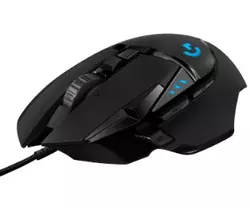
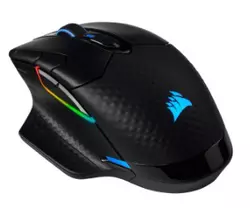
We may earn a small commission if you buy via our links - it helps keep gagadget.com running.
Table of contents:
- Best Gaming Mouse under 100 - Buyer's Guide
- Best Mouse for Gaming under 100 - TOP 5
- Best Gaming Mouse under $100: Comparison
- Logitech G502 HERO
- Corsair Dark Core RGB Pro
- Razer Basilisk Ultimate HyperSpeed
- Redragon M913 Impact Elite
- Logitech Lift Vertical
- FAQ about Best Gaming Mouse under $100
Best Gaming Mouse under 100 - Buyer's Guide
When looking for the best gaming mouse under 100, several factors determine whether you get genuine value or just a well-marketed compromise. Here's what to focus on:
Sensor Type and DPI
Optical sensors outperform laser sensors for gaming accuracy on most surfaces, tracking movement without the prediction algorithms that laser sensors use to compensate for surface variations. DPI range matters less than sensor consistency - a mouse that tracks accurately at 800 DPI is more useful than one with a 25,000 DPI ceiling and jitter at mid-range settings.
Ergonomics and Comfort
Grip style - palm, claw, or fingertip - should drive the shape decision more than brand preference. A mouse that fits your natural hand position reduces fatigue during long sessions and keeps your aim consistent from the first minute to the third hour.
Most buyers choose a mouse shape based on photos rather than handling it first - but the same mouse can feel completely different across palm, claw, and fingertip grips. If you can't test it in person, prioritize reviews from players who share your grip style over aggregate scores.
Build Quality and Durability
Switch click rating, scroll wheel construction, and cable or wireless receiver quality determine how the mouse performs after heavy use rather than in a five-minute store demo. At this price range, the build quality gap between the best and worst options is significant enough to make the difference between a two-year purchase and a six-month one.
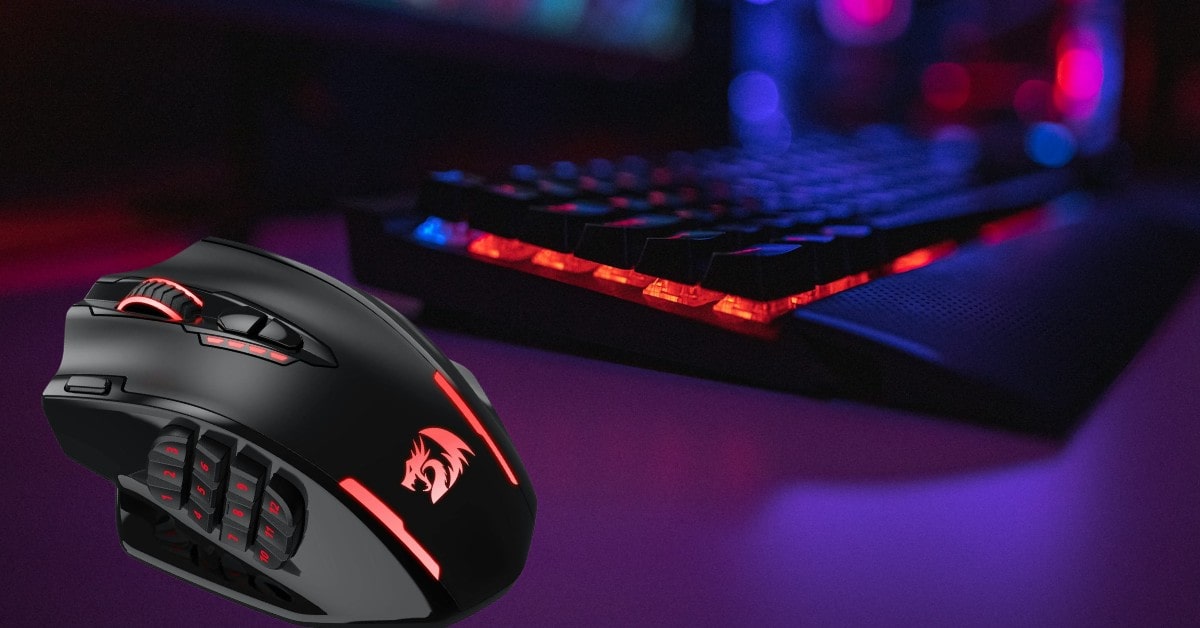
Button Configuration
The number and placement of programmable buttons should match the games you play. Extra side buttons that require an awkward thumb stretch are worse than fewer buttons placed where your hand naturally rests. Check the button layout against your grip style before assuming more buttons means more value.
Wired vs. Wireless
Wireless mice at this price point have closed the latency gap with wired options significantly. The Logitech G502 HERO represents the wired side well, while the Corsair Dark Core RGB Pro demonstrates what wireless can achieve in this range. Battery life under active use - not standby - and receiver dongle quality are the two wireless specs worth checking beyond the connection technology label.
Customization and Software
Companion software handles DPI profile switching, button remapping, and RGB configuration. Software that crashes, requires constant updates, or resets your settings on restart will frustrate daily use regardless of how good the hardware is. Recent user reviews of the companion app are a more reliable quality signal than the feature list on the product page.
Weight and Balance
Heavier mice suit players who use low sensitivity and rely on arm movement, while lighter mice work better for high-sensitivity wrist-dominant play styles. Adjustable weight systems let you tune this to preference, but the base weight and balance point before any modification matter more than the adjustment range.
Weight preference is more individual than any review can account for - if possible, handle the mouse before buying rather than trusting the spec sheet number. The same 95g mouse feels completely different depending on where that weight sits relative to your grip point and finger placement.
Best Mouse for Gaming under 100 - TOP 5
Finding the perfect gaming mouse under 100 doesn't have to be a daunting task. Here’s a quick overview of the top seven products that offer excellent performance and value for money:
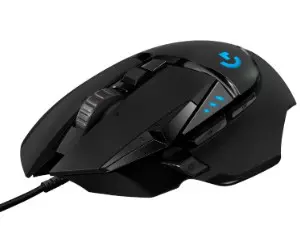
- Hero 25K Sensor
- Sensitivity ranges from 100 to 25,600 DPI
- Customizable Buttons
- Onboard Memory, RGB Lighting
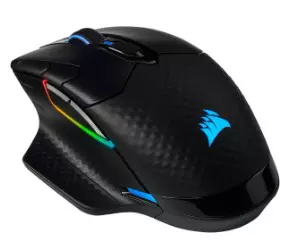
- SLIPSTREAM wireless, Bluetooth, and USB wired
- Custom PixArt PAW3392 sensor with 18,000 DPI, customizable in 1 DPI steps
- 2,000Hz for ultra-fast response times
- USB-C Charging, Extensive RGB Customization
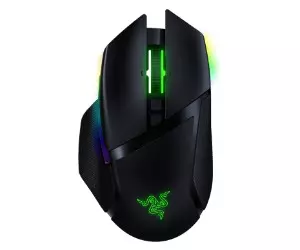
- HyperSpeed Wireless Technology
- Optical Mouse Switches
- Customizable Buttons and Onboard Memory Profiles
- Battery Life up to 100 hours
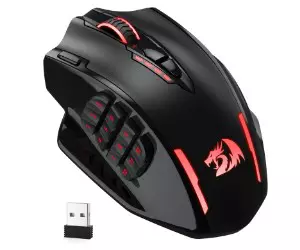
- Offers both 2.4GHz wireless and USB-C wired modes for versatile use
- High-Performance Sensor
- Battery Life up to 80 hours in eco mode
- Customizable DPI, Extensive Customization
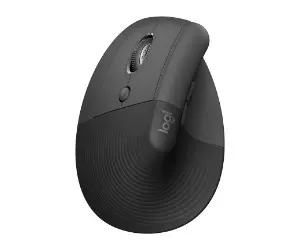
- Ergonomic Design, Comfortable Grip
- Customizable Buttons, Quiet Operation
- Multiple operating systems via Bluetooth or Logi Bolt USB
- Battery Life up to 2 years of battery life on a single AA battery
Best Gaming Mouse under $100: Comparison
Here's a quick summary of the reviews for the best gaming mouse under 100. Each of these mice has been tested and proven to offer top-notch performance in their respective categories.
| Mouse Model | Battery Life | Connectivity Technology | Special Features |
|---|---|---|---|
| Logitech G502 HERO High Performance | N/A (Wired) | USB Wired | Hero 25K sensor, 11 customizable buttons, adjustable weights, programmable RGB lighting |
| Corsair Dark Core RGB Pro Gaming Mouse | Up to 50 hours | SLIPSTREAM Wireless, Bluetooth, USB Wired | Custom PixArt PAW3392 sensor, 2,000Hz hyper-polling, customizable RGB lighting, 9 programmable buttons |
| Razer Basilisk Ultimate HyperSpeed | Up to 100 hours | Razer HyperSpeed Wireless, USB Wired | Razer Optical switches, 11 programmable buttons, customizable RGB lighting, 5 onboard memory profiles |
| Redragon M913 Impact Elite | Up to 80 hours (Eco mode), 45 hours | 2.4GHz Wireless, USB-C Wired | Optical Pixart 3335 sensor, 12 side buttons, customizable RGB lighting, 5 DPI levels, 16 customizable buttons |
| Logitech Lift Vertical Ergonomic Mouse | Up to 2 years | Bluetooth Low Energy, Logi Bolt USB | Vertical ergonomic design, whisper-quiet clicks, SmartWheel scrolling, ergo-certified, customizable buttons |
Logitech G502 HERO High Performance Wired Gaming Mouse Review
Editor's Choice

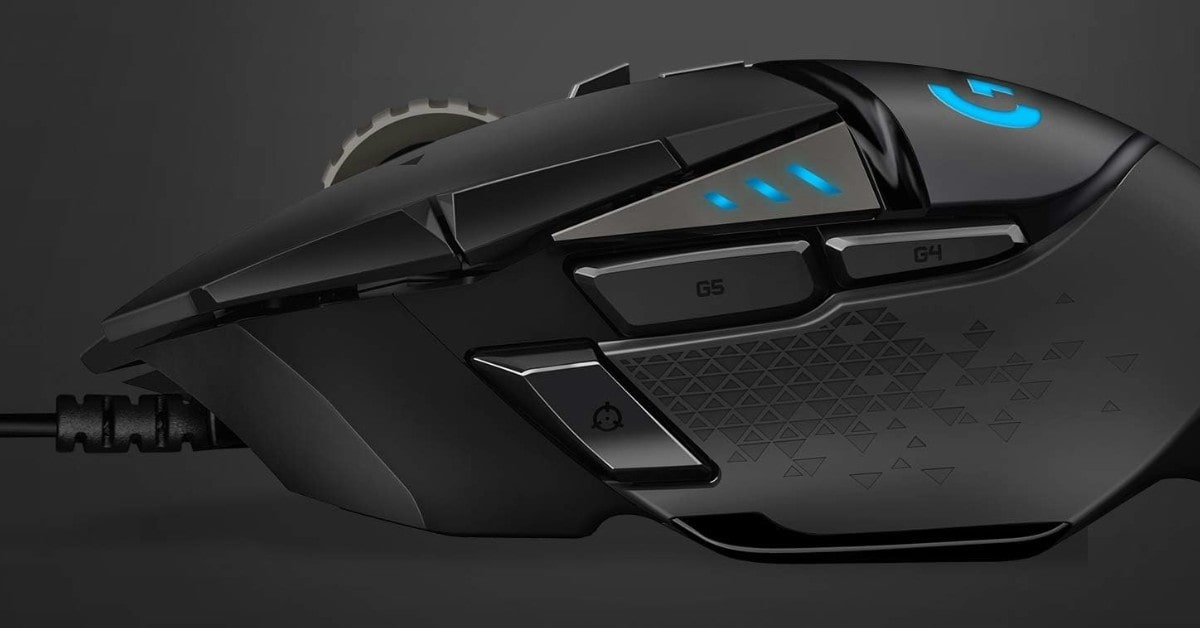
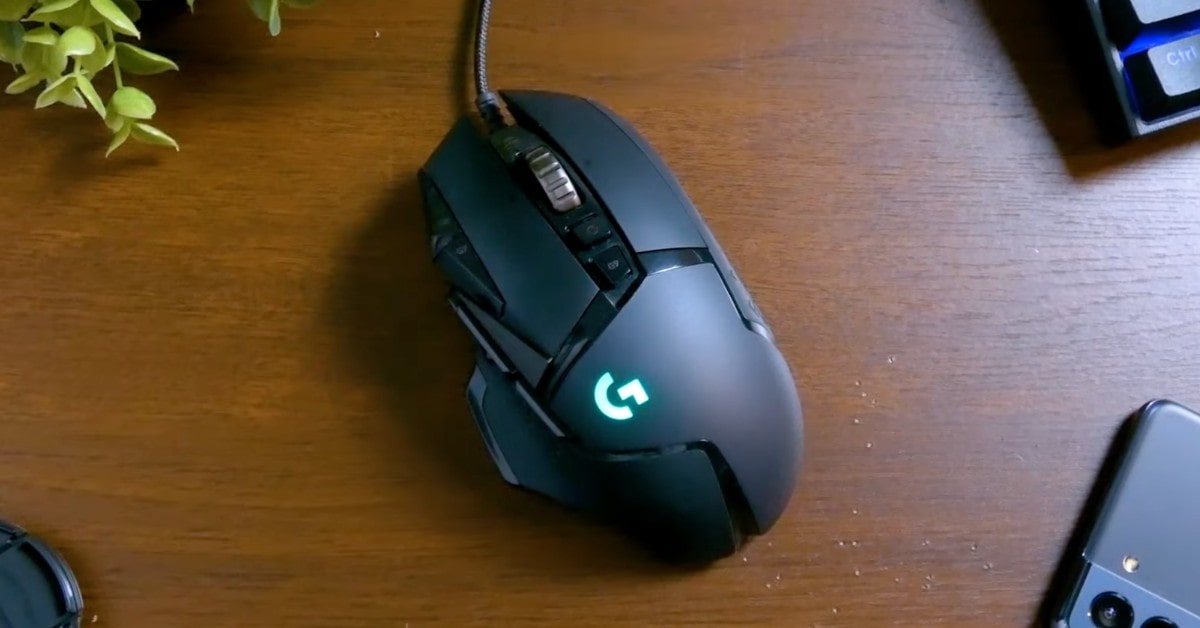
The Logitech G502 HERO High Performance Wired Gaming Mouse is a powerhouse designed to elevate your gaming experience. Equipped with the cutting-edge Hero 25K sensor, now available through a free software update via G HUB, this mouse offers unmatched precision with 1:1 tracking, over 400 inches per second (ips) tracking speed, and an astounding sensitivity range from 100 to 25,600 DPI. What sets this sensor apart is its zero smoothing, filtering, or acceleration, ensuring the utmost accuracy and responsiveness during gameplay.
One of the standout features of the G502 HERO is its 11 customizable buttons, allowing gamers to assign custom commands for an optimized gaming experience. Additionally, the mouse’s onboard memory can store up to five different profiles, making it incredibly convenient for players who switch between games or gaming setups frequently. This means you can carry your personalized settings wherever you go, without needing additional software or login credentials on other PCs.
The adjustable weight system is another remarkable aspect of this mouse. It includes five removable 3.6-gram weights, giving you the flexibility to tailor the mouse’s weight and balance to your preference. This level of customization ensures that the G502 HERO feels just right in your hand, enhancing comfort and control.
Aesthetically, the G502 HERO doesn’t disappoint. With programmable RGB lighting and Lightsync technology, you can customize the mouse’s lighting from a palette of nearly 16.8 million colors. Whether you want to match your team’s colors, showcase your personal style, or sync with other Logitech G gear, the lighting options are virtually limitless.
The mechanical switch button tensioning system is a testament to Logitech’s commitment to quality and performance. Featuring metal spring tensioning and pivot hinges integrated into the left and right buttons, the G502 HERO delivers a crisp, clean click feel with rapid click feedback, essential for fast-paced gaming.
Technical specifications are robust, with a USB report rate of 1000Hz (1ms) and a powerful 32-bit ARM microprocessor. These specs ensure that the G502 HERO operates with minimal latency, providing an edge in competitive gaming.
Pros:
- Offers 1:1 tracking with zero smoothing, filtering, or acceleration, ensuring maximum precision.
- Sensitivity ranges from 100 to 25,600 DPI, allowing for highly customizable settings to suit different gaming styles.
- Customizable Buttons
- Onboard Memory
- Adjustable Weight System
- RGB Lighting and Lightsync Technology
- Mechanical Switch Button Tensioning
- 1000Hz (1ms) report rate
Cons:
- Complex Software
- No Wireless Option
Summary: After putting it to the test, the Logitech G502 HERO High Performance Wired Gaming Mouse is a top-tier choice for serious gamers. Its combination of advanced sensor technology, extensive customization options, ergonomic design, and aesthetic appeal make it a standout in the crowded field of gaming peripherals. Whether you’re a casual player or a competitive gamer, the G502 HERO is designed to meet your needs and exceed your expectations.
Corsair Dark Core RGB Pro Gaming Mouse Review
Best Overall
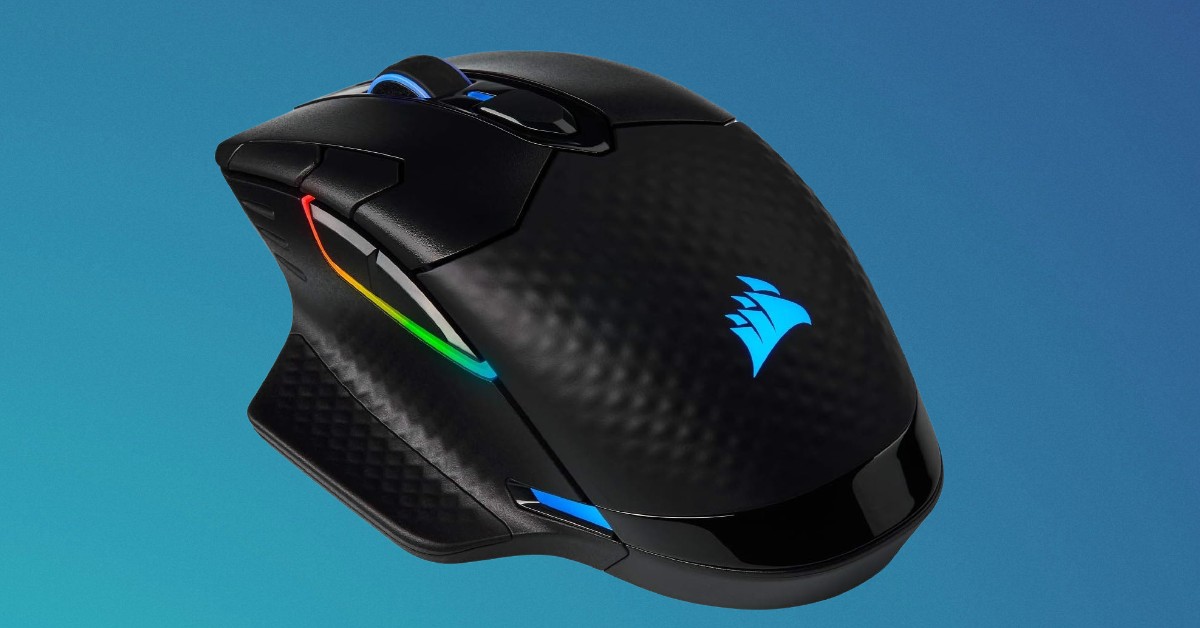
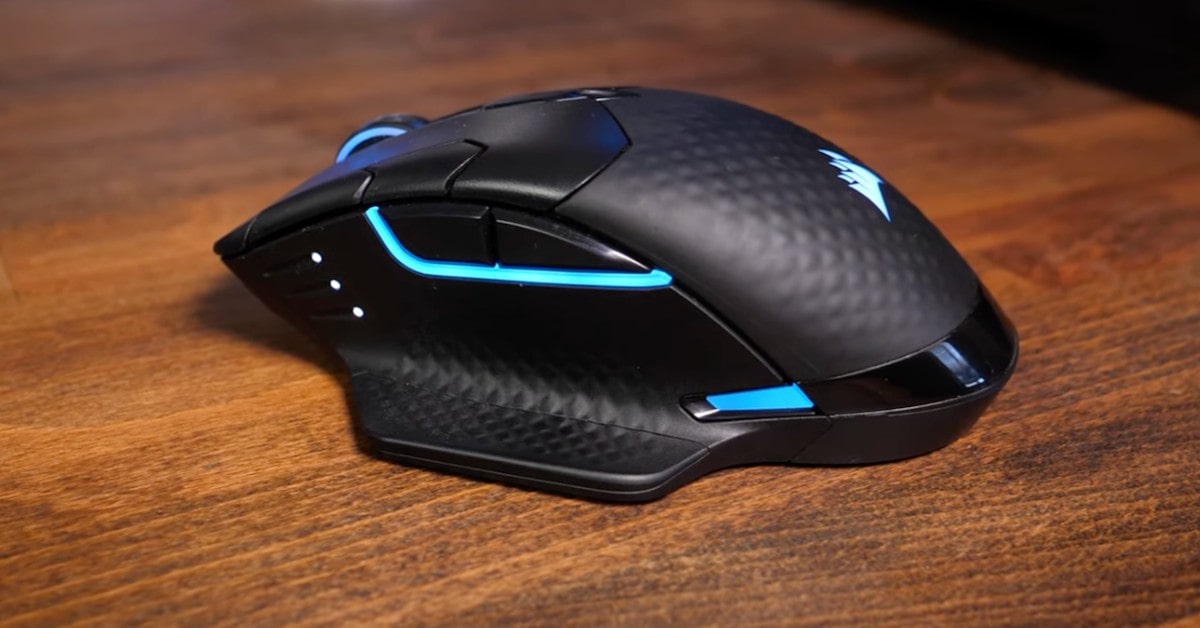
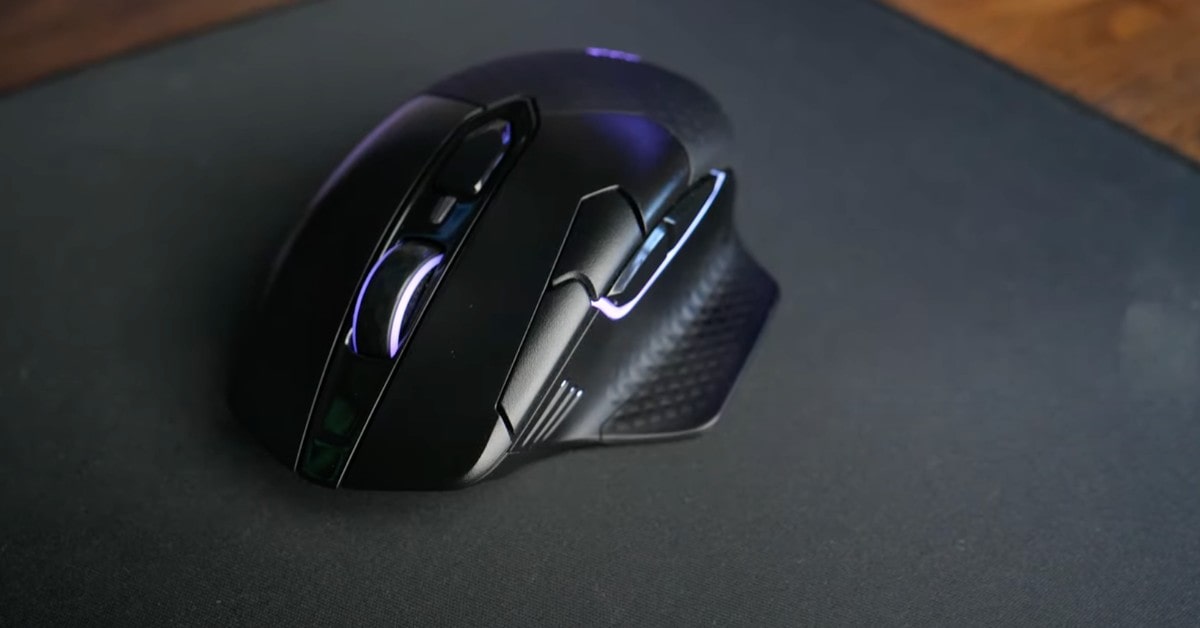
The Corsair Dark Core RGB Pro Gaming Mouse is a versatile and high-performance device designed to cater to the needs of serious gamers. With three ways to connect—sub-1ms SLIPSTREAM wireless technology, low-latency Bluetooth wireless technology, or USB wired—you can choose the best connection method that suits your gaming style and environment. This flexibility ensures you always have the optimal setup for both performance and convenience.
At the heart of the Dark Core RGB Pro is the custom PixArt PAW3392 optical sensor, which offers a native 18,000 DPI sensitivity. This sensor is specifically optimized for wireless use, providing extremely low power consumption without compromising accuracy and precision. The DPI can be adjusted in 1 DPI resolution steps, allowing for precise tuning to match your gameplay requirements.
One of the standout features of this mouse is its hyper-polling technology, which communicates with your PC at a blistering speed of up to 2,000Hz. This is twice the speed of standard gaming mice, resulting in incredibly fast response times that can give you a competitive edge in fast-paced games.
Charging the Dark Core RGB Pro is a breeze thanks to its easy-to-use, reversible USB-C connector. This modern connector ensures quick and hassle-free charging, so you can spend more time gaming and less time dealing with cables.
The mouse features a comfortable contoured shape and comes with two interchangeable side grips, allowing you to customize the fit to your hand for maximum comfort during extended gaming sessions. Dark Core RGB Pro boasts nine-zone dynamic RGB backlighting, including an integrated light bar with five individually addressable RGB LEDs.
Functionally, the mouse offers eight fully programmable buttons, giving you the ability to tailor your controls to suit your specific gaming needs.
Pros:
- SLIPSTREAM wireless, Bluetooth, and USB wired, providing versatile connection choices
- Custom PixArt PAW3392 sensor with 18,000 DPI, customizable in 1 DPI steps
- Communicates at 2,000Hz for ultra-fast response times
- USB-C Charging
- Ergonomic Design
- Extensive RGB Customization
- Programmable Buttons
Cons:
- Learning Curve
- Battery Life
Summary: My findings show that, the Corsair Dark Core RGB Pro Gaming Mouse is an excellent choice for gamers seeking a high-performance, customizable, and comfortable mouse. With its advanced sensor, multiple connectivity options, and extensive customization features, it’s designed to meet the demands of even the most discerning gamers.
Razer Basilisk Ultimate HyperSpeed Wireless Gaming Mouse Review
Premium Choice
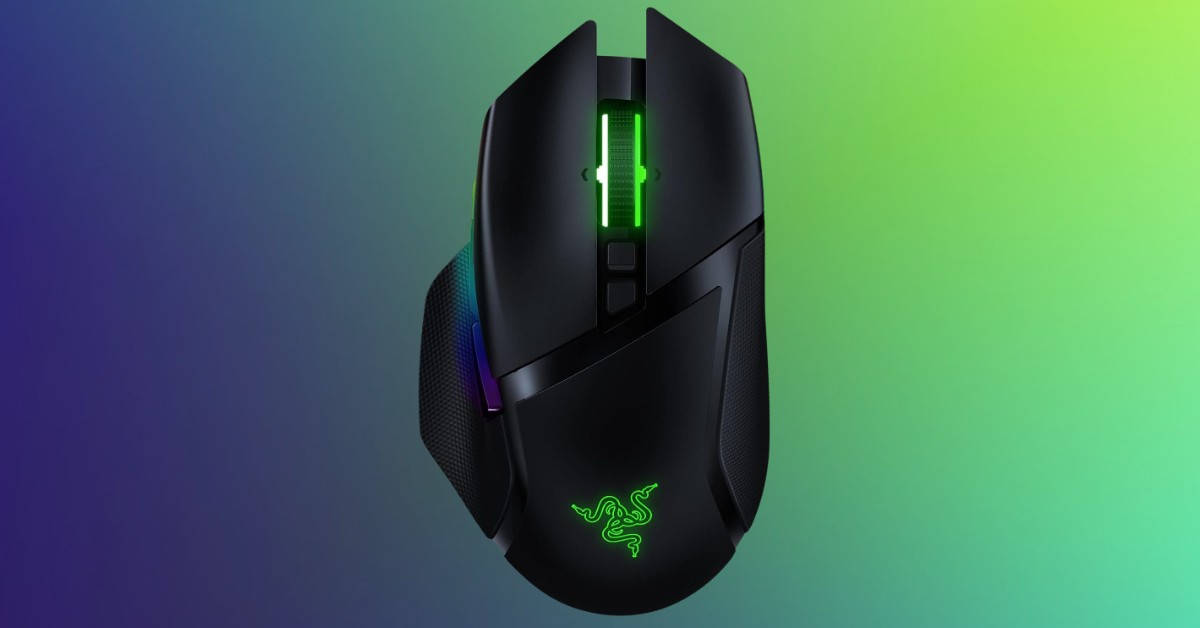
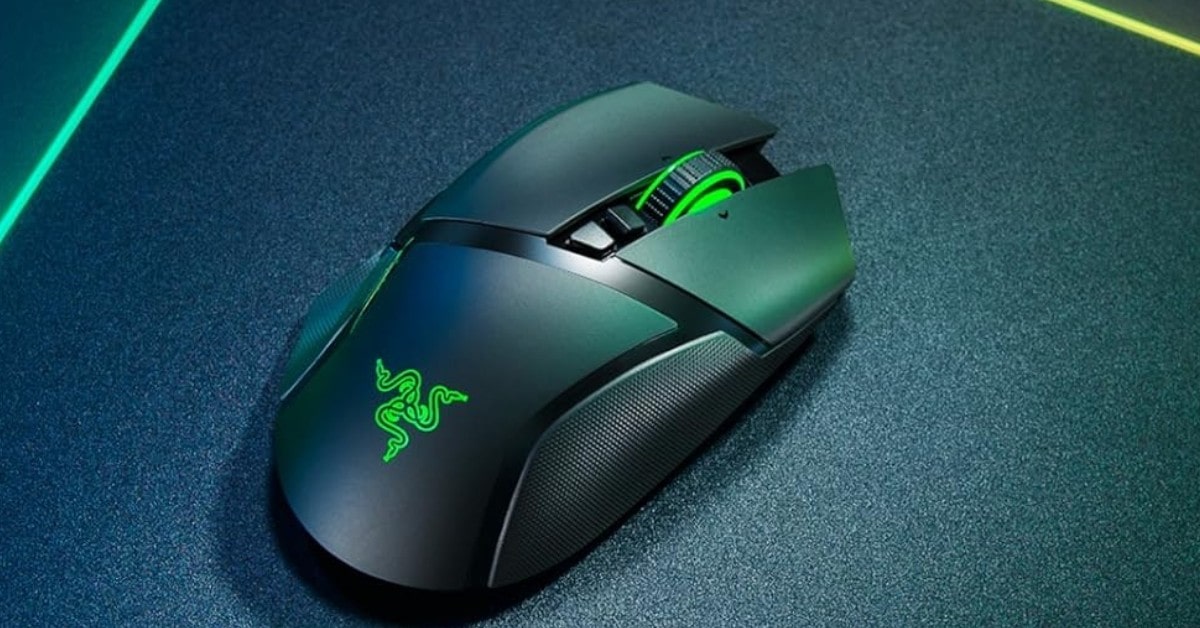

The standout feature of the Razer Basilisk Ultimate is its HyperSpeed wireless technology, which is 25% faster than competing wireless mice. This technology combines ultra-low latency and interference reduction, offering true wireless freedom without compromising performance. Gamers will appreciate the seamless and responsive experience, which is crucial in fast-paced games.
Additionally, the Razer Optical mouse switches utilize light beam-based actuation, making them three times quicker than traditional mechanical switches. This innovation ensures that button presses are registered at the speed of light, providing a significant advantage in terms of speed and responsiveness.
The Razer Basilisk Ultimate boasts 11 programmable buttons, allowing for extensive reconfiguration and the assignment of complex macro functions via Razer Synapse 3. This level of customization is ideal for gamers who require specific setups for different games or playstyles. The mouse also supports up to five onboard memory profiles, enabling you to switch between customized settings with ease, even on the go.
One of the most impressive aspects of the Basilisk Ultimate is its battery life. The mouse offers up to 100 hours of continuous gameplay, thanks to its hyper-efficient sensor and wireless technology. This extended battery life means fewer interruptions and more uninterrupted gaming sessions, a significant benefit for serious gamers.
To ensure optimal performance, it is recommended to update the mouse to the latest firmware. This will help maintain the best possible results and take full advantage of the Razer Basilisk Ultimate's capabilities.
Pros:
- HyperSpeed Wireless Technology
- Optical Mouse Switches
- 11 programmable buttons
- Onboard Memory Profiles
- Long Battery up to 100 hours
Cons:
- Firmware Updates Required
- Complex Setup
Summary: As indicated by my tests, the Razer Basilisk Ultimate HyperSpeed Wireless Gaming Mouse is an exceptional choice for gamers seeking top-notch performance, customization, and wireless freedom. With its advanced HyperSpeed technology, ultra-fast optical switches, extensive programmable buttons, and impressive battery life, it stands out as a premier gaming mouse in its category. While it comes with a higher price tag and may require some setup time, the benefits it offers make it a worthy investment for dedicated gamers looking to enhance their gaming experience.
Redragon M913 Impact Elite Wireless Gaming Mouse Review
Wireless Gaming Mouse
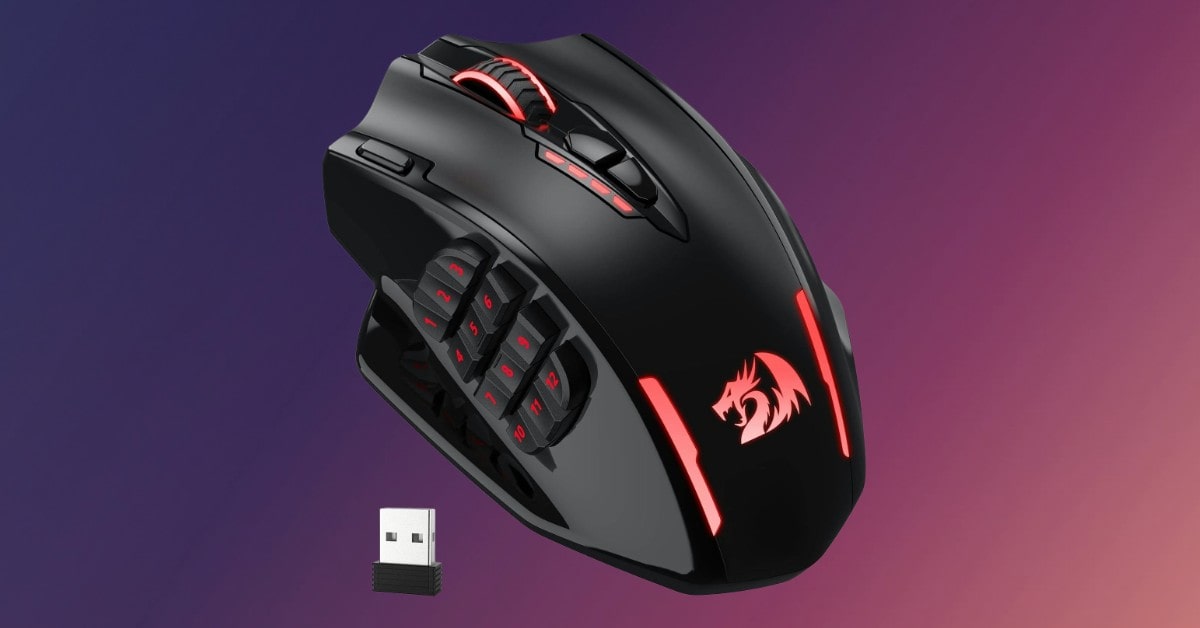
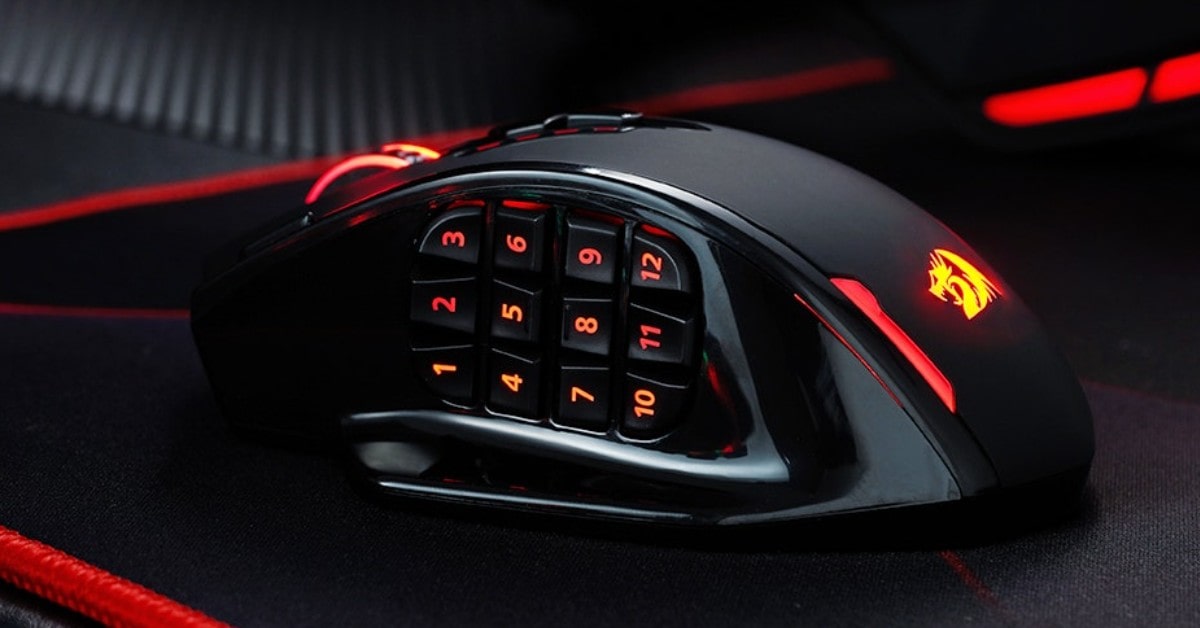
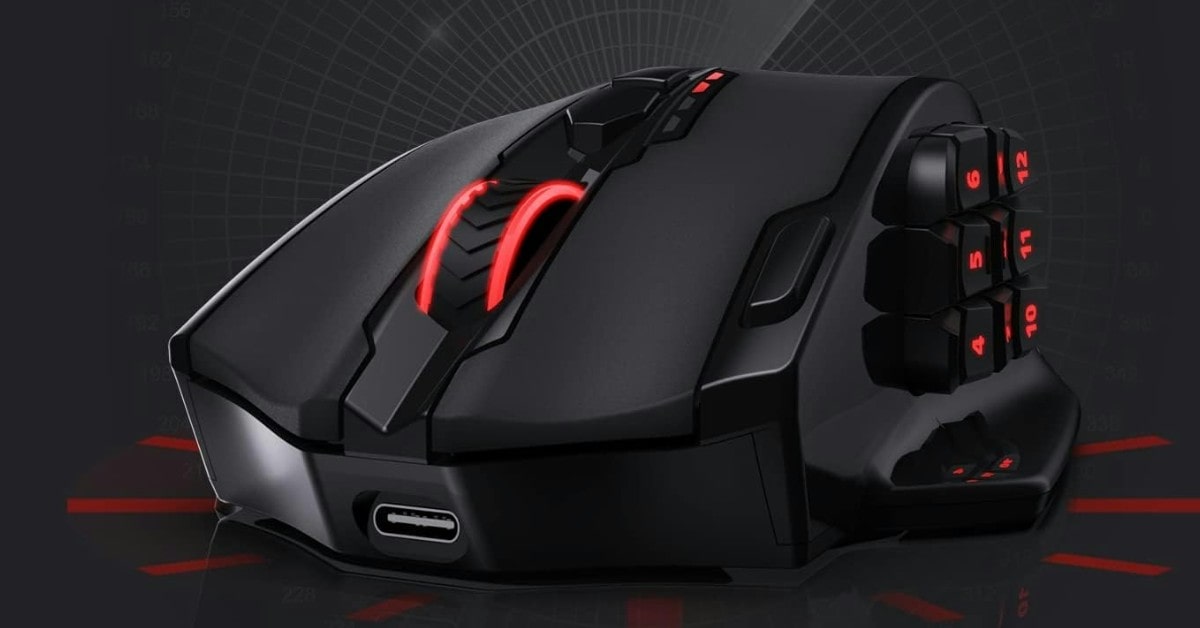
The Redragon M913 Impact Elite Wireless Gaming Mouse is a versatile and powerful tool designed for gamers who demand performance and customization. With dual modes of connectivity, advanced sensor technology, and extensive programmable options, this mouse is built to meet the needs of even the most demanding MMO players.
The M913 Impact Elite offers both 2.4GHz wireless and USB-C wired modes, providing flexibility depending on your gaming setup. The ability to switch between wireless and wired modes ensures you never have to worry about losing connectivity during critical moments. This dual functionality, combined with 12 side buttons, makes it an ideal choice for MMO gamers who rely on easy-access keybinding shortcuts to maximize their in-game damage output.
Equipped with the improved Optical Pixart 3335 gaming sensor, the M913 registers each click and swipe with lightning-fast speed, boasting a response time of just 1ms. This high level of efficiency, accuracy, and low latency ensures that your actions are executed precisely as intended, giving you a competitive edge in fast-paced gaming scenarios.
One of the standout features of the M913 Impact Elite is its impressive battery life. The advanced low-consumption chip, combined with a robust battery capacity, ensures long hours of uninterrupted gameplay. In eco mode, the mouse can last up to 45 hours with the backlit on and up to 80 hours with the backlit off. This longevity allows you to game day and night without worrying about frequent recharges.
The M913 is equipped with five onboard DPI levels (1000, 2000, 4000, 8000, 16000), allowing you to switch between different sensitivity settings with ease. Additionally, the DPI can be personalized in increments of 100 to meet your unique needs, reducing the adjustment period and enhancing your overall gaming experience.
The mouse comes with uncompromised driver support, offering 16 customizable buttons, including 12 side buttons, and 16.8 million color lighting effects. The dedicated software allows you to fine-tune your settings even in wireless mode, providing a tailored gaming experience that meets your exact preferences. This level of customization ensures you can configure the mouse to function precisely how you want, giving you an advantage in achieving victory.
Pros:
- Offers both 2.4GHz wireless and USB-C wired modes for versatile use
- Optical Pixart 3335 sensor provides high accuracy and low latency with a 1ms response time
- Battery Life up to 80 hours in eco mode
- Five DPI levels (1000 to 16000) with personalizable increments for precise sensitivity adjustments
- 16 programmable buttons and 16.8 million color lighting effects
- Comfortable and practical design with 12 side buttons, ideal for MMO gaming
Cons:
- Complex Setup
- Software Dependence
Summary: The Redragon M913 Impact Elite Wireless Gaming Mouse is a feature-rich and versatile gaming mouse that excels in performance, customization, and battery life. Its dual connectivity options, high-precision sensor, and extensive programmable buttons make it an excellent choice for MMO gamers and those who demand flexibility in their gaming peripherals. While it may require some time to fully configure and get accustomed to its features, the benefits it offers make it a valuable addition to any gaming setup.
Logitech Lift Vertical Ergonomic Mouse Review
Left-handed Mouse
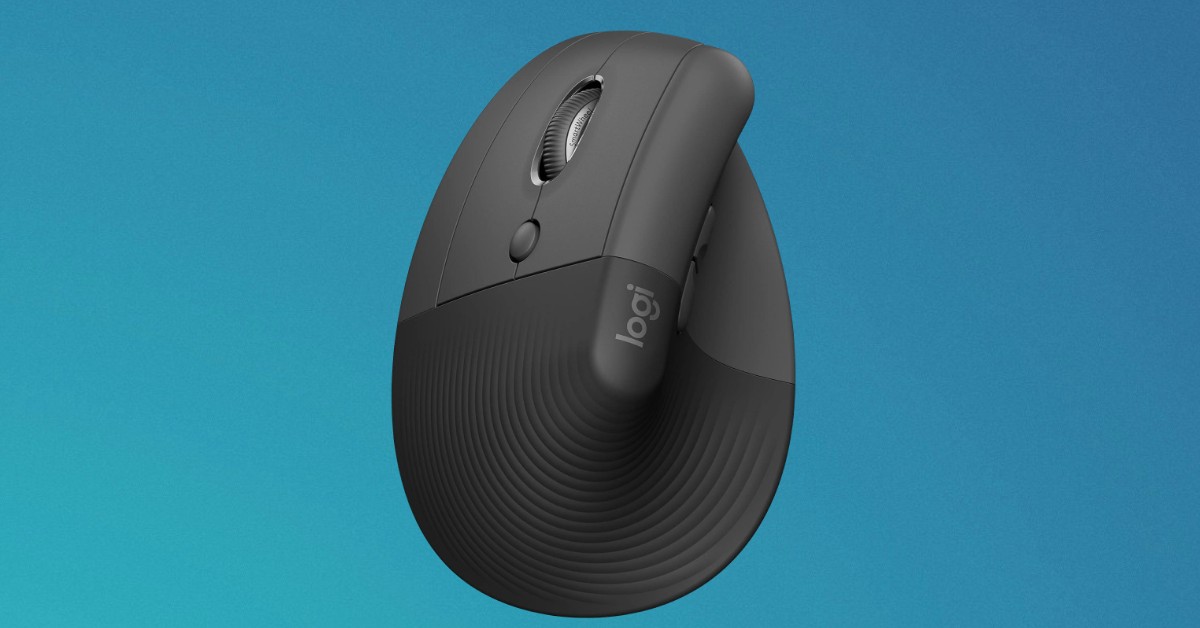
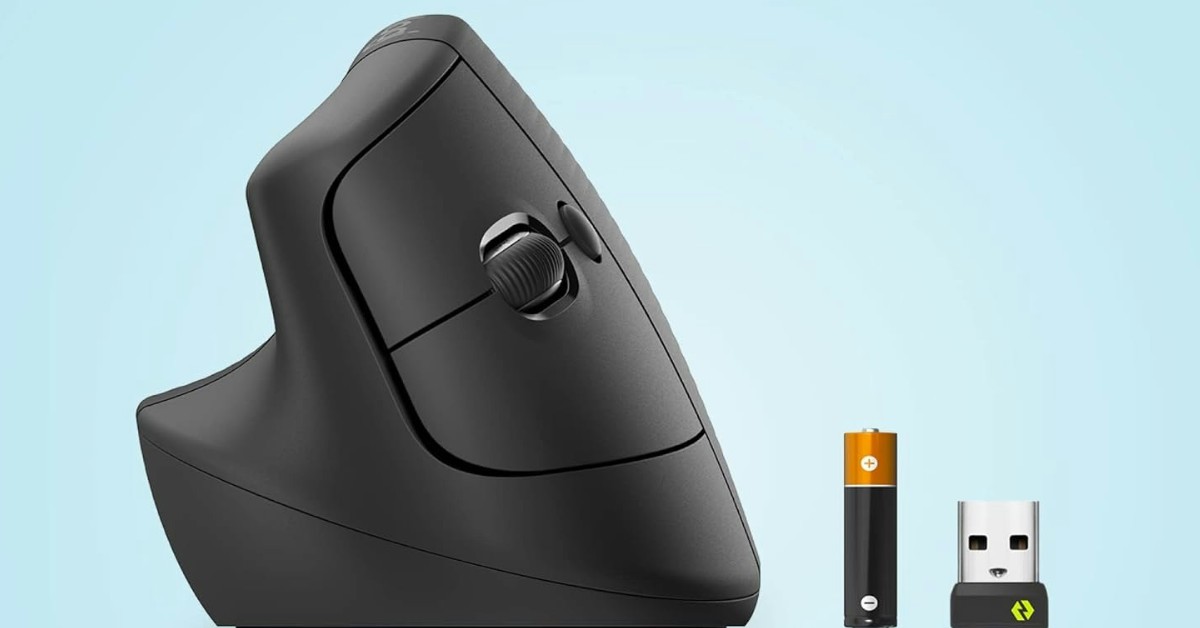
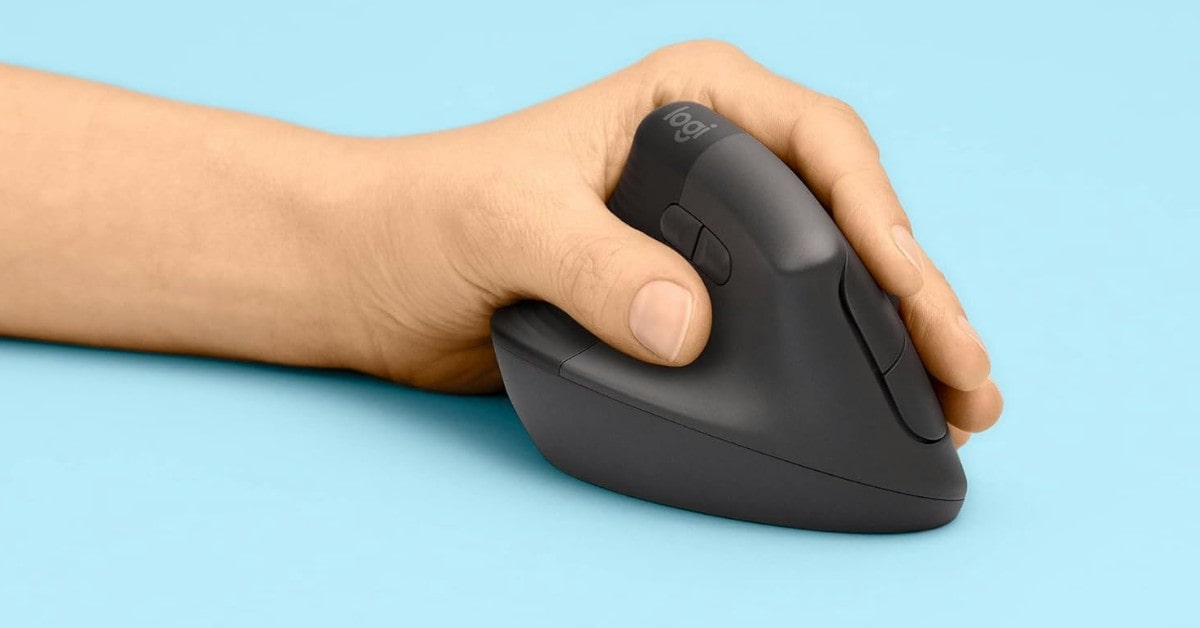
The Logitech Lift Vertical Ergonomic Mouse is designed to elevate your desk experience by providing superior comfort and promoting a healthier posture. Tailored for small to medium left hands, this mouse is a perfect fit for left-handed users seeking an ergonomic solution.
One of the standout features of the Logitech Lift is its vertical design, angled at 57 degrees to promote a natural posture in the forearm and wrist. This shape helps reduce strain, making it feel like an "ahhh" moment for your wrists. The softly textured grip and sculpted thumb rest ensure that your hand remains comfortable throughout the day, reducing the fatigue associated with prolonged mouse use.
The Lift Vertical Ergonomic Mouse is not just about comfort; it’s also highly functional. It features easy-to-reach customizable buttons that allow you to personalize your workflow, enhancing productivity. The whisper-quiet clicks provide a noise-free working environment, while the SmartWheel offers smooth and seamless scrolling, making it easy to navigate through documents and web pages efficiently.
This mouse offers versatile connectivity options. You can connect it via Bluetooth Low Energy or Logi Bolt USB, making it compatible with a wide range of devices, including Windows, macOS, iPadOS, Chrome OS, and Linux. This flexibility ensures that the Lift Vertical Ergonomic Mouse can seamlessly integrate into any setup.
One of the most impressive aspects of the Logitech Lift is its battery life. It can last up to 2 years on a single AA battery, providing long-term reliability and reducing the need for frequent battery replacements. This longevity is ideal for users who require a dependable mouse for daily use.
The Lift Vertical Ergonomic Mouse is not only designed for comfort and functionality but also with sustainability in mind. The plastic parts of the mouse include certified post-consumer recycled plastic (70% for the Graphite version), and it is certified carbon neutral. Additionally, it has been Ergo-certified, having been designed, developed, tested, and approved according to criteria set out by leading ergonomists. This certification assures that the mouse meets high ergonomic standards, contributing to a healthier and more comfortable work environment.
Pros:
- Ergonomic Design
- Comfortable Grip
- Customizable Buttons
- Quiet Operation
- Compatible with multiple operating systems via Bluetooth or Logi Bolt USB.
- Battery Life up to 2 years of battery life on a single AA battery.
- Sustainable Materials
Cons:
- Size Limitation
- Learning Curve
Summary: The Logitech Lift Vertical Ergonomic Mouse is an excellent choice for left-handed users with small to medium hands looking to improve their ergonomic setup. Its vertical design promotes a natural posture, reducing strain and enhancing comfort throughout the day. With customizable buttons, quiet operation, and impressive battery life, it combines functionality with comfort. Additionally, its sustainable materials and ergonomic certification make it a responsible choice for environmentally-conscious users. While there may be a slight adjustment period for those new to vertical mice, the benefits it offers make it a worthwhile investment for a healthier and more comfortable work experience.
FAQ about Best Gaming Mouse under $100
Do you have any questions? I have answers to the most popular questions.
What is the best gaming mouse under 100?
The best gaming mouse under 100 varies based on personal preference, but top picks include the Razer DeathAdder V2 and Logitech G502 Hero.
Are wireless gaming mice under $100 worth it?
Yes, many wireless gaming mice under 100 offer excellent performance with low latency, such as the Logitech G502 Hero.
How important is DPI in a gaming mouse?
DPI is crucial as it determines the sensitivity of the mouse. Higher DPI allows for more precise movements, which is important in gaming.
Best Gaming Mouse under 100: Conclusion
Choosing the best gaming mouse under 100 can significantly enhance your gaming experience, offering the perfect blend of performance, comfort, and customization without breaking the bank. Whether you prioritize precision, ergonomic design, or customizable features, there’s a gaming mouse in this price range that will meet your needs.
Top picks like the Logitech G502 Hero, Corsair Dark Core RGB Pro, Razer Basilisk Ultimate HyperSpeed each bring unique strengths to the table. These mice offer advanced sensors, multiple programmable buttons, and robust build quality, ensuring you get the best value for your money.
Ultimately, the best gaming mouse under 100 will depend on your specific gaming style and preferences. By considering factors such as sensor accuracy, button configuration, ergonomic design, and connectivity options, you can find a mouse that not only fits your hand but also enhances your gameplay.
Investing in a quality gaming mouse under 100 is a smart move for any gamer looking to elevate their performance and enjoy a more comfortable and responsive gaming experience. Happy gaming!
Go Deeper:

Our geeky guru has been slicing through tech on gagadget.com since 2020, from projectors, tvs to speakers and many more, unearthing the truth behind the specs with sharp, insightful reviews.


