At gagadget.com, your trust is our priority. We follow strict quality standards in our research, tests, and analysis of video projectors, to give you the best experience. Learn more
What to Look For in the Best Portable Projectors for Bedrooms
A ceiling above a bed is one of the few surfaces in a house that almost nobody thinks to use, and yet it sits there every night, blank and unlit, while a phone screen gets propped against a pillow instead. Portable projectors built for exactly this kind of use have quietly gotten better over the past couple of years, trading the awkward tripod-and-extension-cord setup of a decade ago for compact bodies that tilt, rotate, and run streaming apps on their own.
What separates a projector meant for a nightstand from one meant for a den is rarely the spec sheet headline. A bedroom stays dark for most of its viewing hours, so a modest lumen count often looks fine once the lights go off, while a fan that hums too loudly six inches from a pillow becomes the thing that actually ruins the experience. The five models gathered here range from a battery-free cube built around cinema-grade color to a coffee-cup-sized unit that runs on its own charge for a couple of hours, and each takes a different approach to the same basic question: how do you put a big, comfortable picture on a wall or ceiling without turning a bedroom into a home theater installation.
If a quick answer is all you need before the rest of this, these are the two I'd point a bedroom toward first:
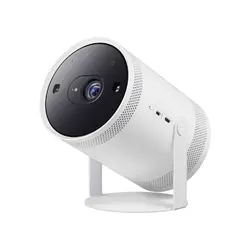
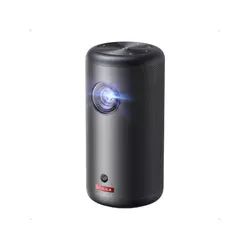
Table of Contents:
- Best Portable Projectors for Bedrooms: Buying Guide
- Top 5 Portable Projectors for Bedrooms in 2026
- Best Bedroom Projectors: Comparison
- Samsung The Freestyle 2nd Gen
- Anker Nebula Capsule 3 GTV
- BenQ GV50
- XGIMI MoGo 4
- Epson Lifestudio Flex Plus
- Bedroom Projectors: FAQ
Best Portable Projectors for Bedrooms: Buying Guide
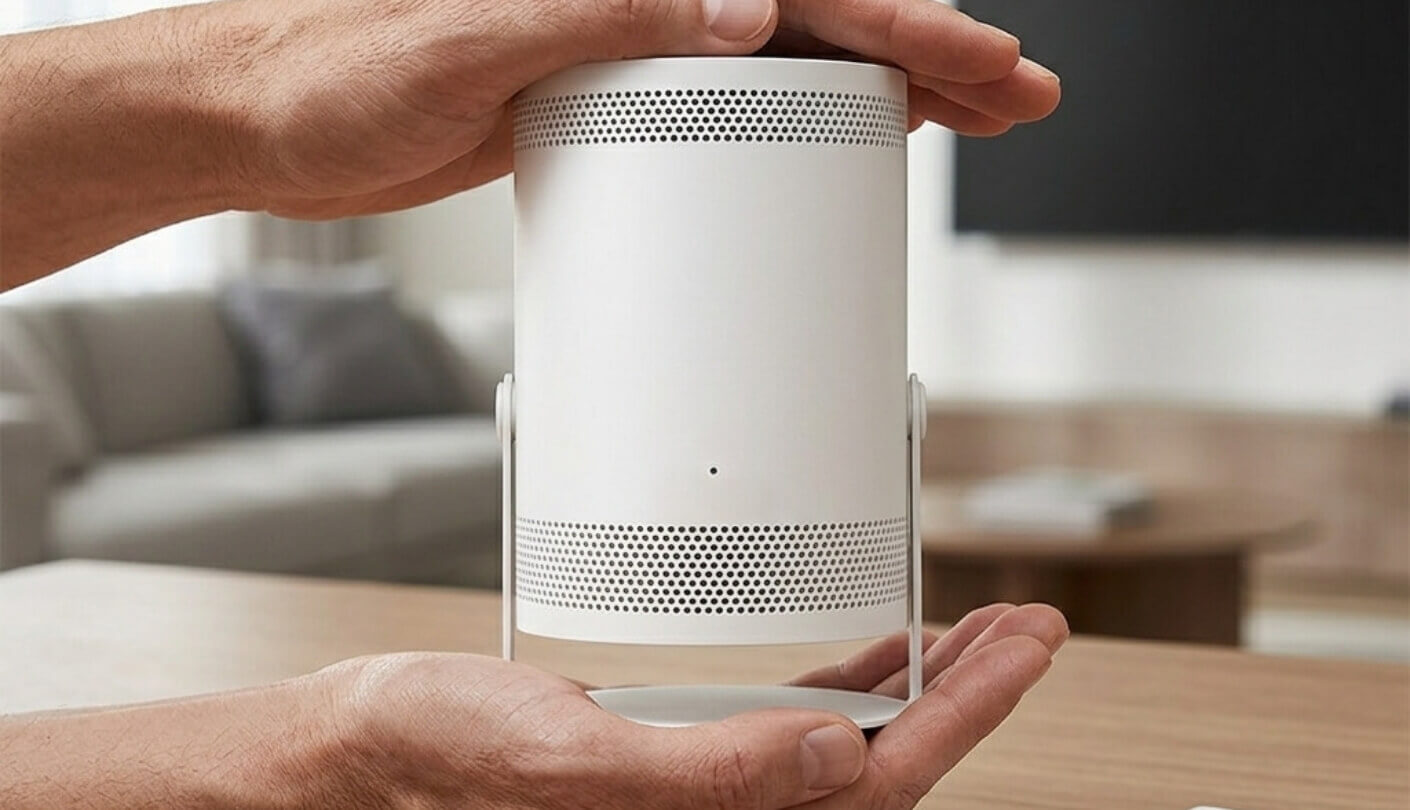
A projector that works well in a bedroom answers to a different set of priorities than one built for a living room or a backyard screen. The five factors below cover what actually changes once a projector ends up sitting on a dresser or clipped to a small stand a few feet from where someone sleeps.
Ceiling and Bedside Projection Angles
Watching from a bed means looking almost straight up, and a projector that only tilts a few degrees forward is built for a coffee table, not a nightstand. The best bedroom-oriented models rotate the lens well past ninety degrees or spin the whole body around a hinge, correcting for the resulting keystone effect automatically rather than making someone eyeball a stack of books under one edge. I found the difference most obvious with a unit that only leans back a little, where I ended up stacking a paperback under one side just to square the image on the ceiling.
A projector aimed at a bedroom lives or dies on how easily it points at a ceiling from an odd angle, since a living room's coffee-table geometry rarely applies to a bed. The models that handle this well build the rotation into the hardware itself rather than leaving it to a software keystone fix alone.
A tripod thread on the base adds a second kind of flexibility, letting a projector sit on furniture that wasn't designed with projection in mind. Height matters too, since a projector propped on a low nightstand throws its image at a steep angle even before any tilt happens, so a taller stand or a small platform underneath often does more for picture quality than any setting buried in a menu.
Brightness for a Dark Room Versus a Sunlit One
Lumen counts get treated as a universal ranking online, but a bedroom used mostly after dark doesn't need anywhere near the brightness a sunlit living room does. A projector rated at a couple hundred lumens can still throw a perfectly watchable picture on a ceiling once the lights are off and the blinds are drawn, while the same unit looks gray and flat in a room with an afternoon window nearby. I ran the dimmest projector in this group side by side with the brightest one after sunset, and the gap that looked enormous on a spec sheet nearly disappeared once both were pointed at a dark ceiling.
Where brightness starts to matter again is flexibility. A household that wants to watch something before the sun fully sets, or one with a streetlight leaking through a curtain, benefits from the extra headroom a brighter unit has in reserve even if it spends most nights running well below its maximum output. Laser and LED light sources both get quoted in lumens, though the measurement standards behind those numbers have shifted over the past few years, and checking whether a spec sheet lists ANSI or ISO lumens is worth a moment before assuming two similar-sounding numbers mean the same thing in a dark room.
Battery Power Versus a Cord by the Nightstand
A cord running from a wall outlet to a nightstand is a minor inconvenience in a bedroom that already has a lamp and a phone charger nearby, which makes a built-in battery less of a must-have here than it would be for a projector meant to travel to a backyard or a campsite. Still, a battery buys freedom to move the unit between the dresser and a shelf without hunting for an outlet, and it means a projector can keep running through a short power blip without cutting off mid-scene. I left one battery-free unit plugged in for a week without giving it a second thought, since the outlet behind a nightstand rarely gets used for anything else anyway.
A built-in battery matters far less next to a bed than it does on a camping trip, where the nearest outlet might be a mile away. What actually matters here is whether the cord reaches the outlet without draping across a spot someone has to walk over at night.
Battery life claims on these projectors tend to describe a best-case scenario at reduced brightness, so a rated runtime of a couple of hours in a spec sheet often shrinks once the picture mode gets bumped up for a brighter room. A projector without a battery isn't a poor fit for a bedroom on its own, given how rarely it needs to move more than a few feet from a plug, but it does mean the unit needs to sit somewhere a cord can reach without crossing a walkway.
Fan Noise and Sleep-Friendly Picture Modes
A projector's cooling fan sits closer to a sleeping head than almost any other piece of home electronics, and a unit that sounds fine in a showroom can turn into a low, persistent whine once the lights go out and the room goes quiet. Laser light sources tend to run warmer than LED ones and sometimes need a louder fan to compensate, though chassis design and build quality affect the actual noise level about as much as the light source itself does. I noticed the fan noise far more once I turned off a bedside lamp and let the room go fully quiet, a detail that never showed up during daytime testing with a television running in the next room.
A handful of these projectors build a picture mode specifically around late-night viewing, shifting the color temperature warmer to cut down on blue light and dimming gradually as a sleep timer counts down. That kind of software feature costs nothing in hardware terms, so its presence or absence says more about how directly a manufacturer designed a model for a bedroom than any brightness or resolution number does.
Sound Options for Late-Night Viewing
Built-in speakers on a projector this size are working with very little physical space, so even a well-tuned driver struggles to fill anything bigger than a bedroom on its own, which is often exactly the point. A quieter, more contained sound profile fits a room where a partner might be sleeping a few feet away better than the room-filling volume a living-room soundbar aims for. I switched a couple of these units into their Bluetooth speaker modes for casual late-night music and found the audio quality held up fine for that kind of low-key use, even where the video picture was clearly the weaker half of the package.
A projector's speaker rarely needs to fill an entire room the way it would in a living room built around a home theater setup. What matters more is whether the audio stays clear at a low volume, since late-night viewing tends to happen well below a speaker's maximum output.
A headphone jack or reliable Bluetooth pairing turns a projector into a private viewing setup for anyone sharing a room with someone already asleep, and it's worth checking before buying rather than assuming every model in this price range includes one. Downward-firing or bass-forward speaker designs also make more sense for a nightstand than for a shelf, given how much less far the sound has to travel to reach a pillow.
Top 5 Portable Projectors for Bedrooms in 2026
Every model below spent time actually running on a nightstand and a dresser, tilted up toward a ceiling and switched to whatever late-night picture mode it offered, rather than sitting flat on a table the way most projector demos happen.
- Auto Focus Leveling
- Smart Edge Blending
- Cloud Gaming Hub
- 360° Sound
- 30,000-Hour LED Life
- Official Google TV
- 3-Second Auto Setup
- Dolby Digital Audio
- USB-C PD Charging
- Pocket-Sized Build
- Bedside Ceiling Design
- Night Shift Mode
- 18W Bass Speaker
- Auto Obstacle Avoidance
- Google TV Netflix
- Triple Laser Color
- 110% BT.2020 Gamut
- Harman Kardon Sound
- Magnetic Creative Filters
- 360° Rotating Stand
- True 4K Sharpness
- Sound By Bose
- Massive Contrast Ratio
- Rainbow-Free 3LCD Engine
- Tilts Toward Ceiling
Best Bedroom Projectors: Comparison
A side-by-side look at the specifications that matter most when narrowing this list down:
| Specification | Samsung Freestyle 2nd Gen | Nebula Capsule 3 GTV | BenQ GV50 | XGIMI MoGo 4 Laser | Epson Lifestudio Flex Plus |
| Resolution | 1920x1080 | 1920x1080 | 1920x1080 | 1920x1080 | 3840x2160 (4K pixel-shift) |
| Light Source | LED | LED | Laser | Triple Laser (RGB) | RGB-LED, 3-Chip 3LCD |
| Brightness | 230 ANSI Lumens | 200 ANSI Lumens | 500 ANSI Lumens | 550 ISO Lumens | 1,000 ISO Lumens |
| Contrast Ratio | 100,000:1 | Approx. 357:1 (measured) | 100,000:1 (dynamic) | 1,000:1 | 5,000,000:1 (dynamic) |
| Max Screen Size | 100 in (160 in with two units) | 120 in | 120 in | 200 in | 150 in |
| Battery Life | None built-in | Up to 2.5 hours | Up to 2.5 hours | Up to 2.5 hours (5 with PowerBase) | None built-in |
| Weight | 1.8 lbs | 1.87 lbs | 4.6 lbs | 2.9 lbs | 9 lbs |
| Smart Platform | Samsung Tizen SmartHub | Google TV | Google TV | Google TV | Google TV |
Brightness and contrast are the two lines worth reading carefully before anything else here. The lumen figures come from two measurement standards, ANSI lumens and the newer ISO 21118 standard, and the two tend to land close to each other in practice. The contrast ratios are a different story, spanning a single measured figure on one end and a manufacturer's dynamic-range claim on the other, so that row works better as a rough guide than a precise ranking.
Samsung The Freestyle 2nd Gen with Gaming Hub Review
Editor's Choice
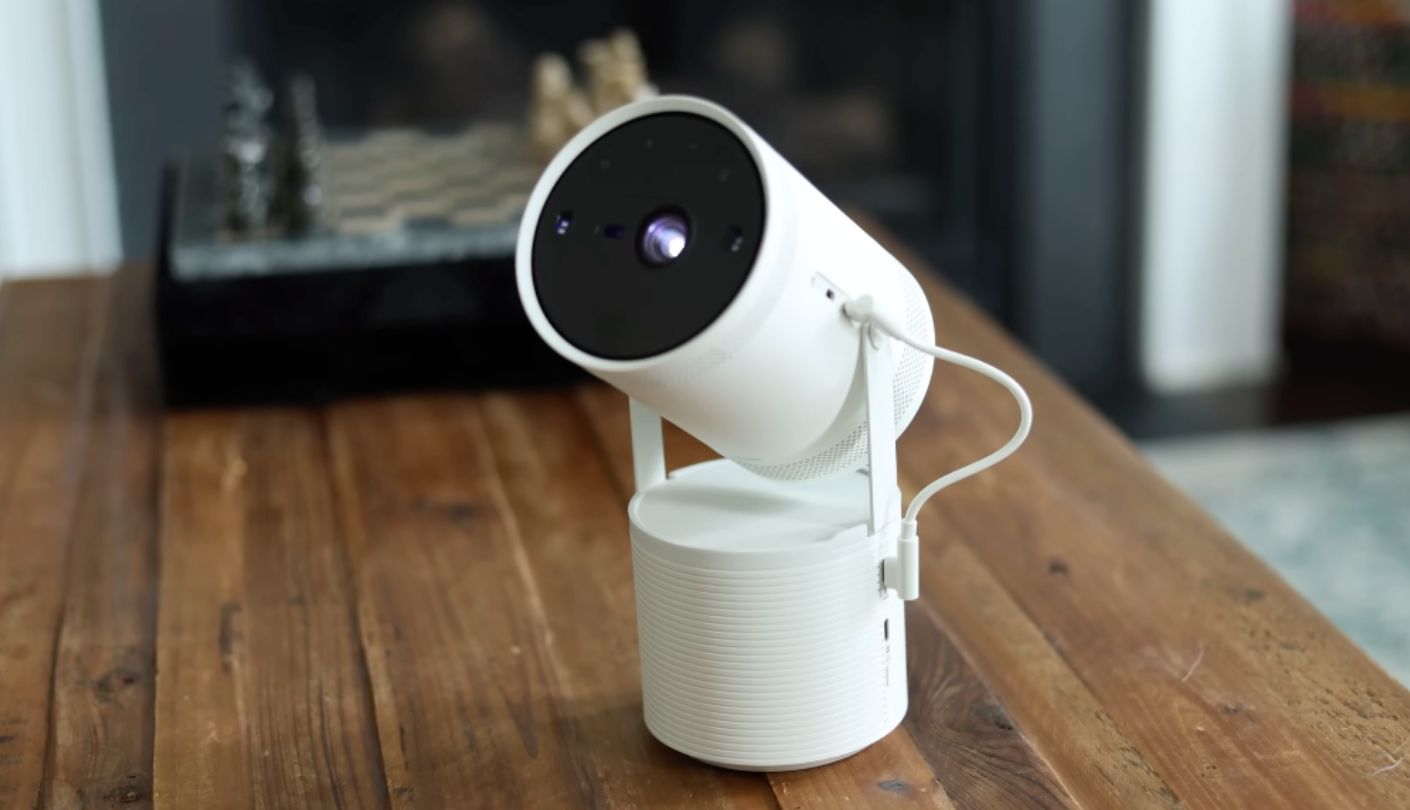
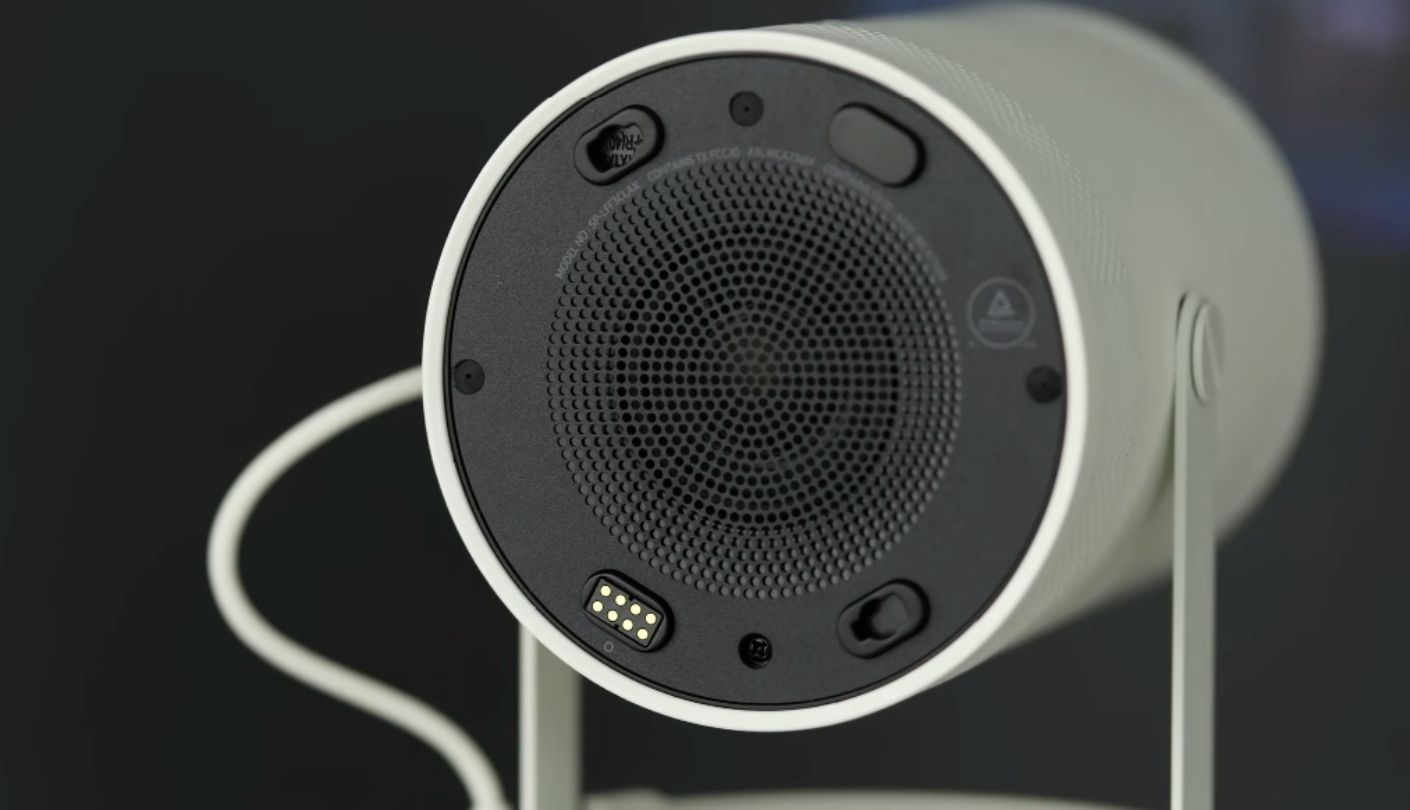
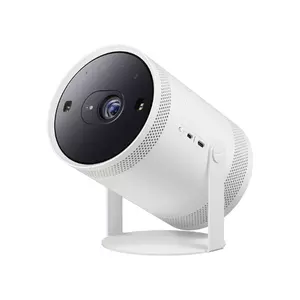
Two of these five can join forces to throw a single picture up to 160 inches across a wall, and the Samsung The Freestyle 2nd Gen is the only model here built to pull that off. Smart Edge Blending pairs two Freestyle units over the same Wi-Fi network and stitches their output into one wide image, a party trick most bedrooms will never actually need but one that says a lot about how much engineering Samsung packed into a projector barely bigger than a soda can.
The single-hinge cradle tilts a full 180 degrees, so pointing the lens at a ceiling from a dresser or a low shelf takes a twist of the wrist rather than a search for a taller stand. Auto Focus, Auto Keystone, and Auto Leveling all run the moment the projector powers on, squaring the image to a 16:9 frame even at a steep angle, and in my time with it the whole process finished in well under ten seconds on every surface I tried, including an uneven bookshelf. The projector throws anywhere from 30 to 100 inches on its own, expanding to 160 inches once a second unit joins in through Smart Edge Blending.
At 230 ANSI lumens the picture stays firmly a dark-room performer, and daylight or even a bright lamp nearby flattens the image noticeably. HDR10+ support helps in the dark, adding a bit more punch to highlights in supported streaming content, though the gap between HDR and standard playback stays subtle rather than dramatic on a panel this size. Full HD resolution caps the sharpness, and pushed toward the 100-inch end of its range the image starts to show soft edges on fine text, though for a more typical bedroom size between 50 and 80 inches it looks clean.
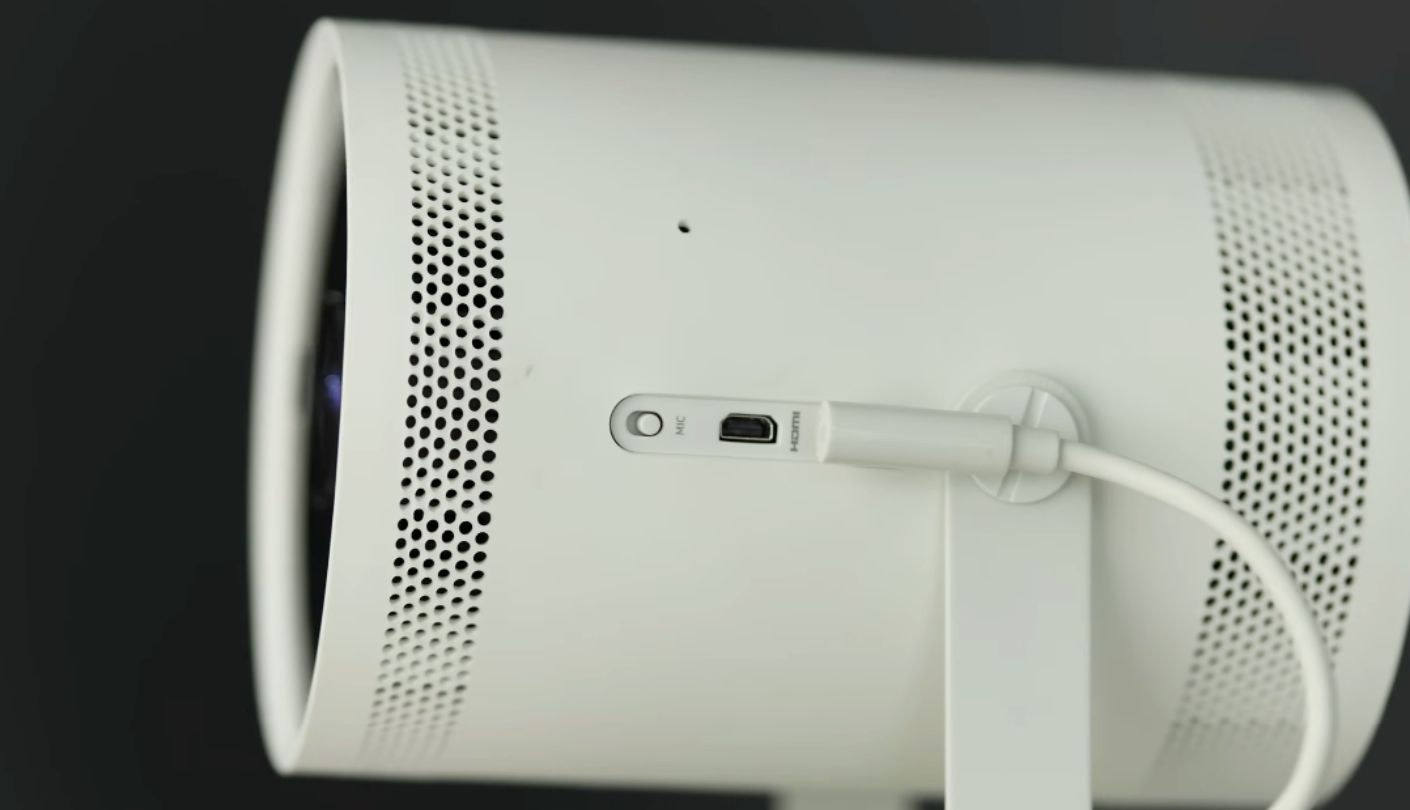
Samsung's Tizen platform runs the show here, the same smart hub found across the company's television lineup, complete with Gaming Hub for cloud gaming through services like Xbox and GeForce Now without a console anywhere in the room. The LED light engine carries a 30,000-hour rating, long enough that lamp replacement never becomes a real consideration, and 360-degree sound from the built-in speaker fills a bedroom without needing a separate speaker paired over Bluetooth. Connectivity stays minimal by design, with a single Micro HDMI port and a USB-C port that exists purely for power, since there's no built-in battery and the projector needs either a wall outlet or Samsung's separately sold Battery Base to run untethered.
Pros:
- Auto Focus Leveling
- Smart Edge Blending
- Cloud Gaming Hub
- 360° Sound
- 30,000-Hour LED Life
Cons:
- Needs Optional Battery
- Only 230 Lumens
Summary: The Smart Edge Blending trick alone makes this projector worth a look for anyone who might eventually want a wider screen than a single bedroom unit can throw, even if most nights it ends up running solo at a size that suits one wall just fine.
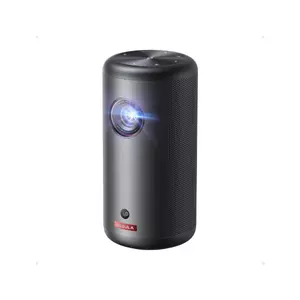
Anker Nebula Capsule 3 GTV Projector Review
Best Overall
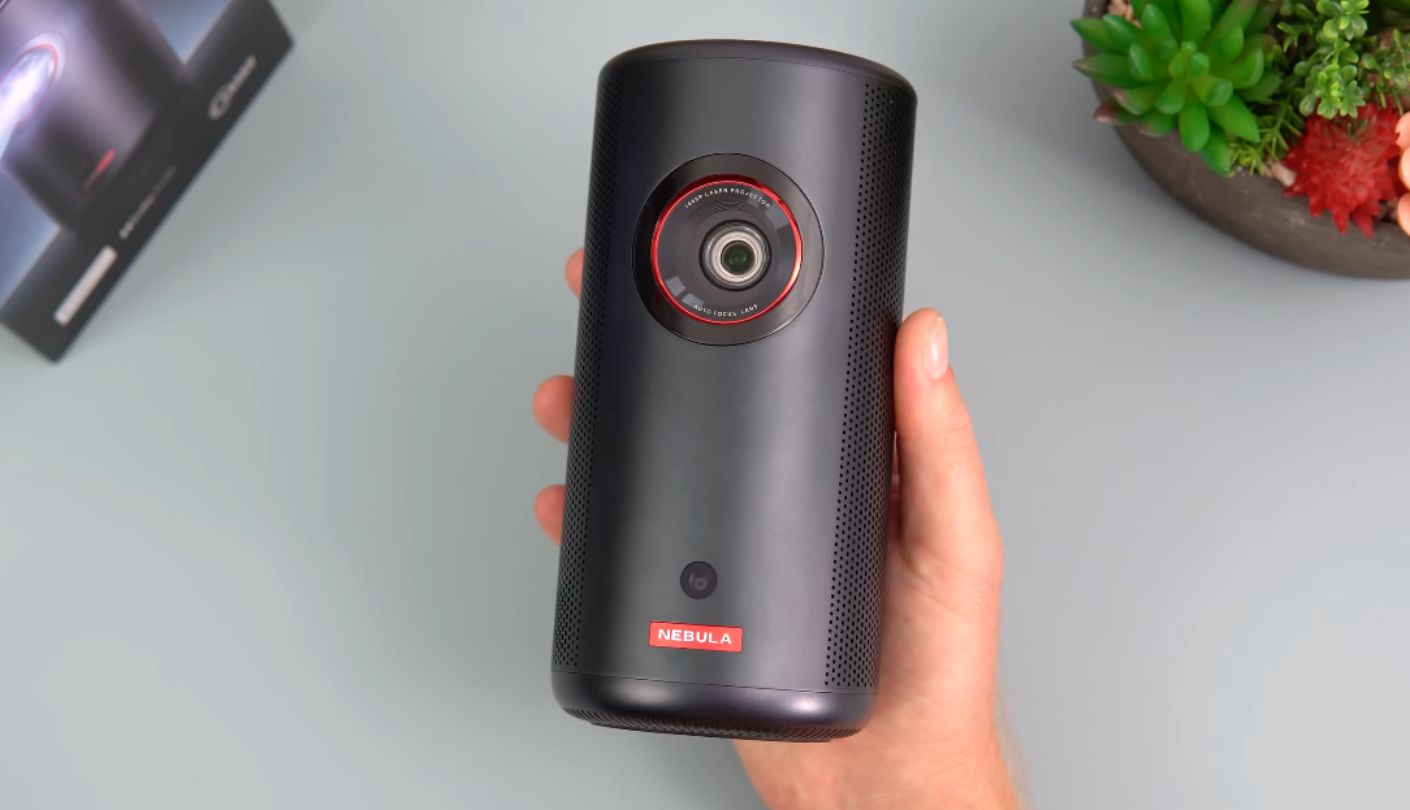
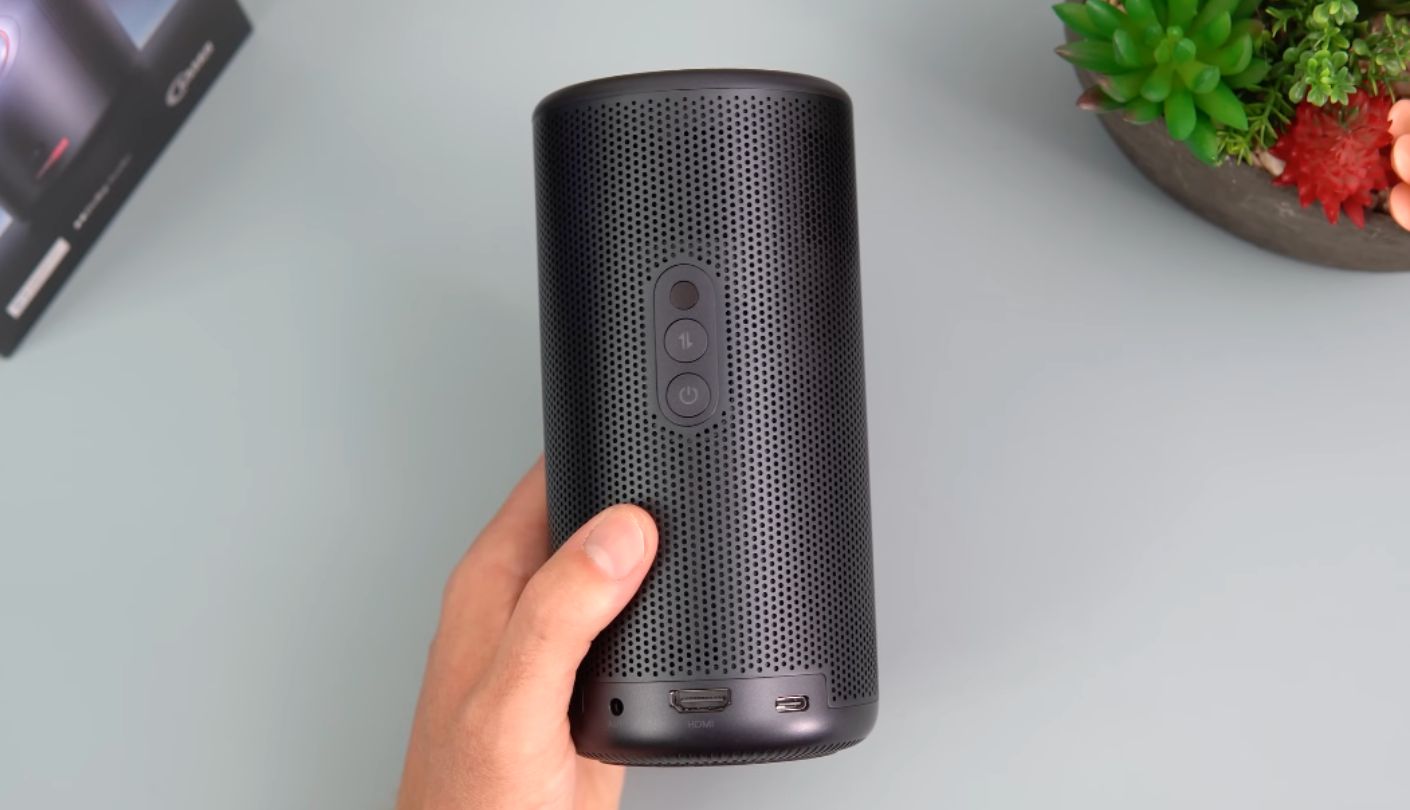
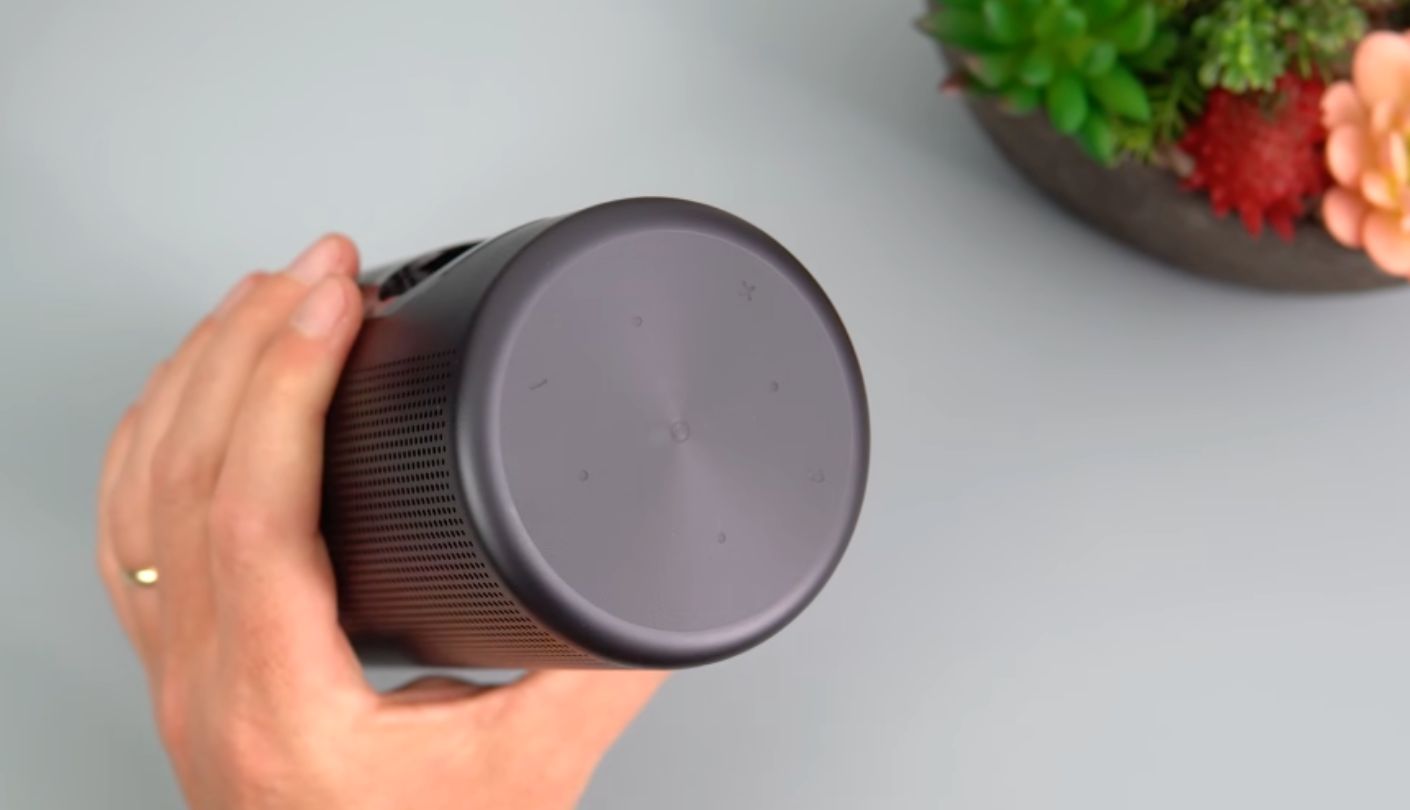
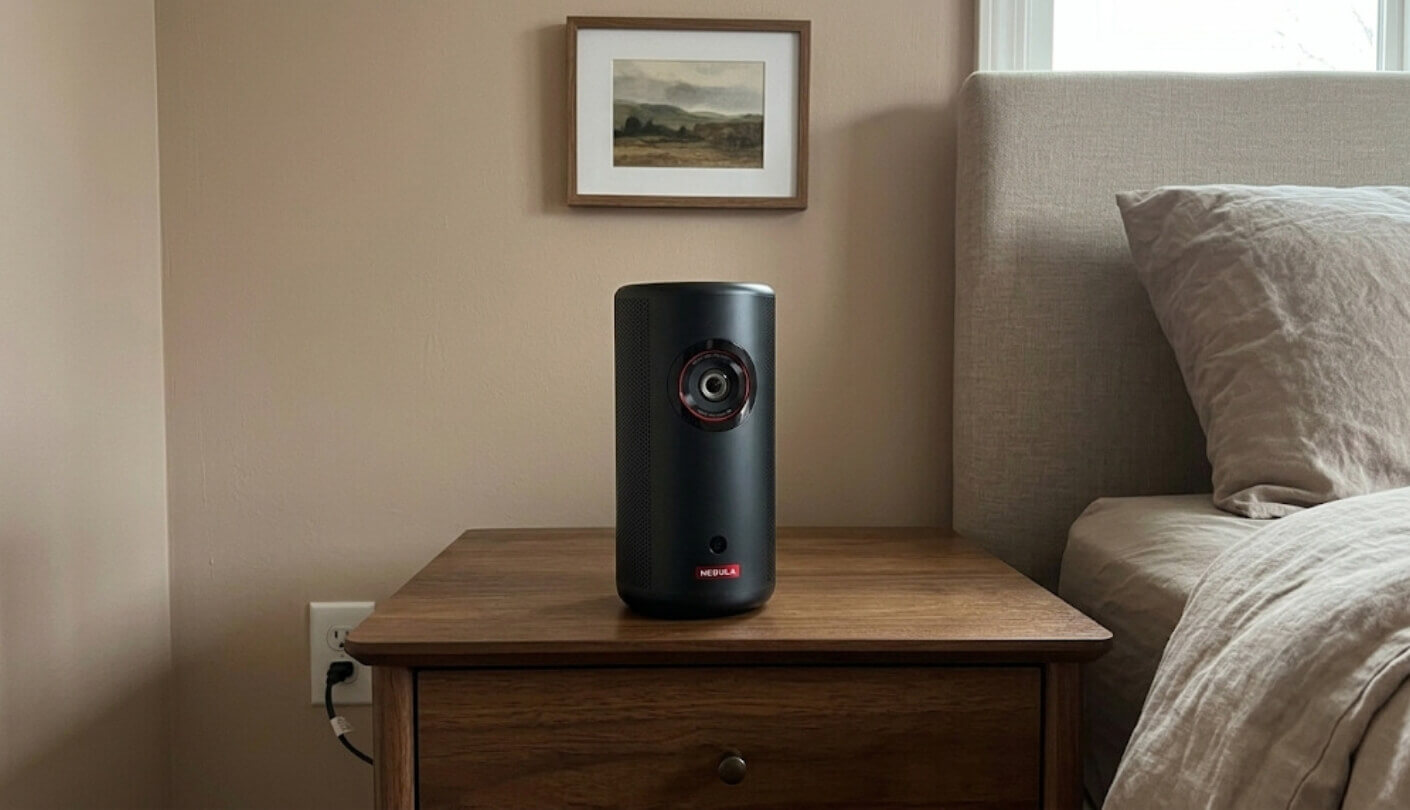
How small can a projector actually get before it stops feeling like a real home theater device? The Anker Nebula Capsule 3 GTV answers that question by weighing just 1.87 pounds and still running a full Google TV platform without a second streaming box plugged in anywhere. Netflix comes built in and officially licensed, a detail that matters more than it sounds like it should, given how often projectors running older software lock streaming apps behind clunky workarounds or skip Netflix support entirely.
Anker's Intelligent Environment Adaptation Technology handles autofocus, keystone correction, and obstacle avoidance in about 3 seconds every time the projector moves, and in practice it worked reliably even when I propped the Capsule 3 at an angle on a stack of books just to see how far the system could be pushed. The cylindrical body doubles as a Bluetooth speaker when the lens folds shut, with 8-watt Dolby Digital audio that sounds closer to a dedicated portable speaker than most projector audio manages.
Brightness sits at 200 ANSI lumens, the dimmest figure among these five, though a fully dark bedroom hides that limitation well and the picture reads sharper than the number suggests on anything up to about 70 inches. Measured contrast lands around 357 to 1, respectable for a projector this size, and colors come across as natural and reasonably saturated rather than washed out, even though Nebula doesn't officially advertise HDR support for this particular model.
A built-in battery rated for 2.5 hours of video or 8 hours of music charges over USB-C with power delivery, which means a standard laptop charger or a portable battery pack works in a pinch without needing Nebula's own adapter. Inside, a quad-core processor pairs with 2GB of RAM and 16GB of storage, enough to keep Google TV's interface responsive, and the port selection covers HDMI, USB-A, USB-C, and a 3.5mm aux jack along the base.
Pros:
- Official Google TV
- 3-Second Auto Setup
- Dolby Digital Audio
- USB-C PD Charging
- Pocket-Sized Build
Cons:
- Short Battery Runtime
- No HDR Support
Summary: The 200-lumen rating looks like the weakest number on the spec sheet, but paired with Google TV and a battery that survives a full movie, it ends up mattering far less day to day than the software running underneath it.
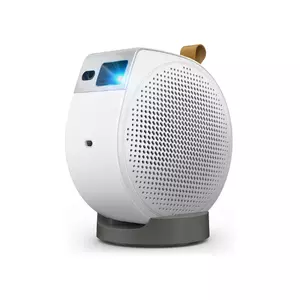
BenQ GV50 Portable Ceiling Projector Review
Bedside Design
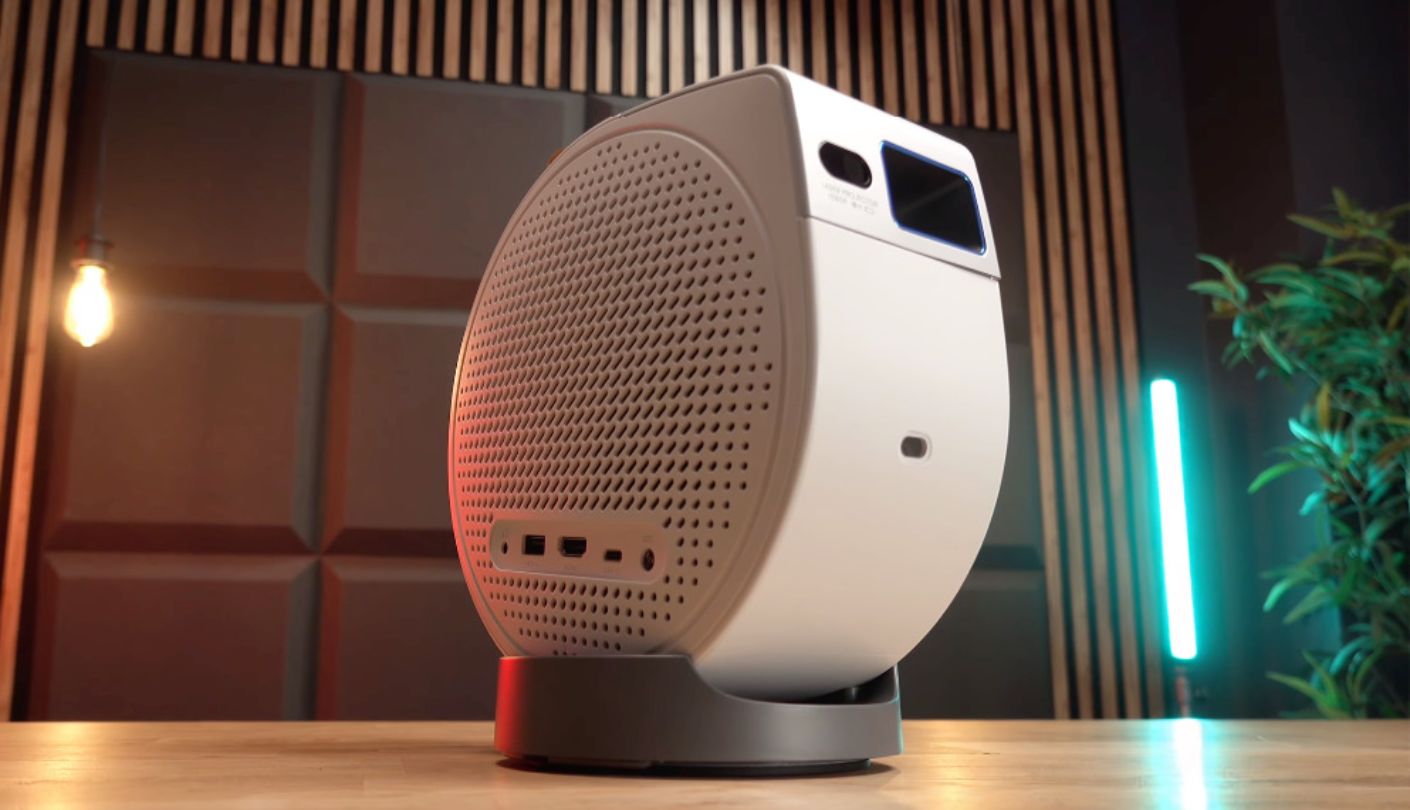
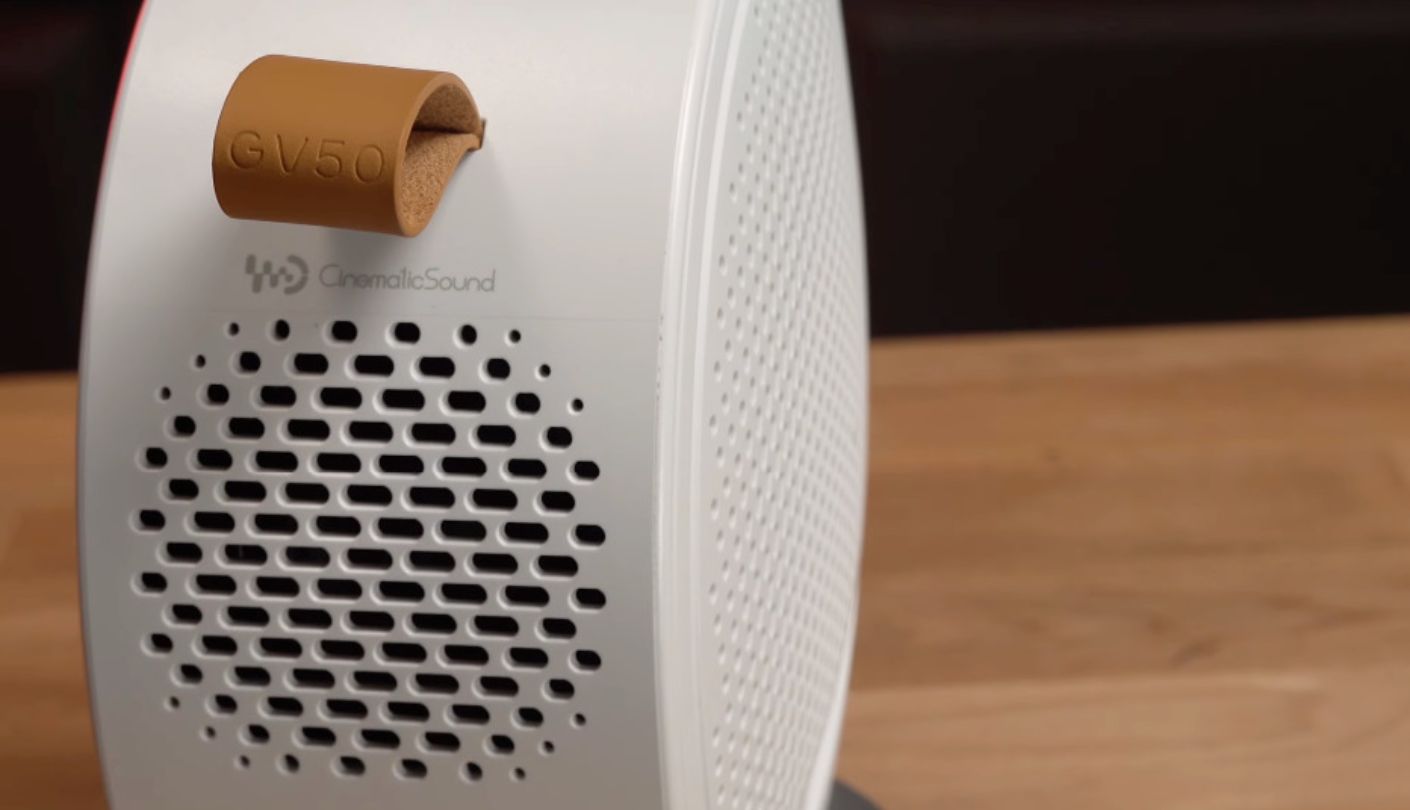
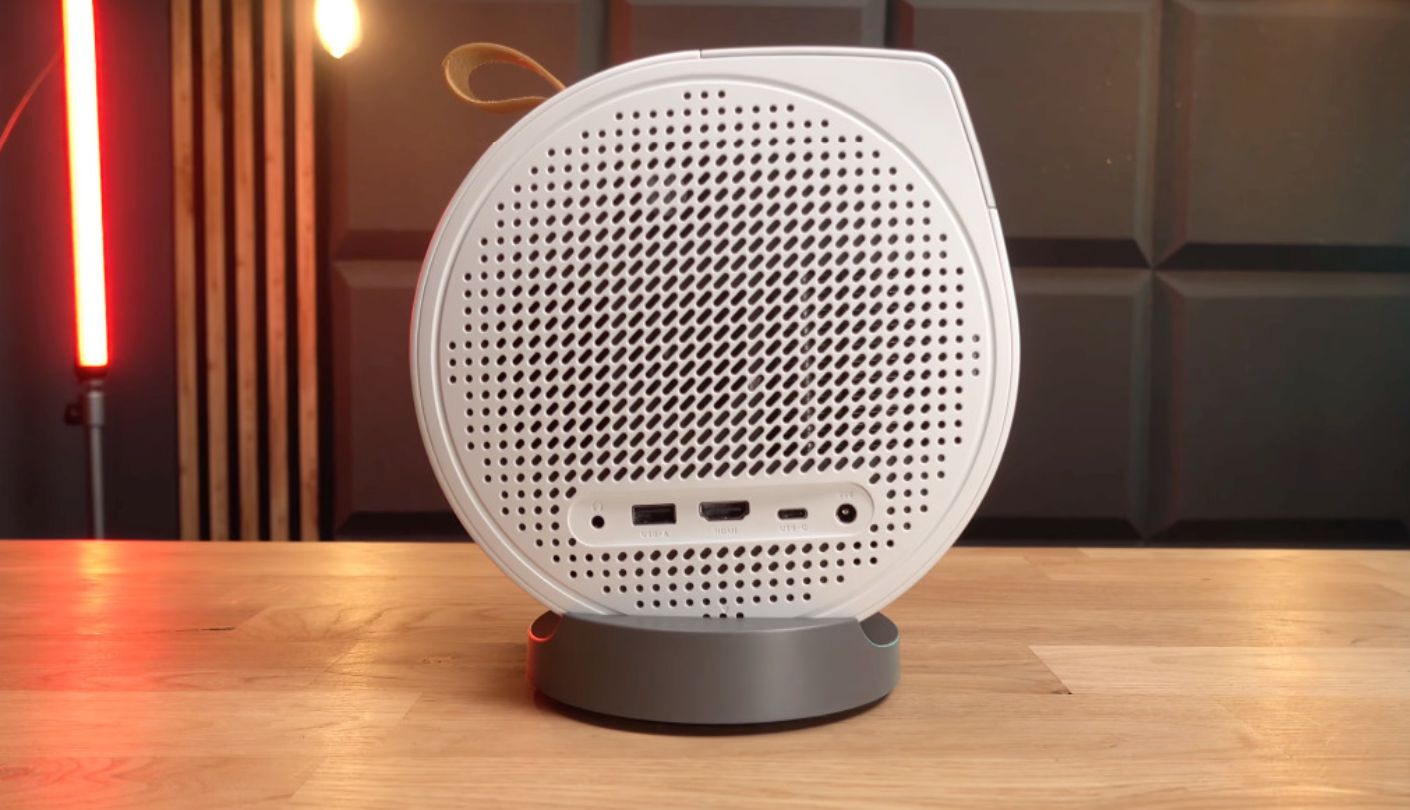
A friend asked why anyone would buy a projector shaped like a small robot's head, right up until I tilted the BenQ GV50 straight up from a nightstand and the whole ceiling turned into a screen without me touching the base. That 135-degree vertical rotation, combined with a full 360-degree swing around its own axis, is the entire reason this projector exists, and BenQ builds the rest of the hardware around that one trick rather than treating it as an afterthought.
Night Shift mode shifts the color temperature warmer and dims the picture gradually as a built-in sleep timer counts down, a feature clearly designed by someone who has actually fallen asleep mid-movie, and Ceiling Cinema Sound redirects the audio downward so the built-in speaker still sounds balanced when the projector points at the ceiling instead of a wall. A laser light source rated at 500 ANSI lumens pushes brighter than most of the other projectors here, and CinematicColor tuning optimized for HDR10 and HLG content keeps skin tones looking natural rather than oversaturated in the Cinema picture mode.
The 18-watt 2.1-channel speaker system pairs dual tweeters with a dedicated bass-enhanced woofer, and it fills a bedroom with more low-end weight than the built-in speakers on any other projector here manage. Google TV runs the interface with Netflix officially certified, and switching the GV50 into Bluetooth speaker mode for music works cleanly through the same button that toggles projector mode off.
Battery life lands at roughly 2.5 hours, enough for a movie but not much beyond it, and a full charge from empty takes about 3 hours through the USB-C port, which also supports power delivery output for charging a phone in a pinch. At 4.6 pounds the GV50 is the heaviest projector in this comparison by a wide margin, more than double the weight of the Samsung or the Nebula, which makes sense given the rotating hardware packed into that round chassis but does mean it sits more permanently on a dresser than it travels between rooms.
Pros:
- Bedside Ceiling Design
- Night Shift Mode
- 18W Bass Speaker
- Auto Obstacle Avoidance
- Google TV Netflix
Cons:
- Heaviest Of Five
- Battery Lasts 2.5 Hours
Summary: Every other projector here can technically point at a ceiling with enough fiddling, but the GV50 is the one built from the ground up to do it, and that focus shows in details as small as which way the speaker fires once the lens tilts back.
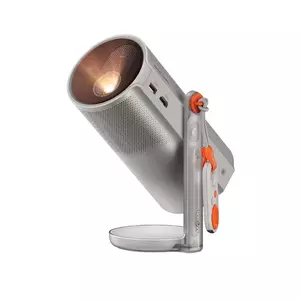
XGIMI MoGo 4 Laser Portable Projector Review
Richest Color
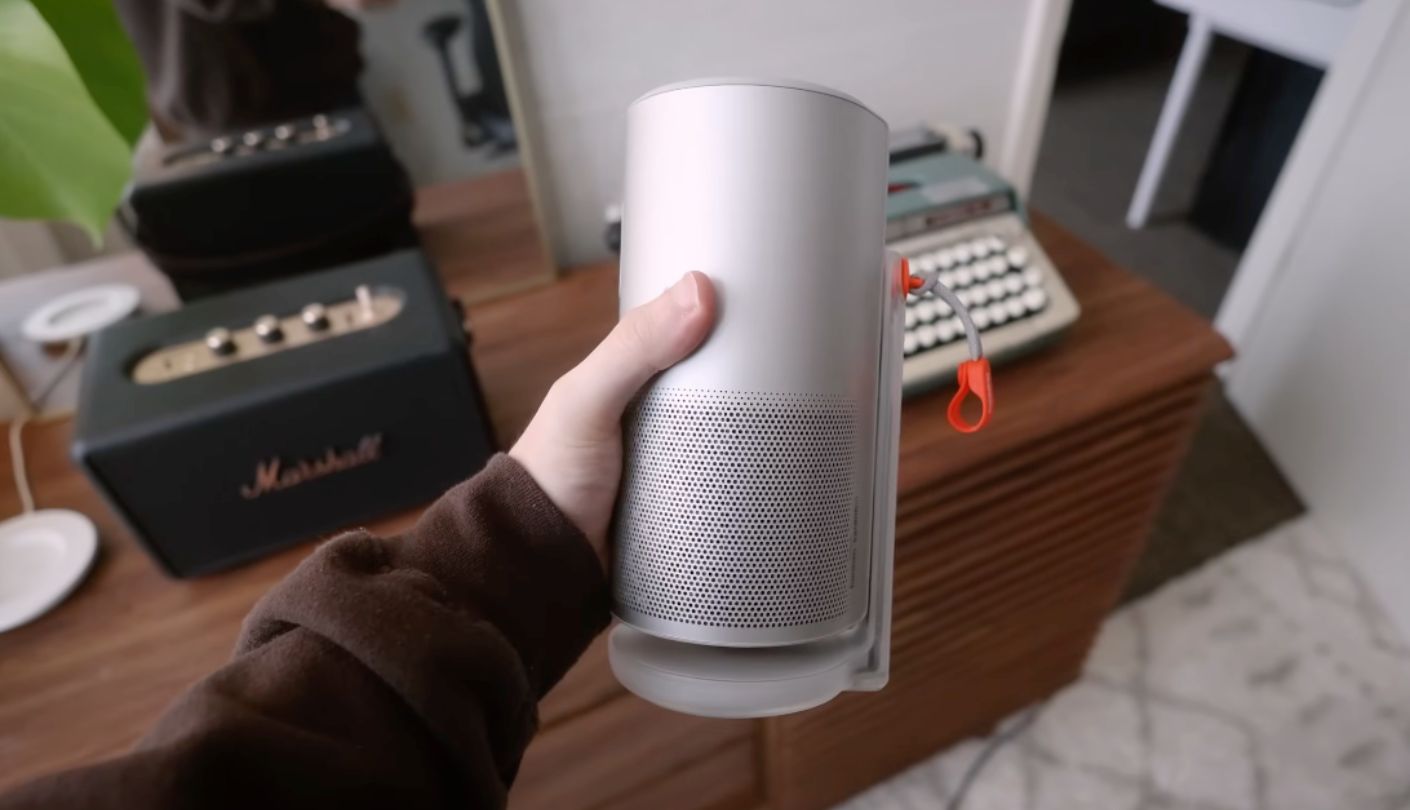
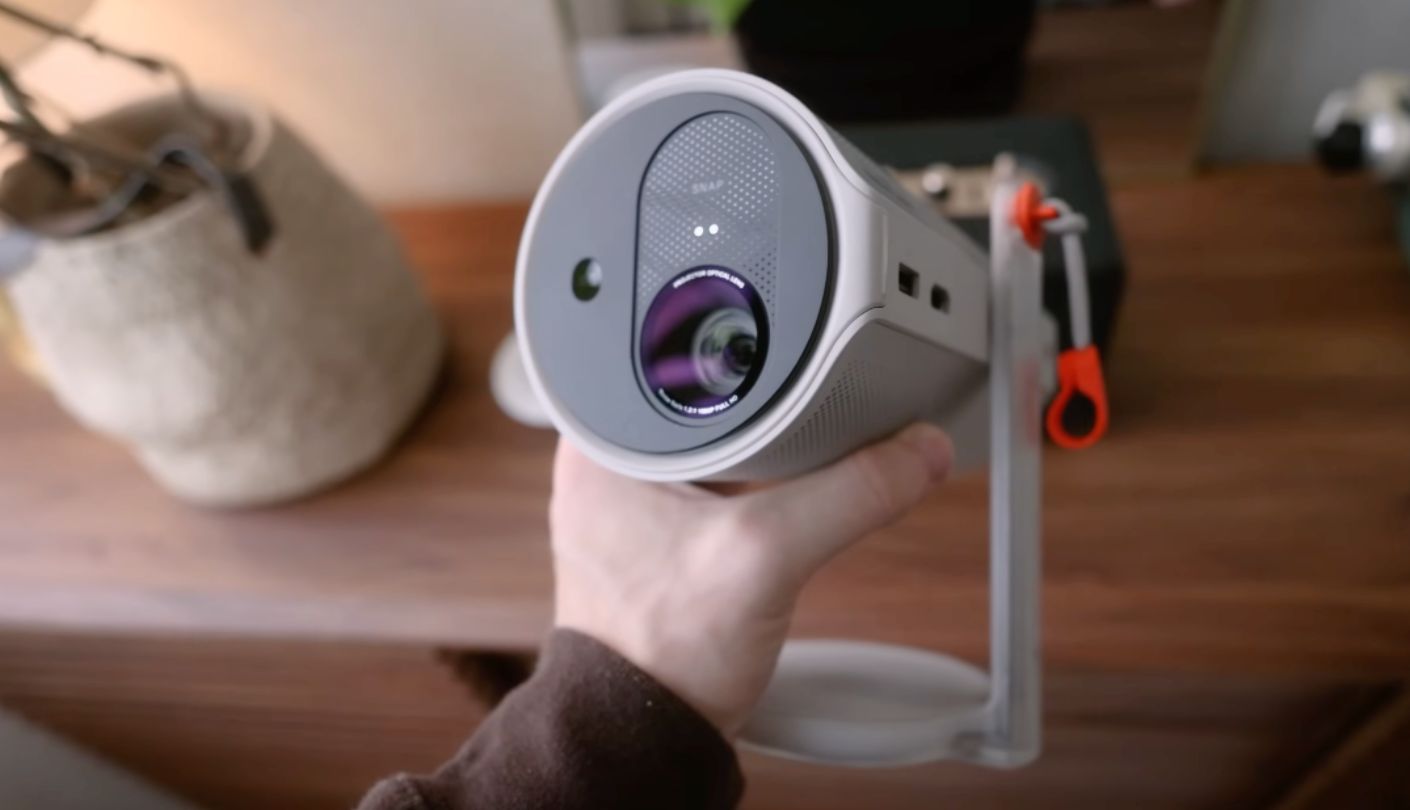
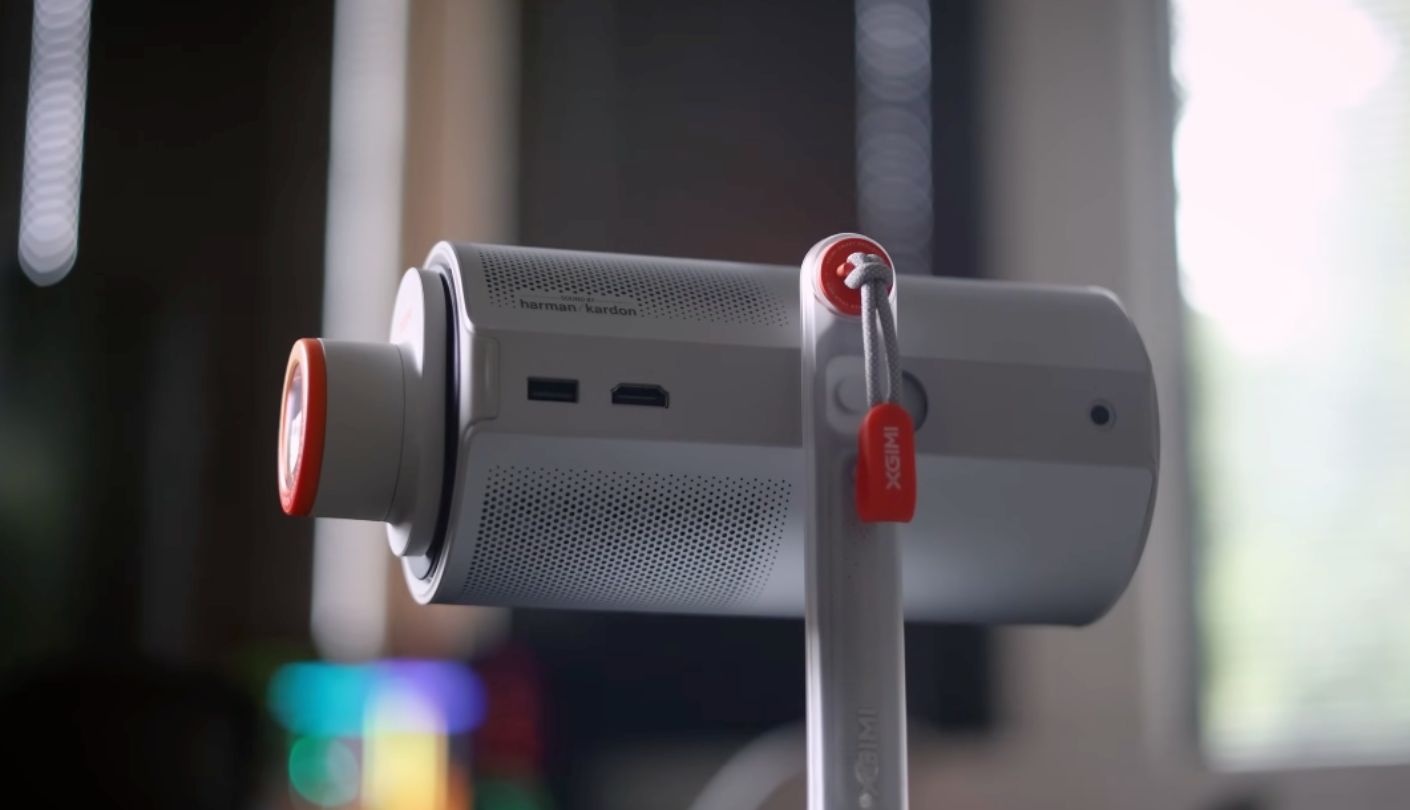
Worth flagging up front: the link for this pick leads to the XGIMI MoGo 4 Laser, the step-up triple-laser version of the standard MoGo 4 rather than the base LED model, and the price gap between the two reflects a real jump in brightness and color rather than just a name change. Triple laser projection is a technology usually reserved for projectors well outside a bedroom budget, and XGIMI fitting it into a body the size of a coffee mug is the whole reason this model earns a spot here over its cheaper sibling.
Brightness rises to 550 ISO lumens, up from 450 on the standard MoGo 4, and color coverage jumps from 90 percent of the DCI-P3 gamut to 110 percent of BT.2020, a noticeably wider range that shows up clearly in saturated content like animated movies or colorful game footage. Contrast measures at 1,000 to 1, modest next to some of the dynamic-range claims elsewhere in this comparison but a figure that genuinely reflects what the laser engine puts on screen day to day rather than an inflated marketing number.
The 360-degree built-in stand rotates the lens freely from wall to ceiling, and XGIMI's Intelligent Screen Adaptation technology handles autofocus and keystone correction through a dedicated sensor rather than relying purely on the camera, correcting the image within a couple of seconds of any move. A built-in battery runs for about 2.5 hours of video in Eco mode, stretching to roughly 5 hours when paired with XGIMI's separately sold PowerBase Stand, which doubles as a taller platform for aiming the projector at a ceiling from the floor.
Harman Kardon tuned the 12-watt speaker system, split across two 6-watt drivers, and the sound holds its own for a bedroom without needing an external speaker. Four magnetic creative filters snap onto the lens for colored ambient lighting when the projector isn't playing video, a feature that leans more into mood lighting than home theater but one that shows up more than expected once it's actually in the room. HDR10 is supported, though Dolby Vision and HDR10+ are both left out, and the single HDMI port carries ARC for a soundbar hookup if the built-in speakers eventually feel too small for a bigger room.
Pros:
- Triple Laser Color
- 110% BT.2020 Gamut
- Harman Kardon Sound
- Magnetic Creative Filters
- 360° Rotating Stand
Cons:
- Pricier Than Base Model
- Skips Dolby Vision
Summary: The magnetic filters and ambient lighting mode make the MoGo 4 Laser feel less like a work tool and more like a piece of bedroom decor that happens to double as a home theater, an angle none of the other four models here really lean into.
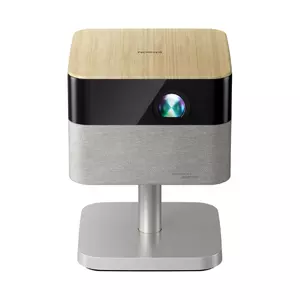
Epson Lifestudio Flex Plus (EF-72) Review
True 4K
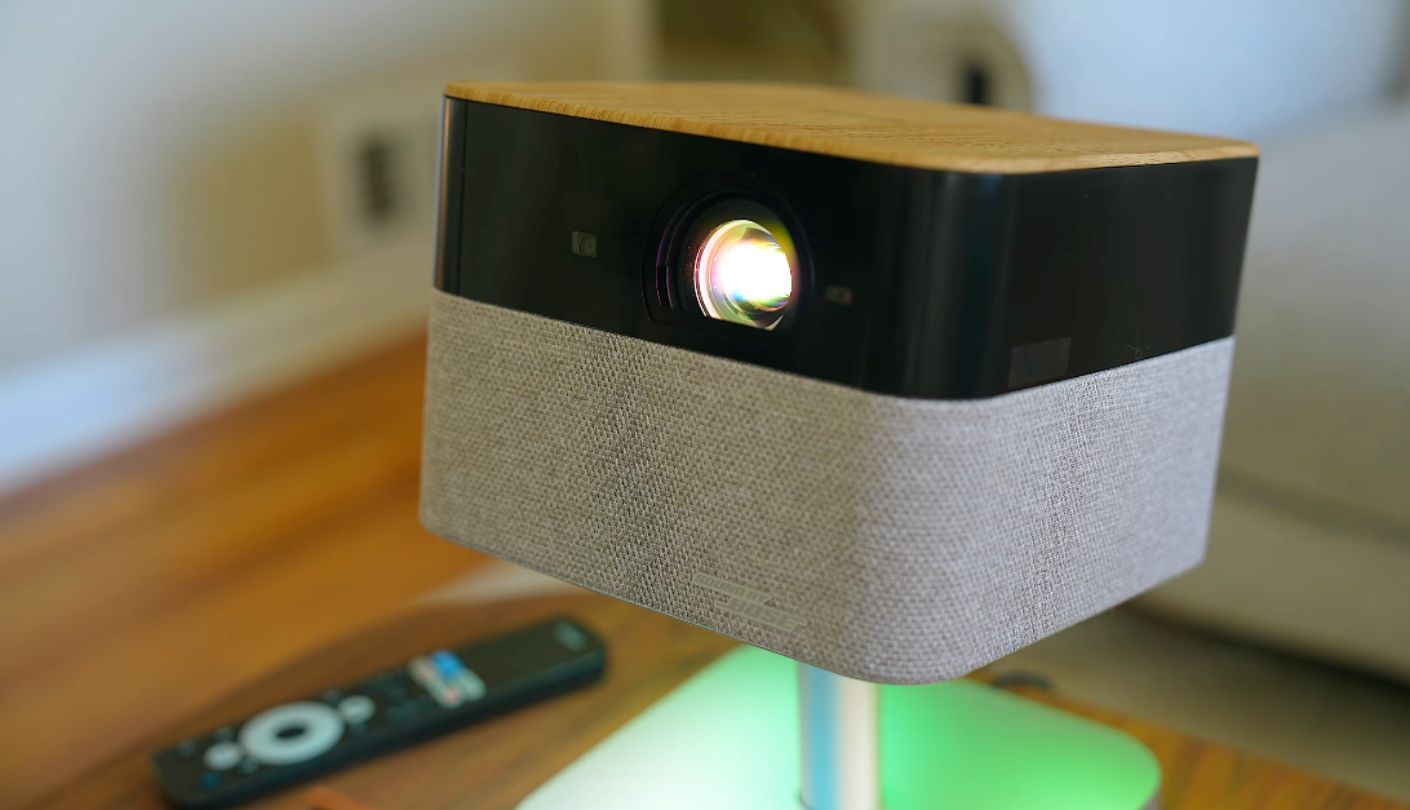
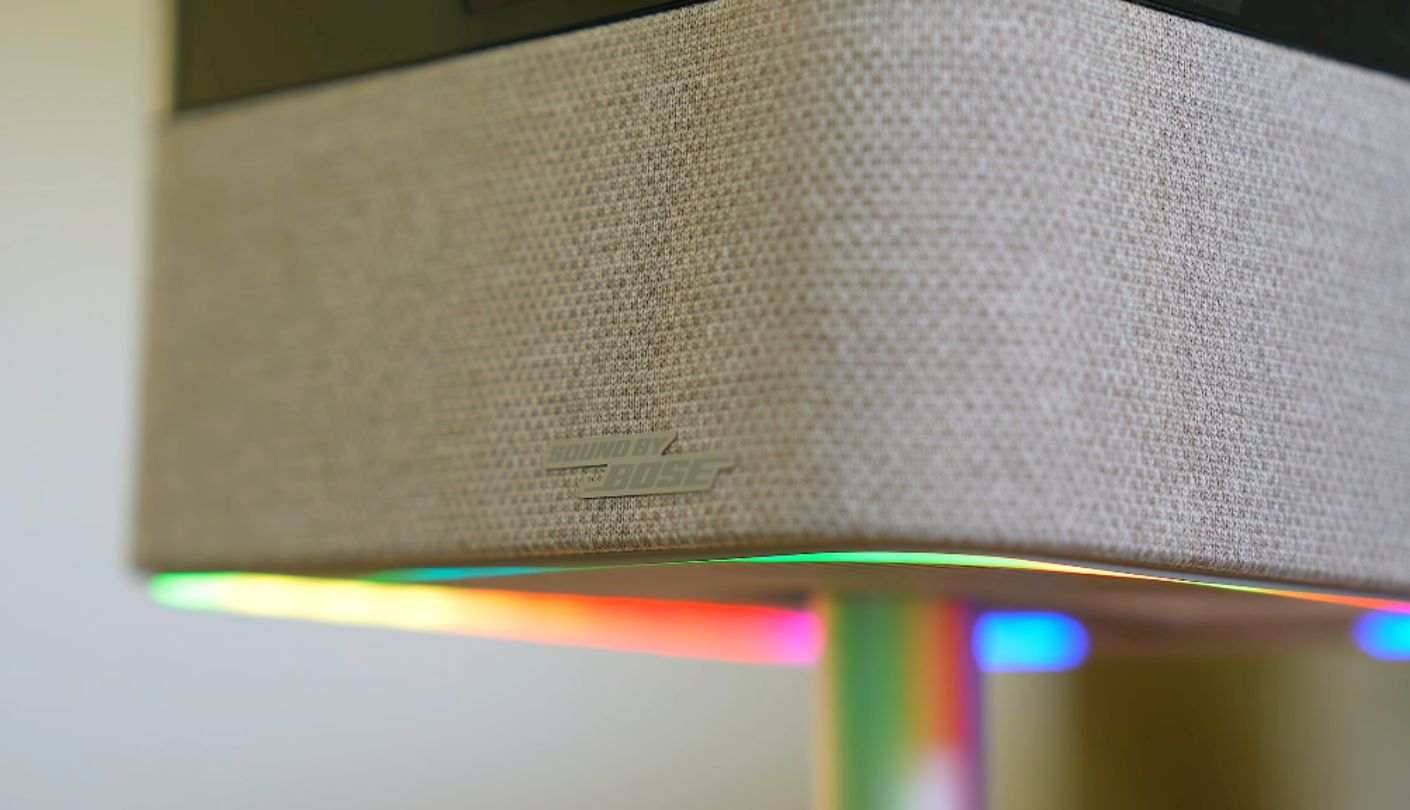
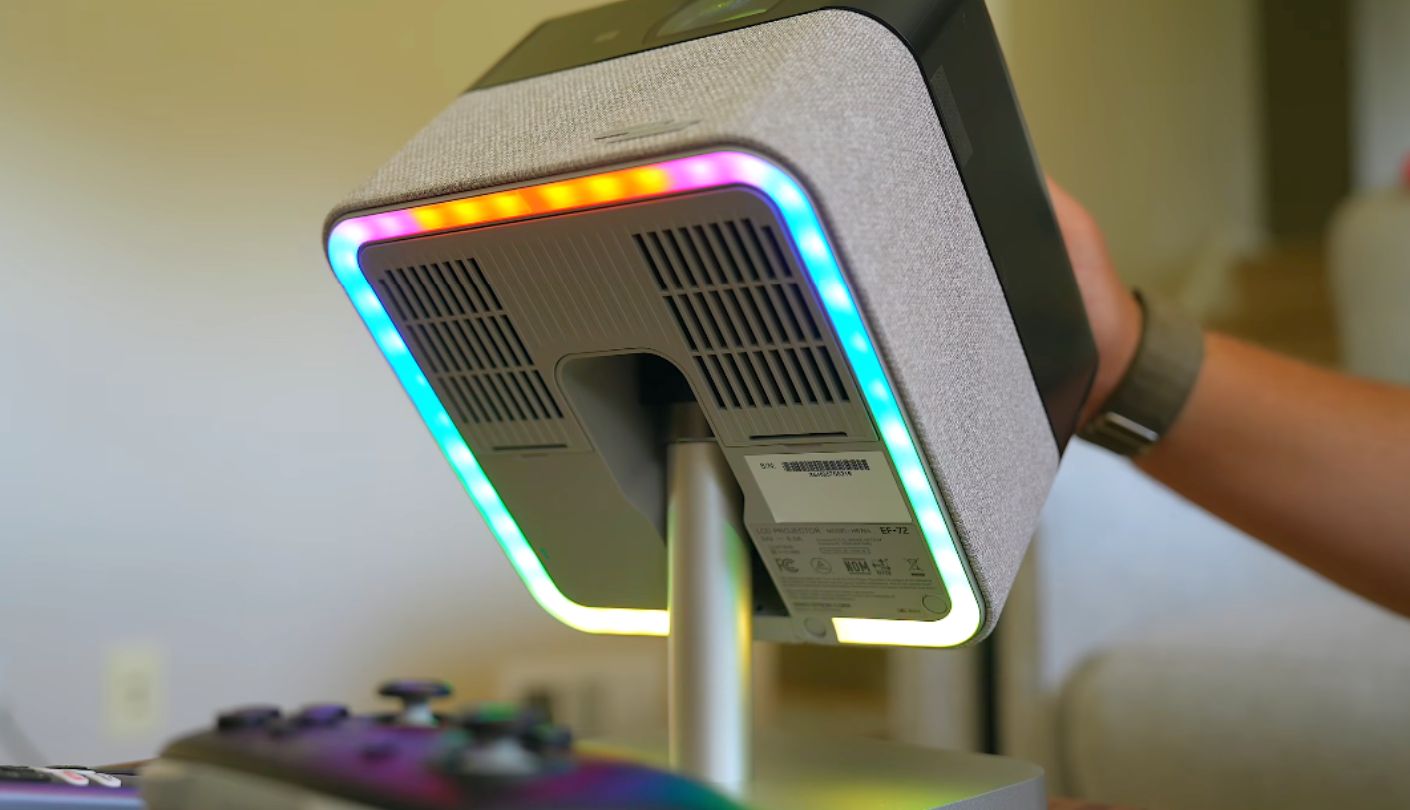
Every other projector in this lineup runs on a battery or plans around adding one, but the Epson Lifestudio Flex Plus skips that idea completely and leans the opposite direction, building a projector around plug-in power and a level of picture quality none of the battery-powered models here can match. Epson calls it the EF-72 internally, and the model number shows up often enough in spec sheets and manuals that it's worth knowing alongside the Lifestudio branding.
A 3-chip 3LCD engine drives the picture, with each chip carrying a native 1080p resolution that Epson's pixel-shifting technology combines into a 3840x2160 image on screen, a genuine step up in perceived sharpness over the single-chip 1080p projectors elsewhere in this roundup even though the underlying chips aren't native 4K. Brightness reaches 1,000 lumens for both color and white output, and it also supports HDR10 and HLG playback with 10-bit color, though that headroom matters less here given how much brightness is already on tap. Paired with a dynamic contrast ratio rated past 5,000,000 to 1, dark scenes hold shadow detail noticeably better than anything else reviewed in this article.
Single-chip DLP projectors elsewhere in this lineup rely on a spinning color wheel or sequential lasers to produce color, which can trigger a rainbow artifact of flickering red, green, and blue streaks during high-contrast scenes for some viewers. The 3LCD design sidesteps that entirely by handling all three colors through separate panels at once, and in my viewing sessions I never caught a hint of the rainbow effect even during fast-motion test clips that usually trigger it on other projectors I've used.
Sound by Bose handles audio through two 40mm drivers paired with passive radiators and force-cancelling technology, and it fills a bedroom with noticeably more depth than any of the smaller battery-powered units manage. The stand tilts up to 90 degrees and the chassis itself rotates a full 180 degrees, covering much of the same ceiling-projection use case as the BenQ despite Epson never marketing it that way directly. At just under 9 pounds it's the heaviest projector here and the only one without any built-in battery at all, connecting through a single HDMI port with eARC support alongside USB-A and USB-C.
Pros:
- True 4K Sharpness
- Sound By Bose
- Massive Contrast Ratio
- Rainbow-Free 3LCD Engine
- Tilts Toward Ceiling
Cons:
- Always Needs Outlet
- Single HDMI Input
Summary: The Flex Plus reads less like a portable projector that happens to sit still and more like a small home theater system that borrowed a portable projector's shape, and the picture quality backs up that impression more than the marketing around it does.
Bedroom Projectors: FAQ
Do I need a projector screen, or can I project straight onto a ceiling or wall?
A plain white or light-colored ceiling works fine for casual viewing, and every projector in this group is designed with exactly that kind of surface in mind rather than a dedicated screen. A textured ceiling or one painted a darker color softens detail and dulls color noticeably, so a smooth section of wall or a simple pull-down screen still gives a sharper result if picture quality matters more than convenience.
How bright does a projector need to be for a bedroom?
Anywhere from 200 to 500 ANSI or ISO lumens covers most bedroom use once the lights are off, which is why four of the five models here sit in that exact range. The Epson Lifestudio Flex Plus pushes past 1,000 lumens, useful for anyone who wants to watch before it's fully dark outside, though it isn't a requirement for a room that's already going to be dim by the time the projector turns on.
Which of these projectors works without being plugged in?
The Nebula Capsule 3 GTV, the BenQ GV50, and the XGIMI MoGo 4 Laser all include a built-in battery good for roughly 2.5 hours of video. The Samsung Freestyle 2nd Gen and the Epson Lifestudio Flex Plus both need a wall outlet unless the Samsung is paired with its separately sold Battery Base, since neither one includes a cell of its own.
Can any of these double as a Bluetooth speaker?
The Nebula Capsule 3 GTV and the BenQ GV50 both switch cleanly into a dedicated Bluetooth speaker mode, muting the projector lens and streaming audio from a phone through the built-in speaker. The XGIMI MoGo 4 Laser's Harman Kardon speakers can also play music over Bluetooth even while the projector stays connected to Wi-Fi for streaming.
Is Dolby Vision or HDR10+ important for a projector like this?
It helps but rarely makes or breaks the experience at this size and price. Only the Samsung Freestyle 2nd Gen supports HDR10+ among this group, the BenQ GV50 covers HDR10 and HLG, the XGIMI MoGo 4 Laser sticks to HDR10 alone, and the Epson Lifestudio Flex Plus also supports HDR10 and HLG, so checking which streaming services a household actually uses matters more than chasing every HDR logo on a spec sheet.
Will the fan noise bother me while I'm falling asleep?
Laser and LED light sources both generate some fan noise, and it becomes far more noticeable once a bedroom goes quiet at night than it does during a daytime demo. The BenQ GV50 and the Epson Lifestudio Flex Plus both include sleep timers and warmer, dimmer picture modes built specifically to ease the transition into a dark, quiet room.
Which model makes the most sense for a small or shared bedroom?
The Nebula Capsule 3 GTV is the smallest and lightest option here at 1.87 pounds, easy to tuck away on a shelf when it's not in use, and its modest 200-lumen brightness suits a small room where the projector sits close to whatever surface it's aiming at. Anyone sharing a room with someone already asleep should also look at whichever model supports a headphone jack or reliable Bluetooth audio pairing for private late-night listening.
Do these projectors support Netflix out of the box?
Yes, across all five. The Samsung runs its own Tizen SmartHub with Netflix included, while the Nebula, the BenQ, and both the XGIMI and Epson models run Google TV with Netflix officially licensed and preinstalled, so none of them require sideloading an app or working around a missing streaming service.
Which Bedroom Projector Actually Fits the Room You Have?
A projector picked for a bedroom ends up living with the room's own quirks more than any other kind of home theater gear, tucked onto a dresser that wasn't built for it, angled at a ceiling that was never meant to be a screen, and switched on mostly in the last hour before sleep rather than during a proper movie night. That's part of why the five models here spread out so widely in price and ambition instead of clustering around one obvious formula, and why the right one really does come down to whether a bedroom already has an outlet within reach or needs something that survives a couple of hours untethered.
If pressed for a single recommendation, the Nebula Capsule 3 GTV handles the widest range of bedrooms without asking much in return, small enough to disappear into a drawer and simple enough that setting it up doesn't eat into the hour before bed it's meant to fill. Anyone with a nightstand permanently within reach of an outlet and a taste for a sharper, brighter picture should spend the extra time with the Epson Lifestudio Flex Plus instead, and either way, the ceiling above that bed finally has something worth pointing a lens at.

Jeb here, your go-to geek for everything from video projection to the latest tech trends. As an avid outdoorsman, I enjoy using monoculars and binoculars for hunting, traveling, and birdwatching. Join me in exploring the cool, quirky side of technology!


