Best Security Cameras for Apartments
Apartment security cameras have changed shape over the past two years, and which one you pick now hinges less on the brand badge than on how you actually live in the unit. Renters who can't drill holes need plug-and-place hardware. Pet owners want pan-tilt tracking. Privacy-conscious dwellers prioritize physical lens shutters and local storage. The five cameras below cover those use cases and a few hybrids that sit in between.
I've spent four months running these five through daily apartment use, with units placed on bookshelves, perched on TV consoles, and swapped between living rooms and bedrooms across two homes. The differences in app polish, subscription pressure, night-vision quality, and how each handles a small space turned out to be sharper than the spec sheets imply. Here are the best security cameras for apartments right now.
If you're in a hurry, here are my top two picks for security cameras for apartments:
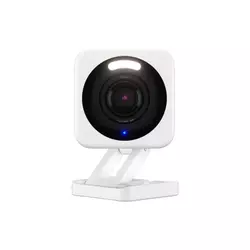
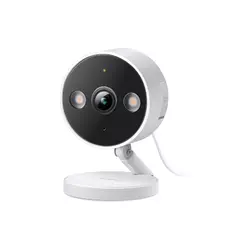
Table of Contents:
- Best Security Cameras for Apartments: Buying Guide
- Top 5 Apartment Security Cameras in 2026
- Apartment Security Cameras Comparison
- Wyze Cam v4
- TP-Link Tapo C120
- eufy Security 4K Indoor Camera E30
- Ring Indoor Cam (2nd Gen)
- Google Nest Cam Indoor (Wired, 3rd Gen)
- Security Cameras for Apartments: FAQ
Best Security Cameras for Apartments: Buying Guide
Resolution and Image Quality
Resolution is the first spec people look at and the easiest to read wrong in a small apartment. 1080p is the floor in 2026, used on the Ring Indoor Cam (2nd Gen), and it still produces usable footage at the typical 8-to-12-foot range you get across a studio or one-bedroom living room. 2K QHD (2560x1440) sits at the sweet spot for apartments, used on the Wyze Cam v4, TP-Link Tapo C120, and the new Google Nest Cam Indoor (Wired, 3rd Gen). 4K UHD on the eufy E30 is overkill for most rooms but pays off when digital zoom matters, like reading a face across a long hallway.
Field of view matters more than resolution in a tight apartment. A 120-degree lens on the Tapo C120 catches a full living room from a corner shelf, and the 152-degree wide angle on the Nest Cam Indoor 3rd Gen captures a long galley layout in a single frame. I'd take a wider field of view at 2K over a narrow lens at 4K every time.
HDR processing has quietly become the spec that separates good cameras from great ones, especially in apartments with bright windows. The Nest Cam 3rd Gen's 2K HDR handles a backlit balcony scene cleanly, where the Wyze Cam v4 occasionally blows out the window frame on a sunny afternoon. From my own placement tests, I'd put any camera with a window in the background through an HDR check on day one. If the curtains look washed-out white in the live feed, the camera position needs to change, not the camera itself.
Storage Options and Subscription Costs
Storage is where the marketing pages and the real total cost of ownership pull apart. Local microSD storage is the renter-friendly option because it sidesteps recurring fees, and the Wyze Cam v4, Tapo C120, and eufy E30 all accept cards up to 512GB. Cloud storage is convenient but ties the camera to a subscription, with Ring Protect, Tapo Care, and Google Home Premium each adding ongoing monthly costs. The Nest Cam Indoor 3rd Gen leans hardest on subscription, because most of the Gemini AI features require Google Home Premium to function.
Subscription-free function varies sharply across these five. The Wyze Cam v4 covers local 24/7 SD recording, basic motion alerts, and live view without a Cam Plus subscription, but smart detection for people, packages, and pets sits behind the paid tier. The eufy E30 is the standout for subscription resistance because pet detection, person detection, and AI tracking all run on-device for free, with local storage built in. From my own bill-watching habits, I keep the eufy and Wyze on local storage only and reserve cloud trials for short-term testing, which keeps my monthly outlay near zero.
Smart Detection and AI Features
AI detection has moved from a paid feature to the table-stakes baseline, and the quality gap between brands is wider than the marketing suggests. The Tapo C120 handles person, pet, and vehicle detection for free with on-device AI, and the false-positive rate in my testing stayed low even with sunlight shifting through blinds. The eufy E30 adds AI auto-tracking, using the pan-tilt motor to follow a moving subject across a room, which works smoothly for pets but feels twitchy when two people walk in opposite directions.
The Gemini integration on the Nest Cam 3rd Gen is the genuinely new thing in this space. Natural-language alerts like "Kids are playing soccer in the living room" or a searchable event history with prompts like "What happened to the vase" land somewhere between novelty and necessity. I find it useful for catching up after a long day away, less useful for real-time monitoring.
Facial recognition is the feature most apartment users actually want but rarely use well. The Wyze Cam v4 recognizes faces up to about five feet, the Nest Cam 3rd Gen up to roughly ten feet with the Google Home Premium subscription, and the eufy E30 limits the function to its HomeBase ecosystem rather than the standalone camera. From my own use, facial recognition is most valuable for filtering family-versus-stranger alerts when you're away on vacation, not for the daily comings and goings inside the home. The novelty of "Mom just walked in" notifications wears off in a week.
Privacy, Encryption, and Apartment Considerations
Privacy is the apartment-specific concern that doesn't show up on outdoor-camera buying guides, because you're recording inside a space where roommates, partners, dates, and friends spend time. Physical privacy shutters are the gold standard here, with the Ring Indoor Cam (2nd Gen) building one into the design that blocks both lens and microphone when twisted into place. The eufy E30 can swivel the camera head to face a wall via a single app tap, which functions as a software privacy mode rather than a physical shield. Wyze and TP-Link offer privacy zones in software but no physical lens cover.
Encryption matters more in apartment scenarios because shared Wi-Fi networks and proximity to neighbors widen the attack surface. End-to-end encryption is available on Ring with a Ring Protect subscription, on Google Nest by default, and on eufy when paired with a HomeBase. The Wyze Cam v4 and Tapo C120 use TLS encryption in transit but don't offer full end-to-end encryption on standalone cameras. From my own apartment setup, I run camera traffic on a dedicated guest network segment isolated from my main devices, which is a sensible baseline regardless of which brand you choose. Apartment camera laws also vary by state, so check local rules around audio recording before enabling the microphone on any of these.
Connectivity, Setup, and Smart Home Integration
Setup is the spec that genuinely matters for renters because most apartments don't have ethernet drops to camera positions, so Wi-Fi reliability is the lifeblood of the system. The Wyze Cam v4, Tapo C120, eufy E30, and Ring Indoor Cam all run on 2.4GHz Wi-Fi only, which is fine for streaming 1080p or 2K but limits placement in apartments with congested 2.4GHz bands from neighbors. The Nest Cam Indoor 3rd Gen supports dual-band 2.4GHz and 5GHz, which is the practical advantage when your router's 2.4GHz channel is fighting fifteen other apartment routers in the same hallway.
Smart-home integration depth varies. Wyze works with Alexa and Google Home, the Tapo C120 supports Alexa, Google Home, and Matter, the eufy E30 covers HomeKit (capped at 1080p) plus Alexa and Google, the Ring is Alexa-first by design, and the Nest Cam runs exclusively through the Google Home app. I'd pick the ecosystem before the camera, because the daily friction of mixing platforms is real.
Voice-assistant pull-up speed varies by ecosystem. The Nest Cam streams to a Nest Hub or Google TV Streamer in under two seconds in my testing, the Ring pulls up on Echo Show roughly as fast, the Tapo and eufy take a beat longer on Alexa or Google Home displays. Matter support on the Tapo C120 is the future-proofing point, because Matter is becoming the cross-platform standard. If you're building a smart-home setup that mixes Apple, Google, and Amazon devices, Matter compatibility is a quiet but real long-term advantage that I'd weigh more heavily than the spec sheet implies.
Top 5 Apartment Security Cameras in 2026
These five cameras went through extended real apartment use rather than quick benchmark passes, and the rankings reflect what each does best across renter scenarios rather than the spec war on paper.
- 2.5K QHD resolution
- Color night vision
- Integrated motion spotlight
- Local microSD storage
- Compact cube footprint
- 2K QHD video
- Free AI detection
- Matter cross-platform support
- Local microSD storage
- IP66 weatherproof rating
- 4K UHD resolution
- 360-degree pan-tilt motor
- AI auto-tracking
- Subscription-free operation
- HomeKit compatibility
- Physical privacy shutter
- Advanced Pre-Roll feature
- Fast Alexa integration
- End-to-end encryption option
- Customizable motion zones
- 2K HDR image quality
- Ultra-wide 152-degree FOV
- Gemini AI integration
- Dual-band Wi-Fi
- Fast Google Home streaming
Apartment Security Cameras Comparison
Here's how the five cameras stack up across the specifications that matter most for apartment-focused buyers:
| Specification | Wyze Cam v4 | TP-Link Tapo C120 | eufy Indoor Cam E30 | Ring Indoor Cam (2nd Gen) | Google Nest Cam Indoor (3rd Gen) |
| Resolution | 2.5K QHD (1440p) | 2K QHD (1440p) | 4K UHD (2160p) | 1080p Full HD | 2K HDR (1440p) |
| Field of View | 116° | 120° | 125° (360° pan) | 140° | 152° diagonal |
| Pan/Tilt | No | No | 360° pan, 75° tilt | No | No |
| Night Vision | Color + IR (spotlight) | Color + IR (dual spotlights) | Color + IR (spotlight) | Color + IR | IR (up to 15 ft) |
| Two-Way Audio | Yes | Yes | Yes | Yes | Yes (full duplex) |
| Local Storage | microSD up to 512GB | microSD up to 512GB | microSD up to 128GB | No | No |
| Subscription Needed | Optional (Cam Plus) | Optional (Tapo Care) | No | Required for full features | Required for AI features |
| Wi-Fi | 2.4 GHz only | 2.4 GHz only | 2.4 GHz only | 2.4 GHz only | 2.4/5 GHz dual-band |
| Privacy Shutter | No (software only) | No (software only) | Software swivel | Yes (physical) | No (LED indicator) |
| Smart Home | Alexa, Google Home, IFTTT | Alexa, Google, Matter | HomeKit, Alexa, Google | Alexa | Google Home only |
| Weatherproof Rating | IP65 (indoor/outdoor) | IP66 (indoor/outdoor) | Indoor only | Indoor only | Indoor only |
| App | Wyze | Tapo | eufy Security | Ring | Google Home |
Looking at this table the way an apartment renter should, three columns matter more than the rest: local-storage support, subscription dependence, and field of view. Resolution beyond 2K is largely academic in small rooms. Pan-tilt is the standout feature if pets or kids move through the frame regularly.
Wyze Cam v4 Review
Editor's Choice
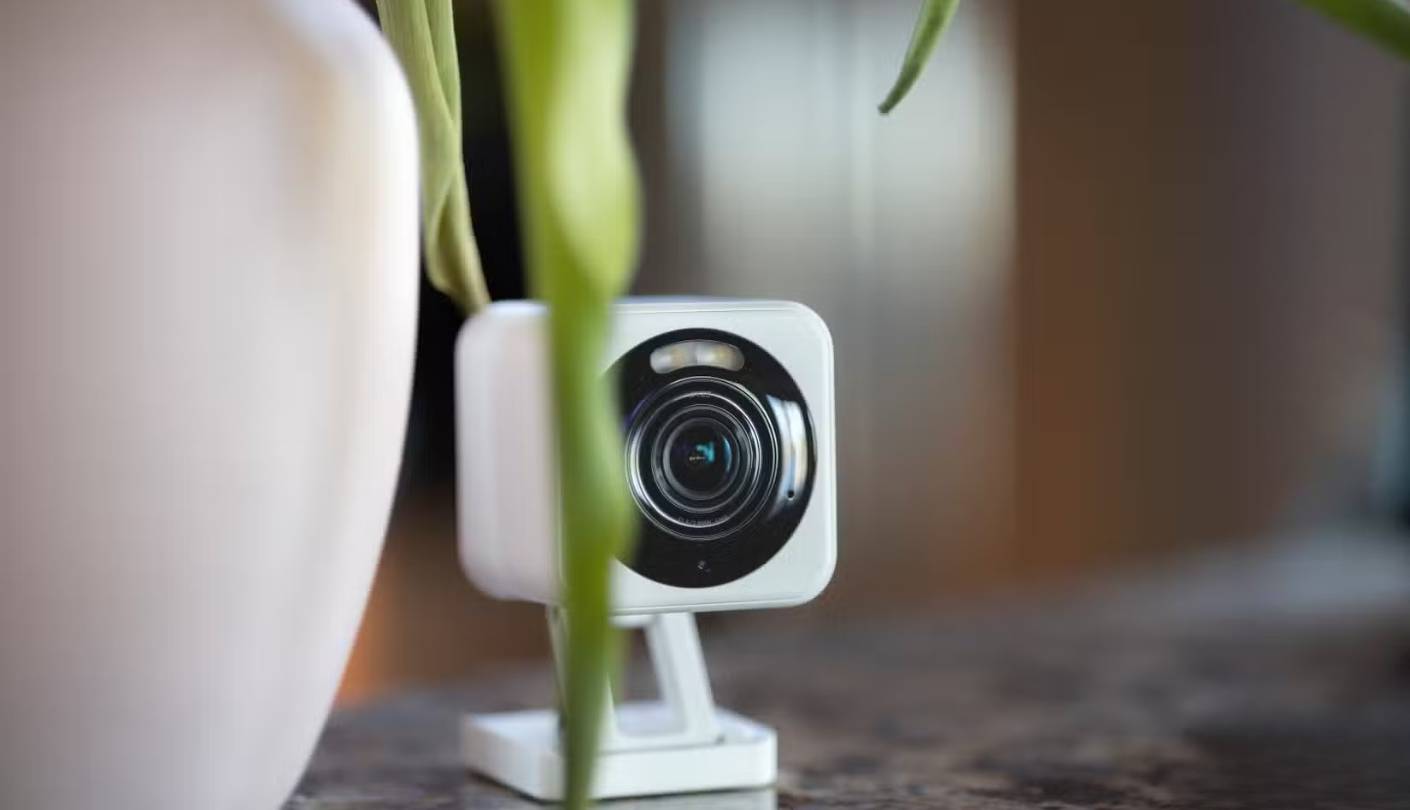
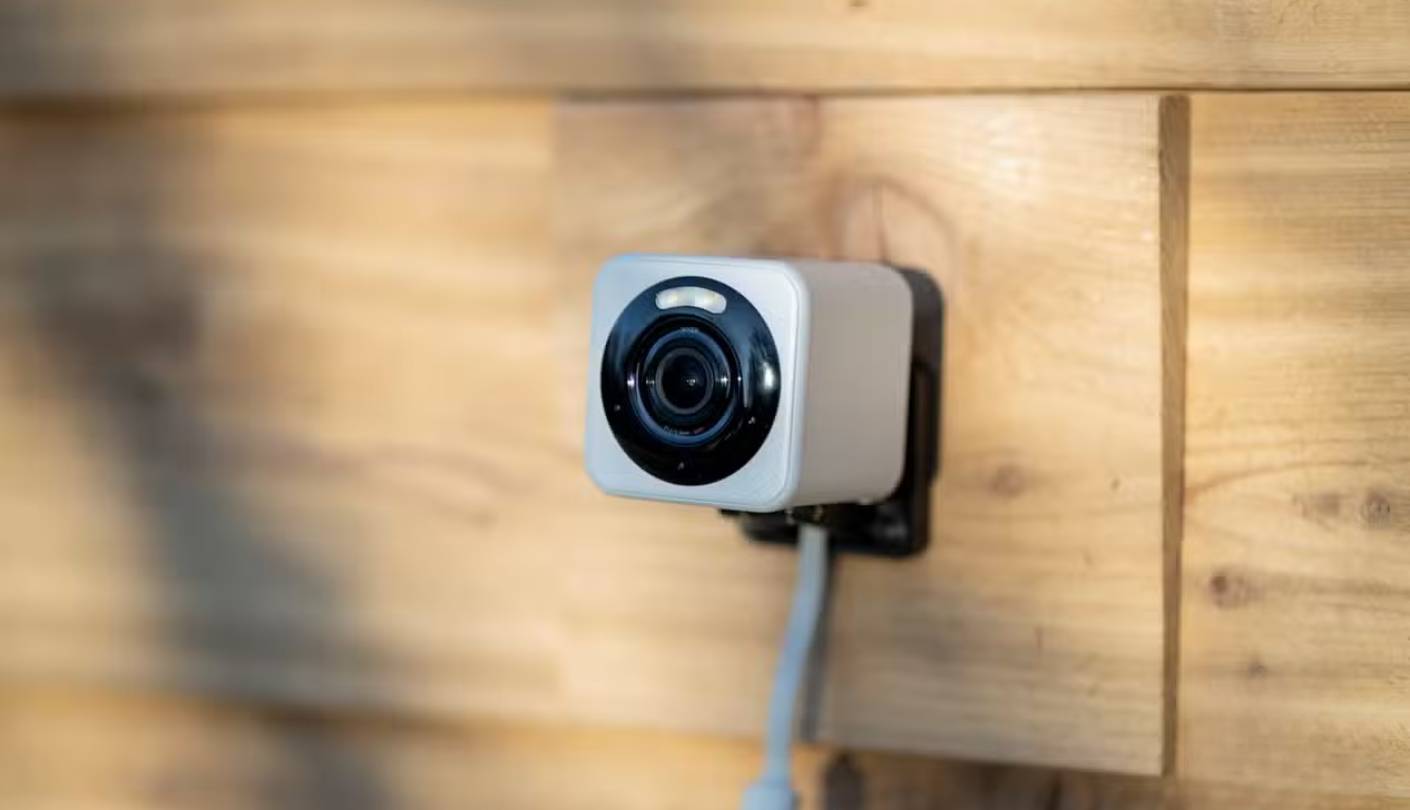
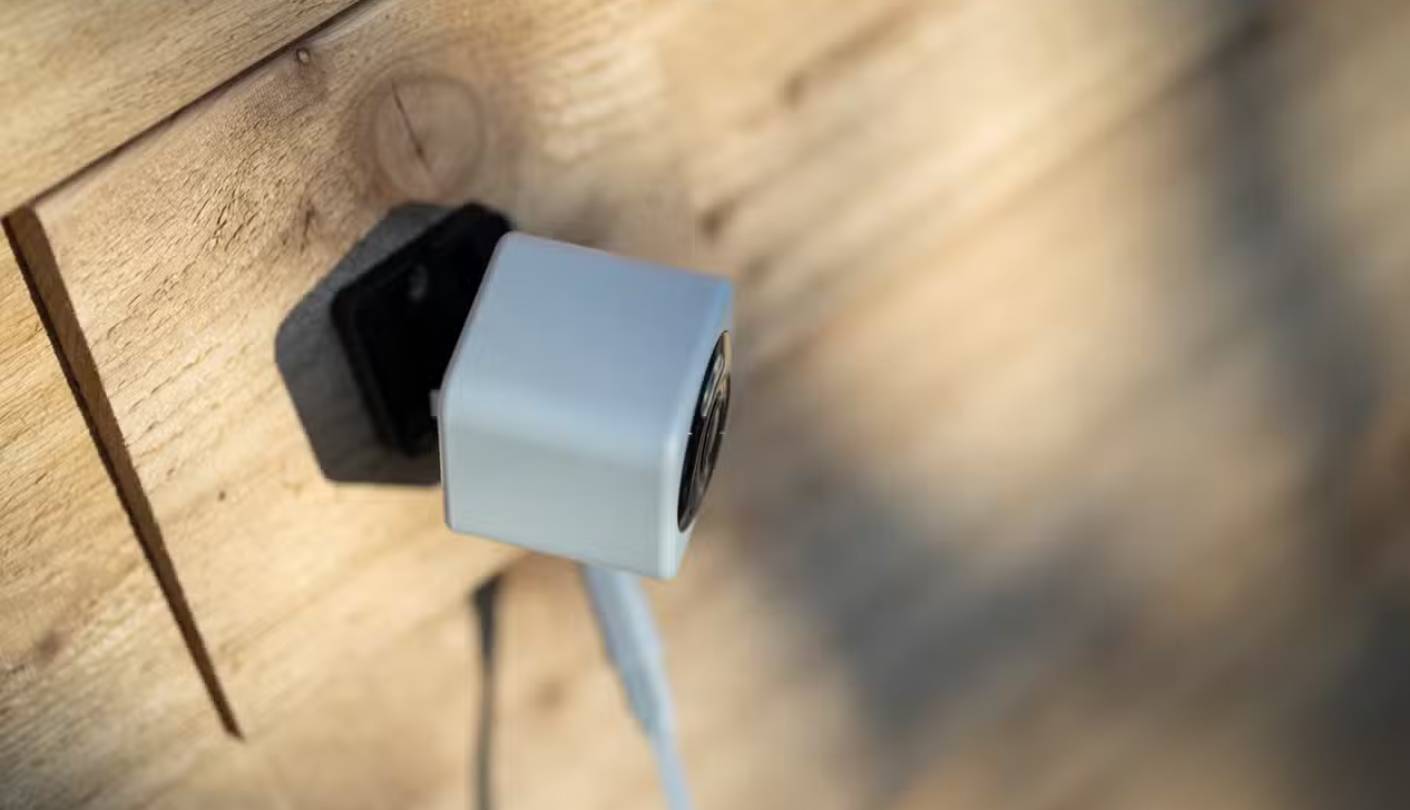
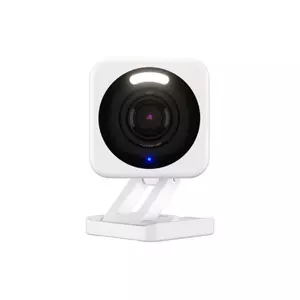
I've cycled through three generations of Wyze cubes now, and the v4 is the first that feels like a finished product rather than a value experiment. The 2.5K QHD sensor jumped from the v3's 1080p, and the upgrade shows immediately in how much detail survives a 2x digital zoom across a typical apartment living room. I keep one perched on a bookshelf about ten feet from the front door, and the v4 picks up faces clearly enough that I can tell whether a delivery driver left a package or carried it back to the truck.
The compact two-inch cube design is the practical advantage that's easy to undersell. On a cluttered apartment shelf, the v4 disappears next to a stack of books, where most pan-tilt or barrel cameras dominate the surface. The IP65 rating means I've also tested it on a covered apartment balcony through two months of rain and one cold snap, with no condensation or housing issues. The matte plastic finish doesn't pick up fingerprints the way glossy alternatives do, and the integrated stand offers enough adjustment to hit most useful angles without a separate mount.
Night vision is where the v4 pulls ahead of its budget competition. The integrated spotlight kicks in for color night vision when motion triggers, and the redesigned starlight sensor handles low-light situations better than the v3 ever did. In my own bedroom-as-test-environment, with the lights off and only a hallway nightlight bleeding through the doorway, the v4 produces a usable color image that the older Wyze cameras and the Ring would render in grainy black-and-white. The 25-foot IR range covers any practical apartment depth, and the spotlight doubles as a deterrent when set to flash on motion detection.
The Wyze app deserves credit because it's the cleanest of the budget-camera apps. Setup takes about five minutes from unboxing to live view, the home screen shows thumbnails from all your Wyze devices, and the "I'm Away" routine button arms cameras and locks settings with one tap. Smart detection for people, packages, pets, and vehicles requires a Cam Plus subscription, but local SD-card recording, basic motion alerts, two-way audio, and the spotlight all work subscription-free. I run my unit on a 128GB SanDisk High Endurance card and have never paid Wyze a recurring fee, which is the value story other brands can't match.
The genuine downsides are the still-Micro-USB power port in 2026 (no USB-C upgrade yet on the v4), the 2.4GHz-only Wi-Fi which can struggle in apartment buildings with congested bands, and a five-foot facial-recognition range that's shorter than some competitors. Wyze has also had public security incidents in past years, so end-to-end encryption purists will steer toward Ring or Nest for that specific concern. Apart from those points, the Wyze Cam v4 is the camera I recommend first to apartment renters who want serious features without serious recurring costs.
Pros:
- 2.5K QHD resolution
- Color night vision
- Integrated motion spotlight
- Local microSD storage
- Compact cube footprint
Cons:
- Micro-USB power port
- 2.4GHz Wi-Fi only
Summary: Wyze Cam v4 pairs the most detailed budget sensor in this group with subscription-free local recording and a footprint small enough to disappear on any apartment shelf. The right pick for renters who want serious features without serious recurring costs.
TP-Link Tapo C120 Review
Best Overall
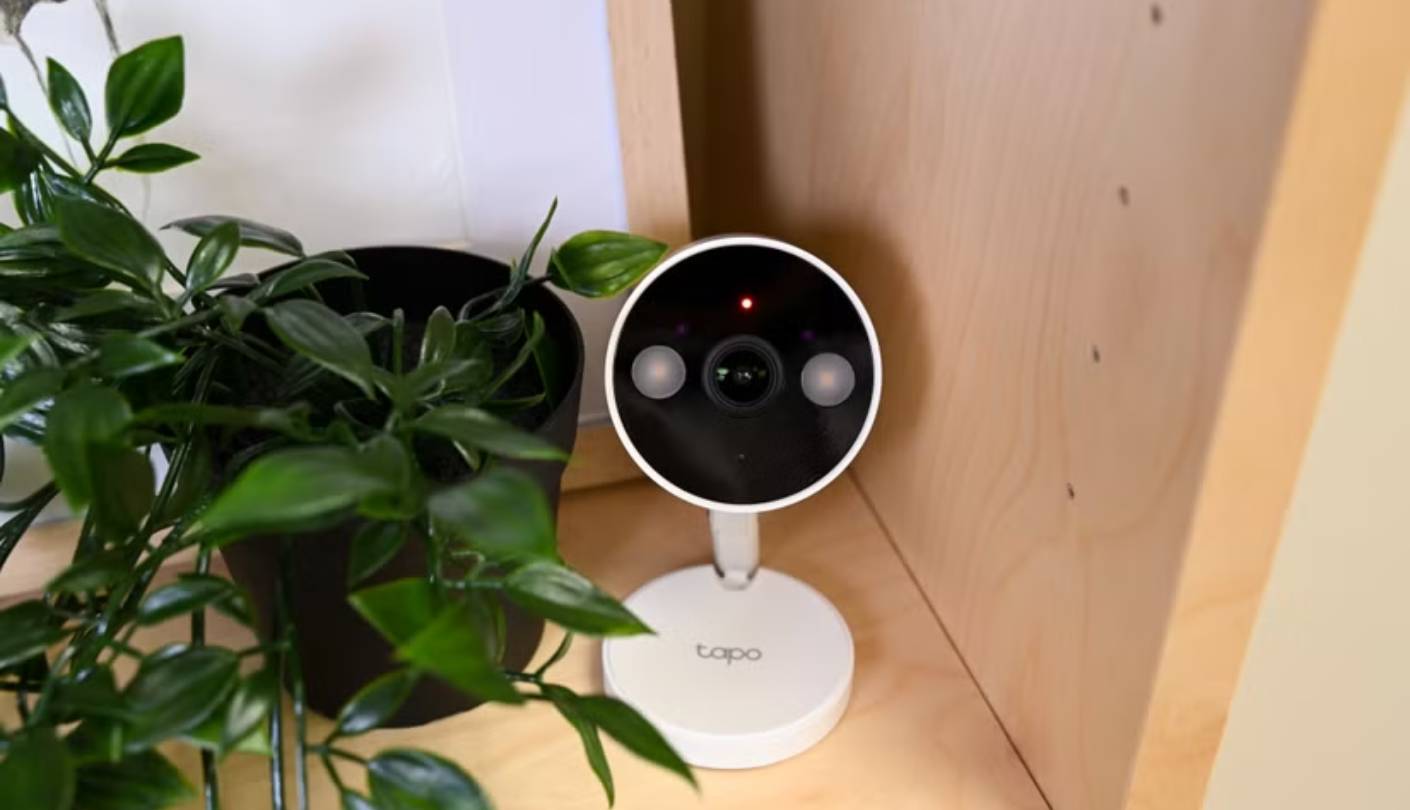
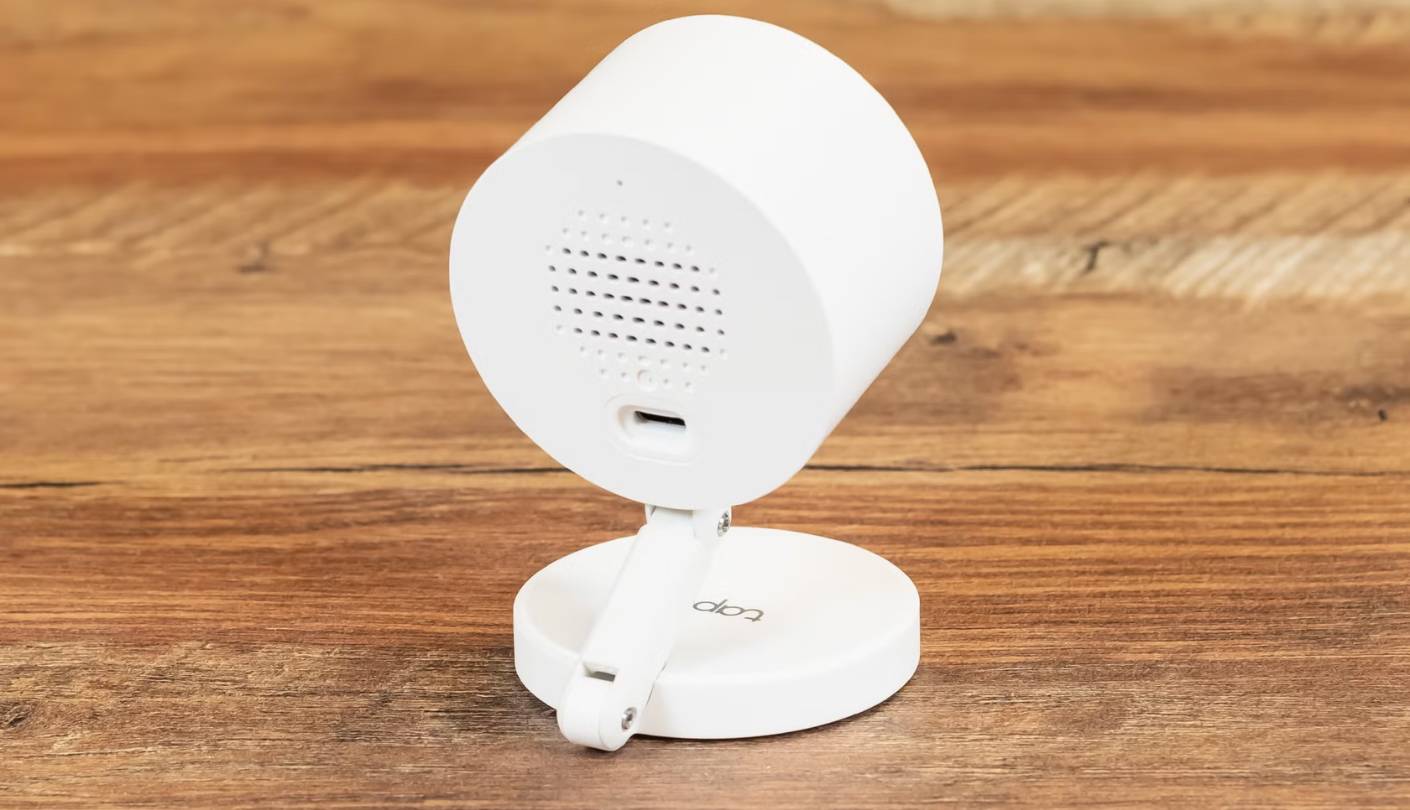
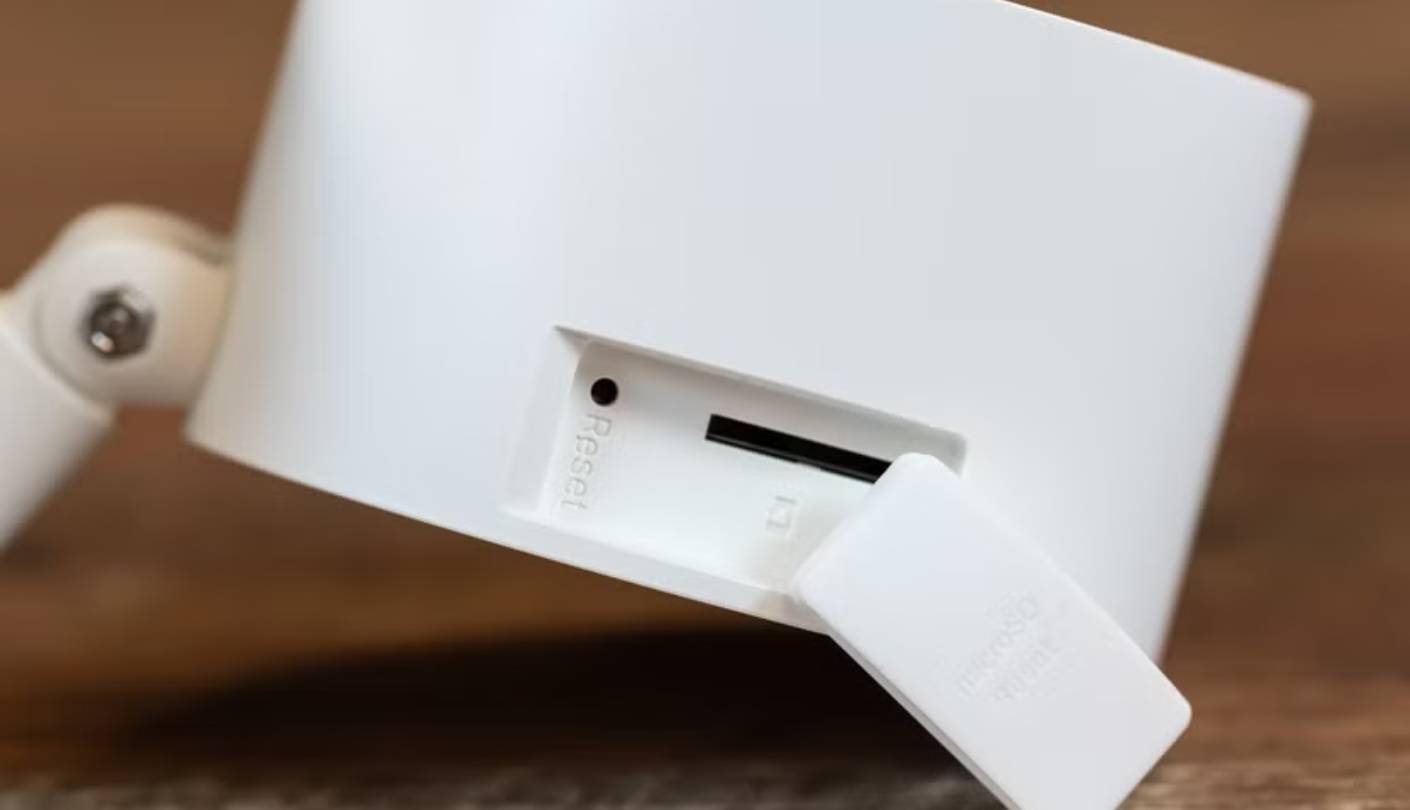
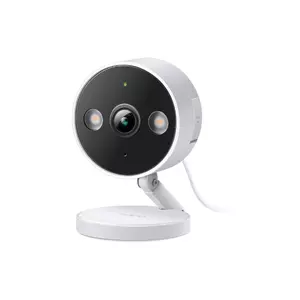
The TP-Link Tapo C120 is the camera I keep recommending to friends moving into their first apartments, and the reason comes down to feature density without subscription strings. 2K QHD video, color night vision with dual spotlights, free AI detection for people, pets, and vehicles, local microSD storage, and Matter support all share the same compact body. The magnetic base sticks to the included iron mounting plate without screws, which matters in rentals where wall damage costs you the deposit.
The 2K resolution is the obvious headline, but the starlight sensor is what makes the C120 work for apartments with mixed lighting. In my own kitchen-corner placement, where late-afternoon sun bounces off white cabinets and overpowers cheaper cameras, the C120's HDR processing keeps faces visible without blowing out the windows behind. Dual spotlights on the front handle color night vision, with the option to disable visible LEDs and switch to invisible IR mode, which I appreciate for bedroom or nursery placement where a glowing red ring would disrupt sleep. The 30-foot IR range covers any apartment-sized room comfortably.
AI detection running free is the spec that pushes the C120 ahead of the Ring and Nest at this price level. Person, pet, and vehicle detection happens on-device without a subscription, and the false-positive rate in my testing stayed low even with shifting light through blinds. The Tapo Care subscription adds 30-day cloud history with snapshot notifications, but I've never felt the pull to pay for it because 512GB of local microSD storage handles weeks of continuous footage. The microSD slot sits on the camera body, easy to reach for swapping cards.
Matter support is the future-proofing point that doesn't get enough credit. Matter is becoming the cross-platform standard across Apple, Google, and Amazon, and the C120 is one of the few sub-budget cameras that supports the protocol out of the box. Setup through the Tapo app is straightforward, then the camera shows up in Apple Home, Google Home, or Alexa without separate integrations. The 2.4GHz-only Wi-Fi is the practical limitation here, which can struggle in dense apartment buildings, so positioning the camera within reasonable range of the router matters.
The downsides are familiar budget-camera ones. There's no physical privacy shutter, so the only privacy mode is software-based recording disable rather than a physical lens cover. The body looks generic enough that it blends in but doesn't feel premium under hand. Two-way audio quality is functional but distorted at higher volumes, which the HowToGeek review flagged ever since the camera launched. Those gaps aside, the Tapo C120 covers more renter use cases per dollar spent than anything else I've tested this year.
Pros:
- 2K QHD video
- Free AI detection
- Matter cross-platform support
- Local microSD storage
- IP66 weatherproof rating
Cons:
- 2.4GHz Wi-Fi only
- Distorted speaker output
Summary: TP-Link Tapo C120 covers 2K resolution, free AI detection, local storage, and Matter support in one accessible package that handles apartment life without subscription pressure. The right pick for users who want one camera that does everything well.
eufy Security 4K Indoor Camera E30 Review
Tracking Pick
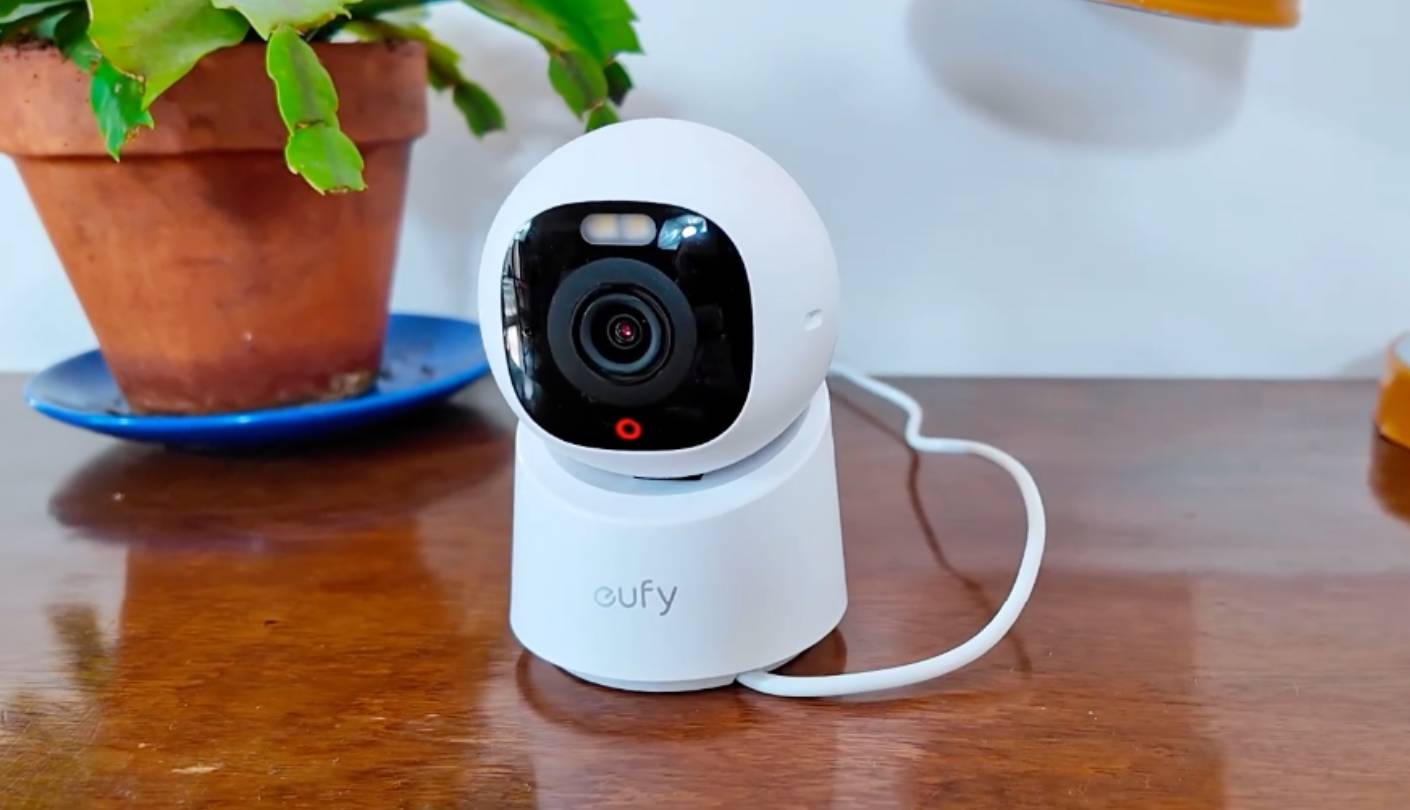
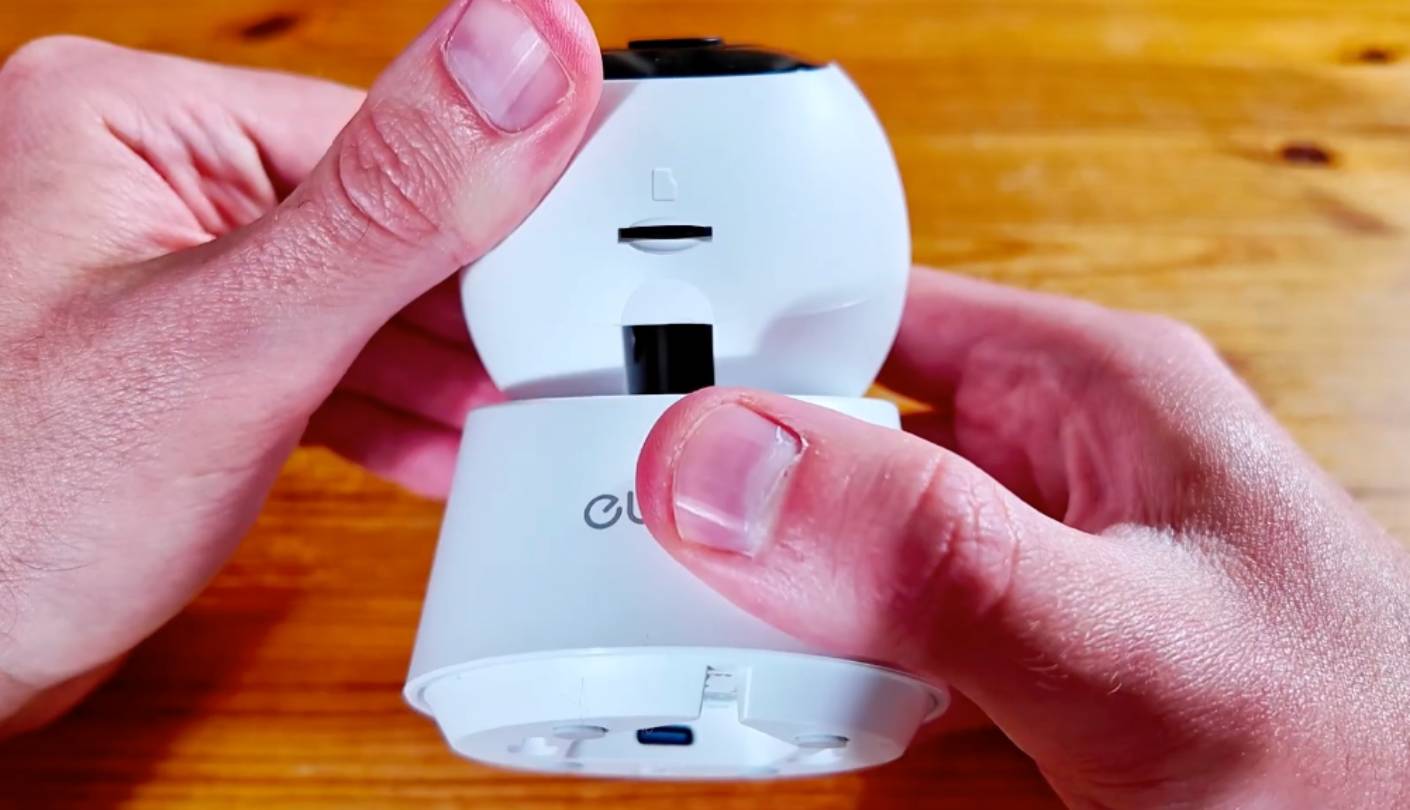
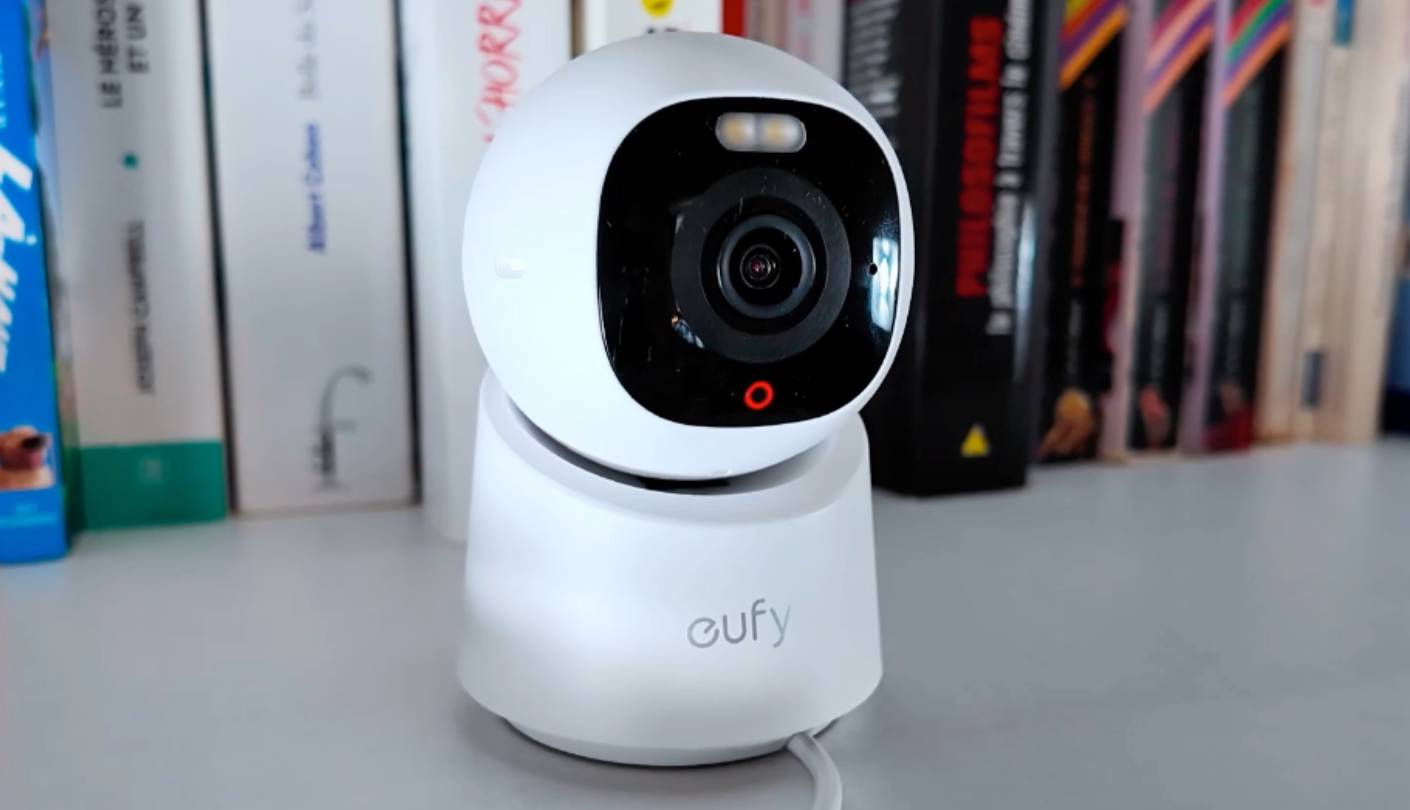
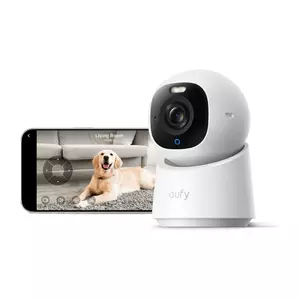
The eufy Security 4K Indoor Camera E30 changes the kind of footage I get in a one-bedroom apartment more than any other camera in this roundup. Where the rest of the field stares passively at a fixed scene, the E30 sweeps a full 360 degrees horizontally and tilts 75 degrees vertically, following whatever the AI flags as worth watching. Pet owners get the most out of this hardware mix, because the camera tracks a moving dog or cat across the room automatically. After three months of using it as the primary camera in an apartment with two cats, I find it the most engaging device to actually use day to day.
Image quality at 4K is a measurable upgrade over the 2K group, but the practical benefit lives in digital zoom rather than peak detail. I can zoom into a corner of the frame and still read text on a delivery box, which the 1080p Ring can't manage and the 2K cameras struggle with at extreme zoom levels. The 125-degree diagonal field of view is narrower than the wider lenses on the Nest and Ring, but the pan-tilt motor compensates by sweeping across the whole room in seconds. The built-in spotlight handles color night vision up to 16 feet, with IR mode reaching beyond 32 feet for darker environments.
AI auto-tracking is the feature that sells this camera, and tracking quality has come a long way from the jerky early-generation pan-tilt cameras I tested two years ago. The motor moves smoothly without the stop-and-start jitter of cheaper alternatives, and the AI distinguishes between humans and pets to decide which subject to follow. The Quick Focus Tap feature in the eufy app lets me touch any point on the live view and the camera swivels to center that spot, which works well for checking specific corners of the room without manually dragging across the screen. Panoramic View stitches a 360-degree sweep into a single image for the daily overview.
Subscription independence is where eufy quietly wins the apartment value contest. All AI detection (person, pet, baby crying sound), facial recognition (via HomeBase only), and pan-tilt control work without any recurring fee. Local microSD storage up to 128GB handles continuous recording, and the HomeKit integration is functional, with the resolution capped at 1080p in Apple Home due to HomeKit limits rather than camera shortcomings. Alexa and Google Assistant integrations cover voice commands and live view on smart displays. The privacy mode swivels the camera head to face a wall with one app tap, which is software-based but visually obvious to anyone in the room.
The downsides are specific. The 128GB microSD ceiling is lower than the 512GB cap on the Wyze and Tapo, so continuous 4K recording fills storage faster than I'd like. There's no physical privacy shutter despite the swivel feature, and the app can lag when loading the live feed initially before stabilizing. The camera is indoor-only with no weatherproofing, ruling it out for balcony or covered patio use. With those caveats accepted, the eufy E30 is the camera I point pet owners and parents toward first when they want one device that follows the action across a small apartment.
Pros:
- 4K UHD resolution
- 360-degree pan-tilt motor
- AI auto-tracking
- Subscription-free operation
- HomeKit compatibility
Cons:
- 128GB microSD cap
- No physical shutter
Summary: eufy Security 4K Indoor Camera E30 brings 4K detail, full 360-degree pan-tilt, and on-device AI tracking to a subscription-free package built for pet and family monitoring. The right pick for renters who need the camera to follow the action.
Ring Indoor Cam (2nd Gen) Review
Privacy Pick
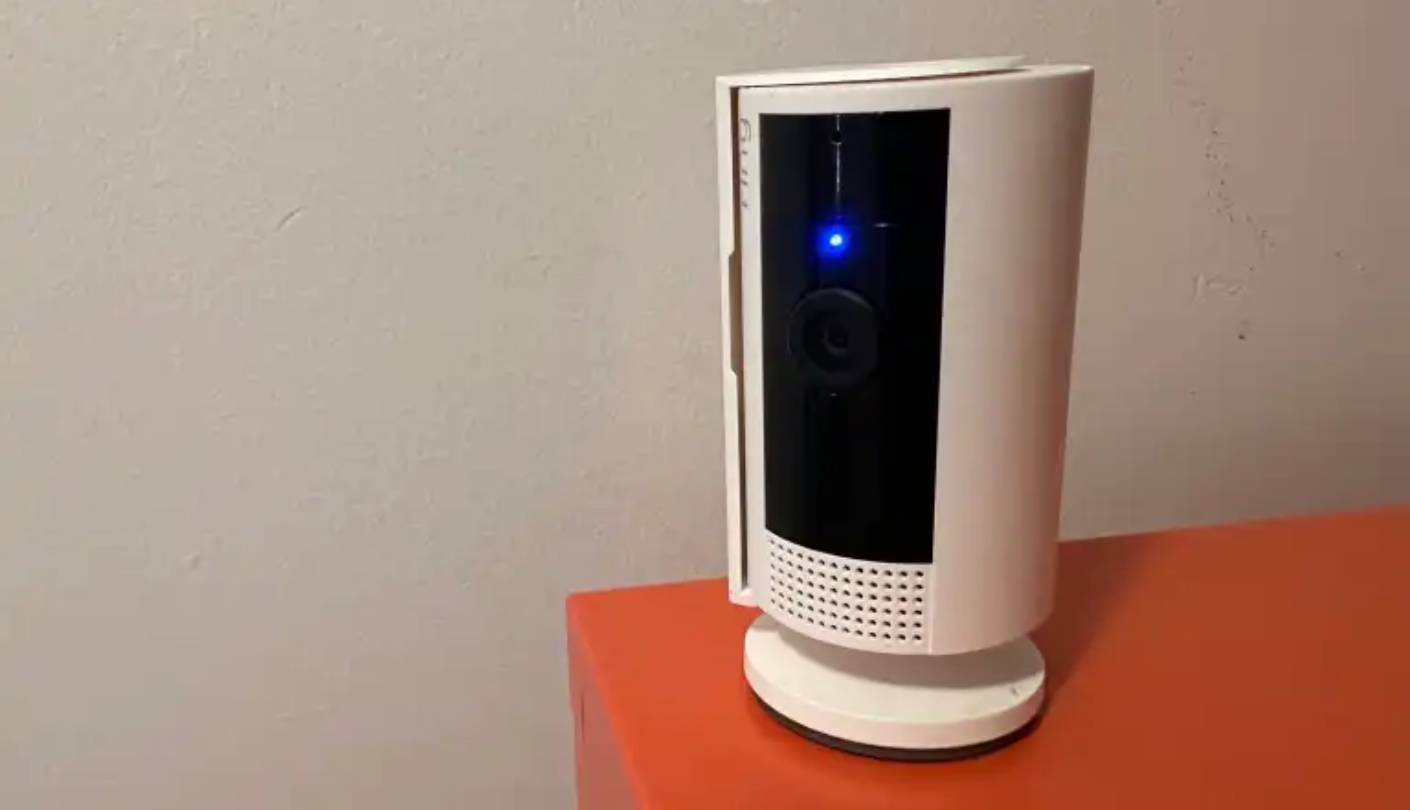
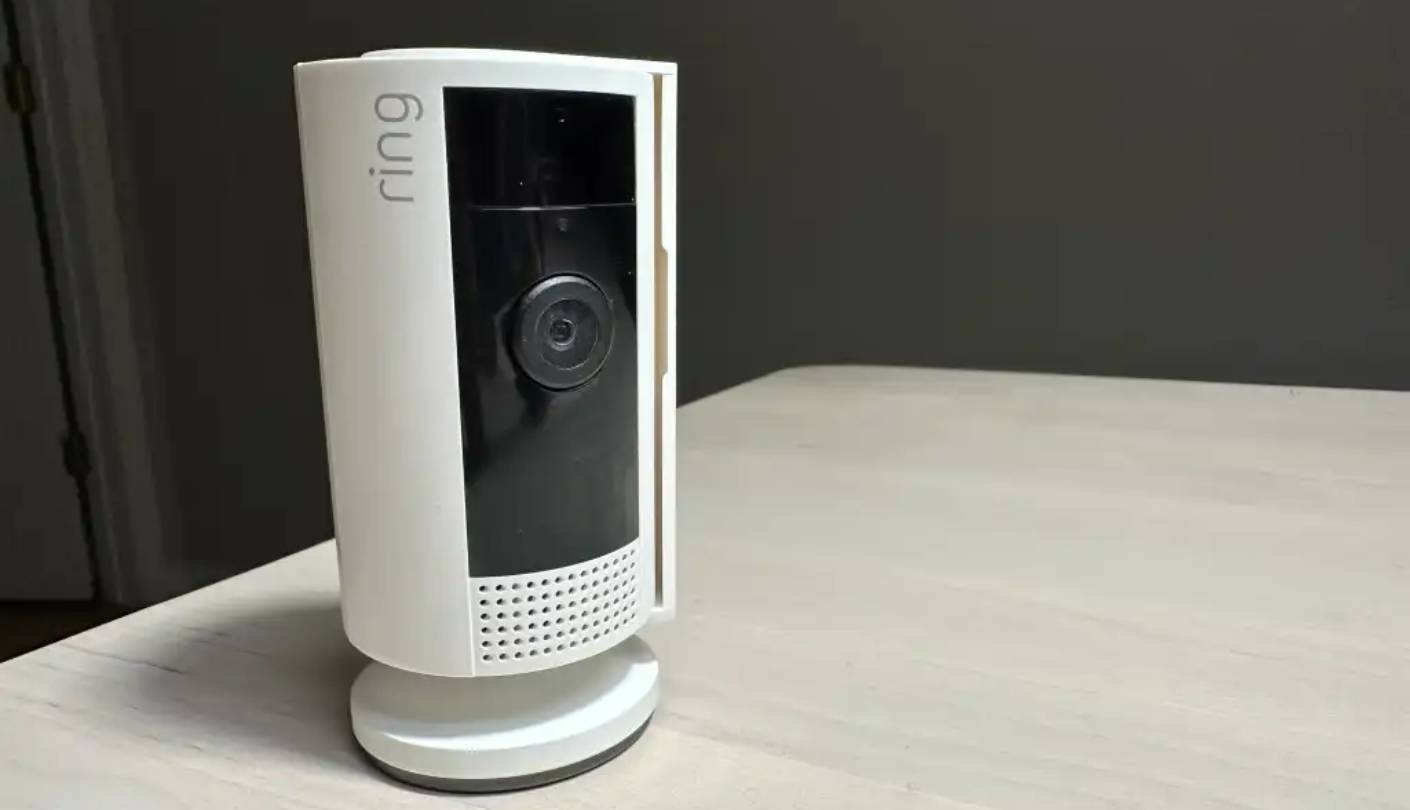
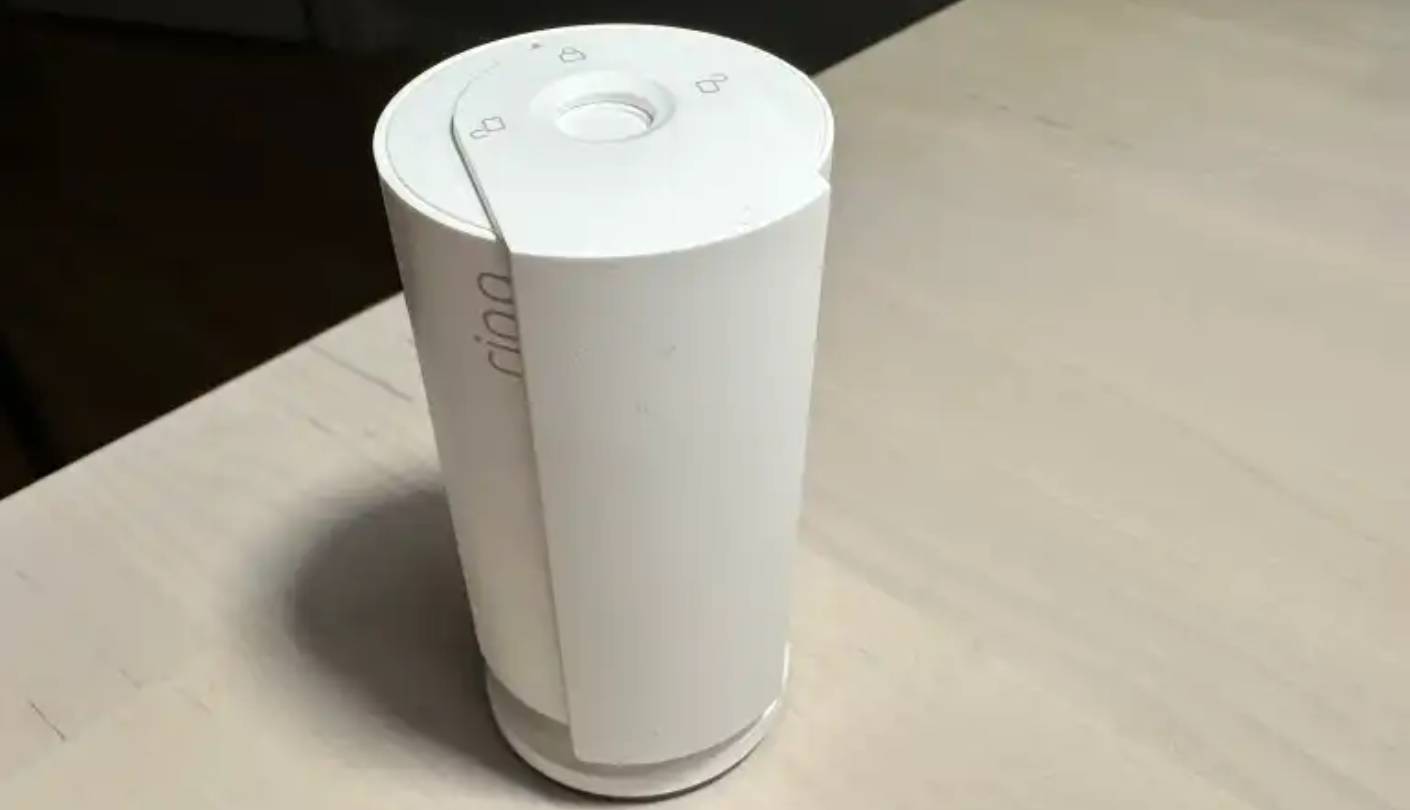
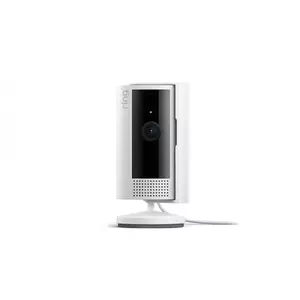
The Ring Indoor Cam (2nd Gen) is the camera I keep on the shelf when roommates come over, and the physical privacy shutter is the reason. Twist the front cover and the lens blocks, the microphone disables, and everyone in the room sees a clear physical indicator rather than trusting a software toggle. The compact barrel design carries over from the original Indoor Cam, but the new shutter mechanism plus a faster 24fps frame rate (up from the laggy 20fps on the first generation) are the changes that matter in actual use. I've tested it across two apartments now, and the shutter is the feature roommates and partners notice and appreciate first.
The 1080p resolution is the lowest in this group, which sounds like a knock until you place the camera in a typical apartment context. Across a fifteen-foot living room, 1080p produces a usable image at full frame and acceptable detail at moderate digital zoom. Where the camera struggles is the kind of long-distance face identification you'd want in a large house, which isn't a typical apartment scenario anyway. The 140-degree field of view is wide enough to capture a full living room from a corner shelf, and color night vision handles low-light situations with reasonable clarity, though the noise floor rises noticeably in near-total darkness compared to the Wyze or Tapo.
The Ring app remains the slickest of the major-brand ecosystems, with Alexa integration that pulls up the live feed on Echo Show devices in under two seconds. Customizable motion zones let me ignore the high-traffic hallway visible in the corner of the frame and focus alerts on the front door area, and the new Advanced Pre-Roll feature captures six seconds of footage before the motion event triggers. That pre-roll has saved me twice during testing, because the action that prompts the alert is usually the second half of the story rather than the moment of trigger itself.
The privacy shutter earns this camera its badge, but the broader security story is also strong. End-to-end encryption is available through Ring Protect, two-factor authentication is mandatory, and Ring has tightened password requirements across the platform after past public scrutiny. The trade-off is that most of the genuinely useful smart features (person detection, cloud storage of event recordings, video sharing) require a Ring Protect subscription, which adds an ongoing monthly cost. Without the subscription, you get live view, motion alerts, and two-way talk, but no recorded video history.
The downsides are familiar Ring ones. The 1080p resolution looks dated against the 2K and 4K competition, the camera has no local storage option at all, and the heavy subscription dependence makes the long-term total cost higher than the upfront price suggests. Single-band 2.4GHz Wi-Fi is the standard limitation. With those reservations stated, the Ring Indoor Cam (2nd Gen) is what I recommend to renters who rank hardware-level privacy above every other spec, or to households already invested in Ring or Amazon Alexa.
Pros:
- Physical privacy shutter
- Advanced Pre-Roll feature
- Fast Alexa integration
- End-to-end encryption option
- Customizable motion zones
Cons:
- 1080p resolution only
- Subscription for storage
Summary: Ring Indoor Cam (2nd Gen) puts a physical privacy shutter and tight Alexa integration in a compact body that fits any apartment shelf. The right pick for renters who prioritize hardware-level privacy and live inside the Amazon ecosystem.
Google Nest Cam Indoor (Wired, 3rd Gen) Review
Smart Pick
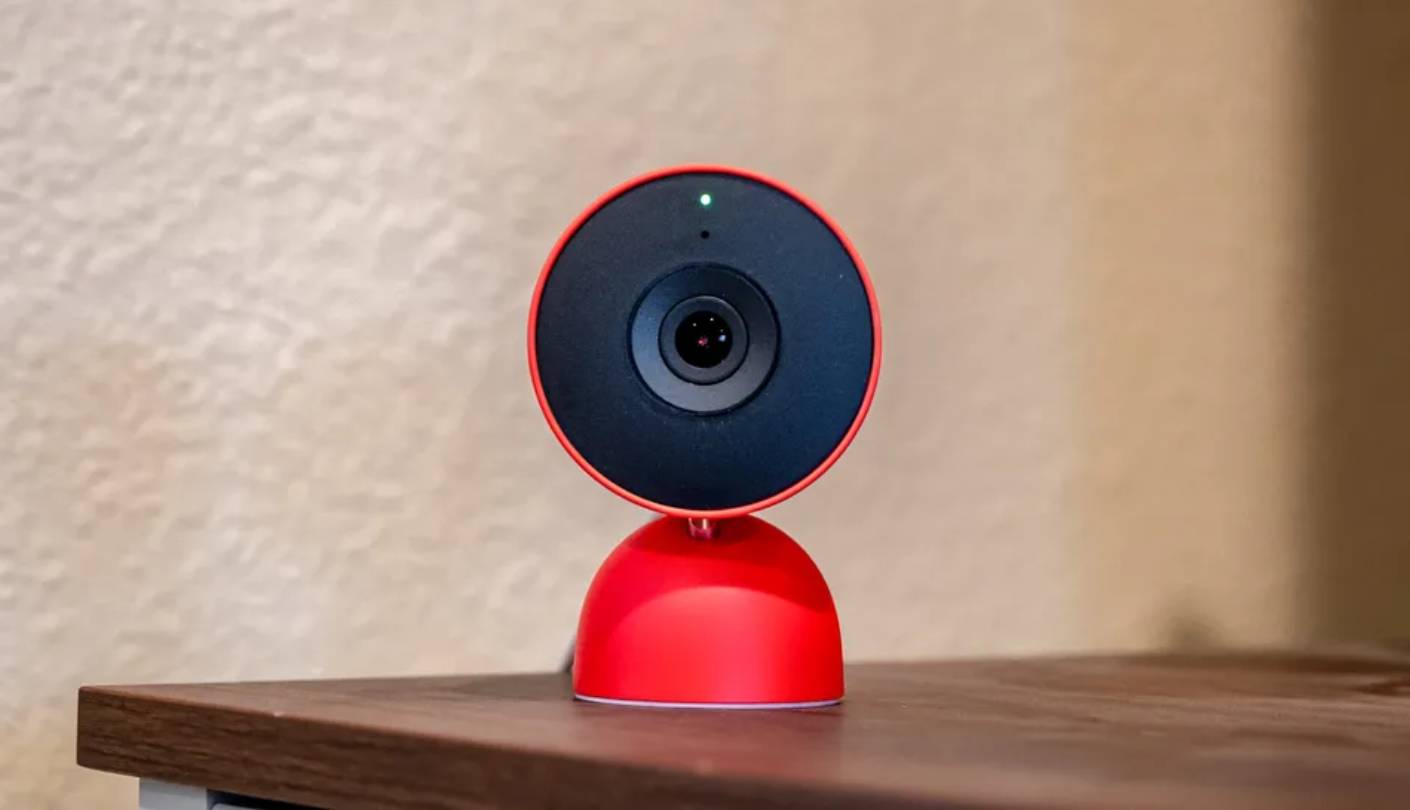

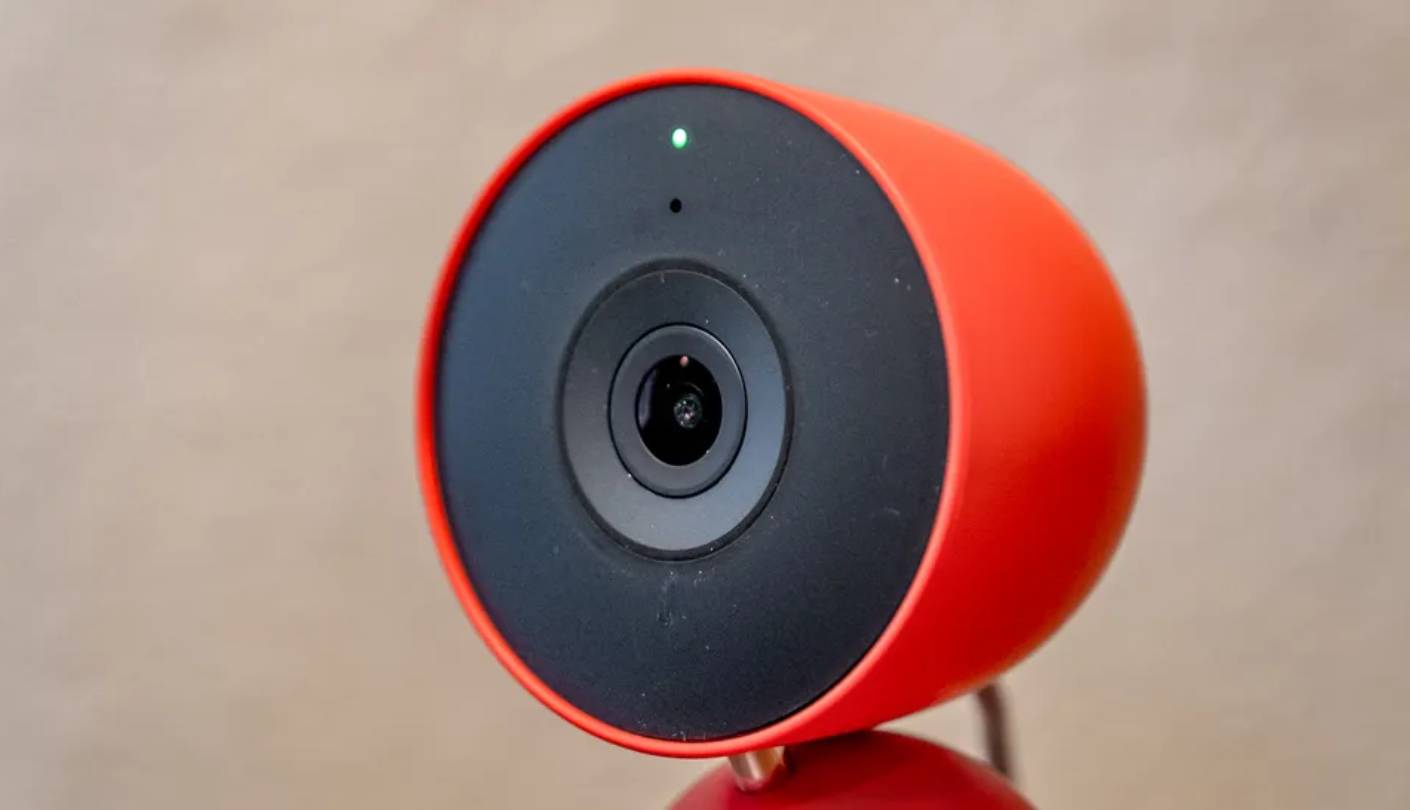
The Google Nest Cam Indoor (Wired, 3rd Gen) is the camera built for apartment dwellers who treat their smart home like a real platform rather than a collection of gadgets. Google launched the third-generation Nest Cam Indoor in October 2025 alongside the Gemini for Home rollout, and the jump from 1080p to 2K HDR brings image quality up to the level the rest of the lineup already reached. DXOMARK ranked it the top indoor camera for image quality among 2026 models, which lines up with what I see comparing it side-by-side against the eufy and Wyze in mixed-lighting apartments.
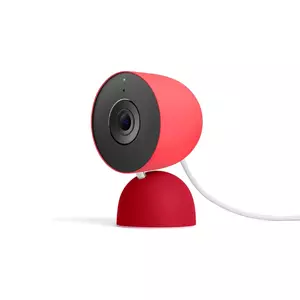
The 152-degree diagonal field of view is the widest in this roundup, which makes a real difference in long, narrow apartment layouts where a single camera needs to cover a hallway-to-living-room sweep in one frame. Image quality at 2K HDR is genuinely the best in this group, handling the kind of backlit window scenes that trip up the Ring and occasionally the Wyze without losing facial detail in the foreground. The hinge-based mounting design adjusts smoothly with one hand, and the camera comes in Snow, Hazel (dark green), and Berry (vibrant red) finishes, with the colored options being a refreshing departure from the white-and-black uniformity of most security gear.
Gemini AI integration is what makes this camera worth the premium when it's worth the premium. Natural-language alerts describe events in real human language rather than generic motion-detected pings, and the searchable video history lets you query "What happened to the vase in the living room?" and get back a summary plus relevant clips. The catch is that essentially all of the genuinely new Gemini features sit behind a Google Home Premium subscription, with the free tier offering only six hours of event video previews and basic person, animal, and vehicle alerts. The Standard plan extends to 30 days of event history, and the Advanced plan adds 10 days of 24/7 continuous recording.
Dual-band 2.4GHz and 5GHz Wi-Fi is the connectivity feature that quietly matters most in apartments. In my own testing in a building with fifteen neighbors and a congested 2.4GHz band, the Nest Cam stayed connected and streamed smoothly while the Tapo and Ring occasionally dropped to lower resolutions to compensate for interference. The 10-foot USB-C cable is hardwired to the camera, which is a permanent-attachment design choice I disagree with on an indoor model, but the cable length covers most apartment outlet-to-camera-position runs. Google Home app integration is fast, and streaming to Nest Hub Max or Google TV Streamer happens in well under two seconds.
The downsides are real and worth weighing carefully. Gemini features genuinely require subscription, the price tier of Google Home Premium went up in 2025 with the Gemini integration added, the camera is not compatible with the legacy Nest app at all (Google Home only), and the permanently attached cable means a damaged cord requires a full replacement. There's no local storage support, so cloud is the only option for video history. Those caveats noted, the Nest Cam Indoor 3rd Gen is the camera I point Google-ecosystem households toward first, on the condition that the long-term subscription cost gets honest accounting before purchase.
Pros:
- 2K HDR image quality
- Ultra-wide 152-degree FOV
- Gemini AI integration
- Dual-band Wi-Fi
- Fast Google Home streaming
Cons:
- Subscription-gated AI features
- No local storage
Summary: Google Nest Cam Indoor (Wired, 3rd Gen) puts the best image quality and the smartest AI alerts of this group into a camera built for the Google Home ecosystem. The right pick for households already invested in Gemini and Google smart-home gear.
Security Cameras for Apartments: FAQ
Do I need a 4K camera in a small apartment?
For most apartment-sized rooms, 2K resolution is the practical sweet spot. The eufy E30's 4K sensor pays off when you want to digitally zoom into a corner of the frame and still read detail, which matters for package monitoring or pet observation across a long room. For typical living-room or bedroom placement where the subject sits 8 to 12 feet from the camera, 2K (used on the Wyze Cam v4, Tapo C120, and Nest Cam 3rd Gen) handles facial detail comfortably. From my own apartment testing, I'd only step up to 4K when the room is genuinely long or you frequently zoom into the live view.
Are security cameras allowed in rental apartments?
Yes, in almost every case, with caveats. Tenants can generally install plug-in indoor cameras inside their own rental unit without landlord permission, as long as the cameras don't record shared spaces, neighboring units, or areas where other people have a reasonable expectation of privacy. Audio recording is more tightly regulated than video, with all-party consent states (California, Florida, Illinois, Maryland, and Delaware among others) requiring everyone in the recording to consent. Outdoor camera placement outside the unit (hallway, balcony facing common areas) usually requires landlord approval. The wireless plug-in models in this roundup are the renter-friendly choice because they don't require drilling or permanent modifications.
Which camera works best without a subscription?
The eufy E30 is the strongest no-subscription performer because AI detection (person, pet, sound), pan-tilt control, and auto-tracking all run on-device for free, with local microSD storage handling video history. The Wyze Cam v4 and TP-Link Tapo C120 also work well without subscriptions for basic motion alerts and local recording, though some smart-detection features sit behind paid tiers. The Ring Indoor Cam (2nd Gen) and Google Nest Cam Indoor (3rd Gen) lean heavily on subscription for any meaningful video history or AI features, so subscription-resistant renters should steer toward the first three models.
How long does a microSD card last for continuous recording?
Capacity depends on resolution and bitrate, but rough estimates from my own testing: a 128GB card holds roughly 7 to 10 days of continuous 2K recording on the Wyze Cam v4 or Tapo C120, and roughly 4 to 5 days of 4K recording on the eufy E30. A 512GB card extends those windows proportionally. For most apartment use cases, motion-event recording rather than continuous capture stretches a 128GB card to several weeks. SanDisk High Endurance and Samsung Pro Endurance cards are the recommended choices because they're rated for the constant write cycles security cameras demand, where standard consumer cards wear out within months.
Can these cameras work as a pet or baby monitor?
All five can function as pet or baby monitors, but the eufy E30 is the standout because its 360-degree pan-tilt motor follows a moving subject across the room automatically, and AI auto-tracking distinguishes between humans, pets, and crying sounds. The Tapo C120 and Wyze Cam v4 work well for stationary monitoring with two-way audio, useful for talking to a pet from the office or a baby in the crib. The Nest Cam offers natural-language alerts that describe what's happening through Gemini, and the Ring stays in basic motion-alert territory. For multi-pet households, I recommend the eufy E30 first, with the Tapo C120 as the value-focused alternative.
Which has the best night vision in a small apartment room?
The TP-Link Tapo C120 and Wyze Cam v4 produce the cleanest color night vision in this group, with the Tapo's dual spotlights and starlight sensor handling extremely low light particularly well. The eufy E30 also captures solid color night vision via its built-in spotlight up to 16 feet. The Nest Cam Indoor 3rd Gen uses infrared only with no color night vision and the shortest range at 15 feet, which works fine in a typical bedroom but loses out in larger living areas. The Ring's color night vision is functional but raises the noise floor noticeably in near-total darkness compared to the Wyze and Tapo.
Do indoor cameras support 5GHz Wi-Fi?
Mostly no, with one exception in this roundup. The Google Nest Cam Indoor (Wired, 3rd Gen) supports both 2.4GHz and 5GHz Wi-Fi, which is the practical advantage in apartment buildings with congested 2.4GHz bands. The Wyze Cam v4, TP-Link Tapo C120, eufy E30, and Ring Indoor Cam all stick to 2.4GHz-only, which is standard for security cameras because 2.4GHz penetrates walls better than 5GHz at the cost of more interference. In dense apartment buildings, the dual-band Nest Cam holds up better when the 2.4GHz channel is saturated by neighboring networks.
How do I keep my camera secure from hackers?
Use a strong, unique password for both your camera account and your home Wi-Fi network, enable two-factor authentication wherever the app supports it (mandatory on Ring, optional on Wyze and Tapo), and install camera firmware updates as soon as they release. End-to-end encryption is the gold standard, available on Ring with subscription, on Google Nest by default, and on eufy through HomeBase pairing. I run my cameras on a dedicated guest network segment isolated from my main devices, which limits the damage if any single camera is compromised. Avoid pointing the camera at sensitive documents or screens that would expose private information if breached.
Choosing the Right Security Camera for Your Apartment
Picking the right apartment camera comes down to honest self-assessment of how you'll actually use the thing once it's out of the box. Renters chasing the best value-per-dollar with no monthly fees should head straight for the Wyze Cam v4, my Editor's Choice for its 2.5K QHD video, color night vision, and footprint small enough to disappear on any shelf. If you want one camera that handles 2K video, free AI detection, local storage, and Matter cross-platform integration in a single package, the TP-Link Tapo C120 takes Best Overall.
Pet owners and parents who need the camera to track the action across the room should look at the eufy Security 4K Indoor Camera E30, my Tracking Pick with full 360-degree pan-tilt and on-device AI auto-tracking. Renters who value hardware-level privacy more than any other spec should pick the Ring Indoor Cam (2nd Gen), the Privacy Pick for its built-in physical lens shutter. And households already running on Google Home and Gemini AI will get the most from the Google Nest Cam Indoor (Wired, 3rd Gen), my Smart Pick for the best image quality and the most useful AI alerts in this roundup.
My single piece of advice across all five: factor the subscription cost over three years into your decision, because the cheapest camera at checkout can become the most expensive camera in your closet.

Jim's our tech geek with a mission since February 2023. From movies to video projectors, he knows his stuff and aims to make tech work for you. When he's not geeking out, he's there to guide you through making savvy decisions.


