How to Choose the Best Cameras for Vlogging under $500
A phone camera handles most vlogging fine until the moment it doesn't, usually indoors at night, or mid-walk with the frame bouncing, or trying to hear a voice over wind on a bike ride. That's the gap these five cameras are built to close, and none of them close it the same way. One leans on a mechanical gimbal, one on a huge sensor for low light, one on a kickstand that solves a problem nobody else bothered fixing, and picking the wrong one means paying for strengths that never actually get used.
I've shot with budget vlogging setups that looked sharp in a five-minute demo and fell apart the first time I tried talking into one for twenty minutes straight, screen dimming, battery draining, autofocus hunting for a face that wasn't moving. Battery life and screen usability got weighed as heavily as raw image quality, because a camera that can't survive an actual recording session isn't much of a vlogging camera at all.
Here are my two top picks for the best camera for vlogging under $500:
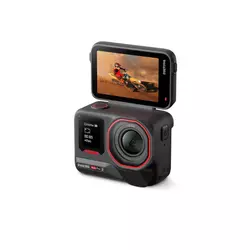
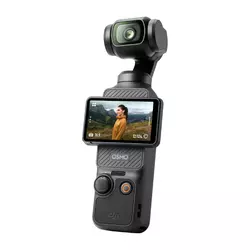
Table of Contents:
- Best Camera for Vlogging under $500: Buying Guide
- Top 5 Cameras for Vlogging under $500 in 2026
- Best Cameras for Vlogging under $500: Comparison
- Insta360 Ace Pro 2
- DJI Osmo Pocket 3
- GoPro HERO13 Black
- Canon PowerShot V10
- AKASO Brave 8 Lite
- Cameras for Vlogging under $500: FAQ
Best Camera for Vlogging under $500: Buying Guide
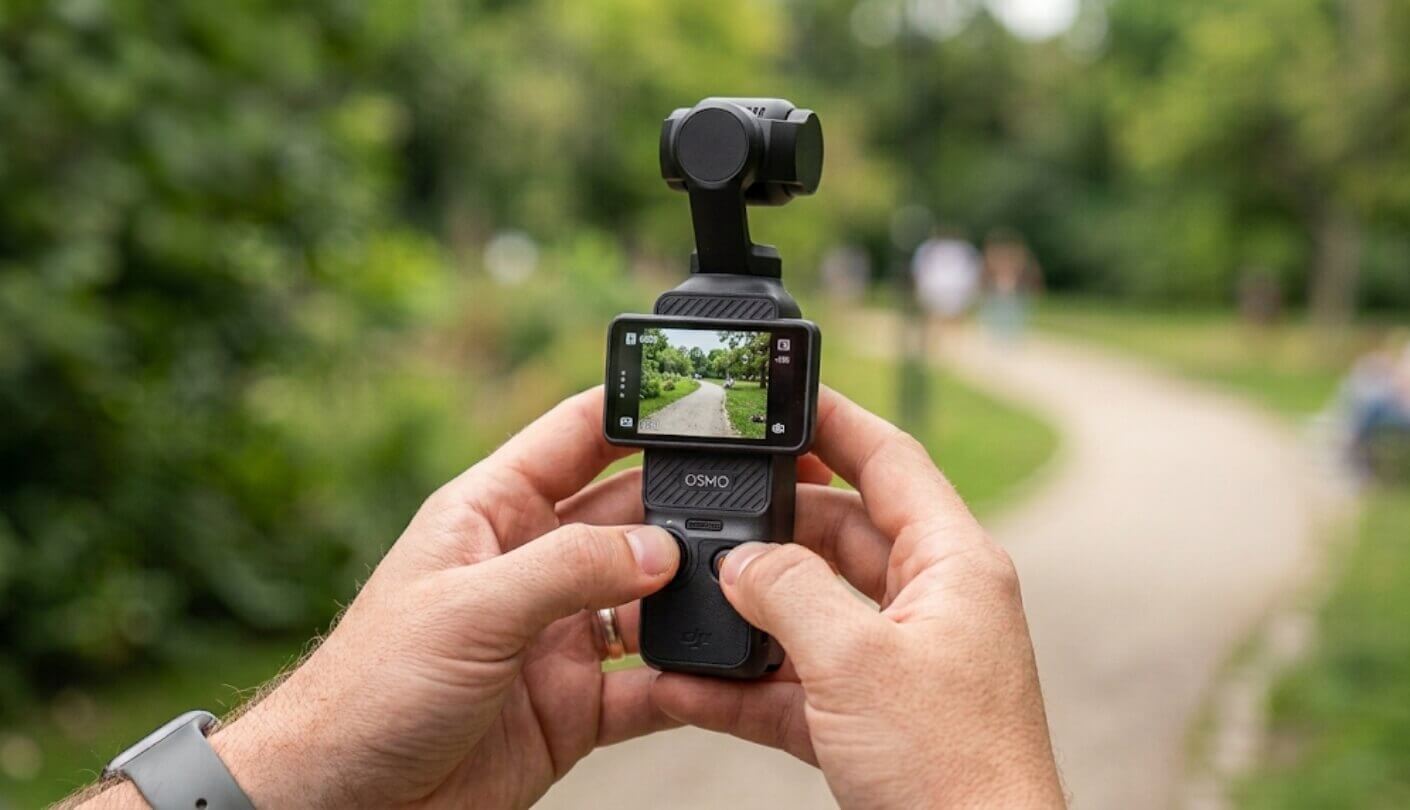
Sensor size, front screen usability, stabilization type, honest battery life, and audio input options decide more about how well a camera works for talking-to-camera footage than the resolution number on the box, and each gets its own look below.
Sensor Size Matters More for Talking-Head Shots Than Resolution Does
A bigger sensor gathers more light, and that difference shows up hardest in exactly the setting most vloggers film in most: indoors, under normal room lighting, talking to the camera rather than chasing a sunset. A camera boasting 8K resolution on a small sensor can still look grainier at night than a 4K camera with a physically larger sensor gathering more light per pixel.
Resolution numbers get the marketing attention, but sensor size decides how a camera performs once the lighting isn't ideal. A 1-inch sensor shooting 4K in a dim room usually beats a small sensor shooting 8K in the same conditions.
Two of these five carry a sensor around one inch across, noticeably larger than the smaller sensors packed into the more action-focused options in this group. Anyone filming mostly outdoors in daylight can weigh this less heavily, but a desk setup, a bedroom, or an evening walk all lean harder on sensor size than the spec sheet's headline resolution number. Room lighting rarely gets brighter than a few hundred lux, well below what most people assume, which is exactly the range where sensor size starts to separate usable footage from noisy footage.
Not Every Front Screen Actually Shows a Live Preview
A flip-up or rotating rear screen lets a solo vlogger see exactly what the camera sees, and that single feature separates a camera built for talking-to-camera footage from one that just happens to record video. A small front-facing status display, showing battery and recording time but no actual image, solves a different problem and doesn't help with framing at all, even though it looks similar to a real preview screen at a glance in a store display.
Checking whether a front or flip screen shows an actual live preview, rather than just confirming the camera is recording, avoids a frustrating surprise after the first few shoots. Some cameras solve this with a screen that physically rotates to face forward, others with a dedicated front display, and the difference in daily usability between the two approaches is larger than it sounds on a spec sheet. A camera store's return policy rarely covers "the front screen didn't do what I expected," so this is worth confirming before checkout rather than after.
Mechanical and Software Stabilization Aren't the Same Fix
A mechanical gimbal physically moves the camera to counteract shake, while software stabilization crops and warps the frame digitally to smooth out the same motion after the fact. Both reduce shakiness, but a mechanical gimbal tends to hold up better during a long walking shot, where software stabilization can introduce a subtle warping or jelly effect around the frame edges, especially in fast pans or sudden direction changes.
Mechanical stabilization moves the camera itself to cancel out shake, while software stabilization processes the footage afterward to fake the same smoothness. Walking shots and handheld interviews show the difference between the two most clearly.
Only one of these five uses true mechanical stabilization, and it shows most during extended handheld footage rather than quick action clips. The other four rely on increasingly capable software processing that closes much of that gap for casual use but rarely eliminates it entirely. A short test clip walked around a room reveals the difference faster than any spec sheet claim, since jelly-like warping tends to show up specifically at frame edges during panning motion.
Battery Ratings Assume Short Clips, Not Continuous Talking
Action camera battery ratings typically get measured with intermittent recording, short bursts rather than a continuous 20-minute talking-head video, and that testing method inflates the number a vlogger will see in practice. A camera rated for 90 minutes of continuous recording under lab conditions often falls short of that once screen brightness, stabilization processing, and warm ambient temperatures all factor in together, sometimes by a wide enough margin to cut a session short unexpectedly.
Checking whether a battery is removable matters almost as much as the capacity itself, since a spare battery swap takes seconds while a dead built-in cell means the shoot stops entirely until a charger becomes available. Several of these five ship with a second battery in the box specifically because manufacturers know continuous vlogging drains a single cell faster than casual use, and that extra cell often costs more to buy separately later than it would have to include upfront.
Check the Mic Input Before Trusting Built-In Audio
Built-in microphones on a small camera pick up wind, handling noise, and room echo more readily than a dedicated external mic ever would, and that gap becomes obvious the moment footage gets played back with headphones on. A 3.5mm jack accepts almost any external microphone, while a proprietary wireless system locks a buyer into that brand's own mic ecosystem, sometimes at a meaningful additional cost on top of the camera itself.
A camera without any external mic input, wired or wireless, is betting entirely on its internal microphone holding up in every filming condition. That bet rarely pays off outdoors, on a bike, or in a room with any noticeable echo.
Neither approach is inherently wrong, a proprietary wireless mic system can sound excellent once paired correctly, but it does mean budgeting for that brand's specific accessory rather than any generic microphone already sitting in a drawer. A cheap wired lavalier mic bought years ago for a different project might work with one camera on this list and be completely useless with another.
Top 5 Cameras for Vlogging under $500 in 2026
Sensor size, whether the front screen shows a working preview, and how a camera stabilizes handheld footage tell a fuller story about footage quality than the resolution numbers competing for attention on each box. Battery habits and audio options round out the picture once the headline specs stop telling the whole story, and none of those four factors show up clearly until a camera gets used for a real recording session.
- Largest Action Cam Sensor
- Strong Low-Light PureVideo
- Two Batteries Included
- 8K Resolution For Cropping
- Leica-Engineered Optics
- True Mechanical Gimbal
- 1-Inch Sensor
- ActiveTrack 6.0 Subject Lock
- Rotating 2-Inch Screen
- Fast Full-Pixel Autofocus
- Waterproof Without A Case
- Dual Live Preview Screens
- Modular Lens Mod System
- Magnetic Quick Mounting
- HyperSmooth 6.0 Stabilization
- Built-In Kickstand
- 1-Inch Sensor
- Natural Skin Tone Rendering
- 3.5mm Mic Jack
- 180-Degree Flip Screen
- Auto-Rotating Orientation
- Dual Live Preview Screens
- Two Batteries Included
- Waterproof To 33 Feet
- Lowest Price Of The Five
Best Cameras for Vlogging under $500: Comparison
Sensor size and stabilization type are the two rows worth reading closest, since they explain more about actual footage quality than the megapixel count printed largest on the listing. Battery capacity and how many cells ship in the box matter almost as much for anyone planning longer recording sessions:
| Specification | Insta360 Ace Pro 2 | DJI Osmo Pocket 3 | GoPro HERO13 Black | Canon PowerShot V10 | AKASO Brave 8 Lite |
| Sensor Size | 1/1.3-inch | 1-inch | 27MP, sub-1-inch | 1-inch | 1/2.3-inch |
| Max Video | 8K/30fps | 4K/120fps | 5.3K/60fps | 4K/30fps | 4K/60fps |
| Stabilization | Software, FlowState | Mechanical, 3-axis | Software, HyperSmooth 6.0 | Digital only | Software, SuperSmooth |
| Front Screen | Status only, no preview | 2" rotating touchscreen | 1.4" live preview | 2" flip touchscreen | 1.2" live preview |
| Waterproof, No Case | Yes | No | Yes, 33 ft | No | Yes, 33 ft |
| Battery Capacity | 1,800mAh | 1,300mAh | 1,900mAh | Non-removable | 1,550mAh |
| Included Batteries | 2 | 1 | 1 | 1, fixed | 2 |
Insta360 Ace Pro 2 Review
Editor's Choice
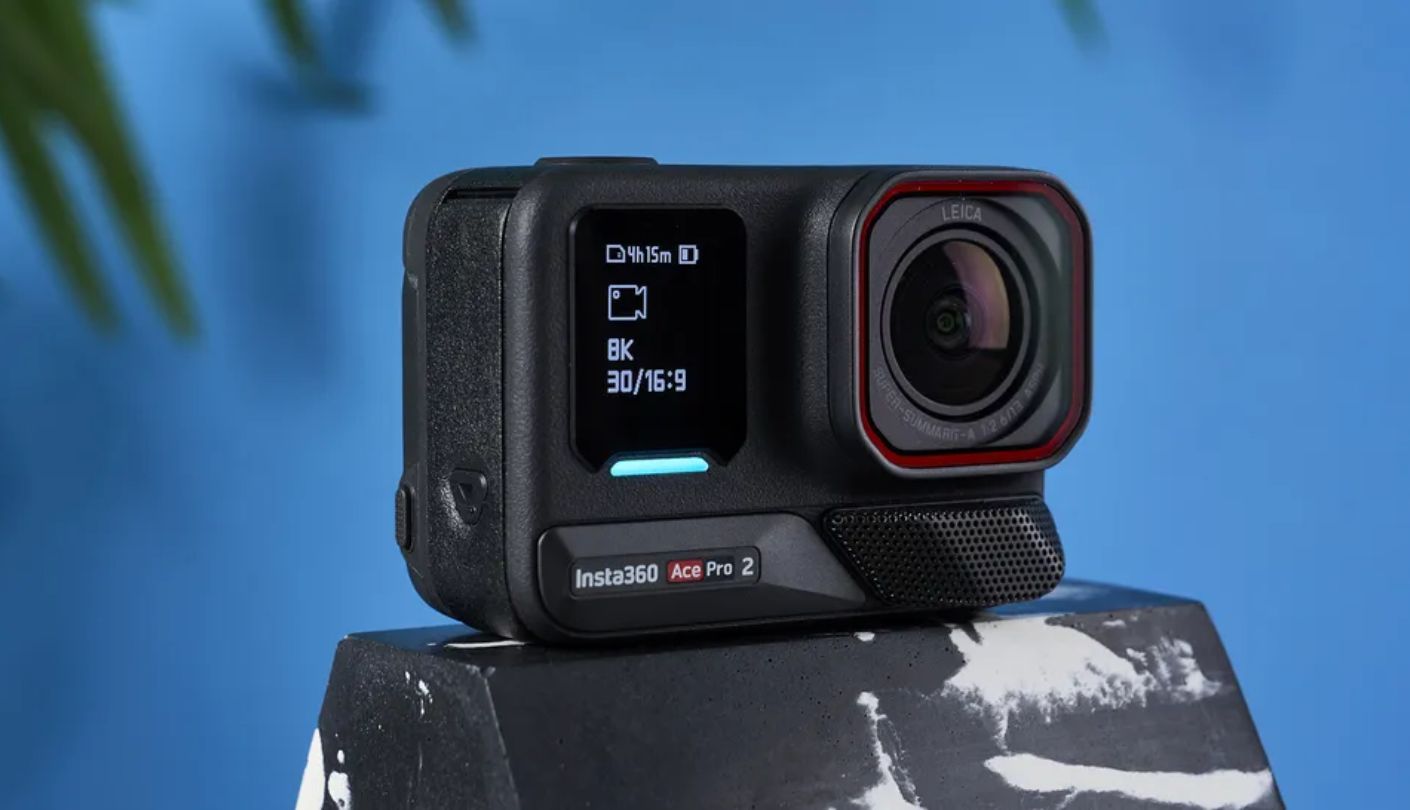
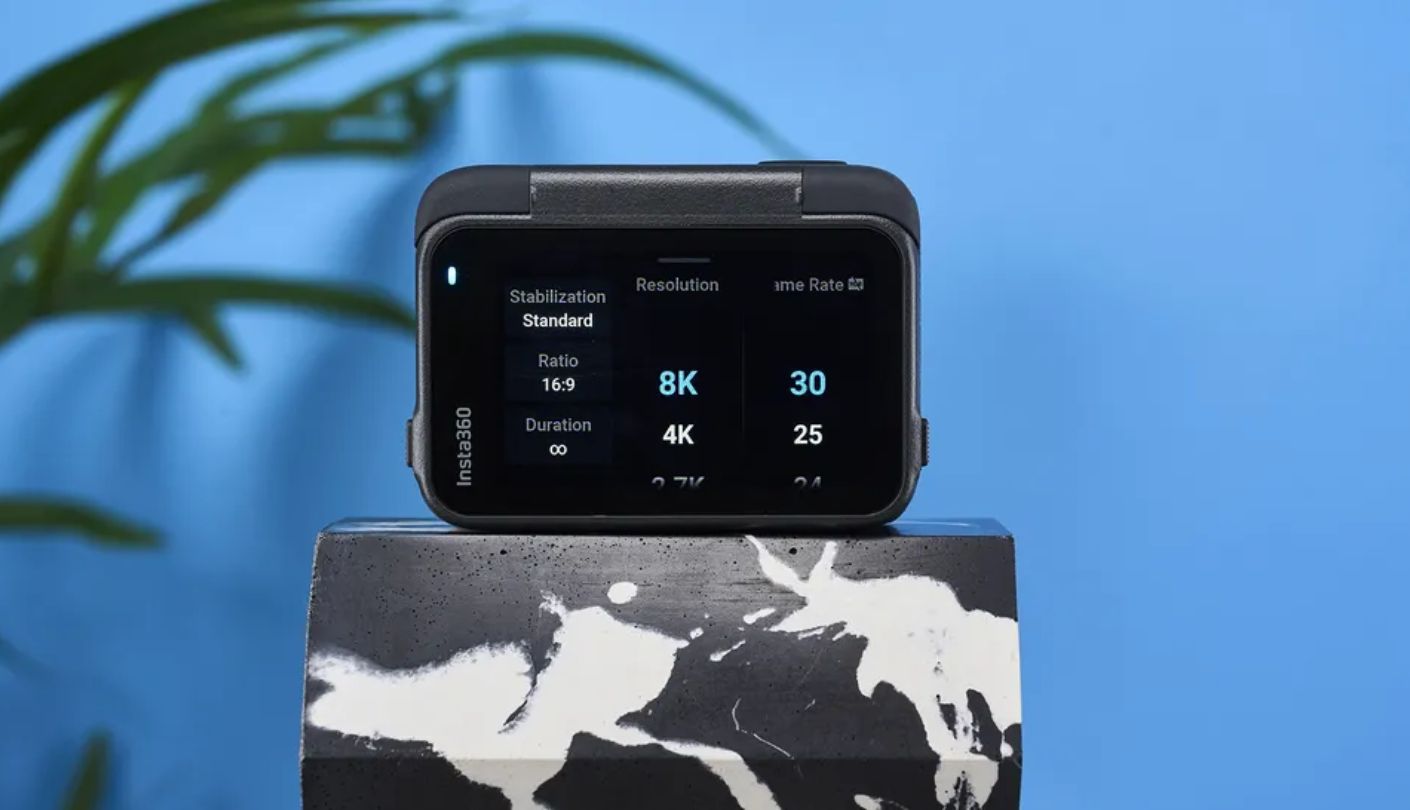
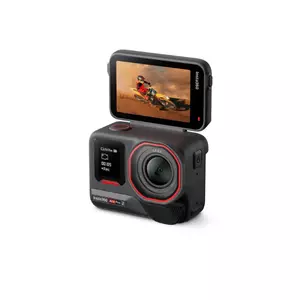
The Insta360 Ace Pro 2 carries the biggest sensor of any true action camera here, a 1/1.3-inch chip co-engineered with Leica, and PureVideo mode uses AI-driven noise reduction to pull genuinely usable footage out of near-dark conditions most rivals in this group simply can't match. That combination sets a genuinely high bar for a category not usually known for handling low light well at all.
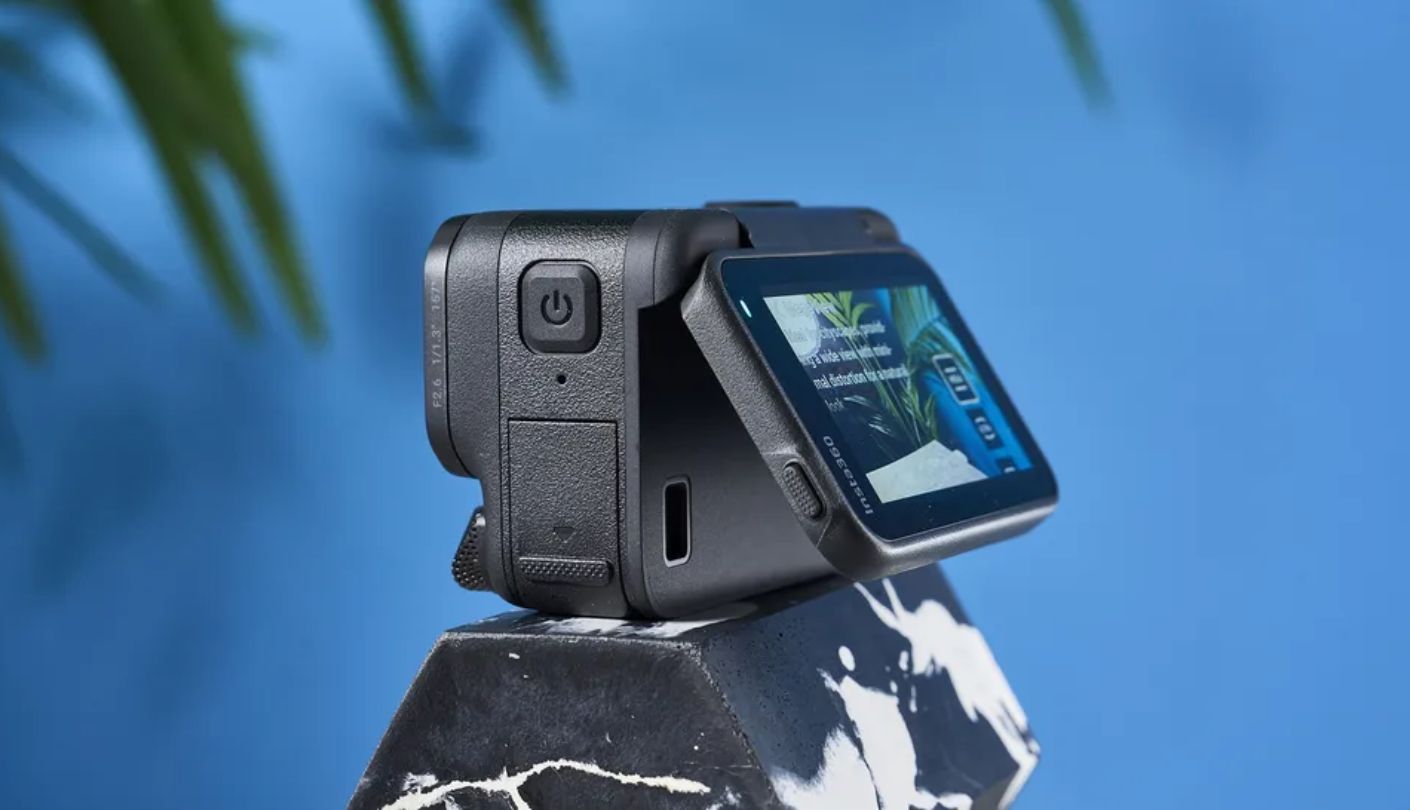
That sensor advantage comes with an odd tradeoff for a camera this well suited to vlogging otherwise: the front-facing display shows battery level and recording status, not an actual live preview. Framing a shot means flipping the rear 2.5-inch touchscreen forward instead, which works fine but adds a step the Canon and AKASO both skip entirely with a true front-facing image. It's a strange omission on a camera that otherwise clearly targets creators rather than pure adventure sports use.
Dual batteries ship in the box, a wind guard swaps in for windy rides, and 8K resolution means footage can get cropped or reframed in post without losing detail. FlowState stabilization handles walking shots competently, even if independent testing rates it a step behind GoPro's HyperSmooth or DJI's own gimbal-based smoothness. The Leica color science also produces noticeably more accurate skin tones than earlier Insta360 models managed, a detail that matters more for face-forward vlogging than for action footage.
None of that undercuts what this camera does better than the other four in this group, which is capturing usable footage once the sun goes down. For anyone vlogging evenings, indoor spaces, or low-light rides, that sensor and PureVideo combination is the clearest reason to put this one first, and the tradeoff of an extra step for framing feels minor once the footage itself gets reviewed.
Pros:
- Largest Action Cam Sensor
- Strong Low-Light PureVideo
- Two Batteries Included
- 8K Resolution For Cropping
- Leica-Engineered Optics
Cons:
- No Front Live Preview
- Stabilization Trails Rivals
Summary: The 1/1.3-inch sensor and PureVideo low-light mode outperform every other option in this lineup after dark, and the missing front preview is a genuine workflow tradeoff worth testing before committing to it.
DJI Osmo Pocket 3 Review
Best Overall
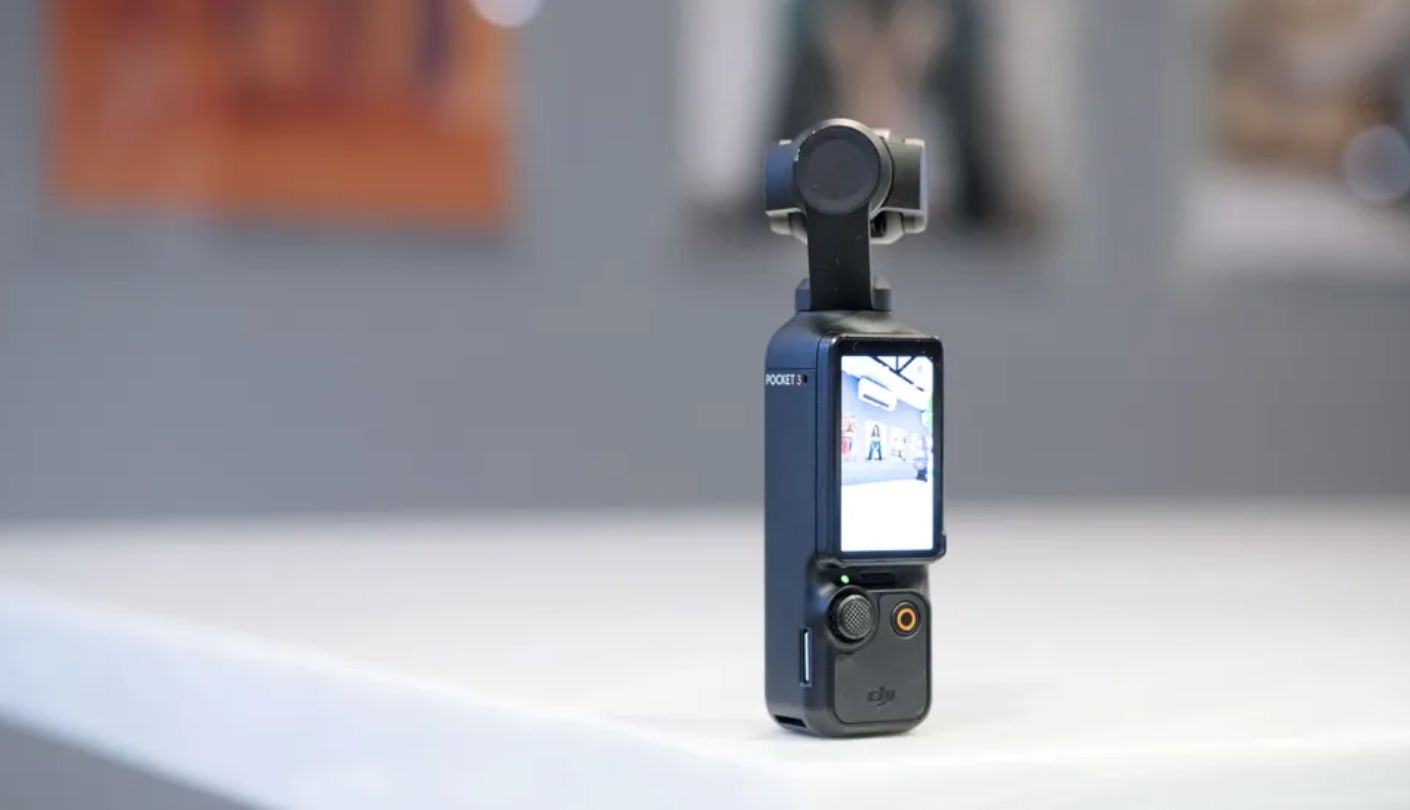
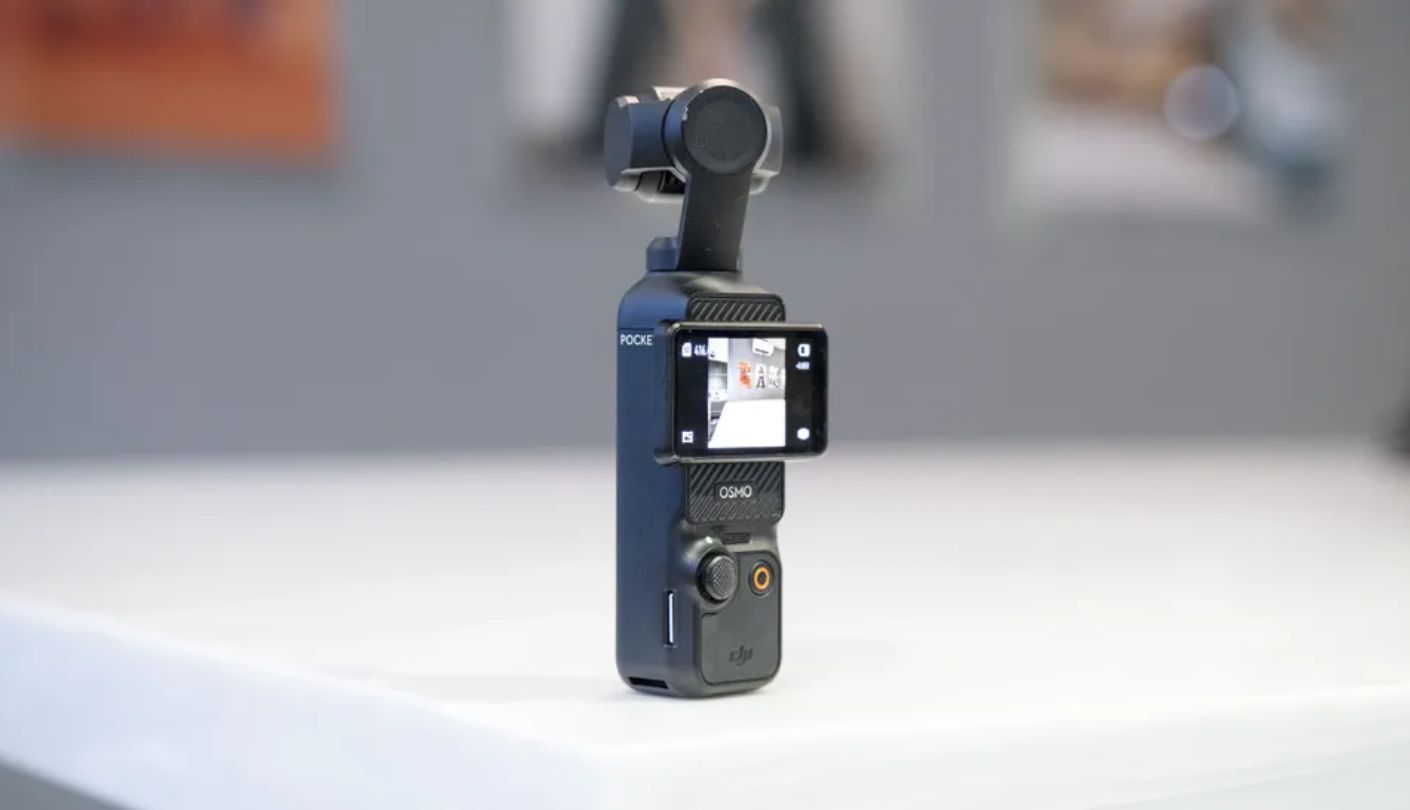
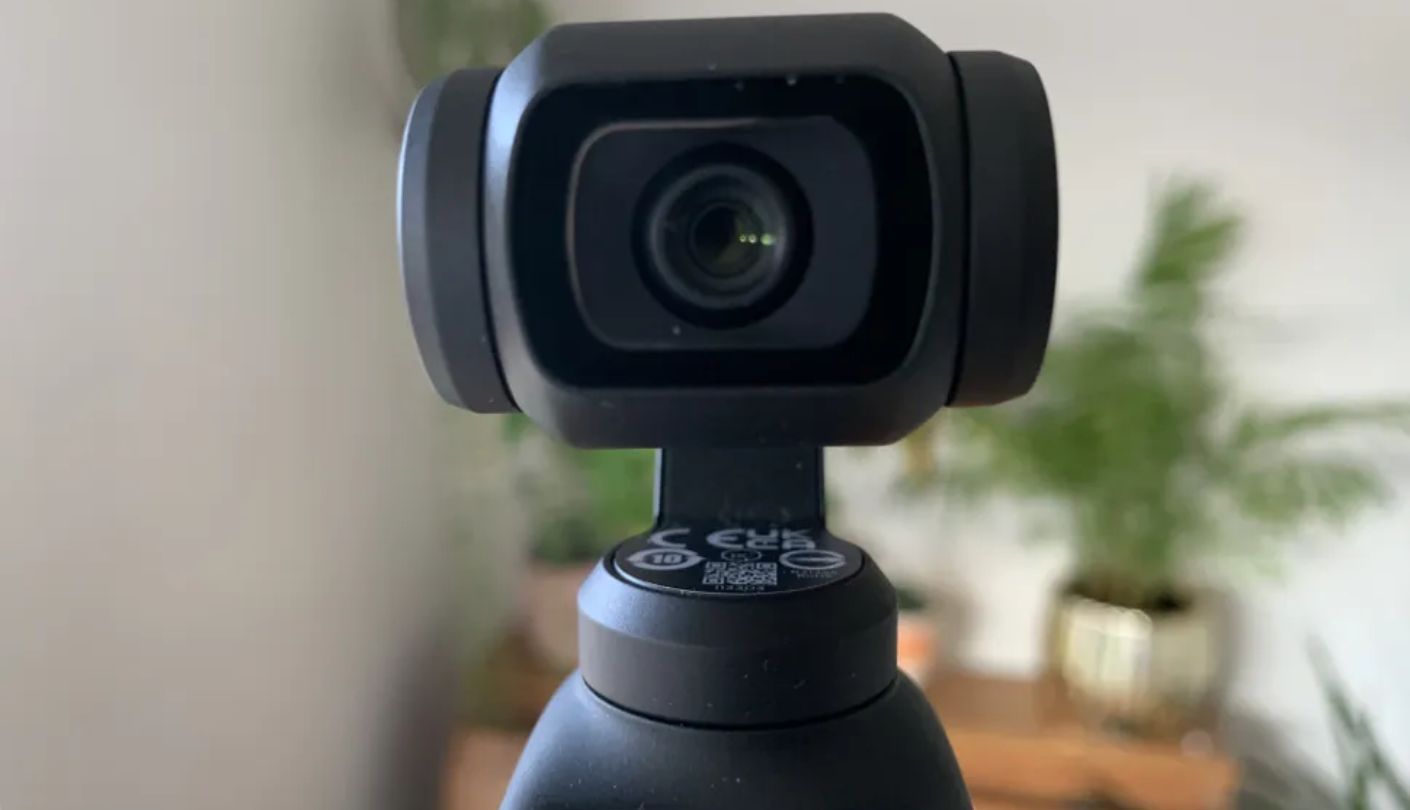
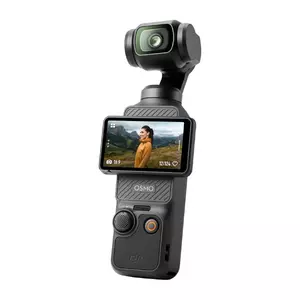
A pocket-sized camera with an actual mechanical gimbal built in still sounds like a contradiction, but the DJI Osmo Pocket 3 pulls it off, and that 3-axis stabilization is the single biggest reason walking and handheld footage looks noticeably smoother than on any of the four software-stabilized cameras covered here. Even a brisk walk down a hallway looks close to tripod-steady once the gimbal takes over.
A 1-inch sensor ties the Canon for the largest chip in this group, ActiveTrack 6.0 keeps a moving subject centered without manual reframing, and the 2-inch screen rotates a full 90 degrees for vertical or horizontal shooting without changing grip. Full-pixel autofocus locks onto faces quickly enough that missed focus rarely becomes an issue during normal talking-head footage, an advantage over cameras still relying on slower contrast-detection systems alone.
Two honest limitations come with that gimbal-first design. There's no waterproofing without a separate housing, and wireless mic support locks specifically to DJI's own Mic 2 or Mic Mini transmitters rather than any generic wireless or wired option. The bundled DJI Mimo app also disappeared from the Google Play Store, so Android owners need to grab it directly from DJI's site instead, an extra setup step that catches new buyers off guard more often than it should.
Worth flagging honestly: this specific listing sells the base kit rather than the Creator Combo, and even at that entry tier, street pricing regularly lands right at or just past the $500 mark depending on current promotions. A separate charger purchase is recommended too, since DJI doesn't include one in the box, adding another small cost on top of an already borderline price point for this list.
Pros:
- True Mechanical Gimbal
- 1-Inch Sensor
- ActiveTrack 6.0 Subject Lock
- Rotating 2-Inch Screen
- Fast Full-Pixel Autofocus
Cons:
- No Waterproofing Included
- Mic Locked To DJI Ecosystem
Summary: I rate the Pocket 3 as the best overall option because its stabilization, sensor, tracking, and compact size solve more common vlogging problems in one body than any other camera in this comparison.
GoPro HERO13 Black Review
Swappable Lenses
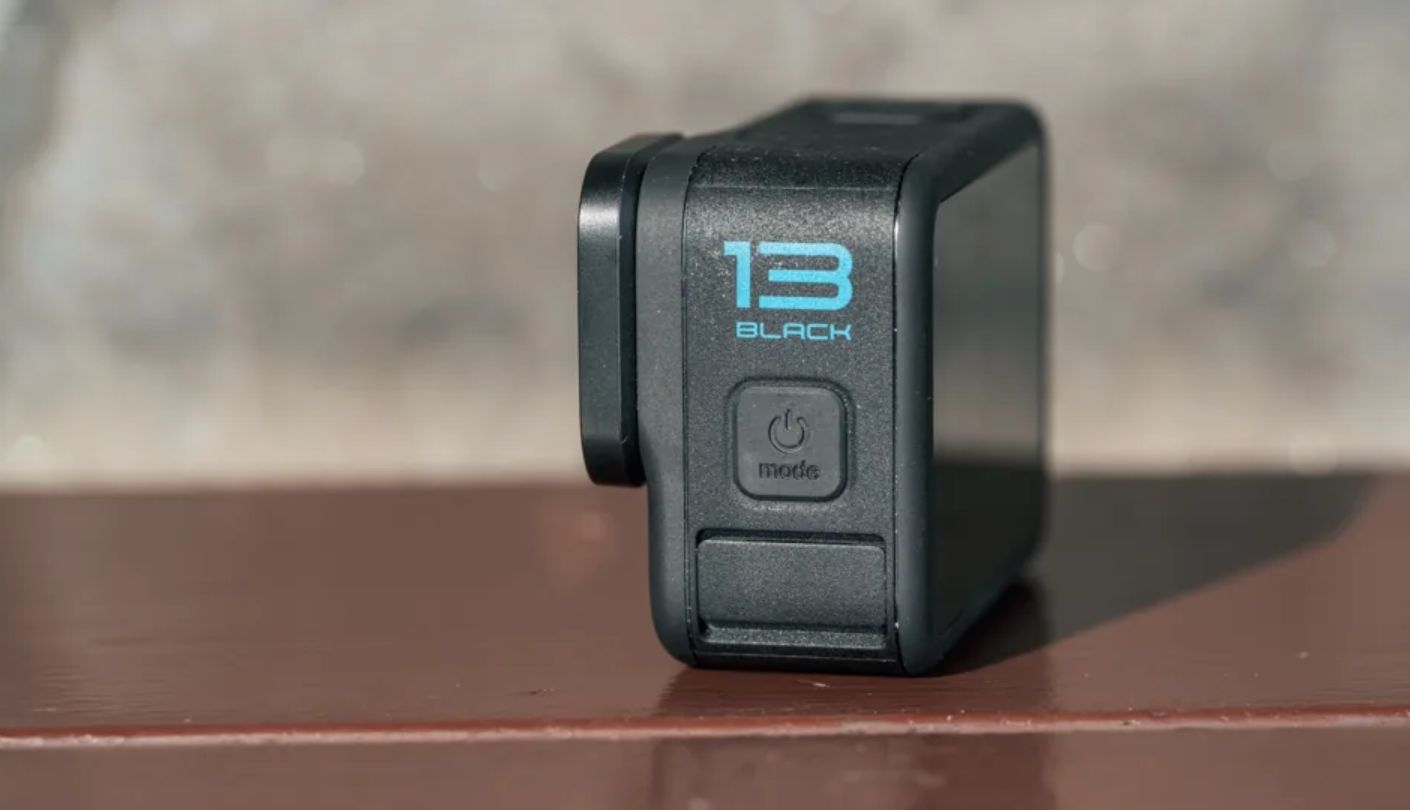
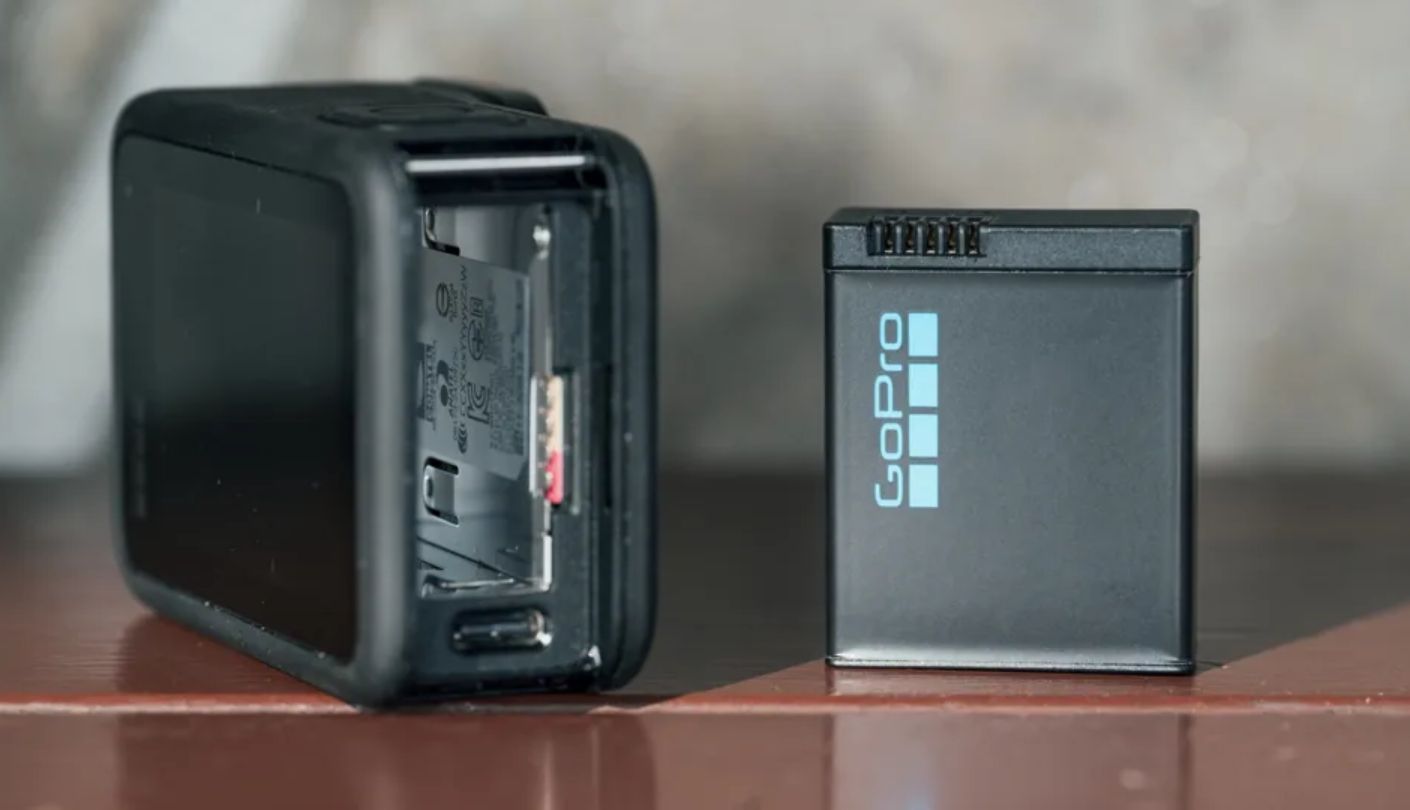
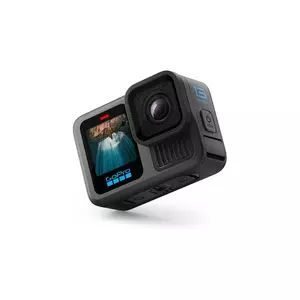
Screw on a Macro Lens Mod and the GoPro HERO13 Black solves a problem no other camera on this list even attempts to fix: getting close-up detail shots in sharp focus without a separate camera. None of the other four offer any equivalent swappable lens system at all, and the mount itself detects which lens is attached automatically rather than requiring a manual setting change.
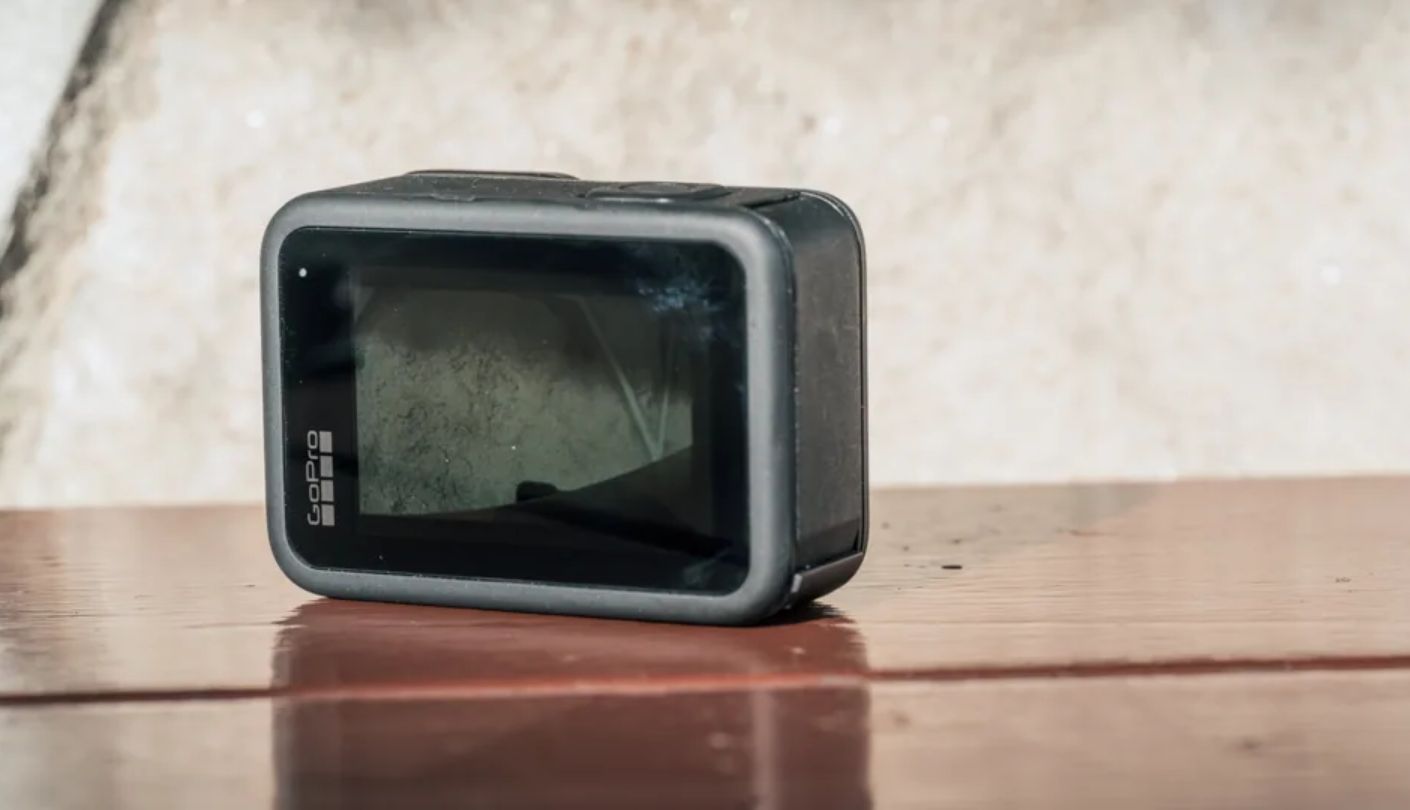
Both a 2.27-inch rear touchscreen and a proper 1.4-inch front display show a real live preview, HyperSmooth 6.0 keeps action footage smooth, and the camera survives water down to 33 feet without any case at all. A new magnetic mounting system speeds up switching between mounts mid-shoot, a practical upgrade over the older buckle system that required tools or at least a fair bit of patience to swap between mounts. The whole ecosystem of existing GoPro mounts also stays compatible, so a helmet mount or a chest harness bought years ago still works today.
Autofocus is the honest weak spot for vlogging specifically. Multiple reviewers found it prioritizes background scenery over a face positioned close to the lens, the opposite of what subject-tracking systems on the DJI and Insta360 both handle automatically. Low-light performance also lags behind the larger-sensor options in this group once the sun goes down, and the gap widens further once indoor, dimly lit talking-head footage enters the picture.
Lens Mods and accessories add up fast once a buyer starts building out the full kit, and that's worth budgeting for separately from the camera body itself. For anyone shooting mostly outdoors and daylight content, the base camera alone already covers most of what a vlogger needs, with the Lens Mods sitting as an optional upgrade rather than a requirement to get started.
Pros:
- Waterproof Without A Case
- Dual Live Preview Screens
- Modular Lens Mod System
- Magnetic Quick Mounting
- HyperSmooth 6.0 Stabilization
Cons:
- Weak Face-Priority Autofocus
- Trails In Low Light
Summary: The Lens Mod ecosystem and true waterproofing make this the pick for anyone splitting time between adventure footage and vlogging, though the autofocus needs a workaround for close talking-head shots specifically.
Canon PowerShot V10 Review
Kickstand Design
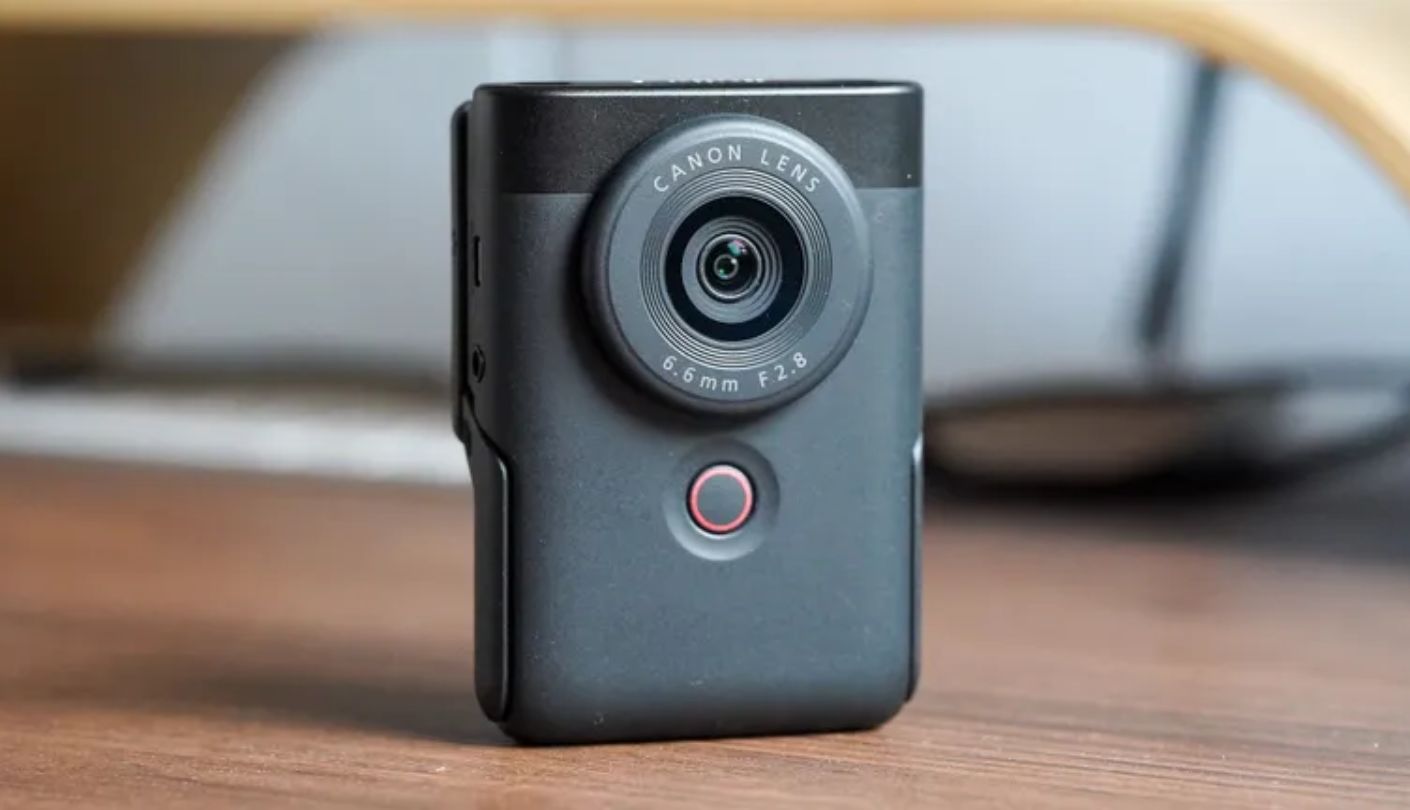
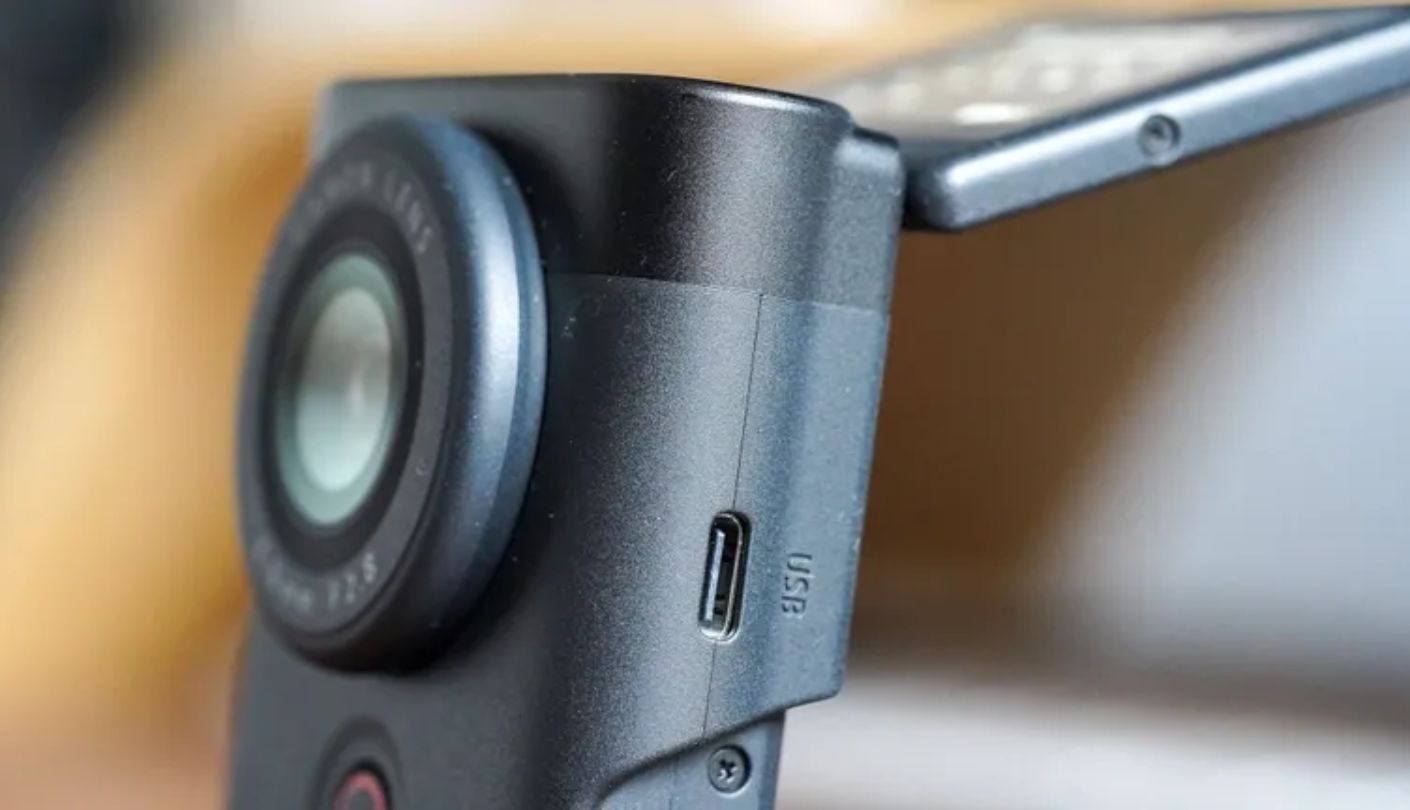
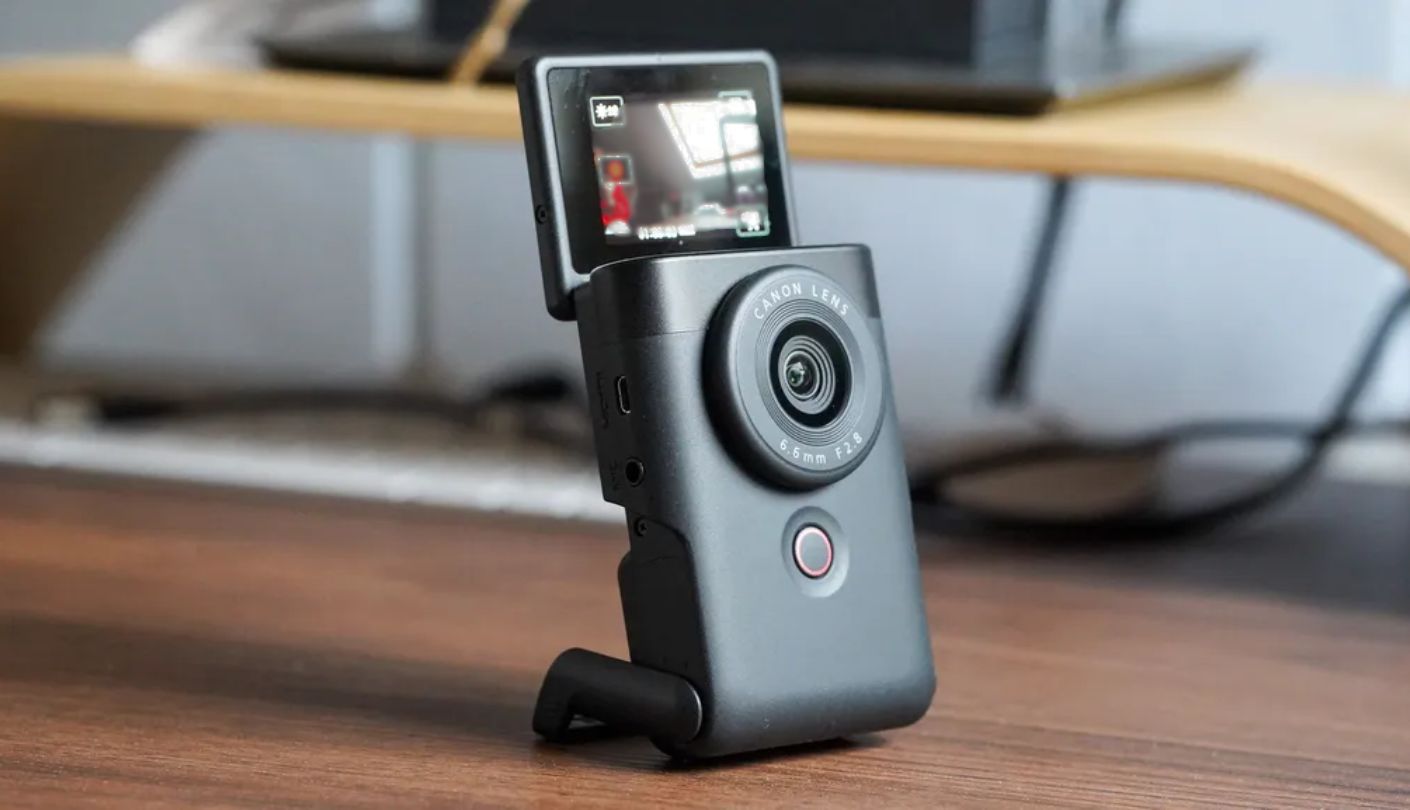
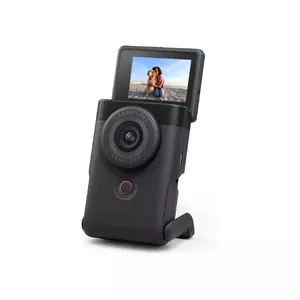
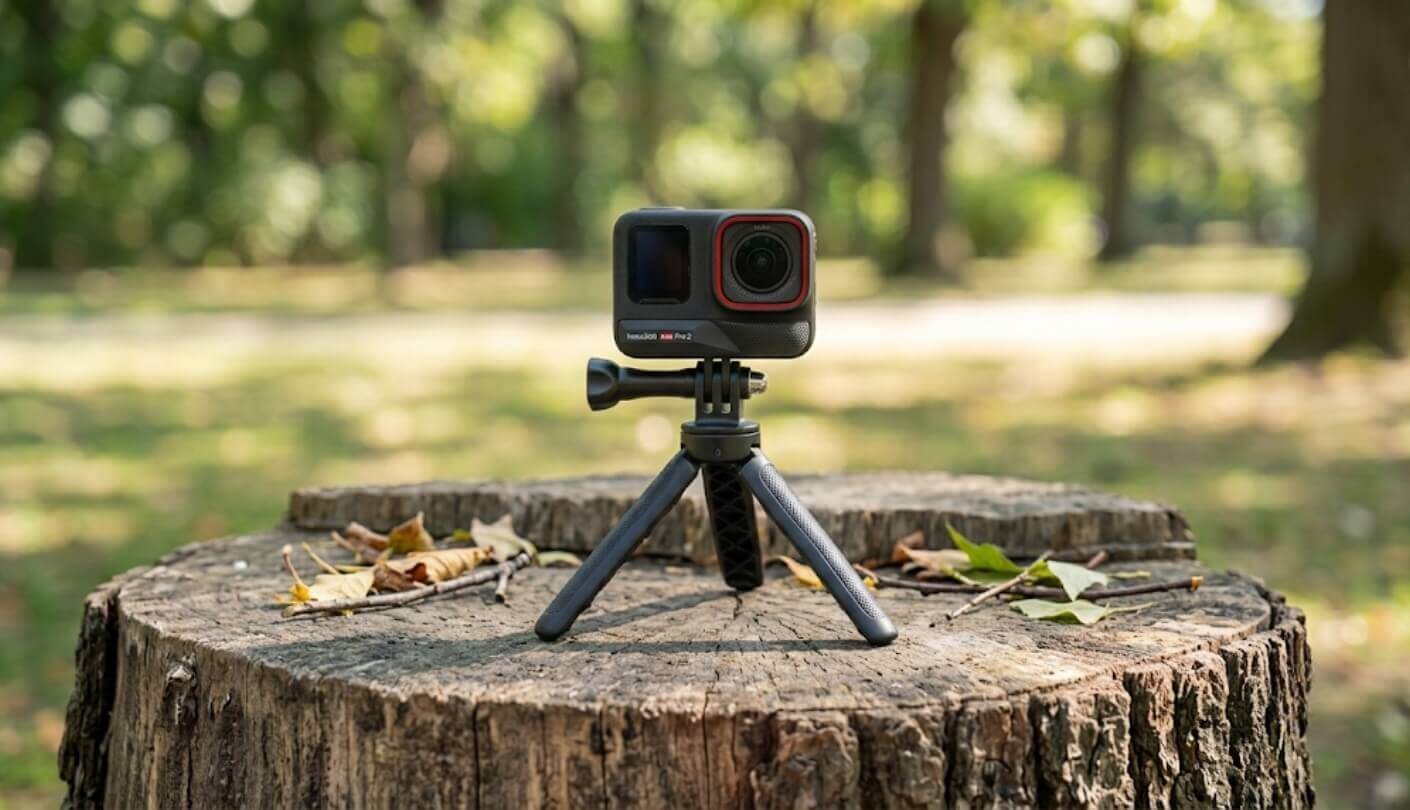
Why does a camera built specifically for solo creators skip the one accessory every solo creator already owns, a tripod? Because the Canon PowerShot V10 folds a sturdy kickstand directly into its body, propping the camera up at an angle without any extra gear at all, and it works just as well as a makeshift webcam stand for video calls.
A 1-inch sensor ties the DJI for the largest chip of the five, and Canon's color science renders skin tones warmly enough that several reviewers specifically praised how natural faces look straight out of the camera. The 2-inch screen flips a full 180 degrees to face forward, and a 3.5mm microphone jack accepts any external mic already sitting in a drawer, a detail that stands out given how many small cameras in this price range skip that port entirely.
Battery life is the honest weak point, and it's a significant one. CIPA testing rates it at roughly 55 minutes of continuous 4K recording, the shortest runtime of any camera in this group, and the battery isn't removable for a quick swap mid-shoot. Overheating can cut that number even shorter under warm conditions, and a hot room or a sunny window nearby makes the gap between rated and real runtime noticeably worse.
No zoom, no weather sealing, and digital-only stabilization round out a spec sheet built around simplicity rather than versatility. For a desk-bound creator who mostly films seated, none of those gaps matter much, but anyone planning to move around or shoot outdoors regularly should weigh the short battery life carefully first. A backup power bank connected via USB-C at least keeps the camera running during a longer session, even without a swappable cell, though it does mean staying tethered to a cable rather than moving freely.
Pros:
- Built-In Kickstand
- 1-Inch Sensor
- Natural Skin Tone Rendering
- 3.5mm Mic Jack
- 180-Degree Flip Screen
Cons:
- Shortest Battery Life
- No Removable Battery
Summary: The kickstand and a proper mic jack make this a straightforward desk setup, though the roughly 55-minute battery life demands short sessions or a nearby outlet.
AKASO Brave 8 Lite Review
Budget Pick
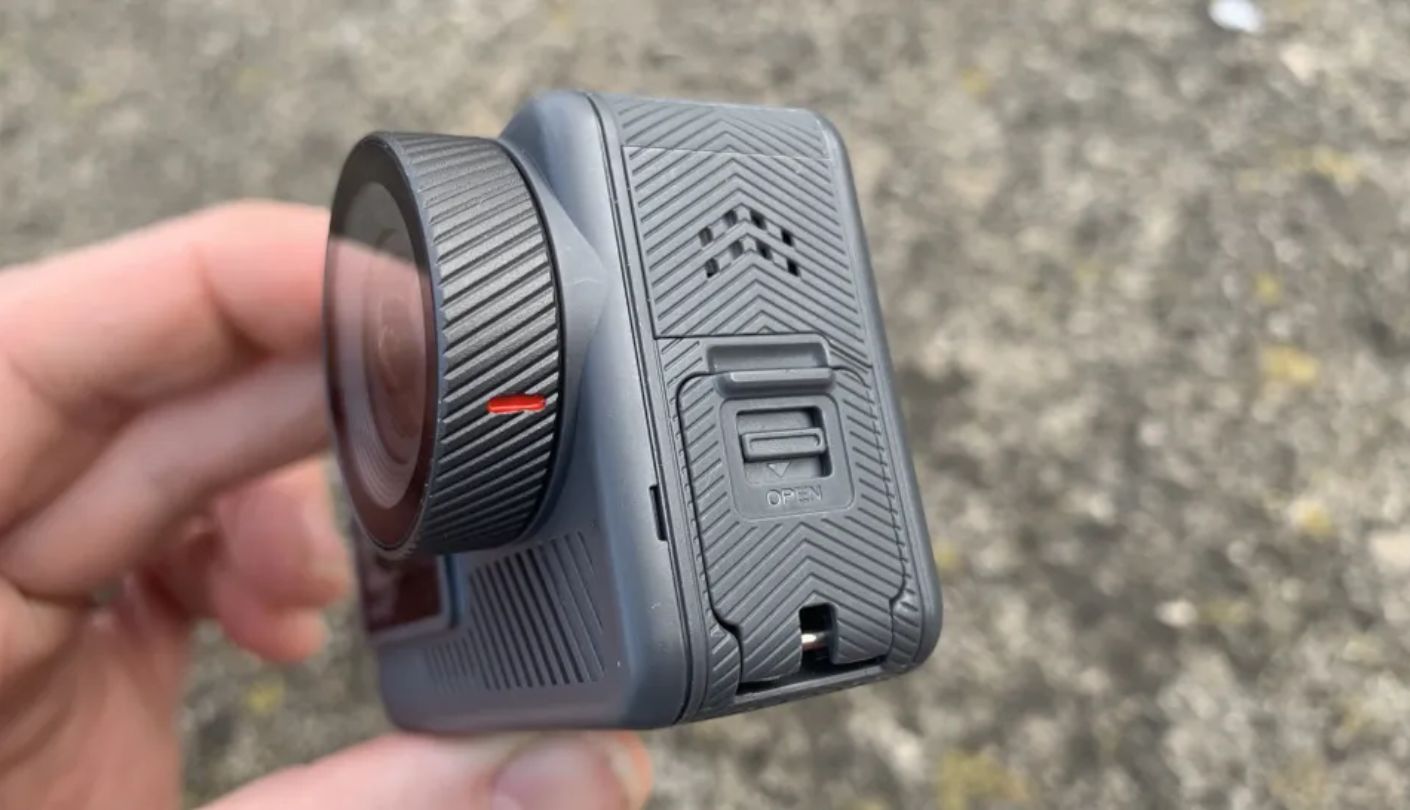
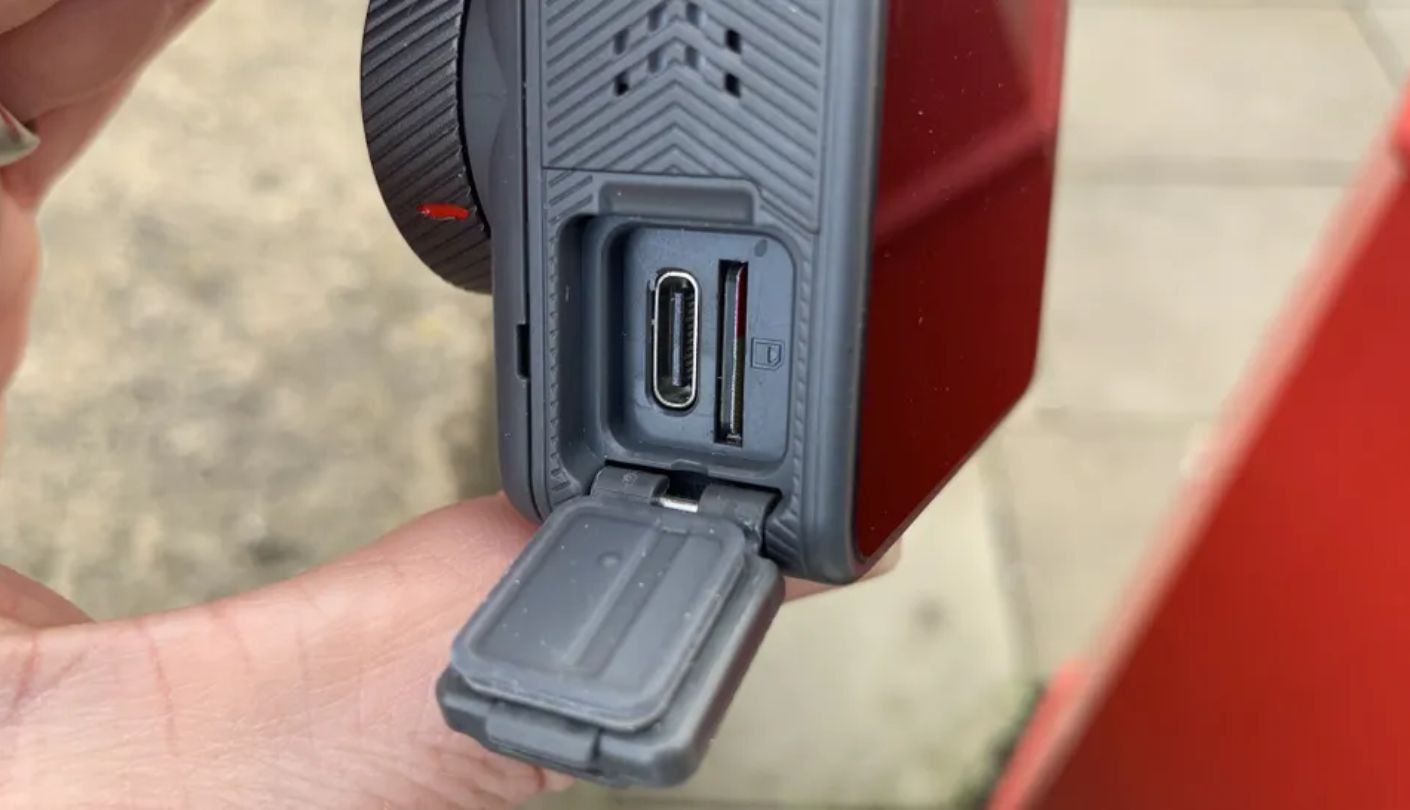
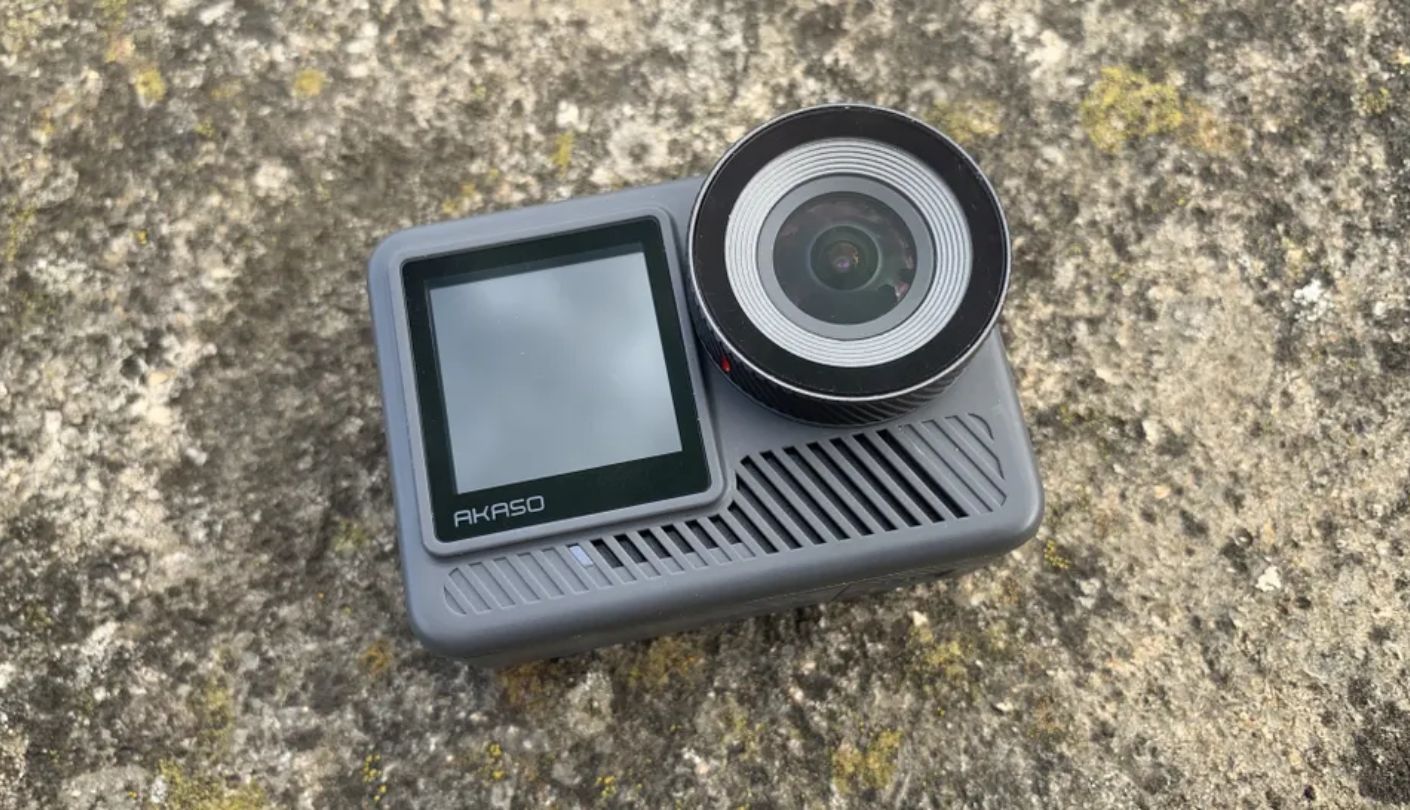
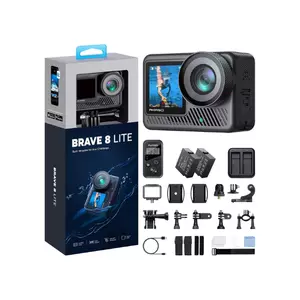
Tilt the AKASO Brave 8 Lite from landscape to portrait mid-shoot and the built-in gyroscope switches the recording orientation automatically, a legitimately useful trick for anyone bouncing between horizontal YouTube content and vertical shorts without stopping to dig through a menu, a workflow most rivals at any price still handle manually.
Both a 2-inch rear screen and a 1.2-inch front display show a working live preview, waterproofing reaches 33 feet without a case, and two batteries ship in the box for anyone planning a full day of shooting. At this price, that combination of features is genuinely hard to find anywhere else on this list, and it's a spec sheet most rivals here charge considerably more to match, even before factoring in the extra battery.
The 1/2.3-inch sensor is the smallest of the five by a clear margin, and it shows the moment lighting gets dim, with noise creeping into shadows well before any of the four pricier cameras in this comparison struggle. SuperSmooth stabilization works, but independent testing rates the in-camera stabilization as noticeably weaker than the app-processed alternative, so footage sometimes needs a pass through the companion app before it looks its best.
Real owner complaints center on heat buildup during longer recording sessions and inconsistent behavior when pairing external USB-C microphones. Neither issue is disqualifying for casual use, but both are worth knowing about before expecting flagship reliability at a fraction of the price, especially for anyone planning back-to-back recording sessions in warm weather.
Pros:
- Auto-Rotating Orientation
- Dual Live Preview Screens
- Two Batteries Included
- Waterproof To 33 Feet
- Lowest Price Of The Five
Cons:
- Smallest Sensor Here
- Runs Hot During Use
Summary: Auto-rotating orientation and two included batteries pack surprising value into the cheapest camera in this comparison, and the small sensor is the honest tradeoff for that price.
Cameras for Vlogging under $500: FAQ
Is a bigger sensor always better for vlogging?
For low-light and indoor footage, yes, since a larger sensor gathers more light per pixel regardless of the resolution printed on the box. For bright outdoor content, the gap narrows considerably, and other factors like stabilization and screen usability start to matter more than another fraction of an inch on the sensor spec sheet.
Does mechanical stabilization actually look different from software stabilization?
Yes, most noticeably during long walking shots, where software processing can introduce a subtle warping effect around the frame edges that a mechanical gimbal avoids entirely. For quick clips or mostly stationary footage, the difference matters far less, and most viewers watching on a phone screen won't notice it at all.
Why doesn't the Insta360 Ace Pro 2's front screen show a live preview?
It's a design choice to keep the front display simple, showing battery and status information rather than a full image feed. Framing a shot means using the larger rear touchscreen instead, flipped forward, which works but adds an extra step compared to a true front-facing preview.
Is the DJI Osmo Pocket 3 actually waterproof?
No, not without purchasing a separate waterproof housing, unlike the GoPro and AKASO, which both handle water down to 33 feet without any extra gear. That's worth weighing seriously for anyone planning to vlog near water regularly, since the housing itself adds both cost and bulk to what's otherwise a genuinely pocketable camera, and it can affect audio quality too, given that the mic has to work through a sealed case.
Can I use my own microphone with these cameras?
Only the Canon PowerShot V10 includes a standard 3.5mm jack that accepts any external mic directly. The others rely on proprietary wireless systems, USB-C adapters with mixed compatibility, or built-in mics alone, so check this specifically if outside audio gear already exists, since buying a new mic system just for one camera adds up fast.
How much does battery life actually matter for vlogging compared to action cameras?
More than the spec sheet suggests, since continuous talking-head recording drains a battery faster than the intermittent clips action camera ratings are usually tested around. A camera with a removable battery or a second one included in the box handles longer sessions far more gracefully than one without, especially for anyone recording a full episode rather than a handful of short clips.
Does the AKASO Brave 8 Lite's smaller sensor actually matter for casual vlogging?
For daylight and well-lit indoor content, the difference is often small enough to ignore. Once the lighting drops, though, the gap between its 1/2.3-inch sensor and the 1-inch sensors on the Canon or DJI becomes obvious fast, showing up as visible noise in shadows well before either of the larger-sensor cameras start to struggle.
Which of these is the easiest camera to start vlogging with today?
The Canon PowerShot V10, thanks to its built-in kickstand, simple automatic controls, and near-zero learning curve for someone coming from a phone. The tradeoff is battery life short enough that longer sessions need a nearby outlet or frequent breaks, which matters most for anyone planning to record uninterrupted for half an hour or more, though most first vlogs run shorter than that anyway.
Matching the Camera to the Footage Actually Being Shot
A creator filming mostly at a desk gets more practical value from a kickstand and a mic jack than from an action camera's waterproofing, while someone vlogging hikes and bike rides needs that ruggedness far more than a slightly bigger sensor. Those are different jobs wearing the same "vlogging camera" label, and treating them the same way is the most common mistake in this price range. A camera bought for the wrong job usually still works, it just makes every shoot slightly harder than it needed to be.
The Insta360 and DJI both win on image quality once the lighting gets difficult, the GoPro covers the widest range of outdoor and adventure use cases, and the Canon and AKASO both trade some polish for a lower barrier to entry. Match the camera to where the filming actually happens, not to whichever spec sheet reads the most impressively in a store aisle, and the right pick usually becomes obvious well before the last row of the comparison table gets read.

Jim's our tech geek with a mission since February 2023. From movies to video projectors, he knows his stuff and aims to make tech work for you. When he's not geeking out, he's there to guide you through making savvy decisions.


