Which of the Best Travel Routers for Cruise Ships Should You Buy?
The queue at the guest services desk on day one of a cruise has a particular atmosphere to it. Everybody is holding a phone. Everybody has just worked out that the internet package is sold per device, and that a couple travelling with two laptops, two phones and a tablet is looking at five separate connections for the week. You watch the person ahead of you do the arithmetic. Then you do yours, and your face ends up matching theirs exactly.
The man ahead of me that morning had already solved it. He bought a single connection, took it back to his cabin, and shared it with his whole family from a box smaller than a paperback that ran off the same charger as his phone. I spent that week mildly irritated with myself and the months afterwards working out which of these things I should have packed. Five of them are below. One is not really a travel router at all, and I would sooner explain that than quietly leave it out.
Here are my two top picks for the best travel routers for cruise ships:
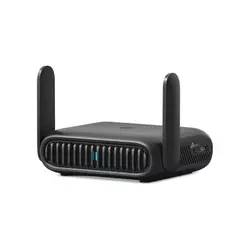
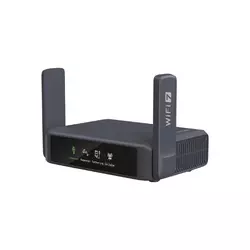
Table of Contents:
- Best Cruise Ship Travel Routers: Buying Guide
- Top 5 Travel Routers for Cruise Ships
- Cruise Ship Travel Routers: Comparison
- TP-Link Roam 7 (TL-WR3602BE)
- GL.iNet Slate 7 (GL-BE3600)
- ASUS RT-BE58 Go
- Cudy TR3000
- Peplink B One 5G
- Cruise Ship Travel Router: FAQ
Best Cruise Ship Travel Routers: Buying Guide
A cabin is a strange little networking environment. It is small, it is metal, it has almost no power sockets, and it sits inside a floating building where several thousand phones are all shouting at once. Five things follow from that, and none of them is coverage.
Why a Cabin Breaks Normal Router Logic
At home you buy a router to cover a house. On a ship you buy one to solve a billing problem. Cruise Wi-Fi almost always runs through a captive portal, the login page that appears before you can reach anything, and the plan is tied to a set number of devices. A travel router logs in once as a single device, then hands that connection to everything in your cabin over its own private network.
The router is doing translation work, not signal work. It presents one MAC address to the ship and an ordinary local network to you, which is why a device the size of a paperback can replace several paid connections at once.
Your phones, tablets and laptops see an ordinary home-style Wi-Fi name and never meet the portal at all. The side benefit surprised me more than the savings did. Every device keeps the same network name across the whole trip, so a Kindle that only ever knew my home Wi-Fi joins in one tap and stays joined. No re-logging in each morning, no fighting a portal on a smart watch that has no keyboard. I have started packing one for hotels too, purely for that.
Repeater Mode Is the Feature That Matters
Marketing loves talking about speed here, and speed is close to irrelevant on a ship. What you need is the mode variously called hotspot, repeater, WISP or public Wi-Fi, where the router joins an existing wireless network as a client and rebroadcasts it. All five models offer some version of it. What separates them is how gracefully they handle a portal that wants a browser, a cabin number and a room key.
Captive portals are where cheaper hardware stumbles, and reviewers have flagged exactly that on the Cudy, describing logins that sometimes drop or need repeating. The better implementations give you a browser window inside the router's own admin page, so you complete the login there once and the router holds the session. I would test whichever one you buy on a coffee shop network before the trip, because finding out mid-Atlantic that you cannot clear the portal is a miserable way to start a holiday.
Power Is Harder to Find Than Signal
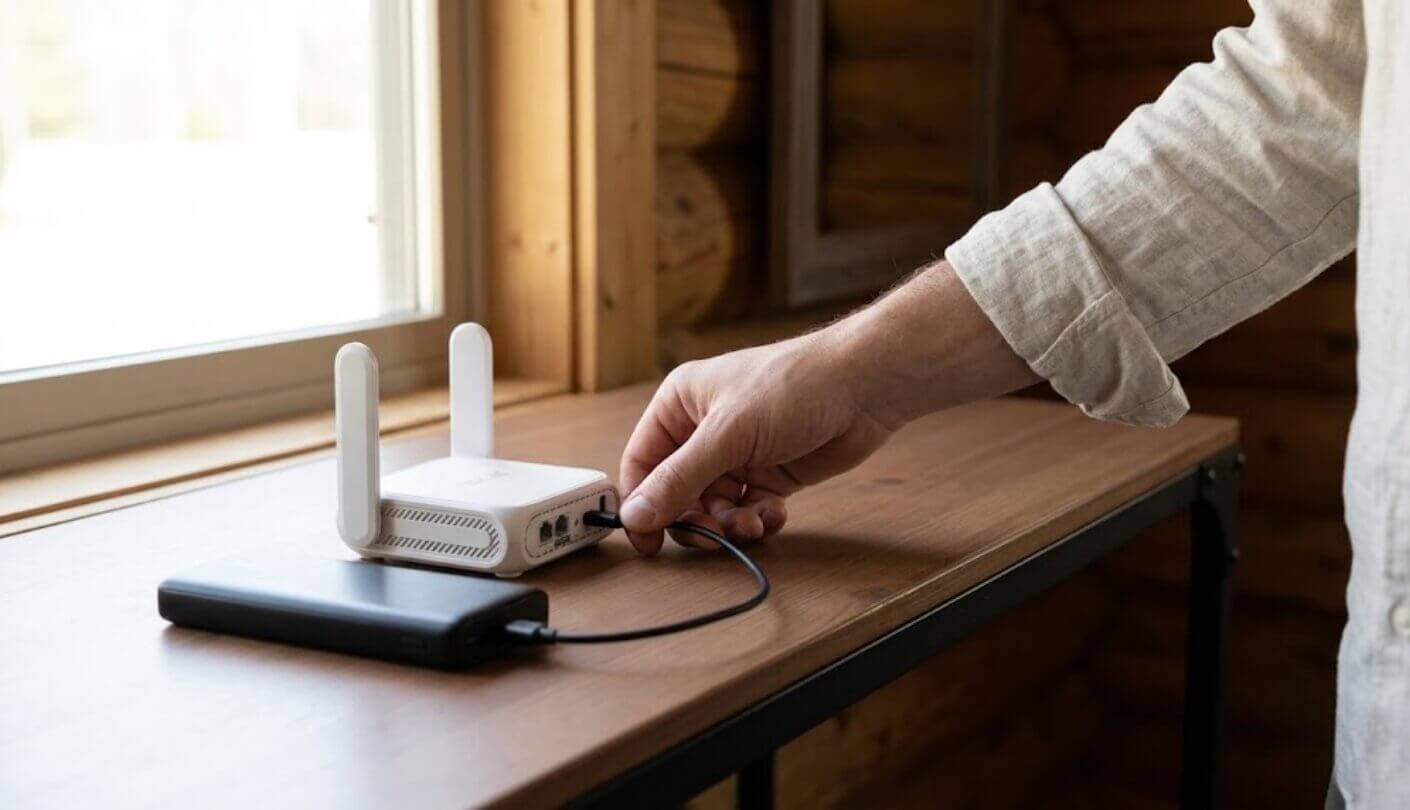
Here is the thing nobody warns you about. Cruise cabins are famously short of sockets, older ships sometimes have two in the whole room, and most lines confiscate surge-protected power strips at embarkation because of fire risk. So the question of how a router gets its electricity stops being trivia and becomes the deciding factor, ahead of every figure on the specification sheet.
Four of these five run from a USB-C power bank or a laptop port, which means the router can live in a drawer or on a shelf with no socket at all. The fifth needs a mains adapter, and that changes where it can go and whether it can go at all.
The moment this clicked for me was watching a router boot up from the same battery pack I use for my phone. It is a small thing and it delighted me anyway. A ten thousand milliamp-hour bank runs one of these for hours, which covers a sea day on the balcony or an evening where the desk socket is already claimed by two charging cameras.
The 5G Question Answers Itself at Sea
Cellular is the great travel router upgrade on land and a dead end in the middle of an ocean. There are no towers out there. A router with a SIM slot is a very expensive paperweight from the moment the coastline drops below the horizon until the ship ties up in the next port, where it becomes brilliant again for a day. Only one of these five has a built-in modem, and its case rests on other qualities entirely.
Ships handle this themselves now, mostly through satellite links that have improved enormously in the last few years. Onboard Wi-Fi that was once a running joke can genuinely stream video on newer vessels. That shifts the job of your router firmly toward sharing and securing whatever the ship hands you. If your itinerary is heavy on port days and you want data ashore, an unlocked phone with a local eSIM does the same job for a fraction of the outlay and fits in a pocket.
Read the Cruise Line's Rules First
This part is genuinely important and rarely mentioned. Several cruise lines discourage or prohibit passenger-operated wireless access points, on the reasonable grounds that a few thousand private networks would trample the ship's own. Policies vary by line and they change, so check yours before packing rather than at the gangway. The wording usually sits in the guest conduct or internet terms section of the line's website, a few clicks past the booking pages.
Running a travel router in wired or hotspot client mode with its broadcast power dialled down is a very different proposition from setting up a loud open network in a cabin. Keeping your network small, named unremarkably and secured with WPA3 is both good manners and good practice.
Every model here lets you reduce transmit power or limit the network to the 5 GHz band, which barely travels past a cabin wall and interferes with far less. I keep mine on 5 GHz only at sea and have never had a problem, though I am describing my own habit and not making a promise about anybody's terms of service.
Top 5 Travel Routers for Cruise Ships
A ship asks four things of a router. Get past the login page. Run without a wall socket. Keep the traffic private. Take up almost no room in a bag that is already too full. Here is how each of the five answers.
- Up To 90 Devices
- Seven Operating Modes
- 2.5 Gbps WAN
- Runs Off Power Banks
- USB Drive Sharing
- Dual 2.5 Gbps Ports
- 540 Mbps WireGuard
- Touchscreen VPN Toggle
- AdGuard Home Included
- Flexible PD Power Input
- Folding Flat Antennas
- Full ASUSWRT Interface
- Free AiProtection Security
- Instant Guard Home Tunnel
- Two-Profile Slider Switch
- Only 160 Grams
- Hardware WireGuard Acceleration
- Physical VPN Switch
- Eight Hours Battery Runtime
- 2.5 Gbps WAN
- Built-In 5G Modem
- Dual SIM Slots
- SpeedFusion WAN Bonding
- Four Gigabit LAN Ports
- Bonds Three Starlinks
Cruise Ship Travel Routers: Comparison
Laid out side by side, weighted for a ship instead of a living room:
| Specification | TP-Link Roam 7 | GL.iNet Slate 7 | ASUS RT-BE58 Go | Cudy TR3000 | Peplink B One 5G |
| Wi-Fi Standard | Wi-Fi 7, dual-band | Wi-Fi 7, dual-band | Wi-Fi 7, dual-band | Wi-Fi 6, dual-band | Wi-Fi 6, dual-band |
| Runs From a Power Bank | Yes, 5V/3A USB-C | Yes, USB-C with PD | Yes, USB-C PD at 18W | Yes, 5V/3A or PD | No, mains adapter only |
| Fastest Wired Port | 2.5 Gbps WAN | 2.5 Gbps, both ports | 2.5 Gbps WAN | 2.5 Gbps WAN | 1 Gbps |
| LAN Ports | One at 1 Gbps | One at 2.5 Gbps | One at 1 Gbps | One at 1 Gbps | Four at 1 Gbps |
| Built-In Cellular | None, USB dongle only | None, USB dongle only | None, USB dongle only | None, USB dongle only | 5G modem, two nano-SIM slots |
| VPN Protocols | WireGuard, OpenVPN, L2TP, PPTP | WireGuard, OpenVPN, Tor | WireGuard, OpenVPN, IPSec, L2TP, PPTP | WireGuard, OpenVPN, IPSec | SpeedFusion, OpenVPN, IPSec, L2TP, PPTP |
| Extra USB Port | USB-A 3.0 | USB-A 3.0 | USB-A 3.0 | USB-A 3.0 | USB-C, usable as a WAN |
| Firmware | TP-Link, app and web UI | OpenWrt-based with LuCI | ASUSWRT, app plus web admin | OpenWrt-ready Cudy build | Peplink with InControl cloud |
| Standout Extra | Shares one login with 90 devices | Front touchscreen controls | Becomes an AiMesh node at home | Lightest at 160 grams | Bonds up to three Starlink links |
Start with the power line. It splits the table cleanly: the TP-Link, GL.iNet, ASUS and Cudy units will all run off a battery pack, and the Peplink wants a socket it probably will not find. Cellular looks like a clean win for that same Peplink until the ship leaves the coast behind, at which point the modem has nothing to talk to and the feature you paid most for sits idle until the next port.
TP-Link Roam 7 (TL-WR3602BE) Review
Editor's Choice
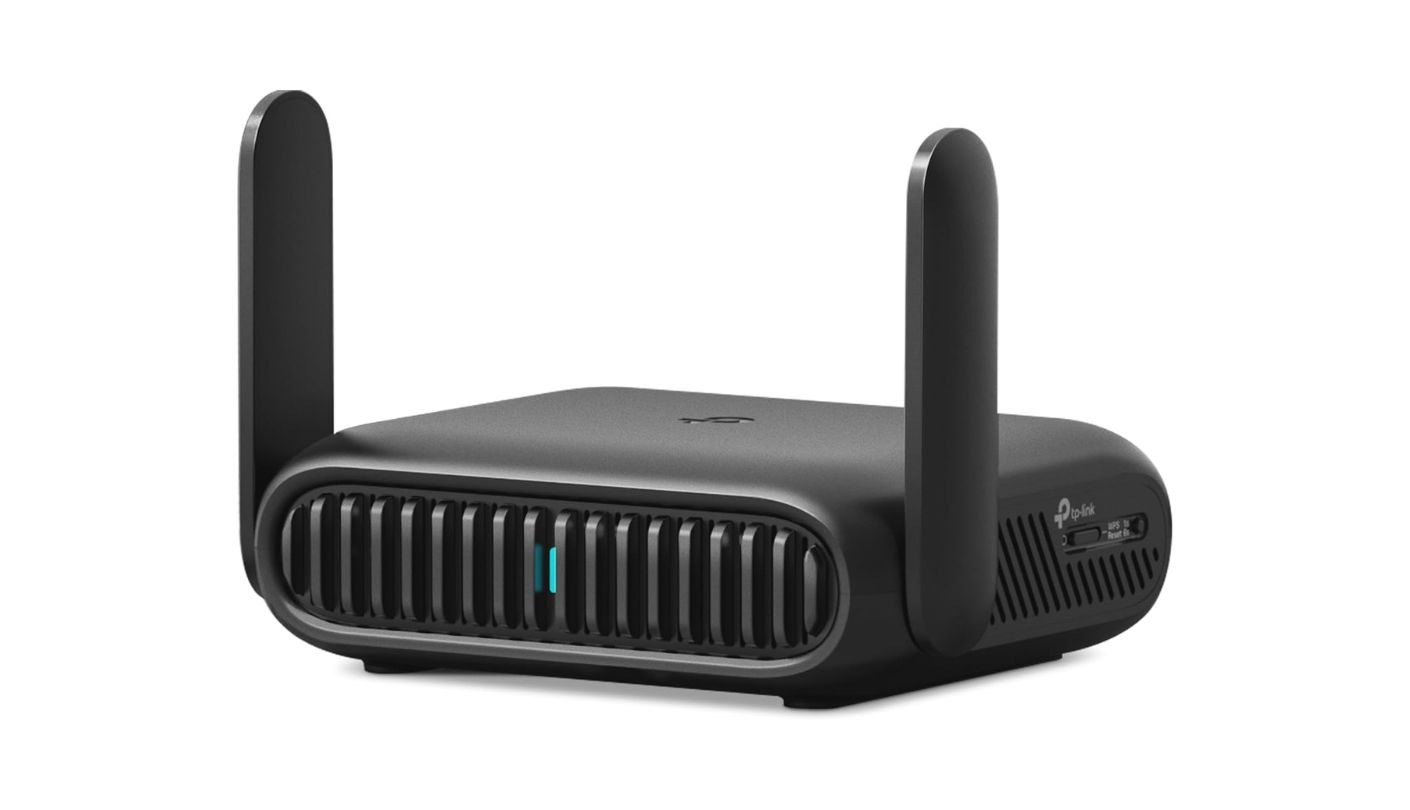
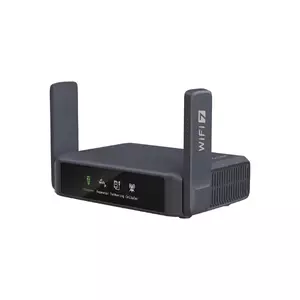
My favourite moment with this one happened in a rented beach house, not on a ship. I plugged the TP-Link Roam 7 into the wall Ethernet socket, and about forty seconds later four phones, two laptops and a Chromecast were all on a network named after my cat. That is the whole pitch. It does the boring part perfectly and asks almost nothing of you while doing it.
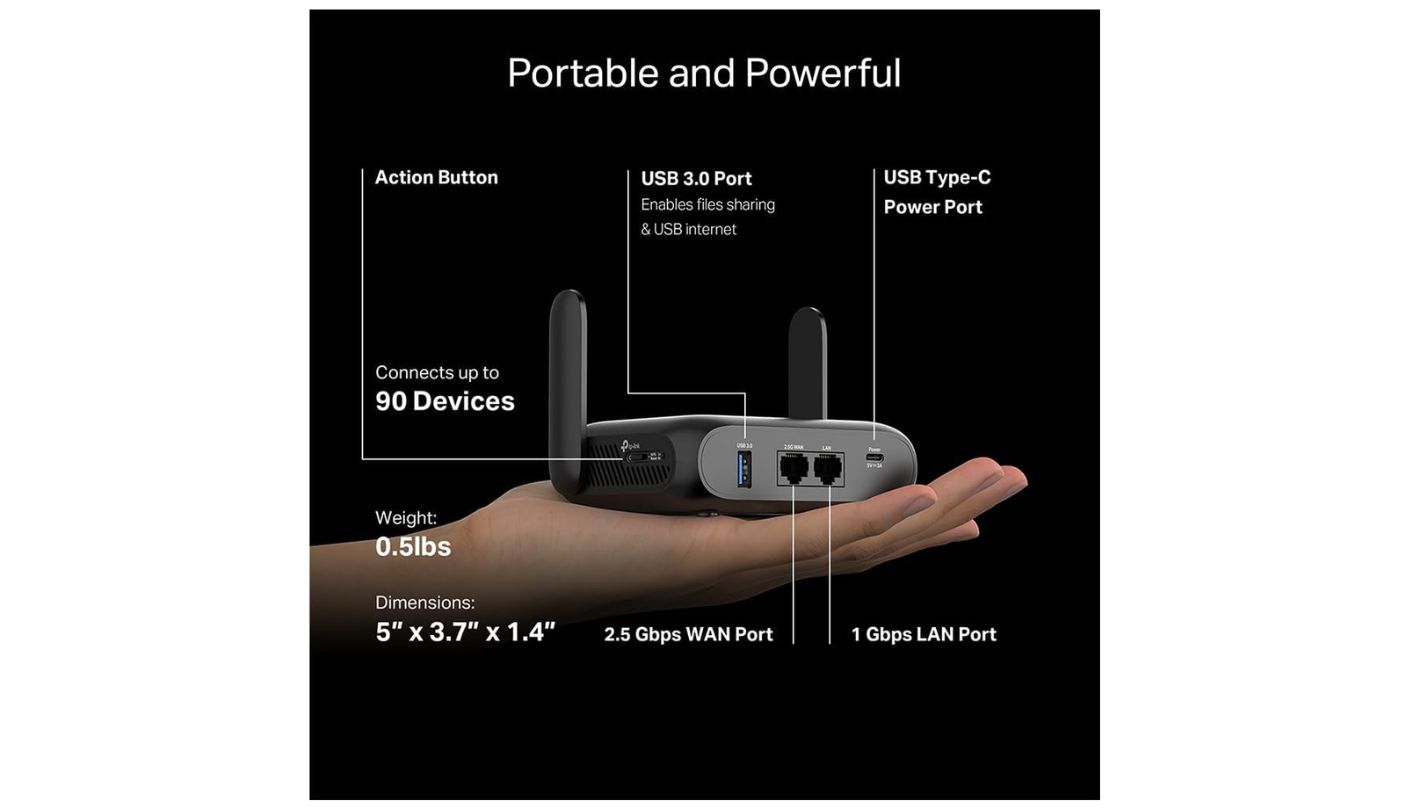
The specification is dual-band Wi-Fi 7 at BE3600, which works out to 2,882 Mbps on 5 GHz and 688 Mbps on 2.4 GHz, plus a 2.5 Gbps WAN port and a gigabit LAN port. TP-Link rates it for up to 90 connected devices, which on a cruise translates to a whole extended family sharing a single paid login. Seven operating modes cover Ethernet, hotspot, client, range extender, access point, USB phone tethering and a USB cellular modem. A USB-A 3.0 port takes an external drive so the cabin gets a little file server, which is a lovely thing to have on a long crossing.
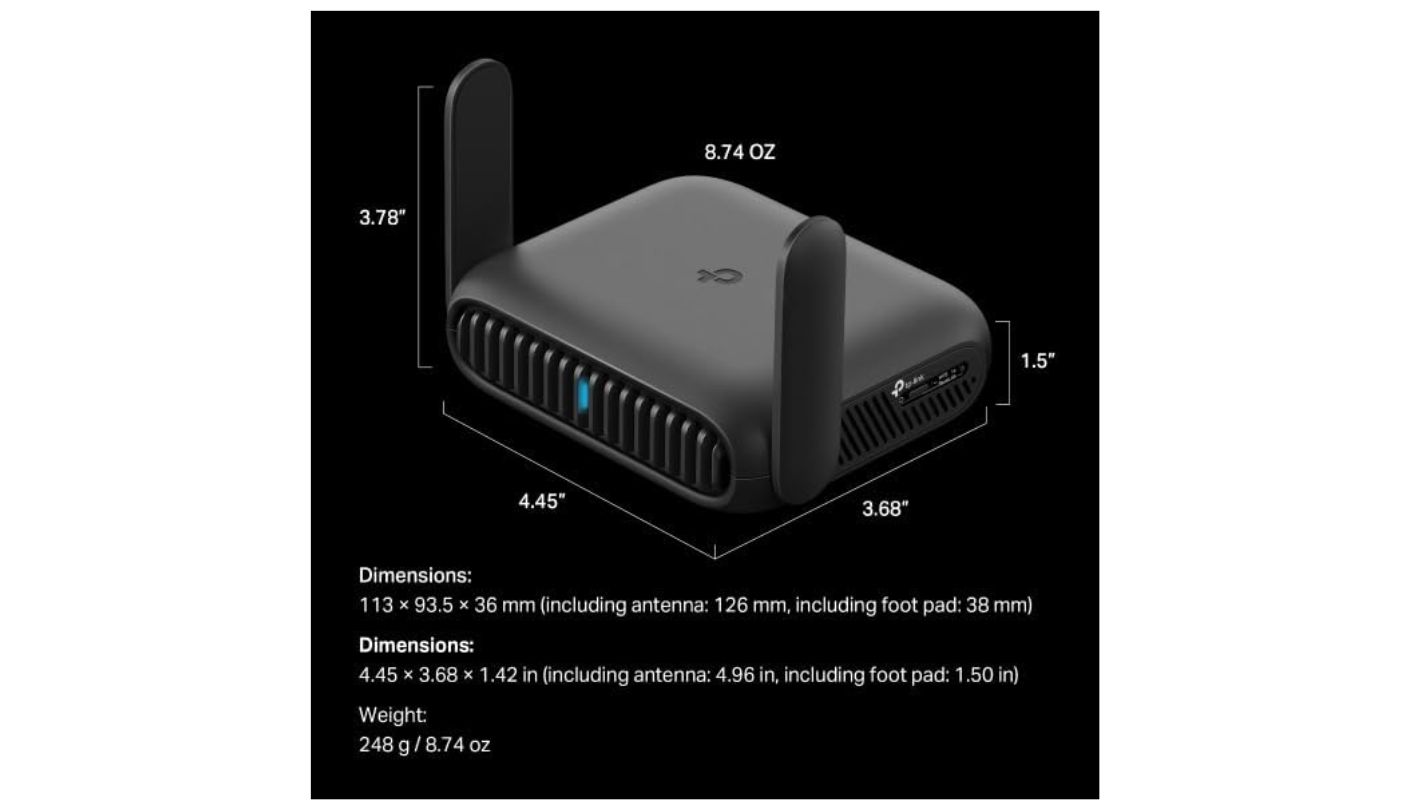
Power is where it fits cruise life. It draws 5V at 3A over USB-C, so a standard phone charger or a power bank runs it, and there is no built-in battery, which TP-Link states plainly on its own product page. Reviewers testing it outdoors have run it entirely from a battery pack. At roughly 250 grams with two swivelling antennas, it packs flat enough that I stopped noticing it was in the bag.
Two things are worth going in knowing. There is no 6 GHz band, so this is Wi-Fi 7 in its modest form, and on a ship that matters not at all because the bottleneck is a satellite link and not your cabin radio. More relevant is that running Multi-Link Operation alongside a VPN pushes the processor and memory noticeably harder, according to hands-on testing, so if you plan to keep a tunnel up all week it is worth switching MLO off and seeing whether you miss it.
It takes the top spot for a simple reason: it is the one I would hand to a friend who has never configured anything more complicated than a smart bulb. The app walks you through it, the modes are named in English instead of acronyms, and nothing about it assumes you find networking fun. The extras cost little and the basics never wobbled on me. That is a harder thing to engineer than a fast radio, and it is worth more on a holiday than any number in the specification list.
Pros:
- Up To 90 Devices
- Seven Operating Modes
- 2.5 Gbps WAN
- Runs Off Power Banks
- USB Drive Sharing
Cons:
- No 6 GHz
- MLO Loads The Processor
Summary: Families and mixed groups get the most from this one, because ninety device slots and a friendly app mean nobody has to be the designated tech person for the week. Enthusiasts will find the firmware a little closed compared with what sits below it on this page.
GL.iNet Slate 7 (GL-BE3600) Review
Best Overall
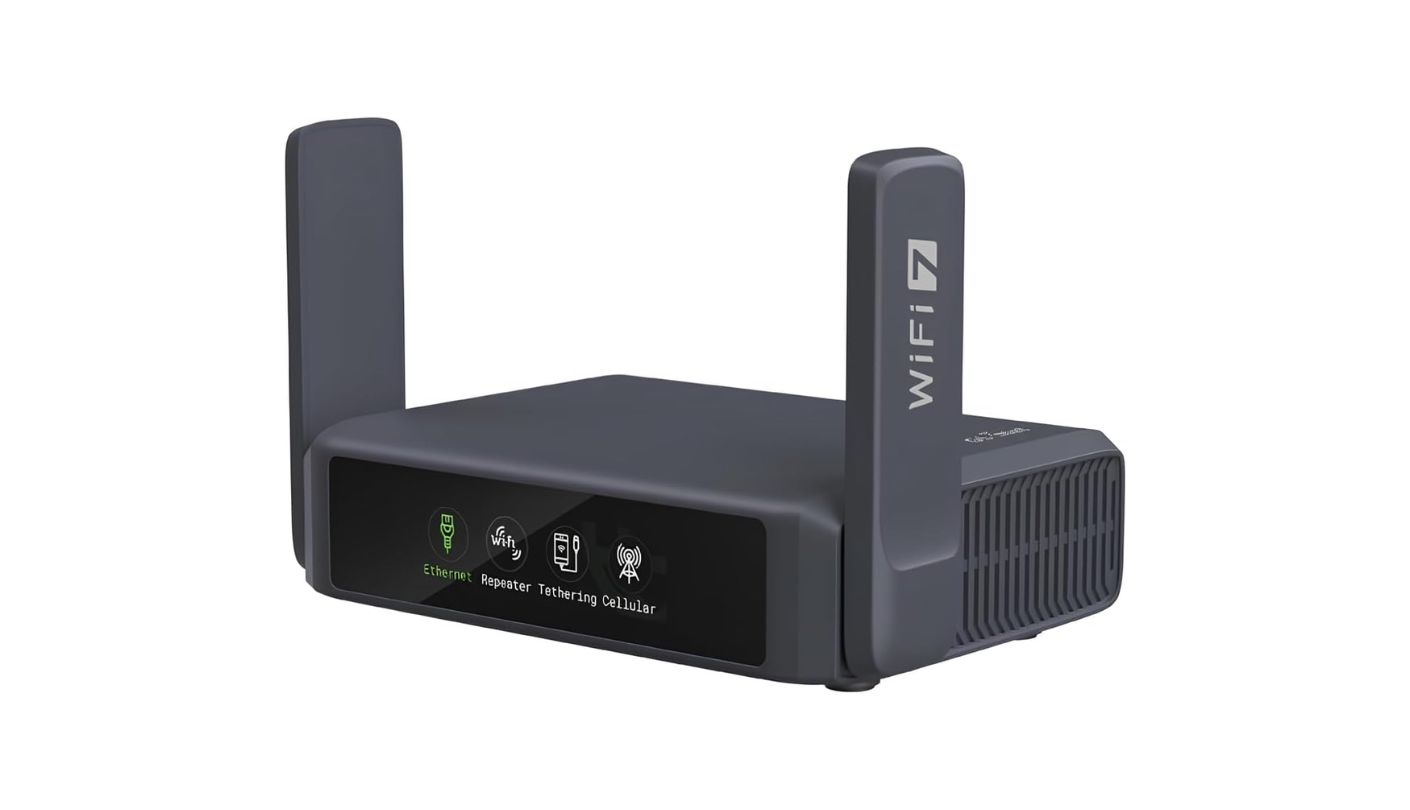
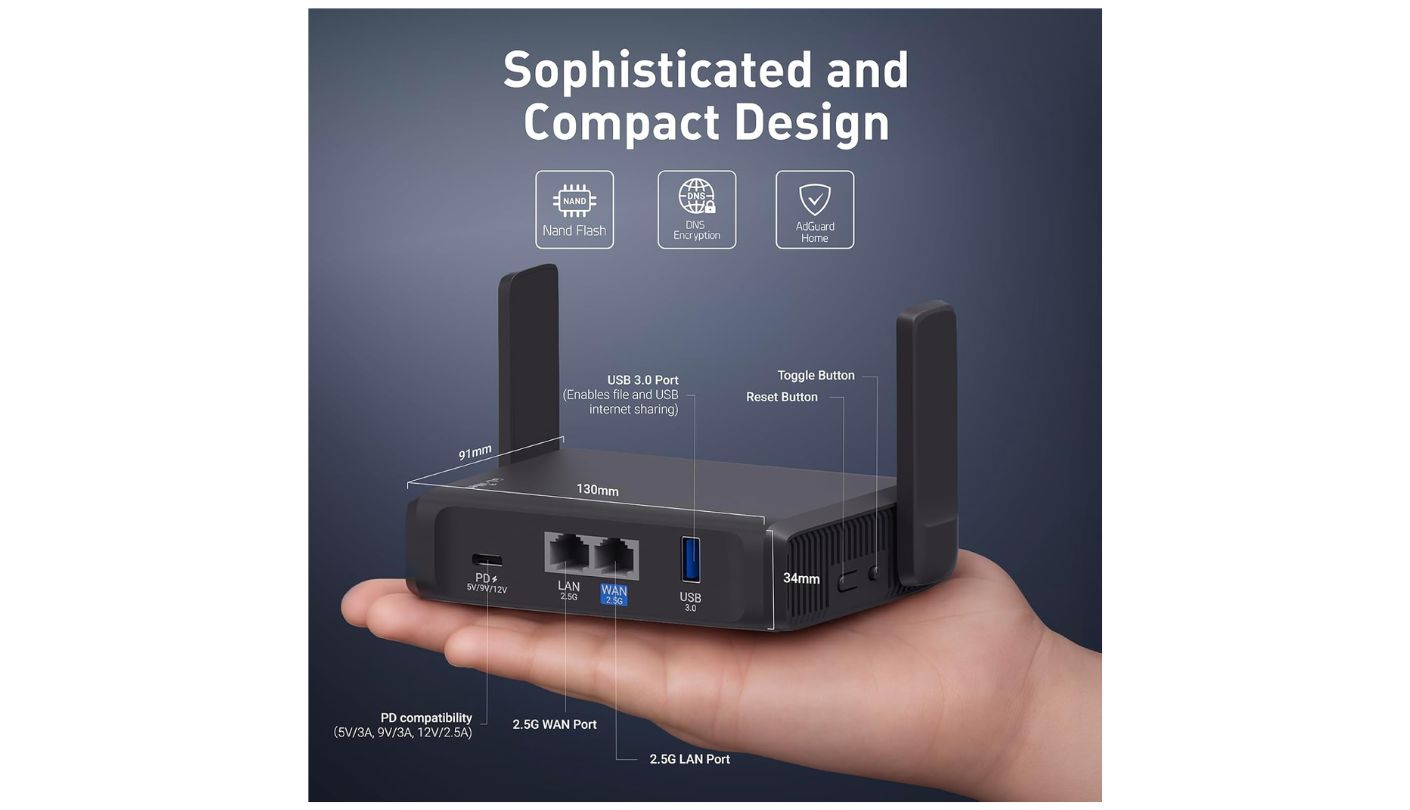
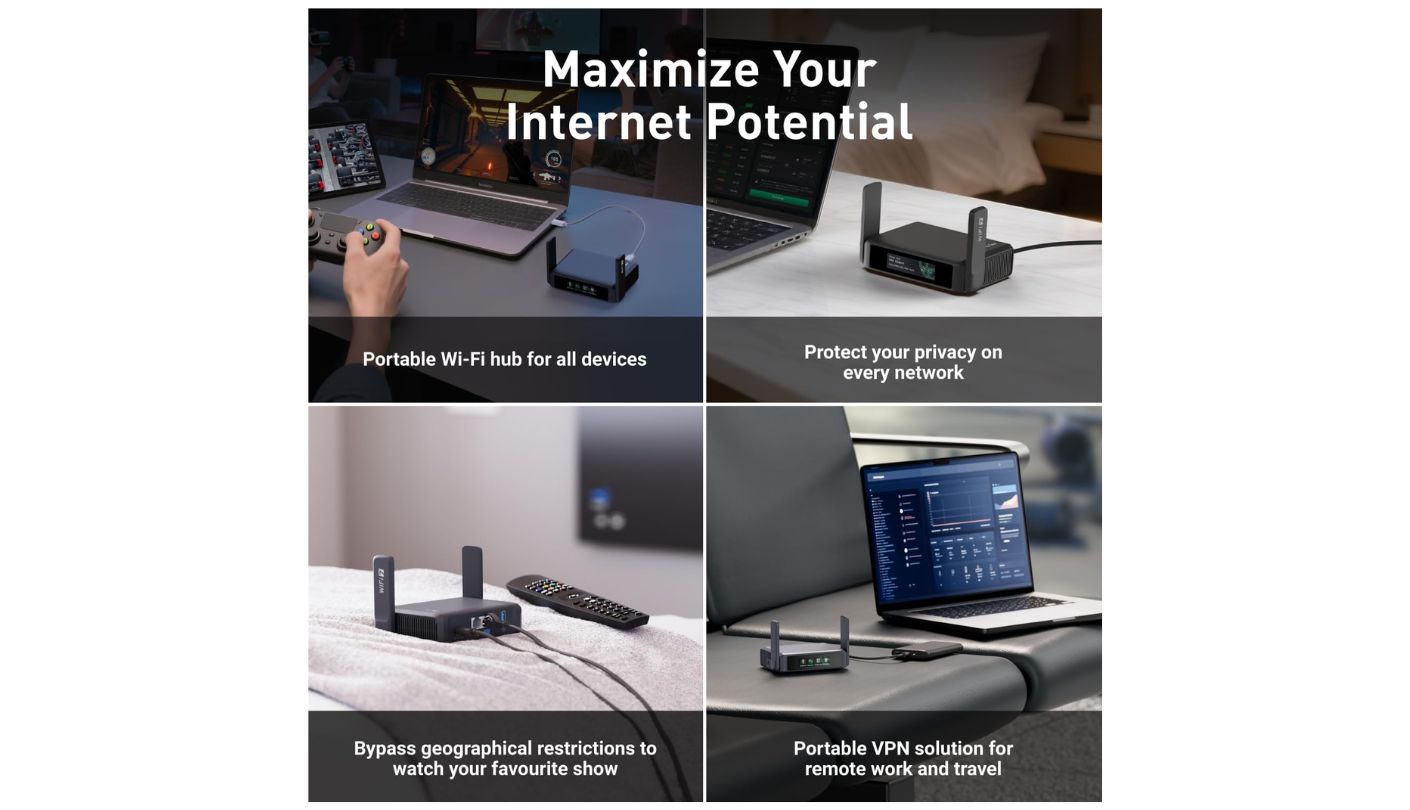
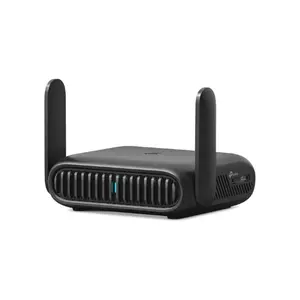
Does a router need a touchscreen? Absolutely not, and I still grinned when I first used one. The GL.iNet Slate 7 puts a one-inch display on its front face, and from it you can scan a QR code to join a network, watch live throughput, toggle the VPN, and see how many ads AdGuard Home has blocked. In a cabin, where digging out a laptop to change a setting is a genuine faff, that turns out to be more useful than it sounds.
Underneath the novelty sits the strongest hardware here for the job. Both Ethernet ports are 2.5 Gbps, which no other model in this comparison manages, and it runs a Qualcomm quad-core at 1.1 GHz with 1GB of DDR4 memory. Dual-band Wi-Fi 7 gives the same 688 and 2,882 Mbps figures as the TP-Link and ASUS units. Power comes in over USB-C with PD support, accepting 5V, 9V or 12V input, which makes it forgiving about which battery pack you grabbed on the way out of the door.
VPN is the reason this one takes best overall. WireGuard is preinstalled and reaches up to 540 Mbps in GL.iNet's own testing, against 100 Mbps on OpenVPN, and it works with more than thirty commercial services out of the box with an active subscription. On a shared ship network that is not a luxury feature, it decides whether your traffic stays your business or becomes everybody's. Tor support, AdGuard Home, Tailscale and a customised OpenWrt build with full LuCI access round it out.
The firmware is where it asks something of you in return. It is OpenWrt underneath, and while the friendly panel covers most things, LuCI is the only route to backing up and restoring settings. Reviewers have also noted that installing vendor plugins is where stability gets less predictable, so the advice is to run it clean. That one-inch screen registers the occasional mis-tap too, which is more charming than infuriating and still worth knowing.
What I keep coming back to is how little of my attention it wants once configured. Set the VPN, set the Wi-Fi name, put it in the drawer, forget it exists. The touchscreen means that on the odd occasion you do need it, you are tapping a screen the size of a postage stamp instead of hunting for an admin page on hotel-grade internet. For anyone who cares about privacy on a network shared with three thousand strangers, this is the pick. The touchscreen will get the attention, and the WireGuard acceleration underneath is the part that actually changes your week.
Pros:
- Dual 2.5 Gbps Ports
- 540 Mbps WireGuard
- Touchscreen VPN Toggle
- AdGuard Home Included
- Flexible PD Power Input
Cons:
- Backups Need LuCI
- Occasional Screen Mis-Taps
Summary: Privacy is what you are really buying, and the hardware acceleration behind it is what makes a full-time tunnel practical instead of painful. People who want to never see a settings page should look one entry up instead.
ASUS RT-BE58 Go Review
AiMesh Node
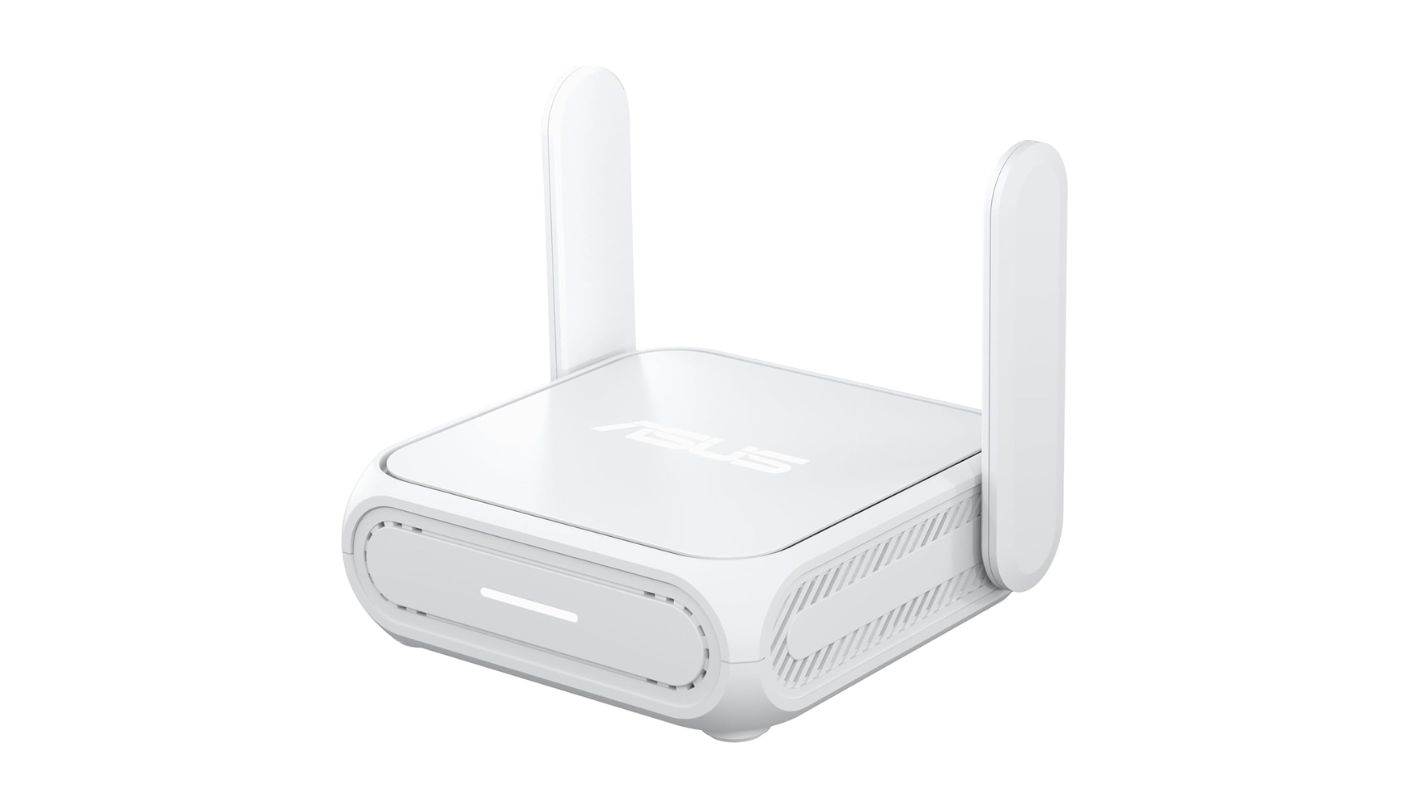
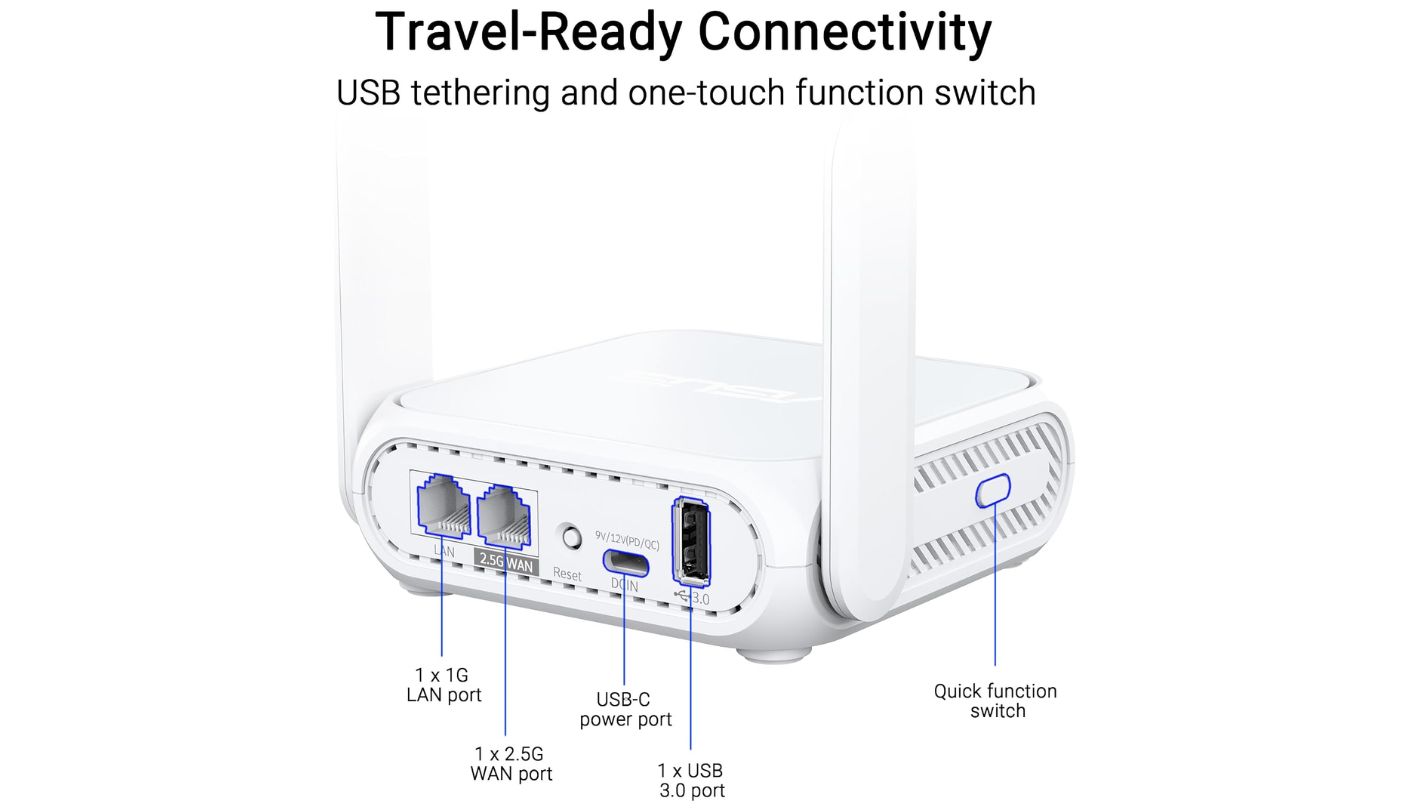
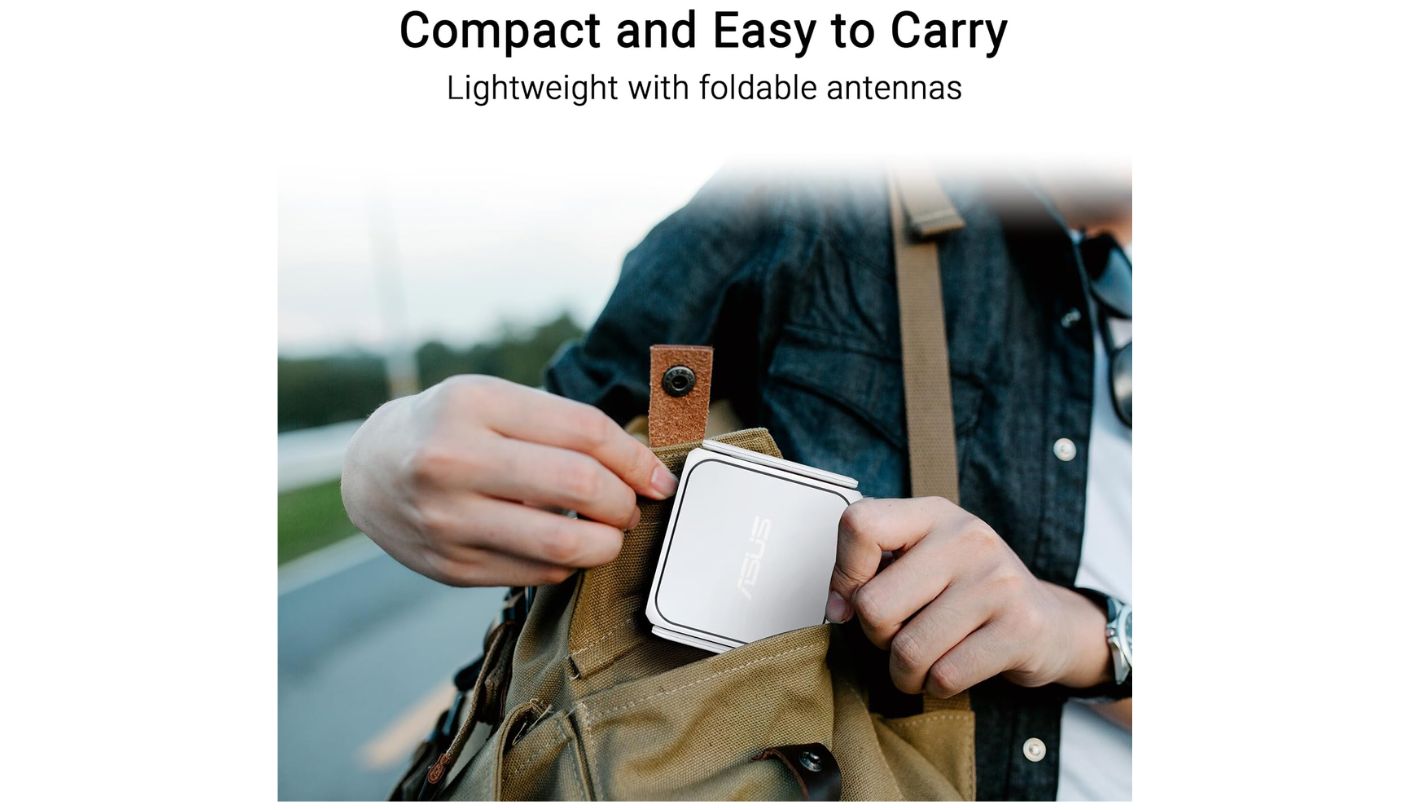
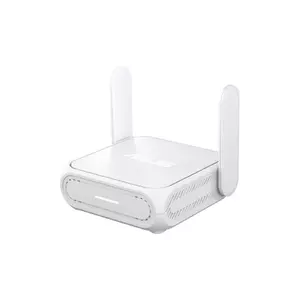
Two hundred and thirty-two grams, 99 by 111 by 36 millimetres, and folding antennas that lie flat against the body. The ASUS RT-BE58 Go is the second lightest thing in this group, and those numbers matter more than any speed figure, because a travel router only gets used if packing it costs you nothing. This one disappears into the pocket of a laptop sleeve, and there is a programmable slider on the side that flips between two saved profiles, one for home and one for travel, which is exactly the sort of small thoughtful touch that makes me like a product more than I probably should.
What you get for that footprint is a full ASUS router with the corners left on. Dual-band Wi-Fi 7 at BE3600, a 2 GHz quad-core processor, a 2.5 Gbps WAN port alongside a gigabit LAN port, a USB-A 3.0 socket for tethering or storage, and USB-C Power Delivery at 18W so a power bank or a car charger runs it. Operating modes cover wireless router, public Wi-Fi client, repeater, media bridge, access point, range extender and AiMesh node.
ASUSWRT is the bigger draw. You get the same full web interface as ASUS ships on its large routers, including AiProtection security at no extra charge, per-device parental controls, Guest Network Pro, and VPN client and server support across WireGuard, OpenVPN, IPSec, L2TP and PPTP. Instant Guard sets up a one-tap tunnel back to your home router, which on a ship means your traffic exits from your living room rather than from a satellite link you know nothing about.
Then it comes home and keeps working, which is the argument that seals it. Add it to an existing ASUS network as an AiMesh node and it covers the spare room or the garden office for the fifty weeks a year you are not on a boat. None of the other four offers that second act. The catch is that the mesh trick works within the ASUS range and nowhere else, so it only pays off if your home router already wears that badge, and the LAN port is gigabit where the Slate 7 gives you multi-gig.
Anyone already inside the ASUS ecosystem should probably stop reading here and buy this one. For everybody else it is a very good travel router whose best trick does not apply, and at that point the decision comes down to whether you prefer ASUS software to OpenWrt. Both answers are reasonable, and neither will let you down in a cabin. What might is discovering after the fact that its best trick needs a brand of hardware you do not own.
Pros:
- Folding Flat Antennas
- Full ASUSWRT Interface
- Free AiProtection Security
- Instant Guard Home Tunnel
- Two-Profile Slider Switch
Cons:
- Gigabit LAN Only
- AiMesh Needs ASUS Gear
Summary: Value here depends entirely on what is already plugged in at home, which is an unusual thing for a travel product. Owners of an ASUS router are getting two devices for one price, and everyone else is getting a competent third place.
Cudy TR3000 Review
Budget Featherweight
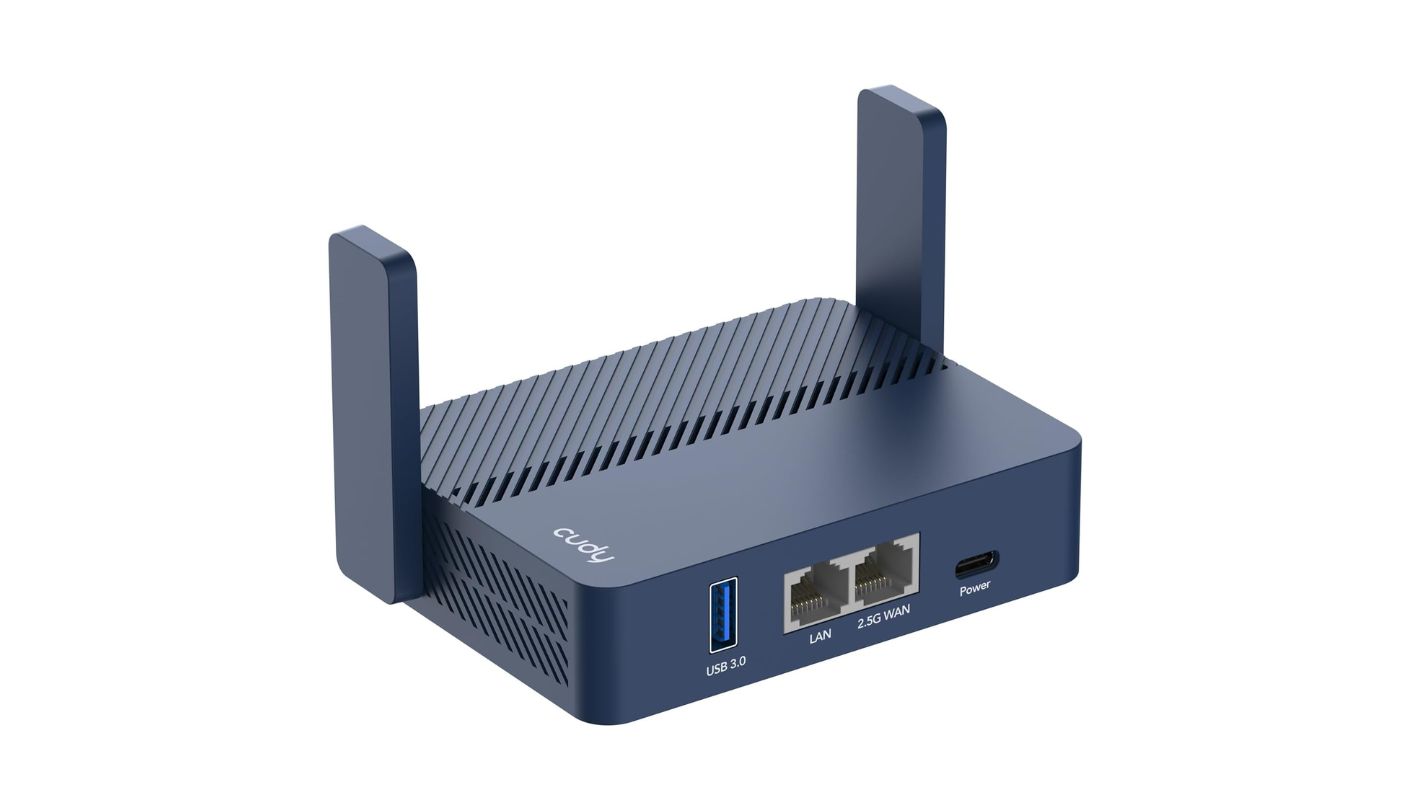
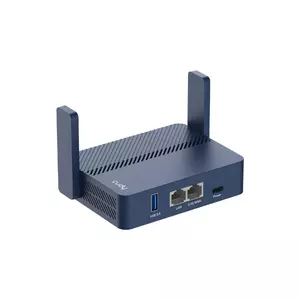
Everything else in this comparison is Wi-Fi 7 or an enterprise box. The Cudy TR3000 is neither, and it weighs 160 grams, which is less than a phone. That combination is the point. It is the cheapest way onto this list and the one you are least likely to leave at home because the bag felt full.
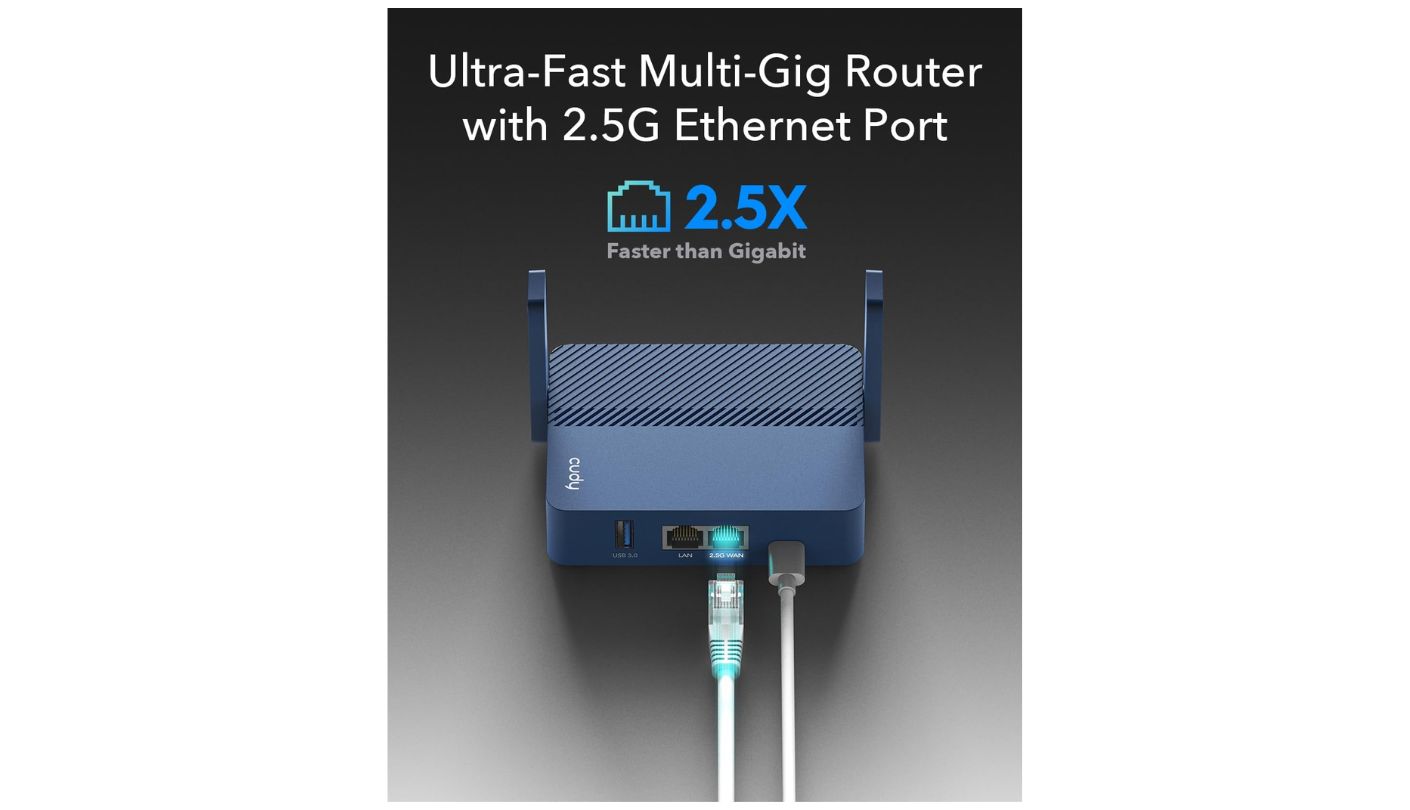
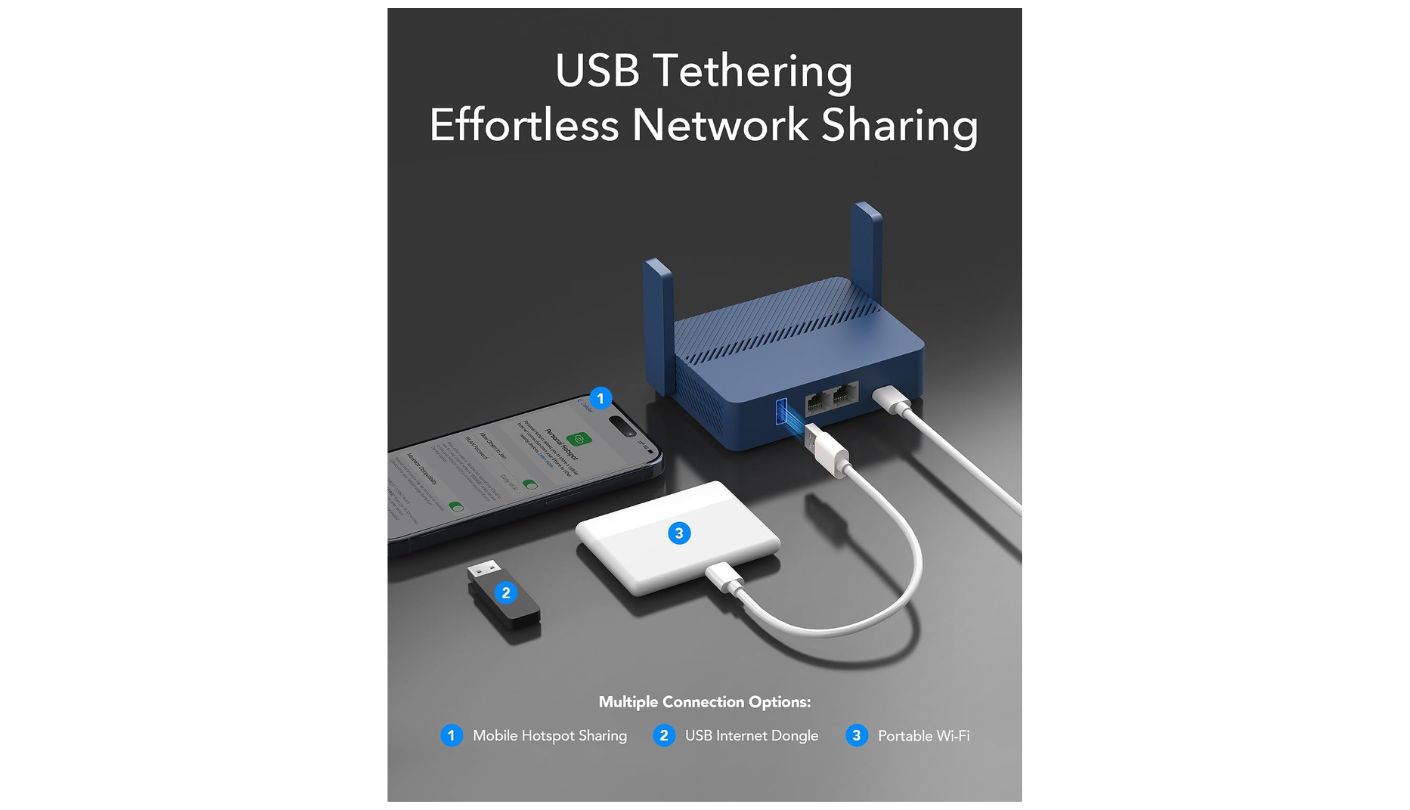
Wi-Fi 6 at AX3000 gives 2,402 Mbps on 5 GHz and 574 Mbps on 2.4 GHz, driven by a 1.3 GHz dual-core processor with 512MB of RAM, and Cudy rates it for more than 70 devices. There is a 2.5 Gbps WAN port, a gigabit LAN port and a USB 3.0 socket that will take a drive for Samba file sharing or a 4G or 5G dongle. Power arrives over USB-C at 5V and 3A or through PD, and testing puts runtime at roughly eight hours from a ten thousand milliamp-hour bank under light load. That is a full sea day.
The VPN story is better than the price suggests. WireGuard runs hardware-accelerated at around 300 Mbps, with OpenVPN and IPSec supported at lower rates, and ZeroTier is there for anyone who wants to reach home. A physical switch on the body toggles the VPN without opening a config page, which is the same idea GL.iNet had and executed with a screen.
Captive portals are the weak spot and they are worth taking seriously on a ship. Reviewers describe hit-and-miss behaviour, with some hotel logins dropping the connection or demanding repeated authentication, and firmware quirks surfacing in the WISP and extender modes specifically. Those are exactly the modes a cruise passenger relies on. It also runs Wi-Fi 6, so there is no MLO and no 6 GHz, though neither would change anything behind a satellite connection.
What I would say is this: buy it knowing what it is. This is the one you test thoroughly at a café before departure and pack as a light, cheap, capable box that mostly does the job. When it works, and it usually does, the difference between it and the units costing considerably more is nearly invisible on a ship's bandwidth. When it stumbles at a login page, you will wish you had spent more, and both of those things are true at once. Pack it as your only router if you travel light and enjoy tinkering, or as a spare alongside something pricier if a week of your holiday depends on it.
Pros:
- Only 160 Grams
- Hardware WireGuard Acceleration
- Physical VPN Switch
- Eight Hours Battery Runtime
- 2.5 Gbps WAN
Cons:
- Patchy Portal Handling
- Wi-Fi 6 Only
Summary: Backpackers and anyone counting grams will forgive this router a great deal, and the price makes a second unit for a friend an easy call. Reliability at login pages is the gamble, and on a ship that gamble has higher stakes than in a hotel.
Peplink B One 5G Review
Cellular Bonding
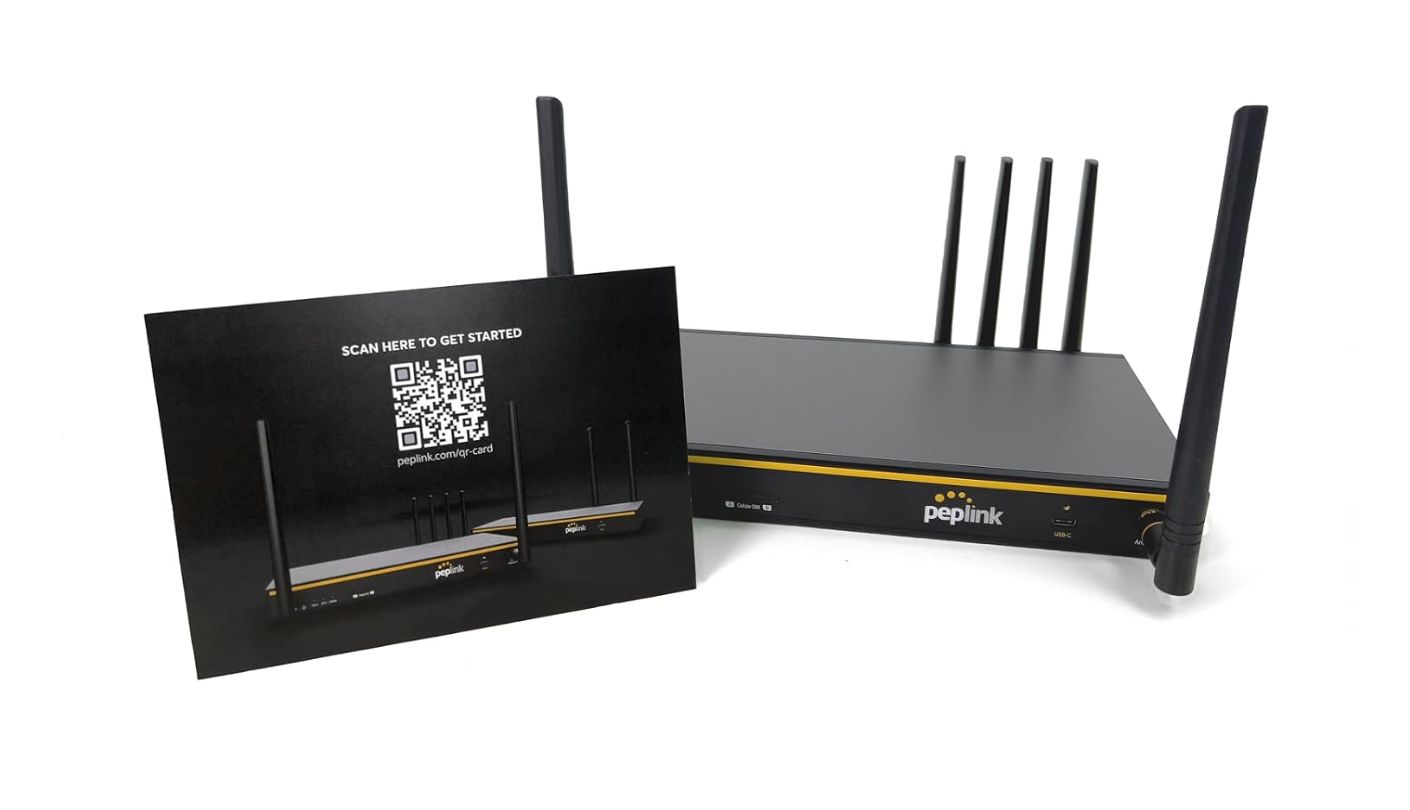


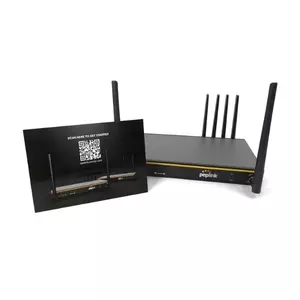
I need to be upfront about this one, because the listing and the reality are further apart than usual. The Peplink B One 5G is not a travel router in the sense the other four are. It is an enterprise branch router with six Ethernet ports, external antennas on both sides, a mains power supply and no way to run from a battery. It belongs in a boat's tech cabinet, a van build or a small office, and calling it a cruise accessory would be doing you a disservice.
Understood on its own terms, it is a remarkable piece of kit. A second-generation 5G modem sits inside, with two nano-SIM slots and eSIM support, alongside two Ethernet WAN ports, Wi-Fi as WAN and a USB-C WAN input. SpeedFusion, Peplink's bonding technology, combines all of those into one connection and fails over between them without dropping a video call. It supports up to three Starlink dishes bonded together, which is the sort of sentence that makes me want to buy a boat.
The numbers are business-class rather than travel-class. Rated routing throughput is 1 Gbps, SpeedFusion runs at 400 Mbps unencrypted and 200 Mbps with encryption, and it handles up to 150 connected users. Four gigabit LAN ports mean actual wired devices, which none of the pocket units here can offer. Bonding and hot failover need an active PrimeCare subscription, so factor that in rather than assuming it comes in the box.
On a cruise ship specifically, most of that goes unused. There is no cellular signal at sea, so the modem sleeps until you dock. There is no wall socket to spare in most cabins, and a device this size with antennas sticking out either side is not going in a drawer. What does still work is Wi-Fi as WAN, so it can share the ship's network like the others, spending an enormous amount of engineering on a job that a box a tenth its size handles perfectly well.
Where it makes complete sense is a different kind of voyage altogether. Own a boat, live in an RV, run a remote site, or spend your holidays somewhere with patchy fixed internet and reliable cellular, and nothing else on this list gets close to what it can do. I have included it because plenty of people searching for cruise gear are actually planning that life, and if that is you, the Peplink is the one to look at properly.
Pros:
- Built-In 5G Modem
- Dual SIM Slots
- SpeedFusion WAN Bonding
- Four Gigabit LAN Ports
- Bonds Three Starlinks
Cons:
- Mains Power Required
- Bonding Needs Subscription
Summary: Boats, vans and remote cabins are the natural home for this router, and in those settings nothing else here comes close to it. A cruise cabin is the one environment where almost none of its strengths can reach the water.
Cruise Ship Travel Router: FAQ
Are travel routers actually allowed on cruise ships?
Check your line's policy, because it varies and it changes. Several cruise operators discourage or prohibit passenger wireless access points, since thousands of private networks would interfere with the ship's own coverage. Where a line does permit one, keeping the network on 5 GHz only, at reduced transmit power and with an unremarkable name, is the considerate approach and the one least likely to bother anybody.
Will one of these save money on the ship's internet plan?
That is the main reason people buy them. Cruise packages are typically priced per device, so a family of four with phones and tablets can be looking at a lot of separate connections. A travel router logs in once and shares that one connection with everything in the cabin, and the TP-Link Roam 7 is rated for up to 90 devices, which is comfortably more than any family needs.
Does a travel router make the ship's internet faster?
No, and it is worth being clear about that. Your bottleneck is the ship's satellite link shared among thousands of passengers, and nothing in your cabin changes it. What a router does is share that connection, keep your devices on one stable network name, and encrypt your traffic if you run a VPN. Speed figures on these boxes matter for home use and are close to meaningless at sea.
Do I need the 5G model for a cruise?
Not for time spent at sea, since there are no cellular towers out there. A built-in modem only earns its keep once you dock, and even then a local data plan on your own phone covers the same ground for far less. The Peplink B One 5G is the only model here with a modem built in, and it is best understood as a router for boats, vans and remote sites where cellular actually reaches.
How do I get past the cruise line's login page?
You put the router in hotspot or repeater mode, connect it to the ship's network, then open the router's admin page from a laptop or phone and complete the portal login from inside it. The router holds that session for the rest of the day, and every device behind it comes along automatically. Practise this on a café network before you sail, because the process is slightly different on each brand.
Can I really run one from a power bank?
Four of the five, yes, and it works better than you might expect. The TP-Link, GL.iNet, ASUS and Cudy models all take USB-C power, so a phone charger or battery pack keeps them running, and the Cudy in particular has been measured running most of a working day on a mid-sized battery pack. The Peplink is the odd one out and needs a mains socket.
Is Wi-Fi 7 worth it, or will Wi-Fi 6 do?
On a ship, Wi-Fi 6 is plenty. The connection reaching your cabin will never come close to saturating either standard, so the newer radios buy you nothing at sea. Where Wi-Fi 7 does pay off is at home, in a rented house with fast fibre, or if you plan to keep the router for years. Buy on portal handling, power options and firmware first, and treat the radio generation as a tiebreaker.
What else should I pack alongside one?
A short Ethernet cable, since some cabins and most rented apartments have a wall socket and the cable in the box is often too short to be useful. A USB-C power bank, ideally ten thousand milliamp-hours or more. A multi-port USB charger, because cabin sockets are scarce and a surge-protected power strip will likely be confiscated at embarkation. That kit fits in a sandwich bag and covers almost every situation. A short Velcro strap is a nice extra for tidying the cable bundle, since cabin desks are small and a nest of wires takes up space you would rather give to a coffee cup.
Packing for a Cabin With One Spare Socket
What genuinely delights me about this category is how small the problem is and how neatly it gets solved. A device that fits in a jacket pocket, powered by the battery already in your bag, turns a per-device billing scheme into an ordinary home network and puts a VPN between your holiday photos and a few thousand strangers on a shared connection. Ten years ago that would have been a project. Now it is a forty-second setup and a thing you forget is in the drawer.
If you take one idea from all this, make it the boring one about power. Wi-Fi standards, throughput figures and processor speeds will not change your week at sea, but a router that cannot find a socket is a router that stays in the suitcase. Work out where yours will sit and what will feed it, test the login process somewhere with free Wi-Fi before you leave, and check what your cruise line has to say about the whole idea. Do those three things and the rest of it looks after itself, which is more than I can say for most travel gear.

Jim's our tech geek with a mission since February 2023. From movies to video projectors, he knows his stuff and aims to make tech work for you. When he's not geeking out, he's there to guide you through making savvy decisions.


