Which of the Best Wi-Fi 7 Routers under $300 Should You Buy?
I have been buying routers since a Linksys with flashable firmware and two rubber antennas counted as enthusiast hardware. In that time the naming has gone from 802.11g to AC5300 to BE19000, the boxes have grown fins, and the actual experience of moving a laptop from the kitchen to the back bedroom has improved less than any of those numbers suggest. Wi-Fi 7 is the first standard in a while that changes something real underneath, and the five routers below are what that change costs once you stop paying for spider-shaped plastic.
The interesting thing about this price band is how little agreement there is inside it. Two of these five skip the 6 GHz band entirely. One gives you five multi-gig ports and no USB socket. One gives you two ports total and expects you to buy a switch. One runs OpenWrt and will happily push a VPN tunnel faster than most people's broadband. They are not five versions of the same product, and the gap between the right choice and the expensive mistake is wider than it has been for years.
Here are my two top picks for the best Wi-Fi 7 routers under $300:
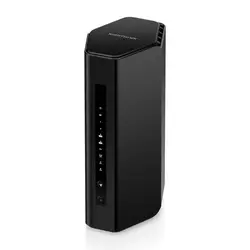
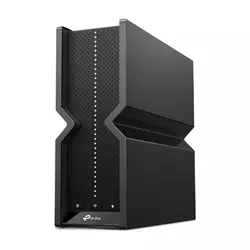
Table of Contents:
- Wi-Fi 7 Routers under $300: Buying Guide
- Top 5 Wi-Fi 7 Routers under $300
- Wi-Fi 7 Routers under 300: Comparison
- NETGEAR Nighthawk RS200
- TP-Link Archer BE550
- Amazon eero Pro 7
- GL.iNet Flint 3 (GL-BE9300)
- ASUS RT-BE58U
- Wi-Fi 7 Router under $300: FAQ
Wi-Fi 7 Routers under $300: Buying Guide
Router marketing has always been an exercise in large numbers doing small work. Five questions cut through most of it, and none of them involve the figure printed after the letters BE.
The 6 GHz Band Is Not for Everyone Yet
Two of these five are dual-band. No 6 GHz, no 320 MHz channels, no clean spectrum. Purists will tell you that disqualifies them from the Wi-Fi 7 name, and there is a case for that. There is also a case that 6 GHz struggles to get through a plasterboard wall, let alone a brick one, and that the handset in your pocket may well predate the standard. The band is superb in the same room and mediocre two rooms away. That is the physics, and no firmware update fixes it.
Count the devices in your house that can actually see a 6 GHz network. If the honest answer is one phone and a laptop you use at a desk fifteen feet from the router, a dual-band unit with better antennas and more memory will serve you better than a tri-band one with a band nobody connects to.
The counterargument is time. A router bought now should still be doing its job in five or six years, by which point 6 GHz clients will be ordinary. Three of these models give you that headroom without much of a premium. My own position is that 6 GHz matters most in a flat or a small house where everything sits within thirty feet of the router, and matters least in exactly the large home where people assume they need the fastest thing on the shelf.
What the Standard Actually Buys You
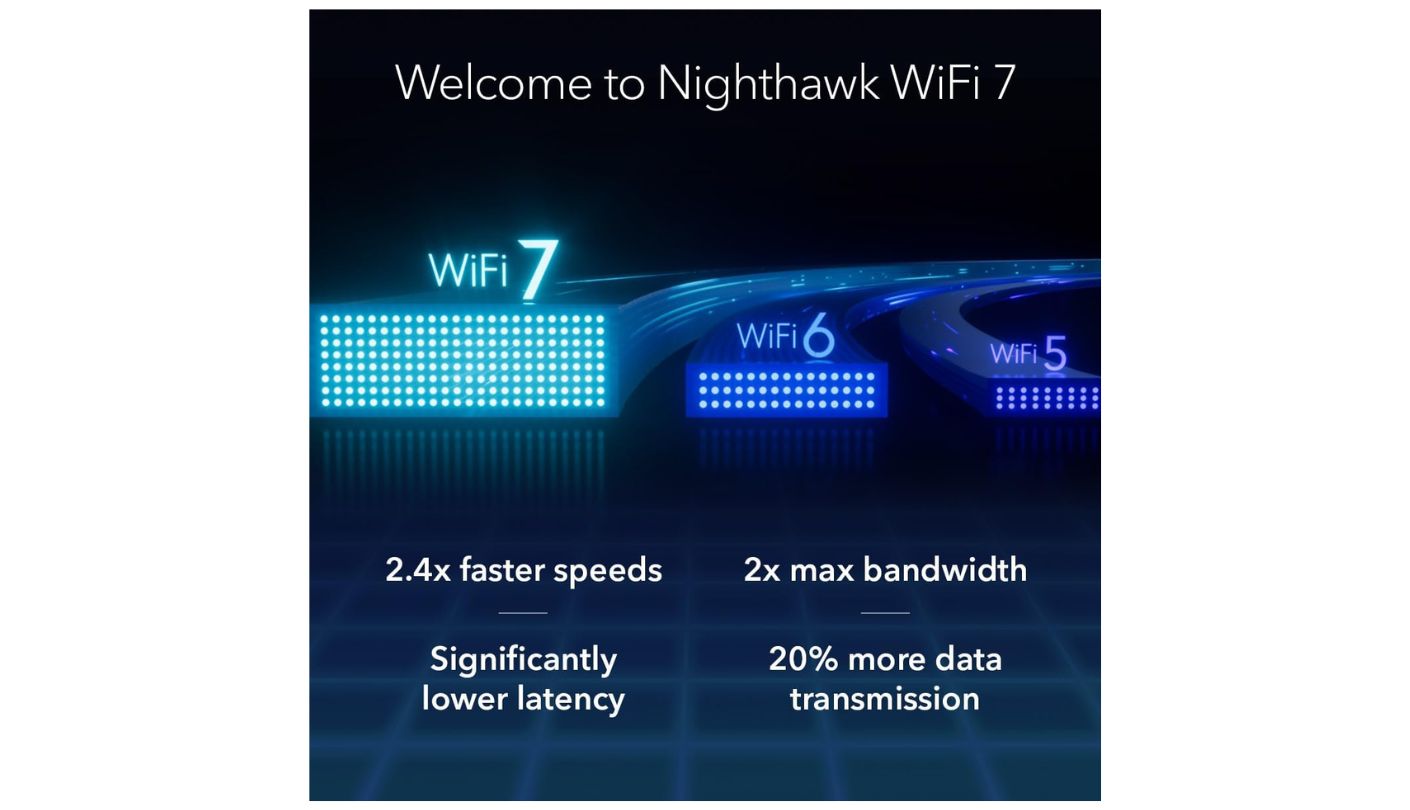
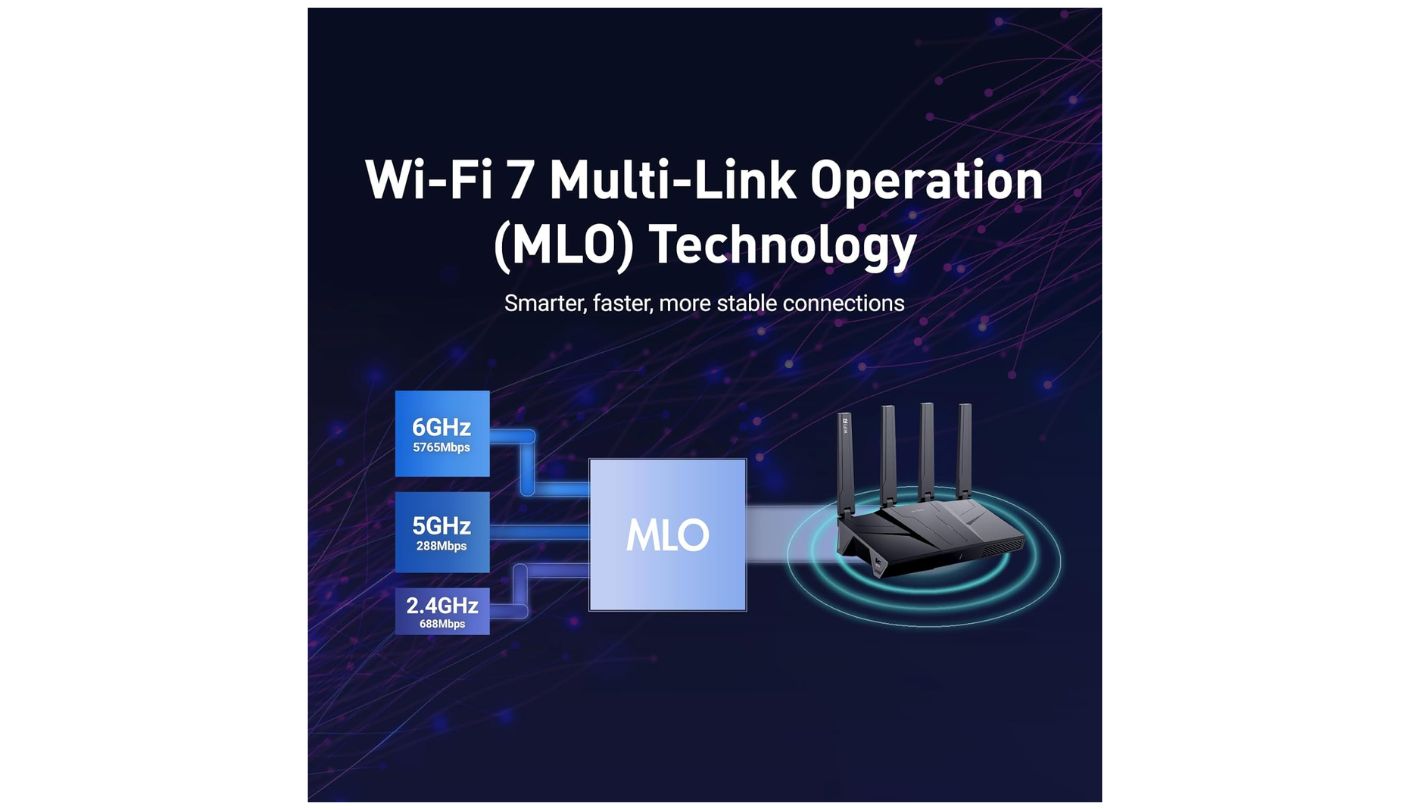
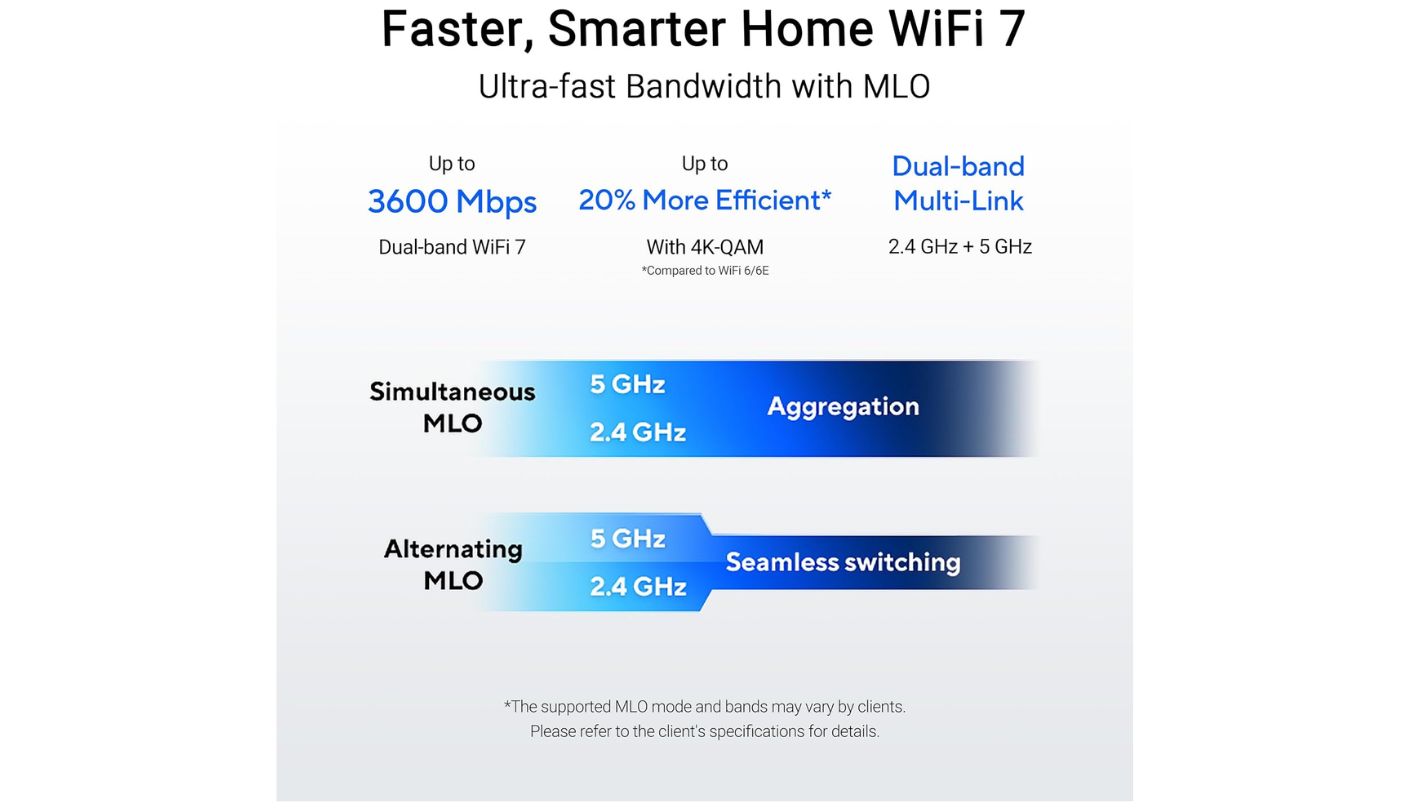
Strip away the marketing and Wi-Fi 7 contributes three things worth caring about. Multi-Link Operation lets a client talk on two bands simultaneously, which does more for latency and connection stability than for raw throughput. 4K-QAM squeezes roughly twenty percent more data into the same signal, on the condition that the signal is already strong. Wider 320 MHz channels double the pipe, and they exist only on 6 GHz. Everything else stamped on the packaging is either a rebadged Wi-Fi 6 feature or a number arrived at by addition.
Notice what all three have in common. They require a client device that supports them, and two of the three work properly only at short range. An older phone on a Wi-Fi 7 router gets a modestly better experience from improved radios and nothing from the headline features. The people who see the biggest jump are the ones replacing a tired ISP box, and their gain comes mostly from having decent hardware for the first time. That is a less exciting story than the packaging tells, and it is the true one.
Count the Multi-Gig Ports Twice
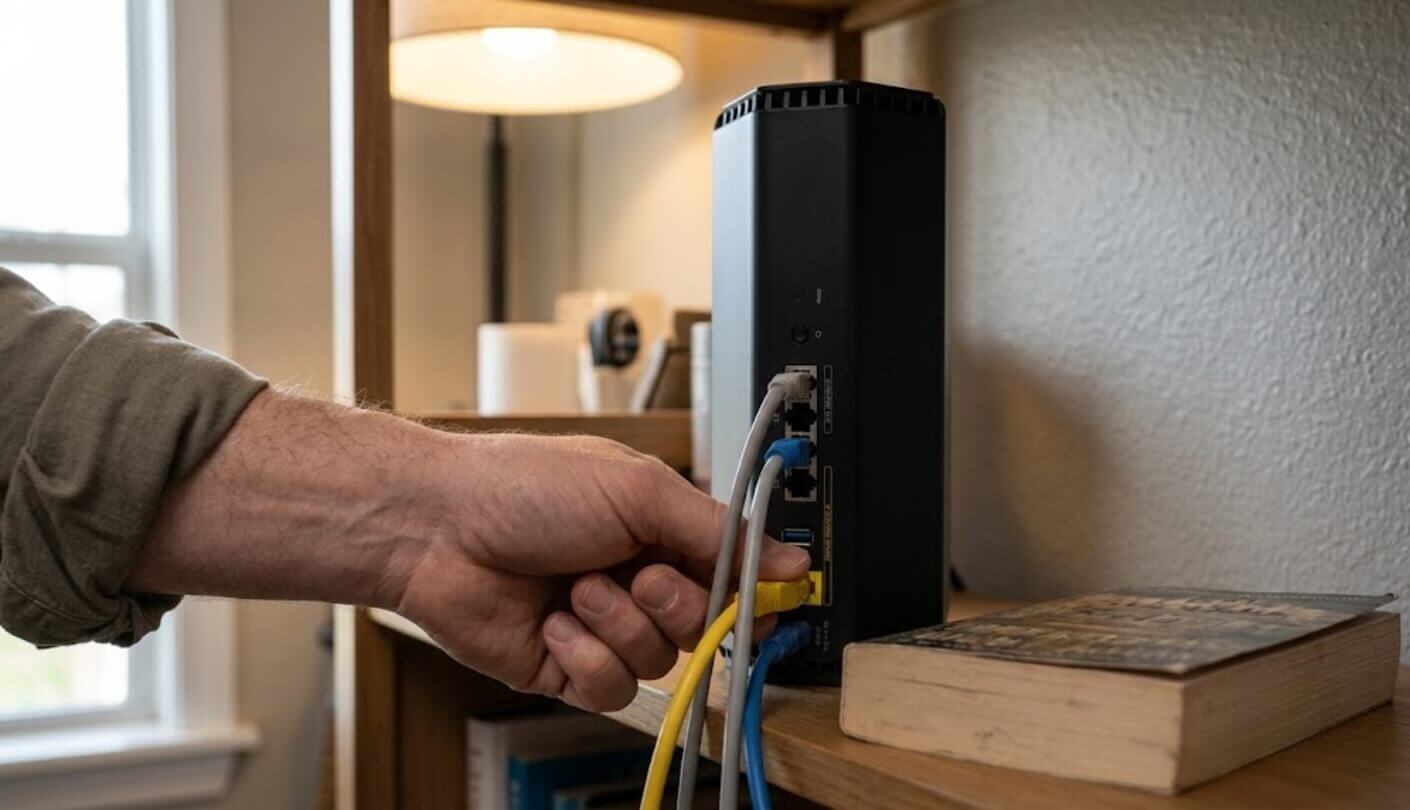
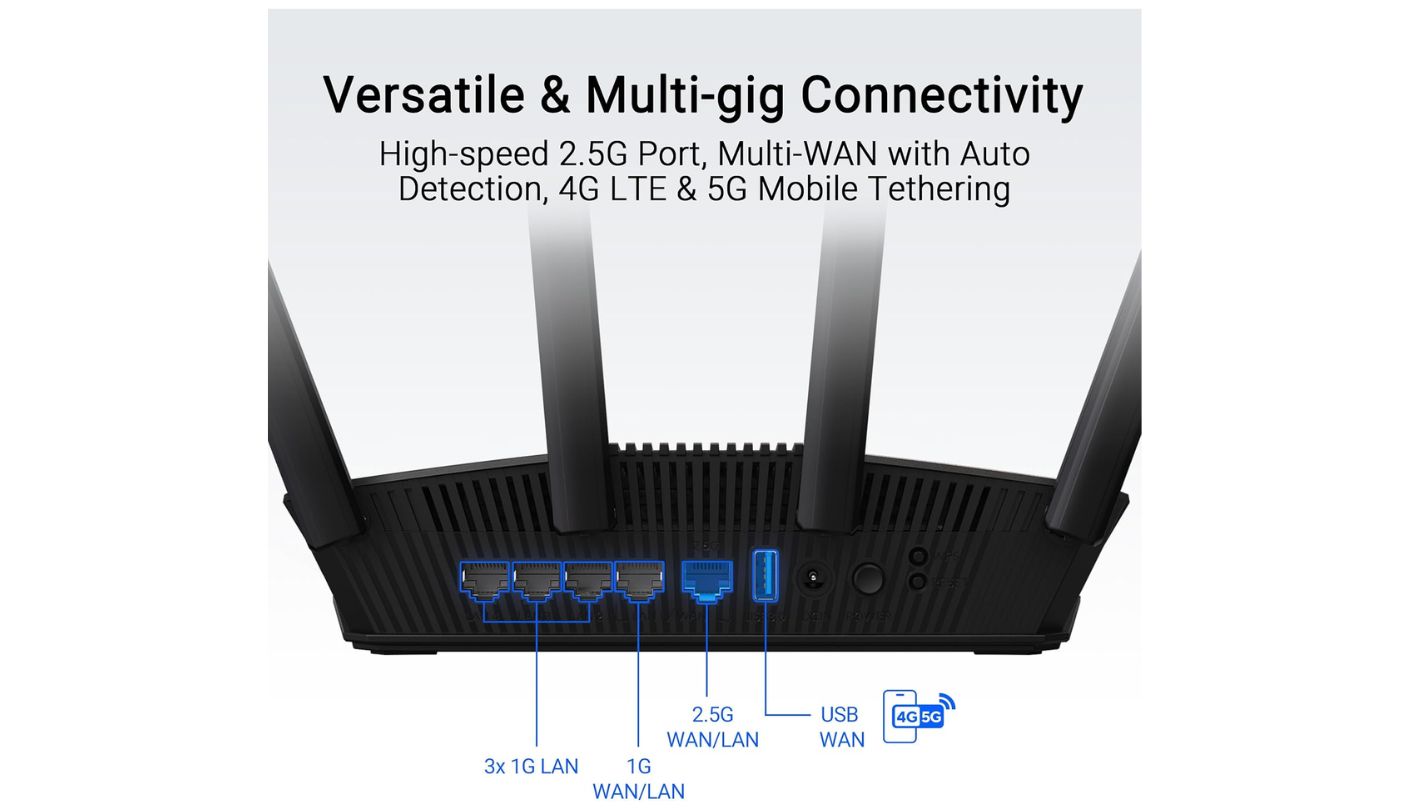
Wired ports are where these five separate hardest, and the spread is startling. The Archer BE550 and the Flint 3 give you five 2.5G ports each, with nothing dropped to gigabit. The RS200 gives you one 2.5G WAN, one 2.5G LAN, and three ordinary gigabit sockets. The RT-BE58U gives you a single 2.5G port that has to serve as the WAN, leaving four gigabit LAN ports behind it. The eero Pro 7 gives you two ports in total, one of which becomes the WAN.
Multi-gig LAN ports matter for moving files between machines at home, quite separately from whatever your broadband runs at. A gigabit port caps a transfer at roughly 110 megabytes per second, which is slower than a decade-old hard drive.
That last one deserves a moment. Two ports mean a modem and one device, and any household with a console, a NAS, and a desktop is buying a switch on top. It is a defensible design decision for a mesh unit meant to sit on a shelf, and it is still a real cost that never appears on the price tag. Anyone with a NAS or a home lab should treat the port count as a hard specification and work backwards from there.
Read the Subscription Terms Before the Specifications
Three of these five put meaningful features behind a recurring payment. NETGEAR is the most aggressive about it: the free parental controls amount to pausing the internet for a device, and weekly schedules or content filtering require a paid tier, with the Armor security suite billed separately on top. TP-Link gates its better HomeShield features the same way. eero puts advanced security, ad blocking, and parental controls inside eero Plus.
The other two charge nothing. ASUS includes AiProtection Pro, its Trend Micro security layer and parental controls, with no fee attached, which has been the quiet reason to buy ASUS for several generations now. GL.iNet ships AdGuard Home preinstalled and hands you the whole OpenWrt toolbox. For a household with children, that difference compounds year after year and can easily exceed the price gap between two routers within the first eighteen months.
Coverage Figures Deserve Very Little Trust
Every manufacturer here quotes a square footage. Four say 2,000, one says 2,500, and all of them mean an open-plan space with no walls, no neighbours, and no microwave. I have never once seen a home match those conditions. The number tells you roughly where a model sits in its maker's own lineup and nothing whatsoever about your house, whose plaster, foil-backed insulation, and stairwell geometry the marketing department has never visited.
What matters more than the quoted figure is whether you can add a second unit later without replacing the first. Three of these five publish a straightforward way to do it, and the other two expect you to solve a coverage problem with a cable.
ASUS uses AiMesh, TP-Link uses the vendor-neutral EasyMesh standard, and eero has spent a decade making expansion the entire point of the product. GL.iNet treats the Flint 3 as a single strong broadcaster with an OpenWrt stack behind it, and NETGEAR points anyone with a large home toward its separate Orbi range in its own buying advice. If your house has a difficult corner, buy into something that lets you fix it later for the price of one more node.
Top 5 Wi-Fi 7 Routers under $300
Each router below was assessed on the things that survive contact with a real house: band layout against the devices people own, wired port speeds, what the firmware does without a credit card attached, and how the hardware behaves once the walls get involved.
- 2,500 Sq Ft Rating
- 2GB Of RAM
- Vertical Antenna Layout
- USB Storage Port
- Port Aggregation Support
- Five 2.5G Ports
- Full Wi-Fi 7 Feature Set
- 5,760 Mbps On 6 GHz
- Vendor-Neutral EasyMesh
- Free WireGuard VPN
- Best Mesh Handoff
- Two 5 GbE Ports
- Three-Year Warranty
- Fastest Initial Setup
- Supports 200+ Devices
- 680 Mbps WireGuard
- Five 2.5G Ports
- OpenWrt With LuCI
- AdGuard Home Preinstalled
- Dual-WAN Failover
- AiProtection Pro Free
- Full ASUSWRT Web Interface
- WireGuard VPN Included
- AiMesh Expansion
- USB Cellular Failover
Wi-Fi 7 Routers under 300: Comparison
The specifications that decide which of these belongs in your house:
| Specification | NETGEAR RS200 | TP-Link Archer BE550 | Amazon eero Pro 7 | GL.iNet Flint 3 | ASUS RT-BE58U |
| Bands | Dual, 2.4 and 5 GHz | Tri, 2.4, 5 and 6 GHz | Tri, 2.4, 5 and 6 GHz | Tri, 2.4, 5 and 6 GHz | Dual, 2.4 and 5 GHz |
| Rated Aggregate Speed | BE6500, 6.5 Gbps | BE9300, 9.2 Gbps | BE3900, 3.9 Gbps | BE9300, 9.3 Gbps | BE3600, 3.6 Gbps |
| WAN Port Speed | 2.5 Gbps | 2.5 Gbps | 5 Gbps | 2.5 Gbps | 2.5 Gbps |
| Multi-Gig LAN Ports | One at 2.5 Gbps | Four at 2.5 Gbps | One at 5 Gbps | Four at 2.5 Gbps | None |
| Gigabit LAN Ports | Three | None | None | None | Four |
| USB Port | USB-A 3.0 | None | None | USB 3.0 | USB-A 3.1 Gen 1 |
| Rated Coverage per Unit | 2,500 sq ft | 2,000 sq ft | 2,000 sq ft | 2,000 sq ft | 2,000 sq ft |
| Full Parental Controls | Paid subscription | Paid subscription | Paid subscription | Included | Included |
| Management Interface | Nighthawk app and web UI | Tether app and web UI | eero app only | OpenWrt-based panel and LuCI | ASUSWRT app and full web UI |
| Standout Extra | 2GB RAM, largest rated coverage | Every wired port multi-gig | Three-year warranty | WireGuard at up to 680 Mbps | AiProtection Pro at no cost |
Two rows repay a second look. The multi-gig LAN row is the one that quietly determines whether you will need a switch, and it swings from four ports to none across this group. The parental controls row is the one that determines what you keep paying after the router is on the shelf, and the two models charging nothing are also the two with the smallest brand recognition, which is not a coincidence at all.
NETGEAR Nighthawk RS200 Review
Editor's Choice
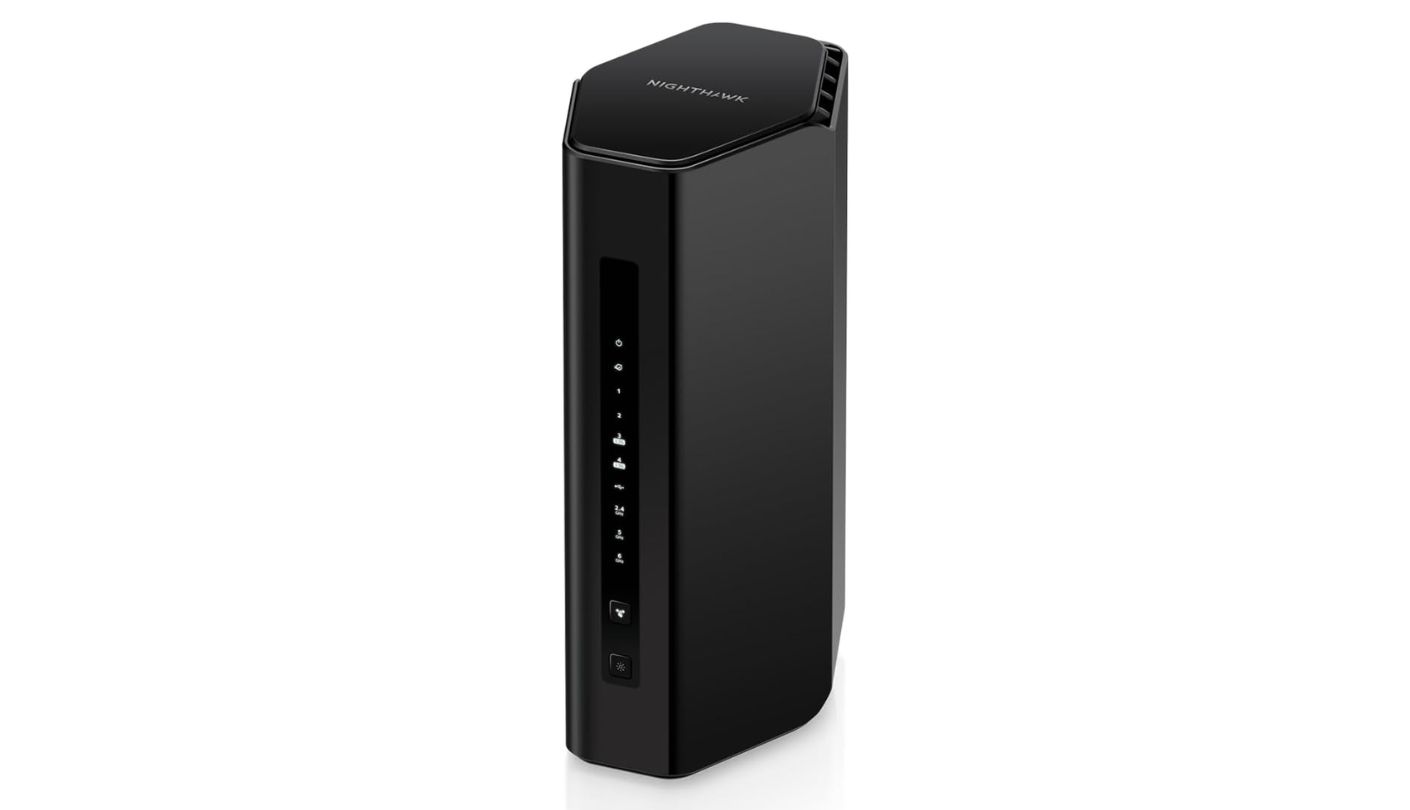
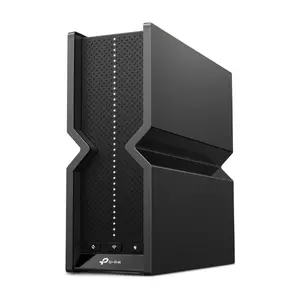
NETGEAR spent years selling routers shaped like stealth bombers, and the current Nighthawks are black obelisks that stand nearly ten inches tall. The change is not cosmetic. Four internal antennas arranged vertically throw a signal outward in every direction at once, and the NETGEAR Nighthawk RS200 carries the largest rated coverage of these five at 2,500 square feet. In a two-storey house that shape does more good than another band would.
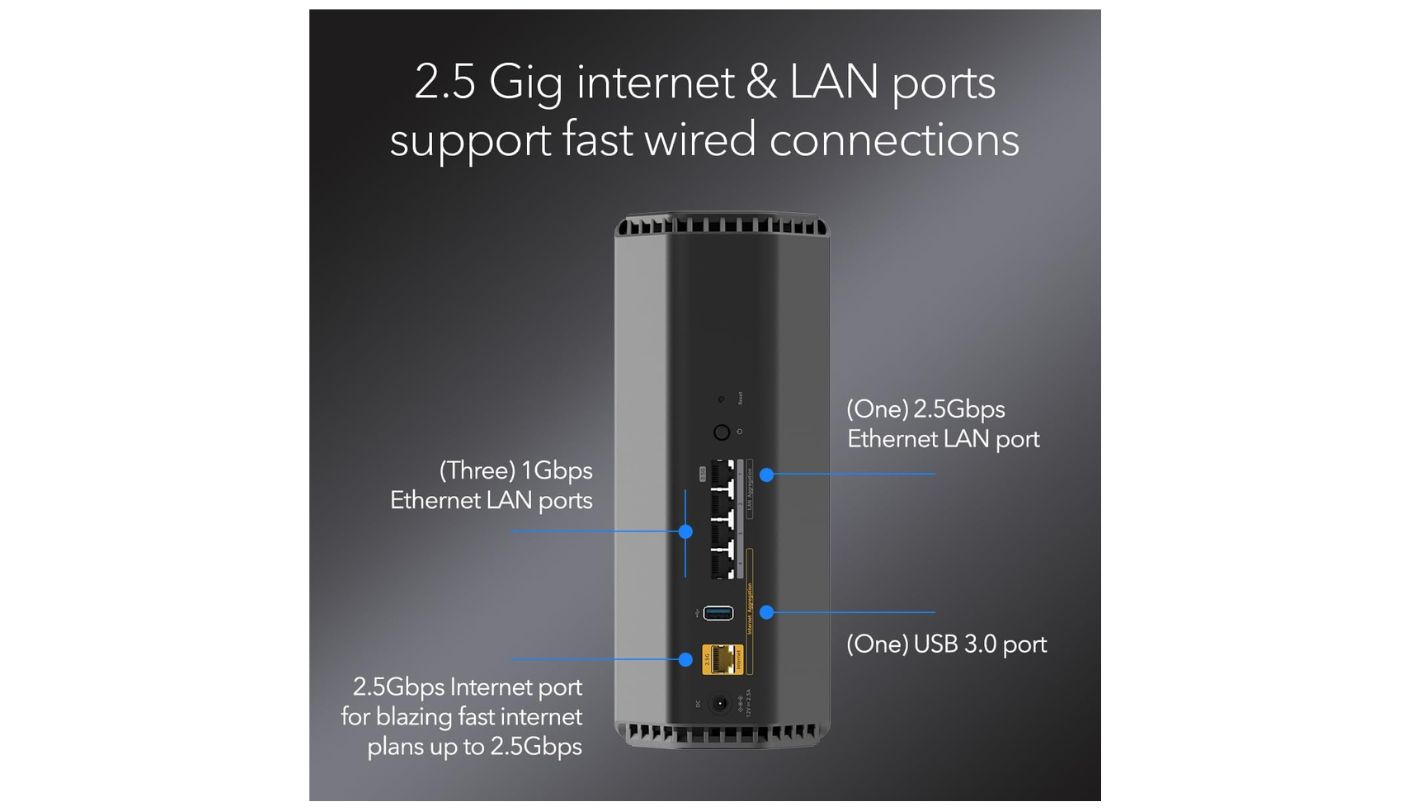
Underneath sits a quad-core chip at 2.0 GHz with 2GB of RAM, twice what any other router on this page carries. Memory is the specification nobody advertises and everybody feels, because it determines how a router behaves with sixty devices attached and not six. Ports run to one 2.5 Gbps WAN, one 2.5 Gbps LAN, three gigabit LAN sockets, and a USB-A 3.0 port for network storage. Two of the Ethernet ports can be aggregated for a faster wired link.
Then there is the omission everyone will lead with. The RS200 is dual-band, with no 6 GHz radio at all, which puts it in the awkward position of being a Wi-Fi 7 router missing the band most associated with Wi-Fi 7. TechRadar measured it saturating a 150 Mbps office line at five feet and again at thirty feet through three partition walls, recovering full speed within seconds after a walk down a hallway. For the overwhelming majority of broadband connections sold today, that is the whole story.
NETGEAR's subscription habit is harder to forgive. The free parental controls let you pause the internet for a device and stop there, with no scheduling and no content filtering unless you pay monthly or annually for Smart Parental Controls, and the Armor security suite carries its own separate annual fee. Setup requires a NETGEAR account to keep using the app past the first session. Rivals give this away, and NETGEAR knows it.
This one takes the top spot because of who is actually buying a router in this bracket. That person has a house with walls, a mixed fleet of devices where the newest phone is two years old, and a broadband line somewhere between 300 Mbps and a gigabit. The RS200 covers more of that house than anything else here, has the memory to keep its composure, and spends nothing on a band those devices cannot use. Read the subscription terms first and go in with clear eyes.
Pros:
- 2,500 Sq Ft Rating
- 2GB Of RAM
- Vertical Antenna Layout
- USB Storage Port
- Port Aggregation Support
Cons:
- No 6 GHz
- Paywalled Parental Controls
Summary: Households running mostly older clients across a decent-sized floorplan get more from this router than from any tri-band unit in the group. The recurring fees are the tax you agree to pay for that, and they are not small over the life of the hardware.
TP-Link Archer BE550 Review
Best Overall
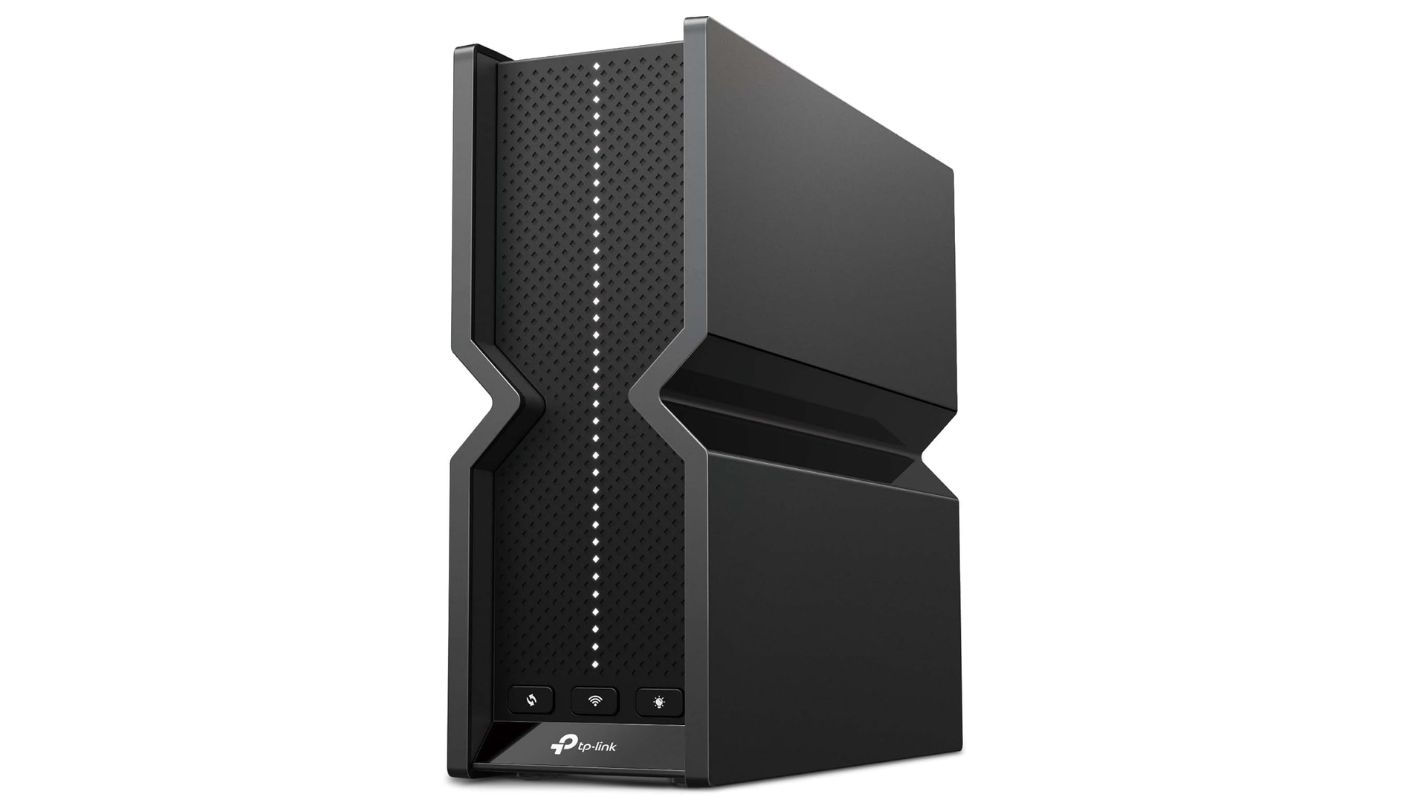
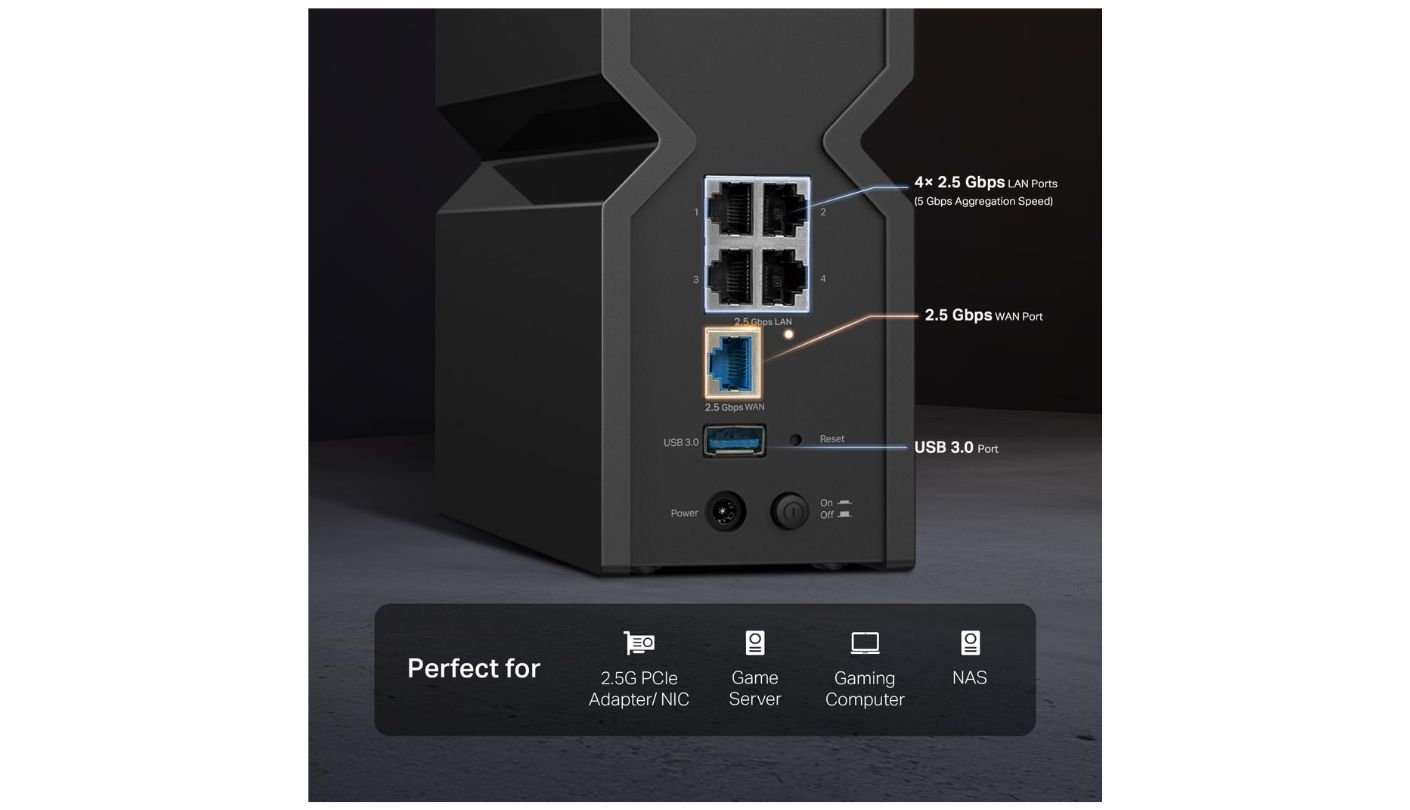
Five 2.5 Gigabit Ethernet ports, one for the WAN and four for the LAN, on a router costing a fraction of what that arrangement cost two years ago. The TP-Link Archer BE550 is the only model in this group where you can plug a NAS, a desktop, a console, and a second access point into the back and have all four running above gigabit. That alone would make it interesting. The radios make it the pick.
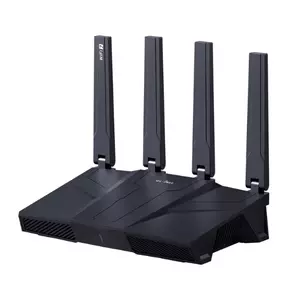
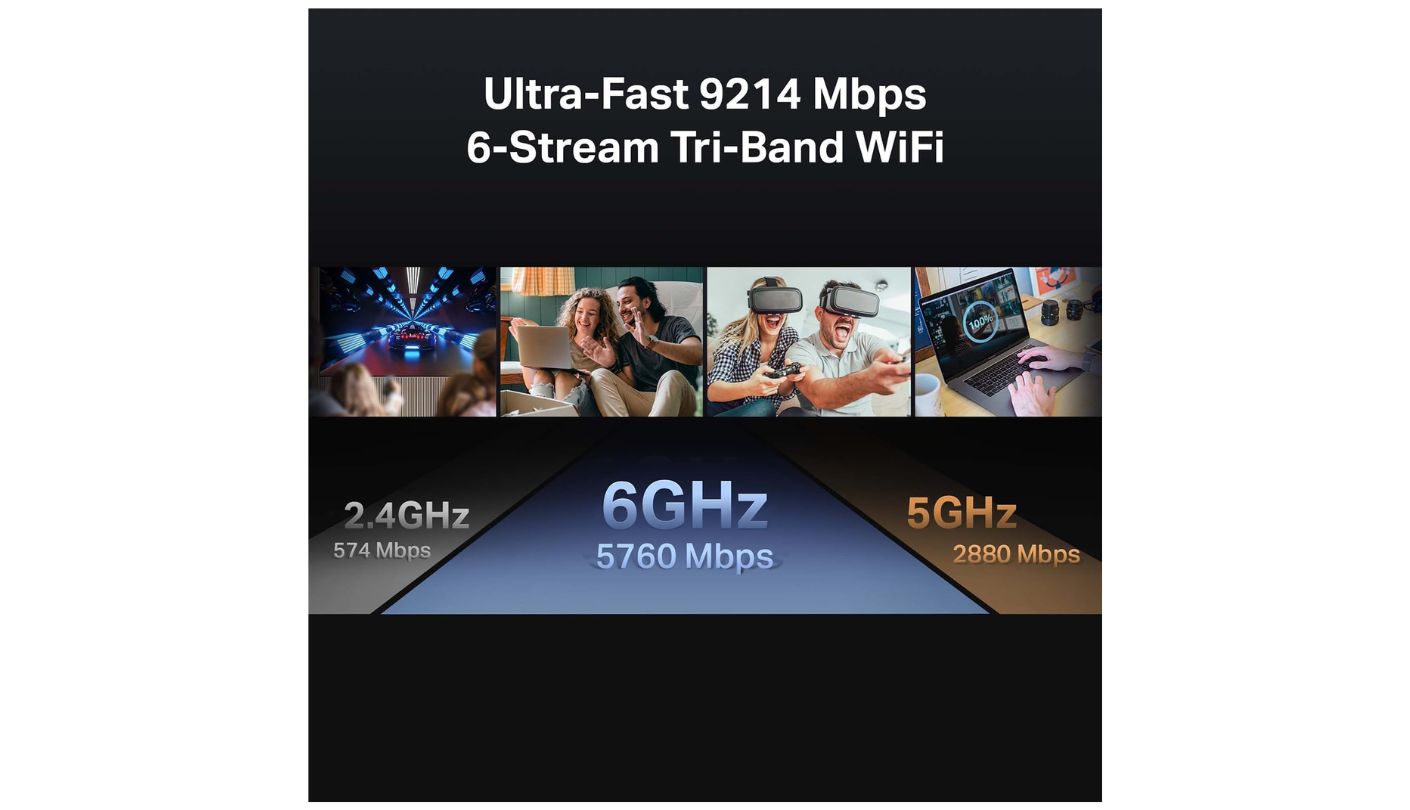
Tri-band figures come in at 574 Mbps on 2.4 GHz, 2,880 Mbps on 5 GHz, and 5,760 Mbps on 6 GHz, which TP-Link adds up to a BE9300 badge and which honest arithmetic rounds closer to 9,200. Nothing in the Wi-Fi 7 feature set has been cut to hit the price: 320 MHz channels, 4K-QAM, Multi-Link Operation, and Multi-RU scheduling are all present. Six internal antennas replace the external forest, and the six-stream design holds up well across a flat or a small house.
The hardware does leave two things out. There is no USB port, so network storage means a NAS or nothing, and the rated coverage stops at 2,000 square feet, matching most of this group and trailing the NETGEAR by a clear margin. EasyMesh compatibility softens the second one considerably, since it works with any EasyMesh node and does not lock you to TP-Link, and that vendor-neutral approach is rarer than it should be.
HomeShield follows the industry pattern, offering a basic network scanner and simple parental controls for free while reserving the useful filtering and reporting for the premium tier. WireGuard VPN support comes built in at no charge, which is a genuine advantage over the eero and the NETGEAR. Some owners report the occasional wobble after a firmware update, which matches my experience of TP-Link over the years: excellent hardware, firmware that arrives before it is entirely finished.
Anyone shopping this bracket without a specific reason to do otherwise should start with this router and only move away if something on their list rules it out. It has the full band complement, the best wired layout in the group, a mesh path that does not lock the door behind it, and radios strong enough that the next upgrade is several years away. The compromises are real and they sit in places most households will never notice.
Pros:
- Five 2.5G Ports
- Full Wi-Fi 7 Feature Set
- 5,760 Mbps On 6 GHz
- Vendor-Neutral EasyMesh
- Free WireGuard VPN
Cons:
- No USB Socket
- Firmware Occasionally Rough
Summary: Nothing else in this group gets so close to a complete specification without asking for flagship money. The firmware needs watching after updates, which is the one habit TP-Link has never fully broken.
Amazon eero Pro 7 Review
Mesh Expansion
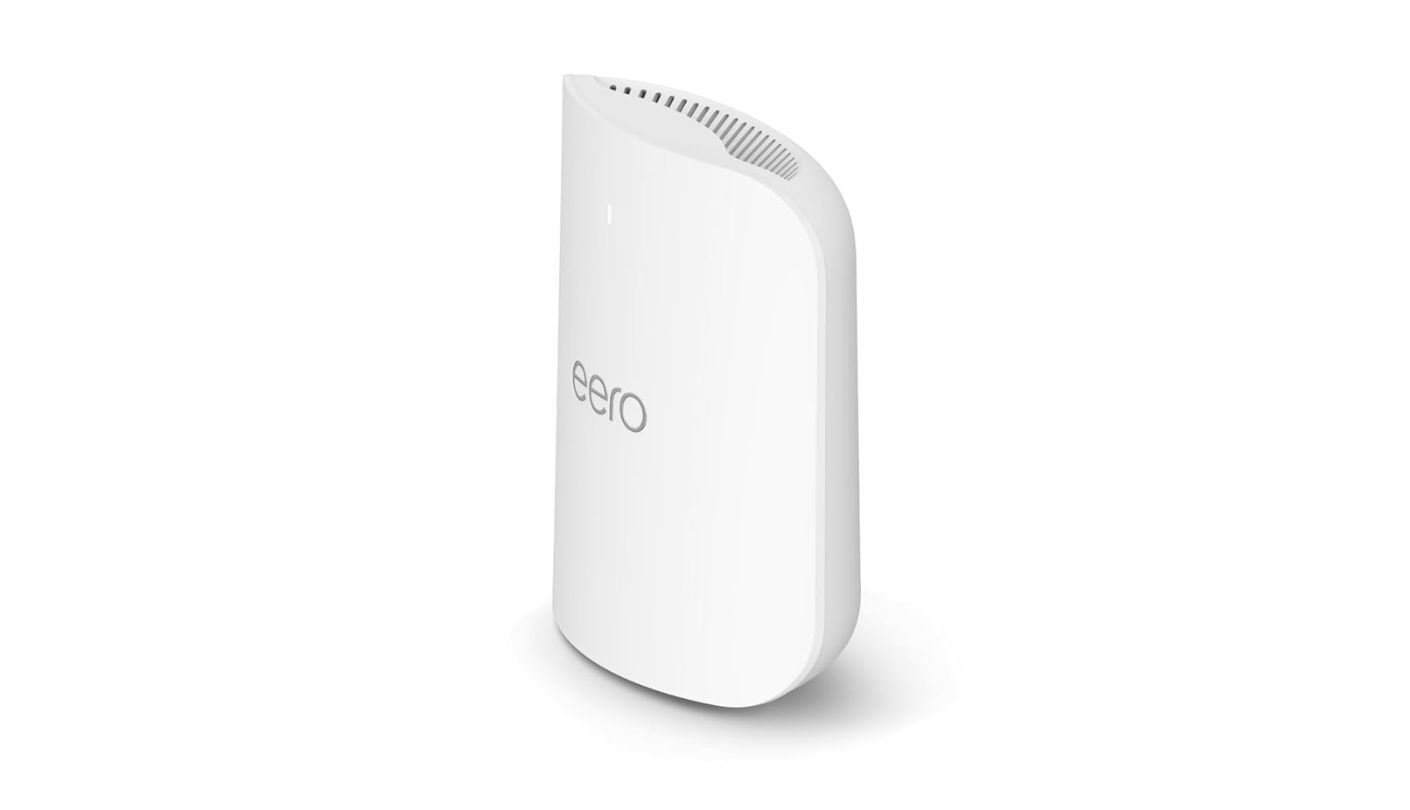
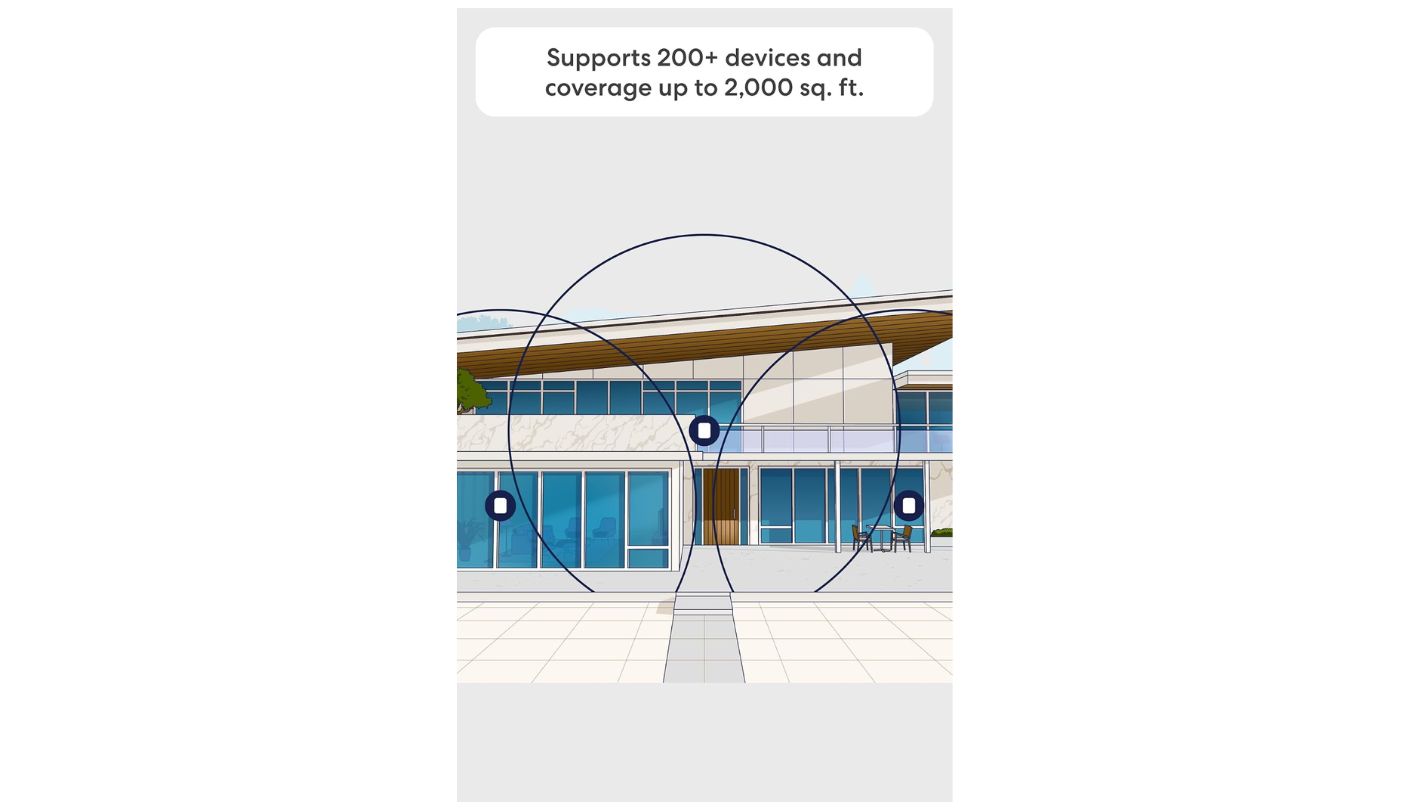
I want to be straightforward about where this one ranks and why, because the numbers look bad and the numbers are only part of it. The Amazon eero Pro 7 is rated BE3900, meaning wireless speeds up to 3.9 Gbps across three bands, less than half what the Archer BE550 and Flint 3 claim while costing more than either. On a comparison table that reads like a poor joke. In a house it reads rather differently.
eero has been refining its TrueMesh software for a decade, and it remains the most reliable expansion story in consumer networking. Add a second unit, and it joins in under a minute, picks its own backhaul, and hands devices between nodes without the stutter that plagues cheaper systems. A Best Buy reviewer upgrading from the 6E generation reported zero packet loss on the Wi-Fi 7 units against stretches of fifty to one hundred percent loss on the older hardware within rated range. That kind of consistency is what people are actually paying for.
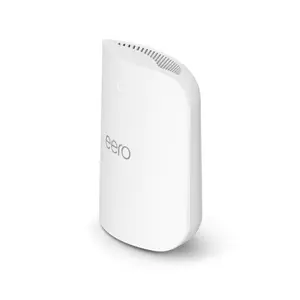
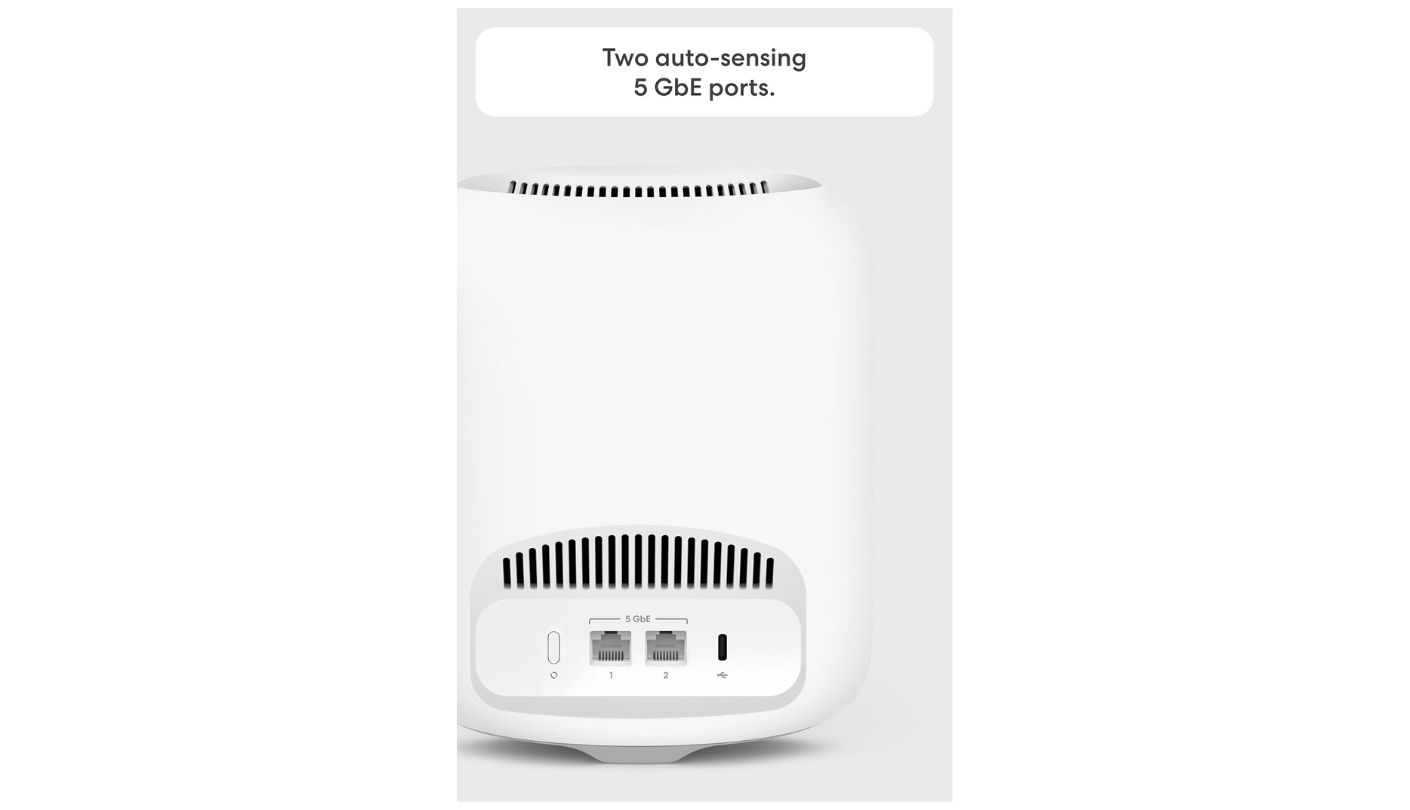
The two ports are the hardware story and there is no dressing it up. Each unit carries two auto-sensing 5 GbE sockets, one of which becomes the WAN on the gateway, leaving exactly one wired connection for the whole house. Those ports are faster than anything else here and there are simply not enough of them. Budget for a multi-gig switch alongside the router and treat it as part of the purchase price. There is no USB port either.
Software follows Amazon's usual approach. Setup through the app is the smoothest of these five and takes minutes, and the app is also the only way in, since there is no web interface for anyone who prefers one. Advanced security, ad blocking, and parental controls live behind eero Plus, and one owner noted that even basic network statistics sit on the paid side of the line. The three-year warranty is the longest in this comparison and a meaningful change from eero's previous single year.
Someone with a difficult house and no appetite for network administration will be happier here than with anything else on this page, and that is a legitimate thing to buy. Someone with a NAS, a home lab, or a habit of reading release notes will find it maddening within a fortnight. Work out which of those two people you are before ordering, because the answer decides everything.
Pros:
- Best Mesh Handoff
- Two 5 GbE Ports
- Three-Year Warranty
- Fastest Initial Setup
- Supports 200+ Devices
Cons:
- Only Two Sockets
- App-Only Administration
Summary: Reliability and simplicity are the product, and everything else has been traded away to protect them. Buyers who read that sentence as a compliment will love it, and the ones who read it as a warning are correct too.
GL.iNet Flint 3 (GL-BE9300) Review
VPN Throughput
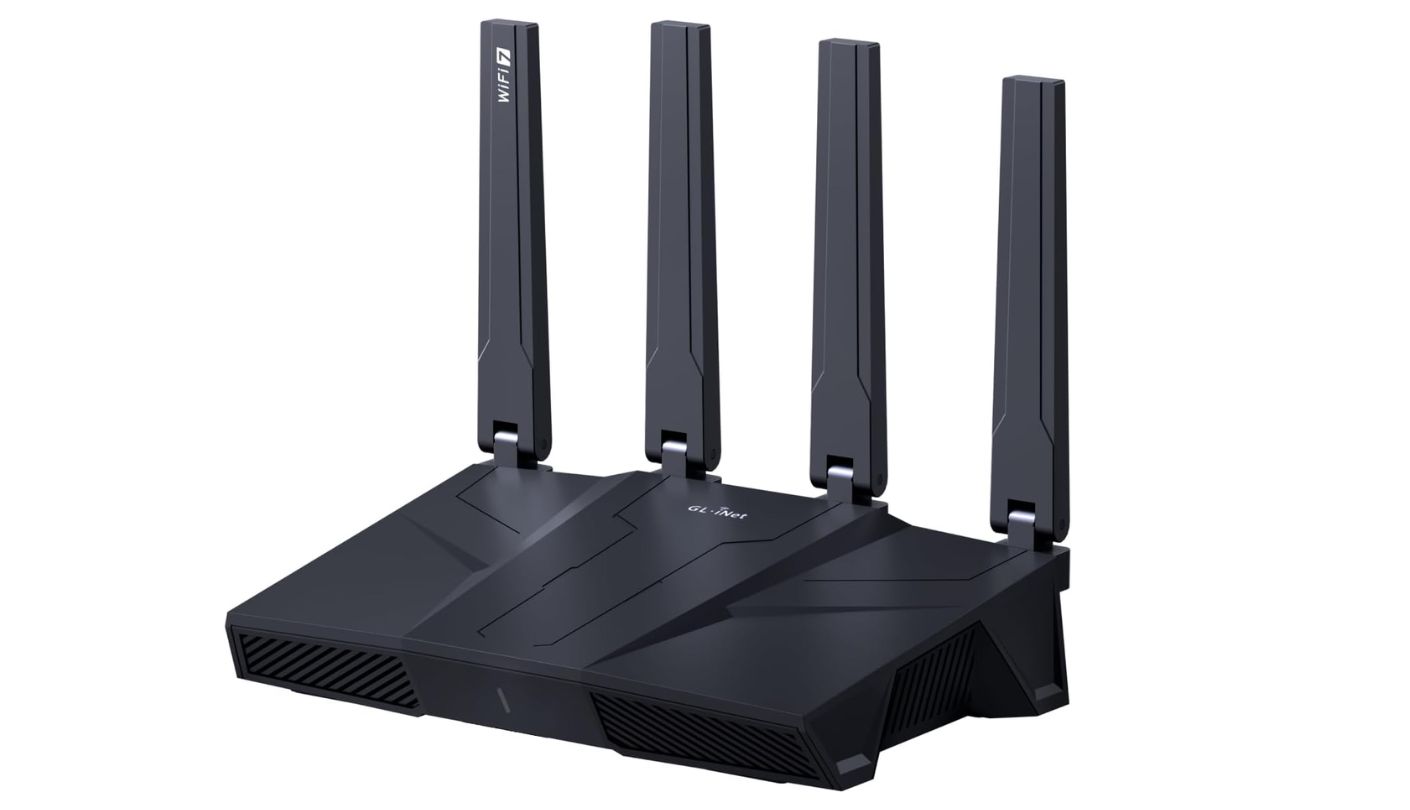
A friend who runs a small architecture practice asked me last year why his VPN turned a gigabit line into something resembling dial-up. The answer was that his router was doing the encryption in software on a processor designed for nothing of the sort. The GL.iNet Flint 3 is the answer to that problem in this price band, pushing up to 680 Mbps over WireGuard while most consumer routers give up somewhere below 100.
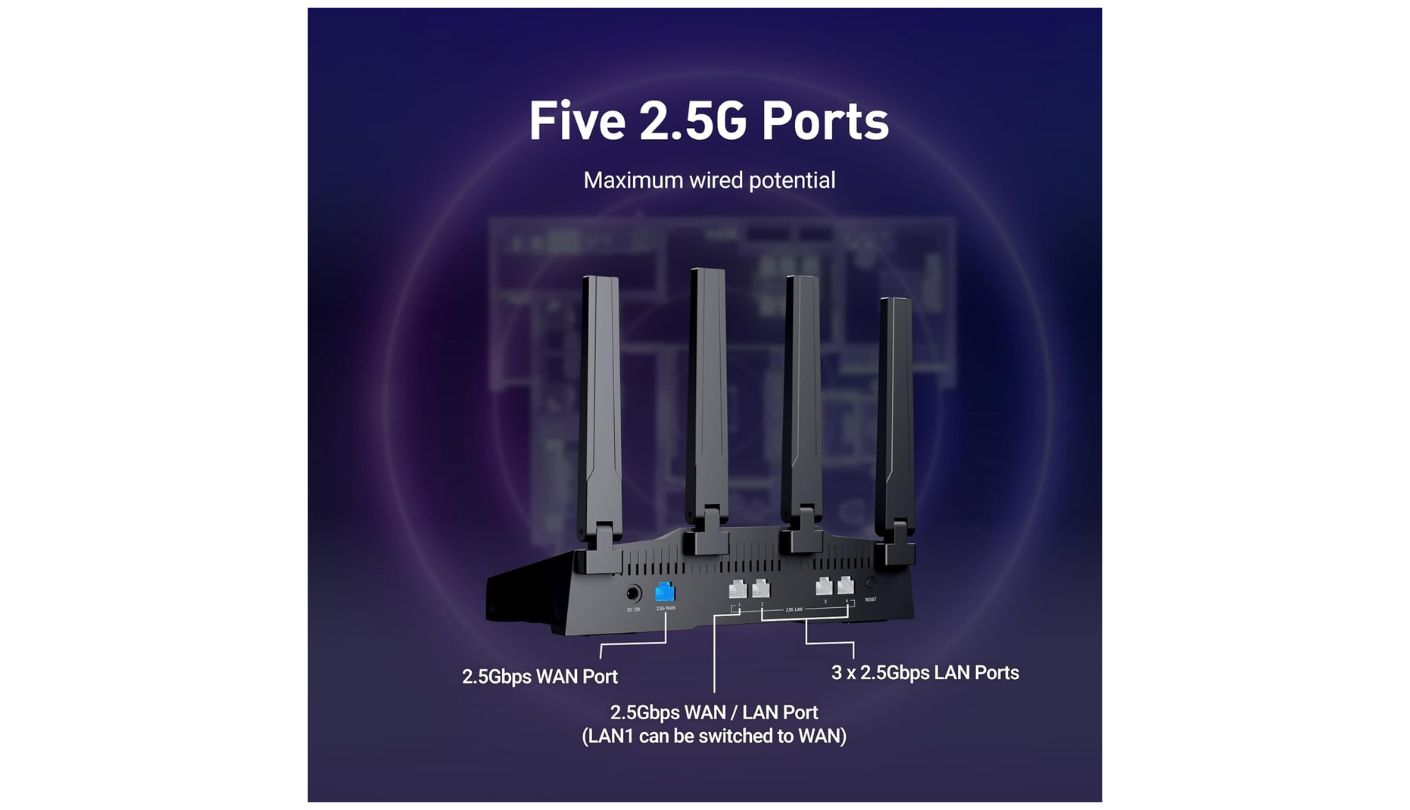
It is built on a Qualcomm IPQ5332 quad-core at 1.5 GHz with 1GB of RAM and 8GB of eMMC storage, running a fork of OpenWrt with a friendly panel over the top and full LuCI access underneath for anyone who wants it. Tri-band figures match the TP-Link closely at 688 Mbps, 2,882 Mbps, and 5,765 Mbps. Five 2.5G ports include one dedicated WAN and one switchable WAN or LAN, which turns dual-WAN failover into a checkbox instead of a weekend project. AdGuard Home comes preinstalled, Tailscale and ZeroTier are supported, and a USB 3.0 port handles cellular tethering as a backup line.
The VPN headline needs one qualification that GL.iNet does publish and most coverage skips. That 680 Mbps figure applies to WireGuard and to OpenVPN running the accelerated DCO implementation. Standard OpenVPN without hardware acceleration lands closer to 142 Mbps, so anyone whose VPN service defaults to conventional OpenVPN should plan around the lower number. Check which protocol it actually uses before assuming the headline applies to you.
The radios are 2x2 MIMO on every band, fewer spatial streams than the Flint 2 offered, which shows up when many devices talk at once and stays hidden in single-client speed tests. And mesh is not the story here, so a house with a stubborn dead corner needs a wired access point, not a second Flint. Firmware updates arrive often and matter, which will delight one sort of owner and irritate another.
What you are buying is control, and control is worth different amounts to different people. Nobody needs AdGuard Home, dual-WAN failover, and hardware-accelerated WireGuard to watch Netflix. Anyone who has spent an evening trying to make a consumer router do one of those things will understand exactly why this one exists and will probably have decided before reaching this paragraph. The rest of the market has spent fifteen years assuming nobody wants a settings page, and GL.iNet has built a business out of that being wrong.
Pros:
- 680 Mbps WireGuard
- Five 2.5G Ports
- OpenWrt With LuCI
- AdGuard Home Preinstalled
- Dual-WAN Failover
Cons:
- 2x2 On Every Band
- No Mesh Path
Summary: Enthusiasts have been waiting for hardware like this at a price like this for a long time. The catch is that everything making it special requires an owner willing to open a settings page and read.
ASUS RT-BE58U Review
Free Security
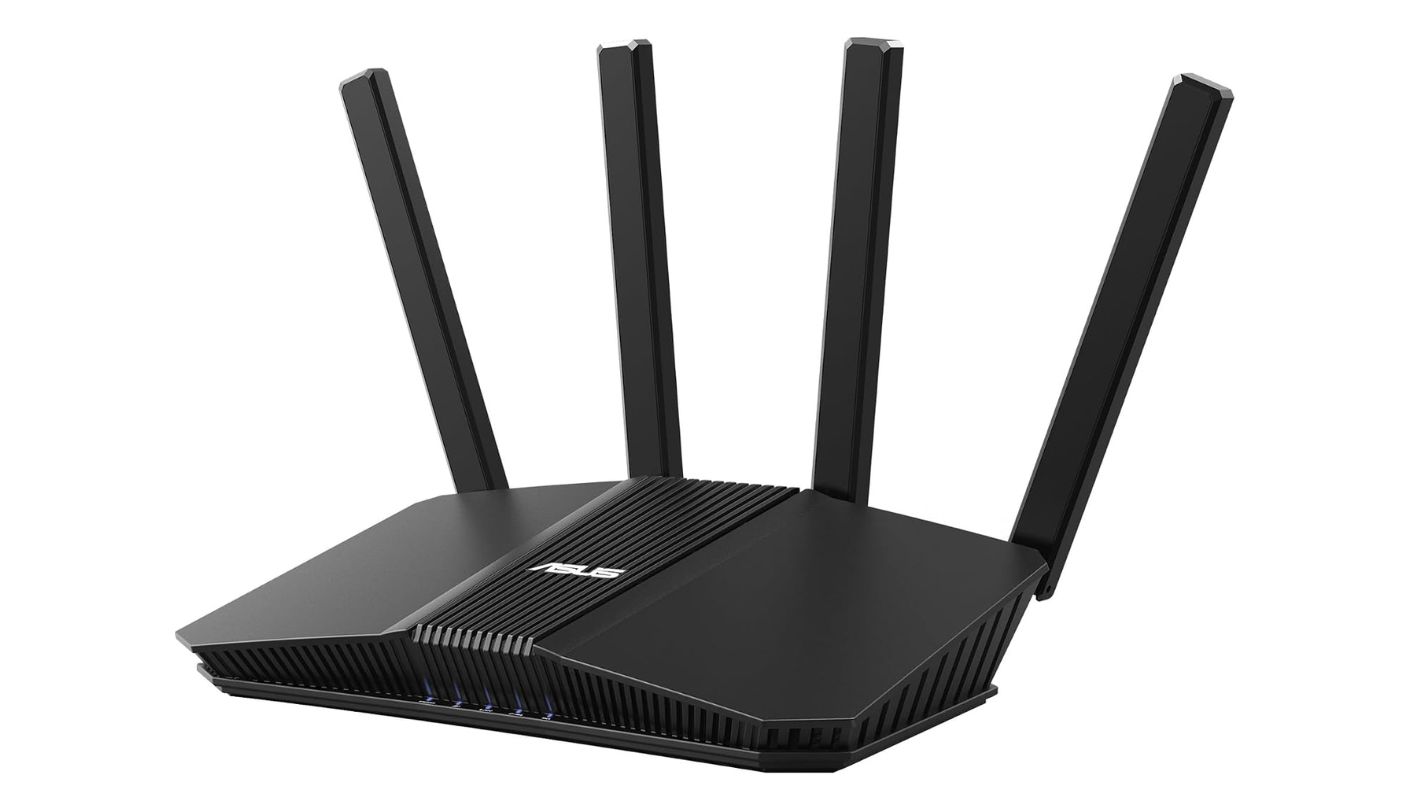
How much is a parental control suite worth if you never have to pay for it again? ASUS has been quietly answering that question for years, and the ASUS RT-BE58U continues it. AiProtection Pro, built on Trend Micro's engine, covers threat blocking, parental controls, and safe browsing with no subscription attached, on a router that undercuts most of this group.
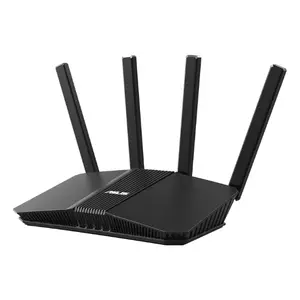
The rest of the specification is modest and honest about it. Dual-band BE3600, meaning 2,882 Mbps on 5 GHz and 688 Mbps on 2.4 GHz, no 6 GHz radio, four external antennas, a 2 GHz quad-core processor with 1GB of memory, and 2,000 square feet of rated coverage. The wired layout is the weakest here: one 2.5G port doubling as WAN, then four gigabit LAN sockets, so local file transfers between machines stay capped at gigabit speeds. A USB-A 3.1 Gen 1 port handles storage or a cellular modem for failover.
ASUSWRT is why people keep coming back. A full local web interface sits alongside the app, and it exposes a QoS engine, VPN server and client including WireGuard and Instant Guard, dual WAN, link aggregation, dynamic DNS with remote management, and a proper set of network tools. AiMesh lets you add ASUS units later, and this model works particularly well as a satellite for a larger ASUS router because its 2.5G port makes a fast wired backhaul.
The limitations are exactly what the price implies. A single 2.5G port is the pinch point, AiMesh only speaks to other ASUS hardware, and a dual-band unit in a large multi-storey house will need help. AiProtection Pro is free today with no formal promise that it stays free, which is worth noting even though ASUS has held that line for many generations now. Owners occasionally report firmware quirks that a manual update resolves, which is the ordinary cost of a platform this feature-rich.
Households with children and gigabit-class broadband are the natural buyers, and for them the arithmetic is straightforward: a competent router with a subscription-free security suite beats a faster router with a monthly bill attached. Push past a gigabit line, or start moving large files between machines at home, and the single multi-gig port becomes the wall you hit. There is a second buyer worth naming too: anyone already running a bigger ASUS router who wants a second node without paying flagship money twice.
Pros:
- AiProtection Pro Free
- Full ASUSWRT Web Interface
- WireGuard VPN Included
- AiMesh Expansion
- USB Cellular Failover
Cons:
- Single Multi-Gig Port
- Dual-Band Only
Summary: The feature list at this price remains the most generous in consumer networking, and ASUS has earned that reputation over a long stretch. Wired throughput is where the savings were found, and buyers moving files around a home network will feel it.
Wi-Fi 7 Router under $300: FAQ
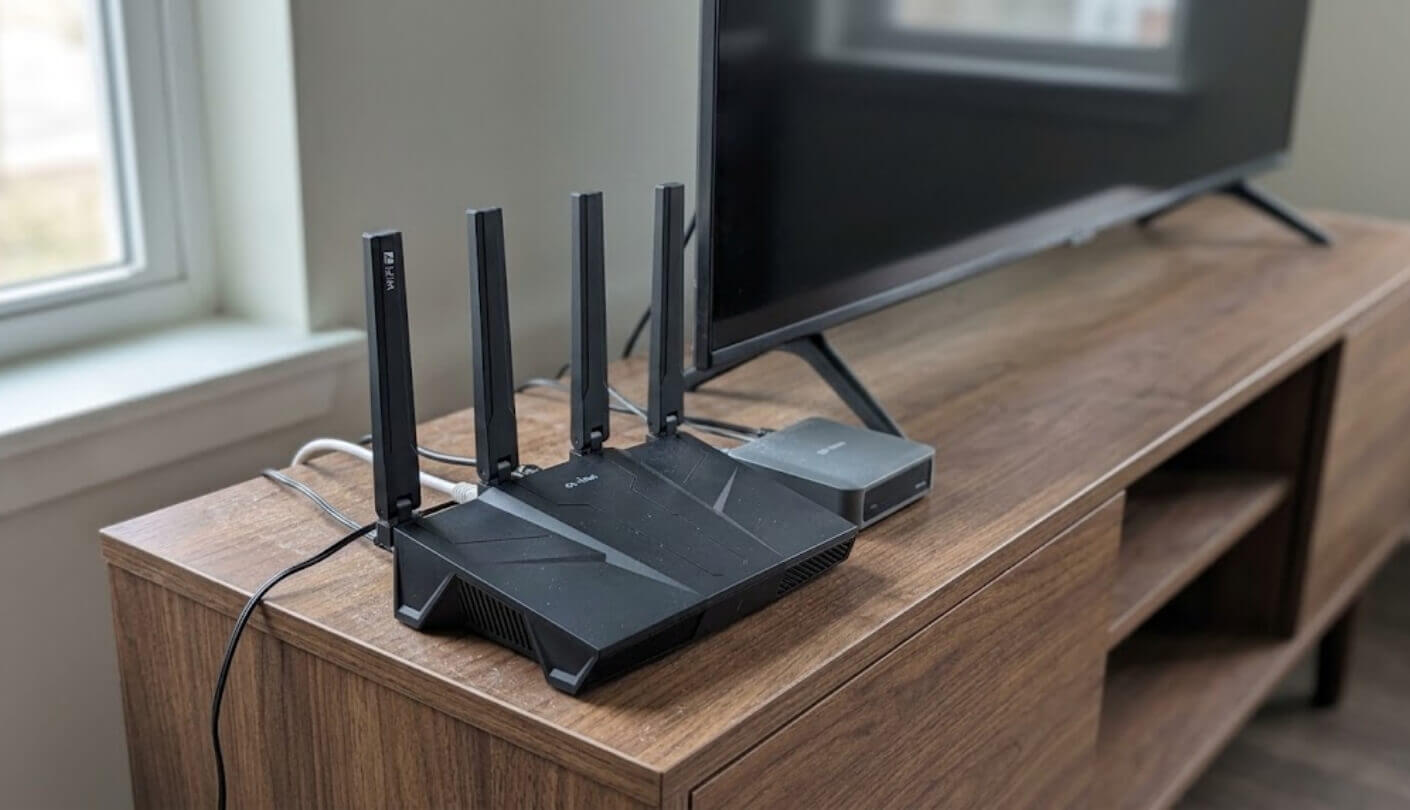
Do I actually need the 6 GHz band?
Go and count your devices first. The band is excellent within about thirty feet and through no more than one wall, and it falls away sharply beyond that. If your phone and laptop are both from the last two years and you sit reasonably close to the router, it is worth having. If your household runs a spread of older tablets, smart speakers, and a games console downstairs, none of them will ever connect to it and a dual-band unit with better antennas is the smarter buy.
Will Wi-Fi 7 make devices I already own faster?
Somewhat, though not for the reasons the packaging suggests. MLO, 4K-QAM and 320 MHz channels all need a client that supports them, and older devices support none of the three. What older devices do get is better radios, more processing headroom, and a router that is not struggling under the load of forty connections. Anyone replacing an ISP-supplied box will notice a difference, and most of it will come from having decent hardware rather than from the standard itself.
What does a number like BE9300 actually mean?
It adds up the theoretical maximum speed of every band, producing a figure no single device will ever see. The Archer BE550 reaches 574 Mbps, 2,880 Mbps and 5,760 Mbps on its three bands, and adding those gives roughly 9,200 against the 9,300 on the label. Treat the figure as a rough tier marker within one brand's lineup and compare per-band numbers when you want something meaningful.
Which of these work fully without paying a subscription?
The GL.iNet Flint 3 and the ASUS RT-BE58U. ASUS includes AiProtection Pro with parental controls and Trend Micro threat blocking at no cost, and GL.iNet ships AdGuard Home preinstalled along with the full OpenWrt toolset. NETGEAR, TP-Link and eero all reserve their better parental control and security features for paid tiers, with NETGEAR charging separately for parental controls and for its Armor security suite.
Is a 2.5G WAN port pointless on a gigabit plan?
Not entirely, though the benefit is smaller than it sounds. Many gigabit plans run slightly above a gigabit, and a 1G WAN port caps that. The larger argument is longevity, since a router bought now will likely outlast your current broadband contract by several years. The port that matters more day to day is a multi-gig LAN socket, which speeds up transfers between machines in the house regardless of what arrives from outside.
Can I add a second unit later to cover more of the house?
With three of them, straightforwardly. eero is built around exactly that, ASUS uses AiMesh across its own range, and TP-Link supports EasyMesh, a cross-vendor standard and therefore the most flexible of the three. The Flint 3 is designed as a single broadcaster, so extending it means running a cable to an access point. NETGEAR's own advice for larger homes is to look at its Orbi mesh range instead of adding to a Nighthawk.
Do the quoted coverage figures mean anything?
They mean something within one manufacturer's own catalogue and very little across brands. Every figure assumes open space with no interference, which describes a warehouse and not a home. Interior walls, foil-backed insulation, concrete, and even a large fish tank all cut into range in ways no square footage claim accounts for. Use the numbers to rank models within a lineup and ignore them entirely when comparing one brand against another. Placement does more for range than any specification: a router on a shelf at chest height in the middle of the house beats a better router in a cupboard by the front door every time.
Is it worth replacing a Wi-Fi 6 router that still works?
Probably not on speed alone. A working Wi-Fi 6 router handles ordinary streaming and video calls perfectly well, and the client-side gains from Wi-Fi 7 arrive slowly as devices turn over. The reasons that do justify the swap are practical ones: multi-gig LAN ports, a faster WAN for a broadband upgrade, a subscription you want to stop paying, or a router old enough that firmware updates have quietly stopped arriving. That last point is the one most people miss, and it matters more for security than any headline speed figure ever will.
Where the Money Goes at This End of the Market
Every router here makes one deliberate sacrifice to hit its price, and identifying that sacrifice is most of the work. NETGEAR dropped a band and put its best software behind a paywall. With TP-Link the casualties were the USB port and a certain amount of firmware polish. eero gave up ports and radio speed to protect the one thing it has always been good at. The Flint 3 spends its budget on the processor and the ports, and pays for them in spatial streams. ASUS, alone in the group, chose to protect free security and let wired throughput take the hit. None of those choices is wrong, and each one is wrong for somebody. What has changed compared with a few years ago is that all five sacrifices are now visible if you look, where the previous generation hid them behind aggregate numbers and antenna counts.
The useful exercise is to write down, in order, the three things your household will actually do with this hardware. Stream to several screens at once. Move files to a NAS. Keep a teenager off the internet after eleven. Run a VPN tunnel that does not collapse. Reach a bedroom above a garage. Whichever three sit at the top will eliminate three of these five routers within about a minute, and the argument that remains is a small one between the two survivors. That is a considerably better way to spend an evening than reading aggregate throughput figures nobody will ever measure.

Jeb here, your go-to geek for everything from video projection to the latest tech trends. As an avid outdoorsman, I enjoy using monoculars and binoculars for hunting, traveling, and birdwatching. Join me in exploring the cool, quirky side of technology!


