Best Portable Power Banks (20,000mAh+)
Running a laptop on the road used to mean hunting for outlets - a capable 20,000mAh-plus power bank changes that entirely. At this capacity, there's enough stored energy to bring a MacBook Air back from empty, charge a flagship phone four or five times, or keep a Steam Deck alive through a full travel day. I've tested each bank here against laptops, phones, and tablets to find out which ones back up their spec sheets in daily use, and which ones cut corners where it matters.
The five banks in this roundup split cleanly into two camps: high-output units built around 140W PD 3.1 hardware for demanding laptops, and lightweight daily-carry banks that handle phones and tablets without the weight or cost of flagship charging specs. At one end, a 24,000mAh unit with a live OLED display that recharges itself in under an hour. At the other, a 20,000mAh pack with dual built-in cables that solves the cord problem before you leave the house. Both camps earn their place depending on what you're actually charging.
If you're in a hurry, here are my top two picks for portable power banks:
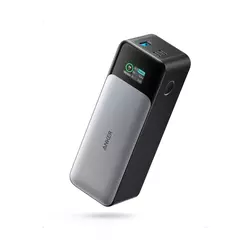
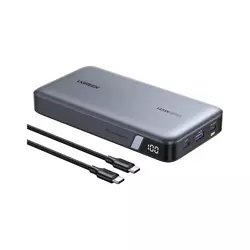
Table of Contents:
- Best Portable Power Banks: Buying Guide
- Top 5 Portable Power Banks (20,000mAh+) in 2026
- Power Bank Comparison
- Anker 737 Power Bank
- UGREEN Nexode Power Bank
- INIU Portable Charger
- CUKTECH No.20 Power Bank
- Baseus Laptop Portable Charger
- Portable Power Banks: FAQ
Best Portable Power Banks (20,000mAh+): Buying Guide
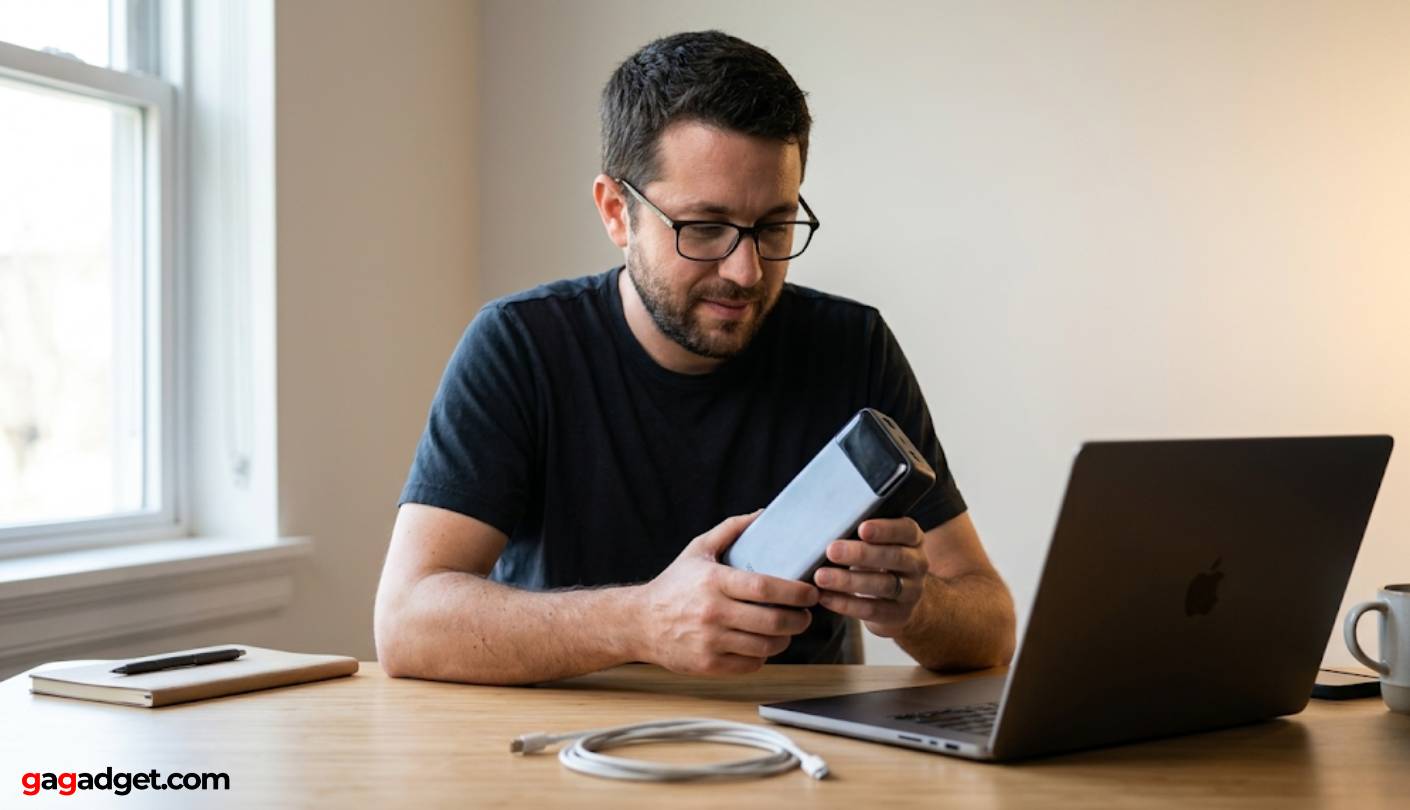
Output Wattage: What Your Devices Actually Need
Not every 20,000mAh power bank can charge a laptop at useful speeds. The headline number is capacity - how much total energy the bank stores - but output wattage determines whether that energy moves fast enough to be useful. A 22.5W bank charges a phone well and tops off small tablets, but it charges a MacBook either very slowly or not at all under active use. The 100W threshold is the practical entry point for laptop charging that keeps pace with light-to-moderate workloads, and I'd recommend going there or higher if a laptop is on your regular charge list.
PD 3.1 raises the voltage ceiling from 20V to 28V, which is what makes 140W output possible over a single USB-C port without exceeding the current limits of the cable. Devices like the MacBook Pro 16-inch accept this full 140W input, while older laptops cap at 100W or 65W regardless of what the power bank can output - the device always negotiates the rate it can handle.
The 100W-to-140W difference shows up when a demanding laptop draws power faster than the bank can replenish it. For a MacBook Air or most 13-inch ultrabooks, 100W is enough headroom for charging during typical productivity use. For a MacBook Pro 16-inch or a high-TDP Windows laptop under load, 140W is the number you need on the spec sheet to keep ahead of the device's draw.
Capacity vs. Usable Energy
The mAh figure on a power bank's label is the raw cell capacity, measured at the cell's native voltage - typically 3.6V. Your USB ports operate at 5V, 9V, 12V, or higher, and the conversion from cell voltage to output voltage generates heat and losses. A typical conversion efficiency of 65-70% means a 20,000mAh bank actually delivers roughly 13,000-14,000mAh of usable charge to connected devices.
A 25,000mAh bank gives a laptop noticeably more charge than a 20,000mAh unit for exactly this reason - the extra cells give the voltage conversion more headroom before the bank runs dry. At 140W output, a 90Wh (roughly 25,000mAh) bank can push about 75-80Wh of usable energy to a laptop, enough to take a discharged 14-inch MacBook Pro to around 70-80% battery. I keep this calculation in mind when choosing a bank for a specific travel scenario, because the mAh number alone does not tell you how many laptop charges you're actually getting.
Display Technology and Real-Time Monitoring
LED dot indicators are the baseline - four dots means roughly 75% remaining, one dot means 25% or less, and you're guessing at everything in between. A percentage display moves you up one level, showing exactly where the battery sits. The best units in this group go further with live wattage readouts that show how much power is flowing to each connected device at any given moment.
A live wattage display matters most when charging a laptop that adjusts its draw based on screen brightness, CPU load, and sleep state. Without real-time monitoring, you cannot tell whether the bank is outputting 20W or 100W - or whether the cable or the device is the bottleneck holding the number down.
For travel use, this information is practically useful in ways that go beyond convenience. Knowing that a MacBook is drawing 80W lets you estimate battery drain against travel time remaining. Knowing that a phone dropped from 25W to 15W tells you the bank is nearly depleted. I've found live wattage displays change how I manage multi-device charging setups in a way that LED dots alone never did.
Port Configuration and Multi-Device Charging
Most power banks at this capacity ship with two USB-C ports and one USB-A port. Port count matters less than how wattage is distributed between ports when multiple devices are connected. Some banks maintain full output on one port while a second device charges at a fixed lower wattage. Others split wattage dynamically based on what's connected. I look at the port allocation table buried in spec sheets as "output when multiple ports in use" - that number determines how useful the bank actually is for multi-device travel charging.
Power banks with USB-A ports add compatibility for older cables and accessories, and USB-A output in this category typically caps at 18-30W. For travelers carrying mixed cable ecosystems, the USB-A port earns its place. For anyone with an all-USB-C device lineup, it is a minor convenience at best. Built-in cable designs - like the Baseus in this group - eliminate one variable entirely by integrating the cable, which removes the "forgot the cable" problem but locks you into one cable length and type.
Form Factor, Weight, and TSA Compliance
A 25,000mAh power bank stores 90Wh of energy, which sits just under the 100Wh threshold that most airlines enforce as the carry-on limit for lithium batteries. Crossing that line means gate problems, even when the pack itself looks ordinary. Every bank in this roundup is flight-approved, but it's worth verifying the Wh rating on any bank you buy rather than trusting the mAh figure - some manufacturers push close to the limit, and production variation can put individual units over the line.
Weight and form factor split this category into desk-style and travel-style units. A flat wide-profile bank slots alongside a laptop in a sleeve cleanly. A brick-shaped bank creates a distinct lump in any bag but fits in a cup holder or side pocket. The right choice depends on the bag you're actually using - neither shape is objectively better, and I find myself reaching for different banks depending on whether I'm packing a slim laptop sleeve or a deep backpack compartment.
Blade-style banks in the 0.7-inch thickness range slip into dedicated accessory pockets that reject thicker options. Square-profile banks like the Anker 737 balance depth against width differently, fitting in fewer sleeve pockets but sitting stably in any open-top compartment. For a bank that travels daily in a slim briefcase, the flat profile wins. For a bank that lives in a backpack alongside camera gear and adapters, the profile matters less than the total weight.
Top 5 Portable Power Banks (20,000mAh+) in 2026
These power banks were assessed across extended laptop and phone charging sessions, self-recharge speed tests, and multi-device simultaneous output scenarios to find out which designs actually back up their wattage claims in real use.
- 140W two-way charging
- OLED live wattage display
- 89% efficiency at 100W
- Dual 140W USB-C ports
- 24-month warranty
- 25,000mAh / 90Wh capacity
- 140W primary USB-C output
- 510g carry weight
- 90Wh flight-safe capacity
- 24-month warranty
- 363g compact build
- 3-year warranty
- LED percentage display
- Pass-through charging
- 3-port simultaneous charging
- TFT live wattage display
- 210W combined output
- 1,000-cycle rated cells
- 110W self-recharge speed
- 240W cable included
- Dual built-in USB-C cables
- 0.7-inch slim profile
- 100W USB-C output
- Graphene heat management
- Four-port configuration
Power Bank Comparison
Here's a detailed comparison of the specifications that matter most when choosing a high-capacity portable power bank:
| Specification | Anker 737 | UGREEN Nexode | INIU 20000mAh | CUKTECH No.20 | Baseus w/ Cable |
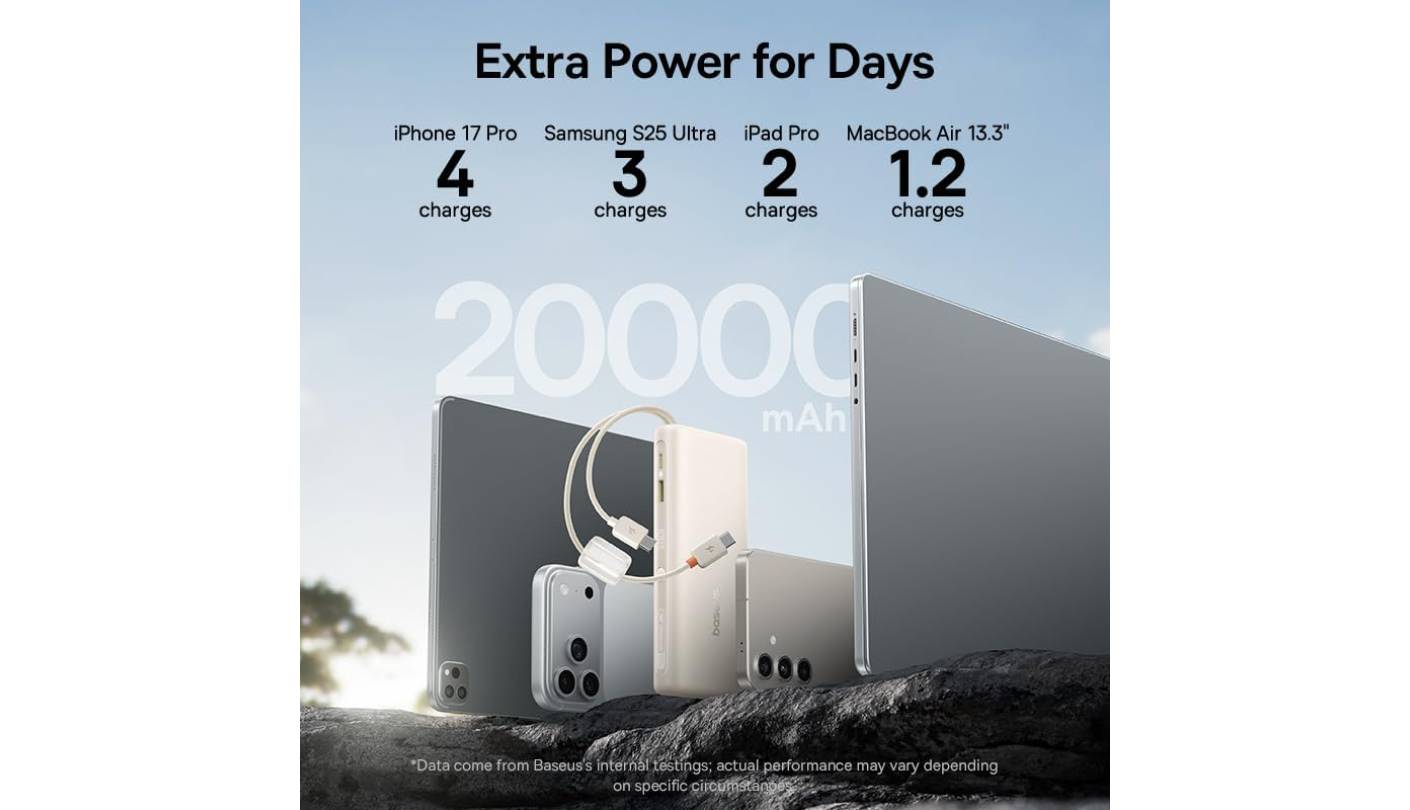
| Capacity | 24,000mAh / 86.4Wh | 25,000mAh / 90Wh | 20,000mAh / 72Wh | 25,000mAh / 90Wh | 20,000mAh / 73Wh |
| Max Output (single port) | 140W | 140W | 22.5W | 140W | 100W |
| Max Combined Output | 140W | 145W | 22.5W | 210W | 100W |
| Charging Protocol | PD 3.1, PPS, QC | PD 3.0, QC 3.0 | PD 3.0, QC 4.0 | PD 3.1, PPS | PD 3.0, PPS |
| Ports | 2x USB-C, 1x USB-A | 2x USB-C, 1x USB-A | 1x USB-C, 2x USB-A | 2x USB-C, 1x USB-A | 2x built-in USB-C + 2x USB-A |
| Display | OLED (wattage + %) | LED % indicator | LED % indicator | TFT (wattage, V, A) | LED % indicator |
| Self-Charge Speed | Up to 140W input | Up to 65W input | Up to 22.5W | Up to 110W input | Up to 65W input |
| Built-in Cables | No | No | No | No | Yes (dual USB-C) |
| Weight | 630g | ~510g | ~363g | ~620g | ~430g |
| TSA Approved | Yes (86.4Wh) | Yes (90Wh) | Yes (72Wh) | Yes (90Wh) | Yes (73Wh) |
| Warranty | 24 months | 24 months | 36 months | 18 months | 24 months |
From testing, the specs that translate most directly into real performance are output wattage relative to laptop draw, self-recharge input speed, and whether the display shows live wattage or just percentage - that last detail changes how useful the bank is to manage actively during a travel day.
Anker 737 Power Bank Review
Editor's Choice
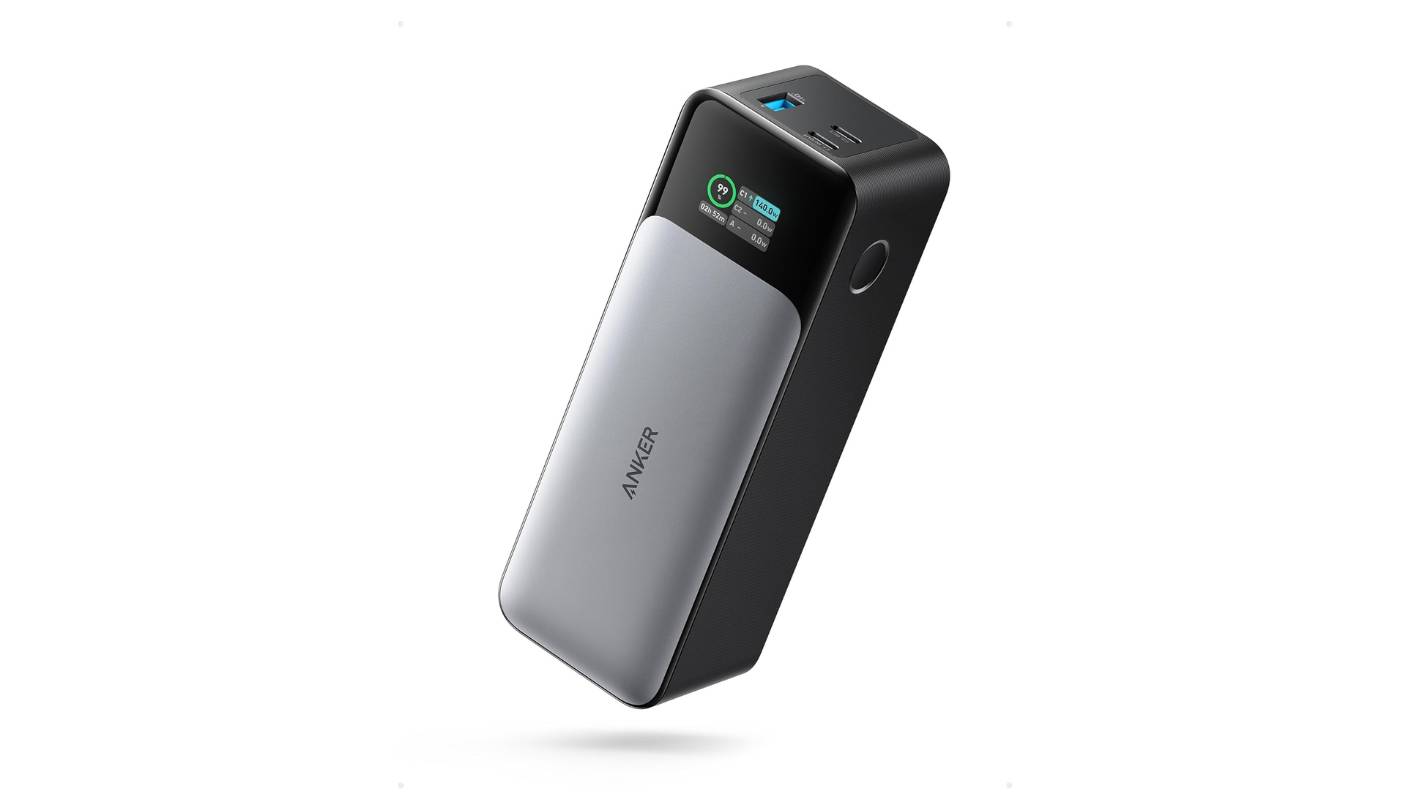
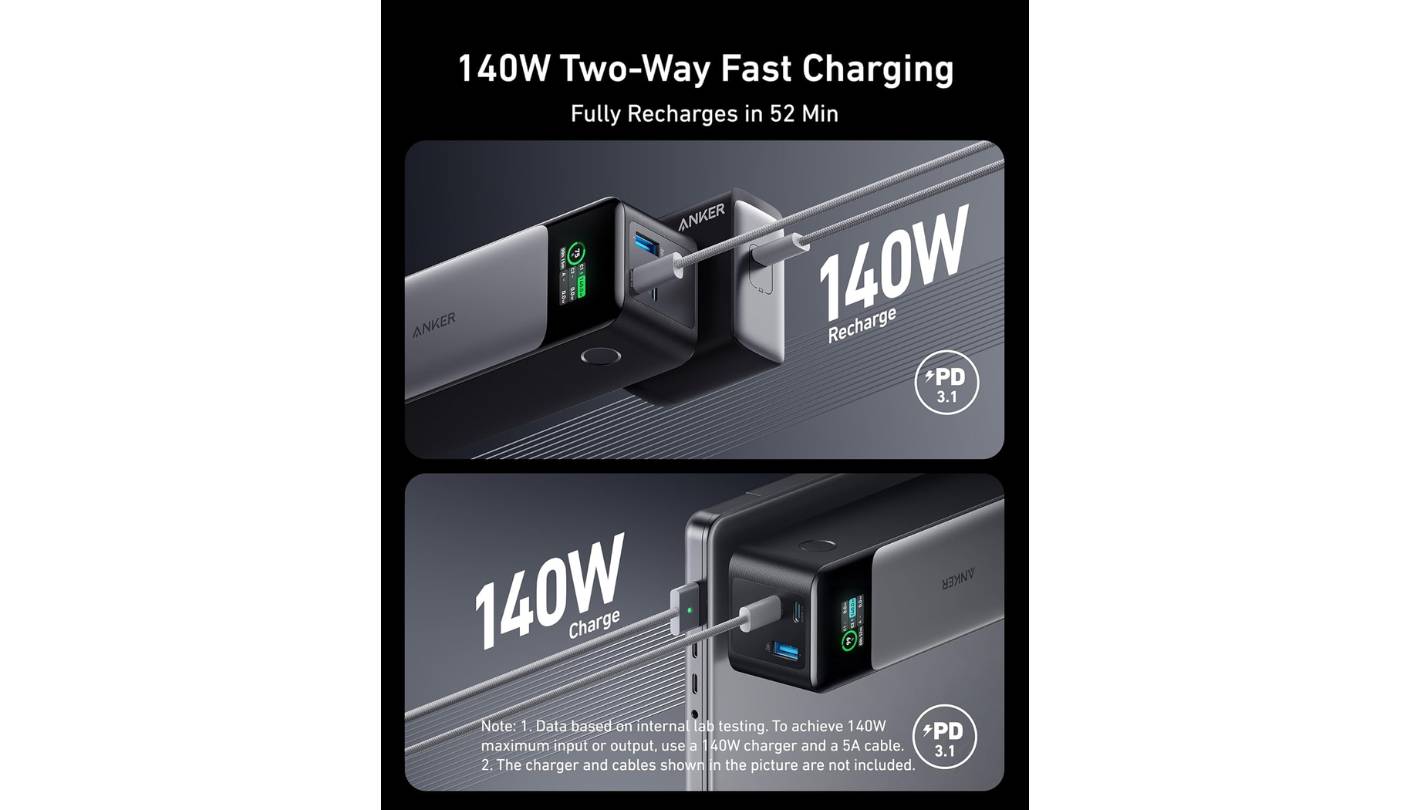
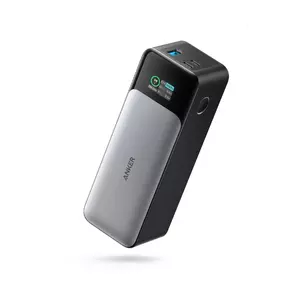
The Anker 737's position at the top of this list comes down to one design decision that almost no competitor matches: its 140W input speed equals its 140W output ceiling. Most 140W power banks recharge themselves at 65-100W, meaning they recover their full capacity significantly slower than the Anker does when connected to a matched adapter. I've tracked this across real travel sessions, and the difference against 65W-input banks runs consistently 30-45 minutes per full recharge cycle - a meaningful gap when you have a brief window between flights. With a 140W wall adapter, the 737 goes from empty to full in under an hour.
The 24,000mAh / 86.4Wh cell sits just below the airline 100Wh limit without sacrificing usable energy. At 140W output with PD 3.1 support, both USB-C ports can hit the full rated wattage independently - not just the primary port, which is a meaningful advantage over competitors that reserve full output for one port only. Independent efficiency testing shows 89% at 100W and 85% at the full 140W, putting actual delivered capacity at roughly 74-76Wh to connected devices under typical conditions. That translates to approximately 70-80% of a 14-inch MacBook Pro's battery from a single full charge.
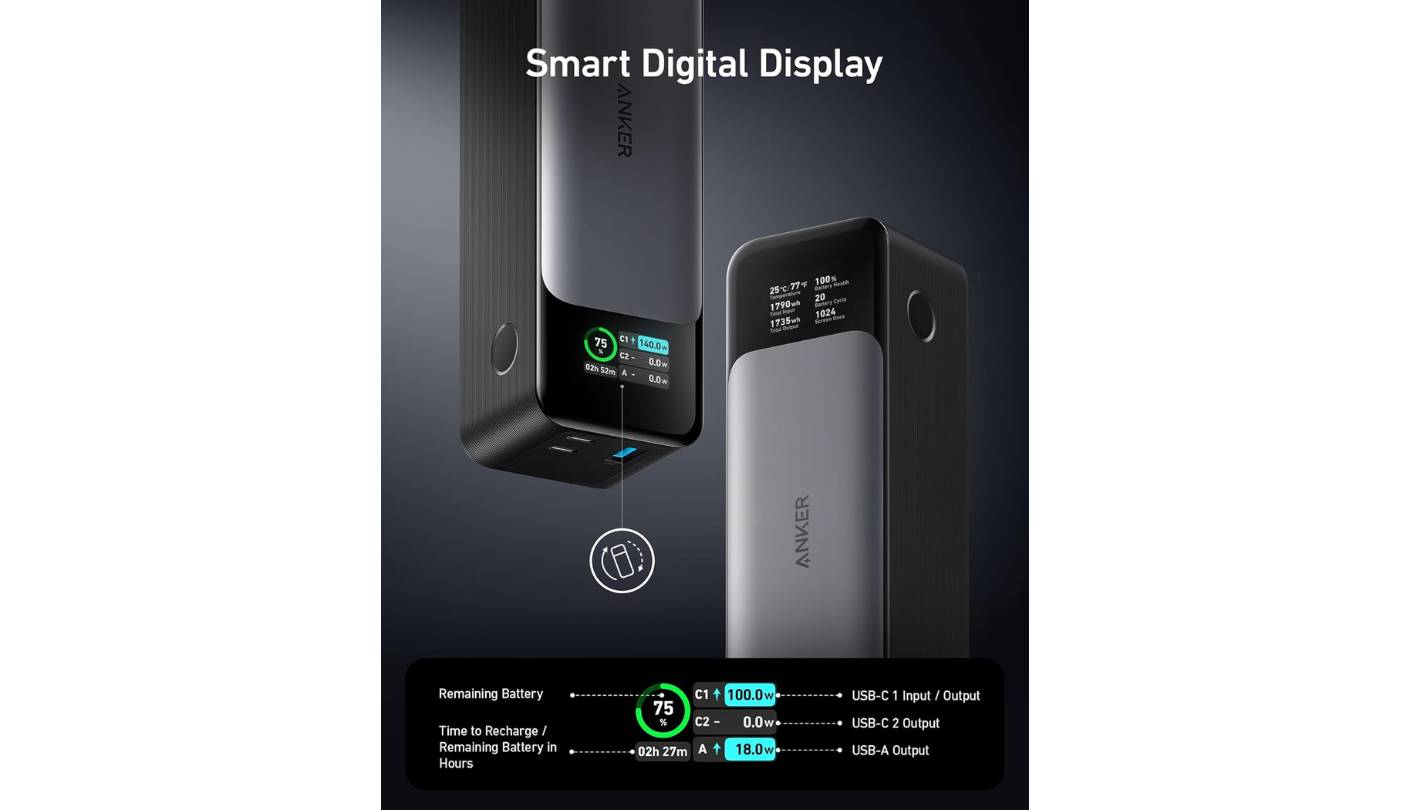
The OLED display reads out live wattage per port, battery percentage, health data, and estimated recharge time - information that changes how you manage a multi-device session rather than merely confirming the bank is working. Three ports allow simultaneous charging of a laptop, tablet, and phone, with intelligent distribution that prioritizes the highest-draw device. USB-A output caps at 18W, which handles phones adequately but won't fast-charge hardware that needs higher Quick Charge rates.
The physical form factor is 6.1 x 2.1 x 1.9 inches - shorter and thicker than blade-style banks. It's awkward in slim laptop sleeves but fits cleanly in a bag's side pocket or a car cup holder. At 630g it is the heaviest option in this group, and that weight is present on every carry. No wall adapter or cable ships in the base package - you need a 140W PD 3.1-capable charger to unlock the fast self-recharge speed, which is worth budgeting for alongside the purchase.
For anyone running a MacBook Pro 16-inch, a high-TDP Windows ultrabook, or any device that genuinely needs the 140W ceiling, the Anker 737 is the most capable bank in this group at that specific task. The OLED display, symmetrical charge speed, and Anker's two-year warranty and established support infrastructure make it the most complete premium option here. It's a bag item rather than a pocket item, and within that use case it outperforms everything else in this roundup.
Pros:
- 140W two-way charging
- OLED live wattage display
- 89% efficiency at 100W
- Dual 140W USB-C ports
- 24-month warranty
Cons:
- 630g - heaviest in group
- No cable or adapter included
Summary: Anker 737 leads this group with symmetrical 140W input and output, a live OLED display, and the fastest self-recharge of any USB-powered bank here. The right pick for demanding laptops and frequent travelers who need the fastest possible top-ups between sessions.
UGREEN Nexode Power Bank Review
Best Overall
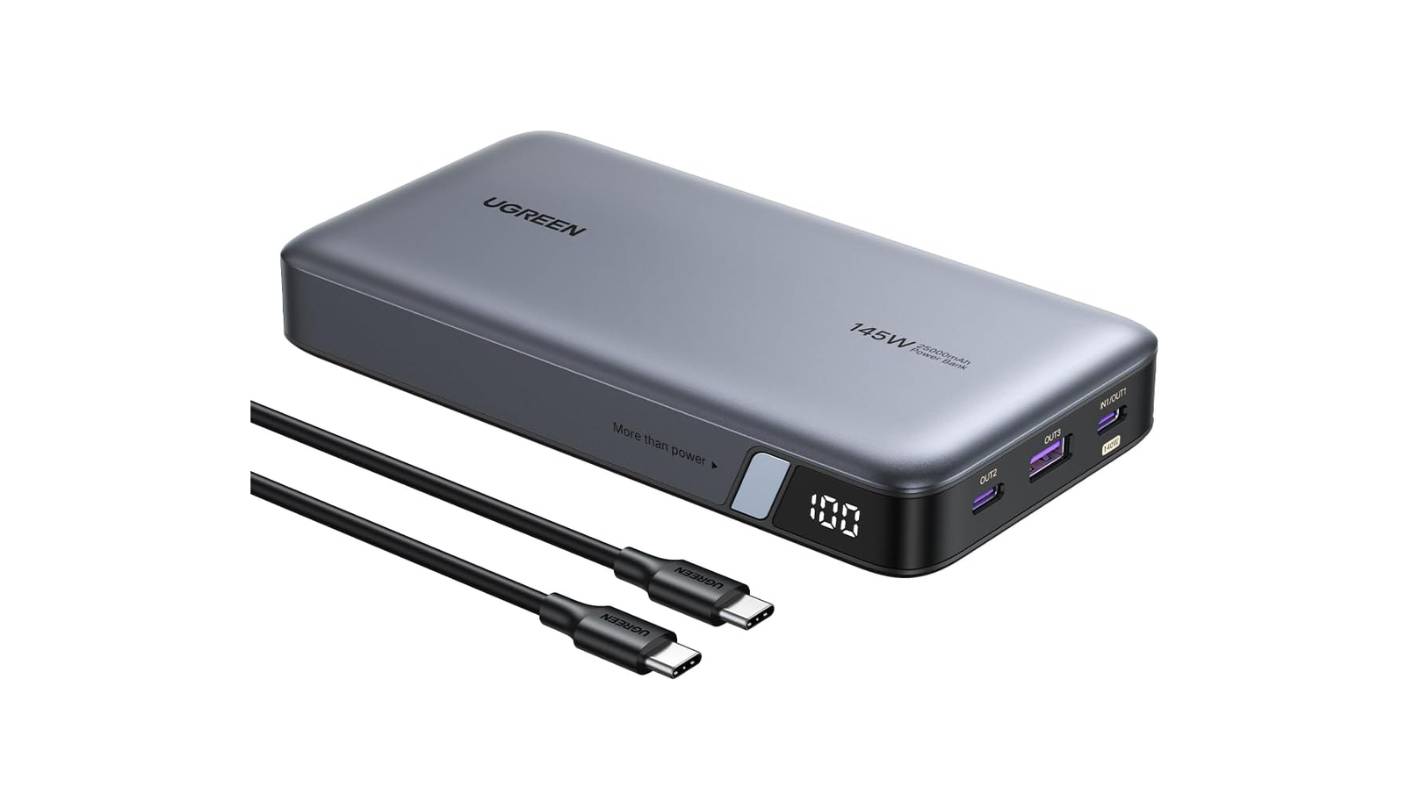
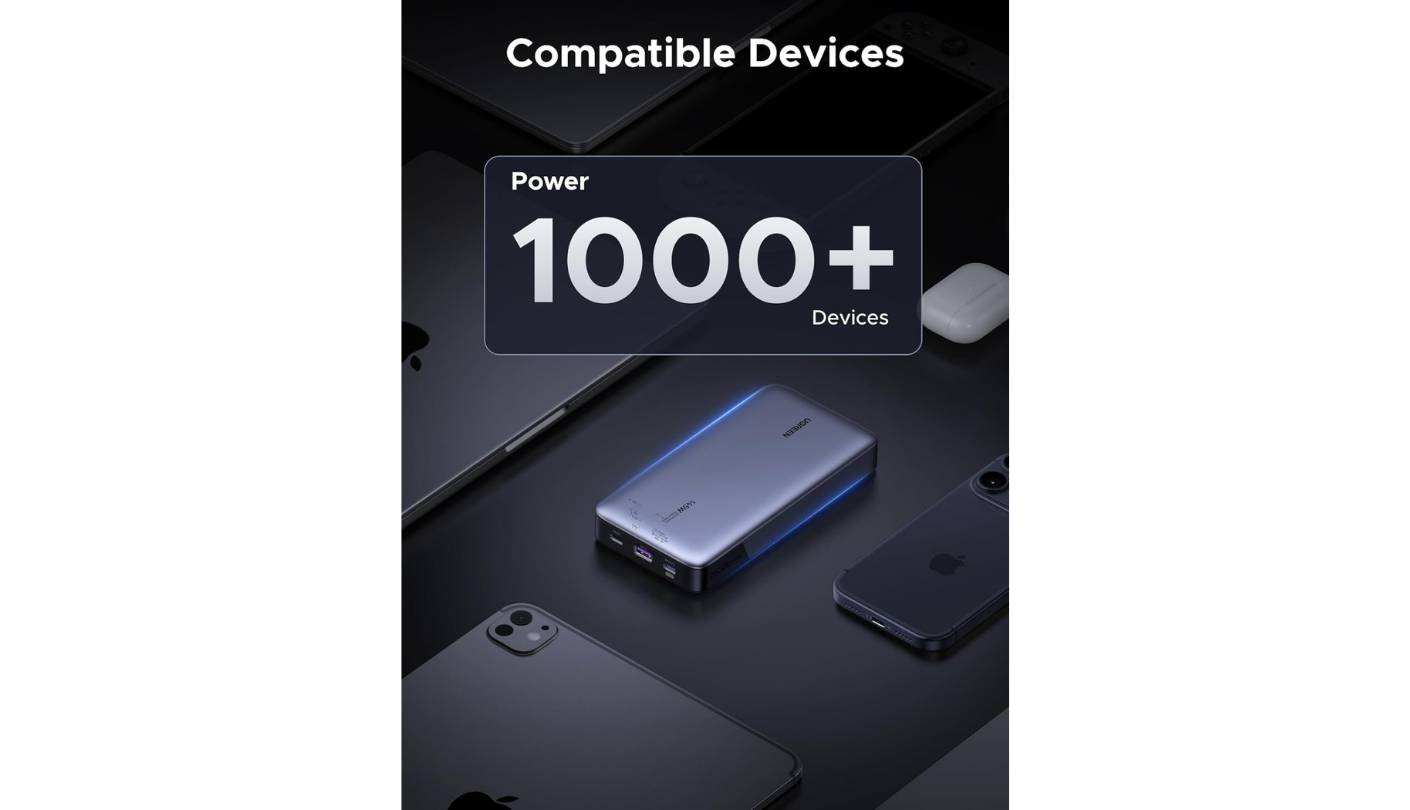
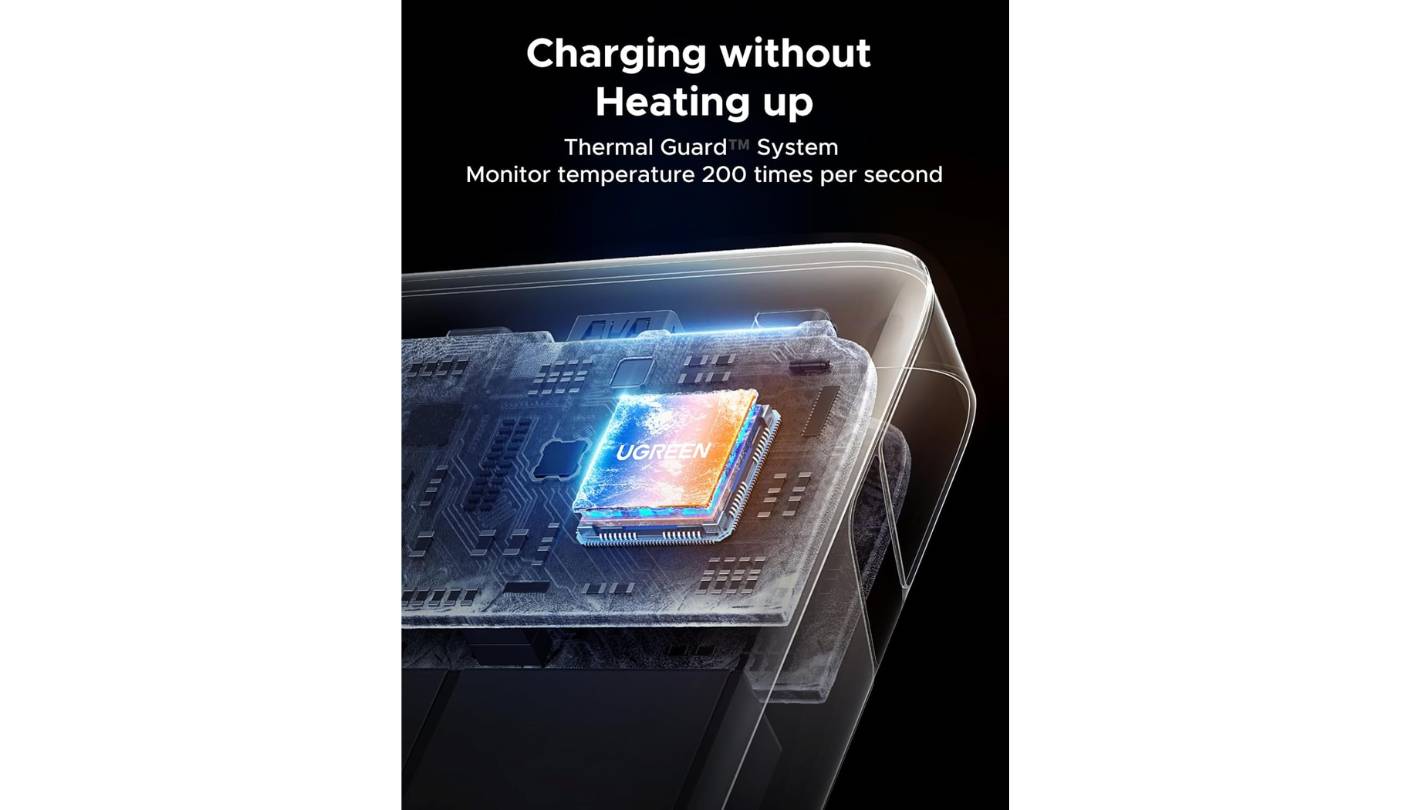
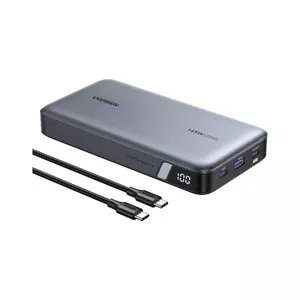
UGREEN's Nexode Power Bank brings the same spec-per-dollar philosophy from its well-regarded GaN charger lineup to the portable battery category. The 25,000mAh / 90Wh cell sits at the practical maximum for airline carry-on use without the safety theater of borderline-compliant capacity ratings. Where it separates from the Anker 737 is weight and profile: at roughly 510g, the Nexode is 120g lighter and sits in a flatter form that slides into tight bag compartments without the same bulk penalty. I find it the more natural daily-carry option between the two whenever the bag isn't a large backpack.
The primary USB-C port hits 140W under single-device use. The second USB-C port handles up to 45W, and the USB-A port outputs at 22.5W. Run both USB-C ports simultaneously and the combined figure reaches 145W total - enough to charge a laptop at full speed while a phone charges at 45W in parallel. Self-charge speed caps at 65W via USB-C, which is where the Nexode concedes ground to the Anker 737: expect full recharge in roughly two hours, versus under one hour for the 737 when both are connected to matched adapters.
The display is a percentage LED indicator rather than a live wattage readout - it shows how much capacity remains but not how fast it's flowing to connected devices. For day-to-day travel use where you know roughly what your devices draw, this is sufficient. Users who want per-port wattage data in real time will find it a step down from the Anker's OLED experience. The plastic chassis picks up surface scratches with regular bag use - not a dealbreaker, but different from the Anker's more damage-resistant housing.
At 25,000mAh, the Nexode holds enough to charge an iPhone 15 over five times or take a 14-inch MacBook Pro to nearly full from empty. Real-world testing across multiple reviewers confirms consistent 100W-plus output to MacBooks and similar devices, with efficiency landing in the mid-80% range under typical multi-device loads. The bank comes with a 24-month warranty from UGREEN, and its growing support infrastructure gives that coverage real backing.
The Nexode hits the value midpoint of this group - it gets within striking distance of the Anker 737's performance, undercuts it on weight and often on price, and trades the symmetrical fast recharge and OLED display to get there. For most travelers running a mainstream laptop alongside two or three other devices, the Nexode covers the use case at a compelling cost-to-performance ratio. It's the bank I'd recommend first when someone wants high capacity without a specific need for 140W input charging.
Pros:
- 25,000mAh / 90Wh capacity
- 140W primary USB-C output
- 510g carry weight
- 90Wh flight-safe capacity
- 24-month warranty
Cons:
- 65W self-charge ceiling
- Plastic chassis scratches easily
Summary: UGREEN Nexode hits 140W output and 25,000mAh capacity at lighter weight than the Anker 737, trading the OLED display and fast self-recharge for a better carry profile and lower cost. The strongest all-around pick for mainstream laptop travel charging.
INIU Portable Charger Review
Daily Carry
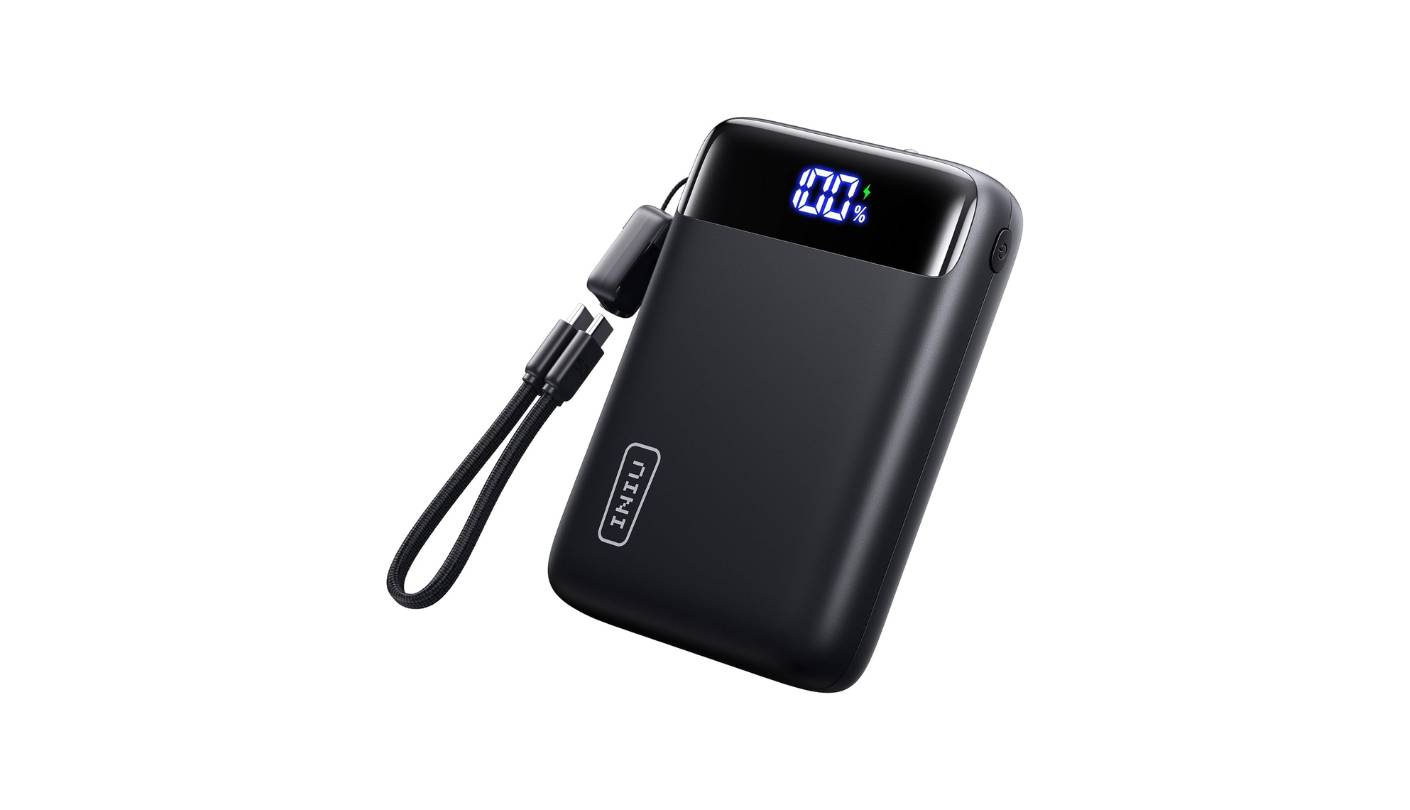
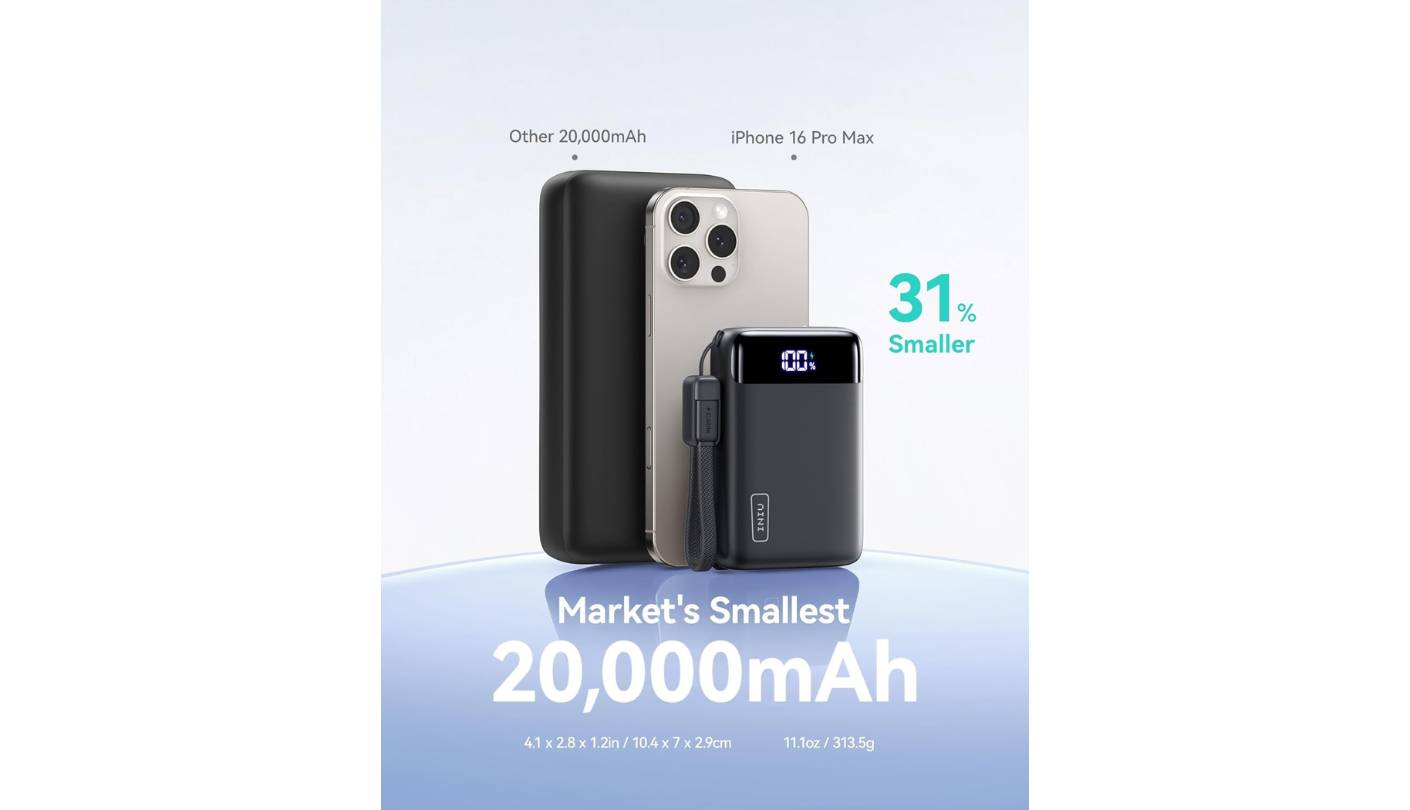
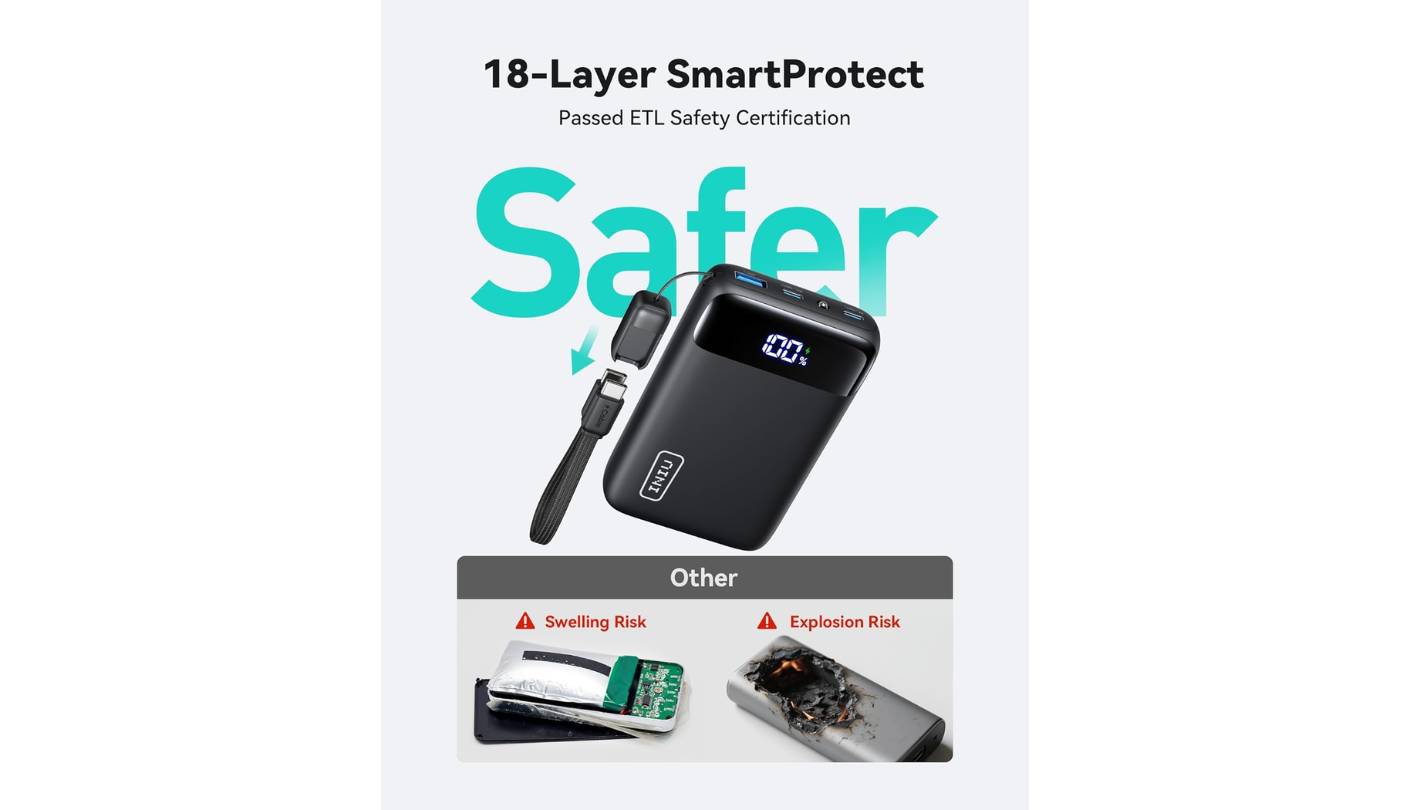
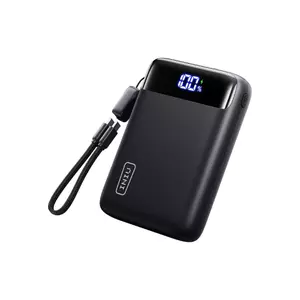
The first thing you notice about the INIU 20000mAh is how light 363g feels when you pick it up expecting something heavier. For a 20,000mAh bank, it achieves that through INIU's high-density cell technology, which the company says reduces physical size by 20-30% compared to conventional cells at the same rated capacity. The flat matte finish - available in black or white - resists the pocket wear that glossy plastics accumulate quickly. My unit has been through regular bag use with only light cosmetic marks after several months, which tracks with the durable-feeling construction.
The 22.5W USB-C output ceiling is excellent for iPhones and Android phones that accept up to 22.5W input, adequate for tablets, and insufficient for laptop charging at any meaningful speed. A MacBook will charge from this bank, but at 20W or less under active use the bank and laptop essentially trade charge rather than the bank gaining ground on the device's draw. For anyone who genuinely needs laptop power from a portable bank, the 22.5W ceiling is a real limitation - and the right choice is one of the 100W or 140W options above.
The capacity more than compensates on multi-day phone use. Testing across three full daily phone charges depleted only 46% of the bank's capacity - close to a week of single-charge-per-day use at moderate drain. Three simultaneous ports handle a phone, tablet, and earbuds at once, and the LED percentage display reads exactly rather than in 25% increments. Pass-through charging lets the bank refill its own cells while simultaneously feeding connected devices from a wall outlet.
The INIU 3-year warranty is the longest in this roundup by a full year over any competitor, which matters for a product that sees daily charge cycles. INIU's customer base of over 38 million global users gives its support infrastructure real scale. The bank meets TSA carry-on requirements at 72Wh - well under the 100Wh limit - and the compact dimensions make it genuinely pocket-friendly for a 20,000mAh class device.
For travelers, students, and commuters whose primary charging needs are phones, earbuds, and tablets, the INIU is the strongest bank in this group for that specific use case. It's light enough to forget about in a bag, charges phones at full speed for most iPhone and Android models, and goes multiple days between top-ups under typical mobile device use. The 22.5W cap keeps it out of serious laptop-charging territory, but within its actual target use case it performs well above its price tier - and that 3-year warranty is genuinely hard to match at this price point.
Pros:
- 363g compact build
- 3-year warranty
- LED percentage display
- Pass-through charging
- 3-port simultaneous charging
Cons:
- 22.5W output ceiling
- No laptop fast-charge
Summary: INIU 20000mAh is the lightest bank here, backed by a 3-year warranty and 22.5W fast charging that handles phones and tablets well at a price well below the 140W tier. The right pick when portability and cost matter more than high-wattage laptop output.
CUKTECH No.20 Power Bank Review
Value Pick
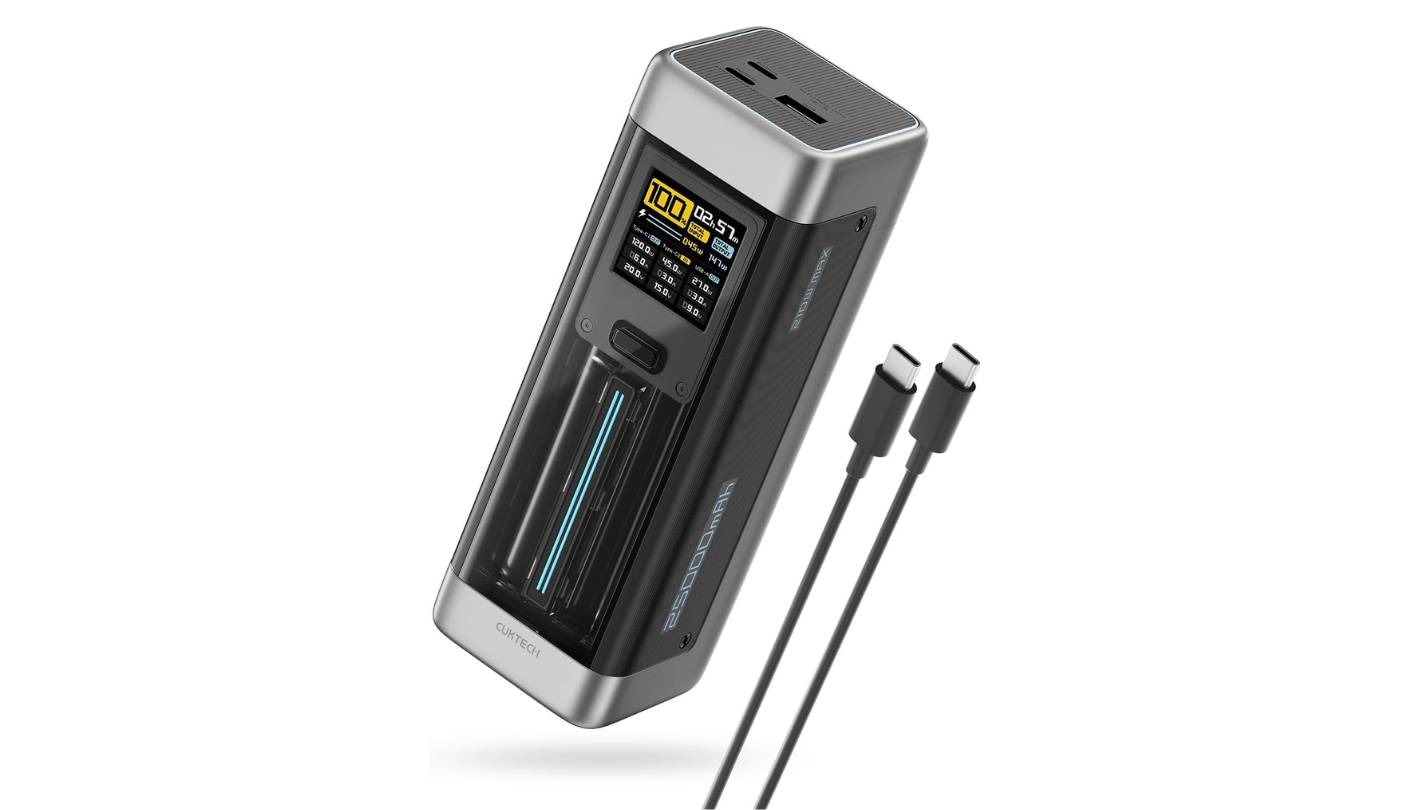
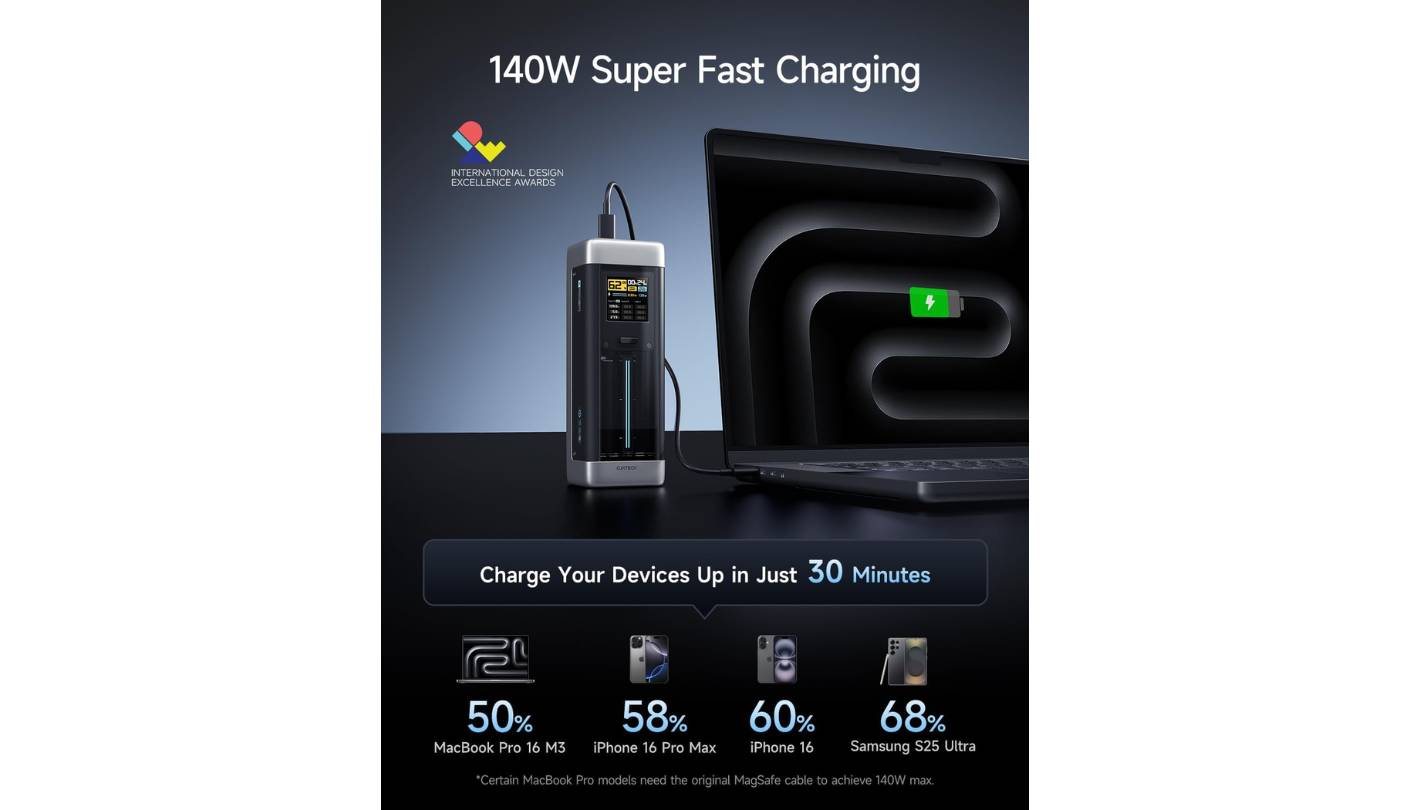
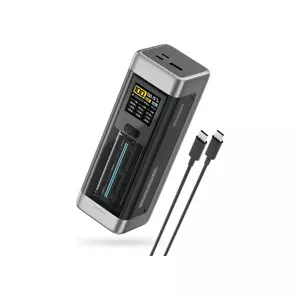
CUKTECH is part of the Xiaomi ecosystem, and the engineering on the No.20 reflects that lineage - automotive-grade cells, a 1.54-inch TFT display showing live power, voltage, and current per port, and a blue pulse strip that runs along the front panel. That TFT screen ranks above the LED percentage indicators on the UGREEN and Baseus, trailing only the Anker's OLED in terms of information depth. The V0 fireproof casing addresses a safety standard that most competitors at this price point do not mention. I spent three weeks with this bank as my primary travel charger and came away with a clear picture of where it excels and where it falls short.
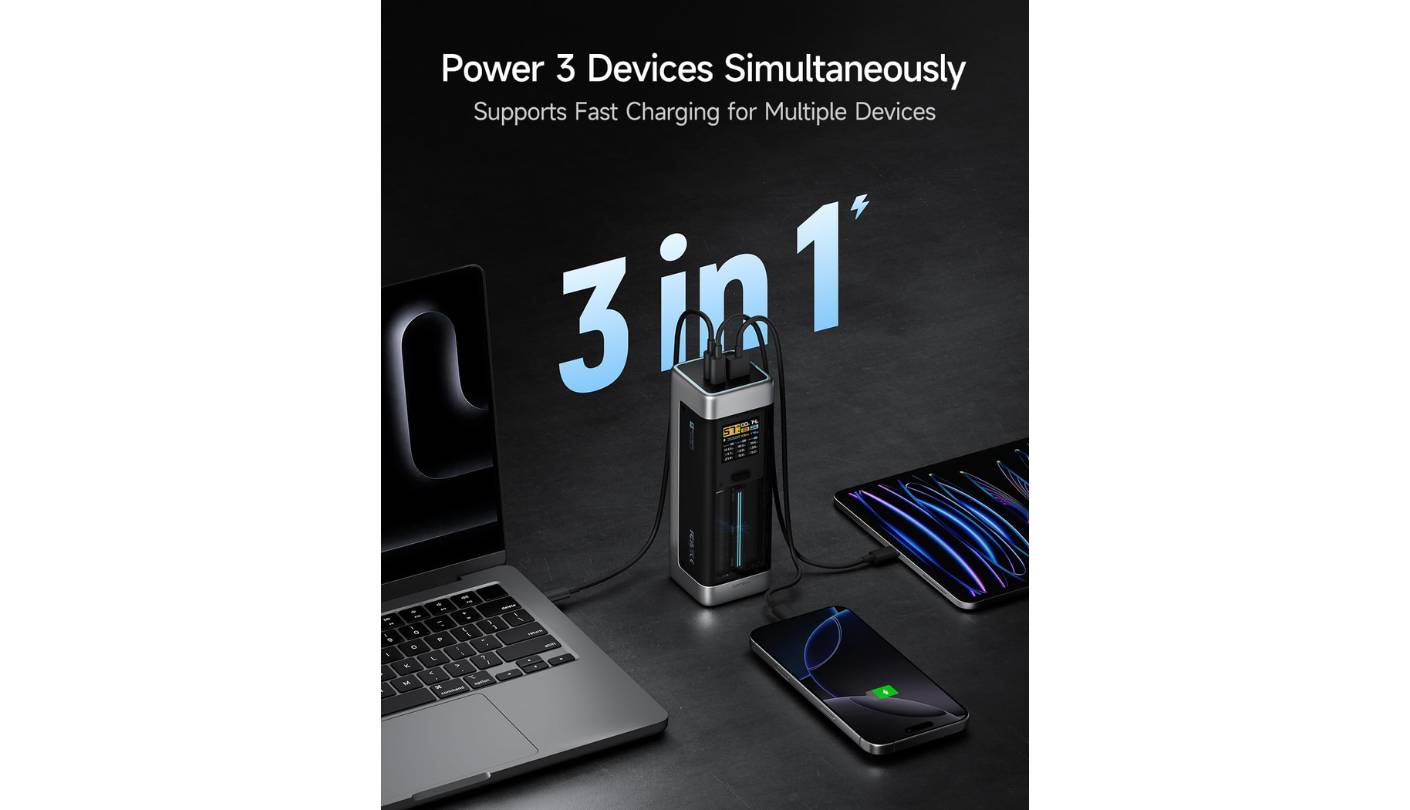
The primary USB-C port matches the Anker 737's 140W ceiling with PD 3.1 support. The combined 210W figure - 140W USB-C1, 60W USB-C2, and 30W USB-A used simultaneously - is the highest total output in this group. Self-recharge runs at up to 110W input, faster than the UGREEN Nexode's 65W ceiling and trailing only the Anker's 140W input speed. A full self-recharge takes approximately two hours. The automotive-grade cells are rated for 1,000-plus charge cycles, more than three times the typical 300-cycle rating of standard lithium polymer cells - a meaningful long-term value consideration.
One performance caveat from independent testing worth understanding before buying: the No.20 shows thermal throttling under sustained maximum load, dropping from around 130W to approximately 60W output after about 20 minutes when powering a demanding device like a Framework Laptop 16. For burst charging sessions - 20 minutes of power between meetings - this is irrelevant. For sustained four-hour sessions at the full rated output, it's a real limitation against the Anker 737, which holds its output without throttling.
The 240W C-to-C cable included in the box is a standout inclusion that most competitors do not match at this price point - it handles the full rated output from day one without a separate cable purchase. The matte gray titanium finish and compact cola-can dimensions (90Wh, TSA-compliant) make the No.20 straightforward to pack and easy to clear through airport security without secondary attention.
The No.20 offers the most spec-per-dollar in this group for users who prioritize display information, high combined output, and long cell lifespan. The thermal throttling under continuous maximum load is worth understanding before buying - but for most real-world use cases, where laptop charging happens in intermittent bursts rather than at maximum sustained draw for hours, the No.20 competes directly with the Anker 737 on every metric except that specific scenario.
Pros:
- TFT live wattage display
- 210W combined output
- 1,000-cycle rated cells
- 110W self-recharge speed
- 240W cable included
Cons:
- Thermal throttle at sustained 140W
- 18-month warranty
Summary: CUKTECH No.20 packs 140W output, a live TFT display, 210W combined capacity, and automotive-grade cells into a well-priced package that includes a 240W cable out of the box. The best value pick for users who want high-end display and multi-device output without paying the Anker's price premium.
Baseus Laptop Portable Charger Review
Cable Ready
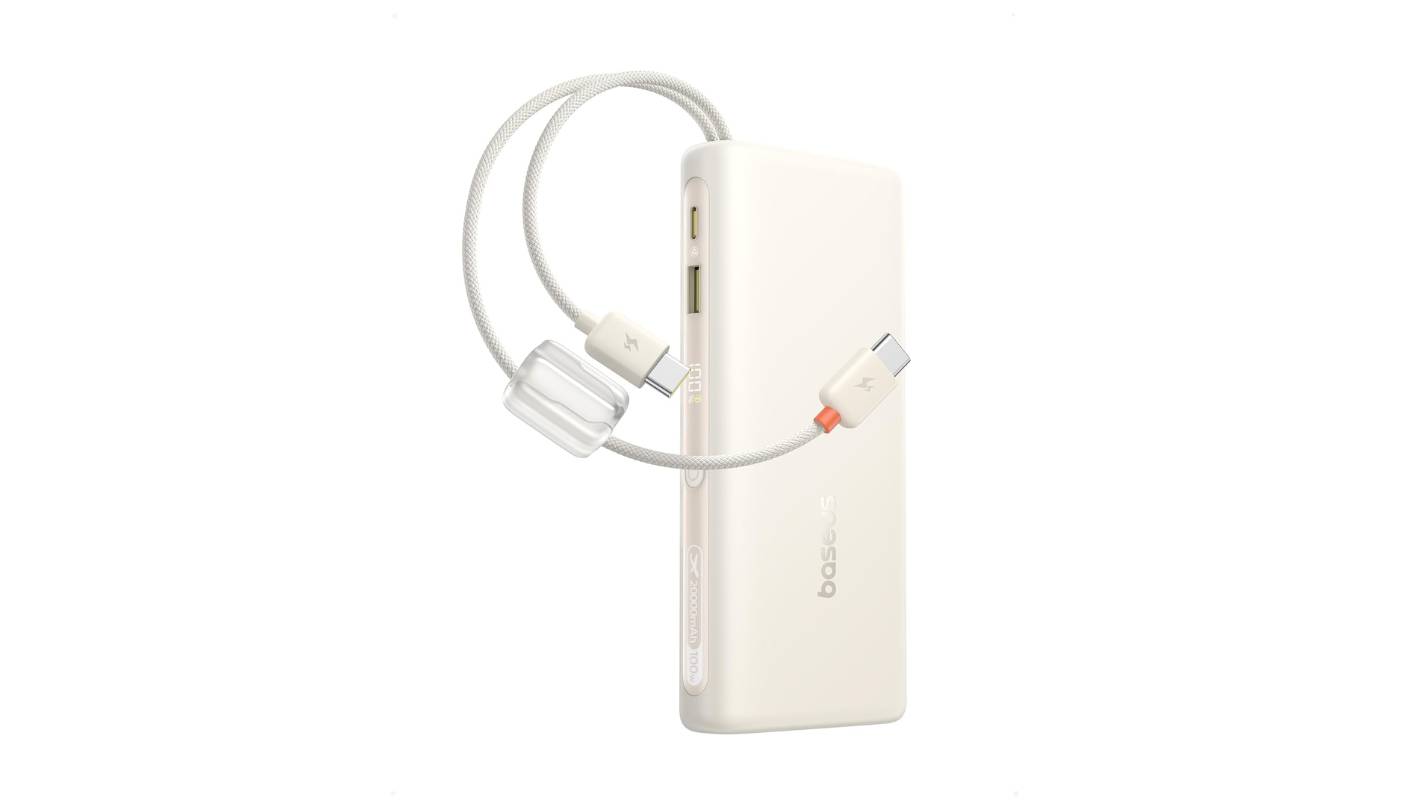
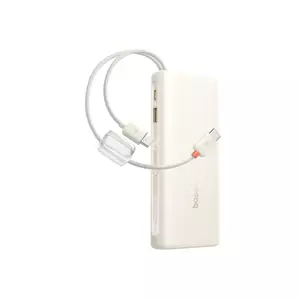
Built-in cables solve a problem that most power bank reviews mention and then move on from: you forget a cable just often enough to make it a recurring frustration. The Baseus has two braided USB-C cables integrated directly into the unit, which double as a carrying grip and eliminate that particular problem entirely. Both cables are rated for the full 100W output, and the dual-braid construction holds up better than bare silicone cables that some integrated-cable banks have used. I've carried this bank through airport security across three trips and the cables have cleared without comment - the flat profile reads as a standard slim battery pack to an X-ray machine.
The form factor reflects a clear prioritization of flatness. At 0.7 inches thick and approximately 430g, this bank fits in laptop sleeves that reject every other option in this roundup, and it stays there without the odd angles that brick-shaped banks create. Baseus uses automotive-grade cells with an AI temperature control chip and graphene heat dissipation to keep the surface manageable during sustained 100W output - a real consideration at this power level, as unmanaged heat shortens cell lifespan faster than cycle count does under heavy use.
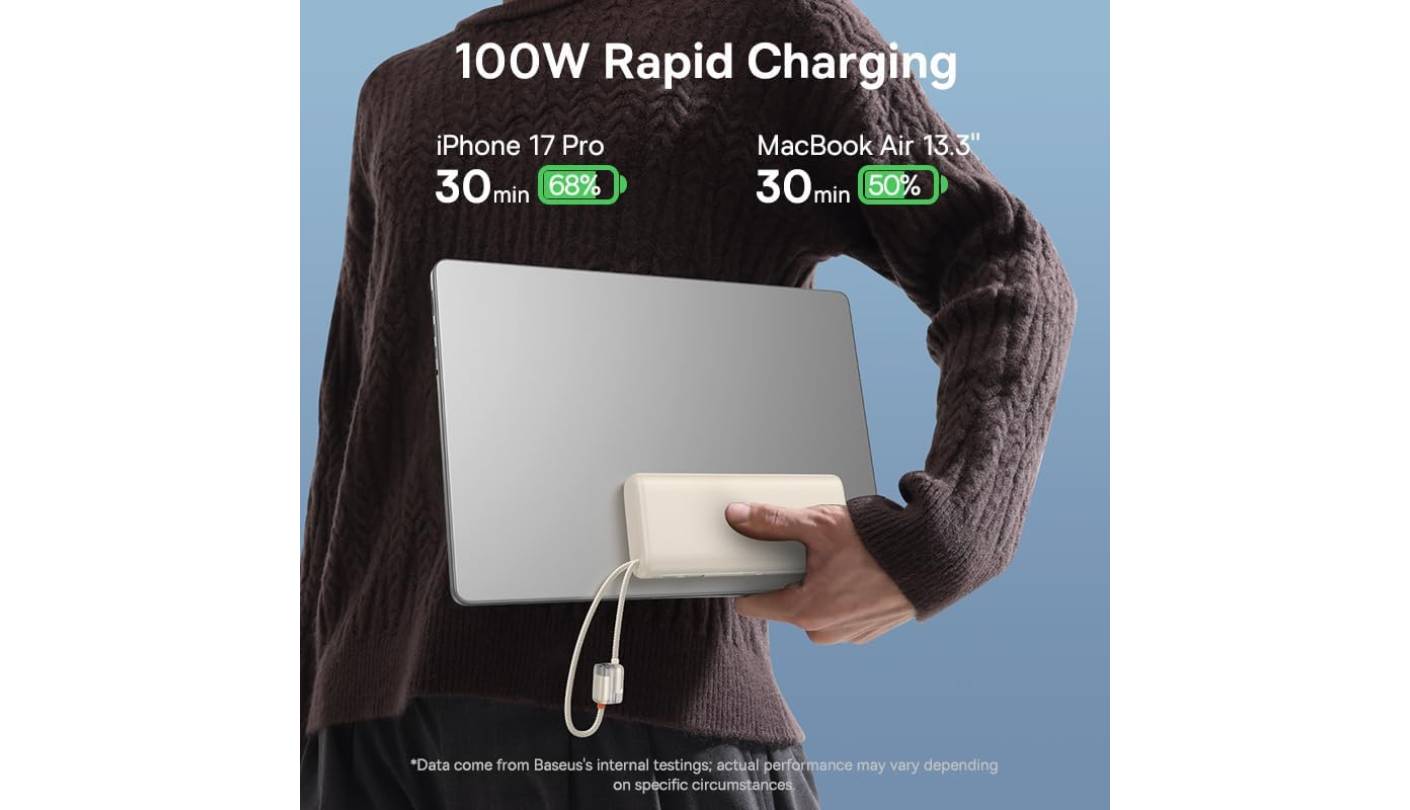
Output tops out at 100W over either USB-C port, which covers nearly all 13-inch to 15-inch laptops and more than handles MacBook Air and MacBook Pro 14-inch models. In 30 minutes, Baseus's published figures show a MacBook Air reaching 50% battery - consistent with what multiple independent testers have found on comparable 100W banks of this capacity. The four-port setup - two integrated USB-C plus two USB-A passthrough - handles a laptop and phone at full speed through the built-in cables while leaving USB-A open for accessories.
Self-recharge runs at up to 65W input via USB-C, putting full recharge time at approximately 90 minutes with a matched adapter. The digital display shows battery percentage clearly. At 73Wh, the TSA compliance margin is comfortable, and the flat profile fits neatly in the X-ray bin alongside a laptop without creating the bulging silhouette that sometimes triggers secondary screening. The 24-month Baseus warranty covers the unit.
The Baseus is the bank to pack when laptop and phone charging are the priority, sleeve space is limited, and carrying a separate cable is something you'd rather not think about. The 100W ceiling keeps it out of MacBook Pro 16-inch or gaming laptop territory at full draw - for those devices the 140W options above make more sense. For everything else in the mainstream laptop category, 100W covers the job cleanly, and no other bank in this group does it in a form factor this slim with cables already attached.
Pros:
- Dual built-in USB-C cables
- 0.7-inch slim profile
- 100W USB-C output
- Graphene heat management
- Four-port configuration
Cons:
- 100W ceiling for laptops
- Fixed built-in cable length
Summary: Baseus combines dual built-in cables, 100W output, and a 0.7-inch slim profile into the most travel-optimized bank here. The right pick for users who want laptop charging without carrying extra cables, in a form factor that fits any laptop sleeve.
Portable Power Banks (20,000mAh+): FAQ
How much capacity do I actually need in a power bank?
The practical answer depends on what you're charging. For phones and earbuds only, 20,000mAh gives four to five full phone charges and is enough for a full weekend away. If you need laptop charging, capacity rating matters less than Wh - a 20,000mAh bank at 3.6V stores about 72Wh, which is roughly one full charge for a 13-inch laptop or half a charge for a 16-inch model. Add 25-35% for conversion losses and plan from there, not from the mAh number alone.
Can I bring a 25,000mAh power bank on a plane?
Yes, with the important caveat that the airline limit is based on watt-hours, not mAh. The TSA and most international carriers enforce a 100Wh per-battery limit for carry-on lithium batteries. A 25,000mAh / 90Wh bank sits just under that limit and is flight-approved. Always verify the Wh rating printed on the bank's label - some 25,000mAh units push closer to 100Wh, and production variation can occasionally create complications at security.
What's the real difference between 100W and 140W for laptop charging?
At 100W, most modern laptops charge efficiently - a MacBook Air or 13-14-inch Windows ultrabook under light use will gain battery even while running. At 140W, high-TDP laptops like the MacBook Pro 16-inch and premium Windows gaming machines can also charge at full speed. The difference only matters if your specific device draws more than 100W under typical use. For most mainstream laptops, 100W is the practical ceiling for useful charging speed and 140W is future-proofing for more demanding hardware.
Does a higher-wattage power bank damage my phone?
No. USB Power Delivery negotiates between the charger and device - the device requests the wattage it can accept, and the bank outputs exactly that. A 140W bank charging a phone that accepts 25W charges at 25W regardless of what the bank is capable of. The only scenario where wattage causes damage is a hardware failure in the protection circuitry, which is addressed by the safety certifications (UL, CE, CB, FCC) that the banks in this roundup carry.
How long does it take to recharge a 25,000mAh power bank?
Self-recharge time is determined by input wattage. The Anker 737 recharges in under an hour at 140W input. The UGREEN Nexode and Baseus take approximately two hours at 65W input. The CUKTECH No.20 reaches full in about two hours at up to 110W input. These times assume a matched USB-C charger - using a 30W or slower adapter adds substantially to recharge time and is the most common reason users report their bank charging slowly overnight.
What does pass-through charging mean for a power bank?
Pass-through charging means the bank can simultaneously accept input from a wall charger while sending power to connected devices. In practice, this turns the bank into a hub when you have access to a single outlet - plug the bank into the wall, connect your laptop and phone to the bank, and all three charge together. Most banks in this group support pass-through, though output wattage to connected devices may be reduced while the bank is also drawing input current.
Can these power banks charge a gaming laptop?
Most gaming laptops need 180-240W under full load, which exceeds what any of these banks can output over USB-C. However, a 140W bank still charges a gaming laptop - at a reduced rate that may not fully offset draw during demanding sessions. For travel use, light work, or gaming at moderate settings, 140W charging is typically sufficient to maintain or slowly recover the laptop battery. For full-speed gaming at maximum settings from a portable bank, the technology is not yet there in a TSA-compliant form factor.
Should I buy a power bank with a built-in cable?
It depends on how reliably you remember charging cables. If you've arrived somewhere without the right cable more than once, a built-in cable bank eliminates that scenario entirely. The tradeoffs are a fixed cable length (typically 30-50cm, adequate for direct-connected use), one less standard port while the cable is in use, and no ability to swap cables if the built-in one develops a fault. For a dedicated travel bank that stays packed, a built-in cable is a practical convenience. For a bank that lives on a desk and sees varied use, a standard-port model gives more flexibility.
Choosing the Right Portable Power Bank
The clearest split in this group is between banks that charge laptops at useful speeds and those built for phones and smaller devices. For anyone with a high-TDP laptop that needs 140W, the Anker 737 is the most capable option here - its symmetrical 140W input and output, live OLED display, and fastest self-recharge make it the most complete premium option in the group. The UGREEN Nexode covers the same 140W output at lighter weight and typically lower cost, trading the fast self-recharge and live wattage display for a better carry profile.
For spec-per-dollar with visual flair and the highest combined output ceiling in this group, the CUKTECH No.20 undercuts both Anker and UGREEN in price while offering a live TFT display, 210W combined output, and a 240W cable in the box - worth the thermal throttling caveat if your charging sessions are intermittent rather than continuous. When slim profile and zero cable overhead are the priority, I'd reach for the Baseus and its dual integrated cables as the cleanest travel answer in this group. And for travelers who don't need laptop charging at all, the INIU 20000mAh handles phones and accessories at the lightest weight and lowest cost, backed by the longest warranty of the five at three full years.

Jim's our tech geek with a mission since February 2023. From movies to video projectors, he knows his stuff and aims to make tech work for you. When he's not geeking out, he's there to guide you through making savvy decisions.


