At gagadget.com, your trust is our priority. We follow strict quality standards in our research, tests, and analysis of video projectors, to give you the best experience. Learn more
Best Projectors for Home Theater
My living room gets afternoon light from the west, which ruled out three of these projectors before I had even unboxed them. Brightness is the first filter for most buyers, but it is rarely framed that way in product listings - the lumen number on the box does not tell you what the image looks like at 4pm with the curtains open. I started this test cycle by measuring output in an accurate color mode at midday under real living-room conditions, because that separates a projector that works for a real household from one that only performs when ideal circumstances are arranged around it.
The five models in this group - the Anker Nebula X1, XGIMI HORIZON 20, Hisense M2 Pro, Epson Lifestudio Flex Plus, and BenQ TK710STi - represent five different answers to what a modern 4K projector should be. I put each through 4K Dolby Vision content from streaming and disc sources, ran competitive and casual gaming sessions on a PS5 and a gaming PC, and repeated key tests in a lit room and a darkened one. Some were obvious strengths from the first session. Others needed a week of adjustments before I understood what they were built to do.
If you're in a hurry, here are my top two picks for home theater projectors:
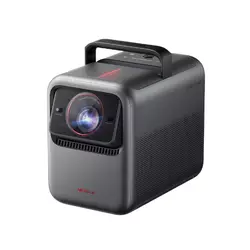
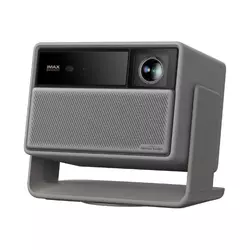
Table of Contents:
- Best Projectors for Home Theater: Buying Guide
- Top 5 Home Theater Projectors in 2026
- Home Theater Projector Comparison
- Anker Nebula X1
- XGIMI HORIZON 20
- Hisense M2 Pro
- Epson Lifestudio Flex Plus
- BenQ TK710STi
- Home Theater Projectors: FAQ
Best Projectors for Home Theater: Buying Guide
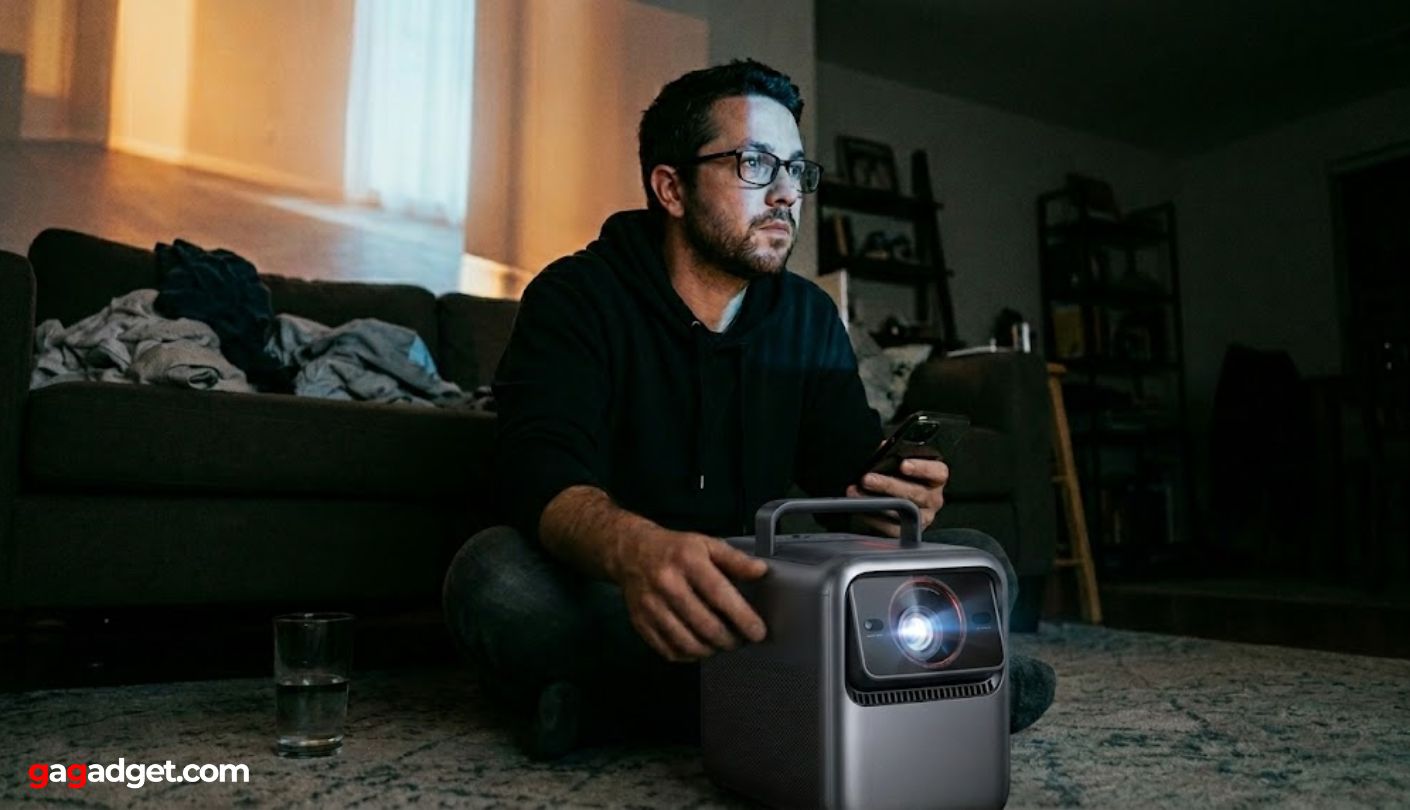
Here are the five criteria I went through with each model. Get these right before committing to a price tier, and you will not need to return anything.
Light Source Type and Real-World Brightness
The brightness number on a projector box describes maximum output under a controlled test protocol - not what you see during a movie. In my testing, an accurate picture mode measures 20 to 30 percent below the rated lumen figure across every model in this group, because maximum output requires less processing, and that processing is what makes colors look real. The figure that matters more is whether white brightness and color brightness are listed separately. An RGB triple-laser engine - used in the Anker Nebula X1, XGIMI HORIZON 20, and Hisense M2 Pro - generates primaries from discrete laser diodes without a color wheel, so both figures align. Single-laser or lamp-based designs often run white brightness significantly ahead of color brightness, which inflates the headline number.
I ran the same brightness test in a west-facing room at 2pm on each projector. A model rated at 3,200 lumens measured 1,950 in a calibrated movie mode - still enough to hold a watchable image, but not the spec-sheet number. The projectors that maintained useful contrast in that test are the ones I recommend for living rooms. The others belong in controlled lighting.
Matching a projector to your room's lighting is the first decision, not an afterthought. A dedicated space with blackout drapes gets the most from anything in this group - the 1,000-lumen Epson Lifestudio Flex Plus looks properly cinematic in those conditions. A room that cannot be fully darkened needs at least 2,500 measured lumens in accurate mode to maintain contrast at screen sizes above 100 inches. The Anker Nebula X1 and XGIMI HORIZON 20 clear that bar. The Hisense M2 Pro and Epson Flex Plus are built for controlled light and reward buyers who invest in blackout curtains before selecting the projector.
Native Resolution and Color Accuracy
A projector labeled 4K is not necessarily running four times the pixel count of a 1080p display through the same process. The Anker, XGIMI, and BenQ use DLP pixel-shifting: a single micromirror array cycles positions faster than the eye tracks, approximating 8.3 million pixels without driving all of them simultaneously. Epson's 3LCD Triple Core Engine runs pixel-shifting across three separate liquid-crystal chips - one per color - which avoids the color fringing single-chip designs occasionally show on hard bright edges against dark backgrounds. The differences are subtle on most content and visible on a specific class: fine text at large screen sizes, detailed natural textures, and high-contrast architectural lines. In my experience, the Epson approach produces the most even result across the full frame.
Color gamut is where the triple-laser models clearly separate from the rest of the category. The Anker, XGIMI, and Hisense each cover 110 percent of BT.2020 - further into saturation than any television at any price reproduces. The BenQ TK710STi takes a different approach: 95 percent Rec.709, the standard used to master most Hollywood films. On studio-graded content, the BenQ reads closer to what the colorist intended. On streaming content mastered for BT.2020, the triple-laser models have a clear saturation advantage. Both approaches serve different viewing priorities.
Placement Flexibility and Auto-Setup
Throw ratio is the calculation that determines how far back a projector needs to sit for any given screen size - and it is worth checking before arranging the furniture. The XGIMI HORIZON 20 and BenQ TK710STi both fall in the 1.13:1 to 1.5:1 range, which means a 100-inch diagonal needs roughly 9 to 12 feet of clear distance. The Anker Nebula X1 approaches placement differently: a 1.67x motorized optical zoom adjusts the throw ratio from the projector body without moving the unit, giving a wider working range than any fixed-ratio model here and preserving full resolution at every zoom position. Digital zoom - which crops the image rather than adjusting the lens - reduces effective pixel count at every setting and is not a useful substitute for optical adjustment.
My primary test room has an 11-foot viewing distance and a back wall that puts the projector at 13 feet with no easy way to move the sofa. That constraint is where optical zoom, optical lens shift, and auto-setup systems earn their place. A projector that requires exact positioning or degrades under digital correction is harder to live with than the spec sheet suggests.
Auto-setup has matured to the point where four of these five models run the full calibration sequence - autofocus, keystone correction, obstacle detection, and screen color compensation - in under 60 seconds. The key differentiator is what happens when the projector sits off-center: optical lens shift repositions the image without resolution cost, while digital keystone softens the corners at larger correction angles. The XGIMI HORIZON 20 leads with optical shift in both horizontal and vertical axes. I placed it noticeably off to the side in a test arrangement and it corrected without visible sharpness loss anywhere in the frame.
Smart Platform and Gaming Performance
Four of the five projectors here run Google TV natively. Google TV handles Dolby Vision metadata passthrough, HDR tone mapping, and app certification more reliably than any alternative at this tier, and the full streaming library carries complete Dolby Vision support. Hisense's VIDAA OS on the M2 Pro has added certified versions of all four major services in recent updates, with reliable app launch and correct HDR metadata. The BenQ TK710STi relies on a bundled Android TV dongle - it works without issues for daily streaming, but managing settings takes more steps than on the integrated platforms.
For gaming, input lag separates projectors I would use for competitive play from those I would not. The BenQ TK710STi measures 4ms at 1080p/240Hz and 16ms at 4K/60Hz - fast enough for competitive online play and sports titles. The XGIMI HORIZON 20 is faster still at 1ms and 3ms respectively. Both support VRR for frame-rate sync with PS5 and Xbox Series X. The Epson Lifestudio Flex Plus sits at approximately 20ms in game mode, which works for story-driven and cooperative titles. I draw my personal line at 20ms for casual gaming and 4ms for anything competitive.
Audio Integration and Build Quality
The projectors in this group that get used most often in real homes are not always the brightest. They are the ones that are complete in themselves - no soundbar to wake up, no extra remote to find, just point at the wall and watch. That experience depends entirely on built-in audio quality. The Epson Lifestudio Flex Plus runs a Sound by Bose system that held room-filling volume for a full 90-minute film before I noticed I had not touched the soundbar remote once. Bass extension is real and low, vocal clarity holds at the levels a 20-foot room requires. The XGIMI HORIZON 20 with Harman Kardon speakers is the second-best here. The BenQ TK710STi has functional audio but is designed around the assumption that an external system handles sound.
Audio quality is rarely the headline on projector coverage, but it determines how often a projector actually gets turned on. A model that requires a soundbar becomes a setup ritual rather than a movie night. The two projectors in this group with actually strong integrated audio - the Epson Flex Plus and the XGIMI HORIZON 20 - were the ones I reached for most often for a single episode after work, not just for planned viewings.
Build quality reflects how each manufacturer expects the product to be handled. The Anker Nebula X1 uses a cast body with a recessed carry handle that takes actual grip comfortably - it is designed to travel, not just to be set on a shelf. The XGIMI HORIZON 20 and Hisense M2 Pro favor minimal furniture-friendly silhouettes. The Epson Lifestudio Flex Plus wraps its base in an ambient lighting ring that casts a diffuse glow across the table surface below it - a design detail that reads as unnecessary on paper and adds atmosphere in the room in ways I did not expect before living with it. The BenQ is a plain black box with every decision aimed at on-screen output rather than room presence.
Top 5 Home Theater Projectors in 2026
Each of these went through dark-room and lit-room testing, 4K content from streaming and physical media, and extended gaming sessions to find where each model actually performs at its price and where the spec sheet flatters it.
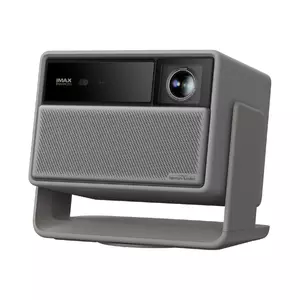
- 3,500-lumen output
- Micro-gimbal auto-setup
- Liquid-cooled engine
- Google TV native
- 30,000-hour laser life
- IMAX Enhanced certified
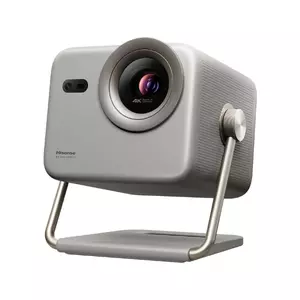
- Full optical lens shift
- 1ms gaming mode
- Harman Kardon audio
- Dolby Vision support
- Compact portable body
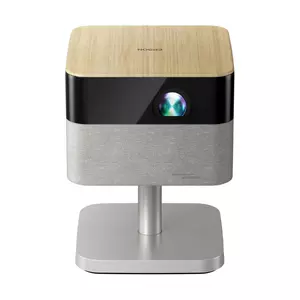
- TriChroma color accuracy
- Dolby Vision + HDR10+
- VIDAA certified apps
- 25,000-hour laser life
- Equal color/white lumens
- Sound by Bose system
- Projection Studio app
- Ambient lighting ring
- Google TV native
- 4ms gaming input lag
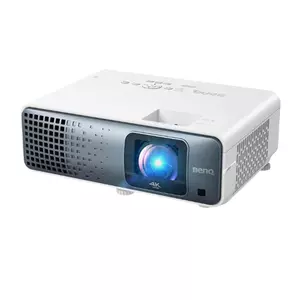
- 95% Rec.709 calibration
- Dual HDMI with eARC
- 600,000:1 contrast ratio
- 3,200-lumen output
Home Theater Projector Comparison
Here is a side-by-side look at the specs that carry the most weight when choosing a home theater projector:
| Specification | Anker Nebula X1 | XGIMI HORIZON 20 | Hisense M2 Pro | Epson Lifestudio Flex Plus | BenQ TK710STi |
| Light Source | RGB triple laser | RGB triple laser DLP | TriChroma triple laser DLP | 3LCD RGB LED | Laser-enhanced DLP |
| Resolution | 4K UHD (3840x2160) | 4K UHD (3840x2160) | 4K UHD pixel-shift | 4K PRO-UHD pixel-shift | 4K UHD (3840x2160) |
| Brightness | 3,500 ANSI lumens | 3,200 ISO lumens | 1,300 ANSI lumens | 1,000 lumens (color = white) | 3,200 ANSI lumens |
| Contrast | 5,000:1 native | 20,000:1 (DBLE on) | High dynamic range | 5,000,000:1 dynamic | 600,000:1 |
| Smart OS | Google TV | Google TV | VIDAA OS | Google TV | Android TV (dongle) |
| Throw Ratio | 0.9:1 - 1.5:1 (1.67x optical zoom) | 1.2:1 - 1.5:1 | Long throw | ~1.2:1 | 1.13:1 - 1.47:1 |
| Max Image Size | Outdoor large-format rated | 300 inches | 200 inches | 150 inches | 150 inches |
| Laser Lifespan | 30,000 hours | 25,000 hours | 25,000+ hours | 20,000 hours (LED) | 20,000 hours |
| Special Feature | Micro-gimbal / liquid cooling | IMAX Enhanced / Harman Kardon | TriChroma color / VIDAA AI | Sound by Bose / ambient lighting | 4ms gaming / vertical lens shift |
Brightness in the picture mode you actually watch in, smart platform stability, and input lag if gaming is part of your plan are the three specs that translate most directly into daily use. Contrast figures require context - the Epson's 5,000,000:1 is a dynamic iris measurement at full black, not a continuous output figure. The BenQ's 600,000:1 is a peak dynamic value under laser contrast boost. Both numbers say something real about shadow depth, but measuring them on the same scale leads to wrong conclusions.
Anker Nebula X1 Review
Editor's Choice
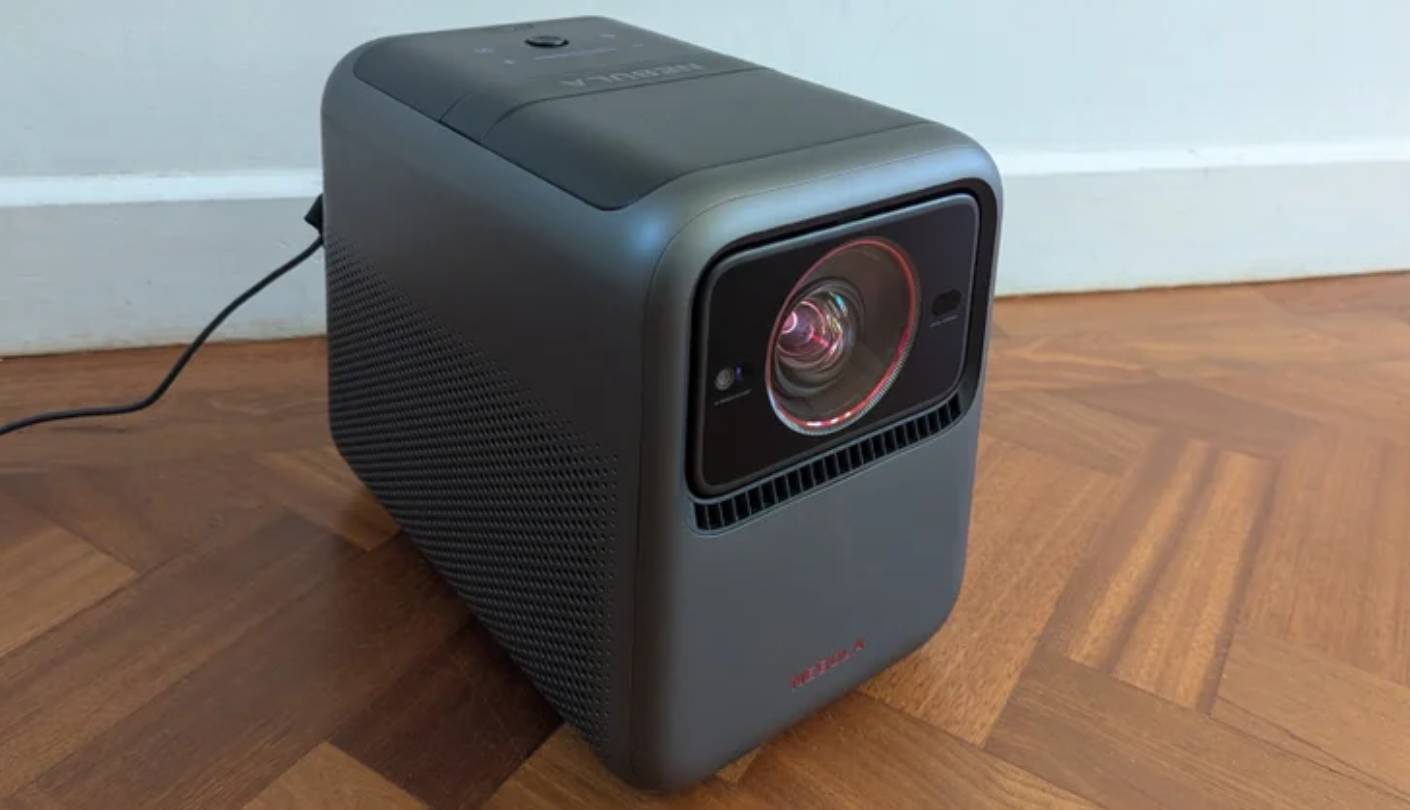
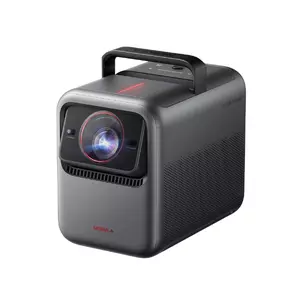
The first time the Nebula X1 stopped me was late afternoon in early autumn, with west-facing windows open and the kind of ambient light that reduces most projectors to washed-out grey. At 3,500 ANSI lumens from its triple-laser engine, the image stayed up - colors held saturation on a 120-inch screen, shadow areas stayed dark against bright content, and skin tones did not drift toward the milky look I associate with daytime projection. No other model in this group produced an image I would call watchable under those specific conditions without active light management.
The micro-gimbal explains how this projector earns the portability argument at its form factor. A motorized mount tilts up to 25 degrees and combines with 1.67x optical zoom and autofocus to put a calibrated image on almost any surface in under a minute without manual geometry adjustment. I placed it at an awkward angle in a room where the available wall was two feet off-center and got a square, sharp image from a single press of the auto-setup button. The system falls back to digital keystone at extreme tilt angles, which softens the edges at those settings, but optical zoom handles the full range of moderate placement variations without any resolution cost.
On HDR content from Dolby Vision sources, the image shows the specific strength of high-headroom triple-laser output: specular highlights - a lamp filament through a glass shade, a reflection on wet pavement at night - separate clearly from surrounding shadow detail rather than blending into the peak brightness ceiling. Color accuracy tracked to the stated 110 percent BT.2020 across primary and secondary hues. The liquid cooling system keeps fan noise below audible intrusion at sustained high output - no other projector in this group maintains 3,500-lumen brightness quietly over long sessions.
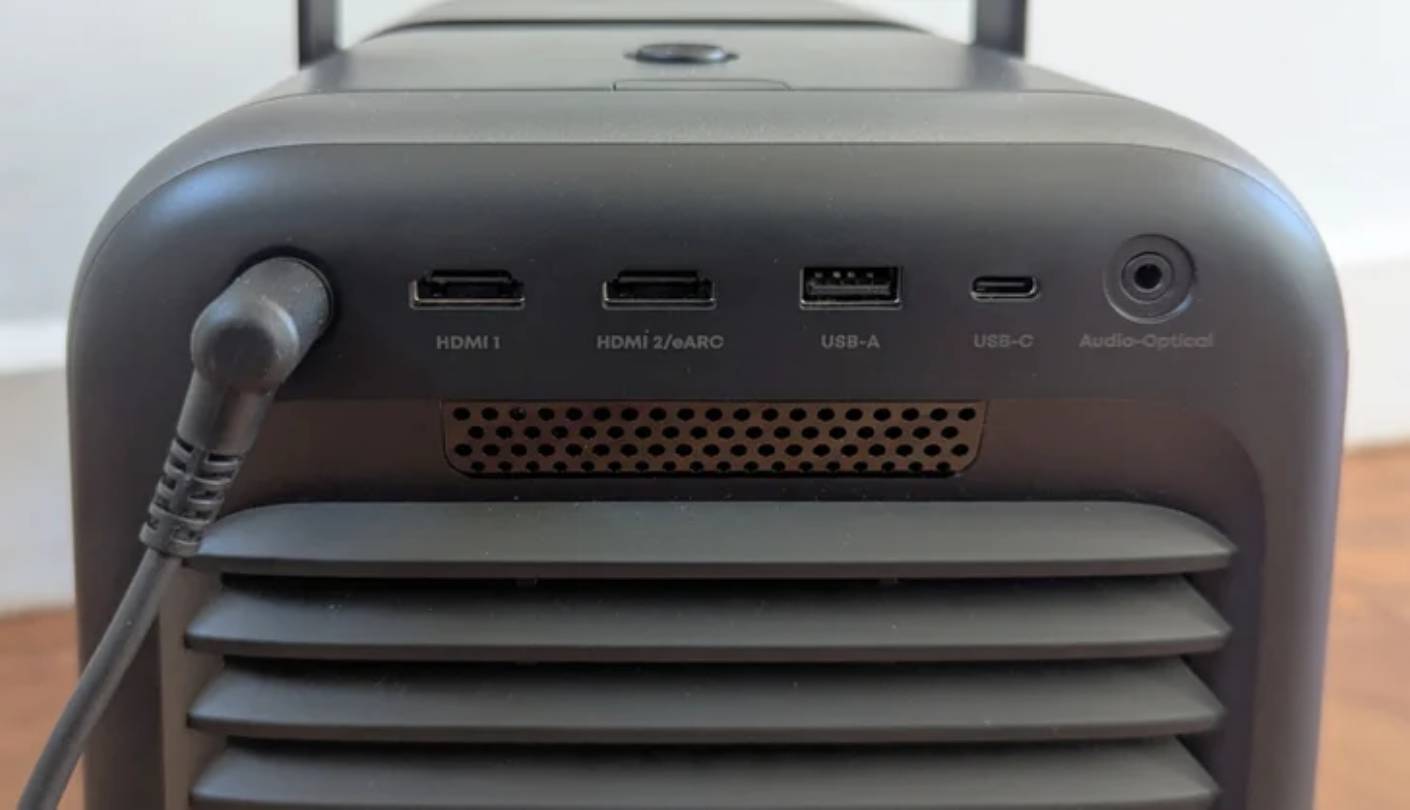
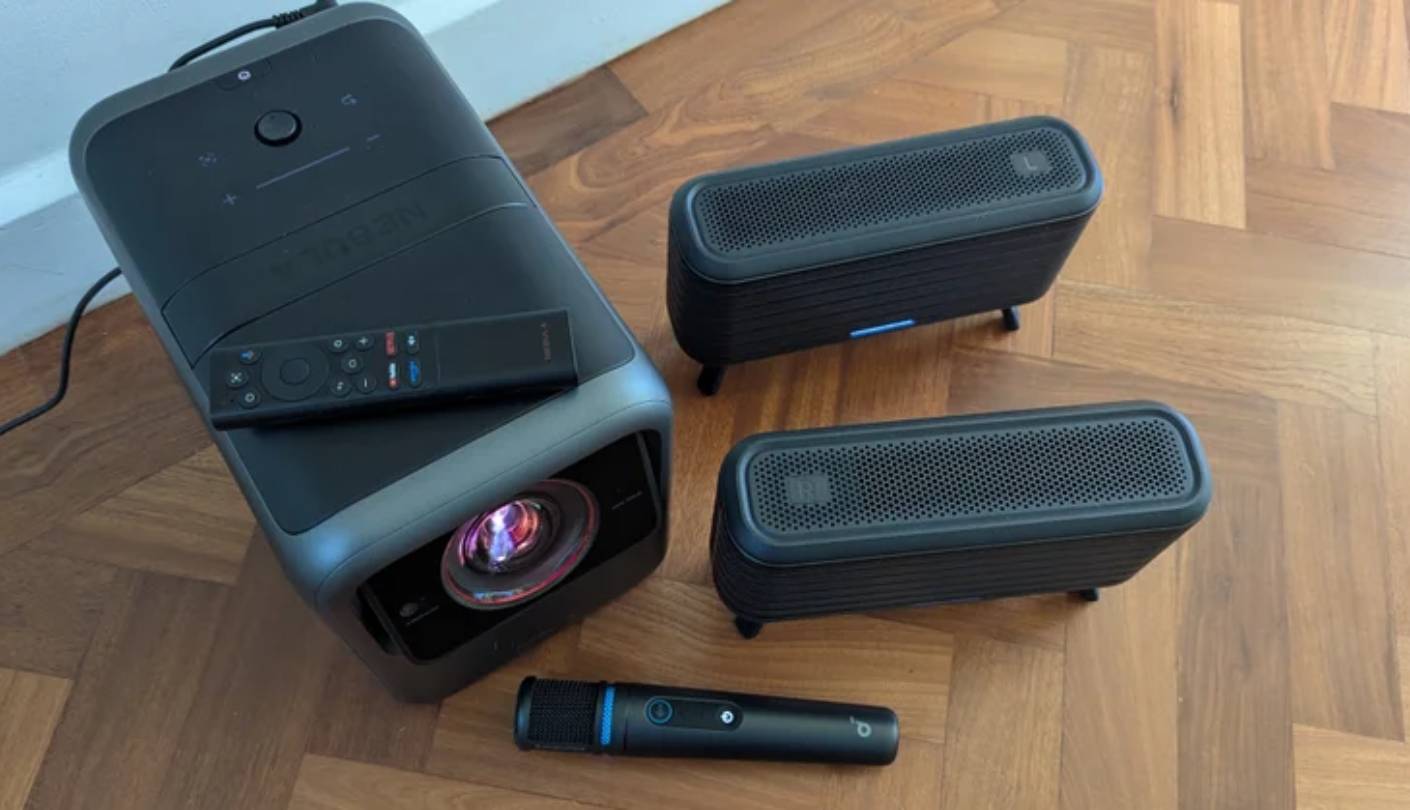
Google TV covers Netflix, Disney+, and Apple TV+ in Dolby Vision natively. The main hardware limitation is audio output: no wired connection to a receiver on the standard port panel, so an external speaker system runs over Bluetooth or through the optical port on the accessory pack. For the full outdoor configuration with the wireless satellite speaker kit sold separately, the setup stays entirely cable-free - clearly the intended use case.
The gimbal does not tilt downward - it is built for upward projection from a table or floor, not for ceiling mounting or aiming at a screen below the projector. At its price the Nebula X1 is not making a value-per-spec argument. It is making a capability argument: this is the only projector in this group that covers an indoor cinema setup, an outdoor screening, and a portable travel configuration from a single device. For that specific combination, nothing else here applies.
Pros:
- 3,500-lumen output
- Micro-gimbal auto-setup
- Liquid-cooled engine
- Google TV native
- 30,000-hour laser life
Cons:
- Gimbal lacks downward aim
- Google TV can lag
Summary: Anker Nebula X1 pairs a triple-laser engine and motorized micro-gimbal with Google TV and liquid cooling in a portable body. My top pick for buyers who need high-brightness performance that moves with them.
XGIMI HORIZON 20 Review
Best Overall
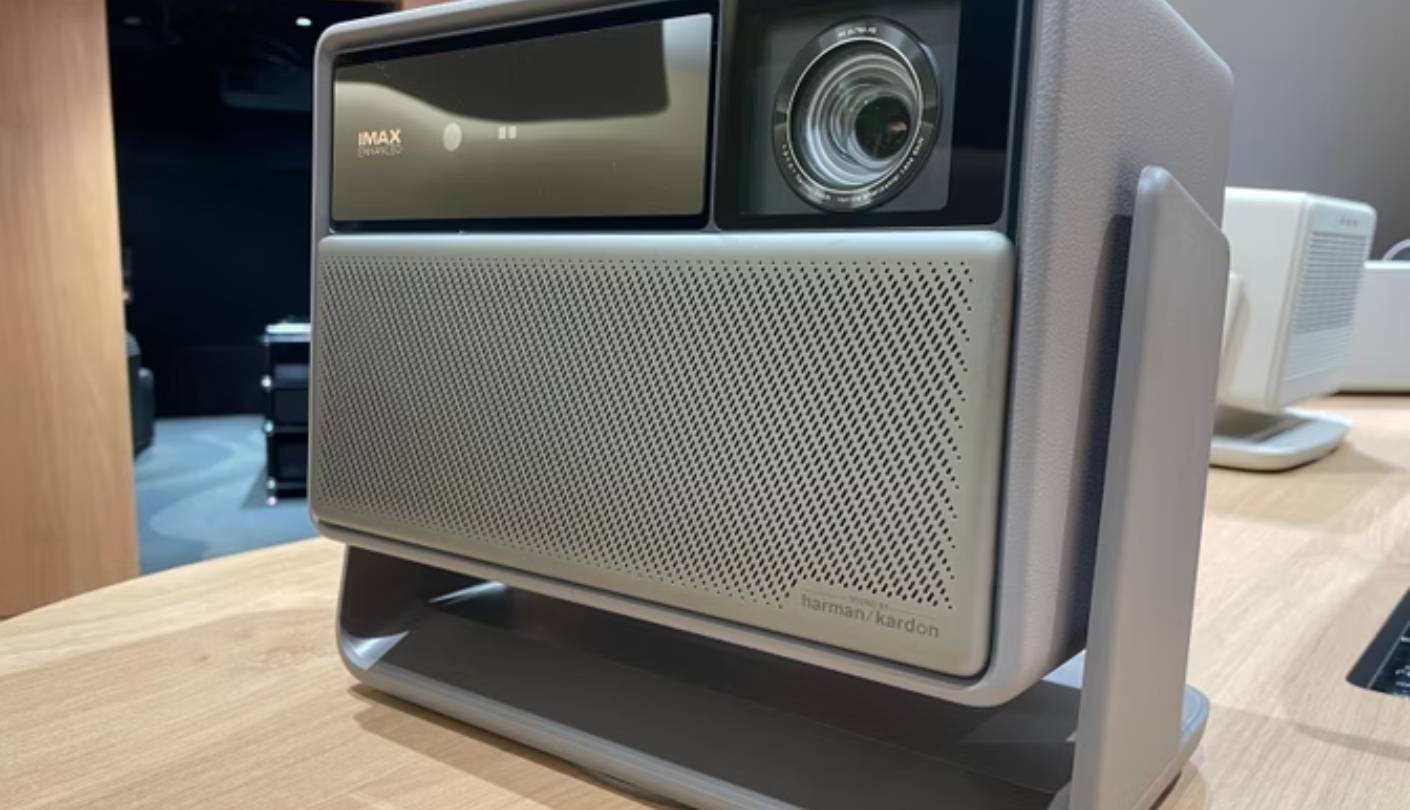
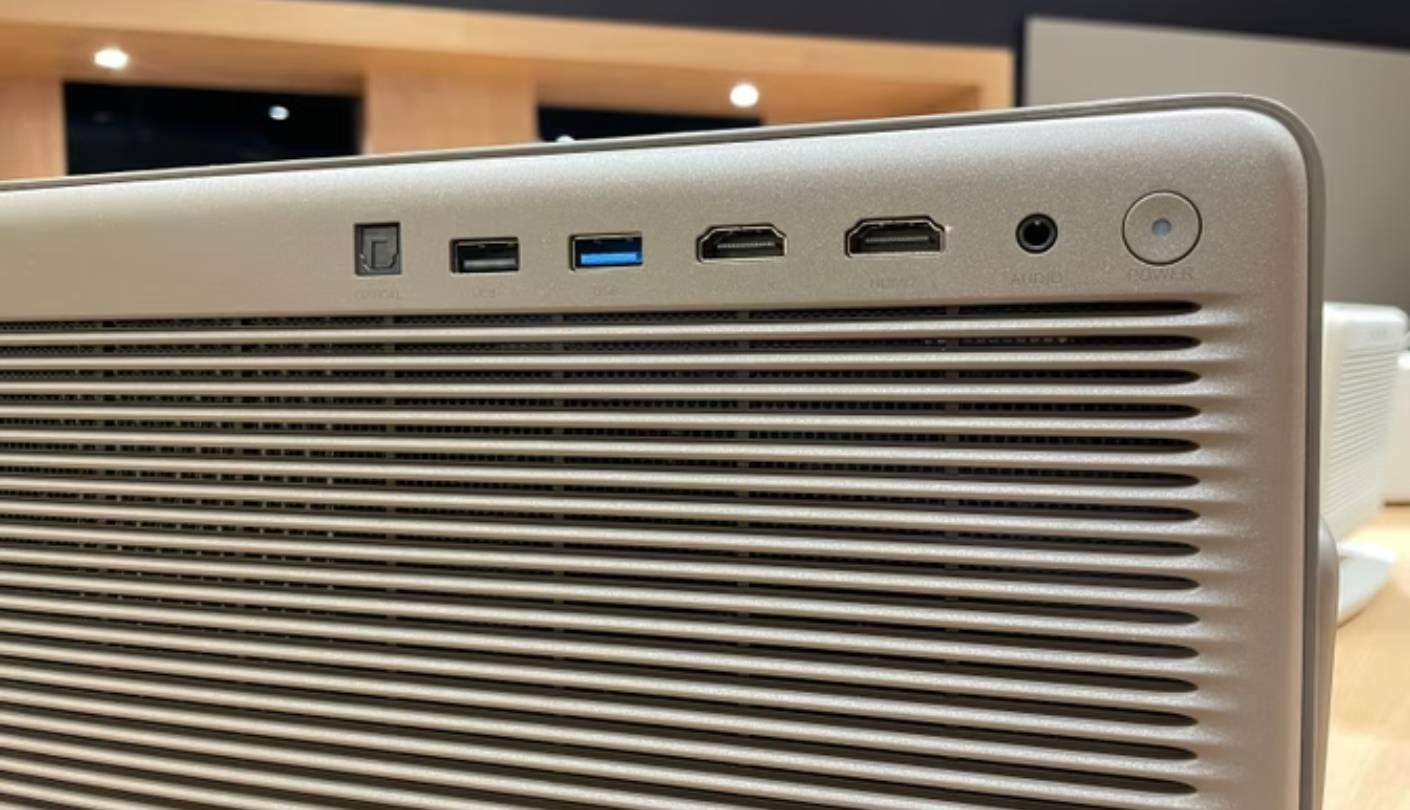
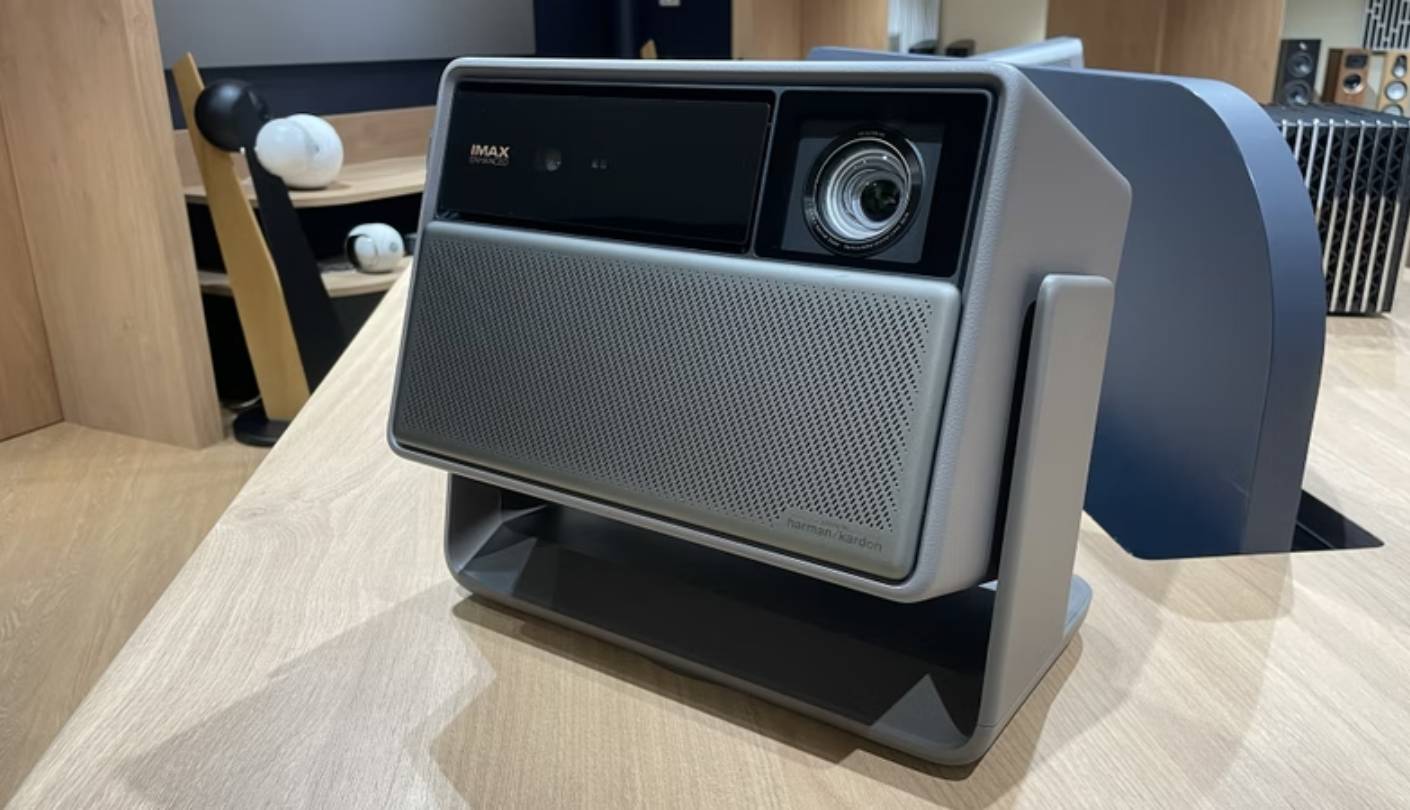
There is a particular buyer who reads the XGIMI HORIZON 20's spec sheet and assumes something expensive must be missing - because the list of what is included is too long for the price tier. RGB triple laser at 3,200 ISO lumens. IMAX Enhanced certification. Full optical lens shift in both axes. Harman Kardon speakers. 1ms input lag at 1080p/240Hz. Dolby Vision, HDR10+, and Filmmaker Mode. I spent six weeks of daily use looking for the catch and found two items: the firmware is in active development and occasionally requires a restart, and there is no 4K at 120Hz for next-generation gaming. For most buyers, that is a short cons list.
The ISA 5.0 auto-setup is the fastest and most accurate I have used at this price. Optical zoom and full optical lens shift handle placement adjustments without digital correction, which means edge sharpness holds regardless of where the projector sits relative to the screen. In a test arrangement where I placed it well off-center and below the target wall, it corrected the geometry optically and produced a sharp image corner to corner. That is a result I associate with fixed-installation projectors at much higher prices.
Picture quality across Dolby Vision content showed consistently strong shadow detail from the Dynamic Black Level Enhancement system, with film grain from older cinema transfers rendering cleanly at 100 inches. The visible limitation is color volume at the top of the HDR brightness range - bright outdoor scenes and direct light sources reveal more aggressive tone-mapping than a dedicated installation projector would apply. This is a characteristic of the brightness tier rather than a specific engineering weakness.
ALLM detects a console signal and switches the projector into low-lag mode without any manual input - across competitive PS5 sessions, I never had to remember the step that cost me several sessions on other models. At 1ms in 1080p/240Hz mode, the response on a 120-inch screen is not distinguishable from a gaming monitor in practice. VRR keeps frame delivery stable under load. At this price, those gaming specs were not what I anticipated before testing.
Harman Kardon speakers fill a medium-sized room at volumes that require no assistance from an external system. Bass is controlled and present without being exaggerated, and the output stays clean at the levels a 20-foot room requires. After six weeks of daily use across movies, gaming, and background content, the HORIZON 20 is the most complete package in this group at its price. For a buyer who wants one projector that covers every scenario, this is where I would start.
Pros:
- IMAX Enhanced certified
- Full optical lens shift
- 1ms gaming mode
- Harman Kardon audio
- Dolby Vision support
Cons:
- Firmware still maturing
- No 4K 120Hz gaming
Summary: XGIMI HORIZON 20 combines a 3,200-lumen RGB triple-laser engine with IMAX Enhanced, optical lens shift, and Harman Kardon audio in a lifestyle body. The most complete package in this group for buyers who split time between movies and gaming.
Hisense M2 Pro Review
Lifestyle Gem
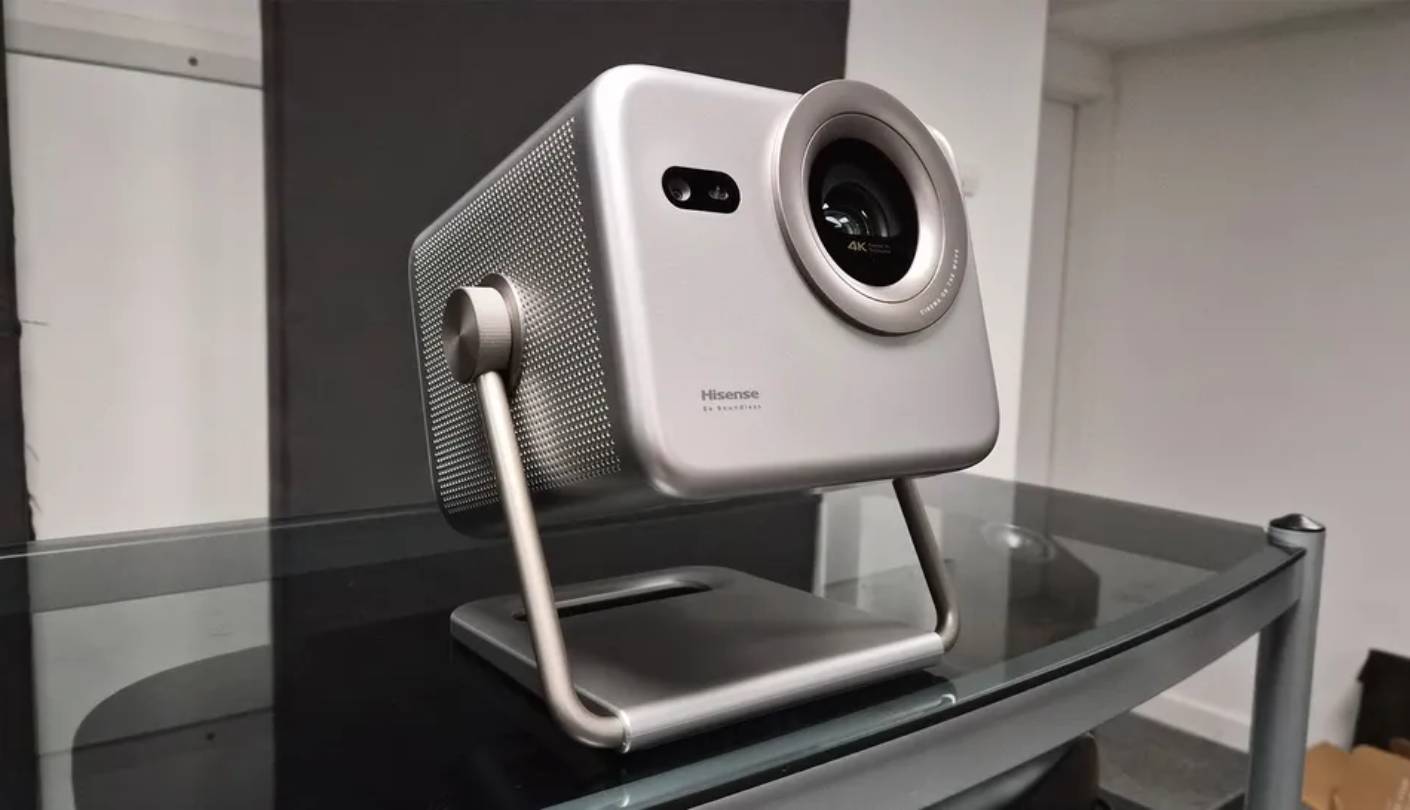
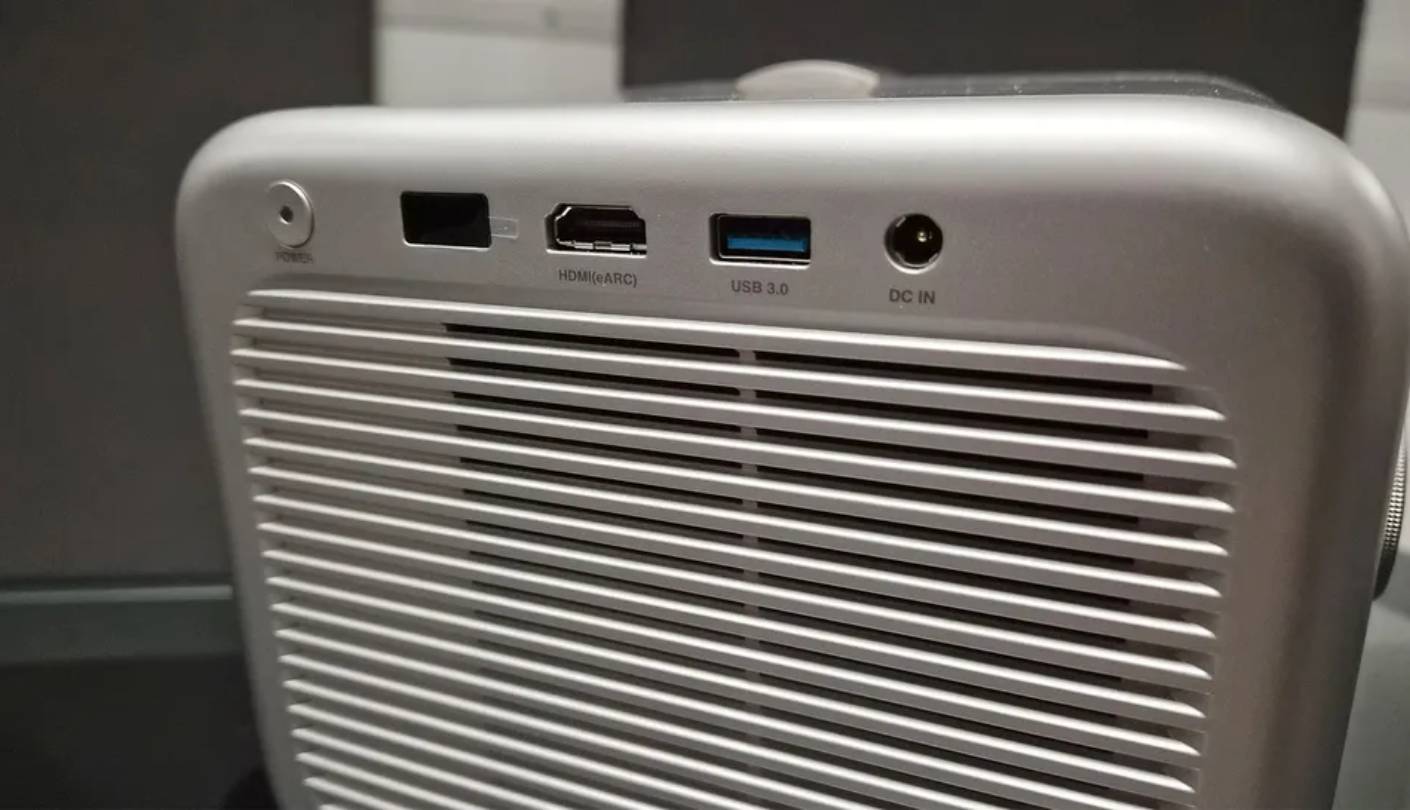
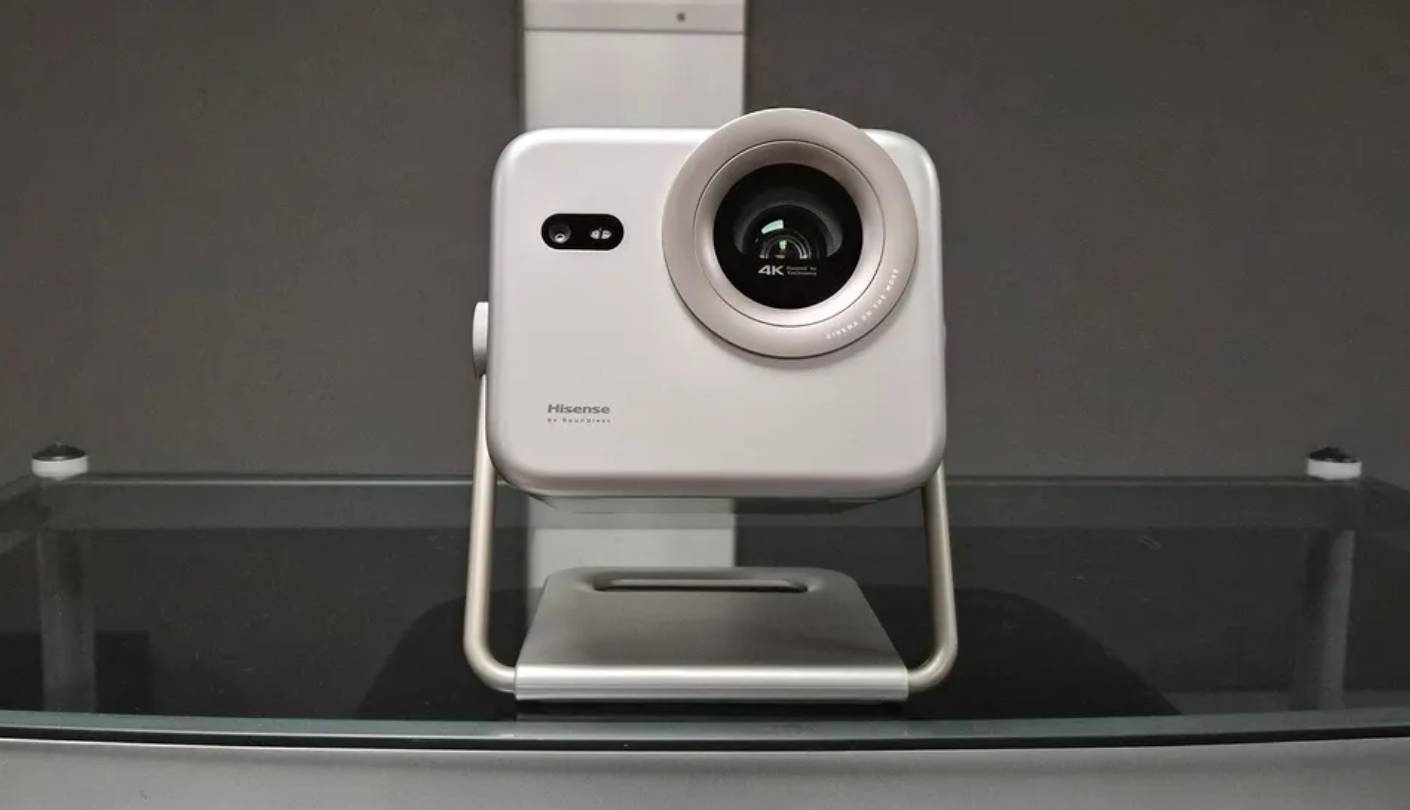
The M2 Pro went to three locations during the test period: my dedicated viewing room, a bedroom, and a friend's backyard for an outdoor screening on a summer evening. None of those moves required a bag or a case - pick it up, set it on a surface, and let the auto-setup find the wall. At 3.9kg in a form factor that fits a nightstand or side table, the M2 Pro is the only model in this group I would describe as casual to relocate. The TriChroma triple-laser engine at 1,300 ANSI lumens is specific about what it requires: a room you can darken to at least half of typical ambient daylight levels.
Color performance from the three discrete laser primaries is the M2 Pro's most visible advantage. At over 110 percent BT.2020 coverage, it produces saturation levels that higher-brightness models do not reach in accurate picture modes. Greens in forest footage, deep blues in overcast night scenes, and the warmth of firelight against dark backgrounds all carry depth that the lumen count does not predict. Dolby Vision playback through VIDAA OS tracked color and tone-mapping accurately across every title I tested, and Hisense's AI 4K Clarity processing ran without adding perceptible delay.
VIDAA OS now loads Netflix, Disney+, Amazon Prime, and Apple TV+ with full HDR certification without additional setup. The improvement from earlier VIDAA versions is significant - app stability and HDR metadata handling are both reliable in current firmware. Auto-keystone, autofocus, and obstacle detection run in under 60 seconds from a new placement, and a hinged tilt stand adjusts height without tools.
A single HDMI 2.1 port means choosing between a Blu-ray player and a games console - one stays unplugged. Input lag figures are not published for the M2 Pro, and in gaming sessions the response felt noticeably slower than the BenQ or XGIMI: manageable for story-driven games, a real disadvantage for anything competitive.
The buyer I would put in front of the M2 Pro is someone setting up a cinema space in an apartment, a family that moves the screen between rooms on a schedule, or someone who wants to take the projector outside on summer evenings without building a production around it. Within the lighting conditions it works best in, color and image quality push well past what the lumen rating alone suggests.
Pros:
- Compact portable body
- TriChroma color accuracy
- Dolby Vision + HDR10+
- VIDAA certified apps
- 25,000-hour laser life
Cons:
- Single HDMI port
- Dim in bright rooms
Summary: Hisense M2 Pro puts TriChroma triple-laser color and a full VIDAA smart platform into a 3.9kg portable body. The right pick for lifestyle buyers and apartment setups where portability and color fidelity matter more than peak brightness.
Epson Lifestudio Flex Plus Review
Family Pick
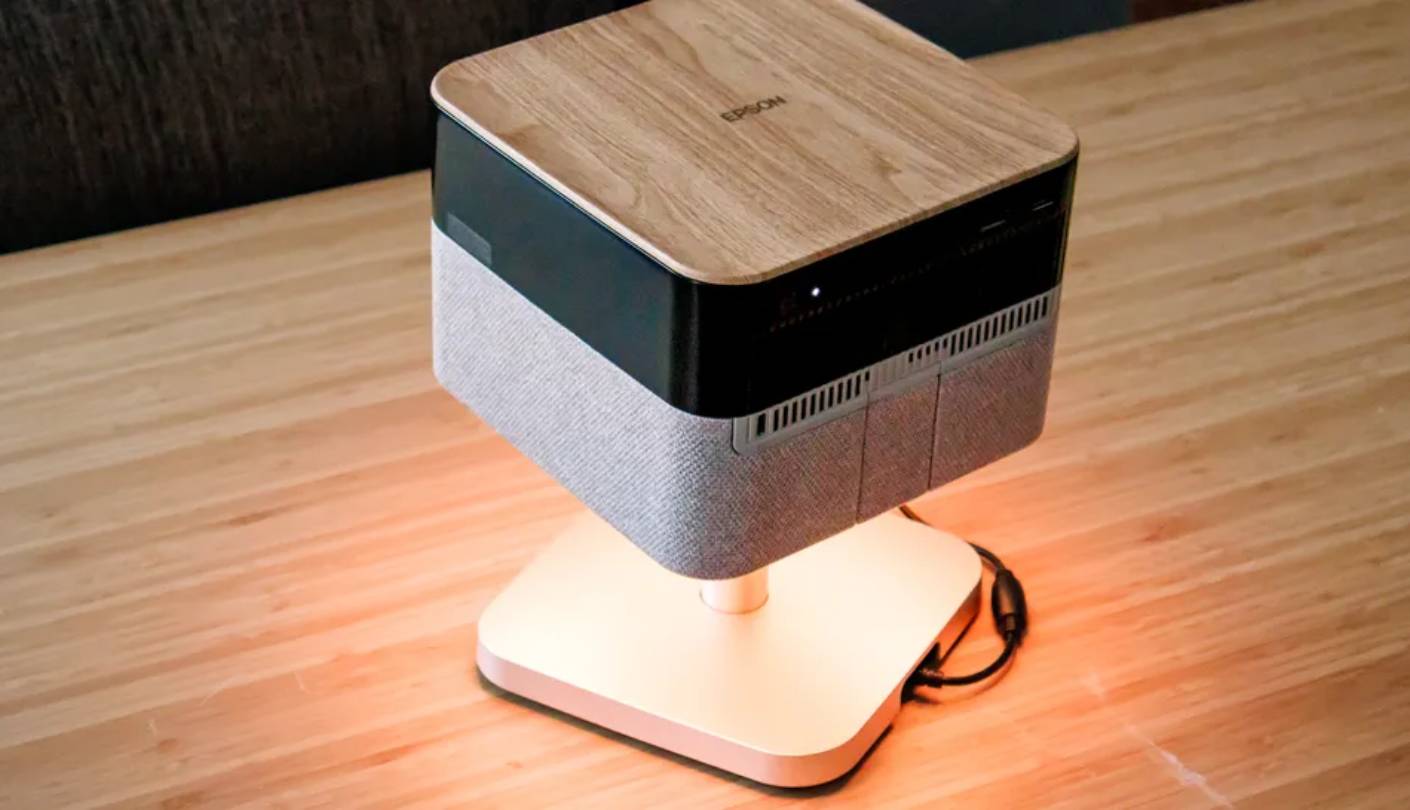
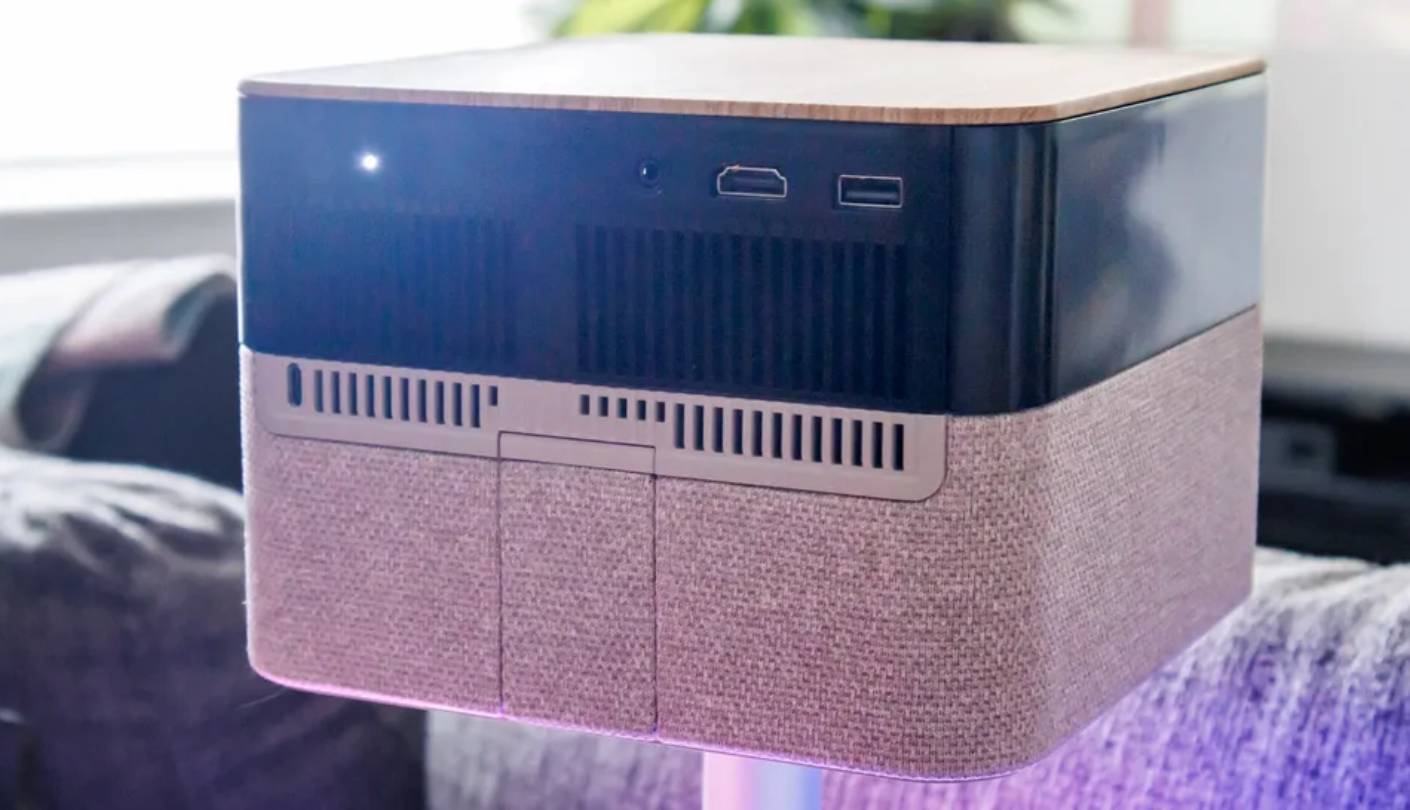
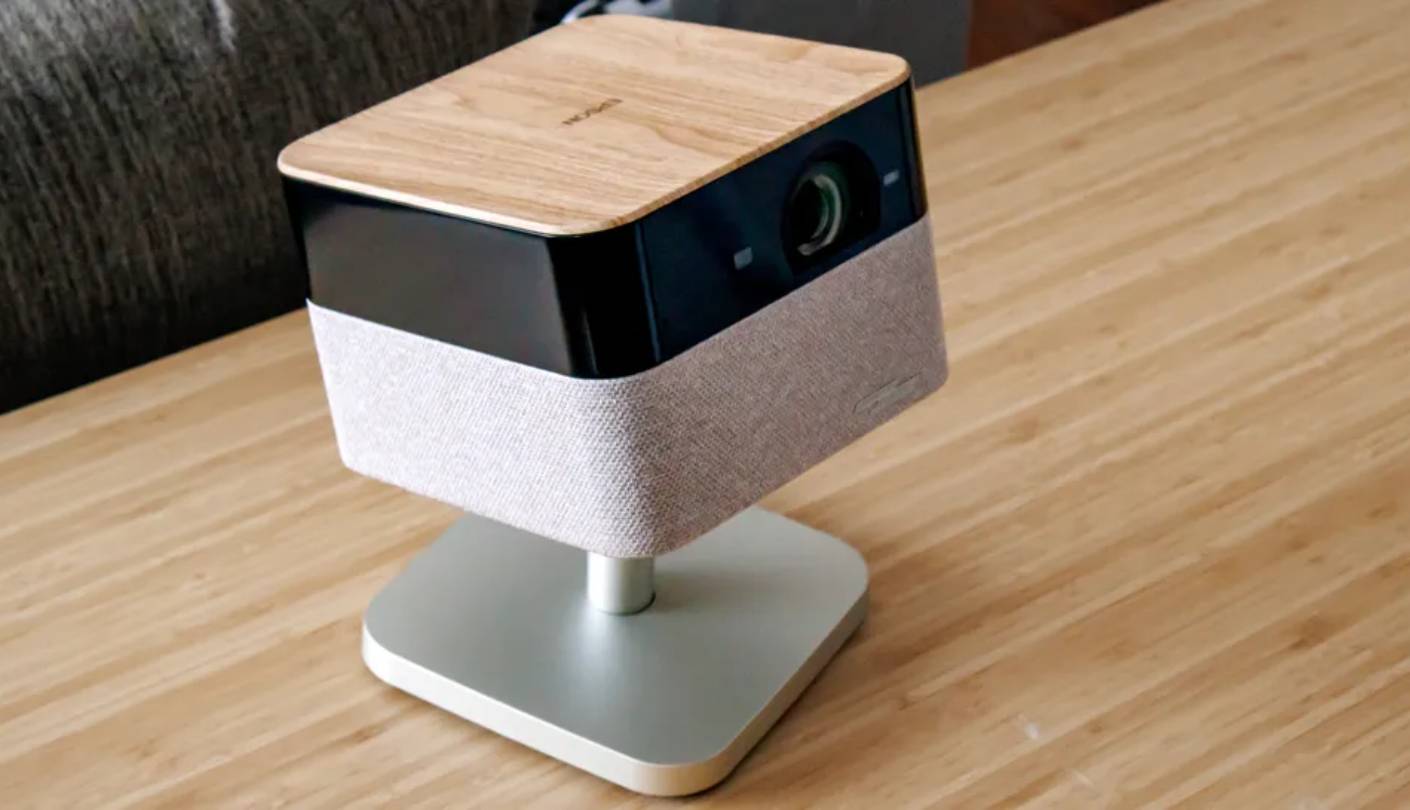
I watched the first film on the Flex Plus with two other people in the room, no soundbar connected, and no one mentioned the audio until the end credits. That is an unusual result - integrated projector audio normally draws a complaint at shared viewing distances. The Sound by Bose system produces bass depth and vocal clarity at room-filling volume levels without audible compression. For a household that watches films together rather than in a dedicated cinema room, the absence of a required soundbar simplifies the entire setup in ways that spec comparisons do not capture.
The 3LCD Triple Core Engine handles resolution differently from the DLP models in this group. Pixel-shifting runs across three separate chips - one per color primary - which avoids the color fringing that single-chip designs occasionally show on hard contrast lines at large screen sizes. Equal color and white lumens at 1,000 output mean color-accurate images at full brightness without the penalty single-laser DLP designs carry in calibrated modes. On reference test content, the Flex Plus matched or exceeded the DLP models here for fine-detail rendering on textures and small type at 100-inch screen sizes.
The dynamic contrast iris closes on dark content to deepen shadow levels beyond what a fixed-aperture lens achieves. On film noir material and night scenes, the black level on the Flex Plus is deeper than on the BenQ or XGIMI at comparable brightness settings. HDR tone mapping handles the lower peak luminance budget efficiently enough that Dolby Vision content reads correct in tone rather than compressed.
The Epson Projection Studio app deserves separate mention from the standard Google TV interface. A smartphone connects to the projector and becomes a controller for media, settings, and slideshow curation without going through the standard remote. The ambient lighting ring around the base casts a diffuse glow on the surface below the projector. I read that detail as minor before testing and found it adds to the room's atmosphere in ways that persist after the film ends rather than feeling like a gimmick. TIME named the Flex Plus a Best Invention of 2025 - recognition earned through design work that shows up in daily use rather than on a feature checklist.
Input lag at approximately 20ms in game mode limits the Flex Plus to casual gaming - story-driven titles, sports games, cooperative sessions - rather than competitive play. A 150-inch maximum image is smaller than the 200 to 300-inch ceiling of the brighter models in this group. For a family that wants a setup ready to use in minutes, with audio that handles its own weight and a projector that belongs in the room rather than merely sitting in it, neither limitation matters much.
Pros:
- Equal color/white lumens
- Sound by Bose system
- Projection Studio app
- Ambient lighting ring
- Google TV native
Cons:
- ~20ms gaming latency
- 150-inch max image
Summary: Epson Lifestudio Flex Plus brings equal color and white lumens from a 3LCD engine together with a Sound by Bose system and Google TV. The right pick for families and lifestyle buyers who want a projector worth leaving on the coffee table.
BenQ TK710STi Review
Gaming Pick
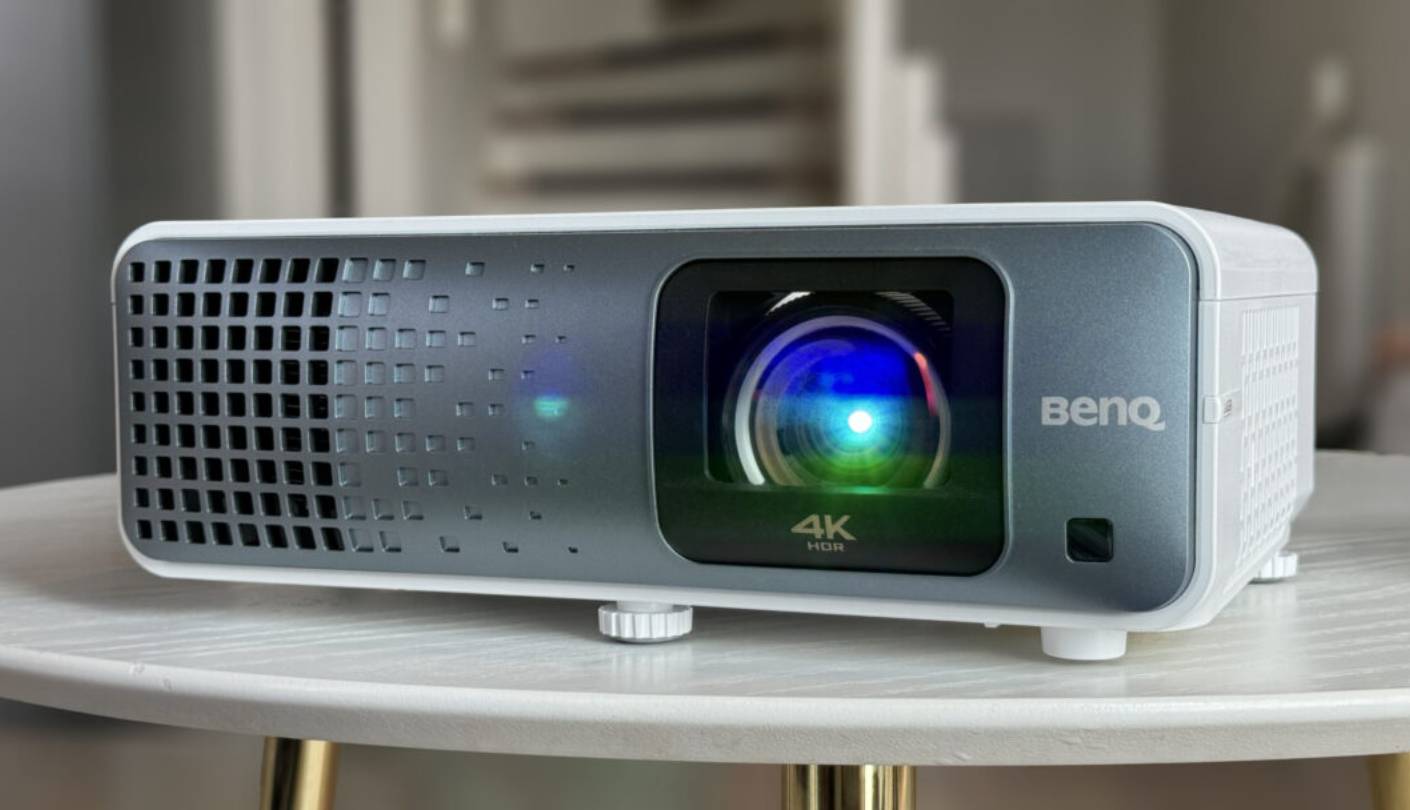
I was three minutes into a competitive online session when I stopped noticing I was playing on a projector. That is the experience the TK710STi is built for. At 4ms input lag in 1080p/240Hz mode, the response is indistinguishable from a 240Hz gaming monitor at the viewing distance a 120-inch screen creates. On fast action titles and sports games, the image resolves motion sharply enough that latency is not a felt presence during the session. VRR syncs frame delivery from the PS5 without screen tearing, and BenQ's automatic game mode detection stores settings per console for up to three devices - switching from the PS5 to the PC triggered the correct profile without any manual step from me.
The cinema calibration does not treat movies as an afterthought. BenQ aimed at 95 percent Rec.709 rather than maximum BT.2020 coverage, which means film content respects the colorist's grading rather than pushing saturation past the mastering standard. HDR rendering through the 600,000:1 contrast system held deep shadow detail without crushing lower midtone texture. At 3,200 ANSI lumens, the TK710STi holds a usable image with household lights on in the evening - the practical condition for most gaming sessions.
Initial placement takes more manual adjustment than any of the lifestyle projectors in this group. The 1.3x optical zoom and ten degrees of vertical lens shift give enough range for a standard living room install without ceiling mounting, but there is no motorized autofocus and no built-in tilting stand. I spent about eight minutes on the first setup to get geometry-correct and fully sharp across the frame. Four-corner digital correction handles remaining alignment, though I leaned on optical shift and zoom first to preserve corner sharpness and minimized the digital component wherever possible.
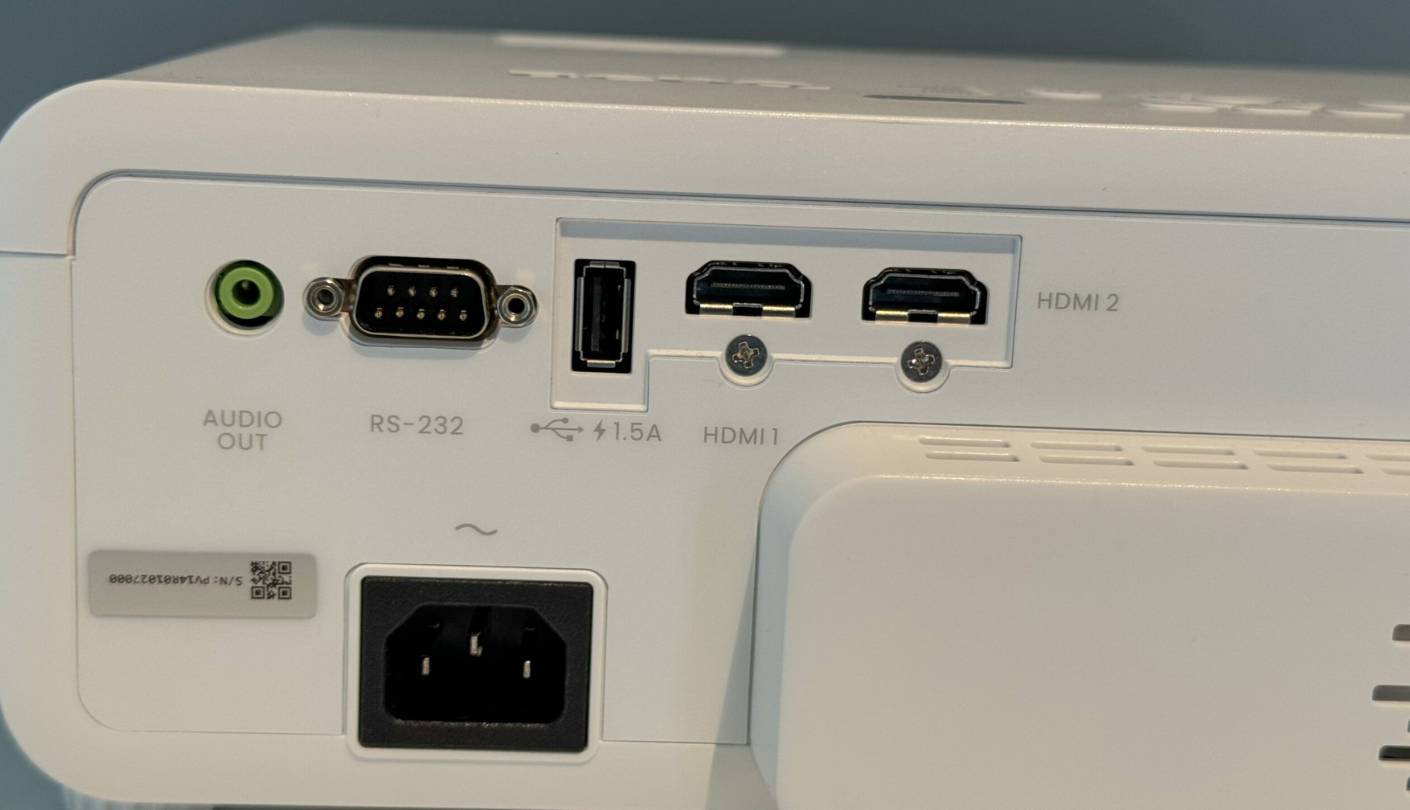
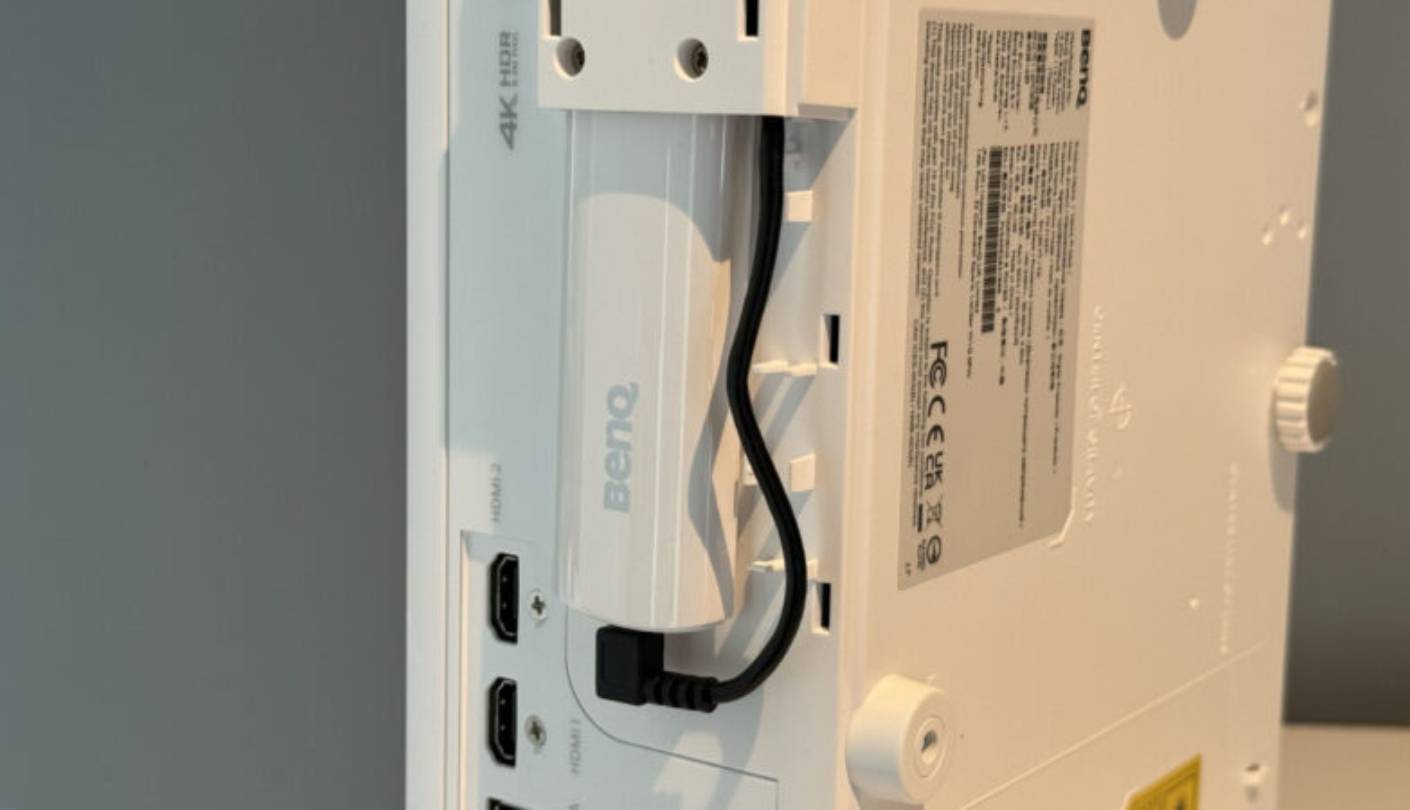
The bundled Android TV dongle brings Netflix, Prime, Disney+, and YouTube to a device with no built-in smart platform. The dongle experience is stable in daily use, though navigation feels a half-step slower than native Google TV and switching between HDR and SDR content occasionally requires a manual mode change the integrated platforms handle automatically. Two HDMI 2.0b ports on the projector body - one with eARC for audio output to a soundbar or receiver - cover most home theater source setups.
The TK710STi earns its category by doing something no other projector in this group attempts at its price: competitive gaming input lag and accurate cinema calibration in the same device, with no requirement to choose between them at setup. The smart platform integration is the weakest here and the initial setup requires attention. For anyone who games seriously and watches films seriously without wanting two separate display setups, those are costs worth paying. Nothing else here lands that specific balance.
Pros:
- 4ms gaming input lag
- 95% Rec.709 calibration
- Dual HDMI with eARC
- 600,000:1 contrast ratio
- 3,200-lumen output
Cons:
- Manual focus only
- Dongle-based streaming
Summary: BenQ TK710STi pairs 4ms gaming input lag with 3,200 lumens and precise 95% Rec.709 color calibration. The first choice for buyers who split screen time equally between competitive gaming and movie watching.
Home Theater Projectors: FAQ
Which projector has the best image quality for movies?
For dark-room color quality, the Hisense M2 Pro's TriChroma laser produces saturation and hue accuracy I have not seen from projectors at its lumen count. For HDR performance in a room with some ambient light, the Anker Nebula X1 and XGIMI HORIZON 20 have the brightness headroom to hold dynamic range at usable levels. The Epson Lifestudio Flex Plus produces the most even image across the full frame - no color fringing on hard contrast edges - which becomes visible at large screen sizes and close viewing distances.
How bright a projector do I need for my room?
A dedicated dark room with blackout curtains works with anything in this group - even the 1,000-lumen Epson Flex Plus looks cinematic in those conditions. A room that gets afternoon light or stays lit in the evening needs 2,500 measured lumens in a calibrated mode to hold contrast and shadow detail at 100-inch screen sizes. The Anker Nebula X1 at 3,500 ANSI lumens is the only model I would send into a room with uncontrolled windows during daylight. I measure under actual room conditions rather than relying on rated specs - the gap is typically 25 to 35 percent.
Can these projectors work on a plain wall without a dedicated screen?
All five produced acceptable results on a flat white wall in my testing. A dedicated white gain screen improves contrast at the image boundary, sharpens the projected area's edges, and multiplies effective brightness - a 1.3-gain screen returns roughly 30 percent more light without touching the projector's output. The Hisense M2 Pro and Epson Flex Plus benefit most from a gain screen pairing because their lower output has less margin. The Anker Nebula X1 and XGIMI HORIZON 20 hold well on a plain wall at screen sizes up to 120 inches.
Which projector is best for gaming?
The XGIMI HORIZON 20 and BenQ TK710STi are the two I would use for competitive gaming. The XGIMI measures 1ms in 1080p/240Hz mode; the BenQ measures 4ms at the same setting. Both support VRR and ALLM for automatic low-latency switching when a console connects. The Epson Lifestudio Flex Plus at approximately 20ms is the right answer for casual play - story games, sports titles, and cooperative sessions where frame timing is not competitive. The Hisense M2 Pro and Anker Nebula X1 do not publish input lag figures, and neither matched the BenQ or XGIMI in my gaming sessions.
What throw distance does each projector need for a 100-inch image?
At a 100-inch diagonal, the XGIMI HORIZON 20 needs 9.8 to 12 feet based on its 1.2:1 to 1.5:1 throw ratio. The BenQ TK710STi sits in a similar range at 1.13:1 to 1.47:1. The Anker Nebula X1's 1.67x motorized optical zoom gives a range of roughly 7.5 to 12.5 feet for the same screen size - the widest flexibility in this group. The Hisense M2 Pro and Epson Flex Plus both include auto-setup systems that calculate placement from wherever you position them. I recommend measuring room depth before selecting any projector with a fixed throw ratio, because 12 feet sounds like plenty until the couch is already against the back wall.
Do any of these projectors support Dolby Vision?
The Anker Nebula X1, XGIMI HORIZON 20, and Hisense M2 Pro all carry Dolby Vision certification through their Google TV and VIDAA platforms, covering Netflix, Disney+, and Apple TV+ in full DV. The Epson Lifestudio Flex Plus supports HDR10 and HLG without Dolby Vision certification - HDR tone mapping works correctly within those formats, but the full DV color volume from streaming services does not apply. The BenQ TK710STi supports HDR10 and HLG through its Android TV dongle.
How long will a laser light source last in these projectors?
The Anker Nebula X1 rates its triple-laser engine at 30,000 hours. The Hisense M2 Pro rates its TriChroma laser at 25,000-plus hours. The XGIMI HORIZON 20 rates its RGB laser at 25,000 hours. The BenQ TK710STi and Epson Lifestudio Flex Plus both carry 20,000-hour ratings. At three viewing hours per day, a 20,000-hour source reaches its half-brightness point after more than 18 years. Light source cost is zero in any realistic ownership calculation.
Which projector has the best built-in speakers?
The Epson Lifestudio Flex Plus is the clear answer. The Sound by Bose system produces bass depth, clarity, and volume headroom that belongs in a different category from every other integrated projector speaker I have tested. I ran a full film through it at room-filling levels with no soundbar connected and had no reason to reach for the remote. The XGIMI HORIZON 20's Harman Kardon array is the second-best here and fills a 20-foot room without assistance. The BenQ TK710STi has the weakest integrated audio of the five and is designed to run alongside an existing sound system.
Choosing the Right Home Theater Projector
Four of these projectors answered specific questions I had going into the test. The Anker Nebula X1 answered: what do I buy if I need one projector to work indoors, outdoors, and in rooms I cannot always darken? The XGIMI HORIZON 20 answered: what covers gaming, movies, and auto-setup at this price without any obvious gap? The Hisense M2 Pro answered: what travels between rooms, fits on a side table, and still produces accurate color in a dim space? The Epson Lifestudio Flex Plus answered: what can I turn on without a soundbar and watch a full film through, in a room that is a living room before it is a theater?
The BenQ TK710STi answered a fifth question: what runs competitive gaming and cinema-grade calibration in the same device? For the widest range of buyers, I keep returning to the XGIMI HORIZON 20 as the starting point - it covers more ground at its price than any other model here. The Anker Nebula X1 is the answer when brightness and portability both have to be true at the same time. The Hisense M2 Pro is the answer for a portable setup with real color fidelity. And the Epson Lifestudio Flex Plus is the answer when the room, the audio, and the whole experience matter as much as the image. Match the projector to the question you are actually asking, and every option here is a strong one.

Jim's our tech geek with a mission since February 2023. From movies to video projectors, he knows his stuff and aims to make tech work for you. When he's not geeking out, he's there to guide you through making savvy decisions.


