SVBONY SVGo M3 Review: Best Thumb Action Camera?
Picture the person SVBONY built the SVGo M3 for. Someone who coaches youth soccer and wants actual footage of the match without standing on the sideline holding a phone. A trail runner who won't strap an overbuilt helmet cam on their head for a 45-minute loop. A cyclist who records commutes for personal reference - close calls, good routes, changing seasons. The SVGo M3 is a 43g, thumb-sized POV camera with native IP68 waterproofing to 10 meters, 6-axis stabilized 4K recording, and a magnetic mount system that clicks onto a lanyard, a helmet, handlebars, or a backpack clip in two seconds. No housing required. No SD card required. No screen, either - and that last omission is a deliberate design choice with real-world consequences worth understanding before buying.
I carried the SVGo M3 for three weeks across cycling commutes, trail runs, a river kayak session, and ordinary indoor life - cooking dinner, walking the dog, recording a children's birthday party - to establish what the camera actually handles well and where the spec sheet hits its limits. Every major feature got tested in the scenario it was built for: the IP68 rating in genuine water contact, the EIS under trail vibration and handlebar bounce, the charging case runtime claim across a continuous full-day shoot, and the app connection workflow on three different phones.
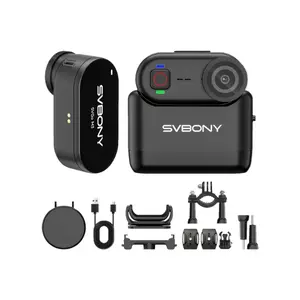
5 Reasons to Buy the SVBONY SVGo M3:
- 43g and thumb-sized - clips to a lanyard or collar and disappears in daily wear
- IP68 waterproofing to 10m holds without any case or housing - one less piece of gear to pack, swap, or lose
- 6-axis gyroscope EIS active at both 4K/30fps and 2K/30fps - stabilization on at the resolution you'll actually use
- Built-in 64GB storage - no SD card to buy, format, or lose
- Charging case triples camera-only runtime to 300 minutes total
2 Reasons to Consider Alternatives:
- No screen - correct framing takes a session or two to dial in without app preview
- Vipulse app required for settings and WiFi transfers - USB cable is the workaround for app-averse users
Table of Contents:
- SVBONY SVGo M3: Complete Specifications
- Shape, Controls, and Build
- What's in the Box and Getting Started
- Video and Image Quality
- Five Key Features, Tested
- Battery Runtime and Charging
- App Control and File Transfer
- SVGo M3: What Owners Say
SVBONY SVGo M3: Complete Specifications
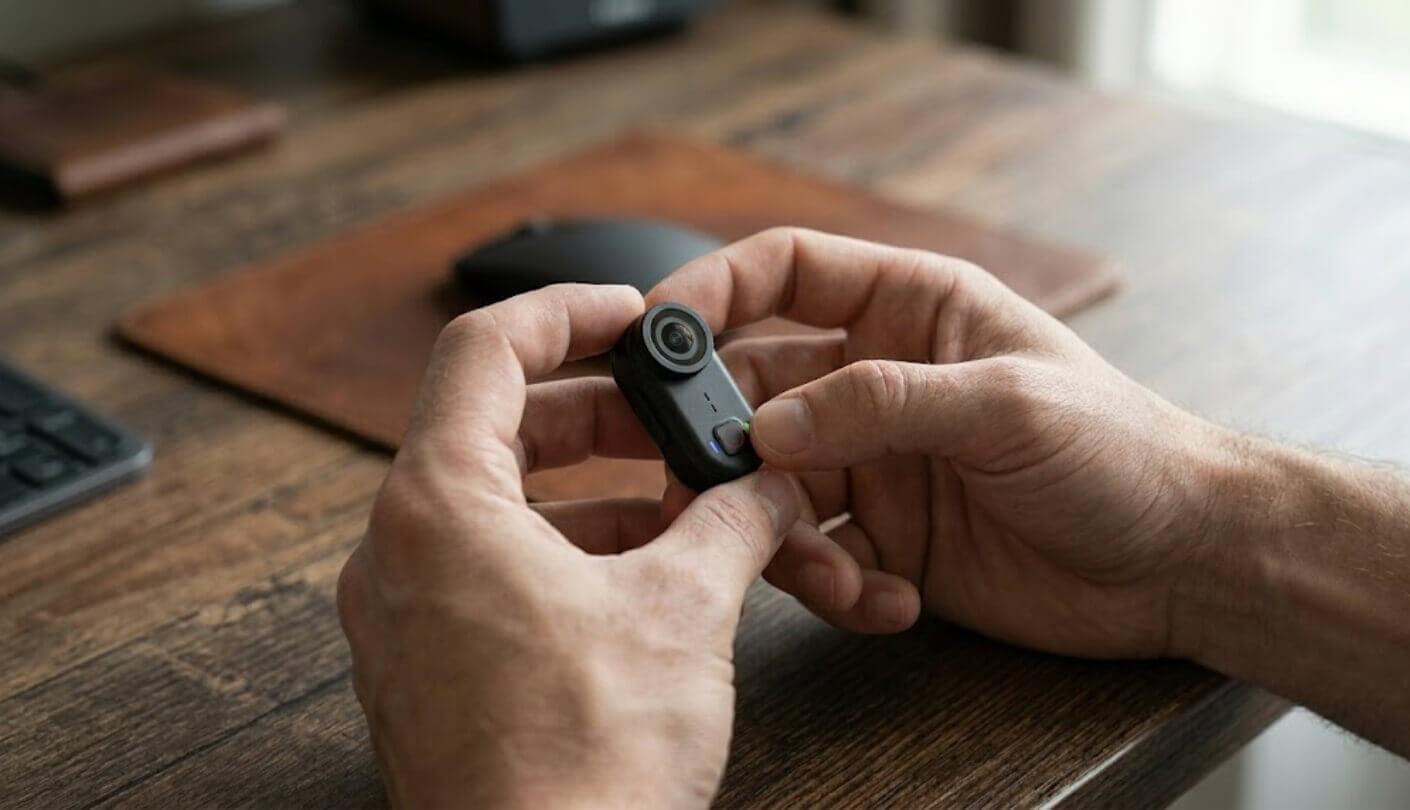
Full technical specifications for the SVGo M3:
| Specification | Details |
| Weight | 43g |
| Dimensions | 58.6mm × 28.6mm × 26.7mm |
| Video Resolutions | 4K (3840×2160) @ 30fps / 2K (2560×1440) @ 30fps |
| Video Format | MP4 (H.264) |
| Photo Format | JPG |
| Bitrate | 25Mbps |
| Image Stabilization | 6-axis gyroscope EIS |
| Waterproofing | IP68 - rated to 10m (33ft) without housing |
| Storage | Built-in 64GB (no SD card slot) |
| Battery Life - Camera Only | ~100 min at 4K / stabilization off / WiFi off |
| Battery Life - With Case | ~300 min total (100 camera + 200 case) |
| Charge Time | 90 minutes (5V/1A) |
| Charging | Type-C, 5V 1-2A - fast charging not supported |
| Video Segment Options | 1 / 3 / 5 / 10 / 15 min per clip (default: 10 min) |
| WiFi | 2.4GHz / 802.11a/n |
| App | Vipulse |
| Aspect Ratio | 16:9 and 9:16 (switchable via app) |
| Mount System | Magnetic - back and side attachment orientations |
| Interface | Type-C |
| Microphone | Built-in mono |
| Speaker | Built-in |
| Operating Temperature | -20°C to 50°C |
| Auto Sleep | 1 minute inactive (on battery) / 5 minutes (while charging) |
| Factory Reset | Supported |
SVBONY built their reputation on optical hardware - telescopes, spotting scopes, and astronomy cameras - before entering the action camera category. The M3 shows that background in a few concrete ways. Native IP68 waterproofing without a housing is an unusual decision at this price tier, where competitors typically limit body-native protection to splash resistance and reserve full waterproofing for a sold-separately case. The built-in storage choice is equally deliberate: no card slot means no SD compatibility variables, no formatting requirements, and no misplaced card on a muddy riverbank.
Shape, Controls, and Build
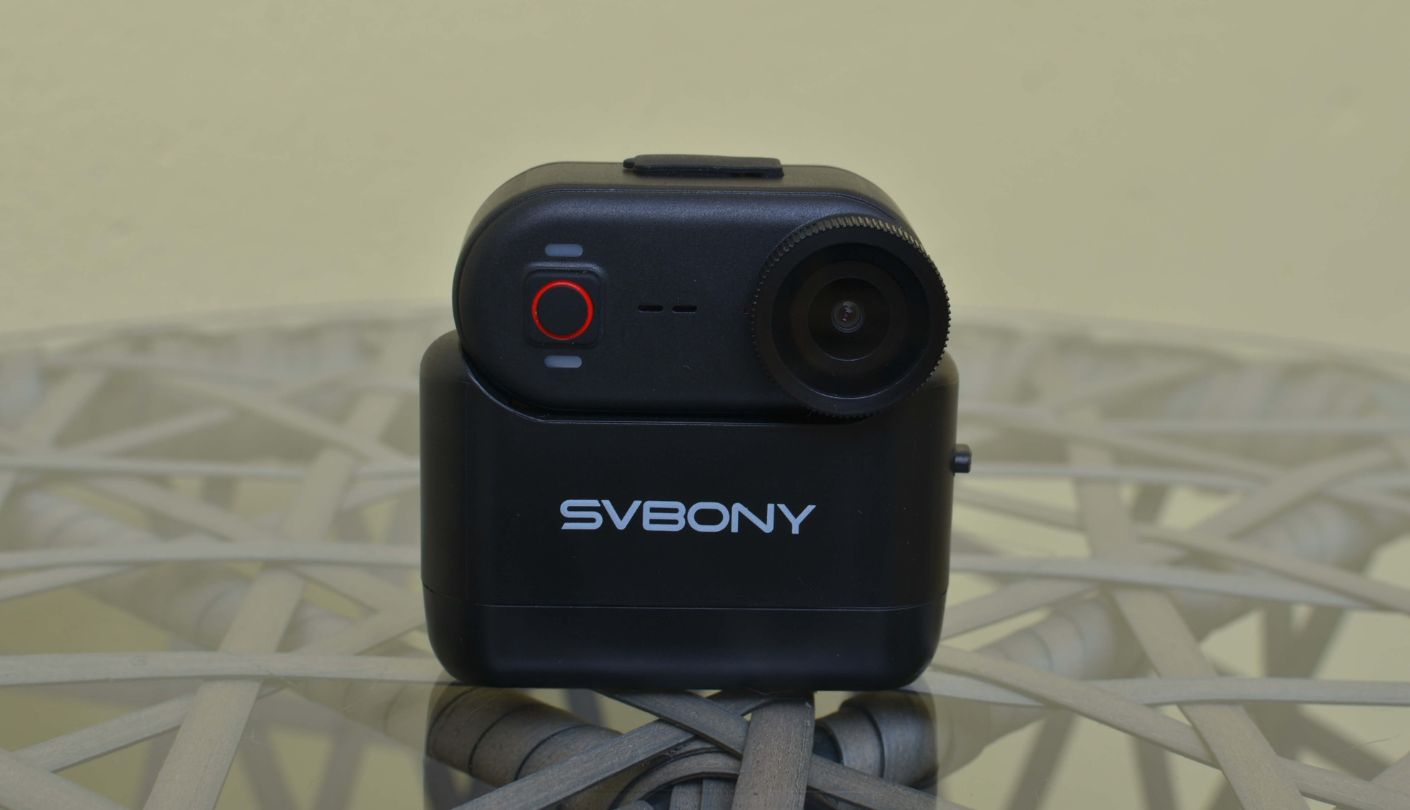
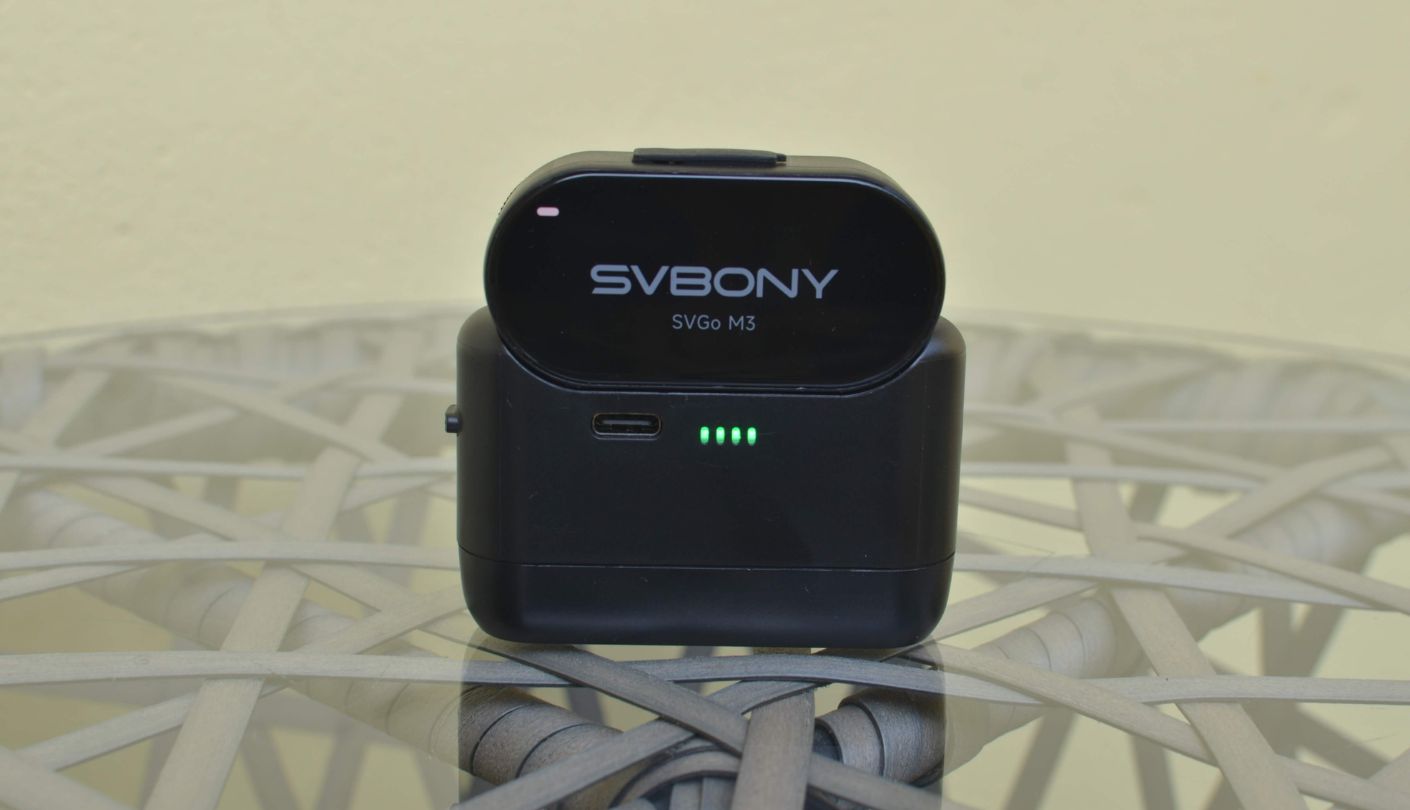
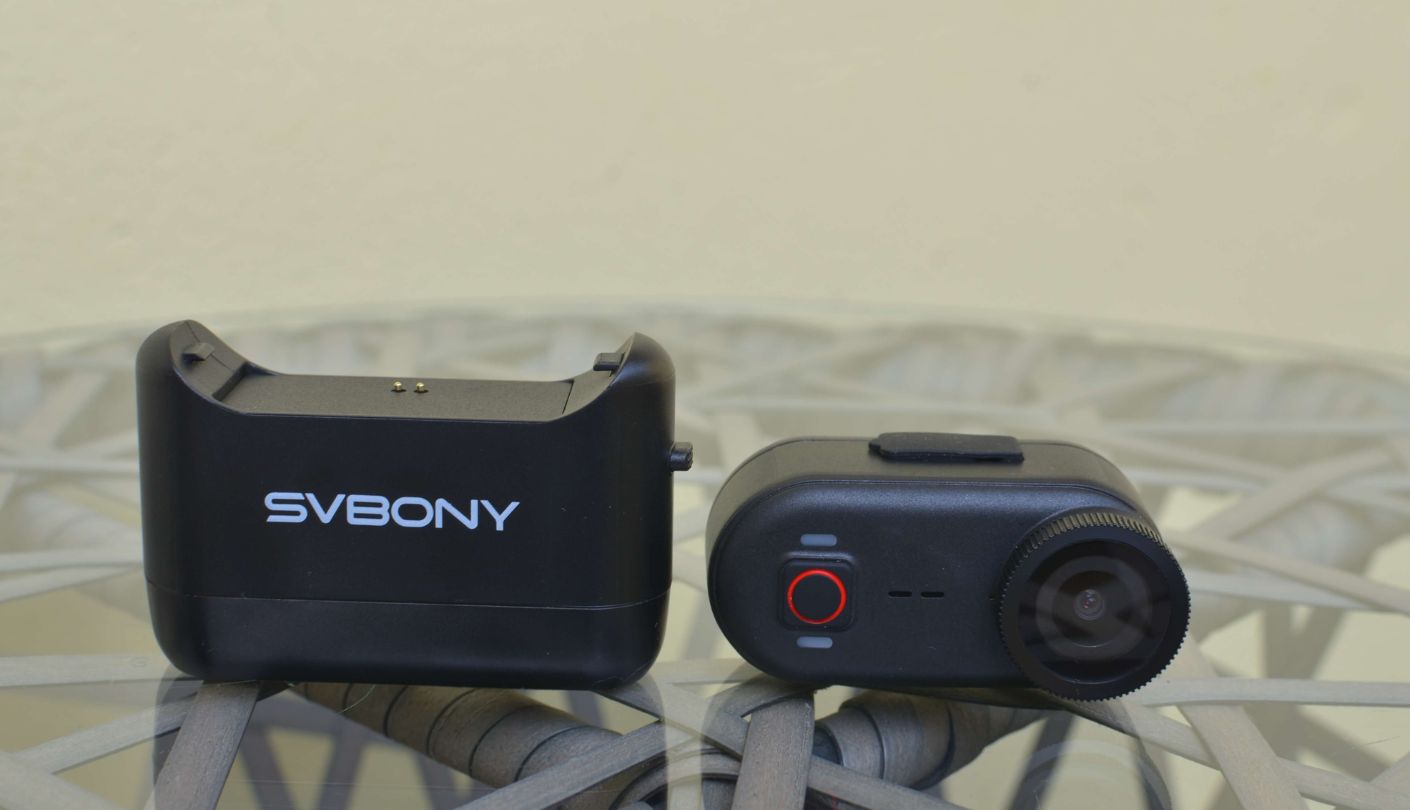
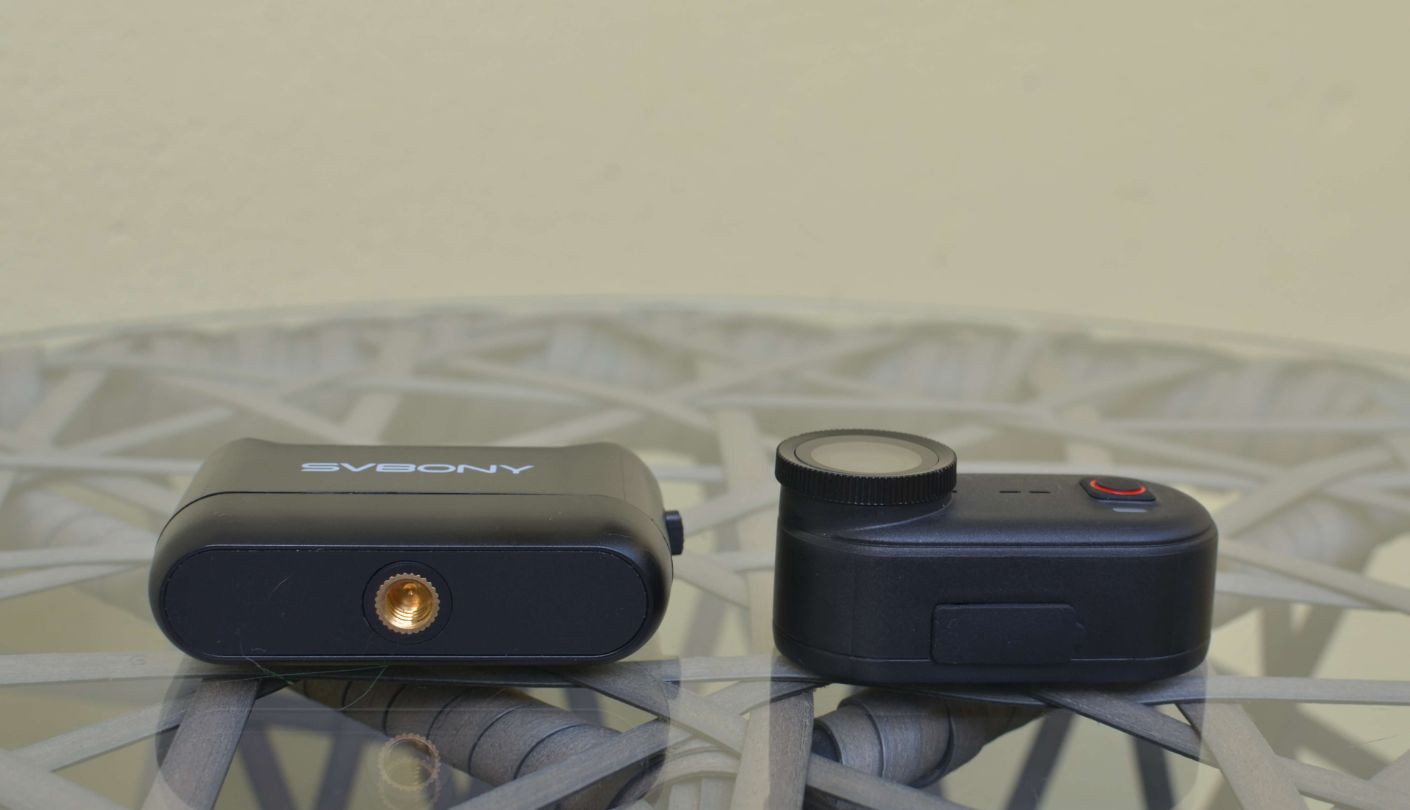
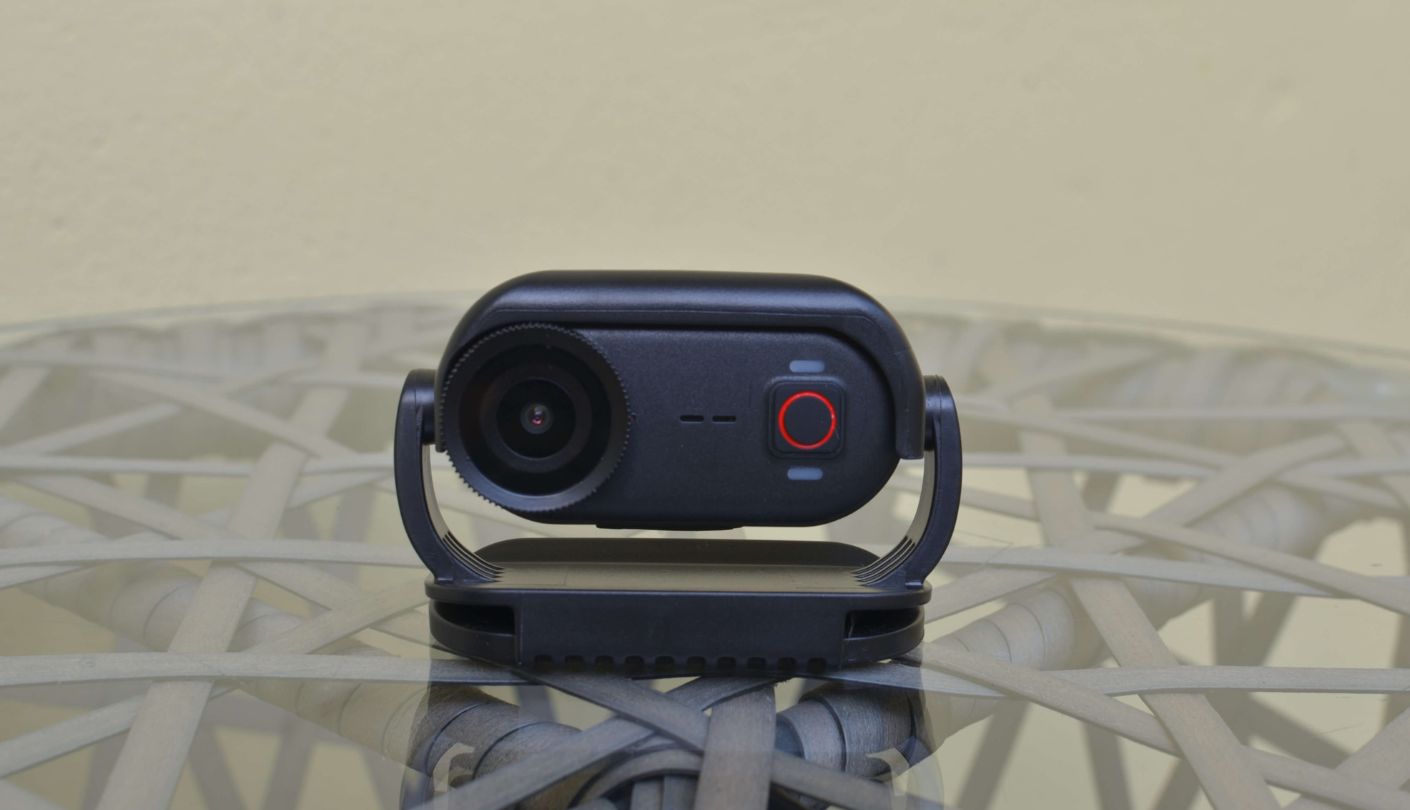
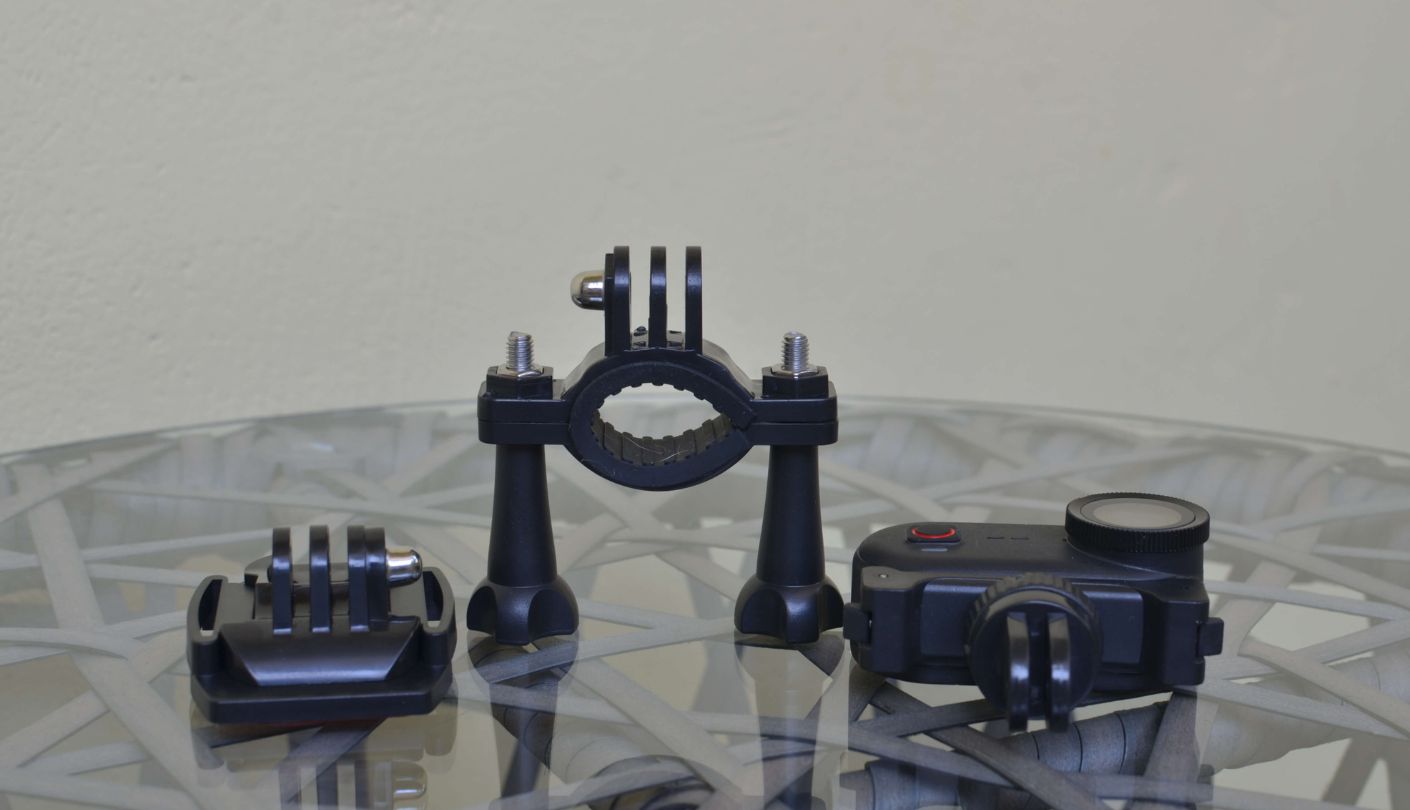
Hold the SVGo M3 next to a thumb and the name is a literal description. At 58.6mm long, 28.6mm wide, and 26.7mm deep, it is approximately the form factor of a large USB drive - except it records stabilized 4K video and survives submersion to 10 meters. The body is matte plastic, firmly assembled with no flex in the housing and no rattle from internal components. At 43g, it vanishes in a jersey pocket and barely registers clipped to a collar.
The control surface is close to nothing: one physical action button handles recording start and stop, and a long hold activates WiFi mode for app connection. A status LED communicates recording state (red when active) and WiFi mode (green and blue together). That's the full physical interface. For a POV camera clipped to a collar or chest strap, this single-button approach is correct - you're not reaching around mid-run to find a second control.
The magnetic back plate is the design decision that separates the M3 from action cameras that happen to be small. It snaps to any metal surface - a bike stem, a car door, a helmet rail with the adhesive base installed - with a pull strength that holds across normal movement without shifting. The mount system works in two orientations, back and side, and accepts all the included accessories without tools. Swapping from the magnetic lanyard to the cycling mount is a three-second operation.
The charging case deserves mention as a physical object rather than just a spec. It fits the camera on three sides, looks like a purpose-built carry case, and slips into a cycling jersey pocket without the bulk associated with a conventional action camera kit. Treating the case as part of the daily carry is a reasonable approach rather than leaving it behind for short sessions.
What's in the Box and Getting Started
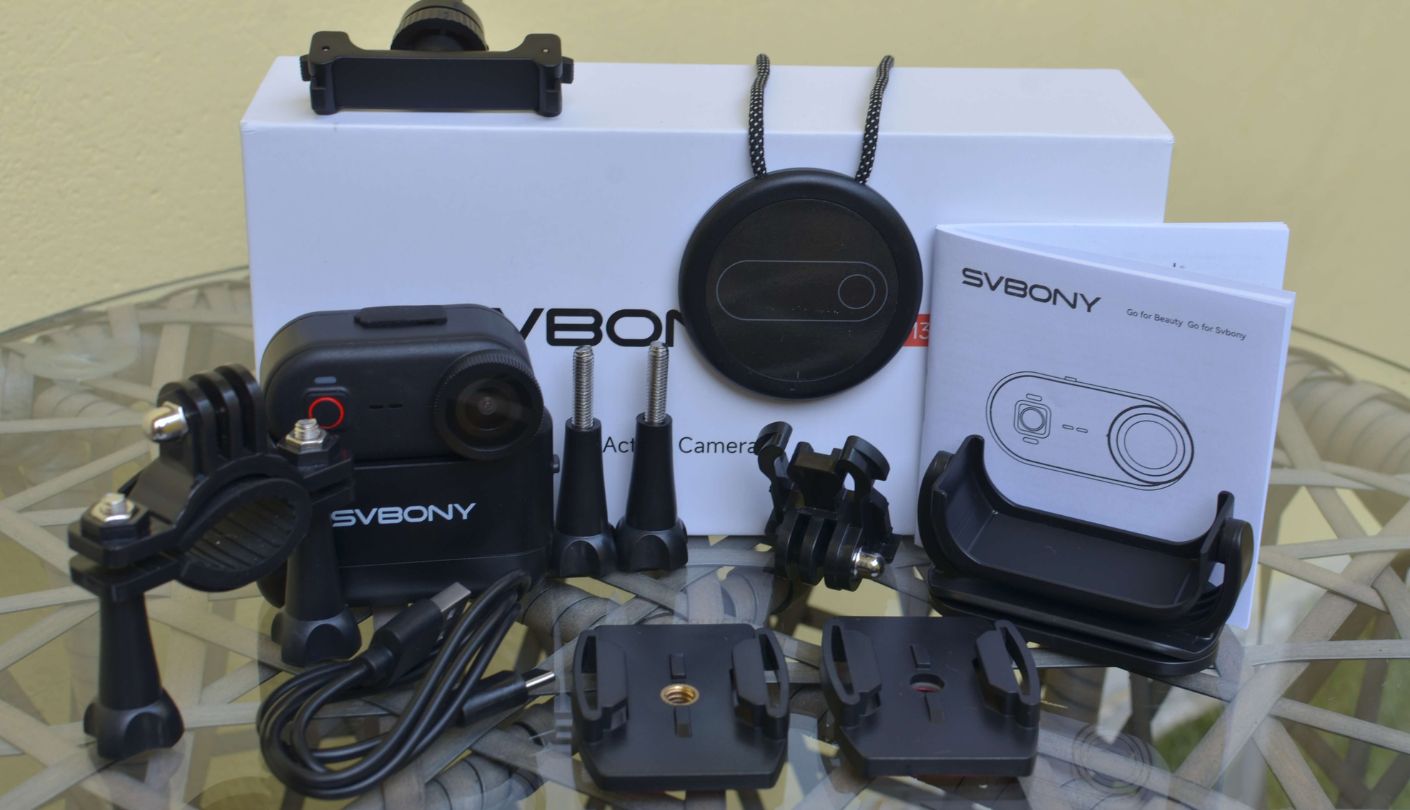
Box contents:
- SVGo M3 camera
- Charging case x1
- Magnetic lanyard x1
- 360° rotating magnetic clip x1
- Magnetic quick-release mount x1
- Cycling mount x1
- Long screws x2
- Helmet adhesive base (A and B type) x1
- Type-C cable x1
- User manual x1
First use is fast. Charge the camera via the included Type-C cable for 90 minutes, attach the magnetic lanyard, press the action button once, and recording starts. No app is required to begin shooting. The LED confirms active recording with a red indicator - visible without looking directly at the camera if it's clipped at chest height.
App connection is a separate step: hold the action button until the LED switches to green and blue, then open the Vipulse app and join the camera's own WiFi hotspot. The camera creates its own network rather than connecting to your home router, which is the right architecture for a portable POV camera. First connection takes about 10 seconds. Subsequent connections are faster and the pairing persists across power cycles.
One practical detail for users who prefer to skip apps: the M3 works without Vipulse for basic recording. Press to start, press to stop, then connect via USB-C to a computer. On macOS, it registers as a Linux Foundation Webcam device and the internal storage appears as an accessible drive. Files are reachable directly through the file manager without any software installation. The app is only required for changing settings or monitoring a live preview frame.
The charging case has its own power loop worth understanding before first use: it feeds the camera while recording, and then recharges separately via its own Type-C port. Two independent charge cycles, not a unified battery system. Reading the relevant page of the manual once - before you charge each component for the first time - saves confusion later.
Video and Image Quality
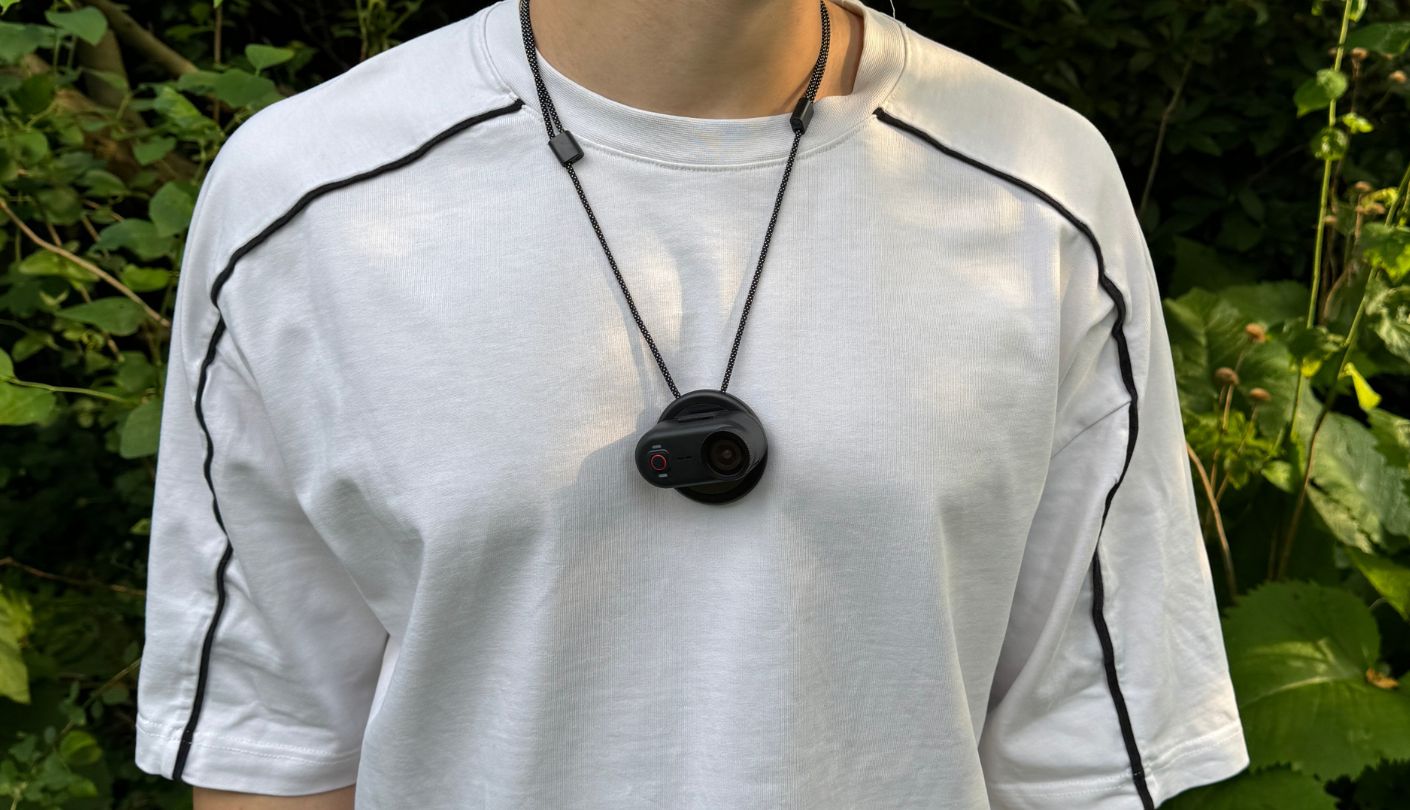
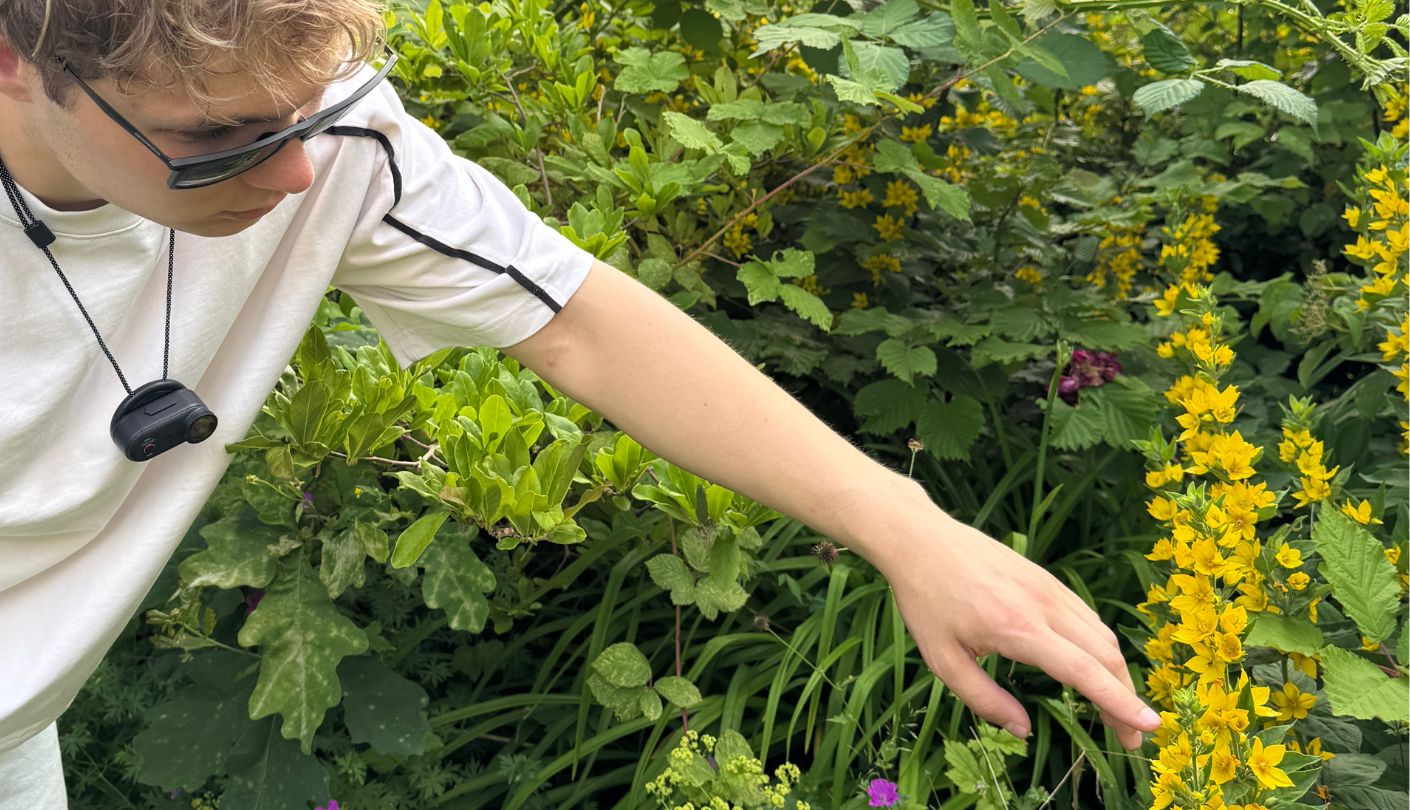
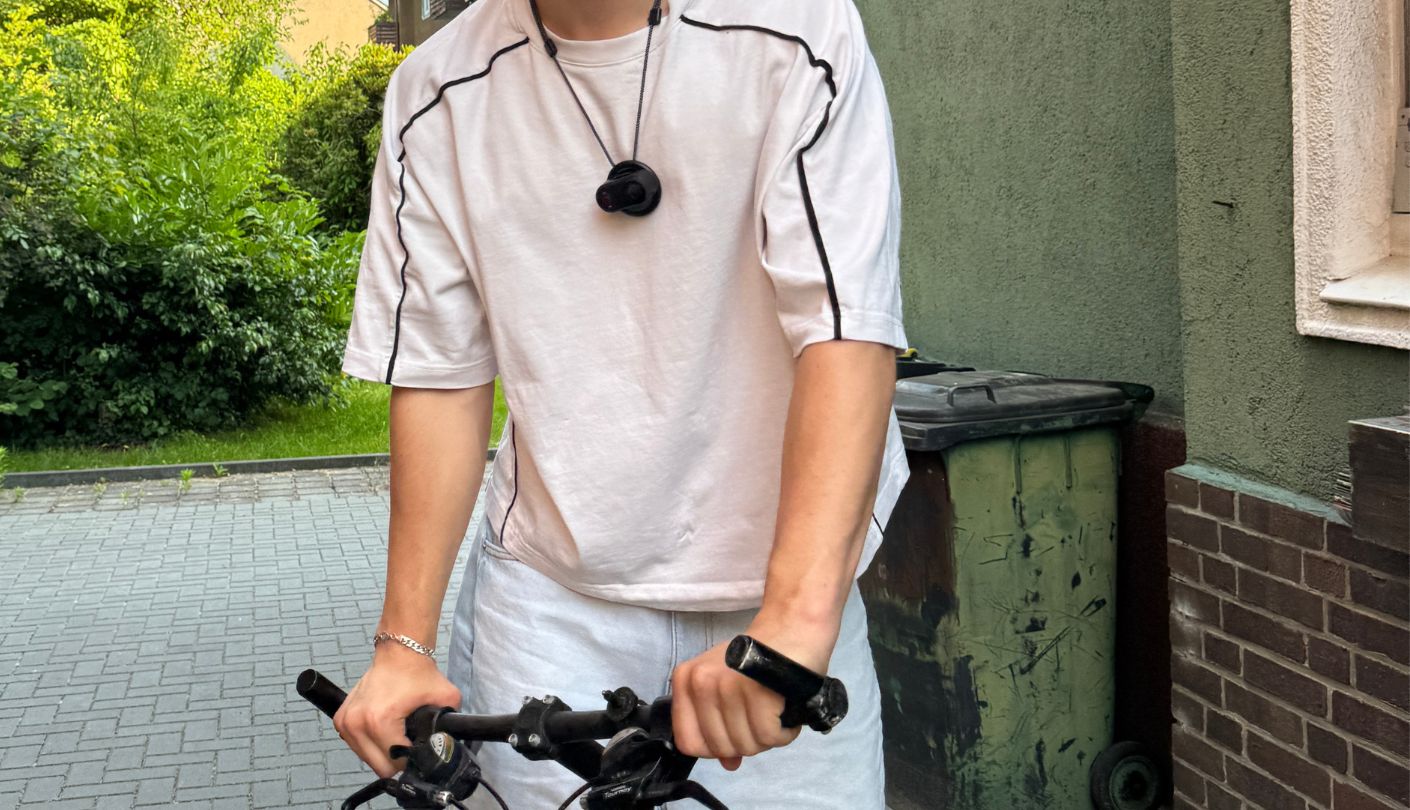
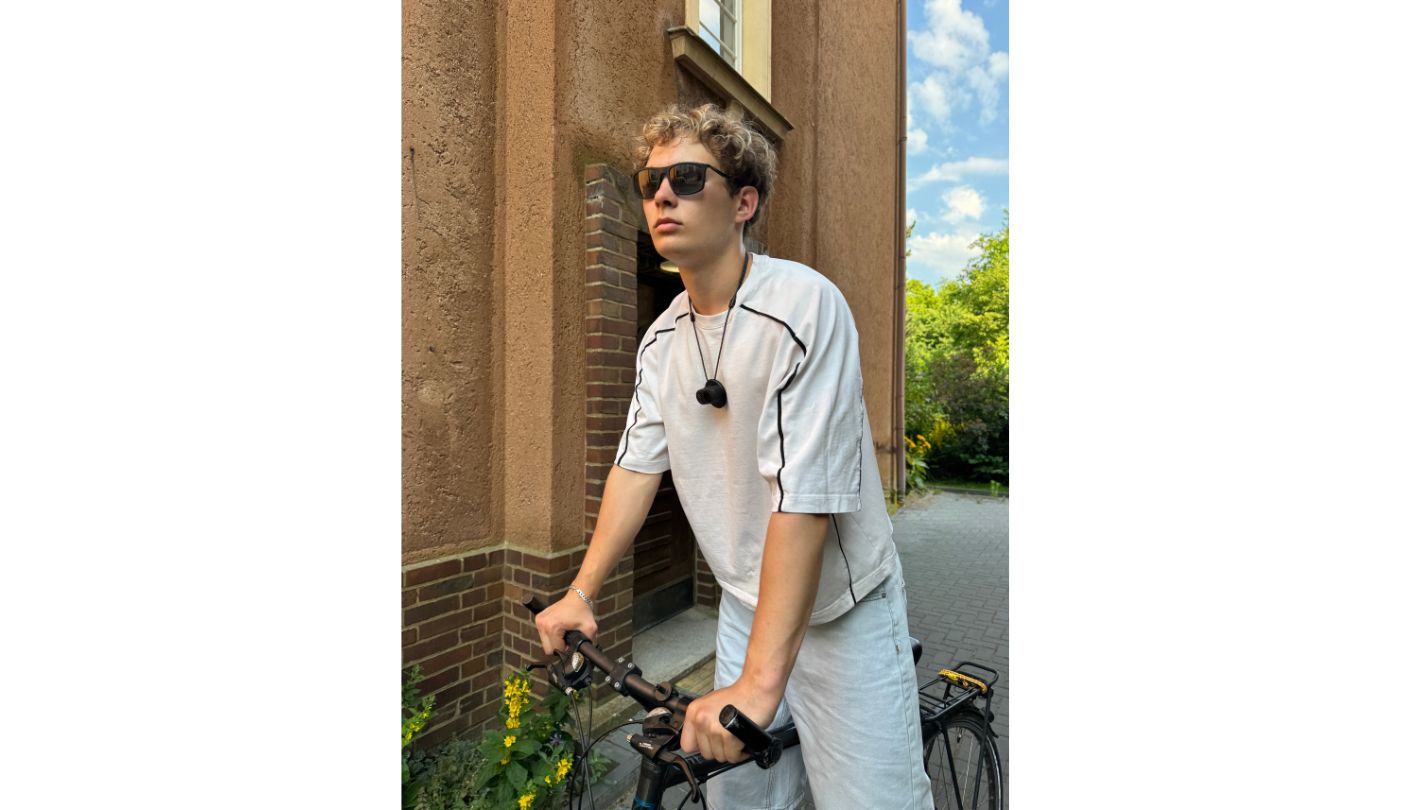
4K/30fps at 25Mbps through H.264 is the recording ceiling, and the footage holds up well in good ambient conditions. Overcast outdoor and direct sun both work cleanly - color reproduction tracks accurately to the scene and there is enough resolution to crop a 16:9 frame down to 9:16 for vertical social media without losing meaningful detail in the center of the image. On a still morning ride through a tree-lined path, the M3 produced footage I would use without apology in a short travel edit.
The 6-axis EIS earns its specification listing. A 40-minute gravel path cycling test with the M3 on a handlebar mount returned stabilized footage with a consistent horizon and without the jello-effect warping that single-axis systems introduce on lateral impacts. It does not match a mechanical gimbal for sharp directional cuts, but for the movement types this camera targets - body-worn or vehicle-mounted moderate sport - the correction is genuine and functional.
Low light is where the spec sheet and the real-world picture diverge. Indoor footage under standard household lighting is usable at conservative ISO settings, but anything approaching dim gym conditions or evening outdoor recording pushes visible noise into the frame. Fast subjects under low ambient light go soft. The M3 is a daylight and bright-ambient camera, and treating it as one produces consistently good results. Expecting consistent quality from evening indoor events will lead to frustration.
The built-in microphone catches wind noise quickly above a brisk walk. At jogging or cycling speed, the audio track captures mostly wind rumble with the underlying ambient sound buried underneath. For stationary recording - a vlog to camera, a slow walk through a market, an indoor conversation - the mic is functional. For any capture at sport pace outdoors, muting the source audio and adding a separate track in post is the practical workflow, and one that most action cam users already accept.
Five Key Features, Tested
I put each of the M3's headline features through the scenario it was designed for across the three-week testing period. The table below records what each one actually does in use, what its limits are, and who gets the most out of it.
| Feature | How It Works in Practice | Who Benefits and How |
| IP68 Waterproofing (No Housing) | Rated to 10m depth without any external housing or protective case. I submerged the M3 in a river for 15 minutes during a kayak session and used it in 40 minutes of rain cycling. No water ingress on either occasion. The seal is a body-integrated design, not a port door that requires checking before every use | The biggest practical advantage over much of the thumb camera field. Even competitors that offer IPX8 protection typically cap depth at 3 meters - the M3's 10-meter IP68 rating goes significantly further. For kayakers, swimmers, snorkelers, and rainy-day commuters, skipping the housing ritual saves time and removes the risk of a forgotten or damaged seal |
| 6-Axis Gyroscope EIS | Active at both 4K/30fps and 2K/30fps. The gyroscope reads movement across six axes and applies correction continuously during recording. Tested across gravel cycling, trail running, and hand-carried walking - all three returned usable stabilized footage. The algorithm keeps the horizon consistent and absorbs vertical bounce without warping the frame | Cyclists and runners who have tried single-axis or no-stabilization thumb cameras and ended up with unwatchable footage will notice the difference immediately. The M3's correction holds through the kind of sustained vibration that cheaper EIS implementations fail on |
| Magnetic Mount Ecosystem | The camera's back plate is magnetic and accepts a quick-release mount, 360° rotating clip, cycling mount, helmet adhesive base, and magnetic lanyard - all included in the box. Swapping between mounts takes seconds. The magnetic hold across all tested surfaces (metal bike stem, helmet rail, lanyard clip ring) stayed firm across normal-intensity movement | The full accessory set in the box covers most real-world attachment points without requiring additional purchases. A rider who wants neck lanyard for commuting and handlebar mount for technical trails can switch between them at a stoplight. The rotating clip adjusts angle without detaching the camera from the host surface |
| Built-in 64GB Storage | No SD card slot. The 64GB internal storage holds approximately 5 to 6 hours of 4K footage at 25Mbps. Files transfer to a phone via the Vipulse app over WiFi or to a computer over USB-C as direct drive access. Format is supported to clear storage when needed | Eliminates the SD card compatibility problem entirely - no card to buy, format, lose, or find incompatible with a new device. For daily-use recording where sessions are under 90 minutes and transfers happen every few days, 64GB is more than enough capacity without card management overhead |
| 9:16 Vertical Recording Mode | Aspect ratio switches between 16:9 landscape and 9:16 portrait via the Vipulse app settings before recording. The setting persists across sessions once changed. At 4K resolution, vertical output is 2160×3840 - enough for TikTok, Instagram Reels, and YouTube Shorts without reframing in a video editor | Content creators who shoot primarily for vertical platforms avoid the crop-and-reframe step in post-production. The switch is in the app rather than on the camera, which means changing mode mid-session requires pulling out a phone - plan the format before starting rather than toggling during a shoot |
Battery Runtime and Charging
The 100-minute camera-body figure in the official specification is measured under controlled conditions: 4K/30fps, stabilization off, WiFi off. That is the ceiling, not the typical real-world number. With stabilization active - the configuration most users will run - the gyroscope draws extra processing load and battery life drops below 100 minutes. With WiFi also active for live app preview during recording, it drops further. These are the scenarios worth planning around, not the best-case spec.
Runtime observations from three weeks of daily use:
- 4K, stabilization off, WiFi off - spec conditions: close to the 100-minute rated ceiling - the baseline the manufacturer measures against;
- 4K, stabilization on, WiFi off - standard outdoor use: 78 to 88 minutes depending on activity intensity, since the gyroscope works harder on rough terrain than on smooth paths;
- 4K, stabilization on, WiFi active for app monitoring: 65 to 75 minutes - WiFi draws 260mA continuously at this scale, which is significant against the camera's 280mA operating current;
- Camera plus charging case, 4K, stabilization on: 285 to 295 minutes across back-to-back continuous tests - the combined system holds close to the 300-minute claim even with stabilization active, since the case supplies additional charge while the camera records.
Charging the camera body from flat takes 90 minutes at 5V/1A. Fast charging is not supported - a 65W USB-C charger charges at exactly the same rate as a standard phone adapter. There is no speed benefit to using a high-wattage brick. Plan a full 90-minute charge before a session rather than counting on a quick top-up. The charging case charges separately via its own Type-C port and takes approximately 2 hours from flat.
One constraint for high-volume users: recording while charging works, but the charging case must be attached for this to function from a portable source. A wall adapter can charge the camera body directly, which adds runtime if you're near power during a long stationary session - useful for event recording from a fixed position but irrelevant for any moving capture.
App Control and File Transfer
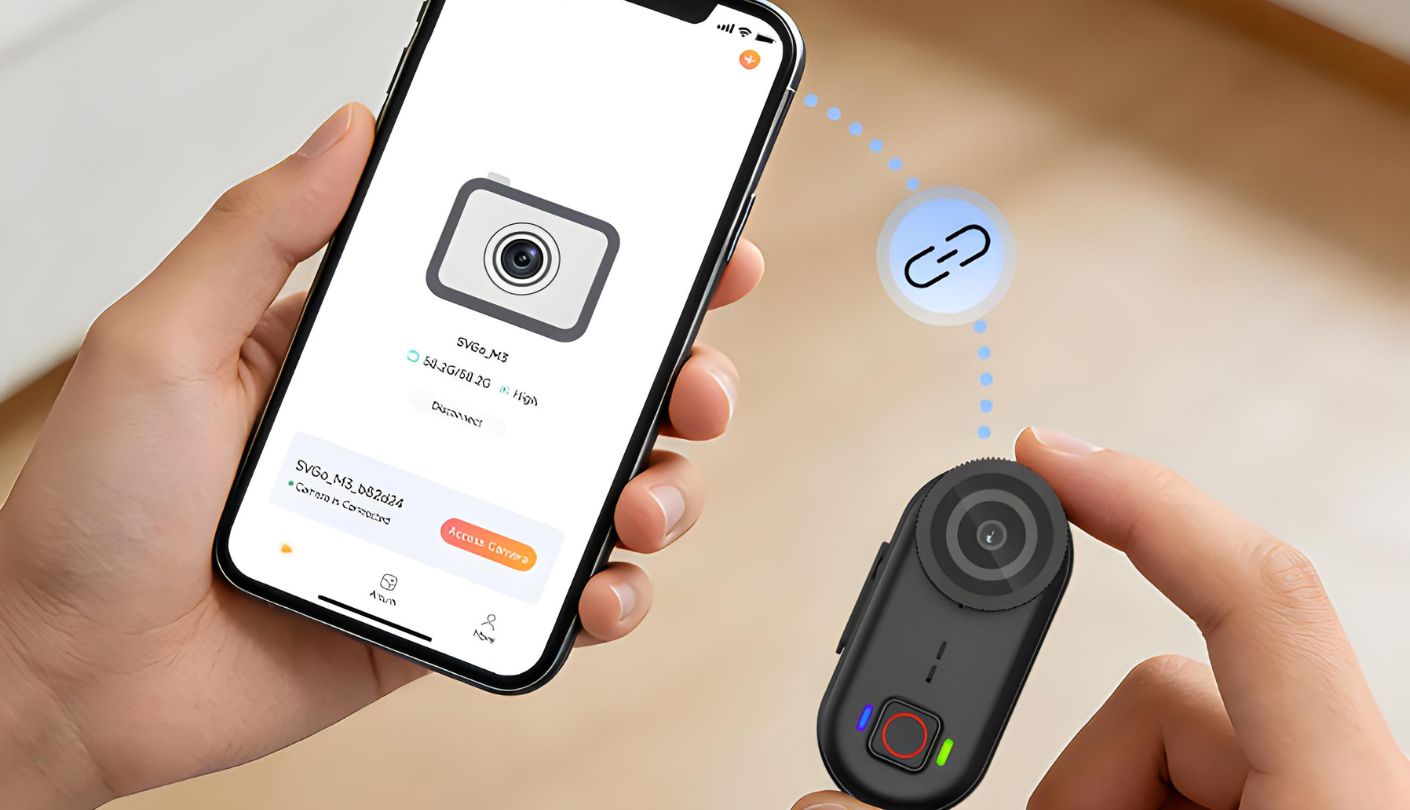
The Vipulse app handles three things: live preview while the camera is running, settings control before or during a session, and file transfer from camera to phone. Connection works by holding the action button until the LED switches to WiFi mode, then joining the camera's own hotspot from the phone - the camera broadcasts its own network rather than connecting to a home router, which is the correct setup for a device that moves between locations. First connection takes around 10 seconds. Subsequent connections are faster and the pairing persists between power cycles.
Settings available from the app: stabilization on or off, aspect ratio between 16:9 and 9:16, clip segment length (1, 3, 5, 10, or 15 minutes), loop recording toggle, timestamp watermark on or off, image rotation, and audio recording on or off. Most users set these once for their main use case and revisit rarely. After an initial configuration session, the M3 is genuinely a one-button device in daily use.
WiFi file transfer is functional but unhurried. A 10-minute 4K clip at 25Mbps runs approximately 1.8GB. Over the 2.4GHz connection, that transfers to a phone in 4 to 5 minutes - manageable for daily vlogging where you're pulling one or two clips at a time. For anyone recording hour-long sessions and needing same-day edit access, the USB cable connection to a computer is faster and skips the app entirely. The camera registers as a storage device immediately on connection, with no driver installation required on tested macOS and Windows machines.
One naming note from practical use: Vipulse has no obvious connection to SVBONY or the SVGo product line. After a few weeks away from the camera, locating the right app in a phone's app list is a minor friction point. Labeling it with the brand name would solve this for the camera's target audience, which includes less technical users who may run multiple apps for different devices.
SVGo M3: What Owners Say
Verified Owner Feedback
The feedback below reflects patterns from verified purchases on Amazon and independent reviews, capturing what buyers consistently get right about the M3 and what catches them off guard.
Praises: "Perfect hands-free camera. I clip it to my collar when I pick up my kids from school. They love being filmed and I barely notice it's there. The magnetic mount is genuinely good - I've tried three other brands and this one holds without rattling or slipping."
"I was skeptical about no SD card slot but the 64GB built-in covers all my weekly hikes without filling up. File transfer over WiFi works fine for my pace. The footage at 4K looks far better than I expected from something you can hold between two fingers."
"IP68 without a case is what made me pick this. I kayak every weekend and I'm done swapping waterproof housings at the put-in. Wore it on my chest strap through Class II water and it came out dry."
"Set it up for my son's soccer training. One button to record, magnetic clip on his jersey pocket. He had it figured out in two minutes and the stabilized footage of him running drills is actually usable - not just shaky phone video from the sideline."
***
Drawbacks: "No screen is fine once you know your mount position. But my first three sessions, the angle was off and I was checking the app before every start. After a week it becomes instinctive, but the learning curve on framing is real."
"Wind noise above jogging pace is basically unusable. I mute the source audio and add my own soundtrack in editing, which works fine, but if you need clean ambient audio from outdoor sport recording, this camera is not the answer."
Two consistent patterns run through SVGo M3 owner feedback. Buyers who bought it for hands-free daily capture - commuting, kids' activities, low-to-moderate outdoor sport - report that the form factor and the magnetic mount system hit what they needed, and that getting started required almost no setup time. The second pattern is buyers who expected built-in audio usable for outdoor sport recording or who underestimated how much framing by feel requires a session or two to dial in. Neither is a fatal flaw for the right buyer - both are worth understanding upfront.
Final Verdict: Is the SVBONY SVGo M3 Worth It?
The SVGo M3 makes one trade deliberately: maximum portability and instant deployment at the cost of any on-device display. For the buyers this camera targets, that trade lands correctly. You don't need a screen when the entire point is clipping the camera to yourself and going about your activity without thinking about it.
The IP68 body-native waterproofing to 10 meters, the 6-axis EIS that holds at 4K, the 43g weight, and the magnetic mount ecosystem that covers most real-world attachment points without additional purchases - these four features together define the M3's position in the thumb camera category. The closest direct competitor is the AKASO Keychain3, which also rates IPX8 waterproofing without a housing, but to 3 meters rather than the M3's 10 meters - a gap that matters for snorkeling and diving but not for rain or shallow water use. The Keychain3 also claims 360 minutes of total battery life with its charging pod, which is more than the M3's 300 minutes, and shoots landscape only with no vertical recording mode. For social-media-first users who need 9:16 output and want to record in pools or reef-depth water, the M3 wins on those two points. For anyone prioritizing total battery endurance above depth rating, the Keychain3 has the edge.
The 100-minute solo battery - understood as the spec's ceiling rather than a typical figure with stabilization running - and the app dependency for settings and file access are the two real constraints. The charging case resolves runtime. USB cable access resolves app aversion. Both workarounds add a step to the workflow, and both are worth knowing about before buying rather than discovering in the field. The M3 belongs in the kit of anyone who wants a 4K POV camera that genuinely lives in a pocket, survives water without case preparation, and starts recording with a single button press. For that specific use case, it earns its place.

Meet James, our go-to tech guru and seasoned reviewer. His sharp attention to detail and love for gadgets drive his deep dives into the newest tech waves. James's insightful analysis and real zest for breakthroughs have earned him a solid reputation in the tech world.


