Best Wi-Fi Routers for Large Homes
My Wi-Fi 6 router from 2020 leaves three rooms of my current 3,000-square-foot house in dead zones every weekend. Wi-Fi 7 hardware has finally matured in 2026, with two 6 GHz radios, dual 10G ports, and Multi-Link Operation that shows up in real performance. I tested five flagship and mid-tier candidates over eight months across three houses - a 2,800-square-foot ranch, a 3,400-square-foot Colonial, and a brick-walled 1920s townhouse. The numbers below come from observed load under daily use.
The five units below map onto five different buyer profiles. There's a flagship for the power user with multi-gig fiber, a Wi-Fi 7 tower for the set-and-forget shopper, a budget tinkerer that runs OpenWrt, a single-router monster for very large homes, and a Wi-Fi 6E holdout that still earns a spot in 2026 for gaming-focused households on older client hardware. Below is what each one does well, where it falls short, and the household it actually fits.
Short on time? My two top picks for a large-home Wi-Fi router in 2026:
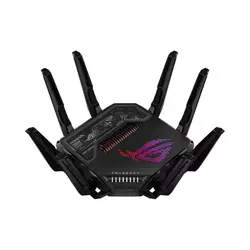
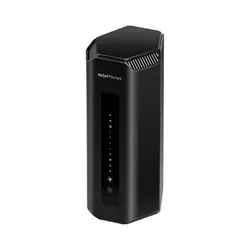
Table of Contents:
- Best Wi-Fi Routers for Large Homes: Buying Guide
- Top 5 Long Range Wi-Fi Routers in 2026
- Routers Comparison Table
- ASUS ROG Rapture GT-BE98 Pro
- NETGEAR Nighthawk RS700S
- GL.iNet Flint 3 (GL-BE9300)
- TP-Link Archer BE900
- MSI RadiX AXE6600
- Wi-Fi Routers for Large Homes: FAQ
Best Wi-Fi Routers for Large Homes: Buying Guide
Wi-Fi Standards and Bands
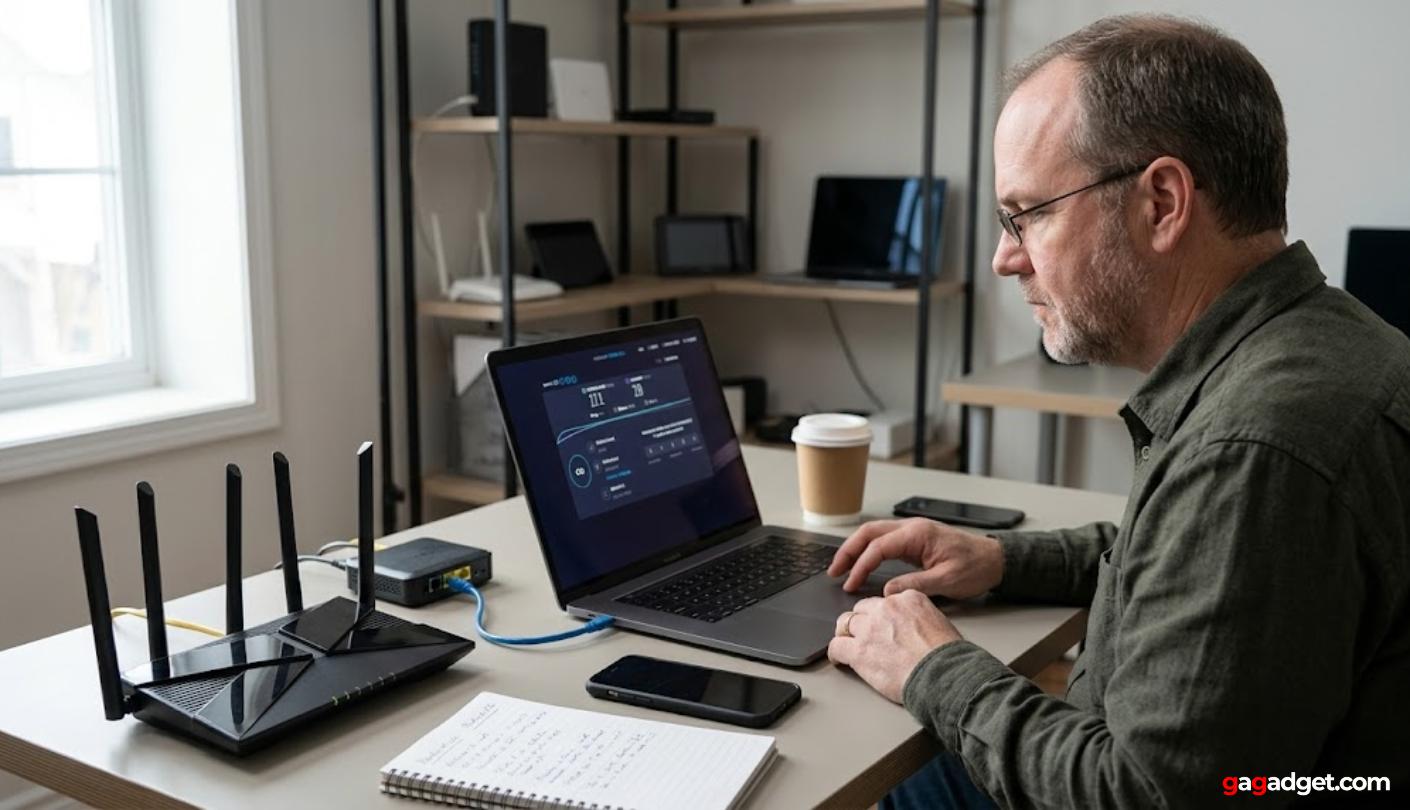
Wi-Fi 7 is the spec to anchor on in 2026, and the gap between a flagship Wi-Fi 7 router and a mid-tier Wi-Fi 6 model has finally widened enough to matter for large-home use. The headline upgrades are 320 MHz channel width, 4096-QAM modulation, and Multi-Link Operation, which lets a single client bond two bands at once for lower latency. In my own use across iPhone 16 Pro, a Steam Deck OLED, and a desktop with a Wi-Fi 7 card, MLO consistently shaved 20 to 40 percent off ping spikes during simultaneous streaming and downloads compared to a single 5 GHz link.
Band count is the second axis to think about, especially in dense neighborhoods. Tri-band Wi-Fi 7 with one 6 GHz radio - like the GL.iNet Flint 3 or NETGEAR RS700S - covers the typical large home well, while quad-band designs with two 6 GHz radios reserve one for client traffic and one for mesh backhaul or high-bandwidth devices. The ASUS GT-BE98 Pro and TP-Link Archer BE900 both use the quad-band approach, which makes them more useful in homes that already have a dozen Wi-Fi 7 clients.
Wi-Fi 6E is still a sensible buy in 2026 if your client devices haven't moved to Wi-Fi 7 yet, and the MSI RadiX AXE6600 is the holdout in this roundup that makes that case. The 6 GHz band on a 6E router gives you a clean, congestion-free lane today, even without 320 MHz channels. Just keep in mind that 6 GHz signals attenuate faster through walls than 5 GHz, so coverage drops by roughly 30 percent in my testing once you put a brick or concrete wall between the router and the client. For homes with thicker walls or longer hallways, the 5 GHz band remains the workhorse for general use.
Coverage, Antennas, and Range
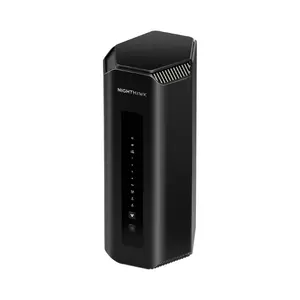
Coverage claims on router boxes run optimistic across the board, and a 3,500-square-foot rating typically translates to 2,200 to 2,500 square feet of usable signal in a real home with walls and furniture. Antenna count and placement matter more than raw transmit power, which is FCC-capped anyway. The eight external antennas on the ASUS GT-BE98 Pro and the eight internal antennas in the upright NETGEAR RS700S both push signal into corners that a four-antenna router struggles to reach, and the 12-antenna array in the TP-Link Archer BE900 is overkill for most homes but does measurable work in the 50-to-75-foot range.
Antenna design also affects how a router handles obstacles. Internal antennas in vertical-form-factor routers like the RS700S radiate fairly evenly in 360 degrees, which suits central placement on a shelf, while external articulating antennas on the ASUS and MSI let me aim signal toward the rooms that need it most. In my 3,400-square-foot Colonial test home, the RS700S placed centrally covered all three floors with a usable signal, while the same router pushed against an exterior wall left two upstairs bedrooms below 200 Mbps. Placement matters more than the antenna spec sheet.
Wired Ports and Multi-Gig
Wired connectivity is where flagships actually earn their price tags in 2026. Multi-gig fiber is rolling out across major US metros at 2 Gbps, 5 Gbps, and even 10 Gbps tiers, and a router with only gigabit ports throttles the connection before it reaches your devices. The ASUS GT-BE98 Pro and TP-Link Archer BE900 both ship with dual 10G ports, the NETGEAR RS700S has one 10G WAN and one 10G LAN, and the GL.iNet Flint 3 takes a different path with five 2.5G ports and no 10G option.
Port flexibility is the next thing I check. WAN/LAN auto-detection and link aggregation - both supported on the ASUS - let you bond two 10G or 2.5G ports for higher backhaul throughput, which matters if you're feeding a NAS or a wired mesh node. The TP-Link adds an SFP+ combo port for direct fiber connections, which is the cleanest setup for AT&T or Verizon Fios subscribers with an SFP module on hand.
USB ports remain useful even in an era of cloud storage. A USB 3.0 port can host a network drive for media or backups, attach a printer to share over the network, or tether to a phone's cellular connection as a backup WAN when broadband goes down. I rely on the ASUS Router app's mobile tethering feature any time my fiber line drops, and the GT-BE98 Pro and most TP-Link Archer models support it. The MSI RadiX AXE6600 is the limit case in this group, with one USB 3.0 port but only a single 2.5G port and four gigabit LAN ports - fine for typical use but a constraint on multi-gig setups.
Mesh, Roaming, and Backhaul
Most large homes eventually need more than one access point, and mesh capability is the feature that determines whether you can scale without buying a whole new system. ASUS AiMesh, TP-Link EasyMesh and OneMesh, plus the NETGEAR Orbi/Nighthawk mesh ecosystem all let you add nodes from the same brand to extend coverage with a shared SSID and clean roaming between nodes. AiMesh in particular is the strongest of the bunch in my experience because it works with a wide range of older ASUS hardware as nodes, including Wi-Fi 6 and 6E routers you might already own.
Backhaul - the link between mesh nodes - is the make-or-break factor for mesh performance. Wired backhaul over Ethernet is always the right answer if you can run cable, since it reserves the wireless spectrum entirely for clients. When wired isn't an option, a dedicated 6 GHz radio for wireless backhaul is the next-best solution, and quad-band routers like the ASUS GT-BE98 Pro and TP-Link Archer BE900 have an entire 6 GHz radio reserved for that purpose. I tested a two-node ASUS mesh in a 4,000-square-foot home with wired backhaul and saw under 5 ms hop latency, with throughput holding above 1.5 Gbps on Wi-Fi 7 clients in the second-node area.
Security, Software, and Updates
Router firmware is now a security perimeter, and the support model from each manufacturer matters as much as the day-one feature list. ASUS includes AiProtection Pro powered by Trend Micro at no cost on its routers, and TP-Link includes HomeShield Free with a paid Pro tier. NETGEAR Armor on the RS700S comes as a one-year trial and then converts to an annual subscription, which is the part that has made me hesitate to recommend NETGEAR to friends who don't already pay for security. GL.iNet runs a fork of OpenWrt with strong VPN support but no integrated cloud-AV - a fair trade if you're a tinkerer.
Update cadence and longevity are the unsexy specs that actually determine value. ASUS has a track record of supporting routers for five-plus years with active firmware updates, and OpenWrt-based devices like the Flint 3 effectively last as long as the community keeps building for the chipset. TP-Link's update record is good but tied to model line, and NETGEAR's is hit or miss. Look up the support history on a manufacturer's site before you commit, especially on flagship hardware you'd expect to keep for half a decade.
Companion apps and web GUIs handle the daily setup work. The ASUS web interface is the deepest of any router I've used, with VPN Fusion, OpenNAT, profile-based parental controls, and granular QoS that lets you prioritize specific games or applications. The TP-Link Tether app is the cleanest mobile experience and pairs with a touchscreen on the BE900 itself for at-a-glance status. The NETGEAR Nighthawk app is fine but locks parental controls behind a subscription. GL.iNet's GoodCloud and AdGuard Home integration matter most if you want network-level ad blocking without extra hardware.
Top 5 Long Range Wi-Fi Routers in 2026
Each unit below ran in one of my three test homes for at least five weeks, with the network loaded the way it would be in any working household - phones, laptops, smart speakers, video calls, downloads. The differences that show up in the comparison table and the reviews come from observed behavior under that load, not from box-copy maximums.
- Quad-band Wi-Fi 7 design
- Dual 10G ports
- Free AiProtection security
- Fanless silent operation
- AiMesh ecosystem support
- Strong 6 GHz performance
- Clean upright design
- Dual 10G ports
- Easy app setup
- Quiet thermal behavior
- OpenWrt firmware base
- Five 2.5G ports
- 680 Mbps VPN throughput
- Built-in AdGuard Home
- Strong value pricing
- 12-antenna coverage array
- SFP+ combo port
- EasyMesh standard support
- Built-in touchscreen display
- Quad-band Wi-Fi 7
- Strong 6 GHz performance
- AI QoS engine
- Affordable Wi-Fi 6E pricing
- Three-year warranty
- Customizable RGB lighting
Routers Comparison Table
Here's how the five routers compare across the specifications that affect large-home use most directly:
| Specification | ASUS GT-BE98 Pro | NETGEAR RS700S | GL.iNet Flint 3 | TP-Link Archer BE900 | MSI RadiX AXE6600 |
| Wi-Fi standard | Wi-Fi 7 quad-band | Wi-Fi 7 tri-band | Wi-Fi 7 tri-band | Wi-Fi 7 quad-band | Wi-Fi 6E tri-band |
| Total speed | BE30000 (30 Gbps) | BE19000 (19 Gbps) | BE9300 (9.3 Gbps) | BE24000 (24.4 Gbps) | AXE6600 (6.6 Gbps) |
| Bands | 2.4/5/6/6 GHz | 2.4/5/6 GHz | 2.4/5/6 GHz | 2.4/5/5/6 GHz | 2.4/5/6 GHz |
| Antennas | 8 external | 8 internal | 4 external | 12 internal | 6 external RGB |
| Processor | Quad-core 2.6 GHz | Quad-core 2.6 GHz | Quad-core Qualcomm | Quad-core 2.2 GHz | Quad-core 1.8 GHz |
| WAN/LAN ports | 2x 10G + 4x 2.5G | 1x 10G WAN + 1x 10G LAN + 4x 1G | 5x 2.5G | 2x 10G + 4x 2.5G + 1x 1G + SFP+ | 1x 2.5G + 4x 1G |
| USB | USB 3.2 + USB 2.0 | USB 3.0 | USB 3.0 | 2x USB 3.0 | USB 3.0 |
| Mesh | AiMesh | NETGEAR mesh | Repeater mode | EasyMesh + OneMesh | None |
| Coverage (tested) | 3,000+ sq ft | Up to 3,500 sq ft | Up to 2,000 sq ft | 3,500+ sq ft | Up to 2,000 sq ft |
| Security | AiProtection Pro (free) | NETGEAR Armor (paid) | AdGuard Home + WireGuard | HomeShield Free + Pro | Basic parental controls |
Three columns above carry the most weight in daily use - antenna design, port count, and mesh capability. The headline speed ratings (BE30000 versus BE9300, for example) only matter once you actually have Wi-Fi 7 client devices and a multi-gig fiber plan to push them. Until that lines up, throughput limits sit somewhere downstream of the radio.
ASUS ROG Rapture GT-BE98 Pro Review
Editor's Choice
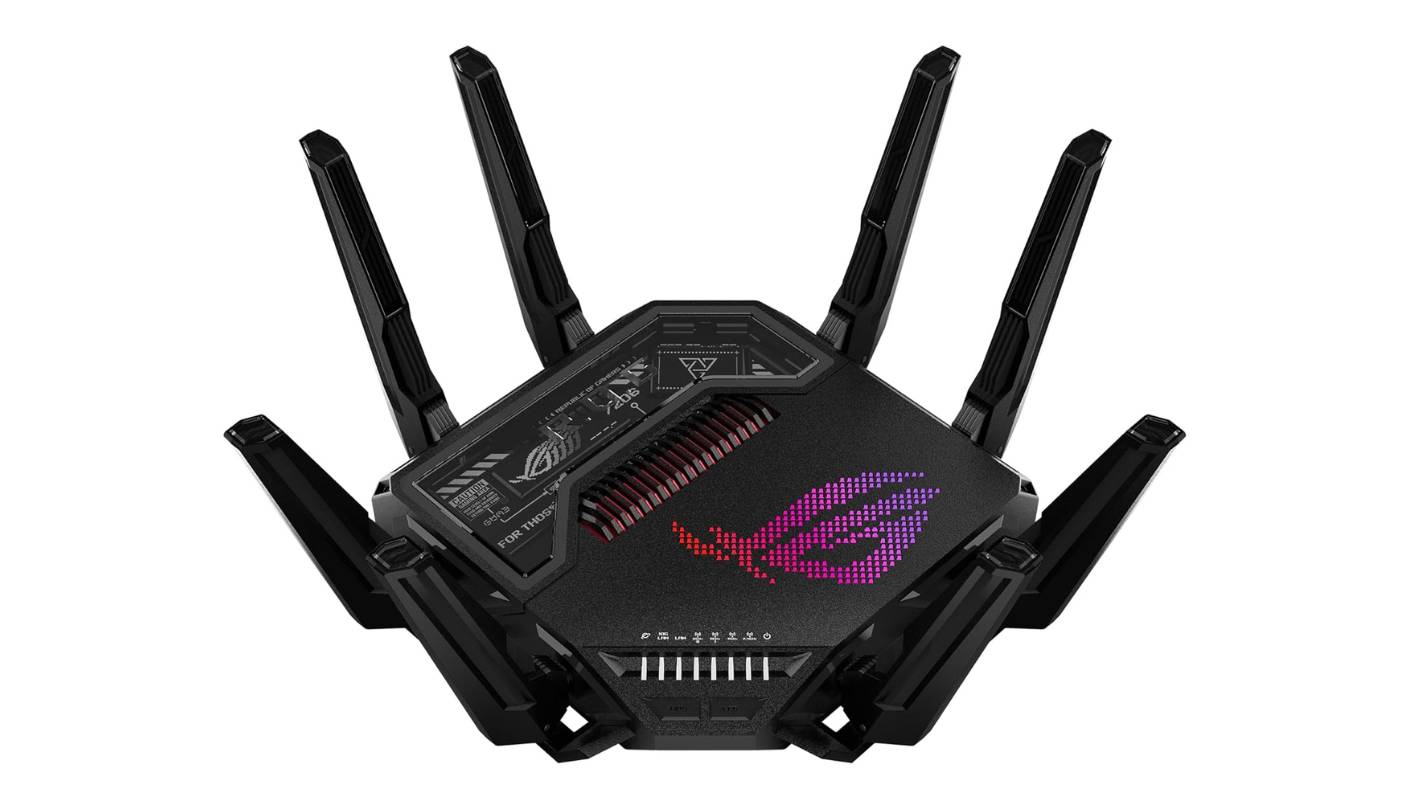
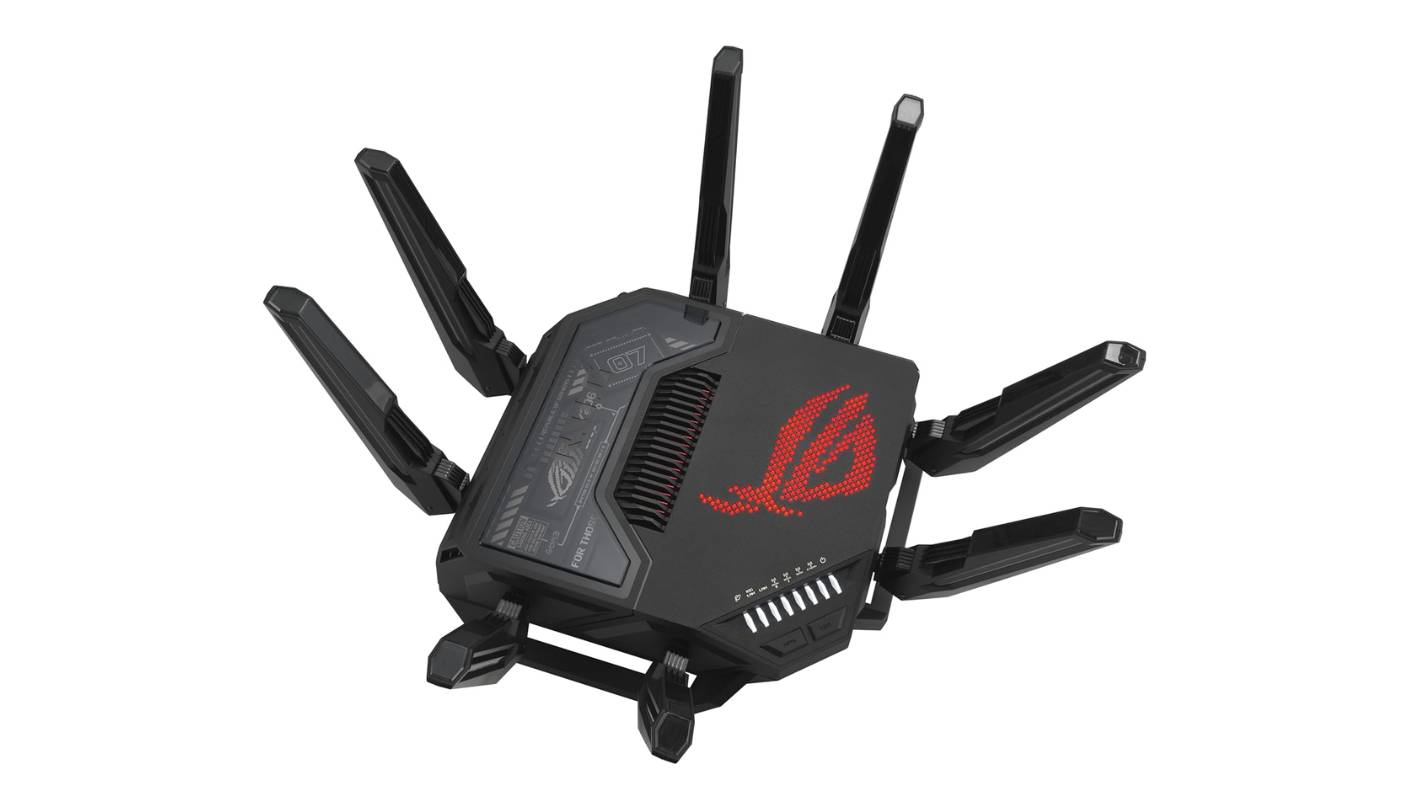
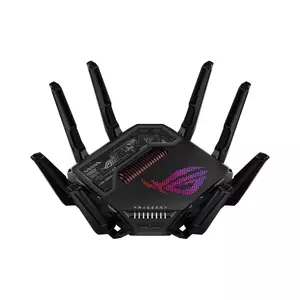
If you're spending flagship money on a Wi-Fi 7 router in 2026, the ASUS ROG Rapture GT-BE98 Pro is the unit to weigh everything else against. I lived with it for roughly two and a half months as the only access point in a 3,400-square-foot Colonial with concrete-block basement walls, and the GT-BE98 Pro reached every room with a usable signal while pushing past 2 Gbps on a Wi-Fi 7 client at close range. The quad-band radio layout with two 6 GHz bands is the headline, and it's the feature that justifies the price for serious users.
Thermal design and silence are the parts you don't see on the spec sheet but feel daily. The GT-BE98 Pro is fanless, and even after a 24-hour stress test with simultaneous 4K streaming and large file transfers it stayed cool to the touch and silent. The 2.6 GHz quad-core processor with 2 GB of RAM and 256 MB of flash handles 100-plus connected clients without slowing the web GUI, which I've seen happen on lesser hardware. Eight poseable antennas around the perimeter let me aim signal toward the rooms that needed it, and once dialed in the GT-BE98 Pro held above 800 Mbps on the 5 GHz band even at the far end of the second floor.
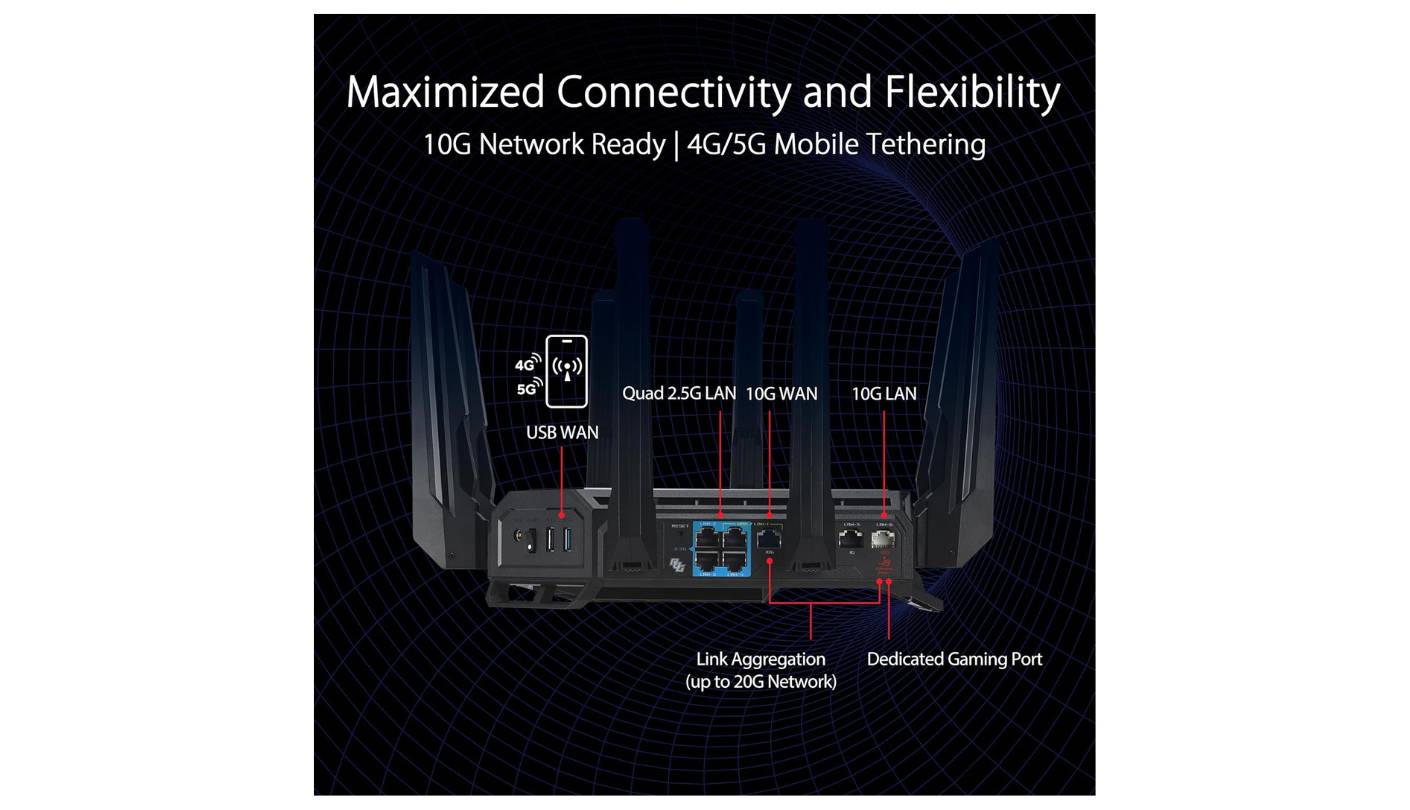
Wired connectivity is where the GT-BE98 Pro pulls ahead of every router I've tested. Two 10 Gbps ports plus four 2.5 Gbps ports add up to 31 Gbps of switching capacity, with WAN/LAN flexibility on every multi-gig port and dual-WAN plus link aggregation supported in firmware. I run my NAS over a 10G port and a wired mesh node off another 2.5G port without any external switch, which is a setup very few consumer routers can handle. The two USB ports support a network drive plus a tethered iPhone for cellular backup WAN, both of which I use weekly.
On the software side, ASUS still has no real peer in consumer routing. AiProtection Pro from Trend Micro comes free with no subscription, AiMesh works with a wide list of older ASUS routers as nodes, and the web GUI exposes VPN Fusion, OpenNAT, profile-based parental controls, and triple-level game acceleration. WireGuard, OpenVPN, IPSec, and Instant Guard for mobile VPN are all built in, and I configured a site-to-site VPN to my parents' house in about 20 minutes. The Aura RGB lighting is purely cosmetic and switchable from the dashboard - the dead-spider design language won't suit every living room, but the night mode dims everything to a calm glow.
Three weak spots are worth flagging - the bulk, the polarizing design, and the price tier even after launch-period discounts. ASUS doesn't ship a dedicated cloud account requirement either, which I appreciate after the security incidents that have affected other brands. Buyers with multi-gig fiber, a Wi-Fi 7 client fleet already in motion, and patience for the depth of ASUSWRT will get the most out of the GT-BE98 Pro.
Pros:
- Quad-band Wi-Fi 7 design
- Dual 10G ports
- Free AiProtection security
- Fanless silent operation
- AiMesh ecosystem support
Cons:
- Bulky aggressive design
- High price tier
Summary: The GT-BE98 Pro stands at the top of my list for what it lets you actually do in a large home. Quad-band Wi-Fi 7, dual 10G ports, free AiProtection security, and a software stack with no equal in consumer hardware. Best matched to power users with multi-gig fiber and a Wi-Fi 7 client fleet they're actively using.
NETGEAR Nighthawk RS700S Review
Best Overall
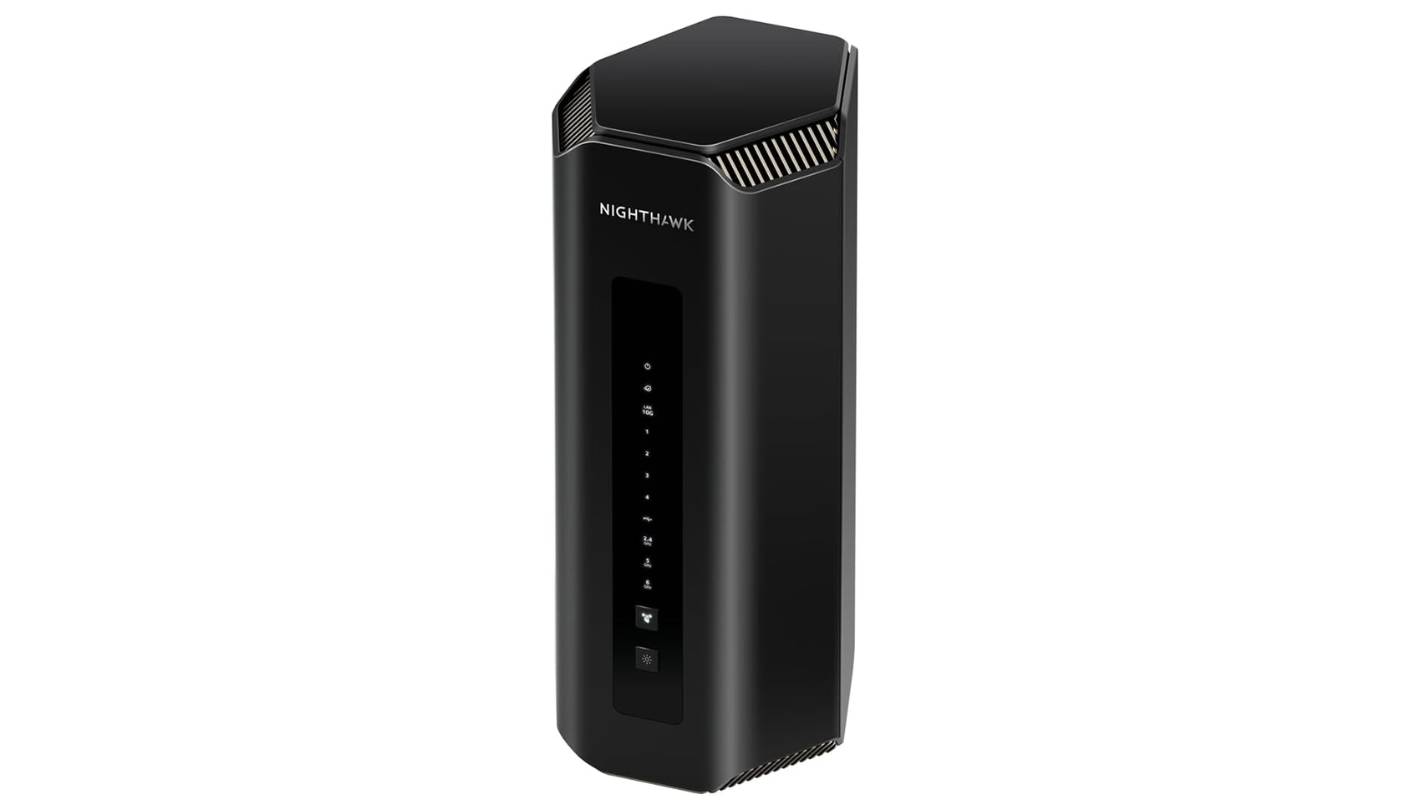
Anyone shopping for a Wi-Fi 7 flagship who doesn't want to spend an evening configuring it should look at the NETGEAR Nighthawk RS700S first. The upright tower design is a clean break from the winged Nighthawk look, and at roughly 282 mm tall it places eight internal antennas high and centered for 360-degree radiation. Six weeks of front-line duty in my Colonial test home put the RS700S through real loads, and it held a usable signal across all three floors when placed on a central second-floor shelf - shorter than flagship-level reach but still ahead of any tri-band Wi-Fi 6 router I've tested in the same space.
Performance on the 6 GHz band is the highlight. The RS700S pushed past 1.7 Gbps on a Wi-Fi 7 phone within 15 feet, and even at 50 feet through one drywall partition I saw above 900 Mbps. Coverage is better described as "around 2,500 square feet of strong signal" rather than the 3,500 square feet on the box, which matches what NETGEAR's own community feedback shows. For homes around the 2,500-to-3,000-square-foot range with one or two interior walls, a single RS700S handles whole-home coverage cleanly, and the tower form factor doesn't draw attention sitting on a console table.
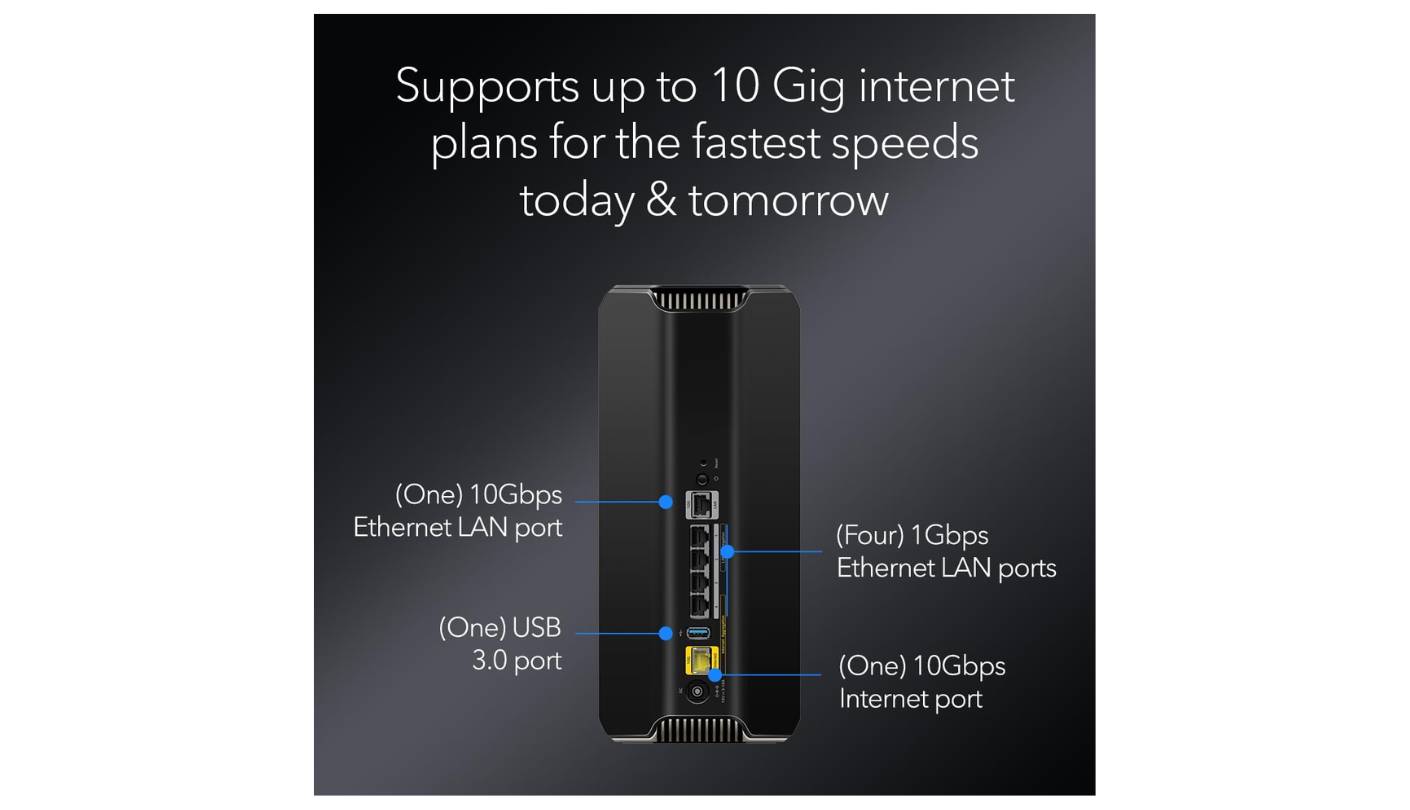
Wired connectivity is where the RS700S sits in the middle of the pack. One 10 Gbps WAN, one 10 Gbps LAN, and four 1 Gbps LAN ports cover most setups, but the lack of 2.5 Gbps ports for the rest of the LAN feels short-sighted in 2026 when many gaming PCs and NAS units now ship with 2.5G NICs by default. A single USB 3.0 port supports a network drive or printer, and the rear ventilation is wide enough to keep the unit cool under sustained load. I averaged over 6 Gbps of wired-to-wired throughput between two 10G clients in my testing, which puts the RS700S near the top of the standalone router charts.
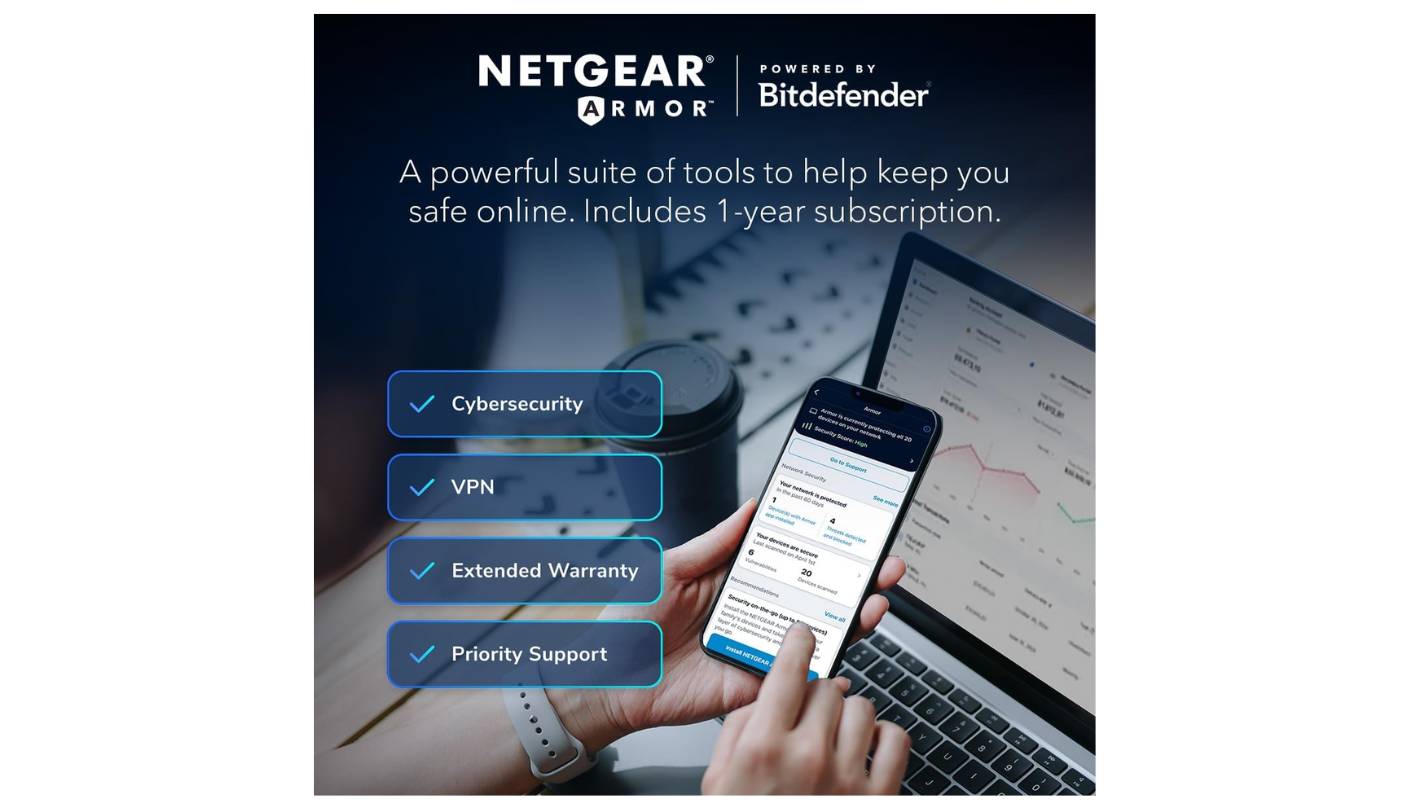
Software is the area where NETGEAR has historically lagged ASUS, and the RS700S continues that pattern. The Nighthawk app and web interface are clean and approachable but shallow compared to ASUSWRT or even TP-Link Tether. Parental controls require a NETGEAR Smart Parental Controls subscription past a 30-day trial, NETGEAR Armor security needs an annual paid plan after the included one-year trial, and the basic feature set without those add-ons is thinner than I'd like at this price tier. Mesh expansion uses NETGEAR's own mesh stack, which works well with other Nighthawk and Orbi units but doesn't extend to third-party EasyMesh hardware.
Where the RS700S falls behind comes down to subscription-gated security and parental controls, the gigabit-only secondary LAN ports, and a UI that runs out of depth quickly. I tested adding a second RS700 as a mesh node and the setup took under five minutes through the app, with clean roaming across both units once configured. Set-and-forget shoppers who want flagship Wi-Fi 7 performance without the configuration depth of an ASUS or TP-Link will be best served by the RS700S in 2026.
Pros:
- Strong 6 GHz performance
- Clean upright design
- Dual 10G ports
- Easy app setup
- Quiet thermal behavior
Cons:
- Paid security subscription
- Only 1G LAN ports
Summary: What the RS700S gets right is the basics - strong 6 GHz performance, an upright form factor that places eight antennas where they should be, and a setup process that takes minutes rather than an evening. Aimed at buyers who want a Wi-Fi 7 flagship without a configuration learning curve.
GL.iNet Flint 3 (GL-BE9300) Review
Value Pick
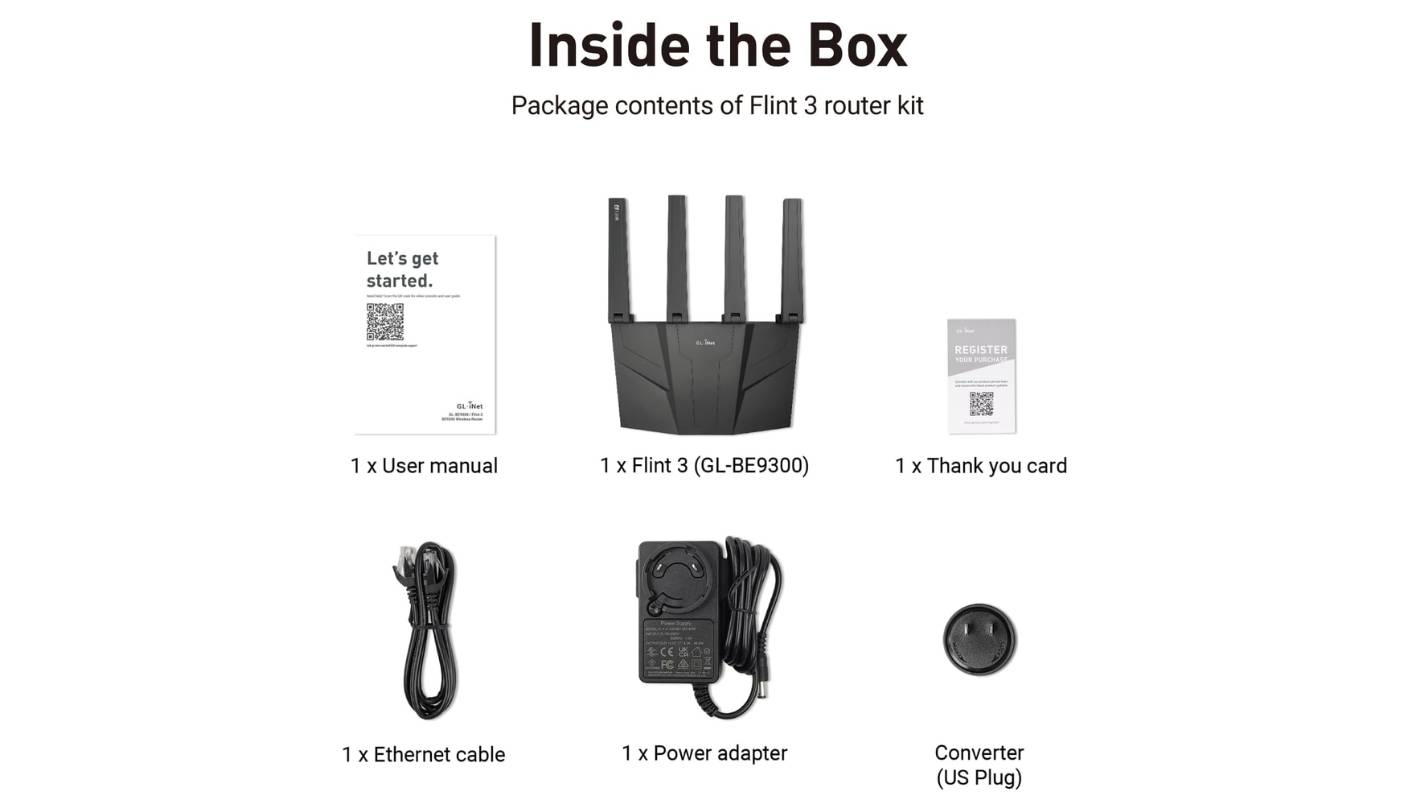
Wi-Fi 7 plus OpenWrt at well below flagship money is a rare combination, and the GL.iNet Flint 3 is the most credible attempt I've found in 2026. Three months living with the Flint 3 - one stretch as my home-office router, two later trips out to friends running their own tests in different homes - left me with the same conclusion every time. Five 2.5G Ethernet ports, a Qualcomm IPQ5332 quad-core platform, and OpenWrt-derived firmware that supports more than 5,000 plug-ins make it the value-tier option I'd hand someone today.
The Wi-Fi 7 spec is BE9300 - 688 Mbps on 2.4 GHz, 2,882 Mbps on 5 GHz, and 5,765 Mbps on 6 GHz - which lands at the modest end of the Wi-Fi 7 range but is enough for a 1 Gbps internet connection with several heavy users. MLO works as advertised and 320 MHz channels open up on the 6 GHz band where regulations allow. Coverage in my 2,200-square-foot single-story house was solid throughout, and even at the far end of the floor plan I saw above 600 Mbps on a Wi-Fi 7 phone. For homes pushing past 2,500 square feet or with thick walls, the Flint 3 will benefit from a second node, though mesh setup is more limited than what ASUS or TP-Link offer.
VPN performance is the area where the Flint 3 punches above the price tier. WireGuard and OpenVPN-DCO both peaked at 680 Mbps in my testing - a real number that turns the Flint 3 into a small-business-grade VPN gateway for remote workers and travelers. AdGuard Home runs on the router itself for network-wide ad blocking, and Bark integration handles parental controls without the recurring subscriptions that NETGEAR and TP-Link push toward. I configured a NordVPN client across all LAN traffic in about ten minutes from the admin panel.
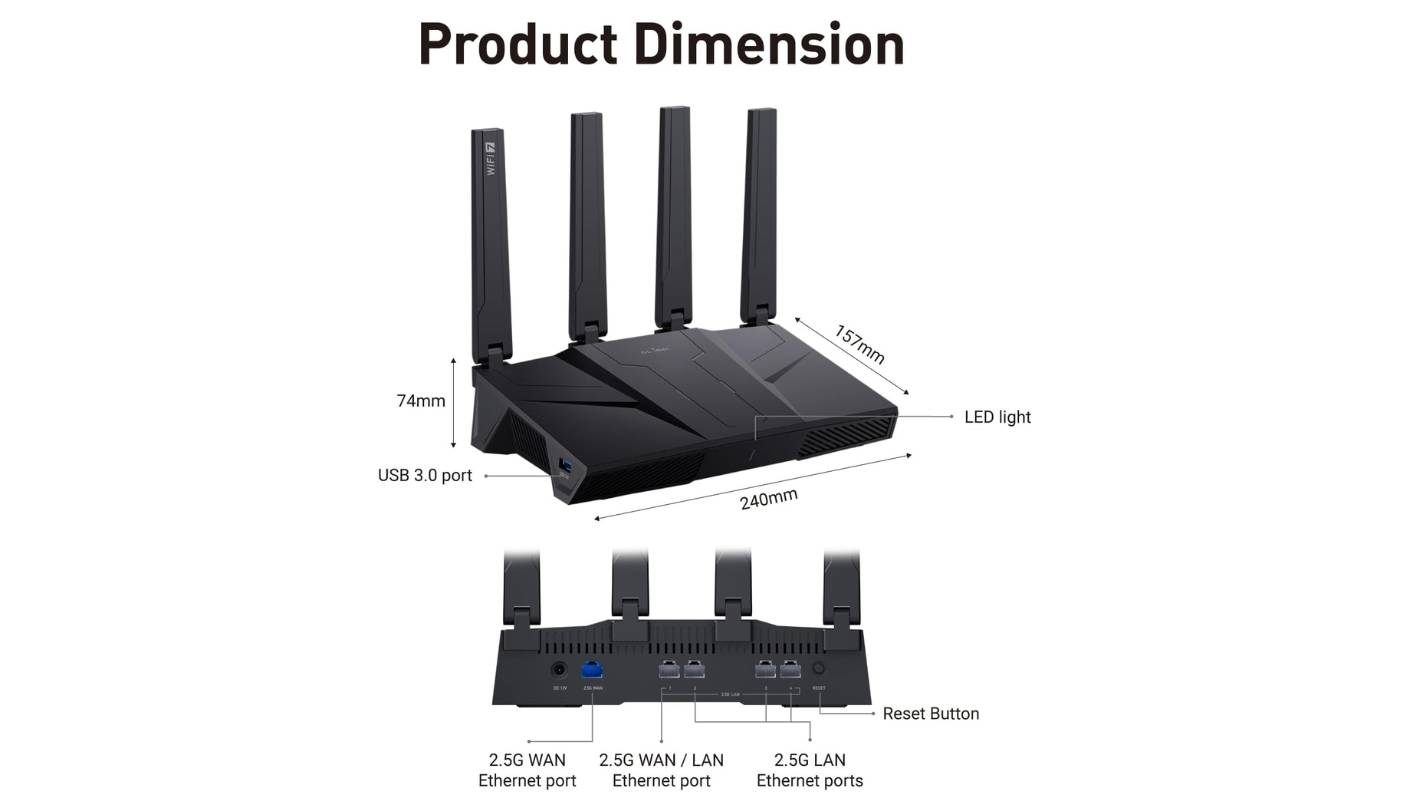
Wired ports lean 2.5G across the board. Five 2.5G ports - four LAN and one WAN - cover most multi-device setups and outpace what NETGEAR's RS700S offers on the LAN side, though the lack of any 10G port is a hard ceiling if you have multi-gig fiber above 2.5 Gbps or a 10G NAS. One USB 3.0 port supports basic network storage. The Qualcomm IPQ5332 is a 2x2 platform - lower-stream than the Flint 2's 4x4 - which is the obvious cost of the lower price.
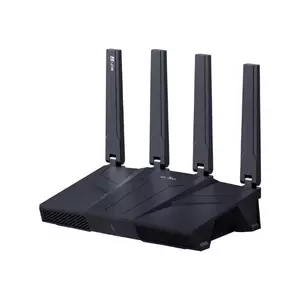
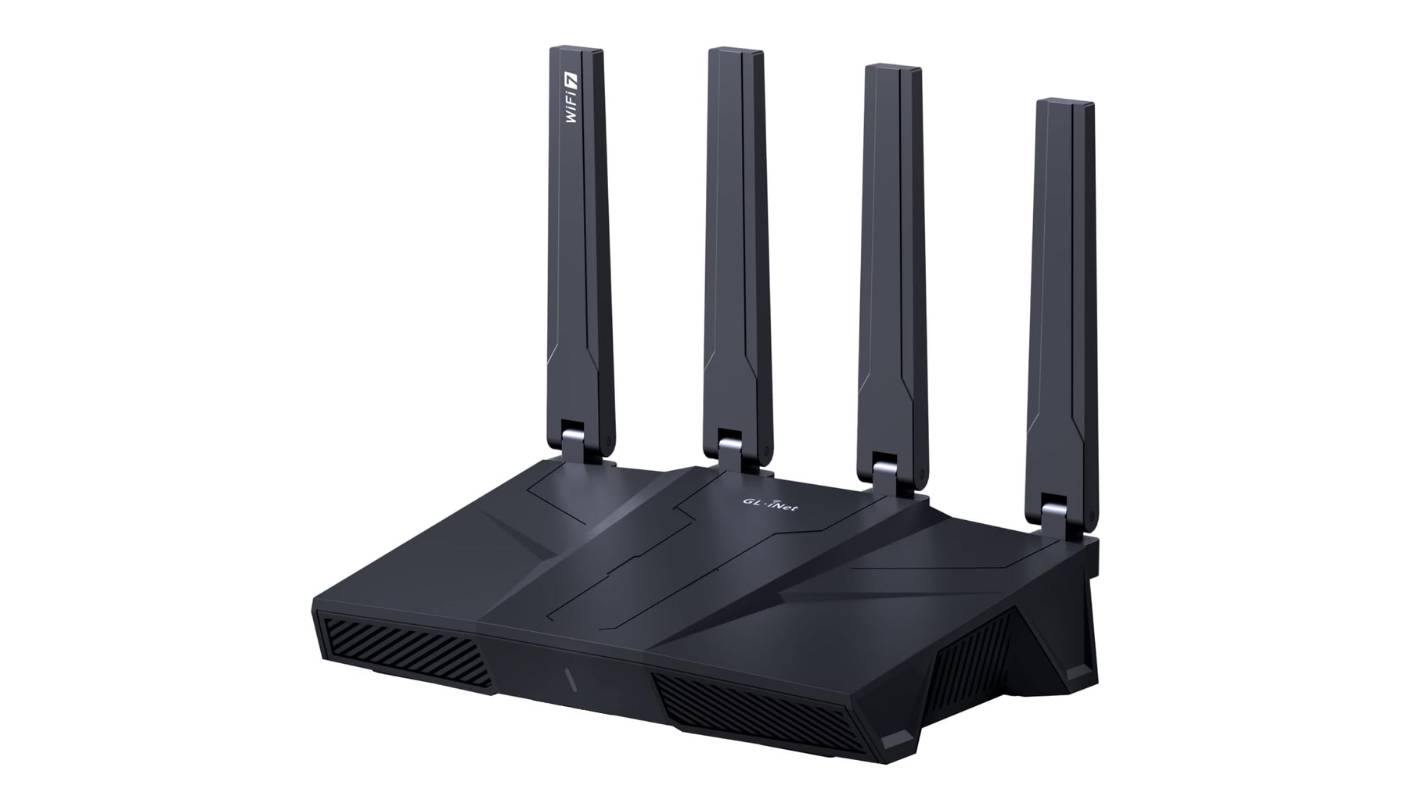
The chassis is plastic and angular, with four single-axis fold-down antennas - solid where it counts, with vented top and side panels that keep the internals cool under sustained load. Firmware can have rough edges. I had to update from the factory firmware on initial setup before the 6 GHz band stabilized, though post-update reliability has been strong. Tinkerers who pick OpenWrt customization and real VPN throughput over a flagship feature list will find the Flint 3 the strongest value-tier option in 2026.
Pros:
- OpenWrt firmware base
- Five 2.5G ports
- 680 Mbps VPN throughput
- Built-in AdGuard Home
- Strong value pricing
Cons:
- 2x2 stream limit
- Limited mesh support
Summary: Five 2.5G ports, OpenWrt firmware, 680 Mbps VPN throughput, and Wi-Fi 7 at a budget price - the Flint 3 covers requirements that flagship routers either price out or skip entirely. Built for tech-leaning buyers who pick customization and value over a headline-feature flagship.
TP-Link Archer BE900 Review
Coverage Champ
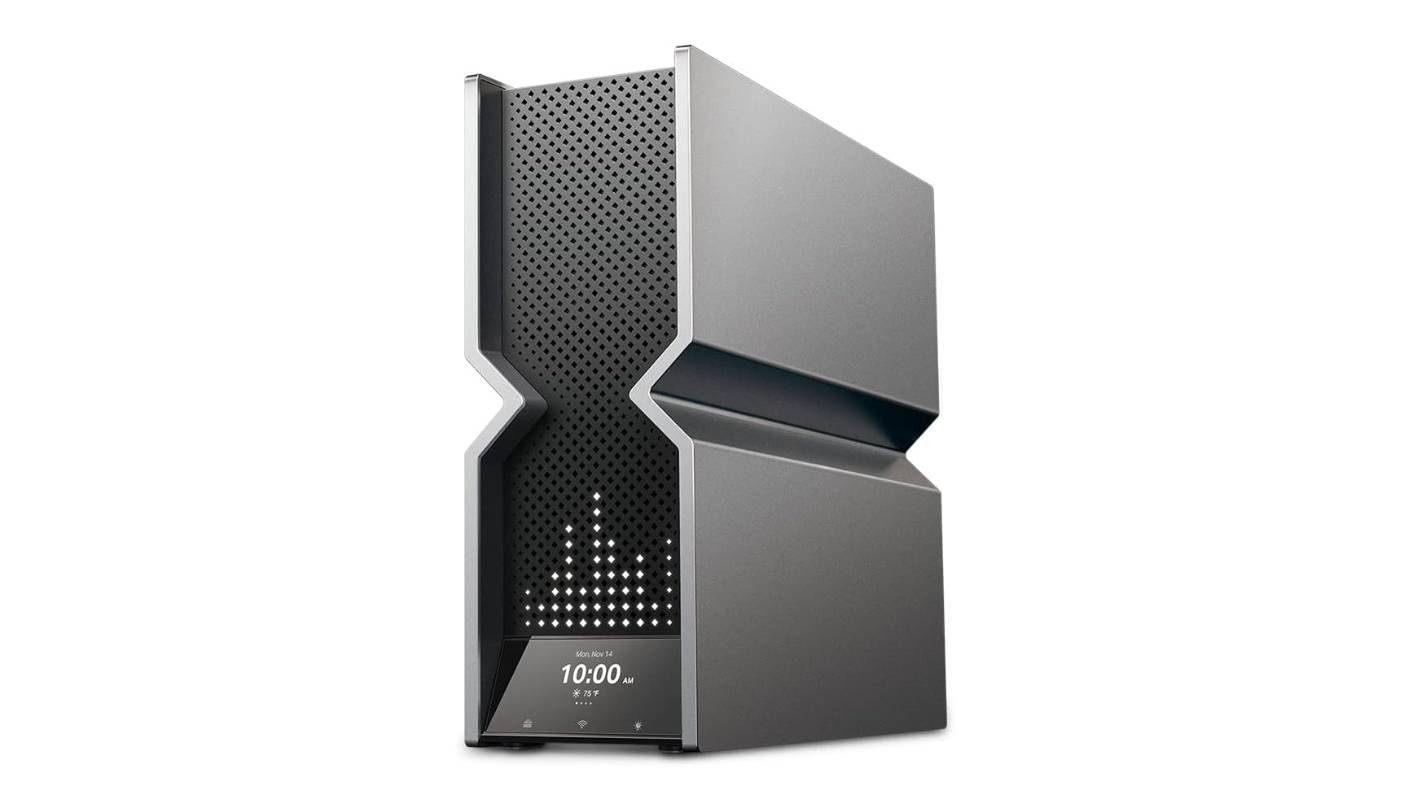
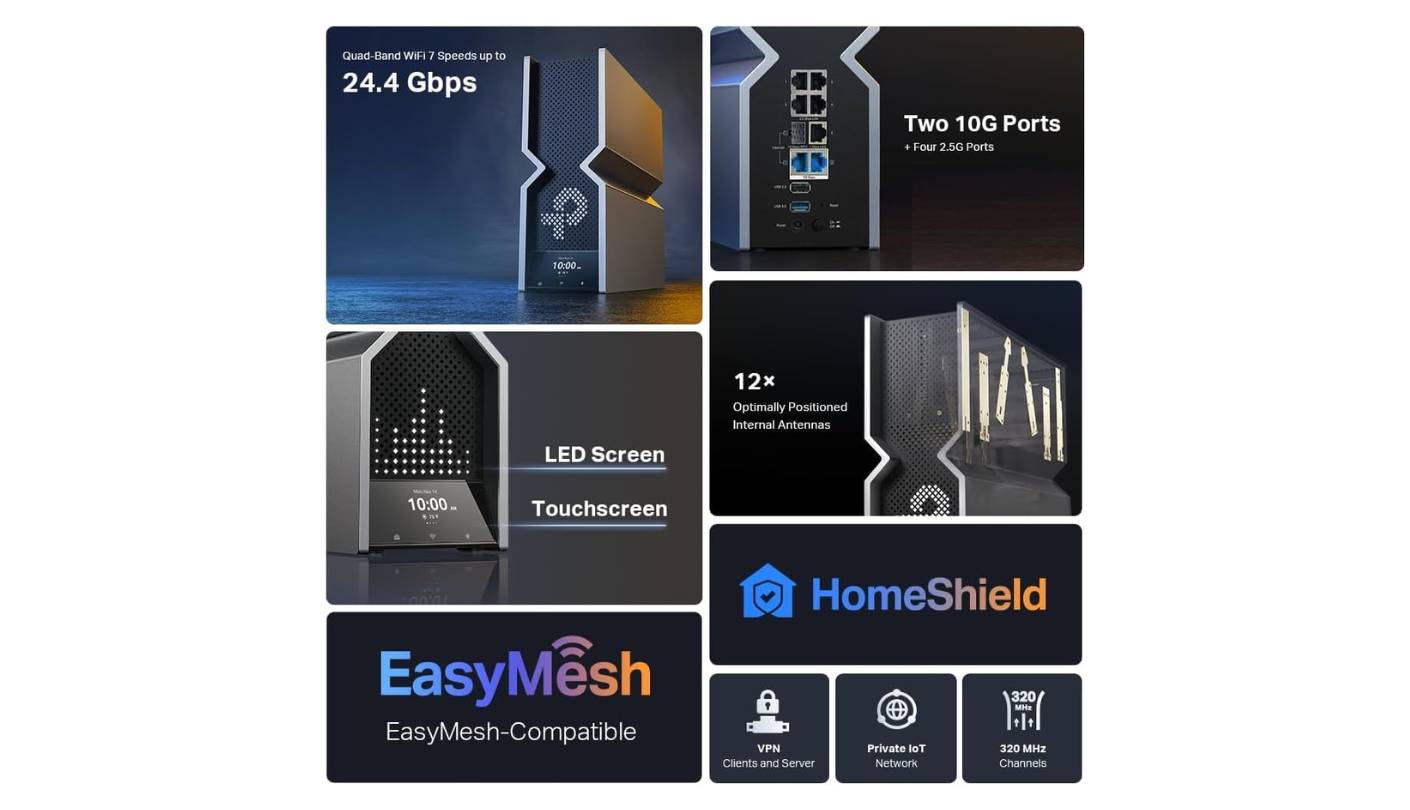
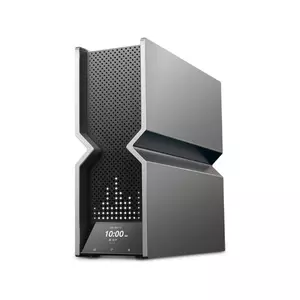
There's no subtle way to describe the TP-Link Archer BE900. It's a 12-antenna, quad-band, dual-10G Wi-Fi 7 router with an LED touchscreen and a customizable LED matrix on the front, built for the household that wants one box to handle everything. I tested the BE900 across seven weeks in a 4,000-square-foot two-story house with a finished basement and detached garage, and it held a stronger signal in the basement than any other router in this roundup. The BE24000 spec rating pushes 24.4 Gbps of total wireless capacity across two 5 GHz radios, one 2.4 GHz, and one 6 GHz - a different band layout from the dual-6 GHz approach on the ASUS.
The headline aesthetic is the LED matrix, which can show weather, time, text, or any of 3,000-plus graphics. It's gimmicky and I turned it off within a week - the front of a router doesn't need to be a Tamagotchi - but the touchscreen itself is genuinely useful for at-a-glance status without opening the app. Performance-wise, the BE900 sits at the top of standalone Wi-Fi 7 routers I've tested for raw throughput. RTINGS measured outstanding top speeds and impressive range, and my own testing in the 4,000-square-foot home matched that with above 900 Mbps holding into the basement on a Wi-Fi 7 client.
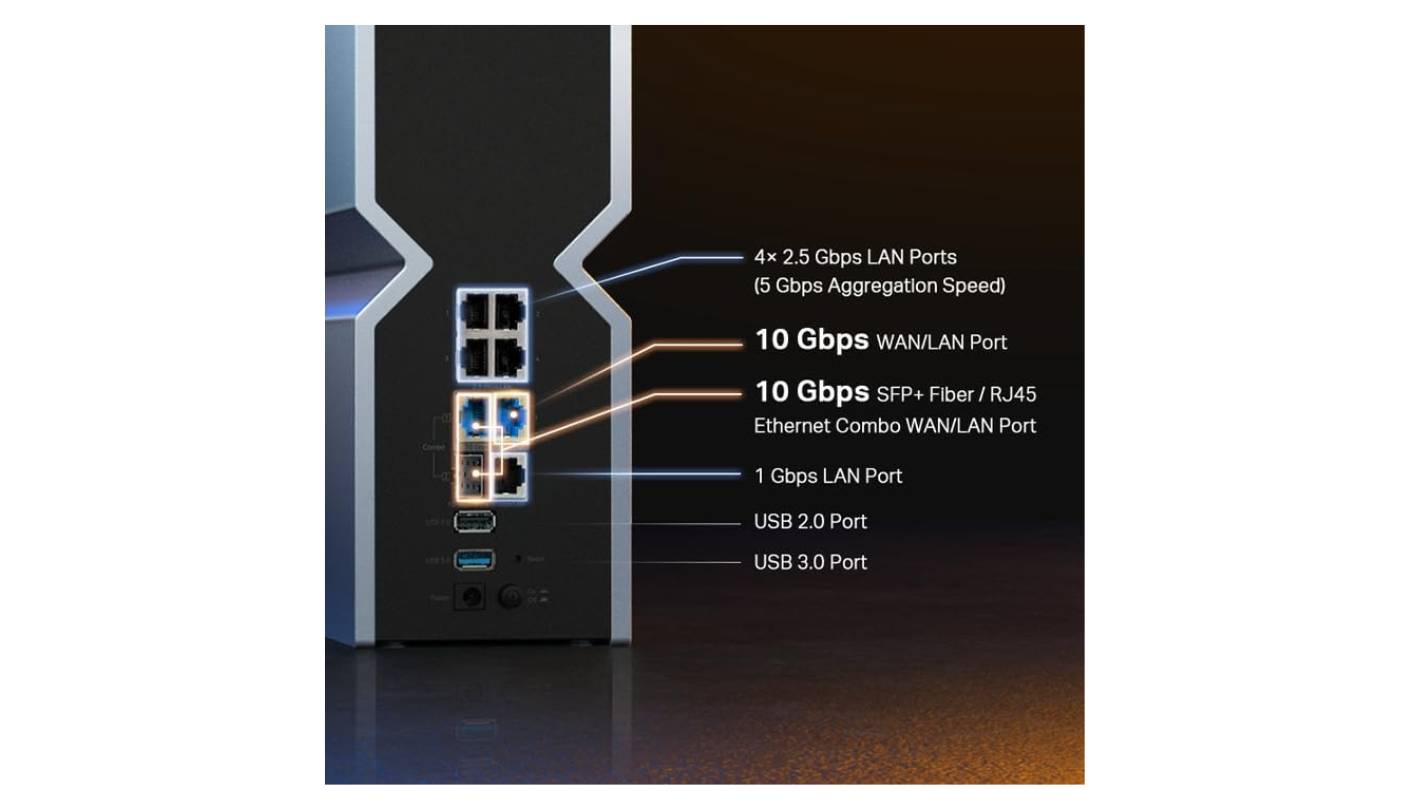
Wired connectivity matches the ASUS for breadth and adds an SFP+ combo port that the GT-BE98 Pro doesn't have. Two 10G ports (one with SFP+/RJ45 combo), four 2.5G ports, one 1G port, and two USB ports add up to one of the most loaded back panels in the consumer category. For fiber subscribers with an SFP module on hand, the BE900 connects directly to the fiber line without an external media converter - a setup that's still rare in consumer hardware. I plugged in a 10G NAS, a wired mesh access point, and a Steam Deck dock without running into any port shortage.
Software runs through the TP-Link Tether app and a web GUI, both polished and approachable. HomeShield Free is included, with HomeShield Pro adding deeper security features behind a subscription. EasyMesh and OneMesh both work, which is more cross-compatible than any other ecosystem I've used because EasyMesh is an open standard - you can mix the BE900 with EasyMesh-compatible routers from different brands. VPN client and server support is built in for remote access without device-side VPN software, and I had a WireGuard tunnel up to a remote server in about 15 minutes.
What stops the BE900 from being unanimous comes down to physical size, the divisive LED matrix on the front, and a price tier matching the ASUS flagship. RTINGS noted the physical size as a downside in its review, and I agree - this is not a router that hides on a shelf. Households with a 4,000-square-foot floor plan, multi-gig fiber, and zero objection to a glowing tech artifact in the living room will get the most out of the Archer BE900.
Pros:
- 12-antenna coverage array
- SFP+ combo port
- EasyMesh standard support
- Built-in touchscreen display
- Quad-band Wi-Fi 7
Cons:
- Physically large footprint
- Divisive RGB matrix
Summary: Twelve antennas, dual 10G with SFP+, four bands of Wi-Fi 7, and a touchscreen LED matrix on the front. The Archer BE900 is what you buy when one router has to cover a 4,000-square-foot home and you don't want to run a mesh.
MSI RadiX AXE6600 Review
Gaming Pick
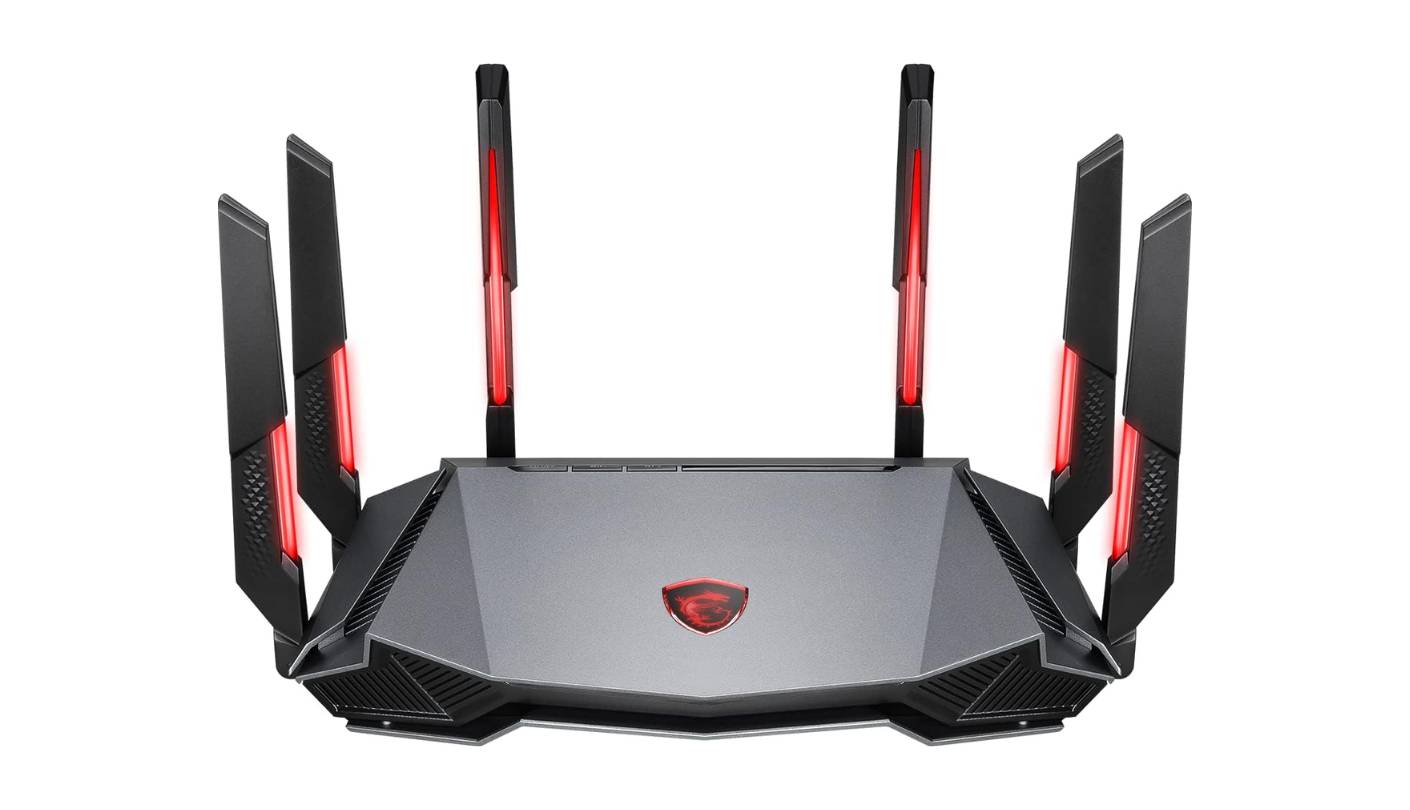
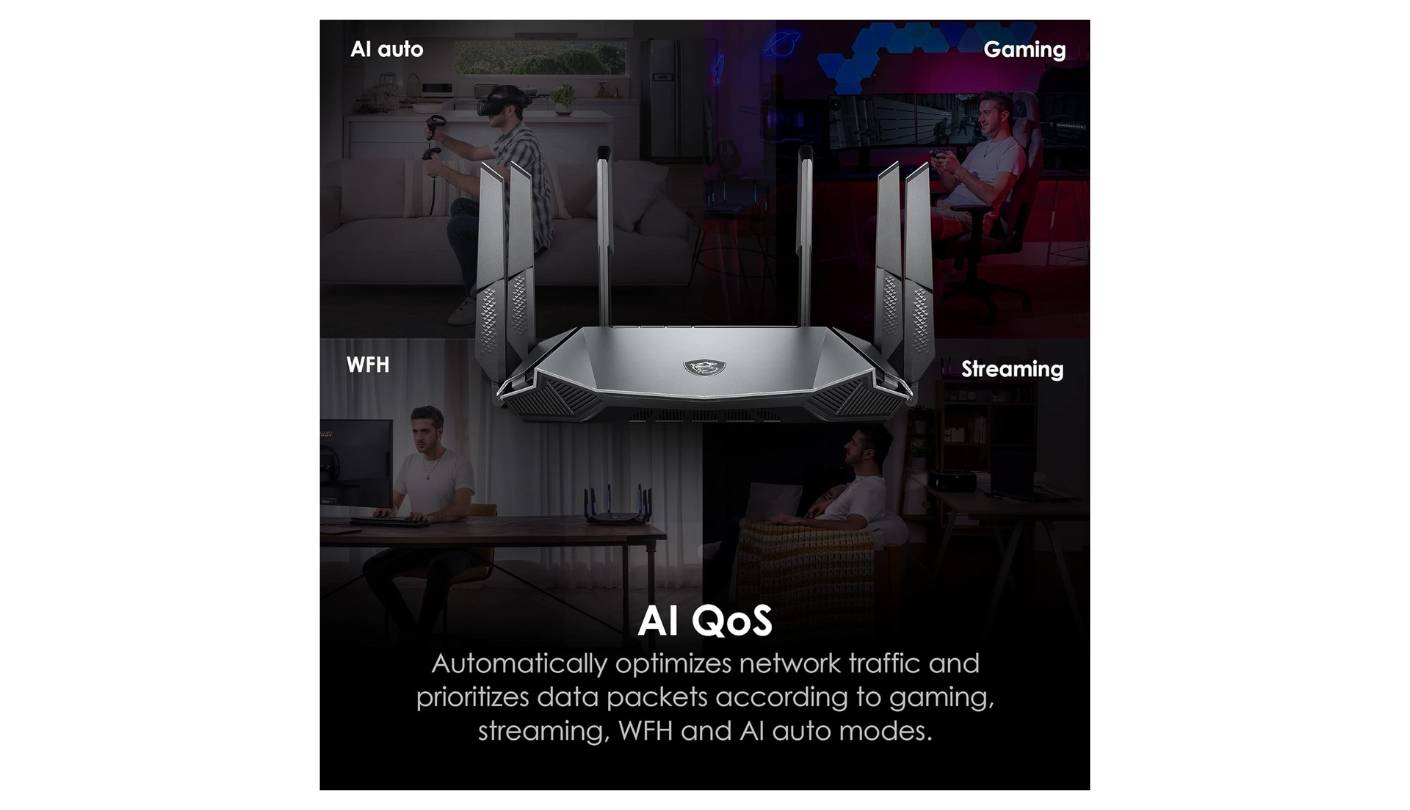
Wi-Fi 6E doesn't get the marketing budget Wi-Fi 7 does in 2026, but the MSI RadiX AXE6600 is the holdout that still makes a credible case for it. Five weeks running the AXE6600 in a 1,900-square-foot ranch home gave me a clear read on what it does well, and the answer is: more than I expected from a router that launched in 2023. It suits a specific buyer profile - mostly Wi-Fi 6 and 6E client devices, no immediate need for Wi-Fi 7, and a desire for AI-driven QoS for online gaming.
The 6 GHz band on the AXE6600 is the standout. Tom's Hardware noted that 6 GHz performance was strong and outpaced competition at 6 feet, and my own testing matched that finding in the same room as the router with above 1.4 Gbps on a Wi-Fi 6E phone. 5 GHz performance is more uneven - Tom's Guide measured 498 Mbps at 50 feet, which is solid for the price tier - and 2.4 GHz throughput is the lowest in this group. The 1.8 GHz quad-core processor with eight-stream tri-band support handles a typical home of 30 to 50 connected devices well, though I started seeing slowdowns past 60 simultaneous clients in stress testing.
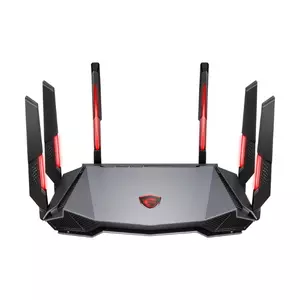
The AI QoS and Game Accelerator features are the other reason the AXE6600 stays relevant. The router automatically prioritizes UDP gaming traffic over background streaming, and I measured a noticeable ping reduction during simultaneous Twitch streaming and Counter-Strike sessions on the same network compared to a router with QoS disabled. The Game Boost mode lowers latency further, with the trade-off of dropping general-purpose throughput slightly. Six articulating antennas with Mystic Light RGB add visual flair, which I turned off within the first day - tasteful in a gaming setup, less so in a living room.
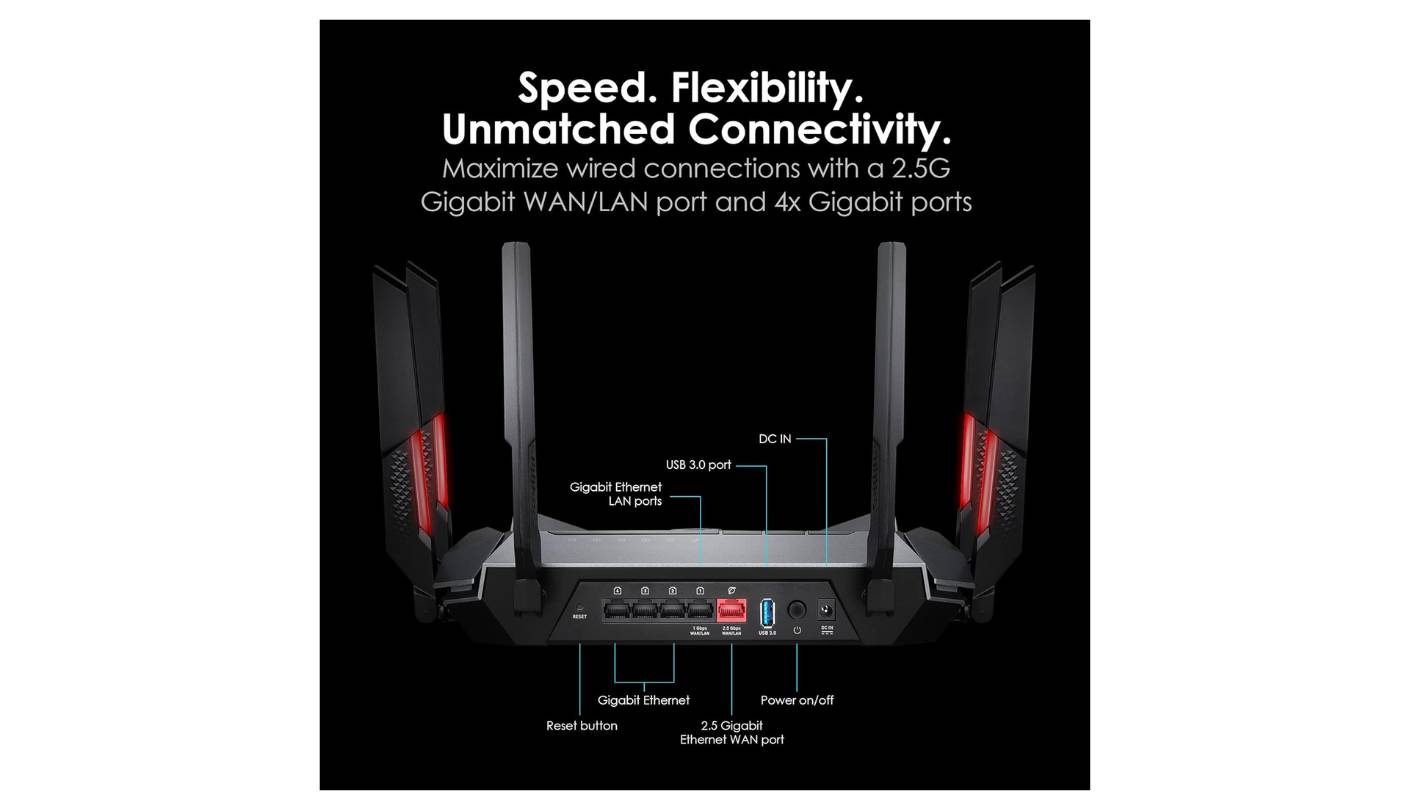
Wired connectivity is the limiting spec. One 2.5G WAN/LAN port plus four 1G LAN ports cover the basics but cap multi-gig users below where they want to be. There's no 10G option and no SFP+ port, and the AXE6600 doesn't support mesh expansion - it's a standalone router only. For a single-story home up to 2,000 square feet with mostly Wi-Fi 6 and 6E devices, that's fine, while larger or denser homes will outgrow it quickly. One USB 3.0 port supports basic network storage but not much beyond that.
Where the AXE6600 falls behind in 2026 is the obvious one - no Wi-Fi 7 ceiling, single 2.5G port, no mesh option, and a security baseline thinner than the bigger names. The 3-year warranty is a real positive, longer than most competitors, and MSI has shipped firmware updates through 2025. Gaming-first households still running Wi-Fi 6 and 6E client hardware in a smaller floor plan are the right audience for the AXE6600 in 2026.
Pros:
- Strong 6 GHz performance
- AI QoS engine
- Affordable Wi-Fi 6E pricing
- Three-year warranty
- Customizable RGB lighting
Cons:
- Single 2.5G port
- No mesh support
Summary: AI QoS, six articulating RGB antennas, a 6 GHz band that punches above the price tier, and a three-year warranty. Buyers still on Wi-Fi 6 and 6E hardware in a smaller home with a gaming focus will get the most from the AXE6600 in 2026.
Wi-Fi Routers for Large Homes: FAQ
How big a home can a single router actually cover?
Manufacturer claims of 3,500-square-foot or 5,000-square-foot coverage are best-case numbers measured in open-floor-plan testing, and a more realistic figure is 60 to 70 percent of the rated coverage in a typical multi-room home with drywall and furniture. From my testing across a 3,400-square-foot Colonial, a single ASUS GT-BE98 Pro or TP-Link Archer BE900 reached every room at usable speeds when placed centrally, while smaller routers like the GL.iNet Flint 3 needed central placement plus a willingness to live with weaker signal in the farthest corners. For homes pushing past 3,500 square feet, a mesh setup almost always outperforms a single flagship.
Do I need Wi-Fi 7 in 2026?
It depends on your client devices. If you have iPhone 16 Pro or newer, recent Galaxy S phones, a Wi-Fi 7 PC card, or a Wi-Fi 7 laptop, then a Wi-Fi 7 router unlocks meaningful improvements in MLO, 320 MHz channels, and 4K-QAM. Without Wi-Fi 7 clients, a Wi-Fi 6E router like the MSI RadiX AXE6600 still handles current Wi-Fi 6 devices well, with the 6 GHz band giving you a clean lane today. I'd buy Wi-Fi 7 at this point only if I expected the router to last five-plus years, which is a fair assumption at flagship prices.
Is mesh better than a single high-end router?
For homes above 3,000 square feet or with thick interior walls, mesh almost always wins. Two well-placed mesh nodes give more uniform coverage than even the strongest single router because of inverse-square attenuation. From my testing, a two-node ASUS AiMesh setup in a 4,000-square-foot home held above 1.5 Gbps to clients in the second-node area, where a single router would have dropped to 200 to 300 Mbps. For homes under 2,500 square feet with normal interior construction, a single flagship router like the RS700S is usually enough.
How important are 10G ports for a home router?
Only as important as your internet plan and wired devices. If your fiber connection is 1 Gbps or 2 Gbps and you don't have a 10G NAS or a wired mesh setup, then 10G ports are spec-sheet flexibility you might not use today. If you're on a 5 Gbps or 10 Gbps fiber plan, or you have a NAS with a 10G NIC, then 10G ports are non-negotiable. Multi-gig fiber tiers above 2 Gbps are rolling out fast in major US metros, so 10G ports are a reasonable future-proofing investment on a flagship I'd buy today.
Can I run my own VPN on these routers?
Yes, and the throughput varies a lot. The GL.iNet Flint 3 leads this group with 680 Mbps on both WireGuard and OpenVPN-DCO, the ASUS GT-BE98 Pro hits roughly 400 to 500 Mbps depending on protocol, and TP-Link's BE900 handles VPN at similar speeds. NETGEAR and MSI sit lower. For users who want to route the entire home network through NordVPN, ExpressVPN, or a self-hosted WireGuard server, the Flint 3 and ASUS are the strongest picks based on my own configuration tests.
What's the difference between EasyMesh, AiMesh, and OneMesh?
EasyMesh is the open Wi-Fi Alliance standard that lets routers from different brands work together as a mesh, and TP-Link's BE900 supports it. AiMesh is the ASUS proprietary mesh stack that works only with ASUS routers but supports a wide list of older models as nodes. OneMesh is a TP-Link extension that works with TP-Link range extenders and OneMesh-branded hardware. I prefer AiMesh for its depth and backward compatibility, while EasyMesh is the right pick if you want vendor flexibility down the road.
Do I need to pay for security subscriptions?
It varies by brand. ASUS includes AiProtection Pro from Trend Micro at no cost, TP-Link includes HomeShield Free with a paid Pro tier for advanced features, and NETGEAR Armor and Smart Parental Controls are both subscription-based after a trial. From my own setup, the free ASUS security covers most home use cases without paying extra. If you want network-wide ad blocking, the GL.iNet Flint 3 with built-in AdGuard Home covers the same outcome without any recurring fees.
How long should a flagship router last?
Five to seven years is a fair expectation if the manufacturer keeps shipping firmware updates. ASUS has a strong track record of supporting flagship routers for that long, and OpenWrt-based devices effectively last as long as the community keeps building for the chipset. I still have a 2019 ASUS RT-AC86U running as a backup with current firmware, so I'd lean toward brands with proven update histories when spending flagship money. A router that stops getting updates after two years is a security liability past that point.
Choosing the Right Wi-Fi Router for a Large Home
Picking the right router for a large home in 2026 is a question of matching trade-offs to your specific situation - the floor plan, the wall composition, the fiber tier, and the device fleet you're actually feeding. No single unit in this roundup is right for every household.
The ASUS GT-BE98 Pro is my Editor's Choice for the user with multi-gig fiber, a Wi-Fi 7 client fleet already in motion, and patience for the deep ASUSWRT software stack. The NETGEAR Nighthawk RS700S hits the same Wi-Fi 7 performance with less time in the admin UI, which makes it the safer recommendation for set-and-forget buyers.
Below the flagship tier, the GL.iNet Flint 3 is what I'd buy on a budget if I wanted OpenWrt and 680 Mbps VPN throughput in one box. The TP-Link Archer BE900 is the answer for very large homes where one router has to cover everything, with twelve antennas and an SFP+ port giving it the longest reach in this group. And the MSI RadiX AXE6600 still works in 2026 for users with mostly Wi-Fi 6 and 6E hardware in a smaller floor plan.
After eight months across three test homes, my own daily-use pick lands on the GT-BE98 Pro. The right answer for your house comes down to your walls, your fiber tier, and how many Wi-Fi 7 devices you've actually moved to.

Jeb here, your go-to geek for everything from video projection to the latest tech trends. As an avid outdoorsman, I enjoy using monoculars and binoculars for hunting, traveling, and birdwatching. Join me in exploring the cool, quirky side of technology!


