Best Fast Chargers for Phones and Laptops
Open any tech worker's bag and count the chargers. There's usually a laptop brick, a phone cable, something for earbuds, and an old adapter that nobody can identify but everyone's afraid to throw away. GaN changed that arithmetic. I've been testing charging hardware for years, and the current generation of multi-port fast chargers in 2026 - packing 100W to 200W into units smaller than a deck of cards - makes a compelling case for replacing the whole pile.
The five chargers here take genuinely different approaches to the problem. UGREEN builds the cable directly into the charger body. Anker squeezes 100W into the most pocketable housing it can manage. Satechi addresses the international travel scenario with four interchangeable plug heads. Baseus puts a live wattage screen on the face of the unit. Belkin scales the whole category to 200W for workspaces where 100W runs short. Extended testing across MacBooks, iPhones, Android phones, and earbuds revealed where each approach performs as advertised - and where the engineering trade-offs surface.
If you're in a hurry, here are my top two picks for fast chargers:
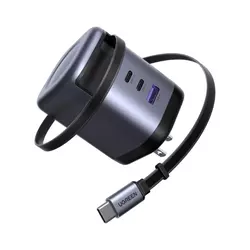
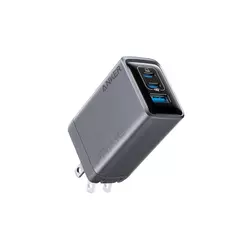
Table of Contents:
- Best Fast Chargers for Phones and Laptops: Buying Guide
- Top 5 Fast Chargers in 2026
- Fast Charger Comparison Table
- UGREEN Nexode X606 100W Retractable
- Anker Prime Charger 100W
- Satechi 145W GaN Travel Charger
- Baseus PicoGo AE21 100W
- Belkin BoostCharge Pro 200W
- Best Fast Chargers: FAQ
Best Fast Chargers for Phones and Laptops: Buying Guide
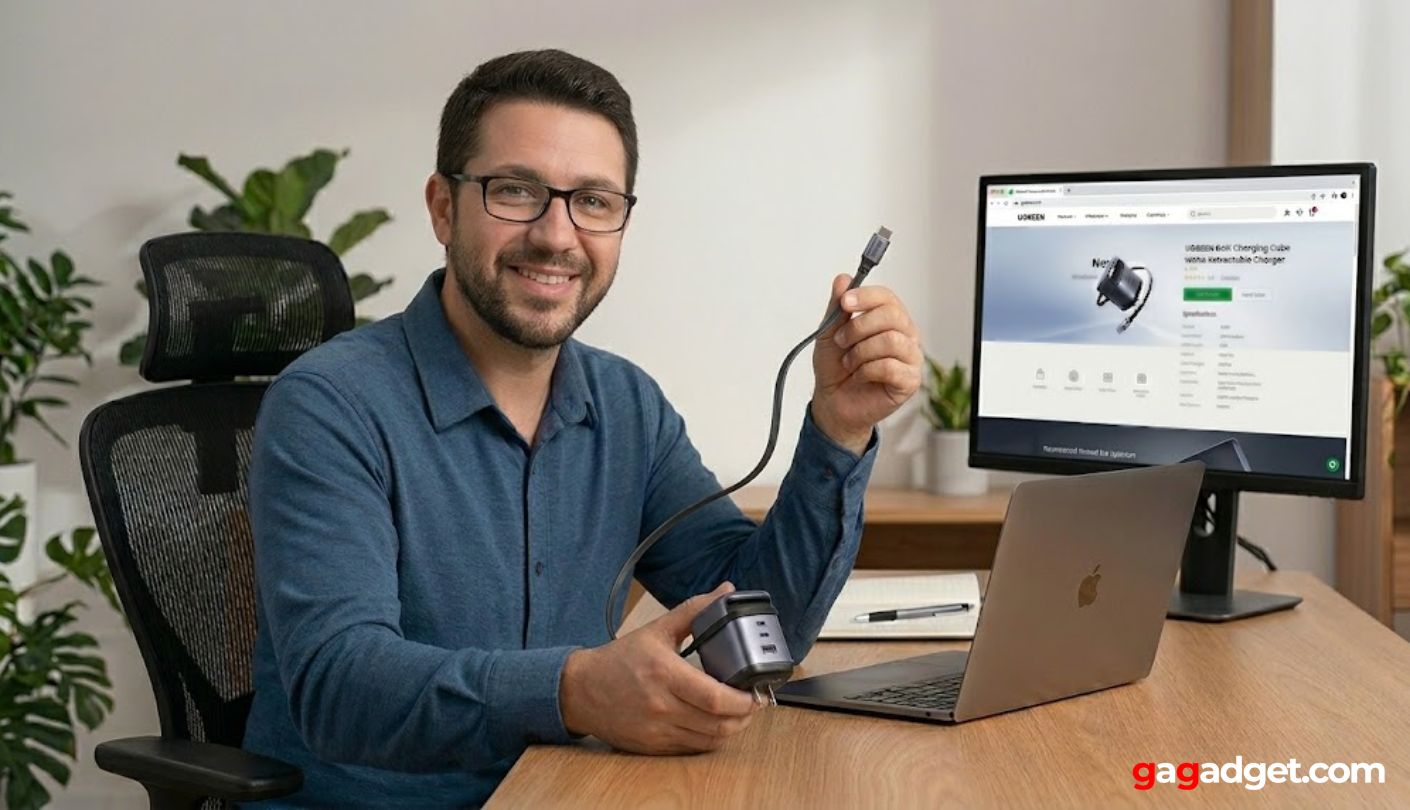
GaN chargers reward buyers who understand the specs - and punish those who don't. These five criteria determine whether a multi-port fast charger actually covers your device mix or just covers itself in marketing claims.
GaN Technology and Efficiency
Gallium nitride operates at higher switching frequencies than the silicon used in traditional wall chargers, which means less energy converts to heat during the charging cycle. The practical result is a charger that reaches 100W in a housing roughly the size of an Apple 30W brick - hardware that would have needed a unit twice as heavy with older silicon technology. Every charger in this roundup uses GaN, and the size reduction compared to a legacy laptop charger of matching wattage is visible without measurement.
GaN efficiency varies considerably by chip generation. UGREEN's GaNInfinity chips claim up to 95% conversion efficiency, meaning only 5% of input power becomes heat rather than useful output. Older silicon chargers typically ran at 80-85% efficiency. At a 100W load, that difference amounts to roughly 10W of additional heat generation - which explains why budget GaN units still run warmer than well-engineered ones despite using the same semiconductor material. I check surface temperature under sustained load before recommending any charger, and warmth under normal operation that requires you to shift the unit is a sign the thermal design isn't keeping up with the chip's heat output.
Not all GaN builds are equal. Budget units use older-generation chips with lower efficiency ceilings, and some of the size savings they advertise come at the cost of heat management rather than purely from the semiconductor. I've tested budget GaN units that ran hot enough during overnight laptop charging that I chose not to leave them unattended. The chargers in this roundup address thermals through chip quality, graphene insulators in some models, and continuous temperature monitoring that throttles output before the unit overheats rather than after.
Power Delivery Standards: PD 3.0, PD 3.1, and PPS
Wattage is what a charger can output. Power Delivery is how it communicates that output with the device. PD 3.0 handles up to 100W at 20V/5A and covers the full charging range for most laptops and all phones sold today. PD 3.1 extends the ceiling to 240W and adds Extended Power Range voltages at 28V, 36V, and 48V - relevant for gaming laptops and workstation-class machines that draw more than 100W under active load and won't fully replenish their battery while running intensive workloads on a 100W supply.
PPS - Programmable Power Supply - is a subset of PD that allows variable voltage in 20mV increments rather than fixed voltage levels. It matters for phones using proprietary fast charging from Samsung (Super Fast Charging 2.0), Xiaomi, OPPO, and others that negotiate specific voltages outside the standard PD fixed steps. A charger listing PD 3.0 + PPS in its specs covers virtually every fast charging standard on the market. Without PPS, those phones charge quickly but not at their maximum advertised protocol speed. In my testing with a Galaxy S25 Ultra, the difference between a PPS-enabled charger and a PD-only unit at the same wattage was about 8 minutes on a full charge cycle.
Port Count and Power Distribution
A charger's total wattage budget doesn't split evenly across active ports - it allocates by priority, with the highest-wattage port taking precedence when a laptop is connected. Plug a MacBook Pro into port 1 and it receives the primary wattage allocation, while a phone on port 2 gets whatever remains in the budget. Understanding port hierarchy before the first multi-device session prevents the scenario where a laptop charges slowly because a phone was already drawing power through the priority port.
Port labeling conventions differ across brands. UGREEN marks its primary high-output port C1, Anker and Belkin prioritize the top USB-C port physically, and Satechi designates PD1 as the main high-power output. When in doubt, the priority port is almost always closest to the power indicator or farthest from the prongs. Checking the manual's port priority chart takes two minutes and avoids the confusion of wondering why a laptop is charging at 45W when the charger is rated for 100W.
Four-port configurations show the most complex power distribution behavior. When all four ports are active, the total wattage distributes in a dropping hierarchy - port 1 takes priority, ports 2 through 4 share what's left according to each charger's firmware logic. The Belkin 200W and Satechi 145W both use dynamic allocation that shifts as devices approach full charge, which means a nearly full phone stops drawing peak current and the freed wattage redistributes to other ports automatically. In practice, I've found that a divided 200W budget still outpaces what any single-port legacy brick could have managed for the same device combination.
Form Factor: Travel, Desktop, and Hybrid Designs
Travel chargers prioritize bag space above all else. Foldable plugs, compact housings, and sometimes included international adapter kits eliminate the need for separate voltage converters. The Satechi 145W in this roundup ships with UK, EU, AU, and US plug heads, all swapping via a release button, which covers the overwhelming majority of global outlets without a third-party adapter. Foldable prongs on units like the Anker Prime and Baseus PicoGo prevent the plug from snagging inside a bag pocket and reduce mechanical wear on the pivot over repeated folding cycles.
Desktop chargers reverse those priorities. The Belkin 200W uses a detachable 5-foot power cord rather than foldable prongs because its 650-gram weight would create enough torque on a direct wall mount to loosen the connection over time. The cord keeps the unit on a desk where its size and weight are assets - a permanent charging station that handles the full device load of a two-person workspace. I've had this category of charger running continuously at a workstation for months, and the cord format makes cable management cleaner than any foldable-plug design at this output level.
Safety Certifications and Protection Systems
FCC and UL certifications confirm that a charger passed minimum regulatory safety thresholds. What they don't describe is how the charger behaves under normal heavy use. The protection systems listed in each charger's spec sheet - ThermalGuard 2.0, ActiveShield 2.0, Intelligent Power Sharing - describe real-time behavior during regular charging sessions, not just failure conditions. Over-voltage protection cuts current before battery controllers get stressed. Temperature throttling adjusts output before the charger reaches critical heat rather than cutting power abruptly after the fact. These are the systems that determine whether a charger runs reliably at 80% capacity for three years or at 100% capacity until something gives.
The $2,500 Connected Equipment Warranty on the Belkin BoostCharge Pro is worth understanding before dismissing as marketing language. It covers repair or replacement of devices damaged by an electrical fault while properly connected to the charger. For a desk setup where a MacBook Pro and an iPad Pro are connected daily, the replacement cost of those devices alone approaches $5,000. Most competing chargers offer no equivalent coverage, making Belkin's warranty a meaningful differentiator for anyone charging expensive hardware without a business expense account to absorb a replacement.
Build quality at the physical level matters as much as protection circuitry. I check for thick prong bases that resist micro-bending, clean port entries that don't nick USB-C cable tips over time, and housing joints that show no seam flex under the torque of plugging and unplugging. All five chargers in this roundup come from brands - UGREEN, Anker, Satechi, Baseus, and Belkin - with formal support channels and warranty processes that don't require extensive documentation or international shipping to invoke.
Top 5 Fast Chargers in 2026
The table below comes from multi-device charging sessions run daily over several weeks - laptop and phone combinations at a desk, multi-hour overnight sessions, and deliberate attempts to push each charger's port distribution against its published limits.
- Built-in 100W retractable cable
- 10,000-cycle cable durability
- 95% GaN conversion efficiency
- ThermalGuard 2.0 protection
- 4 preset cable length locks
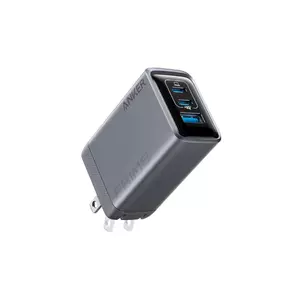
- ActiveShield 2.0 thermal monitoring
- 43% smaller than 96W MacBook brick
- Full 100W on each USB-C solo
- QC 4.0 on USB-A
- 24-month warranty
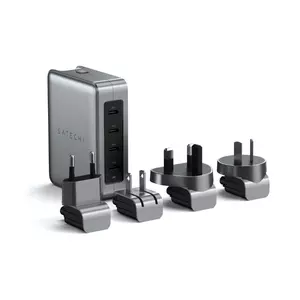
- PD 3.1 up to 140W single port
- 4 international plug heads included
- Mesh carry pouch included
- Graphene heat management
- 145W total across 4 USB-C ports
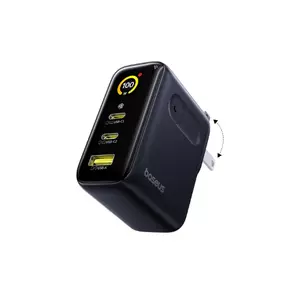
- Live watt, voltage, current display
- Internal temperature readout
- GaN + BCT graphene cooling
- 36% smaller than traditional 100W
- USB-A at 30W max
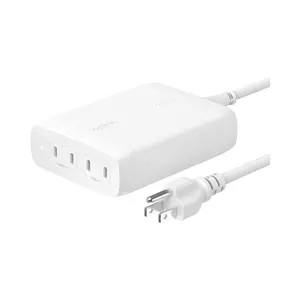
- 200W total output
- PD 3.1 on all 4 ports
- $2,500 Connected Equipment Warranty
- 140W max single port
- 5ft detachable power cord
Fast Charger Comparison Table
Key specs across all five chargers for direct comparison:
| Specification | UGREEN Nexode X606 | Anker Prime 100W | Satechi 145W | Baseus PicoGo AE21 | Belkin BoostCharge Pro |
| Total Max Output | 100W | 100W | 145W | 100W | 200W |
| Ports | 2x USB-C + 1x USB-A + built-in cable | 2x USB-C + 1x USB-A | 4x USB-C | 2x USB-C + 1x USB-A | 4x USB-C |
| Single Port Max | 100W (USB-C) | 100W (USB-C) | 140W (PD1 port) | 100W (USB-C) | 140W |
| PD Standard | PD 3.0 | PD 3.0 + PPS | PD 3.1 (top 2) / PD 3.0 (bottom 2) | PD 3.0 | PD 3.1 |
| Built-in Cable | Yes - 75cm retractable USB-C (100W) | No | No | No | No |
| Digital Display | No | No | No | Yes (watts, voltage, amps, temp) | No |
| International Adapters | No (foldable US plug) | No (foldable US plug) | Yes (US, UK, EU, AU) | No (foldable US plug) | No (5ft cord) |
| USB-A Max | 22.5W | 22.5W | None | 30W | None |
| Weight | ~130g | ~170g (6oz) | 346.5g | ~130g | 650g |
| Power Cord | No (foldable plug) | No (foldable plug) | No (swappable plug head) | No (foldable plug) | Yes - 5ft detachable |
| Warranty | 2-year | 24-month | 1-year | 1-year | 2-year + $2,500 CEW |
| Protection System | ThermalGuard 2.0 | ActiveShield 2.0 | Multi-layer + graphene | BCT + graphene cooling | Intelligent Power Sharing |
| Best Use | Travel - no separate cable needed | Daily compact carry | International travel | Users who want charging visibility | Multi-laptop desk setup |
Wattage ceiling and PD standard have the most direct effect on laptop charging speed under load. Everything else - port count, USB-A availability, display, included adapters - determines how well a charger fits a specific device mix rather than how fast it charges a single device.
UGREEN Nexode X606 100W Retractable Review
Editor's Choice
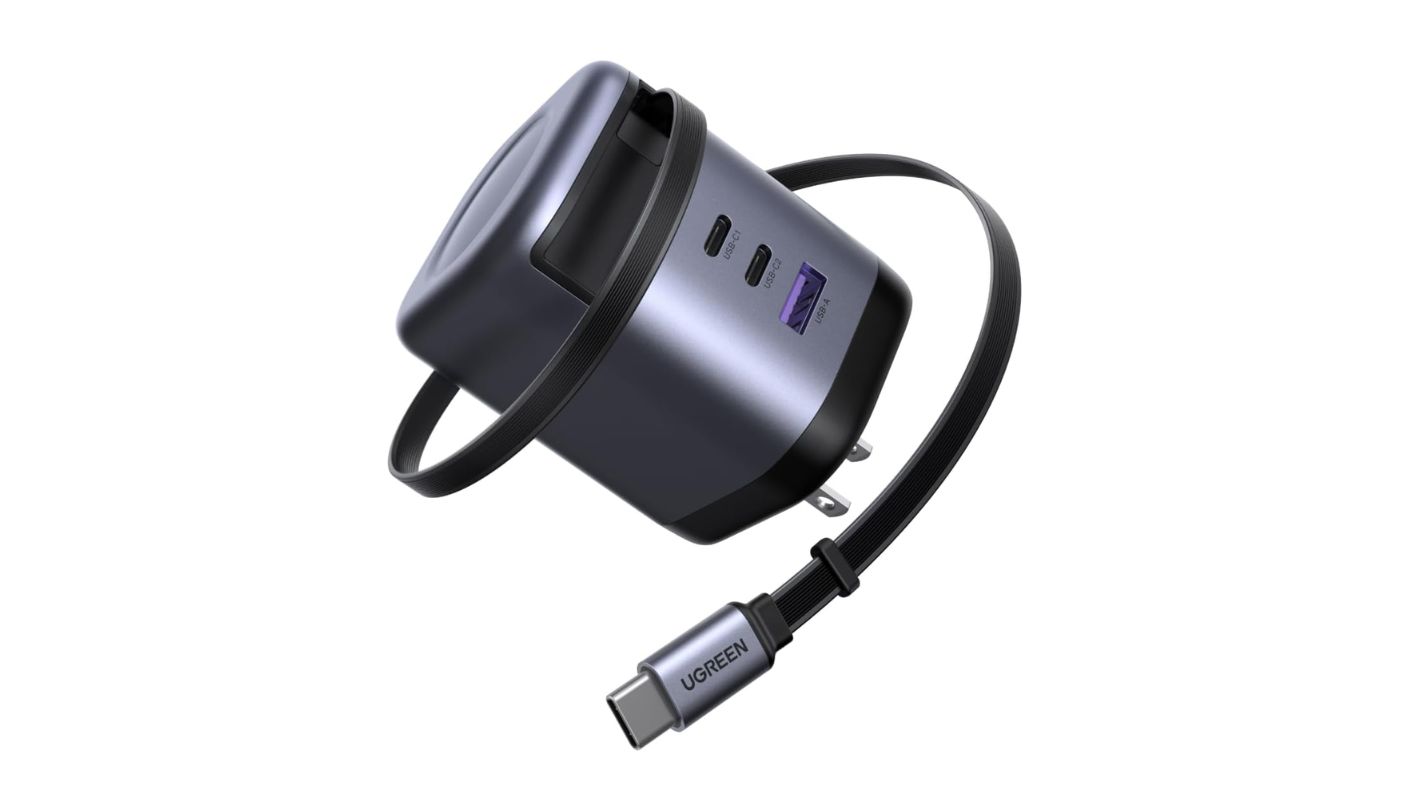
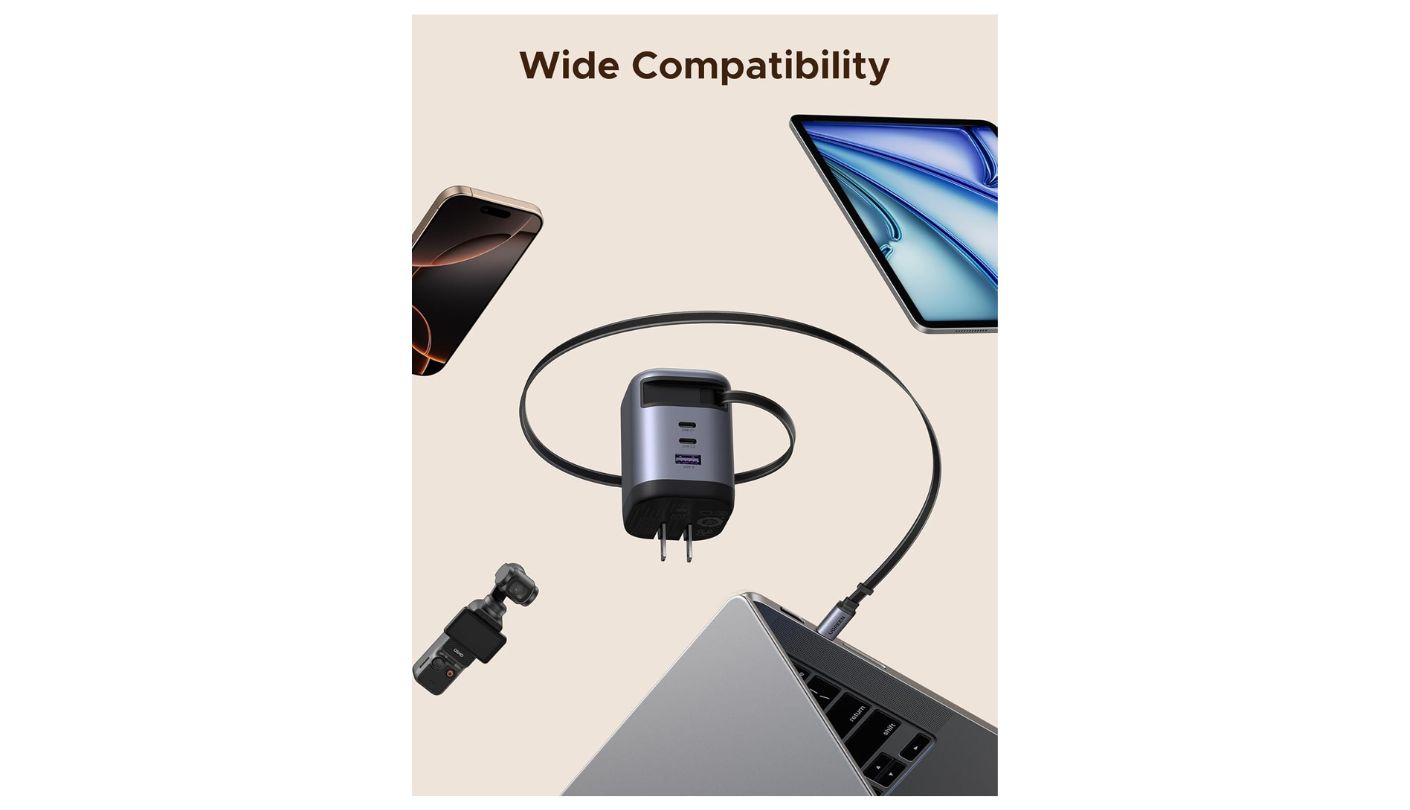
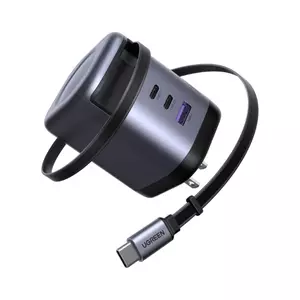
Every multi-port charger in this roundup is only half a charging solution without a cable to go with it - except the X606. UGREEN embedded a 75cm retractable USB-C cable directly into the housing, rated at 100W and 10,000 pull-and-retract cycles before any measurable degradation. I've tested chargers with built-in cables that felt like afterthoughts: thin, stiff, prone to fraying at the retraction point. The X606's cable pulls cleanly, extends through four preset lengths between 36cm and 100cm, and locks at each position rather than creeping back.
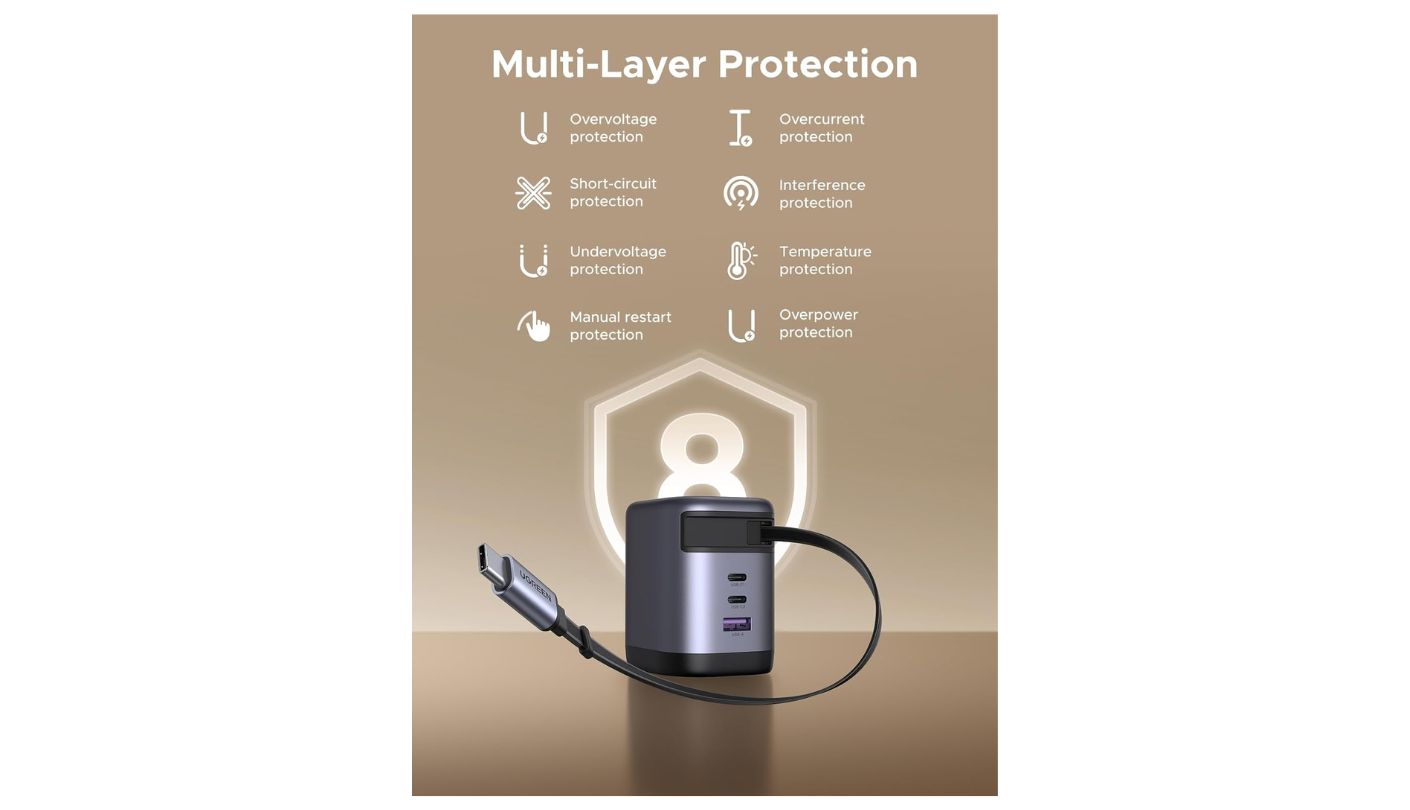
The remaining port configuration runs two additional fixed USB-C ports and one USB-A alongside the retractable cable, for four total outputs. Single-port output on either USB-C reaches 100W, covering the full MacBook Pro 16-inch charging spec. UGREEN's GaNInfinity chips handle conversion at up to 95% efficiency, which keeps heat generation low during sustained laptop charging - the unit stays warm but never reaches a temperature that requires moving it. ThermalGuard 2.0 monitors thermal load and adjusts output before the charger reaches critical temperature rather than cutting power abruptly mid-session.
MacBook Pro 14-inch goes from flat to 50% in approximately 27 minutes on the primary USB-C port at 100W. In multi-device use - laptop on the cable, phone and earbuds on the two additional fixed ports - the X606 prioritizes the cable at 100W and distributes the remaining budget across the fixed outputs without requiring manual port selection. I ran this configuration through a full day of travel use, including two airport security scans where the retractable cable stayed fully coiled and didn't add any snag or tangle to the security tray.
The clearest argument for the X606 is what it removes from the packing list. A charging cable, a laptop adapter, and a phone charger collapse into one unit the size of a thick wallet. The foldable prongs sit completely flush when closed, the cable coils to a compact loop in under two seconds, and nothing protrudes from any surface to catch on bag fabric. UGREEN's 10,000-cycle cable rating translates to more than five years of daily use at five retractions per day before the mechanism reaches its rated endpoint.
The USB-A port caps at 22.5W, which suits phones on Quick Charge protocols but won't fast-charge accessories with higher USB-A requirements. At 100W total, the X606 also isn't the answer for a desk running two laptops simultaneously - the Belkin 200W handles that scenario. As a travel companion for one laptop and a phone or two, it covers the brief by eliminating the cable problem before it starts - and at its weight, most buyers won't notice it's there until they need it.
Pros:
- Built-in 100W retractable cable
- 10,000-cycle cable durability
- 95% GaN conversion efficiency
- ThermalGuard 2.0 protection
- 4 preset cable length locks
Cons:
- USB-A capped at 22.5W
- 100W ceiling for multi-laptop use
Summary: UGREEN Nexode X606 is the one charger here that eliminates the separate USB-C cable entirely - a 100W retractable connection rated for 10,000 cycles built into the housing alongside two fixed USB-C ports and a USB-A output.
Anker Prime Charger 100W Review
Best Overall
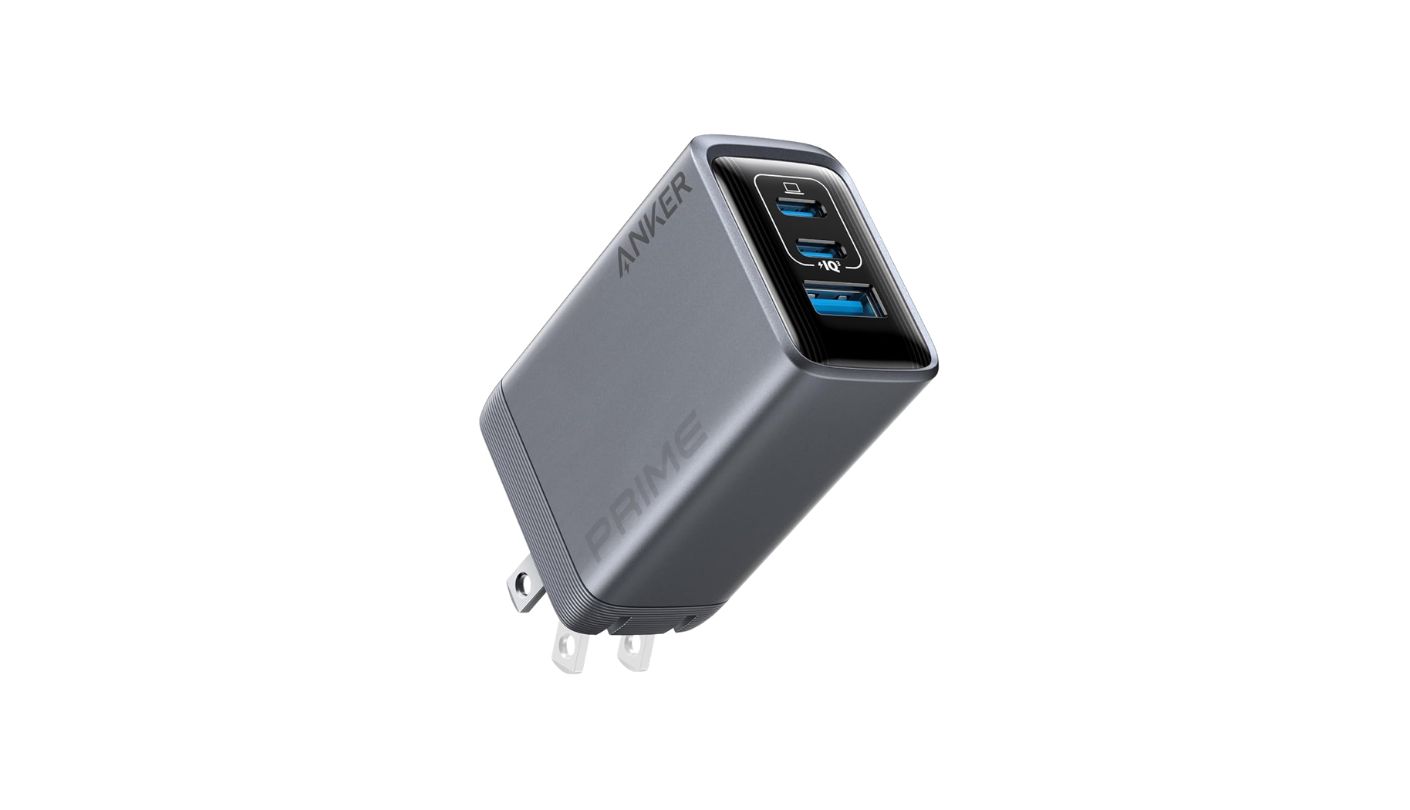
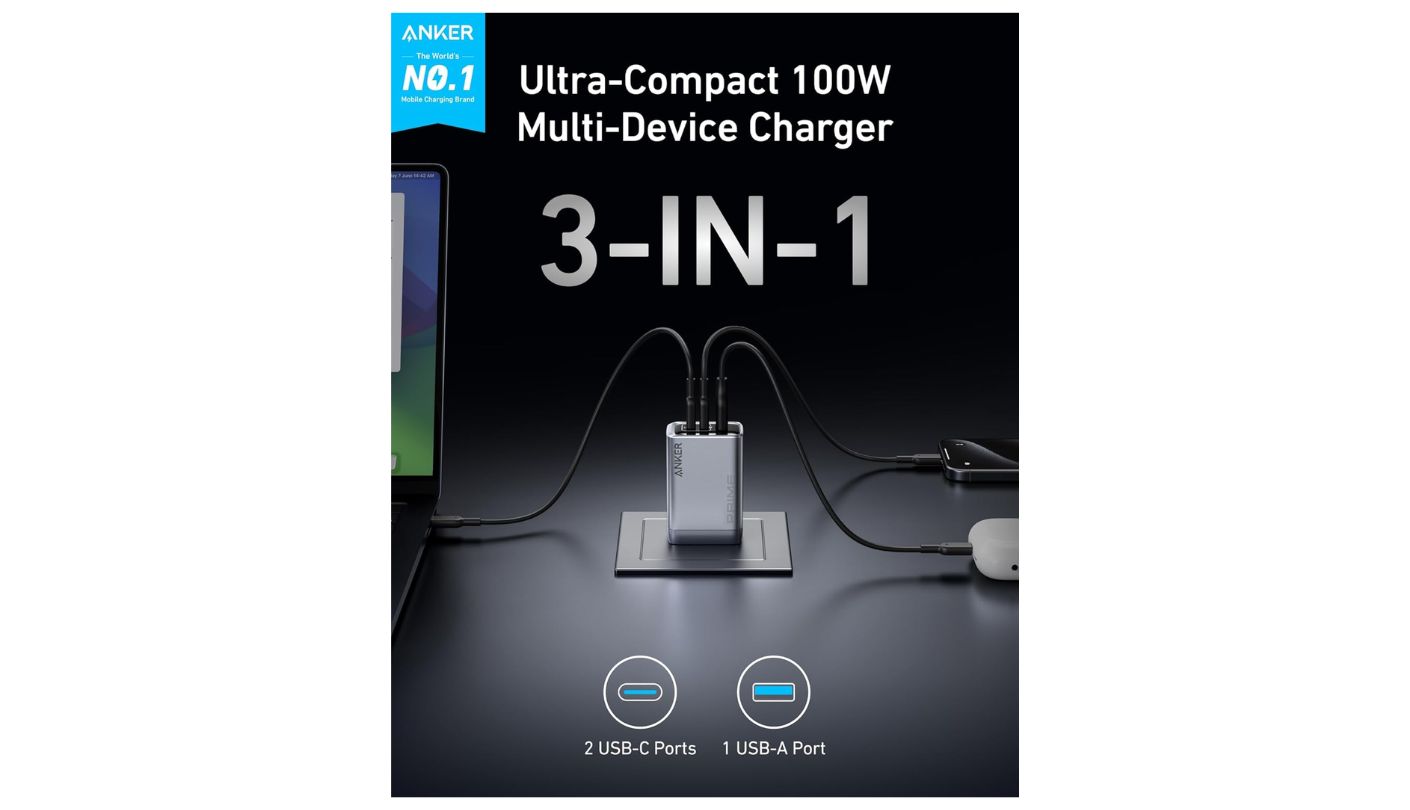
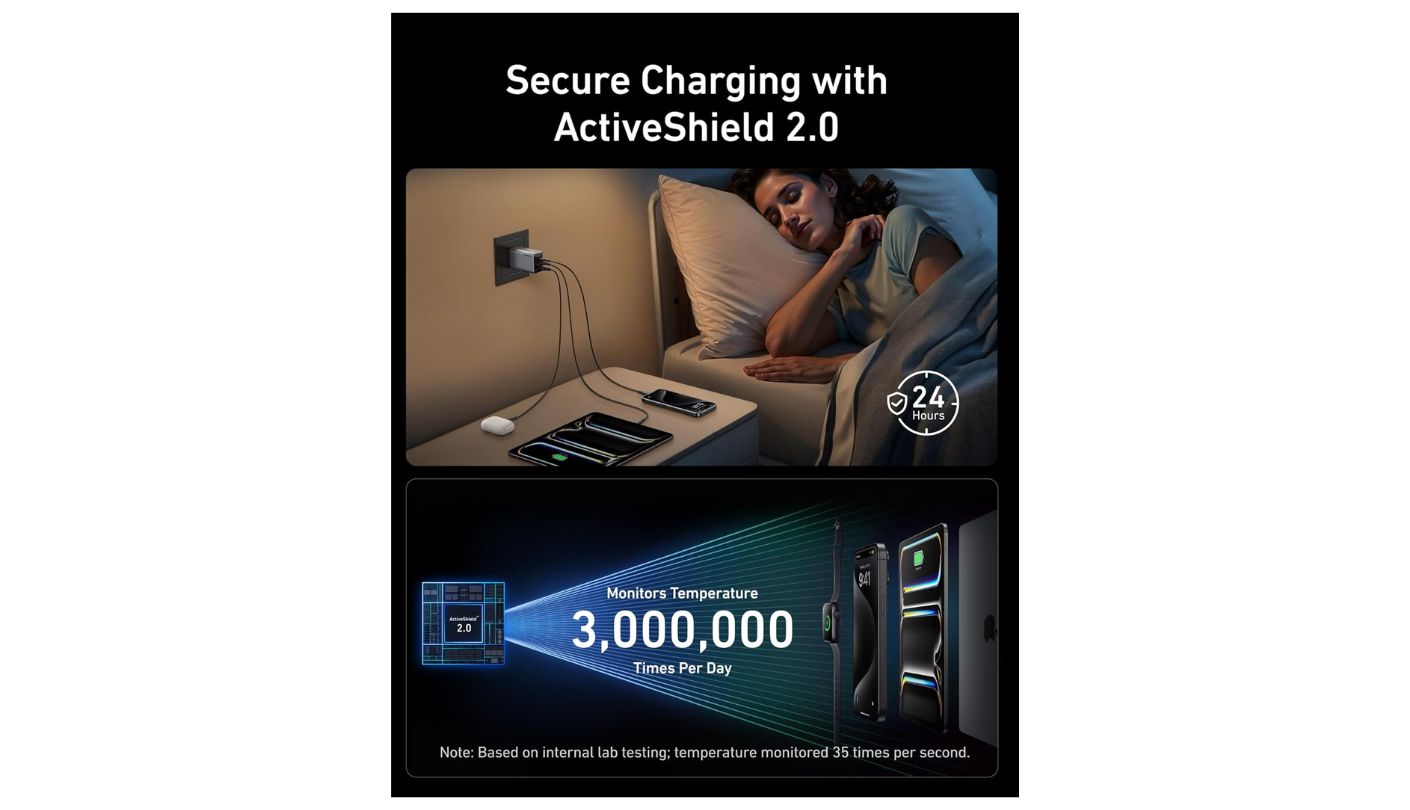
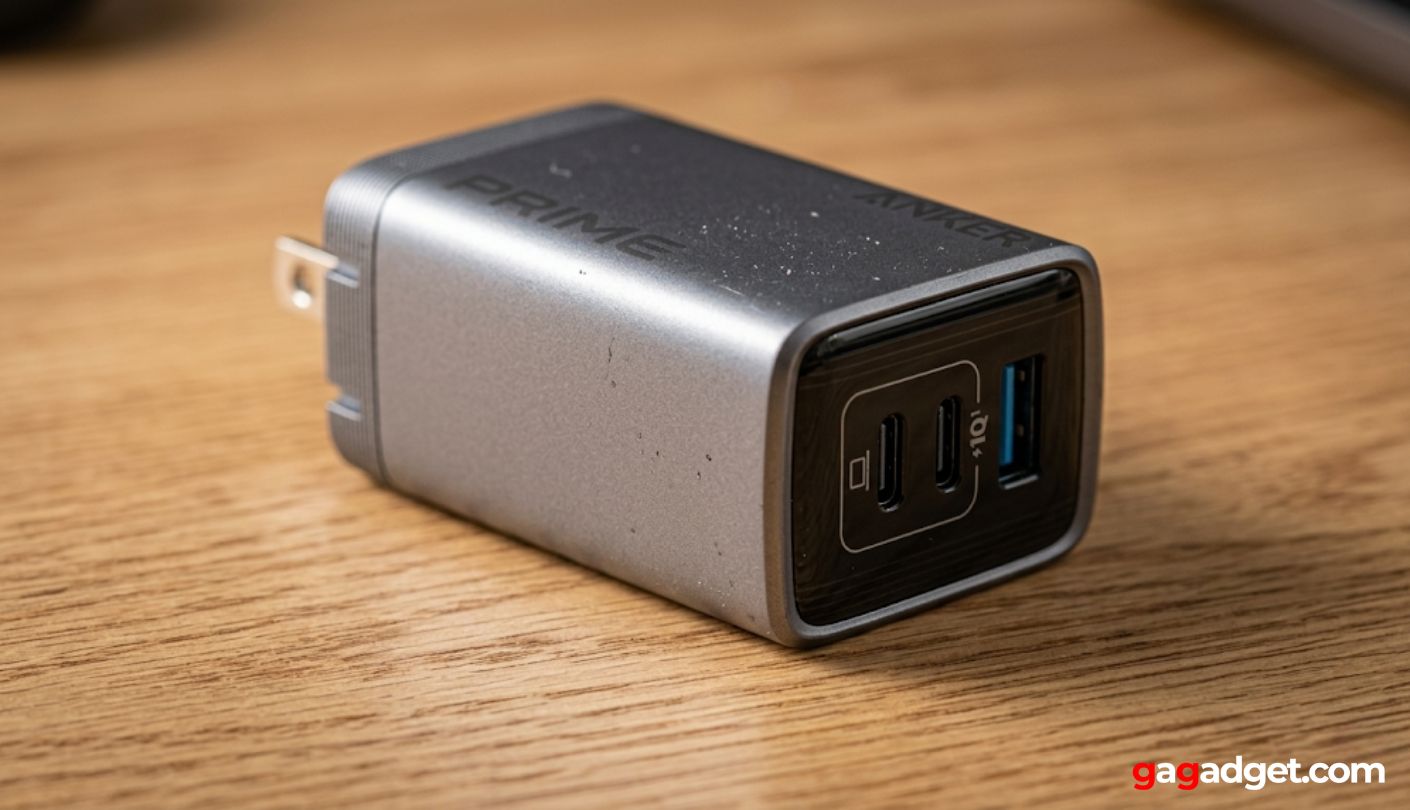
Anker has held the number-one position in mobile charging retail value globally for six consecutive years, and the Prime 100W illustrates why that kind of market position compounds. It doesn't chase a single differentiating feature. Two USB-C ports at 100W each, one USB-A port at 22.5W, a housing 43% smaller than a standard MacBook 96W brick, foldable prongs engineered to resist micro-bending, and a thermal protection system that monitors temperature three million times daily. What I've noticed across testing isn't any single specification - it's the absence of any weak point across all of them.
ActiveShield 2.0 doesn't simply cut output when the charger gets too hot. It adjusts power delivery continuously based on real-time thermal readings, which keeps the housing at a lower average temperature than competing 100W units running the same load. In my testing, the Prime stayed measurably cooler than budget GaN chargers at equivalent laptop charging loads, and the surface temperature after 90 minutes of sustained 100W output never reached a level I hesitated to touch. The foldable prong pivot is thick enough to resist the micro-bending that eventually loosens cheaper mechanisms, and the USB-C port entries are clean and tight without being difficult to insert.
A 14-inch MacBook Pro with M3 Pro chip hits 50% from flat in approximately 30 minutes on either USB-C port. The USB-A port supports Quick Charge 4.0, QC 3.0, and the Huawei SCP protocol at 10V/2.25A, covering the fast-charge requirements for the vast majority of Android phones sold globally. In dual USB-C use, the Prime typically distributes power at roughly 60W and 40W when both ports have similar load demand - a split that keeps both devices charging at a meaningful rate rather than throttling one to a trickle.
The dimensions make this charger genuinely pocketable: 1.7 × 1.1 × 2.7 inches and approximately 170 grams. Traveling with a traditional laptop brick and a separate phone charger means carrying something that weighs four times as much and occupies a significant portion of a bag pocket. The Prime fits in a jacket pocket without noticeably changing the weight distribution. Anker's 24-month warranty ships with a brief documentation package rather than a multi-language manual that nobody reads, which reflects the product's overall design philosophy.
The Prime's ceiling is the same as most 100W 3-port designs - it doesn't scale to multi-laptop use, and the USB-A maximum of 22.5W leaves some high-speed USB-A protocols partially on the table. For buyers running a MacBook, an iPhone, and earbuds simultaneously, the 100W budget distributes cleanly across those three use cases without hitting any constraint. Buyers who need simultaneous full-speed charging for two laptops will need the Belkin 200W. For the single most common portable configuration - one laptop and one or two phones - the Prime handles it without any detectable compromise.
Pros:
- ActiveShield 2.0 thermal monitoring
- 43% smaller than 96W MacBook brick
- Full 100W on each USB-C solo
- QC 4.0 on USB-A
- 24-month warranty
Cons:
- No digital power display
- USB-A capped at 22.5W
Summary: 170 grams, dual 100W USB-C, QC 4.0 USB-A, ActiveShield 2.0 thermal monitoring, 43% smaller than a MacBook 96W brick, 24-month warranty - the Anker Prime 100W is what daily carry looks like when nothing is compromised.
Satechi 145W GaN Travel Charger Review
Travel Pro
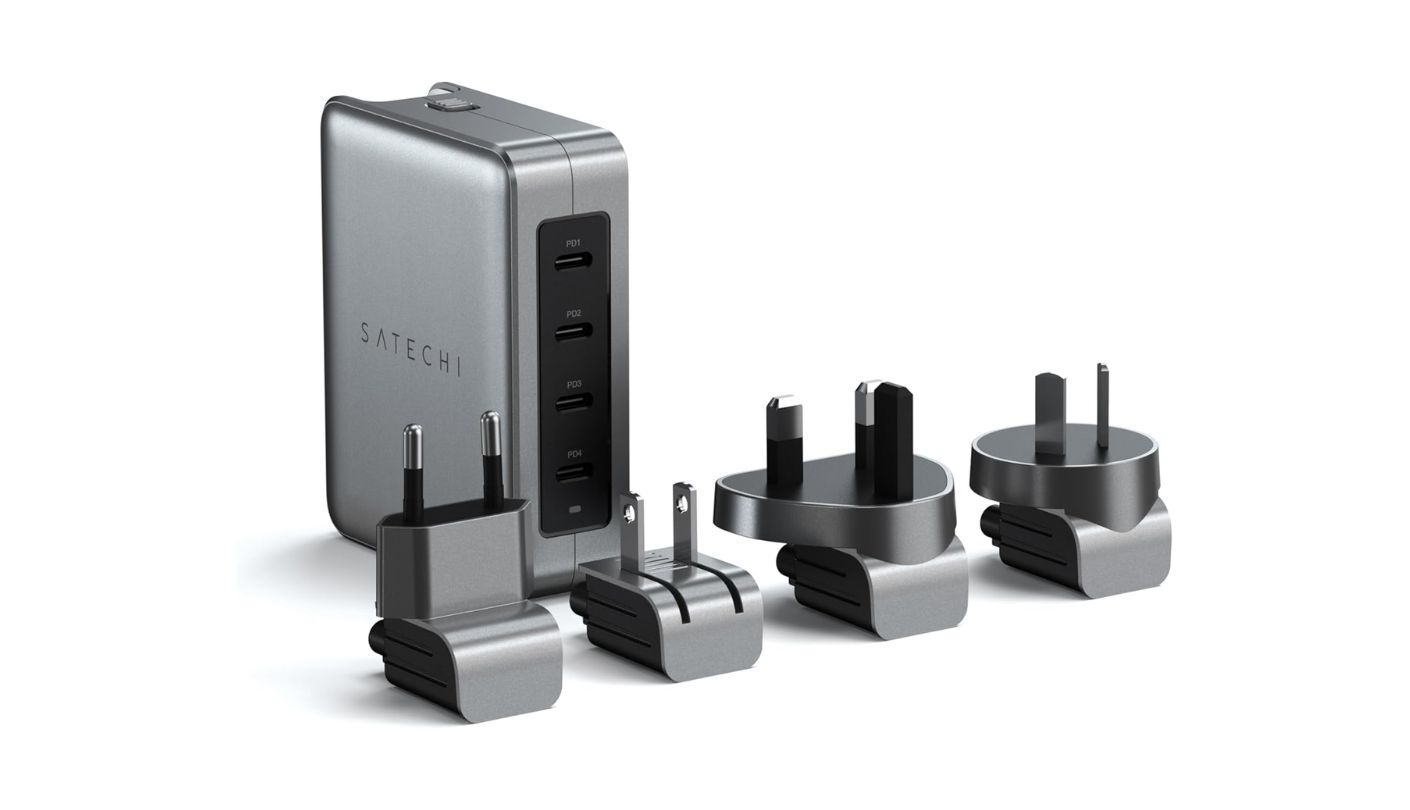
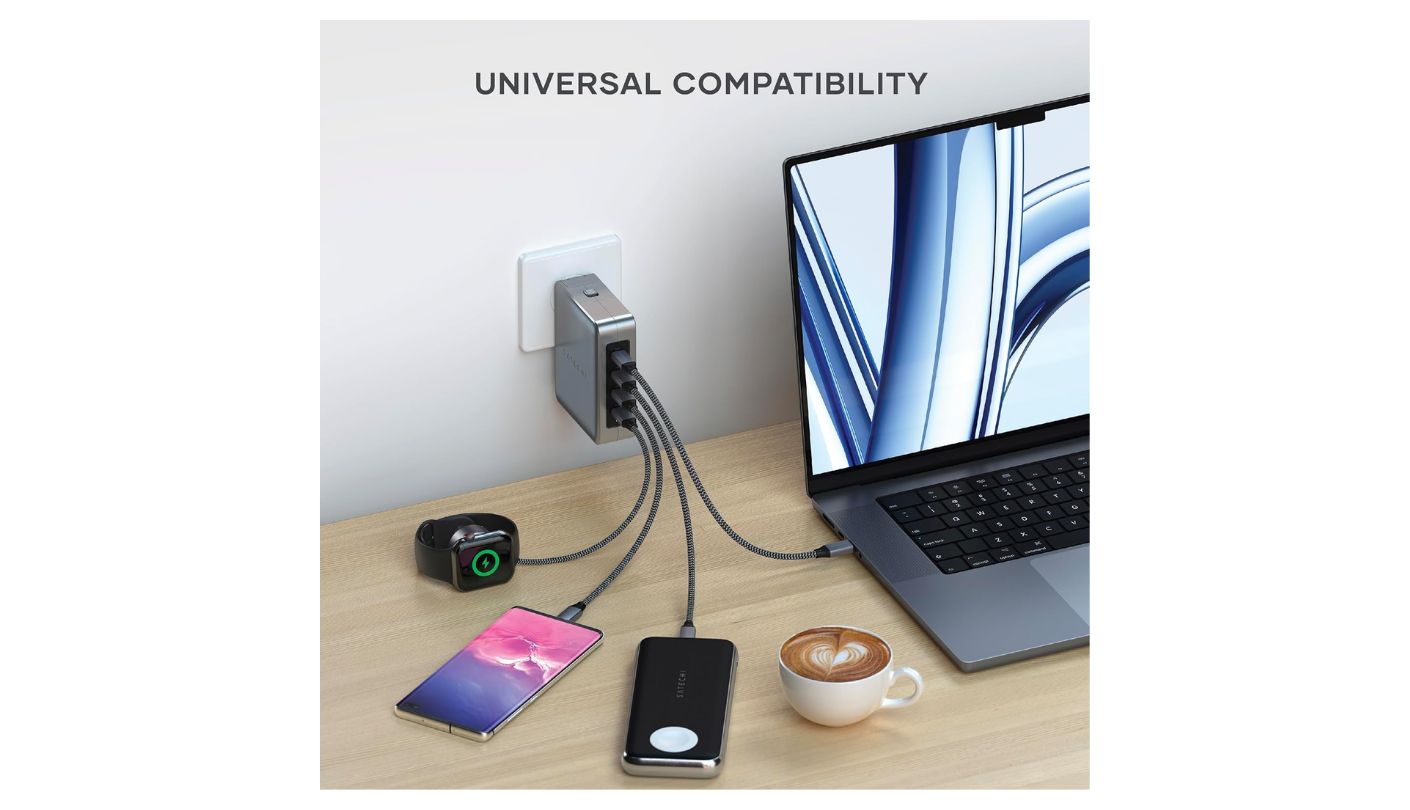
The Satechi 145W solves two separate travel problems in one box. The first is wattage: PD 3.1 on the top two USB-C ports supports up to 140W on a single connection, which covers gaming laptops and power-hungry Windows ultrabooks that charge below their battery drain rate on anything under 100W. The second is adapters: the unit ships with plug heads for US, UK, EU, and Australian outlets, all swapping via a single release button, all fitting in the included mesh carry pouch. I carried this charger through two countries over ten days and never touched a third-party voltage converter.
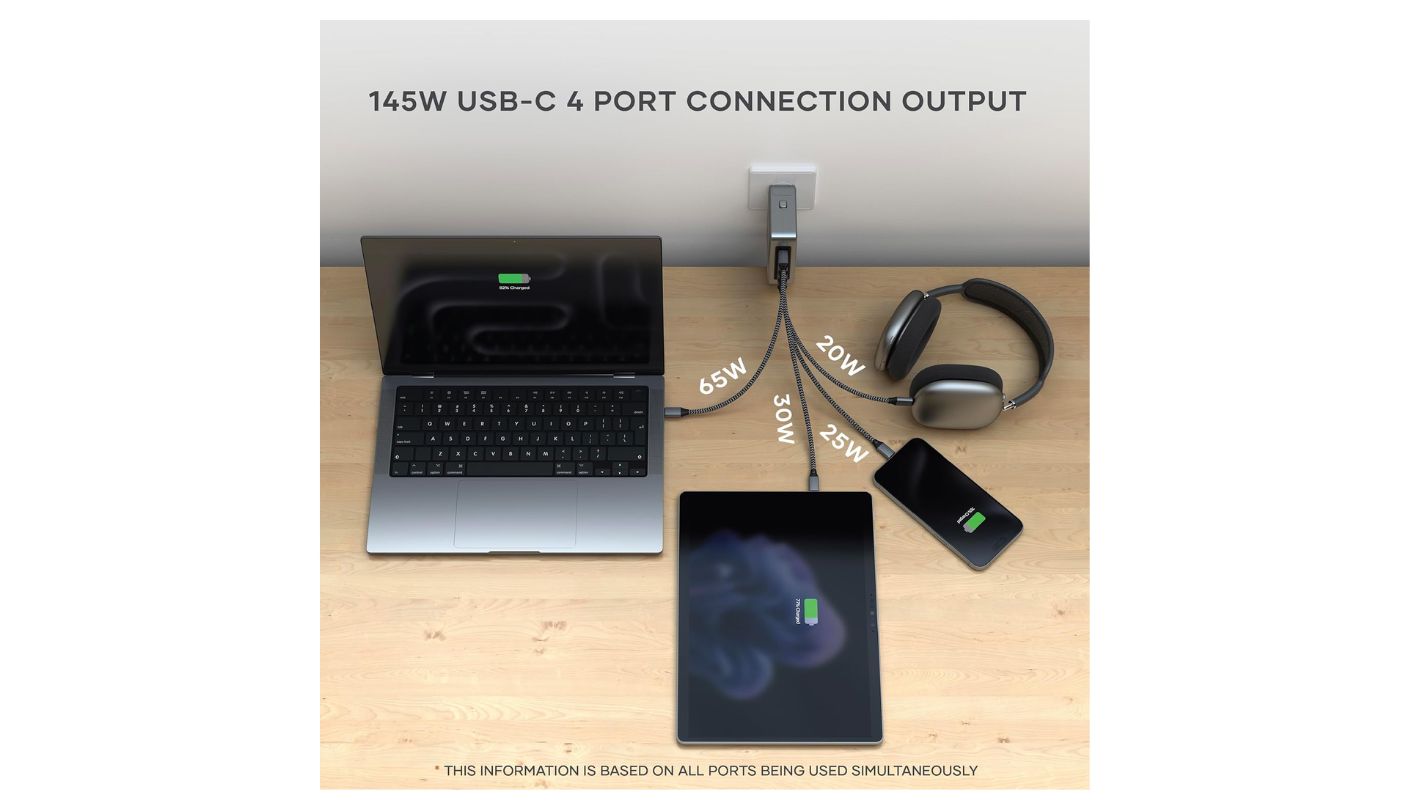
The power architecture distinguishes the top and bottom port pairs by PD generation. Ports 1 and 2 run PD 3.1 with a 140W single-port ceiling. Ports 3 and 4 use PD 3.0 at 45W solo. With all four active, the distribution runs 65W, 30W, 25W, and 20W from port 1 through 4, totaling the full 145W. Satechi recommends connecting the most power-hungry device to PD1 to keep the priority hierarchy working as intended rather than leaving the firmware to guess. In a two-laptop configuration at 100W split across PD1 and PD2, both machines charged at rates that would be impossible on any 100W charger in this group.
GaN combined with a graphene heat insulator manages the thermal output of 145W in a housing that weighs 346.5 grams without adapters. During a 90-minute sustained session charging a MacBook Pro 16-inch and a MacBook Air simultaneously, the Satechi's exterior stayed touchable throughout - meaningful for a unit that might sit inside a carry-on bag during an airport layover. The PD 3.1 spec includes PPS support, which means Samsung Super Fast Charging 2.0 and similar variable-voltage protocols run at their full advertised speed rather than falling back to standard PD rates.
The mesh pouch is a detail worth noting because it's genuinely useful rather than performative. The four adapter heads are small and easily lost in a bag without a dedicated container, and the pouch keeps them organized with the charger body in a single retrievable unit. The press-release mechanism for swapping plug heads works cleanly after dozens of adapter changes with no loosening or play developing in the mechanism.
The Satechi's all-USB-C layout is the right configuration for a modern Apple travel kit and a minor friction point for anyone with USB-A accessories still in regular rotation. There's no USB-A port anywhere on the unit - a conscious design choice that reflects the direction professional hardware is heading but may require a USB-C-to-USB-A adapter for older accessories or camera cables. At 346.5 grams, it's also heavier than the Anker Prime and Baseus PicoGo, though for a unit replacing a laptop charger, a phone charger, and an international adapter set simultaneously, the net bag weight typically drops rather than increases.
Pros:
- PD 3.1 up to 140W single port
- 4 international plug heads included
- Mesh carry pouch included
- Graphene heat management
- 145W total across 4 USB-C ports
Cons:
- No USB-A port
- 346g - heaviest travel option
Summary: Satechi 145W ships with plug heads for US, UK, EU, and Australian outlets, four USB-C ports with PD 3.1 on the primary pair, graphene thermal management, and a mesh pouch - an international charging kit that arrives complete rather than requiring separate adapter purchases.
Baseus PicoGo AE21 100W Review
Smart Gauge
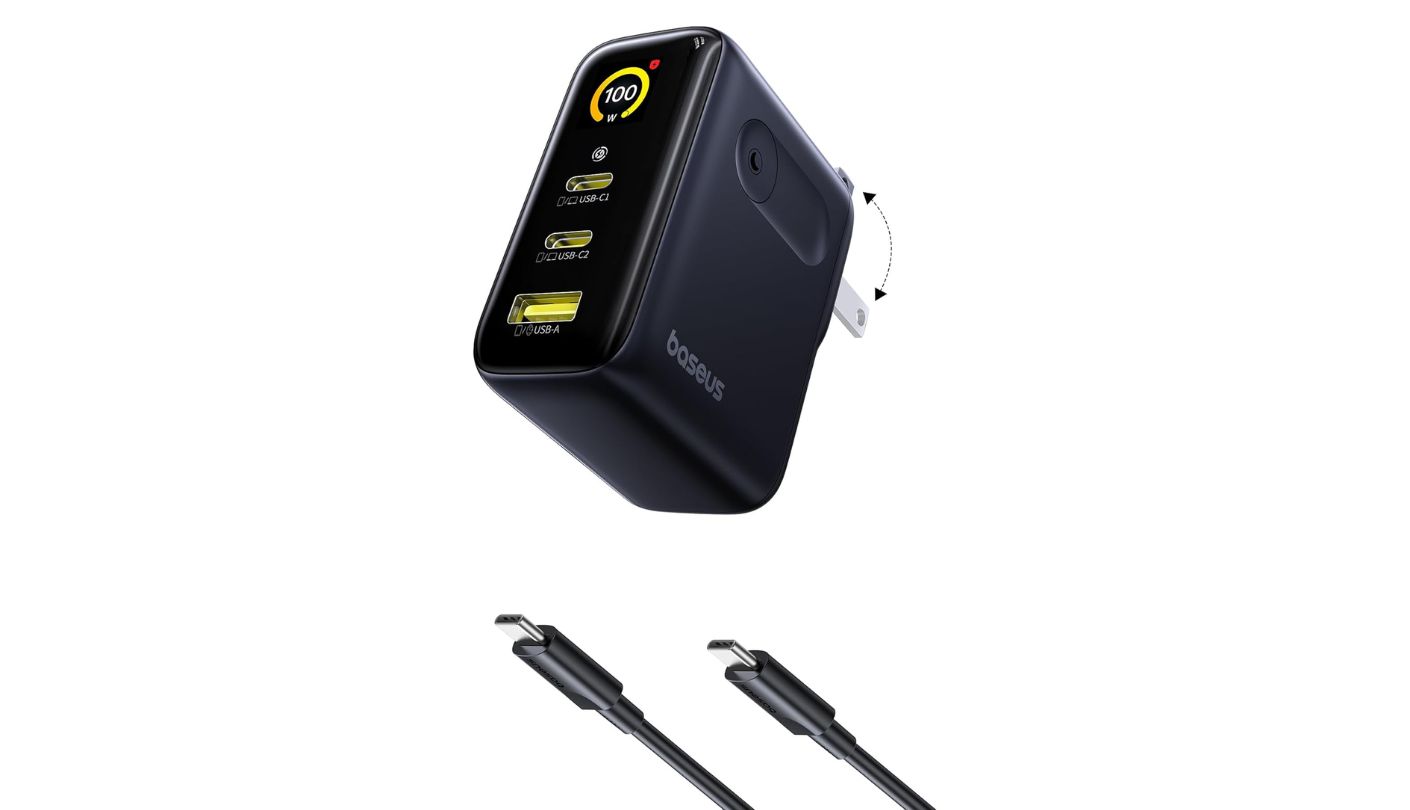
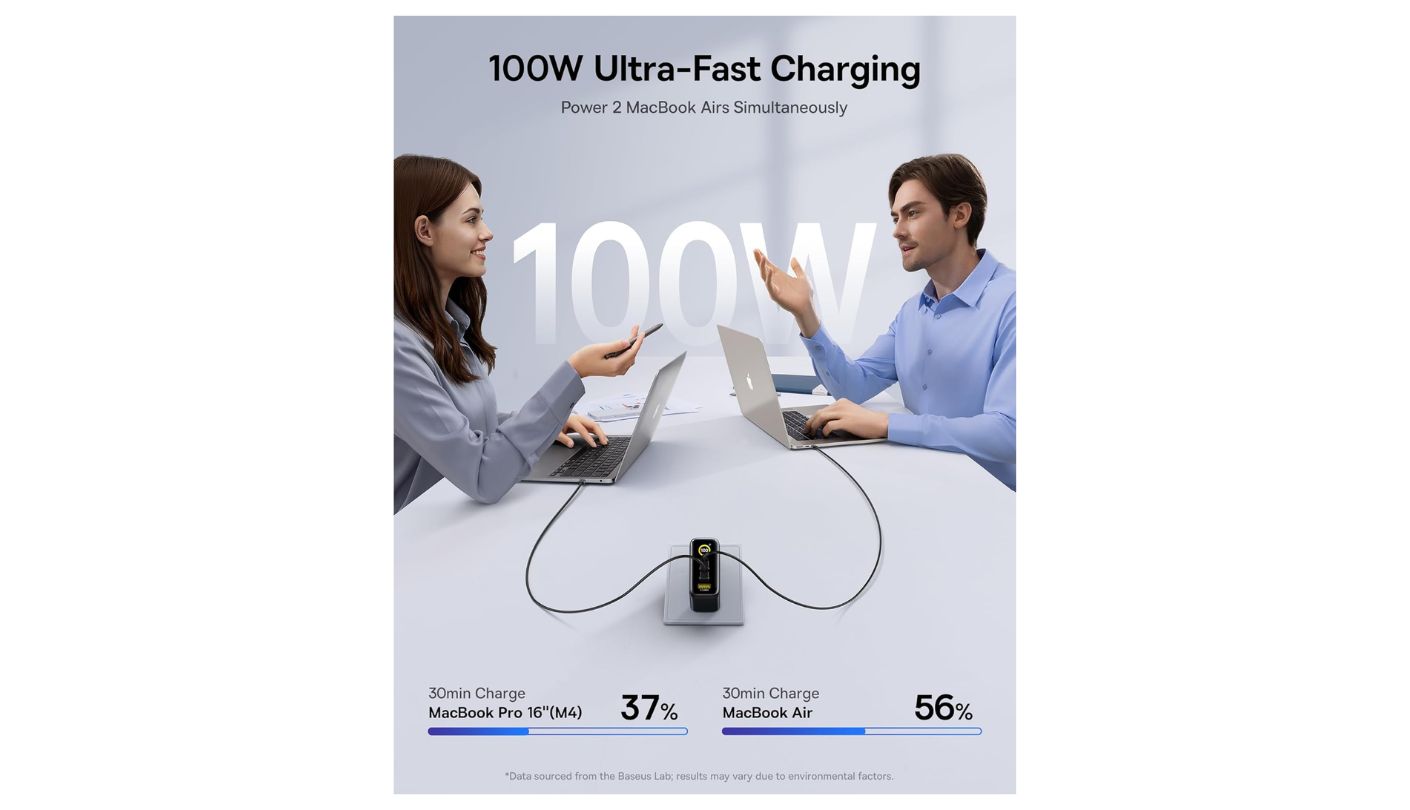

Every other charger in this roundup operates as a black box. Plug in a device and trust that the listed wattage is reaching it. The Baseus PicoGo AE21 doesn't ask for that trust - it shows you. A compact digital display on the front face reports the active output in watts, the voltage and current at each port, and the charger's internal temperature in real time. After several weeks watching exactly how power distributes across a MacBook, an iPhone, and earbuds, I identified two instances where a cable fault was limiting output to roughly half its rated speed - information invisible on every other charger in this group.
The hardware matches what the display reports. Two USB-C ports reach 100W maximum individually, and one USB-A port handles 30W. In dual USB-C mode, the split runs 65W on C1 and 30W on C2 for a 95W combined output - 5W under the total maximum but imperceptible in charging time. Baseus's BCT (Baseus Cooling Technology) uses graphene and thermal layering to manage the heat that a 100W GaN chip generates under sustained load. At 6.7 × 3.3 × 5.3 cm and approximately 130 grams, Baseus's own measurement puts the PicoGo at 36% smaller than traditional 100W chargers - a claim that holds up when placed alongside legacy laptop bricks.
The display update rate is fast enough to watch power allocation shift in real time. Plug in a MacBook and the screen immediately shows the negotiated wattage. Add a phone and the distribution adjusts on-screen within a second. This transparency has a diagnostic value beyond curiosity: a USB-C cable marketing itself as 100W-capable but actually delivering 50W due to poor conductor quality shows up on the PicoGo's readout immediately. In my testing across eight different USB-C cables, three showed measurably lower output than their ratings - something I would not have discovered with any other charger in this roundup.
The foldable plug mechanism is one of the cleaner implementations at this price. The prongs sit completely flush when folded, the pivot resists loosening after repeated use, and the housing shows no flex under the torque of plugging and unplugging. Baseus's earlier foldable designs occasionally developed slight play in the hinge after several months of heavy use - the AE21's mechanism is noticeably more rigid. The compact dimensions make it among the least intrusive options at a multi-outlet power strip, occupying roughly the same footprint as a standard phone charger while delivering full laptop charging capability.
The display is the PicoGo's primary reason to choose it over the Anker Prime at equivalent wattage, and buyers who have no interest in monitoring charging output may find equivalent performance at a lower price in competing 100W units. The single-port ceiling of 100W is identical to the Anker and UGREEN options in this group, and for two simultaneous laptop charges the Belkin 200W remains the answer. For users who want to understand exactly what's happening at every port - and for anyone debugging slow charging without a separate power meter - the AE21 is the only charger in this roundup that answers those questions with a built-in screen.
Pros:
- Live watt, voltage, current display
- Internal temperature readout
- GaN + BCT graphene cooling
- 36% smaller than traditional 100W
- USB-A at 30W max
Cons:
- No international adapters
- 100W ceiling shared with competitors
Summary: No other 100W charger at this price shows a live readout of watts, voltage, current, and temperature per port. The Baseus PicoGo AE21 does - in a housing 36% smaller than traditional 100W units, with BCT graphene cooling and a USB-A port rated to 30W.
Belkin BoostCharge Pro 200W Review
Desk Hub
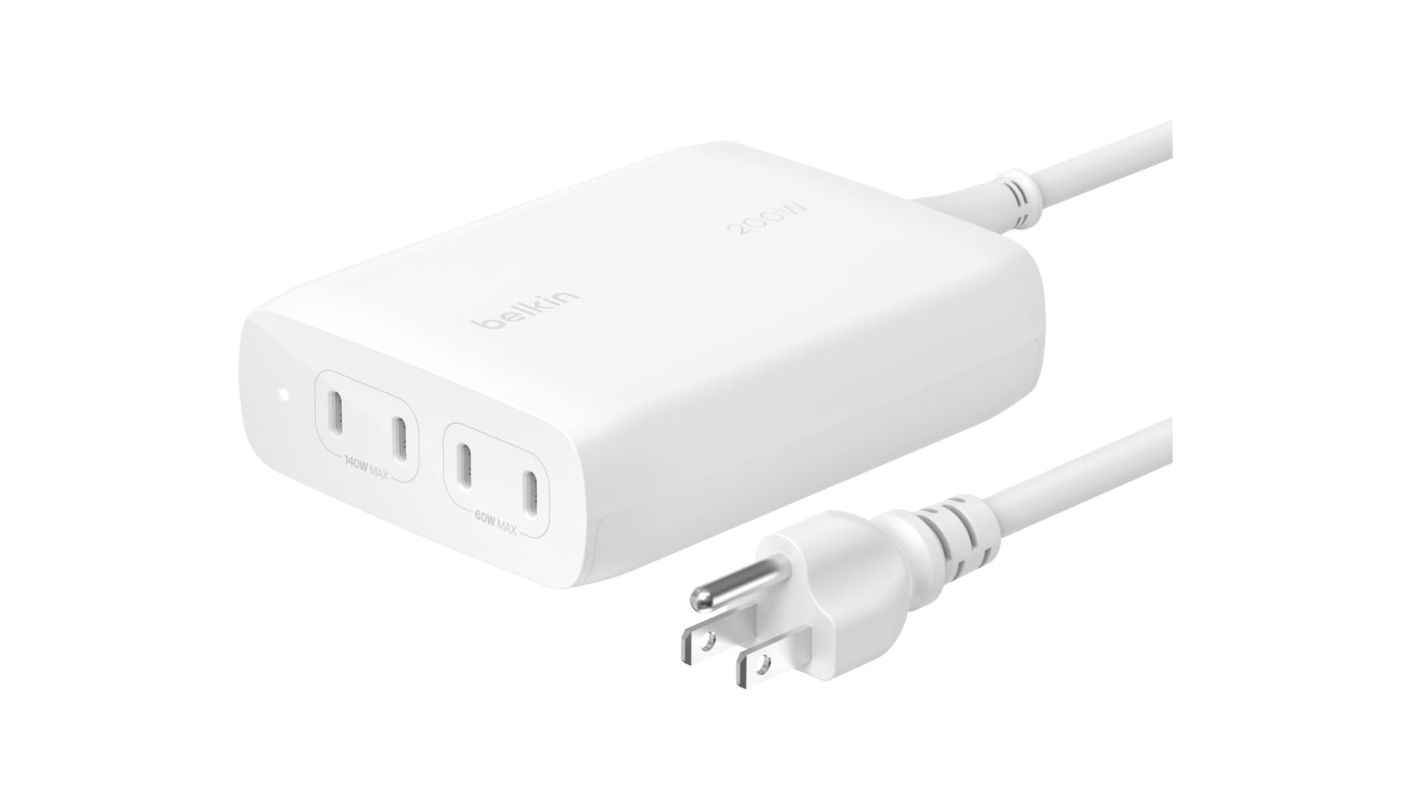
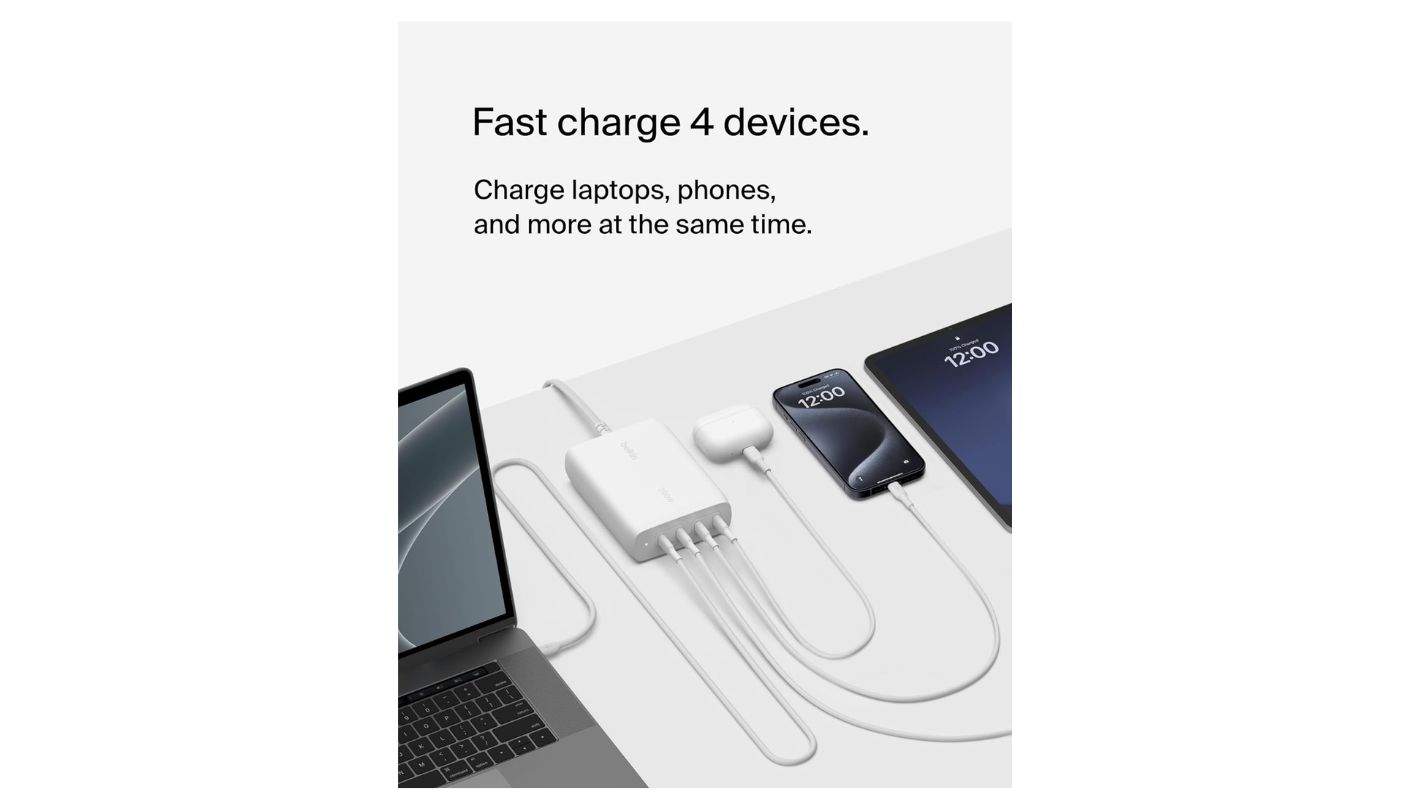
One hundred watts sounds adequate until two people share a desk. A 100W charger at full load running one MacBook Pro barely has enough headroom to charge a second laptop at anything beyond a trickle. The Belkin BoostCharge Pro 200W is built for that specific situation: four USB-C ports, PD 3.1 on all of them, 140W available on a single connection, and a shared 200W power budget that handles two full-size laptops charging simultaneously at meaningful speed. I replaced three separate chargers with this unit at a two-machine workstation and the cable management improvement alone justified the switch before the charging performance even registered.
All four ports use PD 3.1, which means even ports 3 and 4 negotiate the extended voltage levels needed for high-draw laptops - a design choice that budget multi-port chargers typically skip by equipping secondary ports with PD 3.0. With two ports active, port 1 typically holds the 140W allocation while port 2 receives the remaining 60W. Belkin's Intelligent Power Sharing then adjusts dynamically as devices approach full charge - a phone drawing 25W will release wattage back into the shared pool as it reaches 90% capacity, redistributing that power to a laptop still mid-charge without any user action required.
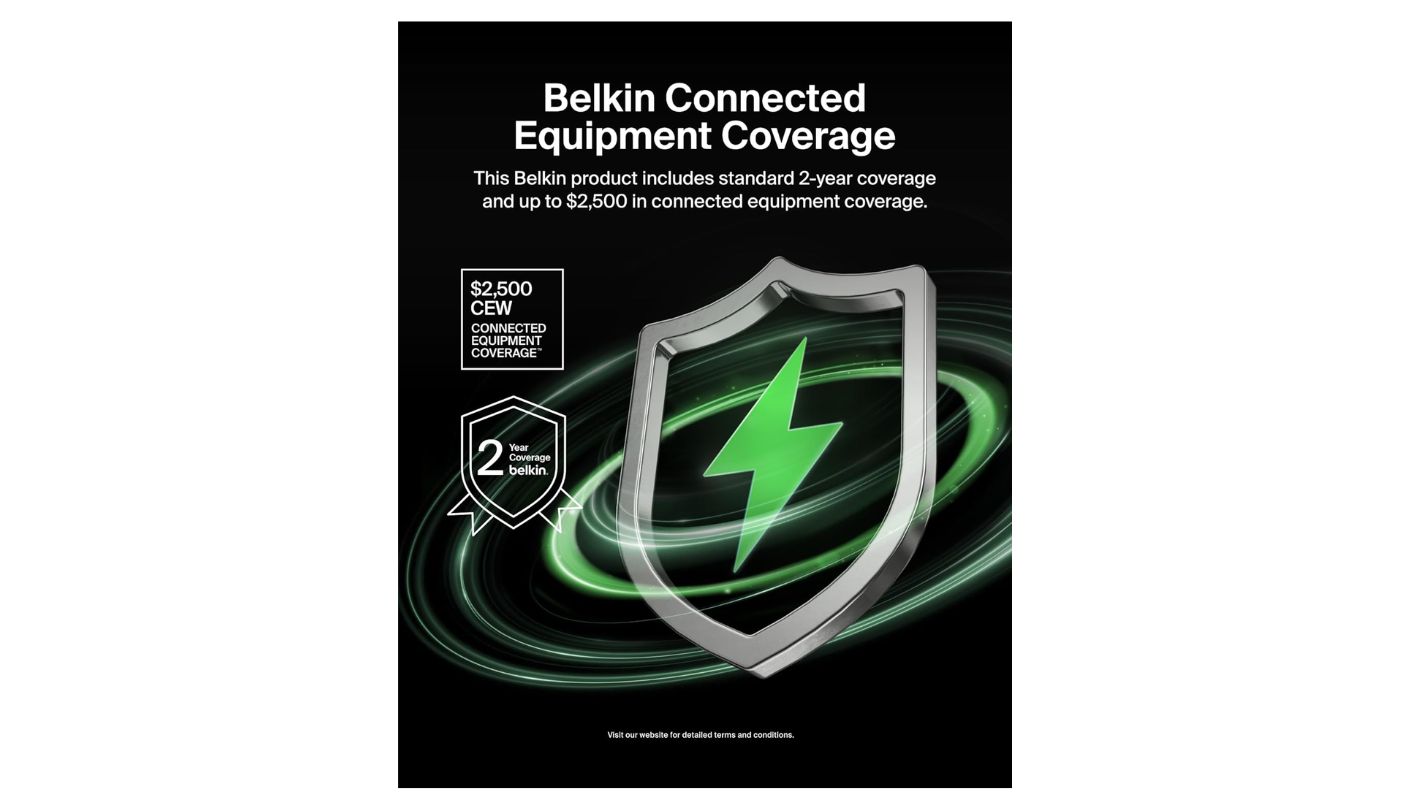
The $2,500 Connected Equipment Warranty deserves more attention than most buyers give it. Belkin covers repair or replacement of any device damaged by an electrical fault while properly connected to the BoostCharge Pro. For a desk setup where a MacBook Pro and an iPad are connected daily, the replacement value of those devices alone approaches $5,000. No other charger in this roundup offers equivalent coverage, and for anyone charging hardware regularly that represents several thousand dollars of replacement cost, that warranty shifts meaningful financial risk off the buyer and onto Belkin.
The 5-foot detachable power cord is the right format for a 650-gram charger. Hanging that weight off a wall outlet creates enough mechanical torque to loosen the connection over months - the cord keeps the unit on a desk surface where its mass is irrelevant. The detachable design means a damaged cord is a cable replacement rather than a charger replacement. Belkin uses a minimum of 60% post-consumer recycled plastic in the housing, which shows as a slightly matte surface texture without affecting structural integrity or thermal performance at the loads I tested.
The BoostCharge Pro is not a travel charger. At 650 grams and 92 × 118.5 × 35.5 mm, it doesn't belong in a laptop bag. The all-USB-C port layout is the correct choice for a 2025 desk environment but creates friction for anyone with USB-A accessories still in daily rotation - there is no USB-A port, and Belkin made no concession to legacy hardware in this design. For a desk that already runs USB-C across all its devices, those constraints are irrelevant. It's a permanent installation for workspaces where 100W becomes the bottleneck before the afternoon ends - and Belkin built it specifically for that situation.
Pros:
- 200W total output
- PD 3.1 on all 4 ports
- $2,500 Connected Equipment Warranty
- 140W max single port
- 5ft detachable power cord
Cons:
- 650g - desk use only
- No USB-A ports
Summary: Belkin BoostCharge Pro 200W: four PD 3.1 USB-C ports, 200W shared output, 140W on a single connection, a 5-foot detachable cord, and a $2,500 Connected Equipment Warranty. Purpose-built for the two-laptop desk setup that 100W chargers can't serve at full speed.
Best Fast Chargers for Phones and Laptops: FAQ
What is GaN and why does it matter for fast chargers?
Gallium nitride is a semiconductor material that operates more efficiently than the silicon used in traditional wall chargers. It switches power at higher frequencies with lower heat output, which allows manufacturers to build chargers with significantly more wattage in smaller housings. The practical result is a 100W charger that fits in a jacket pocket rather than requiring a dedicated bag compartment. Not all GaN chargers are equal - older-generation GaN chips run less efficiently than newer ones, and the difference shows up in housing temperature under sustained load. The chargers in this roundup use current-generation GaN chips from established manufacturers with published efficiency ratings rather than generic chips with unverified specs.
What's the difference between PD 3.0 and PD 3.1?
PD 3.0 supports up to 100W at 20V/5A and covers the charging requirements of virtually every consumer laptop, tablet, and phone available today. PD 3.1 extends the ceiling to 240W and adds three new voltage levels - 28V, 36V, and 48V - that allow compatible devices to charge at over 100W. This matters for gaming laptops like the ASUS ROG or Razer Blade that draw more than 100W under active gaming load and won't maintain battery level on a 100W charger while running intensive tasks. For standard consumer devices - MacBooks, ThinkPads, Dell XPS - PD 3.0 at 100W is sufficient, and PD 3.1 is future-proofing rather than an immediate necessity.
How many watts do I actually need to charge a MacBook Pro at full speed?
Apple recommends 67W for the 13-inch MacBook Air, 96W for the 14-inch MacBook Pro, and 140W for the 16-inch MacBook Pro. A charger rated below those figures will still charge the device but will do so more slowly, and under active load the battery may drain despite being connected. The Anker Prime and UGREEN X606 at 100W cover the 14-inch MacBook Pro spec exactly. The Satechi 145W and Belkin 200W cover the 16-inch MacBook Pro at full speed. For Windows laptops over 100W - gaming machines, workstation notebooks - the Satechi's 140W single-port maximum or the Belkin's 200W budget are the relevant options in this group.
Is it safe to charge a laptop and phone from the same multi-port GaN charger?
Yes, provided the charger comes from a reputable manufacturer with proper safety certifications. The USB Power Delivery standard includes handshaking protocols that negotiate the correct voltage and current for each connected device independently - a phone connected to the same charger as a laptop receives only the wattage it requests, not the full 100W the charger can output. All five chargers in this roundup carry FCC certification and manufacturer safety systems that monitor temperature, current, and voltage continuously. The risk profile is lower than using two separate uncertified chargers from unknown sources.
Will fast charging damage my phone or laptop battery over time?
Modern battery management controllers in phones and laptops regulate the charging rate based on battery temperature and state of charge regardless of how much wattage the charger offers. The device requests only what its battery management system determines is safe, and the charger supplies exactly that. Sustained overnight charging at high temperatures is more relevant to long-term battery health than fast charging speed - a charger that runs cool under load is better for battery longevity than a slower charger that generates heat during the session. The thermal management systems in the chargers reviewed here - ThermalGuard, ActiveShield, BCT - contribute to battery health by keeping the charging environment cooler than budget alternatives.
What does dynamic power distribution actually mean when multiple devices are connected?
When more than one device draws power from a multi-port charger, the total wattage budget distributes according to a priority hierarchy and real-time demand monitoring. Most chargers allocate the highest wattage to the top or first-listed port and reduce allocation on secondary ports proportionally. Dynamic distribution - as implemented in the Belkin BoostCharge Pro - goes further by continuously monitoring each device's actual draw and redistributing unused wattage when a device approaches full charge or reduces its power request. In practice, this means a nearly-full iPhone frees wattage for a MacBook that was charging at a reduced rate, without any user involvement.
Does the USB-C cable matter for getting maximum wattage?
Yes, significantly. A USB-C cable rated for 60W will limit a 100W charger to 60W regardless of the charger's capability. Cables for high-wattage charging need to be rated at 100W (E-Marker chip required for cables above 60W) or 240W for PD 3.1 Extended Power Range. The Baseus PicoGo AE21's live display makes cable quality immediately visible - a 100W-rated cable delivering 50W shows up on the screen rather than being invisible as it would be with any other charger in this group. For anyone buying a new multi-port charger, pairing it with a verified 100W or 240W USB-C cable rather than an older bundled cable is worth the additional purchase.
Which charger in this group works best for travel versus a home desk?
Travel priority points clearly to the UGREEN X606 for one laptop and a phone - the built-in retractable cable eliminates the most commonly forgotten packing item. For international travel with multiple devices, the Satechi 145W's bundled plug heads for four outlet formats remove the need for a separate adapter. The Anker Prime is the strongest choice for everyday carry in a laptop bag when neither a built-in cable nor international coverage is required - the compact size and 24-month warranty make it a reliable daily companion. At the desk, the Belkin 200W is in a different category from the rest - it's a permanent installation that handles two-laptop setups that the other four chargers physically cannot accommodate at full speed.
Choosing the Right Fast Charger
Wattage and context split this group cleanly. Anyone charging one laptop and a phone from a bag every day can stop at the Anker Prime 100W - it handles that configuration in 170 grams with a 24-month warranty behind it. I've kept one in my laptop bag for months and never thought about it, which is the best thing a daily carry charger can be. The UGREEN Nexode X606 solves a more specific problem: the traveler who repacks their bag at 6am and finds the USB-C cable still on the desk. The built-in retractable cable removes that scenario from the equation.
The Satechi 145W addresses a gap the others don't touch: international outlets and a MacBook Pro that needs more than 100W. One unit, four outlet formats, 140W on the primary port, no adapter bag required. The Baseus PicoGo AE21 is worth owning if you've ever suspected a cable was slowing you down and had no way to confirm it - the live display turns a guess into a reading. The Belkin BoostCharge Pro 200W sits outside the portable category entirely - it's a desk installation for workspaces where 100W becomes a bottleneck before the afternoon ends, backed by $2,500 of equipment coverage included.

Jim's our tech geek with a mission since February 2023. From movies to video projectors, he knows his stuff and aims to make tech work for you. When he's not geeking out, he's there to guide you through making savvy decisions.


