Best Cameras for YouTube Beginners
Starting a YouTube channel and choosing your first real camera are two decisions that most people try to make at the same time, which is where the trouble begins. The camera that looks best in a comparison chart is not always the camera that gets a video uploaded by Friday. For most beginners, the actual barrier is not image quality - it is whether the autofocus keeps your face sharp when you are talking to yourself in a room, whether the audio sounds usable without an external microphone, and whether the footage makes it from the card to the timeline without a three-hour detour into codec research.
Five cameras answered those questions well enough to make this list: the Canon EOS R50, DJI Osmo Pocket 3 Creator Combo, Nikon Z30, Sony ZV-E10 II, and Fujifilm X-M5. What makes the comparison interesting is that these five represent genuinely different philosophies about what a beginner needs - one is not even a traditional camera at all. I spent time with each of them on real YouTube setups: talking head recordings, outdoor vlog runs, and product review footage. The differences that showed up in actual use are often not the ones that appear in spec tables.
Here are my two top picks for the best camera for YouTube beginners:
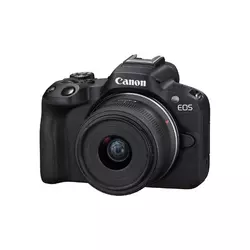
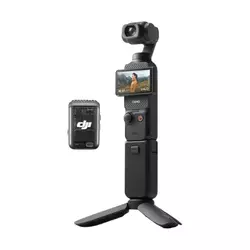
Table of Contents:
- Best Camera for YouTube Beginners: Buying Guide
- Top 5 Cameras for YouTube Beginners in 2026
- Camera Comparison
- Canon EOS R50 + RF-S 18-45mm
- DJI Osmo Pocket 3 Creator Combo
- Nikon Z30 + 16-50mm
- Sony ZV-E10 II
- Fujifilm X-M5
- Beginner YouTube Cameras : FAQ
Best Camera for YouTube Beginners: Buying Guide
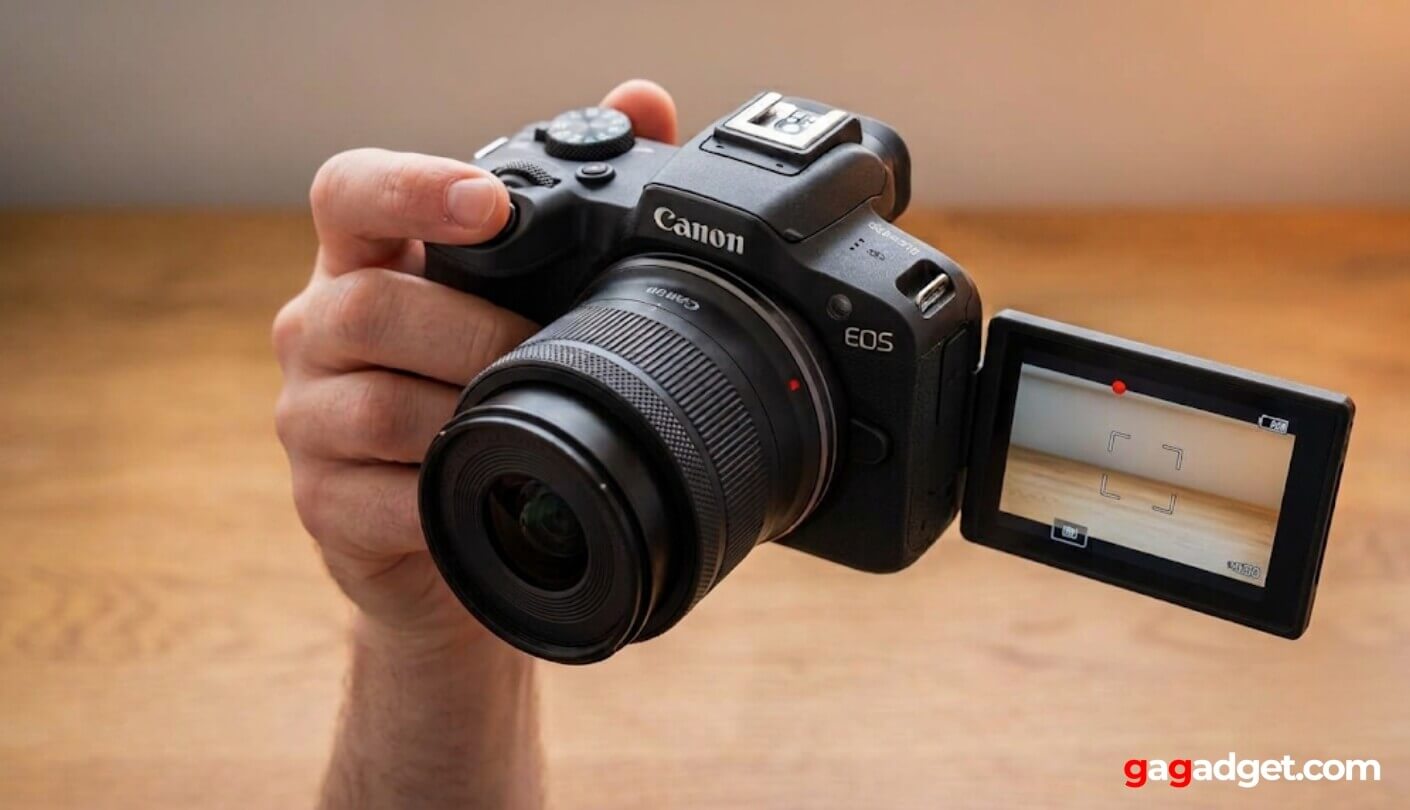
Buying a camera for YouTube is a purchasing decision that looks like a hardware question but is really a workflow question. The five criteria below are what separate a camera you will use every week from one that sits on a shelf after the second video.
Sensor Size and Low-Light Performance
The physical size of a camera sensor determines how much light reaches it during recording, which shapes the image quality ceiling regardless of the software processing on top. Understanding image sensor formats helps explain why a 1-inch sensor in a small gimbal camera like the DJI Osmo Pocket 3 performs better in low light than a smartphone, but an APS-C sensor in a mirrorless camera has a larger physical advantage still. For a YouTube beginner shooting in a bedroom, kitchen, or office, the sensor size difference between a 1-inch and APS-C body shows up most visibly in two scenarios: recording without artificial lighting and achieving background blur behind a talking-head shot.
APS-C sensors across this group all produce footage that holds up in naturally lit indoor environments at ISO 1600 and above - the DJI's 1-inch sensor is genuinely impressive for its size but does show more noise in the same conditions. The gap narrows significantly once a single LED panel or window light enters the frame, which is why most YouTube beginners find their sensor choice matters far less once they address their lighting setup.
What sensor size also shapes is the depth of field character of the footage. An APS-C camera with a 50mm equivalent lens blurs the background behind a subject in a way that the fixed lens on a DJI Pocket 3 cannot fully replicate, even with its background defocus mode. For a creator whose content involves on-camera presentation - tutorials, commentary, reviews - that visual separation between subject and background is one of the most immediate quality signals that tells a viewer this is not phone footage. I noticed this difference most when comparing talking-head clips across the five cameras on the same desk setup.
Autofocus for Solo Recording
Recording alone means no one is behind the camera to pull focus when you stand up, walk closer, or hold something in front of the lens. Autofocus reliability for solo creators is not a convenience feature - it is a fundamental requirement for a camera to function as a practical YouTube tool. The difference between a camera that loses face tracking when you lean to pick something up and one that reacquires your eye instantly determines whether a three-minute take is usable or has to be reshot. Subject detection algorithms vary significantly between brands and generations, and the gap between the best and worst options in this group is visible within the first unscripted recording session.
Product Showcase mode - available on the Sony ZV-E10 II and Fujifilm X-M5 - specifically addresses the challenge of demonstrating objects while the camera is pointed at your face. When activated, the camera detects an object placed between the lens and the presenter and shifts focus to that object, then returns to face tracking when the product is moved away. For review channels, tutorial creators, and anyone who regularly holds items up to the camera, this mode removes a specific focus-pull problem that no amount of manual focus skill reliably solves during a live take. I tested this mode across multiple takes and found the Sony's implementation slightly faster on the return-to-face transition.
Video Resolution and Recording Flexibility
4K recording has become the baseline expectation for YouTube content, but the details behind the 4K spec vary enough to matter in practice. 4K at 30fps without a sensor crop is the configuration that gives a standard kit lens its full field of view and preserves the natural focal length on screen. Several cameras in this group apply a crop to achieve 4K at 60fps, which tightens the frame and can make a 16-50mm kit lens feel narrow for a self-facing vlog shot. Knowing which resolution and frame rate combinations are cropped on a given camera helps avoid the frustration of discovering your kit lens no longer fits your face comfortably at the frame rate you want to use.
10-bit color recording is the video specification that most separates beginner-appropriate cameras from those that reward post-production skill. 10-bit footage retains more gradation in highlights and shadows, which makes color grading more flexible and reduces the banding and clipping that 8-bit footage shows in high-contrast scenes. For beginners who plan to apply a color grade to their footage, the presence of 10-bit and a flat log profile makes the difference between footage that grades cleanly and footage that falls apart under correction.
The Fujifilm X-M5 stands out on raw video capability, recording 6.2K open-gate at 10-bit 4:2:2 - a specification that belongs in a camera category above its price. Beginners rarely need 6.2K footage immediately. What matters more in the first year of creating is stable, well-autofocused 4K footage with a color profile that looks good without grading. Every camera reviewed here handles that requirement. The higher specifications on certain models create room to grow into them, which is a genuine long-term value argument even if the day-one difference is not visible in a standard upload.
Built-in Audio Quality
Audio is where most beginner YouTube channels lose viewers before the edit ever starts, and the built-in microphone quality of a camera determines whether the first few videos are watchable without immediately investing in external recording gear. A camera with a single mono microphone pointed forward captures acceptable dialogue in a quiet room and deteriorating audio everywhere else. A three-capsule stereo array with directional mode selection handles a wider range of recording environments without accessories. The Fujifilm X-M5 and Sony ZV-E10 II both include multi-capsule setups that can be steered toward front or rear pickup depending on whether the subject is holding the camera toward the audience or away.
External microphone input is the specification that matters once built-in audio reaches its ceiling. All five cameras include a 3.5mm microphone jack for connecting a shotgun or lavalier microphone. The headphone jack for monitoring audio during recording is present on the Sony, Fujifilm, and Nikon options - an important quality-control tool for any creator who wants to confirm audio levels before committing to a long take. The DJI Osmo Pocket 3 Creator Combo addresses the audio question differently by including the DJI Mic 2 wireless transmitter in the box, which solves the microphone problem at a higher quality level than any built-in array can match, at the cost of adding a clip-on transmitter to the shooting workflow.
Lens Ecosystem and Long-Term Expandability
The camera body a beginner buys in year one is typically the lens mount they stay with for several years after, which makes the depth of the lens ecosystem a meaningful long-term factor even if the kit lens covers every need during the initial content-building period. Sony's E-mount is the broadest APS-C lens ecosystem available, with options from Sony, Sigma, Tamron, and Viltrox covering every focal length and aperture class from budget to professional. Fujifilm's X-mount has a strong library of high-quality optics, particularly in the prime lens category, though at generally higher price points than Sony's third-party options. Canon's RF-S mount is growing with Sigma and Tamron now developing optics for the platform. Nikon's Z DX mount remains the most limited of the four in available native APS-C lenses.
A beginner does not need more than one lens to start a YouTube channel, and the kit lens included with each mirrorless camera reviewed here covers a useful zoom range for most content formats. The ecosystem question becomes relevant when the creator wants a fast prime for low-light recording, a wide-angle for cramped spaces, or a telephoto for interview-style compression - and how quickly those options become affordable depends on which mount they started with.
The DJI Osmo Pocket 3 falls outside this lens ecosystem framework entirely. Its fixed focal length is not upgradeable beyond the included wide-angle magnetic attachment, which means it remains a single-purpose tool across its entire life in the kit. For creators who plan to diversify their content style significantly, this limitation surfaces earlier than for creators whose format stays consistent. The wide-angle magnetic attachment and the included mini tripod extend the shooting options considerably within the DJI ecosystem, but the fixed optical path is the clearest long-term constraint of the pocket camera format.
Top 5 Cameras for YouTube Beginners in 2026
Every camera below was evaluated on autofocus reliability for solo recording, built-in audio quality, 4K video usability, and how quickly a beginner can get from unboxing to a watchable first video.
- Creative Assist beginner mode
- Dual Pixel CMOS AF II
- Canon color accuracy
- 4K uncropped at 30p
- Fully articulating screen
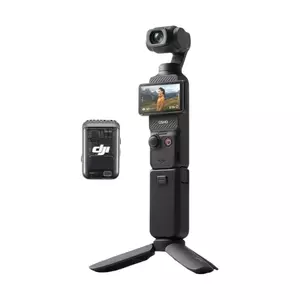
- 3-axis gimbal stabilization
- DJI Mic 2 included
- 10-bit D-Log M recording
- ActiveTrack 6.0 subject tracking
- Complete creator kit
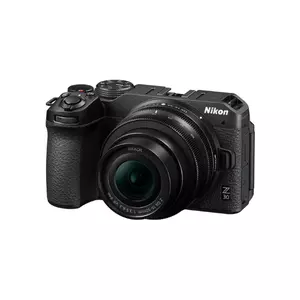
- 2h15min continuous recording
- 4K uncropped at 30p
- Headphone jack
- Solid build quality
- Clean EXPEED color
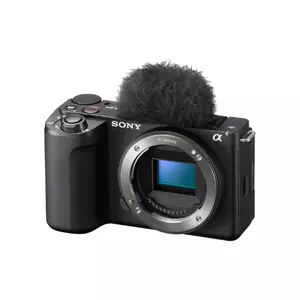
- 759-point phase-detect AF
- 10-bit 4:2:2 recording
- Sony E-mount ecosystem
- 3-capsule directional mic
- Product Showcase mode
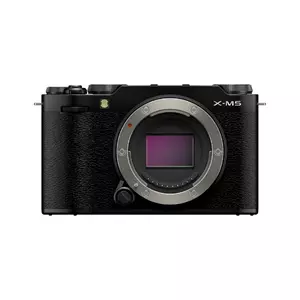
- Film Simulation dial (20 modes)
- 6.2K 10-bit open-gate video
- 3-mic directional audio
- Compact retro design
- 9:16 Short Movie mode
Camera Comparison
A side-by-side look at the specifications that matter most for YouTube beginners:
| Specification | Canon EOS R50 | DJI Osmo Pocket 3 | Nikon Z30 | Sony ZV-E10 II | Fujifilm X-M5 |
| Sensor | 24.2MP APS-C | 1-inch CMOS | 20.9MP APS-C DX | 26MP APS-C BSI | 26.1MP APS-C X-Trans |
| 4K Video | 4K/30p (uncropped), 4K/60p (cropped) | 4K/60p, 4K/120fps (slow-mo mode) | 4K/30p (full width) | 4K/60p (slight 1.1x crop), 4K/30p (no crop) | 6.2K/30p, 4K/60p |
| 10-bit Recording | No (8-bit internal) | Yes (D-Log M) | No | Yes (4:2:2) | Yes (4:2:2) |
| Autofocus Points | 651 Dual Pixel CMOS AF II | Full-pixel PDAF | Eye/Face Detection AF | 759 phase-detect (photo) / 495 (video) | AI subject detection (X-Processor 5) |
| Stabilization | Optical (lens IS) | 3-axis mechanical gimbal | Electronic + VR (lens) | Active Mode (digital, adds crop) | Digital IS |
| Built-in Mic | Stereo | Omnidirectional stereo + DJI Mic 2 (combo) | Stereo | 3-capsule directional | 3-capsule, 4 directional modes |
| Headphone Jack | No | No | Yes | Yes | Yes |
| Flip Screen | Yes (fully articulating) | 2-inch rotatable OLED | Yes (fully articulating) | Yes (fully articulating) | Yes (fully articulating) |
| EVF | No | No | No | No | No |
| Lens Mount | Canon RF-S | Fixed (wide-angle attachment available) | Nikon Z DX | Sony E-mount | Fujifilm X-mount |
| Weight (body) | ~375g | 179g | ~350g | ~293g | 355g |
Autofocus tracking reliability for self-recording, the presence of a headphone jack for audio monitoring, and lens ecosystem depth are the three points worth prioritizing in this table for a creator who plans to produce content consistently rather than occasionally.
Canon EOS R50 + RF-S 18-45mm Review
Editor's Choice
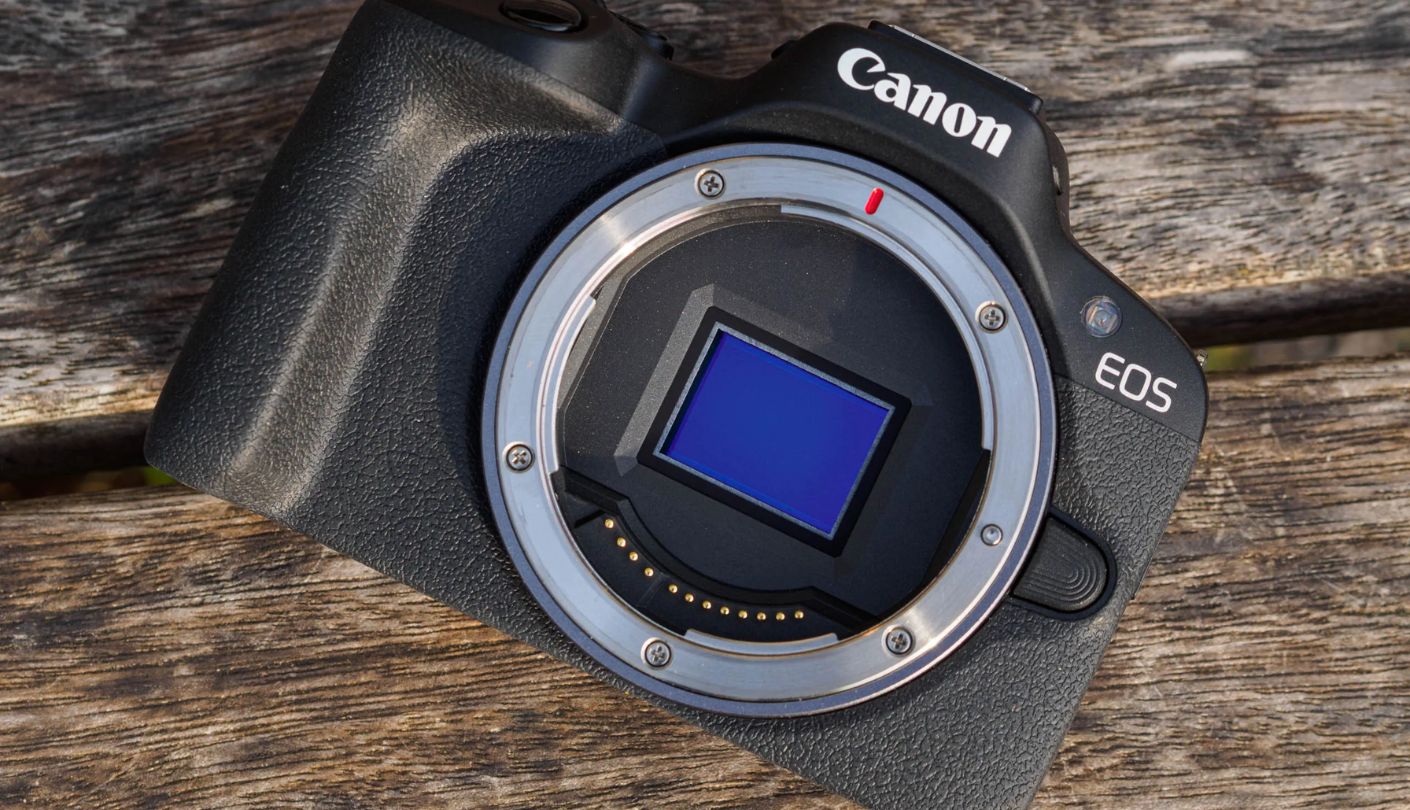
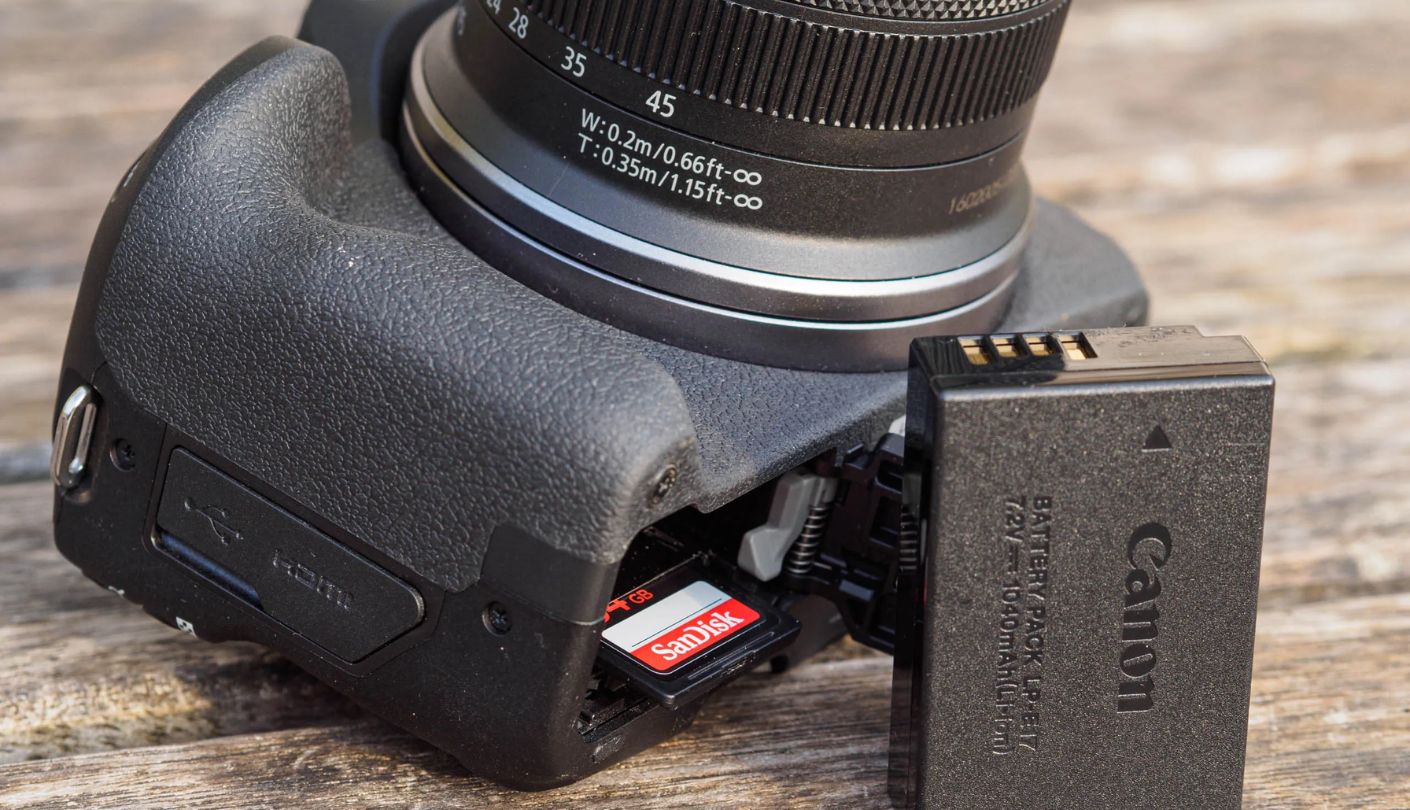
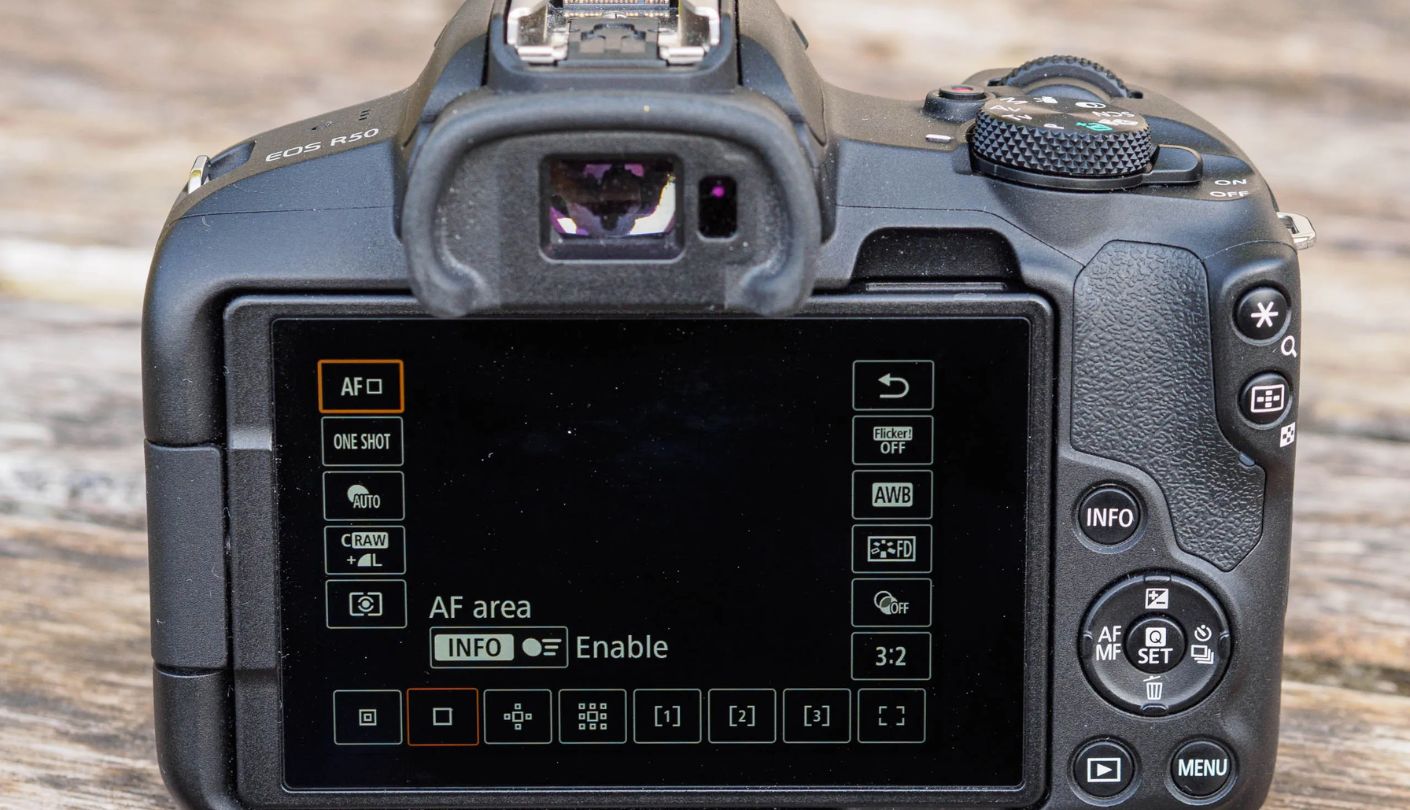
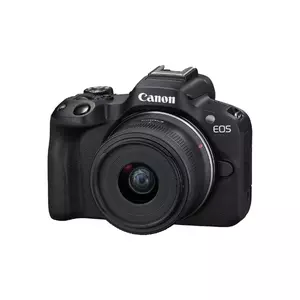
Canon's approach to beginner cameras is to remove friction from learning rather than remove features from the spec sheet, and the EOS R50 with the RF-S 18-45mm expresses that philosophy more clearly than any competing camera at this level. Creative Assist mode describes every setting in plain language - "Background Blur" instead of "Aperture," "Brightness" instead of "Exposure Compensation" - which means a first-time camera owner can understand what they are adjusting from day one rather than guessing at technical terms. The menu system is the most approachable in this field, and the fully articulating touchscreen makes self-recording natural without any adapter or external monitor.
Dual Pixel CMOS AF II with 651 AF points and subject detection for people, animals, and vehicles is the AF system that makes the R50 a reliable solo recording tool. Eye detection locks onto a face from across the room and maintains focus through sideways turns, glasses, partial obstructions, and varied lighting conditions. During a full talking-head session I ran as a test - standing, sitting, walking around the frame, holding a product up to the camera - the R50 dropped focus once in forty minutes of continuous recording. That kind of reliability removes one of the primary anxieties of self-directed filming. Canon's color science reproduces skin tones with a warmth and accuracy that has made it the preferred image character of a generation of YouTube creators, and footage looks good out of camera without any color correction applied.
4K recording at 30fps uses the full width of the sensor with oversampling from 6K, producing clean, detailed footage from the 18-45mm kit lens without any crop narrowing the field of view. 4K at 60fps applies a crop, which is a consideration for creators who want slow-motion capability. The camera records in 8-bit internally - no 10-bit option, which limits grading flexibility compared to the Sony and Fujifilm options. Canon Log 3 is available for those who plan to color grade, but for beginners uploading directly from camera, the standard color profile looks polished and requires no post-processing to be publish-ready.
The RF-S lens selection is the most discussed limitation of the R50 platform. Canon currently has a small number of native RF-S lenses, though Sigma and Tamron have begun releasing RF-mount options which expands choices meaningfully. Full-frame RF lenses work on the R50 with a 1.6x crop factor, which gives access to Canon's extensive professional glass library at the cost of equivalent focal length adjustments. The 18-45mm kit lens is compact, retractable, and optically adequate for video work, though its maximum aperture of f/4.5-6.3 limits low-light performance without additional lighting.
No headphone jack is the connectivity gap that becomes relevant when audio monitoring matters - creators who want to confirm mic levels during a long recording session cannot do so with the R50 alone. The camera supports USB-C charging, which keeps it topped up between takes from a power bank without removing it from the desk setup. For anyone building a first YouTube studio around a camera that teaches good habits while getting professional-looking results from the first upload, the R50 covers that combination without a steep learning investment.
Pros:
- Creative Assist beginner mode
- Dual Pixel CMOS AF II
- Canon color accuracy
- 4K uncropped at 30p
- Fully articulating screen
Cons:
- No headphone jack
- Limited RF-S lens selection
Summary: Want to know which camera gets a complete beginner to a watchable first video fastest? The Canon EOS R50 - Creative Assist removes the learning barrier, Dual Pixel AF handles the focus, and Canon color science handles the look, all from one kit.
DJI Osmo Pocket 3 Creator Combo Review
Best Overall
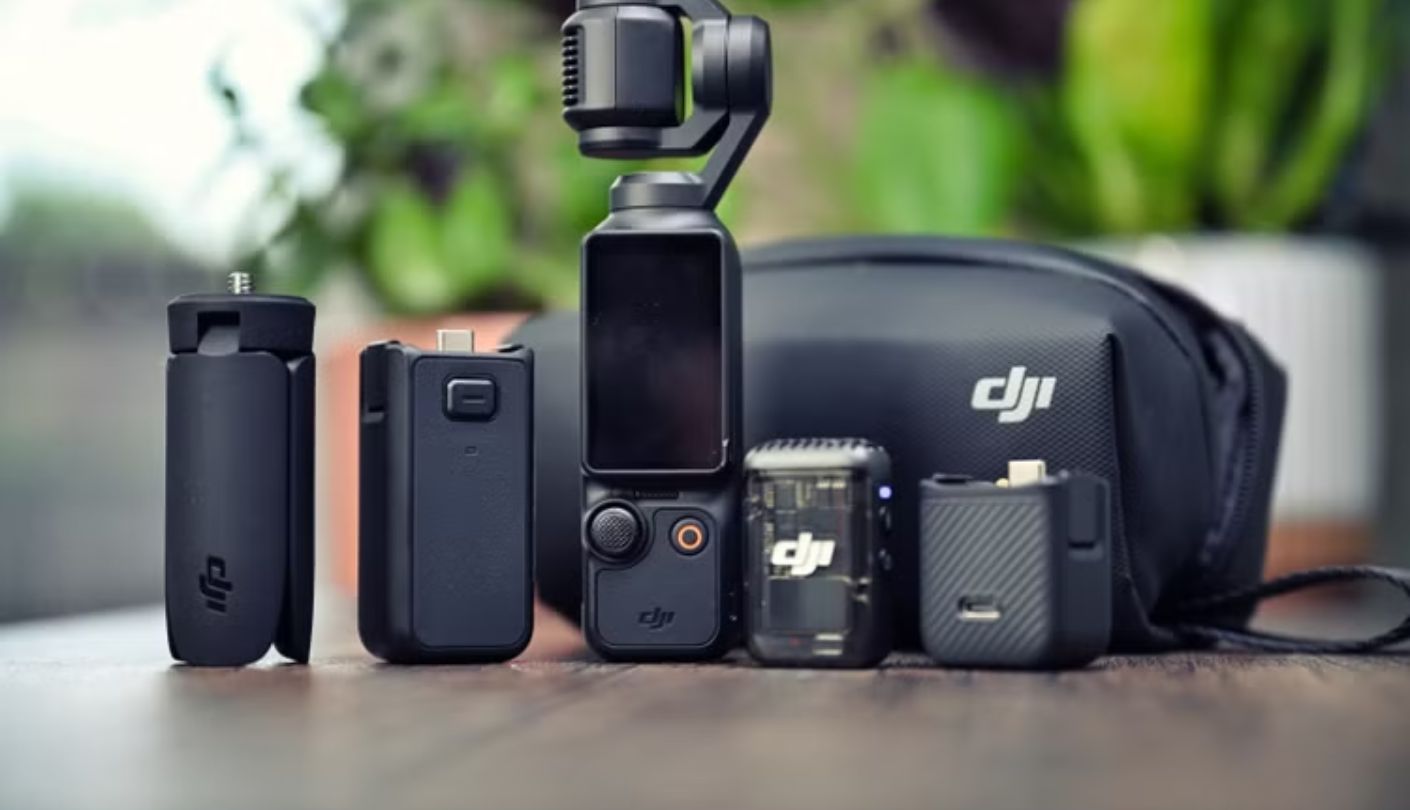
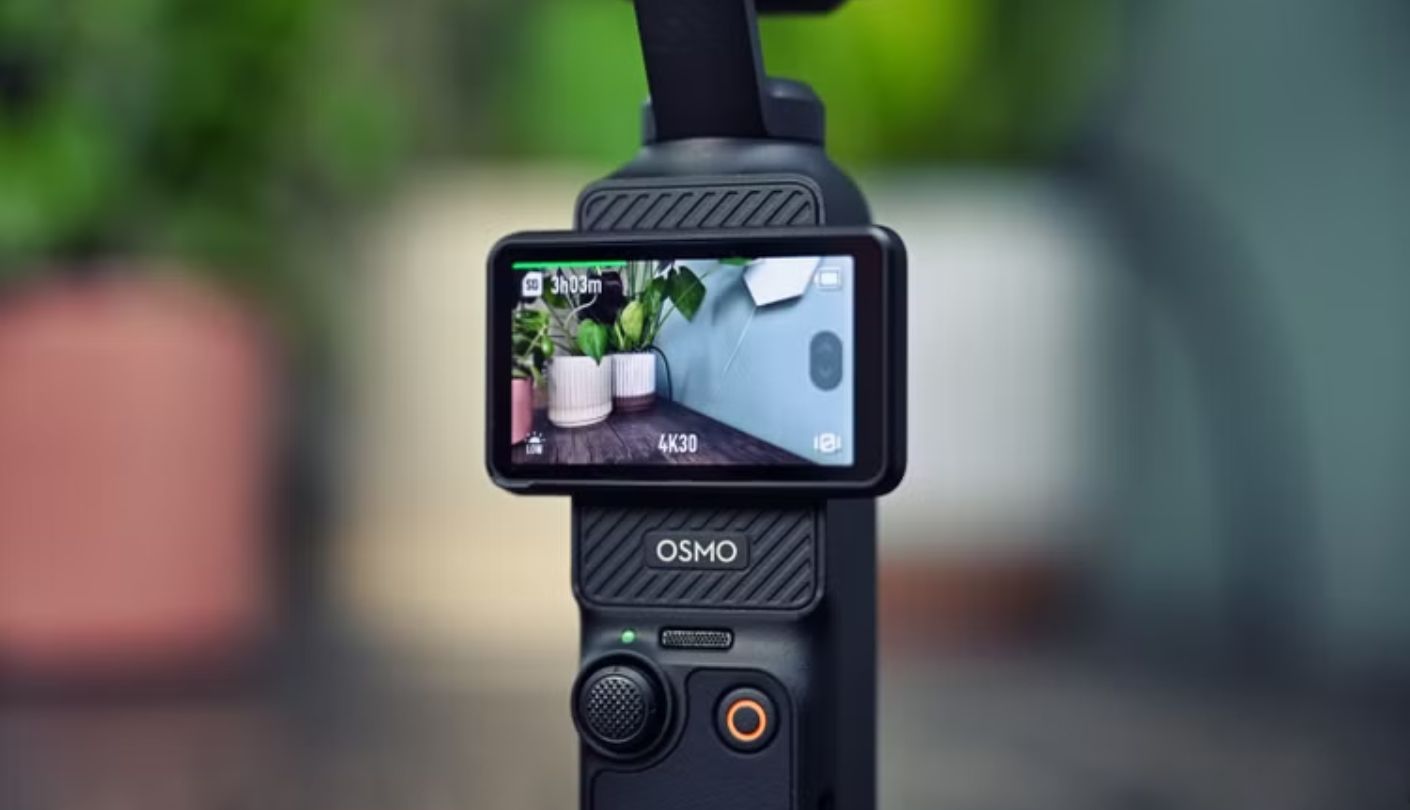
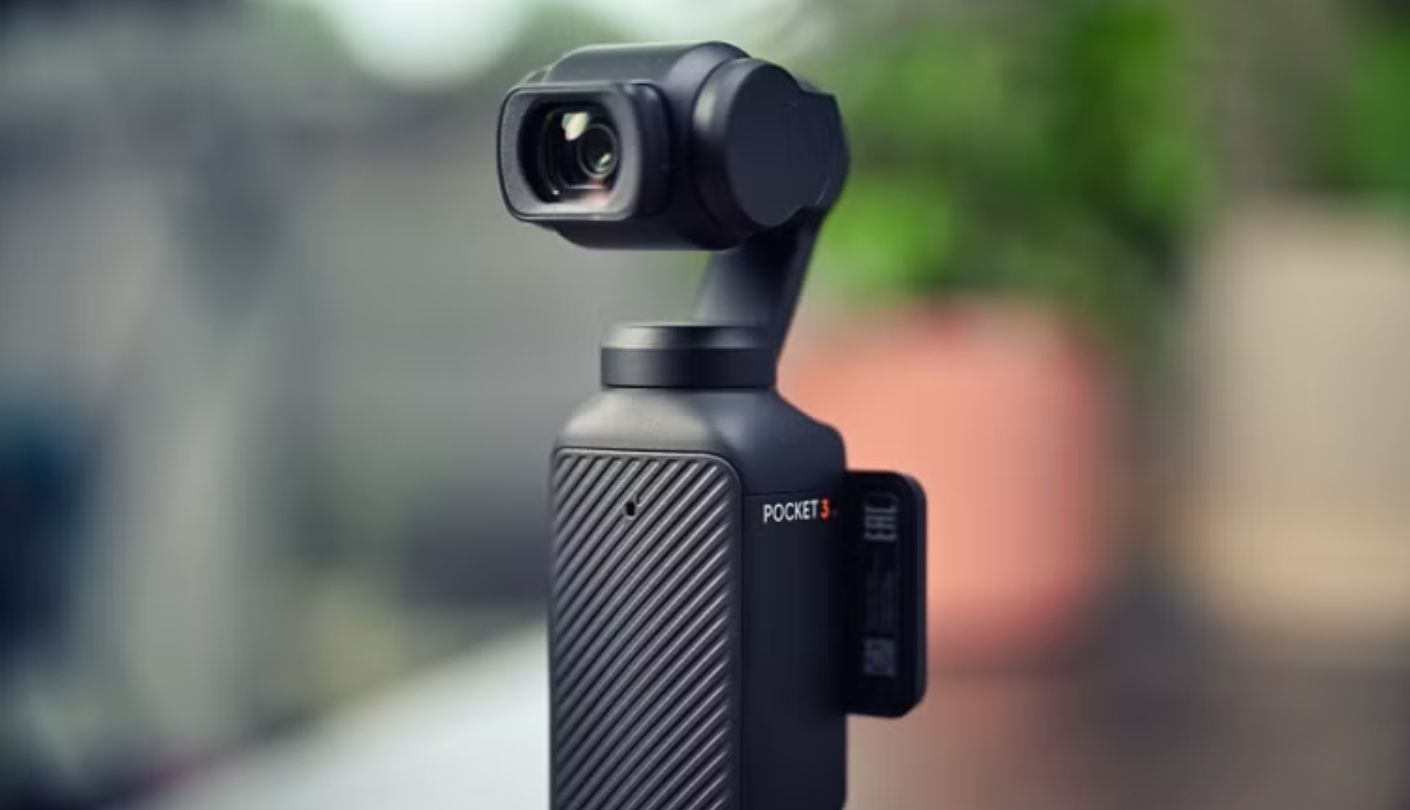
Understanding the DJI Osmo Pocket 3 Creator Combo requires placing it in a different category from the other four cameras on this list. It is not a mirrorless camera. It is a mechanically stabilized gimbal camera with a fixed 1-inch sensor, and the distinction matters because the limitations and advantages it carries are completely different from what a lens-mount decision creates. What the Pocket 3 offers is footage that is smooth by hardware rather than by software - the three-axis mechanical gimbal keeps the image stable during walking, running, stair climbing, and vehicle movement in a way that no digital stabilization mode on any mirrorless camera replicates without adding a physical gimbal accessory. For travel creators, vloggers who move while talking, or any creator who wants to film on the go without tripods, this changes what is possible on a first video.
The 1-inch CMOS sensor records 4K at up to 60fps with 10-bit D-Log M color for grading flexibility. Low-light performance from the 1-inch sensor is genuinely impressive for the physical size of the device - night footage in a city environment showed manageable noise levels that I would not have predicted from a camera weighing 179 grams. ActiveTrack 6.0 keeps a face or selected subject centered in frame during movement without any second operator needed. The 2-inch rotatable OLED touchscreen switches between landscape and portrait orientation to frame both horizontal YouTube and vertical short-form content without repositioning the camera body. In the Creator Combo configuration, the DJI Mic 2 wireless transmitter clips to clothing and connects automatically to the Pocket 3, producing audio quality that no built-in mirrorless microphone among these five can match.
What the Creator Combo includes is also part of why it earns the Best Overall position for beginners who want the most complete out-of-box kit: battery handle, mini tripod, wide-angle magnetic attachment, carrying bag, and the DJI Mic 2 transmitter - everything required for a first shoot is already in the box. A beginner opening this set and a mirrorless camera box will be recording usable content from the Pocket 3 faster than they will from any mirrorless that still needs a microphone, tripod, and potentially additional lighting purchased separately. Battery life from the built-in 1300mAh cell reaches around 90 to 100 minutes of 4K recording, with the included battery handle extending that when needed.
The fixed focal length is the structural limitation to name clearly. Adding the included wide-angle magnetic lens attachment gives a broader field of view for cramped spaces or vlogging shots, but neither configuration can replicate the subject-separation and background compression of a fast prime lens on an APS-C body. The DJI Mimo app is no longer available through Google Play due to platform compatibility issues - it must be downloaded directly from DJI's website, which is a friction point worth noting during initial setup. Physical durability of the gimbal requires some care: the mechanical axis is not protected against drops in the way a fixed-body camera is, and the device benefits from the included protective case being used consistently.
For a creator whose content happens while moving - travel YouTube, day-in-the-life vlogs, sports, food and street content - the Pocket 3 produces results that require a mirrorless camera plus a separate gimbal to match, at a fraction of the combined weight and cost. For a creator who records primarily at a fixed desk or studio setup, the APS-C mirrorless options offer more image quality per dollar. I think about the Pocket 3 as the right answer when the question is "how do I start recording content today without carrying a bag full of accessories."
Pros:
- 3-axis gimbal stabilization
- DJI Mic 2 included
- 10-bit D-Log M recording
- ActiveTrack 6.0 subject tracking
- Complete creator kit
Cons:
- Fixed focal length
- No Google Play app availability
Summary: Gimbal-stabilized 4K, a wireless mic in the box, ActiveTrack face following, and 10-bit color - the Pocket 3 Creator Combo is the most complete first-kit for any YouTube beginner whose content happens outside a fixed studio.
Nikon Z30 + 16-50mm Review
Long Take
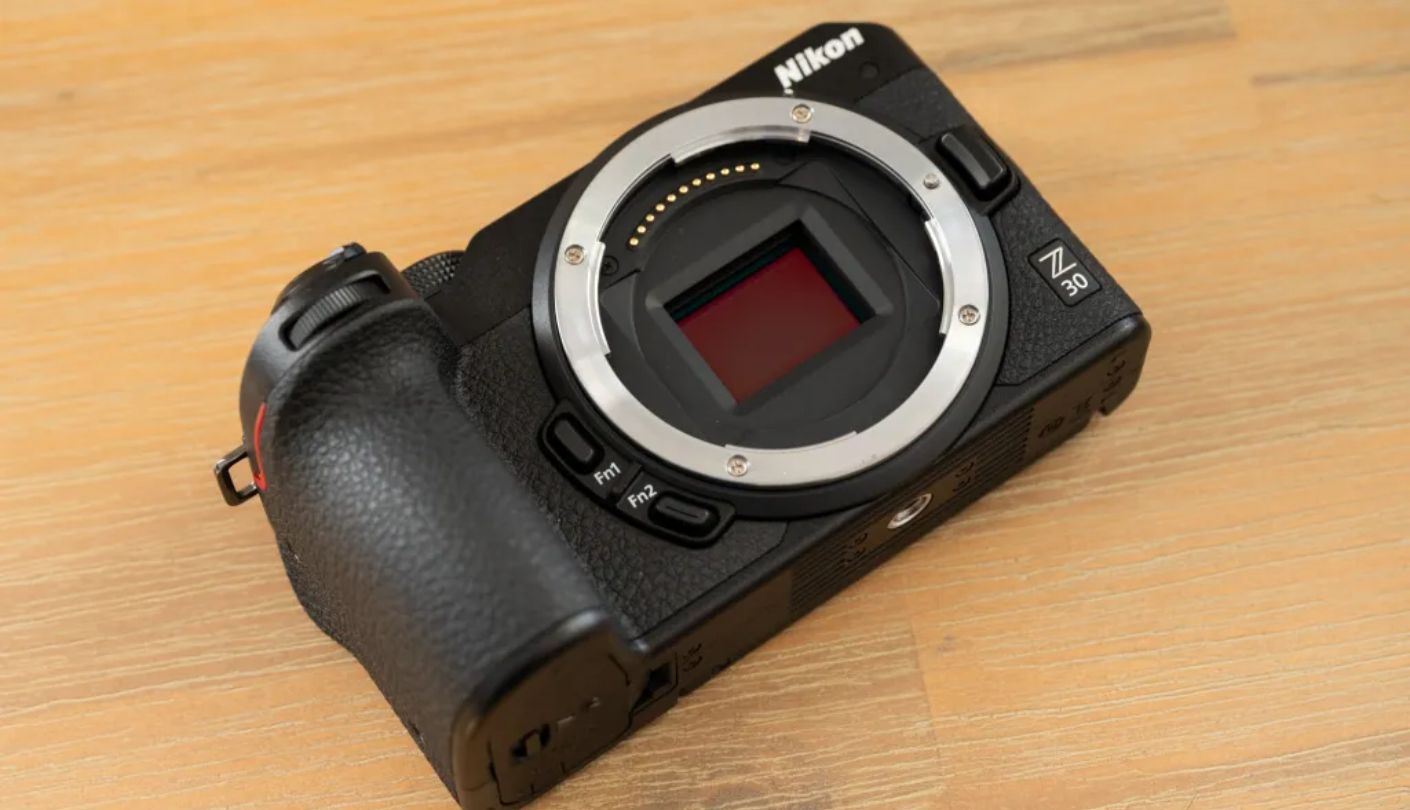
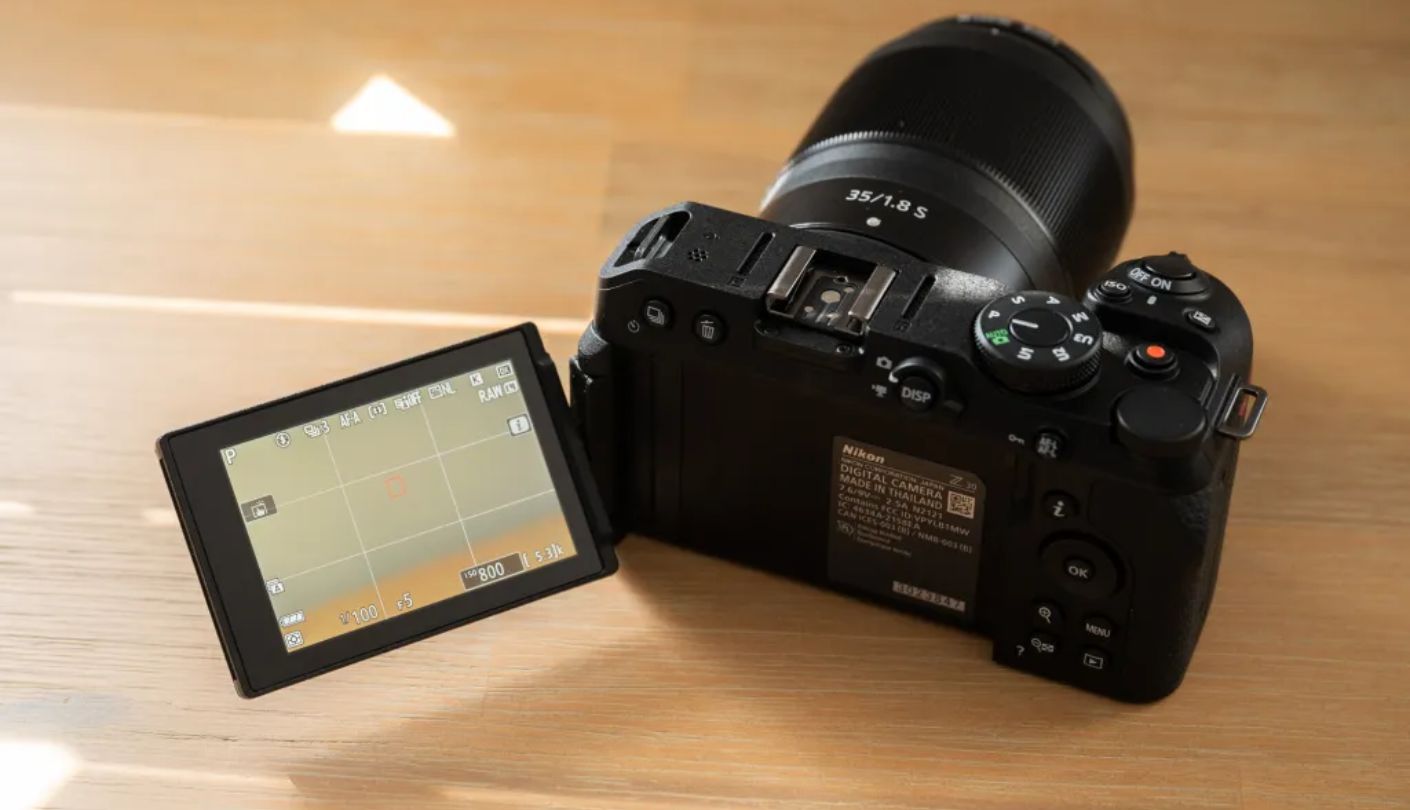
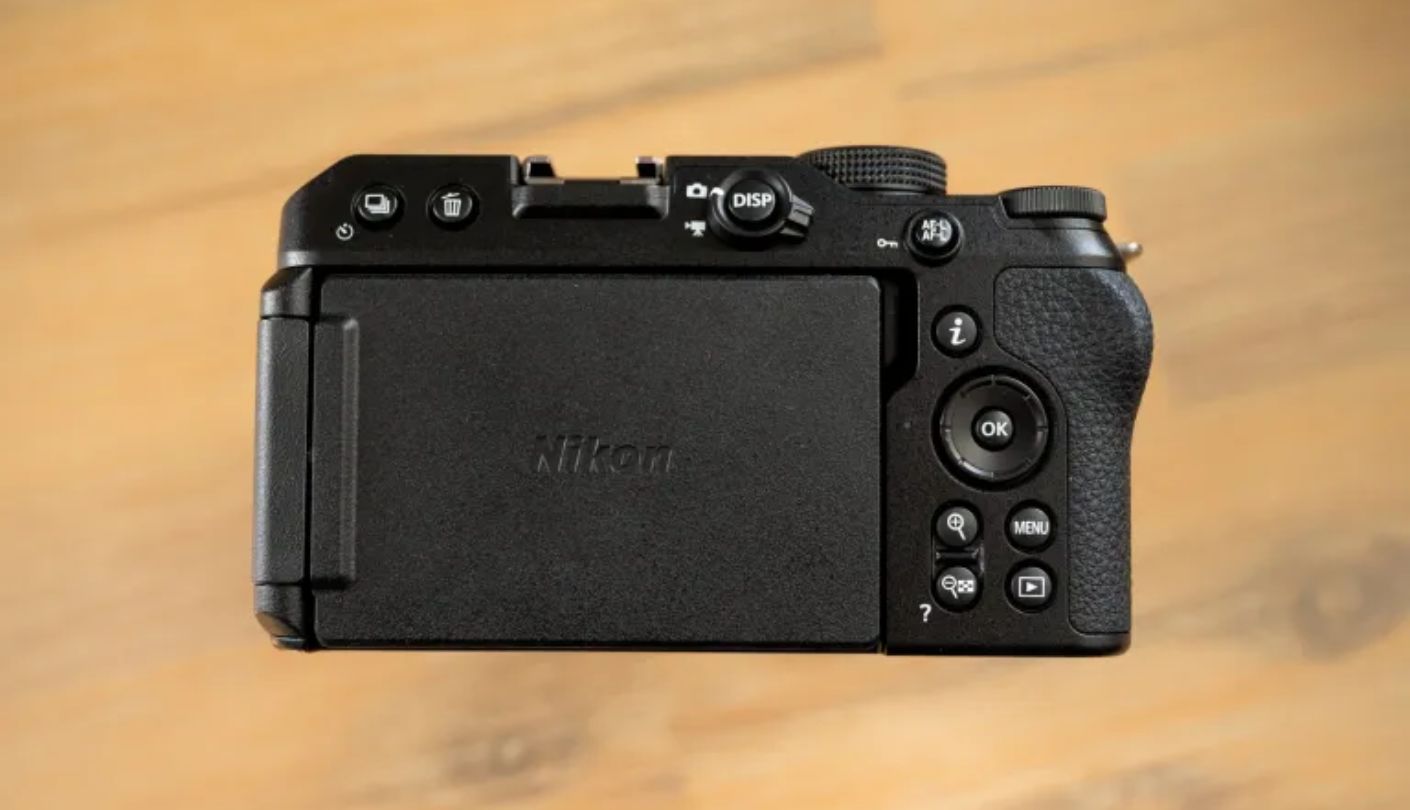
Two hours and fifteen minutes of continuous 4K recording without stopping to clear a buffer, manage an overheat warning, or restart a clip - that is the Nikon Z30 with the 16-50mm in a category where recording time limits are a frequent frustration. For creators who do long-form interviews, gaming commentary sessions, podcast video recordings, or any format where stopping and restarting a clip creates an editing problem, the Z30's recording endurance is the single specification that elevates it above competing cameras. The 20.9MP APS-C sensor paired with Nikon's EXPEED image processor produces footage with excellent color rendition and low-light performance that holds up well at ISO 1600 for indoor recording without studio lighting.
4K at 30fps uses the full width of the sensor - no crop - which preserves the 16-50mm kit lens's full field of view for self-facing footage. Eye Detection AF and face tracking function reliably through most standard YouTube recording scenarios: seated talking-head shots, standing demonstrations, and gradual movement within a fixed space. Autofocus is not the Z30's strongest feature compared to the Sony ZV-E10 II, but for the recording scenarios most YouTube beginners use consistently, it performs without the tracking failures that define a frustrating shoot. The fully articulating touchscreen flips forward for self-recording without an external monitor, and the grip is genuinely comfortable for extended handheld use.
The Z30 includes a dedicated record button positioned for thumb access during vlogging, which removes the need to reach for the top plate shutter button during run-and-gun recording. The 3.5mm headphone jack for audio monitoring is present - a practical inclusion that the Canon R50 omits. Live streaming at up to 4K 30p is supported through USB-C connection to a computer, which expands the camera's utility for creators who also run live streams on their channel. Battery life from the EN-EL25 is the one consistent user complaint: the cell drains in roughly 90 minutes of active recording without USB-C power connected, which means most users carry a second battery or a power bank on longer shooting days.
The Z DX lens ecosystem is the narrowest of the four mirrorless mounts reviewed here. Nikon offers a handful of DX Z-mount lenses natively, though the full-frame Z-mount library is accessible with the 1.5x crop factor producing adjusted focal lengths. Third-party brands have been slow to enter the Z DX space, which means upgrading beyond the kit lens requires either accepting the full-frame crop factor or paying higher prices for Nikon's own glass. This is not a day-one problem - the 16-50mm handles video comfortably for most beginner formats - but it is the constraint that surfaces as a channel grows and content style diversifies toward different focal length needs.
Nikon's menu system is logical rather than intuitive, and I spent more time navigating initial settings on the Z30 than on the Canon or Sony. The learning curve flattens quickly but it is steeper at the start. For creators building a video-first channel who want the longest uninterrupted recording window in this field and who are not planning aggressive lens upgrades in the first year, the Z30 offers a solid, dependable, well-built platform at a competitive price point with the kit lens included.
Pros:
- 2h15min continuous recording
- 4K uncropped at 30p
- Headphone jack
- Solid build quality
- Clean EXPEED color
Cons:
- Short battery life
- Limited Z DX lens options
Summary: Over two hours of continuous 4K recording, full-width uncropped 4K, a headphone jack, and a grip that handles well - the Z30 is the right camera for long-form YouTube formats where stopping a recording mid-session creates real editorial problems.
Sony ZV-E10 II Review
AF King
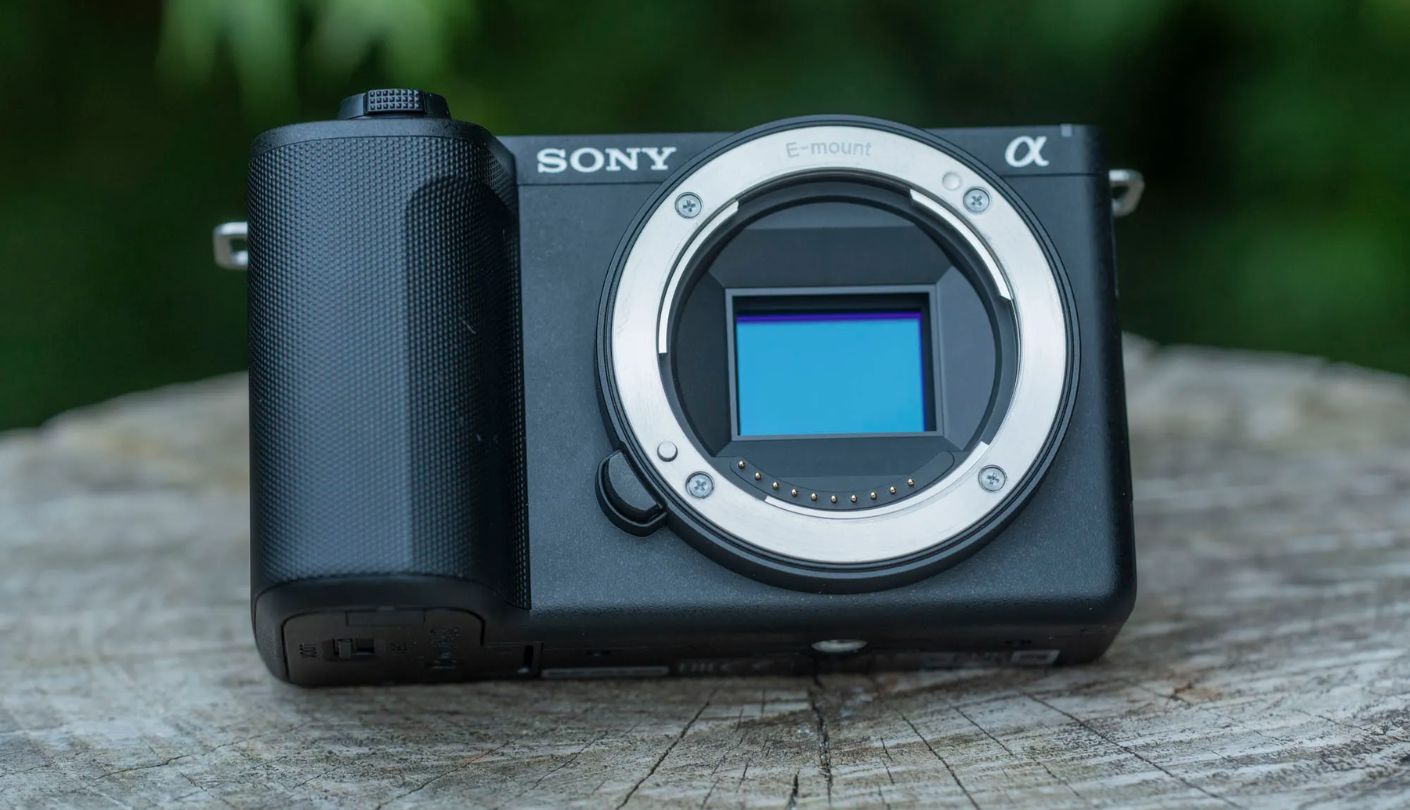
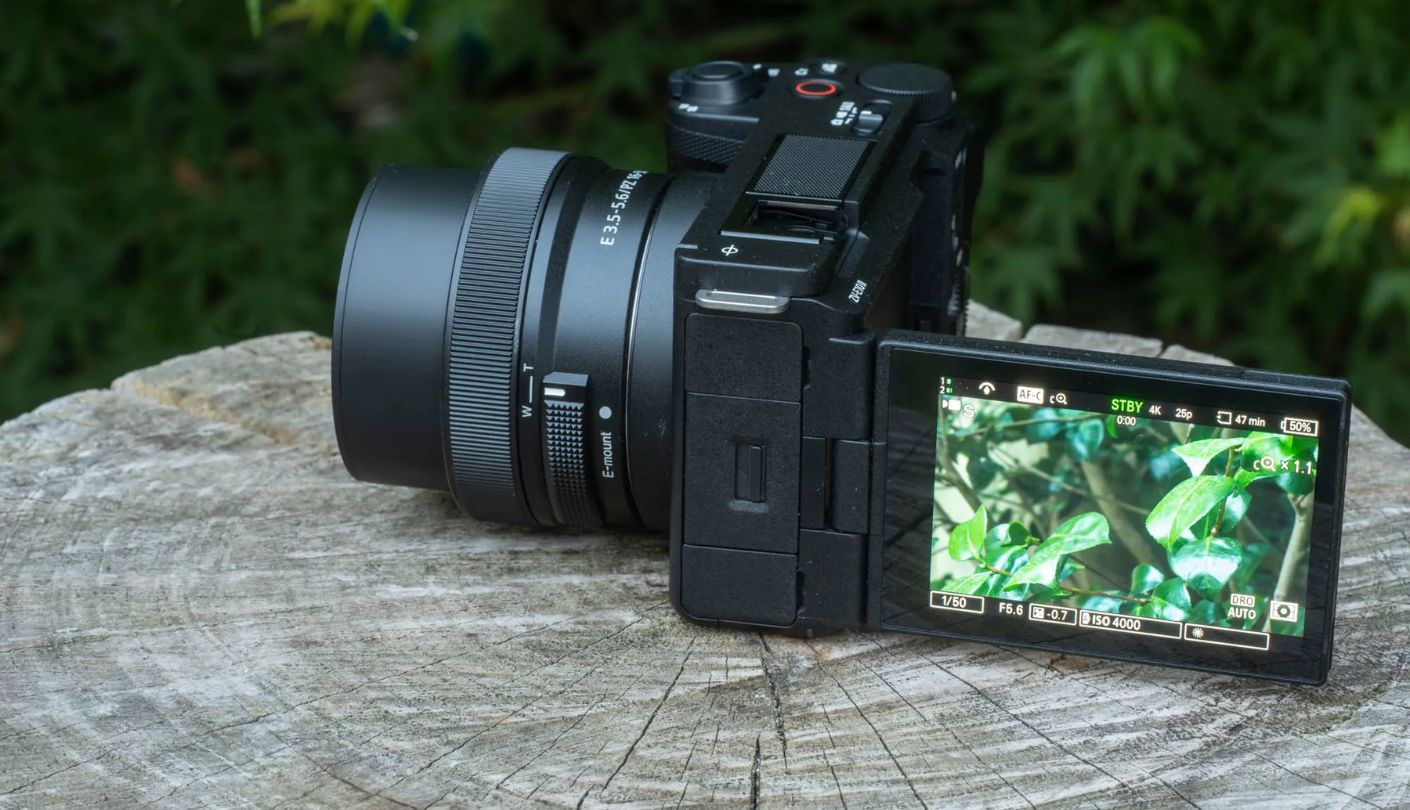
During a thirty-minute talking-head session with the Sony ZV-E10 II, I stood up mid-sentence, walked toward the camera, turned sideways to grab something off a shelf, and leaned forward to show an item directly at the lens - and the camera tracked my eye through all of it without breaking focus once. That is not a feature demonstration. It is a description of what recording alone actually looks like, and the ZV-E10 II's 759-point phase-detect autofocus system inherited from the a6700 is the most reliable solo-recording AF in this field. Real-time Eye AF holds lock through glasses, hair falling across the face, dramatic lighting changes, and subjects who move unpredictably. For any creator recording without a camera operator, this is the hardware difference that most reduces wasted takes.
The 26MP BSI APS-C Exmor R sensor records 4K at 60fps in 10-bit 4:2:2 color with a minimal 1.1x crop, and 4K at 30fps with no crop whatsoever. Internal 10-bit recording means color grading flexibility that 8-bit cameras cannot replicate - shadow recovery, highlight rollback, and log-to-look grading all produce cleaner results. The Sony-exclusive CineVlog mode crops to a 2.35:1 widescreen ratio and applies a cinematic look ready for direct upload, which serves creators who want cinematic-looking content without color grading time. The three-capsule directional microphone with automatic mode selection captures cleaner indoor audio than any competing built-in microphone across the five cameras reviewed here, and the included wind reduction muff covers outdoor recording without an accessory purchase.
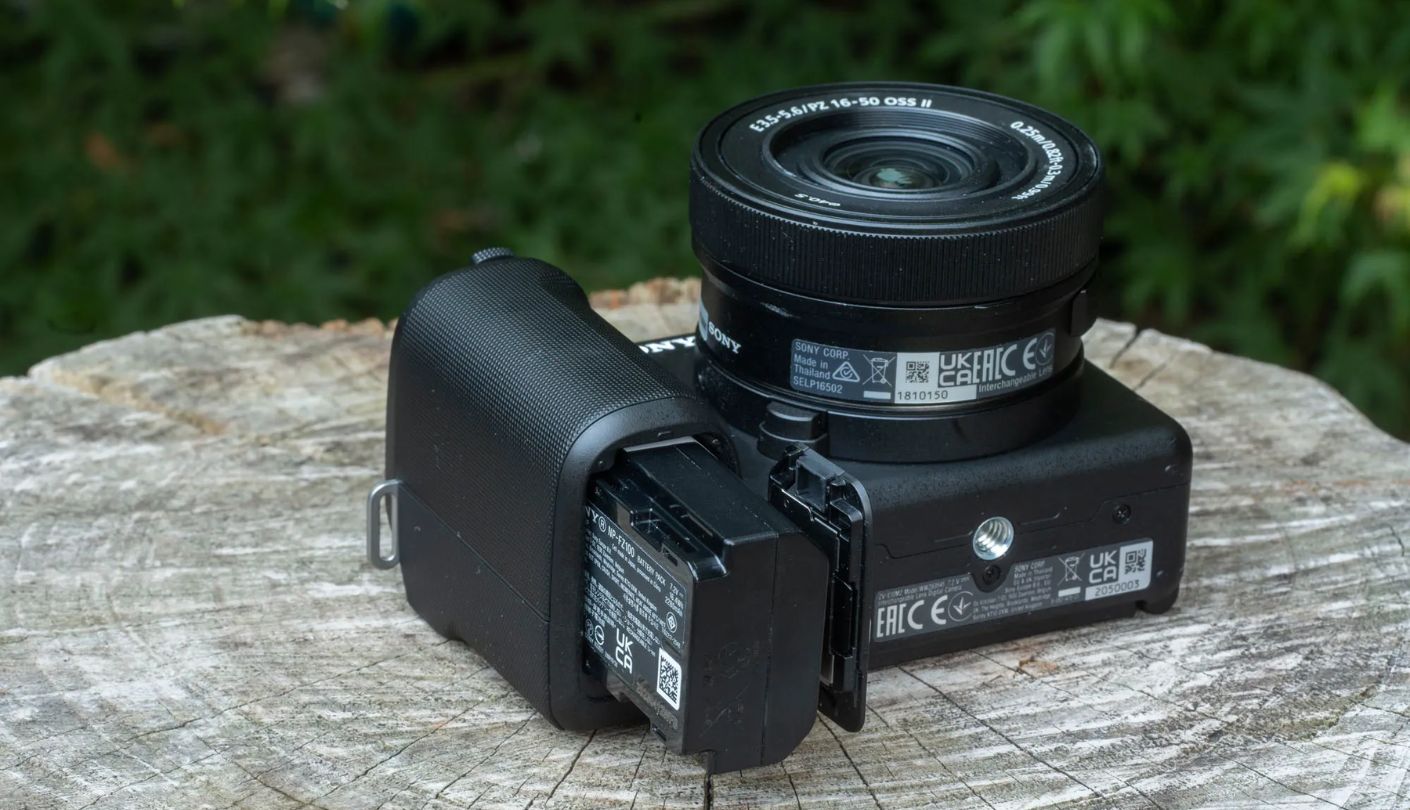
Sony's E-mount ecosystem is the strongest argument for the ZV-E10 II beyond the camera's own specifications. With 200 or more compatible lenses available from Sony, Sigma, Tamron, and Viltrox across every price point and focal length, a creator starting with this body can add a fast prime for low-light recording, a wide-angle for travel footage, and an 85mm equivalent for compressed interview shots - all within reasonable budgets and without changing camera brands. The NP-FZ100 battery used in the ZV-E10 II is the same cell found in Sony's professional FX30 and a6700 bodies, which means adding a second battery is inexpensive and the same charger works across the whole Sony ecosystem if a creator upgrades later.
No in-body image stabilization is the limitation that most affects creators who shoot handheld on the move. Sony's Active Mode digital stabilization adds a meaningful crop to the already 1.1x cropped 4K/60p mode, which tightens the frame considerably during walking shots. A gimbal stabilizer or a stabilized lens resolves this - the Sony SELP16502 kit lens includes optical steady shot - but the absence of sensor-based IBIS is a genuine contrast with cameras like the Fujifilm X-S20 at a higher price point. No weather sealing and no electronic viewfinder are the two other hardware omissions that photographers will note but that most YouTube beginners will not encounter as practical limitations in a studio or controlled outdoor setup.
Product Showcase mode detects objects brought close to the lens during a talking-head recording and shifts focus to them, then returns to face tracking when the object is moved away. For review channels, unboxing content, and any creator who demonstrates products on camera, this mode addresses a specific and common focus-pull failure with a hardware-level solution. The Sony ZV-E10 II is the camera I recommend most specifically for solo creators who know their content will evolve - the autofocus, the 10-bit video, and the E-mount ecosystem all remain relevant as the channel grows from first video to hundredth.
Pros:
- 759-point phase-detect AF
- 10-bit 4:2:2 recording
- Sony E-mount ecosystem
- 3-capsule directional mic
- Product Showcase mode
Cons:
- No in-body stabilization
- Digital IS adds crop
Summary: Class-leading autofocus, 10-bit 4K at 60fps, Sony's E-mount lens ecosystem behind it, and a directional microphone that outperforms the competition at this price - the ZV-E10 II is the camera for creators who prioritize room to grow alongside day-one capability.
Fujifilm X-M5 Review
Film Lover
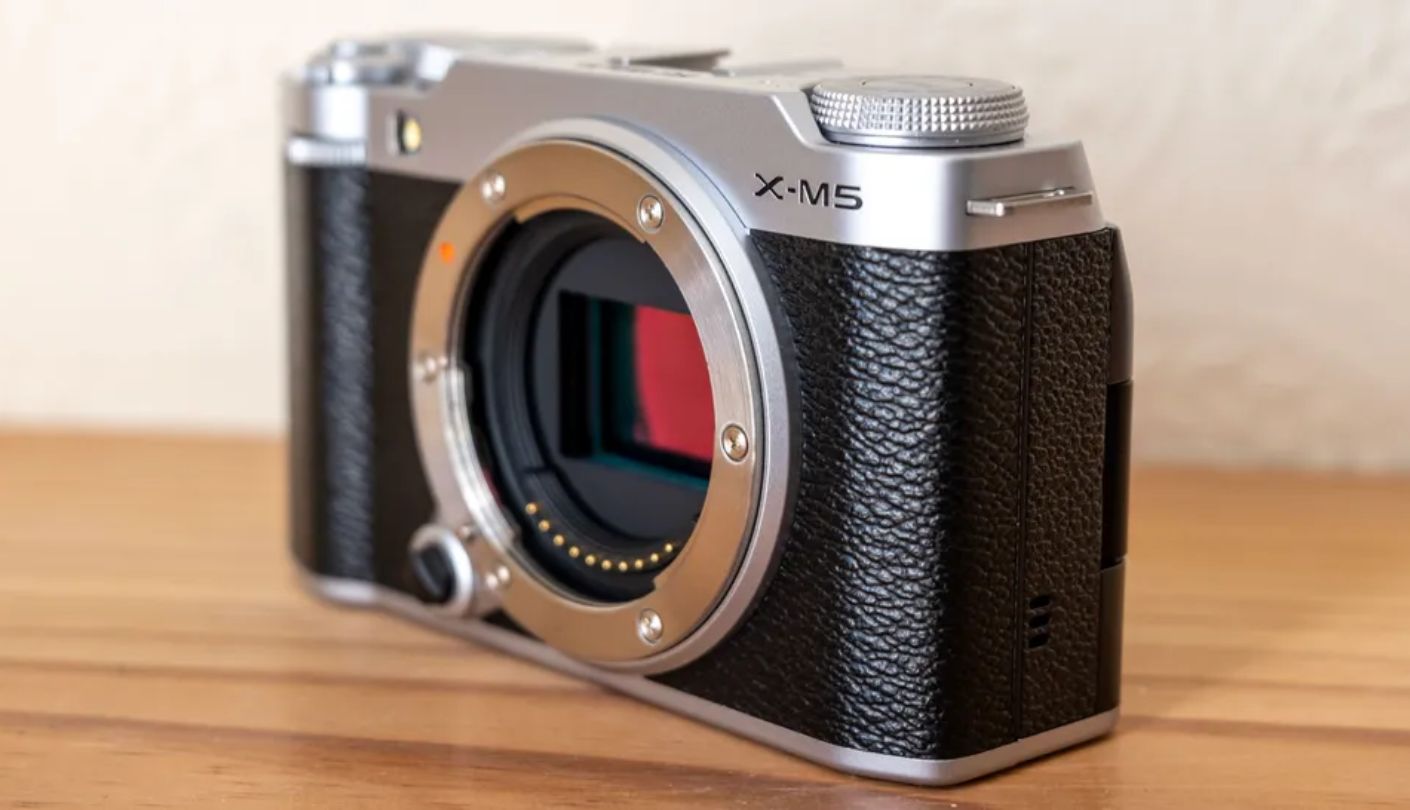
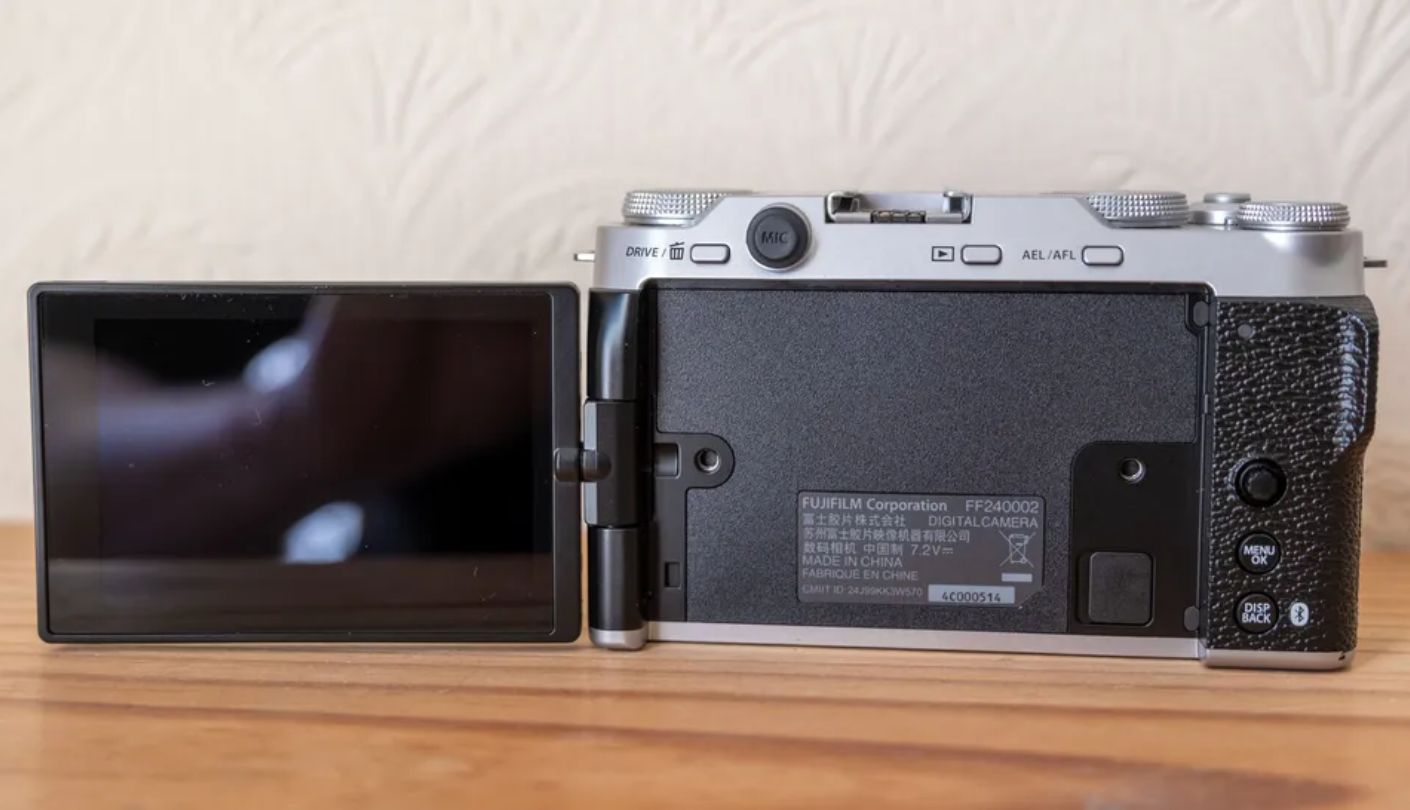
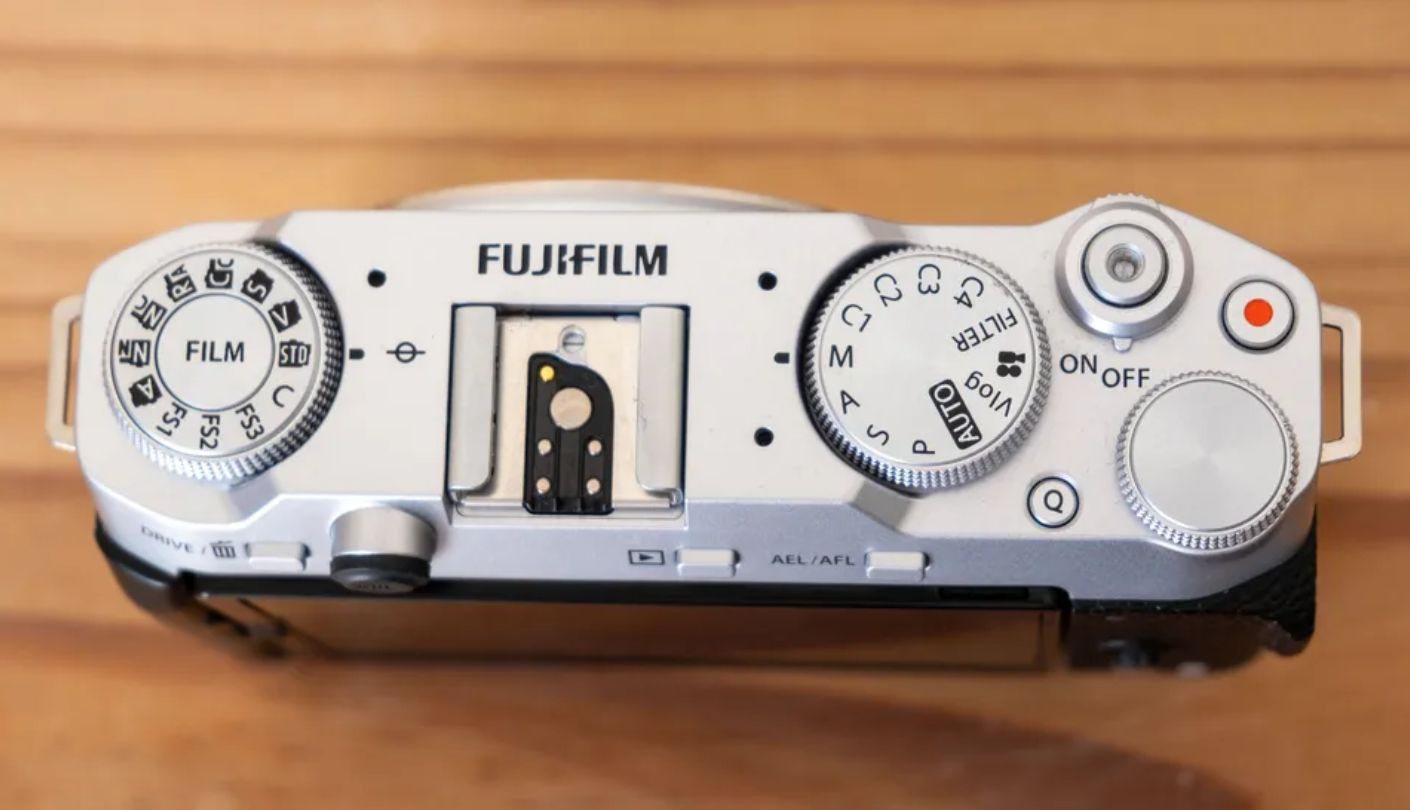
The dedicated Film Simulation dial on the Fujifilm X-M5 is not a filter system. It is Fujifilm's replication of 20 distinct photographic film stocks - Provia for natural color, Velvia for saturated landscapes, Classic Chrome for the muted tones of documentary photography, Eterna Cinema for flat video color, and a dozen more - each available with a physical dial turn before a single setting menu is touched. For a YouTube creator whose channel identity depends on a specific visual aesthetic, the X-M5 offers color character that no other camera on this list can reproduce without custom LUTs and careful manual calibration. This is the camera that attracts creators who have a clear visual reference for what their content should look like and want it to come from the camera rather than from post-production.
On video specifications, the X-M5 is the most capable camera in this field. 6.2K open-gate 10-bit 4:2:2 recording at 30fps uses the full sensor for flexible post-production cropping and reframing. 4K at 60fps is available with standard 4:2:2 color. 1080p at 240fps enables extreme slow motion. The three built-in microphones with four selectable directional modes - Surround, Front Priority, Back Priority, and Front and Back - handle a wider range of recording environments than the standard stereo arrays on the Canon and Nikon. A dedicated Short Movie Mode enables 9:16 portrait-orientation vertical recording directly, without rotating the camera, which produces content ready for YouTube Shorts and other vertical platforms in the original recording pass.
The X-M5 uses Fujifilm's X-Processor 5 with AI-based subject detection that covers a range of subjects broader than most competing cameras: humans, animals, birds, vehicles, motorcycles, bicycles, airplanes, trains, insects, and drones. Stills autofocus from this system is accurate and fast. Video autofocus is reliable for standard talking-head and relatively stationary recording, though some reviewers have noted occasional hesitation during fast lateral movement at close focus distances - a context where the Sony ZV-E10 II's autofocus is measurably more consistent. For creators whose recording style involves deliberate and controlled movement rather than fast handheld action, the X-M5's AF performs without issues in practice.
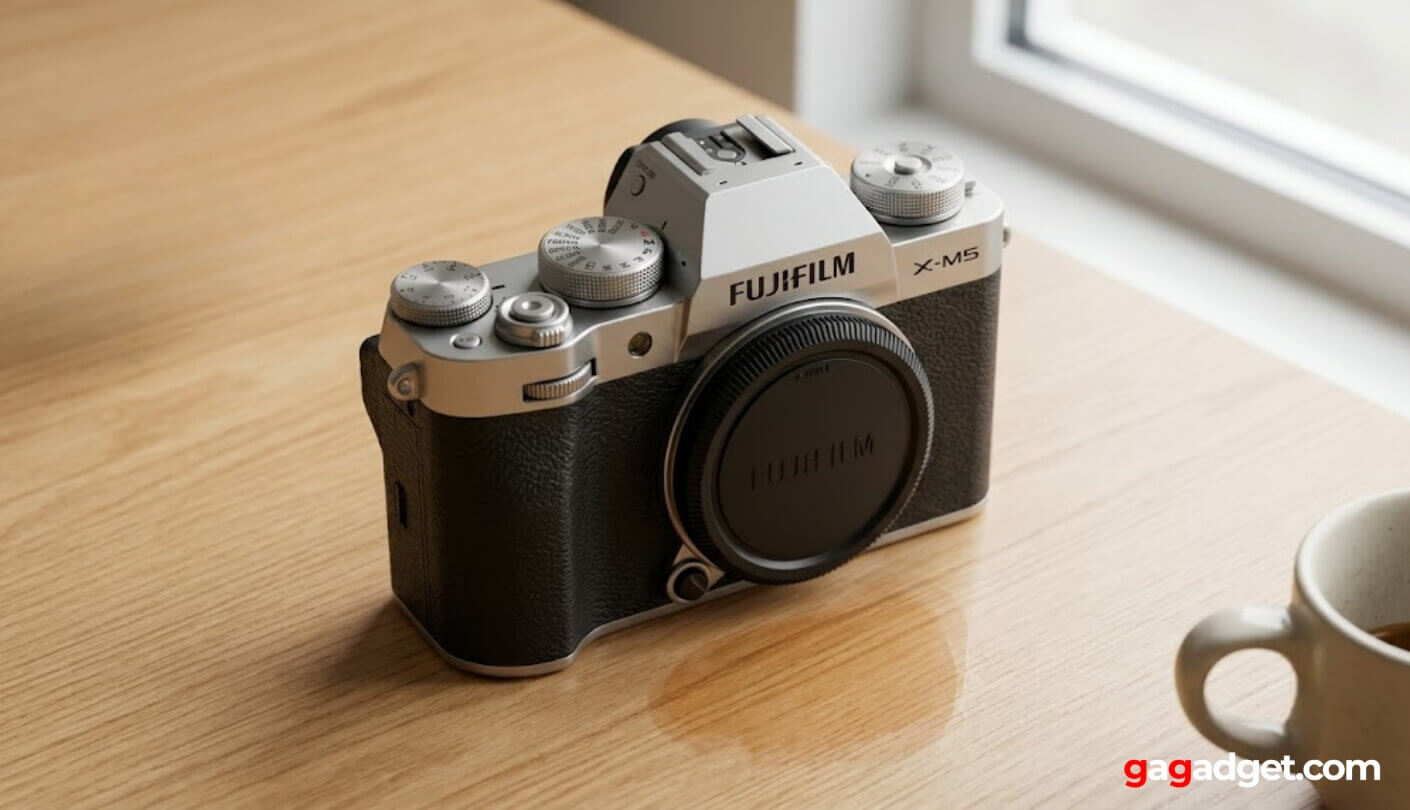
At 355 grams with the body alone and measuring just 111.9 x 66.6 x 38mm, the X-M5 is the most compact mirrorless camera of the five. It fits in a jacket pocket with a pancake lens attached, which makes it genuinely portable for creators who record outside a studio. The faux leather exterior and silver colorway give it a retro-inspired appearance that stands out on a desk or in a product shot in a way that the utilitarian black bodies of competing cameras do not. Fujifilm's X-mount ecosystem gives access to an extensive library of first-party lenses alongside options from Sigma, Tokina, and Viltrox, with strong coverage in the prime lens category where Fujifilm's optical quality is a genuine differentiator.
No in-body image stabilization and no electronic viewfinder are the specifications photographers moving from stills to video creation will feel most immediately. Both omissions are consistent with every competing camera at this price point, but worth naming for buyers comparing to more expensive options above this tier. Battery life is modest - I found it worth carrying a spare for any shoot longer than ninety minutes. For the creator who wants to build a visually distinctive YouTube channel and wants the camera's output to carry a signature color treatment without spending time in a grading suite, the X-M5 is the camera among these five that most directly serves that specific creative priority.
Pros:
- Film Simulation dial (20 modes)
- 6.2K 10-bit open-gate video
- 3-mic directional audio
- Compact retro design
- 9:16 Short Movie mode
Cons:
- Video AF less consistent
- Modest battery life
Summary: Twenty film simulations on a physical dial, 6.2K 10-bit video, three-microphone directional audio, and the most distinctive visual output of the five cameras here - the X-M5 is for the creator who already knows what their channel should look like and wants the camera to reflect it.
Beginner YouTube Cameras: FAQ
Do I need a mirrorless camera to start a YouTube channel, or will a phone work?
A modern smartphone produces footage that is technically adequate for YouTube, but the primary limitations show up in autofocus during self-recording, low-light performance without a stabilized optical sensor, and audio quality from built-in microphones. A dedicated camera with an articulating screen, reliable face tracking, and a microphone input solves all three problems at once. For creators recording at a fixed desk setup - tutorials, commentary, reactions - a phone on a tripod with a clip-on microphone can produce good results. For anyone who records outdoors, moves while talking, or cares about the visual difference between phone footage and dedicated camera footage, a mirrorless camera makes an immediate and visible difference to the output.
Which of these cameras is best for filming yourself alone without a camera operator?
The Sony ZV-E10 II has the most reliable autofocus for solo self-recording - 759 phase-detect points with Real-time Eye AF tracks through movement, quick turns, and objects brought close to the lens more consistently than the other cameras reviewed here. The Canon EOS R50 is the close second, with Dual Pixel CMOS AF II producing similar reliability for the standard talking-head and seated tutorial format. The DJI Osmo Pocket 3's ActiveTrack 6.0 handles solo framing well for moving content. The Nikon Z30 and Fujifilm X-M5 are reliable for static and slow-moving recording but show more hesitation in fast or unpredictable movement.
Is the DJI Osmo Pocket 3 a camera or something different?
It is a mechanically stabilized gimbal camera with a fixed lens - fundamentally different from the interchangeable lens mirrorless cameras on this list. The three-axis gimbal is built into the body rather than being a separate accessory, which means footage is smooth from a physical mechanism rather than from digital processing. The fixed 1-inch sensor cannot be changed or upgraded through lens swaps. It suits creators who want ready-to-record portability and smooth handheld footage without assembling a camera-plus-gimbal rig. It does not suit creators who want lens flexibility, maximum image quality from a larger sensor, or the ability to adapt their optics as their channel grows.
Does 4K video actually matter for YouTube, or is 1080p enough?
YouTube recommends 4K uploads for maximum visibility in its algorithm and quality delivery system, but the practical visual difference between 4K and 1080p on a standard computer or phone screen at normal viewing distance is modest. Where 4K matters most is post-production flexibility: 4K footage downscaled to 1080p in editing looks sharper than footage recorded natively at 1080p, and 4K gives room to reframe or zoom slightly in editing without losing resolution. For long-term content archives and content that might be remastered later, 4K is worth shooting from the start. For beginners who are still learning their format and workflow, 1080p footage from a camera with excellent autofocus and color science produces a better result than 4K footage from a camera whose other features create problems during recording.
What accessories should I buy alongside a beginner YouTube camera?
A small desk tripod or mini tripod for fixed recording positions is the first purchase that changes how much usable footage a beginner gets per shoot. A second battery or a USB-C power bank allows continuous recording without watching the battery level. An external microphone - a shotgun mic on the hot shoe or a lavalier clipped to clothing - improves audio quality beyond what any built-in microphone achieves in an untreated room. An LED panel or ring light makes the single biggest improvement to video quality for any creator shooting indoors without natural window light. The DJI Osmo Pocket 3 Creator Combo includes a mini tripod and microphone in the box, which reduces the immediate accessory list substantially.
Which camera has the best battery life for long recording sessions?
The Nikon Z30 records continuously for over two hours and fifteen minutes in 4K before battery or storage limits the session - the longest uninterrupted recording window among all five cameras here. The Sony ZV-E10 II uses the large NP-FZ100 battery found in Sony's professional range, which lasts longer than the smaller cells on the Canon R50 and Fujifilm X-M5 under comparable recording conditions. The DJI Osmo Pocket 3 runs approximately 90 to 100 minutes from its built-in 1300mAh cell, extended meaningfully by the battery handle included in the Creator Combo. The Canon R50 and Fujifilm X-M5 are both best used with a spare battery or USB-C power bank during shoots longer than 90 minutes.
Do any of these cameras work well for both YouTube video and still photography?
All five cameras handle still photography, but the emphasis varies significantly. The Canon EOS R50 and Fujifilm X-M5 are the most capable stills cameras in the group - the EOS R50 for its AF speed and burst shooting up to 15fps, the X-M5 for its Film Simulation modes and 26MP X-Trans sensor producing distinctive image character for travel and street photography. The Sony ZV-E10 II's 26MP BSI sensor produces excellent stills with the same autofocus reliability it offers for video. The Nikon Z30 performs well for stills in good light with strong low-light ISO performance. The DJI Osmo Pocket 3 is primarily a video tool - its fixed lens and 1-inch sensor produce usable stills but the form factor and fixed focal length limit its versatility for dedicated photography work.
What is the most important single thing to get right when starting a YouTube channel?
Audio. A video with mediocre picture quality and good audio holds viewers. A video with beautiful 4K footage and bad audio loses them within the first thirty seconds. The built-in microphones on the Sony ZV-E10 II, Fujifilm X-M5, and the DJI Osmo Pocket 3 Creator Combo with its included DJI Mic 2 are all good enough for a first video in a controlled indoor environment. Getting a basic external microphone - a $50 to $80 USB or 3.5mm shotgun - is the upgrade that most improves the perceived quality of a YouTube channel per dollar spent. The camera choice matters, but the audio choice is the one I have seen determine whether viewers return for a second video most consistently.
Choosing Your First YouTube Camera
The Canon EOS R50 is the clearest recommendation for a beginner who wants to learn camera fundamentals while getting good results from the first recording session - Creative Assist removes the technical barrier and Dual Pixel AF handles the focus. The DJI Osmo Pocket 3 Creator Combo is the right answer when content happens outside a fixed desk setup and smooth handheld footage and included wireless audio outweigh the need for interchangeable lenses.
The Nikon Z30 suits long-form creators who need the recording time to match their content format without stopping a take unnecessarily. The Sony ZV-E10 II is the camera for anyone who wants room to grow - the autofocus, the 10-bit video, and the E-mount lens library all scale alongside a channel's ambitions over years rather than months. The Fujifilm X-M5 is for the creator with a clear visual identity who wants film simulation color baked in at the recording stage rather than achieved in post. Whichever direction fits your format, the first video is the one worth making now rather than waiting for.

Jim's our tech geek with a mission since February 2023. From movies to video projectors, he knows his stuff and aims to make tech work for you. When he's not geeking out, he's there to guide you through making savvy decisions.


