Best Drones for Beginners
Picking your first drone is harder than it looks. Walk into the category cold and you'll find 249g GPS folders sitting on the same shelf as autonomous selfie pods that launch from your palm - completely different tools solving completely different problems. After testing all five models in this guide across park sessions, breezy coastal shoots, and hands-on time with pilots who had never touched a controller before, one pattern kept showing up: the drones that got used regularly were the ones that matched the pilot's real situation, not their fantasy one. I built this roundup around that gap.
Two distinct design philosophies split this group. Traditional GPS quadcopters with foldable arms and dedicated controllers reward you with transferable skills, genuine 4K footage, and flight times long enough to justify a trip. Controller-free autonomous drones like the HOVERAir X1 skip the learning curve entirely and put you in your own footage within 90 seconds of unboxing. Neither category wins in the abstract - the right choice depends on whether you want to learn to fly or just want great footage of yourself doing things. Here are the five best drones for beginners available right now.
If you're in a hurry, here are my top two picks for best drones for beginners:
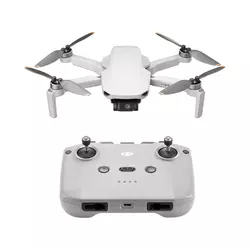
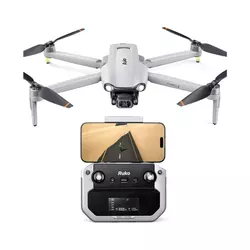
Table of Contents:
- Best Drones for Beginners: Buying Guide
- Top 5 Drones for Beginners in 2026
- Beginner Drone Comparison
- DJI Mini 4K
- Ruko F11PRO 2
- Holy Stone HS360S
- Potensic ATOM 2
- HOVERAir X1
- Best Beginner Drones: FAQ
Best Drones for Beginners: Buying Guide
The 250g Weight Rule and Why It Matters First
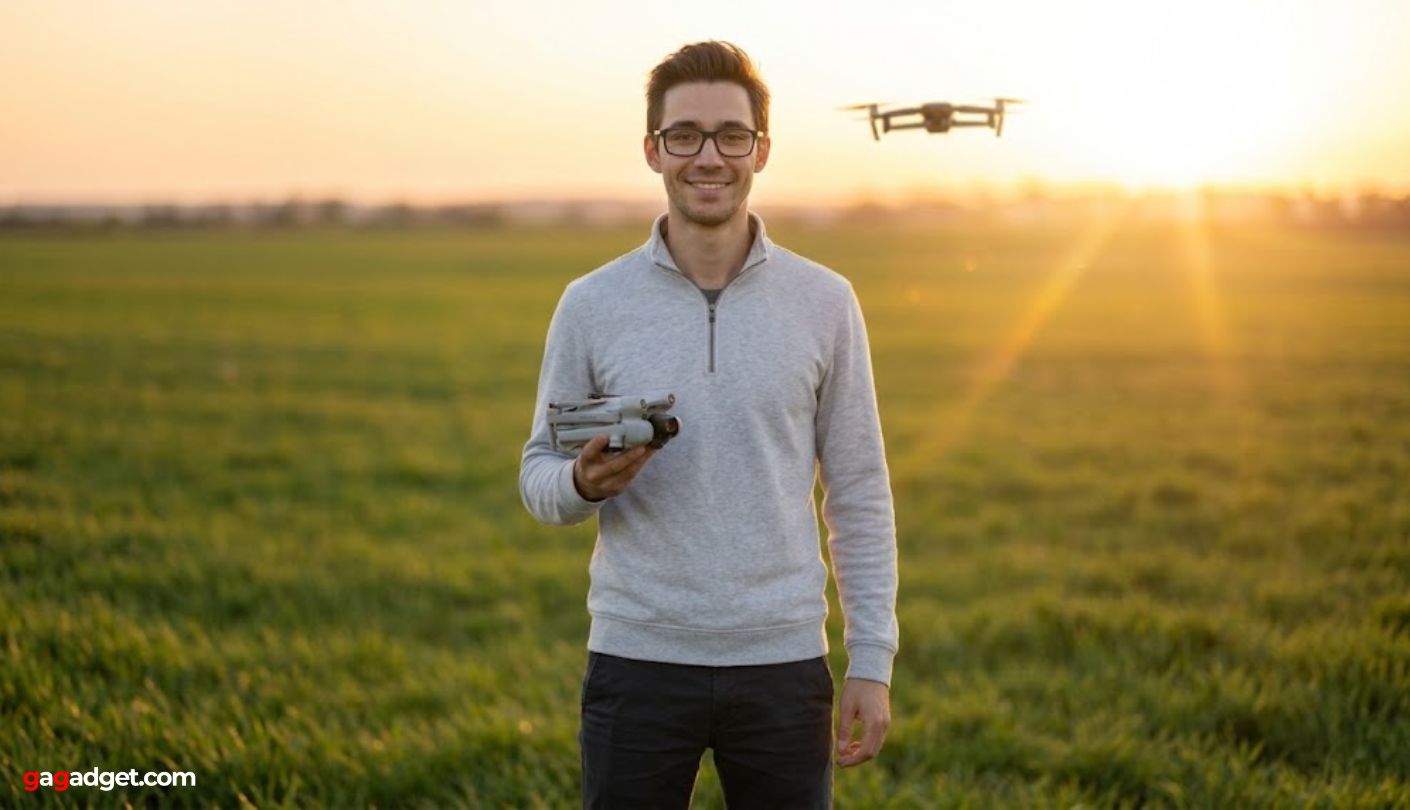
Before camera specs, flight modes, or transmission range - weight is the first thing to check when buying a beginner drone. In the United States, drones under 250g flown recreationally do not require FAA registration or Remote ID compliance. In the EU, sub-250g models fall into the C0 class: no minimum distance from people, no operator license required. That threshold is the reason DJI, Potensic, Holy Stone, and HOVERAir have all converged on exactly 249g for their entry-level designs. For a first-time buyer, it removes a layer of bureaucracy before the first battery is even charged.
Hitting 249g forces real engineering tradeoffs. Manufacturers trim battery capacity, skip obstacle avoidance sensors, and use lighter plastic airframes to reach the target. A 249g drone will almost always have shorter flight time and less crash resilience than a 350g model at the same price - which is exactly why the Ruko F11PRO 2, at 357g, occupies a different position in this roundup despite being squarely aimed at beginners.
Recreational pilots who fly in parks, on hikes, and at the beach will find the sub-250g category fits their lifestyle without friction. Anyone planning commercial use - paid photography, real estate video, any compensated work - needs registration regardless of weight. I always tell first-time buyers to verify their local aviation authority's current rules before purchase, because drone regulations move faster than product cycles in most regions.
Controller Types: Learning to Fly vs. Flying Automatically
Every GPS quadcopter in this roundup pairs with a two-joystick radio controller that connects to your phone for a live video feed. Flying on real sticks builds skills that transfer to any drone you'll ever own. Once pitch, roll, yaw, and throttle click in your hands, picking up a new model takes minutes rather than hours. Controller ergonomics shape that learning arc more than most reviews admit - the Potensic ATOM 2's AT2-RC holds the phone centrally like a game controller and stays comfortable through a full battery, where some phone-holder designs create hand cramp by the 15-minute mark.
The HOVERAir X1 removes the controller question entirely. Two physical buttons on the body cycle through preset autonomous flight paths, and the drone handles all positioning through its visual inertial odometry system. Within three minutes of my first unboxing I was airborne - no app pairing, no compass calibration, no manual required. That accessibility is the trade for manual flying skill: the X1 is the fastest path to footage of yourself, but it will not teach you to fly. Anyone who eventually wants to pilot a conventional drone will still need to start from scratch on a joystick-based model.
Camera and Gimbal: Where the Footage Gap Actually Lives
Resolution numbers on packaging are the least useful way to compare camera drones in this category. A 4K drone with no mechanical stabilization produces shakier footage at altitude than a 2.7K drone with a full 3-axis gimbal. The Holy Stone HS360S shoots 4K but relies on a motorized single-axis tilt rather than a mechanical gimbal - a gap that shows as horizon drift in any wind above a light breeze. Both the DJI Mini 4K and the Potensic ATOM 2 use genuine 3-axis mechanical gimbals that hold a flat horizon through directional changes and gusts. For anyone posting footage online or cutting it into a video, gimbal type is the single spec worth prioritizing above all others.
Video bitrate gets overlooked on spec sheets but separates usable footage from footage worth keeping. The DJI Mini 4K records at 100Mbps - enough to retain fine detail in fast-moving scenes and give editors real latitude in post-production. Budget drones running lower bitrates produce clips that look acceptable on a phone but break down in color grading or on a large display.
Sensor size is the second dimension worth understanding. The Potensic ATOM 2's 1/2-inch Sony CMOS chip is noticeably larger than the 1/3-inch sensors in the Holy Stone HS360S and the Ruko F11PRO 2. Larger sensors capture more light per pixel, which produces cleaner color at dusk and in the shaded environments where beginner photographers tend to fly. I've compared footage side by side on a forest trail at golden hour - the ATOM 2 holds saturation and shadow detail where smaller-sensor drones return flat, muddy frames.
GPS Safety Features Every First-Time Pilot Should Know
Return to Home (RTH) is the feature that most directly protects a beginner's investment. When battery drops below a set threshold or the controller signal cuts out, RTH brings the drone back to its launch point automatically. GPS-assisted hover is equally important: it lets pilots pause mid-flight without drifting, which is why learning on a modern GPS drone is far less stressful than learning on older Wi-Fi-only models. When I hand a drone to someone flying for the first time, the first thing I check is whether GPS hover holds rock-solid in still air - drones that creep sideways during hovering practice unsettle new pilots and slow progress noticeably.
Beginner or Novice modes - found on the HS360S, ATOM 2, and Ruko F11PRO 2 - cap maximum speed and altitude during early sessions. The HS360S limits distance and altitude to 30 meters in Novice mode, enough airspace to learn orientation and basic inputs without wandering into trouble. The ATOM 2's Potensic Eve app overlays real-time flight tips on screen during flight, which new pilots will find useful for the first several hours. DJI's Fly app takes the same approach with built-in tutorials, and years of iterating on that onboarding experience show in how smoothly a complete beginner gets through the first session.
Flight Time, Range, and the True Cost of Your Kit
Advertised flight times are measured in lab conditions - still air, constant altitude, room-temperature battery at full charge. Real-world figures run 25-30% shorter. The DJI Mini 4K's 31-minute claim becomes 21-25 minutes outdoors. The Potensic ATOM 2's 32 minutes lands at 22-23 minutes. A single 20-minute battery is workable for a practice session, but anyone planning travel photography or sustained content shooting should budget for a multi-battery bundle from the start - three batteries mean three uninterrupted sessions rather than two hours of charging between flights.
Transmission range rarely limits beginners flying in a park or open field, but the type of transmission system matters in signal-dense environments. DJI's OcuSync 2.0 and Potensic's PixSync 4.0 use dedicated radio protocols that hold stable past 1km in urban areas with RF interference. Wi-Fi-based systems in most budget drones start dropping frames around 800 meters in a busy city environment - a gap that becomes obvious near apartment buildings or crowded event spaces.
One factor I weigh carefully in every recommendation is the true kit cost, not just the base price. The Ruko F11PRO 2 ships with two batteries as standard - a real advantage over single-battery competitors. The HOVERAir X1's 9-10 minute real-world flight time makes the two-battery combo a functional necessity rather than an optional upgrade. Total up the full kit cost across each drone before comparing headline prices, because the base listing often leaves out accessories a first-time pilot actually needs from day one.
Top 5 Drones for Beginners in 2026
Each of these drones went through outdoor testing across different wind conditions and skill-level scenarios - from complete first-timers to casual hobby pilots - to find which designs reduce the learning curve and which ones create unnecessary friction.
- 3-axis mechanical gimbal
- 100Mbps video bitrate
- 10km OcuSync range
- Level 5 wind resistance
- DJI app ecosystem
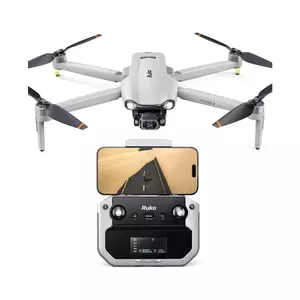
- Two batteries included
- 3-axis brushless gimbal
- Sony lens sensor
- 6K still photos
- Included carry case
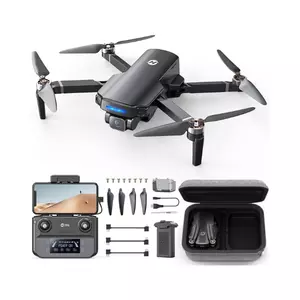
- Controller screen display
- GPS + GLONASS positioning
- Novice mode protection
- Multiple flight modes
- Sub-250g no registration
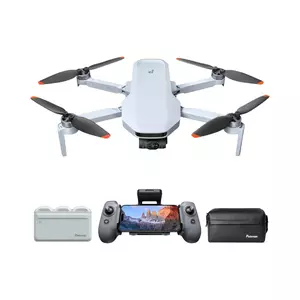
- 1/2" Sony CMOS sensor
- 48MP still photos
- AI Track subject tracking
- 10km PixSync transmission
- Ergonomic AT2-RC controller
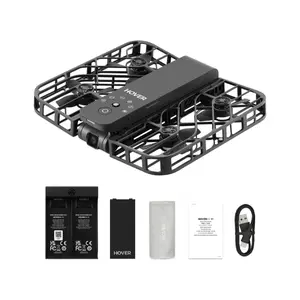
- Palm takeoff operation
- 125g ultra-light weight
- Enclosed propeller guards
- GPS-free VIO tracking
- Indoor-capable flight
Beginner Drone Comparison
Here's a detailed comparison of the specifications that matter most when choosing your first drone:
| Specification | DJI Mini 4K | Ruko F11PRO 2 | Holy Stone HS360S | Potensic ATOM 2 | HOVERAir X1 |
| Weight | 249g | 357g | 249g | 249g | 125g |
| Camera | 4K/30fps, 1/2.3" CMOS | 4K/30fps, 1/3.2" Sony | 4K UHD, 1/3" GalaxyCore | 4K/30fps, 1/2" Sony CMOS | 2.7K/30fps, 1080p/60fps |
| Photo Resolution | 12MP (48MP enhanced) | 6K (8MP sensor) | 4K UHD | 48MP | 12MP |
| Gimbal | 3-axis mechanical | 3-axis brushless | Motorized tilt (1-axis) | 3-axis mechanical | Electronic stabilization |
| Max Flight Time | 31 min (21-25 real-world) | 35 min/battery (2 included) | 20 min | 32 min (22-23 real-world) | 11 min (9-10 real-world) |
| Transmission Range | 10km (OcuSync 2.0) | 10,000ft | Up to 10,000ft | 10km (PixSync 4.0) | ~30m (VIO, no GPS) |
| Wind Resistance | Level 5 (24 mph) | Level 5 | Level 3-4 | Level 5 (23.6 mph) | Level 4 |
| Obstacle Avoidance | No | No | No | No | No (propeller guards) |
| GPS | Yes | Yes | Yes + GLONASS | Yes | No (VIO positioning) |
| Controller Required | Yes (RC-N1C included) | Yes (included) | Yes (included) | Yes (AT2-RC included) | No (2-button operation) |
| Subject Tracking | No | No | Follow Me (GPS-based) | AI Track (Spotlight/Follow/Parallel) | Autonomous tracking |
| Storage | MicroSD | MicroSD | MicroSD | MicroSD | 32GB internal |
| Folded Size | 5.4 x 3.2 x 2.3 in | 6.5 x 3.5 x 2.56 in | 5.55 x 3.70 x 2.20 in | 5.63 x 3.46 x 2.28 in | 5 x 3.4 x 1.2 in |
From my testing, the specs that most directly shape the beginner experience are gimbal type (3-axis mechanical vs. single-axis tilt), transmission protocol, GPS hover quality, and whether the base kit includes more than one battery.
DJI Mini 4K Review
Editor's Choice
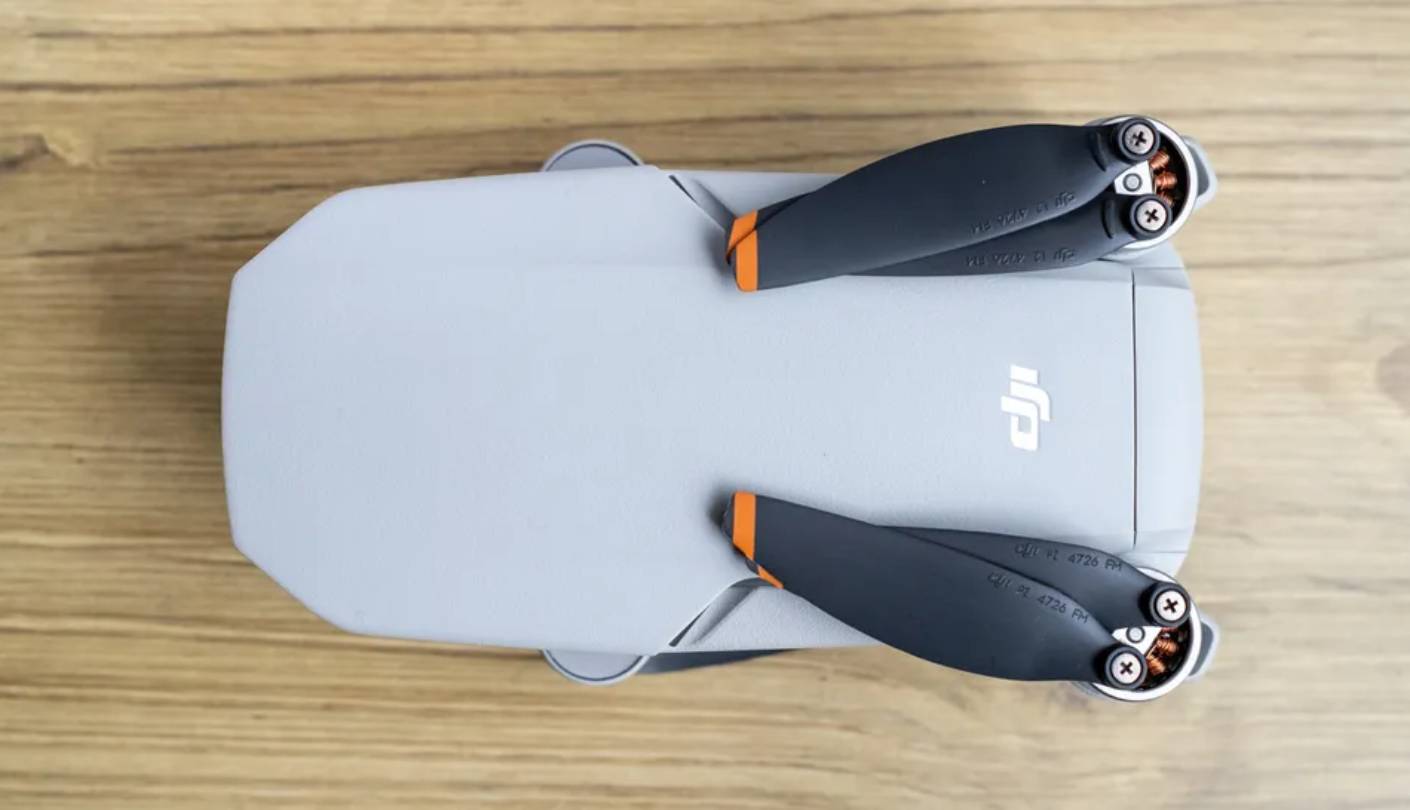
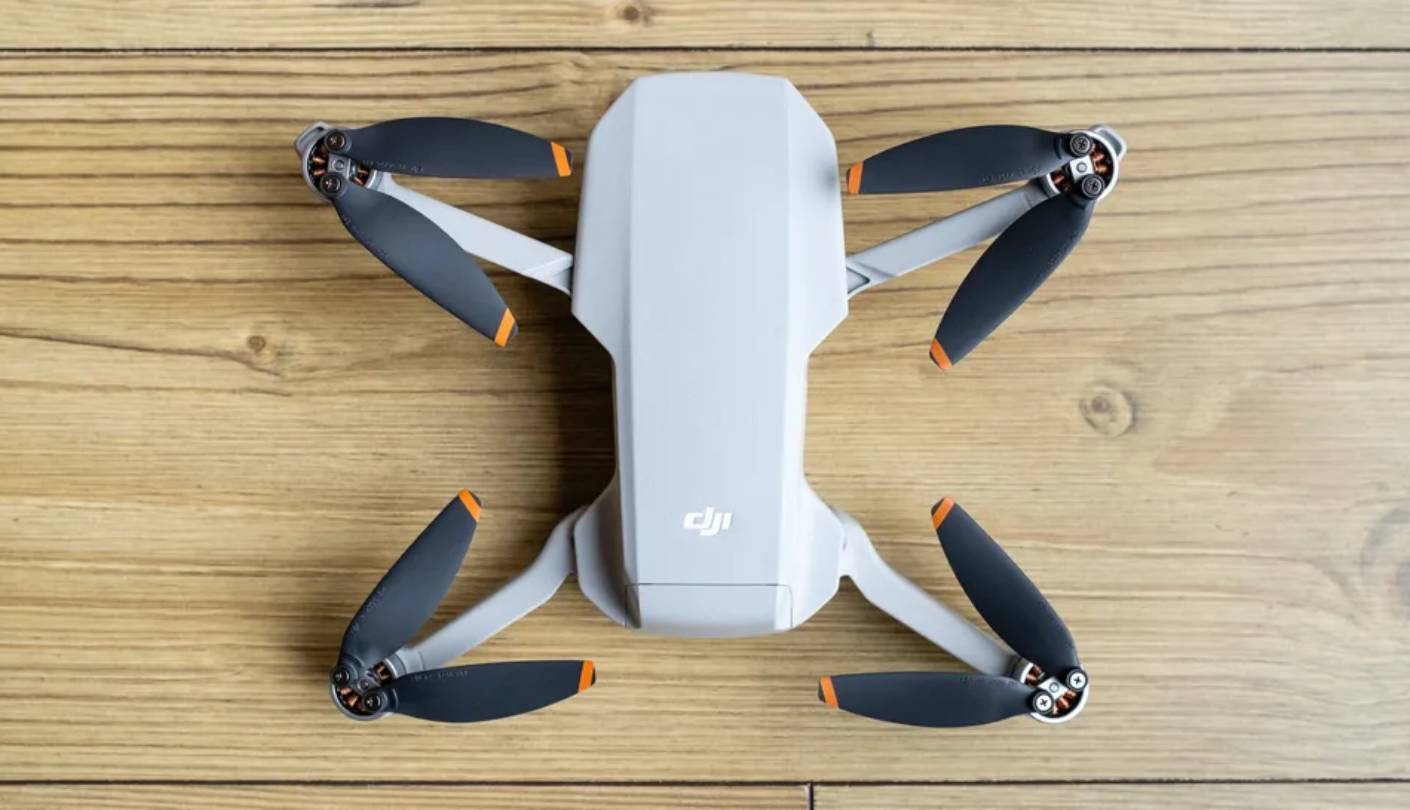
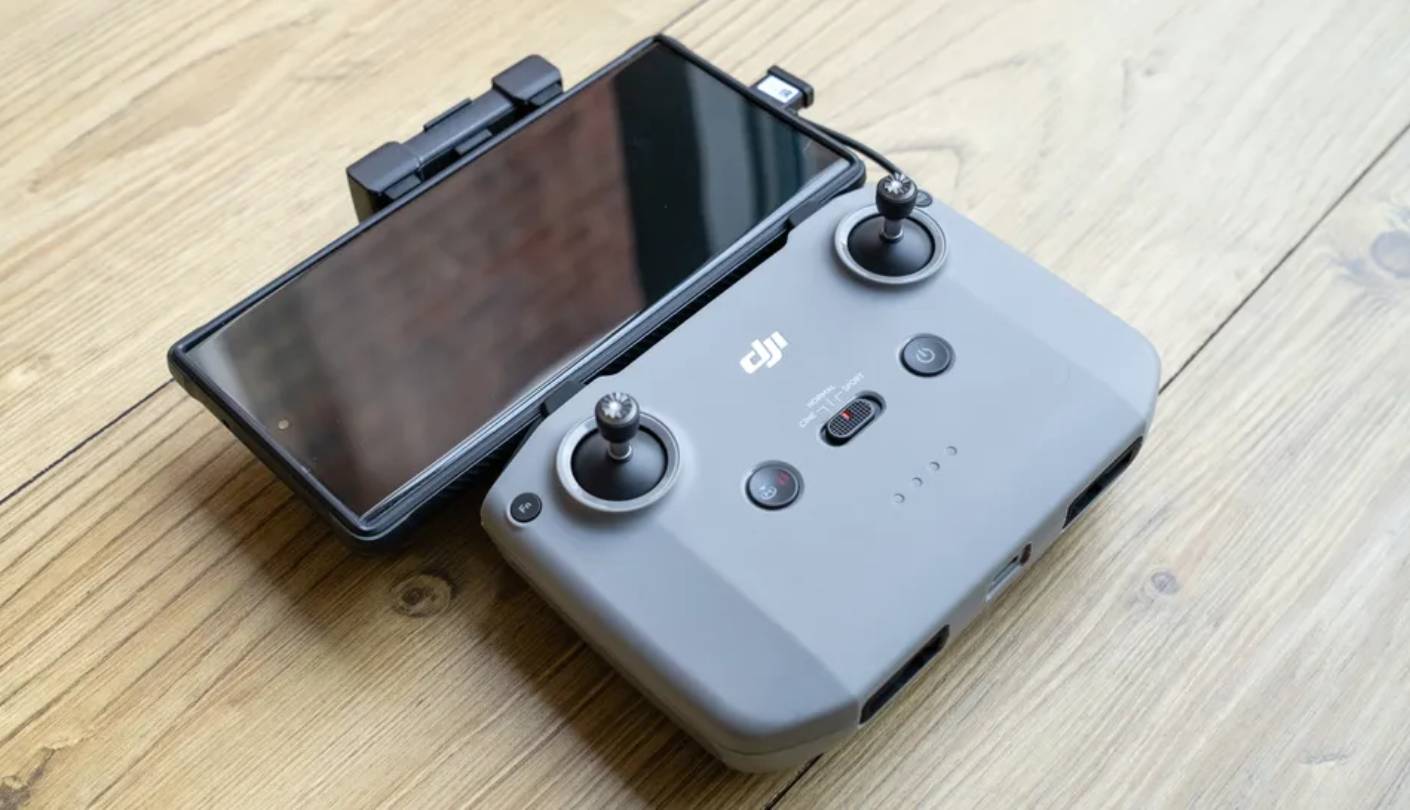
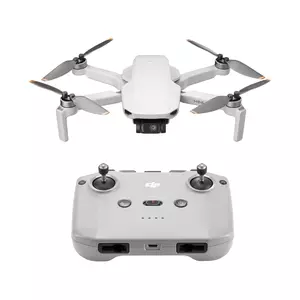
When someone asks me which beginner drone they'll still be happy with two years from now, the DJI Mini 4K is the name I say first. DJI launched it in April 2024 with almost no ceremony - it appeared on Amazon without a dedicated page on DJI's own site - but the value proposition it landed at is hard to dispute. At 249 grams, it clears the FAA recreational registration line, and it squeezes a 4K/30fps camera with a 100Mbps bitrate into a folded footprint roughly the size of two stacked smartphones.
The 3-axis mechanical gimbal is what separates the Mini 4K's footage from budget drones sharing its price shelf. Where single-axis motorized tilts fail to compensate for multi-directional motion in wind, the full gimbal locks the horizon flat through lateral movements and turns. The 1/2.3-inch CMOS sensor captures 12MP stills in RAW or JPEG, with a 48MP enhanced mode for high-resolution images. DJI's OcuSync 2.0 transmission holds a stable video feed up to 10km under ideal conditions - a figure that puts it in a different technical tier from Wi-Fi-based competitors at the same price.
QuickShots (Helix, Dronie, Circle, Rocket, Boomerang) automate cinematic moves that beginners can't yet execute manually, which means usable content is possible from the very first session. GPS hover is precise enough that I've watched complete first-timers hold a stable position in light wind with zero input after only their third takeoff. The RC-N1C controller uses a phone-holder cradle, so any smartphone becomes the FPV screen without a separate proprietary display to charge.
Real-world flight time lands between 21 and 25 minutes depending on wind. That's productive for a single-battery session, though anyone planning a full travel day of shooting will want the Fly More Combo with three batteries. No obstacle avoidance is present - standard across this entire category - so keeping line of sight remains the pilot's responsibility. Level 5 wind resistance up to 24 mph makes the Mini 4K flyable in conditions that ground lighter, less-stable drones.
DJI's app ecosystem is an advantage no competitor at this price point currently matches. In-app tutorials, reliable firmware updates, and a large online community of Mini-series users mean that any problem a beginner encounters has almost certainly been documented and answered already. For a first drone that captures real 4K, holds up in moderate wind, and comes from the company with the longest track record in sub-250g consumer drones, the Mini 4K is the strongest single starting point in this group.
Pros:
- 3-axis mechanical gimbal
- 100Mbps video bitrate
- 10km OcuSync range
- Level 5 wind resistance
- DJI app ecosystem
Cons:
- Single battery included
- No obstacle avoidance
Summary: DJI Mini 4K sets the standard for entry-level GPS drones with its 3-axis gimbal, 100Mbps 4K video, and 10km OcuSync transmission in a sub-250g frame. The clearest first recommendation for pilots starting from scratch.
Ruko F11PRO 2 Review
Best Overall
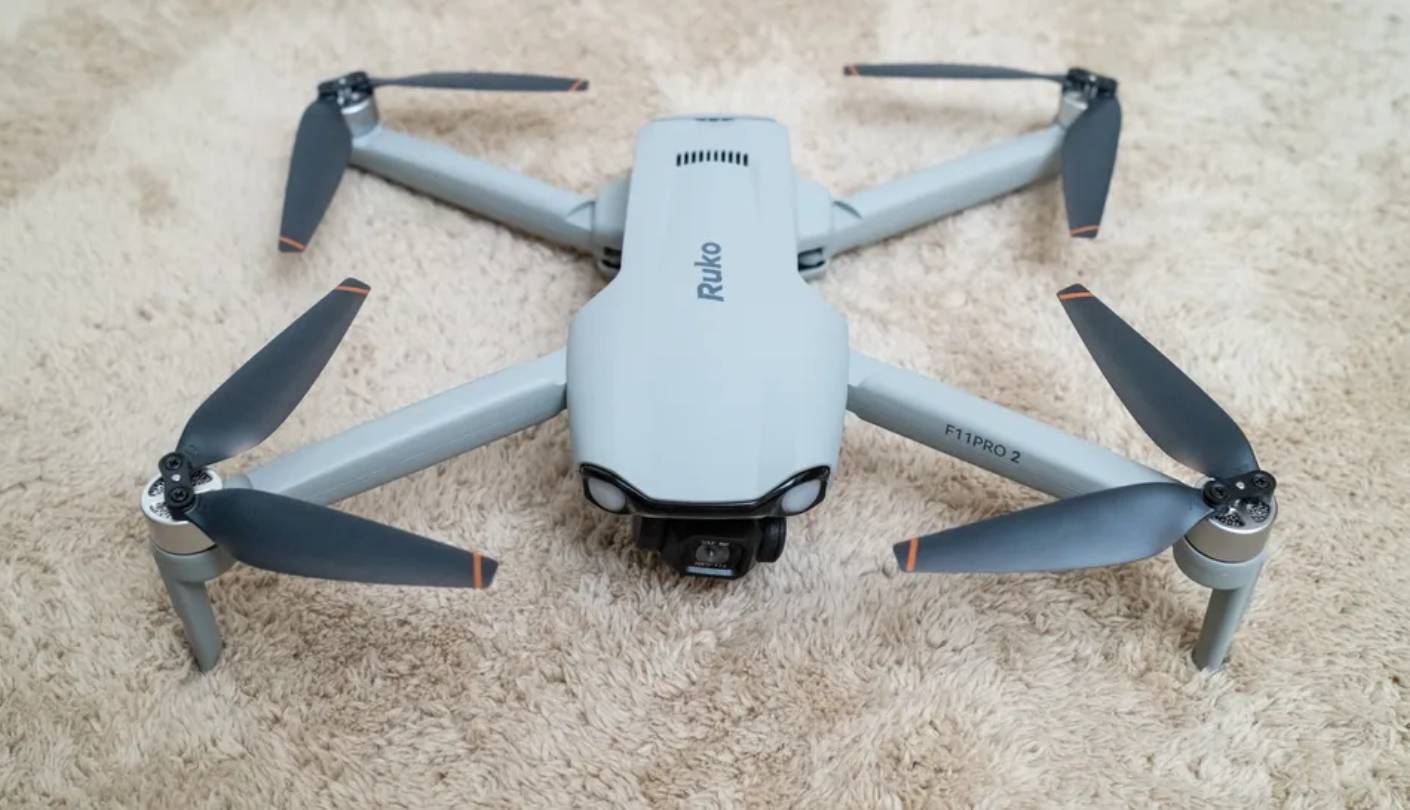
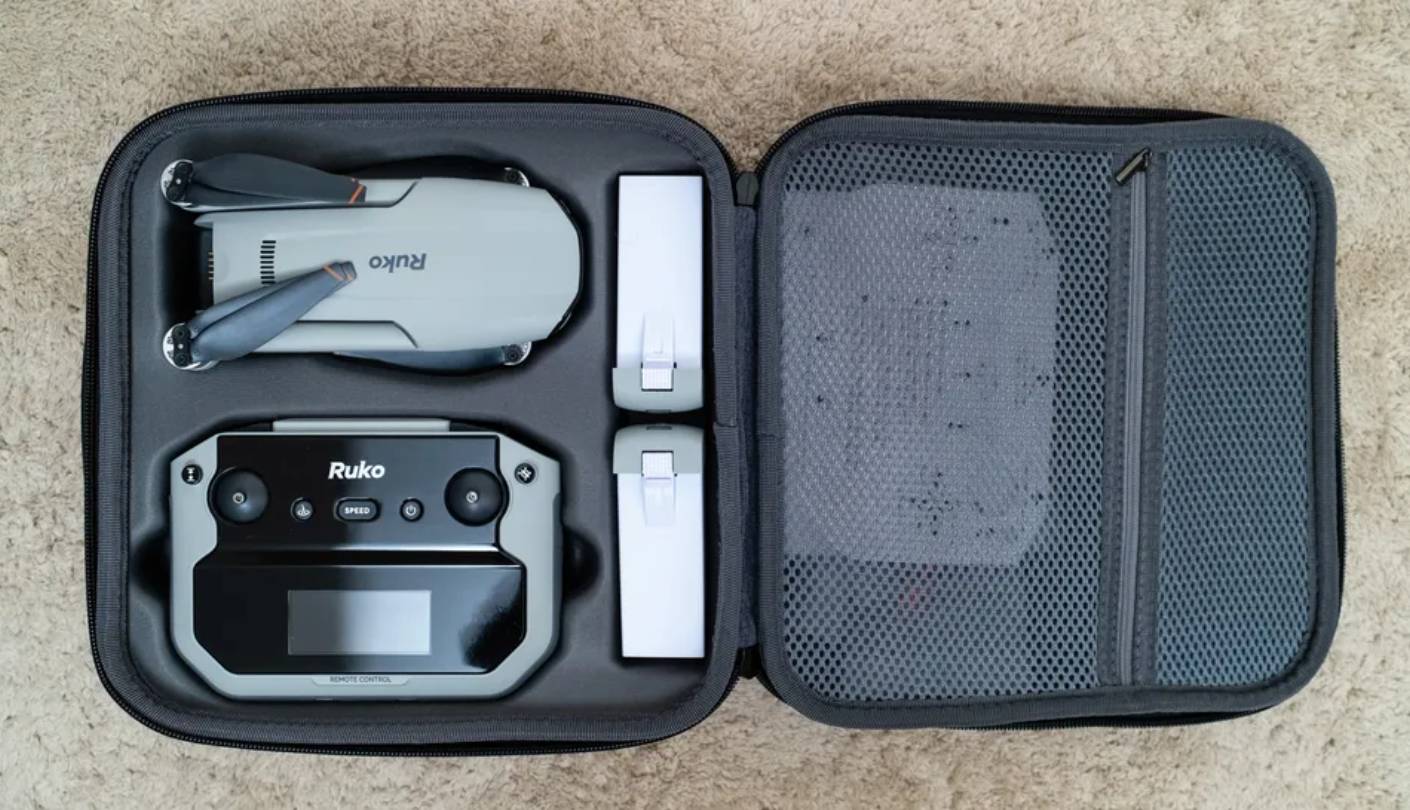
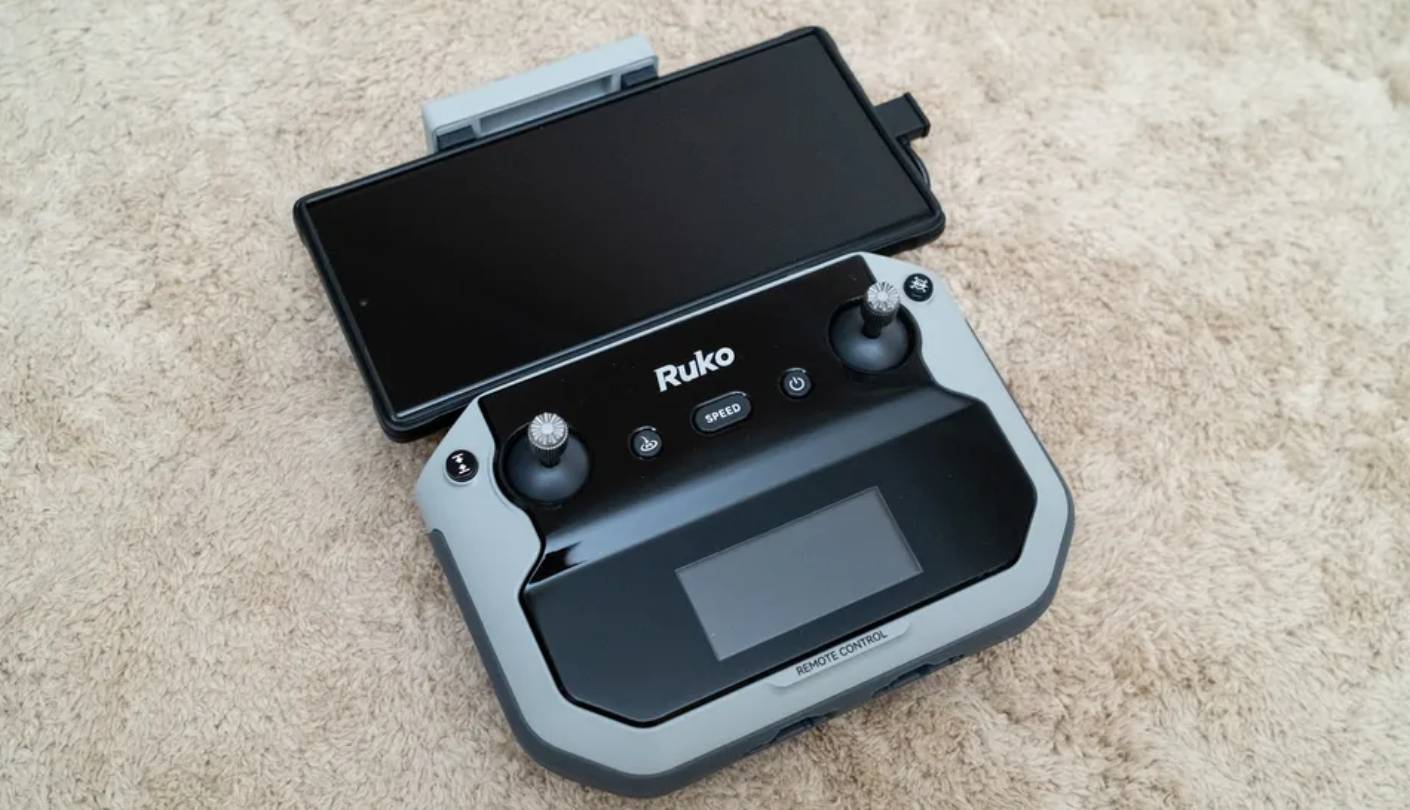
The Ruko F11PRO 2 sits in an unusual position in this group. At 357 grams it crosses the FAA registration line, which means recreational pilots in the US need to register before flying. That's a real obligation - but Ruko builds a credible case that what you get in return justifies the step. Two batteries ship in the standard box, giving 70 minutes of combined flight time out of the gate without an additional bundle purchase. Against the single-battery default across this category, that difference shapes the first several sessions in a way I noticed immediately during testing.
The F11PRO 2's camera sits behind a 3-axis brushless gimbal housing an 8MP Sony 1/3.2-inch sensor capable of capturing 6K still images and 4K video at 30fps. The gimbal keeps footage stable in the same breezy conditions where single-axis mounts show visible horizon drift. The Sony lens produces sharper, better-saturated color than the generic CMOS sensors in similarly priced alternatives - a difference that reads clearly when clips are compared side by side on a monitor rather than a phone screen. The metal camera housing gives the front of the drone a solidity that most ABS assemblies at this price cannot match.
The Ruko Mini app manages all intelligent flight functions and FPV transmission, with a control range reaching up to 10,000 feet - adequate for recreational use in any open environment. Top flight speed lands at 13.4 mph in Stable mode and 17.9 mph in Sport mode. For a camera-first beginner platform, that ceiling is a reasonable trade: smooth, controlled passes produce better footage than speed, and the F11PRO 2 is designed around that priority. The folded dimensions (6.5 x 3.5 x 2.56 inches) sit at the larger end of this group but still pack cleanly into a backpack, and the included hard carry case keeps all components organized across both batteries.
One practical gap that trips up first-time buyers: Ruko does not include a wall charger in the box. A compatible USB-C PD adapter is required to charge the drone and controller, and it's an easy miss on unboxing day. A 32GB microSD card is equally critical to add at purchase - without one, the drone records video at 720p on the phone connection rather than the full 4K the sensor is capable of, which would undersell the camera entirely.
For beginners who want more air time per outing, better still-photo resolution from a Sony sensor, and a camera-forward flying experience at a reasonable entry cost, the F11PRO 2 builds a strong case despite the registration step. I'd put it ahead of the DJI Mini 4K for anyone who knows they'll be shooting stills heavily - the 6K capture range and Sony optics are a real advantage in that use case.
Pros:
- Two batteries included
- 3-axis brushless gimbal
- Sony lens sensor
- 6K still photos
- Included carry case
Cons:
- FAA registration required
- Charger not included
Summary: Ruko F11PRO 2 ships with two batteries, a Sony-lens 3-axis gimbal camera, and a solid metal-housed build. The right choice for beginners who put flight time and still-photo quality above regulatory simplicity.
Holy Stone HS360S Review
Budget Star
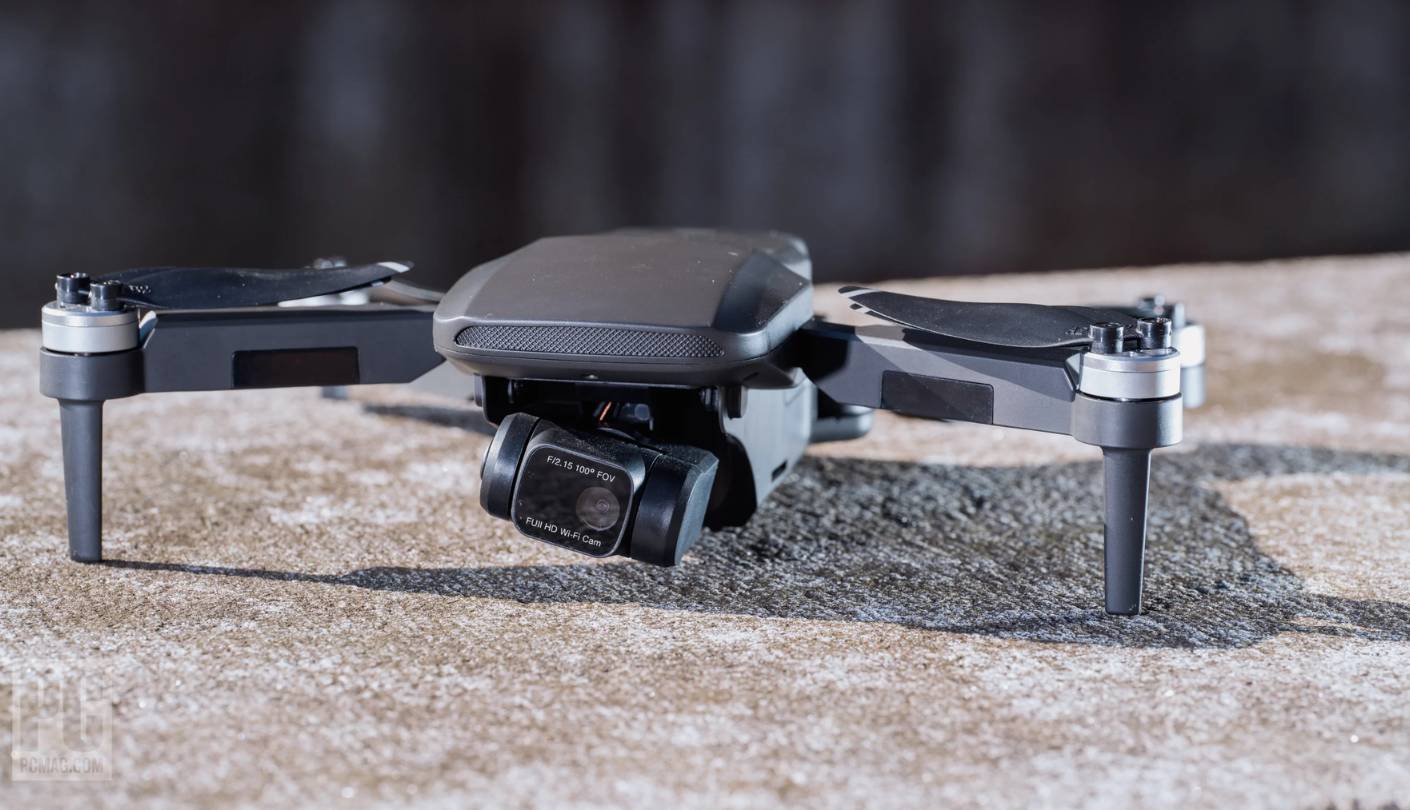
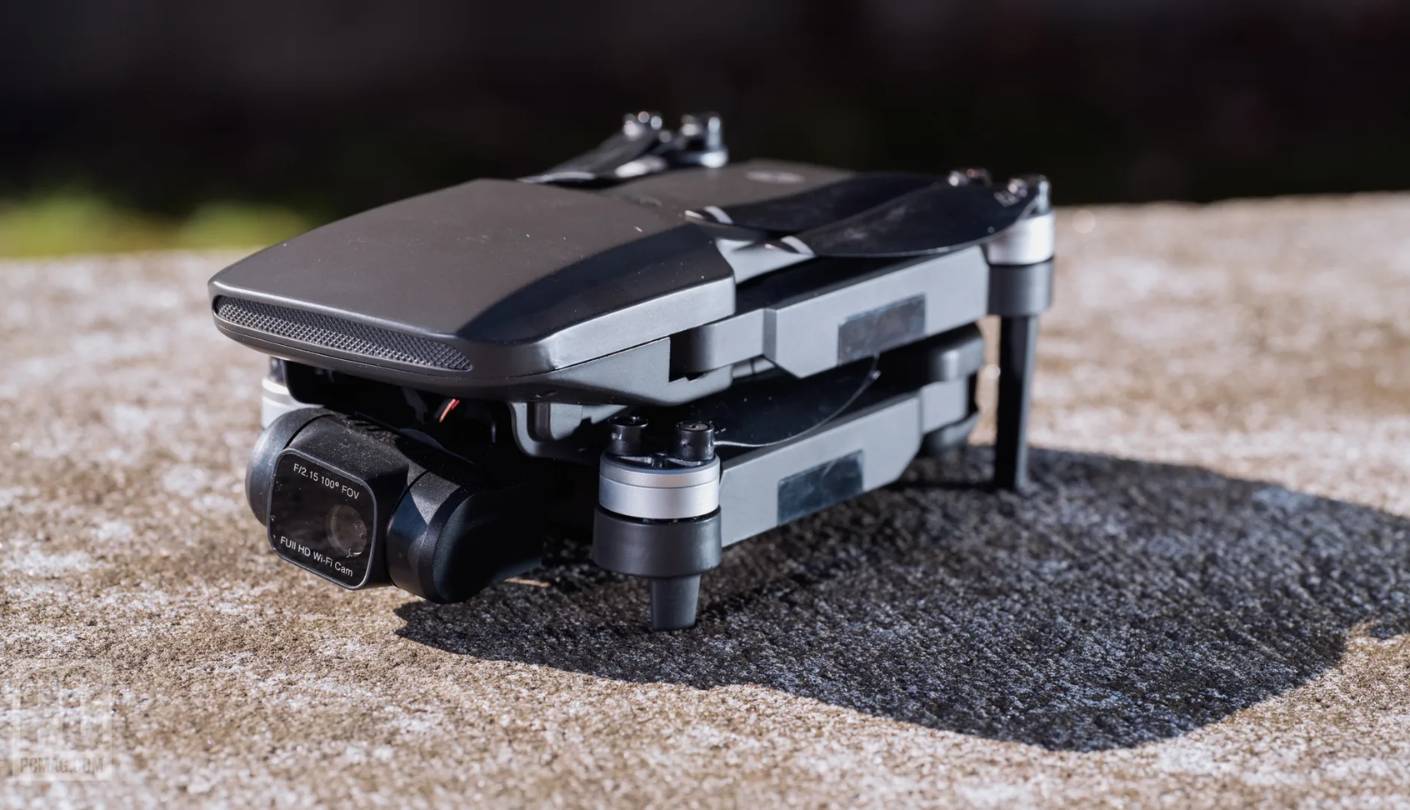
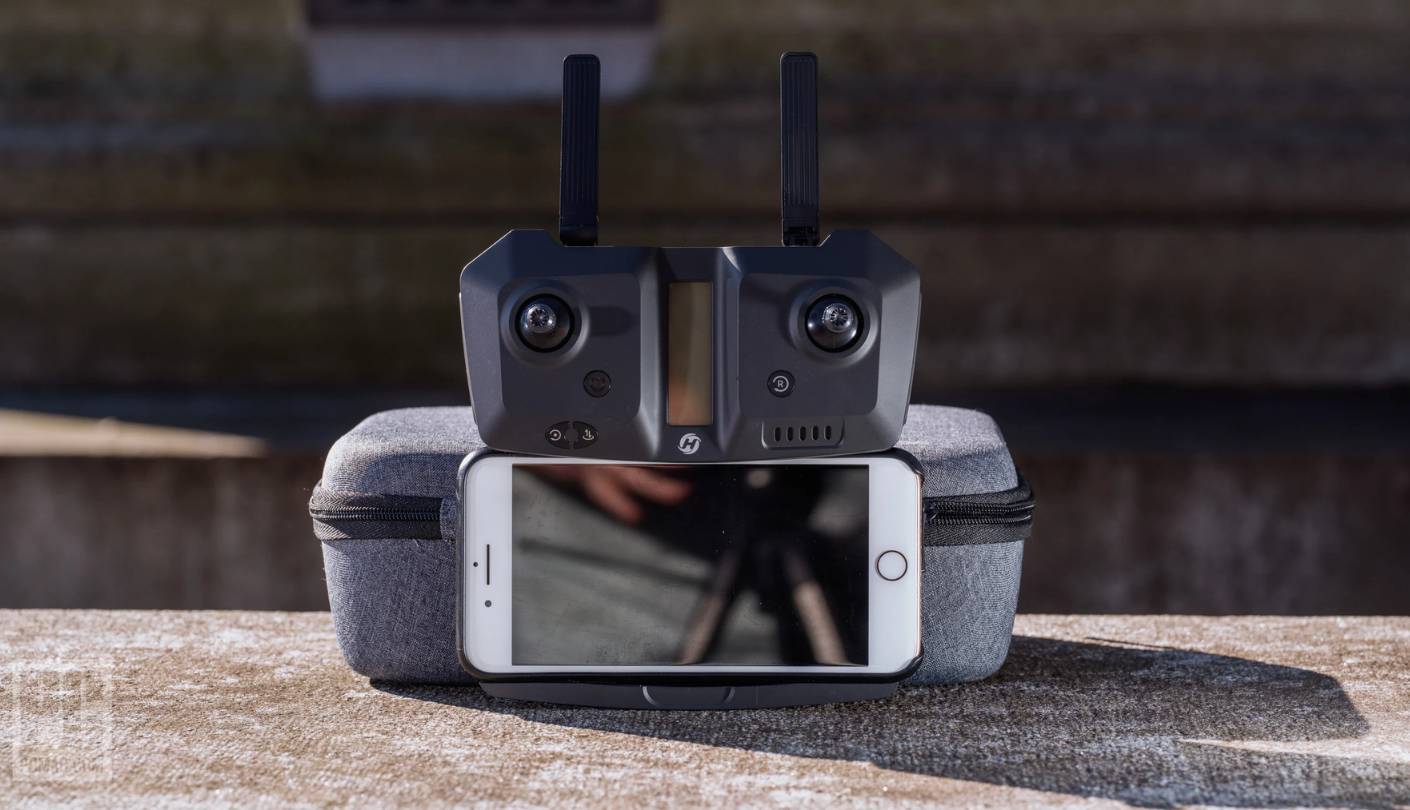
Holy Stone has been making beginner-oriented drones long enough that its designs feel deliberate rather than compromised, and the HS360S shows that accumulated experience in the details that matter to new pilots. The controller ships with a built-in display reading GPS signal strength, flight distance, altitude, and drone status in real time - data that most budget drones route only to a phone app. Having those numbers on the controller itself reduces cognitive load during early flights, and I found it noticeably useful during my first park sessions when I didn't want to glance away from the drone to check my phone.
Weighing exactly 249 grams keeps the HS360S below the FAA recreational registration threshold. Its 4K UHD camera uses a 1/3-inch GalaxyCore CMOS sensor with an 85-degree wide-angle lens, adjustable through 90 degrees of tilt via the remote or the HS Fly app. Holy Stone omitted a full mechanical gimbal in favor of a motorized tilt mount to stay sub-250g, but that means video in gusty conditions shows more shake than gimbal-stabilized alternatives. For calm-air sessions and basic aerial photography, the image quality holds up well. Push into wind or fast flight, and the gap from a 3-axis gimbal becomes obvious in the footage.
Dual GPS and GLONASS positioning drive the HS360S's stable hover - the foundation of any beginner-friendly flight experience. Novice mode caps altitude and distance at 30 meters, creating a practical practice boundary for pilots still developing their orientation sense. Intelligent modes include Follow Me, Waypoint navigation, Spiral Up, Catapult, and Point of Interest - a range that punches above the HS360S's price tier. Holy Stone continues updating the HS Fly app with new features, so the software experience at launch is a floor rather than a ceiling.
Flight time runs around 20 minutes per battery under typical conditions. Range is rated to 10,000 feet, though real-world distance in urban environments with Wi-Fi interference is shorter - adequate for park flying without issue. The removable joystick design on the controller, where the sticks store in the base between flights, protects the gimbal hardware during transport and keeps the package compact in a bag. At its price point, the HS360S bundles more autonomous flight modes than most direct competitors, which keeps early flying sessions interesting as skills develop.
Pass on the HS360S if stabilized video footage is the primary goal - the single-axis tilt mount won't satisfy anyone who has compared clips from a 3-axis gimbal. Choose it if you want a proven, stable GPS platform with a controller-screen information advantage and a solid set of smart flight modes at a price that leaves room for the inevitable beginner mishap. Holy Stone's customer support reputation is strong across its lineup, and that matters when questions come up that the manual doesn't answer.
Pros:
- Controller screen display
- GPS + GLONASS positioning
- Novice mode protection
- Multiple flight modes
- Sub-250g no registration
Cons:
- Single-axis tilt mount
- 20-minute flight time
Summary: Holy Stone HS360S pairs GPS/GLONASS precision with a controller-mounted status screen and a 30-meter Novice mode flight limiter. The most accessible sub-250g option for new pilots who want smart flight modes at the lowest realistic entry cost.
Potensic ATOM 2 Review
DJI Rival
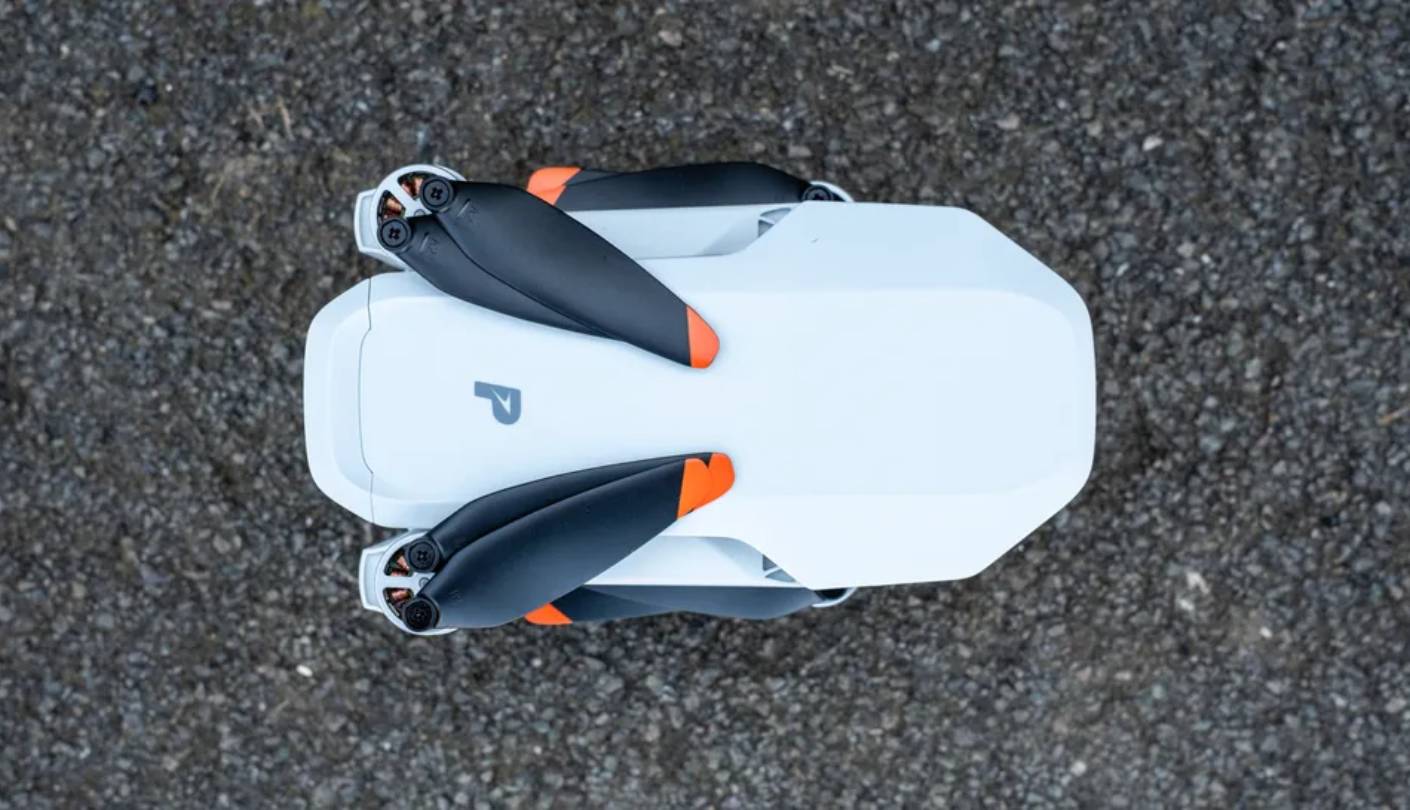
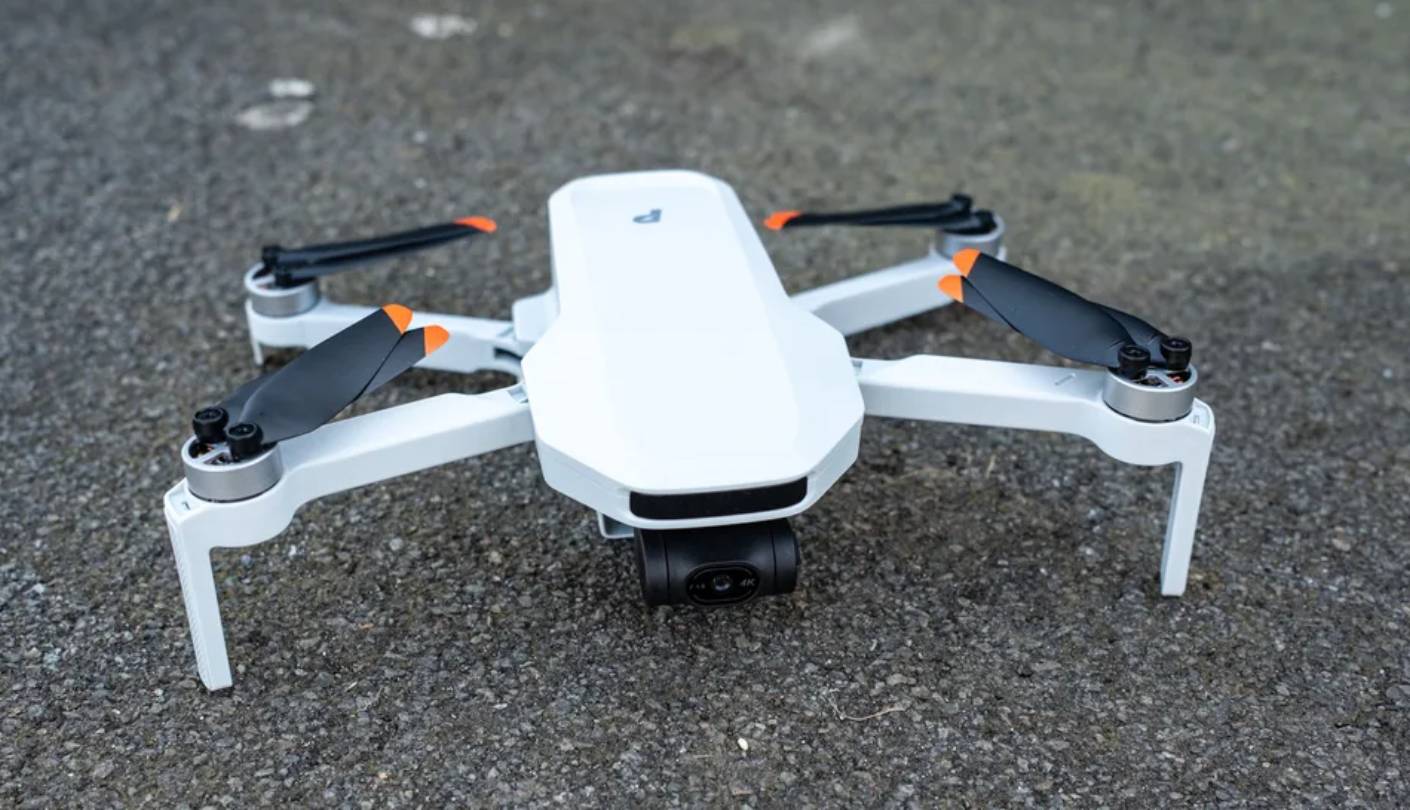
Announced in February 2025, the Potensic ATOM 2 closes the feature gap with DJI more aggressively than any previous sub-250g alternative. The 1/2-inch Sony CMOS sensor captures 4K/30fps video and 48MP stills - a sensor size that edges out the DJI Mini 4K's 1/2.3-inch chip, and the difference shows in real footage as cleaner shadow detail and richer color at the frame edges. Potensic also claims the new propellers are 40% quieter than the original ATOM, and across my test sessions the lower-pitch hum during flight was a consistent improvement over comparable drones in this weight class.
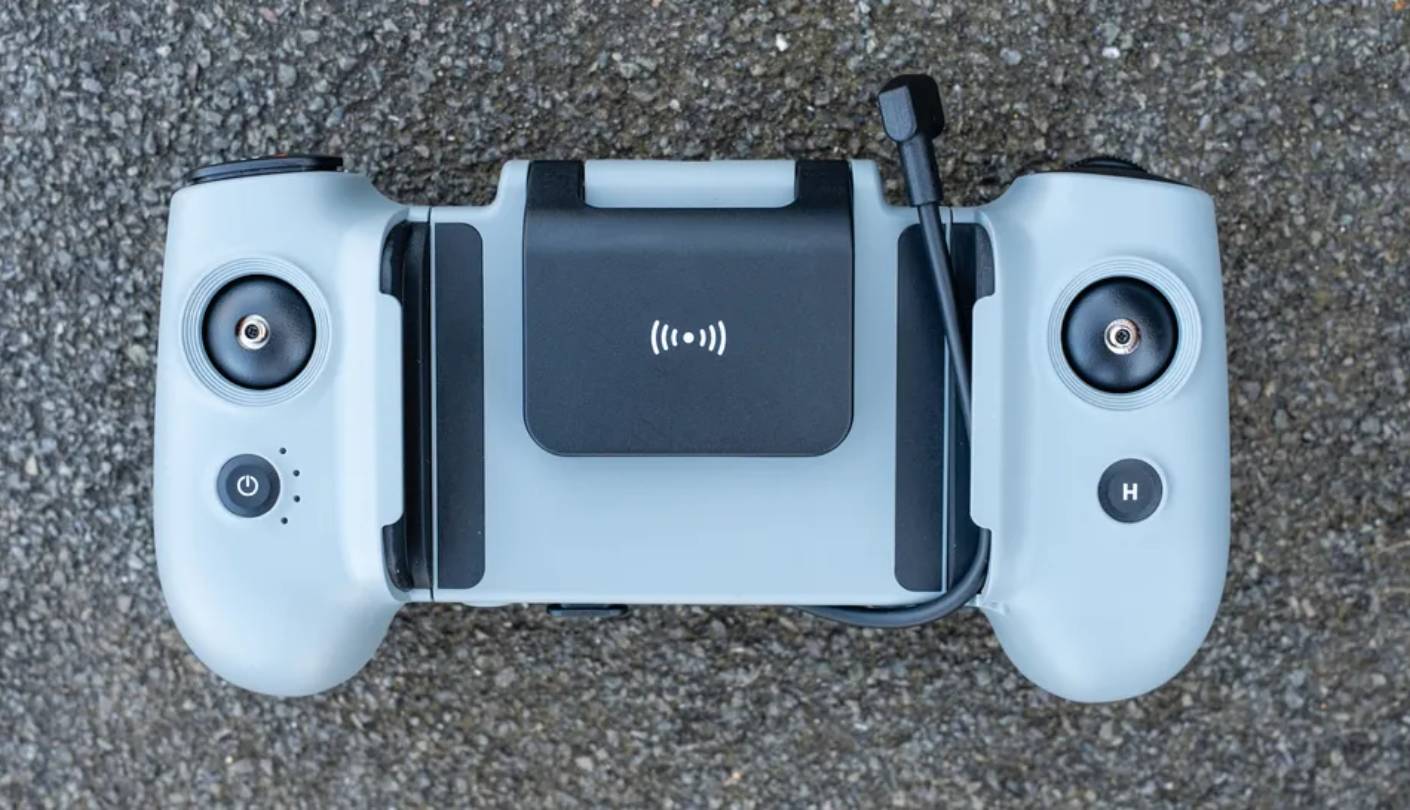
The new AT2-RC controller is a step up from Potensic's previous remote designs. Phone mounting sits centrally above the joysticks rather than at the top of the antenna, which shifts the balance point closer to a game controller and keeps it comfortable through longer sessions. Physical buttons handle RTH, gimbal tilt, and flight mode switching without requiring app menu navigation during flight - a practical advantage for beginners still building muscle memory. The Potensic Eve app is clean and fast, with on-screen tips that new pilots will appreciate and experienced pilots can disable. The 10km PixSync 4.0 transmission held a solid connection across all my test environments without any dropouts.
Sport mode reaches 35.8 mph - faster than most GPS drones in this bracket - giving the ATOM 2 a responsiveness that mirrors more expensive platforms. Level 5 wind resistance handles real-world gusts rather than just still-air test scenarios. AI Track subject tracking covers Spotlight, Follow, and Parallel modes, all selectable by drawing a box around a subject in the app and compatible with both people and objects. These modes are not as locked-on as DJI's ActiveTrack, and without obstacle avoidance the pilot still needs to clear the flight path manually. Parallel mode is the most useful of the three for action content, keeping a cyclist or runner compositely framed from the side.
Real-world battery life averages 22-23 minutes before the auto-RTH prompt at 15%. The Fly More Combo - three batteries with a fast-charging hub that refills all three simultaneously in about 1.3 hours - is the version worth buying for anyone planning more than a casual session. Each battery also charges individually via USB-C, so a power bank works as an emergency field charger. One caveat at launch: 48MP stills output only in JPEG format. RAW support has been flagged as a planned firmware update, but at time of writing it is not yet available - a limitation that matters for photographers who need full color editing latitude.
The ATOM 2 is the strongest case currently available for a non-DJI sub-250g drone. For US beginners who might default to the Mini 4K, the larger Sony sensor, AI tracking, and improved controller each narrow the gap enough to make a direct comparison worthwhile before deciding. In markets where DJI's US availability remains uncertain, my recommendation here shifts from "worth considering" to "worth prioritizing" - it's the most capable non-DJI option in this group by a clear margin.
Pros:
- 1/2" Sony CMOS sensor
- 48MP still photos
- AI Track subject tracking
- 10km PixSync transmission
- Ergonomic AT2-RC controller
Cons:
- JPEG-only 48MP stills
- No obstacle avoidance
Summary: Potensic ATOM 2 brings a 1/2-inch Sony sensor, accurate AI tracking, and a game-controller-style remote to the sub-250g category. The strongest DJI alternative in this roundup for pilots who want competitive specs without the DJI price premium.
HOVERAir X1 Review
Palm Flyer
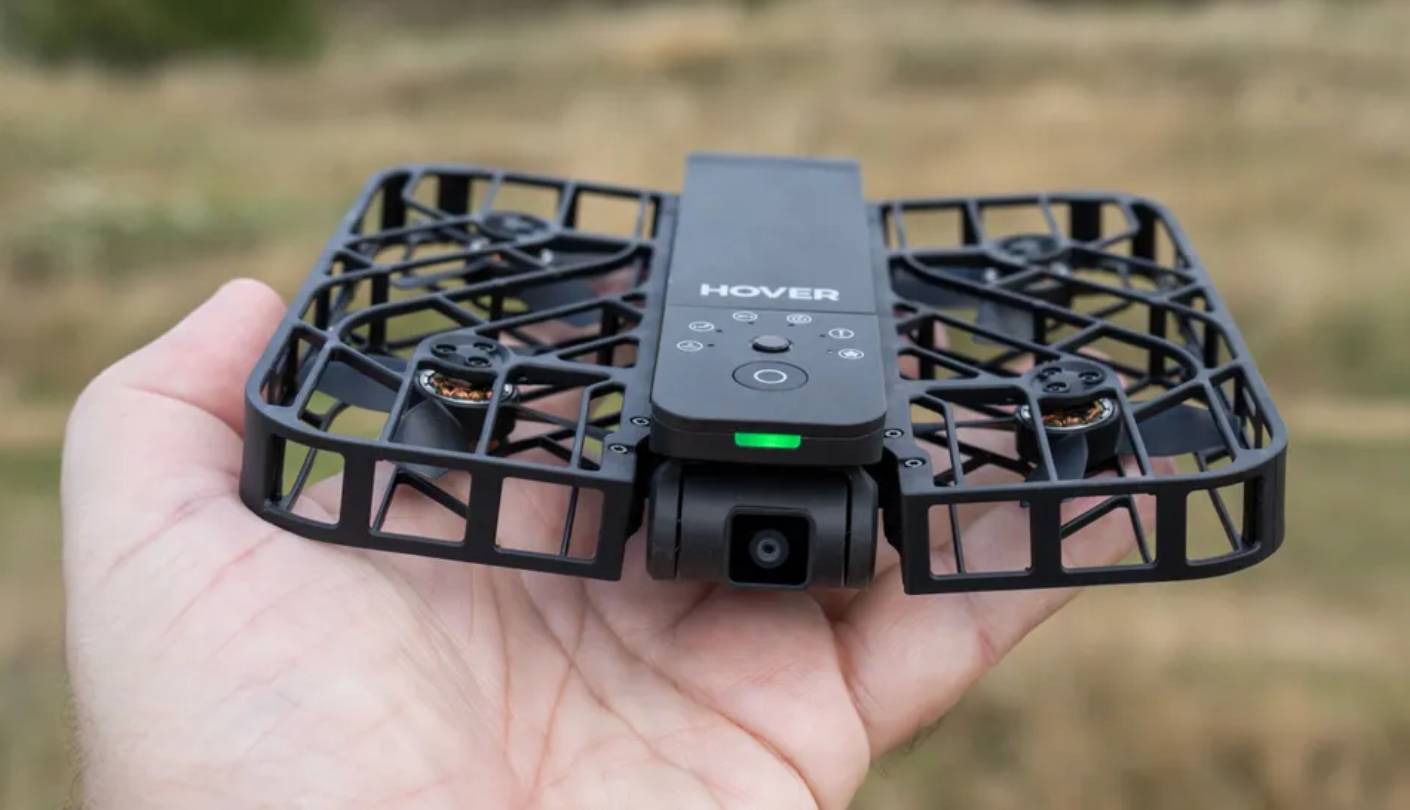
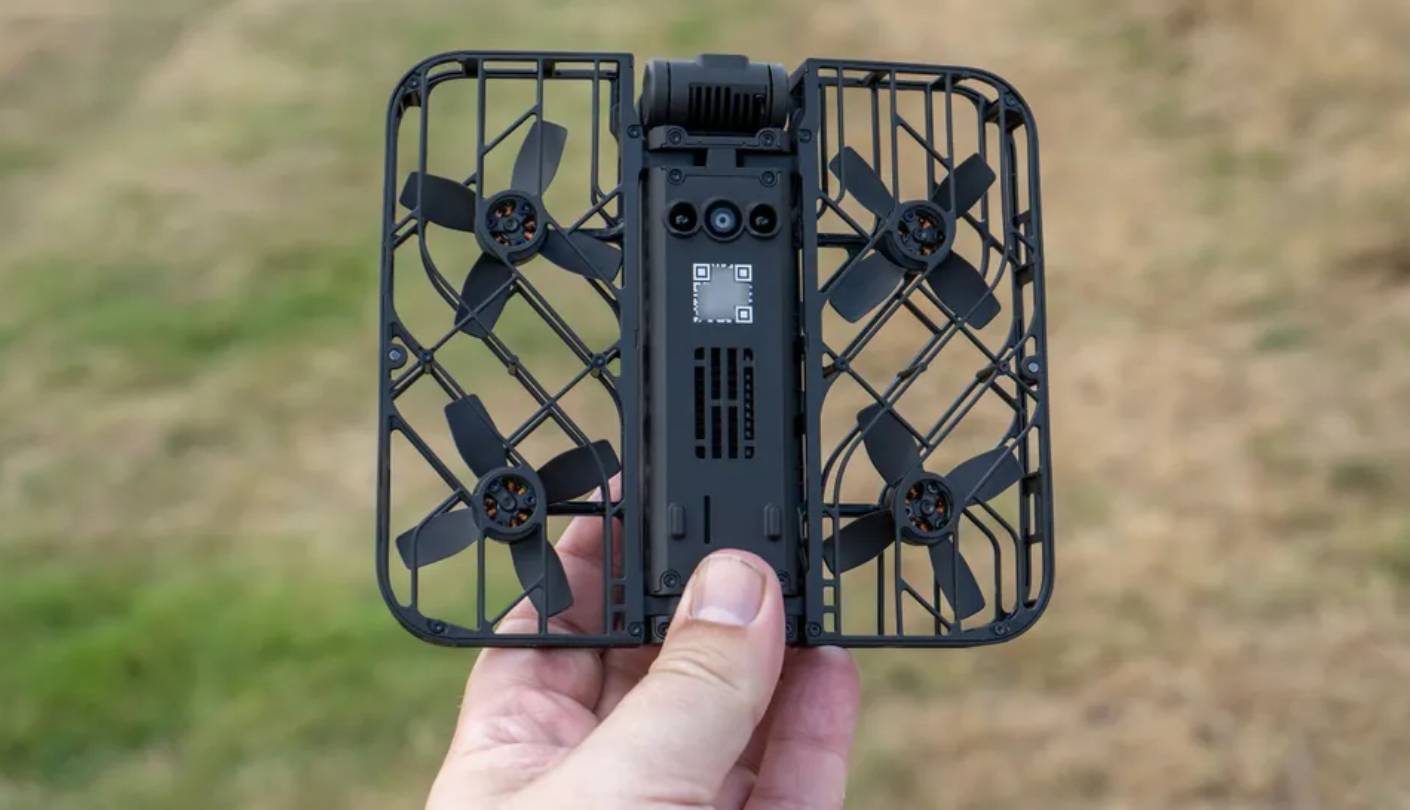
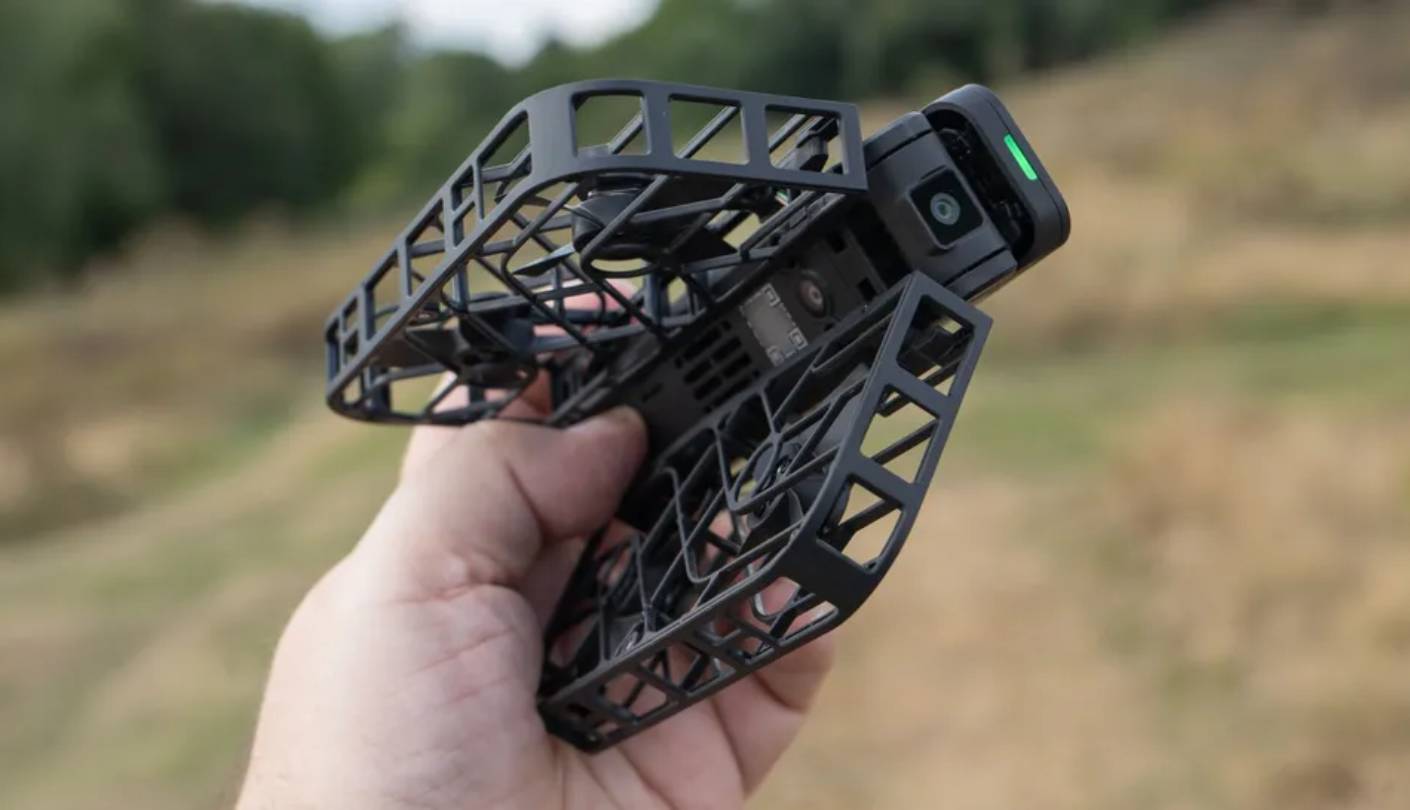
The HOVERAir X1 occupies a category of its own in this roundup. At 125 grams - under half the weight of any GPS quadcopter here - it uses visual inertial odometry (VIO) rather than GPS for positioning, with the flight envelope controlled through two physical buttons and a set of pre-programmed autonomous paths. No radio controller, no compass calibration, no app pairing required before first flight. Place it on your palm, press the button, and it lifts off and stabilizes itself. Within three minutes of unboxing I was in the air and filming - a setup time that no GPS drone in this group comes close to matching.
Five intelligent flight modes - Hover, Zoom Out, Bird's Eye, Follow, and Orbit - cover the full range of self-filming scenarios that the X1's target users actually need. Hover functions as a flying tripod for group shots where no one gets left behind the lens. Zoom Out pulls back and gains altitude for a cinematic reveal. Follow tracks the pilot at speeds up to 25 km/h, pacing a jog or easy ride without input. Because VIO positioning needs no satellite signal, the X1 operates indoors, on shaded trails, and anywhere GPS locks poorly - a practical advantage over every GPS drone in this group for close-proximity tracking in varied environments.
The camera records 2.7K at 30fps or 1080p at 60fps, with 12MP stills saved to 32GB of internal memory. No microSD slot means all footage transfers to a phone via the Hover X1 app over Wi-Fi. That 2.7K ceiling sits below the 4K output of every other drone here, and on a TV or large monitor the difference is visible. For social media content - short clips for Instagram, TikTok, or YouTube Shorts - 2.7K is adequate. For anyone building longer edits or grading color in post-production, the resolution gap at this price point is a real factor to weigh before buying.
Battery life is the X1's most limiting practical characteristic. The stated 11-minute figure lands at 9-10 minutes in actual outdoor use. For any session beyond a short spontaneous capture, the two-battery combo is a functional necessity rather than an optional upgrade. The fully enclosed propeller cage makes the X1 safer around people and pets than any open-prop drone in this group, and at 125g it stays well below both FAA and EU registration thresholds. One important limitation: with no GPS onboard there is no Return to Home - if the battery depletes mid-flight, the drone lands where it is rather than navigating back to the launch point.
The HOVERAir X1 is the right fit for a very specific user: someone who wants to appear in their own footage without a co-pilot on the controller. Solo hikers, runners, climbers, and anyone who finds traditional joystick controls intimidating will get more out of the X1 in their first session than they would from weeks of GPS quadcopter practice. Used for its intended purpose - autonomous self-filming in varied environments - it does that job better than anything else in this group. As a general-purpose camera drone, it trades too much range, resolution, and flight time to compete with the GPS alternatives here.
Pros:
- Palm takeoff operation
- 125g ultra-light weight
- Enclosed propeller guards
- GPS-free VIO tracking
- Indoor-capable flight
Cons:
- 9-10 minute battery life
- 2.7K resolution ceiling
Summary: HOVERAir X1 is a palm-launch autonomous drone built for solo self-filming, with GPS-free VIO tracking that operates indoors and in signal-denied environments. The right pick for users who want to appear in their own footage without any piloting experience required.
Best Drones for Beginners: FAQ
These are the questions I get most often from first-time buyers - answered based on hands-on time with each model and real experience helping beginners through their first sessions.
Do I need to register my drone before flying?
In the US, drones flown recreationally under 250 grams do not require FAA registration or Remote ID compliance. Four of the five drones in this roundup clear that threshold without issue. The exception is the Ruko F11PRO 2 at 357g, which requires registration for both recreational and commercial use. Anyone planning commercial flights - paid photography, real estate video, or any compensated work - needs Part 107 certification regardless of drone weight. Check the FAA's DroneZone website for current airspace rules, as requirements are updated regularly and vary by location.
Which beginner drone shoots the best video?
For video quality, the DJI Mini 4K and Potensic ATOM 2 lead this group clearly. Both carry full 3-axis mechanical gimbals, both record 4K at 30fps, and the ATOM 2's larger 1/2-inch Sony sensor gives it an edge in lower-light conditions. The DJI Mini 4K's 100Mbps bitrate adds editing flexibility that lower-bitrate competitors can't match in post-production. If clean, editable footage is the primary goal from day one, either of these two is the right starting point over budget alternatives with single-axis stabilization.
How long does a beginner drone actually fly on one charge?
Manufacturer flight times are measured under controlled lab conditions - no wind, constant altitude, room-temperature fresh battery. Real-world figures run 25-30% lower across the board. The DJI Mini 4K's 31-minute claim translates to 21-25 minutes outdoors. The Potensic ATOM 2's 32 minutes becomes 22-23 minutes. The HOVERAir X1 is the most affected, dropping from 11 minutes to 9-10 minutes in practice. For any session beyond a quick outing, buying at least one spare battery at the same time as the drone is always my first accessory recommendation.
What's the difference between a GPS drone and a selfie drone?
GPS drones use satellite positioning to hold position, return to launch automatically on low battery, and fly accurately over large areas with a manual controller. Selfie drones like the HOVERAir X1 use onboard cameras and accelerometers (VIO) to estimate position without satellites - which lets them operate indoors and in GPS-denied environments but limits range to around 30 meters and removes Return to Home functionality. GPS drones are the right choice for learning to fly and capturing wide aerial footage. VIO autonomous drones are purpose-built for close-proximity self-filming in varied environments where GPS signal is unreliable or absent.
Do beginner drones come with obstacle avoidance?
None of the five drones in this roundup include obstacle avoidance sensors. Adding the detection hardware typically adds 40-80 grams and significant cost - pushing sub-250g designs above the regulatory threshold. The HOVERAir X1 uses fully enclosed propeller guards as a partial safety substitute for impact protection near people. The DJI Mini 4 Pro adds obstacle avoidance at a higher price and still stays sub-250g, but it sits above the beginner price bracket. For first-time pilots at this price tier, maintaining line of sight and flying in open areas is the practical substitute for collision sensing hardware.
What's the best beginner drone to take on trips?
For pure portability, the HOVERAir X1 at 125g wins outright - it fits in a jacket pocket and needs no controller. For travel that involves actual photography, the DJI Mini 4K is the cleaner answer: compact folded size, 4K quality, Level 5 wind resistance, and a track record across real travel scenarios. The Potensic ATOM 2 is a strong alternative for travel photography, with the 1/2-inch Sony sensor producing better color in the mixed lighting that travel shooting typically involves.
How hard is it to learn to fly a drone as a complete beginner?
Most new pilots reach stable hovering, basic navigation, and smooth turns within two to three focused practice sessions. GPS-assisted hover removes the hardest element of traditional RC flying - manually maintaining altitude and position - so beginners can focus on orientation and movement rather than constant drift correction. The steepest part of the curve is understanding which direction the drone's nose is pointing when it flies toward you. Keeping Beginner or Novice mode active for the first few hours caps speed and range in a way I'd recommend regardless of how quickly the basic controls start to feel natural.
What accessories do I actually need with my first drone?
A spare battery makes the biggest practical difference - it doubles air time per outing and turns a frustrating 20-minute practice loop into a full productive hour of flying. A 32-64GB Class 10 or UHS-I microSD card is essential for every model here except the HOVERAir X1, which uses internal storage. A landing pad protects the gimbal during takeoff and landing on grass, gravel, or any uneven surface. Once past the first few sessions, an ND filter set is the next worthwhile addition for improving video exposure in bright conditions - compatible third-party sets for most of these drones are available for under $25.
Choosing the Right Beginner Drone
The sharpest divide in this group sits between pilots who want to develop real flying skills and those who want footage of themselves starting today. For pilots in the first camp, the DJI Mini 4K is the clearest all-around starting point - its 3-axis gimbal, 100Mbps video, Level 5 wind resistance, and proven app ecosystem form a package that holds its value as skills grow. For pilots who want that same standard from a non-DJI platform, the Potensic ATOM 2 is the most capable alternative right now, with a larger Sony sensor and accurate AI tracking modes that close the gap in ways no previous competitor managed.
Budget-conscious beginners who want a proven GPS platform with smart flight modes and a controller-screen advantage will find the Holy Stone HS360S a reliable lower-cost entry point. Pilots prioritizing maximum flight time and stronger still-photo output should look at the Ruko F11PRO 2 - the two bundled batteries and Sony-lens camera earn the registration step. And for anyone who wants to skip controllers entirely and start filming themselves on day one, my pick is the HOVERAir X1 - a drone that redefines what beginner-accessible actually means, even if its ceiling is narrower than everything else in this group.

Meet James, our go-to tech guru and seasoned reviewer. His sharp attention to detail and love for gadgets drive his deep dives into the newest tech waves. James's insightful analysis and real zest for breakthroughs have earned him a solid reputation in the tech world.


